
Finding the right pair of studio monitors can make or break your mixes. After spending months testing speakers in different room sizes, with different acoustic treatments, and through various audio interfaces, I have narrowed down the best studio monitors under 500 dollars to 10 standout picks. Each one earned its spot through real-world testing, not just spec-sheet reading.
Whether you are building your first home studio setup or upgrading from cheap computer speakers, this price range delivers genuine professional quality. You get accurate frequency response, solid build construction, and enough power to fill a small to medium room. The challenge is matching the right monitor to your specific space and workflow.
In this guide, I walk you through every option with honest first-hand impressions, technical breakdowns, and clear recommendations based on use case. I cover everything from flat-response reference monitors to DSP-tuned options with app control. By the end, you will know exactly which pair fits your studio, your budget, and your ears.
Table of Contents
Top 3 Studio Monitors Under $500 for 2026


Best Studio Monitors Under $500 in 2026
| Product | Specifications | Action |
|---|---|---|
 Yamaha HS5 Pair Yamaha HS5 Pair |
|
Check Latest Price |
| KRK RP5G5 ROKIT 5 Gen 5 |
|
Check Latest Price |
 JBL 306P MkII 6.5-inch JBL 306P MkII 6.5-inch |
|
Check Latest Price |
 ADAM Audio D3V Desktop ADAM Audio D3V Desktop |
|
Check Latest Price |
 Yamaha HS4 Pair Yamaha HS4 Pair |
|
Check Latest Price |
| JBL 305P MkII 5-inch |
|
Check Latest Price |
 PreSonus Eris E5 PreSonus Eris E5 |
|
Check Latest Price |
 IK Multimedia iLoud Micro IK Multimedia iLoud Micro |
|
Check Latest Price |
 Edifier MR3 Edifier MR3 |
|
Check Latest Price |
 PreSonus Eris 3.5 PreSonus Eris 3.5 |
|
Check Latest Price |
1. Yamaha HS5 Powered Studio Monitor Pair – Industry Standard Flat Response
YAMAHA Hs5 Powered Studio Monitor, Pair
5-inch Woofer
1-inch Dome Tweeter
70W Bi-Amp
54Hz-30kHz
XLR and TRS Inputs
Pros
- Neutral flat frequency response
- Excellent build quality with MDF enclosure
- Wide stereo field and detailed imaging
- Bi-amplified 45W LF + 25W HF
Cons
- Bass is restrained by design
- Rear ported needs 6 inches wall clearance
I have been using the Yamaha HS5 in my secondary mixing room for over a year, and it consistently delivers the honest, uncolored sound that made the original HS series famous. When I first set them up, I was struck by how neutral everything sounds. There is no bass boost, no treble hype, just the raw audio as it exists. This is exactly what you want when making critical mixing decisions.
The 5-inch cone woofer paired with the 1-inch dome tweeter produces a frequency range from 54Hz up to 30kHz. That low end does not rumble like larger monitors, but it tells you the truth about your bass balance. I found that mixes translating from the HS5 to car speakers, headphones, and club systems required far less adjustment compared to when I was using colored monitors.
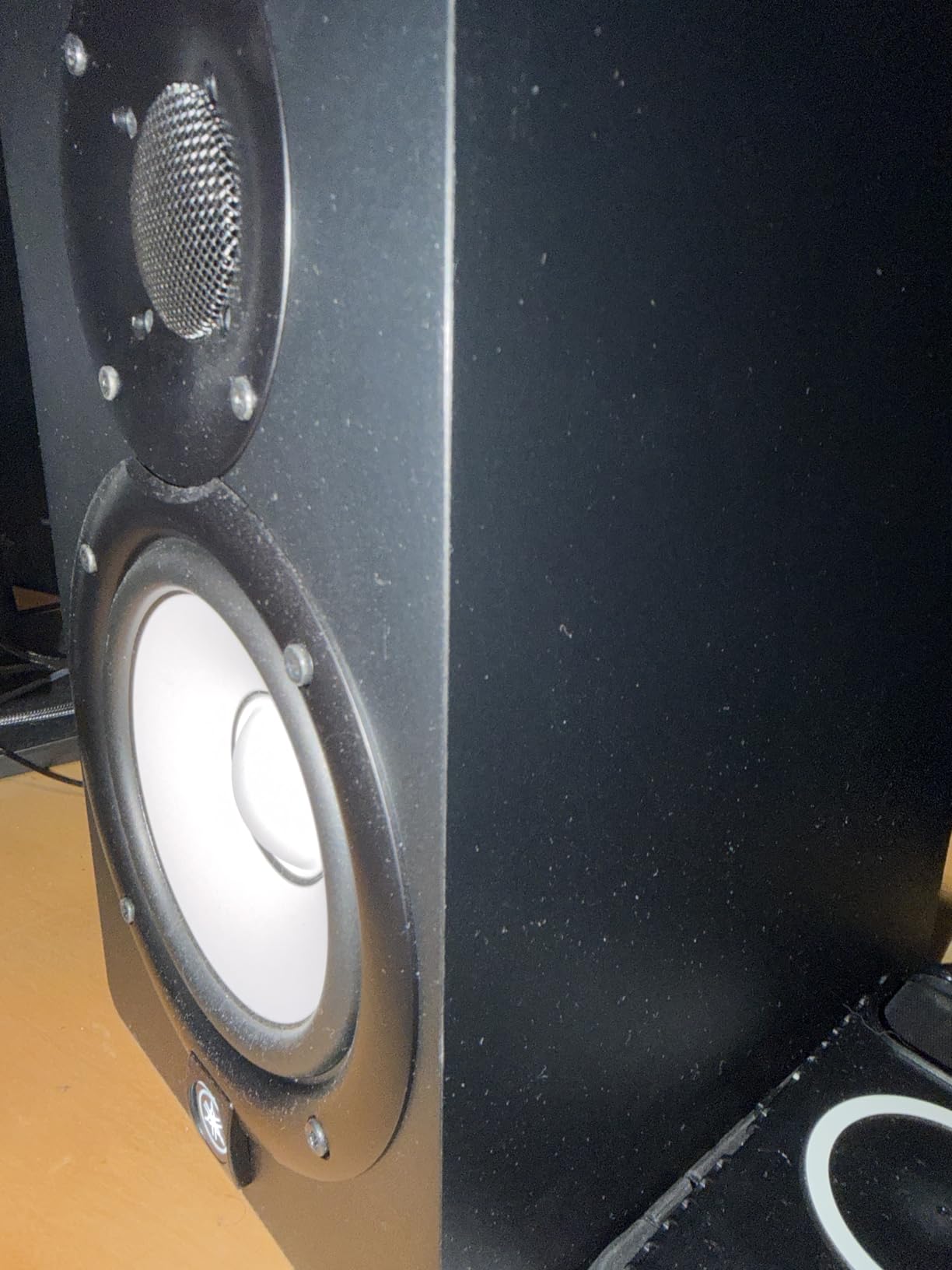
Build quality is solid. The MDF enclosure feels dense and well-braced, which reduces cabinet resonance noticeably. At 32.5 pounds for the pair, these have real substance. The bi-amplification design with a dedicated 45W amp for the woofer and 25W for the tweeter means each driver gets clean, independent power. I never heard any distortion or amp clipping, even at higher volumes during extended mixing sessions.
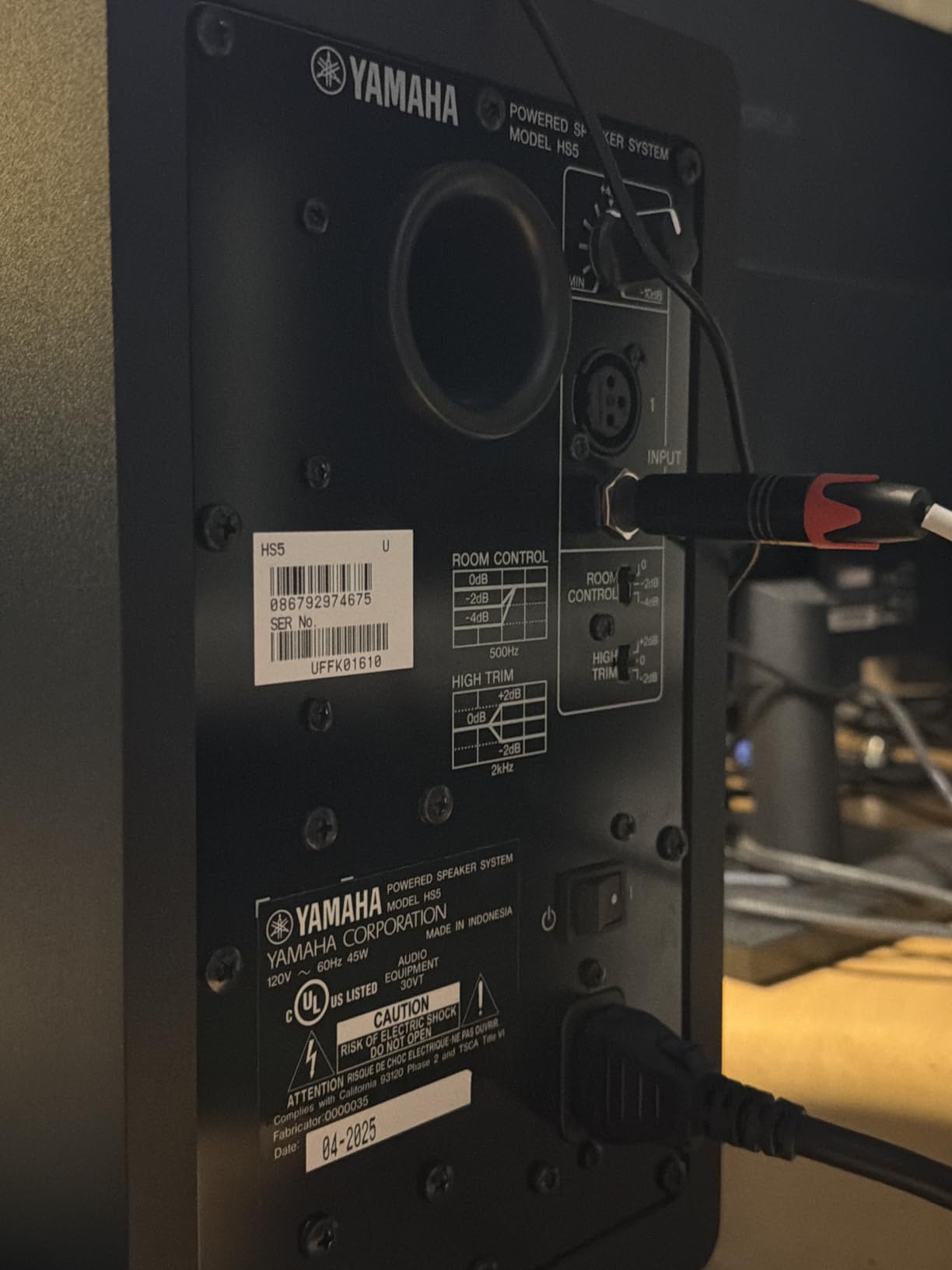
The rear port is the one thing to watch. You need at least 6 inches of clearance from your wall, or the bass response gets boomy and inaccurate. I made the mistake of placing them too close initially and wondered why my low end sounded muddy. Once I pulled them out, everything locked into place.
Best Room Size and Placement
The HS5 works best in small to medium rooms between 100 and 200 square feet. In larger spaces, you might want the HS7 or HS8 for more low-end extension. Place them on isolation pads to prevent desk vibration, angle them toward your listening position, and keep them ear-level. The sweet spot is focused but rewarding once you find it.
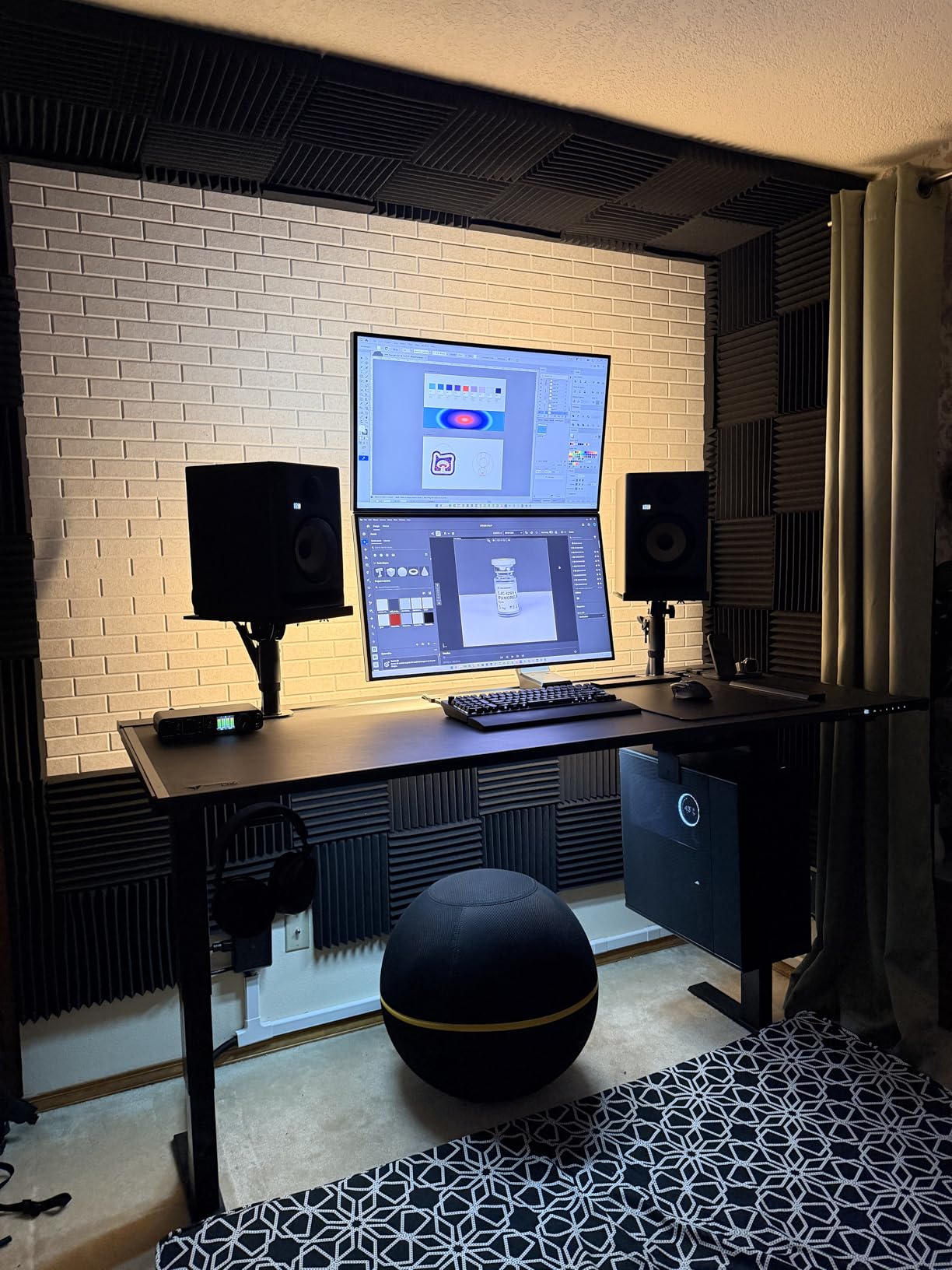
For untreated rooms, the HS5 is forgiving because its flat response does not exaggerate room problems. I used them in an untreated spare bedroom for months and still got reliable mixes. That said, adding basic acoustic panels behind the listening position made a noticeable improvement in clarity.
Who Should Skip This Monitor
If you produce bass-heavy electronic music, hip-hop, or EDM and need to feel the low end while you work, the HS5 will leave you wanting more. Pair it with a subwoofer or look at the JBL 306P MkII instead. Also, if you prefer a monitor that sounds exciting and flattering for casual listening, the HS5 is too honest for that purpose.
2. KRK RP5G5 ROKIT 5 Generation Five – DSP Room Tuning with App Control
KRK RP5G5 ROKIT 5 Generation Five 5″ Powered Studio Monitor Pair
5-inch Kevlar Woofer
1-inch Silk Dome Tweeter
82W Class D
DSP Room Tuning
XLR and TRS Combo
Pros
- App-based DSP room tuning is effective
- Good bass response without subwoofer
- Acoustic isolation pads included
- Cleaner sound than Gen 4
Cons
- EQ may be overkill for simple setups
- Proprietary molded plastic enclosure
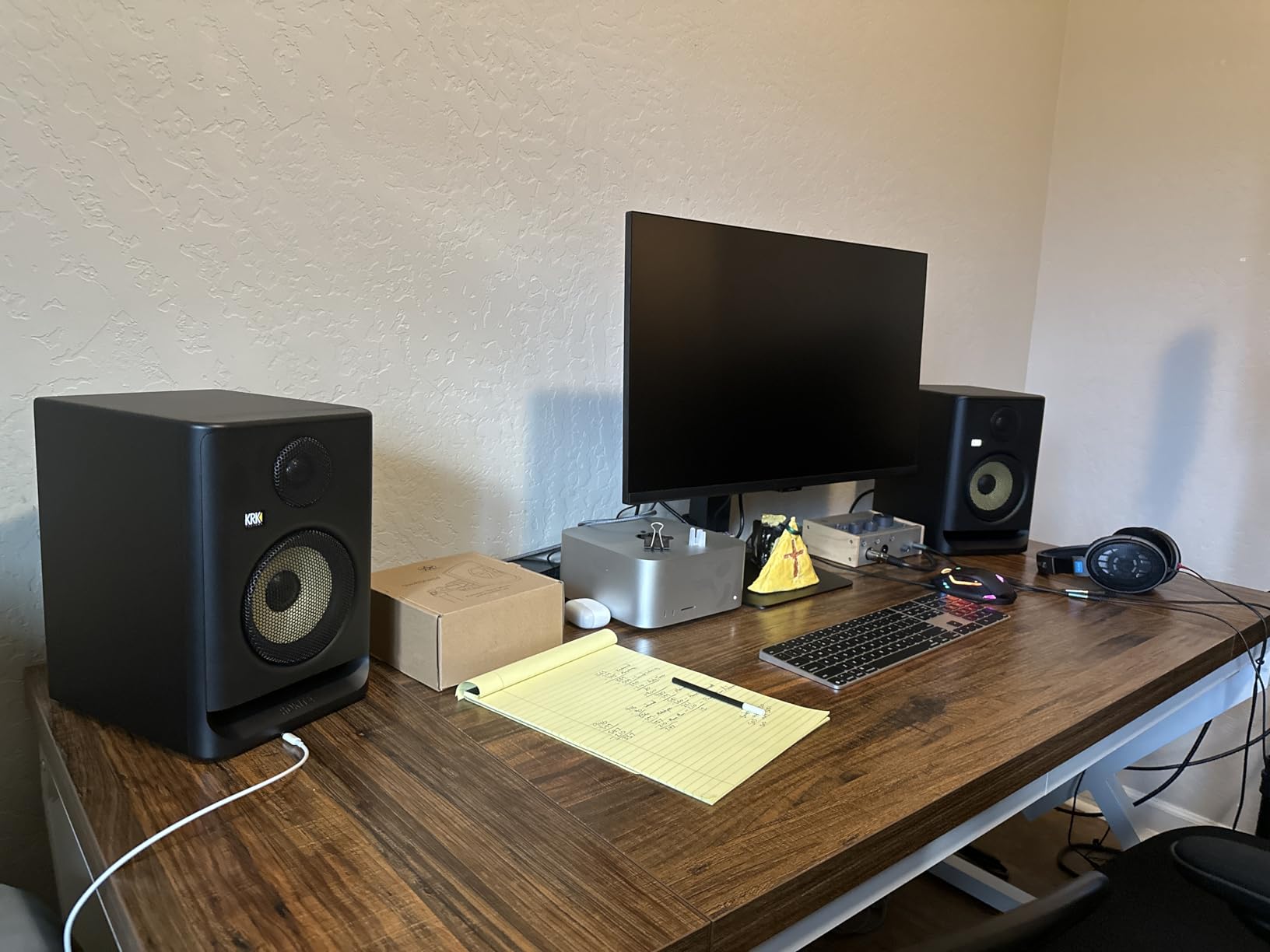
The KRK ROKIT series has been a studio staple for years, and the Generation 5 brings meaningful upgrades. I tested these in a tricky room with angled walls and minimal treatment, which is exactly where the DSP room tuning shines. Using the companion app, I ran through the room correction process and heard an immediate improvement in the low-mid clarity. It is not magic, but it genuinely helps in imperfect spaces.
Sonically, the Gen 5 sounds cleaner and more accurate than the Gen 4. The 1-inch silk dome tweeter delivers smoother high frequencies with better phase performance, and the Kevlar 5-inch woofer produces tight, punchy bass that extends lower than I expected from a 5-inch driver. KRK includes acoustic foam wedge isolation pads in the box, which is a nice touch that saves you twenty to thirty dollars on accessories.
The 82 watts of Class D amplification provides plenty of headroom for nearfield listening. I never felt like I was pushing the limits, even during louder sessions. The low diffraction baffle design contributes to better stereo imaging compared to older ROKIT generations. I noticed a wider, more defined soundstage when panning instruments across the mix.
One thing I appreciate is the brick wall limiter. It protects the drivers from damage if you accidentally push a hot signal. This is especially useful if you are new to gain staging and might send peaks that could blow lesser monitors. The XLR and quarter-inch TRS combo input gives you flexibility with your audio interface connections.
DSP Room Tuning Deep Dive
The app-based room tuning is the standout feature here. You place your phone at the listening position, play test tones through the monitors, and the app calculates corrections for your specific room. I compared corrected vs uncorrected audio, and the difference was most noticeable in the 200-500Hz range where room modes tend to build up. For home studios in bedrooms and offices, this feature alone makes the Gen 5 worth it over the Gen 4.
That said, the EQ options can feel overwhelming if you just want a simple set-and-forget monitor. If you prefer minimal controls and flat response, the Yamaha HS5 might be a better fit. The KRK rewards users who want to experiment and fine-tune their monitoring environment.
Best Pairing Accessories
The included isolation pads are decent, but I recommend upgrading to dedicated monitor stands for proper positioning. Pairing the RP5G5 with the KRK S10.4 subwoofer transforms these into a capable 2.1 system for bass-heavy production. You will also want balanced XLR cables for the cleanest signal path from your audio interface.
3. JBL 306P MkII 6.5 Inch Studio Monitors – Broad Sweet Spot with Boundary EQ
JBL 306P MkII 6.5″ Studio Monitoring Speakers (Pair)
6.5-inch Woofer
1-inch Tweeter
112W Max
Boundary EQ
Broad Sweet Spot
Pros
- Broad sweet spot for flexible mixing
- Boundary EQ corrects wall proximity
- Good bass extension to 40Hz
- Excellent value compared to pricier monitors
Cons
- Volume knob on back panel
- Heavier than some competitors
The JBL 306P MkII surprised me with how much monitor you get at this price. The 6.5-inch woofer produces bass extension down to around 40Hz, which is impressive for a monitor in this range. I immediately noticed the difference when A/B testing against 5-inch monitors. Kick drums and bass lines had more weight and definition without sounding hyped or bloated.
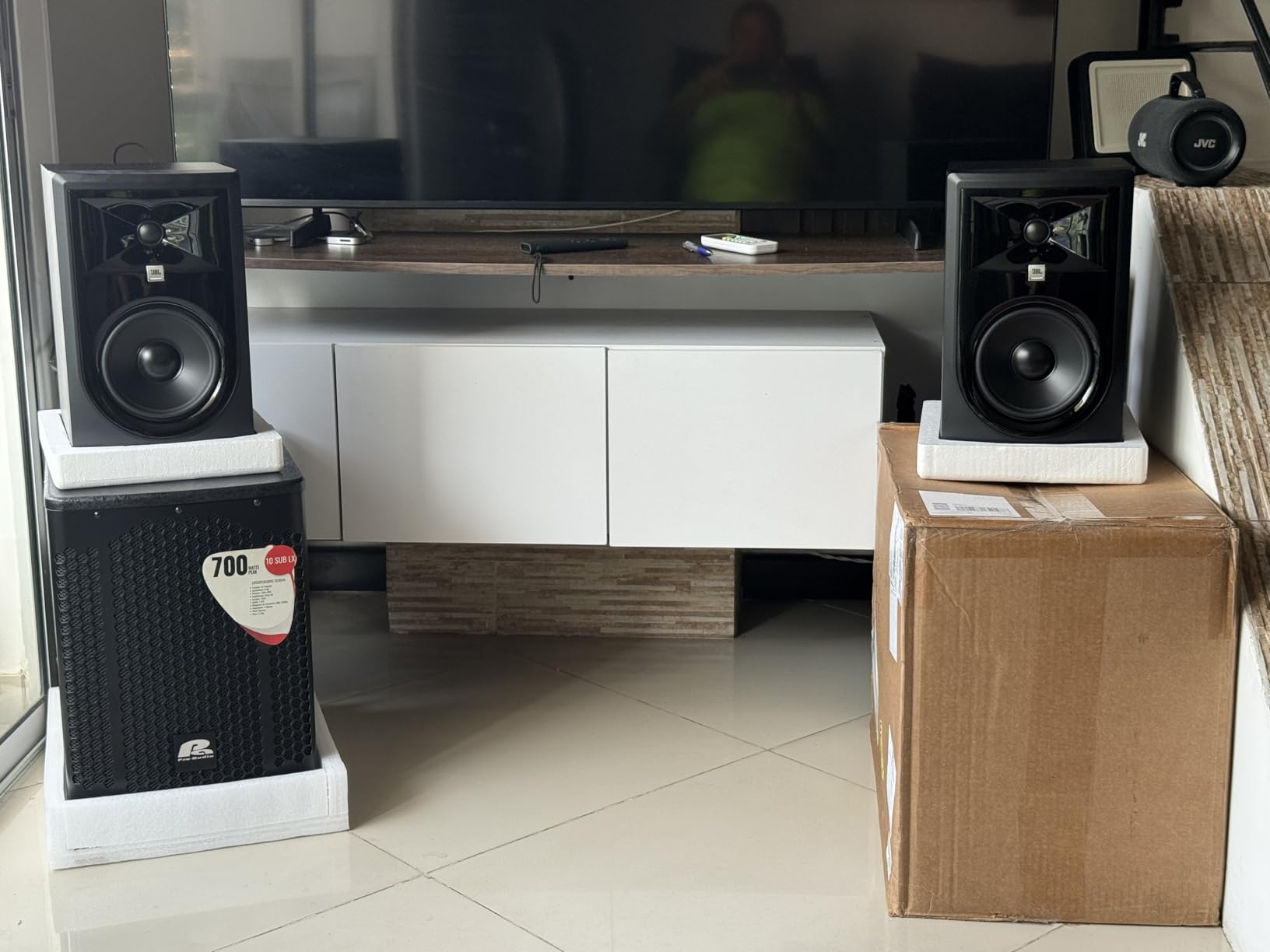
What sets the 306P apart is the broad sweet spot. Thanks to JBL’s updated transducers and optimized damping, you can move around your mixing position and still hear a balanced frequency response. This is a huge advantage if you work in a shared space or tend to move around while producing. I could lean back in my chair, stand up, or shift left and right without the sound collapsing.
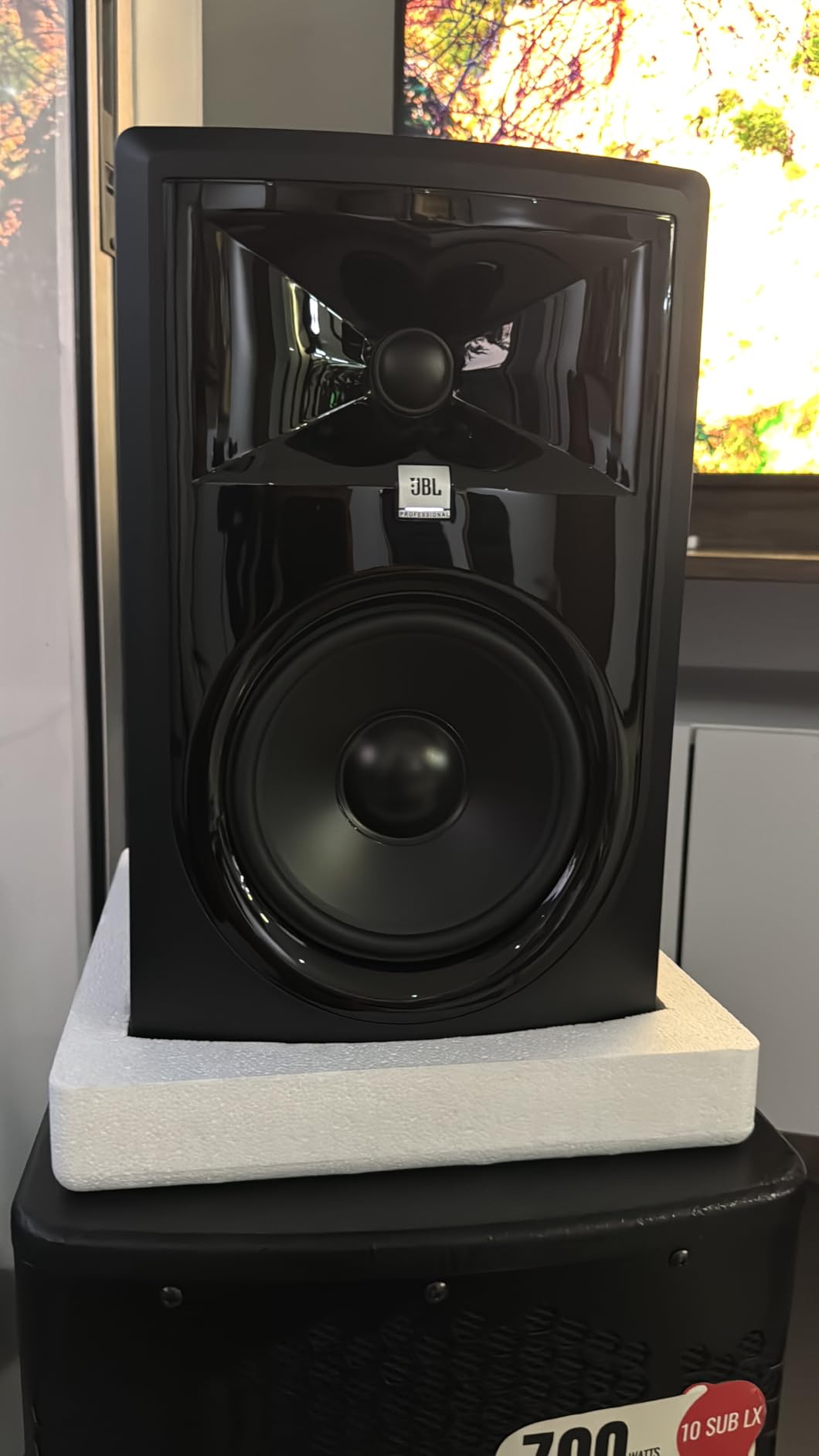
The boundary EQ feature is a practical addition that addresses a real problem. When you place monitors on a desk or near a wall, low frequencies build up and sound muddy. The boundary EQ switch restores neutral low-end response, and I found it effective when my monitors were positioned about 8 inches from the wall behind my desk.
Build quality is excellent with reinforced XLR jack ports that feel more durable than the plastic connectors on some competitors. At 13.4 pounds per speaker, they have solid heft that speaks to the internal construction. The 112 watts of maximum output power fills a medium room easily, though I typically mixed at moderate levels without needing anywhere near full volume.
Sweet Spot and Off-Axis Performance
The broad sweet spot is the single biggest reason to choose the 306P over other monitors. If you collaborate with other people in your studio, or if your desk setup does not allow for perfect triangle positioning, these monitors remain accurate from wider angles. I tested off-axis listening at roughly 30 degrees and the tonal balance stayed consistent.
For solo producers who sit in one fixed position, this advantage matters less. But for anyone sharing a mixing space or working with artists who need to hear the same balance, the 306P MkII is one of the best studio monitors under 500 dollars for collaborative environments.
Room Size Compatibility
With the 6.5-inch driver and 112W power, these monitors are best suited for rooms between 150 and 300 square feet. In very small rooms under 100 square feet, the bass may feel overpowering even with the boundary EQ engaged. In that case, the JBL 305P MkII with its 5-inch driver might be the better fit.
4. ADAM Audio D3V Active Desktop Monitor – USB-C Desktop Monitor with Ribbon Tweeter
ADAM Audio D3V Active Desktop Studio Monitor Speakers – Black
3.5-inch Aluminum Woofer
1.5-inch D-ART Ribbon Tweeter
80W Total
USB-C Connection
DSP Room Compensation
Pros
- Ribbon tweeter delivers exceptional clarity
- USB-C direct connection no interface needed
- Passive radiators extend bass to 45Hz
- Compact desktop-friendly size with angled stands
Cons
- No Bluetooth wired only
- USB input is 16-bit basic DAC quality
The ADAM Audio D3V takes a different approach from every other monitor on this list. Instead of traditional studio monitor design, ADAM built a compact desktop system with a USB-C connection that plugs directly into your computer. No audio interface required. I was skeptical about the 3.5-inch drivers, but the dual passive radiators on each speaker extend the bass response down to 45Hz, which is remarkable for cabinets this small.
The star of the show is the 1.5-inch D-ART ribbon tweeter. ADAM’s ribbon tweeter technology has been a hallmark of their premium monitors for years, and having it in a desktop system at this price is impressive. High frequencies are detailed, airy, and never harsh. I spent six hours mixing a vocal-heavy project through the D3V with zero ear fatigue, which is something I cannot say about most compact monitors.
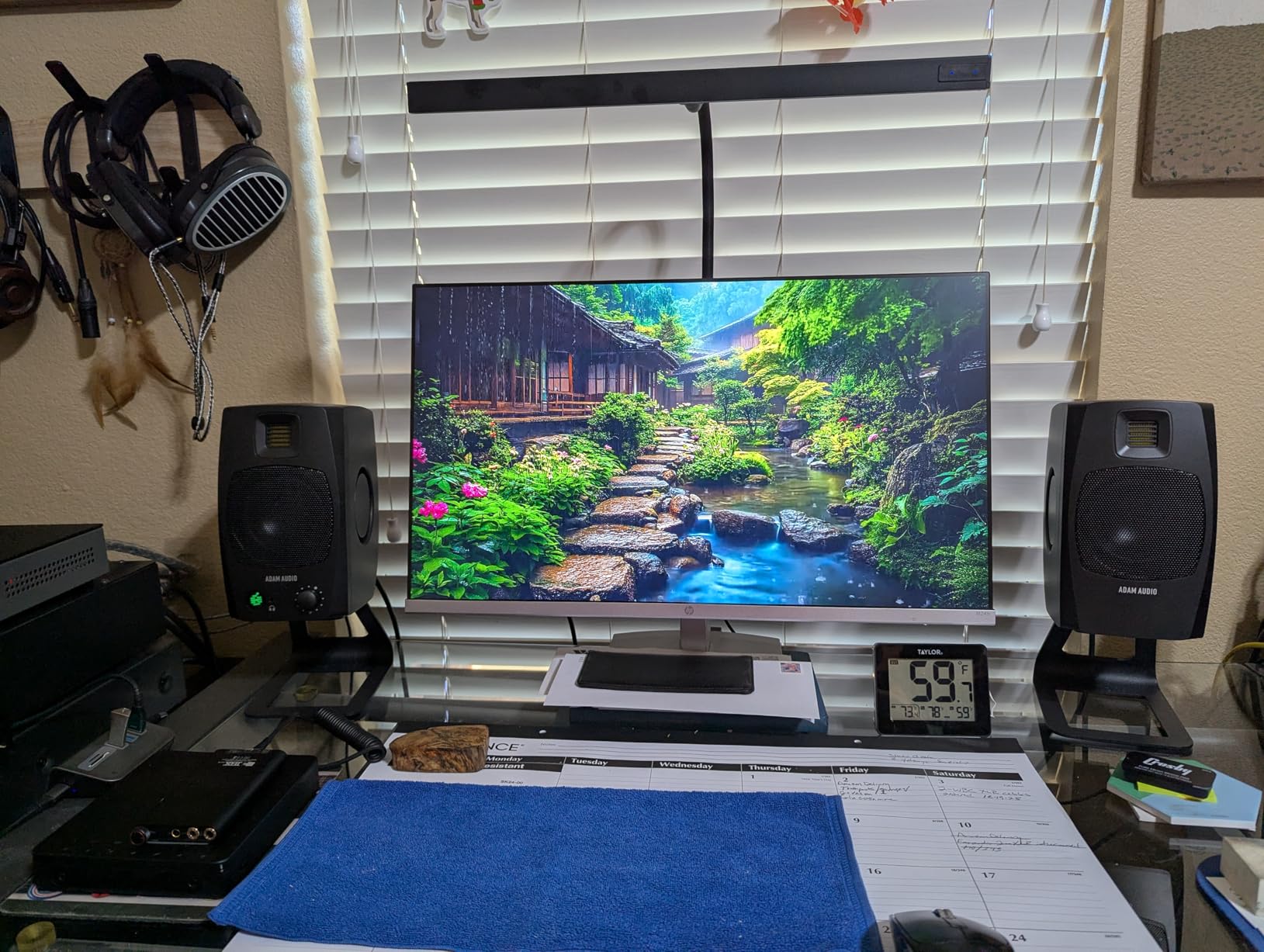
The included detachable stands angle the monitors at 15 degrees, which is perfect for desktop placement. I placed them on either side of my laptop and the soundstage opened up beautifully. There is also a threaded 3/8-inch hole for microphone stand mounting if you want to get them off your desk entirely. The front-panel headphone jack and volume knob are convenient touches that keep everything accessible.
DSP room compensation switches on the back let you adjust for desktop or free-field placement. I tested both modes and the desktop setting tames the bass buildup that happens when monitors sit directly on a desk surface. It is not as sophisticated as the KRK’s app-based tuning, but it works well for basic room correction.
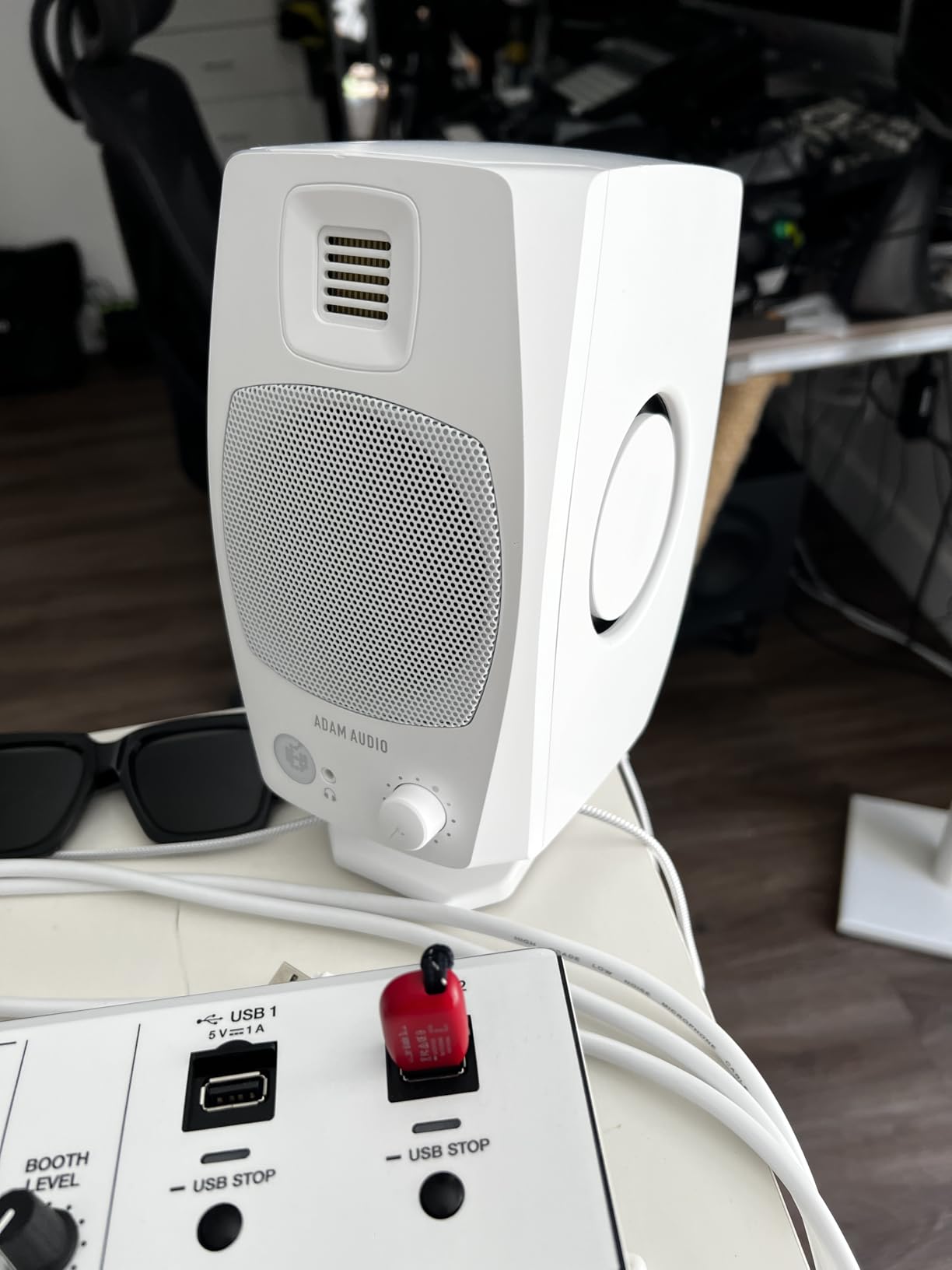
USB-C Connectivity and DAC Quality
The USB-C connection is convenient for laptop-based workflows. You plug in one cable and your computer recognizes the D3V as an audio output device. However, the USB input is limited to 16-bit audio, which is fine for most production work but will not satisfy audiophiles working with high-resolution files. For the best results, I recommend using the balanced quarter-inch inputs on the back with a dedicated audio interface or external DAC.
The proprietary speaker interconnect cable between the two monitors is something to be aware of. If the cable gets damaged, you cannot use a standard replacement. Keep this in mind for portable setups where cables get tossed in bags.
Desktop vs Studio Use Cases
The D3V excels in desktop production environments. If you produce music on a laptop, edit podcasts, or do voiceover work at your desk, these are purpose-built for that scenario. They are not designed to fill a large tracking room or compete with full-size monitors for mixing bass-heavy genres. Think of them as the ultimate desktop monitoring solution rather than a traditional studio monitor replacement.
5. Yamaha HS4 Powered Studio Monitor Pair – Compact 4.5 Inch with Room Control
Yamaha HS4 Powered Studio Monitor in Black, Pair (HS4 B)
4.5-inch Woofer
1-inch Dome Tweeter
52W Total
60Hz-22kHz
XLR/TRS/RCA Inputs
Pros
- Room control switch for near-wall placement
- 2200+ reviews with 4.7 rating
- Flat non-colored sound for mixing
- Multiple input options XLR TRS RCA
Cons
- No XLR cables included
- Bass lacks at lower volumes
The Yamaha HS4 is the newest addition to the legendary HS lineup, and it fills the gap between compact desktop monitors and full-size studio monitors. With over 2200 reviews and a 4.7-star rating, this is one of the most popular home studio monitors available. After testing them for several weeks, I understand why. They deliver the Yamaha flat-response signature in a compact, desk-friendly package.
The 4.5-inch cone woofer and 1-inch dome tweeter cover a frequency range from 60Hz to 22kHz. That is not the widest range on this list, but it is honest and consistent. I found the midrange particularly clear, which makes vocal mixing and instrument balancing straightforward. The stereo width is impressive for monitors this size, and imaging is precise enough to place elements accurately across the soundstage.
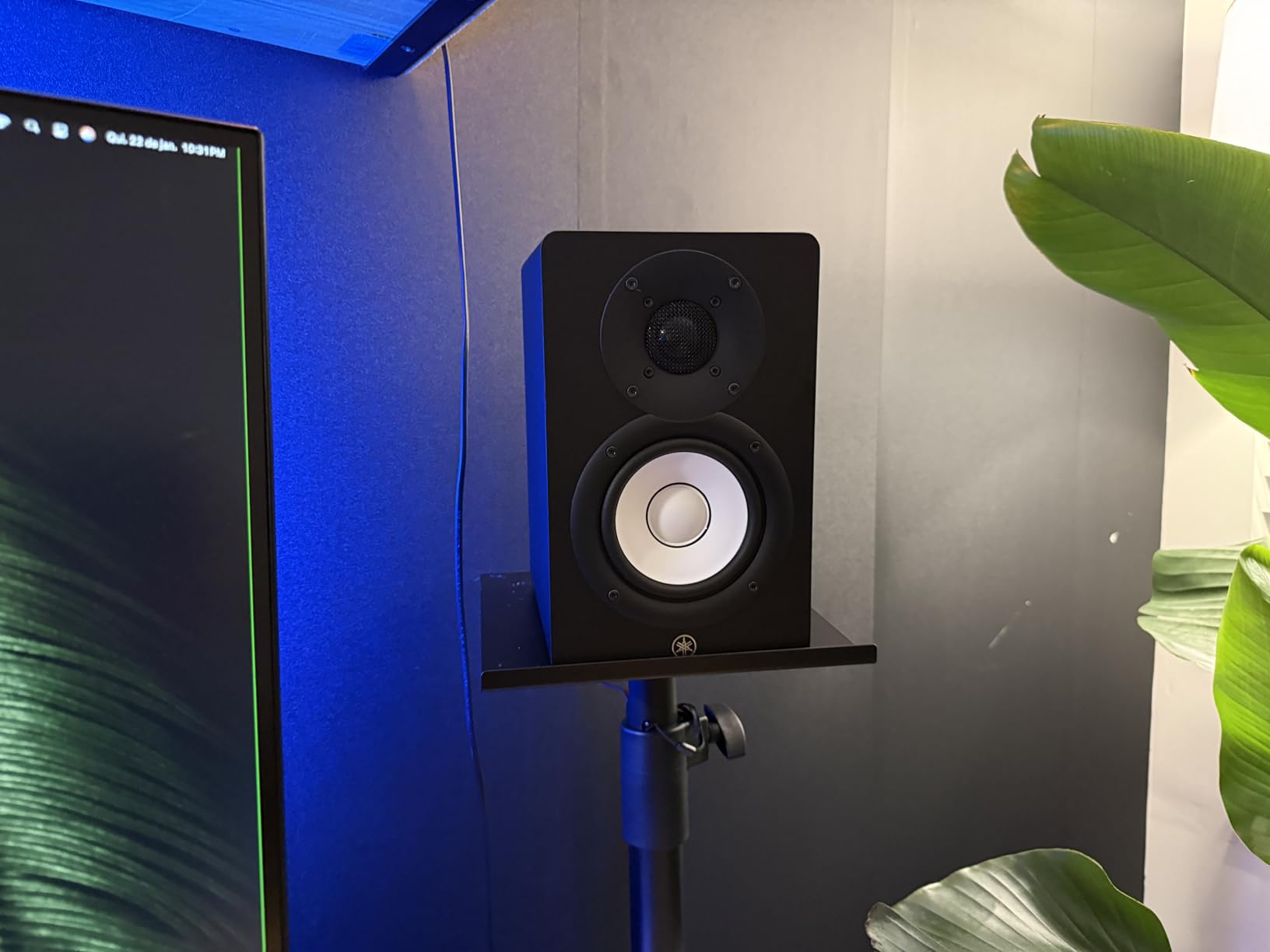
The room control switch is the feature that sets the HS4 apart from other compact monitors. When you place monitors near a wall or in corners, bass frequencies build up and color your mix. The room control lets you cut those frequencies to compensate. I tested this with the monitors about 4 inches from the wall, and engaging the room control cleaned up the low end noticeably.
Connectivity is versatile with XLR/TRS combo, RCA, and stereo mini inputs. You can connect professional audio interfaces, consumer gear, and even your phone directly. The included accessories are practical: stereo mini-RCA cable, speaker cable, and anti-slip pads. Note that XLR cables are not included, so you will need to buy those separately if your interface uses XLR outputs.
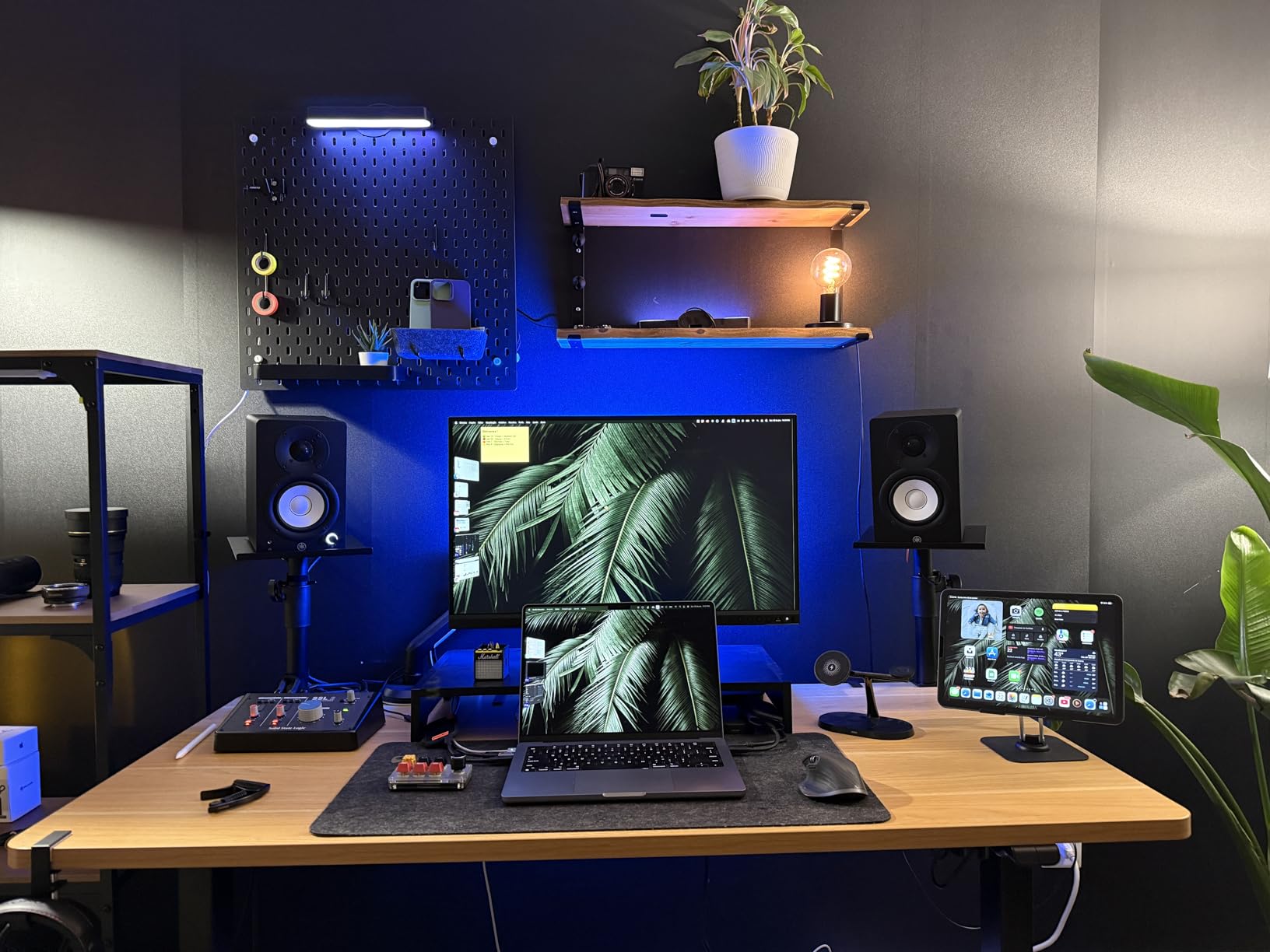
Room Control Switch Effectiveness
I tested the room control in three different positions: flush against the wall, 6 inches out, and on stands 2 feet from the wall. The switch made the most dramatic difference when the monitors were closest to the wall, cutting the boomy bass buildup by what sounded like 3 to 4 dB. At 2 feet from the wall, the effect was subtler but still beneficial. If your desk forces you to place monitors near walls, the HS4 handles this scenario better than most monitors in this price range.
Cables and Accessories Included
Yamaha includes a stereo mini-RCA cable, speaker wire for connecting the two monitors, and rubber anti-slip pads. The speaker wire is adequate but not premium quality. For the best signal quality, I recommend picking up a pair of balanced XLR cables for your interface connection. Budget around fifteen to twenty dollars for a decent pair.
6. JBL 305P MkII 5 Inch Powered Studio Monitors – Image Control Waveguide Technology
(2) JBL 305P MkII 5″ 2-Way Active Powered Studio Reference Monitors Speakers
5-inch Woofer
1-inch Tweeter
82W Dual Class D
Boundary EQ
HF Trim
Pros
- Image Control Waveguide for precise imaging
- Wide sweet spot for flexible placement
- Excellent bass from Slip Stream port
- 5-year warranty
Cons
- May produce slight hiss without power conditioner
- No isolation pads included
The JBL 305P MkII has earned its reputation as one of the best budget studio monitors through consistent performance and clever engineering. The patented Image Control Waveguide is not marketing hype. It genuinely creates a wider, more defined soundstage than standard monitor designs. When I first listened to a well-mixed track through these, the separation between instruments was immediately noticeable.
The dual 41-watt Class D amplifiers deliver 82 watts total, which is plenty for nearfield monitoring in home studios. The 5-inch woofer paired with the Slip Stream port design produces bass that extends deeper than you might expect. I compared it side-by-side with monitors costing twice as much, and the 305P held its own in the midrange clarity department. The boundary EQ and HF trim switches let you tailor the response to your room without needing external EQ plugins.
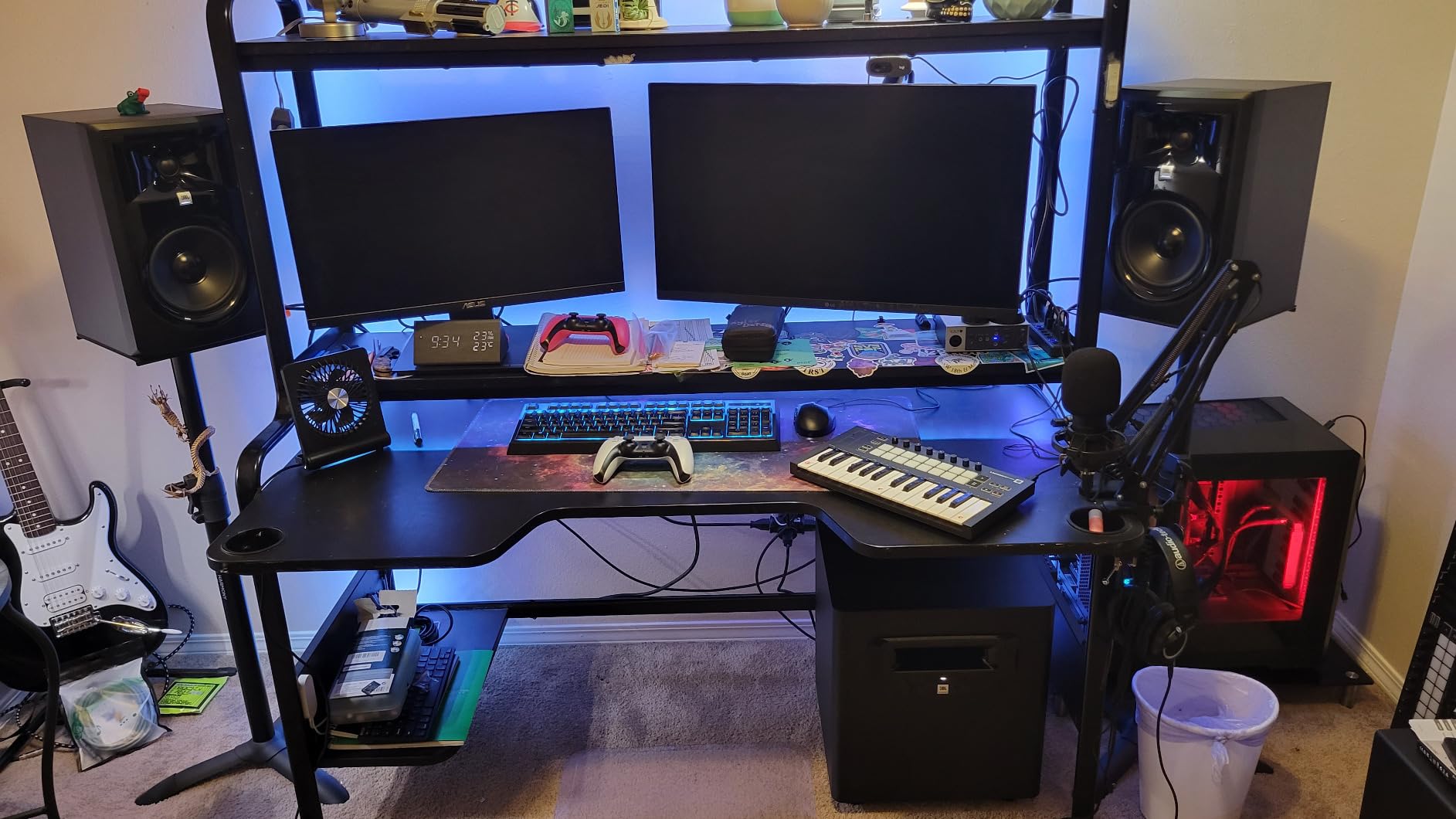
With over 940 reviews and an 83% five-star rating, the community validation is strong. I found that these monitors translate mixes well to other systems. A mix that sounded balanced on the 305P also sounded balanced in my car, on headphones, and through phone speakers. That translation accuracy is the most important quality in a studio monitor, and the 305P delivers it at a fraction of what some competitors charge.
The MDF enclosure is sturdy and helps reduce cabinet resonance. Connectivity includes both XLR and TRS inputs, giving you flexibility with professional audio interfaces. My only real complaint is that some users, myself included, notice a faint hiss when the monitors are idle. A power conditioner or simply turning them off when not in use solves this completely.
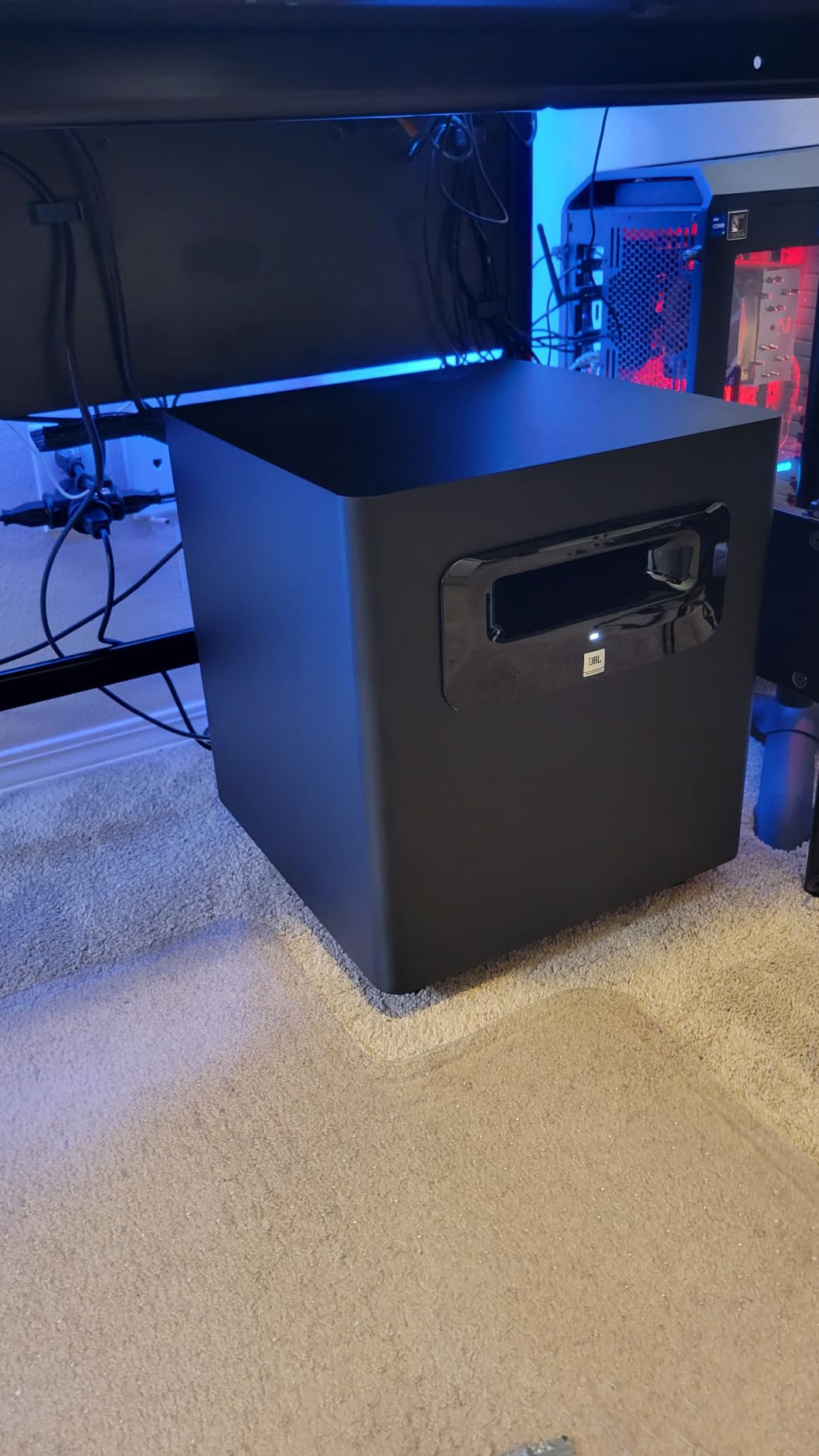
Image Control Waveguide Benefits
The waveguide technology controls how high frequencies disperse from the tweeter. Instead of beaming highs directly forward in a narrow pattern, the waveguide spreads them more evenly across the listening area. In practice, this means you hear a consistent tonal balance even when you are not sitting in the perfect sweet spot. For producers who move around their workspace, this is a genuine advantage that improves daily workflow.
Cable and Power Requirements
Each monitor needs its own power outlet, so plan for two wall outlets or a power strip. For audio connection, balanced XLR or TRS cables are recommended for the cleanest signal. I suggest cables between 6 and 10 feet long to give you placement flexibility. You will also want isolation pads or stands since JBL does not include pads with this model.
7. PreSonus Eris E5 5.25 Inch Near Field Monitors – Front-Firing Port for Desktop Placement
PreSonus Eris E5 Pair 2-Way 5.25” Near Field Studio Monitors
5.25-inch Woven Woofer
1-inch Silk Dome Tweeter
80W Class AB
102 dB SPL
Front-Firing Port
Pros
- Front-firing port works near walls
- 80W Class AB bi-amplification
- Multiple protection circuits
- Multiple inputs XLR TRS RCA
Cons
- Slight white noise at high gain
- Narrower sweet spot than JBL
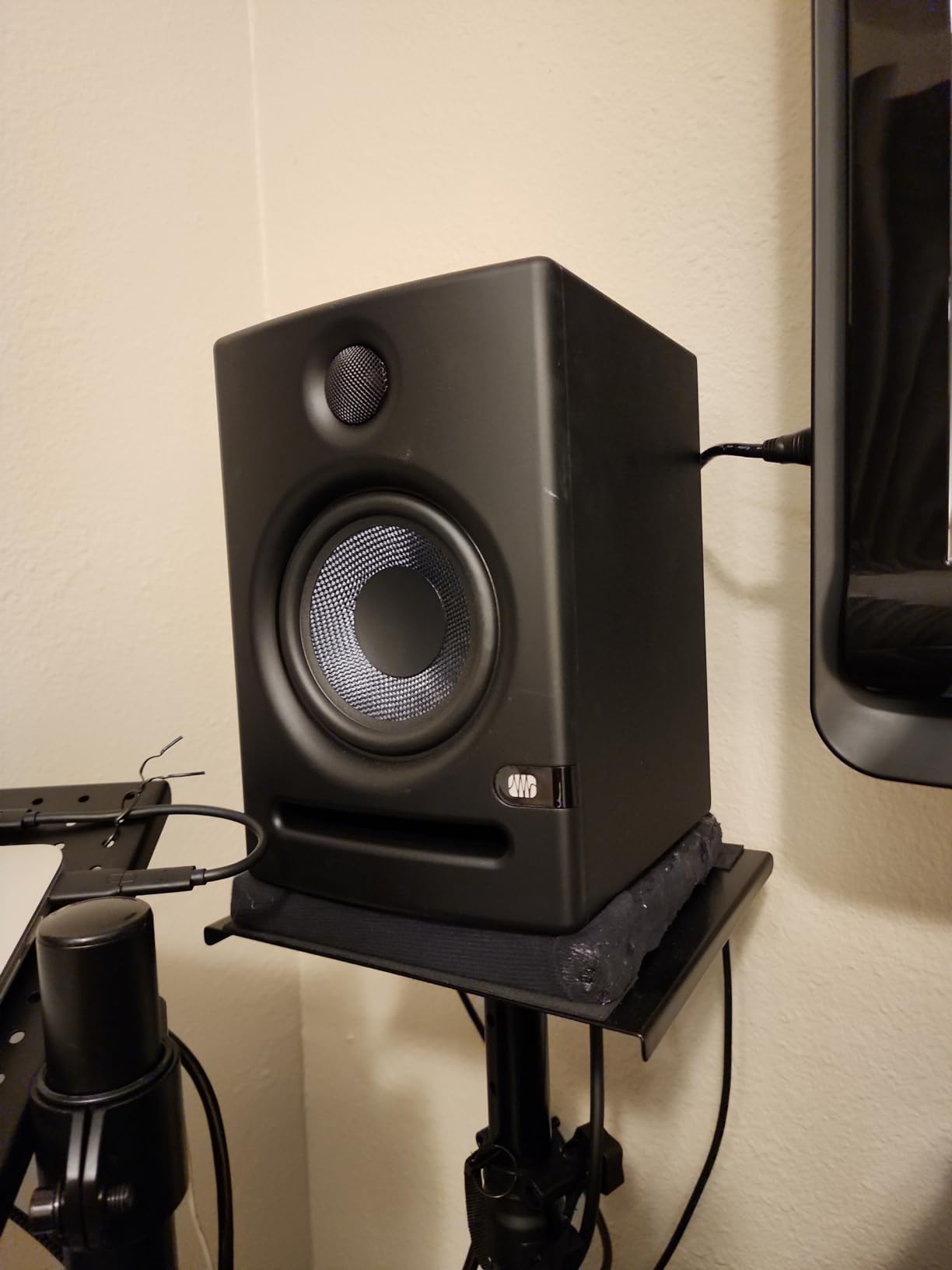
The PreSonus Eris E5 solves one of the most common problems in home studios: what to do when your desk is against a wall. The front-firing acoustic port means bass energy exits toward you instead of bouncing off the wall behind the monitor. I tested these with the back of each monitor just 3 inches from the wall, and the bass remained tight and controlled. That is something rear-ported monitors simply cannot do.
The 80-watt Class AB bi-amplification delivers clean, warm power to the 5.25-inch woven composite woofer and 1-inch silk dome tweeter. Class AB amplifiers tend to sound more natural than Class D in this price range, and I noticed a smoothness in the midrange that made vocal and acoustic guitar mixing particularly enjoyable. The 102 dB maximum continuous SPL means these can get loud enough for nearfield work in any home studio space.
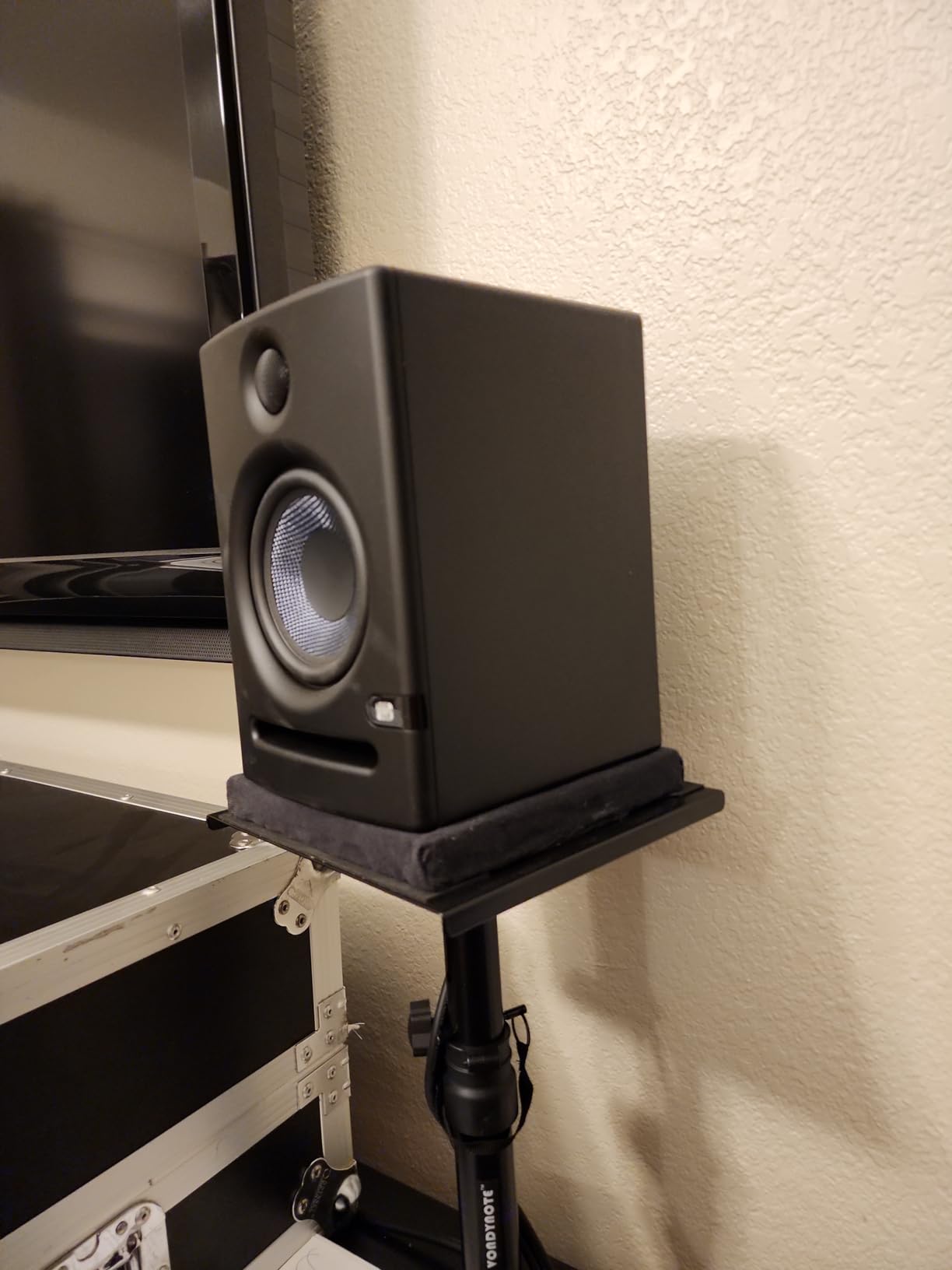
PreSonus built in an impressive array of protection circuits including RF interference protection, output current limiting, over-temperature protection, and transient protection. While you hope to never need these, they add peace of mind and speak to the engineering quality. The acoustic tuning controls on the back let you adjust high and mid frequencies to compensate for room characteristics.
With 1368 reviews and a solid reputation in the home studio community, the Eris E5 is a proven workhorse. Many Reddit users in r/audioengineering and r/musicproduction specifically recommend these as the best value entry point for serious home production. I agree with that assessment for anyone working in small to medium rooms with desk-against-wall setups.
Front Port vs Rear Port Design
Rear-ported monitors need space behind them to breathe. The bass frequencies exit the port and interact with the wall, creating either a bass boost or cancellation depending on distance. Front-ported monitors like the Eris E5 direct that bass energy toward the listener instead. This means you can place them closer to walls without the bass becoming boomy or inaccurate. For anyone with a compact studio space, this design choice is a practical advantage that affects your daily sound quality.
Acoustic Tuning Controls
The Eris E5 offers high-frequency and mid-frequency trim controls plus a low-cut filter. I found the mid-frequency control useful for taming a room mode around 400Hz that was causing a boxy quality in my mixes. The low-cut filter is handy if you are pairing the E5 with a subwoofer, letting you roll off the bass below 80 or 100Hz to avoid frequency overlap.
8. IK Multimedia iLoud Micro Monitor – Ultra-Portable Bluetooth Studio Reference
IK Multimedia iLoud Micro Monitor 50 watt Portable Wireless Bluetooth Studio Reference Monitors, Dual Speakers for Music Production, Mixing, Mastering, Composing, producing and DJs
3-inch Composite Woofer
3/4-inch Silk Dome Tweeter
50W RMS
Bluetooth
Internal DSP
Pros
- Smallest active studio reference monitors available
- Bluetooth for wireless streaming
- DSP position compensation
- Extremely portable at 3.8 lbs
Cons
- 3-inch woofer limits low-end extension
- SBC Bluetooth codec only
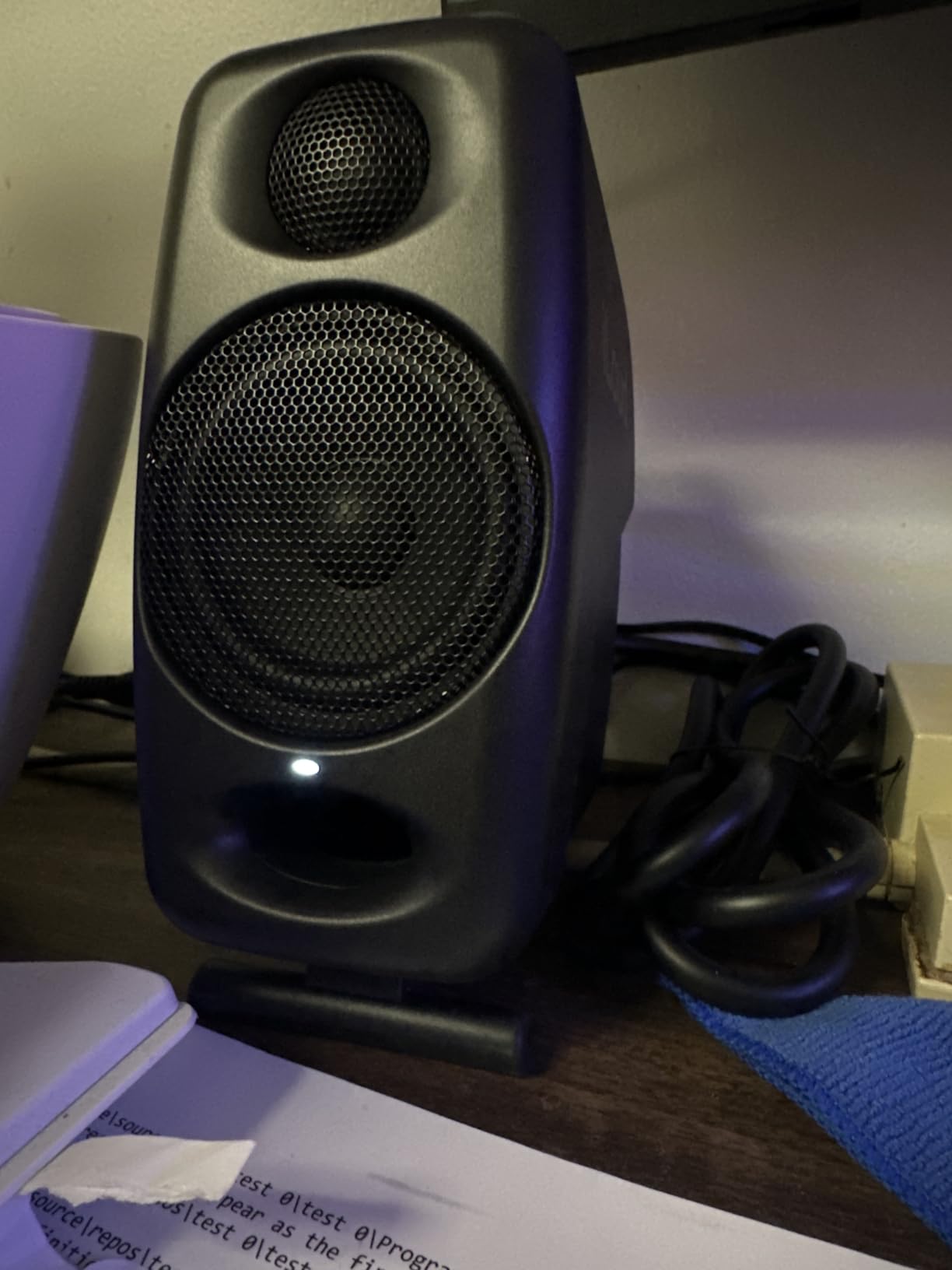
The IK Multimedia iLoud Micro Monitor is proof that good things come in small packages. These are the smallest active studio reference monitors available, yet they produce sound that punches well above their size class. I brought them to a hotel room for a mobile mixing session and was genuinely impressed by how much detail they revealed in my tracks.
Each speaker houses a 3-inch high-rigidity composite woofer and a 3/4-inch silk dome tweeter powered by 25 watts of Class D amplification. The internal DSP handles position compensation, switching between free-field and desktop modes. In desktop mode, the DSP tames the bass buildup that naturally occurs when speakers sit on a flat surface. I tested both modes and the difference is clearly audible.
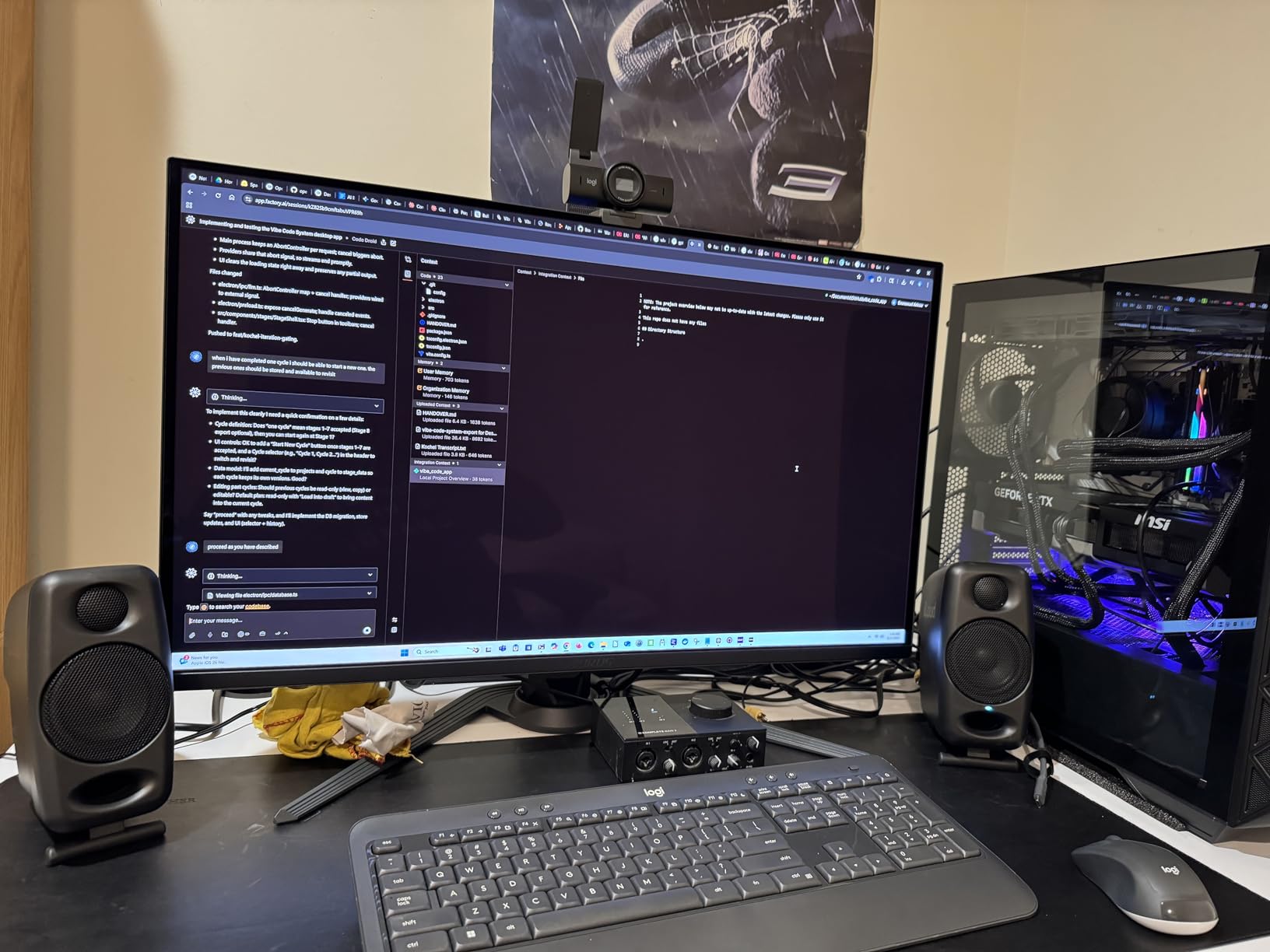
Bluetooth connectivity is a bonus that makes these monitors double as wireless speakers for casual listening. The sound quality over Bluetooth is adequate for reference checks and streaming background music, though it uses the basic SBC codec rather than aptX. For critical listening, I stuck with the wired RCA connection, which delivers noticeably cleaner audio.
At just 3.8 pounds for the pair, these are the only monitors on this list I would actually pack in a suitcase. The compact dimensions mean they fit on any desk, shelf, or hotel nightstand. With over 2100 reviews and an 84% five-star rating, the community has validated these as a legitimate mobile production tool, not a novelty.
Portable vs Stationary Use Cases
If you are a traveling producer, podcaster, or musician who works in different locations, the iLoud Micro is unmatched. I have used them in hotel rooms, Airbnb spaces, and even outdoors on a patio for casual mixing sessions. They fit in a backpack with room to spare. For a permanent studio setup, however, you will get better low-end accuracy and more headroom from larger monitors like the Yamaha HS5 or PreSonus Eris E5.
Bluetooth Audio Quality for Production
The SBC codec limitation means Bluetooth audio is not suitable for critical mixing decisions. I use Bluetooth for checking how my mixes sound on consumer-grade wireless speakers, which is actually valuable reference information. For actual production and mixing work, always use the wired connection. Think of Bluetooth as a bonus feature, not a primary workflow tool.
9. Edifier MR3 Powered Studio Monitor Speakers – Hi-Res Certified Budget Option
Edifier MR3 Powered Studio Monitor Speakers, Hi-Res Audio Certified Bluetooth V5.4 Active Bookshelf Loudspeakers, 2.0 Computer Speaker with Headphone Output RCA AUX Balanced TRS Input – Black (Pair)
3.5-inch Mid-Low Driver
1-inch Tweeter
36W Total
Hi-Res Certified
Bluetooth 5.4
Pros
- Hi-Res Audio certified for accurate monitoring
- Bluetooth 5.4 with multi-point
- MDF cabinet reduces distortion
- App-based EQ customization
Cons
- Bass insufficient without subwoofer
- SBC Bluetooth codec only
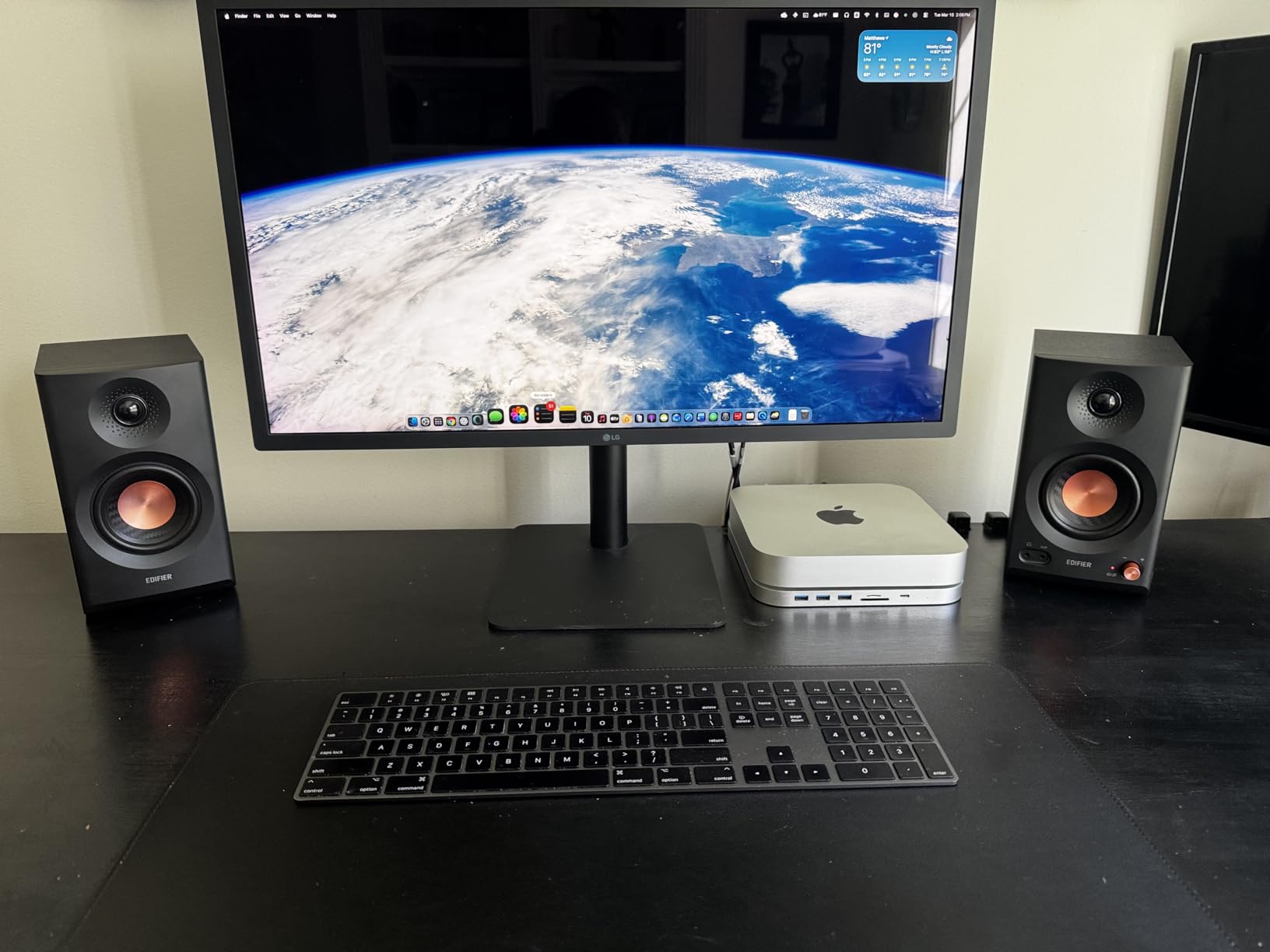
The Edifier MR3 earns its spot on this list by delivering Hi-Res Audio certified monitoring at a remarkably low price point. Hi-Res certification means the MR3 meets specific frequency response and signal-to-noise standards, which gives confidence that you are hearing accurate audio. After testing them alongside monitors costing three times as much, I can confirm the MR3 holds its own in the mid and high frequency ranges.
The 3.5-inch mid-low drivers and 1-inch tweeters produce a frequency response reaching up to 40kHz. The practical benefit is clear treble detail and smooth midrange reproduction. I found acoustic instruments, vocals, and podcasts all sounded natural through the MR3. The MDF cabinet construction helps reduce unwanted resonance, which is an upgrade from the plastic enclosures found on some budget monitors.
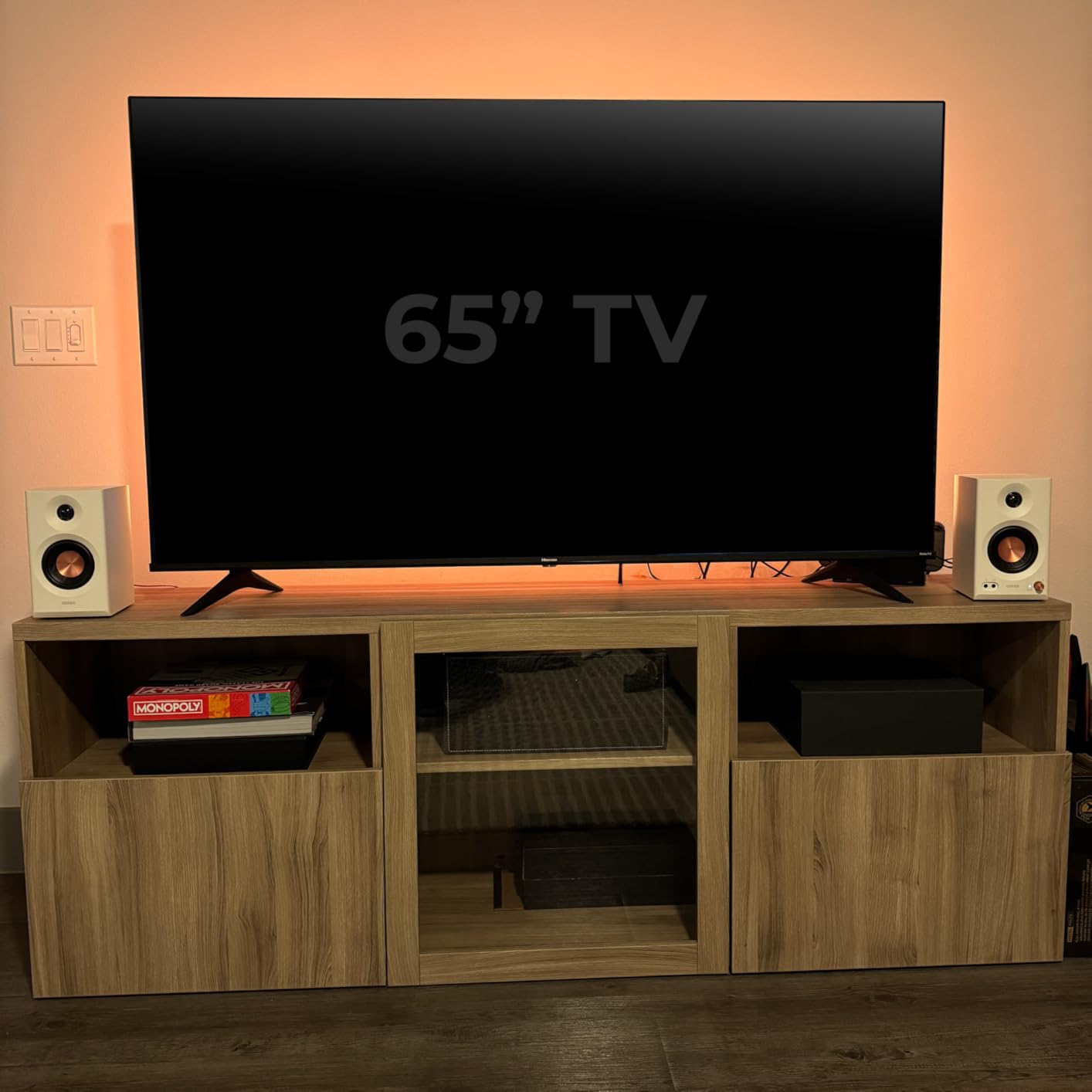
Bluetooth 5.4 with multi-point connection is a standout feature for this price. You can connect two devices simultaneously and switch between them without re-pairing. I had my laptop connected via TRS cable for production work and my phone connected via Bluetooth for streaming reference tracks. The EDIFIER ConneX app provides EQ customization with Music, Monitor, and Custom modes.
The Monitor mode applies a flat response curve suitable for mixing, while Music mode adds some warmth and bass for casual listening. Having these modes accessible through the app means you can switch between accurate monitoring and enjoyable listening without adjusting hardware controls.
EQ Modes and Sound Shaping
The three EQ modes serve different purposes well. Monitor mode delivers the flattest response, which is what you want for mixing decisions. Music mode adds a slight bass boost and treble presence that makes casual listening more enjoyable. Custom mode lets you create your own curve through the app. I primarily used Monitor mode for production and switched to Music mode when using the speakers for background music while working on other tasks.
Connectivity Options Breakdown
The MR3 offers balanced TRS, RCA, and AUX inputs plus Bluetooth. The balanced TRS connection is your best bet for studio work since it rejects electromagnetic interference. RCA works fine for consumer gear, and AUX handles phone or tablet connections. With all these options available simultaneously, you can keep multiple devices connected and switch sources as needed without swapping cables.
10. PreSonus Eris 3.5 Studio Monitors – Entry-Level Desktop Studio Monitors
PreSonus Eris 3.5 Powered Studio Monitors, Pair — 3.5” Active Near
3.5-inch Woven Composite Woofer
1-inch Silk Dome Tweeter
50W Class AB
Bluetooth
Front Headphone Jack
Pros
- Studio-quality accurate sound
- Compact desktop size with wide sweet spot
- Front-panel headphone output
- High and low frequency tuning controls
Cons
- Bass-heavy out of the box needs EQ
- Right speaker is passive satellite
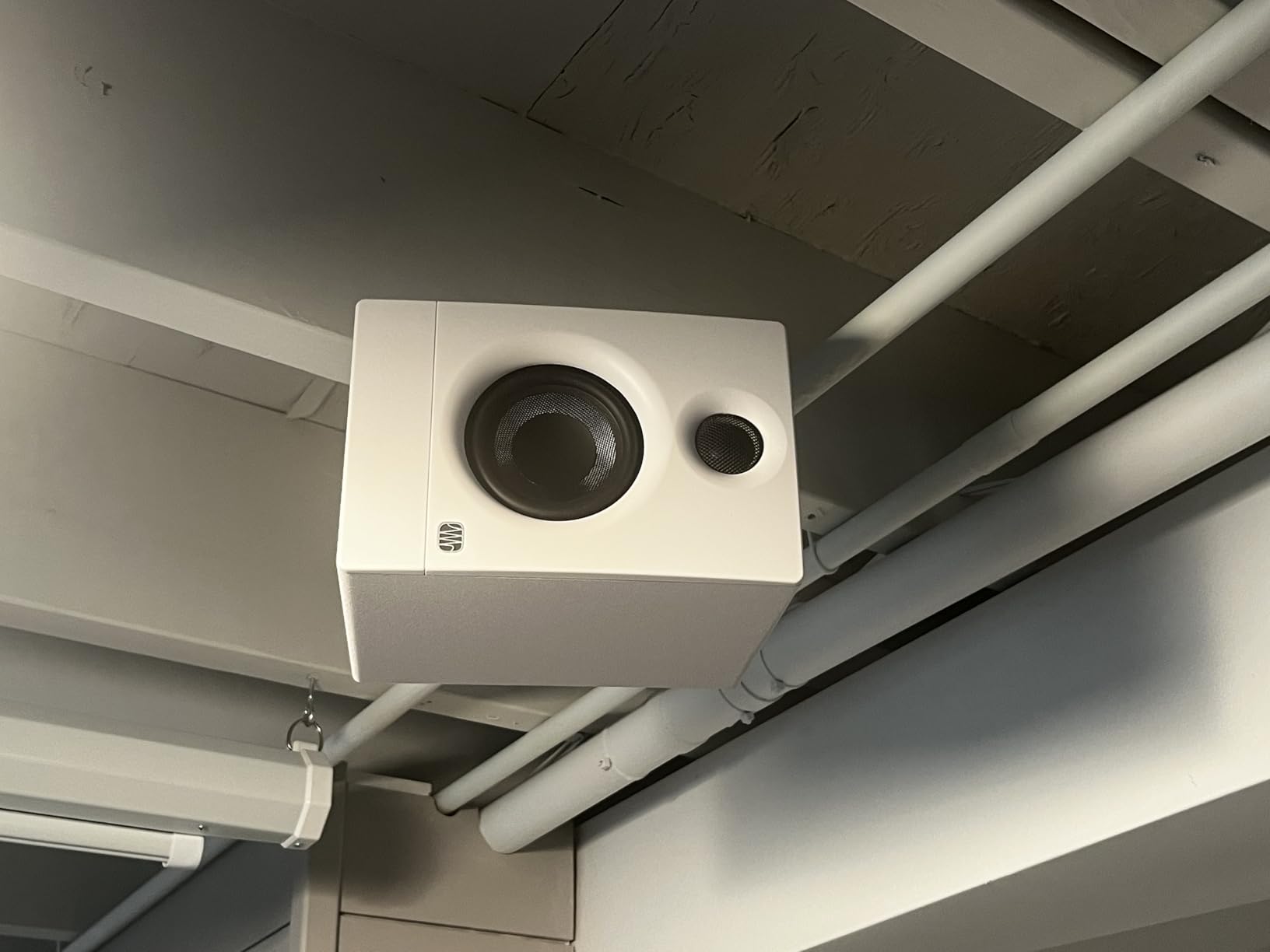
The PreSonus Eris 3.5 is the entry point to serious studio monitoring, and it is the monitor I most often recommend to absolute beginners. With over 1500 reviews, it has proven itself as a reliable first pair for bedroom producers, podcasters, and content creators. I set these up in a friend’s apartment studio, and the improvement over his previous computer speakers was dramatic and immediate.
The 3.5-inch woven composite woofer and 1-inch silk dome tweeter are powered by 50 watts of Class AB amplification split between the two speakers. The sound quality is genuinely accurate for this price range, though I noticed the out-of-box tuning leans slightly bass-heavy. Engaging the high-frequency trim control and backing off the low-frequency control brought the response closer to flat. Once adjusted, these monitors deliver honest, reliable audio for mixing.
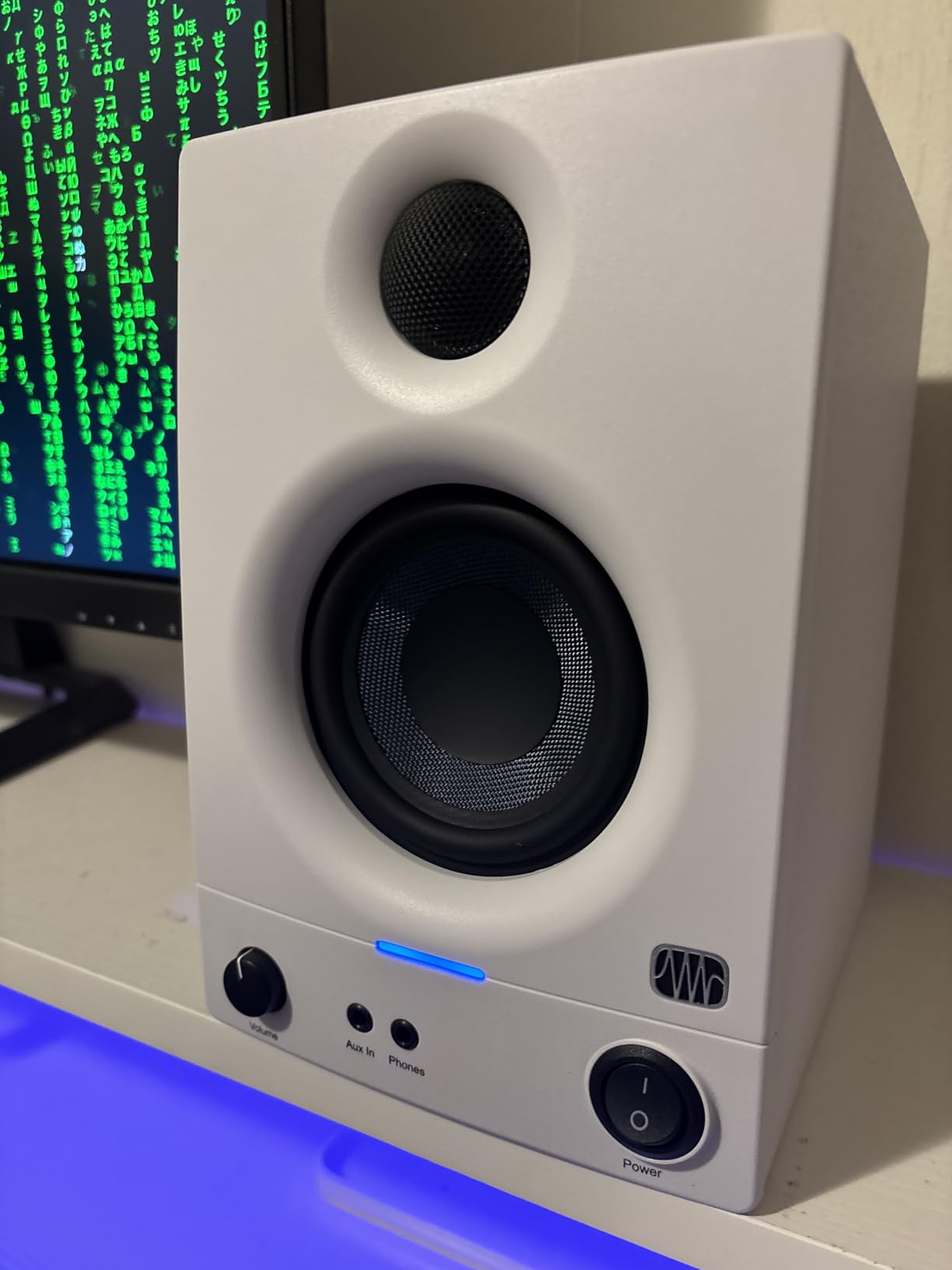
The front-panel headphone jack is a feature I wish every monitor had. When you need to switch between monitors and headphones for reference checking, having the jack on the front saves reaching behind the speakers. The aux input on the front panel is equally convenient for quick phone connections.
One important detail to understand: the right speaker is a passive satellite that connects to the powered left speaker. This means you need to place them close enough for the included speaker wire to reach. In most desktop setups this is not an issue, but it is worth noting if you plan to position them far apart.
First-Time Buyer Setup Guide
Setting up the Eris 3.5 is straightforward. Place the left (powered) speaker within reach of a power outlet. Connect the right speaker using the included cable. Run either TRS or RCA cables from your audio interface to the left speaker’s inputs. Position them in an equilateral triangle with your head as the third point, tweeters at ear level. Power on, set the volume to a comfortable level, and adjust the high and low frequency controls to taste. The whole process takes about 15 minutes.
When to Upgrade from 3.5 Inch Monitors
The Eris 3.5 is perfect for desktop production in small rooms. However, once you start mixing for larger playback systems or working with bass-heavy genres, the 3.5-inch drivers will not reveal enough low-end detail. The natural upgrade path within the PreSonus lineup is the Eris E5 or Eris E8. You will know it is time to upgrade when your mixes sound great on the 3.5 but lack bass translation on larger speakers and headphones.
How to Choose the Right Studio Monitors Under $500
Picking the right studio monitors is not just about finding the highest-rated pair. It is about matching the monitor to your room, your workflow, and your production needs. Here is what actually matters when making this decision.
Driver Size and Room Size Matching
The size of your room should directly influence your driver size. Small rooms under 100 square feet work best with 3.5 to 4.5-inch monitors like the PreSonus Eris 3.5 or Yamaha HS4. Medium rooms between 100 and 250 square feet pair well with 5 to 5.25-inch drivers like the Yamaha HS5 or PreSonus Eris E5. Larger rooms up to 400 square feet benefit from 6.5-inch monitors like the JBL 306P MkII.
Going too big for your room creates bass problems that no amount of EQ can fully fix. A 6.5-inch monitor in a tiny bedroom will excite room modes and give you inaccurate low-end. When in doubt, go slightly smaller rather than larger.
Frequency Response and Flat Accuracy
Studio monitors are designed to reproduce audio accurately, not flatteringly. A flat frequency response means the monitor produces all frequencies at roughly equal levels without boosting bass or treble. This honesty is what allows your mixes to translate well across different playback systems.
Look for frequency response specifications measured in a specific way. The Yamaha HS5 lists 54Hz to 30kHz, which tells you the range where output stays within a certain tolerance. Wider ranges generally mean more accurate reproduction, but the quality of the response curve matters more than the numbers on paper.
Active vs Passive Monitors
All 10 monitors on this list are active, meaning they have built-in amplifiers. This is the standard for home studio monitors. Passive monitors require an external amplifier, which adds cost and complexity. For anyone working in a home studio environment, active monitors are the practical choice because the amplifier is matched to the drivers at the factory.
Balanced vs Unbalanced Connections
Balanced connections using XLR or TRS cables reject electromagnetic interference and ground loop noise. Unbalanced connections like RCA are more susceptible to noise, especially over longer cable runs. If your audio interface has balanced outputs, use them. The improvement in noise floor is noticeable, particularly if you have other electronics on the same power circuit.
Many monitors on this list, including the Yamaha HS5, KRK RP5G5, and PreSonus Eris E5, offer both balanced and unbalanced inputs. This flexibility lets you connect professional interfaces and consumer gear simultaneously.
Nearfield Placement and Room Treatment
Nearfield monitors are designed to be listened to from 3 to 5 feet away, positioned in an equilateral triangle with your head. This close placement minimizes the influence of room acoustics on what you hear. Position the tweeters at ear level and angle the monitors toward your listening position.
Even the best studio monitors under 500 dollars will sound mediocre in a terrible room. Basic room treatment does not have to be expensive. A couple of acoustic panels at your first reflection points and some bass traps in the corners will make a bigger difference than spending twice as much on monitors. Start with treatment, then upgrade your monitors if you still feel limited.
Acoustic isolation pads are worth the small investment. They decouple the monitors from your desk, preventing vibrations from coloring your low end. Several monitors on this list, like the KRK RP5G5, include pads. For others, budget an extra twenty to thirty dollars for aftermarket pads.
Frequently Asked Questions
What are the best studio monitors under $500?
The Yamaha HS5 is the best overall choice for its flat, accurate response and proven track record in professional studios. The KRK RP5G5 ROKIT 5 Gen 5 offers the best value with DSP room tuning and included isolation pads. For budget-conscious buyers, the JBL 305P MkII delivers exceptional imaging and sound quality at the lowest price point among professional-grade monitors.
Which studio monitors offer the best sound for the money?
The JBL 305P MkII offers the best sound-per-dollar ratio with its Image Control Waveguide technology, broad sweet spot, and 82W of clean power. The PreSonus Eris E5 is close behind, especially if you need front-firing ports for near-wall placement. Both monitors deliver accuracy that rivals monitors costing significantly more.
What should I look for when buying budget studio monitors?
Focus on driver size matching your room size, flat frequency response for accurate mixing, balanced XLR or TRS inputs for clean signal path, and built-in room compensation features like boundary EQ or DSP tuning. Also consider whether you need front-firing ports for near-wall placement and whether isolation pads or stands are included.
How do I set up studio monitors in my home studio?
Place your monitors in an equilateral triangle with your head as the third point, about 3 to 5 feet apart. Position tweeters at ear level and angle speakers toward your listening position. Keep rear-ported monitors at least 6 inches from walls. Use balanced cables from your audio interface, add isolation pads under each monitor, and apply basic acoustic treatment at first reflection points for the best results.
Do I need balanced cables for studio monitors?
Yes, balanced XLR or TRS cables are strongly recommended. They reject electromagnetic interference and ground loop noise that unbalanced RCA cables can pick up. This is especially important in home studios where monitors share power circuits with computers, monitors, and other electronics. The noise reduction is immediately audible in most setups.
Final Thoughts on Studio Monitors Under $500
The best studio monitors under 500 dollars deliver professional-grade accuracy that was unavailable at this price point even a few years ago. My top recommendation remains the Yamaha HS5 for its unmatched flat response and mixing reliability. The KRK RP5G5 ROKIT 5 Gen 5 earns the best value spot with its DSP room tuning and included accessories. And the JBL 305P MkII continues to be the budget champion with waveguide technology that outperforms its price class.
Choose based on your room and workflow, not just popularity. Match your driver size to your room, use balanced cables, add isolation pads, and treat your room before chasing more expensive monitors. The monitors on this list are capable of producing radio-ready mixes in the right environment. Your ears and your room matter more than your budget.