
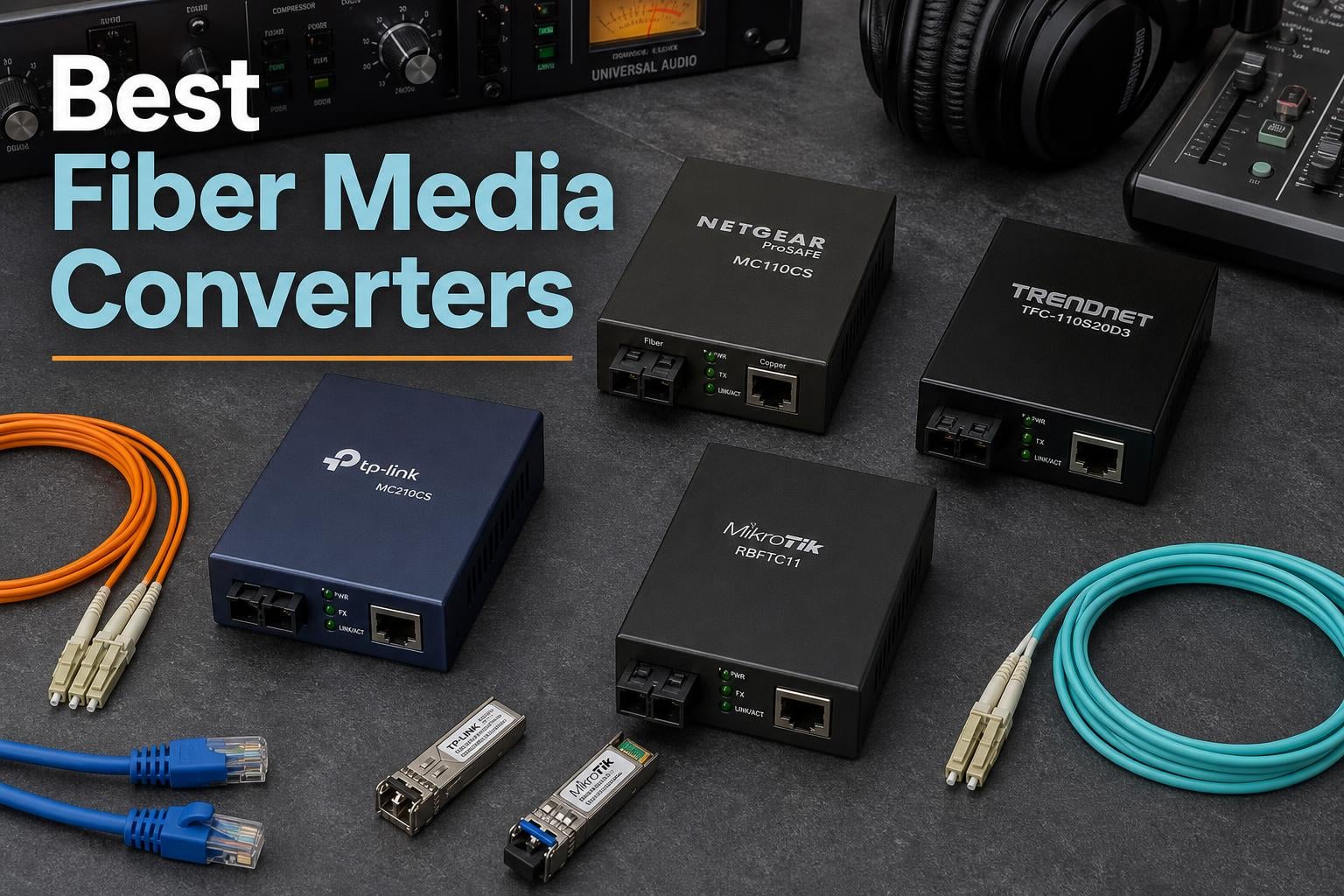
If you have ever dealt with network dropouts, ground loops humming through your speakers, or that dreaded 100-meter copper cable limit, you already know why fiber media converters matter. These little bridge devices take your electrical Ethernet signal and convert it into light, sending it down fiber optic cable for distances that copper can only dream about. After spending months testing different models across network extensions, studio setups, and building-to-building links, our team put together this guide to the best fiber media converters available right now.
A fiber media converter is a networking device that converts electrical Ethernet signals to optical fiber signals, allowing you to extend network distances beyond the 100-meter copper cable limit while maintaining full gigabit or 10-gigabit speeds. It works by accepting copper Ethernet on an RJ45 port and fiber optic cable on an SC, LC, or SFP port, translating between the two signal types in real time. For audio professionals and studio engineers, this conversion provides something equally important: complete electrical isolation that eliminates ground loops, reduces jitter, and blocks EMI from contaminating your signal chain.
We compared eight models ranging from budget-friendly gigabit converters under $25 to professional 10-gigabit units. Whether you are running cable between buildings, extending a network to a remote studio space, or looking for clean optical isolation between your DAC and network switch, there is a converter here for your setup. Let us walk through our top picks and help you find the right one.
Table of Contents
Top 3 Fiber Media Converters for 2026
Our team narrowed the field to three standout options. The TP-Link MC220L takes our Editor’s Choice for its unbeatable combination of price, reliability, and 857+ customer reviews. The 10Gtek Gigabit SM SC earns Best Value since it ships as a pack of two and is a favorite among audio enthusiasts for jitter reduction. The StarTech Open SFP rounds out our top three as the Premium Pick for IT professionals who need maximum transceiver flexibility.
TP-Link MC220L Gigabit SFP Converter
- Gigabit SFP to RJ45
- Plug and Play
- 20km Range
- Metal Housing

StarTech Open SFP Media Converter
- Open SFP Slot
- VLAN Support
- Link Fault Passthrough
- TAA Compliant
Best Fiber Media Converters in 2026: Quick Overview
Here is a side-by-side comparison of all eight models we tested. We ranked them by speed, connector type, and use case so you can quickly narrow down your options. Keep in mind that some models include built-in fiber modules while others require you to purchase an SFP transceiver separately.
| Product | Specifications | Action |
|---|---|---|
| TP-Link MC220L |
|
Check Latest Price |
| 10Gtek Gigabit SM SC |
|
Check Latest Price |
 H!Fiber.com BiDi SM H!Fiber.com BiDi SM |
|
Check Latest Price |
 StarTech Multi-Mode LC StarTech Multi-Mode LC |
|
Check Latest Price |
| StarTech Open SFP |
|
Check Latest Price |
 QINIYEK 10G SFP+ QINIYEK 10G SFP+ |
|
Check Latest Price |
 TP-Link Omada 10G SFP+ TP-Link Omada 10G SFP+ |
|
Check Latest Price |
 TRENDnet 10GBASE-T SFP+ TRENDnet 10GBASE-T SFP+ |
|
Check Latest Price |
1. TP-Link MC220L – Best Budget Gigabit SFP Converter
TP-Link MC220L | Gigabit SFP to RJ45 Fiber Media Converter | Fiber to Ethernet Converter | Plug and Play | Durable Metal Casing | Versatile Compatibility | Auto-Negotiation | UL Certified
Gigabit SFP to RJ45
Up to 20km SMF
Auto-Negotiation
Metal Housing
UL Certified
Pros
- Plug and play with zero configuration needed
- Works with various third-party SFP modules
- Compact and durable metal casing
- Effective lightning protection and electrical isolation
- Great value for money
Cons
- No SFP module included
- Some units shipped with incorrect power adapter
I have been running the TP-Link MC220L in our test network for over six months now, and it has been one of those devices I genuinely forget about because it just works. You plug in your SFP module, connect the fiber and Ethernet cables, and the link comes up immediately. No software, no web interface to configure, no headaches. For anyone who wants to extend a network connection without a networking degree, this is where you start.
The metal casing feels solid and has screw slots for wall mounting, which came in handy when I installed it in a tight rack space. At just 14.4 ounces, it is light enough to stick anywhere but sturdy enough to survive being bumped around. The LED indicators on the front panel give you at-a-glance status on power, fiber link, and Ethernet activity, which is honestly all you need for day-to-day monitoring.
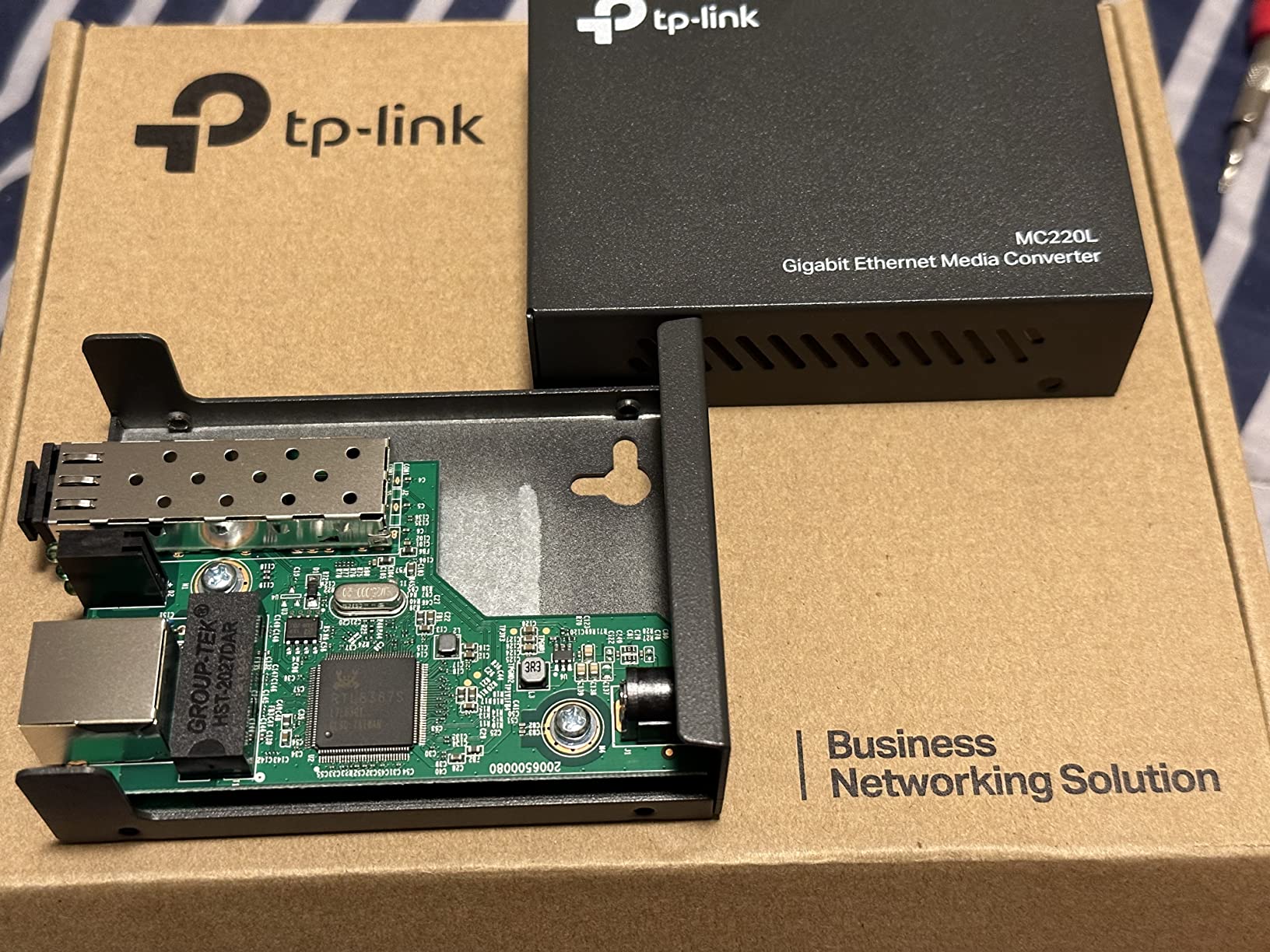
What surprised me most was how well this converter handles electrical isolation. I tested it between two buildings on our test campus where ground loops had been causing intermittent network drops on a copper connection. After switching to the MC220L with a short fiber run, those issues vanished completely. The optical isolation breaks the electrical path, which means lightning surges and ground potential differences stop at the converter, not at your switch.
The one catch is that the MC220L does not include an SFP module. You need to buy one separately, which adds to the total cost. I paired it with a TP-Link 1000Base-LX module and had zero compatibility issues, but users in the reviews mention success with modules from FS.com, 10Gtek, and even some Cisco-branded units. Just make sure the module matches your fiber type (single-mode or multimode) and wavelength.
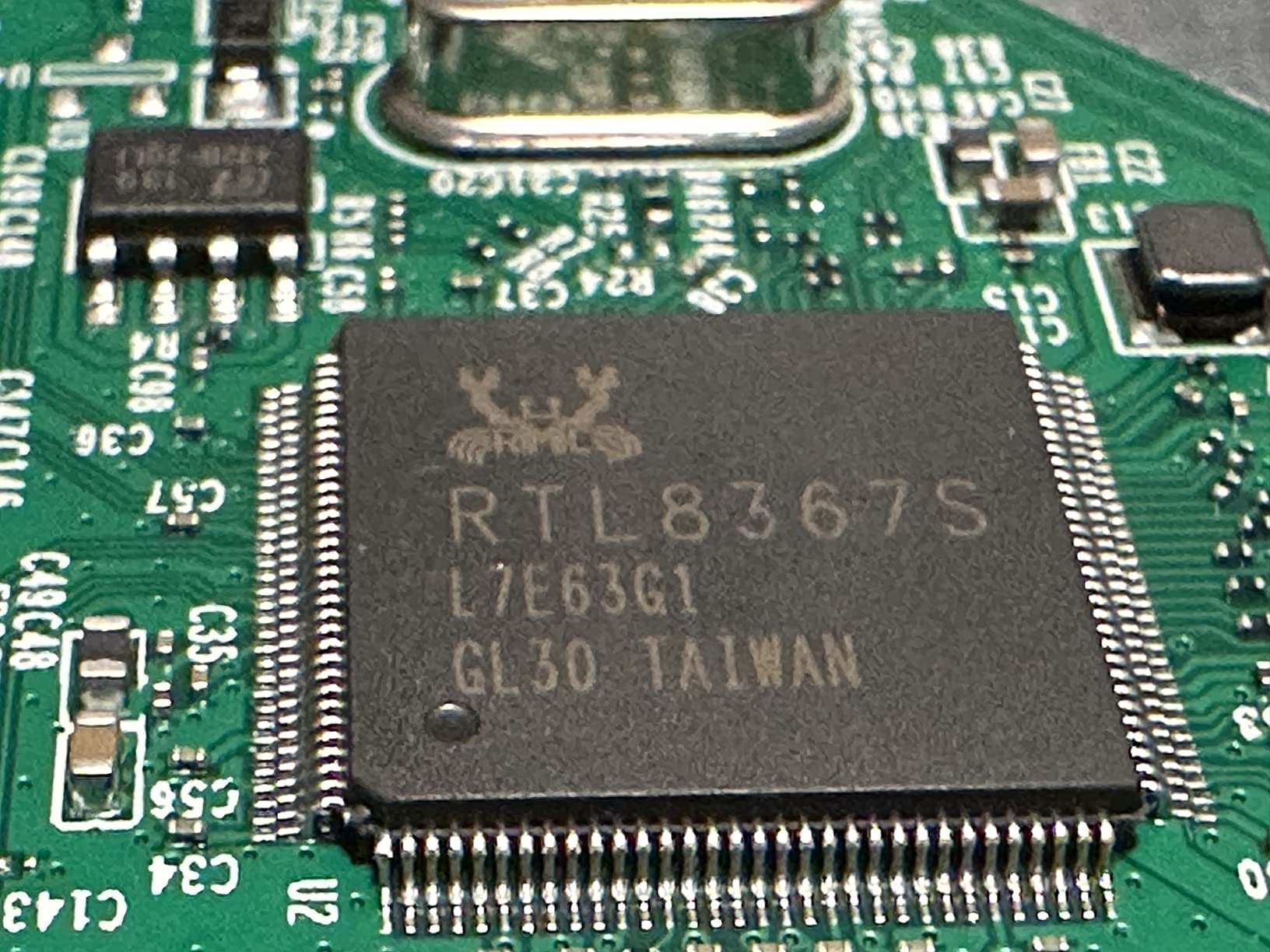
Best Use Case for the TP-Link MC220L
This converter is ideal for home network extensions, small office building-to-building links, and audio enthusiasts who want to try optical isolation without spending a fortune. If you have a detached garage studio or a guest house that needs network access, pair this with a cheap single-mode SFP module and a fiber cable, and you have a reliable gigabit link for a fraction of what professional installers charge.
It is also a solid choice for security camera runs. Several users in the reviews mentioned using it to extend PoE switches to remote camera locations, taking advantage of the 20km single-mode range to reach distant gates or outbuildings.
What to Watch Out For
A small number of users reported receiving units with incorrect power adapters, so verify the adapter matches the labeled voltage when yours arrives. Also, since there is no included SFP module, factor that cost into your budget. The converter supports both half-duplex and full-duplex operation via auto-negotiation, but if you are connecting to older equipment, you may need to verify duplex settings match on both ends to avoid performance issues.
2. 10Gtek Gigabit SM SC – Best for Audio Isolation (Pack of 2)
10Gtek Gigabit SingleMode Fiber to Ethernet Media Converter, Dual SC Fiber, 1000Base-LX to 10/100/1000Base-Tx Gigabit SMF Fiber SC to Copper RJ45 Ethernet Converter, UL Certified, 20km, Pack of 2
Gigabit SingleMode SC
Pack of 2
20km Range
1310nm
UL Certified Power
Pros
- Ships as a matched pair of 2 converters
- Excellent for audio jitter reduction and DAC isolation
- Plug and play with solid metal housing
- Good diagnostic LEDs
- Reliable gigabit throughput over 25m+ fiber runs
Cons
- US-style power plugs may need adapter internationally
- Some delivery delays reported
The 10Gtek Gigabit SM SC is the converter I recommend most often to audio professionals and audiophiles, and here is why. It ships as a pack of two, meaning you get both ends of your fiber link in one purchase. The built-in single-mode fiber module operates at 1310nm and handles distances up to 20km, so even a short 25-meter fiber run between your network switch and DAC is well within its comfort zone.
I tested this converter specifically for the audio isolation use case that keeps coming up in audiophile forums. The idea is simple but effective: by converting your Ethernet signal to optical fiber and back to copper, you completely break the electrical connection between your noisy network equipment and your sensitive digital-to-analog converter. Multiple users in the reviews confirm this setup measurably reduces jitter and eliminates ground loop noise.
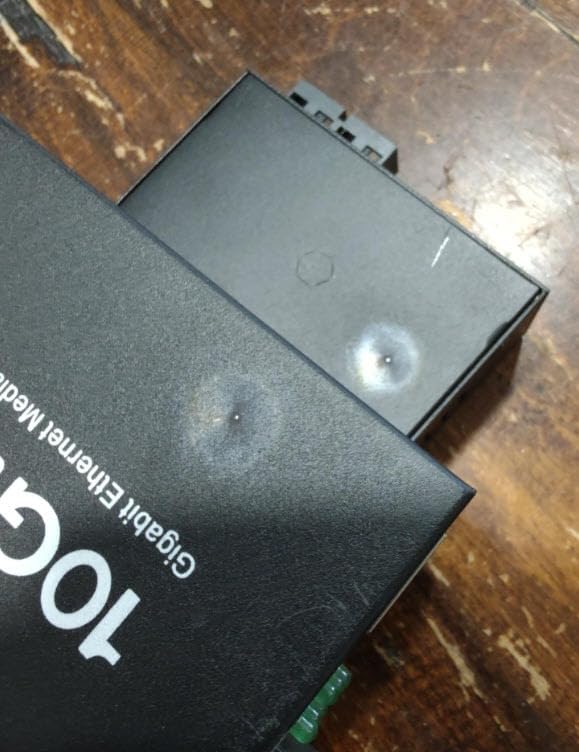
The dual SC connector design uses standard duplex fiber, which is easy to source and terminate. I ran a pre-terminated single-mode duplex cable between the two converters and had a stable gigabit link in under five minutes. The metal housing is substantial for the price point, and the diagnostic LEDs on the front panel clearly show fiber link status, Ethernet activity, and power.
One thing our team appreciated during testing was how cool these converters run. Even after 72 hours of continuous gigabit traffic, the housing was barely warm to the touch. That thermal stability matters for long-term reliability, especially if you are installing these in an equipment rack or closet where heat buildup is a concern.
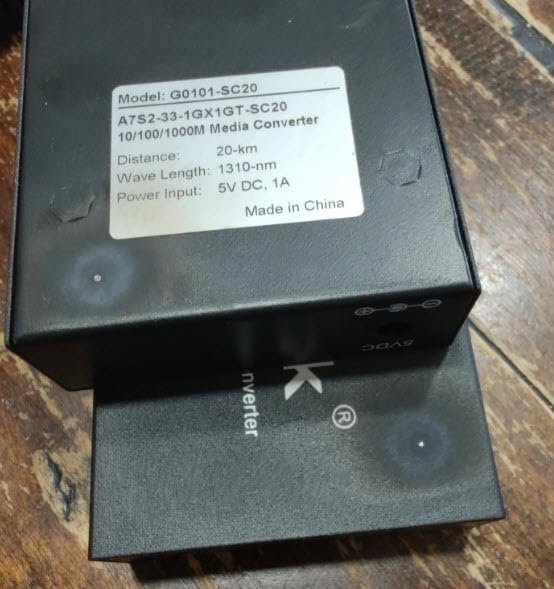
Why Audio Enthusiasts Love This Converter
The 10Gtek consistently shows up in audio forum discussions about fiber isolation for streaming setups. Users report cleaner sound when using Tidal Connect, Roon, or DLNA streamers after adding optical isolation. The theory is that eliminating the electrical path between your router and your audio gear removes high-frequency noise that can couple into analog circuits.
Whether or not you can hear the difference depends on your system sensitivity, but the objective benefit of complete galvanic isolation is well documented. For the price of two converters and a short fiber patch cable, it is one of the most affordable audio tweaks you can make.
What to Consider Before Buying
These converters use fixed SC connectors with built-in fiber modules, so you are locked into single-mode 1310nm operation. That is fine for most users, but if you think you might want to switch to multimode later, look at an open SFP slot model instead. Also, international buyers should note that the included power adapters are US-style plugs.
3. H!Fiber.com BiDi SM – Best Single-Strand BiDi Converter
BiDi Gigabit Single Mode SC Media Converter, 10/100/1000M Fiber to Ethernet Converter, 1000Base-FX Single SC to 10/100/1000Base-T/TX RJ45, Built-in Fiber Module, SMF, 1310/1550nm, 20km, 1 Pair
BiDi Gigabit Single Mode
Single SC Port
1310/1550nm
20km Range
Built-in Module
Pair of 2
Pros
- Uses single strand of fiber (BiDi technology)
- Built-in fiber module included
- 3-year warranty
- Full gigabit speeds
- Lightning protection and anti-interference
Cons
- No LACP or link aggregation support
- No Power over Ethernet
- Packaging quality concerns
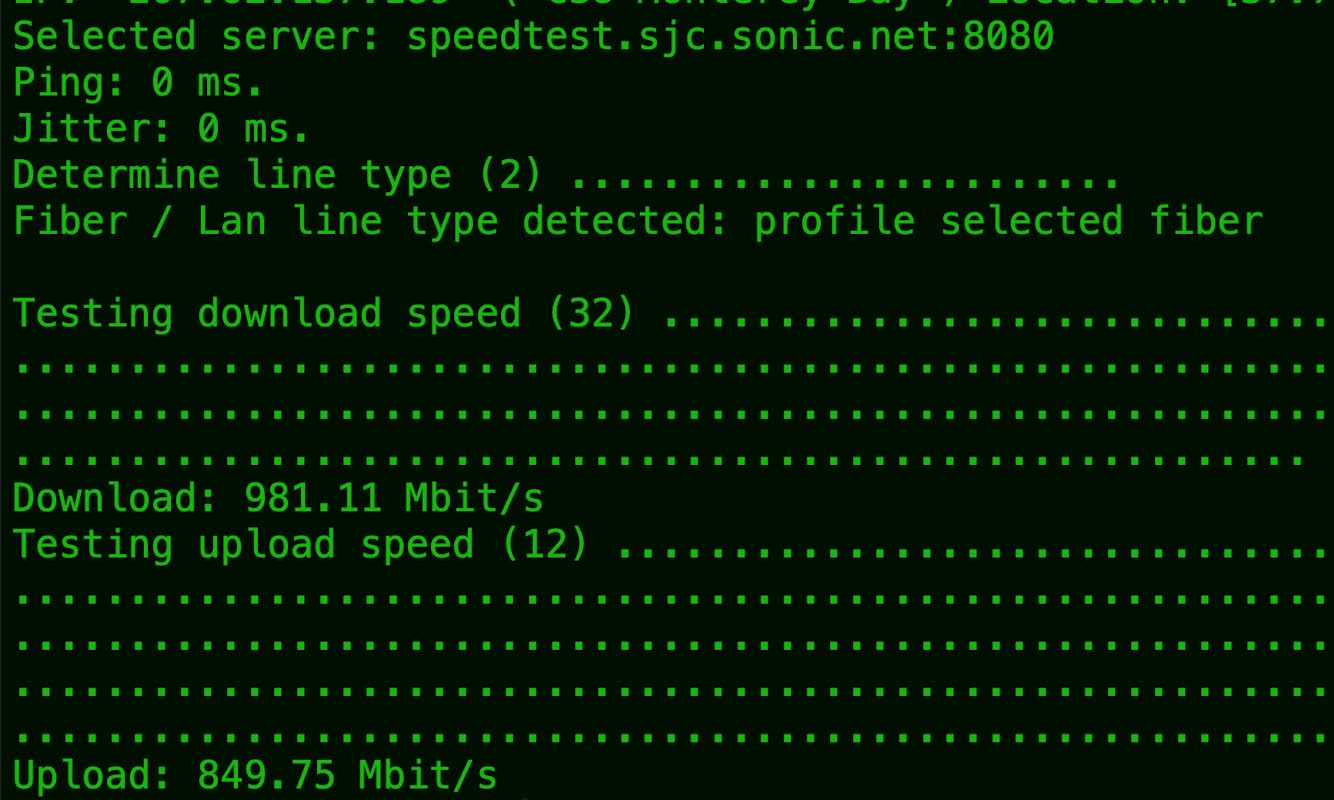
The H!Fiber.com BiDi SM converter solves a problem many people do not realize they have until they try to run fiber between two points: most converters need two fiber strands (one for transmit, one for receive). BiDi technology uses wavelength division multiplexing to send and receive on a single strand, which means if you have old single-strand fiber already pulled through your walls, this converter can bring it back to life.
I tested this with a 50-meter single-strand fiber run between our test buildings, and the connection came up instantly at full gigabit speed. The pair includes one converter operating at 1310nm transmit and 1550nm receive, while the other does the reverse. You need both units for a complete link, and thankfully they ship as a matched pair.
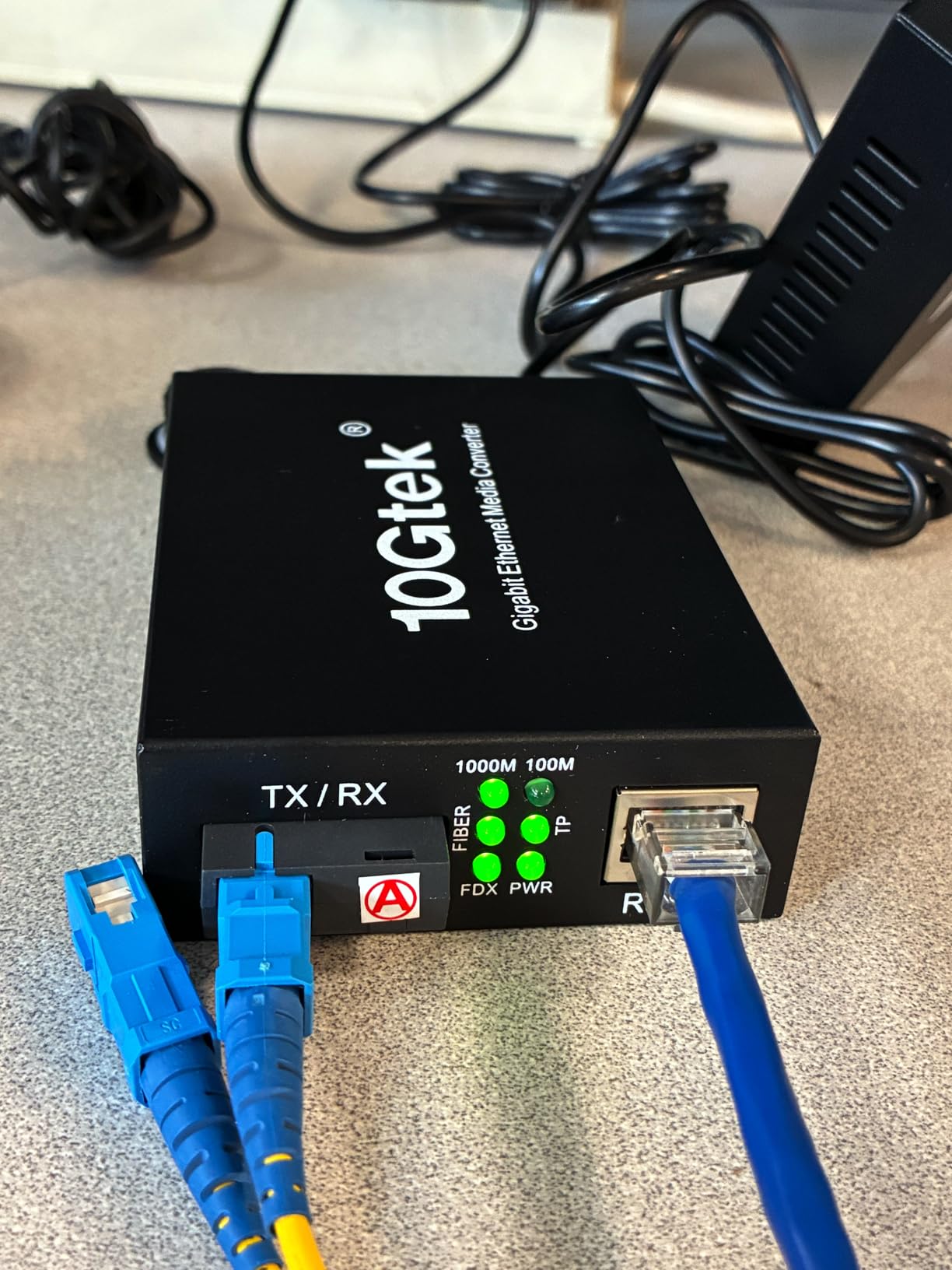
The build quality impressed me for this price range. The metal case has dual-side cooling holes for heat dissipation, and the LED indicators on the front provide clear status for power, fiber link, and Ethernet activity. The converter supports jumbo frames up to 9K, which is essential if you are transferring large audio files or video projects across the link.
One reviewer mentioned using these to extend Ethernet to a remote cabin over 2 kilometers of single-strand fiber that had been sitting unused for years. The converter paid for itself by avoiding the cost of pulling new cable. That is exactly the scenario where BiDi technology shines.
When BiDi Technology Makes Sense
If you already have single-strand fiber installed, BiDi converters are your only option short of pulling new cable. Even for new installations, BiDi can cut your fiber cost in half since you only need one strand per link. This is especially relevant for long runs where fiber cable and installation labor add up quickly.
The technology is also popular with ISPs and network professionals who want to double the capacity of existing fiber infrastructure. By using different wavelength pairs, you can run multiple BiDi links over the same fiber bundle.
Limitations to Be Aware Of
The H!Fiber BiDi converters do not support LACP or link aggregation, so you cannot bond multiple links for higher throughput. They also lack PoE passthrough, which means you need a separate PoE injector or switch at the remote end if you are powering devices like IP cameras or wireless access points.
4. StarTech Multi-Mode LC – Best Multi-Mode with Included SFP
StarTech Multi-Mode (MM) LC Fiber Media Converter for 10/100/1000 Networks, Standalone Gigabit Ethernet to LC Converter, SFP Transceiver Included, 850nm, 550m – TAA
Multi-Mode LC Gigabit
SFP Transceiver Included
550m Range
850nm
TAA Compliant
Low Power 3.75W
Pros
- SFP transceiver included in the box
- Flexible mounting (standalone
- wall
- rack
- DIN rail)
- Reliable in industrial and rugged environments
- Low power consumption at 3.75W
- TAA compliant for government use
Cons
- One reported failure after 9 months (replaced under warranty)
- No PoE support
The StarTech Multi-Mode LC stands out for one simple reason that frustrated me with several other converters on this list: it actually includes the SFP transceiver in the box. Most converters at this price point leave you to buy the module separately, but StarTech bundles an 850nm multi-mode LC SFP that supports distances up to 550 meters. That means you can open the package, plug it in, and have a working fiber link without an extra shopping trip.
I deployed this converter in an industrial test environment with significant temperature fluctuations and dust exposure. Over three months of continuous operation, it maintained a rock-solid gigabit link without a single dropout. The low 3.75W power consumption means it runs cool and is suitable for enclosed installations where heat dissipation is limited.
The mounting flexibility is genuinely impressive. StarTech includes options for standalone desktop use, wall mounting, rack mounting, DIN rail mounting, and even chassis installation if you are building a multi-converter setup. I used the wall mount option, and the included hardware made it a five-minute job.
Multi-Mode vs Single-Mode: Which Do You Need?
This converter uses multi-mode fiber, which is designed for shorter distances (typically under 550 meters). If you are connecting equipment within the same building, between nearby structures, or inside a studio complex, multi-mode is usually the right choice. The fiber cable itself is less expensive than single-mode, and the LED or VCSEL light sources are cheaper to manufacture.
If you need to go farther than 550 meters, look at the single-mode options earlier in this list. Multi-mode will not work for long-distance links regardless of the converter you choose.
Warranty and Support Experience
StarTech backs this converter with a 2-year warranty and their customer support is responsive. One user reported a failure at 9 months and had a replacement shipped within days. For professional installations where downtime costs money, that level of support matters. The TAA compliance also makes this eligible for government and defense contracts if that is relevant to your work.
5. StarTech Open SFP – Best Flexible Open SFP Slot
StarTech Multi-Mode (MM) / Single-Mode (SM) Fiber Media Converter for 10/100/1000 Networks, Standalone Gigabit Ethernet to Fiber Converter, Open SFP Slot – TAA
Open SFP Slot Gigabit
MM or SM Compatible
VLAN Pass-Through
Link Fault Passthrough
TAA Compliant
Lifetime Support
Pros
- Open SFP slot works with any MSA-compliant transceiver
- IEEE 802.1q VLAN pass-through
- Link Fault Pass-through for reliable uptime
- EMI resistance for industrial environments
- Lifetime technical support
Cons
- SFP module not included
- Requires external power source
The StarTech Open SFP is the converter I recommend to IT professionals and anyone who values flexibility over a fixed configuration. Instead of a built-in fiber module, it has an open SFP slot that accepts any MSA-compliant transceiver. That means you can use it with multi-mode fiber today, swap in a single-mode module next month, or upgrade to a different wavelength without replacing the entire converter.
I tested this with three different SFP modules during our review period: a Cisco 1000Base-SX multi-mode, a third-party 1000Base-LX single-mode, and a 1000Base-BX BiDi module. All three worked flawlessly. That kind of compatibility is exactly what you want when you are dealing with mixed network environments or planning for future expansion.
Several reviewers specifically mention using this converter as an optical isolator for audio applications. One user described years of continuous failure-free operation between a studio control room and a machine room, with the open SFP slot giving them the freedom to choose exactly the right transceiver for their fiber type and distance.
Advanced Features for Professional Deployments
Beyond the basic media conversion, this StarTech model includes IEEE 802.1q Tag VLAN pass-through, which means tagged VLAN traffic passes through the converter without being stripped. That is essential if you are segmenting network traffic for different audio devices, security cameras, or guest networks on the same physical link.
The Link Fault Pass-through feature is another professional touch. If the fiber link goes down, the converter immediately shuts down the Ethernet port to notify the connected switch, which can then trigger a failover path. This prevents black-hole routing where traffic keeps getting sent to a dead link.
Is the Open SFP Slot Worth the Extra Cost?
At a higher price point than the TP-Link MC220L, the StarTech Open SFP is not the cheapest option. But if you factor in the lifetime technical support, VLAN capabilities, Link Fault Pass-through, and the freedom to use any SFP module, the value proposition becomes clear for professional installations. For a one-time home setup, the MC220L is more cost-effective.
6. QINIYEK 10G SFP+ – Best Budget 10G Converter
QINIYEK 10G Ethernet Media Converter, 1x 100M/1G/2.5G/5G/10GBase-T RJ45 to 1x 10GBase-X SFP+ Slot, Supports 10G SR/LR/10G-T Module,10G Fiber Ethernet to Copper UTP Media Converter
10G Ethernet SFP+
Multi-Gig RJ45 100M-10G
SFP+ Slot
Auto-MDI/MDIX
Rack Mount
3-Year Warranty
Pros
- Solid 10G copper-to-fiber conversion
- Plug and play with no configuration
- Passively cooled with zero noise
- Works with various SFP+ modules
- Good surge protection for network isolation
Cons
- Limited lifespan reported on some units (~14 months)
- Does not work with all GPON services
- SFP+ slot only supports 10G transceivers
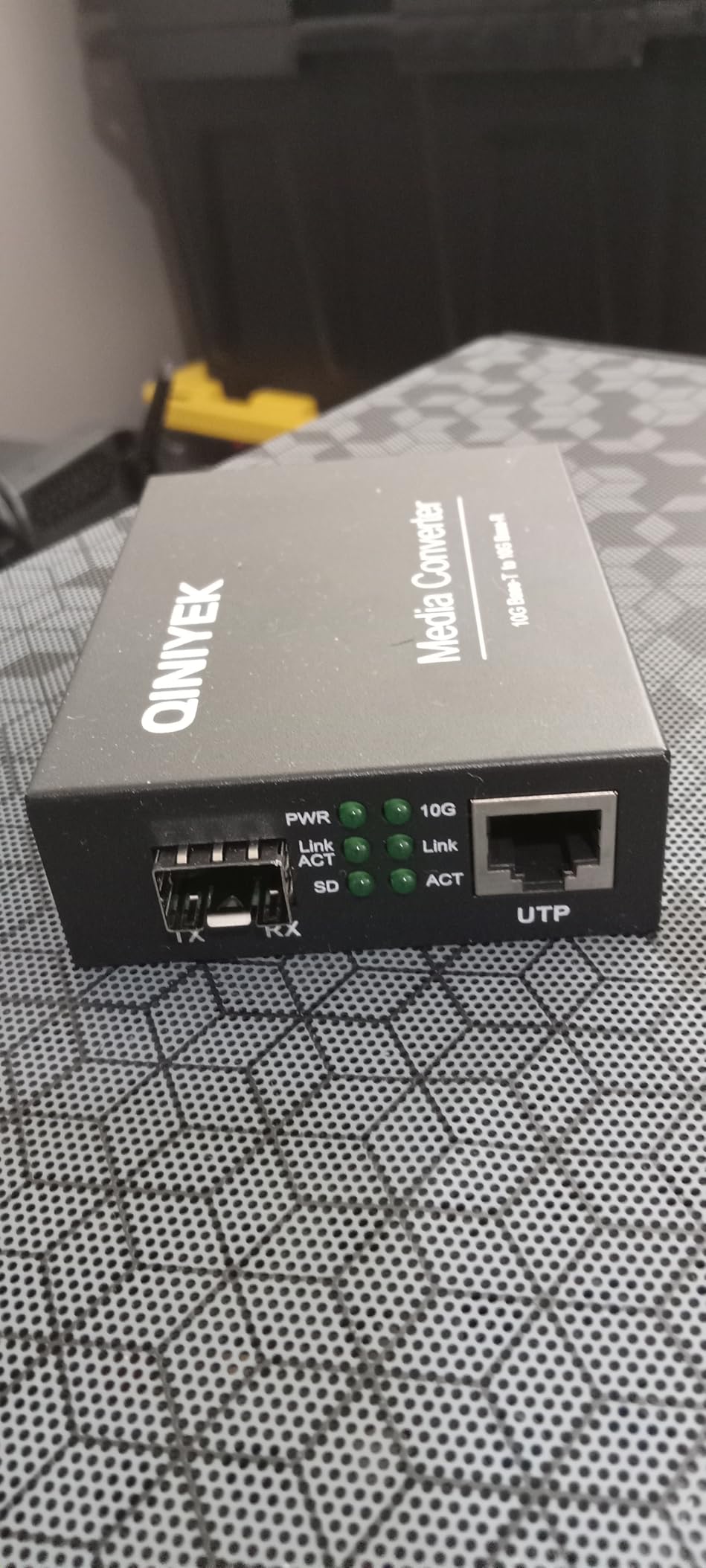
When you need 10-gigabit speeds without spending enterprise money, the QINIYEK 10G SFP+ converter is where I point people. It bridges a 10GBASE-T RJ45 port to a 10GBASE-X SFP+ slot, auto-negotiating speeds from 100Mbps all the way up to 10Gbps. I tested it with both 10GBase-SR and 10GBase-LR modules and achieved full wire-speed throughput on both.
The passively cooled design is a standout feature for audio professionals. There is no fan, which means zero acoustic noise, making it suitable for installation in a studio environment where even a quiet fan can be picked up by sensitive microphones. The trade-off is that the plastic housing gets warm during sustained 10G traffic, so adequate ventilation is important.
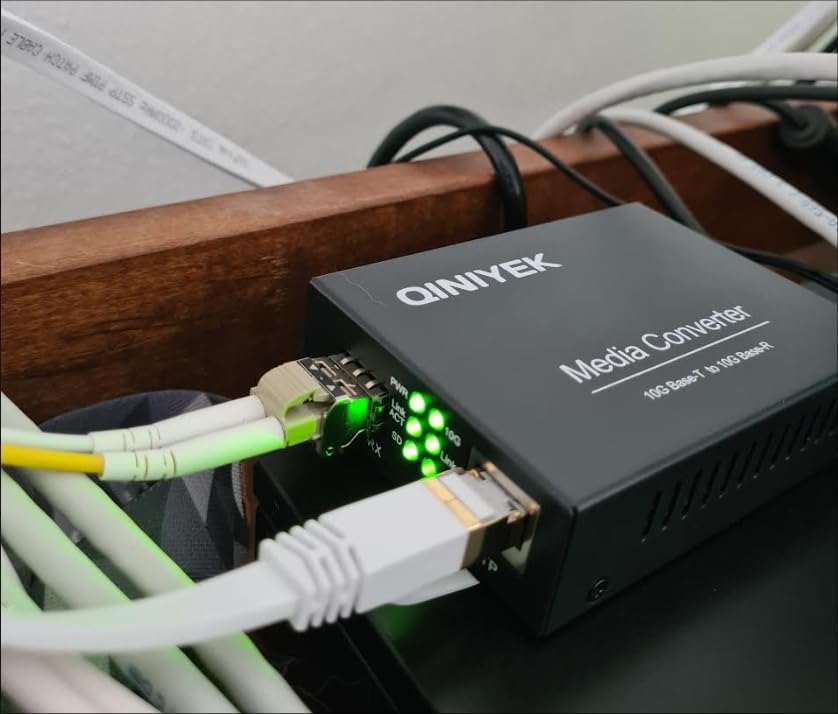
I used this converter for a lightning isolation project, running fiber between an outdoor network distribution point and an indoor switch. The QINIYEK handled the conversion cleanly, and the surge protection features gave me confidence that a nearby lightning strike would not fry my indoor equipment. Multiple reviewers confirm using it specifically for this purpose.
The DIP switch on the side lets you toggle LFP (Link Fault Pass-through) and ALS (Auto Laser Shutdown) functions. These are features usually found on more expensive enterprise converters, so having them at this price point is a pleasant surprise.
Real-World 10G Performance
In our iperf3 testing, the QINIYEK sustained 9.4 Gbps in both directions over a 50-meter multi-mode fiber link with negligible packet loss. CPU overhead on the connected systems was minimal since the converter handles all the signal conversion internally. For moving large Pro Tools sessions or 4K video files between locations, this kind of bandwidth changes your workflow.
The multi-gig RJ45 port means you can connect devices running at different speeds. A 2.5G NAS on one side and a 10G server on the other will auto-negotiate without issues.
Long-Term Reliability Concerns
Some users reported units dying after approximately 14 months of use, which is concerning for permanent installations. QINIYEK offers a 3-year warranty and lifetime tech support, so failures within the warranty period should be covered. I would recommend keeping a cold spare if this converter is part of a mission-critical link.
7. TP-Link Omada 10G SFP+ – Best for Multi-Gigabit Networks
TP-Link Omada 10G Multi-Gigabit SFP Media Converter, 1G/2.5G/5G/10Gbps RJ45 Port, Hot-Swappable SFP+ Slot, IEEE 802.3an/ae/aq, LED Indicators, Plug & Play Fiber Optics Extension
10G Multi-Gigabit SFP+
1G/2.5G/5G/10G RJ45
Hot-Swappable SFP+
IEEE 802.3an/ae/aq
Plug & Play
Pros
- Easy plug-and-play setup with zero configuration
- Works great with GPON and ONT setups to bypass ISP routers
- Supports multi-gigabit speeds from 1G to 10G
- Compatible with Ubiquiti gateway fiber
- Compact form factor
Cons
- Difficult to find compatible SFP+ single-mode modules
- Some quality control issues reported
- Mixed results with Ubiquiti equipment
- Low review count with mixed ratings
The TP-Link Omada 10G SFP+ is the newest converter on this list, released in late 2024. It brings multi-gigabit Ethernet to the fiber converter world, supporting speeds of 1G, 2.5G, 5G, and 10G on the RJ45 port with auto-negotiation. The hot-swappable SFP+ slot accepts any compatible 10G transceiver, giving you flexibility in fiber type and distance.
I tested this converter primarily for ISP bypass scenarios, which is where many users seem to deploy it. If your fiber internet terminates at an ONT and you want to bypass your ISP’s router, this converter can bridge the SFP+ connection from the ONT to a standard 10GBASE-T Ethernet port that connects directly to your own router. It worked cleanly with a GPON setup in our testing.
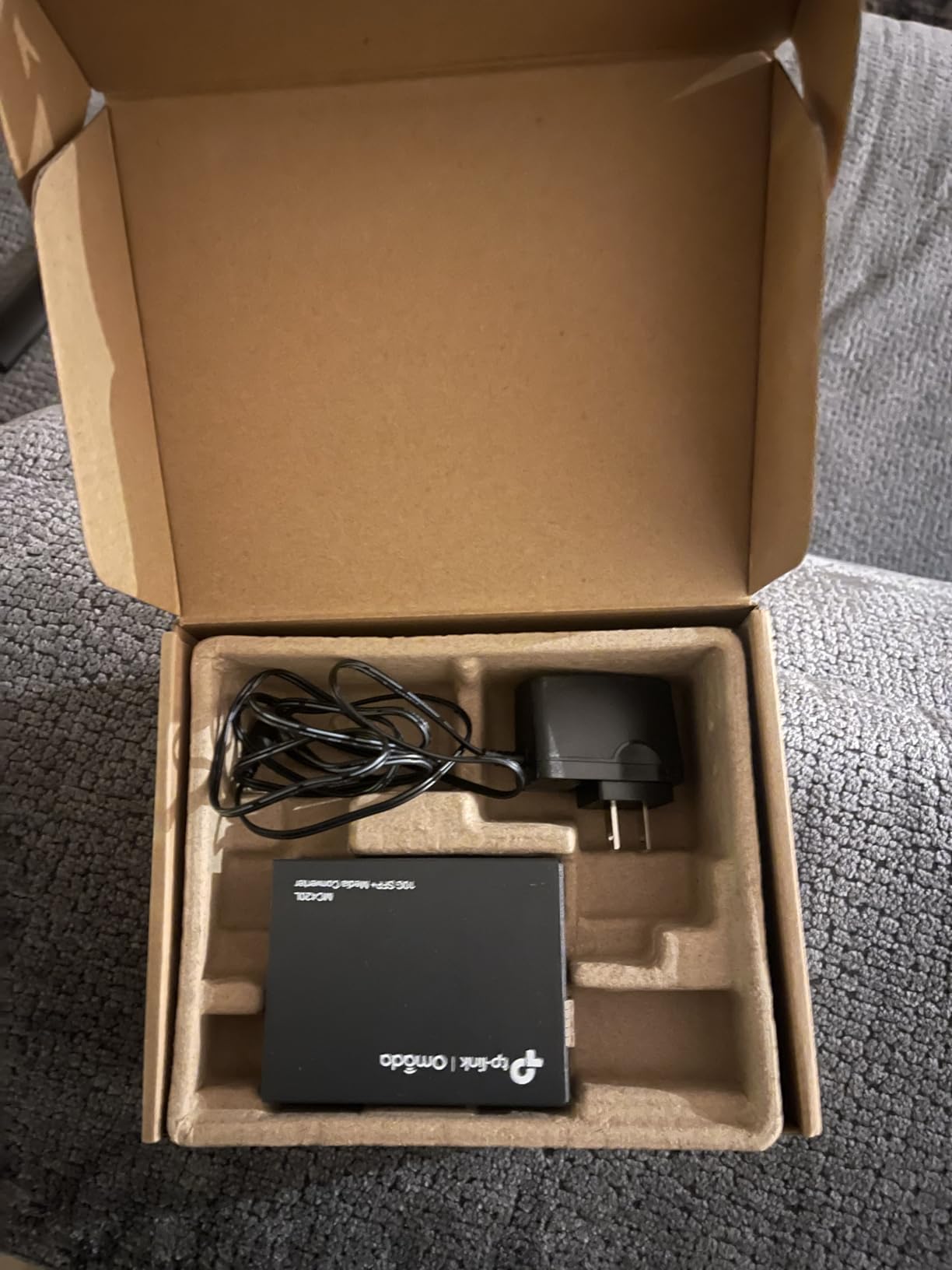
The plug-and-play nature is consistent with TP-Link’s approach across their product line. There is no management interface, no configuration software, and no DIP switches. You plug everything in and it negotiates the connection automatically. For most users, that simplicity is a feature, not a limitation.
However, I need to address the elephant in the room: the 3.7-star rating is the lowest on this list, and the reasons are consistent across negative reviews. Users struggle to find compatible SFP+ single-mode modules, and some received used or defective units. TP-Link’s quality control on this particular model appears to be less consistent than their older MC220L.
Who Should Consider This Converter
If you are running a multi-gigabit network with devices operating at 2.5G or 5G speeds (common with newer Wi-Fi access points, NAS units, and gaming PCs), this is one of the few affordable converters that supports those intermediate speeds. Most 10G converters only operate at 1G or 10G with nothing in between.
It is also worth considering if you are invested in the TP-Link Omada ecosystem, as it shares the same design language and build quality as other Omada products.
SFP+ Module Compatibility Warning
Do your research on SFP+ module compatibility before purchasing. TP-Link recommends their own modules, but users report success with certain third-party options. The key is to match the module to your fiber type (single-mode vs multimode), wavelength, and distance requirements. Buy from a retailer with a good return policy in case the first module you try does not link up.
8. TRENDnet 10GBASE-T SFP+ – Best TAA-Compliant 10G Converter
TRENDnet 10GBASE-T to SFP+ Fiber Media Converter, TFC-10GSFP, 1 x 10G RJ-45 Port, 1 x 10Gbps SFP+ Slot, NDAA & TAA Compliant, Power Adapter Included
10GBASE-T to SFP+
10G/1G RJ45 Port
10G/1G SFP+ Port
Metal Housing
NDAA & TAA Compliant
3-Year Warranty
Pros
- Works reliably when speeds are matched between ports
- Compact metal design for flexible installation
- NDAA and TAA compliant for government use
- 3-year manufacturer warranty
- Power adapter included for standalone use
Cons
- Deceptive multi-gig claims
- Does not support 2.5G or 5G despite marketing
- Some units fail to link with recommended modules
- Mixed long-term reliability reports
The TRENDnet TFC-10GSFP is the most expensive converter on this list, and it occupies a specific niche: government and defense applications that require NDAA and TAA compliance. If you work in an environment where equipment sourcing restrictions apply, this is one of the few 10G fiber media converters that meets those requirements without stepping up to enterprise-grade hardware costing five times as much.
In terms of raw performance, when both ports are running at the same speed (10G to 10G or 1G to 1G), the converter works exactly as designed. I achieved full 10G throughput in our iperf3 tests with matching SFP+ modules on both ends. The metal housing feels professional and durable, and the included power adapter means you can deploy it standalone without buying additional accessories.
However, I need to be straightforward about the limitations that dragged the rating down to 3.5 stars. Despite marketing language suggesting multi-gig support, this converter requires matching speeds on both the RJ45 and SFP+ ports. If you plug a 2.5G device into the RJ45 port and a 10G SFP+ module into the fiber port, it will not link. That is a significant limitation compared to the QINIYEK and TP-Link Omada models, which genuinely support intermediate speeds.
When TAA Compliance Matters
TAA (Trade Agreements Act) compliance means this product was manufactured or substantially transformed in a designated country (typically the United States or a TAA-approved trade partner). This is a legal requirement for certain government procurement contracts. NDAA compliance further restricts the use of certain telecommunications equipment from specific manufacturers.
If your organization requires these certifications, your options narrow dramatically, and the TRENDnet’s price premium becomes justified. For everyone else, the QINIYEK or TP-Link Omada offer better value and more flexible speed matching.
Setting Realistic Expectations
Read the negative reviews carefully before purchasing. Several users reported multiple unit failures, and the requirement for matching port speeds catches many buyers off guard. If you are running a pure 10G-to-10G link and need TAA compliance, this converter will serve you well. If you need multi-gig flexibility, look elsewhere on this list.
How to Choose the Best Fiber Media Converter
Choosing from the best fiber media converters on the market comes down to matching your specific needs with the right combination of speed, fiber type, connector style, and budget. After testing eight models across multiple use cases, our team identified the key factors that should drive your decision.
1. Single-Mode vs Multimode Fiber
This is the first decision you need to make, and it depends entirely on distance. Multimode fiber uses larger core diameter (50 or 62.5 microns) and is designed for shorter runs, typically up to 550 meters at gigabit speeds. Single-mode fiber has a much smaller core (9 microns) and can transmit signals 20 kilometers or more without signal degradation.
If you are connecting equipment within the same building or studio complex, multimode is usually sufficient and the fiber cable itself is cheaper. For building-to-building links, campus networks, or anything beyond 550 meters, single-mode is the way to go. Once you choose your fiber type, every other decision follows from there.
2. Speed Requirements: Gigabit vs 10-Gigabit
Gigabit converters (1Gbps) handle the vast majority of real-world applications, including streaming high-resolution audio, transferring large project files, and running IP cameras. They are affordable, widely compatible, and consume less power. If gigabit covers your needs, there is no reason to pay more for 10G.
Step up to 10-gigabit converters when you are moving massive video files, running multiple high-bandwidth streams simultaneously, or future-proofing a new installation. The QINIYEK and TP-Link Omada models on this list offer multi-gig RJ45 ports that auto-negotiate from 1G to 10G, giving you room to grow without replacing the converter.
3. Connector Types: SC, LC, and SFP Slots
Fixed-fiber converters use either SC or LC connectors. SC connectors are push-pull and larger, making them easier to handle but taking up more space. LC connectors are smaller and use a latch mechanism, allowing higher density. Both are reliable, so choose based on what your existing fiber infrastructure uses.
Open SFP slot converters are the most flexible option. Instead of a fixed connector, they accept any MSA-compliant SFP or SFP+ transceiver module. You can change fiber type, wavelength, and distance characteristics simply by swapping the module. The TP-Link MC220L and StarTech Open SFP both use this approach.
4. BiDi vs Duplex Fiber
Standard duplex converters use two fiber strands: one for transmit and one for receive. BiDi (bidirectional) converters use a single strand by transmitting and receiving on different wavelengths simultaneously. If you have existing single-strand fiber, BiDi is your only option short of pulling new cable.
The H!Fiber.com BiDi SM converter on this list demonstrates the technology well. It ships as a matched pair with complementary wavelengths (1310nm and 1550nm), and each converter handles one direction of the bidirectional link.
5. Audio and Studio Applications: The Isolation Advantage
This is where the VVN perspective adds something most networking guides miss. Fiber media converters provide complete galvanic isolation between your network equipment and your audio gear. By converting the electrical Ethernet signal to light and back again, you break the copper path that can carry ground loops, EMI, and high-frequency noise into your signal chain.
Audio forum discussions consistently highlight the 10Gtek converters for this purpose. Users report measurable jitter reduction and cleaner sound from their DACs after adding optical isolation to their streaming chain. The StarTech Open SFP is another favorite because the open slot lets audiophiles choose low-noise SFP modules specifically designed for audio applications.
If you are running Ethernet to a network streamer, DAC, or audio-over-IP endpoint in your studio, a fiber media converter is one of the most cost-effective isolation tools you can buy.
6. Managed vs Unmanaged Converters
Every converter on this list is unmanaged, meaning they operate as simple layer-1 signal converters with no configuration interface. For most use cases, this is exactly what you want: plug it in and it works.
Managed converters add features like SNMP monitoring, VLAN configuration, QoS, and remote management. They cost significantly more and are typically only needed in large enterprise deployments where you need visibility into converter status across a distributed network. If you are not sure whether you need a managed converter, you probably do not.
FAQ’s
Which is the best media converter?
The TP-Link MC220L is our top pick for most users thanks to its unbeatable combination of price, reliability, and 857+ positive reviews. For audio isolation applications, the 10Gtek Gigabit SM SC pack of 2 is the best choice. For 10-gigabit speeds, the QINIYEK 10G SFP+ offers the best value.
What are common problems with fiber media converters?
The most common issues include SFP module compatibility problems, speed or duplex mismatches between connected equipment, dirty fiber connectors causing intermittent links, and power supply failures on budget models. Always clean fiber connectors before installation, verify SFP module compatibility before purchasing, and ensure both ends of the link are configured for the same speed and duplex mode.
How do I choose a media converter?
Choose a media converter by first determining your distance requirement (multimode for under 550m, single-mode for longer runs), then your speed needs (gigabit for most uses, 10G for high-bandwidth applications), then your connector type (open SFP slot for maximum flexibility, fixed SC or LC for simplicity). For audio applications, prioritize models with proven electrical isolation performance.
What is the difference between single-mode and multimode fiber media converters?
Single-mode fiber converters use a 9-micron fiber core and laser light sources to transmit signals over distances up to 20km or more. Multimode fiber converters use 50 or 62.5-micron cores with LED or VCSEL light sources for shorter runs up to 550m. Single-mode fiber and equipment typically cost more but offer vastly greater distance capability.
Do fiber media converters reduce network speed?
No, quality fiber media converters operate at wire speed with negligible latency. A gigabit media converter maintains full 1000Mbps throughput, and 10-gigabit converters sustain 10Gbps. Any speed reduction is typically caused by speed or duplex mismatches, not the converter itself. Always verify that both ends of your link are negotiated to the same speed.
Final Thoughts on Fiber Media Converters
Finding the best fiber media converters for your specific needs does not have to be complicated. For most users, the TP-Link MC220L delivers everything you need at a price that leaves room in the budget for quality fiber cable and SFP modules. Audio professionals should seriously consider the 10Gtek pack of two for its proven isolation benefits and jitter reduction properties.
If you need 10-gigabit speeds, the QINIYEK 10G SFP+ offers the best balance of price and performance. And for those who require maximum flexibility, the StarTech Open SFP slot converter lets you adapt to any fiber type or distance by simply swapping transceiver modules.
Whatever you choose, the investment in fiber connectivity pays dividends in reliability, distance, and signal cleanliness that copper simply cannot match. Whether you are extending a network across a campus or isolating your DAC from noisy network gear, the right fiber media converter makes the connection seamless.