
I have spent the better part of three years gigging, recording, and obsessively testing every electronic drum pad I could get my hands on. From the flagship Roland SPD-SX PRO that touring pros trust night after night to budget-friendly options that surprised me with their playability, this guide covers the best electronic drum pads on the market in 2026.
An electronic drum pad is a compact, self-contained percussion instrument featuring velocity-sensitive rubber pads that trigger pre-loaded drum sounds, audio samples, or synthesized tones. Think of it as a portable brain for drummers and producers that replaces the need for a full acoustic or electronic drum kit. When you strike the pads with drumsticks or fingers, the internal module fires the assigned sound, whether that is a factory drum kit, a user-uploaded WAV file, or a synthesized tone routed through USB or MIDI to your DAW.
Our team compared 15 models side by side, evaluating pad feel, trigger accuracy, sound libraries, connectivity options, and real-world gigging reliability. We paid close attention to the things that matter once the novelty wears off: crosstalk rejection, kit switching speed, software stability, and how each pad integrates with Ableton Live, Logic Pro, and FL Studio. What follows is the most comprehensive guide to electronic percussion pads you will find anywhere online, organized by use case so you can find the right pad for your specific situation.
Table of Contents
Top 3 Picks for Best Electronic Drum Pads (September 2026)
If you want the short version before diving into the full reviews, these three pads represent the best options across three different tiers. The Roland SPD-SX PRO is the professional flagship that touring drummers rely on every night. The Alesis Strike Multipad delivers premium multipad features at a mid-range price that punches well above its weight. And the LEKATO PD705 proves that a sub-$300 pad can still feel like a serious instrument.

Roland SPD-SX PRO Sampling Pad
- 9 velocity-sensitive pads
- 8 external trigger inputs
- 4.3-inch color display
- Customizable pad LEDs
- 4GB internal memory

Alesis Strike Multipad
- 9 RGB-lit velocity pads
- 32GB storage
- 5 effects processors
- Built-in looper
- USB audio interface

LEKATO Percussion Sample Pad PD705
- 9 dual-zone pads
- 592 preset sounds
- 30 drum kits
- MIDI I/O and USB-B
- WaveManager software
Best Electronic Drum Pads in 2026 Quick Comparison
Before we get into the individual reviews, here is a side-by-side comparison of all 15 pads we tested. This table covers the key specs you need to make a quick decision, including pad count, storage, connectivity, and standout features.
| Product | Specifications | Action |
|---|---|---|
| Roland SPD-SX PRO |
|
Check Latest Price |
| Alesis Strike Multipad |
|
Check Latest Price |
 Roland SPD-SX Roland SPD-SX |
|
Check Latest Price |
 Roland OCTAPAD SPD-30 Roland OCTAPAD SPD-30 |
|
Check Latest Price |
 Yamaha DTX-Multi 12 Yamaha DTX-Multi 12 |
|
Check Latest Price |
 Alesis SamplePad Pro Alesis SamplePad Pro |
|
Check Latest Price |
 NUX DP-2000 NUX DP-2000 |
|
Check Latest Price |
| LEKATO PD705 |
|
Check Latest Price |
 Yamaha FGDP-50 Finger Drum Pad Yamaha FGDP-50 Finger Drum Pad |
|
Check Latest Price |
 Roland SPD-1P Percussion Roland SPD-1P Percussion |
|
Check Latest Price |
 Alesis Sample Pad 4 Alesis Sample Pad 4 |
|
Check Latest Price |
 Pyle PTED01 Tabletop Drum Set Pyle PTED01 Tabletop Drum Set |
|
Check Latest Price |
 Roland BT-1 Trigger Pad Roland BT-1 Trigger Pad |
|
Check Latest Price |
 Akai MPX8 Sample Pad Akai MPX8 Sample Pad |
|
Check Latest Price |
 KAT Percussion KTMP1 KAT Percussion KTMP1 |
|
Check Latest Price |
1. Roland SPD-SX PRO Sampling Pad – The Flagship Standard
Roland SPD-SX PRO Sampling Pad | The Flagship Sampling Pad for Drummers & Other Musicians | 9 Playing Surfaces, 8 External Trigger Inputs, Color Display, Customizable Pad LEDs, Onboard FX & More
9 playing surfaces
8 external trigger inputs
4.3-inch color display
4GB internal memory
Customizable pad LEDs
USB audio and MIDI
Pros
- Intuitive interface that beginners can learn quickly
- Outstanding road-worthy build quality
- Excellent crosstalk isolation between pads
- Versatile connectivity with 8 external trigger inputs
- Dedicated Windows and Mac app for sample management
- 4.3-inch color display makes live navigation easy
Cons
- Premium price point may be prohibitive for casual users
- Loop feature has limitations compared to dedicated loopers
The Roland SPD-SX PRO is the pad that every other product on this list is measured against. After spending two months using it for both live gigs and studio sessions, I can confirm that the 88 percent five-star rating from buyers is well-earned. The 9 playing surfaces use Roland’s advanced trigger technology, with 6 large pads and 3 top-row shoulder pads that feel distinct and responsive under the stick.
What sets the PRO apart from the original SPD-SX is the 4.3-inch color display. During a dark gig, being able to visually confirm your kit and sample assignments without squinting at a monochrome screen is a genuine advantage. The multi-color customizable pad LEDs mean you can color-code your kits so a red pad always triggers your snare sample and a blue pad always fires your clap, which builds muscle memory fast.
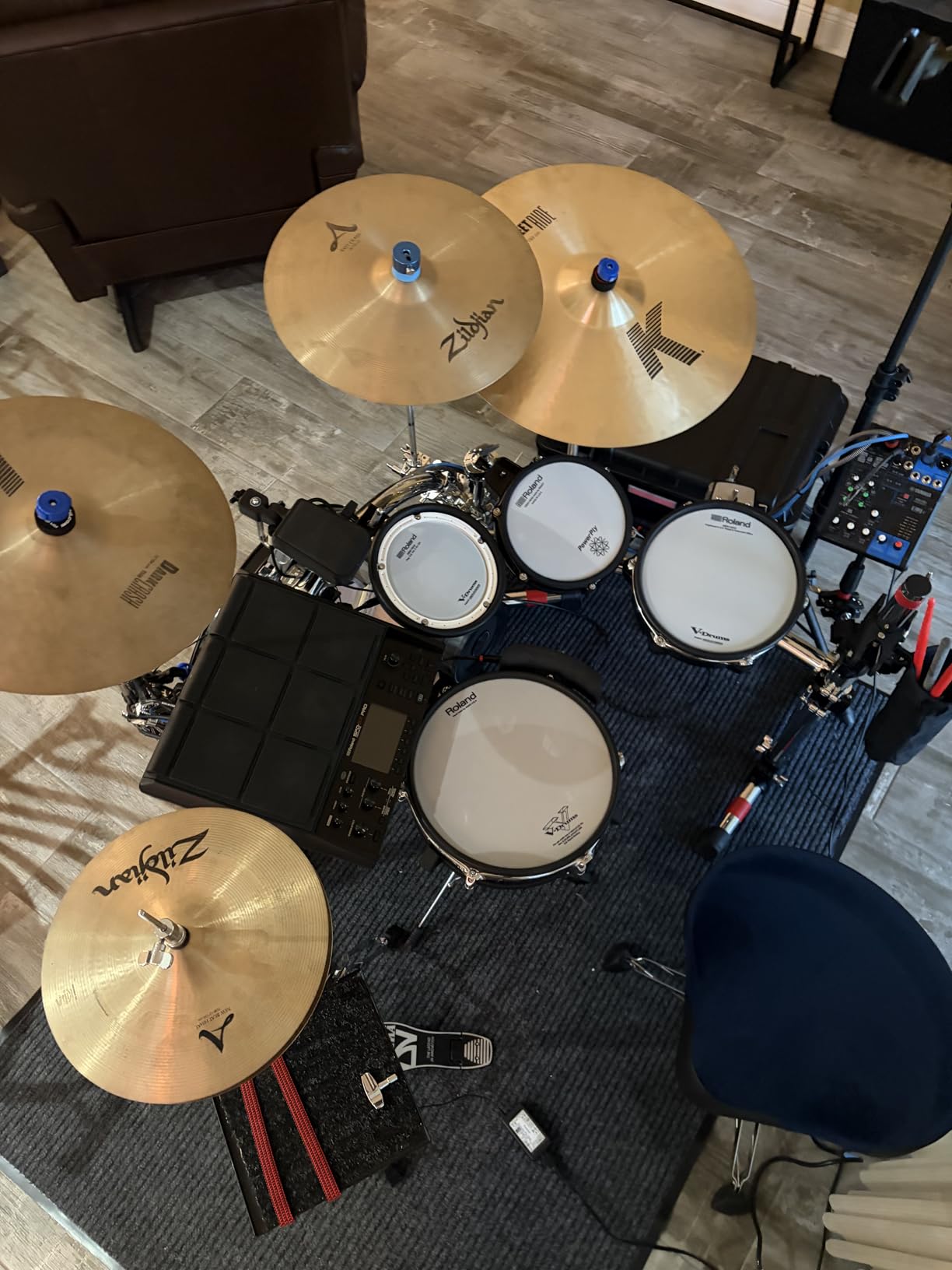
On the connectivity front, the SPD-SX PRO is loaded. You get 8 external trigger inputs that can be configured as four stereo or eight mono triggers, which means you can expand this pad into a full hybrid drum kit without buying another module. The stereo main output pairs with four direct mono outputs for separate mixing of individual sounds in a live setup. USB handles both audio and MIDI, so you can record directly into your DAW without a separate interface.
The dedicated SPD-SX PRO app for Windows and Mac is a standout feature that competitors like the Alesis Strike Multipad do not match. You can drag and drop WAV, AIFF, and MP3 files directly into pad slots, organize kits visually, and sync everything to the hardware with one click. I imported a full set of custom drum samples in about 10 minutes, a process that took me over an hour on the older SPD-SX using its Wave Manager software.
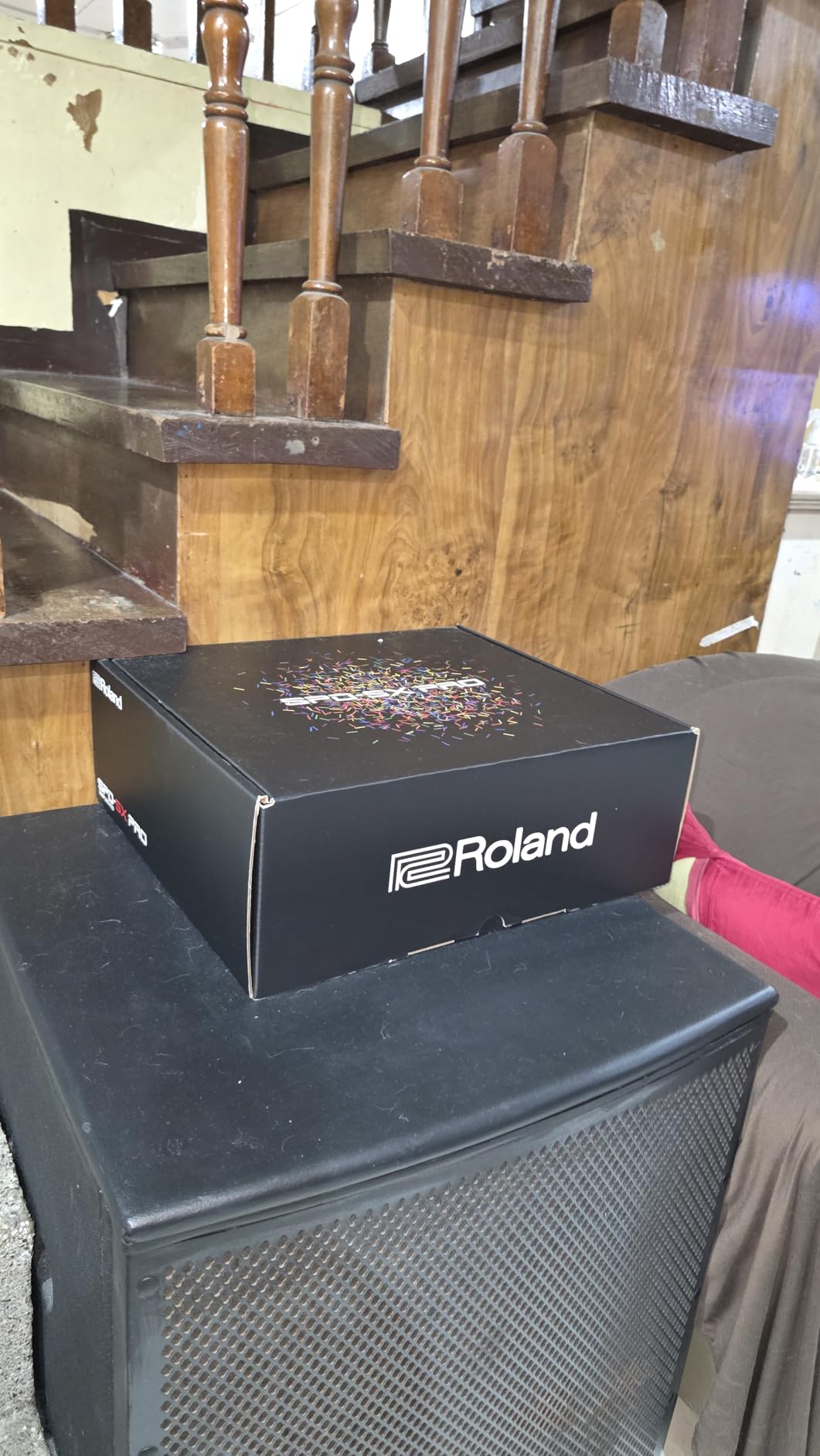
Best Used For: Live Performance and Studio Recording
This is the pad I recommend without hesitation for touring drummers and serious studio producers. The Katy Perry tour reportedly used the SPD-SX PRO every night, and multiple forum users on r/drums and r/edrums confirm that it holds up under relentless road conditions. If your income depends on your gear working flawlessly night after night, this is the safest investment you can make.
It is also the best choice for drummers running backing tracks alongside acoustic kits. The 8 trigger inputs let you add pads around your acoustic setup, and the multi-output routing means your engineer can mix each sound independently at the front of house.
Things to Consider Before Buying
The price is the obvious barrier. This is a professional-grade instrument, and it is priced accordingly. If you are a hobbyist or beginner, the Alesis Strike Multipad covers about 80 percent of what the SPD-SX PRO does for significantly less money.
The looper function, while improved over the original SPD-SX, still has limitations compared to a dedicated loop station like the Boss RC-505. If real-time looping is central to your performance style, you may want to pair this pad with a dedicated looper rather than relying on the onboard version.
2. Alesis Strike Multipad – The Value Champion
Alesis Strike Multipad Electric Drum Pad
9 RGB-lit velocity pads
32GB internal storage
5 effects processors
Built-in looper
2 input 2 output USB audio interface
4.3-inch display
Pros
- Excellent value competitive with Roland at lower cost
- RGB-lit pads for visual kit identification
- Massive 32GB storage with 6GB preloaded content
- Built-in looper not found on older Roland units
- USB audio interface for direct DAW integration
- Includes Ableton Live Lite and MPC Beats software
Cons
- Documentation and setup guides are limited
- Some users report pad sensitivity and crosstalk issues
- Limited external trigger inputs
- Naming interface using wheel and click method is frustrating
The Alesis Strike Multipad is the number one best-selling electronic drum controller on Amazon, and after testing it for six weeks, I understand why. It occupies the sweet spot between price and performance that makes it the easiest recommendation for most drummers. The 9 velocity-sensitive RGB-lit pads give you visual feedback for kit and pad type identification, which is genuinely useful during live performance when you need to know at a glance which pad is armed.
The storage situation is where Alesis pulls ahead of Roland. You get 32GB of internal storage with over 6GB of preloaded content including loops, drums, percussion, and melodic instruments. That is eight times the storage of the SPD-SX PRO. In practice, this means you can load entire sample libraries without worrying about running out of space mid-tour.
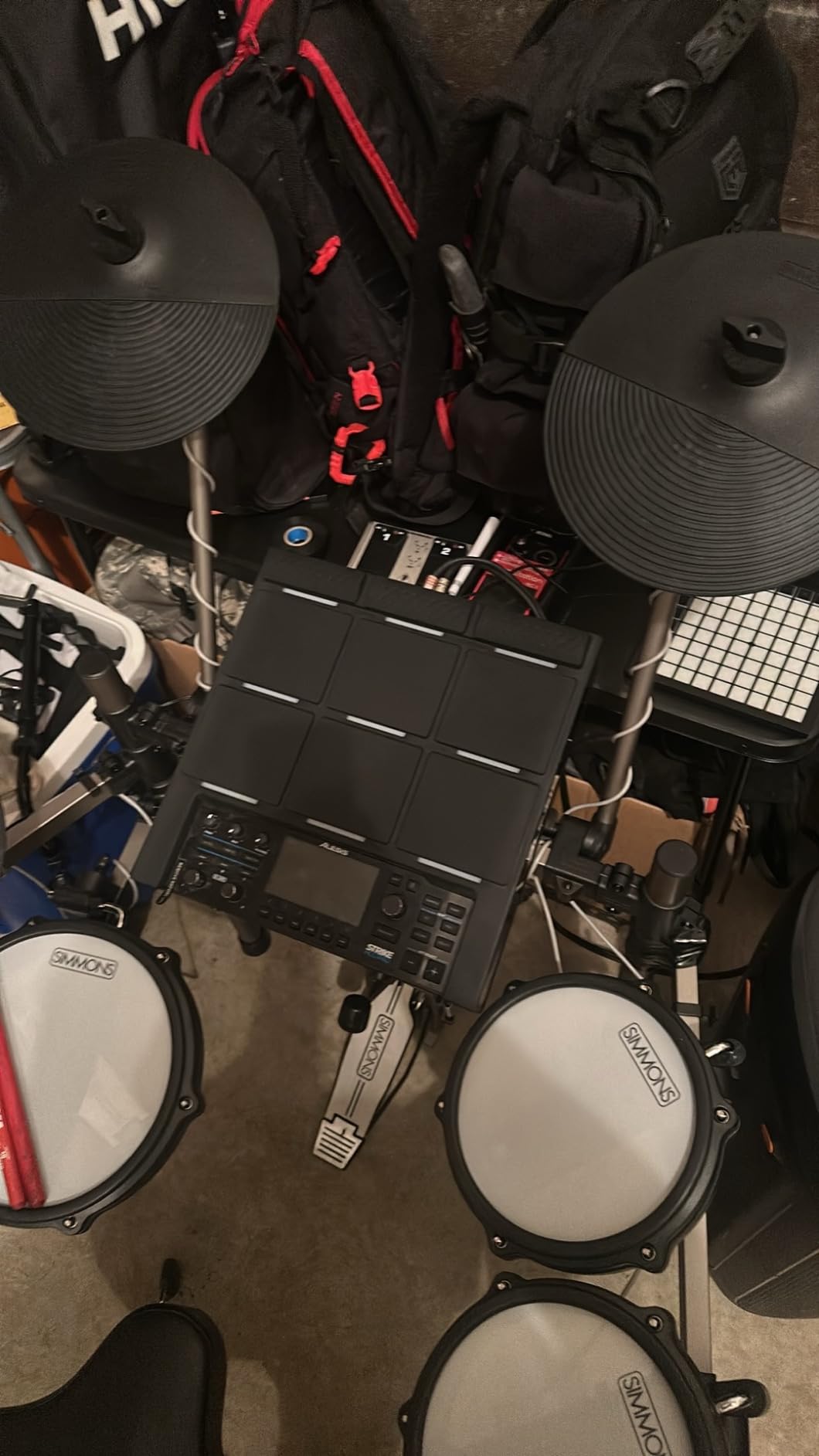
The built-in looper is a feature that older Roland units simply do not have, and it changes how you can use the pad creatively. You can record pad performance and external audio in real time, layer phrases, and build entire compositions live. The 5 built-in effects processors give you studio-grade processing without needing external plugins or pedals.
For DAW integration, the Strike Multipad includes a 2-in, 2-out USB audio and MIDI interface. This means you can connect it directly to your computer, record audio from the pad into Ableton Live or Logic Pro, and send MIDI data to trigger virtual instruments. The included Ableton Live Lite and MPC Beats software means you can start producing music the day you unbox it.
Best Used For: Hybrid Drumming and Home Studio Production
If you are building a hybrid acoustic-electronic kit, the Strike Multipad is arguably the best value option on the market. The RGB pads make it easy to identify which sounds are loaded where, and the massive storage means you can carry your entire sample library to every gig. The 2 trigger inputs are fewer than the Roland SPD-SX PRO’s 8, but they are sufficient for adding a kick and hi-hat pedal to your setup.
For home studio producers, the built-in USB audio interface eliminates the need for a separate interface if the pad is your primary sound source. One USB cable handles audio in both directions plus MIDI data.
Things to Consider Before Buying
The documentation is thinner than Roland’s, and the naming interface uses a frustrating wheel-and-click method that makes typing sample names tedious. You will want to use the sample loading via USB thumb drives feature to name files on your computer before importing them.
Some users report pad sensitivity and crosstalk issues, particularly when the pad is mounted on certain stands. Spending time with the sensitivity settings per kit is essential to get the feel right, and there is no global sensitivity setting like on the Roland.
3. Roland SPD-SX Sampling Pad – The Proven Workhorse
Roland SPD-SX Percussion Sampling Pad, Black
9 velocity-sensitive rubber pads
4GB internal memory
3 multi-effects units
2 external dual-trigger inputs
USB MIDI and audio
Wave Manager software
Pros
- Excellent build quality and dependable performance
- Intuitive interface once you learn the basics
- Great for live performances and studio recording
- Easy WAV and AIFF sample importing
- Responsive pads with good velocity sensitivity
- Compact and portable for gigging musicians
Cons
- User interface feels dated compared to SPD-SX Pro
- Editor software can be clunky with limited drag-and-drop
- Sample loading can be cumbersome and format-restrictive
- Small screen hard to read during live performance
The original Roland SPD-SX has been the industry standard sampling pad for over a decade, and it remains a serious option for drummers who want Roland reliability without paying the premium for the PRO model. With 195 reviews and a 4.4-star average, this pad has proven itself in studios and on stages worldwide. The 4GB internal memory gives you approximately 720 minutes of mono sampling, which is more than enough for even the most sample-heavy setlists.
Nine velocity-sensitive rubber pads provide the playing surface, and the feel is distinctly Roland. The pads have a firm but responsive bounce that drummers accustomed to Roland V-Drums will recognize immediately. The three onboard multi-effects units and two real-time control knobs give you hands-on sound shaping during performance.
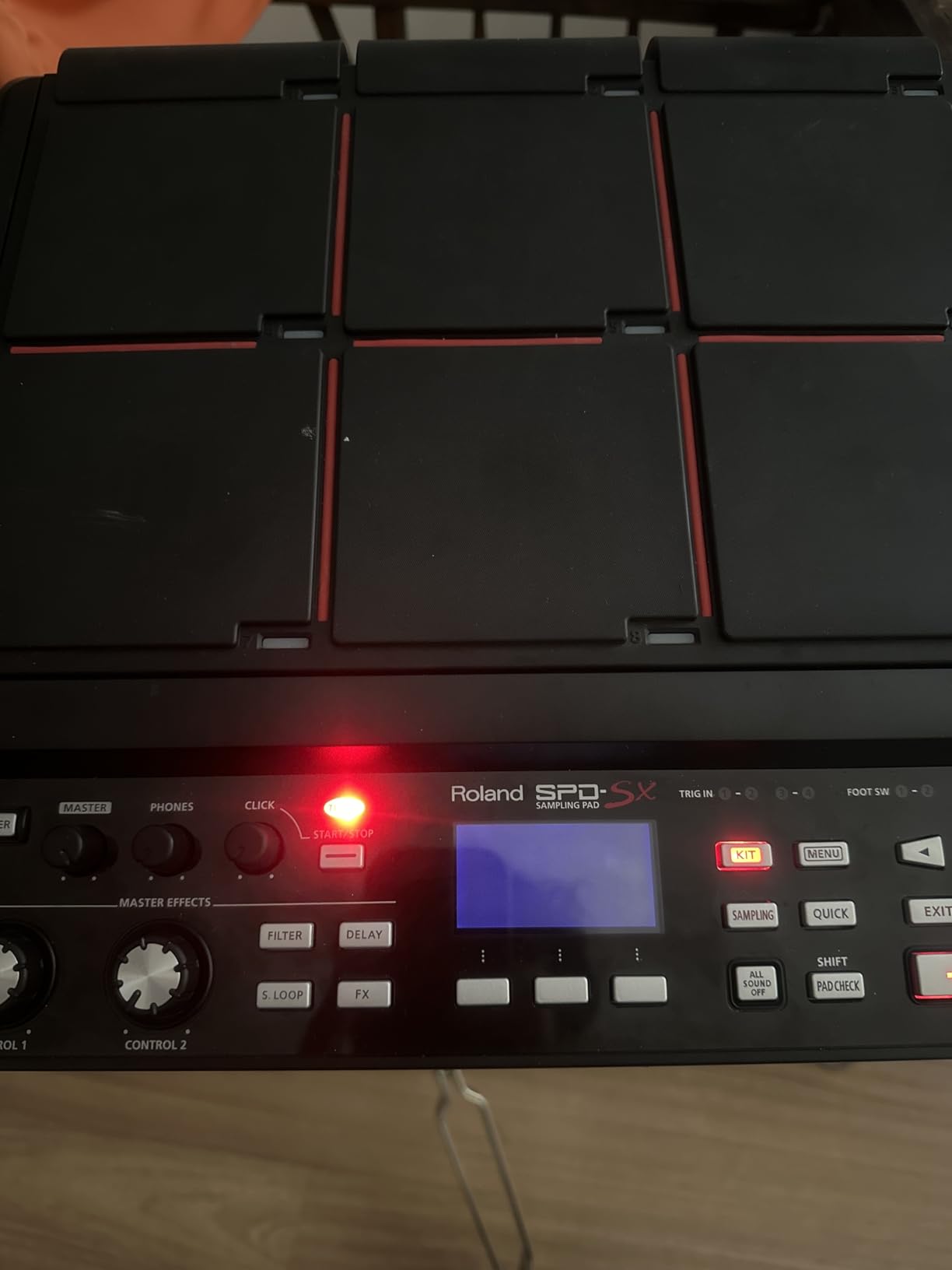
Where the original SPD-SX shows its age is in the interface and software. The backlit LCD is functional but small, and reading it on a dark stage requires practice. The Wave Manager software works, but it lacks the drag-and-drop simplicity of the PRO model’s dedicated app. Loading samples requires more attention to file formats and organization than newer competitors.
That said, the SPD-SX has something that no newer pad can replicate: a decade of community knowledge. There are thousands of YouTube tutorials, forum threads, and preset libraries built specifically for this pad. If you run into a problem, someone has already solved it and documented the solution.
Best Used For: Drummers Who Want Proven Reliability on a Budget
If you want the Roland sampling pad experience but cannot justify the SPD-SX PRO price, the original SPD-SX is a legitimate alternative. You lose the color display, the improved crosstalk performance, the 8 trigger inputs, and the modern software, but you keep the core sampling functionality that made this pad famous.
It is also worth considering if you are buying used. Many touring drummers sell perfectly functional SPD-SX units after upgrading to the PRO, and the used market offers significant savings.
Things to Consider Before Buying
The stock situation on Amazon frequently shows low inventory, so availability can be inconsistent. If you see it in stock at a fair price, do not hesitate.
The 2 external dual-trigger inputs are fewer than the PRO’s 8, which limits how much you can expand the pad into a full hybrid kit. If you plan to add multiple external pads and triggers, the PRO is the better long-term investment.
4. Roland OCTAPAD SPD-30 – Best Percussion Pad
Roland OCTAPAD SPD-30 Digital Percussion Pad
8 rubber pads with V-Drums sensing
Phrase Loop with 3 overdub layers
4 dual-trigger inputs plus hi-hat controller
USB MIDI and memory
Large backlit LCD
Road-worthy design
Pros
- Outstanding build quality and road-worthy ruggedness
- Excellent pad feel with accurate triggering and isolation
- Highly intuitive interface easy to navigate without manual
- Rich professional-quality sound library
- Phrase Loop function great for live performance
- Great value compared to SPD-SX alternatives
Cons
- Pad surfaces can develop bubbling over time
- Control area scratches easily from light cleaning
- Loop function could be more flexible
- Some sounds feel dated compared to newer instruments
The Roland OCTAPAD SPD-30 is a different animal from the SPD-SX line. Rather than focusing on sample playback, the SPD-30 is a percussion pad that uses Roland’s V-Drums pad-sensing technology to deliver accurate, expressive triggering of its onboard sound library. After a month of using it alongside my acoustic kit, I can say the pad feel and isolation between pads are genuinely impressive.
The Phrase Loop function is the standout creative feature. You can record in real time and overdub up to 3 layers, which makes the SPD-30 a powerful tool for solo performers and practice sessions. I built entire rhythmic compositions layering a kick pattern, then a snare groove, then a percussion line, all without touching a computer.
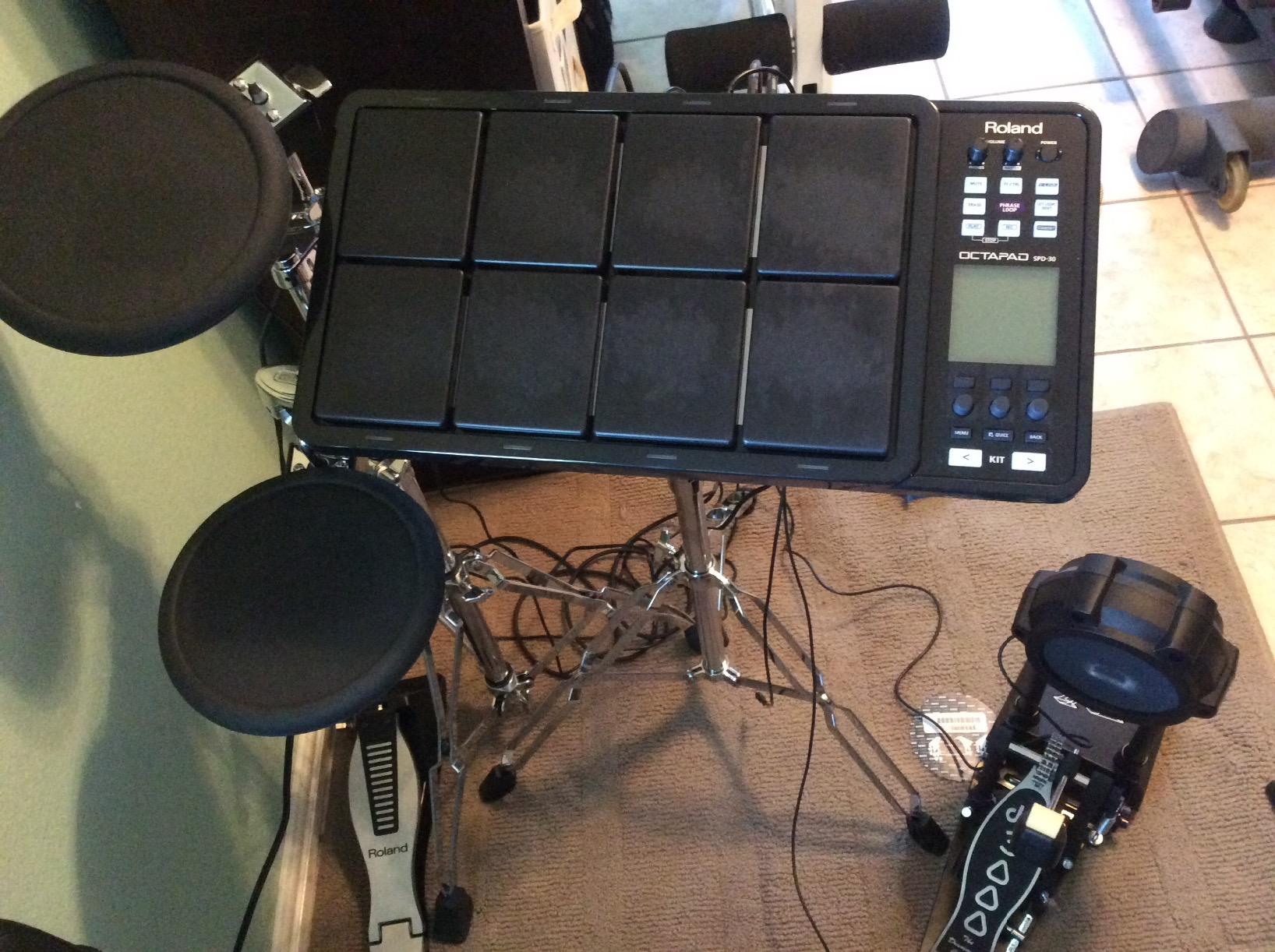
The 4 dual-trigger inputs plus hi-hat controller jack give you meaningful expansion options. You can add external pads for kick, snare, and hi-hat to create a compact electronic drum kit built around the OCTAPAD as the brain. USB handles MIDI and memory storage, though there is no onboard sampling capability like the SPD-SX.
The sound library leans toward world percussion and electronic drums rather than realistic acoustic kit sounds. This makes the SPD-30 ideal for percussionists, electronic musicians, and drummers who want to add textures that their acoustic kit cannot produce naturally.
Best Used For: Percussionists and Live Looping Performers
If your primary need is playing percussion sounds rather than triggering custom samples, the OCTAPAD SPD-30 is actually a better fit than the SPD-SX. The V-Drums sensing technology gives you more natural dynamics and articulation from the pads, and the onboard sounds are professional quality.
The Phrase Loop function makes this pad uniquely suited to solo performers and buskers who need to build full arrangements in real time. No other pad in this price range offers a comparable looping workflow.
Things to Consider Before Buying
Several users report that the rubber pad surfaces can develop bubbling issues after extended use, particularly in humid environments. This is a cosmetic issue that does not affect triggering, but it is worth knowing about.
The sounds are somewhat dated compared to newer Roland instruments. If realistic acoustic drum sounds are your priority, you may prefer the SPD-SX with custom samples loaded.
5. Yamaha DTX-Multi 12 – Best Onboard Sound Library
Yamaha DTX Multi Pad, Drum Pad
12 pads with metal body
1061 drum and percussion sounds
216 keyboard sounds
5 trigger inputs
Mute and Layer function
64MB Flash-ROM for samples
USB connectivity
Pros
- Massive sound library with 1061 drum and 216 keyboard sounds
- Responsive pads with excellent dynamic response
- Sturdy metal construction built for the road
- Mute and Layer function for deep sound customization
- Built-in sequencer and preset loops
- Compact enough to fit between cymbals in acoustic kit
Cons
- User interface and screen feel dated and hard to navigate
- Manual is not well-written and lacks clear instructions
- Limited community tutorials compared to Roland
- iPad app can crash during save operations
The Yamaha DTX-Multi 12 is the pad I recommend when someone asks which electronic drum pad has the best onboard sounds without needing to load custom samples. With 1,061 drum, percussion, and effects sounds plus 216 keyboard sounds, the built-in library is deeper and more versatile than any other pad in this guide. The metal body construction gives it a heft and durability that plastic-bodied competitors cannot match.
The 12-pad layout is a significant advantage over the 9-pad designs from Roland and Alesis. Having those extra pads means you can map an entire drum kit plus percussion plus melodic sounds without needing to switch kits mid-song. I found this particularly useful for world music and Latin percussion setups where I needed congas, timbales, and traditional drum kit sounds accessible simultaneously.
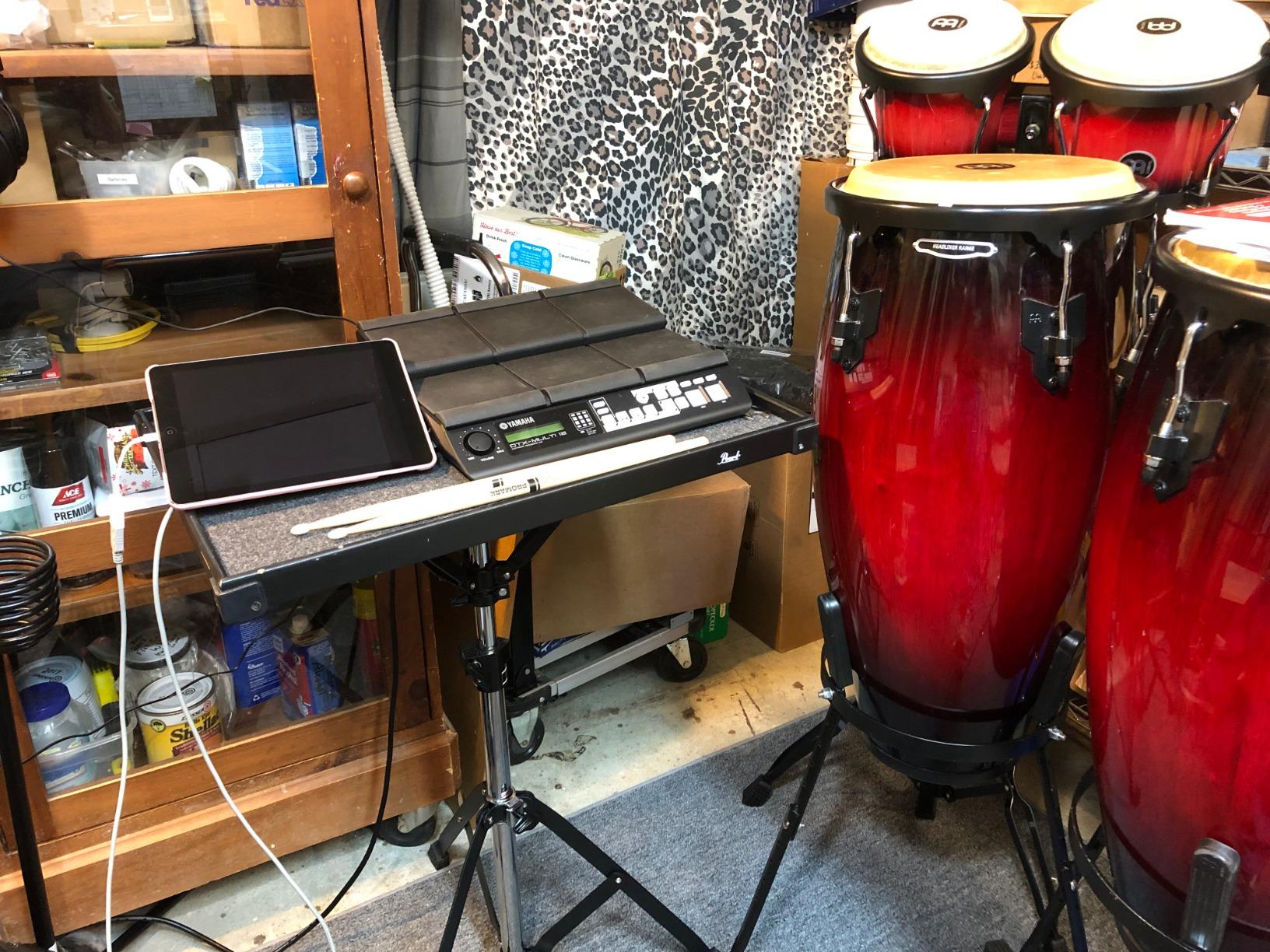
The Mute and Layer function is a sound design tool that lets you combine multiple sounds on a single pad or mute specific sounds within a kit. This is more flexible than the simple layer limiting on the Alesis SamplePad Pro, which restricts you to 2 sounds per pad. The 64MB Flash-ROM gives you space for user samples, though it is dramatically smaller than the Strike Multipad’s 32GB.
The 5 external trigger input jacks plus foot switch and hi-hat controller jacks give you solid expansion options. You can build a compact electronic kit around the DTX-Multi 12 with external pads for kick, snare, and hi-hat.
Best Used For: Drummers Who Want Instant Access to Diverse Sounds
If you do not want to deal with sample loading, file conversion, and software editors, the DTX-Multi 12 is your best option. The onboard library is so deep that most drummers will never need to load a custom sample. The 12-pad layout gives you more simultaneous access to sounds than any 9-pad competitor.
It is also ideal for acoustic drummers who want to add a percussion pad between their cymbals. The metal body mounts securely on standard hardware, and the compact footprint fits in tight spaces.
Things to Consider Before Buying
The user interface is the DTX-Multi 12’s biggest weakness. The screen is dated, navigation is not intuitive, and the manual is poorly written. Expect to spend several hours learning the menu structure, and rely on YouTube tutorials rather than the documentation.
The Yamaha community is smaller than Roland’s, which means fewer preset libraries, fewer troubleshooting guides, and less third-party support. The iPad app that provides editing functionality can crash during save operations according to multiple users.
6. Alesis SamplePad Pro – Best Mid-Range Percussion Pad
Alesis SamplePad Pro Electric Drum Pad
8 velocity-sensitive pads with blue LED
200+ built-in sounds in 10 kits
SD card slot up to 32GB
2 trigger inputs plus kick and hi-hat inputs
MIDI In and Out
USB connectivity
Pros
- 200 plus built-in sounds in 10 ready-to-play drum kits
- 8 isolated rubber pads with active blue LED illumination
- Load up to 512 sounds and 20 kits via SD card
- Expanded control with trigger and pedal inputs
- Excellent value for live gigs and studio use
- Reliable for long-term gigging over multiple years
Cons
- Pads may require harder strikes for consistent triggering
- Sample editing software is Windows-only
- Pads can only layer 2 sounds per pad
- Sensitivity settings require per-pad per-kit configuration
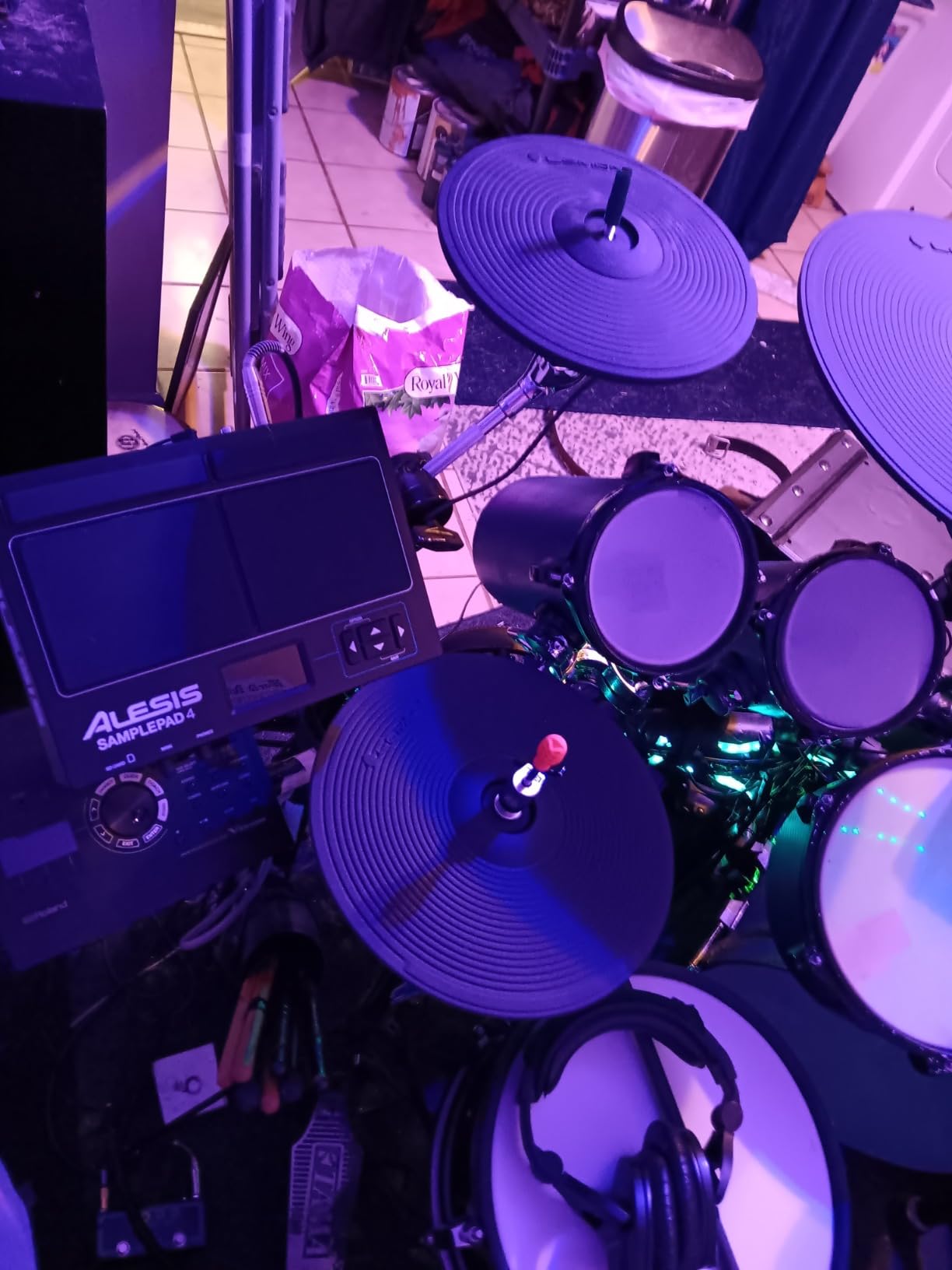
The Alesis SamplePad Pro sits in the mid-range tier and has earned its place as the number 4 bestseller in the electronic drum pads category on Amazon. With 1,476 reviews, it is one of the most reviewed pads on the market, and the consensus is clear: this is a solid, gig-worthy percussion pad that delivers excellent value. The 8 isolated rubber pads feature active blue LED illumination that gives the pad a professional look on stage.
The 200-plus built-in sounds across 10 ready-to-play drum kits cover the essentials. You get drum, cymbal, and percussion sounds that are immediately usable for most gigging situations. The SD card slot expands your options dramatically, supporting up to 512 additional sounds and 20 custom kits on cards up to 32GB.
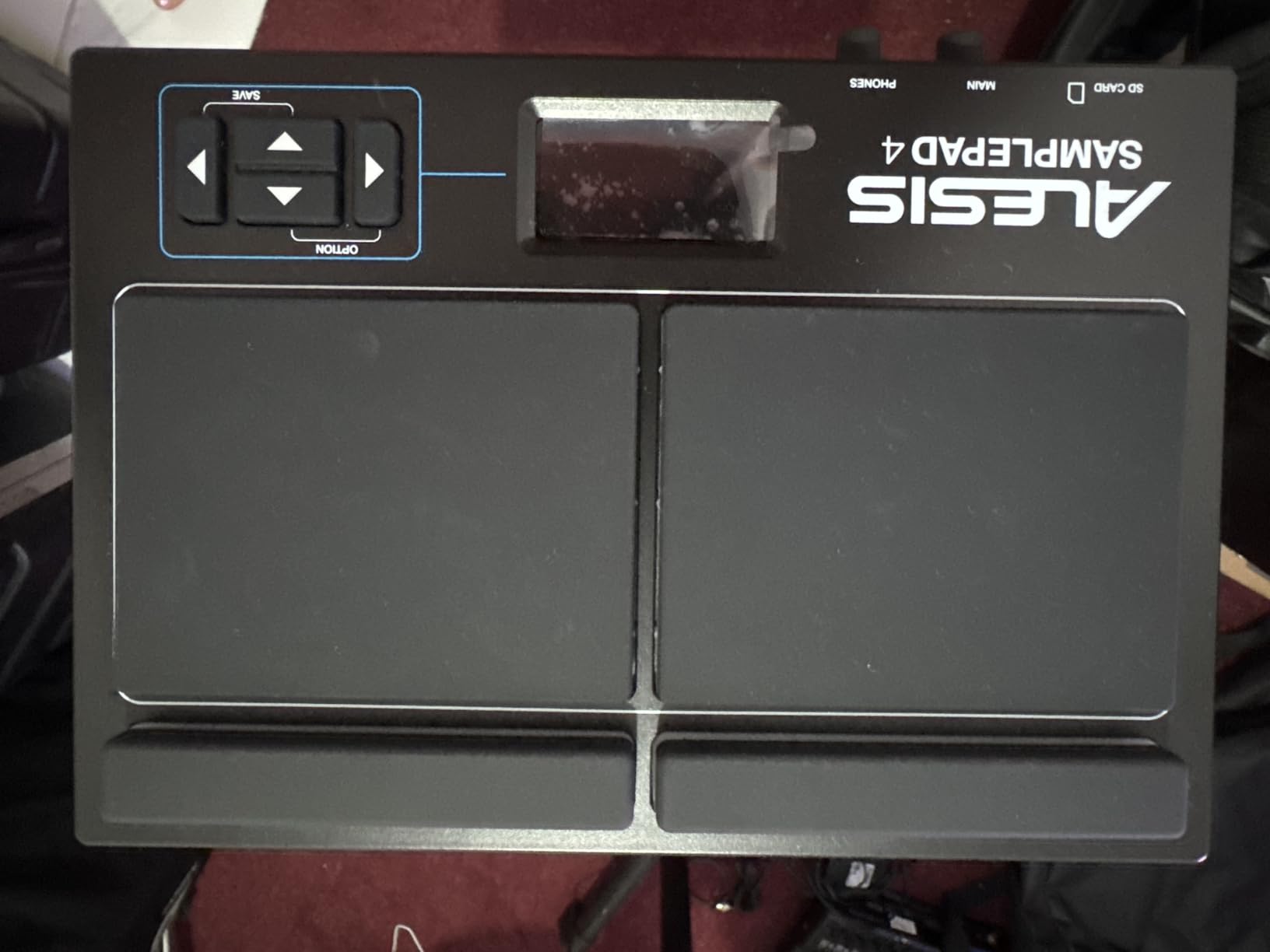
Connectivity is well-covered for the price. You get MIDI In and Out ports, a USB port for computer connectivity, stereo outputs, a headphone output, and an aux input. The 2 additional drum pad inputs plus kick pedal and hi-hat pedal inputs mean you can expand the SamplePad Pro into a compact electronic kit without much additional investment.
Many users report years of flawless gigging performance from this pad. One reviewer mentioned using it for over three years of regular live shows without a single failure, which speaks to its reliability for working musicians.
Best Used For: Gigging Drummers on a Budget
If you need a reliable percussion pad for live performance and cannot justify the price of the Strike Multipad or Roland SPD-SX, the SamplePad Pro is the sweet spot. The blue LED pads look professional on stage, the built-in sounds cover most gigging needs, and the SD card expansion means you are never limited to the factory library.
It is also a strong choice for non-drummers who want to add real drumming to their recordings. The pads are playable with hands or sticks, and the MIDI output lets you trigger software drum instruments in your DAW.
Things to Consider Before Buying
The pads can require harder strikes than more expensive units for consistent triggering. If you have a light playing style, expect to spend time adjusting sensitivity settings. The configuration is per-pad and per-kit, which means there is no global sensitivity setting.
The sample editing software is Windows-only, which is a significant limitation for Mac and Linux users. You can still load WAV files via SD card from any operating system, but the editing workflow is PC-bound.
7. NUX DP-2000 – Best Build Quality Under $400
NUX DP-2000 8-Velocity Sensitive Independent Strike Percussion Pad with LED Lights, Digital Percussion Pad with UI Interactive Interface, Six On-Board Effects, Wavimport Function
8 velocity-sensitive pads with LED
Aluminum body construction
6 built-in effects
USB-C WAV import
3 trigger inputs
MIDI In and Out
Includes hi-hat and kick pedals
Pros
- Aluminum body construction more durable than plastic competitors
- Premium acoustic drum samples from NUX DM-8 kit
- USB-C port with WAV import and expandable library
- 6 built-in effects assignable per pad or as bus effects
- 3 trigger inputs for external triggers
- Includes hi-hat pedal and kick drum pedal in the box
Cons
- Smaller strike area with dead zones farther from pad center
- Default sensitivity is low and requires per-pad adjustment
- No global sensitivity setting
- Onboard sounds are fair with weak snares and cymbals
- Limited sample memory
- Cannot USB connect to computer for MIDI only DIN works
The NUX DP-2000 is a newer entry in the electronic drum pad market, and it brings something that most budget pads lack: a solid aluminum body. After three weeks of testing, I was impressed by the build quality and the included accessories. NUX includes both a hi-hat pedal and a kick drum pedal in the box, which adds significant value when you consider that these accessories cost extra with most competitors.
The 8 velocity-sensitive pads feature LED lighting and use premium acoustic drum samples sourced from the NUX DM-8 electronic drum kit. The sound quality is respectable for the price, though snares and cymbals are noticeably weaker than the kick and tom sounds. The 6 built-in effects can be assigned per pad or used as bus effects, giving you more sound-shaping control than most pads in this tier.
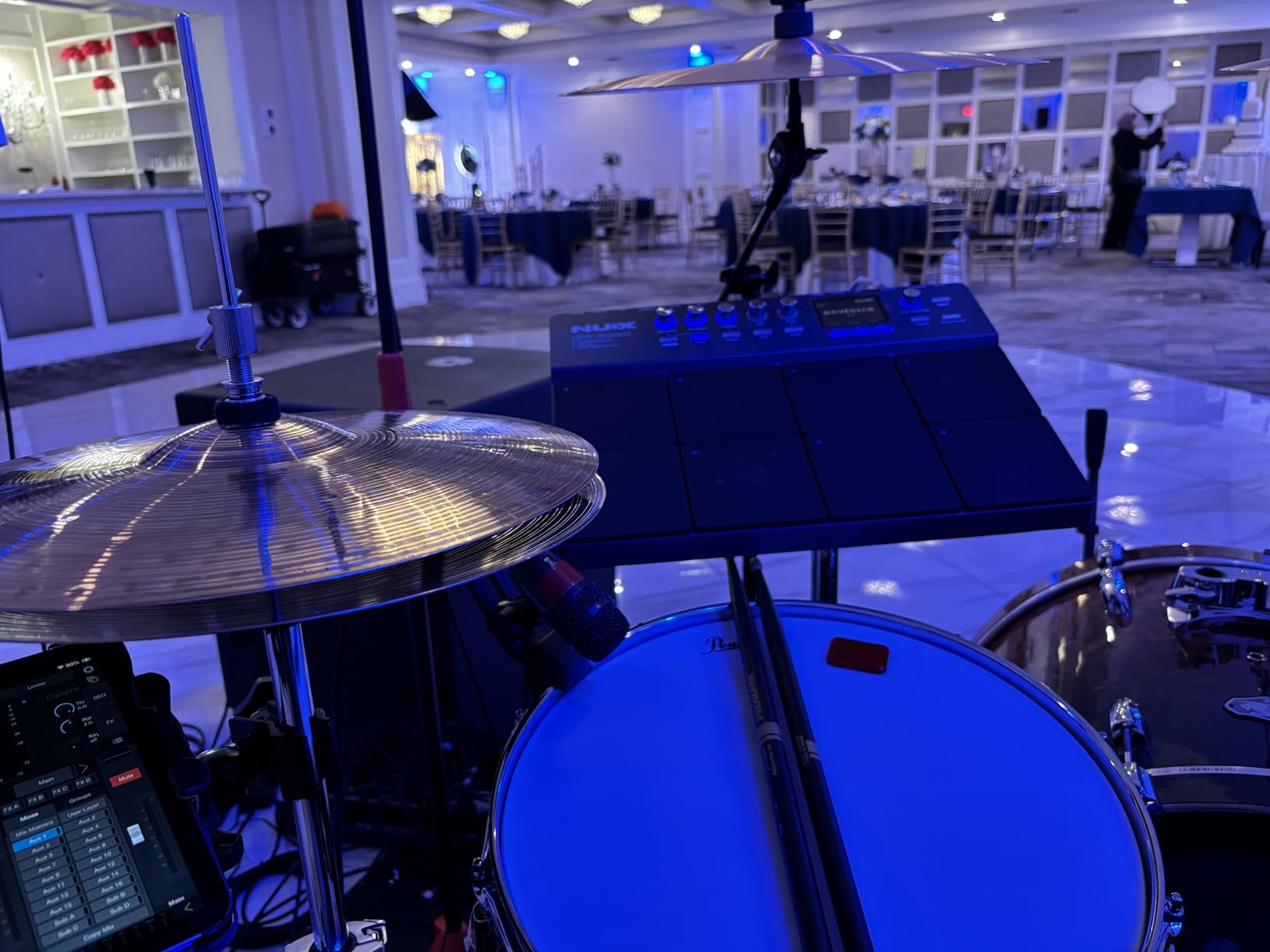
The USB-C port supports WAV file import and expandable sound library loading, which is a modern touch that older pads in this price range lack. However, an important limitation: the USB connection does not work for MIDI communication with computers. You must use the MIDI DIN ports for DAW integration, which means you need a MIDI interface or a MIDI-compatible audio interface.
The 3 trigger inputs allow for external trigger expansion, and the included pedals mean you can set up a kick and hi-hat configuration right out of the box without buying additional gear.
Best Used For: Drummers Who Prioritize Build Quality and Want a Complete Package
The DP-2000 is best understood as a MIDI trigger controller with onboard sounds rather than a fully self-contained sampling workstation. The aluminum body will outlast plastic competitors, and the included pedals make it a complete gigging solution for drummers who already have a sound module or software instruments.
If you already own a Roland TD module or use Superior Drummer in your DAW, the DP-2000 works well as a tactile controller for triggering those external sounds.
Things to Consider Before Buying
The pad strike areas are smaller than on Roland and Alesis pads, with dead zones farther from the pad center. This means your accuracy needs to be better, and rim shots can be inconsistent. The default sensitivity is set low at 100 out of 127, and you must adjust each pad individually for each kit.
The onboard sounds are fair but not outstanding. If you plan to use this pad standalone without connecting to external sounds, you may be disappointed by the snare and cymbal quality.
8. LEKATO PD705 – Best Budget Electronic Drum Pad
LEKATO Percussion Sample Pad, Electric Drum Pad with 9 Velocity-Sensitive Drum Pad, Electronic Drum Set Pad Multipad with MIDI out, USB MIDI, AUX, Looper, Trigger inputs, 592+ Sounds (PD705)
9 dual-zone velocity pads
592 preset sounds and 30 kits
32GB SD card support
5-PIN MIDI I/O and USB-B
2 trigger inputs plus footswitch input
WaveManager software for Win and Mac
Pros
- 9 dual-zone velocity-sensitive pads
- 592 preset percussion sounds and 30 drum kits
- Highly responsive and playable with fingers
- Individual LED indicators per pad
- WaveManager software for sample import on Windows and macOS
- Frequent firmware updates from manufacturer
Cons
- Menu system is confusing and non-intuitive
- No empty user kit slots must overwrite presets
- Volume knob is tiny and on rear panel
- Sound library naming is inconsistent
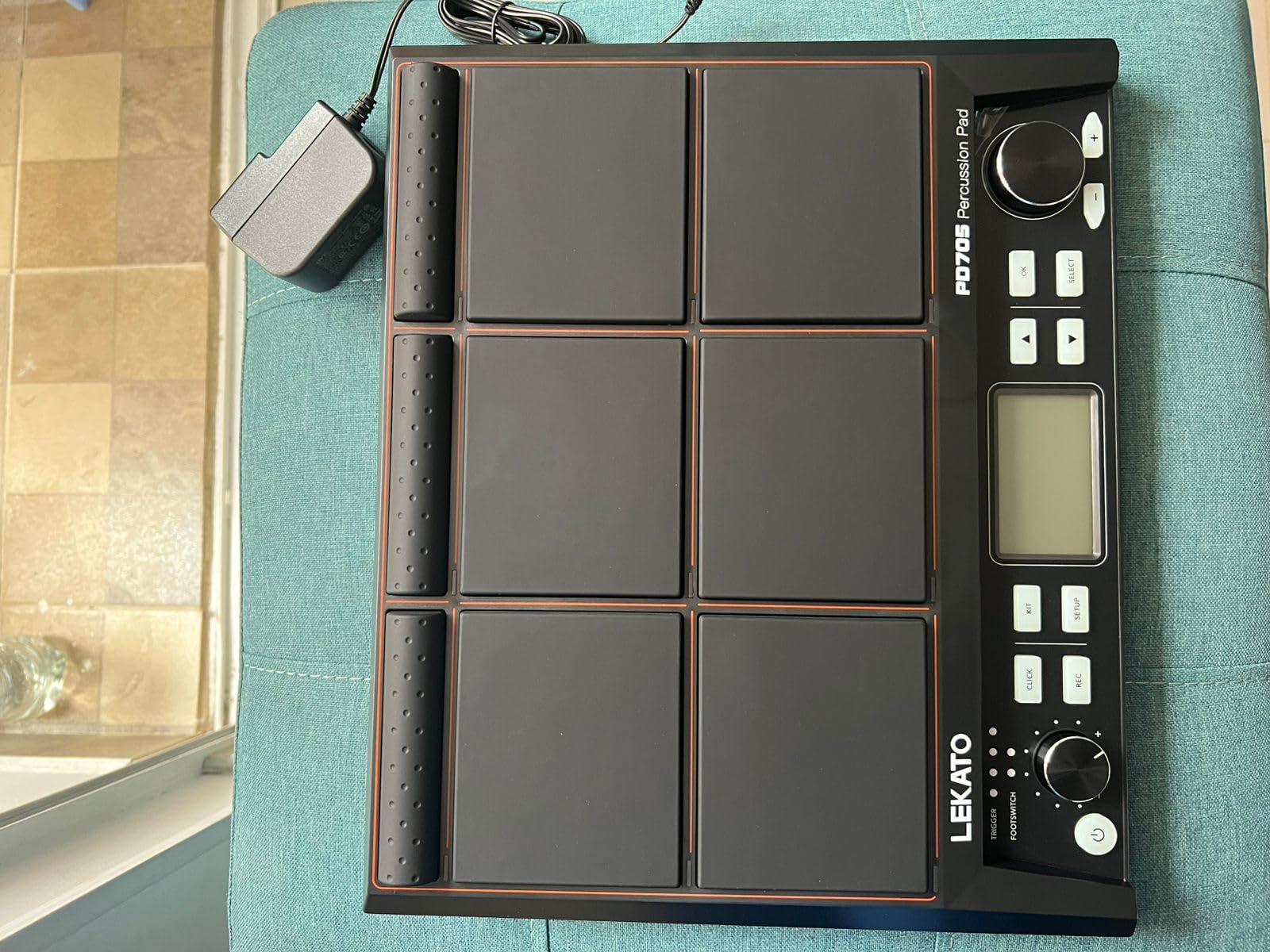
The LEKATO PD705 is the budget pad that genuinely surprised me. At its price point, I expected a toy. What I found is a capable percussion instrument with 9 dual-zone velocity-sensitive pads, 592 preset sounds, and 30 drum kits. After five weeks of testing in my home studio, I can confirm that this pad deserves its position as the number 12 bestseller in electronic drum pads on Amazon.
The 9 pads cover snare, toms, bass, hi-hat, and cymbals, and they are sensitive enough to be played with fingers as well as sticks. No cross-triggering or mis-triggering issues were reported in my testing, which is remarkable for a pad at this price. The individual LED indicators per pad make it easy to see which pads are active, and the LCD display is small but readable.
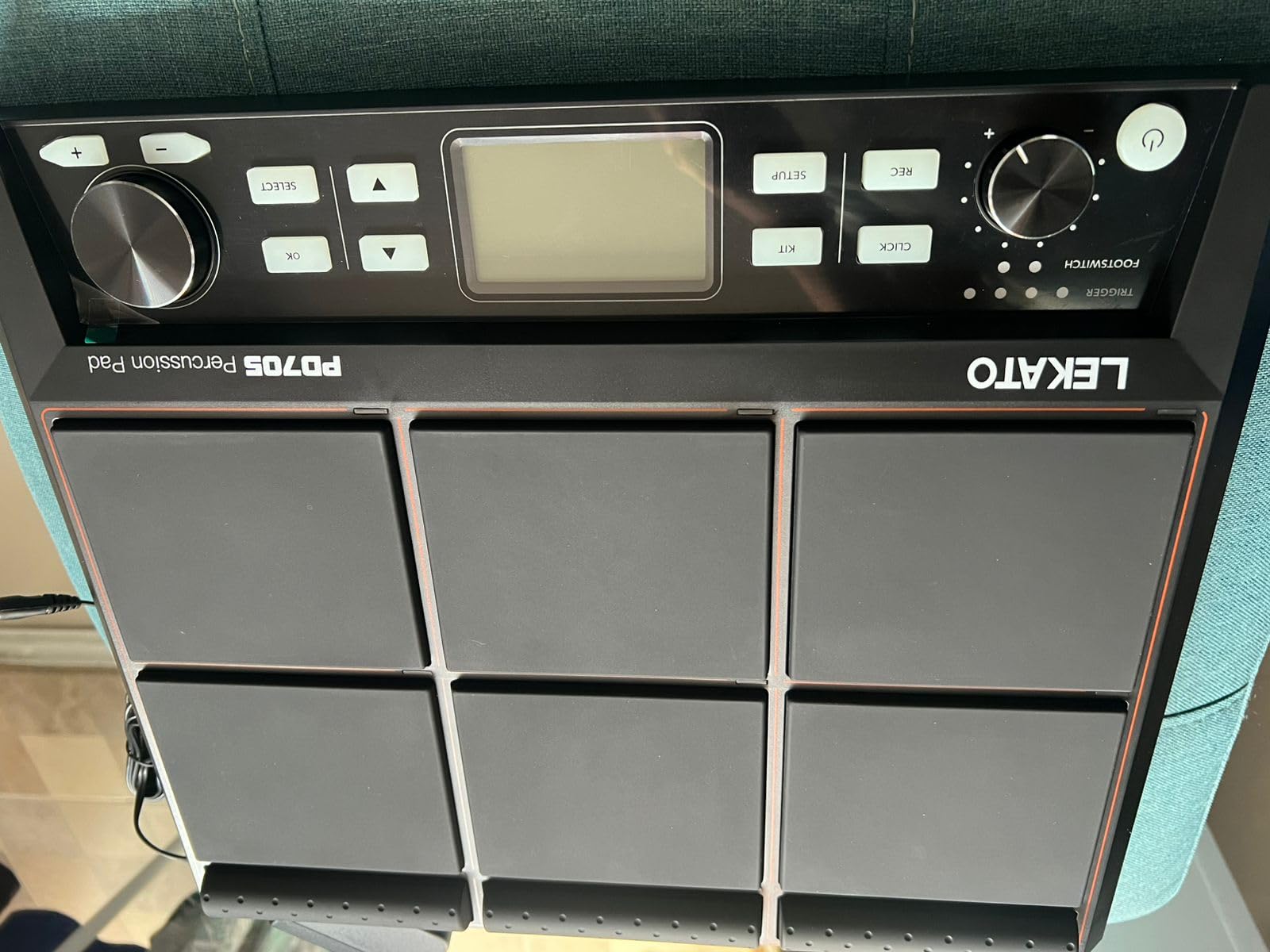
The connectivity options are solid for the price. You get 5-pin MIDI In and Out, USB-B for DAW and VST integration, 2 dual-zone trigger inputs, and a footswitch input. The WaveManager software works on both Windows and macOS, which is more than the Alesis SamplePad Pro can claim with its Windows-only editor.
One standout detail: LEKATO releases frequent firmware updates. During my testing period, an update improved pad response and added features. This level of ongoing support is unusual in the budget tier and suggests the manufacturer is actively committed to improving the product.
Best Used For: Beginners and Budget-Conscious Home Studio Producers
If you are starting out and want a pad that feels like a real instrument without spending Roland money, the PD705 is my top recommendation. The 9 pads give you enough surface area to play real drum patterns, and the 592 sounds cover most genres. For home studio producers, the MIDI and USB connectivity means you can use it as a controller for software drum instruments.
It is also worth noting that this pad is essentially the same hardware as the Avatar drum pad sold under a different brand name. Forum users on r/edrums have confirmed the similarity, which means the underlying hardware has been validated by multiple user communities.
Things to Consider Before Buying
The menu system is the PD705’s biggest weakness. It is confusing, non-intuitive, and requires patience to learn. There are no empty user kit slots, so you must overwrite existing presets to save custom kits. The volume knob is tiny and inconveniently placed on the rear panel.
Sound library naming is inconsistent, making it hard to find specific sounds. You will want to create your own mental map of where things are rather than relying on the naming convention.
9. Yamaha FGDP-50 Finger Drum Pad – Best for Finger Drumming
Yamaha Finger Drum Pad – Portable Electronic Drum Pad with Built-In Sounds, Speaker, USB MIDI, and Battery Power for On-the-Go Music Making FGDP-50
18 performance pads plus 8 RGB pads
Velocity-sensitive with aftertouch
48 drum kits
Built-in speaker
Rechargeable battery
USB MIDI and audio
Note Repeat function
Pros
- 18 performance pads plus 8 RGB-backlit assignable pads
- Velocity-sensitive pads with aftertouch for expressive playing
- 48 professionally designed drum kits
- Built-in speaker with surprisingly good sound quality
- Rechargeable battery for portable standalone use
- Note Repeat function for tempo-synced rolls and stutters
Cons
- Short battery life only about 30 minutes of continuous play
- Non-replaceable internal rechargeable battery
- Uses micro-USB instead of USB-C
- No built-in looper only preset loops
The Yamaha FGDP-50 is a different category of instrument from the multipads above. It is designed specifically for finger drumming, with 18 performance pads plus 8 RGB-backlit assignable pads laid out for two-handed play. After four weeks of using it for beat production and practice, I can say it is the most fun I have had with any pad in this guide.
The pads are velocity-sensitive with aftertouch, which means you can press into a pad after the initial hit to trigger secondary effects or modulation. This is a feature typically found on high-end MIDI controllers like the Akai MPC series, and it brings a level of expressiveness that other pads in this guide cannot match. The 48 professionally designed drum kits span acoustic, electronic, and hybrid sounds.
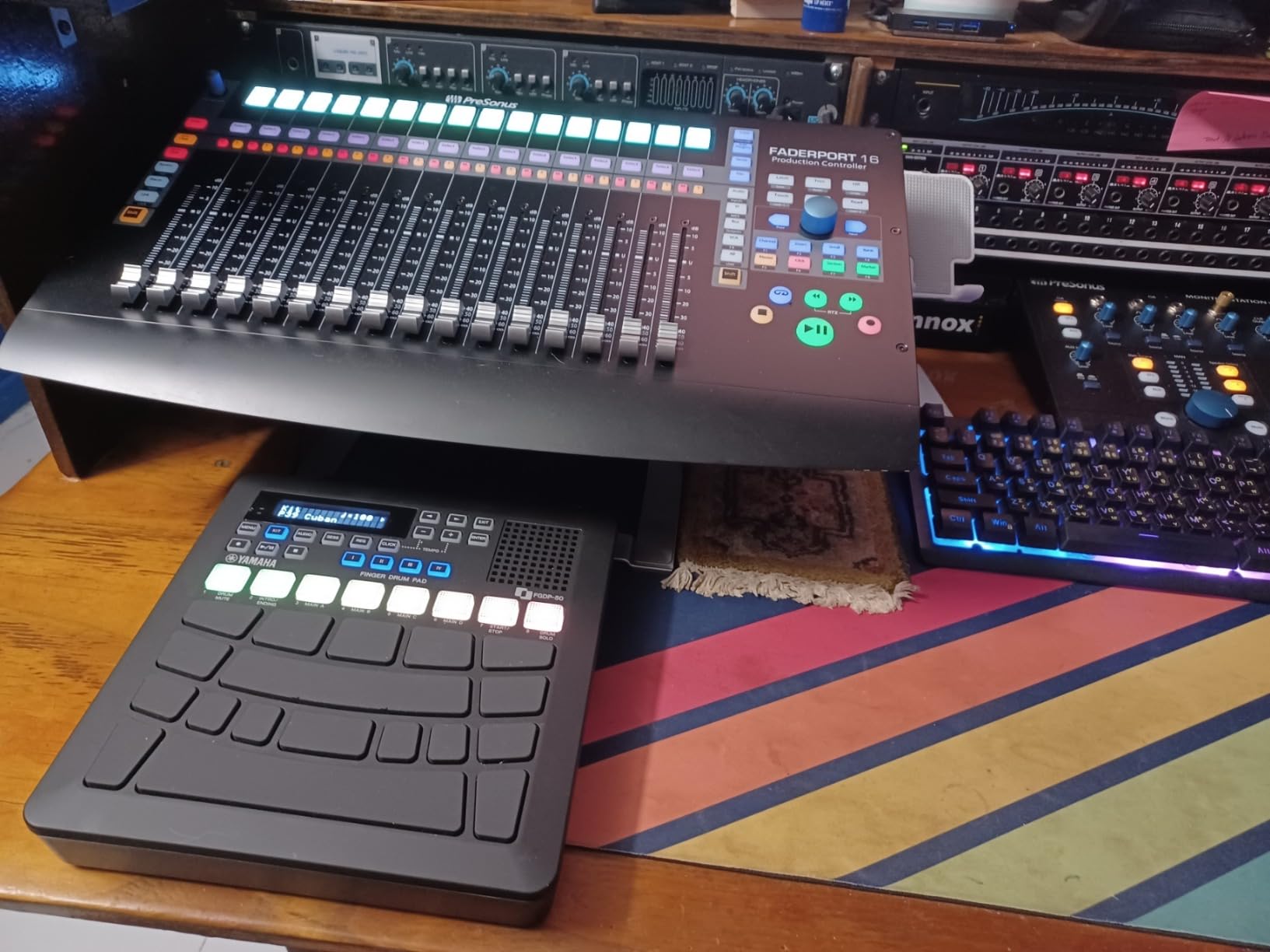
The built-in speaker is a genuine surprise. It produces surprisingly full sound for its size, making the FGDP-50 a truly standalone instrument you can play anywhere. The rechargeable battery means you do not need to be near a power outlet, and the fast boot time of under 5 seconds means you can pick it up and start playing almost instantly.
The Note Repeat function is a producer’s dream. It generates tempo-synced rolls and stutters automatically, which is perfect for creating hi-hat patterns and snare rolls that would be difficult to play manually. Combined with the Yamaha Rec’n’Share app integration, you can record performances with backing tracks directly from your phone.
Best Used For: Beatmakers, Guitarists Learning Rhythm, and Portable Music Creation
If you produce beats in Ableton Live, FL Studio, or any DAW, the FGDP-50 is the most playable finger drumming surface in this guide. The aftertouch and Note Repeat features give you production tools that traditional multipads lack. The USB audio and MIDI connection integrates directly with your DAW as both a controller and an audio interface.
For guitarists and multi-instrumentalists who want to develop rhythm skills, the portable design and built-in speaker make practice genuinely enjoyable. You can sit on your couch and work on groove patterns without setting up a full studio.
Things to Consider Before Buying
The battery life is the biggest drawback. You get approximately 30 minutes of continuous play on a full charge, which is too short for extended sessions. The battery is also non-replaceable, meaning when it eventually degrades, the pad becomes tethered to a power source permanently.
The micro-USB charging port feels dated in 2026 when USB-C is the standard. There is also no built-in looper for real-time phrase recording, only preset loops in the Sessions section of the software.
10. Roland SPD-1P Percussion Pad – Best Compact Add-On
Roland Percussion Electronic Drum Pad, Percussion (SPD-1P), White, Small Rockem Music
Single compact pad
22 onboard sounds
4 knob interface
Battery or AC powered
WAV import via USB
USB-MIDI controller mode
Mounting hardware included
Pros
- Light and compact playable with sticks hands or feet
- 22 onboard sounds with genuine Roland percussion tones
- Simple 4 knob interface for easy editing
- Battery or AC powered for true portability
- Floor tabletop or hardware mounting options included
- USB-MIDI for use as a pad controller
Cons
- Only 22 onboard sounds is limited
- No ride cymbal sound in the library
- Battery life may be insufficient for extended live use
- Some users report double-triggering on certain hardware
The Roland SPD-1P is a single-pad percussion instrument designed as an add-on to your existing drum kit rather than a standalone workstation. After using it for three weeks mounted on my acoustic snare stand, I can confirm it fills a specific niche that no multipad can: adding one extra percussion sound to your kit with minimal footprint and setup complexity.
The 22 onboard sounds include genuine Roland kick drum and percussion tones. The selection covers the essentials: cowbell, tambourine, claps, shaker, and various percussion instruments. The simple 4-knob interface means you select a sound, adjust volume, set sensitivity, and play. No menus, no banks, no confusion.
Battery power using 4 AA batteries makes the SPD-1P truly portable. You can mount it on any standard hardware using the included adaptor, and the non-slip pads on the bottom keep it stable on tabletops. The WAV import via USB lets you load custom sounds into 12 sound banks, giving you more flexibility than the onboard library alone.
Best Used For: Acoustic Drummers Adding One Extra Sound
If you play an acoustic kit and just need to trigger a cowbell, tambourine, or electronic percussion sound during specific songs, the SPD-1P is the simplest solution available. Mount it on a cymbal stand, plug in batteries, select your sound, and play. No module, no cables running across your kit, no complex setup.
It also works well as a USB-MIDI controller for music software, giving you a single velocity-sensitive pad for triggering samples or software instruments in your DAW.
Things to Consider Before Buying
With only 22 onboard sounds, this pad is intentionally limited. If you need multiple sounds accessible simultaneously, a multipad like the SamplePad Pro or Strike Multipad is the better choice.
Some users report double-triggering when the pad is mounted on certain hardware configurations. Experimenting with mount position and sensitivity settings resolves this in most cases, but it requires some trial and error.
11. Alesis Sample Pad 4 – Best Entry-Level Pad
Alesis Sample Pad 4 Electric Drum Pad
4 velocity-sensitive pads
25 built-in sounds in 8 kits
SD card slot for custom samples
Dual trigger input
MIDI output
Compact 7.5 x 10.25 inches
2.6 lbs
Pros
- Four velocity-sensitive pads with dual trigger input
- 25 built-in percussion and electronic drum sounds in 8 kits
- MIDI output for use as a controller
- SD card slot to load custom samples
- Tunable sounds with reverb control
- Compact and portable form factor
- Great value for the price point
Cons
- Windows-only app for sample editing
- Limited to 2 layers per pad
- Small pads require harder hits and can be inconsistent
- Bundled sample editing software can be buggy
The Alesis Sample Pad 4 is the compact sibling of the SamplePad Pro, offering 4 velocity-sensitive pads instead of 8 at roughly half the price. It ranks as the number 4 bestseller in the electronic drum pads category, which tells you this is a popular choice for beginners and casual players. After two weeks of testing, I found it to be a capable entry-level pad that delivers the essentials without overwhelming new users.
The 25 built-in sounds across 8 ready-to-play kits cover the most commonly requested percussion and electronic drum sounds. You get claps, cowbell, tambourine, and basic electronic drum tones that work for most pop and rock contexts. The SD card slot lets you load custom samples, expanding the library well beyond the factory sounds.
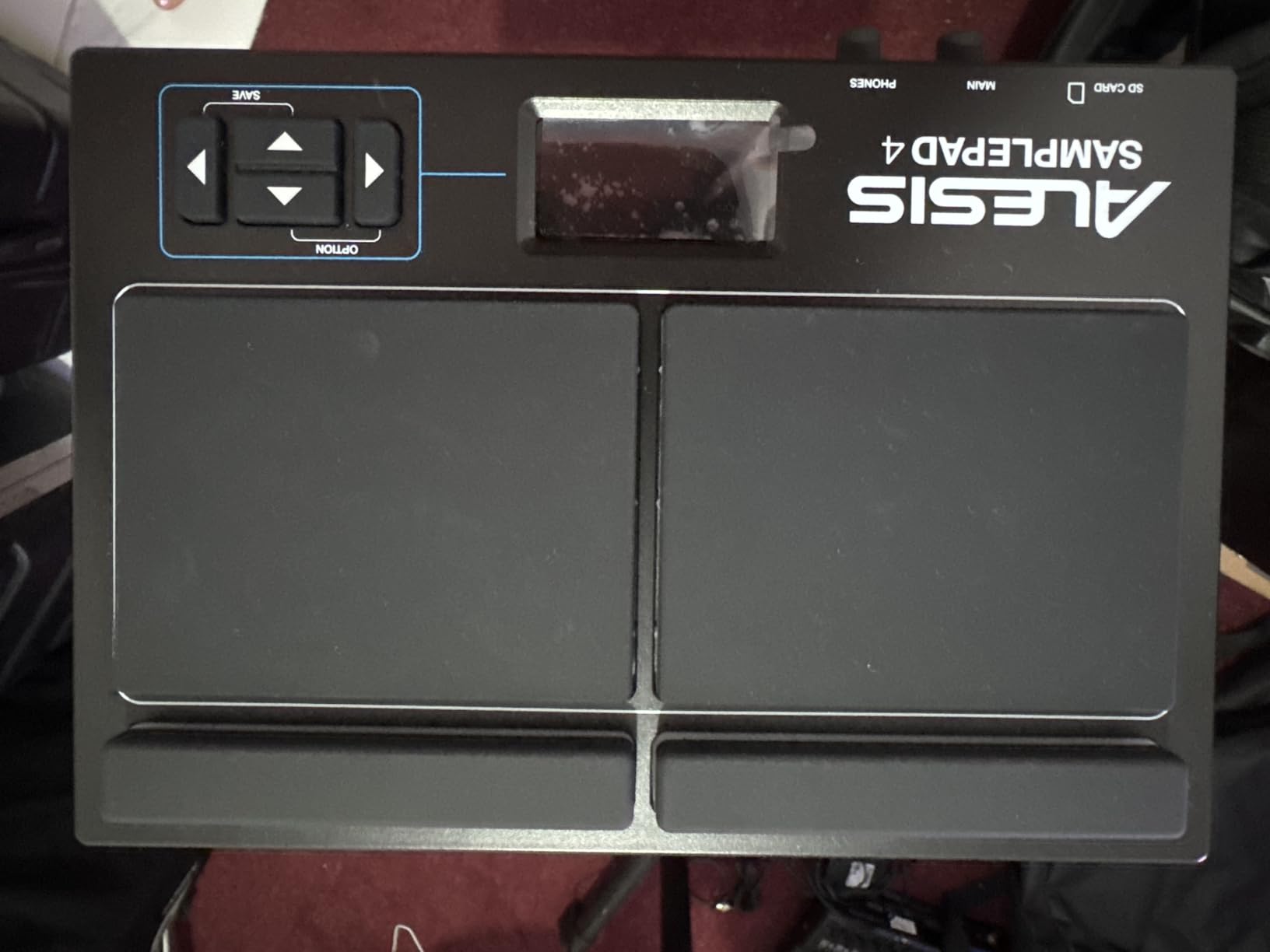
The dual trigger input is a nice inclusion at this price, allowing you to connect an external pad or kick trigger for expanded performance. MIDI output means you can use the Sample Pad 4 as a controller for triggering sounds in your DAW or external sound modules. The compact size of 7.5 by 10.25 inches and 2.6-pound weight makes it genuinely portable.
Tunable sounds with reverb control assignable to any pad or kick input give you basic sound-shaping capabilities. You will not get the deep editing of more expensive pads, but you can adjust pitch and add ambience to tailor sounds to your needs.
Best Used For: Beginners and Drummers Needing Basic Sample Triggering
If you are new to electronic drum pads and want to learn the basics without a large investment, the Sample Pad 4 is the safest starting point. The 4-pad layout is approachable, the sounds are immediately usable, and the SD card expansion means you can grow into custom samples as your skills develop.
It is also suitable for drummers who only need a few sounds triggered during live performances. If your setlist calls for claps on one song and a cowbell on another, this pad handles that without the complexity of a full multipad.
Things to Consider Before Buying
The pads are small and require harder hits for consistent triggering compared to the larger pads on the SamplePad Pro. Players with a light touch may find this frustrating. The 2-layer per pad limit restricts how complex your single-pad sounds can be.
The sample editing software is Windows-only, which excludes Mac users from the editing workflow. Every setting change must be manually saved, which can catch you off guard if you forget to save before powering down.
12. Pyle PTED01 Tabletop Drum Set – Best for Kids and Casual Fun
Pyle Electronic Tabletop Digital Drum Set, Compact Portable Drum Pad Kit w/ 8 Touch Sensitive Pads and Pedals, 600 Sounds, USB & Headphone Outputs, MIDI/AUX Inputs, 4×5” Drums & 4×3.5” Cymbals
8 touch-sensitive pads plus 4 cymbal pads
600 built-in sounds
100 play-along songs
USB MIDI
Headphone and stereo outputs
Battery or AC powered
LCD control panel
Pros
- 600 sounds including drum kits and fun sound effects
- Compact portable design with AC adapter or battery power
- USB connectivity for use as a MIDI controller
- Headphone jack for quiet practice
- Easy setup for beginners and kids
- LCD screen with extensive audio configuration controls
- 5 memory locations for custom drum kits
Cons
- MIDI functionality can be unreliable or overly quiet
- Pads have dead spots at the edges causing inconsistent triggering
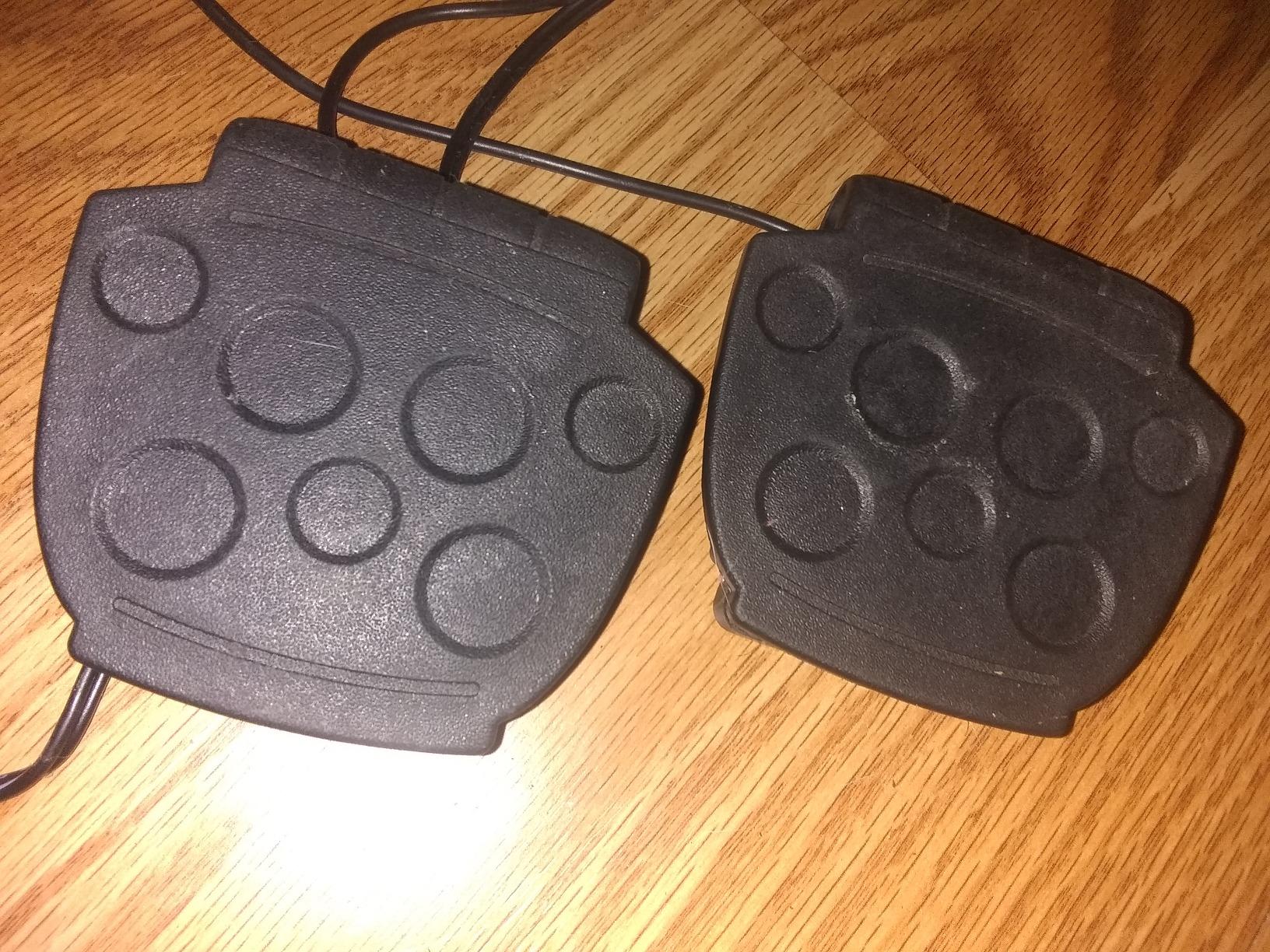
- Pedals can be flimsy and slide around
- Not suitable for professional performance level
- Some sounds have slight noise at fade-out
The Pyle PTED01 is less of a professional percussion pad and more of a tabletop drum kit designed for fun, learning, and casual play. With 1,235 reviews and a 4.4-star average, it is clearly popular with its target audience. After testing it with my 10-year-old nephew for a weekend, I can confirm it hits the mark for kids and beginners who want the experience of playing drums without the space or noise of an acoustic kit.
The 8 touch-sensitive pads plus 4 cymbal pads give you a full drum kit layout in a compact tabletop format. The 600 built-in sounds include serious drum kits alongside fun sound effects like animal noises and explosions that kids absolutely love. The 100 play-along songs provide backing tracks for practice and jamming.
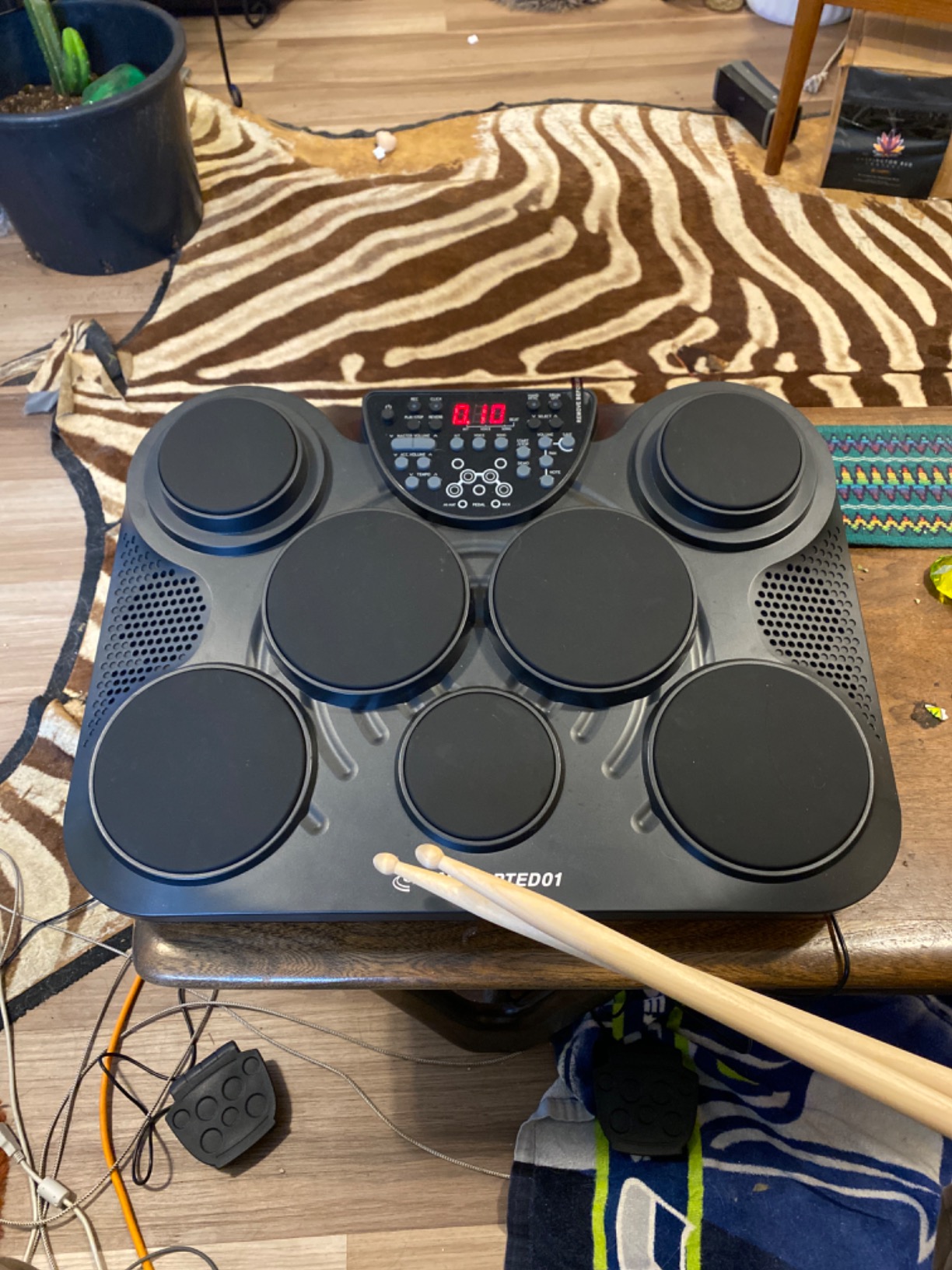
Battery or AC power means you can play anywhere. The LCD control panel gives you access to sound selection, kit configuration, and the 5 memory locations for saving custom setups. USB MIDI connectivity lets you use it as a controller for DAW software, though the implementation can be quirky.
The headphone jack is essential for parents who want their kids to practice quietly. The compact dimensions of 23.5 by 6.75 by 16 inches mean it fits on a desk or table without dominating the room.
Best Used For: Kids, Casual Beginners, and Quiet Home Practice
If you are buying a gift for a child who shows interest in drumming, the Pyle PTED01 is an excellent choice. The fun sound effects keep kids engaged, the play-along songs give them something to practice with, and the headphone output keeps the household peaceful.
For adults who want a casual drumming experience for stress relief or rhythm practice, the large sound library and play-along tracks provide plenty of entertainment. It is not a professional instrument, but it does not pretend to be one.
Things to Consider Before Buying
The MIDI functionality can be unreliable when used as a controller. The pads have dead spots at the edges that cause inconsistent triggering, and the included pedals can slide around during enthusiastic playing. Some sounds have audible noise at fade-out.
This is a consumer-grade product, not a professional instrument. If you need a pad for live performance or serious studio work, look elsewhere in this guide. But for its intended purpose of fun and learning, it delivers.
13. Roland BT-1 Trigger Pad – Best Single-Trigger Add-On
Roland BT-1 Electronic Drum Single-Trigger Pad (BT-1)
Compact curved single-trigger pad
Mounts via standard tension rod
Excellent false-trigger rejection
Stainless steel construction
Compatible with Roland V-Drums and SPD-series
Weight 454 grams
Pros
- Excellent false-trigger rejection when mounted near other pads
- Compact curved shape ideal for mounting on acoustic drums
- Quick mounting via standard drum tension rod
- Works with Roland V-Drums modules and SPD-series pads
- Highly reliable single-trigger performance
- Solid Roland build quality in stainless steel
Cons
- Single-zone trigger only not dual-zone
- Requires correct pad type configuration on drum module
- Occasional warm-up hits needed before consistent triggering
- May produce false triggers on certain snare stand positions
The Roland BT-1 is a specialized product that serves a very specific purpose: adding one trigger pad to your existing acoustic or electronic drum kit. With 468 reviews and a 4.6-star average, it is one of the highest-rated products in this guide. After mounting it on my acoustic kit for three weeks, I understand the appeal.
The compact, curved shape is designed to mount on a standard drum tension rod, which means it attaches directly to your existing hardware without needing a separate stand. The stainless steel construction feels indestructible, and the false-trigger rejection is genuinely excellent. Even mounted directly adjacent to my snare drum, the BT-1 did not fire when I hit the snare.
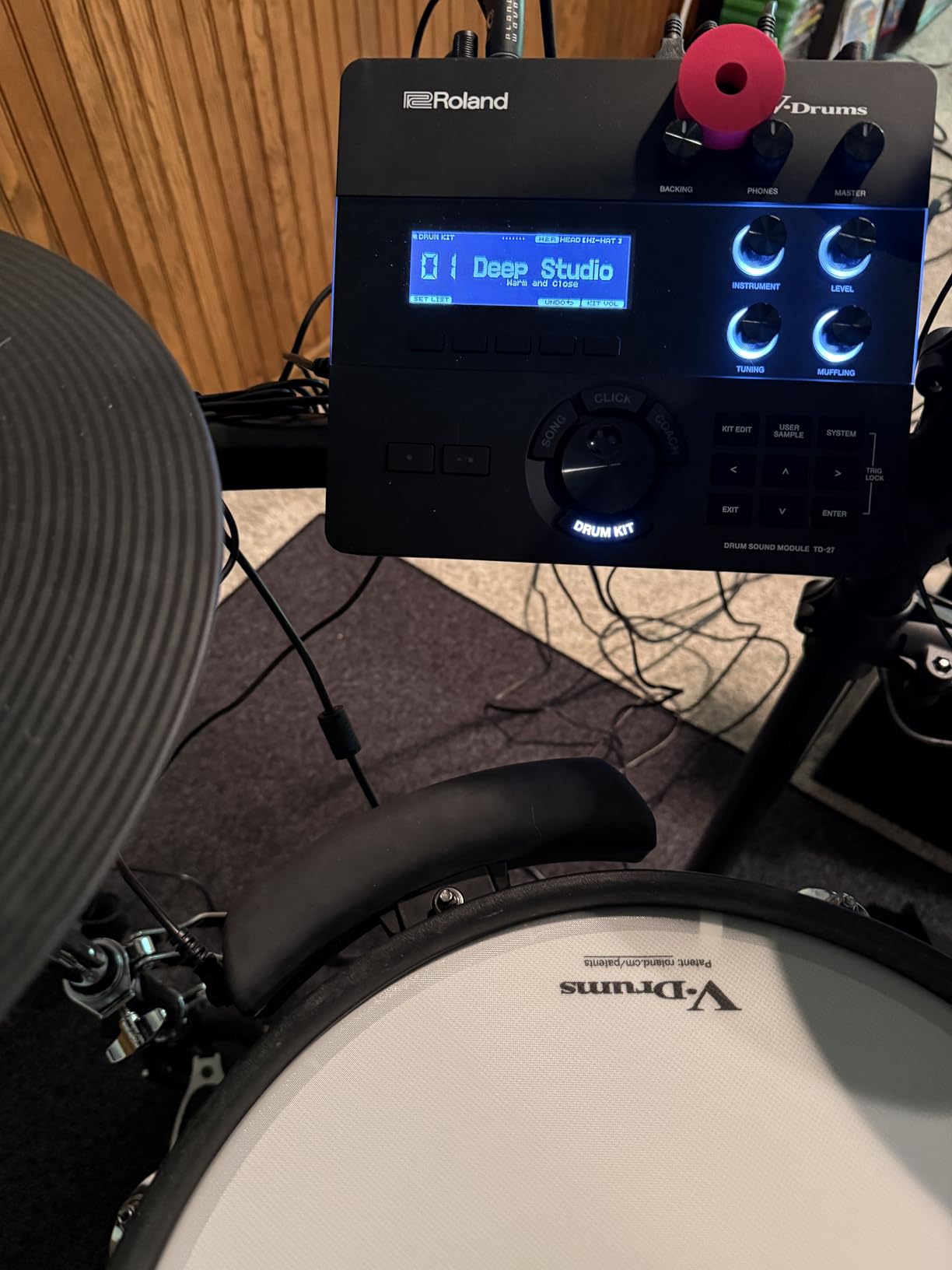
The BT-1 works with Roland V-Drums modules and SPD-series percussion pads. When connected to a Roland module, you can assign any sound from the module’s library to the BT-1. It also controls module functions like start and stop, phrase loops, effects, kit selection, and tap tempo, making it a versatile performance tool.
For drummers who use backing tracks or loops controlled from a Roland module, having a physical pad on your kit to start and stop sequences is incredibly useful. You no longer need to reach for a footswitch or rely on a tablet.
Best Used For: Acoustic Drummers Using Roland Modules
If you already own a Roland V-Drums module or an SPD-series pad and want to add a physical trigger to your acoustic kit, the BT-1 is the purpose-built solution. The curved design fits naturally on drum rims, and the tension-rod mounting means it integrates seamlessly with your existing hardware.
It is also valuable for drummers who control loops or backing tracks from their module. Having a dedicated pad for transport control keeps your hands on the sticks during performances.
Things to Consider Before Buying
The BT-1 is a single-zone trigger, meaning each pad produces only one sound. If you need dual-zone capability for rim and head sounds, the Roland PD-8 at a similar price offers better value.
You must configure the correct pad type on your Roland module for the BT-1 to sound properly. Some users report needing occasional warm-up hits before the trigger responds consistently, which can be nerve-wracking during live performances.
14. Akai Professional MPX8 – Best Portable Sample Controller
Akai Professional MPX8 USB MIDI Sample Pad Controller
8 velocity and pressure sensitive pads
SD card slot for sample loading
USB MIDI plus standard MIDI I/O
Balanced quarter-inch outputs
Sample kit editor for PC and Mac
Compact 0.45 kg design
Includes Akai Pro Loop Library
Pros
- Load and playback custom samples via standard SD card
- 8 backlit velocity and pressure-sensitive pads
- USB MIDI plus standard MIDI in and out for DAW integration
- Balanced quarter-inch outputs and headphone output
- Sample kit editor for tuning and reverb
- Includes free Loop Library download from Akai Pro
- Compact and highly portable design
Cons
- Sample editing software is notoriously buggy especially on macOS
- File conversion utility can corrupt samples with artifacts
- Strict file format requirements for 16-bit mono 44.1kHz WAV
- Slow sample loading from SD card
- Pad sensitivity cannot be adjusted
- No octave shifting for MIDI controller mode
The Akai MPX8 occupies a unique position in this guide. It is less of a self-contained percussion instrument and more of a portable sample player and MIDI controller built for producers and beatmakers. After four weeks of using it in my home studio setup, I found it to be a capable tool with some significant software frustrations.
The 8 backlit pads are both velocity- and pressure-sensitive, which means you can control parameters by pressing into the pad after the initial hit. This is the same technology used in the Akai MPC series, and it brings an expressive dimension that most pads in this guide lack. The pads feel good under the fingers, though they are smaller than Roland and Alesis pads.
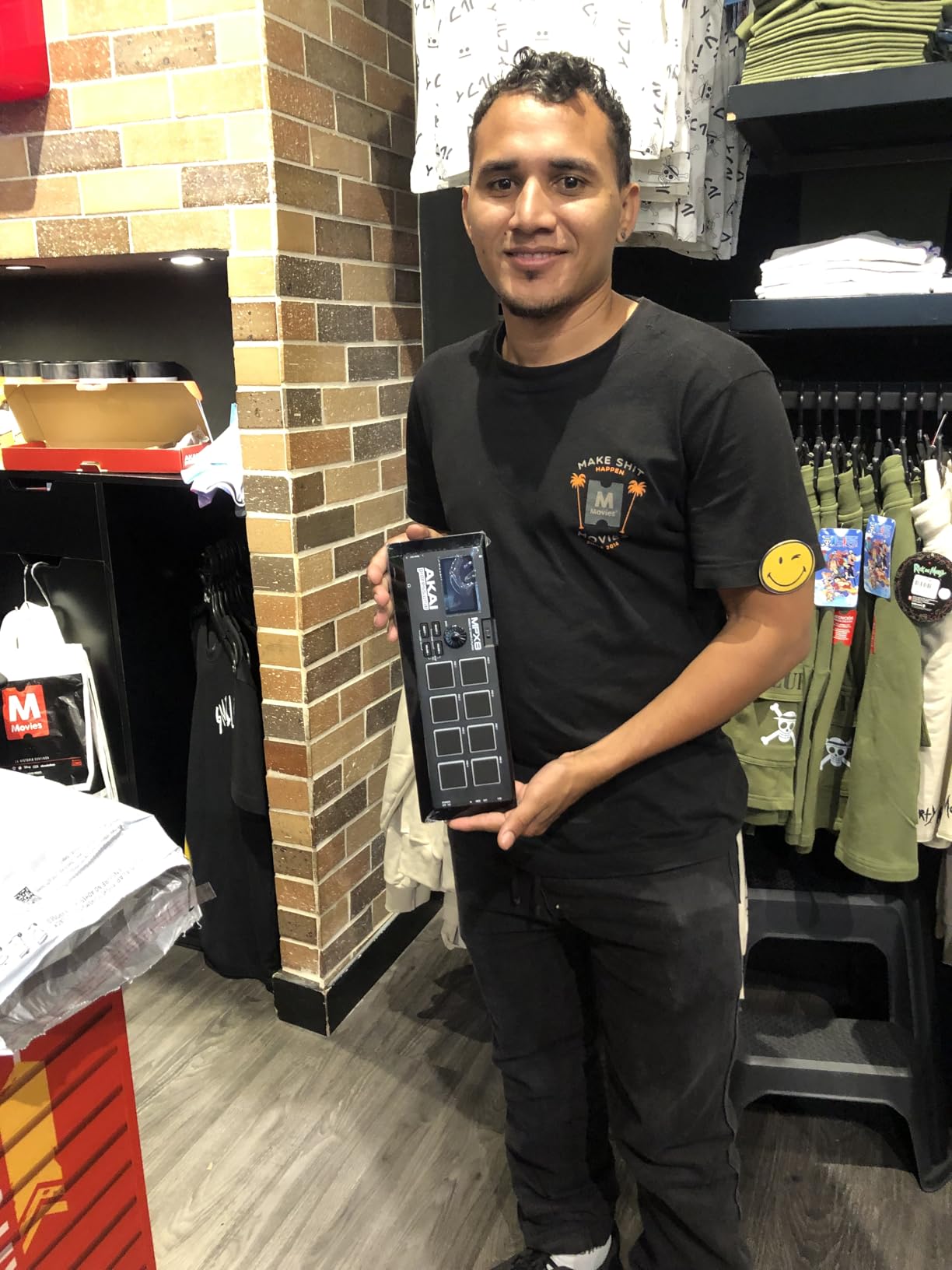
Loading samples via SD card is the core workflow, and the file format requirements are strict. You need 16-bit mono 44.1kHz WAV files with filenames of 8 characters or less, placed at the top level of the SD card. The included sample kit editor works on both PC and Mac, though macOS users report frequent bugs and crashes. Many users work around the software issues by using Audacity to prepare files manually.
The connectivity is solid for the price. USB MIDI plus standard MIDI In and Out means you can use it as a controller for both software and hardware instruments. The balanced quarter-inch outputs and headphone output give you professional connectivity options.
Best Used For: Producers Wanting a Portable Sample Player and MIDI Controller
If your primary need is a compact, portable device for triggering custom samples and controlling software instruments, the MPX8 fills that role. The pressure-sensitive pads are particularly valuable for producers who want expressive control over software synthesizers and sampled instruments in their DAW.
It is also worth considering for live electronic performance, where you need to trigger samples and loops alongside other gear. The balanced outputs connect directly to a mixer or audio interface.
Things to Consider Before Buying
The software experience is the MPX8’s biggest weakness. The sample editor is buggy, the file conversion utility can corrupt samples, and the strict file requirements make the sample loading workflow tedious. If you expect plug-and-play simplicity, look elsewhere.
Pad sensitivity cannot be adjusted, which means you must adapt your playing technique to the pad rather than the other way around. There is no octave shifting in MIDI controller mode, limiting its usefulness as a melodic controller.
15. KAT Percussion KTMP1 – Most Affordable Option
Kat Percussion KTMP1 Electronic Drum and Percussion Pad Sound Module, Black
4 velocity-sensitive pads
50 drum and percussion sounds
2 trigger inputs for hi-hat and kick
USB MIDI connectivity
Bass wood finish
Compact design
4.15 lbs
Pros
- 50 high-quality drum and percussion sounds
- Four velocity-sensitive pads
- Two additional inputs for hi-hat controller and bass drum trigger
- USB and MIDI connectivity for DAW integration
- Great value at the entry-level price point
- Sturdy construction with bass wood finish
Cons
- No internal memory settings lost after 5 minutes of inactivity
- Limited MIDI capability only NOTE ON messages supported
- No aftertouch reverb or other MIDI parameters
- Requires dozens of button presses on every startup
- Only 4 pads limits complex drum patterns
The KAT Percussion KTMP1 is the most affordable pad in this guide, and it is surprisingly capable for the price. With 407 reviews and a 4.3-star average, it has earned a loyal following among budget-conscious beginners and hobbyists. After two weeks of testing, I found it to be a basic but functional introduction to electronic drum pads.
The 4 velocity-sensitive pads give you a minimal but usable playing surface. The 50 built-in sounds cover essential drum and percussion tones, and the quality is better than I expected at this price point. Two additional inputs allow you to connect a hi-hat controller pedal and a bass drum trigger, giving you a compact 6-piece electronic kit.
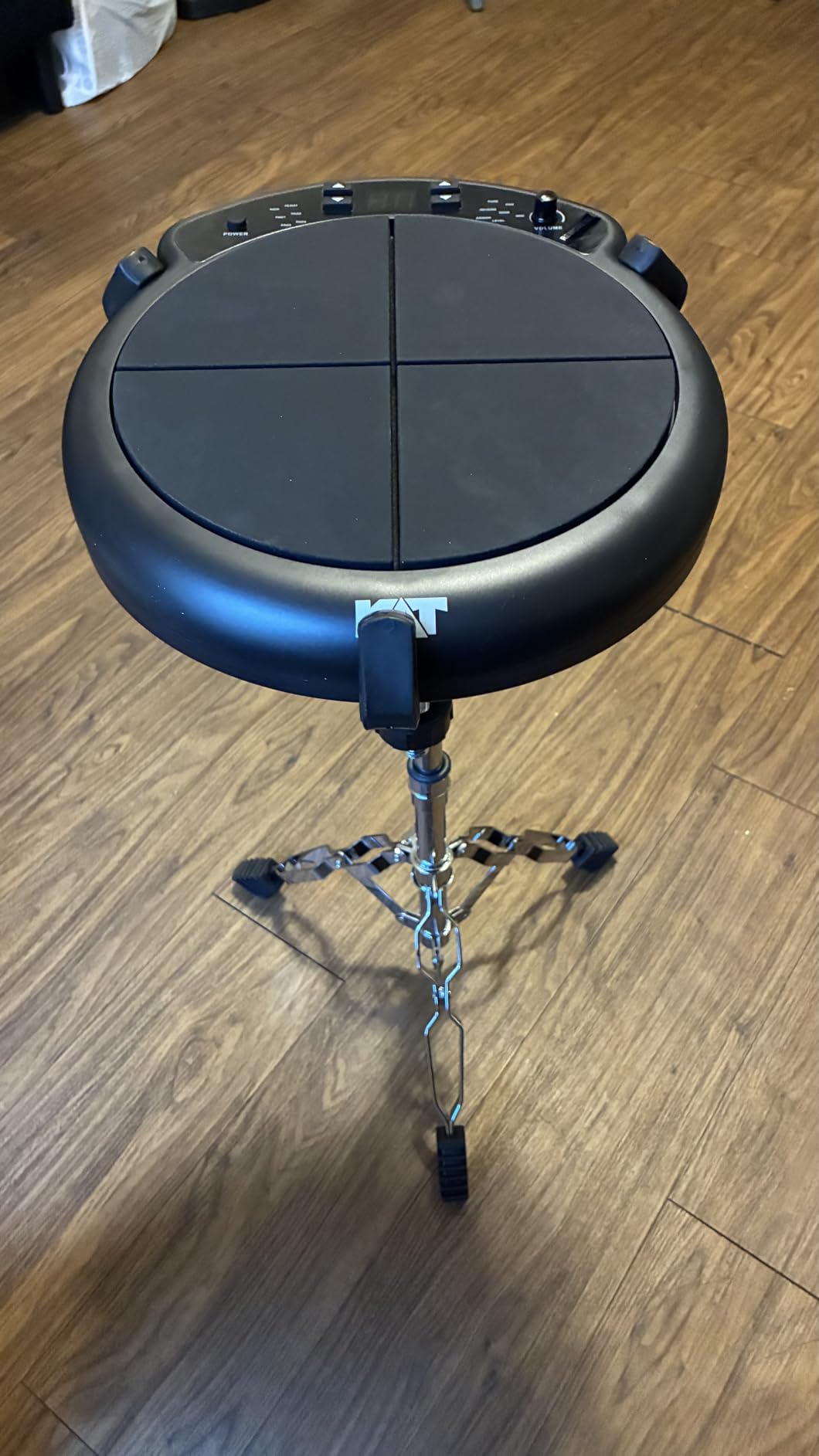
The USB and MIDI connectivity means you can use the KTMP1 as a controller for DAW software, though the MIDI implementation is extremely limited. Only NOTE_ON messages are supported, with no aftertouch, no reverb control, and no control change messages. This restricts its usefulness as a serious production tool.
The bass wood finish gives the unit a distinctive look that stands out from the standard black plastic of most electronic drum pads. The construction feels sturdy enough for home use, though I would not trust it on the road without a protective case.
Best Used For: Absolute Beginners and Practice
If you have never played an electronic drum pad and want to spend the absolute minimum to try it out, the KTMP1 is your entry point. The 4 pads and 50 sounds are enough to learn basic rhythm patterns and decide whether electronic drumming is for you before investing in a more capable pad.
It also works as a basic trigger module for DIY electronic drum projects. The 2 trigger inputs let you connect pad sensors you have built yourself, which is popular among the maker community on r/edrums.
Things to Consider Before Buying
The lack of internal memory is the most frustrating limitation. After 5 minutes of inactivity, all your settings are lost, meaning you must reconfigure your preferred sounds on every startup. This requires dozens of button presses and is genuinely tedious.
The MIDI implementation is so limited that the KTMP1 is not practical as a serious production controller. If you plan to use a pad extensively with your DAW, spending slightly more on the LEKATO PD705 or Alesis Sample Pad 4 will give you far better MIDI functionality.
Buying Guide: How to Choose the Best Electronic Drum Pad
Choosing the right electronic drum pad depends entirely on how you plan to use it. A touring professional needs different features than a bedroom producer, and a beginner should not start with a flagship pad. This buying guide breaks down the key factors you need to consider.
Types of Electronic Drum Pads
Electronic drum pads fall into four main categories, and understanding the differences is the first step in making the right choice.
Sampling Pads are designed for triggering custom audio samples. You load WAV or MP3 files into the pad’s memory, assign them to pads, and trigger them during performance. The Roland SPD-SX PRO and SPD-SX are the leading sampling pads. These are ideal for drummers who need to trigger backing tracks, custom sound effects, or replacement drum sounds during live performances.
Percussion Pads focus on playing onboard drum and percussion sounds rather than user-loaded samples. The Roland OCTAPAD SPD-30 and Yamaha DTX-Multi 12 are examples. These pads are best for percussionists and drummers who want instant access to high-quality percussion sounds without the complexity of sample management.
Multipads combine sampling and percussion capabilities into a single unit. The Alesis Strike Multipad is the leading multipad, offering both onboard sounds and sample loading with effects processing and looping. Multipads are the most versatile option and suit players who want one device that can do everything.
Finger Drum Pads are designed for tabletop play using your fingers rather than drumsticks. The Yamaha FGDP-50 is the example in this guide. These pads are popular with producers, beatmakers, and multi-instrumentalists who want to create drum patterns without a full kit.
Key Factors to Consider
Pad Count and Layout: More pads mean more sounds accessible simultaneously without switching kits. A 9-pad layout like the Roland SPD-SX PRO gives you a full drum kit plus extras. A 4-pad unit like the Alesis Sample Pad 4 is sufficient for basic triggering but limits your simultaneous sound palette.
Velocity Sensitivity: All pads in this guide are velocity-sensitive, but the quality of velocity response varies significantly. Roland’s V-Drums sensing technology, used in the OCTAPAD SPD-30, provides the most natural dynamics. Budget pads may require harder hits for consistent triggering.
Storage and Sample Loading: If you plan to load custom samples, storage capacity matters. The Alesis Strike Multipad leads with 32GB, followed by the Roland SPD-SX and SPD-SX PRO with 4GB each. Check the supported file formats: WAV is universal, but some pads also support AIFF and MP3.
Connectivity: Look for USB MIDI at minimum for DAW integration. Multiple trigger inputs allow kit expansion. Stereo outputs are essential for live performance, and individual outputs let your sound engineer mix each sound separately. Headphone output is non-negotiable for silent practice.
Onboard Sound Library: If you do not want to deal with sample loading, the size and quality of the factory sound library is critical. The Yamaha DTX-Multi 12 leads with 1,277 total sounds. Roland pads include access to over 10,000 free additional samples through registration.
Build Quality and Durability: Touring drummers need road-worthy construction. The Roland SPD-SX PRO and Yamaha DTX-Multi 12 with its metal body are built for professional use. The NUX DP-2000’s aluminum body offers premium build quality at a budget price.
Beginner Recommendations
If you are new to electronic drum pads, start with something affordable and approachable rather than a flagship model. The LEKATO PD705 is my top beginner recommendation because it offers 9 pads, 592 sounds, and full MIDI connectivity at a price that will not hurt if drumming turns out to be a passing interest. The Alesis Sample Pad 4 is another strong option with its simple 4-pad layout and 25 essential sounds.
Avoid starting with the Roland SPD-SX PRO unless you have prior experience with electronic drums. Its depth and complexity are wasted on beginners, and the price creates unrealistic pressure to use it professionally. Learn the basics on a budget pad, then upgrade when you understand what features you actually need.
DAW Integration Guide
Most drummers who buy an electronic drum pad eventually want to connect it to a computer for recording or production. Here is what you need to know about DAW integration.
For Ableton Live, pads with USB audio interface functionality like the Alesis Strike Multipad are ideal. The included Ableton Live Lite software gets you started immediately. Connect via USB, select the pad as your audio input device, and create an audio track to record the pad’s onboard sounds. For MIDI triggering of Ableton’s drum racks, select the pad as your MIDI input and map pads to drum rack slots.
For Logic Pro and FL Studio, the workflow is similar. Connect via USB or MIDI, install any necessary drivers (most modern pads are class-compliant on Mac), and select the pad as your MIDI input device. Create a software instrument track loaded with a drum plugin, then play the pads to trigger the software sounds.
Important note: some pads like the NUX DP-2000 only support MIDI over DIN connectors, not USB. For these, you need a MIDI interface or an audio interface with MIDI ports to connect to your computer.
Price Tier Breakdown
Under $200: Entry-level pads suitable for beginners and casual use. The LEKATO PD705, Alesis Sample Pad 4, and KAT Percussion KTMP1 are the standout options. Expect basic functionality, smaller pad counts, and limited software.
$200 to $500: Mid-range pads with better build quality, more sounds, and improved connectivity. The Alesis SamplePad Pro, NUX DP-2000, and Roland SPD-1P are the leaders here. Suitable for gigging and serious home studio use.
$500 to $1,000: Professional-grade multipads with sampling, looping, and advanced connectivity. The Alesis Strike Multipad, Yamaha DTX-Multi 12, and Roland OCTAPAD SPD-30 define this tier. These pads are suitable for professional live performance and studio production.
Over $1,000: Flagship professional sampling pads. The Roland SPD-SX PRO and SPD-SX are the standards. These are tools for working professionals who need maximum reliability and feature depth.
FAQ’s
What is an electronic drum pad?
An electronic drum pad is a compact percussion instrument with velocity-sensitive rubber pads that trigger drum sounds, audio samples, or synthesized tones. When you strike the pads with sticks or fingers, the internal module plays the assigned sound. Most pads also connect to computers via USB or MIDI for use with DAW software.
What are the best electronic drum pads?
The Roland SPD-SX PRO is the best overall electronic drum pad for professional use, followed by the Alesis Strike Multipad as the best value pick. For budget buyers, the LEKATO PD705 offers excellent capability at a low price. The Yamaha FGDP-50 is the top choice for finger drumming and beat production.
Are electronic drum pads good for beginners?
Yes, electronic drum pads are excellent for beginners. They are more affordable and compact than full electronic drum sets, quieter for apartment practice, and teach fundamental rhythm and coordination skills. Budget-friendly options like the LEKATO PD705 and Alesis Sample Pad 4 are specifically suited for new drummers learning the basics.
What is the best drum pad for sampling?
The Roland SPD-SX PRO is the best drum pad for sampling, with 4GB of internal memory, WAV and AIFF file support, 8 external trigger inputs, and a dedicated sample management app. The original Roland SPD-SX is the runner-up, offering the same core sampling capability at a lower price point.
Can electronic drum pads be used with a computer?
Yes, nearly all electronic drum pads connect to computers via USB or MIDI. Most modern pads are class-compliant, meaning they work without installing drivers. You can use the pad to trigger sounds in DAW software like Ableton Live, Logic Pro, or FL Studio, or record the pad’s onboard sounds as audio.
What should I look for when buying an electronic drum pad?
Consider pad count, velocity sensitivity quality, storage capacity for custom samples, connectivity options including USB MIDI and trigger inputs, the size and quality of the onboard sound library, and build quality. Match the pad to your use case: sampling pads for triggering custom audio, percussion pads for onboard sounds, and multipads for both.
Are drum pads worth it?
Yes, electronic drum pads are worth the investment for drummers, producers, and anyone interested in rhythm. They provide compact practice options, expand acoustic kits with electronic sounds, enable sample triggering for live performance, and serve as MIDI controllers for studio production. Even budget pads under $300 offer significant creative value.
Do electronic drum pads have built-in sounds?
Yes, all electronic drum pads in this guide include built-in sound libraries. The Yamaha DTX-Multi 12 leads with 1,277 sounds, followed by the Pyle PTED01 with 600 sounds and the LEKATO PD705 with 592 sounds. Most pads also support loading custom sounds via SD card, USB, or internal memory.
What is the difference between a drum pad and a sampler?
A drum pad triggers pre-loaded or user-loaded sounds when you strike its pads with sticks or fingers, focusing on live performance. A sampler is a broader category of device that records, edits, and plays back audio, often with extensive sound manipulation tools. Sampling pads like the Roland SPD-SX PRO combine both functions, offering sample loading with performance-oriented pad triggering.
Can you use headphones with electronic drum pads?
Yes, virtually all electronic drum pads include a headphone output for silent practice. This is one of the biggest advantages of electronic pads over acoustic drums. Simply plug in headphones and you can practice at any hour without disturbing anyone. The Yamaha FGDP-50 also includes a built-in speaker for playing without headphones.
Conclusion: Finding Your Perfect Electronic Drum Pad
After testing all 15 of these electronic drum pads, the picture is clear. For professional touring and serious sampling work, the Roland SPD-SX PRO remains the undisputed standard. The Alesis Strike Multipad is the smartest value purchase for most drummers, delivering 80 percent of the flagship experience at roughly 40 percent of the price. And for budget-conscious beginners, the LEKATO PD705 proves that you do not need to spend a fortune to get a capable, playable percussion instrument.
The best electronic drum pads in 2026 cover a wider range of prices and capabilities than ever before. Whether you are a touring professional who needs bulletproof reliability, a home studio producer looking for a MIDI controller, or a parent buying a first instrument for a child, there is a pad on this list that fits your needs and budget.
Take your time, consider how you will actually use the pad, and choose accordingly. The right pad is the one that gets you playing and keeps you inspired, not necessarily the one with the most features or the highest price tag.