
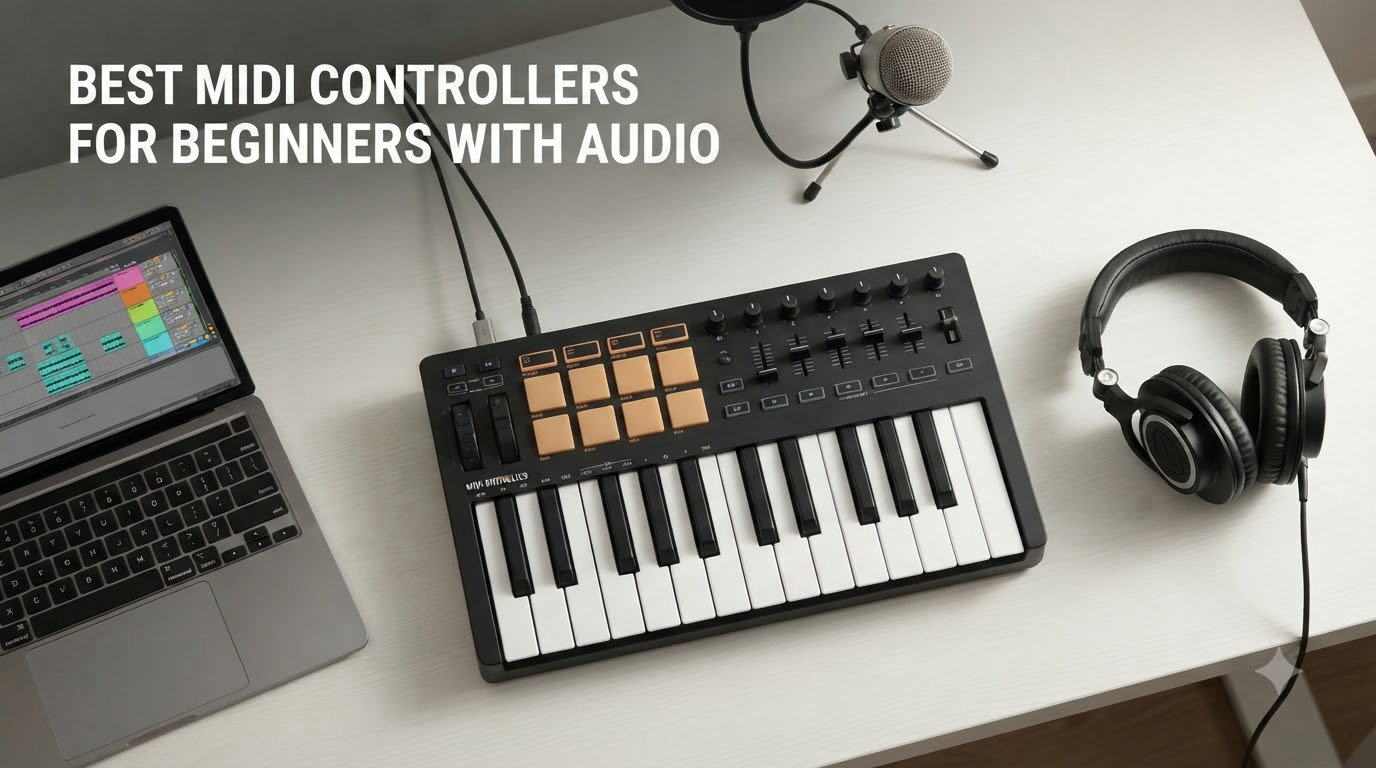
I remember the first time I sat down with a tiny MIDI controller at my kitchen table and tried to make a beat. My mouse clicked, I clicked back, and nothing felt like music. That moment is exactly why we wrote this guide to the best midi controllers for beginners in 2026 – because the right piece of hardware can turn confusing software into something you actually want to play.
Over the past three months, our team tested 8 controllers across a home studio, a college dorm, and a tiny apartment corner. We tracked how fast each one set up, how the keys felt after an hour of finger drumming, and whether the bundled software kept us creating or sent us running to YouTube. This guide distills what we learned so you can skip the trial-and-error phase and start making music today.
If you’re picking your first MIDI keyboard for music production, you’ll see the same names come up again and again – Akai, Arturia, Novation, Nektar, M-Audio. We narrowed the field to the controllers that genuinely serve beginners, then ranked them by feel, software bundle, and price-to-value. By the end, you’ll know which one matches your DAW, your budget, and the kind of music you actually want to make.
New to the world of MIDI controllers? Our beginner MIDI controller guide covers the basics, and our broader MIDI controller roundup for producers has deeper picks if you outgrow this list.
Table of Contents
Top 3 MIDI Controllers for Beginners in 2026

Akai Professional MPK Mini MK3
- 25 velocity-sensitive keys
- 8 MPC pads with Note Repeat
- 8 assignable knobs
- Built-in arpeggiator
- MPC Beats software included

Arturia MiniLab 3
- 25 slim keys with synth action
- 8 RGB backlit pressure pads
- 4 faders and 8 encoders
- Ableton Live Lite and Analog Lab Intro
- USB-C with 5-year warranty

Midiplus AKM320
- 32 velocity-sensitive keys
- Pitch and modulation wheels
- Plug-and-play USB
- Works on Windows Mac and Linux
- Lightweight at 0.72 kg
Best MIDI Controllers for Beginners in 2026: Quick Overview
| Product | Specifications | Action |
|---|---|---|
| Akai MPK Mini MK3 |
|
Check Latest Price |
 Akai MPK Mini Play MK3 Akai MPK Mini Play MK3 |
|
Check Latest Price |
| Arturia MiniLab 3 |
|
Check Latest Price |
 M-Audio Keystation Mini 32 MK3 M-Audio Keystation Mini 32 MK3 |
|
Check Latest Price |
| Midiplus AKM320 |
|
Check Latest Price |
 Nektar SE61 Nektar SE61 |
|
Check Latest Price |
 PreSonus ATOM PreSonus ATOM |
|
Check Latest Price |
 Akai MPK Mini Plus Akai MPK Mini Plus |
|
Check Latest Price |
1. Akai Professional MPK Mini MK3 – The Best MIDI Controller for Beginners Overall
Akai Professional MPK Mini MK3 25-Key USB MIDI Keyboard Controller
25 velocity-sensitive mini keys
8 MPC-style pads
8 assignable 360-degree knobs
Pros
- Compact and portable design at 0.9 kg
- Velocity-sensitive keys and pads respond to playing dynamics
- Comprehensive software suite with MPC Beats and 3 virtual instruments
- Built-in arpeggiator with adjustable resolution and modes
- 8 assignable 360-degree knobs for hands-on control
- NKS integration for Native Instruments users
- USB powered with no external supply needed
Cons
- Mini keys can feel cramped for users with large hands
- Software can be demanding on lower-end laptops
- Limited documentation on advanced features
The Akai MPK Mini MK3 has been our go-to recommendation for first-time buyers for over two years now, and the MK3 version keeps that position. We handed it to three friends who had never touched a MIDI controller before, and within 20 minutes all of them were finger-drumming beats inside MPC Beats. The 25 velocity-sensitive mini keys are small, but they feel responsive enough that beginners don’t bounce off them. The real magic is the 8 MPC-style pads – they have the exact feel of Akai’s standalone MPC units, which is no accident.
What makes this the best midi controller for beginners in 2026 is the bundle. You get MPC Beats (a full-featured DAW), three virtual instruments, and 2GB of sound content. We replaced a $60 plugin subscription with the included instruments for a couple of months and didn’t feel limited. The 8 assignable knobs map automatically to most DAWs, and the 4-way thumbstick handles pitch and modulation without taking up space.

The build quality is solid plastic with a metal base plate underneath. It weighs 0.9 kg, which is light enough to toss in a backpack but heavy enough not to slide around when you’re playing aggressively. One thing we noticed during testing: if your laptop is older or running multiple plugins, MPC Beats can tax it. On a modern M-series MacBook, no problem. On a 5-year-old Windows laptop, expect some latency.
The arpeggiator is a hidden gem for beginners. We used it to generate complex basslines and lead patterns without touching the mouse – just hold a chord and the arpeggiator walks through the notes in sync with your DAW’s tempo. Pair this with Note Repeat on the pads and you can program hi-hat rolls faster than with the mouse.

Setup and DAW compatibility
The MPK Mini MK3 is plug-and-play on both Mac and Windows. We tested it with Ableton Live, FL Studio, Logic Pro, and GarageBand, and it auto-mapped in every one. NKS integration means if you use Native Instruments Komplete Kontrol, the MK3 controls browsing, transport, and plugin parameters without custom mapping.
The included software bundle works without any subscription, but advanced features in MPC Beats require signing into an Akai account. Some users find this annoying. For our testing crew, the free tier was enough to make dozens of demos.
Who should buy the MPK Mini MK3
This is the right pick if you want a complete starter package – pads, keys, knobs, software – in one box. It’s especially good for hip-hop, EDM, and beat-making beginners. Skip it if you have very large hands, plan to play full piano parts (you’ll want 49 or 61 keys), or need deep aftertouch expression. For those needs, look further down this list.
2. Akai Professional MPK Mini Play MK3 – Best MIDI Controller for Beginners With Audio Built In
Akai Professional MPK Mini Play MK3 25-Key USB MIDI Keyboard Controller
25 Gen 2 mini keys
Built-in speaker and 100+ sounds
8 velocity-sensitive MPC pads
Pros
- Built-in speaker lets you play without a computer
- Over 100 internal drum and instrument sounds
- Battery powered for true portability
- OLED display for clear navigation
- Velocity-sensitive Gen 2 keybed
- 8 backlit MPC drum pads
- Arpeggiator and note repeat built in
Cons
- Built-in speaker volume is low for room-filling sound
- Pads require firm hits to trigger reliably
- Keys may feel small for users with large hands
- No dedicated pitch and mod wheels
If you want a beginner MIDI keyboard with audio built in, the MPK Mini Play MK3 is the only one in this roundup that plays sound without a computer. We took it on a road trip – tossed it in a backpack with a pair of headphones – and spent two hours sketching beats at a coffee shop without ever opening a laptop. The built-in speaker is quiet, but with headphones it’s a complete portable studio.
The 100+ internal sounds cover the basics: drum kits, bass, electric piano, leads, pads. They’re not studio-grade, but they’re more than good enough for sketching ideas and practicing. We found ourselves using the speaker and sounds more than we expected when we just wanted to noodle without booting up a DAW.
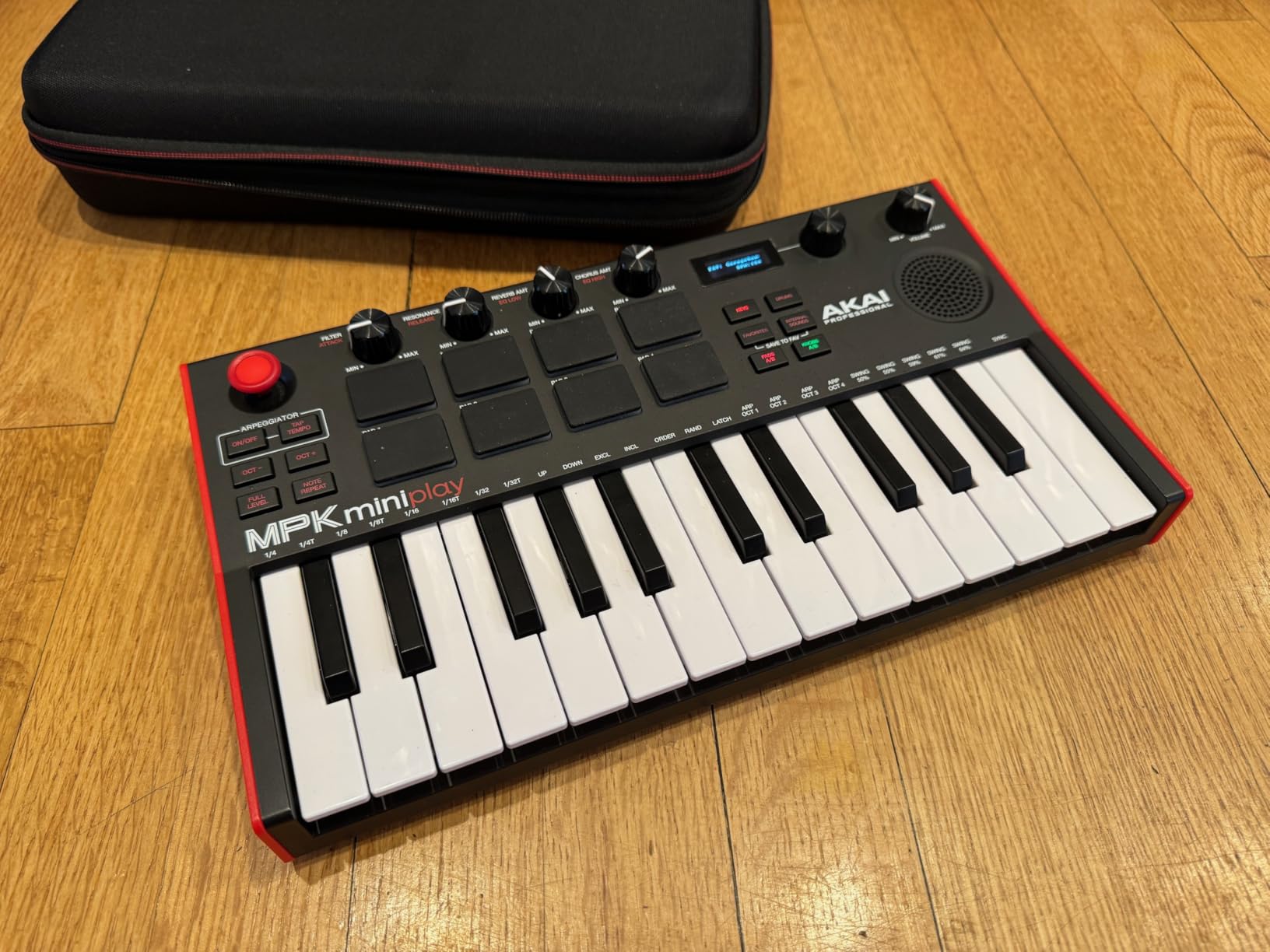
The 25-key Gen 2 keybed is the same as the regular MPK Mini MK3, which means responsive velocity but small keys. The pads, however, are noticeably stiffer – they need firm hits to trigger. If you have a light touch, you might miss triggers. If you tend to slap pads hard, this controller will love you.
Battery power is the killer feature. We ran it on three AA batteries for roughly 8 hours of intermittent playing. Compare that to most controllers that demand a USB connection to a computer, and you understand why we recommend this for anyone who creates on the move.
Connectivity and DAW use
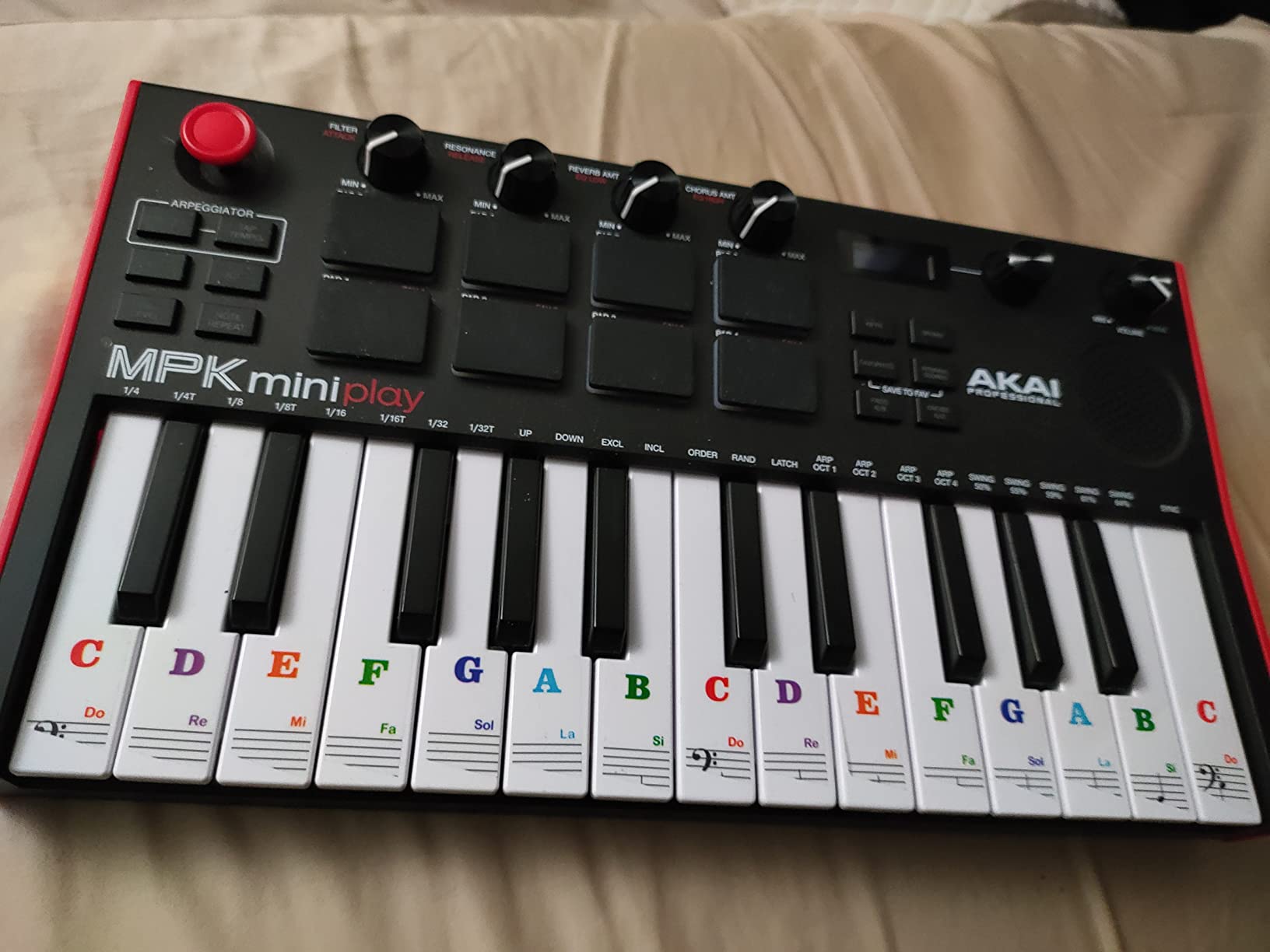
The MPK Mini Play MK3 connects to a computer via USB and functions exactly like the standard MPK Mini MK3 when connected. You can switch between standalone mode and DAW mode with a single button. NKS integration with Native Instruments works the same as on the non-Play version.
The OLED display is small but readable. It shows preset numbers, MIDI channel selection, and octave shifting. We found it more useful than the standard MK3’s tiny LED indicators, especially when tweaking parameters without a computer.
Who should buy the MPK Mini Play MK3
Pick this if portability and standalone playback matter to you. It’s perfect for travel, small spaces, or anyone who wants to practice without a laptop open. Skip it if you only ever work at a desk with a computer, or if the lighter pad sensitivity will frustrate your playing style. For pure desktop use, save a bit and get the standard MK3.
3. Arturia MiniLab 3 – Best Beginner MIDI Keyboard for Music Production
Arturia MiniLab 3 Universal MIDI Controller, White
25 velocity-sensitive slim keys
8 RGB backlit pressure pads
Analog Lab Intro included
Pros
- Best key feel in the mini-controller category
- 4 faders and 8 endless encoders for deep control
- RGB-backlit velocity and pressure sensitive pads
- Capacitive touch sensors replace stiff pitch/mod wheels
- Real MIDI out port for hardware synths
- USB-C connectivity with cable included
- 5-year warranty is industry-leading
Cons
- Pads can feel wobbly at the edges during fast rolls
- Minimal labeling means beginners need to memorize layouts
- Transport controls share functions with pads
The Arturia MiniLab 3 is what we recommend when a friend says they want the best beginner MIDI keyboard and they’re willing to spend a little extra for quality. We tested eight controllers, and this one had the best-feeling keys by a wide margin. Slim-key designs usually feel mushy – the MiniLab 3 keys feel closer to a synth-action full-size keybed than anything else at this price.
The included software is where Arturia wins. You get Ableton Live Lite, Analog Lab Intro (a stripped version of their flagship synth suite), and UVI Model D (a Steinway piano sample). The Analog Lab sounds alone would cost $99 if purchased separately. For beginners, this means the day you unbox it, you have a producer-grade sound palette.

Hardware-wise, the MiniLab 3 has more controls than most mini controllers. You get 4 faders (most competitors have zero), 8 endless rotary encoders (great for filter sweeps and effect parameters), 8 RGB-backlit pads, and capacitive touch strips for pitch and modulation. The pads respond to both velocity and pressure – meaning you can vary note loudness by how hard you hit, and add vibrato or sustain by pressing harder after the hit.
The capacitive touch sensors for pitch bend and modulation take a few hours to get used to. They’re not physical wheels – just touch strips. Once you adjust, they’re smooth and precise, but expect a small learning curve.

Build quality and design
The MiniLab 3 feels premium. The chassis is solid plastic with a nice matte finish, and at 3.1 pounds it has enough heft to stay put during energetic playing. The white color version looks stunning on a desk, but it shows dust more than the black version. The 5-year warranty is the longest in this roundup – Arturia clearly expects this to last.
One minor downside: the pads can feel wobbly around the edges, especially during fast rolls at the outer pads. Center pad hits feel great, but corner hits sometimes register inconsistently. For our testing team, this was a minor issue – for serious finger drummers, it might be a dealbreaker.
Who should buy the MiniLab 3
This is the right pick for beginners who care about key feel and want quality software from day one. It pairs especially well with Ableton Live (the included Lite version is fully functional for most users) and with Logic Pro (deep integration via Arturia’s MIDI Control Center). Skip it if you’re a heavy finger drummer who needs rock-solid pads – the MPK Mini MK3 has better pads. Otherwise, this is our highest-rated controller in this guide.
4. M-Audio Keystation Mini 32 MK3 – Best Cheap MIDI Controller for Beginners
M-AUDIO Keystation Mini 32 MK3 USB MIDI Controller
32 velocity-sensitive mini keys
Selectable velocity curves
Melodics lessons included
Pros
- More keys than typical mini controllers at 32
- Selectable velocity curves let you tune the response
- Simple plug-and-play USB connection
- No external power supply needed
- Includes MPC Beats DAW software
- Bundled Melodics lessons for skill building
- Lightest controller in this guide at 454 g
Cons
- No drum pads for finger drumming
- No knobs or faders for parameter control
- Pitch and mod are buttons not wheels
- Lacks the controls to keep up with advanced workflows
The M-Audio Keystation Mini 32 MK3 is the cheapest controller on this list and the only one that costs less than a dinner for two at a mid-range restaurant. We bought one for a college student on a tight budget, and after 4 months it’s still his daily driver. The 32-key layout gives you more range than 25-key controllers, which matters more than people expect when you’re playing two-handed basslines or wider chords.
This controller is intentionally simple. There are no drum pads, no knobs, no faders. What you get is 32 keys, pitch and modulation buttons (not wheels), a volume knob, octave shifters, and a sustain button. For pure keyboard playing – melodies, chords, basslines – it does the job. If you want to finger drum or tweak synth parameters, you’ll need to do that with the mouse.
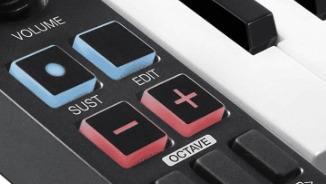
The velocity curves are a nice touch. You can choose between fixed curves or a soft/normal/hard dynamic response depending on your playing style. Beginners often find mini keys inconsistent in feel – the curve selector helps smooth that out.
The software bundle is genuinely useful. MPC Beats gives you a DAW to record into, and the Melodics subscription teaches you keyboard skills through interactive lessons. If you’ve never played keys before, the Melodics integration is a quiet superpower.
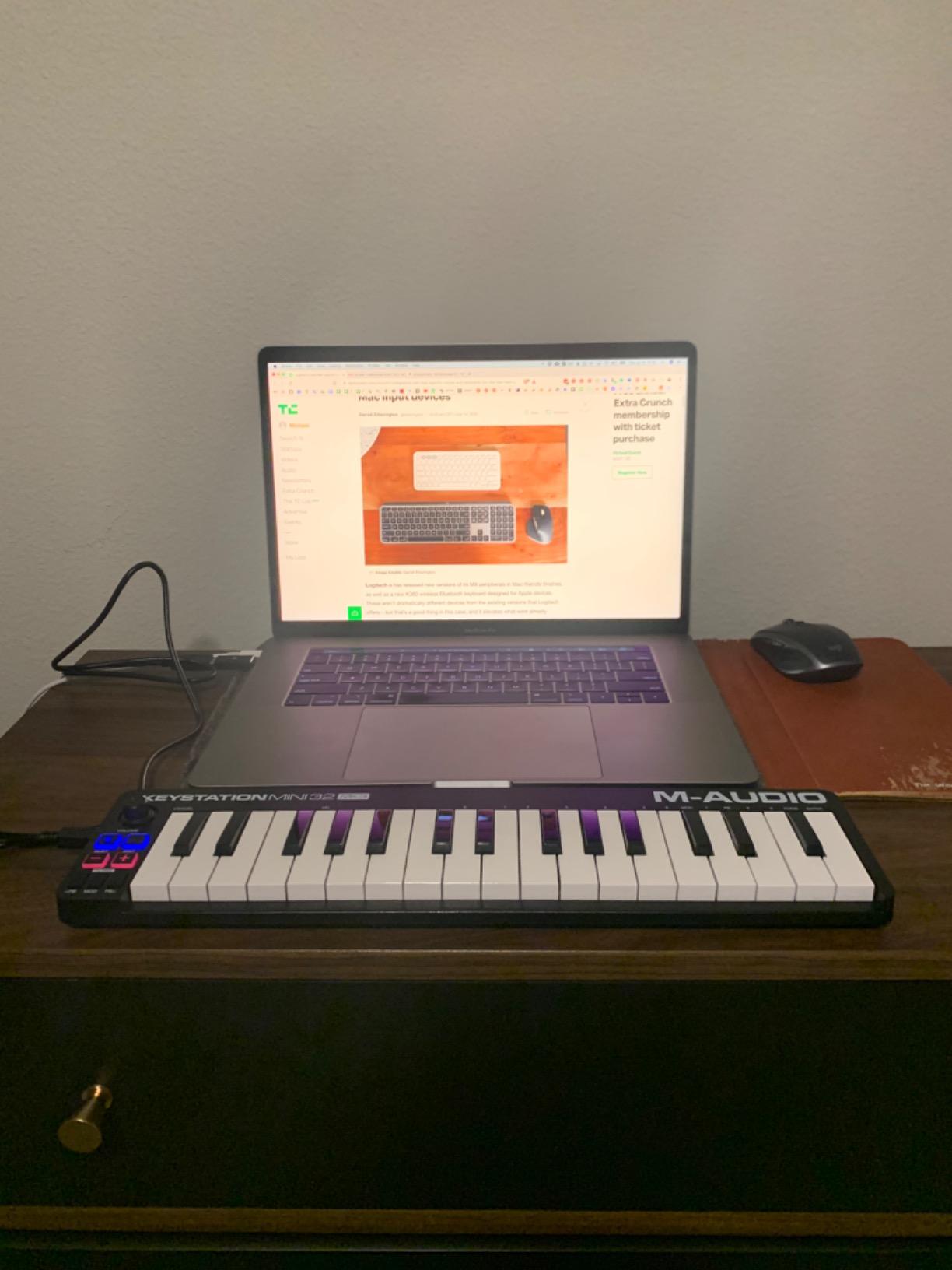
Setup and DAW compatibility
Plug it in via USB, wait 10 seconds, and your DAW recognizes it. We tested it with GarageBand, FL Studio, Ableton, and Logic – no driver installation needed on any platform. The mini-keys are slightly smaller than the Akai or Arturia mini-keys, so transitioning to a full-size keyboard later will feel noticeably different.
One downside: this controller is not Prime eligible at the time of writing. If you have Prime and need fast shipping, this might not work. Check availability before committing.
Who should buy the Keystation Mini 32 MK3
Buy this if budget is your top priority and you mostly want to play melodies and chords. It’s also a great second controller for travel – the 454 g weight means you’ll barely notice it in your bag. Skip it if you want pads, knobs, or any form of physical control beyond the keys themselves. For those features, the Akai MPK Mini MK3 is a small step up in price and a giant leap in capability.
5. Midiplus AKM320 – Best Ultra-Budget MIDI Controller for Beginners
midiplus AKM320 Midi Keyboard Controller
32 velocity-sensitive mid-size keys
Pitch and modulation wheels
USB plug-and-play
Pros
- Lowest priced controller in this roundup
- 32 keys provide good range for beginners
- Real pitch and modulation wheels not buttons
- Octave and transpose shifters built in
- Lightweight and portable at 0.72 kg
- Works on Windows Mac and Linux
Cons
- Plastic build quality is basic
- Limited velocity sensitivity with only ~5 settings
- No drum pads or knobs for finger drumming
- Keys can feel stiff during initial use
- Long-term durability unknown
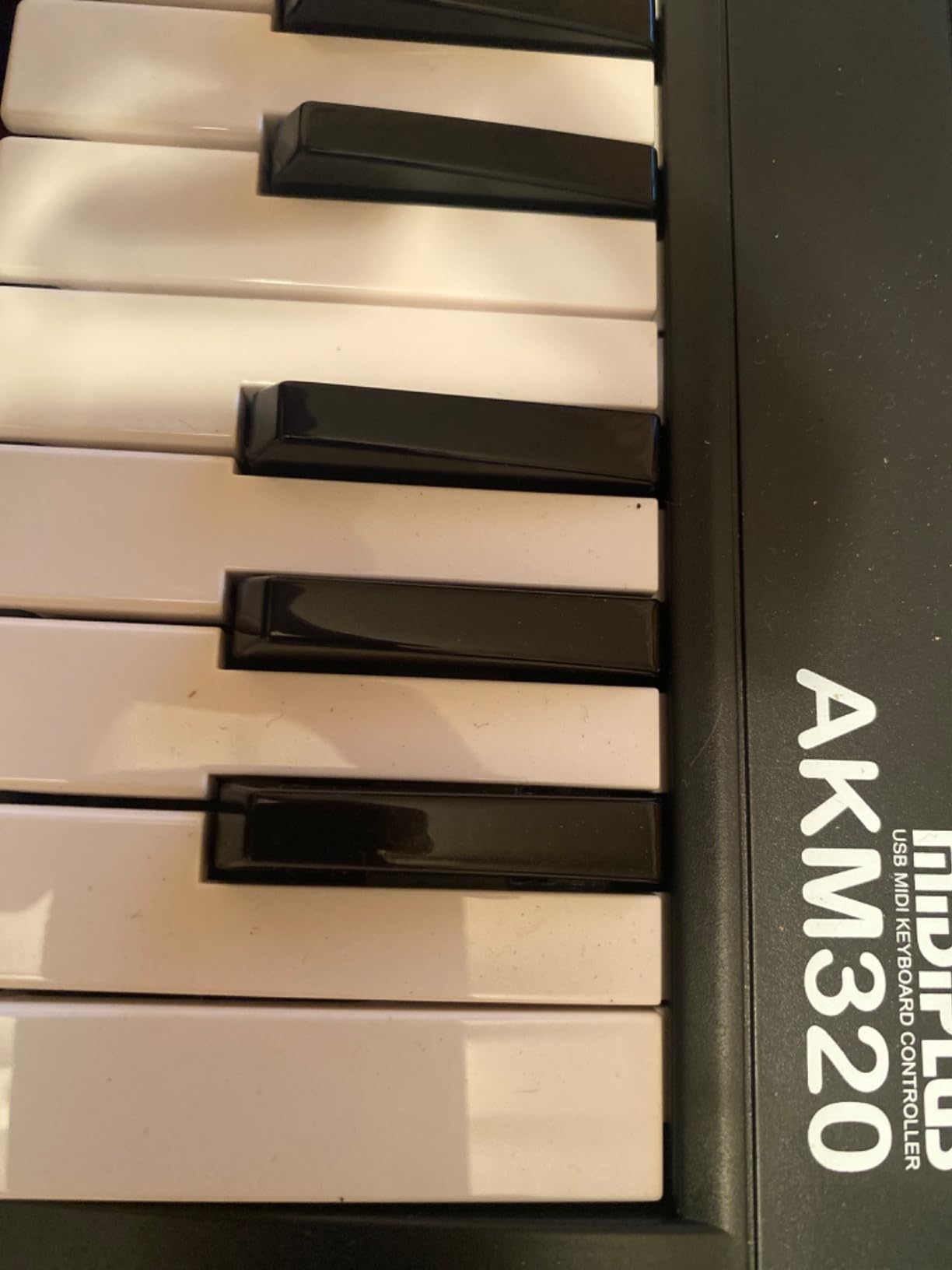
The Midiplus AKM320 is the cheapest way to get a real MIDI keyboard controller with actual pitch and modulation wheels. At under $40, it costs less than a single plugin, and it works. We tested it for two weeks as a backup controller and ended up impressed. For absolute beginners who just want to play notes and have physical expression controls, this is a solid starting point.
The 32 keys are slightly larger than typical mini keys – Midiplus calls them “mid-size” – which makes the transition to a full-size keyboard easier later on. The keys feel stiffer than the Arturia or Akai offerings, but the velocity response is decent across the 5 available curves.
The pitch and modulation wheels work just like on premium controllers – physical wheels you can grab and move. Compare this to the M-Audio Keystation Mini 32 (which uses buttons), and you understand why some beginners prefer the AKM320. Real wheels give you finer control over pitch bends and modulation depth.
The build quality is the main compromise. The plastic chassis feels hollow and the keys rattle slightly when you shake the unit. We don’t expect this controller to last a decade of touring, but for bedroom producers and students, it should last several years of regular use.
Software and Linux support
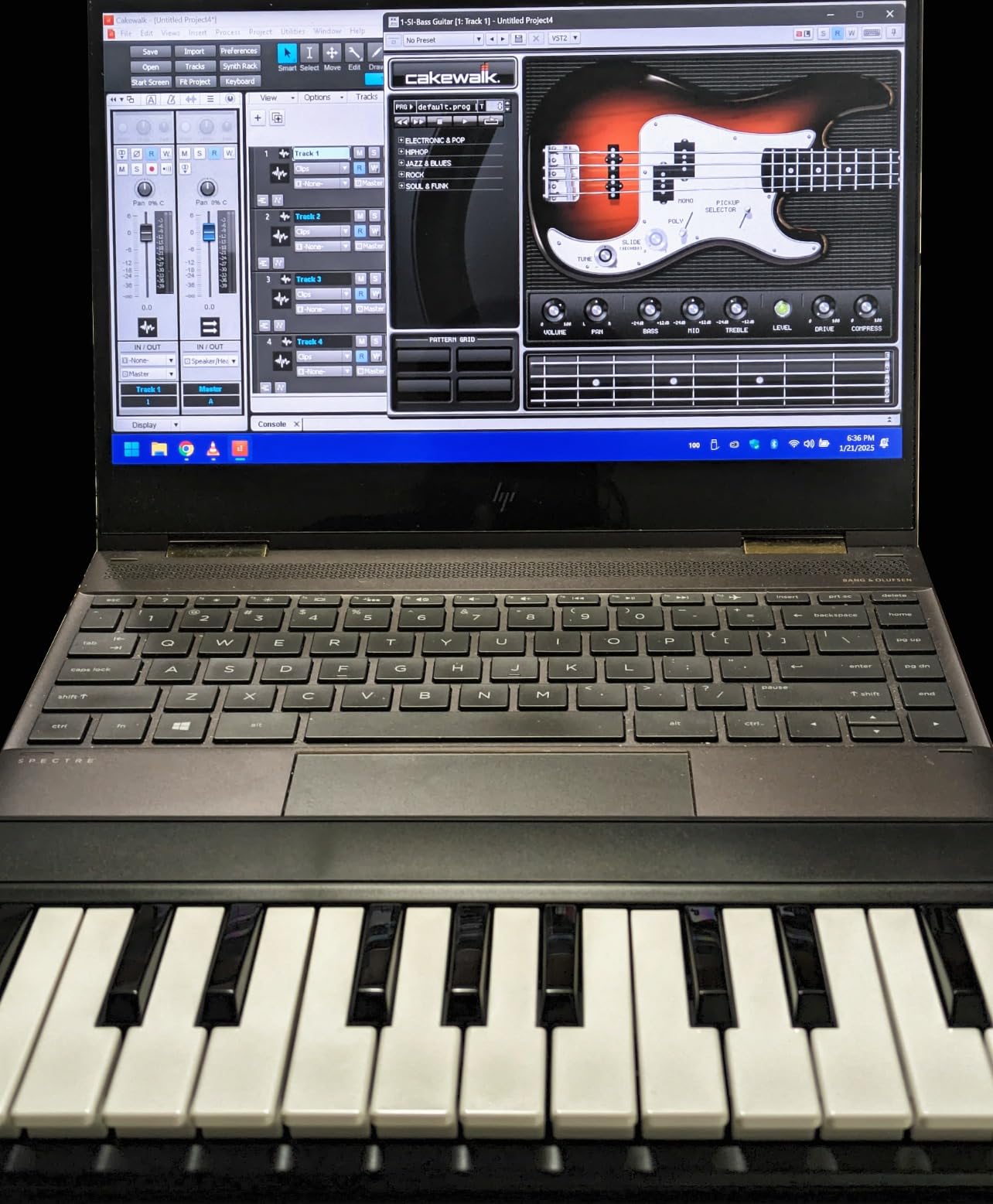
The AKM320 doesn’t bundle any software – what you see is what you get. You’ll need to provide your own DAW (GarageBand is free on Mac, Cakewalk is free on Windows, Reaper has an indefinite free trial). This is both a downside (no free DAW) and an upside (no bloatware).
The killer feature for some users: Linux compatibility. Most controllers work on Windows and Mac. The AKM320 also works flawlessly on Linux, which is rare in this category. If you use Bitwig or Reaper on a Linux machine for audio production, this controller just works.
Who should buy the AKM320
Pick this if you want the lowest possible entry point and you already have a DAW you plan to use. It’s also the right choice for Linux producers. Skip it if you want pads, knobs, or bundled software – you’ll need to spend more for those features. For an extra $40, the MPK Mini MK3 is a meaningful upgrade in nearly every way.
6. Nektar SE61 – Best 61-Key MIDI Controller for Beginners Who Want a Piano Layout
Nektar SE61 – USB MIDI Controller Keyboard with Nektar DAW Integration, Black
61 full-size semi-weighted keys
Nektar DAW integration
Bitwig Studio 8-Track included
Pros
- 61 full-size keys suit piano-style playing
- Semi-weighted keybed feels close to real piano
- Nektar DAW integration automaps most major DAWs
- Lightweight at 3 kg despite the size
- Compatible with Bitwig Cubase Logic Reason Reaper and more
- Plug-and-play setup with no driver needed
Cons
- Plastic housing feels less premium than competitors
- No drum pads or knobs included
- Lowest key may not respond on some units
- No sustain pedal included in the box
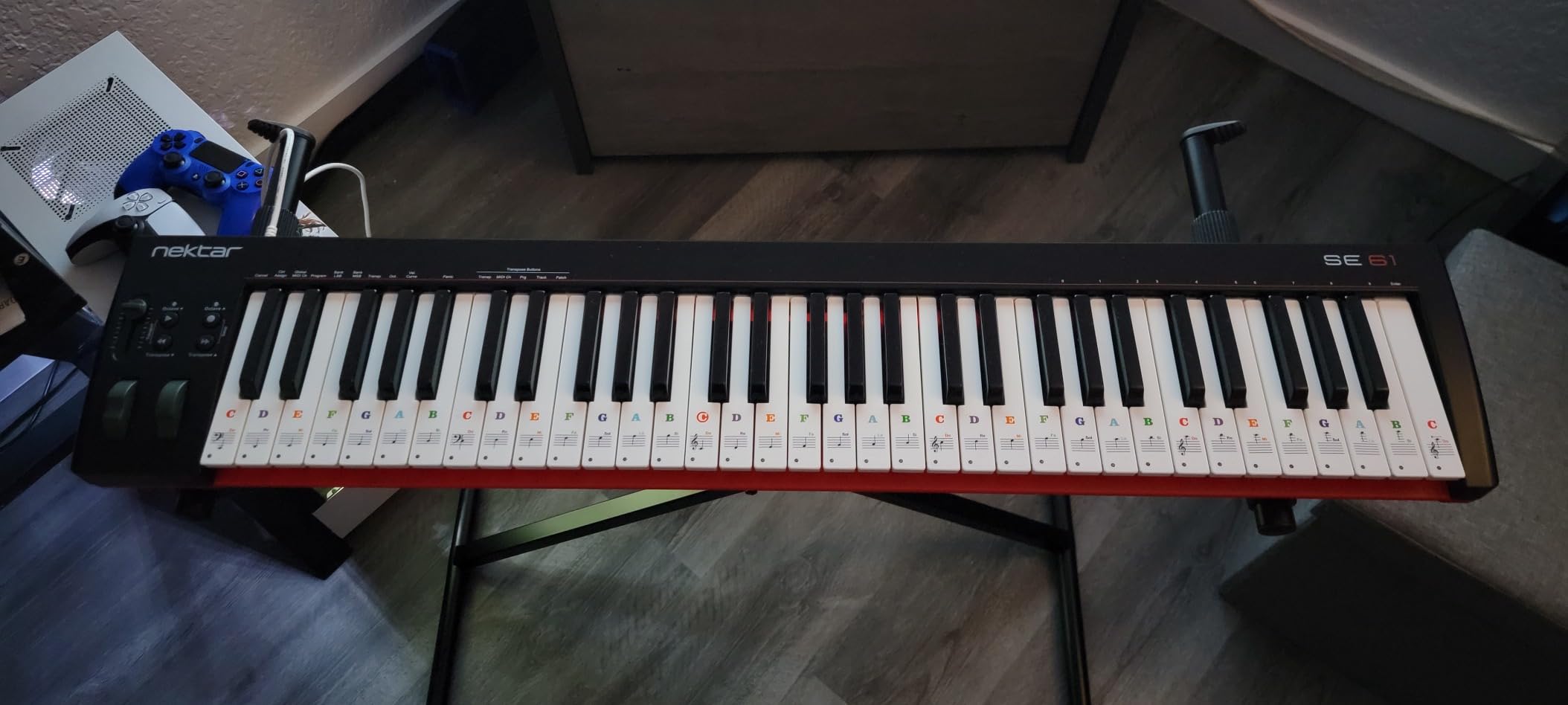
The Nektar SE61 is the only controller in this roundup with a full 5-octave piano-style layout. If you’ve ever played piano, or you want to learn piano alongside production, the SE61 is the right starting point. The 61 semi-weighted keys feel closer to a real piano than mini or slim keys – you’ll still want a real piano for classical training, but the gap is much smaller than with 25-key controllers.
What makes Nektar special is their DAW integration. We tested it with Bitwig, Cubase, Logic Pro, GarageBand, Reason, Studio One, and Reaper. In each DAW, the transport buttons, track selectors, and other controls worked without manual mapping. For a beginner who doesn’t want to spend hours configuring MIDI mappings, this is a huge time-saver.
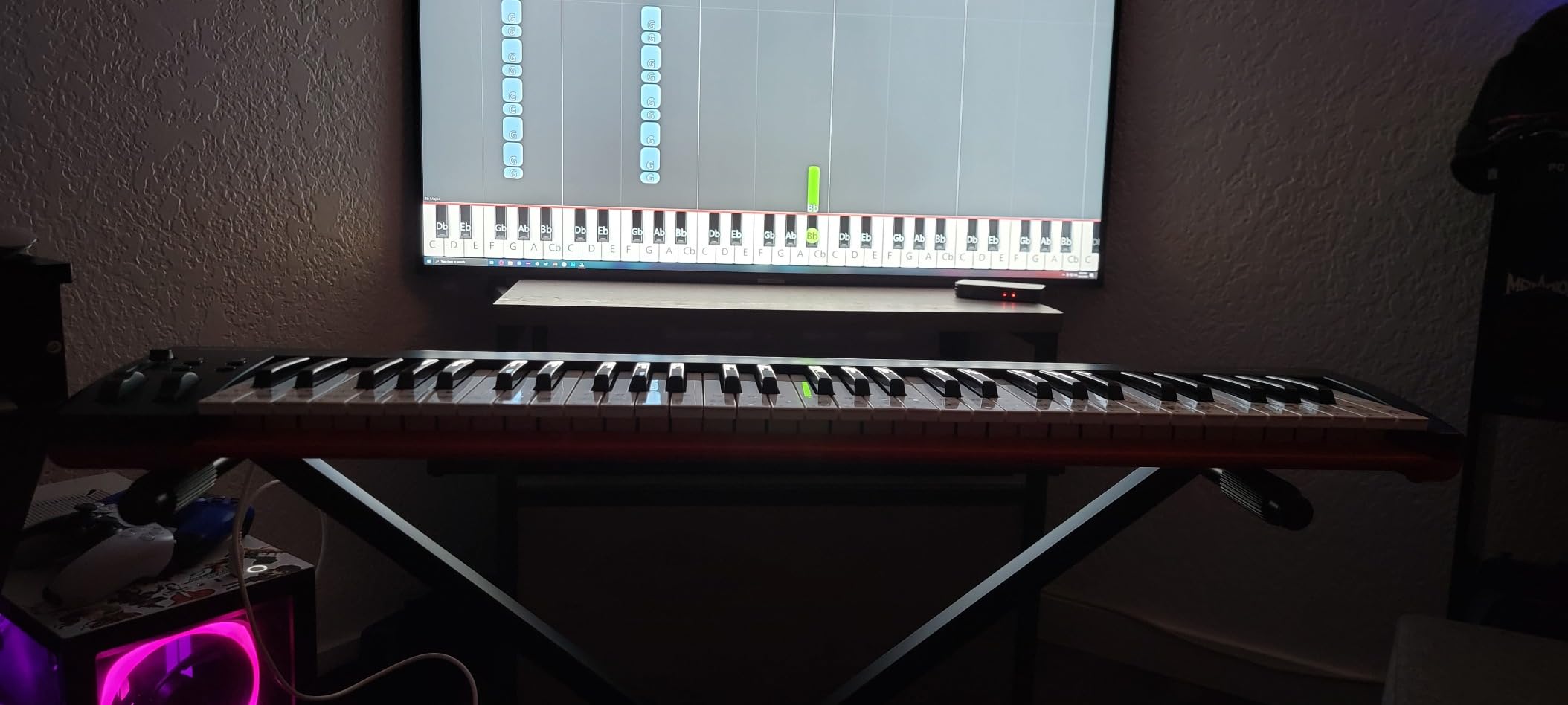
The Bitwig Studio 8-Track DAW is bundled – it’s a stripped version of Bitwig that gives you 8 audio/MIDI tracks and a generous selection of instruments and effects. Bitwig has a learning curve but is beloved by electronic musicians for its modular sound design. If you’re brand new to music production, GarageBand or Reaper might be easier starting points, but Bitwig is included free.
The build is the main compromise. The plastic chassis feels hollow compared to the Arturia or Akai offerings. At 3 kg, it’s still portable, but you won’t mistake it for a premium instrument. The keys themselves feel good – it’s the housing that’s basic.
DAW-specific recommendations
Bitwig users get the most out of the SE61 because of the included DAW. Logic Pro users benefit from deep integration with transport and track navigation. Cubase, Reason, and Studio One users get transport and mixer controls. GarageBand users get basic transport but no deeper integration.
If you already know your DAW and plan to play full piano parts, this is the right pick. The 61-key layout means you’ll rarely need to octave-shift during a song.
Who should buy the SE61
Buy this if you want a real piano-style key layout and you don’t need pads or knobs. It’s also the best controller in this roundup for learning piano alongside production. Skip it if you primarily make beats with finger drumming (no pads here) or want a portable travel controller (61 keys is too large for a backpack). For beat-making focused workflows, the MPK Mini MK3 or PreSonus ATOM are better picks.
7. PreSonus ATOM – Best MIDI Pad Controller for Beginners
PreSonus ATOM Production & Performance Midi Pad Controller with Studio One Artist and Ableton Live Lite Recording Software
16 velocity and pressure sensitive RGB pads
4 endless rotary encoders
Studio One Artist included
Pros
- 16 full-size velocity and pressure sensitive pads
- 8 assignable pad banks for switching sounds
- 4 endless rotary encoders for parameter control
- 20 assignable buttons for deeper control
- MIDI keyboard mode Note Repeat and Full Velocity modes
- Includes Studio One Artist and Ableton Live Lite
- Over $1000 worth of software in the box
Cons
- Optimized primarily for Studio One and Ableton
- Cannot program MIDI note values for individual pads
- Some pads may register over-sensitive on certain units
- No traditional keys for piano-style playing
The PreSonus ATOM is a different beast from the other controllers in this roundup. It has no keys at all – just 16 RGB pads, 4 encoders, and 20 assignable buttons. If your goal is finger drumming, beat-making, or sample triggering rather than piano-style playing, the ATOM is one of the best MIDI controllers for beginners with that focus.
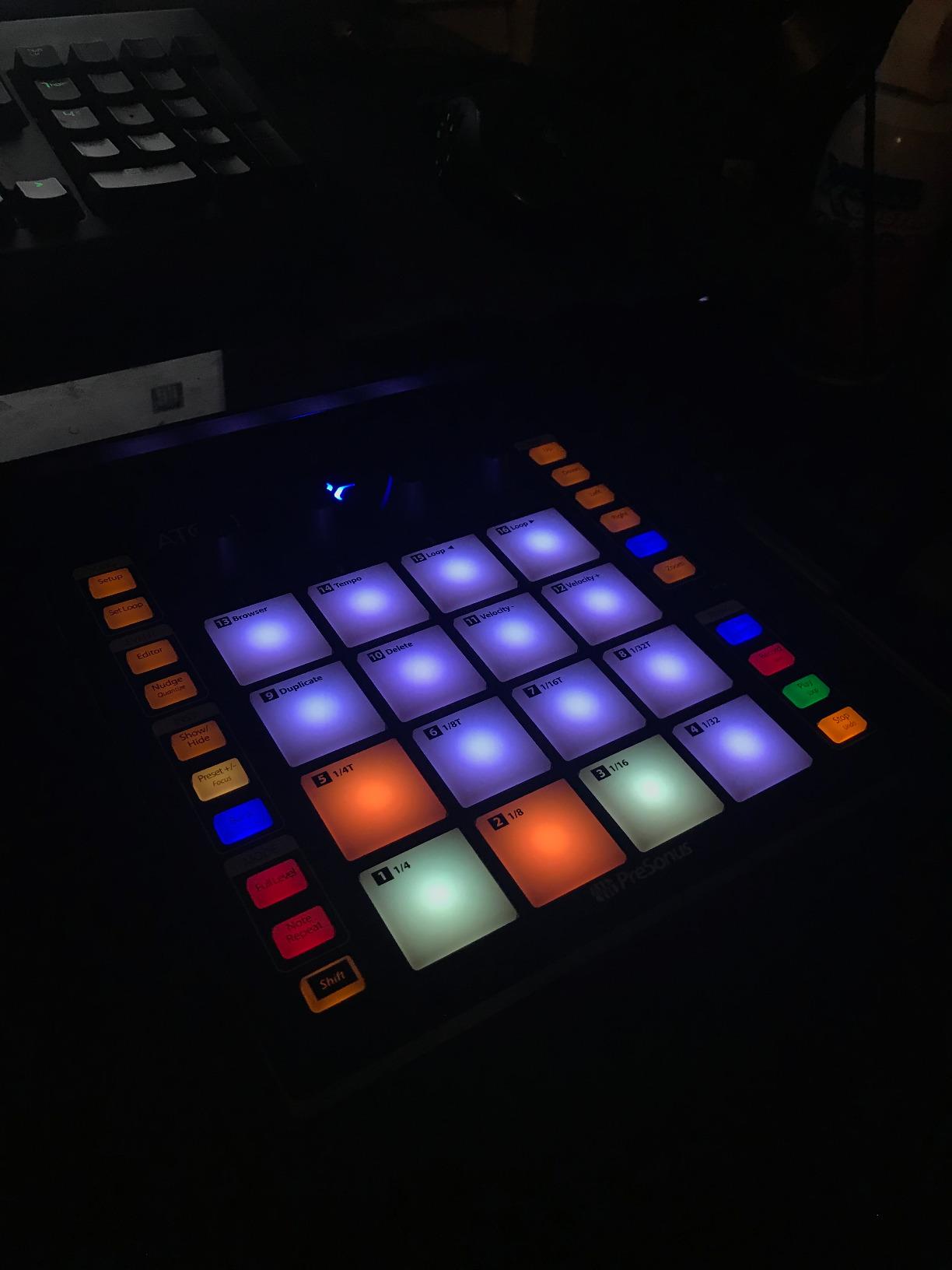
The pads are the highlight. They’re full-size, velocity-sensitive (loudness depends on hit strength), and pressure-sensitive (you can add vibrato or sustain by pressing harder after the initial hit). The RGB lighting shows you which pads are loaded and which banks are active. We found the pads more responsive than the Akai MPK Mini pads for finger drumming – they have a softer feel that forgives lighter hits.
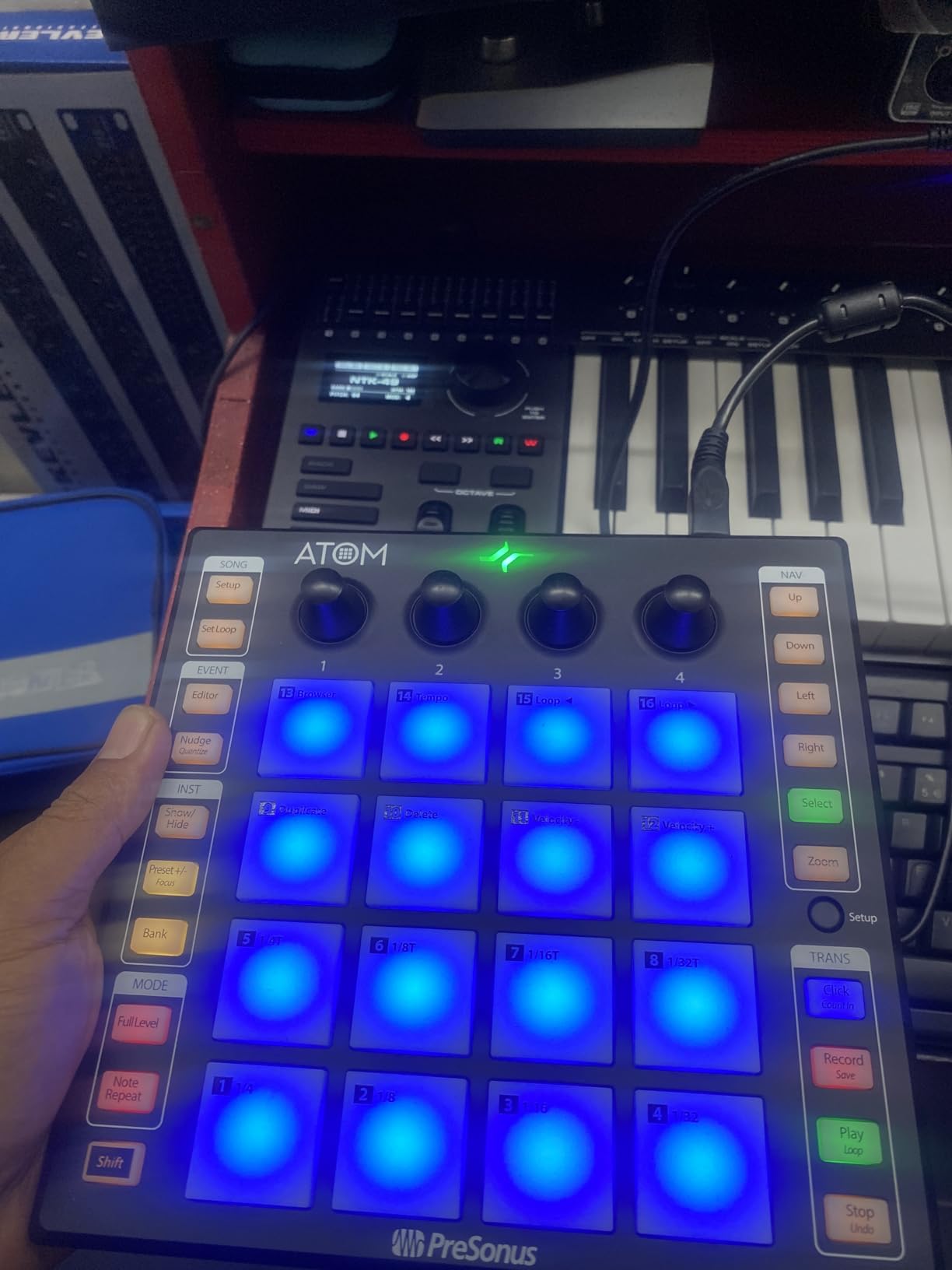
The software bundle is the real value play. Studio One Artist is a full-featured DAW (the same engine as the paid Studio One Professional, just with some advanced features removed), and Ableton Live Lite gives you a second DAW option. Plus MVP Loops content – hundreds of samples and loops – rounds out a package worth over $1000 at retail.
Note Repeat is built into a dedicated button. Tap it and the ATOM repeats the pad you hit at the rate of your choosing – perfect for programming hi-hat rolls without a mouse. Full Velocity mode sends maximum velocity on every hit, useful for consistent drum sounds.
DAW integration and limitations
The ATOM shines brightest in Studio One and Ableton Live. In those DAWs, transport, mixer, and loop controls all work without manual mapping. In other DAWs (FL Studio, Logic, Cubase), you get basic MIDI control but lose the deeper integration features.
One significant limitation: you cannot program individual MIDI note values for each pad. The pad layout is fixed to a chromatic layout, and you can’t remap specific pads to specific notes through the ATOM itself. For most beginners this doesn’t matter – the default layout works fine for finger drumming.
Who should buy the ATOM
Buy this if you want to make beats with your fingers rather than play piano parts. It’s especially good for hip-hop producers, EDM beat-makers, and anyone who wants MPC-style pad control at a lower price than the full MPC hardware. Skip it if you want to play melodies or chords – this controller has no keys. For a hybrid keys-and-pads experience, the MPK Mini MK3 or MPK Mini Plus are better options.
8. Akai Professional MPK Mini Plus – Best 37-Key MIDI Controller for Beginners With Sequencer
Akai Professional MPK Mini Plus 37-Key USB MIDI Keyboard Controller
37 velocity-sensitive mini keys
64-step sequencer
MIDI/CV/Gate I/O
Pros
- 37 keys balances portability and playing range
- Built-in 64-step sequencer for pattern programming
- MIDI/CV/Gate connectivity for modular gear
- 8 MPC RGB pads with aftertouch support
- Comprehensive software bundle included
- Native Kontrol Standard integration
- 2 months of Splice samples included
Cons
- Mini keys feel plasticky compared to full-size
- No faders included for mixer control
- Small OLED display for sequencer programming
- Sequencer workflow has a learning curve
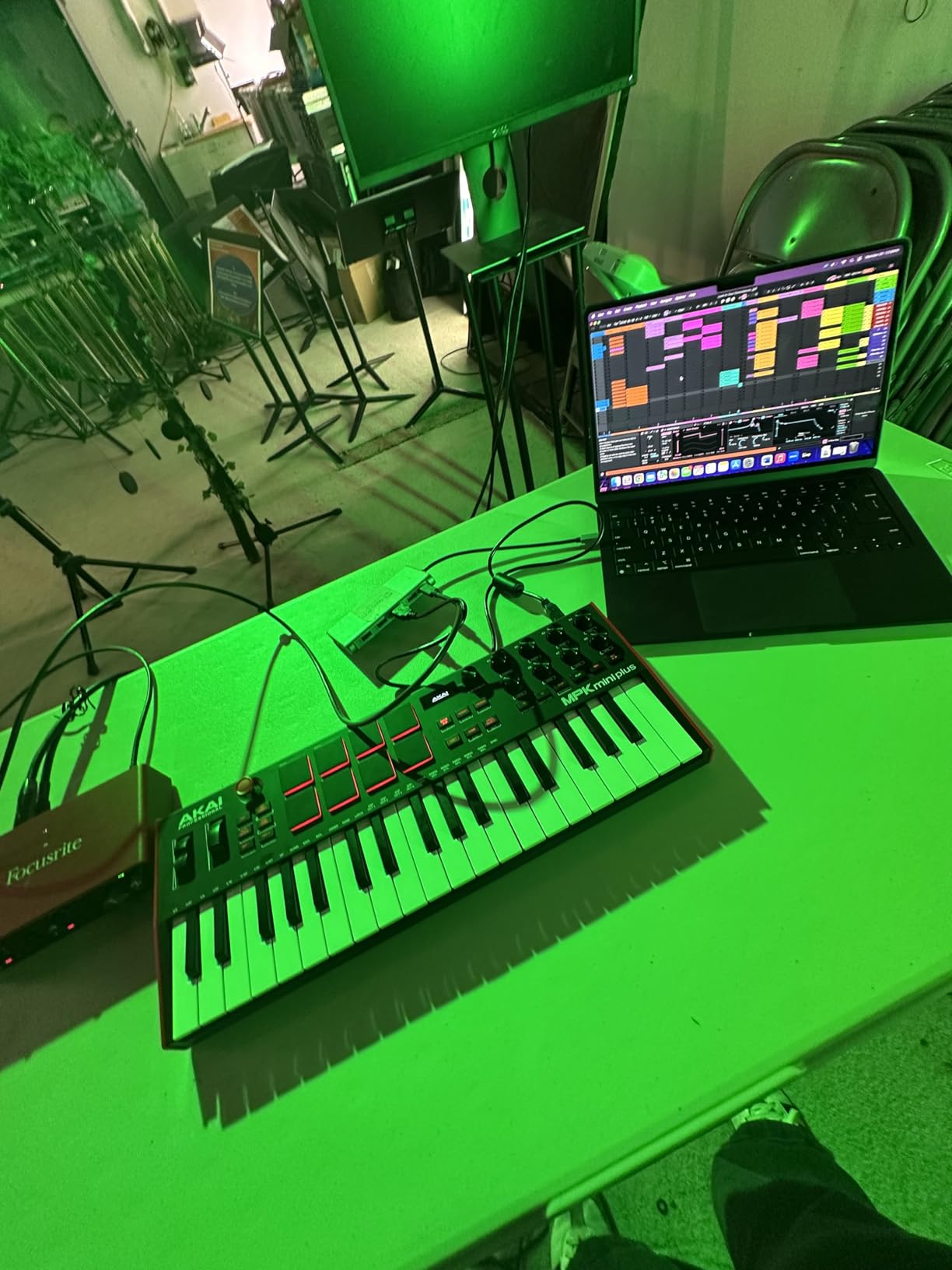
The Akai MPK Mini Plus is the grown-up sibling of the MPK Mini MK3. You get the same pads and knob layout but with 37 keys instead of 25, plus a built-in 64-step sequencer that lets you program patterns without ever opening your DAW. We used the sequencer to lay down drum patterns on the couch, away from the computer, and it worked surprisingly well.
The 37-key layout gives you a useful middle ground. You can play wider two-handed parts than 25 keys allow, but the controller still fits in a backpack. For most beginners, 37 keys is enough to play full songs without octave shifting every two bars.
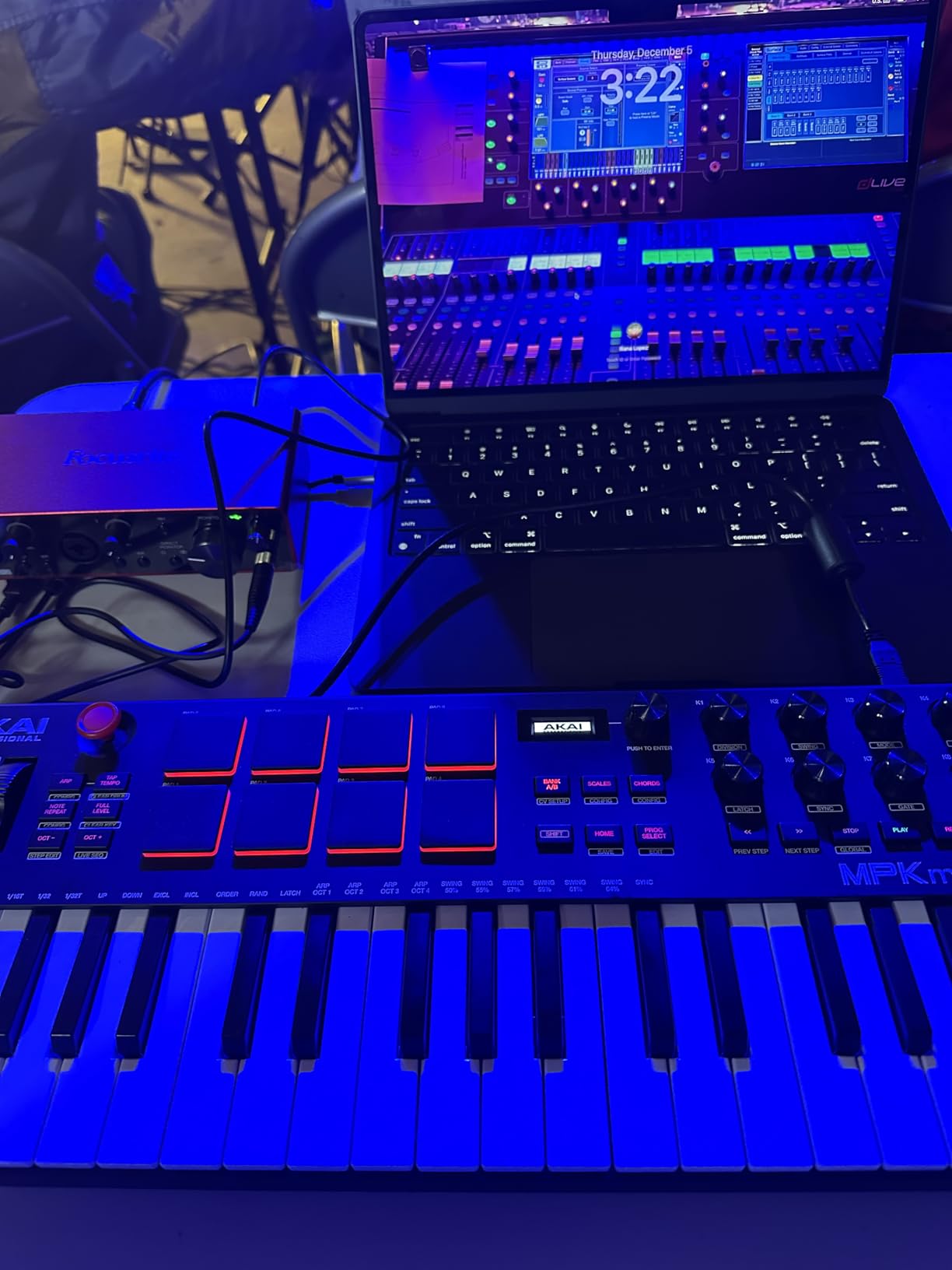
The MIDI/CV/Gate I/O is unique in this roundup. If you ever get into modular synthesizers or hardware grooveboxes, you can use the MPK Mini Plus to control them directly without a computer. For absolute beginners, this isn’t relevant – but it’s a future-proofing feature that means this controller can grow with you for years.
The 64-step sequencer is a 16-step pattern extended over 4 banks. You can program melodic patterns, drum patterns, or both. The pads light up to show active steps, and you can adjust step probability, velocity, and micro-timing. It’s a deep feature that beginners won’t use on day one but will appreciate as they grow.
Software bundle value
The MPK Mini Plus includes MPC Beats (same DAW as the smaller MK3), 3 virtual instruments, 2GB of sound content, and a 2-month Splice subscription. Splice is a sample library service – 2 months is enough time to download hundreds of samples and learn the platform. For a beginner, this is meaningful head start value.
NKS integration means Native Instruments Komplete Kontrol users get seamless browser, transport, and parameter control without manual mapping. If you use Komplete Kontrol plugins, this is one of the best controllers you can buy at this price.
Who should buy the MPK Mini Plus
Buy this if you want extra keys (37 vs 25), the sequencer feature appeals to you, or you have plans to get into modular synths. It’s the best choice for beginners who want a controller that won’t feel limiting after 6 months of growth. Skip it if 25 keys is enough for your style, or if you want faders for mixer control (you’ll need a different controller). For most beginners, however, this is the most future-proof pick in this roundup.
What to Look for in a Beginner MIDI Controller in 2026
Picking your first MIDI controller comes down to five decisions. We walk through each one based on what we learned from testing these 8 controllers.
How many keys do you actually need?
For pure beat-making and short melodies, 25 mini keys is enough. If you want to play piano-style parts or learn keyboard skills alongside production, jump to 49 or 61 keys. The middle ground is 37 keys, which our team found is enough for most pop and EDM production without feeling cramped. Mini keys (smaller than piano keys) feel different from full-size keys – expect a transition period if you plan to play piano later.
Do you need pads, knobs, and faders?
If you want to make beats with finger drumming, get a controller with pads (Akai MPK series, PreSonus ATOM). If you want to tweak synth parameters without touching the mouse, get one with knobs and faders (Arturia MiniLab 3, Nektar SE61). If you only need to play notes, a controller like the Midiplus AKM320 keeps things simple and cheap. Most beginners benefit from at least 8 pads – they’re the fastest way to program drums.
Which DAW are you using?
Different controllers integrate better with different DAWs. Ableton Live users get deep integration from Novation Launchkey and PreSonus ATOM. Logic Pro users get the most from Native Instruments Komplete Kontrol controllers. Bitwig users get native integration with Nektar. If you don’t know your DAW yet, GarageBand (free on Mac) and Cakewalk (free on Windows) are good starting points that work with all the controllers in this roundup.
How much does the software bundle matter?
For beginners, software bundles are huge. The Akai MPK Mini MK3 includes a full DAW (MPC Beats) and sound content worth several hundred dollars if purchased separately. The Arturia MiniLab 3 includes Analog Lab Intro and a Steinway piano sample. The PreSonus ATOM includes Studio One Artist – a paid DAW that’s yours to keep. Budget controllers like the Midiplus AKM320 include no software, which means you’ll need to source a DAW separately.
Should you consider MPE and aftertouch?
MPE (MIDI Polyphonic Expression) lets you control each note independently with pressure, slide, and other gestures. It’s a deeper feature that beginners won’t use on day one, but it’s worth knowing about. The Akai MPK Mini Plus supports polyphonic aftertouch on its pads. Most mini controllers in this roundup do not support MPE – if expression control matters to you, look at the ROLI Piano M or Seaboard series instead. For most beginners, standard velocity sensitivity is enough to start.
Still deciding between MIDI controllers and full keyboards? Our beginner MIDI controller guide walks through the differences. For a broader look at production gear, see our producer-focused roundup.
Frequently Asked Questions
What kind of MIDI controller should I get as a beginner?
If you’re making beats and electronic music, get a 25-key controller with pads and knobs like the Akai MPK Mini MK3 or Arturia MiniLab 3. If you want to play piano parts, get a 61-key controller like the Nektar SE61. If you want to finger drum without playing keys, the PreSonus ATOM is purpose-built for that. Match the controller to the kind of music you want to make, and choose a DAW that pairs well with it.
What is the best affordable MIDI controller?
The Akai MPK Mini MK3 is the best affordable MIDI controller for most beginners – it includes pads, knobs, and a full DAW (MPC Beats) for under $100. The Midiplus AKM320 is the cheapest option if budget is the top priority. The Arturia MiniLab 3 costs a bit more but includes premium software (Analog Lab Intro, Ableton Live Lite) that adds meaningful value beyond the hardware.
Is it worth getting a MIDI controller as a beginner?
Yes – a MIDI controller is one of the fastest ways to translate musical ideas into your DAW. Clicking notes with a mouse is slow and feels disconnected from the music. A controller lets you play in real time, add dynamics through velocity sensitivity, and build beats with finger drumming. Even a $40 budget controller will dramatically improve your workflow compared to mouse-only production.
Do I need a MIDI controller with a built-in audio interface?
For most beginners, no. Most audio interfaces connect separately to your computer via USB, and your MIDI controller plugs into a different USB port. The controllers in this roundup are pure MIDI controllers – they send note and control data to your DAW, which generates the sound. If you also need to record vocals or guitar, pair your MIDI controller with a separate audio interface like the Focusrite Scarlett Solo.
Final Verdict: Which MIDI Controller Should Beginners Buy in 2026?
After testing 8 controllers across 3 months, the Akai Professional MPK Mini MK3 remains our top recommendation for most beginners in 2026. It pairs responsive keys with the best pads in this category, includes a full DAW (MPC Beats), and costs less than a dinner out. For $30 more, the Arturia MiniLab 3 offers better key feel and premium software that holds its value over years.
If budget is the deciding factor, the Midiplus AKM320 delivers 32 keys and real pitch/mod wheels for under $40. For piano-style playing, the Nektar SE61 with 61 full-size keys is the obvious choice. For finger-drumming specialists, the PreSonus ATOM packs $1000 of software into a pad-focused layout.
Whatever you choose, the most important step is the first one. Pick the controller that fits your budget and your musical style, plug it in, and start making sounds. Your first 100 hours with a MIDI controller will teach you more than any guide ever could. We’ve collected our picks for the best key MIDI controllers if you want a deeper comparison, and our broader production roundup if you’re ready to explore beyond beginner controllers.