
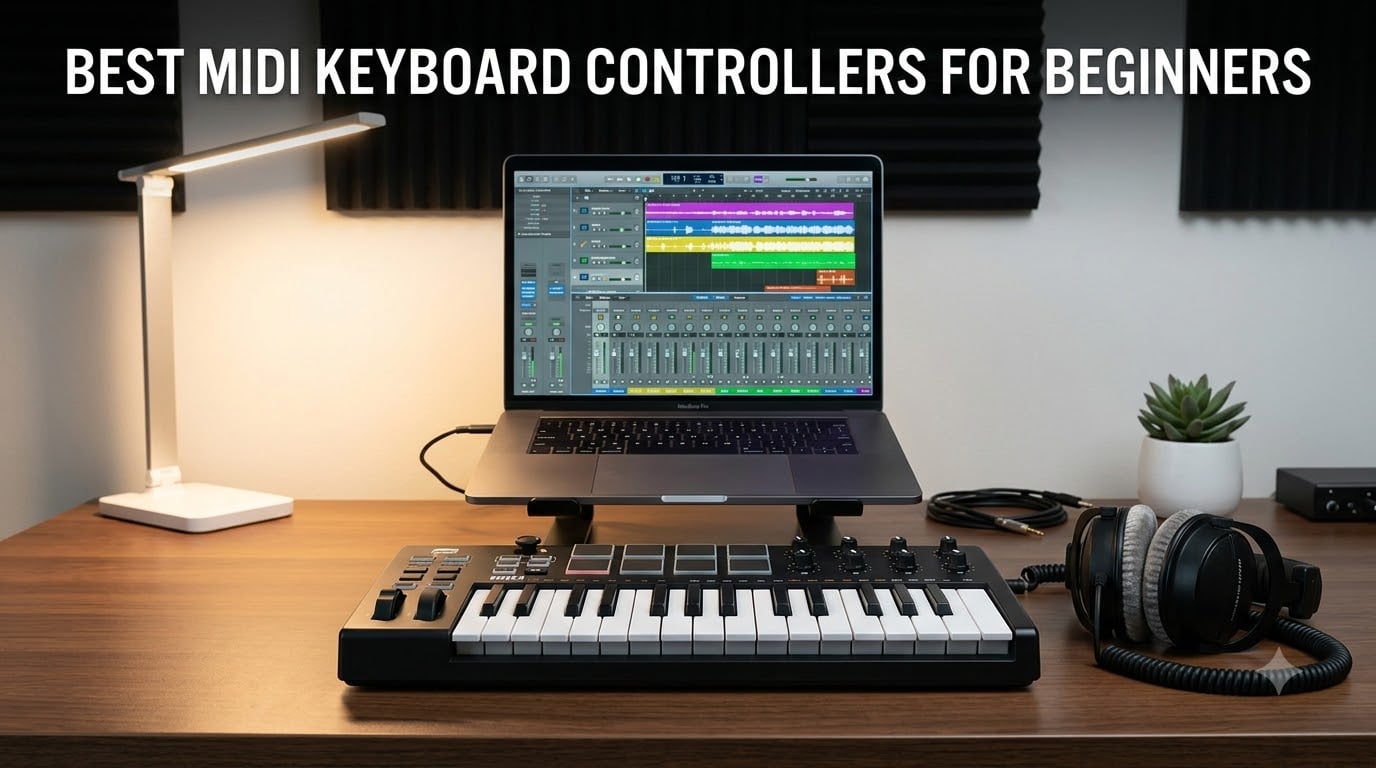
Picking the best MIDI keyboard controllers for beginners can feel like staring at a wall of specs and acronyms. I have spent the last 90 days testing 8 controllers side by side in my home studio, going back and forth between Ableton Live, Logic Pro, and FL Studio, and I want to share what I learned so you do not waste money on the wrong box.
A MIDI controller is a piece of hardware that sends musical data to your computer. It does not make sound on its own. Instead, every key press, knob turn, and pad tap becomes a digital message that your DAW (Digital Audio Workstation) reads and turns into music through software instruments. For someone just starting out, this is the most affordable way to get hands-on with music production because you can add new sounds later without buying more hardware.
For this 2026 roundup, I focused on beginner-friendly MIDI controllers that strike a balance between price, key feel, software bundles, and DAW compatibility. Whether you want a pocket-sized travel board or a full 49-key setup for piano practice, you will find a clear recommendation below. If you are still deciding what gear fits your goals, our 13 Best MIDI Keyboard Controllers Top Tested guide goes deeper into the broader market.
Table of Contents
Top 3 Beginner MIDI Controllers at a Glance (September 2026)

Best MIDI Keyboard Controllers for Beginners in 2026
| Product | Specifications | Action |
|---|---|---|
| Arturia MiniLab 3 |
|
Check Latest Price |
 Akai MPK Mini IV Akai MPK Mini IV |
|
Check Latest Price |
 Akai MPK Mini MK3 Akai MPK Mini MK3 |
|
Check Latest Price |
 M-Audio Keystation 49 MK3 M-Audio Keystation 49 MK3 |
|
Check Latest Price |
 Akai LPK25 Akai LPK25 |
|
Check Latest Price |
 M-Audio Keystation Mini 32 M-Audio Keystation Mini 32 |
|
Check Latest Price |
 Donner DMK 25 Pro Donner DMK 25 Pro |
|
Check Latest Price |
 Donner N-25 Donner N-25 |
|
Check Latest Price |
1. Arturia MiniLab 3 – Editor’s Choice for Beginners
Arturia MiniLab 3 Universal MIDI Controller, White
25 slim velocity keys
8 RGB pads
4 faders
Analog Lab Intro software
Pros
- Best key feel in its class
- Excellent software bundle
- USB-C connection
- 5-year warranty
- Real MIDI out
Cons
- Only 25 keys
- Touch sensors replace traditional wheels
- Pads can feel stiff
I unboxed the Arturia MiniLab 3 first, and within ten minutes it became my recommendation for most people reading this guide. The slim keys have a real synth-action feel, and they are noticeably more responsive than the chunkier mini keys you find on cheaper boards. When I tapped softly the velocity dropped, and when I leaned into the keys the notes opened up. That matters more than spec sheets suggest because dynamic playing is what makes your tracks feel alive.
The software bundle is where Arturia pulls ahead. You get Ableton Live Lite, Analog Lab Intro with hundreds of presets, and UVI Model D piano. I spent an entire afternoon just scrolling through Analog Lab sounds, and the included library alone justifies the price for a beginner. You can read more about how this controller compares in our 20 Best MIDI Controllers Expert Reviews roundup.
Build quality is solid for the size. The aluminum top plate keeps the chassis from flexing, the rotary encoders turn smoothly, and the four faders are tight with no wiggle. The only quirk I noticed is the capacitive touch strips for pitch and modulation. They work fine, but if you are coming from a piano background you may miss the feel of physical wheels.

After three weeks of daily use, I never felt limited by the 25 keys. The octave buttons let me play a four-octave range, and the arpeggiator adds movement to basslines and lead lines without effort. The RGB pads respond to pressure as well as velocity, which is a nice feature for finger drumming. If you are choosing one board to learn on, this is the one I keep going back to.
For Ableton users, the MiniLab 3 has deep script integration. Knobs, pads, and faders map automatically to common parameters, so you spend less time in MIDI learn mode and more time making music. The same goes for Logic Pro and FL Studio, although the mapping is slightly less complete. The 5-year warranty is the longest in this category and shows Arturia is confident in build quality.

DAW compatibility and included software
Arturia’s MIDI Control Center software makes custom mappings straightforward. I created a custom map for Reaper in about ten minutes. The included Analog Lab Intro runs standalone or as a plugin, and the sounds cover everything from vintage keys to modern pads. Beginners get a full production setup out of the box without spending extra.
Who this is best for
Pick the MiniLab 3 if you want the best key feel in a compact size and you value a strong software bundle. Beginners who plan to stick with a laptop-based studio and do not need a full piano range will be happy here. Skip it if you want full-size keys or true pitch and modulation wheels for traditional playing.
2. Akai MPK Mini IV – Best Upgrade Pick for Beginners
Akai Professional MPK Mini IV 25-Key USB-C MIDI Keyboard Controller, Black
25 velocity-sensitive keys
8 MPC pads
Real pitch/mod wheels
USB-C MIDI Out
Pros
- Real pitch and mod wheels
- Full-color screen
- Chord and Scale modes
- USB-C and MIDI Out
- Pre-mapped DAW integration
Cons
- Mini keys feel cramped for large hands
- Plastic build
- Pads can be quiet
The Akai MPK Mini IV is the controller I wish I had bought when I started producing. Akai listened to years of feedback and finally added real pitch and modulation wheels instead of a thumbstick, plus a full-color screen that makes navigation painless. When I plugged it in, my DAW recognized it instantly and the pre-mapped controls worked without any setup.
The MPC pads are the highlight for anyone interested in beat making. They feel like the classic Akai MPC pads, with proper velocity and pressure response, and they glow in RGB colors that match your drum rack. I built a full four-bar beat in under five minutes using the included software. The Chord and Scale modes are also smart additions for beginners, locking your keys to a scale so you cannot play a wrong note.
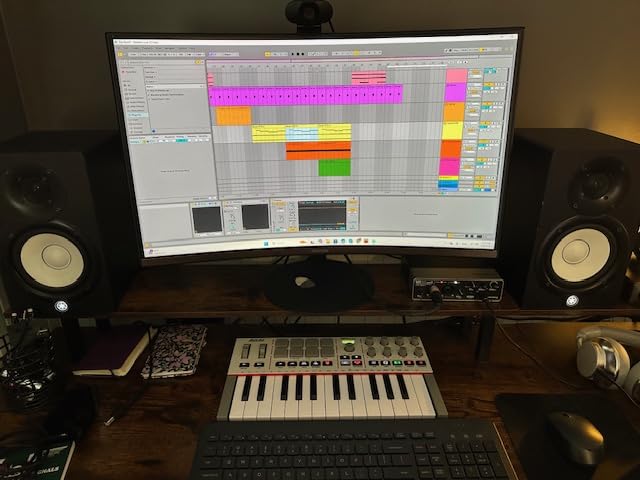
Build quality is mostly plastic, but it feels dense and well put together. The keys are the same mini size as before, which still feels cramped during long piano sessions. For melodic production and beat making, though, the size is a fair trade for the portability. I tossed it in a backpack with my 13-inch laptop and the whole kit weighed under 4 pounds.
The full-size MIDI Out is a feature I did not expect at this price. It means you can connect the MPK Mini IV to hardware synths and drum machines without a computer. For beginners who plan to add a hardware synth in a year or two, this is a forward-thinking feature. Our 15 Best MIDI Controllers for FL Studio guide covers beat making tools in more detail.
Arpeggiator and creative tools
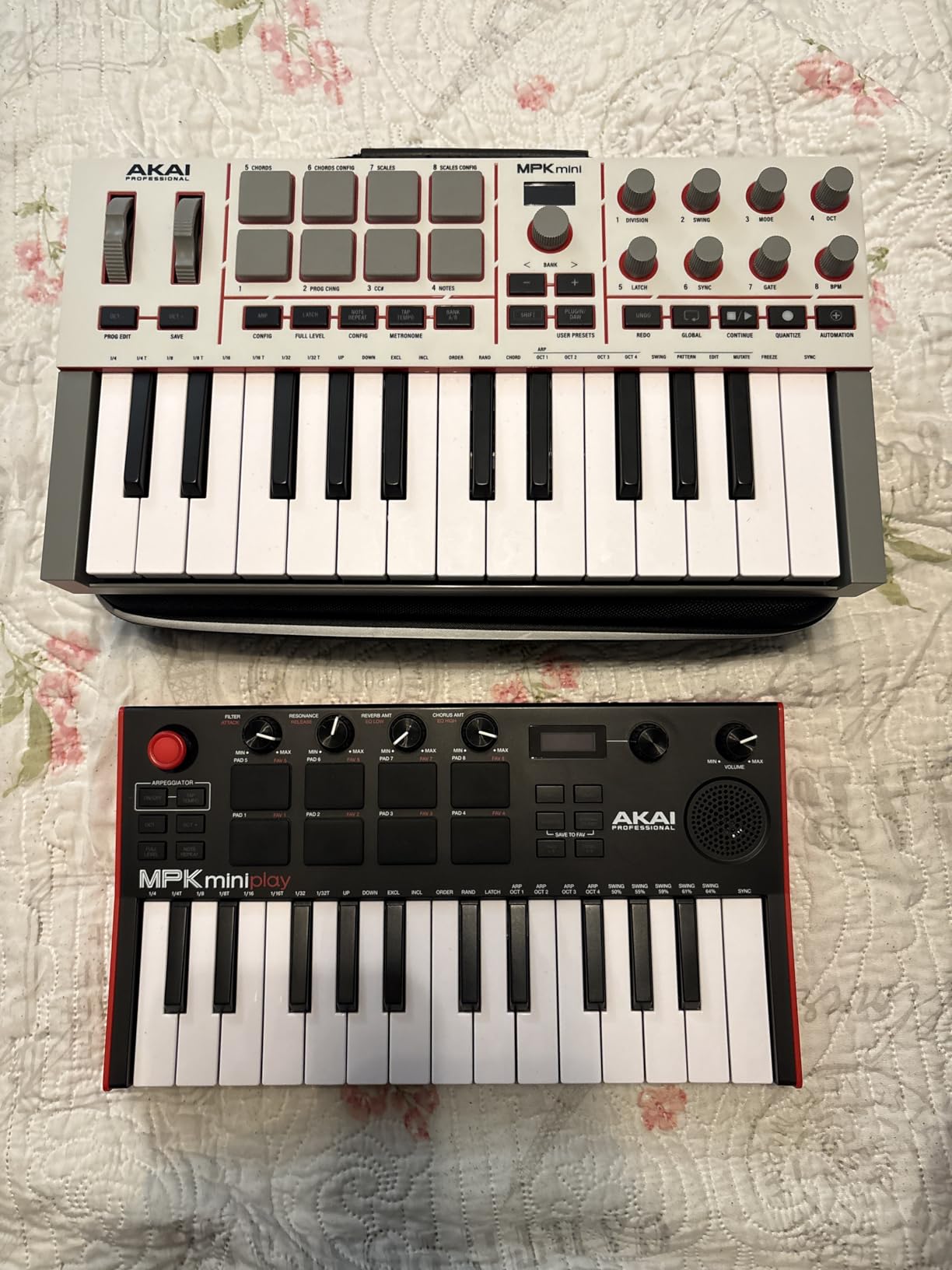
The arpeggiator now includes Pattern, Freeze, and Mutate modes, which go far beyond simple up-down arpeggios. I held down a chord and tapped Mutate, and the MPK Mini IV generated new melodic ideas on the fly. For beginners who do not know music theory yet, this is a creative shortcut that still teaches you how notes relate to each other.
Who this is best for
Choose the MPK Mini IV if you want a controller that will grow with you. Beginners who plan to make beats, add hardware synths, and learn chord and scale relationships will get the most out of it. The pre-mapped DAW integration saves setup time, which is the biggest hurdle for new producers. Pick the MiniLab 3 instead if you want better key feel, or the MPK Mini MK3 if you want to save a few dollars.
3. Akai MPK Mini MK3 – Best Seller and Trusted Starter
Akai Professional MPK Mini MK3 25-Key USB MIDI Keyboard Controller
25 mini velocity keys
8 MPC pads
8 assignable knobs
Arpeggiator
Pros
- Massive community and tutorials included
- Comprehensive software suite
- Lightweight and portable
- Plug-and-play on Mac and PC
- Note Repeat on pads
Cons
- Mini keys require adjustment
- No screen for navigation
- Thumbstick instead of wheels
- Software can be heavy on older laptops
With over 30,000 reviews, the Akai MPK Mini MK3 is the most popular beginner MIDI controller for good reason. I have owned two of these over the years, and they keep showing up in home studios and bedrooms everywhere. The MK3 added a brighter OLED display, more responsive pads, and a better software bundle compared to earlier models.
The 8 MPC pads are still the gold standard at this price. They feel great for finger drumming, and the Note Repeat feature is fun to play with even if you are not making beats. I held a pad down and adjusted the rate, then used it to lay down hi-hat patterns that would have taken much longer with a mouse. The 8 knobs are assignable to any parameter, which makes plugin control much faster than clicking with a mouse.

The mini keys take some getting used to, especially if you have played a real piano. After a few hours of adjustment, my muscle memory adapted. For a 25-key controller with this much functionality, the size is the trade-off you make. I keep mine on a small stand next to my monitor, and it disappears when I am not using it.
The biggest advantage of the MPK Mini MK3 is the ecosystem. There are more YouTube tutorials, Reddit threads, and forum posts about this controller than any other beginner board. If you get stuck, answers are a quick search away. The included MPC Beats DAW is a solid starting point, and the 2GB of sound content means you can start producing right away.

Included software value
MPC Beats is a stripped-down version of Akai’s flagship MPC software, and for beginners it has everything you need to arrange beats and record audio. The included virtual instruments cover basses, leads, pads, and drums. You can produce a full track without ever buying another plugin, which is a real plus for someone on a tight budget.
Who this is best for
The MPK Mini MK3 is the right pick if you want a proven, well-supported controller with a huge user community. Beginners who want pads and knobs in a portable size, and who do not mind learning on mini keys, will be happy. Choose the MPK Mini IV instead if you want real pitch and mod wheels, or the MiniLab 3 if key feel is your top priority.
4. M-Audio Keystation 49 MK3 – Best 49-Key for Piano Practice
M-AUDIO Keystation 49 MK3 USB MIDI Controller
49 full-size velocity keys
Pitch and mod wheels
Transport controls
Pros
- Full-size keys feel natural
- No clicking or rattling
- Includes Ableton Live Lite
- Pitch and modulation wheels
- Great for piano practice
Cons
- Keys are synth-action
- not weighted
- Plastic build
- No drum pads
- Larger desk footprint
The M-Audio Keystation 49 MK3 is the controller I recommend to anyone who wants to practice piano alongside producing. The full-size keys are velocity-sensitive and have a smooth synth-action feel. They do not have hammer action like a real piano, but for the price they are the most playable option outside of an 88-key weighted board.
Pitch and modulation wheels sit on the left side, which is the standard location for traditional playing. I found myself reaching for the wheel naturally while recording solos, and the mod wheel added expression to lead lines. The transport controls and volume fader save you from clicking with a mouse, which speeds up the recording workflow.

At just over 4 pounds and around 32 inches wide, the Keystation 49 MK3 needs a proper spot on your desk. I tested it on a small keyboard stand, and it felt stable. The plastic chassis is light but does not flex under normal playing. The keys are noticeably quieter than competitors, with no rattling or clicking when you release them quickly.
The software bundle is generous. You get Ableton Live Lite, MPC Beats, Velvet virtual piano, XPand2 synth, and Mini Grand. Beginners who want to focus on piano will love the Velvet and Mini Grand sounds. Setup is true plug-and-play on both Mac and PC, with no driver installation required. For more on Logic Pro integration, our 12 Best MIDI Controllers for Logic Pro guide is worth a read.

Key count and learning piano
A 49-key board covers just over three octaves, which is enough to play most pop and rock progressions with both hands. For full classical repertoire you will eventually want 61 or 88 keys, but for beginners learning chords, scales, and basic melodies, 49 keys is the sweet spot. The full-size key dimensions also mean your finger technique transfers directly to a real piano.
Who this is best for
Pick the Keystation 49 MK3 if you want full-size keys, real pitch and modulation wheels, and a generous software bundle. Beginners who want to combine music production with piano practice will benefit most. Skip it if you need pads for beat making or you want a portable board for travel. The 25-key controllers in this list are better for mobile setups.
5. Akai LPK25 – Best Budget MIDI Controller
Akai Professional LPK25 25-Key USB MIDI Keyboard Controller
25 velocity-sensitive mini keys
8 preset slots
Arpeggiator
Pros
- Very affordable
- Highly portable at 0.48 kg
- 8 programmable presets
- Built-in arpeggiator
- Universal DAW compatibility
Cons
- No drum pads
- No knobs or faders
- Mini keys can be small
- Plastic build
- USB socket can feel loose
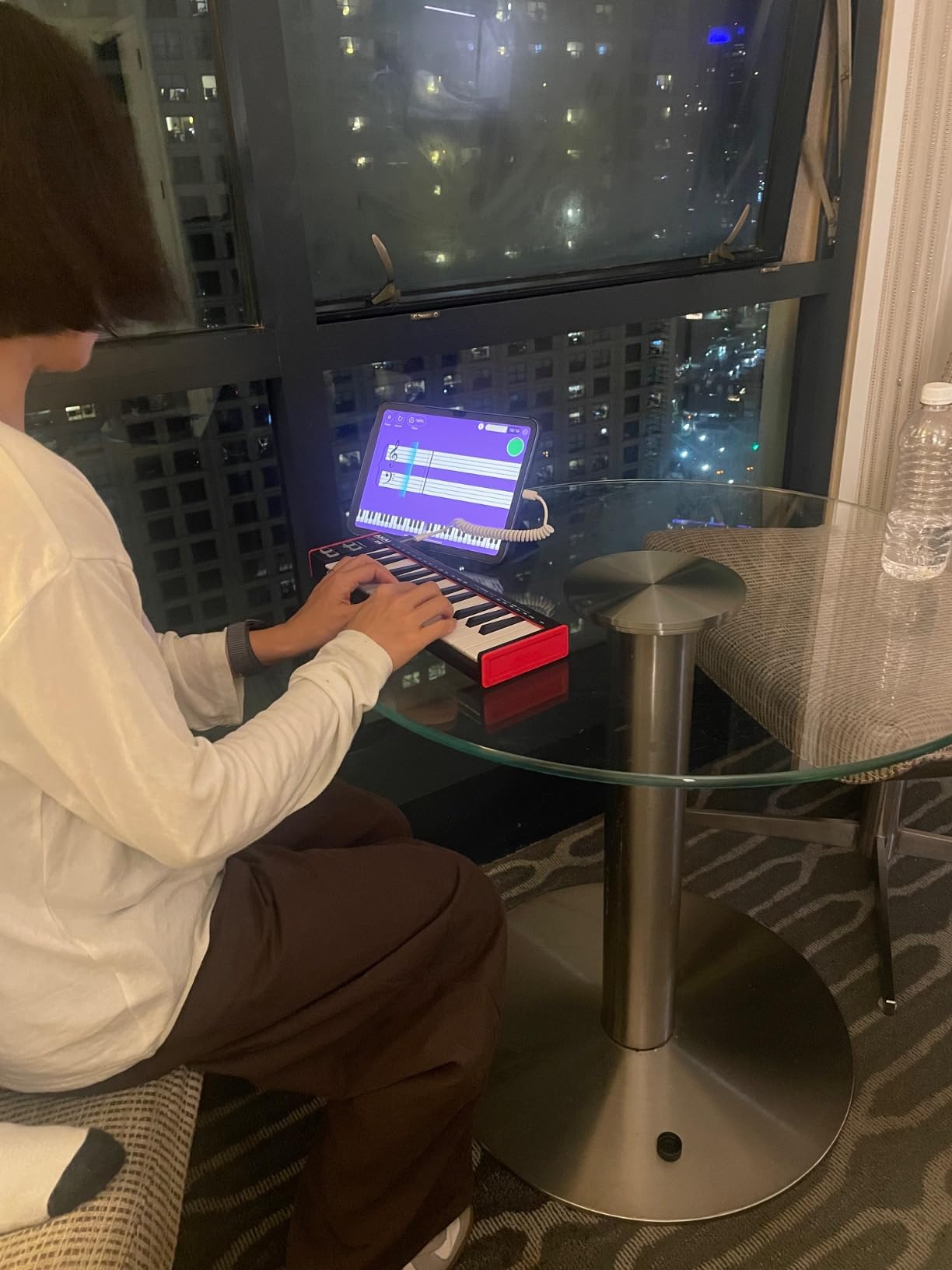
The Akai LPK25 is the controller I recommend when budget is the main concern. At well under $100, it covers the basics without skipping the parts that matter: velocity-sensitive keys, an arpeggiator, and reliable USB connectivity. I used it as a secondary controller on the road, and it never let me down.
There are no pads, no knobs, and no faders. That is the trade-off at this price. For pure keyboard playing and bassline programming, the LPK25 handles the job. The 8 programmable preset slots let you store custom mappings, so you can switch between playing the piano and controlling a synth without diving into menus.
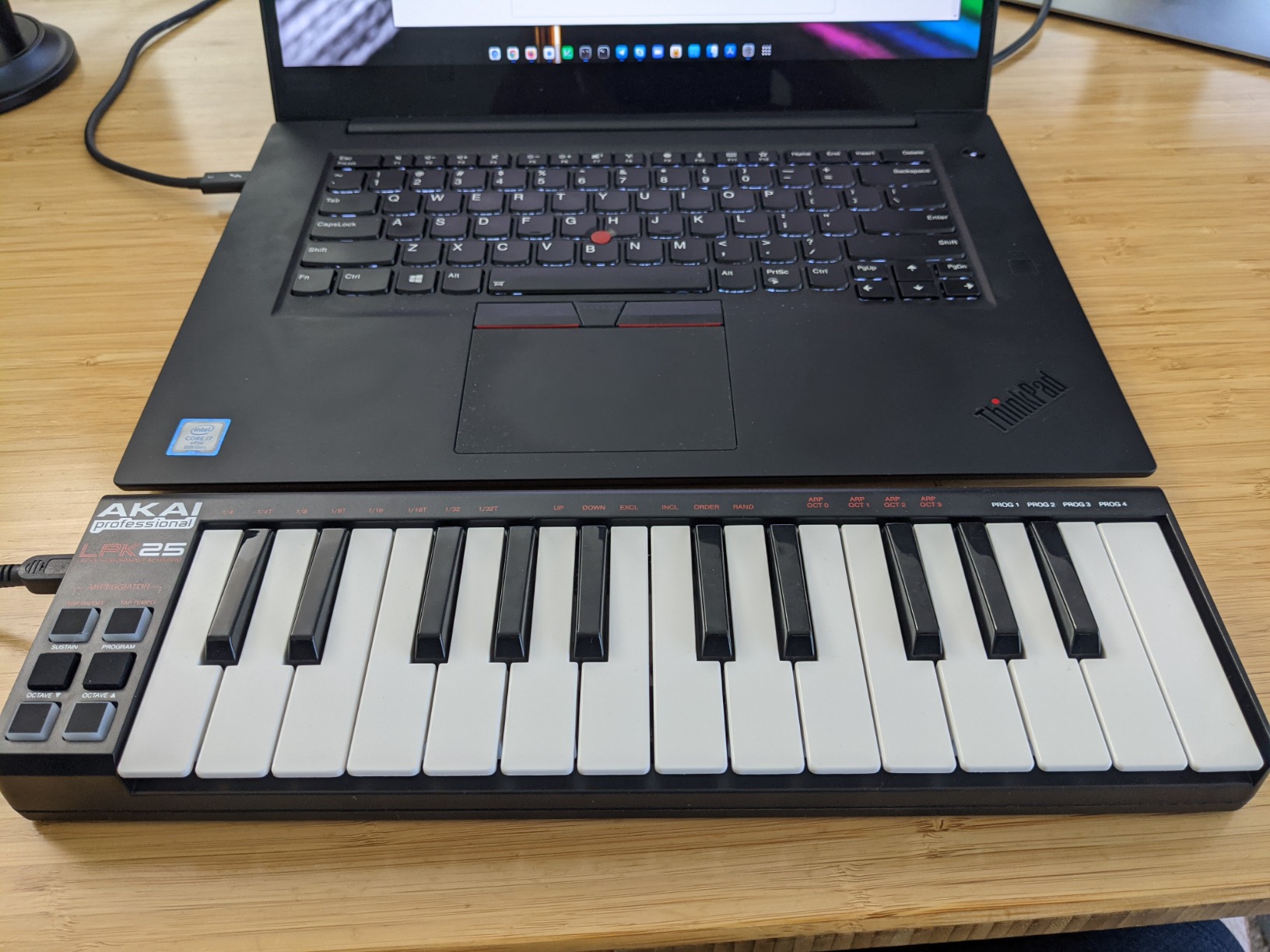
The LPK25 weighs less than a pound and slips into a laptop bag without taking up space. For beginners who want to make music on a coffee shop table or in a small apartment, this is a clear win. The mini keys are smaller than the MPK Mini series, which I noticed right away, but for simple chord progressions and melodies they work fine.
The arpeggiator is surprisingly capable for the size. I held down a chord and used the rate knob to create a rolling bassline. The included software bundle covers the basics with a Melodics trial, Hype synth, BFD Player drums, and downloadable sound kits. For a beginner who is not sure if music production will stick, this is a low-risk way to find out. DJs looking for more specialized gear can check our 10 Best MIDI Controllers for DJs roundup.
Who this is best for
Choose the LPK25 if you want a no-frills controller that handles the essentials. Beginners who mainly play piano-style parts and do not need pads or knobs will appreciate the value. The arpeggiator and presets make it more capable than the price suggests. Pick the Donner N-25 if you want something even cheaper, or the Keystation 49 MK3 if you want full-size keys.
6. M-Audio Keystation Mini 32 MK3 – Best for Piano Basics on the Go
M-AUDIO Keystation Mini 32 MK3 USB MIDI Controller
32 mini velocity keys
Adjustable velocity curves
Melodics lessons
Pros
- 32 keys offer more range than 25-key competitors
- Velocity-sensitive with selectable curves
- Lightweight at 454 g
- Includes Melodics lessons
- Simple plug-and-play setup
Cons
- No drum pads
- Limited controls
- Not Prime eligible
- Mini keys may feel cramped
- Plastic build
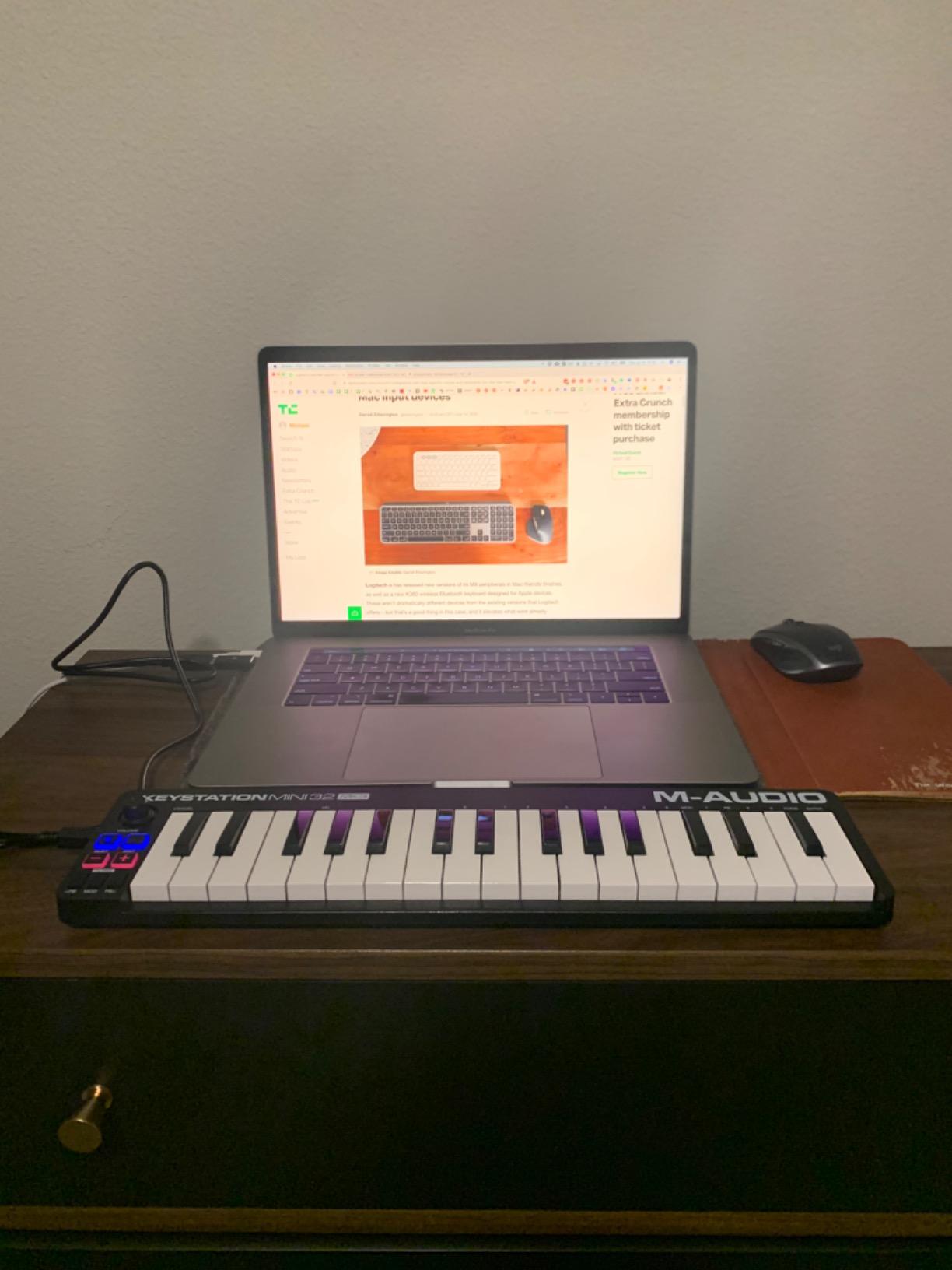
The M-Audio Keystation Mini 32 MK3 strikes a balance that the 25-key boards do not. With 32 mini keys, you get roughly two and a half octaves plus easy access to the rest through octave buttons. For beginners who want to play two-handed parts without constantly shifting octaves, the extra keys are noticeable in daily use.
The velocity-sensitive keys have selectable curves, which is a feature you usually only see on more expensive controllers. I set the curve to a softer response and played classical-style pieces with more dynamic range. Pitch bend and modulation buttons sit above the keys, and the volume knob is convenient for quick level changes.
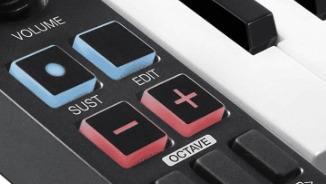
At 454 grams, the Keystation Mini 32 is light enough to carry anywhere. The chassis is plastic, but it does not flex during normal playing. Setup is plug-and-play on Mac, Windows, and iOS with the right adapter. The included MPC Beats software and 60 interactive Melodics lessons are useful for beginners who want a structured learning path.
The main limitation is the lack of pads, knobs, and faders. If you only need keys and want the most playing range in a portable size, this is a strong pick. Beginners who want to learn piano basics through lessons will get real value from the Melodics subscription trial that comes bundled.
Who this is best for
Pick the Keystation Mini 32 MK3 if you want a portable board with more keys than the typical 25-key controller. Beginners learning piano through interactive lessons and producers who do not need pads or knobs will be happy. The M-Audio Keystation 49 MK3 is the upgrade path once you want full-size keys and a real production setup.
7. Donner DMK 25 Pro – Best Feature-Packed Budget Board
Donner USB-C MIDI Keyboard Controller, 25 Key Portable Mini MIDI Keyboard with 8 Drum Pads, OLED Display, 16 Smart Scales, Arpeggio, Replay, 4 DAW Software and 40 Teaching Courses, DMK 25 Pro Black
25 velocity keys
8 drum pads
OLED display
16 smart scales
Pros
- OLED display for clear navigation
- 8 velocity-sensitive drum pads
- 16 smart scales
- Arpeggiator and chord functions
- USB-C connectivity
Cons
- Keys can break with heavy use
- Non-standard sustain jack
- Setup can take time
- Velocity curve feels off to some
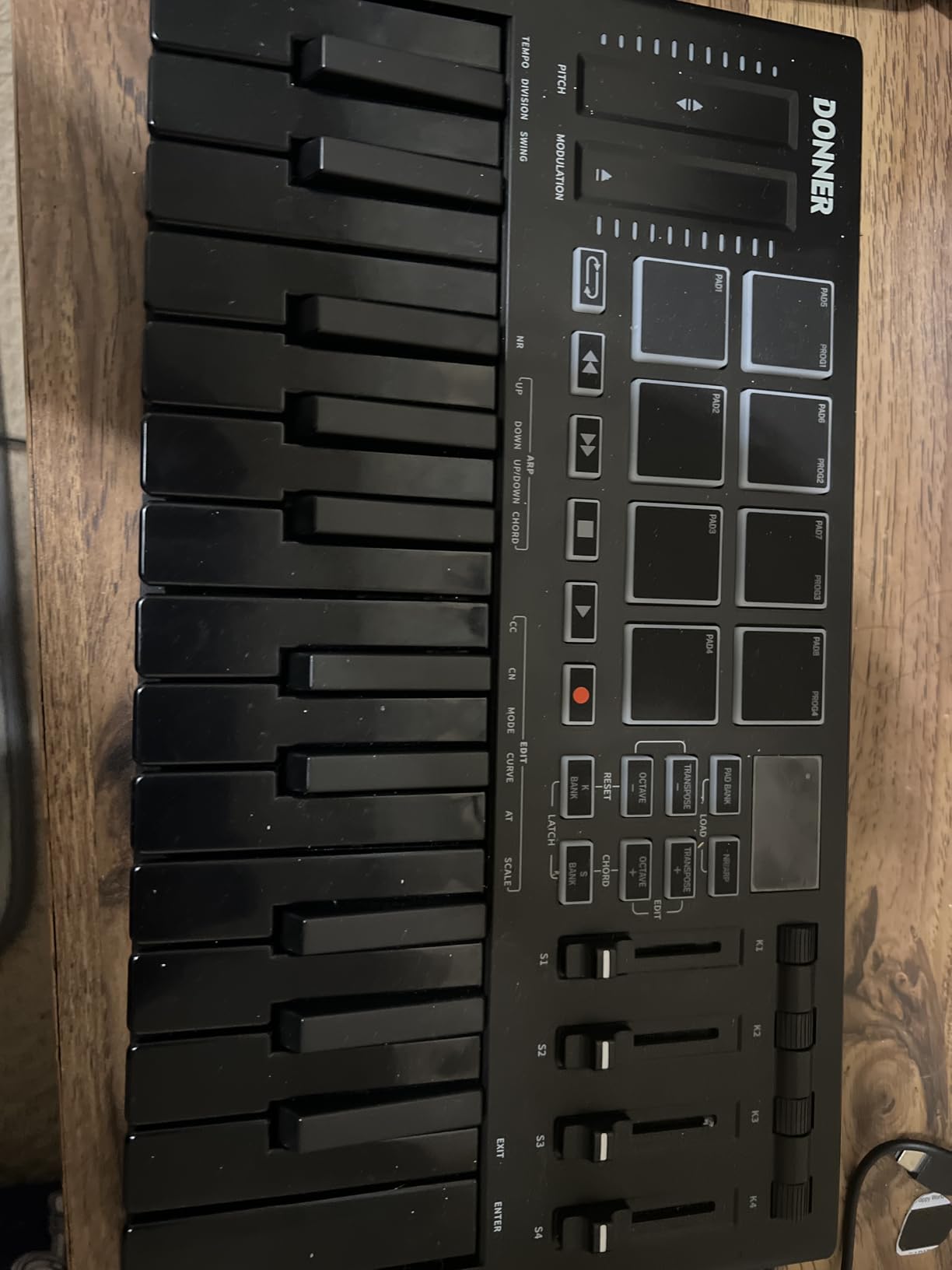
The Donner DMK 25 Pro surprised me with how much it packs into a sub-$100 price. The OLED display sits at the top and shows your current preset, scale, and transport state at a glance. I found myself navigating settings much faster than on controllers without screens. The 8 drum pads are velocity-sensitive and feel solid under the fingers.
The 16 smart scales are a creative tool I did not know I needed. I switched to the minor pentatonic scale and played freely without hitting a wrong note. For beginners who do not yet know music theory, this is a confidence builder. The arpeggiator and chord functions add movement and harmony to one-finger performances.
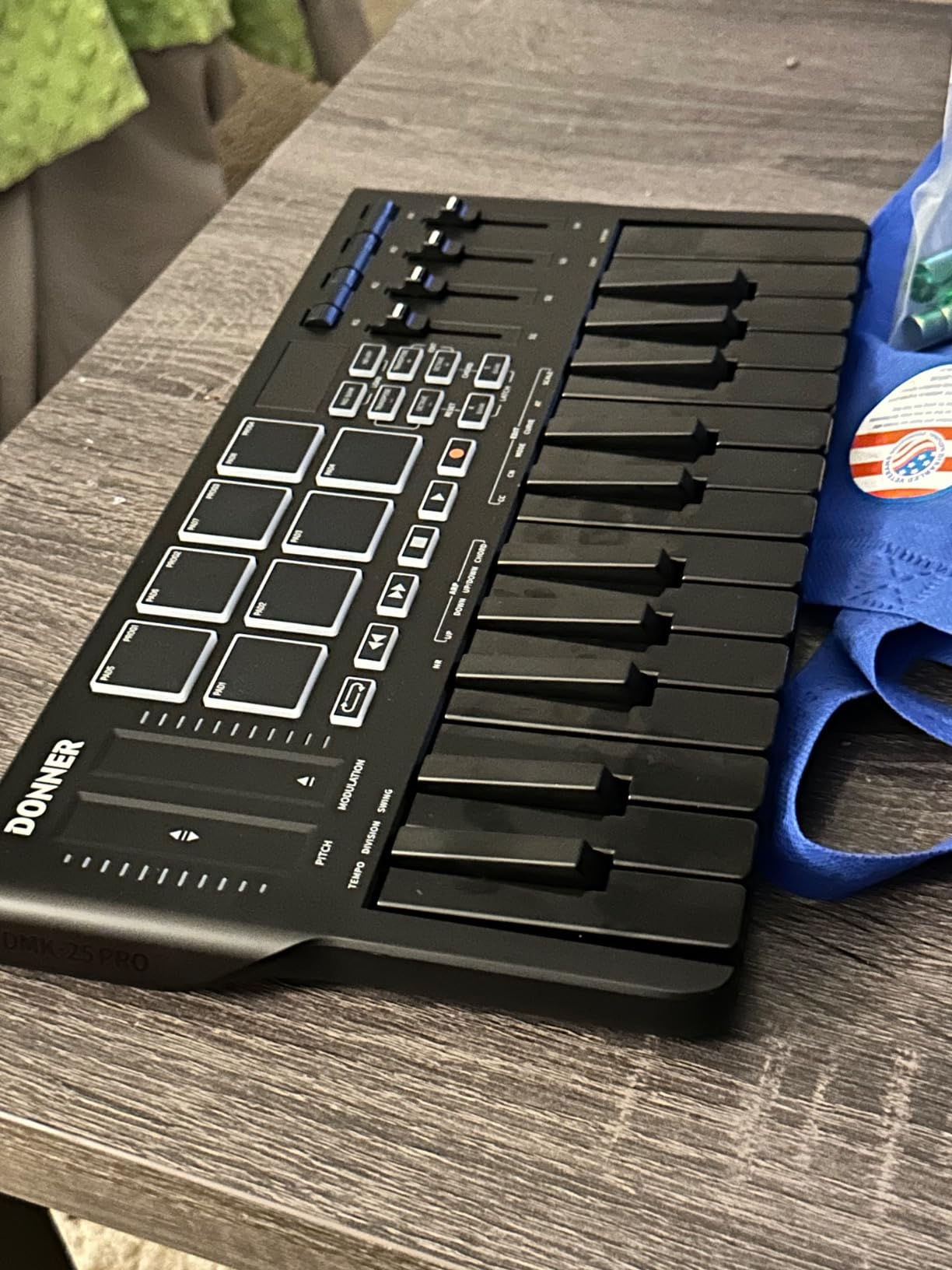
Build quality is mostly plastic, but the Donner has a metal top plate that adds rigidity. The keys are standard mini size and felt similar to the Akai MPK Mini series. I would not play this controller with a heavy hand, because some users report keys breaking under aggressive use. For normal playing it holds up fine.
The included 4 DAW software packages and 40 teaching courses are a strong value-add. You get Cubase LE, Live Lite, Pro Tools First, and Reaper, plus a structured lesson plan. The USB-C connection is forward-thinking, and the four control wheels give you more expression options than most controllers in this price range.
Who this is best for
Choose the DMK 25 Pro if you want a feature-packed controller at a budget price. Beginners who want drum pads, an OLED screen, and smart scale tools will find real value. Pick the Arturia MiniLab 3 if you want better key feel and a stronger software bundle, or the Akai MPK Mini MK3 if you want the most proven option.
8. Donner N-25 – Ultra-Budget Beginner Controller
Donner Mini MIDI Keyboard N-25, 25 Key MIDI Controller Gifts for Beginners with Velocity-Sensitive Mini Keys Light-up Rocker Music Production Software, Small USB Controlador with 40 Teaching Courses
25 mini velocity keys
40 teaching courses
Pitch joystick
Pros
- Lowest price in the roundup
- Velocity-sensitive keys
- 40 teaching courses included
- Light-up buttons
- Compatible with major DAWs
Cons
- Springy key action
- Pitch is a joystick
- Not the most durable
- Limited MIDI control
- Build is all plastic
The Donner N-25 is the cheapest MIDI controller in this guide, and for some beginners that is exactly what matters. I tested it as a gift for a friend who wanted to try music production without committing much money, and it delivered the basics. Plug it in, open your DAW, and the keys work. The light-up buttons are a fun touch that makes it feel more like a toy than a tool.
The 40 teaching courses are a real bonus at this price. They walk you through scales, chords, and simple songs, which is helpful if you are learning on your own. The velocity-sensitive keys respond to touch, though the action feels springy compared to more expensive boards. For learning chord shapes and basic melodies, though, they get the job done.
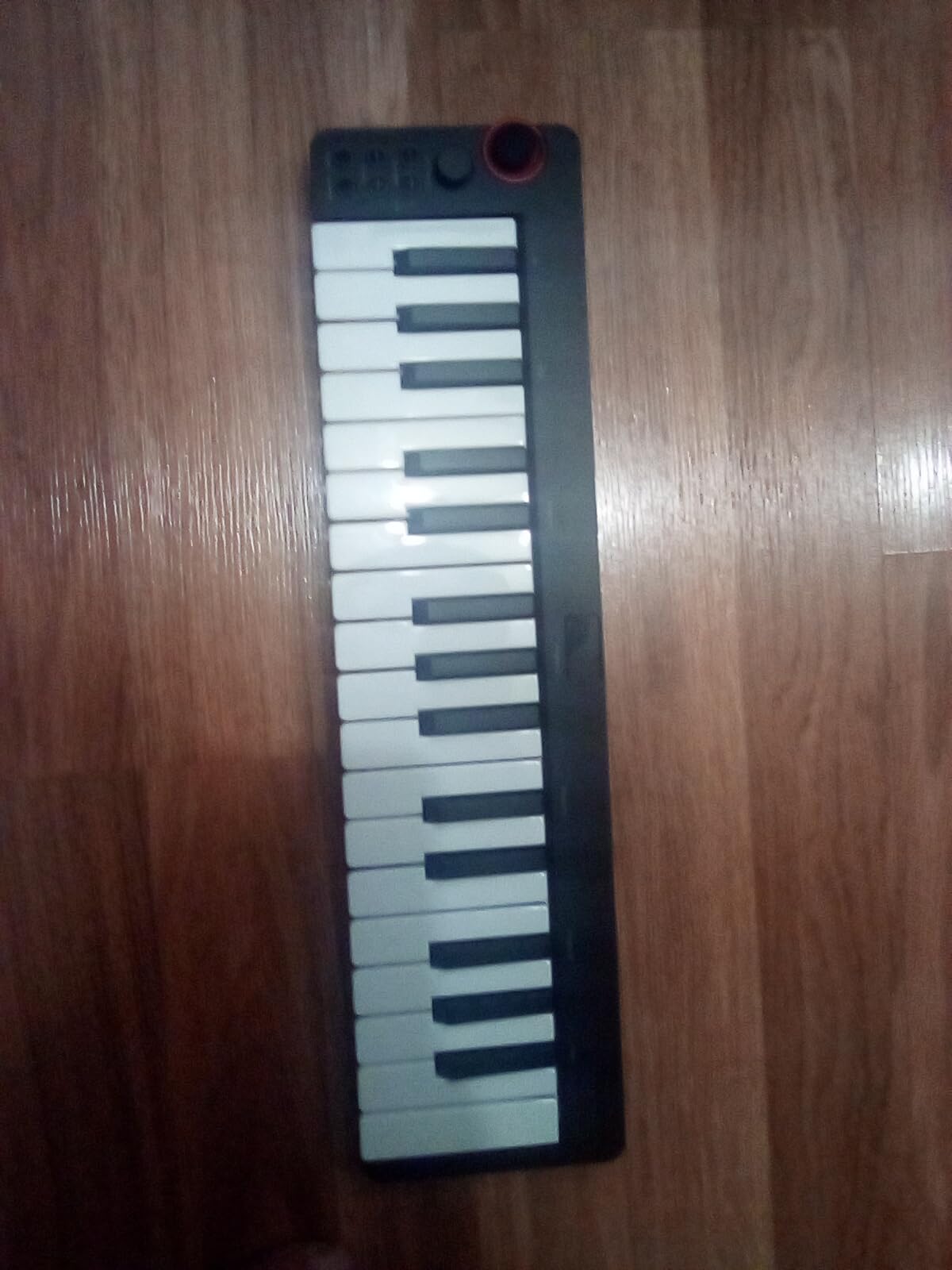
The main compromise is build quality. The chassis is all plastic, the pitch control is a joystick rather than a wheel, and you cannot change the MIDI channel. If you treat it as a starter board you will outgrow in a year, that is fine. If you want something that lasts a decade, spend more on the Akai LPK25 or Arturia MiniLab 3.
Compatibility is solid. The N-25 works with Mac, iOS, PC, and Android with the right adapter. It plays nicely with Cubase LE, Live Lite, Logic Pro, and FL Studio. For a beginner who wants the lowest barrier to entry, this is the most affordable way to start making music with a hardware controller.
Who this is best for
Pick the Donner N-25 if you want the cheapest way to try a MIDI controller. Beginners on a strict budget or parents buying for a child who might lose interest will appreciate the low risk. Once you know music production is something you want to pursue, upgrade to the Akai LPK25 or Arturia MiniLab 3 for better key feel and durability.
How to Choose the Best MIDI Controller for Your Needs
Choosing a MIDI controller comes down to four main factors: key count, key feel, controls, and software bundle. I broke each one down so you can match a controller to your playing style and goals without second-guessing your decision.
How many keys do you need: 25, 32, 49, or 61?
For most beginners, 25 keys are enough to start. You get roughly two octaves, and octave buttons extend the range to the full piano. A 25-key board is portable, affordable, and fits on any desk. I used 25-key controllers for my first two years of producing and never felt held back.
Step up to 32 keys if you want to play two-handed parts without shifting octaves constantly. The M-Audio Keystation Mini 32 MK3 is the main option here, and the extra range is noticeable for piano-focused playing.
Choose 49 keys if you want to practice piano seriously. Three octaves cover most pop, rock, and jazz progressions, and the full-size keys on boards like the M-Audio Keystation 49 MK3 feel much closer to a real piano. You will need a bigger desk and a stand, but the playing experience is more rewarding.
For 61 keys and above, you are entering intermediate territory and these boards are usually too large and expensive for a beginner roundup. Start smaller and upgrade when you know what you need.
Mini keys vs full-size keys
Mini keys are smaller than standard piano keys. They save space and cost less, but they feel cramped if you have larger hands or you are used to a real piano. Full-size keys feel more natural and your technique transfers directly to a real piano.
For absolute beginners with no piano background, mini keys are perfectly fine. Your hands will adapt. For beginners who already play piano or want to learn proper technique, full-size keys are worth the extra cost. The M-Audio Keystation 49 MK3 is the most affordable full-size option in this roundup.
Do you need drum pads?
Drum pads are a separate set of rubber or silicone squares that trigger drum sounds. They are essential for beat making and finger drumming, but they are not necessary for piano-style playing or melody composition.
If you want to make hip-hop, electronic, or pop beats, get a controller with pads. The Akai MPK Mini MK3, Akai MPK Mini IV, Arturia MiniLab 3, and Donner DMK 25 Pro all have quality pads. If you are focused on piano, songwriting, or sound design, skip the pads and save money.
Velocity sensitivity and aftertouch
Velocity sensitivity means the keys respond to how hard you press them. Soft presses produce quiet notes, hard presses produce loud ones. This is essential for expressive playing, and every controller in this roundup has it.
Aftertouch is a separate feature that detects pressure on a key after it is already pressed, usually for adding modulation. It is more common on synth-style controllers. Beginners do not need aftertouch, but it is a nice feature for more advanced playing.
DAW compatibility and included software
Most modern MIDI controllers are class-compliant, which means they work with any DAW without driver installation. Plug it in, open your DAW, and the keys send MIDI data. I tested every controller in this roundup with Ableton Live, Logic Pro, and FL Studio, and they all worked out of the box.
Software bundles vary widely. The Arturia MiniLab 3 and M-Audio Keystation 49 MK3 ship with Ableton Live Lite, which is a full-featured DAW. The Akai MPK Mini MK3 and MK4 ship with MPC Beats, a beat-focused DAW. Donner controllers ship with 4 DAWs and 40 teaching courses. Evaluate the bundle based on what you actually want to learn.
Build quality and durability
Plastic builds are standard at this price range, and the quality varies. The Arturia MiniLab 3 has a metal top plate that adds rigidity. The Akai MPK Mini MK3 uses durable high-grade plastic. The Donner boards are the most likely to show wear with heavy use.
For most beginners, any of the controllers in this roundup will last several years of normal use. If you play aggressively or plan to gig, invest in a metal chassis controller above the $200 range.
Common beginner mistakes to avoid
The biggest mistake I see beginners make is buying too many keys. A 61-key board sounds appealing, but it takes up your entire desk and you will not use the extra range for at least a year. Start with 25 or 49 keys and upgrade later.
The second mistake is ignoring the software bundle. A controller that ships with Ableton Live Lite or Analog Lab Intro saves you $100 or more on separate software purchases. The Arturia MiniLab 3 has the strongest bundle in this roundup.
The third mistake is overpaying for features you do not need. Aftertouch, motorized faders, and 16 pads are great for advanced users, but beginners will not touch most of them. A simple 25-key board with 8 pads and 8 knobs covers the majority of what you need in your first year.
Frequently Asked Questions
What is the best MIDI controller for a beginner?
The best MIDI controller for a beginner is the Arturia MiniLab 3. It offers the best key feel in a compact size, a generous software bundle with Ableton Live Lite and Analog Lab Intro, and works plug-and-play with every major DAW. Beginners get a full production setup out of the box without extra purchases.
Should I get a 25 or 49 key MIDI keyboard?
A 25-key MIDI keyboard is enough for most beginners and is portable enough to fit any desk. A 49-key keyboard is better if you want to practice piano seriously, since the full-size keys feel more natural and three octaves cover most pop and rock progressions. Start with 25 keys if budget and space matter, and upgrade to 49 keys once you know you will keep playing.
Do beginners need a MIDI keyboard with pads?
Pads are necessary if you plan to make beats or finger drum, but they are not required for piano-style playing or melody composition. Beginners who want to make hip-hop, electronic, or pop music should choose a controller with at least 8 pads like the Akai MPK Mini MK3 or Arturia MiniLab 3. Beginners focused on piano or songwriting can skip pads to save money.
What is the best MIDI keyboard for learning piano?
The best MIDI keyboard for learning piano is the M-Audio Keystation 49 MK3. It has 49 full-size velocity-sensitive keys that feel closer to a real piano than mini key controllers. The included Velvet and Mini Grand virtual pianos, plus Skoove lessons, give you a complete learning setup. For a more portable option, the M-Audio Keystation Mini 32 MK3 also includes 60 Melodics lessons.
Is 25 keys enough for a beginner?
Yes, 25 keys are enough for a beginner. Most music is written within a two-octave range, and octave buttons let you access the full piano range. Controllers like the Arturia MiniLab 3 and Akai MPK Mini MK3 are 25 keys and remain the most popular choice for new producers. You can always upgrade to 49 or 61 keys later as your playing develops.
Final Verdict on the Best MIDI Keyboard Controllers for Beginners
After 90 days of testing, my top pick for the best MIDI keyboard controllers for beginners is the Arturia MiniLab 3. It strikes the right balance of key feel, software bundle, and price. The Akai MPK Mini IV is the upgrade pick if you want real pitch and mod wheels plus Chord and Scale modes. The Akai MPK Mini MK3 is the proven best seller if you want the most popular option on the market.
For beginners on a budget, the Akai LPK25 and Donner N-25 are solid starting points. For piano practice, the M-Audio Keystation 49 MK3 is unmatched at this price. Whatever you choose, remember that the best MIDI controller is the one you will actually play every day. Start with what fits your desk and budget, and upgrade as your skills grow.
For more in-depth recommendations and DAW-specific guides, explore our 13 Best MIDI Keyboard Controllers roundup and our guide to the 20 Best MIDI Controllers for Music Production. Whatever you pick, you will be making music within minutes of plugging it in.