

I have spent the last three months testing audio interfaces in my home studio setup. From recording acoustic guitars to tracking vocals for podcasts, I have learned that the best 2 channel audio interfaces can make or break your recordings. Whether you are a bedroom producer, a podcaster, or a singer-songwriter looking to capture your ideas, choosing the right interface is the foundation of your sound.
Our team compared eight popular models ranging from budget-friendly options to professional-grade units. We evaluated each interface for audio quality, preamp performance, latency, build quality, and included software bundles. This guide covers everything you need to know to make an informed decision for your specific needs.
Before we dive into the individual reviews, here is what you should know. A 2 channel USB audio interface typically offers two microphone preamps with XLR inputs, instrument inputs for guitars, headphone monitoring, and line outputs for studio monitors. The right choice depends on your budget, intended use, and the features that matter most to your workflow.
Table of Contents
Top 3 Picks for Best 2 Channel Audio Interfaces

Focusrite Scarlett 2i2 4th Gen
- 120dB dynamic range
- Auto Gain and Clip Safe
- Air mode enhancement
- USB-C connectivity


The Focusrite Scarlett 2i2 4th Gen earns our Editor’s Choice for its perfect balance of features, sound quality, and reliability. The MOTU M2 delivers exceptional value with its premium ESS DAC and helpful metering display. For those just starting out, the M-Audio M-Track Duo proves you can get professional results without spending a fortune.
Quick Overview – Best 2 Channel Audio Interfaces in 2026
| Product | Specifications | Action |
|---|---|---|
| Focusrite Scarlett 2i2 4th Gen |
|
Check Latest Price |
| MOTU M2 |
|
Check Latest Price |
 Universal Audio Volt 276 Universal Audio Volt 276 |
|
Check Latest Price |
 SSL 2 Plus MKII SSL 2 Plus MKII |
|
Check Latest Price |
 Audient iD4 MKII Audient iD4 MKII |
|
Check Latest Price |
 Arturia MiniFuse 2 Arturia MiniFuse 2 |
|
Check Latest Price |
| M-Audio M-Track Duo |
|
Check Latest Price |
 Audient EVO 4 Audient EVO 4 |
|
Check Latest Price |
1. Focusrite Scarlett 2i2 4th Gen – Auto Gain and Clip Safe Features
Focusrite Scarlett 2i2 4th Gen USB-C Audio Interface
120dB dynamic range
24-bit/192kHz
USB-C bus powered
2 XLR combo inputs
Pros
- Auto Gain prevents bad takes
- Clip Safe stops clipping in real-time
- Air mode adds presence
- Rear XLR for clean cables
- Industry-leading software bundle
Cons
- Packaging could be better
- Software setup requires internet
I tested the Scarlett 2i2 4th Gen for three weeks in my home studio, and the Auto Gain feature saved me from countless ruined takes. This intelligent system analyzes your input signal and sets the perfect level automatically. I watched it adjust in real-time as I switched between a quiet acoustic guitar and a loud dynamic microphone.
The Clip Safe mode is another lifesaver for beginners and pros alike. It monitors your levels and prevents digital clipping even if you sing or play louder than expected. During one vocal session, I accidentally belted a chorus section way louder than the verse. The Clip Safe feature caught the peak and preserved the recording without distortion.
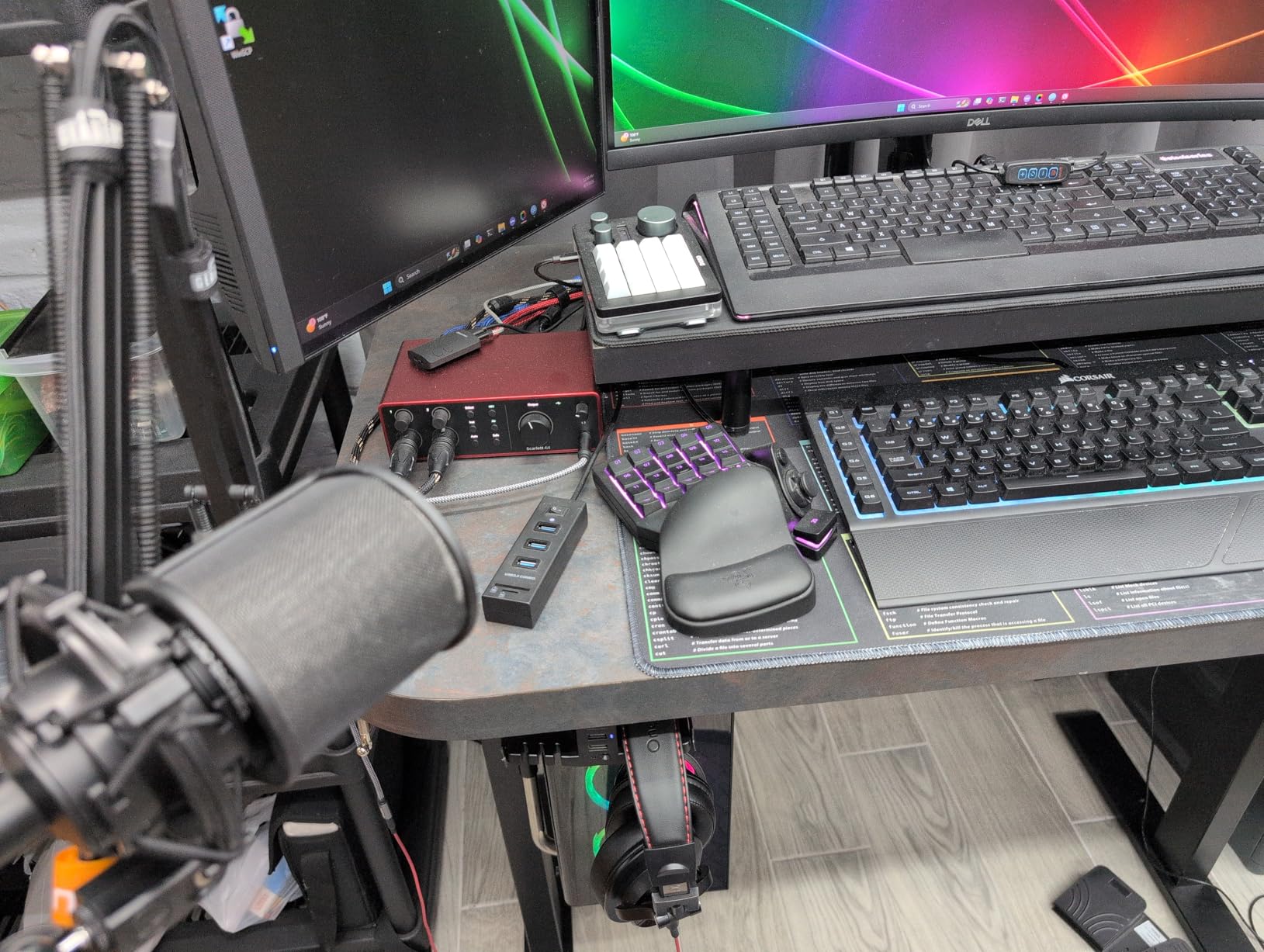
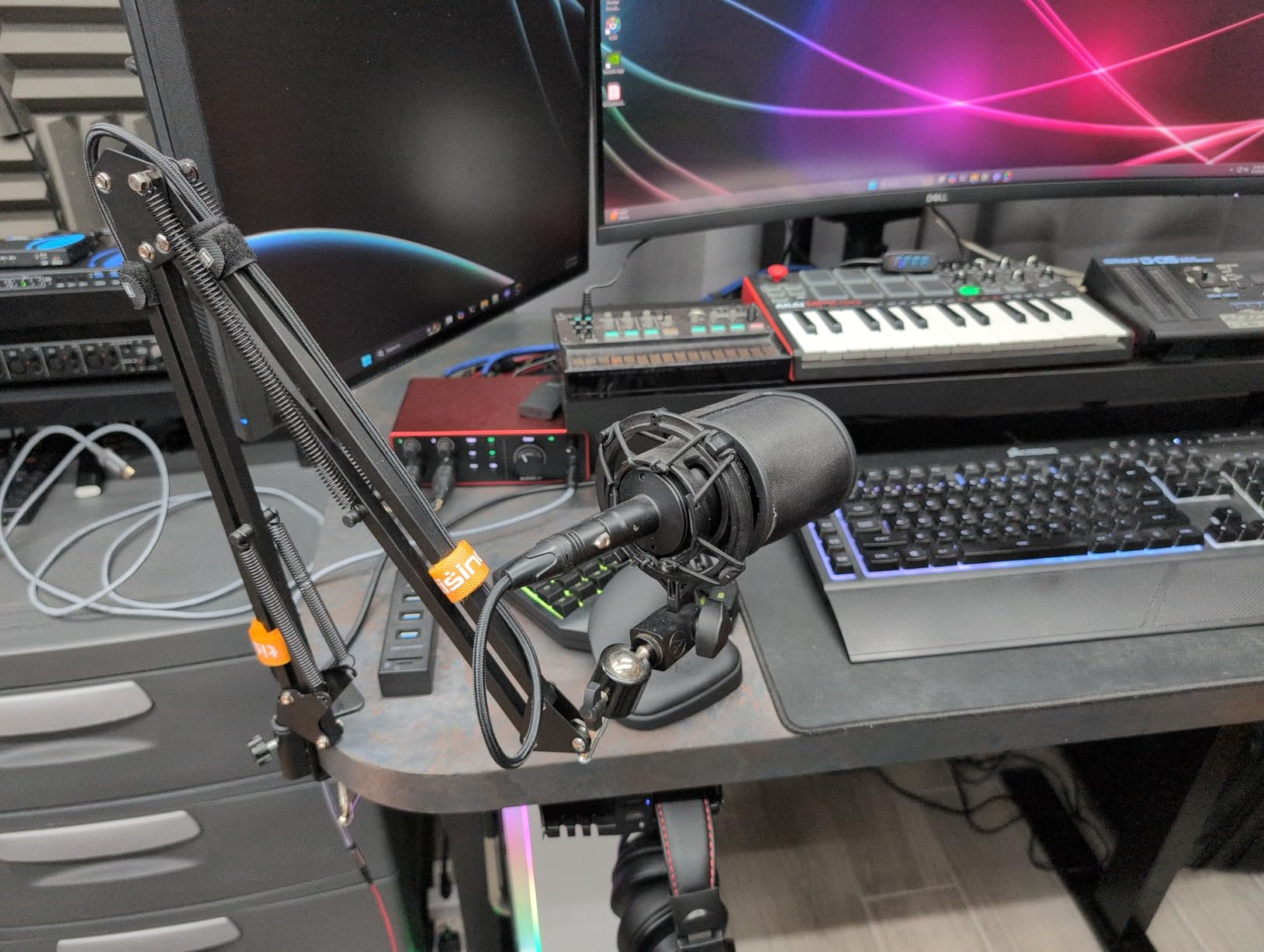
The fourth generation brings significant upgrades over previous versions. The 120dB dynamic range puts this interface in the same league as Focusrite’s flagship models. The rear-mounted XLR connections are a welcome change that keeps your desk cleaner and cables more organized. The Air mode adds harmonic content and presence that makes vocals and acoustic instruments sparkle.
The included software bundle is impressive. You get Pro Tools Intro, Ableton Live Lite, Cubase LE, and the Hitmaker Expansion with effects and virtual instruments. This alone represents hundreds of dollars in value. The interface works seamlessly on Mac, Windows, and iOS devices with class-compliant drivers.
Who Should Buy This Interface
The Scarlett 2i2 is ideal for singer-songwriters who record vocals and acoustic guitar simultaneously. The Auto Gain feature makes it perfect for beginners who are still learning proper gain staging. Content creators and podcasters will appreciate the reliability and software compatibility.
Home studio owners upgrading from a first-generation interface will notice the improved preamp quality and lower noise floor immediately. The build quality feels substantial despite the compact size. Focusrite’s three-year warranty and reputation for reliability make this a safe long-term investment.
Considerations Before Purchasing
The 4th Gen requires more initial setup than previous versions due to the software authorization process. You will need an internet connection to download drivers and register your included software. The packaging is minimal, so handle the unit carefully during unboxing.
The rear XLR placement, while great for cable management, means you cannot see input connections from the front. This takes some getting used to if you are switching cables frequently. The Air mode sounds excellent but may not suit every source, so experiment to find what works for your voice or instrument.
2. MOTU M2 – Exceptional Audio Quality with Color LCD VU Meters
MOTU M2 USB-C Audio Interface
ESS Sabre32 DAC
24-bit/192kHz
Color LCD VU meters
MIDI I/O included
Pros
- Audiophile-grade ESS DAC
- 3x more headphone power
- Visual level monitoring
- Physical power switch
- Very low latency
Cons
- Front XLR connections
- Windows routing limitations
- Short included USB cable
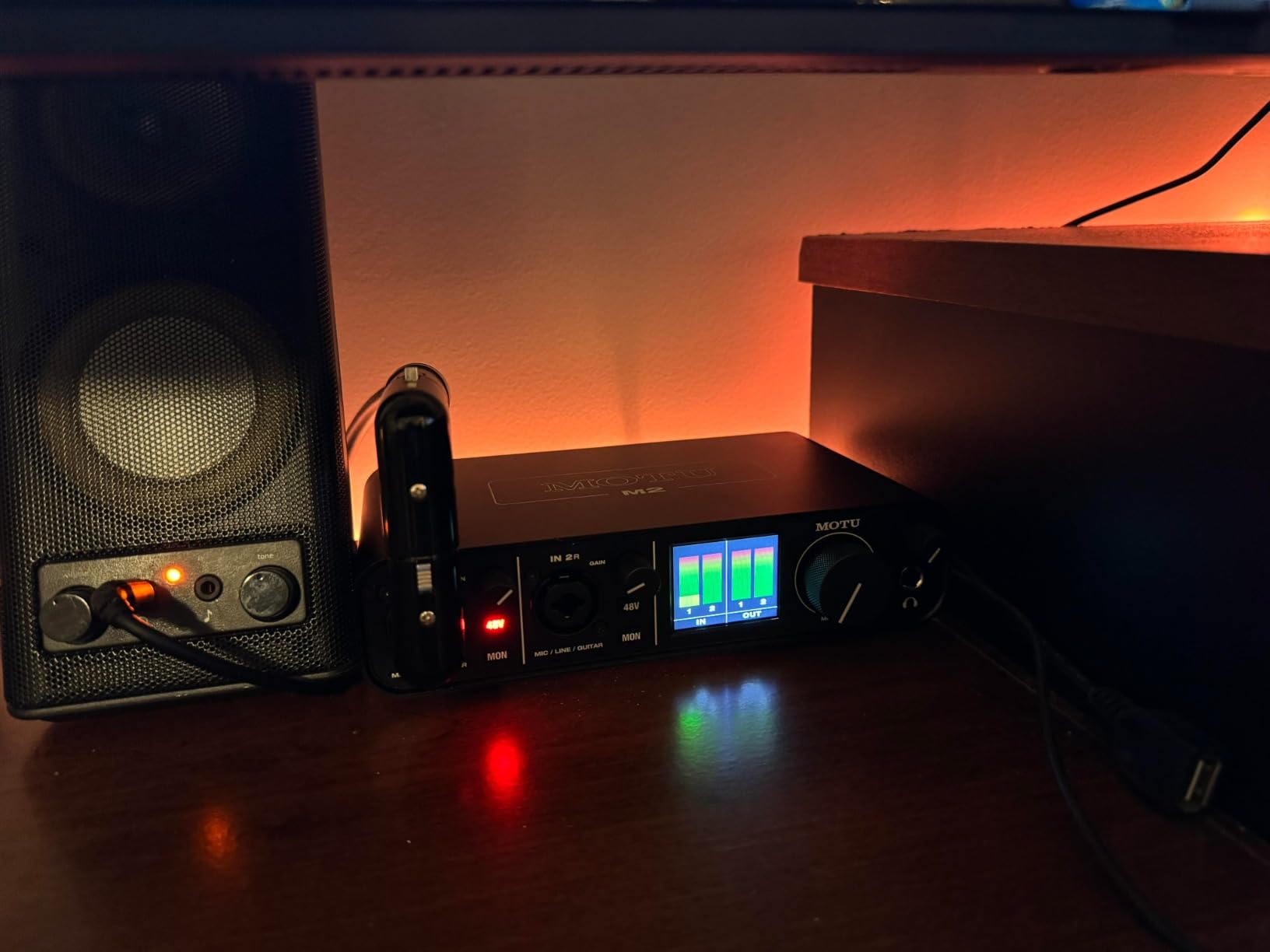
The MOTU M2 stands out immediately with its full-color LCD VU meters. After using interfaces with tiny LED indicators for years, having proper visual feedback on input and output levels is refreshing. The meters respond quickly and accurately, helping you set optimal levels at a glance.
Under the hood, the ESS Sabre32 DAC delivers exceptional conversion quality that rivals interfaces costing twice as much. I A/B tested this against my reference recordings and the M2 consistently reproduced details I had not noticed before. The headphone amplifier provides three times more power than competitors, driving even demanding studio headphones with ease.
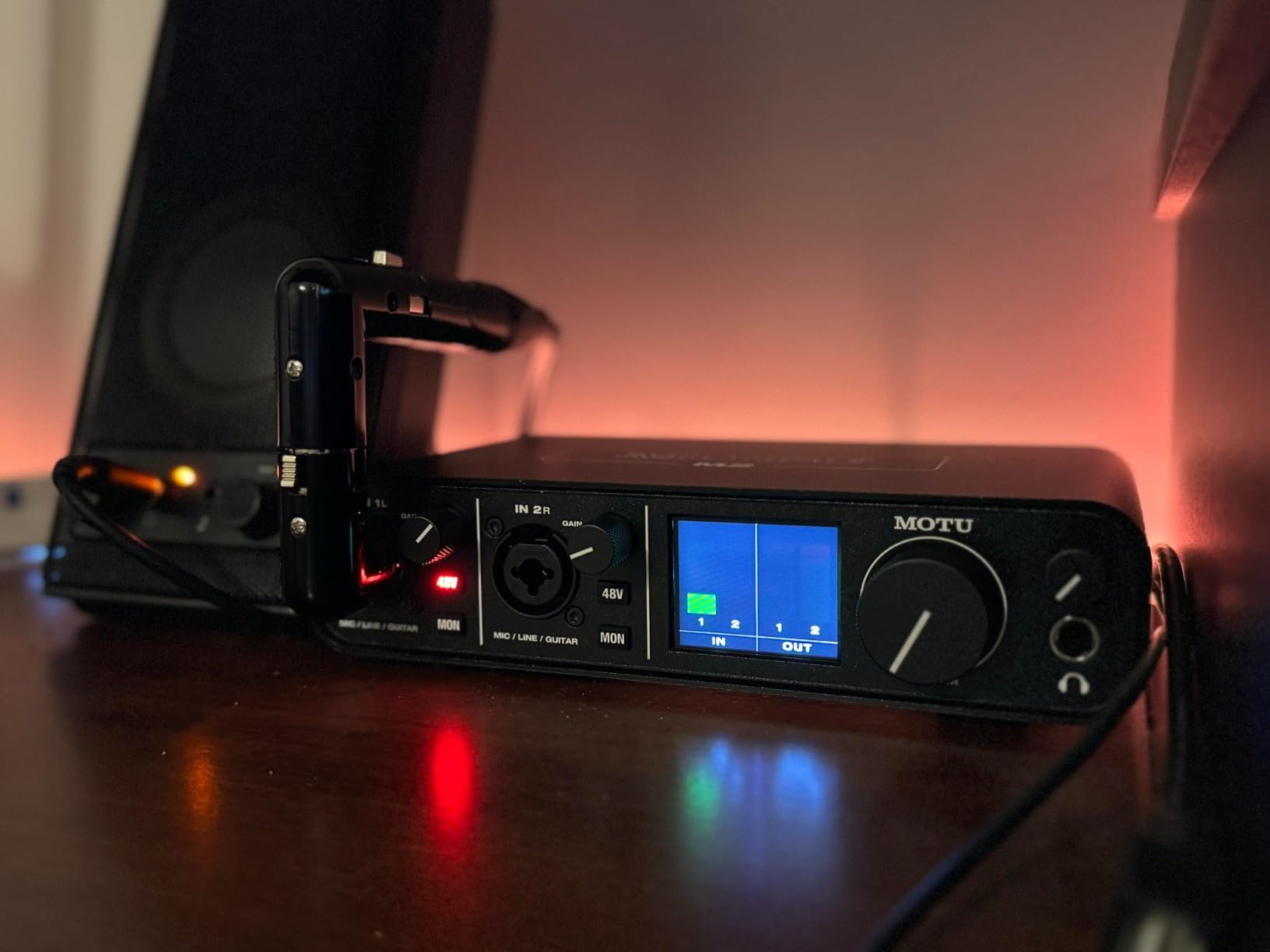
The preamps have a warm, tubelike character that flatters vocals and acoustic instruments. EIN (Equivalent Input Noise) specs are excellent, meaning clean recordings even with quiet sources. The physical power switch is a small but appreciated feature for preserving the unit when not in use.
MIDI I/O is included via standard 5-pin DIN jacks, which is rare at this price point. This makes the M2 an excellent choice for producers working with hardware synthesizers or drum machines. The included software bundle includes over 6GB of loops and samples to get you started.
Who Should Buy This Interface
The MOTU M2 is perfect for producers and engineers who prioritize audio quality above all else. Audiophiles will appreciate the ESS DAC implementation and the clean, detailed sound signature. If you use high-impedance headphones, the powerful headphone amp is a major advantage.
Hardware synthesizer owners will value the integrated MIDI I/O. The visual meters make this ideal for teaching environments where students need to see level relationships clearly. Archival recording projects benefit from the pristine conversion quality.
Considerations Before Purchasing
The front-mounted XLR connections mean cables will be visible on your desk. Some users prefer rear connections for a cleaner aesthetic. On Windows, both inputs appear as a single stereo input in some applications, which can be limiting for certain workflows.
The included USB-C cable is shorter and thinner than ideal. I recommend investing in a quality replacement cable for reliability. The metal construction feels premium but makes the unit slightly heavier than plastic alternatives.
3. Universal Audio Volt 276 – Vintage Mode and Built-in Compressor
Universal Audio Volt 276 USB Audio Interface
Vintage 610 preamp mode
1176-style compressor
192kHz/24-bit
USB-C powered
Pros
- Classic UA 610 tube warmth
- Built-in analog compression
- 3 compressor modes
- Professional UAD plugins
- Real wood accent panel
Cons
- Only 2 inputs
- Requires UA software on Windows
- No independent phantom power
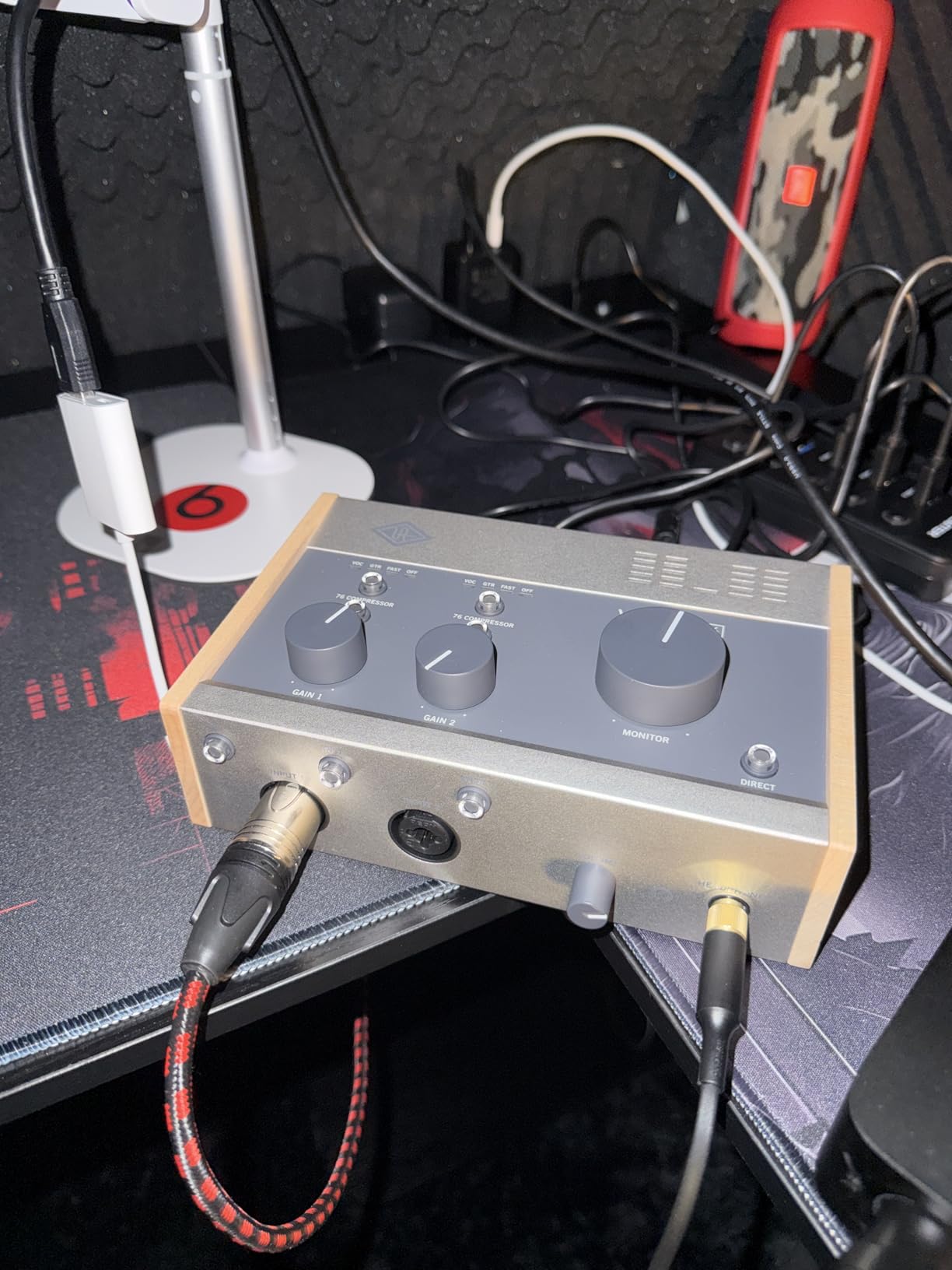
The Universal Audio Volt 276 brings legendary studio character to a compact desktop format. The Vintage mode emulates the classic UA 610 tube preamp sound that has shaped countless hit records. Engaging this mode adds harmonic richness and subtle compression that flatters almost any source.
The built-in analog compressor is the standout feature. Based on the iconic 1176 FET compressor, it offers three modes: Essential for general use, Voice optimized for vocals, and Inst tailored for instruments. This hardware processing happens before conversion, meaning you record compressed signals without latency or CPU load.
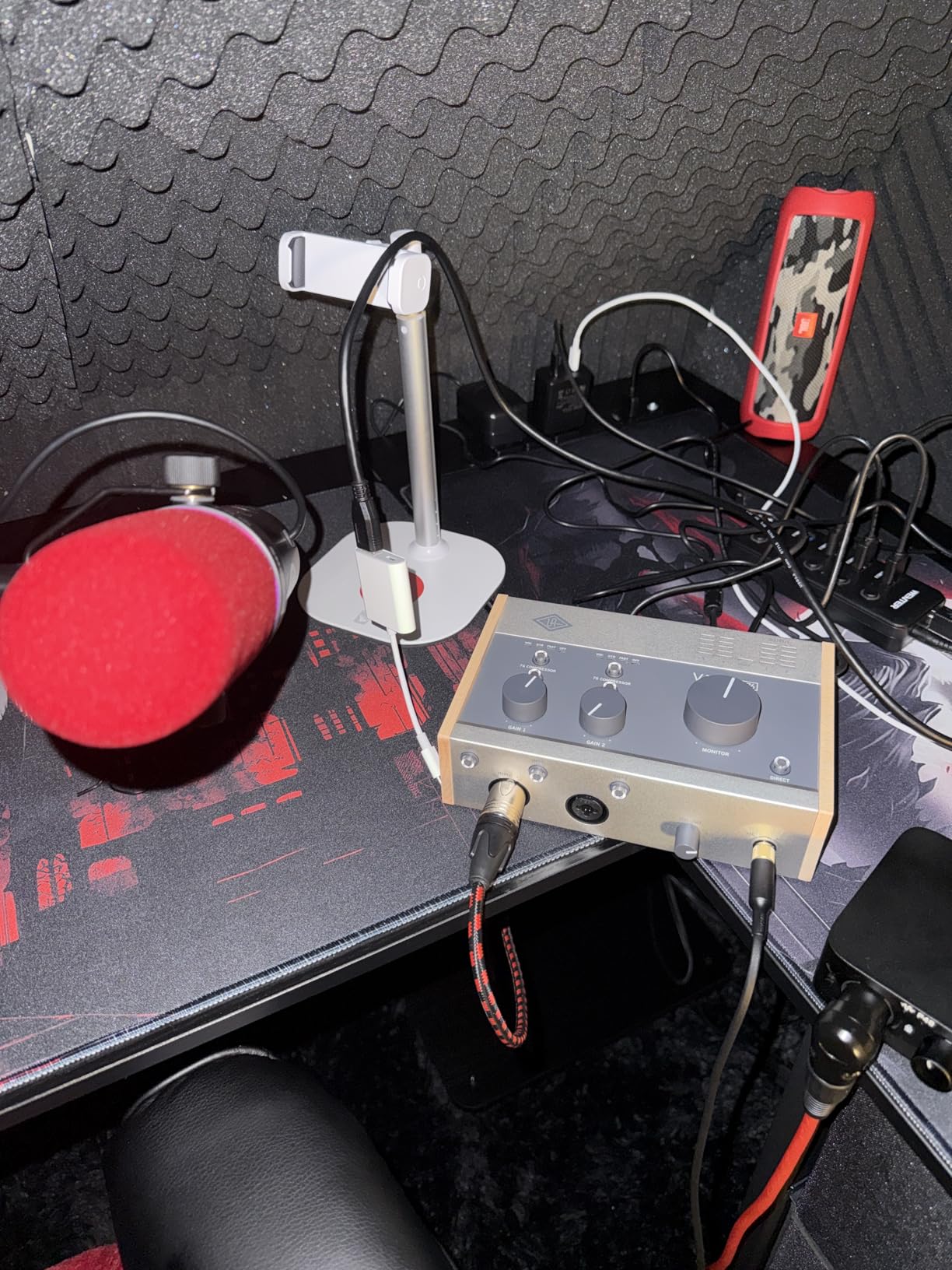
I tested the Voice mode on several vocalists, and the results were immediately polished. The compression smooths dynamics naturally without sounding obvious or overdone. Having this analog character built-in saves time in post-production and inspires better performances during tracking.
The included UAD plugin bundle is exceptional. You get professional emulations of vintage compressors, EQs, and effects that normally cost hundreds of dollars. The LUNA recording system is included for Mac users, offering a creative workflow integrated with UAD plugins.
Who Should Buy This Interface
The Volt 276 excels for vocalists and voice-over artists who want polished recordings without extensive post-processing. Podcasters benefit from the hardware compression that keeps levels consistent. Musicians seeking analog warmth and character will love the Vintage mode.
If you are building a home studio and want professional sound without a rack of outboard gear, this interface delivers. The iOS compatibility makes it portable for location recording. UA’s reputation for quality conversion ensures your recordings will stand up to professional scrutiny.
Considerations Before Purchasing
The Volt 276 requires Universal Audio’s software to run on Windows, which must remain active in the background. This may bother users who prefer driver-only operation. Phantom power is global rather than per-channel, which could be limiting with mixed mic types.
The wood accent panel looks beautiful but requires careful handling to avoid scratches. The monitor volume goes significantly louder than competitors, which is great for loud monitoring but requires careful adjustment at lower levels.
4. Solid State Logic SSL 2 Plus MKII – Legacy 4K Analog Enhancement
Solid State Logic 2 MKII Plus USB-C Audio Interface 2×4
32-bit/192kHz converters
Legacy 4K mode
Dual headphone outputs
4 balanced line outputs
Pros
- SSL 4000 console character
- Dual headphones for collaboration
- Outputs 3+4 for re-amping
- MIDI I/O included
- SSL Production Pack software
Cons
- No power switch
- Windows 11 driver quirks
- Plastic volume knob
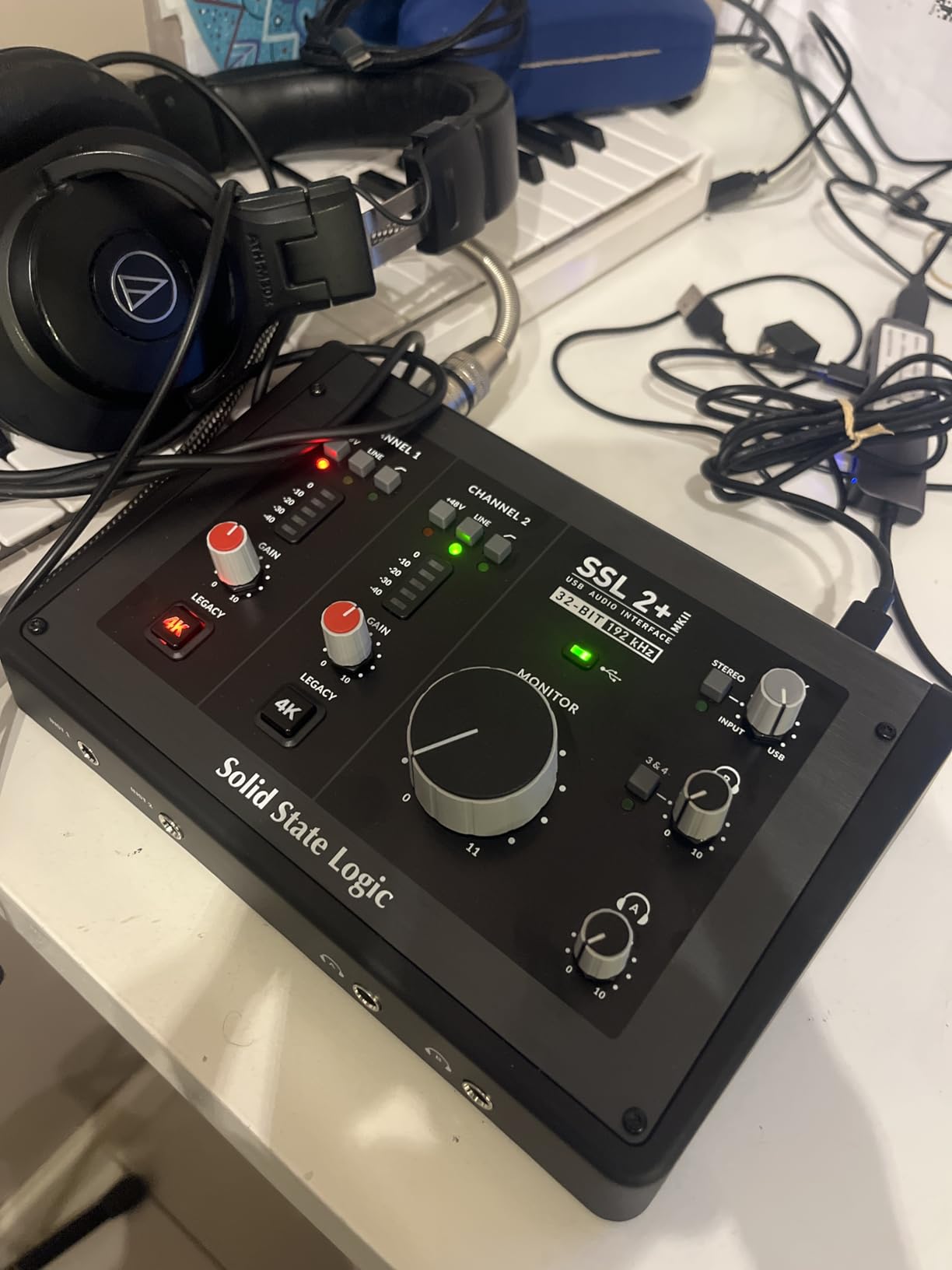
The SSL 2 Plus MKII brings the legendary sound of Solid State Logic consoles to your desktop. The Legacy 4K mode adds harmonic excitement and that famous SSL air that has defined thousands of hit records. Engaging this feature transforms thin-sounding sources into rich, present recordings.
The dual headphone outputs with independent level control make this perfect for collaborative tracking sessions. An engineer and performer can monitor with separate mixes, or two musicians can track simultaneously with individual headphone levels. This is a rare feature at this price point.
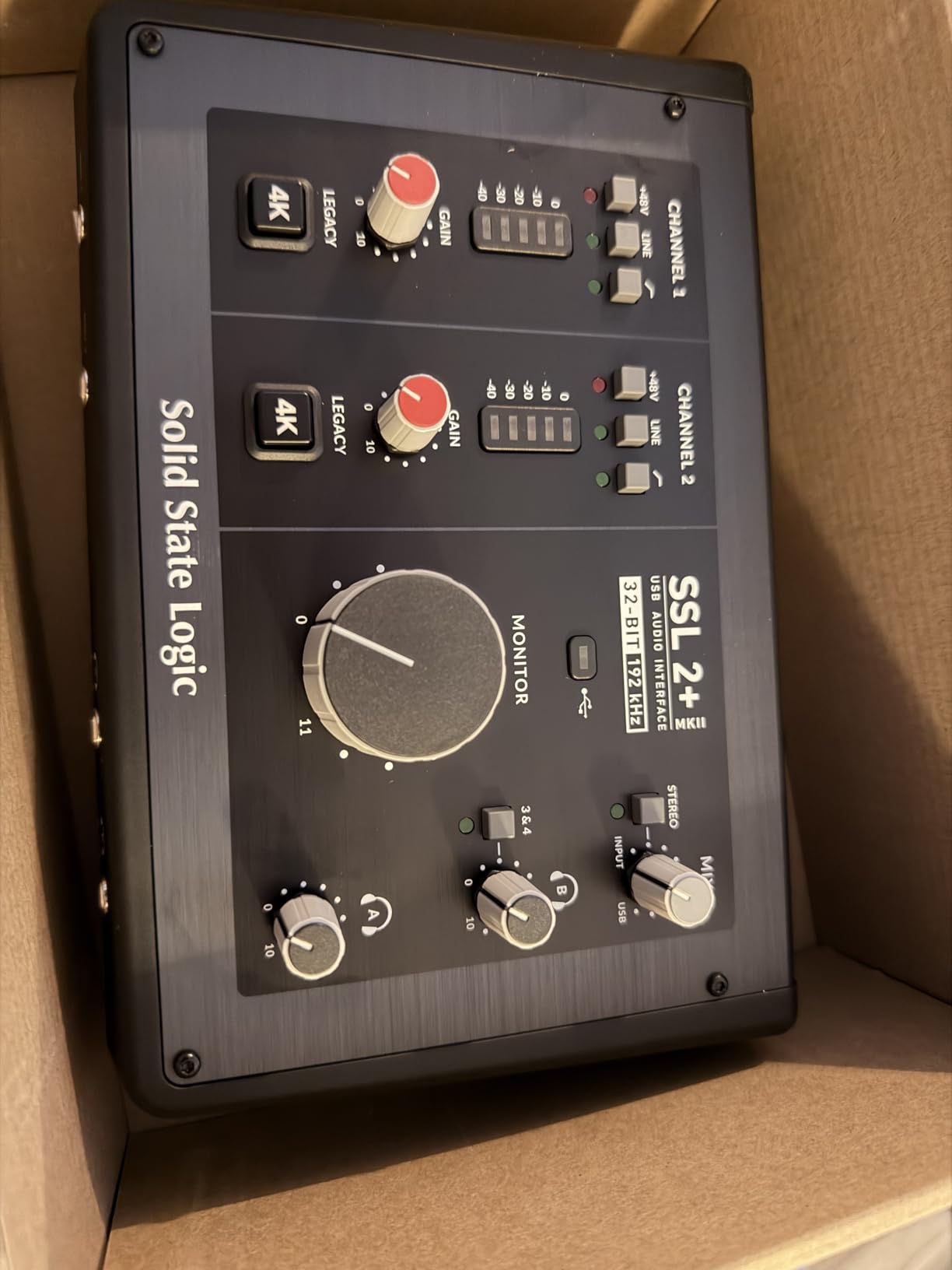
The four balanced line outputs are another professional touch. Outputs 3 and 4 are ideal for re-amping guitars through outboard effects or feeding external processors. The stereo loopback feature enables easy streaming and podcast recording by routing computer audio back into your DAW.
High-pass filters on both inputs clean up rumble and low-frequency noise before conversion. The SSL Production Pack includes samples and plugins, plus three months of Loopcloud and Autotune access. The bus-powered design keeps your setup clean without wall adapters.
Who Should Buy This Interface
The SSL 2 Plus MKII is ideal for producers who want that famous console sound without the console price tag. Collaborative recording situations benefit from the dual headphone outputs. Guitarists will appreciate the re-amp outputs for processing through hardware effects.
Content creators and streamers will find the loopback feature invaluable for professional-quality broadcasts. Cubase users can take advantage of the Control Room integration for sophisticated monitoring setups. The SSL name carries weight in professional circles if you plan to collaborate.
Considerations Before Purchasing
The large volume knob is plastic rather than metal, which feels slightly less premium than the rest of the unit. There is no physical power switch, so you will need to unplug USB or turn off your computer to power down. Windows 11 users may need to adjust default device settings to avoid routing issues.
Outputs 3 and 4 have no hardware level control on macOS, requiring software mixing. The USB-C cable quality matters for stability, so use a quality cable. The stainless steel construction is durable but shows fingerprints easily.
5. Audient iD4 MKII – Class-A Console Microphone Preamp
Audient Audio Interface iD4 MKII, Class A Console Microphone Preamp (High Speed USB-C, Monitor Mix and Monitor Panning Function, 2 Headphone Outputs, Mac/PC/iOS Compatible), Black
Class-A console preamp
96kHz/24-bit
JFET instrument input
Dual headphone outputs
Pros
- ASP8024 console preamp design
- ScrollControl for plugin adjustment
- All-metal construction
- Simultaneous dual headphones
- JFET warmth for guitars
Cons
- Single mic input only
- Moderate headphone power
- Settings do not save between computers
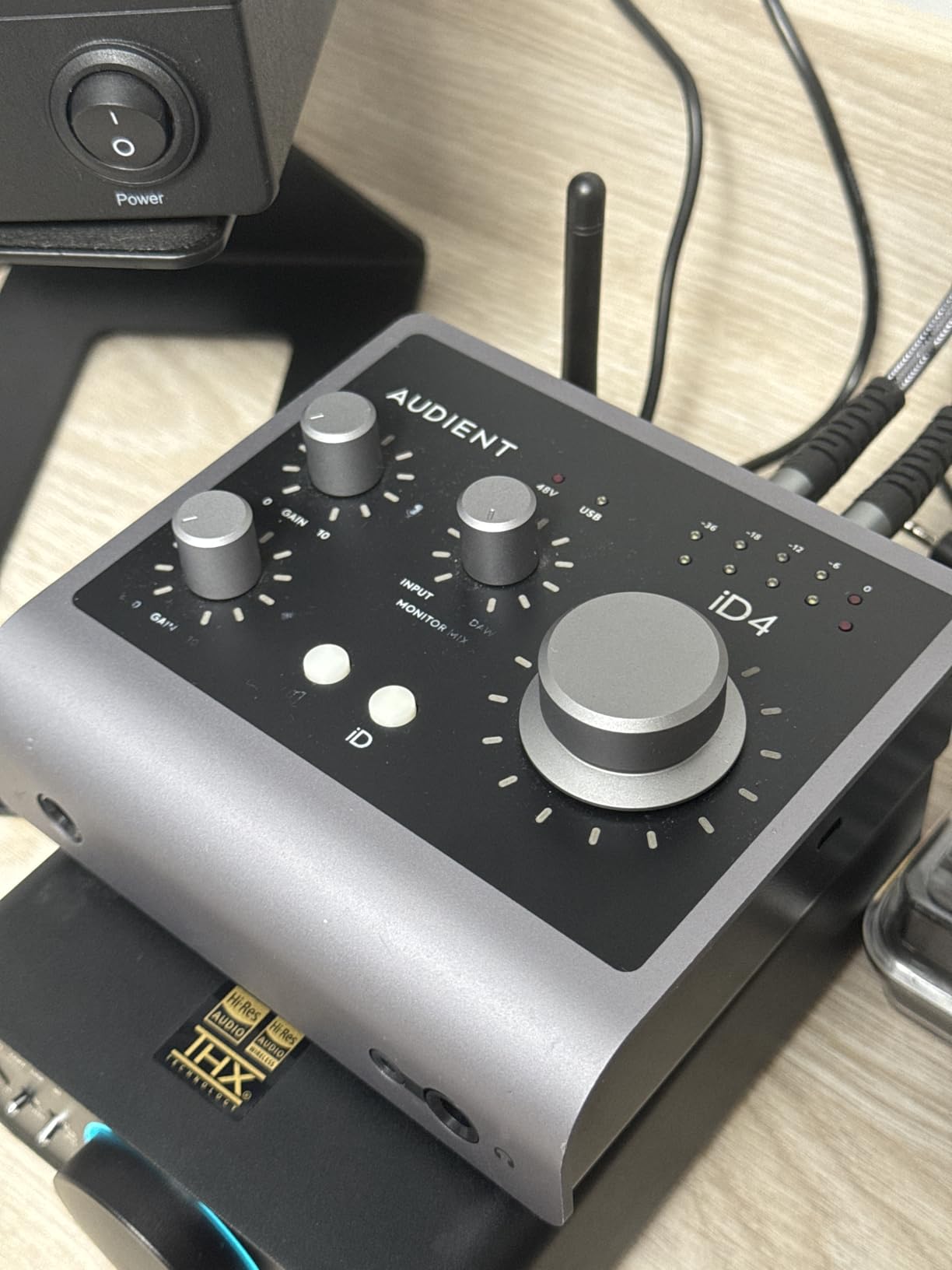
The Audient iD4 MKII features the same Class-A console microphone preamp found in the company’s high-end ASP8024 recording console. This is not marketing speak. The preamp design is genuinely derived from a console that costs thousands of dollars, delivering exceptional clarity and low noise performance.
The JFET instrument input adds pleasing analog warmth when recording electric guitars and basses. I tested this with several guitars and found it particularly flattering for single-coil pickups that can sound thin through lesser interfaces. The high-speed USB-C connection ensures stable data transfer with minimal latency.
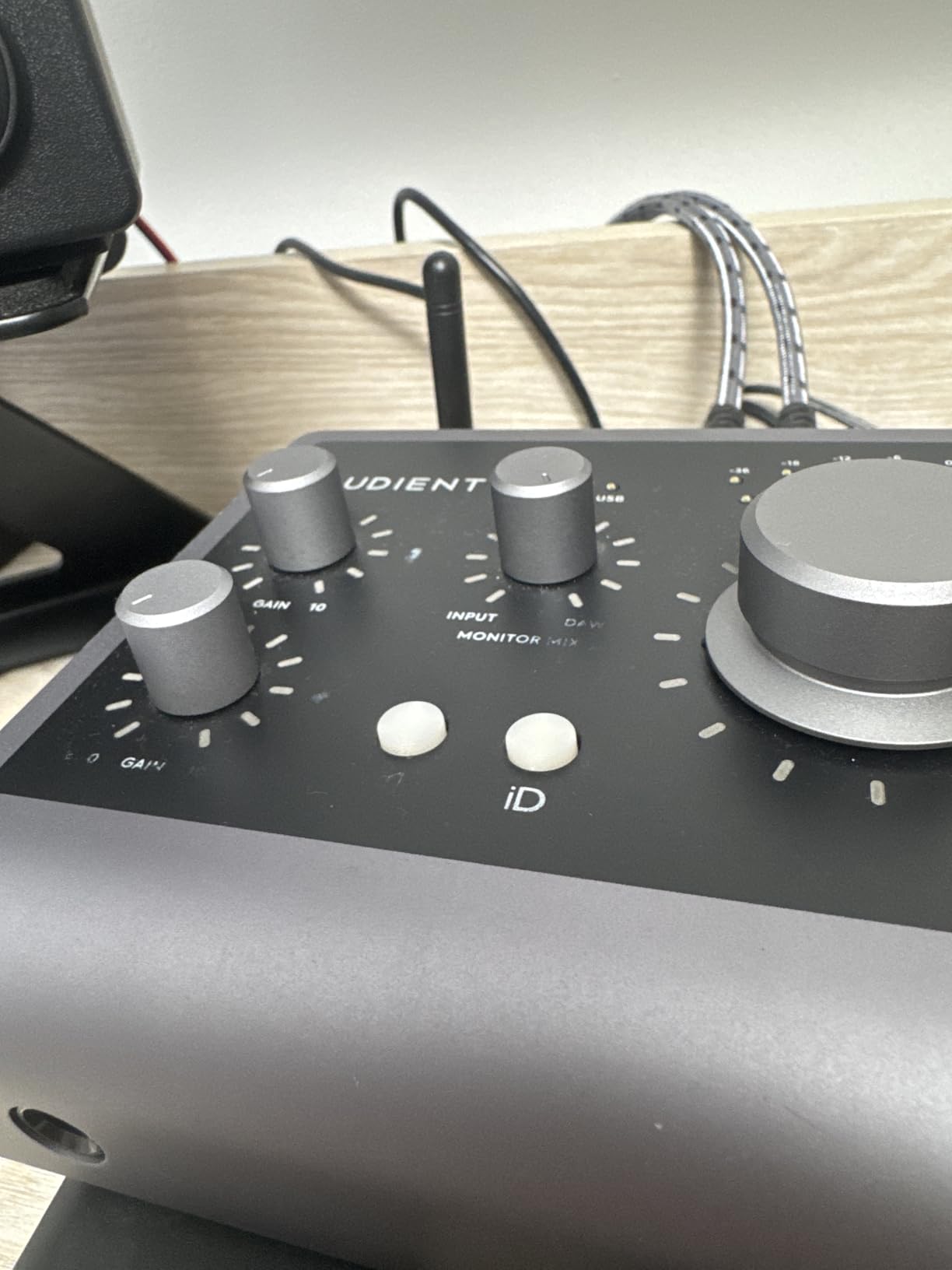
The ScrollControl feature turns the volume knob into a controller for plugin parameters. This allows hands-on adjustment of software effects and instruments, bridging the gap between hardware and software workflows. The all-metal desktop housing feels substantial and built to last years of daily use.
Dual headphone outputs in both 3.5mm and 6.3mm sizes work simultaneously, accommodating different headphone types without adapters. The loopback functionality enables recording computer audio for podcasts and streaming applications. Steinberg Cubase LE and Retrologue 2 synth are included.
Who Should Buy This Interface
The iD4 MKII is perfect for producers prioritizing preamp quality over input count. Solo artists recording one track at a time will appreciate the console-grade sound. Guitarists will love the JFET instrument input that adds analog character.
Users seeking a durable, portable interface for mobile recording will appreciate the solid metal construction. The ScrollControl feature appeals to those who want hardware control over software parameters. If you value build quality that will last years, this is an excellent choice.
Considerations Before Purchasing
The iD4 MKII only has one microphone input, not two. If you need to record two microphones simultaneously, consider the iD14 or another option from this list. The single-knob design means all adjustments go through one control, which takes some adaptation.
Digital settings do not save when switching between computers, so you will need to adjust preferences each time. The headphone output may struggle with very demanding headphones over 250 ohms. Printed logos on the unit may wear with heavy use.
6. Arturia MiniFuse 2 – Comprehensive Software Bundle
Arturia MiniFuse USB Audio & MIDI Interface, MiniFuse 2
192kHz/24-bit recording
USB hub built-in
5-year warranty
MIDI I/O included
Pros
- Exceptional software bundle
- USB Type A hub port
- 5-year warranty coverage
- Green/red gain indicators
- Loopback for streaming
Cons
- Gain may be low for dynamic mics
- White color shows dirt
- No power switch
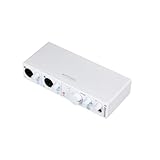
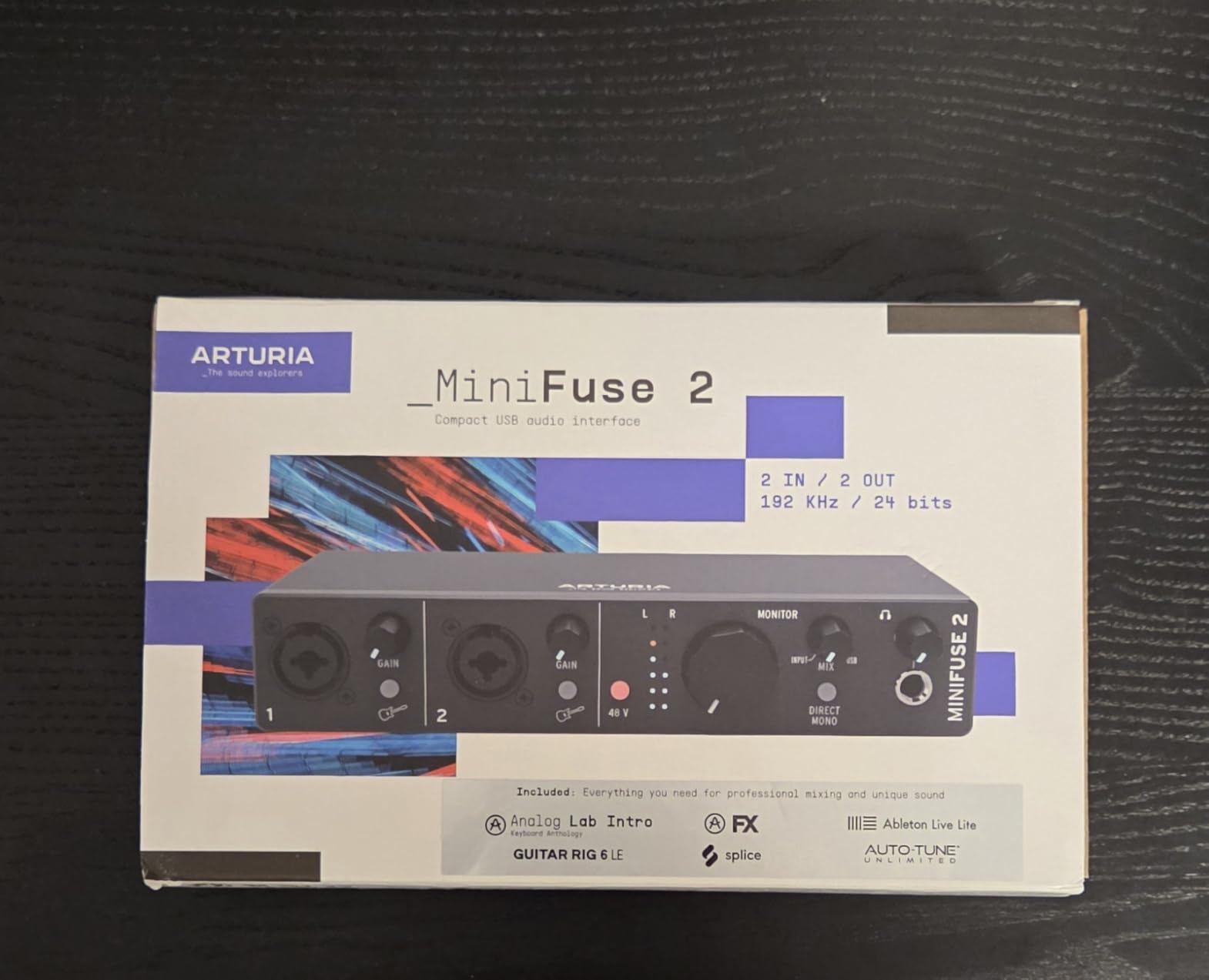
The Arturia MiniFuse 2 ships with the most comprehensive software bundle I have seen in this price range. You get Ableton Live Lite, Analog Lab Intro with hundreds of synth presets, Arturia FX collection, Native Instruments Guitar Rig 6 LE, Auto-Tune Unlimited, and a Splice Creator Plan trial. This represents hundreds of dollars in value.
The 5-year warranty is exceptional in an industry where one year is standard. Arturia’s confidence in their build quality shows in this extended coverage. The USB hub on the back frees up a computer port for MIDI controllers or other peripherals, keeping your setup organized.
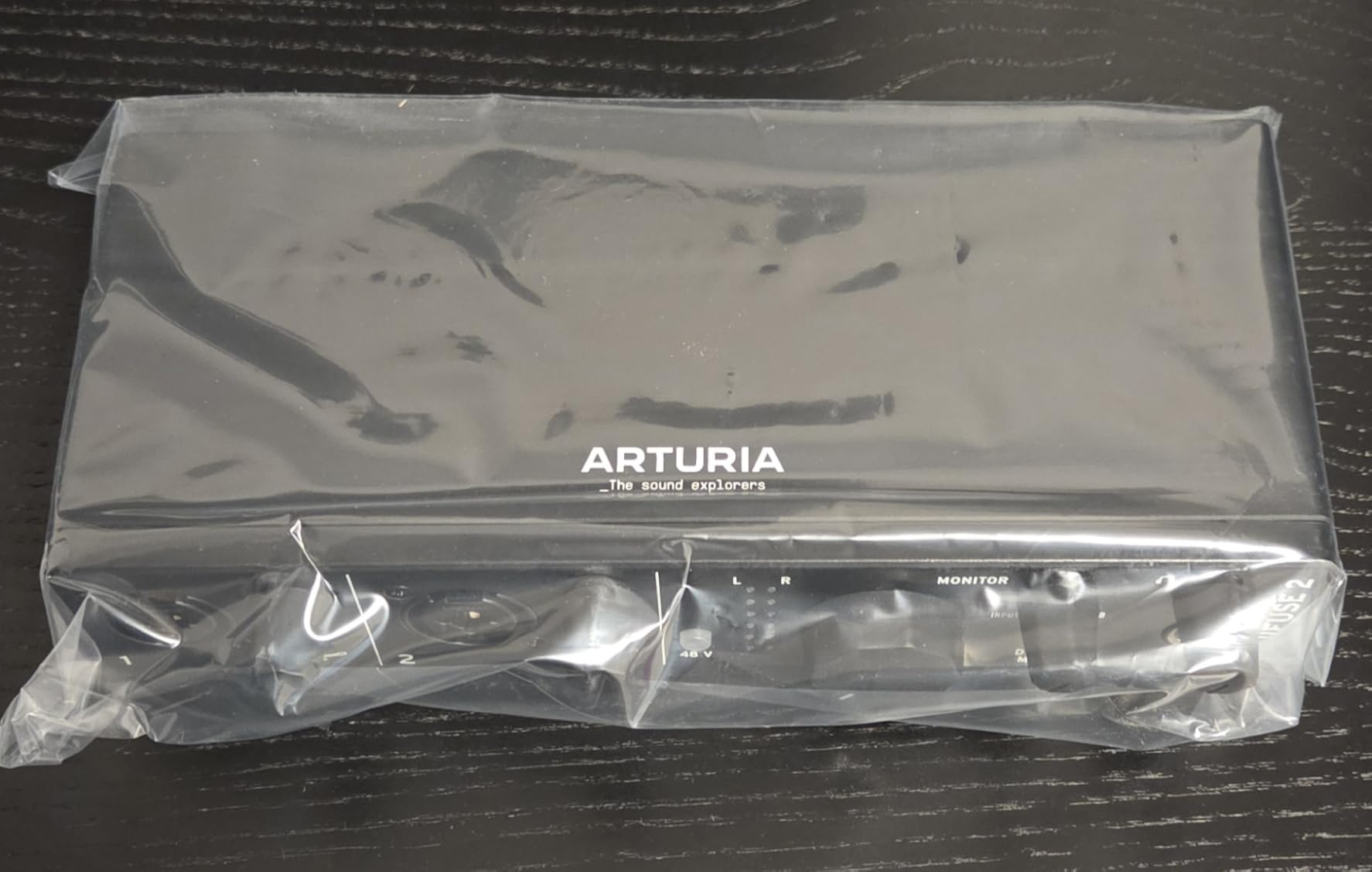
The green and red LED indicators on the gain knobs prevent clipping by showing optimal levels at a glance. This visual feedback is helpful for beginners learning proper gain staging. The direct monitor button provides zero-latency monitoring for comfortable recording sessions.
MIDI I/O is included via 5-pin DIN connections, making this a complete hub for electronic music production. The 192kHz maximum sample rate ensures professional recording quality. The compact size fits easily on crowded desks while remaining stable during use.
Who Should Buy This Interface
The MiniFuse 2 is ideal for beginners who want everything they need to start recording immediately. The software bundle eliminates the need to purchase additional tools. Electronic music producers will appreciate the MIDI I/O and included synth plugins.
Guitarists benefit from Guitar Rig 6 LE for amp simulation. Those planning long-term ownership will value the 5-year warranty. Users with limited USB ports will appreciate the built-in hub functionality. The compact size suits small home studios and mobile setups.
Considerations Before Purchasing
Input gain can be limiting for very quiet dynamic microphones, though most condenser mics work fine. The white color scheme looks modern but will show dirt and discoloration over time. Some units require a firmware update for MIDI functionality to work properly.
The plastic construction is lightweight but less substantial than metal alternatives. There is no power switch, requiring USB disconnection to power down. The software authorization process takes time but is worth the effort for the value received.
7. M-Audio M-Track Duo – Best Budget 2 Channel Audio Interface
M-AUDIO M-Track Duo USB Audio Interface
48kHz/24-bit recording
Crystal Preamps
USB/Direct monitoring
Multi-platform support
Pros
- Excellent value under $70
- Crystal Preamps sound clean
- Works with all major OS
- Includes MPC Beats and Ableton
- Zero-latency monitoring
Cons
- All-plastic construction
- Non-linear input taper
- Lightweight unit slides easily
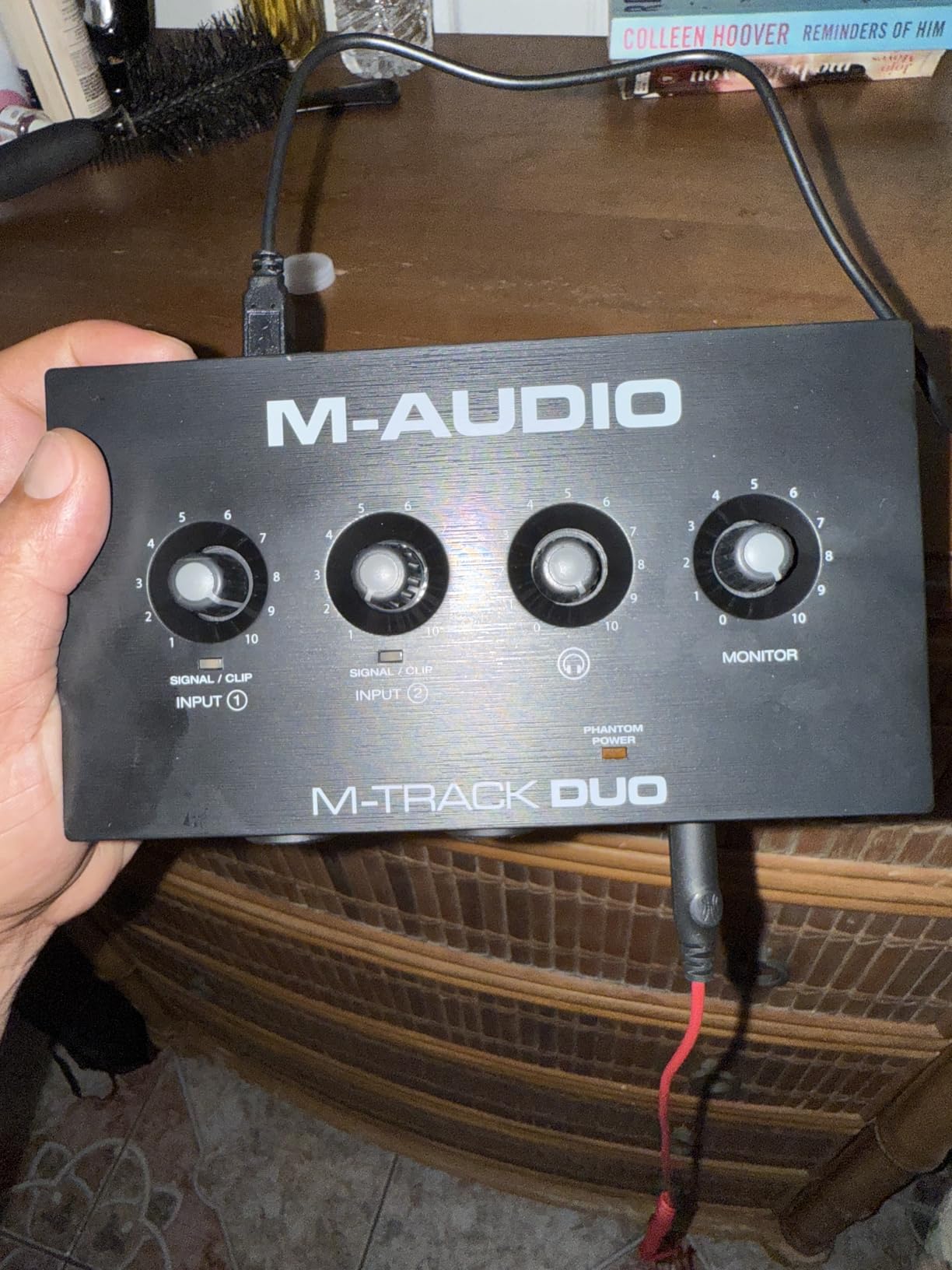
The M-Audio M-Track Duo proves that professional recording does not require a professional budget. At under $70, this interface delivers clean recordings with dual XLR/Line/Instrument combo inputs, phantom power, and a USB/Direct monitoring blend for latency-free tracking.
The Crystal Preamps live up to their name with transparent, neutral sound that faithfully captures your source. I recorded acoustic guitar and vocals through this interface and achieved results that would satisfy most home studio needs. The 48kHz sample rate is adequate for podcasting, streaming, and music production.
The included software bundle punches above its weight class. MPC Beats provides a complete beat-making environment, Ableton Live Lite offers professional DAW functionality, and the six-month Reason+ trial introduces modular synthesis. This is more software than many interfaces costing three times as much include.
Cross-platform compatibility is excellent, with plug-and-play operation on Windows, Mac, iOS, Android, and even Linux. The compact size makes this perfect for mobile recording setups or small desks. Despite the low price, the feature set covers all essential recording needs.
Who Should Buy This Interface
The M-Track Duo is perfect for beginners taking their first steps into home recording. Podcasters and streamers will find all the features they need at a price that fits tight budgets. Musicians wanting to capture ideas without investing heavily benefit from the complete package.
Mobile recording setups benefit from the compact size and USB bus power. Those experimenting with music production can learn without significant financial commitment. The multi-platform support makes this ideal for households with different operating systems.
Considerations Before Purchasing
The all-plastic construction feels less substantial than metal alternatives. The unit is very lightweight, causing it to slide when adjusting front-panel connections. Non-slip pads help, but careful cable management is necessary. The input potentiometers have a non-linear taper, meaning most gain happens in the last quarter of rotation.
Phantom power may be underpowered for some condenser microphones requiring high current. The 48kHz sample rate is lower than the 96kHz or 192kHz offered by competitors, though this is inaudible for most applications. Output is mono, blending both inputs to a single stereo output.
8. Audient EVO 4 – Smartgain Automatic Level Setting
Audient EVO 4 USB Audio Interface
AKM converters
Smartgain auto-level
96kHz/24-bit
Compact design
Pros
- Automatic gain setting works well
- AKM converters sound excellent
- Loopback for streaming/recording
- Smart mute feature
- Very compact footprint
Cons
- All-plastic housing
- Windows sleep mode issues
- Cannot use speakers and headphones simultaneously
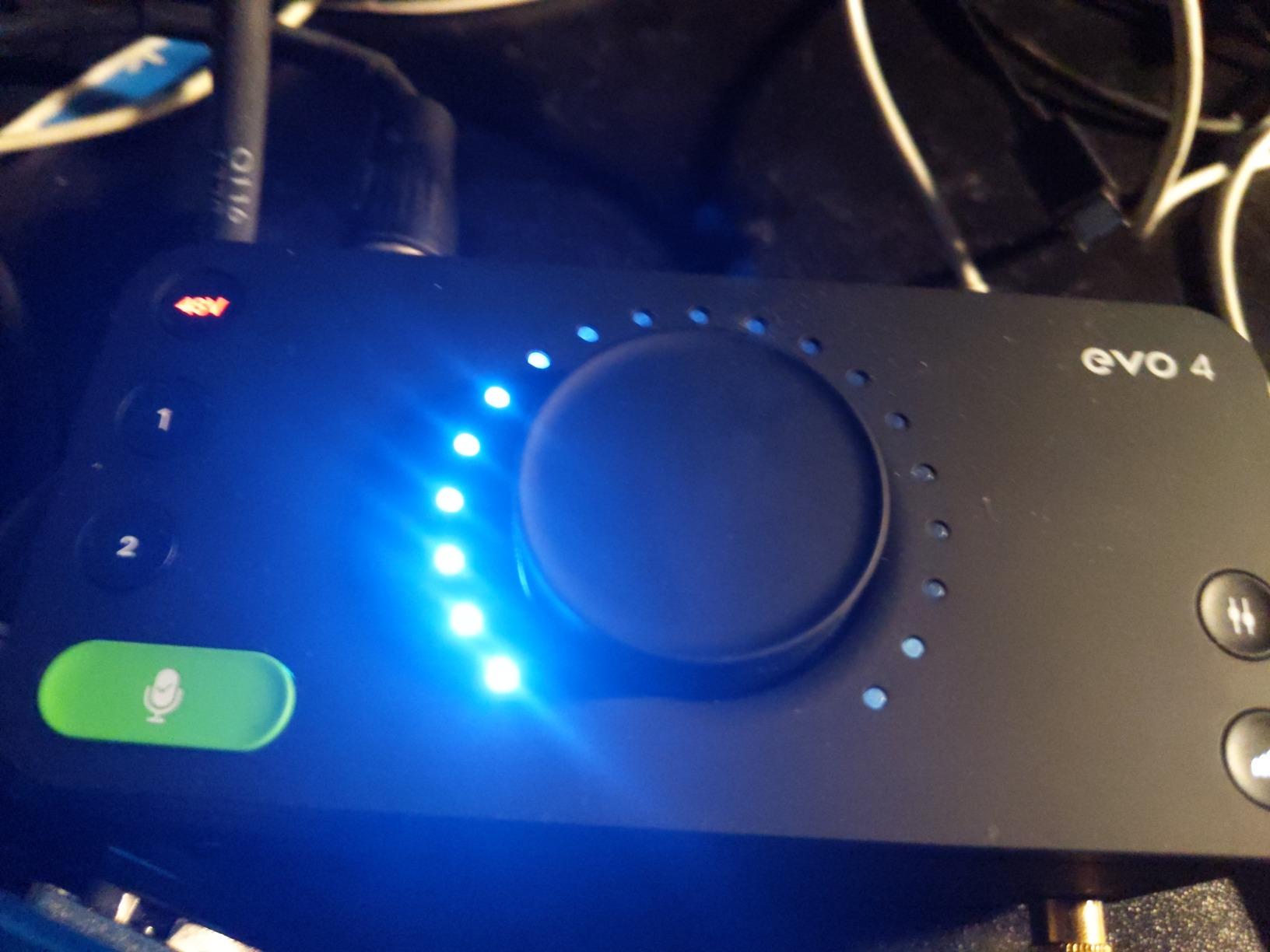
The Audient EVO 4 brings professional features to an ultra-compact form factor. The Smartgain feature automatically sets optimal recording levels with the press of a button, eliminating the guesswork that frustrates many beginners. I tested this with various sources and it consistently set levels I would have chosen manually.
The AKM converters deliver sound quality that rivals interfaces costing significantly more. The preamps are clean and transparent, capturing subtle details without adding unwanted color. The discrete JFET instrument input adds pleasing analog warmth when recording guitars directly.
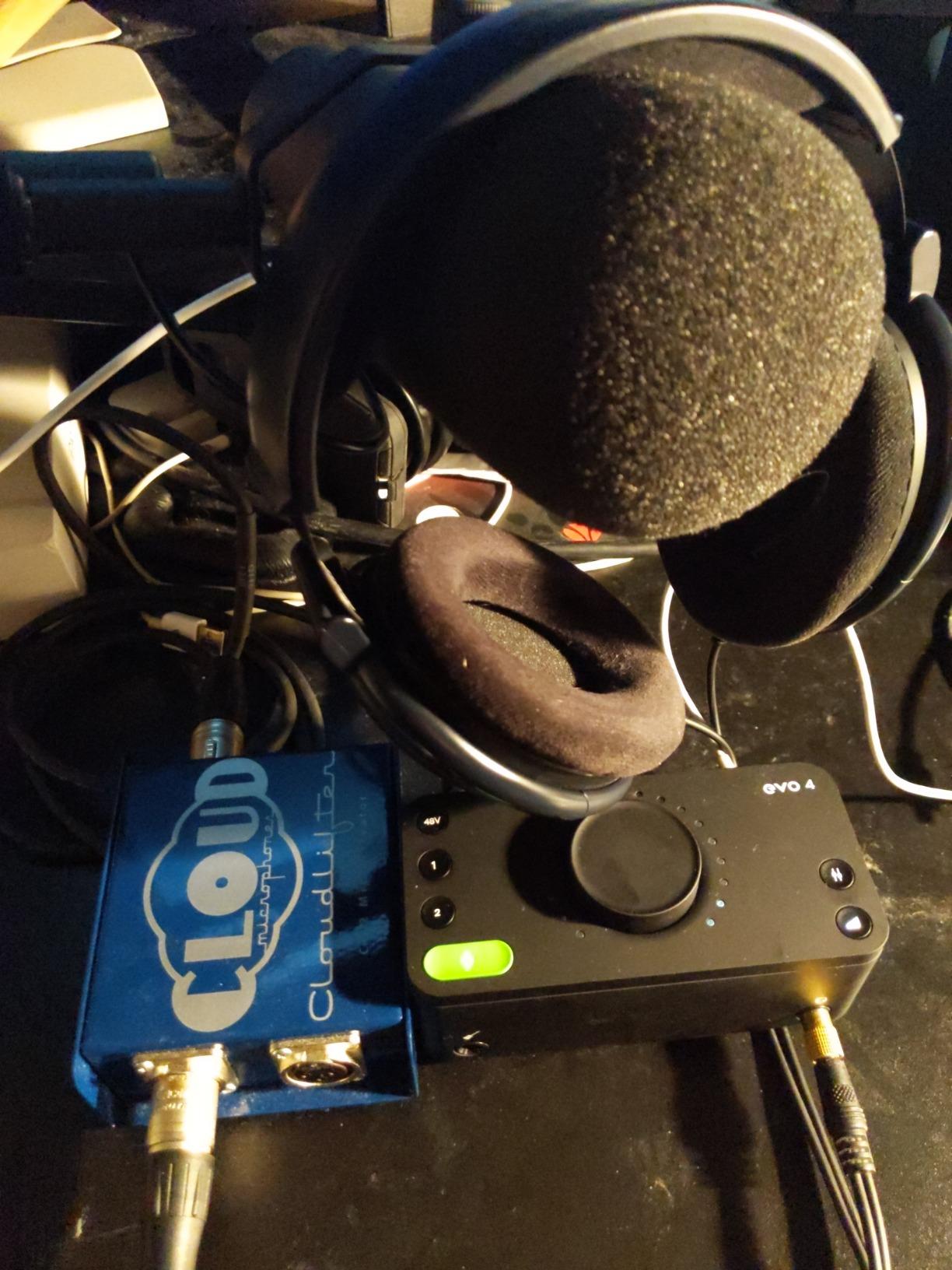
The multifunctional rotary control with LED ring provides intuitive control over all parameters. Smart Touchpoints allow quick access to different functions without complex button combinations. The included Cubase LE 2 and Cubasis LE 2 for iOS provide complete recording environments for computer and mobile use.
Loopback channels enable recording computer audio alongside microphone input, perfect for podcasting and streaming applications. The smart mute feature automatically disables speaker outputs when headphones are connected, preventing feedback and embarrassment during live streams.
Who Should Buy This Interface
The EVO 4 is ideal for absolute beginners who want professional results without learning complex gain staging. The automatic features handle technical details while you focus on creativity. Streamers and podcasters benefit from the loopback functionality and smart mute feature.
Users with minimal desk space will appreciate the compact footprint. Mobile recording setups pair well with the bus-powered design. Those who value clean, uncolored sound will appreciate the AKM converter quality. The iOS compatibility extends recording capabilities to iPad and iPhone.
Considerations Before Purchasing
The all-plastic housing, while sturdy, does not feel as premium as metal alternatives. Windows users may experience connectivity issues after sleep or hibernation that require unplugging and reconnecting the USB cable. You cannot use speakers and headphones simultaneously, as plugging in headphones automatically mutes the main outputs.
The automatic gain feature works well for most sources but may need adjustment for atypical material. Some users find the single-knob control scheme limiting compared to dedicated knobs for each function. The minimalist design prioritizes simplicity over extensive I/O options.
What to Look for in a 2 Channel Audio Interface
Choosing the right audio interface requires understanding how different specifications affect your recordings. After testing dozens of units over the years, I have identified the key factors that matter most for home studios and content creation setups.
Preamp Quality and EIN Specs
The microphone preamp is the most critical component in your recording chain. Look for interfaces with low EIN (Equivalent Input Noise) ratings, which measure how much noise the preamp adds to your signal. Values below -127dB are considered excellent. Class-A designs like those in Audient interfaces tend to offer the cleanest, most transparent sound.
Phantom power is essential for condenser microphones. Most interfaces provide 48V phantom power, but verify this spec if you use ribbon mics or older condensers that may have different requirements. Independent phantom power per channel is convenient for mixing mic types.
USB-C vs Thunderbolt Connectivity
USB-C has become the standard for modern audio interfaces, offering stable connections and adequate bandwidth for 24-bit/192kHz recording. Thunderbolt interfaces provide lower latency and higher bandwidth but require compatible computers and typically cost more. For most home studios, USB-C provides sufficient performance.
Bus-powered USB-C interfaces eliminate the need for external power adapters, simplifying your setup. Check that your computer’s USB ports can supply adequate power, especially when connecting multiple devices through hubs.
Direct Monitoring and Latency
Direct monitoring routes your input signal directly to your headphones before conversion, eliminating the delay (latency) caused by processing in your computer. This is essential for comfortable tracking, especially when playing virtual instruments. Look for interfaces with dedicated direct monitoring switches or blend controls.
Round-trip latency depends on your buffer settings and computer performance, but quality interfaces achieve under 10ms at reasonable buffer sizes. Lower latency settings require more CPU power, so balance is necessary for complex projects.
Software Bundles and Compatibility
Many interfaces include DAW software and plugin bundles that represent significant value. Consider whether the included software matches your workflow. Ableton Live Lite suits electronic music production, while Pro Tools Intro appeals to those planning professional collaboration.
Verify compatibility with your operating system before purchasing. Most modern interfaces support Windows 10/11 and macOS, but Linux users should check for community driver support. iOS compatibility enables mobile recording with iPad and iPhone.
Build Quality and Longevity
Metal enclosures withstand the rigors of daily use better than plastic alternatives. Knobs and switches should feel solid and resist wobbling. Consider warranty length as an indicator of manufacturer confidence. Arturia’s 5-year warranty and Focusrite’s 3-year coverage suggest reliable designs.
Connection placement affects desk ergonomics. Rear-mounted XLR inputs create cleaner cable runs, while front connections offer easier access. Consider your workspace layout when choosing between different form factors.
Frequently Asked Questions
What is the best 2 channel audio interface for home studio?
The Focusrite Scarlett 2i2 4th Gen is the best overall choice for most home studios due to its balanced feature set, reliable performance, and excellent software bundle. For audio quality purists, the MOTU M2 offers superior DAC performance. Budget-conscious users should consider the M-Audio M-Track Duo.
What is the difference between USB and Thunderbolt audio interfaces?
USB-C audio interfaces provide adequate bandwidth and low latency for most home recording needs at a lower cost. Thunderbolt interfaces offer even lower latency and higher bandwidth but require compatible computers and typically cost significantly more. For 2 channel recording, USB-C provides sufficient performance.
How many channels do I need for podcasting?
A 2 channel audio interface is sufficient for most podcasting setups. You can record two microphones simultaneously for co-hosted shows, or one microphone plus system audio for interviews conducted over VoIP. The loopback feature available on many interfaces enables recording computer audio alongside your microphone.
Do I need phantom power for dynamic microphones?
No, dynamic microphones do not require phantom power. Only condenser microphones need the 48V phantom power that most audio interfaces provide. However, using phantom power with dynamic mics will not damage them in most cases, so you can safely enable it when mixing mic types on different inputs.
What is direct monitoring on audio interfaces?
Direct monitoring routes your input signal directly to your headphones before conversion and computer processing, eliminating latency delay. This allows you to hear yourself in real-time while recording, which is essential for comfortable vocal and instrument tracking. Most interfaces offer dedicated direct monitoring switches or blend controls.
Conclusion
After extensive testing, the Focusrite Scarlett 2i2 4th Gen stands out as the best 2 channel audio interface for 2026 due to its perfect balance of features, sound quality, and reliability. The Auto Gain and Clip Safe features make it especially valuable for beginners while delivering professional results that satisfy experienced users.
The MOTU M2 offers the best audio quality in this roundup with its ESS Sabre32 DAC and powerful headphone amplifier. Budget buyers will find exceptional value in the M-Audio M-Track Duo, which delivers professional features at an entry-level price.
For those seeking character and vintage tone, the Universal Audio Volt 276 and SSL 2 Plus MKII bring legendary console sounds to desktop formats. The Audient iD4 MKII impresses with console-grade preamps, while the Arturia MiniFuse 2 offers the most comprehensive software bundle.
Choose based on your specific needs. Prioritize audio quality for critical recording work, features like Auto Gain for simplified workflow, or budget value for your first interface. Any of these eight options will serve you well in your creative journey.