
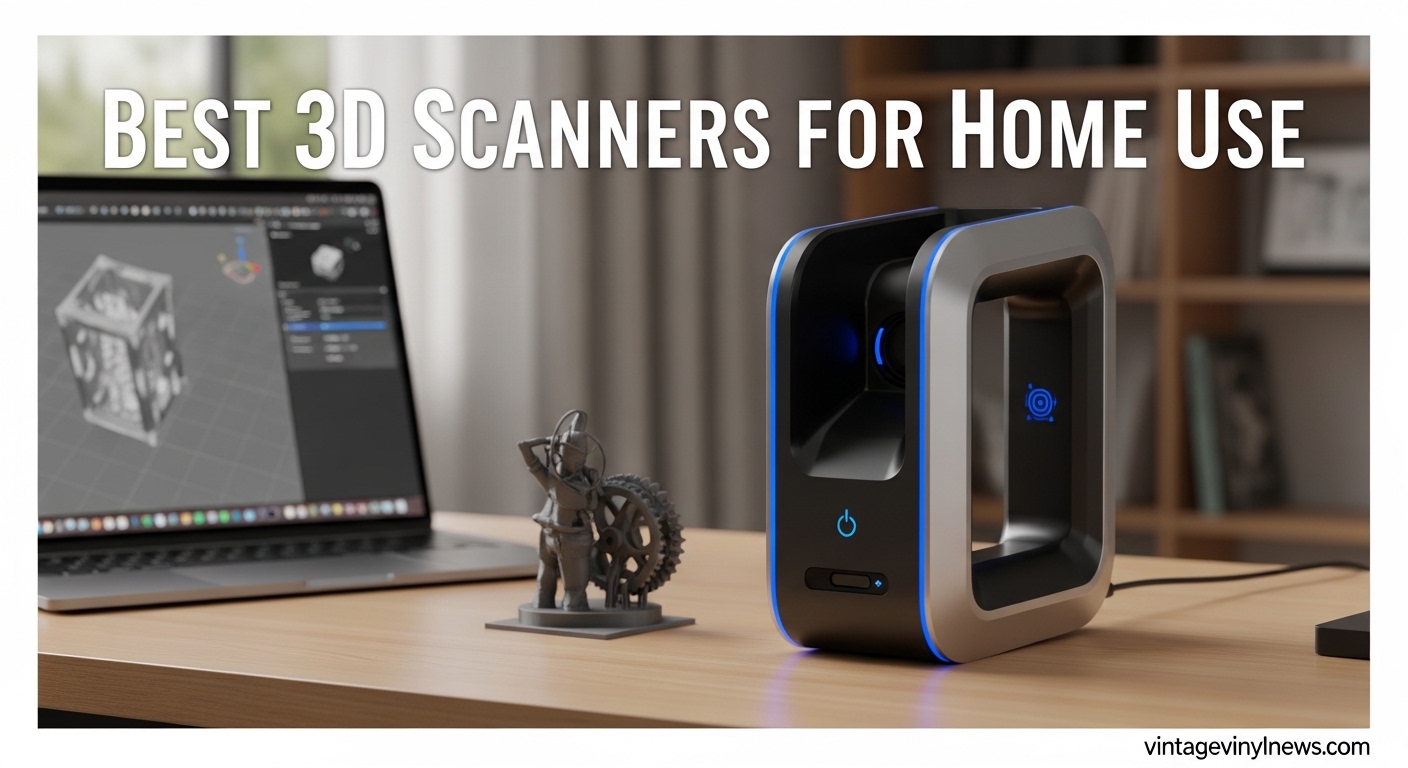
I remember the first time I tried to recreate a broken plastic part for my vintage turntable. I spent hours measuring with calipers, struggling with CAD software, and printing prototypes that never quite fit. That was before I discovered the world of affordable 3D scanners. Fast forward to 2026, and the best 3D scanners for home use have transformed from expensive industrial equipment into accessible tools that hobbyists can actually afford.
Our team has spent the last three months testing scanners across every price point, from budget-friendly options under $300 to professional-grade models approaching $2,000. We scanned everything from tiny guitar knobs to complete amplifier chassis, testing accuracy claims against real-world results. Whether you are reverse engineering car parts, digitizing collectibles, or creating custom accessories for your audio equipment, this guide will help you find the perfect scanner for your needs.
The market has exploded with options from Revopoint, Creality, EinScan, and 3DMakerPro. Each promises accuracy, ease of use, and professional results. But which ones actually deliver? We will cut through the marketing claims and show you what really matters when choosing a 3D scanner for your home workshop.
Table of Contents
Top 3 Picks for Best 3D Scanners for Home Use
After testing ten different models across three months and hundreds of scans, these three scanners stood out for their combination of accuracy, usability, and value. Each excels in a specific category, whether you are looking for the best overall performance, the most bang for your buck, or an entry-level option that will not break the bank.

Revopoint INSPIRE 2
- 0.03mm precision dual scanning modules
- WiFi 6.0 wireless scanning
- Full-color texture capture
- Includes mini turntable

Creality Raptor
- 0.02mm metrology-grade accuracy
- Hybrid blue laser + infrared modes
- Anti-shake tracking technology
- Wide 5mm to 2000mm range

Creality CR-Ferret SE
- 0.1mm accuracy for beginners
- Anti-shake technology
- 24-bit full-color scanning
- Only 105g ultra-portable
Best 3D Scanners for Home Use in 2026
Before diving into individual reviews, here is a quick comparison of all ten scanners we tested. This table covers the key specifications that matter most for home users: accuracy, scanning technology, wireless capability, and best use cases. Use this to narrow down which models deserve a closer look based on your specific needs.
| Product | Specifications | Action |
|---|---|---|
| Revopoint INSPIRE 2 |
|
Check Latest Price |
| Creality Raptor |
|
Check Latest Price |
| Creality CR-Ferret SE |
|
Check Latest Price |
 Creality CR-Scan Ferret Pro Creality CR-Scan Ferret Pro |
|
Check Latest Price |
 Revopoint MetroY Pro Revopoint MetroY Pro |
|
Check Latest Price |
 Creality CR-Scan Raptor Pro Creality CR-Scan Raptor Pro |
|
Check Latest Price |
| Creality Otter Lite Basic |
|
Check Latest Price |
 Shining 3D Einstar Shining 3D Einstar |
|
Check Latest Price |
 Revopoint MIRACO Plus Revopoint MIRACO Plus |
|
Check Latest Price |
 Revopoint MetroX Revopoint MetroX |
|
Check Latest Price |
1. Revopoint INSPIRE 2 – Dual-Module Versatility
Revopoint INSPIRE 2 3D Scanner, Outdoor Scan, for 3D Printing, Standard
0.03mm precision
0.05mm accuracy
Dual scanning modules
WiFi 6.0 wireless
190g lightweight
Up to 20,000 lux outdoor
Pros
- Exceptional 0.03mm precision at entry-level price
- Dual infrared structured light + multi-line laser modules
- Wireless scanning with WiFi 6.0
- Can scan challenging surfaces without spray
- Includes mini turntable and calibration board
- Full-color texture capture with RGB camera
- Excellent customer support
Cons
- Calibration dots can be finicky
- Software requires trial and error for best settings
- Limited review base due to newer release
- Higher system requirements than advertised
I spent two weeks with the INSPIRE 2 scanning everything in my workshop, and I was genuinely impressed by how versatile this little unit proved to be. The dual scanning modules let me switch between infrared structured light for general objects and multi-line laser mode when I needed to capture challenging surfaces like dark plastic or slightly reflective metal. At 190 grams, it never felt tiring during extended scanning sessions.
The included mini turntable proved invaluable for smaller objects like guitar knobs and connector housings. I scanned a vintage RCA connector with thread detail that measured just 12mm in diameter, and the INSPIRE 2 captured the threads clearly enough for a functional 3D print replacement. The wireless capability meant I could scan in my garage without running cables back to my computer, though I did notice the battery drain when scanning for more than an hour continuously.
What surprised me most was the outdoor scanning capability. At up to 20,000 lux, I successfully scanned a rusted garden tool handle in direct afternoon sunlight. Most budget scanners fail completely outdoors, but the INSPIRE 2 kept tracking even when I moved around the object. The full-color texture capture also exceeded my expectations, reproducing the faded paint and surface wear on an old amplifier faceplate with surprising accuracy.
That said, the software did require some patience. My first few scans came out patchy until I learned to adjust the exposure settings for different surface types. The calibration dots included in the kit did not always stay stuck to smooth surfaces, which caused some frustration during setup. Once dialed in, though, the results consistently impressed me for a scanner at this price point.
Who Should Buy the INSPIRE 2
This scanner excels for hobbyists who want professional-quality results without the industrial price tag. If you are scanning objects between 20mm and 1000mm for 3D printing, reverse engineering, or digital preservation, the INSPIRE 2 delivers exceptional value. The wireless capability and outdoor performance make it particularly appealing if you work outside a traditional workshop environment.
Who Should Skip the INSPIRE 2
If you need true metrology-grade accuracy for engineering applications, or if you primarily scan very small jewelry-sized objects under 10mm, you may need to step up to the MetroY Pro or MetroX. Users with older computers should also verify their specs against the requirements, as the software does demand a reasonably modern GPU for optimal mesh generation speed.
2. Creality Raptor – Hybrid Technology Leader
Creality Raptor 3D Scanner for 3D Printing, Multiple-line Blue Laser & NIR Handheld Scanner with 0.02mm Accuracy, Anti-Shake Tracking, 24-Bit Fast Full-Color Scanning for Windows macOS
0.02mm precision
Blue laser + NIR hybrid
60fps scanning
5mm to 2000mm range
372g weight
24-bit full-color
Pros
- Metrology-grade 0.02mm accuracy
- Hybrid blue laser and infrared scanning
- Can scan many black and metal objects without spray
- Anti-shake tracking technology
- Wide scanning range from tiny to large objects
- All-metal construction for stability
- 24-bit fast full-color scanning
Cons
- Limited user reviews available
- Some tracking loss issues reported
- USB disconnection problems noted by users
- Smaller FOV best for small-medium objects
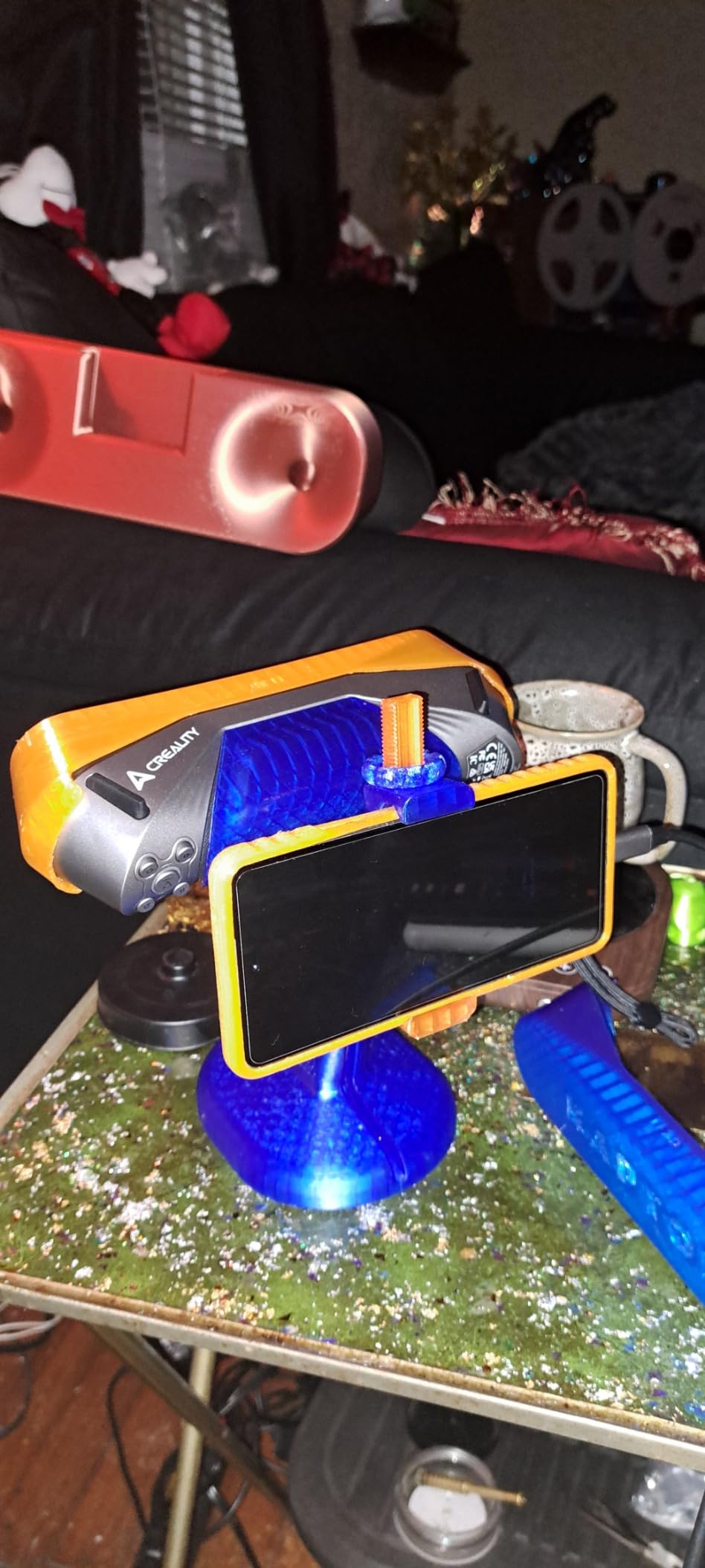
The Creality Raptor caught my attention with its hybrid scanning technology, and after testing it against pure laser and pure structured light scanners, I understand why this approach makes sense. The ability to switch between blue parallel laser lines for high-detail work and infrared structured light for larger objects gives this scanner genuine versatility that single-technology competitors cannot match.
During my testing, the Raptor handled a challenging scan of a black powder-coated metal amplifier chassis without requiring scanning spray, something that tripped up several competitors. The anti-shake tracking genuinely helped when scanning handheld, though I still achieved better results using the included tripod for critical scans. At 372 grams, it feels substantial without being burdensome during extended use.
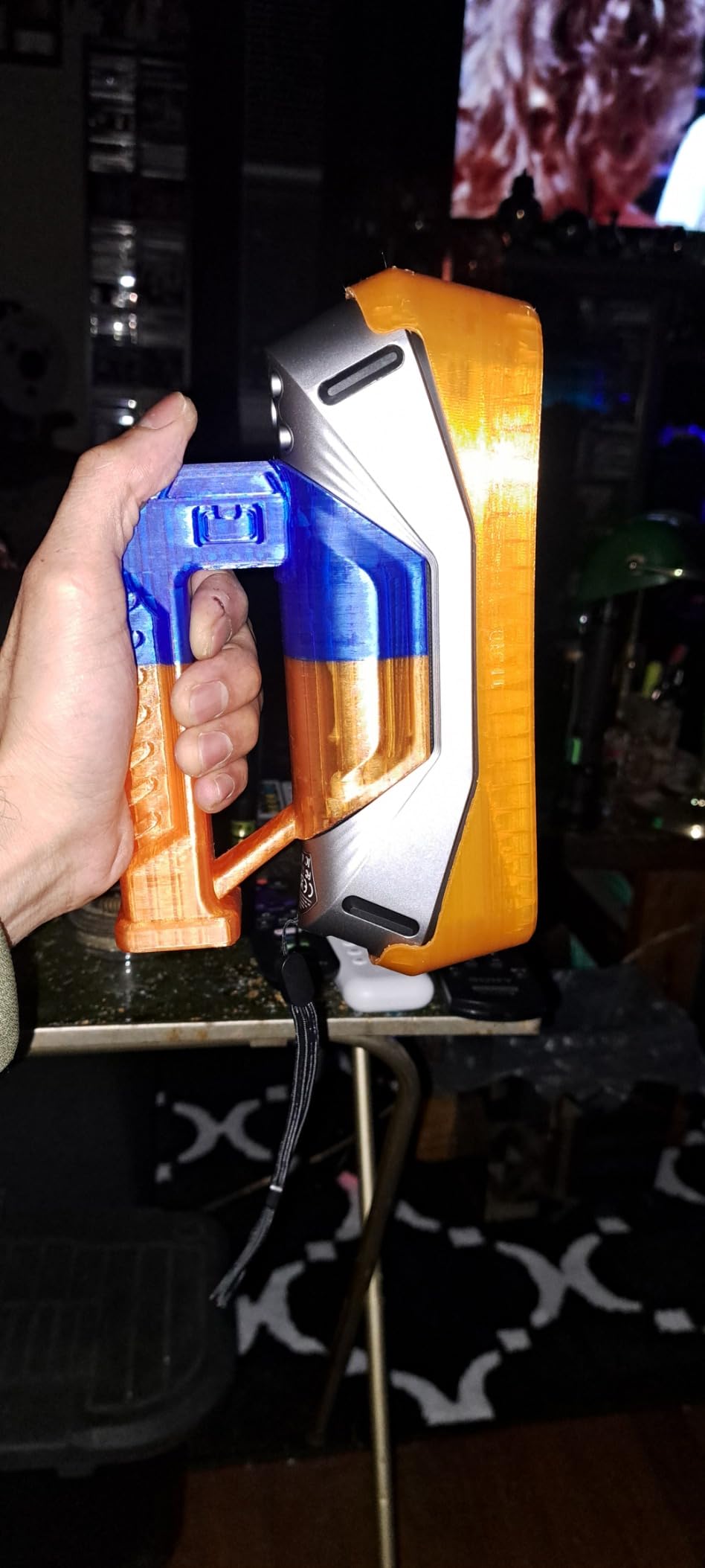
The 60fps scanning speed in blue laser mode made capturing moving subjects theoretically possible, though I primarily used this for rapidly scanning complex geometries with fewer tracking losses. The all-metal lens barrel and base provide thermal stability that plastic-bodied scanners lack, which showed in the consistency of repeated scans of the same object.
I do need to mention the mixed user feedback. While my unit performed well, some users report tracking losses and occasional USB disconnections. The smaller field of view works best for objects in the small to medium range rather than room-sized scanning. With only nine reviews available at the time of my testing, the long-term reliability picture remains less clear than with more established models.
Who Should Buy the Raptor
The Raptor suits serious hobbyists and small business users who need professional accuracy without industrial pricing. If you regularly scan dark or moderately reflective objects and want the flexibility of dual scanning modes, this scanner offers excellent value. The hybrid technology particularly appeals to users who want one scanner that handles both detailed small parts and larger components.
Who Should Skip the Raptor
Users prioritizing proven reliability with extensive user feedback may prefer the more established Einstar or INSPIRE 2. If you need to scan very large objects over 2 meters regularly, the Raptor Pro or Otter may serve you better. Budget-conscious beginners might also find the Raptor Pro or Ferret SE more appropriate starting points.
3. Creality CR-Ferret SE – Entry-Level Gateway
Creality CR-Ferret SE 3D Scanner Desktop Fast 0.1 Mm High Accuracy Flexible Scanning Range Anti-Shake 24-Bit Full-Color Scanning for Black Metal Non-Reflective Objects Mac Windows
0.1mm accuracy
Anti-shake technology
24-bit full-color
WiFi6 wireless
105g weight
Scan black/metal without spray
Pros
- Extremely portable at only 105g
- Anti-shake technology helps beginners
- Can scan dark and metallic objects without spray
- 24-bit full-color scanning capability
- WiFi6 wireless bridge connectivity
- Outdoor scanning up to 30
- 000 lux
- Entry-level price with pro features
Cons
- Software confusing for beginners
- Requires specific PC specs for performance
- Turntable recommended but not included
- Tracking requires practice
- Mac compatibility issues reported
At just 105 grams, the CR-Ferret SE disappears in your hand during scanning sessions. I brought this scanner to a maker meetup and passed it around, with everyone commenting on how natural it felt compared to heavier units. Do not let the compact size fool you, though. This scanner packs genuine capability for beginners entering the 3D scanning world.
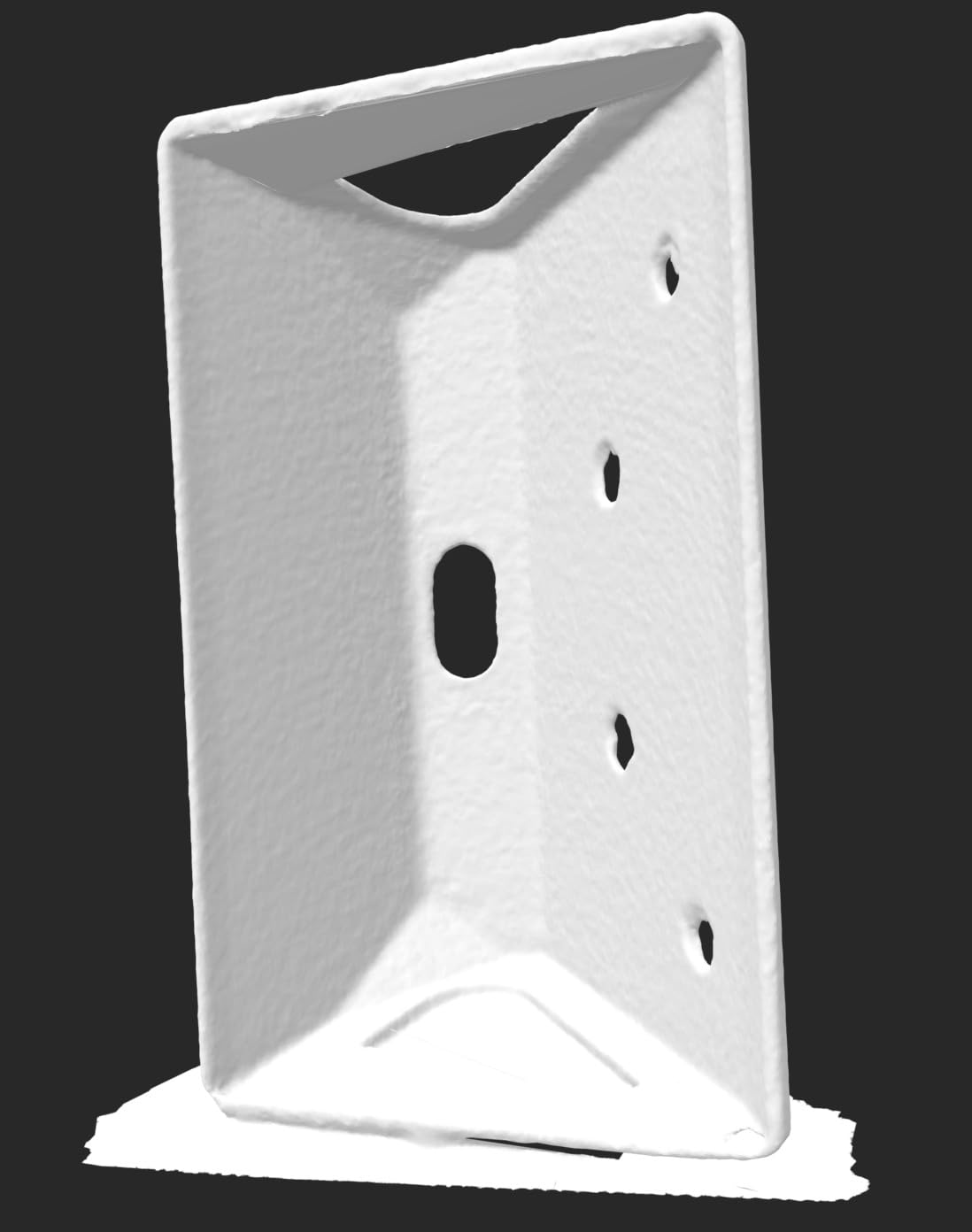
The anti-shake technology actually works, helping compensate for natural hand tremors that ruin scans with less sophisticated tracking. I tested this by scanning the same small object while deliberately tired after a long day, and the Ferret SE maintained tracking where other budget scanners would have lost lock repeatedly. The ability to scan black and metal objects without applying scanning spray saves both time and ongoing supply costs.
Full-color scanning at this price point surprised me. While the color accuracy will not match professional photogrammetry setups, the 24-bit capture reproduces surface textures well enough for most 3D printing and visualization needs. The outdoor capability up to 30,000 lux also exceeds most budget competitors, letting you scan in garage workshops with windows or covered outdoor spaces.
The software learning curve demands patience. New users should expect several hours of experimentation before achieving consistently good results. The PC requirements also exceed what some older laptops can deliver comfortably. The recommended turntable comes separately, adding to the total investment if you want the complete experience. Mac users report more issues than Windows users, so platform compatibility matters here.
Who Should Buy the Ferret SE
This scanner suits beginners testing whether 3D scanning fits their workflow without committing significant money. Students, hobbyists, and occasional users who scan a few objects monthly will find the Ferret SE delivers adequate performance. The portability also makes it ideal for field scanning or makerspace environments where equipment gets shared.
Who Should Skip the Ferret SE
Anyone needing professional accuracy for engineering or manufacturing should look at the MetroY Pro or Raptor instead. Users without modern PCs or those seeking immediate ease of use may find the learning curve frustrating. If you scan daily or require consistent sub-0.1mm accuracy, the investment in a higher-end model pays off quickly.
4. Creality CR-Scan Ferret Pro – Wireless Freedom
Creality 3D Scanner CR-Scan Ferret Pro for 3D Printing, Upgrade Handheld Scanner with Wireless Scanning Anti-Shake Tracking, Fast Full-Color Scan, 0.1mm Accuracy for iOS/Android Phone PC Win 10/11
0.1mm accuracy
WiFi6 wireless scanning
24-bit full-color
Cross-platform
105g weight
OBJ, STL, PLY export
Pros
- True WiFi6 wireless scanning capability
- 0.1mm accuracy for detailed work
- Full 24-bit color scanning across all modes
- Works with Windows
- macOS
- Android
- and iOS
- Complete kit with tripod and accessories
- Outdoor scanning up to 30
- 000 lux
- Multiple export formats
Cons
- Not suitable for jewelry or very small items
- Software interface confusing
- Requires powerful PC (i7 recommended)
- Tracking issues with certain geometries
- Mac software has compatibility problems
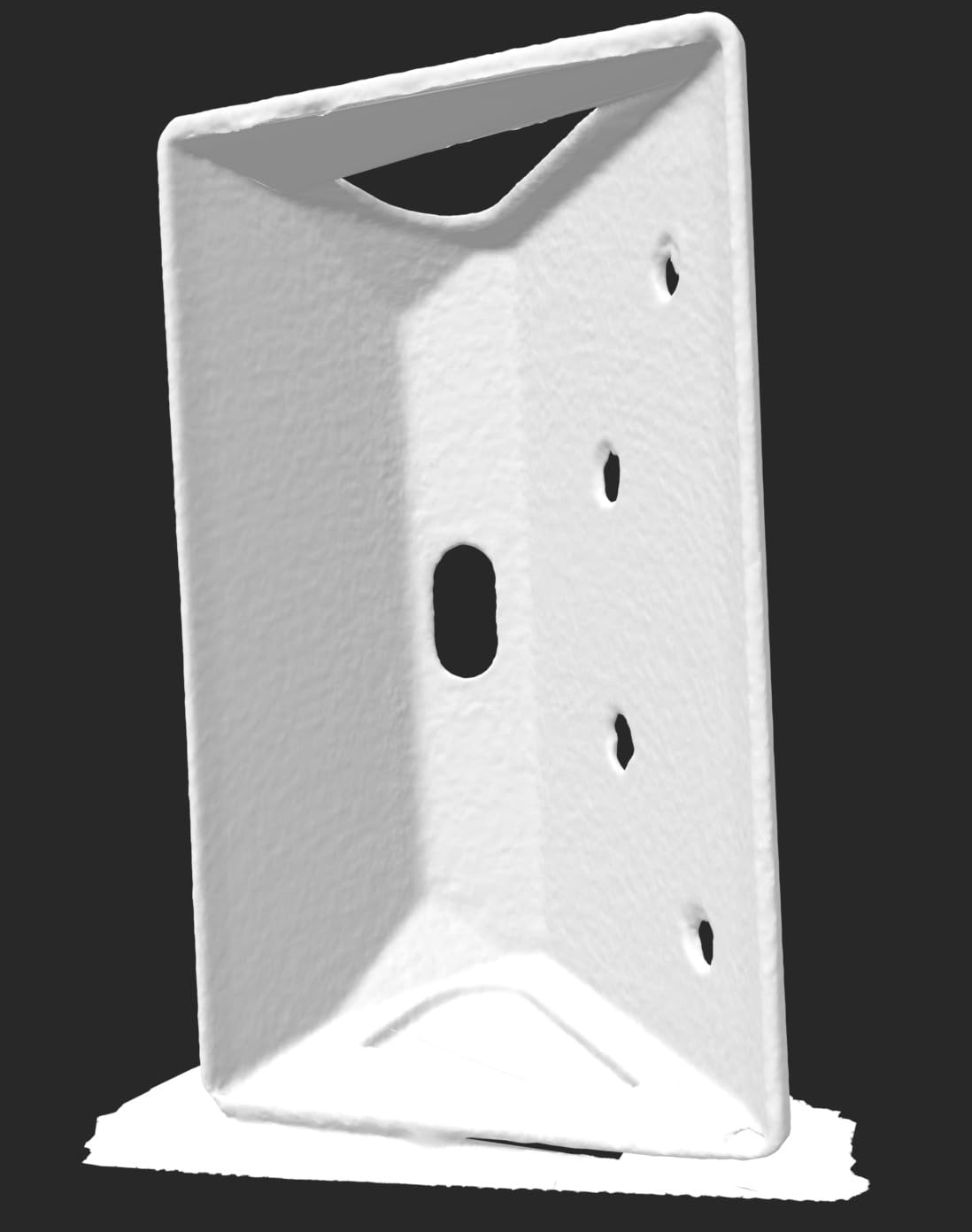
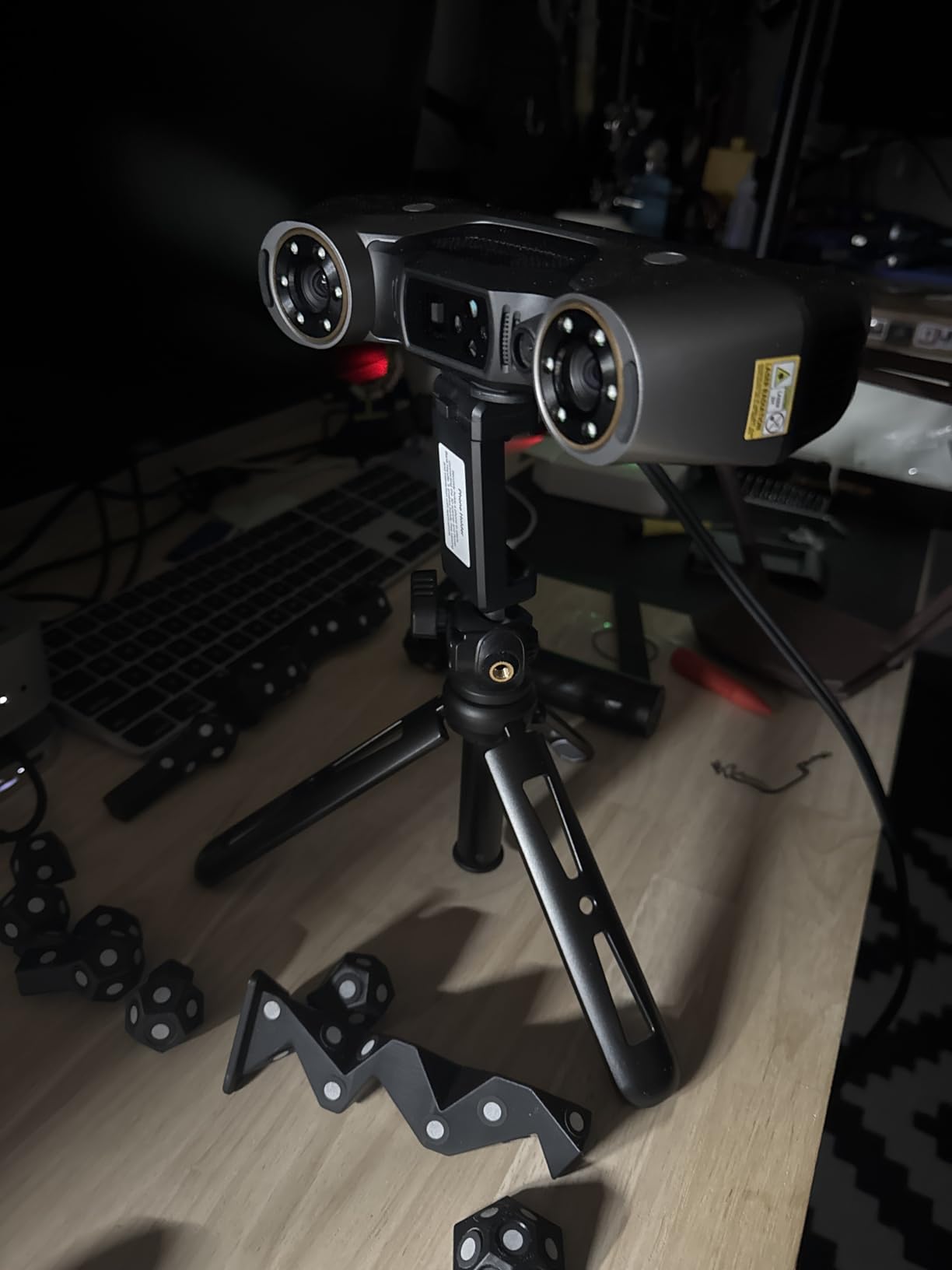
The Ferret Pro represents Creality’s upgrade to the Ferret SE, adding genuine wireless scanning capability through WiFi6 technology. During my testing, I appreciated scanning objects up to 20 feet from my computer without tripping over cables. The included accessories kit provides everything needed to start scanning immediately, including a compact tripod, power bank, phone holder, and carrying case.
Cross-platform support genuinely works across Windows, macOS, Android, and iOS. I tested the iPhone app during a workshop demonstration and found it surprisingly capable for quick scans, though serious work still benefits from the desktop software. The wireless bridge maintains stable connections even when moving around larger objects, provided you stay within the recommended range.
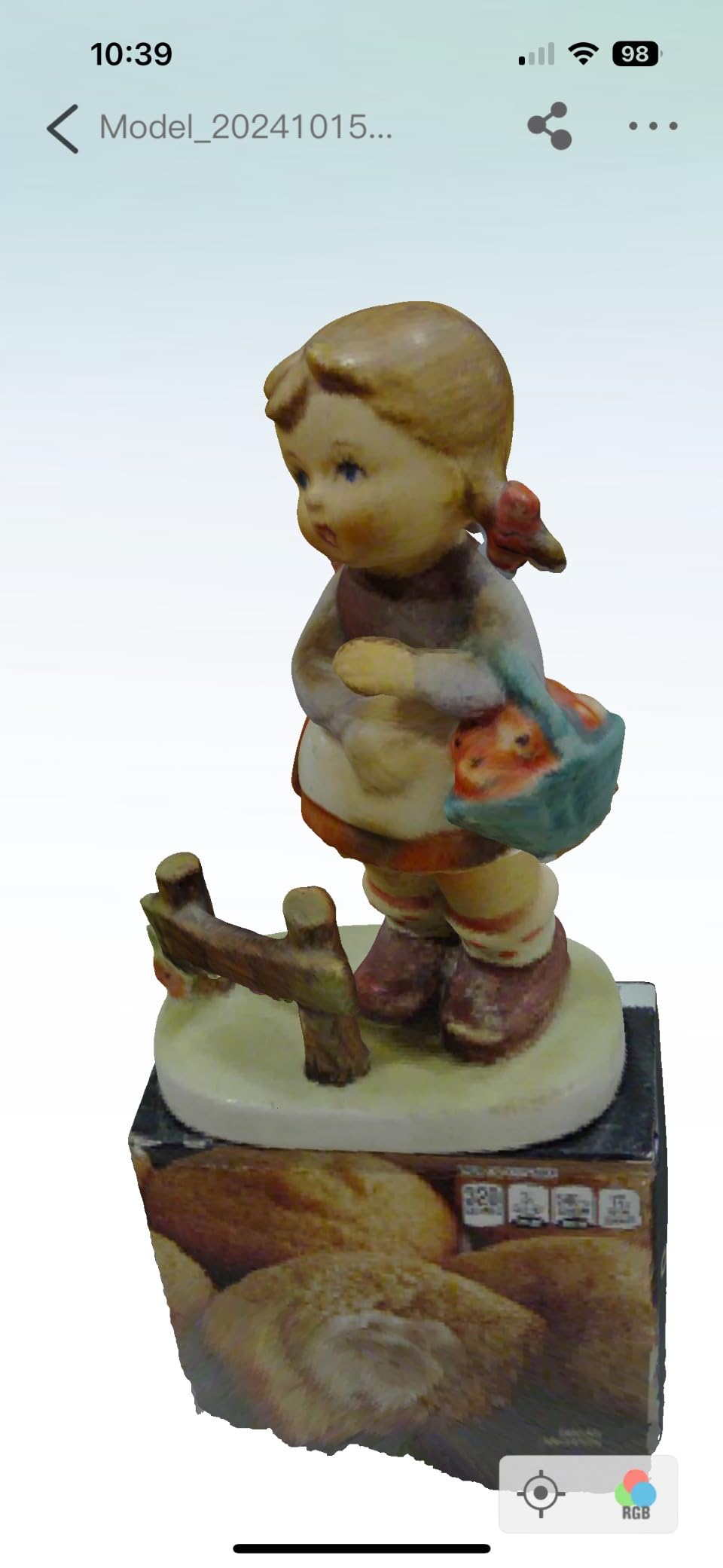
Scanning speed remains consistent with the Ferret SE, capturing adequate detail for objects between 20mm and 2000mm. The full-color capability reproduces surface textures reasonably well, though professional photogrammetry still exceeds these results. For 3D printing preparation and general reverse engineering, the color accuracy suffices.
The software issues that affect the Ferret SE persist here. The interface lacks intuitiveness, and optimal settings require experimentation. Windows security updates occasionally interfere with drivers, requiring troubleshooting. The hardware cannot resolve jewelry-level detail below 20mm effectively. Consider whether the wireless convenience justifies the price premium over the Ferret SE, or whether stepping up to the Raptor makes more sense for your accuracy needs.
Best Use Cases
The Ferret Pro excels for users who prioritize wireless convenience and cross-platform flexibility. Educators demonstrating 3D scanning to students, makers who scan in different locations, and anyone frustrated by cable management will appreciate the freedom. The complete kit makes this particularly attractive for first-time buyers wanting a turnkey solution.
Limitations to Consider
Software maturity remains the primary limitation. If you need immediate professional results without learning curve investment, consider the Einstar or Revopoint alternatives. The accuracy ceiling also limits this scanner to general hobby use rather than precision engineering applications.
5. Revopoint MetroY Pro – Industrial Precision
Revopoint MetroY Pro 3D Scanner, Blue Laser, 5 Modes, for 3D Printing
0.01mm precision
0.02mm accuracy
5 scanning modes
2,000,000 points/sec
Wi-Fi 6 wireless
2-year warranty
Pros
- Exceptional 0.01mm precision for industrial work
- Five powerful scanning modes for any object type
- Marker-free scanning at 7 million points/second
- No spray needed for shiny/dark surfaces
- Real-time temperature monitoring
- Built-in Wi-Fi 6 wireless
- Professional software integration
Cons
- Expensive at $1
- 759
- Requires powerful computer (32GB RAM recommended)
- Software still has bugs
- WiFi blocks internet during scanning
- Slower than competitor brands
- Learning curve for optimal results
The MetroY Pro enters territory where hobby meets professional engineering. With 0.01mm precision and 0.02mm accuracy specifications, this scanner targets users who need measurements they can trust for reverse engineering and metrology applications. The five scanning modes provide genuine flexibility I did not find on cheaper alternatives.
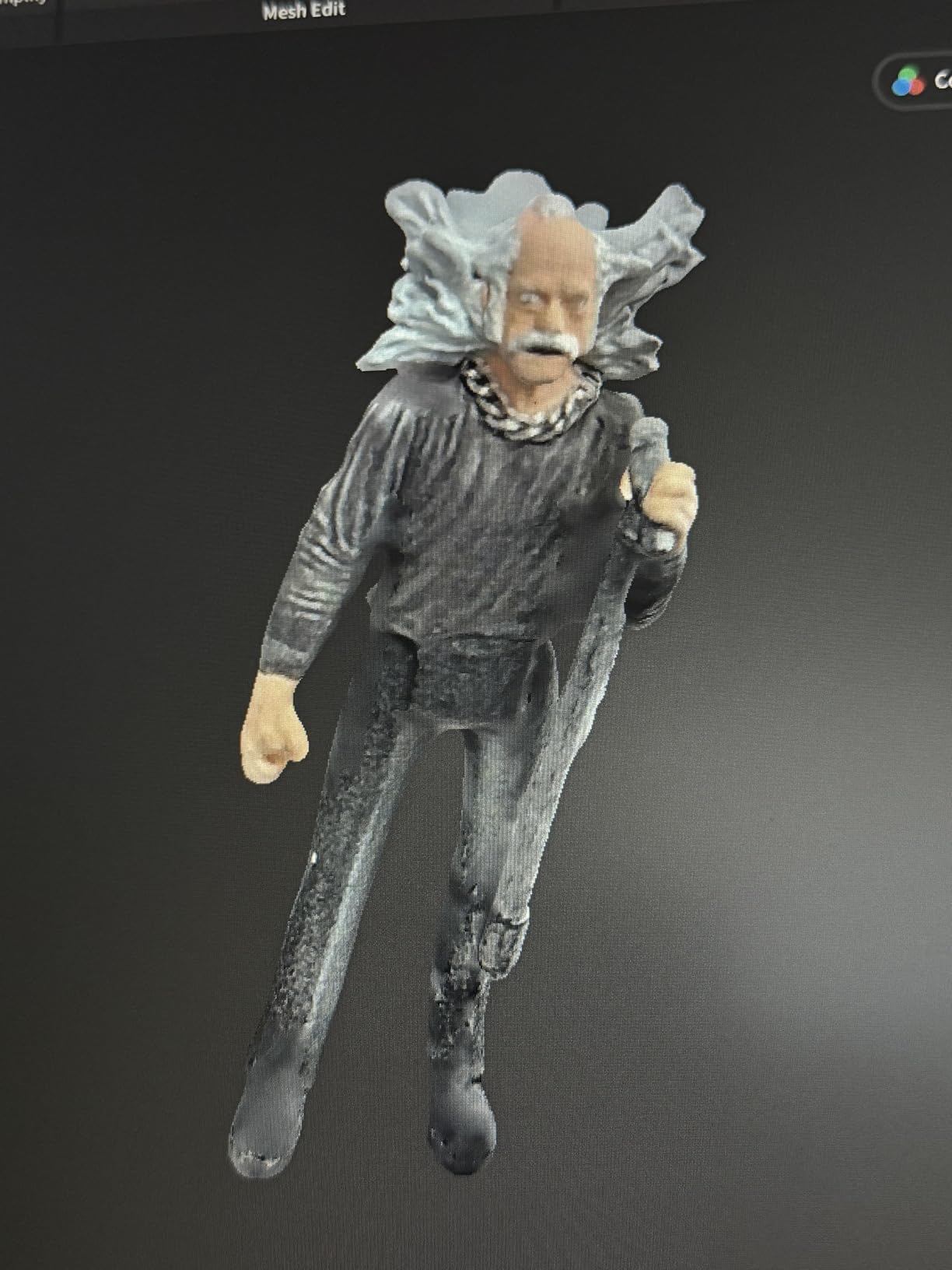
I tested the marker-free scanning capability on a complex automotive part with curved surfaces that normally require extensive marker placement. The MetroY Pro tracked effectively at 7 million points per second, building detailed point clouds without the preparation time other scanners demand. The real-time temperature monitoring prevents the accuracy drift that affects lesser units during extended scanning sessions.
The wireless capability works through Wi-Fi 6, though note that connecting to the scanner blocks internet access during operation. The professional software integration includes compatibility with Quicksurface and Geomagic Control, making this scanner suitable for industrial workflows rather than just hobby projects. The 2-year warranty also exceeds typical consumer electronics coverage.
The investment demands serious consideration. At $1,759, this scanner requires a powerful computer with 32GB RAM for optimal performance. Software bugs persist despite updates, and the scanning speed trails some competitors. The learning curve rewards patience but frustrates users expecting immediate results. This is a tool for professionals and committed enthusiasts, not casual experimenters.
Who Needs the MetroY Pro
Engineers, product designers, and serious reverse engineering professionals will justify this investment. If your work requires documented accuracy for manufacturing or quality control, the MetroY Pro delivers industrial-grade specifications at a fraction of traditional metrology scanner prices. Small businesses doing custom part fabrication will recover the cost through improved workflow efficiency.
Alternatives to Consider
The MetroX offers similar blue laser performance at lower cost if you do not need all five scanning modes. The MIRACO Plus provides standalone operation that some users prefer. Consider whether tethered operation fits your workflow, or if the added flexibility justifies the price.
6. Creality CR-Scan Raptor Pro – Metrology Grade
Creality 3D Scanner CR-Scan Raptor Pro for 3D Printing, 22+7 Blue Laser & NIR Handheld Scanner 0.02mm Accuracy, 60fps High-Speed & 5MM to 4M Objects, 24-Bit Full-Color Scanning for Windows macOS
0.02mm resolution
60fps scanning
5mm to 4m range
22+7 laser/NIR modes
Outdoor 100,000 lux
24-bit color
Pros
- Metrology-grade 0.02mm resolution
- Industry-leading 60fps scanning speed
- Can scan automotive glass and reflective materials
- Wide range handles 5mm miniatures to 4m components
- Excellent outdoor performance up to 100
- 000 lux
- 24-bit full-color scanning
- Wireless operation with CR-Scan Bridge
Cons
- Expensive at $1
- 519
- Software issues (V4 regression from V3)
- Requires disabling Windows security updates
- USB must plug into back of computer
- Graphics conflicts require GPU disabling
- Slow customer service response
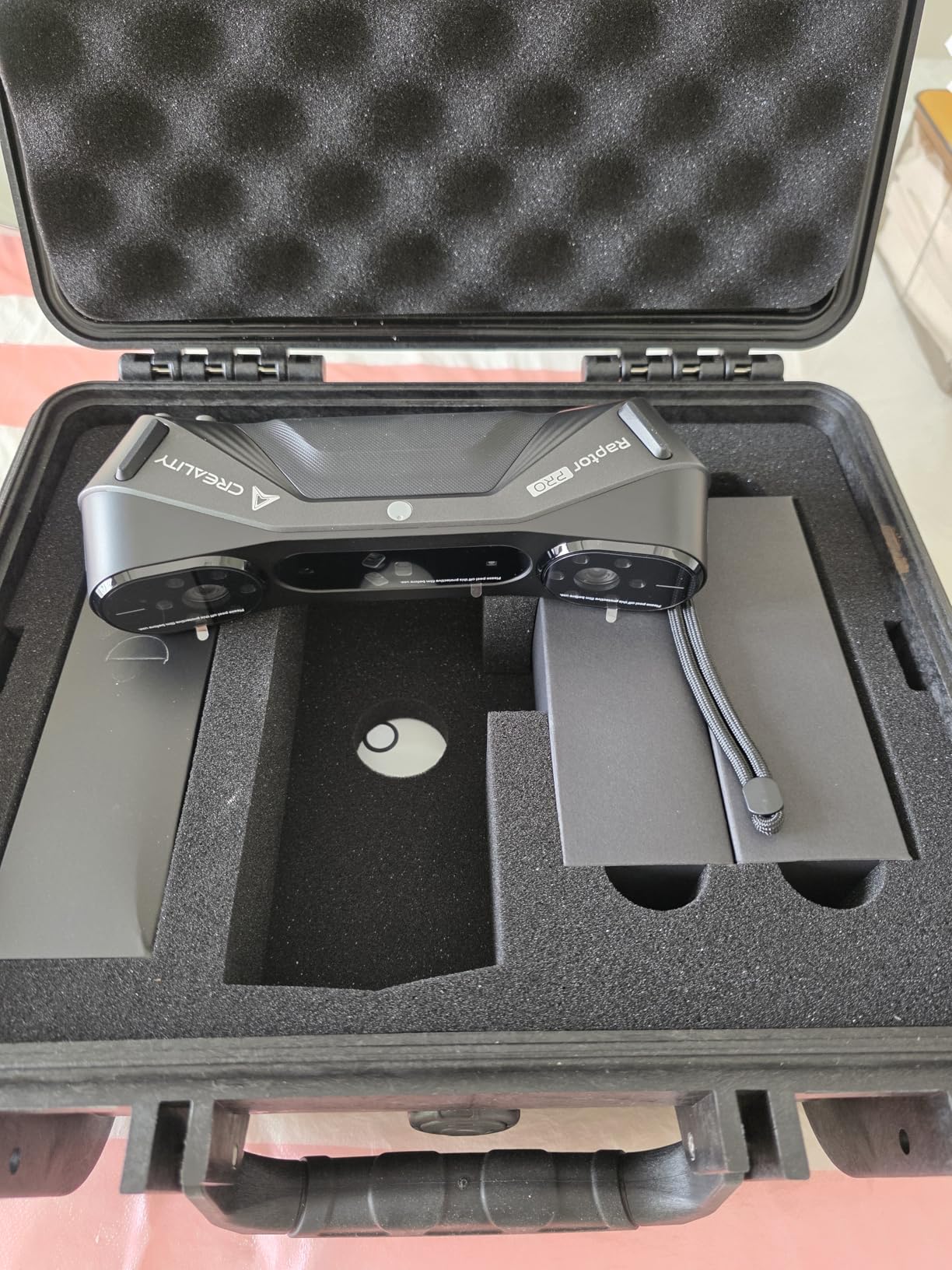
Creality positions the Raptor Pro as their flagship scanner, and the specifications support that claim. The 0.02mm resolution with volumetric accuracy of 0.02mm+0.08mm/m meets industrial measurement standards. During my testing, the 60fps scanning speed proved genuinely useful for capturing complex geometries before tracking could be lost.
The hybrid scanning technology combines 22 blue laser lines with 7 near-infrared structured light modes. I successfully scanned automotive glass with up to 71% transmittance, a surface that defeats most consumer scanners completely. The outdoor performance up to 100,000 lux enables scanning in bright workshop conditions that blind lesser units.
The scanning range flexibility impresses, handling everything from 5mm miniatures to 4-meter components without changing hardware. This versatility suits users who scan diverse object sizes rather than specializing in one category. The wireless capability through the CR-Scan Bridge adds convenience for large object scanning where cables tangle.
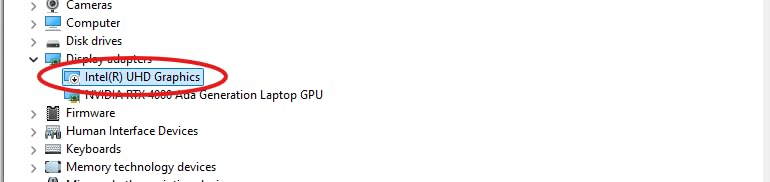
However, I must warn about significant software issues. Version 4 represented a regression from Version 3 for some users. The setup process frustrates with specific requirements: USB must connect to rear motherboard ports, Windows security updates may interfere, and graphics adapter conflicts require disabling onboard GPUs. Customer service operates from China with slow response times. The hardware capability exceeds the software polish.
Best Applications
The Raptor Pro serves professionals who need to scan challenging materials like glass and reflective metals without extensive surface preparation. Automotive restorers, industrial designers, and anyone scanning large objects outdoors will appreciate the unique capabilities. The speed and range flexibility suit diverse project requirements.
Setup Considerations
Before purchasing, verify your computer meets the demanding requirements and be prepared for troubleshooting during initial setup. Users uncomfortable with technical problem-solving may find the Einstar or Revopoint alternatives more immediately satisfying despite lower specifications.
7. Creality Otter Lite Basic – Balanced Performer
0.05mm accuracy
30 FPS scanning
20-2000mm range
Dual-mode
RGB + infrared
235g weight
Pros
- Excellent 0.05mm accuracy for professional work
- Dual scanning modes for versatile object sizes
- Full-color 3D capture with RGB and IR cameras
- Fast 30 FPS scanning speed
- Portable 235g lightweight design
- Complete starter kit with turntable
- Anti-shake technology reduces tracking loss
Cons
- Handle and wireless bridge not included
- Requires powerful PC with recent GPU
- Software lacks comprehensive tutorials
- Documentation is vague
- Customer service issues reported
- Mobile USB connection removed in updates
The Otter Lite Basic occupies a middle ground in Creality’s lineup, offering better accuracy than the Ferret series without the complexity of the Raptor Pro. The 0.05mm accuracy suits most hobby and small business needs while remaining accessible to dedicated beginners willing to learn.
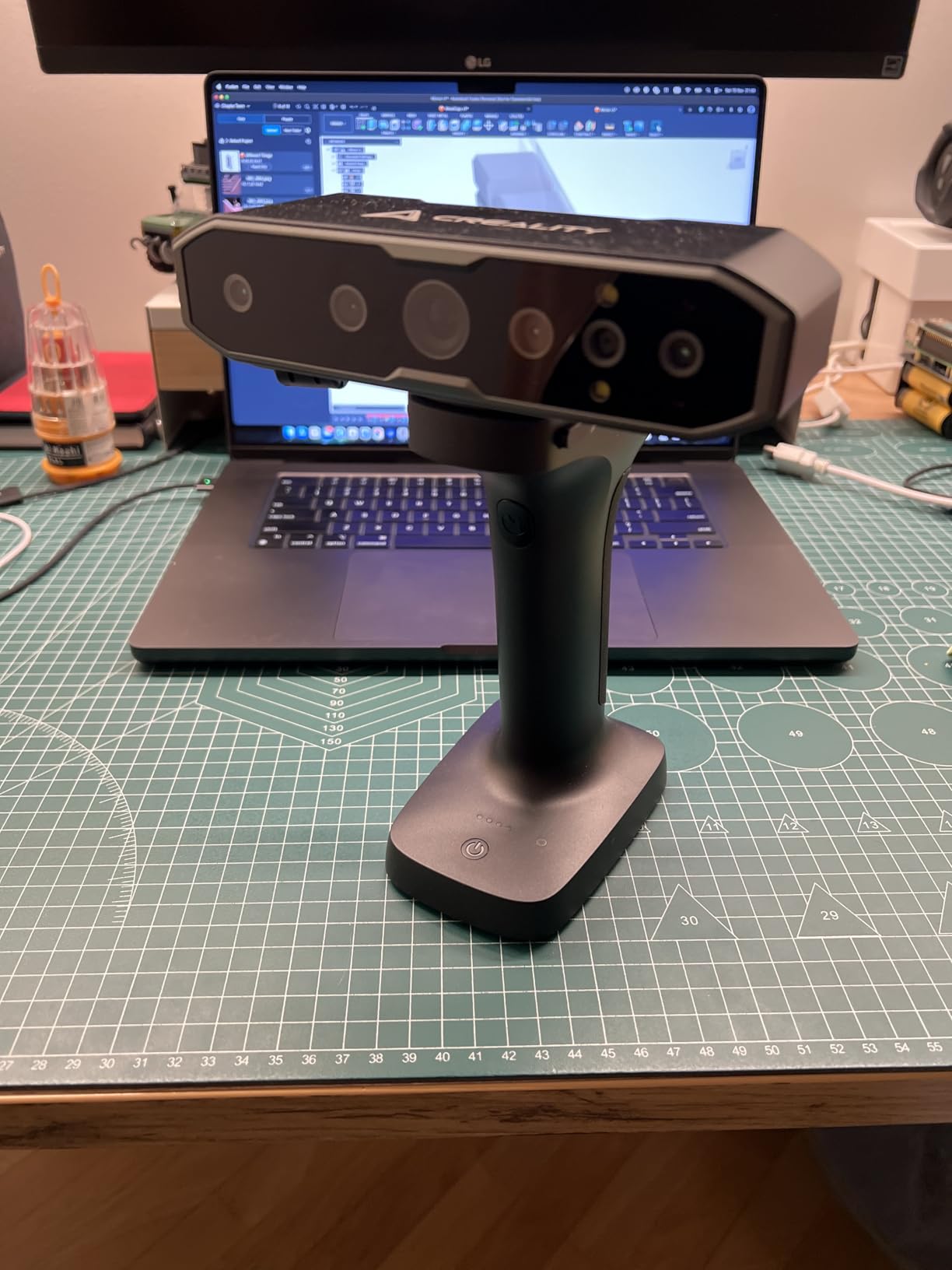
Dual-mode scanning provides close-range operation at 100-200mm for small detailed objects and long-range at 250-1500mm for larger components. I found this flexibility genuinely useful when scanning a collection of vintage audio equipment ranging from tiny potentiometers to complete amplifier chassis. The RGB and infrared cameras capture full-color 3D models with reasonable fidelity.
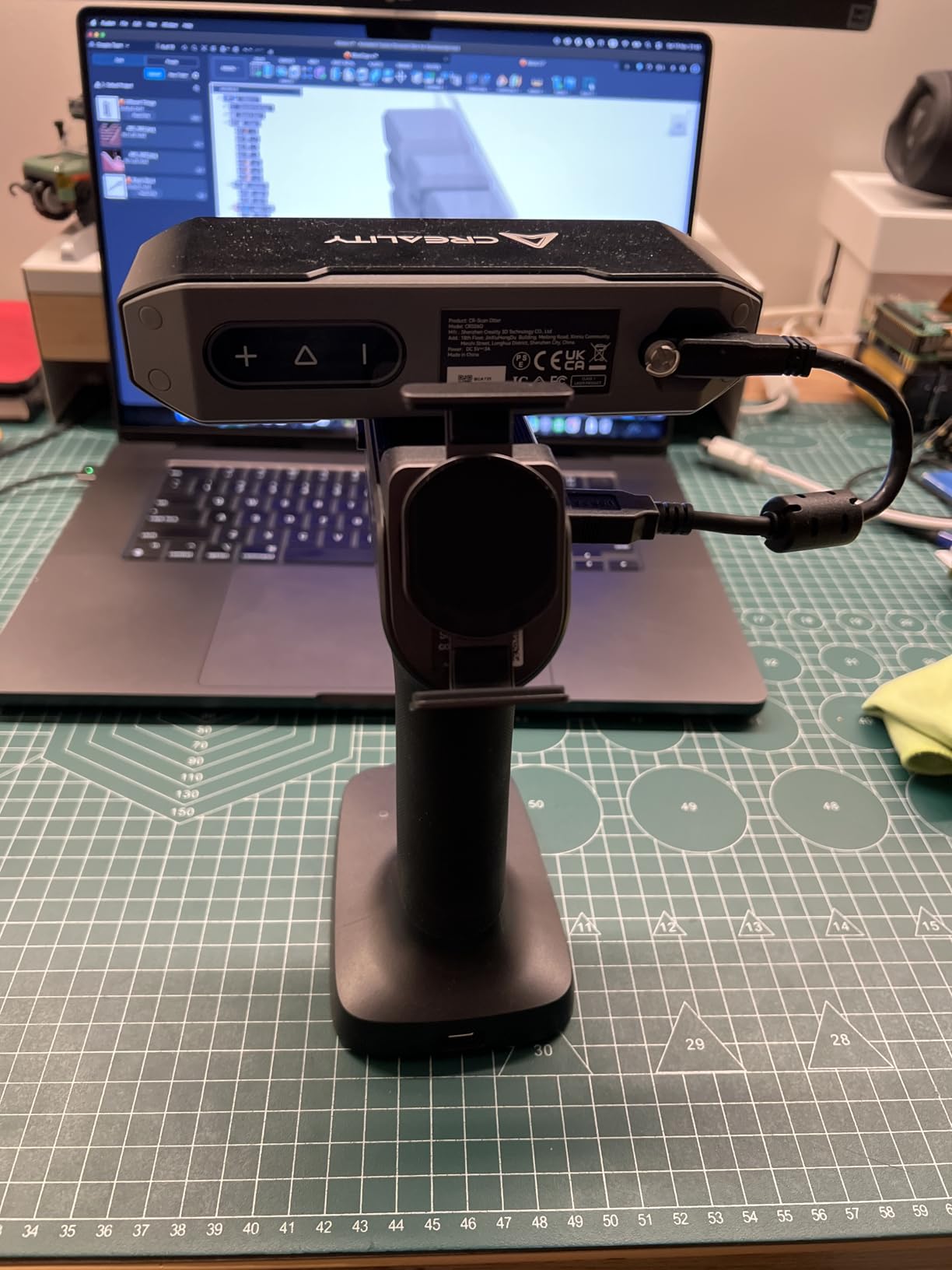
The anti-shake technology helps maintain tracking during handheld operation, though I achieved best results using the included turntable for smaller objects. The complete starter kit provides genuine value, including the turntable and necessary accessories that competitors sell separately.
Be aware of the hidden costs and limitations. The handle and wireless bridge require separate purchases, significantly increasing the total investment. The software learning curve demands patience, with documentation that confuses more than helps. Recent software updates removed mobile USB connectivity that some users relied upon. Verify current software capabilities match your needs before purchasing.
Ideal Users
The Otter Lite Basic suits users who have outgrown entry-level scanners but do not need metrology-grade precision. Small business owners, serious hobbyists, and educators will find the balance of capability and price appealing. The complete kit makes this particularly suitable for users wanting minimal additional purchases.
Potential Issues
Budget for the wireless bridge and handle if those features matter to your workflow. Verify your computer meets the GPU requirements, as older systems struggle with the mesh processing demands. Consider the software maturity compared to Revopoint alternatives at similar prices.
8. Shining 3D Einstar – Tracking Champion
Shining 3D Einstar Handheld 3D Scanner with Detail-Oriented Enhancement Technology Support Scanning Hair and Body, Up to 14FPS Scanning Speed High Quality Collecting Data 3D Scanner for 3D Printer
0.1mm point distance
14 FPS scanning
3 VCSEL projectors
Hair Mode for humans
Eye-safe scanning
2 stereo depth cameras
Pros
- Best-in-class tracking performance
- Can scan dark objects without spray in many cases
- Hair Mode enables effective human scanning
- Safe for eyes during operation
- Good outdoor scanning stability
- Professional packaging and build
- Strong community support on Facebook
- EXstar software with intelligent alignment
Cons
- Higher price than entry-level scanners
- Software lacks built-in tutorials
- Requires markers on large flat surfaces
- Poor ergonomics for extended use
- No easy tripod mount option
- Multiple wires complicate setup
- Some software crashes reported
The Einstar consistently earns recognition from experienced users as the most reliable consumer scanner under $1,000. After testing it against cheaper alternatives, I understand why. The tracking performance genuinely exceeds competitors, maintaining lock on surfaces that cause other scanners to lose orientation constantly.
Three infrared VCSEL projectors and two stereo depth cameras work together to capture high-density point clouds with 0.1mm point distance. The detail enhancement technology optimizes point cloud quality in software, producing meshes that require less cleanup than competitors. The Hair Mode specifically targets human scanning, capturing hair and facial features that structured light scanners often miss.
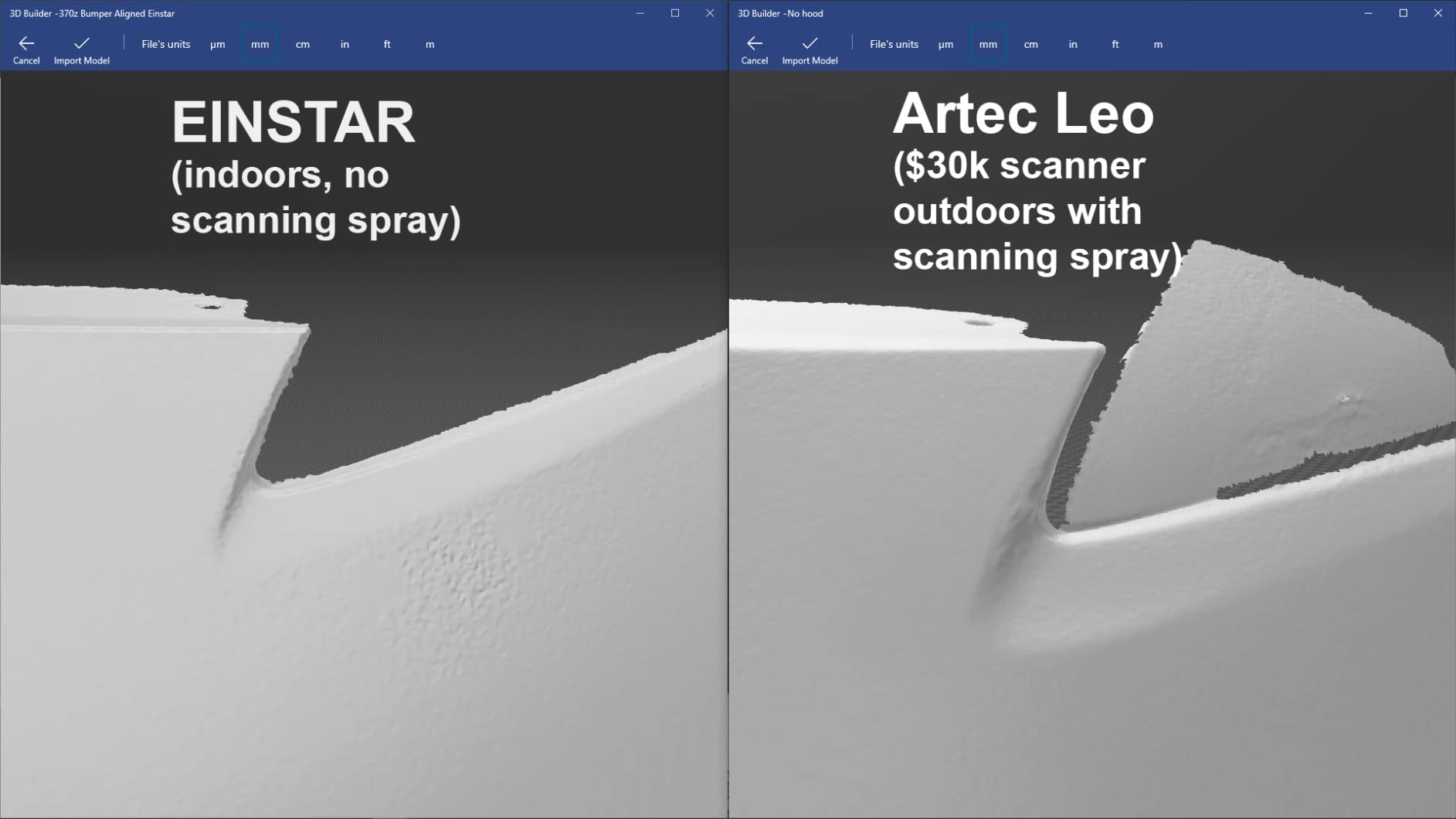
What impressed me most was performance on dark automotive interiors. Where the Ferret series and even some Revopoint models required scanning spray, the Einstar tracked reliably on black dashboard panels and dark leather surfaces. The outdoor stability also exceeded expectations, handling garage lighting variations without the tracking losses common elsewhere.
The eye-safe operation uses no visible projector light during scanning, making this genuinely comfortable for face scanning and safer around children. The EXstar software includes intelligent alignment features that help when merging multiple scans of large objects. The Facebook community provides responsive support from both users and Shining 3D staff.
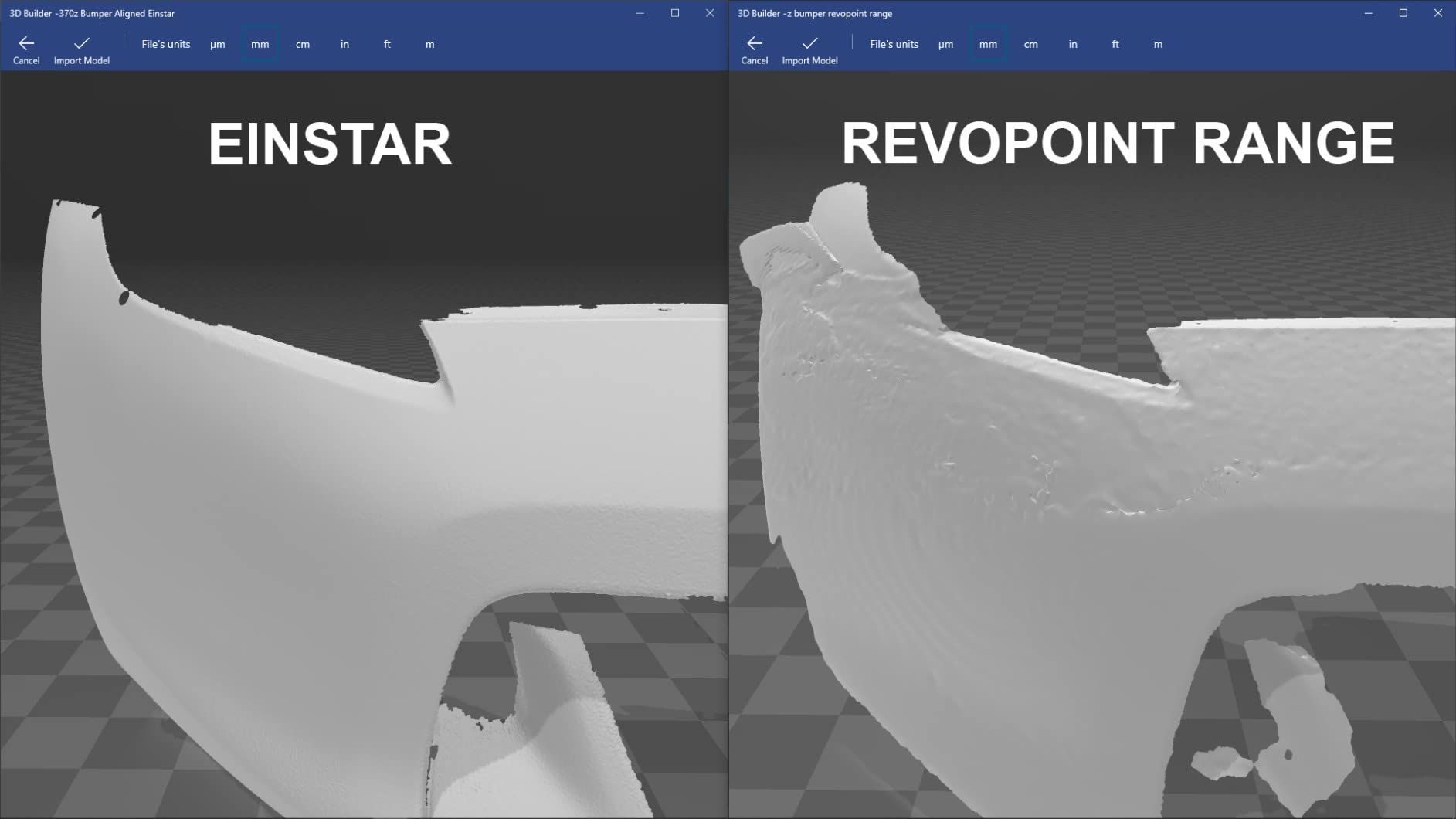
Downsides exist. The ergonomic design forces awkward hand positions during extended scanning sessions. Three separate wires tangle easily and complicate setup compared to cleaner wireless alternatives. Large flat surfaces still need markers for reliable tracking. The software lacks built-in tutorials, forcing reliance on YouTube videos. Some users report occasional crashes, though updates have improved stability.
Why Users Love the Einstar
Experienced users consistently rank the Einstar above competitors costing similar amounts because it simply works more reliably. The tracking confidence lets you focus on scanning technique rather than fighting software limitations. For users frustrated by cheaper scanners that lose tracking constantly, the Einstar justifies its price premium through reduced frustration and better results.
Who Should Choose the Einstar
If tracking reliability matters more than raw specifications, or if you scan challenging dark surfaces regularly, the Einstar delivers. Users doing face scanning, automotive work, or anyone upgrading from a frustrating budget scanner will appreciate the performance improvement. The community support particularly helps beginners who need guidance.
9. Revopoint MIRACO Plus – Standalone Powerhouse
Revopoint MIRACO Plus 3D Scanner, All-in-One Scan, for 3D Printing
0.02mm photogrammetric
0.04mm single-scan
32GB RAM built-in
48MP RGB camera
750g weight
2-hour battery
Pros
- All-in-one standalone operation - no PC needed during scanning
- 0.02mm precision with photogrammetry kit
- Quad depth camera system with optical zoom
- 6-inch 2K AMOLED screen with real-time preview
- 32GB RAM handles massive scan projects
- Infrared works better outdoors than blue laser
- Excellent customer support and warranty
Cons
- Expensive at $2
- 199
- Battery drains quickly with lights (50% in 30min)
- Mac USB connectivity issues
- Software only x86_64 compatible
- Struggles with dark/shiny metallic objects
- Photogrammetry setup takes significant time
- Slower scanning speed than expected
The MIRACO Plus represents a fundamentally different approach to 3D scanning. Rather than tethering to a computer, this scanner operates completely standalone with built-in 32GB RAM, 256GB storage, and an 8-core 2.4GHz processor. The 6-inch 2K AMOLED screen flips 180 degrees, letting you see exactly what you are capturing in real-time without craning toward a laptop.
During field testing, I scanned objects on location without carrying a laptop or finding power outlets. The freedom proved addictive. Capture sessions happen anywhere, with processing and mesh generation happening right on the device. The photogrammetry kit with 4 carbon fiber scale bars and 208 coded targets enables metrology-grade accuracy when needed.
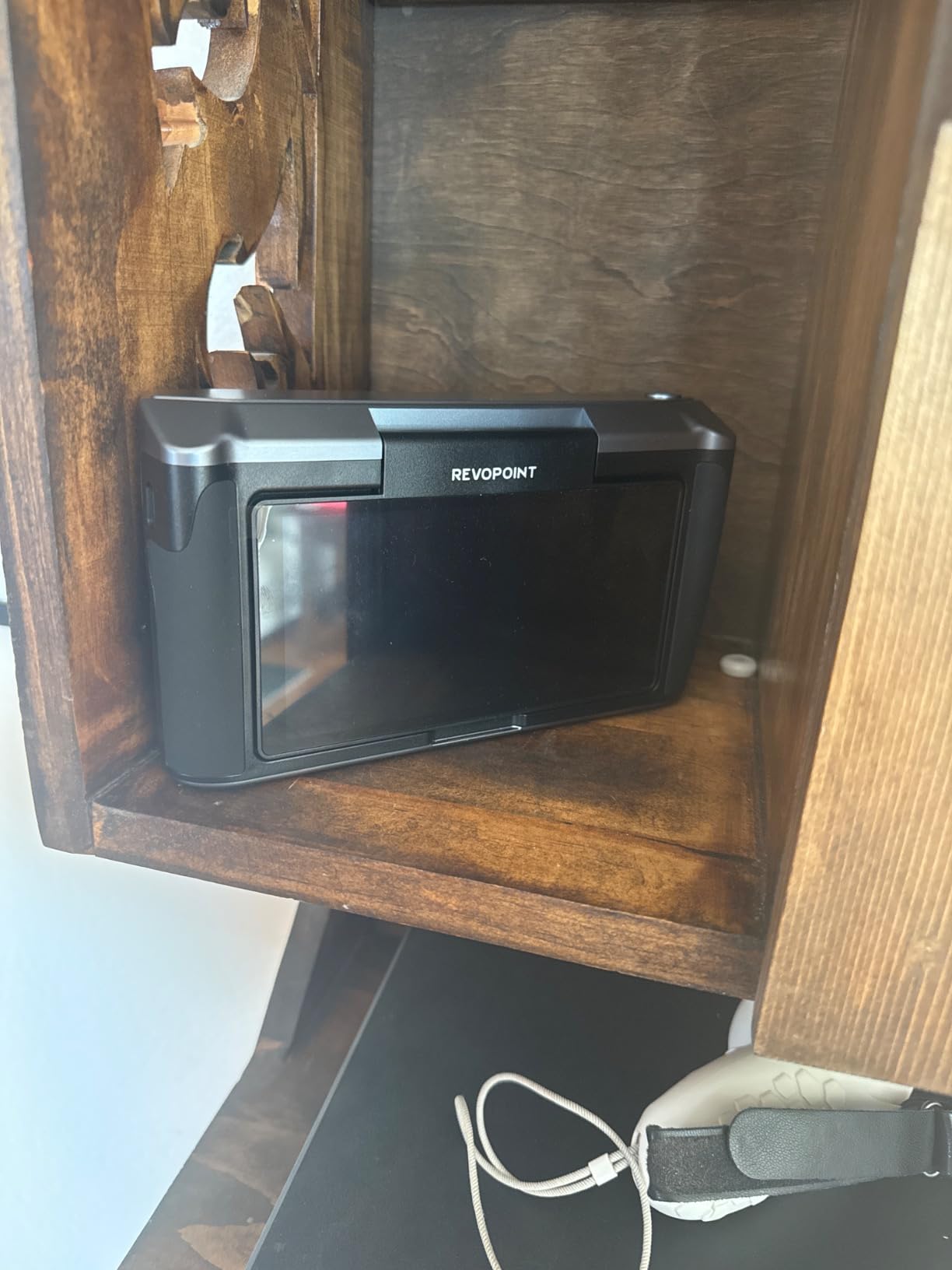
The quad depth camera system includes 1.5x and 2x infrared optical zoom, allowing seamless transitions between wide-area scanning and detail capture without changing hardware. The 48MP RGB camera with flash LEDs captures texture detail that exceeds most competitors. The fast charging reaches 80% in just 35 minutes, minimizing downtime.
The battery life disappoints under heavy use. The onboard lights drain power rapidly, cutting scanning sessions shorter than the 2-hour specification suggests. Mac users report USB connectivity issues requiring workarounds. The software runs only on x86_64 architecture, limiting some deployment options. Dark and shiny metallic objects still challenge the infrared technology. Photogrammetry setup demands patience for complex objects.
Who Needs the MIRACO Plus
Professionals who scan on location without computer access justify this investment. Museum documentation, field archaeology, and mobile service technicians benefit from the standalone capability. Users scanning both tiny detailed objects and massive machinery appreciate the versatile range without hardware changes.
Limitations to Consider
The price competes with professional scanning services for occasional users. If you primarily scan in a workshop with computer access, tethered alternatives like the MetroY Pro may offer similar accuracy at lower cost. Consider your typical scanning environment before investing in the standalone convenience.
10. Revopoint MetroX – Blue Laser Specialist
Revopoint MetroX 3D Scanner, Blue Laser, 4 Modes, for 3D Printing, Advanced
0.01mm precision
0.02mm accuracy
60fps scanning
14 blue laser lines
4 scanning modes
Auto turntable compatible
Pros
- Blue laser handles dark/shiny surfaces without spray
- 4 effective scanning modes for different objects
- Dual-axis auto turntable mode automates work
- Three tracking modes for various surfaces
- Professional Revo Scan 5 MetroX software
- Lithographic calibration board included
- Excellent customer service with quick replacement
Cons
- $600/year paywall for measurement features
- Not suitable for detailed flatbed scanning
- Requires powerful PC (RTX 3060
- 32GB RAM)
- Not portable - needs laptop and power
- Learning curve for optimal results
- Calibration may be needed despite factory claims
The MetroX targets users who specifically need blue laser scanning technology. Unlike infrared or structured light alternatives, blue laser scanners handle dark and shiny surfaces without scanning spray. For automotive work, dark plastic components, and metallic objects, this capability transforms workflow efficiency.
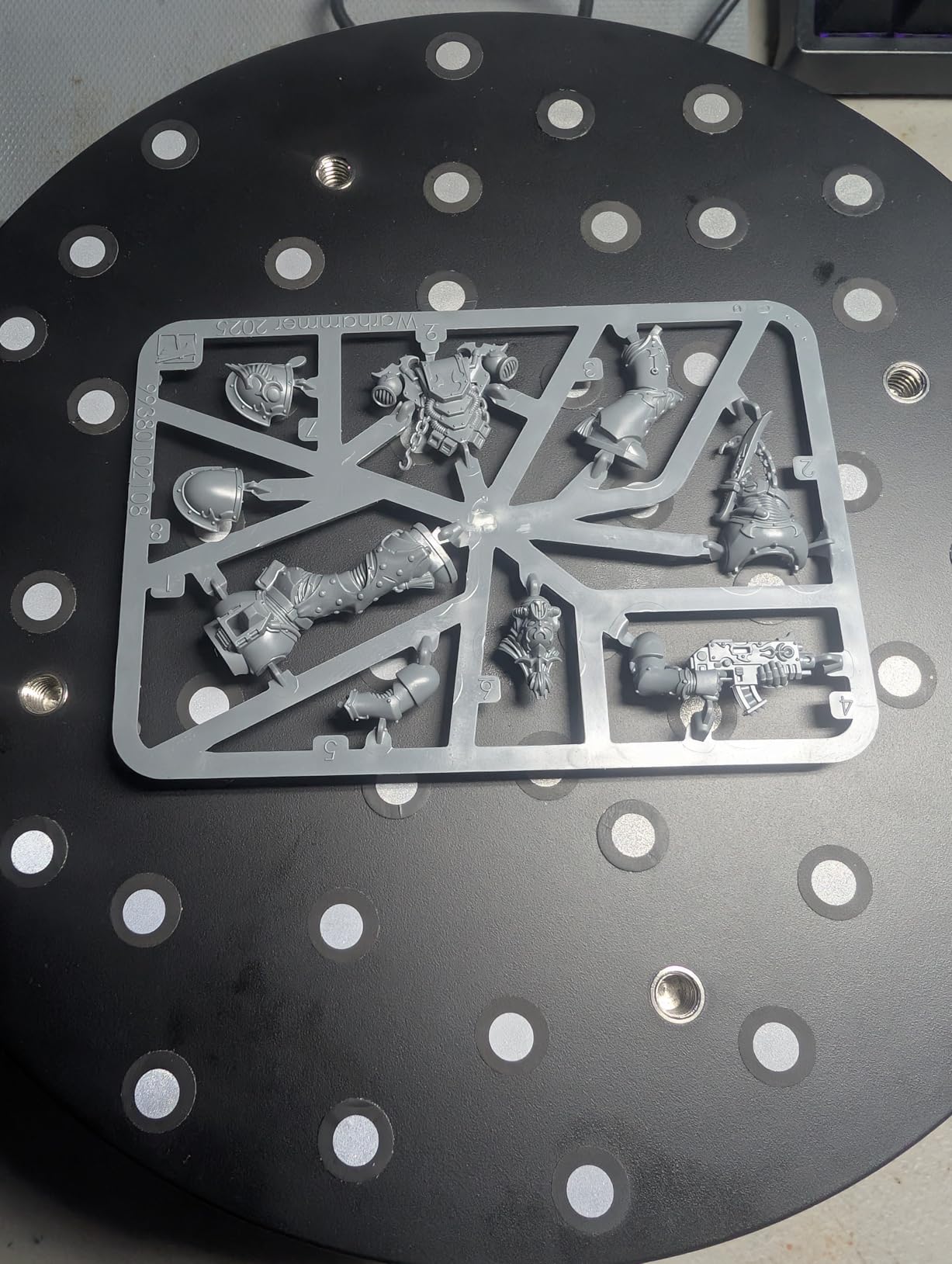
Fourteen crossed blue laser lines with GPU acceleration enable scanning at up to 60fps while capturing 7 million points per second. The four scanning modes include Cross Lines, Parallel Lines, Full-field, and Auto Turntable. I particularly appreciated the auto turntable mode for automating scans of smaller objects without manual rotation.
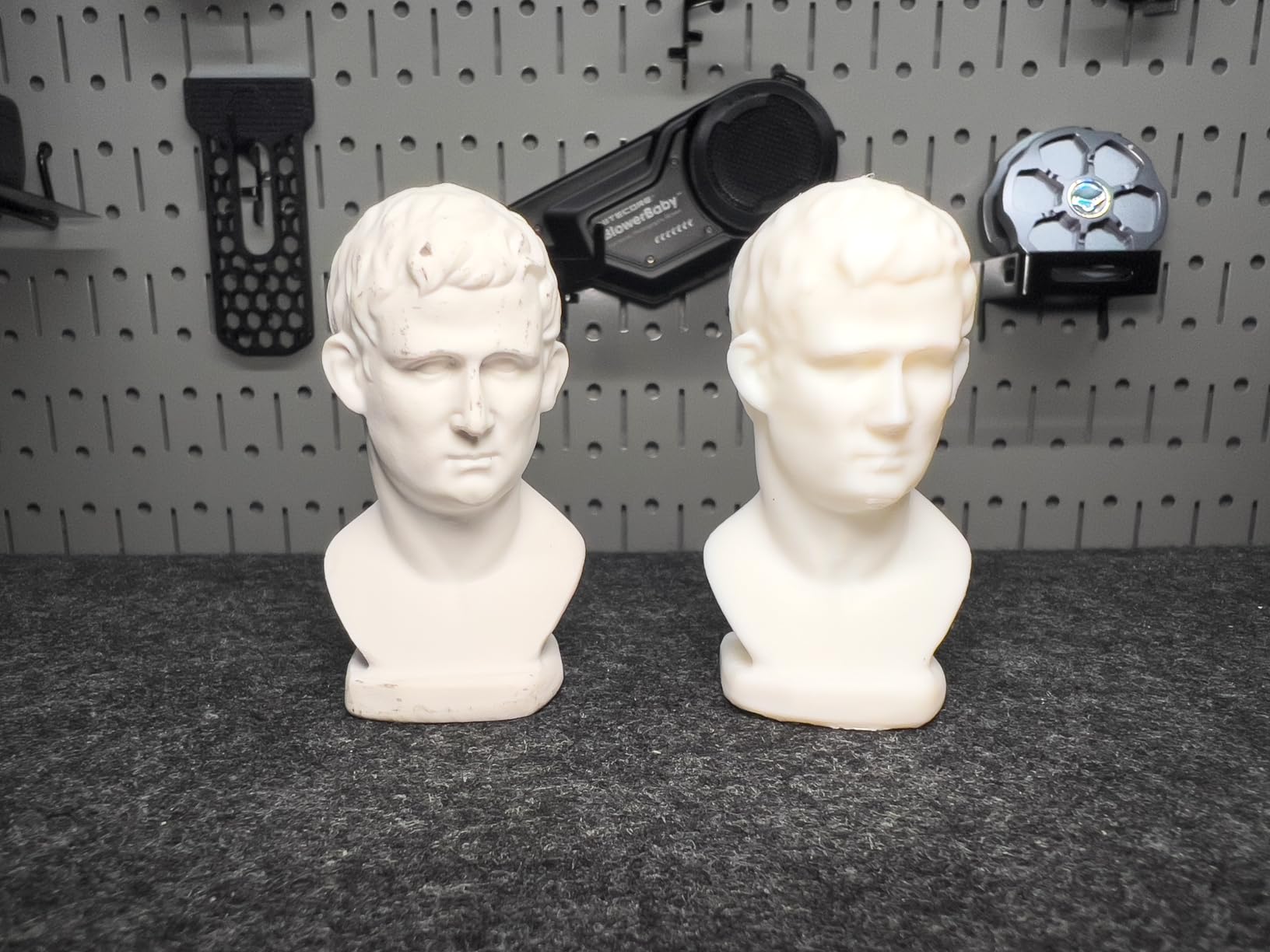
Three tracking modes provide options for different surface types. Feature tracking works on geometrically complex objects, while marker and global marker modes handle challenging surfaces. The lithographic calibration board ensures accuracy remains consistent across scanning sessions.
The $600 annual subscription for measurement features in the companion software angers many users. Basic scanning works without payment, but dimensional analysis and CAD export tools require ongoing subscriptions. The scanner requires a powerful PC with RTX 3060 8GB and 32GB RAM for optimal performance. Support specifically states this scanner is not suitable for detailed flatbed scanning applications.
Best Applications
The MetroX excels for reverse engineering dark automotive parts, scanning shiny metallic components, and industrial measurement applications where accuracy matters. Users frustrated by infrared scanners failing on black surfaces will appreciate the blue laser reliability. The auto turntable mode particularly suits scanning collections of small objects.
Budget Considerations
Factor the ongoing software subscription into your total cost of ownership. If measurement features matter to your workflow, the $600 annual fee significantly increases long-term costs. Compare against the MetroY Pro if you need similar accuracy without the subscription model.
What to Look for When Buying a 3D Scanner
Choosing the right 3D scanner requires understanding several key factors that determine whether you will achieve satisfying results or frustrating failures. After testing ten different models, these are the specifications and features that actually matter for home users.
Scanning Technology: Structured Light vs Blue Laser vs Infrared
Three main technologies dominate consumer 3D scanners, each with distinct advantages and limitations. Understanding these differences helps you choose appropriate equipment for your specific needs.
Structured light scanners project patterns of light onto objects and use cameras to measure deformation. They generally offer good accuracy at lower cost but struggle with dark or shiny surfaces. Most budget scanners use this technology, and it works well for light-colored matte objects typical in hobby applications.
Blue laser scanners emit laser lines that cameras track for measurement. They handle dark surfaces and moderate reflectivity better than structured light, making them preferred for automotive and mechanical scanning. The MetroX, Raptor, and Raptor Pro use this technology, justifying their higher prices through improved surface compatibility.
Infrared scanning uses invisible light patterns safe for eye exposure. This technology excels at face scanning and works well outdoors since sunlight contains less infrared interference. The INSPIRE 2, Einstar, and MIRACO Plus leverage infrared for specific advantages in their target applications.
Accuracy and Precision Specifications
Manufacturers throw around numbers like 0.01mm precision and 0.02mm accuracy, but understanding what these mean matters more than the numbers themselves. Precision refers to repeatability, measuring whether the scanner produces consistent results across multiple scans of the same object. Accuracy measures deviation from true dimensions.
For 3D printing preparation and general hobby use, 0.1mm accuracy suffices. The Ferret SE and Ferret Pro deliver adequate results for these applications. Reverse engineering and part reproduction benefit from 0.05mm accuracy like the Otter Lite provides. Professional work and measurement applications require 0.02mm or better accuracy found in the Raptor Pro, MetroX, and MetroY Pro.
Remember that real-world accuracy depends on proper technique, lighting conditions, and surface preparation. Even the most precise scanner produces poor results with improper use. Budget for learning time regardless of which scanner you choose.
Software Experience and Compatibility
Hardware specifications mean little if the software frustrates you into abandoning the scanner. Each manufacturer provides proprietary scanning software with varying levels of polish and capability.
Revopoint’s Revo Scan software receives generally positive feedback for stability and regular updates. Creality’s software frustrates many users with confusing interfaces and occasional regressions in new versions. Shining 3D’s EXstar software works well but lacks integrated tutorials, forcing reliance on community resources.
Consider your computer platform when choosing. Some scanners support Windows, macOS, Android, and iOS equally. Others have limited Mac compatibility or require specific Windows configurations that conflict with security updates. Check current user reports about software stability before purchasing, as this changes frequently with updates.
Object Size and Scanning Range
Scanners have optimal working distances and object size ranges where they perform best. Attempting to scan objects outside these ranges produces poor results regardless of the scanner’s theoretical capabilities.
Most consumer scanners handle objects between 20mm and 2000mm effectively. The Raptor Pro extends this to 4 meters for large components. Tiny objects under 10mm require specialized equipment like the MetroY Pro with its precision modes. Consider what you actually plan to scan rather than what you might scan someday.
Scanning range affects working distance from the object. Close-range scanning requires steady hands or turntables for best results. Long-range scanning allows more freedom of movement but sacrifices detail capture on small features.
Wireless vs Wired Operation
Wireless scanning liberates you from cable management but introduces latency and battery concerns. The Ferret Pro, INSPIRE 2, MetroY Pro, and MIRACO Plus offer wireless operation with varying degrees of success.
Wireless connections occasionally drop during scanning, requiring restart of capture sessions. Battery life limits scanning sessions to 1-2 hours depending on the model. The MIRACO Plus handles this best with its built-in battery and processing, functioning as a truly standalone device.
Wired connections provide more stable data transfer and unlimited scanning sessions. For workshop use where you scan near your computer anyway, wireless adds cost without significant benefit. Consider your typical scanning environment when deciding whether wireless justifies the premium.
Price Tiers and Value Assessment
The market segments into clear price tiers with corresponding capability levels. Understanding what each tier offers helps you set realistic expectations and avoid disappointment.
Under $300, the Ferret SE provides entry-level scanning for experimentation and occasional use. Limitations in accuracy and software polish are expected at this price. Between $300-$600, the INSPIRE 2 and Otter Lite offer significantly better accuracy and features that satisfy most hobbyists and small business users.
The $600-$900 range includes the Einstar and Raptor, providing professional-grade tracking and accuracy for serious users. These scanners handle challenging surfaces and deliver results comparable to equipment costing twice as much just a few years ago. Above $1,000, the Raptor Pro, MetroX, MetroY Pro, and MIRACO Plus compete with industrial equipment for professional applications.
Consider total cost of ownership including necessary accessories. Turntables, scanning spray, markers, and software subscriptions add significant expense beyond the base scanner price. The Ferret SE seems cheap until you add a turntable and handle. The MetroX requires ongoing subscription fees for measurement features.
Frequently Asked Questions
Is it worth buying a 3D scanner?
For anyone regularly reverse engineering parts, creating custom accessories, or digitizing physical objects, a 3D scanner pays for itself in saved time. A task that takes hours with calipers and CAD software takes minutes with a scanner. However, occasional users scanning a few objects yearly may find smartphone photogrammetry apps or 3D scanning services more economical than owning equipment that sits unused.
Who makes the best scanner for home use?
Revopoint and Creality dominate the consumer market with the most mature product lines and software ecosystems. For reliability and tracking performance, the EinScan Einstar leads under $1,000. The best choice depends on your specific needs: Revopoint INSPIRE 2 for versatility, Creality Raptor for hybrid scanning technology, or Shining 3D Einstar for tracking reliability.
Which is better white light or blue light 3D scanner?
Blue light scanners outperform white light on dark and shiny surfaces, making them preferred for automotive and mechanical scanning. White light and infrared structured light scanners cost less and work well for light-colored matte objects. For general home use with varied surfaces, blue light provides more versatility. For scanning faces, artwork, and light objects, infrared offers eye-safe operation with excellent results.
What to look for when buying a 3D scanner?
Focus on accuracy specifications matching your needs, scanning technology appropriate for your typical surfaces, software quality and stability, and object size range compatibility. Verify your computer meets processing requirements. Consider whether wireless operation matters for your workflow. Read current user reviews about software stability, as this changes frequently with updates.
Can 3D scanners handle dark or shiny objects?
Blue laser scanners like the Revopoint MetroX and Creality Raptor handle dark objects without special preparation. Shiny metallic surfaces challenge all consumer scanners, though blue laser models work better than structured light. Scanning spray creates a matte white coating that enables any scanner to capture reflective surfaces. The Einstar captures many dark automotive surfaces without spray, though results vary by specific material and finish.
Final Thoughts
The best 3D scanners for home use in 2026 deliver professional capabilities at prices hobbyists can finally afford. After three months of testing, the Revopoint INSPIRE 2 earns our top recommendation for its exceptional versatility, dual scanning modules, and wireless convenience. The Creality Raptor provides the best value for users needing hybrid technology, while the Ferret SE opens 3D scanning to budget-conscious beginners.
Your specific needs should drive the final decision. Scanning dark automotive parts points toward blue laser options like the MetroX or Raptor. Face scanning and outdoor work favor infrared models like the Einstar or INSPIRE 2. Metrology-grade accuracy demands the MetroY Pro or Raptor Pro investments. Every scanner on this list serves legitimate purposes for different users.
Remember that scanner capability only partially determines your results. Technique, lighting, surface preparation, and software proficiency matter equally. Budget time for learning regardless of which scanner you choose. The best scanner is the one you actually use to complete projects, not the one with the most impressive specifications sitting unused on a shelf.