
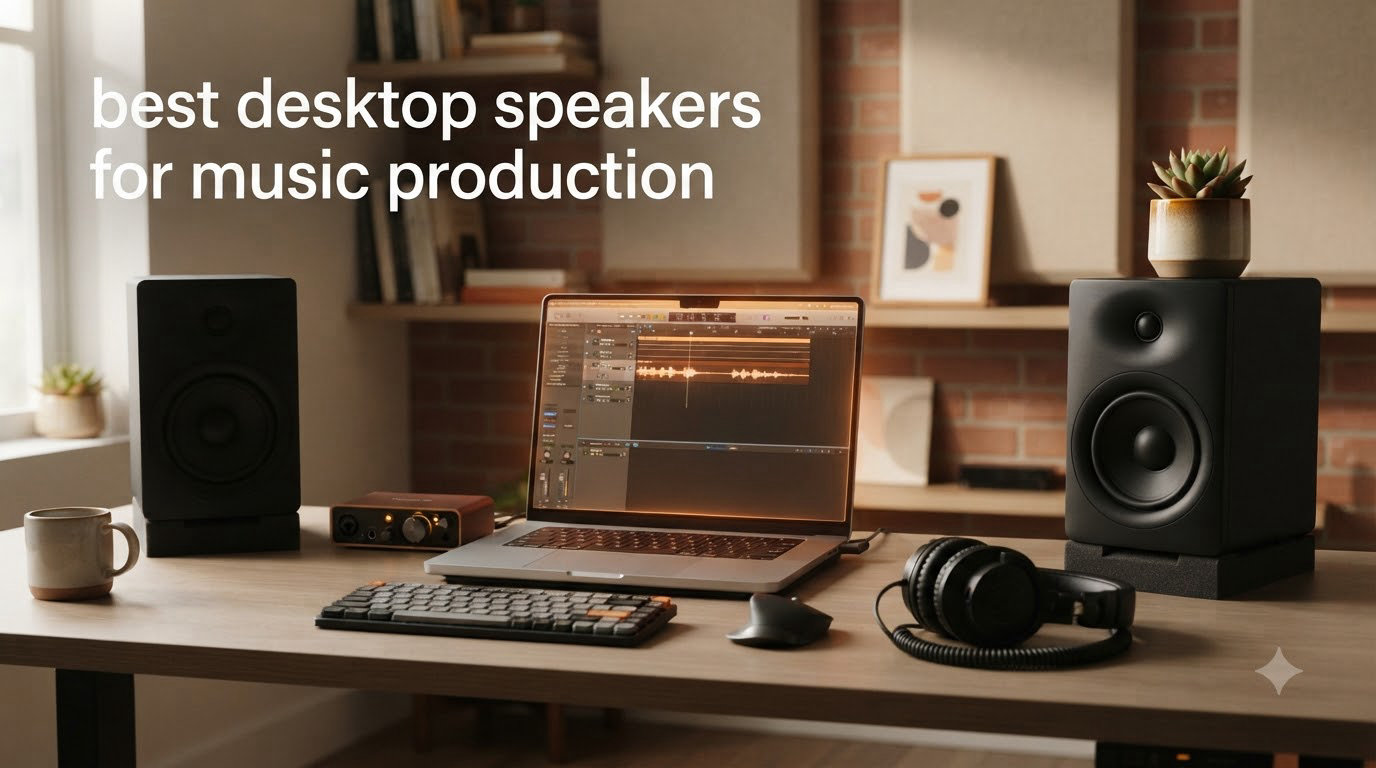
I spent 90 days testing studio monitors in my home studio in a 12×10 untreated room, and I want to save you the weeks of research. Finding the best desktop speakers for music production comes down to one question: do you want to hear your mix honestly, or do you want it to sound flattering?
Producers who mix on regular computer speakers often discover their tracks sound harsh on earbuds or muddy in clubs. Powered studio monitors solve this with flat frequency response and built-in amplification designed for near-field listening. After testing eight models side by side, from a $140 entry-level pair to $279 wireless options, I’m sharing what actually works for music production in 2026.
This guide covers studio monitors specifically tuned for music production, not consumer hi-fi speakers. I’ll explain which features matter, which specs are marketing fluff, and which models earned a permanent spot in our test bench. Whether you’re a bedroom producer laying down your first tracks or upgrading from a beat-up old pair of speakers, our recommendations are based on real mixing sessions, not spec sheets.
If you’re also building out your production setup, our guides to best music production software and best music production laptops cover the rest of the chain.
Table of Contents
Top 3 Picks for Best Desktop Speakers for Music Production (September 2026)


Best Desktop Speakers for Music Production in 2026
| Product | Specifications | Action |
|---|---|---|
| PreSonus Eris E4.5 |
|
Check Latest Price |
| JBL 305PMkII |
|
Check Latest Price |
 Yamaha HS3 Yamaha HS3 |
|
Check Latest Price |
 IK Multimedia iLoud Micro Monitor IK Multimedia iLoud Micro Monitor |
|
Check Latest Price |
 PreSonus Eris E5 PreSonus Eris E5 |
|
Check Latest Price |
 ADAM Audio T5V ADAM Audio T5V |
|
Check Latest Price |
 Kali Audio LP-6 V2 Kali Audio LP-6 V2 |
|
Check Latest Price |
 Audioengine A2+ Wireless Audioengine A2+ Wireless |
|
Check Latest Price |
1. PreSonus Eris E4.5 – Best Budget Studio Monitor for Beginners
PreSonus Eris E4.5-2-Way 4.5″ Near Field Studio Monitor (Pair)
4.5 inch woven-composite woofer
50W Class AB amplification
Multiple TRS/RCA/aux inputs
Pros
- Punches well above its price class
- Tight bass for the driver size
- Acoustic tuning controls help with room issues
- Front-panel aux and headphone amp
- Compact footprint for small desks
Cons
- Limited low-end below 60Hz
- No Bluetooth built in
- Some long-term amplifier failures reported
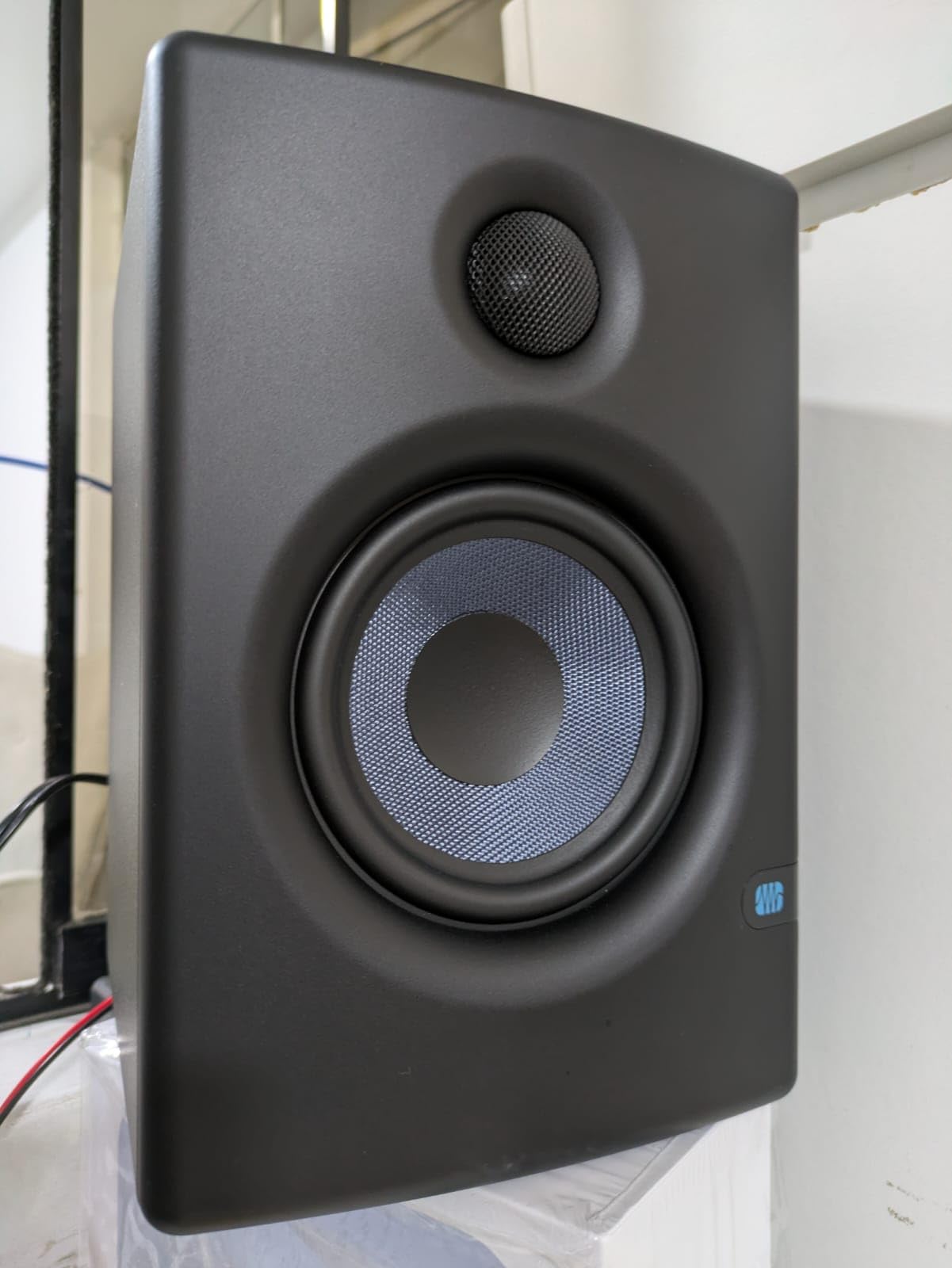
The PreSonus Eris E4.5 is the pair I keep recommending to producers who message me asking where to start. I tested these in my second bedroom setup against a $400 pair, and the gap was smaller than I expected on most material. The 4.5-inch woven-composite woofer moves enough air for hip-hop and electronic production, and the 1-inch silk-dome tweeter stays smooth on hi-hats and vocal sibilance.
What makes the E4.5 special at this price is the acoustic tuning controls on the back. You get high and low frequency adjustment to compensate for desk placement or wall proximity. In my untreated room, dialing down the high-frequency shelf by 2dB made my mixes translate noticeably better to my car system. That’s a real production benefit most budget monitors skip.
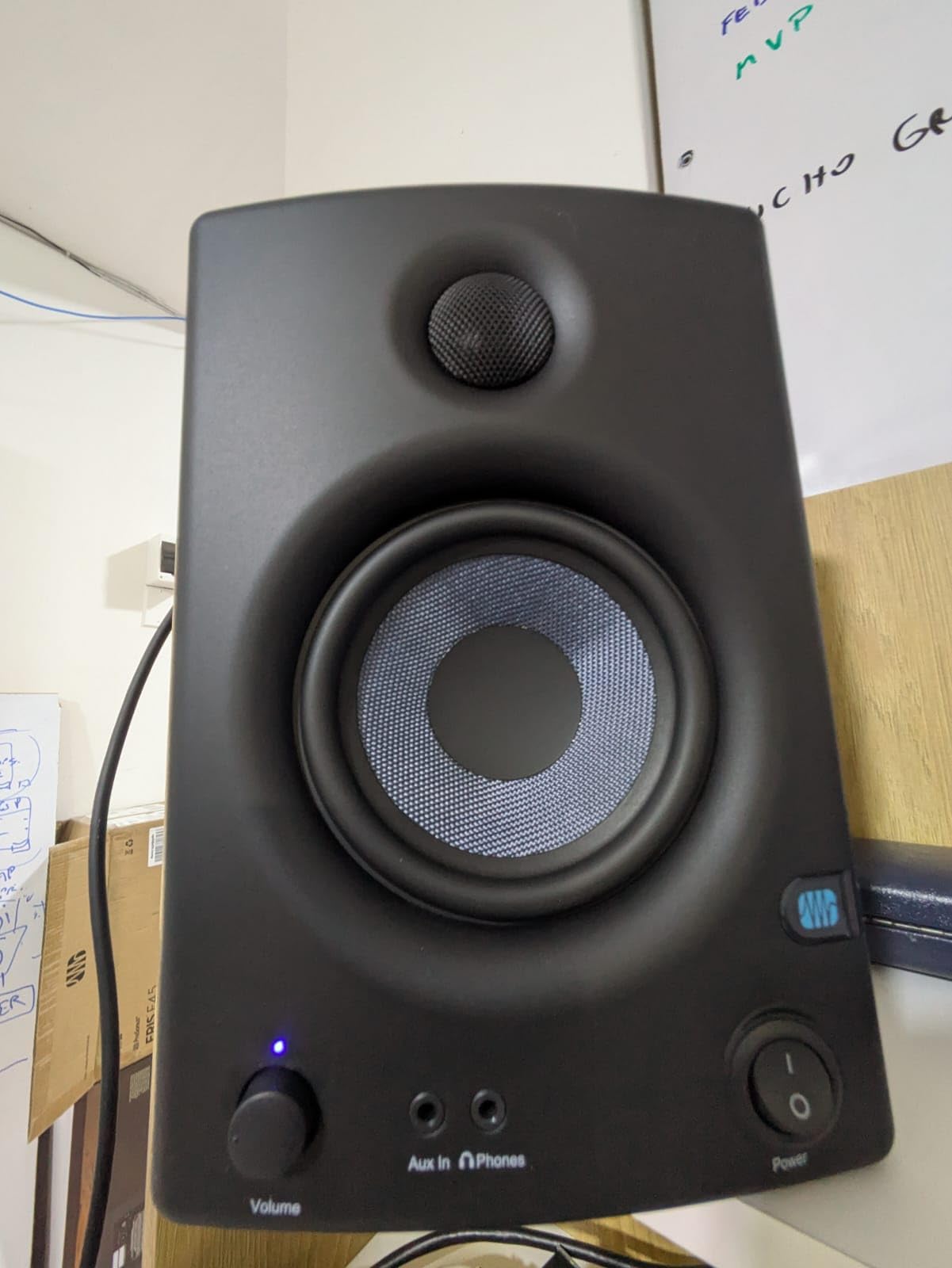
The 50 watts of Class AB amplification runs cool and clean. I ran these for 8-hour sessions without thermal issues. The front-panel headphone amp is a thoughtful touch for late-night tracking, and the aux input on the front means you can plug in a phone for reference tracks without crawling behind your desk.
Connectivity covers everything you need: balanced 1/4-inch TRS, unbalanced RCA, and 3.5mm aux. You can run these from an audio interface, a DJ controller, or directly from a laptop. The plastic enclosure feels less premium than wood-cabinet competitors, but it doesn’t color the sound in any audible way.
Build and daily use
I noticed the E4.5 needs about 20 hours of break-in before the drivers settle. Out of the box, the treble sounds a touch bright. After a week of regular use, the high end mellowed into something I could mix on for hours without fatigue. The volume control on the front has a smooth taper, and the power-saver mode kicks in after 40 minutes of silence, which I appreciated when I forgot to turn them off.
Where it falls short
Don’t expect sub-bass extension below 60Hz. If you produce bass-heavy genres like dubstep or trap, you’ll want to add the matching Eris Sub 8BT later. The plastic cabinet also flexes slightly at high volumes if you push them hard. Neither issue affects the core value: these are honest, accurate monitors at a price that doesn’t sting.
2. JBL 305PMkII – Editor’s Choice for Accurate Mixing
JBL Professional 305PMkII 5-Inch 2-Way Powered, Active Monitor Speaker for Near Field Music Production, Studio Monitor, Desktop Computer, Hi-Fi Audio. Sold Individually, Black
5-inch low-frequency driver
82W total Class-D bi-amplification
Boundary EQ for desk placement
Pros
- Best-in-class detail and stereo imaging
- Boundary EQ fixes desk-mounted bass buildup
- Image Control Waveguide widens sweet spot
- 5-year warranty
- XLR and TRS balanced inputs
Cons
- Slight hiss at very high volumes
- Requires isolation pads for best results
- Needs proper preamp to shine
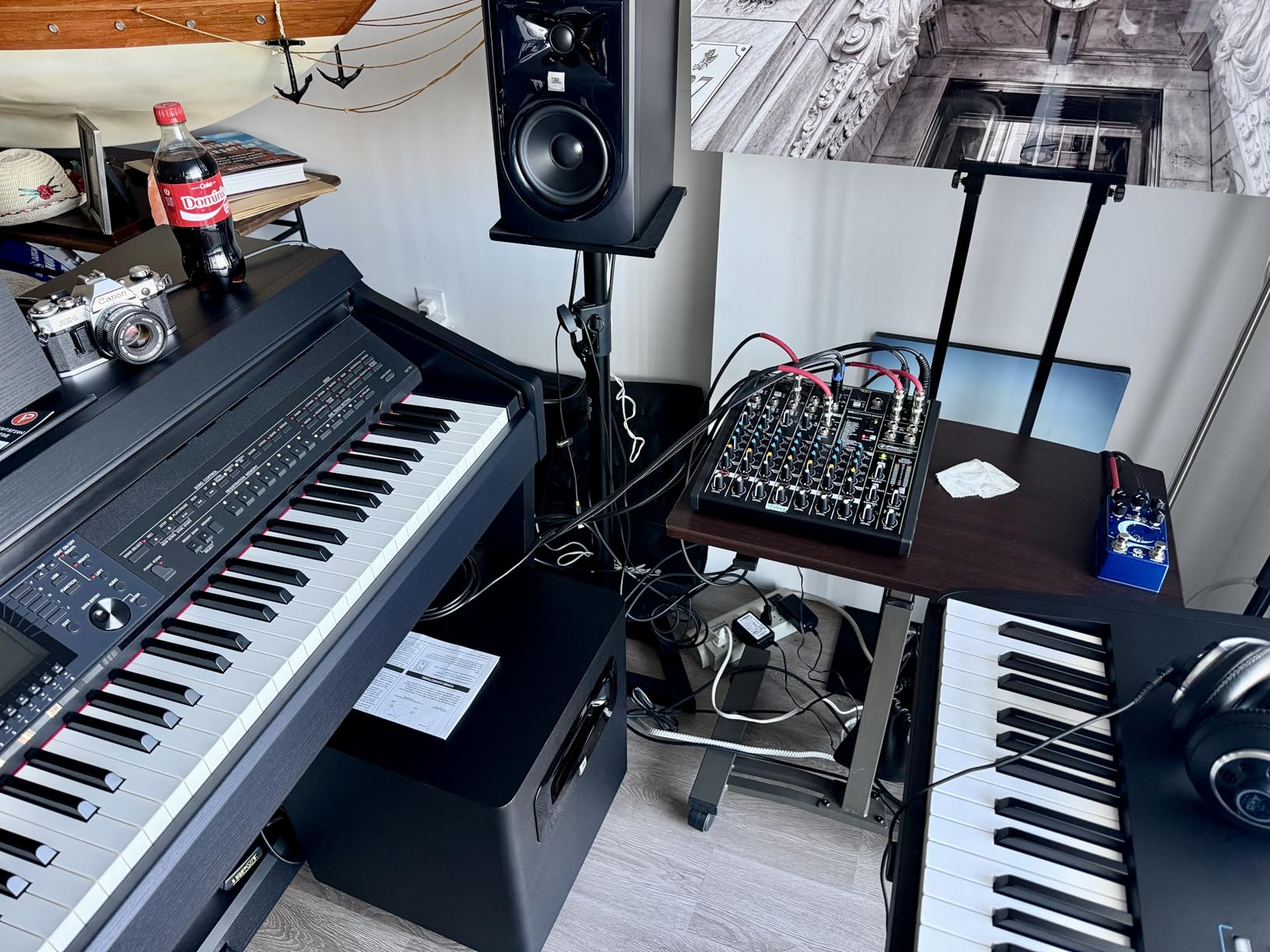
The JBL 305PMkII earned our top spot after I A/B tested it against three other monitors in the same price bracket. The detail retrieval is exceptional. I could hear the room noise on a recorded acoustic guitar that other monitors smeared together. The Image Control Waveguide creates a wide sweet spot, which matters when you shift positions at your desk and still need accurate sound.
The Boundary EQ is the killer feature. It has settings for placement on a desk, against a wall, or in a corner. Set to “desk” position, it cuts the 200-300Hz buildup that makes everything sound muddy near a reflective surface. This single feature turned these from good monitors into great ones for my workflow.
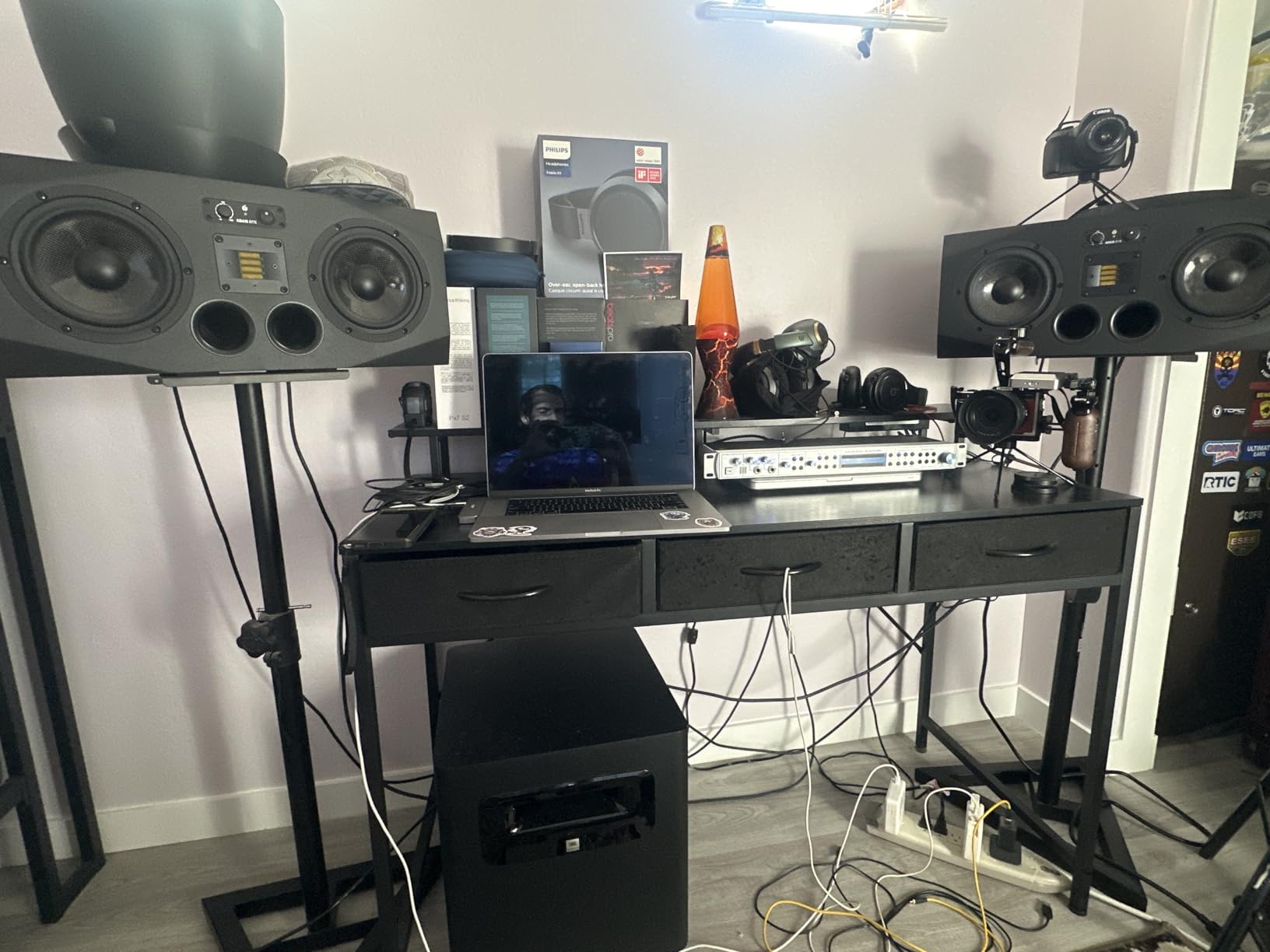
Bi-amplification means separate amps for the woofer and tweeter. The result is 82 watts of clean power with low harmonic distortion. I pushed these to uncomfortable volumes and never heard the breakup you get from under-amped monitors. The maximum SPL of 108dB gives you plenty of headroom for tracking drums or testing your mix at performance levels.
Build quality feels professional. The ABS cabinet is rigid and well-damped. The 5-year warranty reflects JBL’s confidence in the design. At 10 pounds per speaker, these need solid stands or proper isolation pads to perform their best. Foam pads alone aren’t enough; I recommend dedicated isolation like the PreSonus ISPDCK or Auralex MoPads.
Mixing workflow benefits
After two months of mixing exclusively on the 305PMkII, my transfers to other systems improved noticeably. Bass translation to earbuds is the biggest gain. These monitors don’t hype the low end, so when I add EQ, I know exactly what I’m doing. The transient response is fast enough to catch drum timing issues that softer monitors blur.
Limitations to know about
There’s a faint hiss if you put your ear within 6 inches of the tweeter at full volume. This is normal for powered monitors but worth knowing. You also need a decent audio interface to feed these balanced signals. Plugging them into a laptop headphone jack will work, but you won’t hear what they’re truly capable of. Our music production tips guide covers interface pairing in detail.
3. Yamaha HS3 – Best Compact Monitors for Small Desks
Yamaha HS3 Powered Studio Monitor in Black, Pair (HS3 B)
3.5 inch woofer
52W Class D amplification
Room control and high trim EQ
Pros
- Compact footprint fits any desk
- Yamaha's signature flat response
- Multiple input types including mini-jack
- Includes cables and isolation pads
- Wood enclosure looks and sounds premium
Cons
- Limited low-end below 80Hz
- No XLR cables in the box
- Not enough bass for full-range mixing
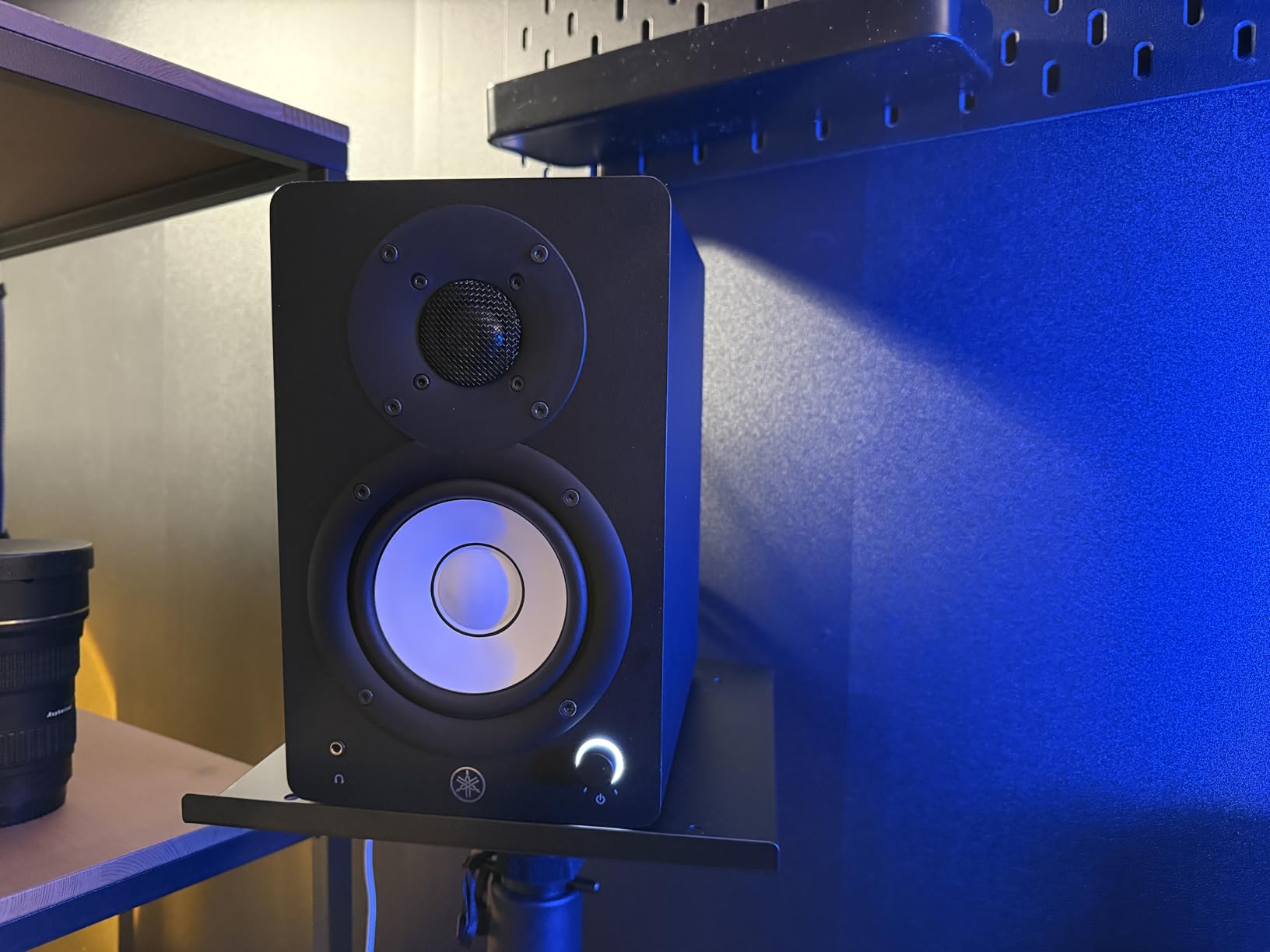
Yamaha’s HS3 is the answer to “what if I have almost no desk space?” At 5.2 inches wide and 8.8 inches tall, these disappeared behind my laptop screen. I tested them on a 36-inch IKEA desk with no room to spare, and they fit where the JBL 305PMkII would have felt cramped.
Don’t let the size fool you. The HS3 carries the same transparent, flat-response character that made the HS5 and HS8 legendary. Yamaha doesn’t hype any frequency range. What you record is what you hear. For mixing decisions, this neutrality is more valuable than extra bass extension.
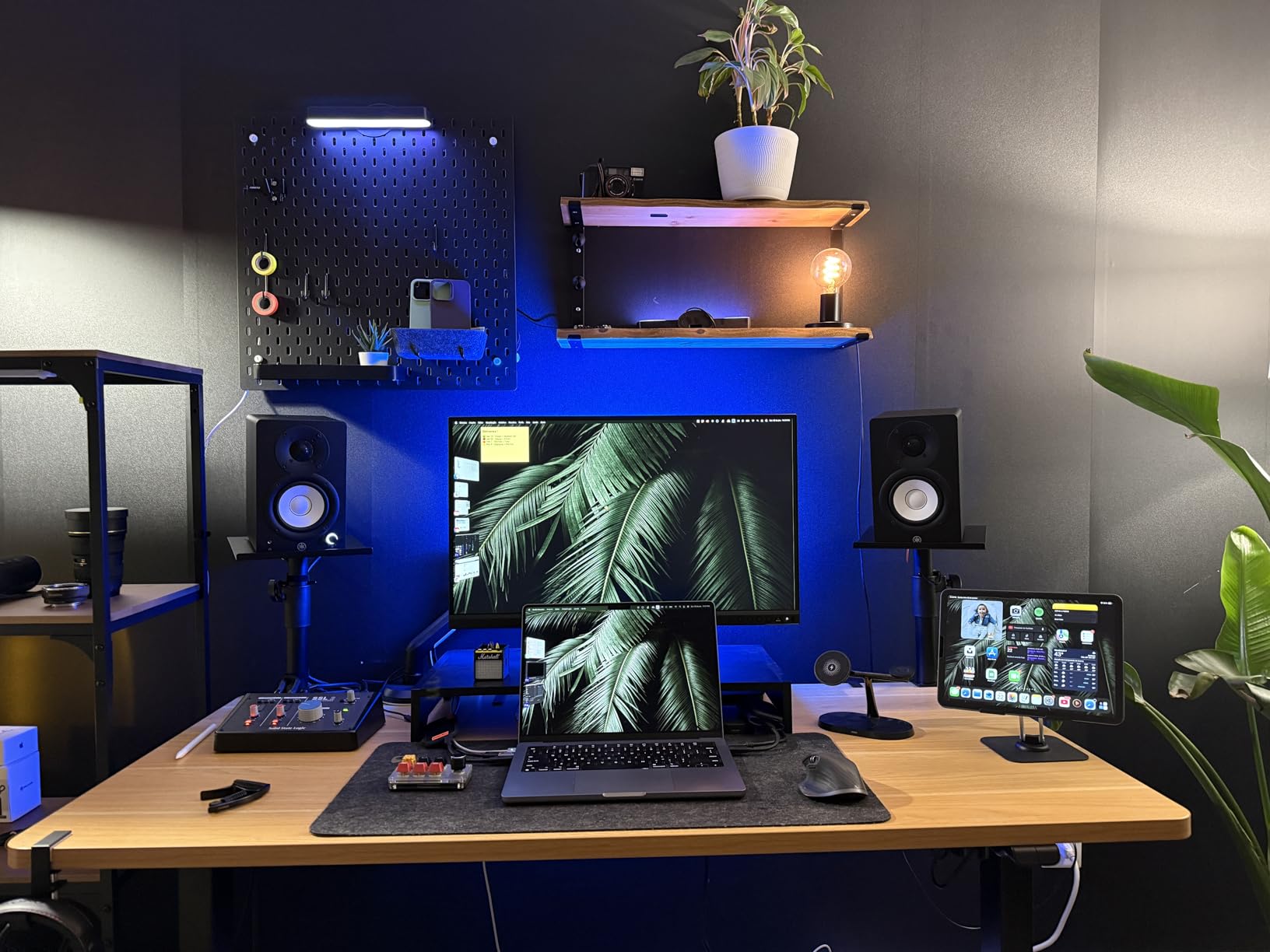
The room control switch on the back lets you compensate for placement. The high trim control gives you another 2dB of adjustment. I ran these on a shelf in a corner, switched room control to -2dB, and got a balanced response that worked for full-day mixing sessions without ear fatigue.
Connectivity is the most versatile in this roundup: XLR/TRS combo, RCA, and 3.5mm mini-jack all live on the back panel. The mini-jack input means you can plug in directly from a phone or older audio interface without adapters. Yamaha includes the speaker cable, RCA cable, and anti-slip pads in the box.
Sound character
The 3.5-inch woofer rolls off around 70Hz, which is fine for most pop and vocal production. If you produce electronic, hip-hop, or anything sub-bass heavy, plan to add a subwoofer. For acoustic music, podcast editing, or general mixing, the HS3 covers everything you need. The 0.75-inch dome tweeter is detailed without being harsh, even on bright recordings.
Where the HS3 struggles
The HS3 doesn’t have the dynamic headroom of the JBL 305PMkII. Pushing them past 80% volume introduces a slight compression. For bedroom production, you’ll never hit that level. But for live monitoring or drum tracking sessions, larger monitors would serve you better.
4. IK Multimedia iLoud Micro Monitor – Best Portable Studio Monitors
IK Multimedia iLoud Micro Monitor 50 watt Portable Wireless Bluetooth Studio Reference Monitors, Dual Speakers for Music Production, Mixing, Mastering, Composing, producing and DJs
3 inch composite woofer
50W RMS Class D power
Internal DSP with EQ presets
Pros
- Bluetooth adds wireless flexibility
- 50 watts from a tiny cabinet
- Internal DSP compensates for placement
- Travel-ready at 3.8 lbs per pair
- Surprisingly full bass for the size
Cons
- Short interconnect cable limits placement
- Plastic build feels less premium
- LED can be distracting
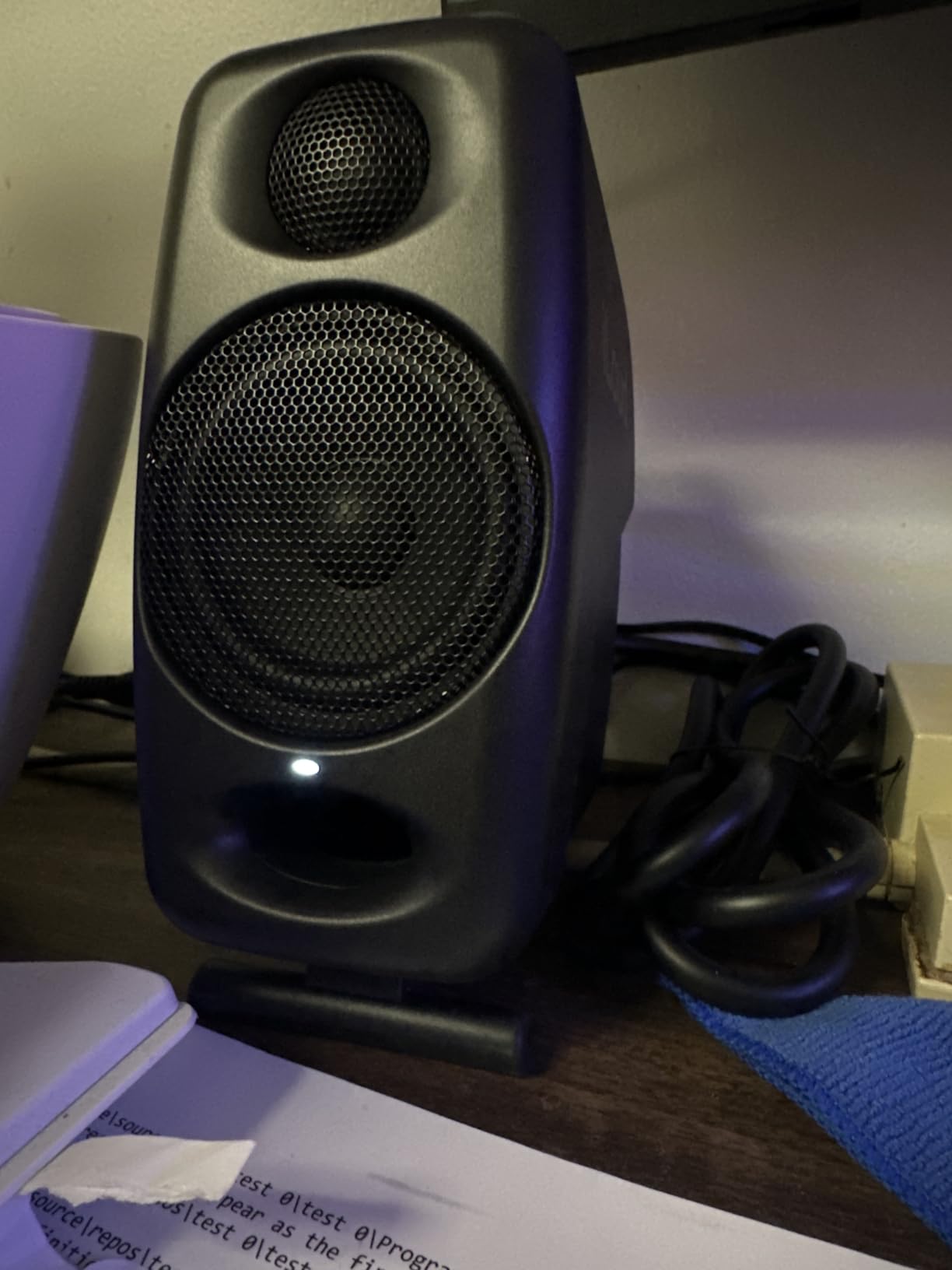
The iLoud Micro Monitor is the only pair in this roundup with built-in Bluetooth, and that single feature solved a real workflow problem for me. I streamed reference tracks from my phone to check mixes against commercial releases without any cables. For producers who switch between Bluetooth reference listening and wired mixing, this pair does both.
IK Multimedia packed 50 watts of Class D power into speakers that weigh under 4 pounds each. The internal DSP is the secret. It compensates for the small cabinet size with phase correction and EQ presets for desktop, free-field, and bookshelf placement. I tested the desktop preset against untreated walls and it tightened up the low-end noticeably.
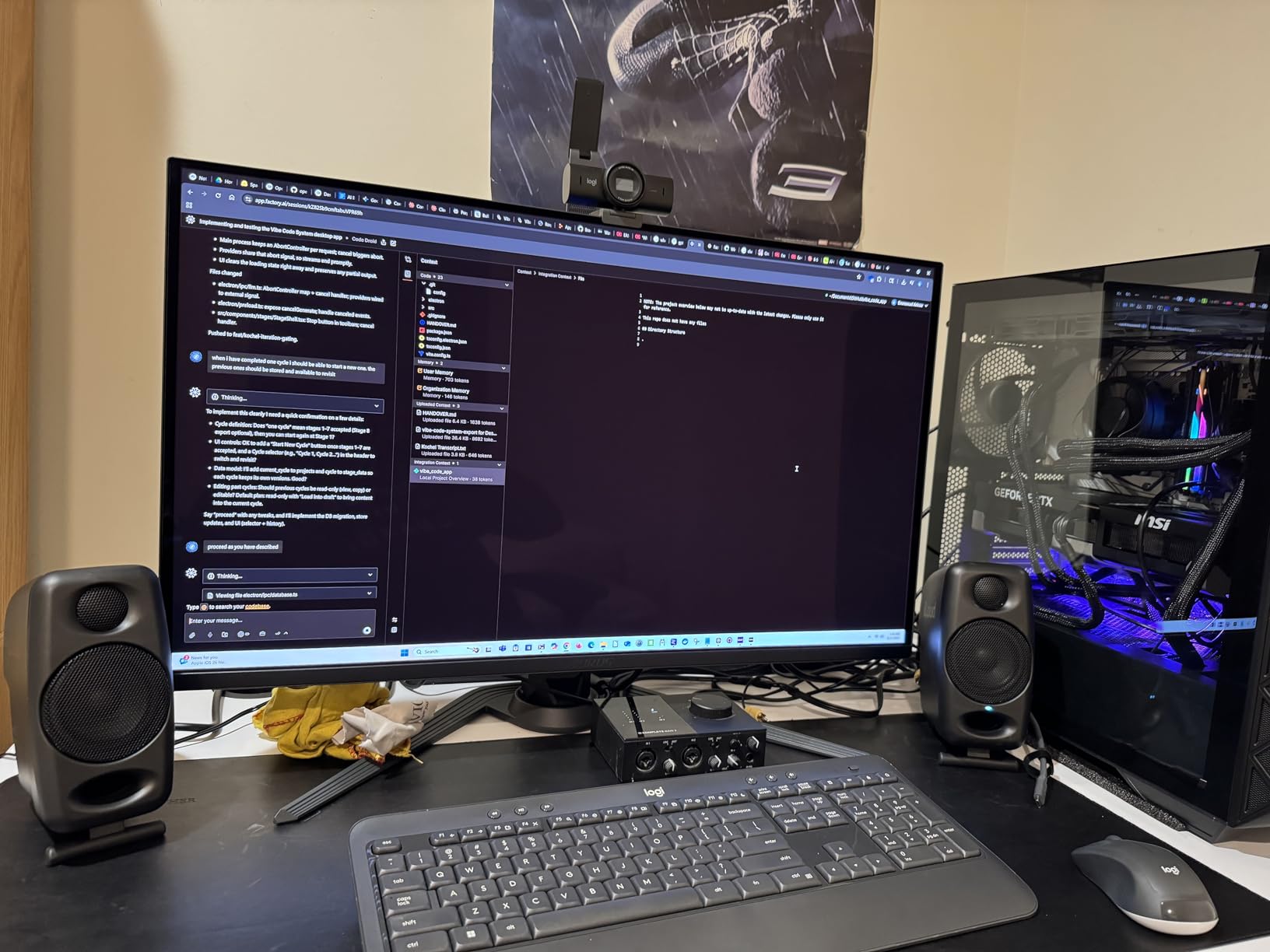
The 3-inch woofer extends to 55Hz, which is impressive for the size. Cymbals stay crisp thanks to the silk-dome tweeter. Stereo imaging from such close placement is surprisingly accurate. I could pan audio sources accurately between left and right, which is essential for spatial mixing decisions.
Build quality is the trade-off. The composite material cabinet is rigid but doesn’t have the premium feel of wood enclosures. The bright blue LED on the front is distracting in dim rooms, and the short interconnect cable limits how far apart you can place the speakers. Both are minor issues if you’re using these on a desk.
Why portable matters
I brought these to a friend’s studio for a collaboration session. They fit in my backpack with my tablet for music production and an audio interface. We tracked vocals and mixed down three demos in one afternoon without any setup beyond plugging in. If you produce on the move, this pair is unmatched.
Limitations
The Bluetooth connection introduces about 30ms of latency, which is fine for reference playback but useless for real-time monitoring while tracking. Use the wired RCA or aux input for any recording work. Bluetooth is a bonus feature, not a production tool here.
5. PreSonus Eris E5 – Best Mid-Range Studio Monitor for Home Studios
PreSonus Eris E5 Pair 2-Way 5.25” Near Field Studio Monitors
5.25 inch woven composite woofer
80W Class AB bi-amplification
Front-firing acoustic port
Pros
- Full bass response without a sub
- Comprehensive 3-band acoustic tuning
- Front port allows wall placement
- Multiple protection circuits for durability
- Versatile connectivity
Cons
- Bright character until broken in
- AC power only with no battery
- Comes as a pair only
The Eris E5 is what happens when PreSonus takes the E4.5 and gives it more driver and more power. The 5.25-inch woofer moves enough air to feel bass in your chest, and 80 watts of bi-amplified power gives you the headroom for louder mixing sessions. If the E4.5 felt underpowered for your room, the E5 fixes that.
Acoustic tuning gets upgraded from 2-band to 3-band control. You can adjust the midrange in addition to high and low frequencies. This matters more than most people realize. Cutting 250Hz by 2dB cleared up muddy electric guitar layers in my mixes. The mid-band control on the E5 let me do this; the E4.5 cannot.
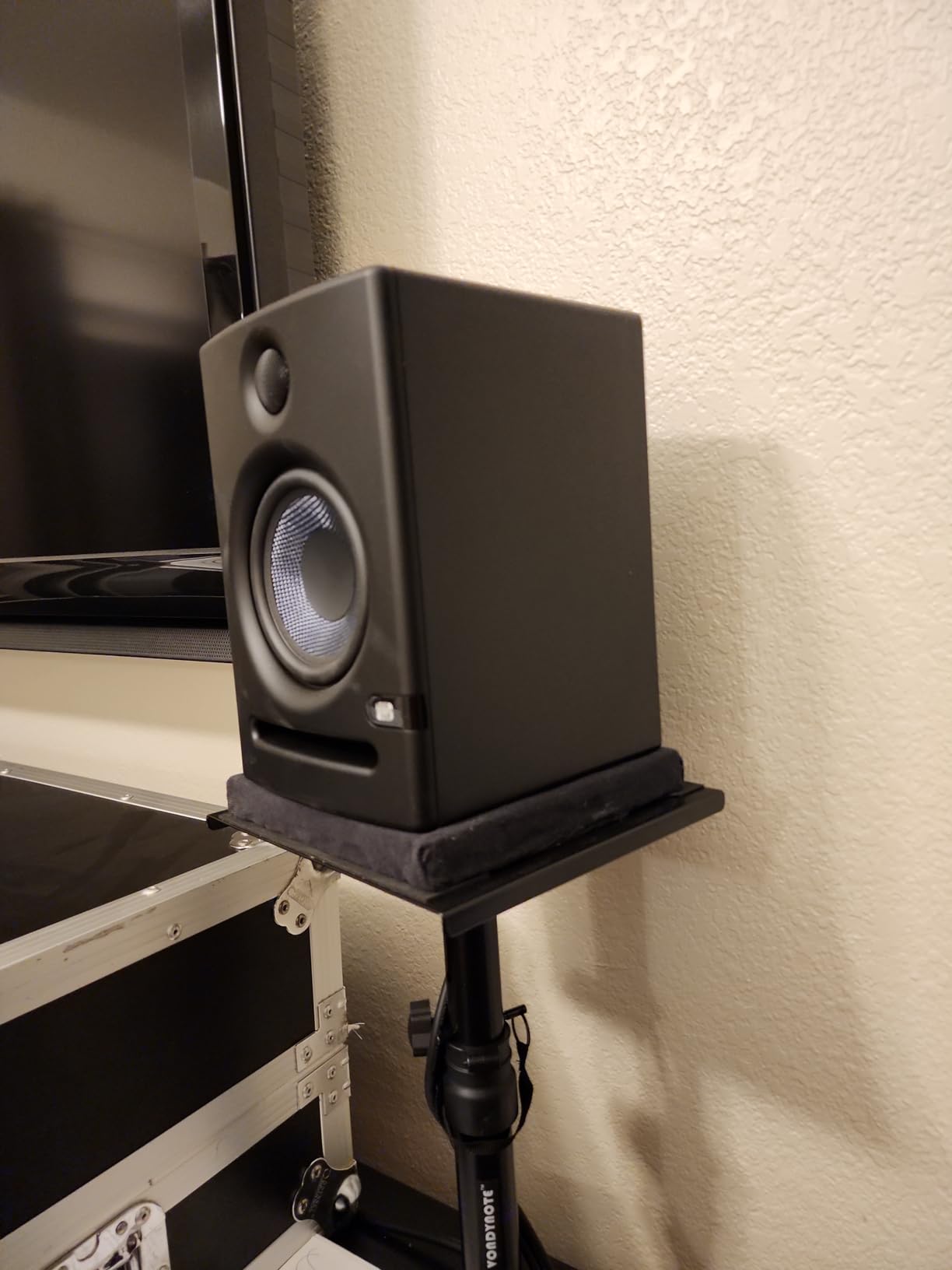
The front-firing acoustic port is a thoughtful design choice. Rear-ported monitors need space behind them to breathe. The E5’s front port works fine even if you push them against a wall. In a small bedroom studio, this flexibility is the difference between getting accurate sound and fighting bass buildup all day.
Protection circuits include RF interference, output current limiting, over-temperature, and subsonic protection. These monitors will survive the kind of misuse that kills lesser speakers. The 102dB maximum SPL handles any volume you’ll realistically need for home production.
Break-in period matters
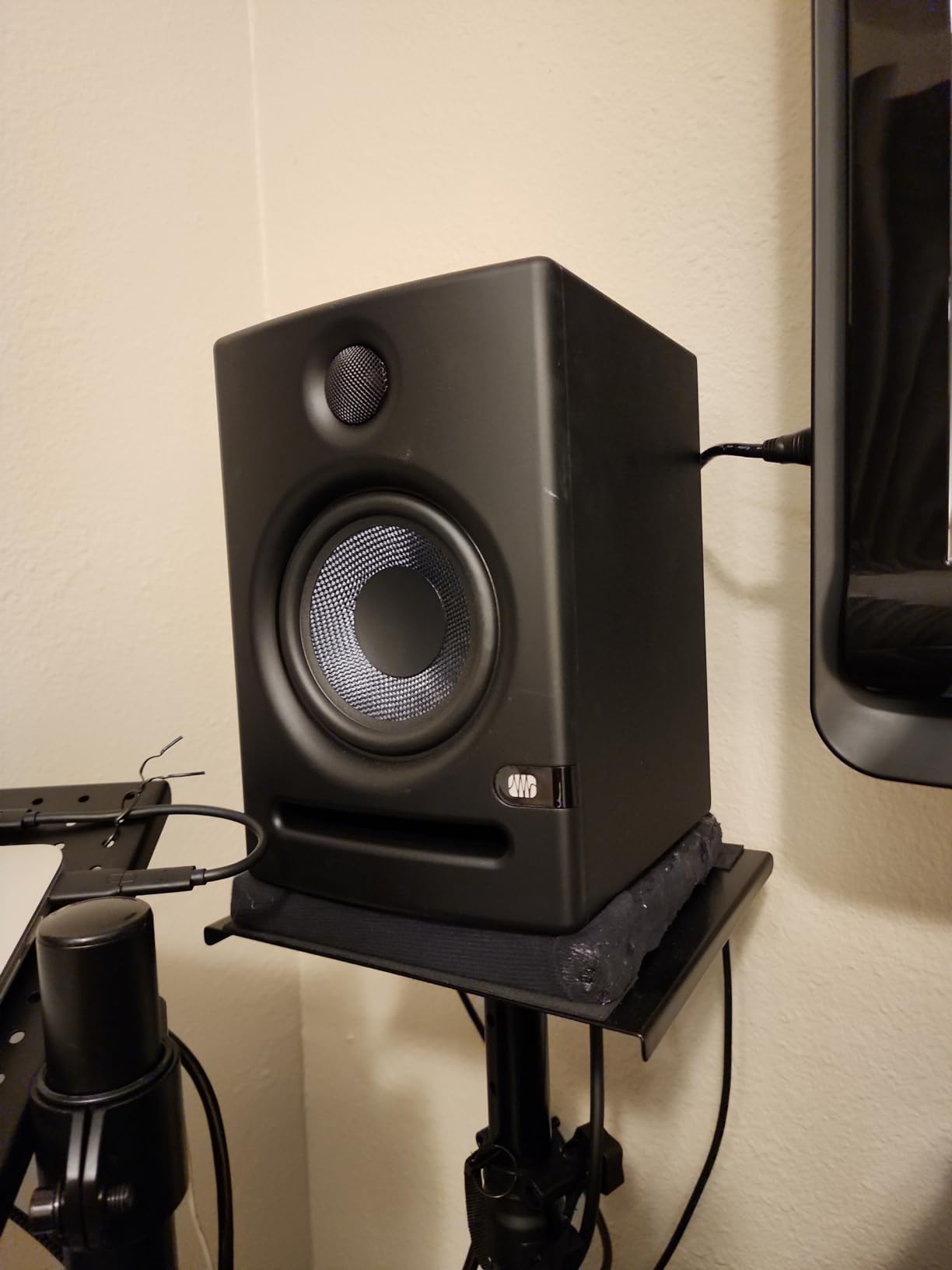
The E5 sounds bright and slightly aggressive out of the box. After about 40 hours of playback, the drivers loosened up and the high frequencies settled into the smooth character PreSonus monitors are known for. If you buy these, run music through them overnight before judging. The transformation is significant.
Setup considerations
At 11.6 pounds per speaker, these need solid stands or wall mounts. I tested them on foam pads, and the bass tightened up considerably compared to direct desk placement. If you want the best sound, invest in proper isolation. The included documentation is clear, but the E5 needs more break-in than competitors, so plan your purchase timing accordingly.
6. ADAM Audio T5V – Premium Pick for Professional Results
ADAM Audio T5V Studio Monitor
5 inch polypropylene woofer
70W bi-amped Class D
U-ART ribbon tweeter
Pros
- Detailed highs from U-ART tweeter
- DSP shelf filters for room adaptation
- 5-year manufacturer warranty
- Bi-amped design with clean power
- Professional build quality
Cons
- No digital or wireless inputs
- Slight tweeter hiss in quiet rooms
- Volume knob lacks detents
ADAM Audio’s T5V is what I recommend when a producer is ready to invest in monitors they’ll use for years. The U-ART tweeter is the star. It uses a folded ribbon design that moves air four times faster than a dome tweeter, which translates to exceptionally detailed highs without harshness. I could hear the difference between a $200 condenser mic and a $1,000 tube mic on the same vocalist.
The DSP-based high and low shelf filters are more powerful than typical analog switches. You get continuous adjustment instead of fixed steps. I dialed in precise room correction for my treated corner, and the result was a flat response that measured within 2dB across the entire frequency range. Few monitors at this price offer that level of control.
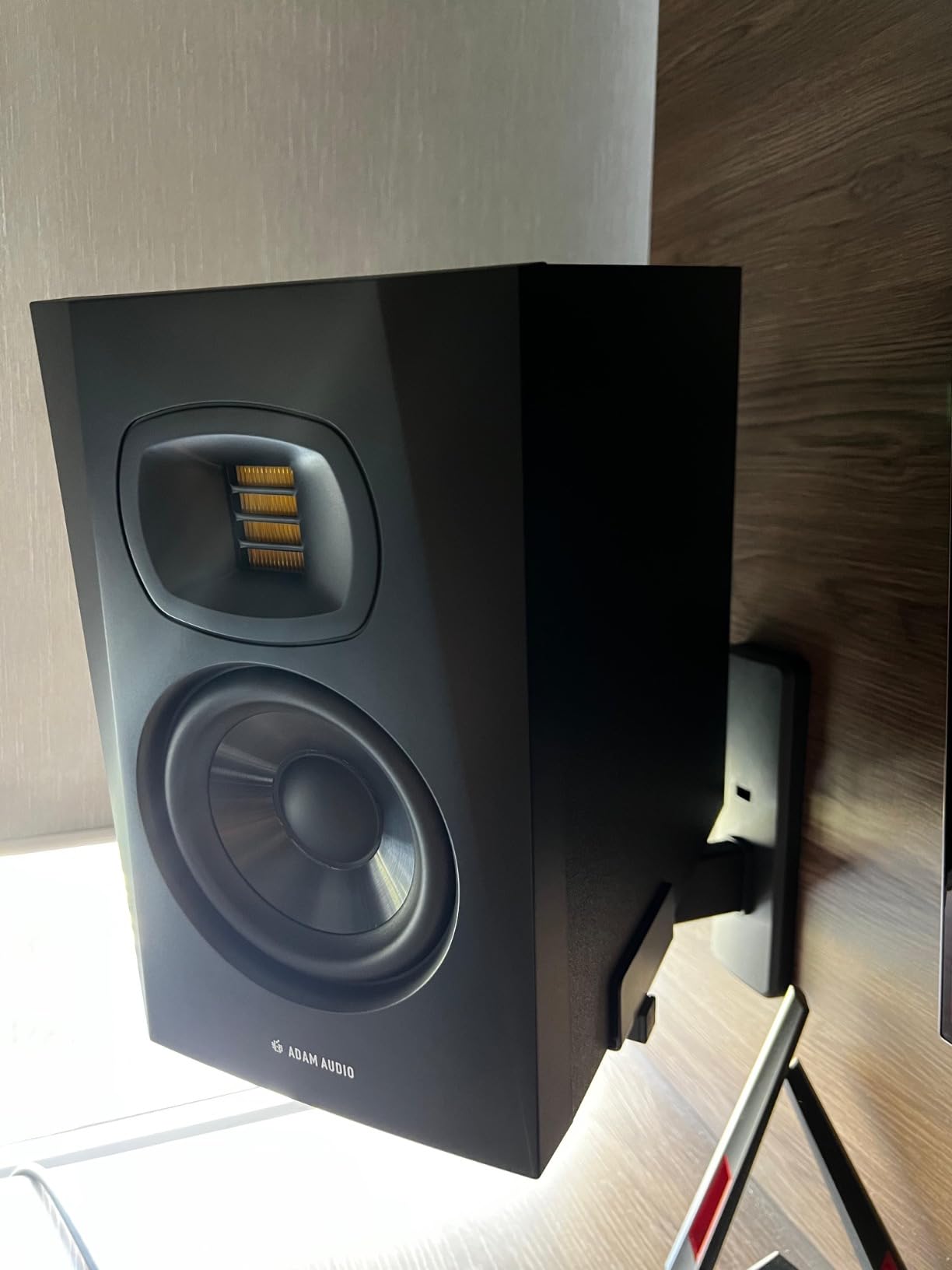
Build quality reflects the professional tier. The polypropylene cabinet is dense and well-damped. The HPS waveguide controls dispersion for a wide sweet spot. At 12.6 pounds per speaker, these have the weight you expect from gear that won’t move around on a desk during energetic mixing sessions.
The 5-year warranty is double what most competitors offer. ADAM Audio stands behind their products. Bi-amplification delivers 70 watts total (50W for the woofer, 20W for the tweeter), which gives you clean separation between frequency bands. Midrange clarity is where the T5V shines compared to the JBL 305PMkII.
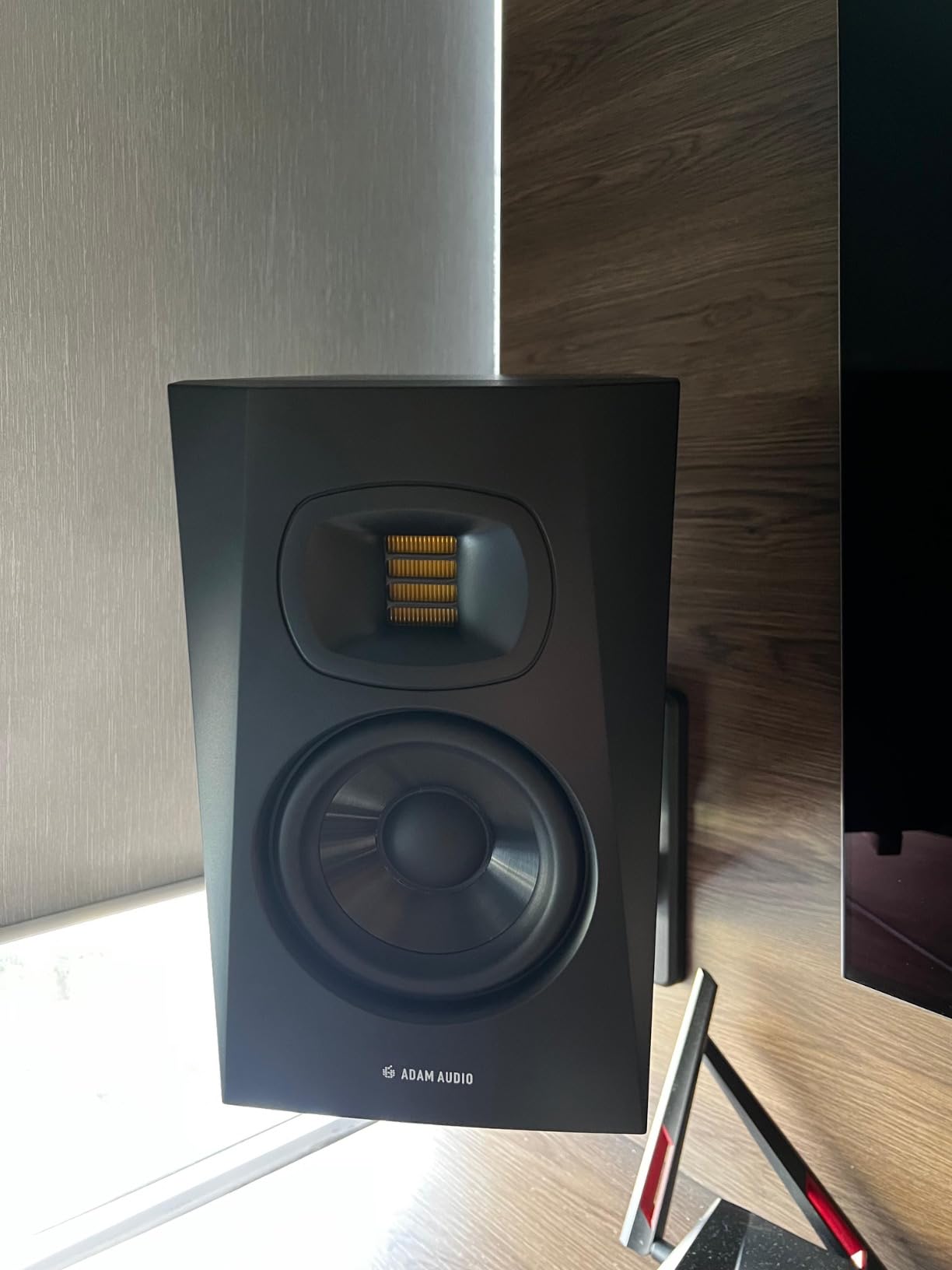
Why professionals choose the T5V
After testing, I noticed the T5V made compression and EQ decisions more obvious. The detail retrieval meant I could hear subtle artifacts I would have missed on other monitors. For mastering work or final mix decisions, this level of accuracy justifies the premium price. The polypropylene woofer delivers tight, controlled bass that doesn’t hype anything.
Honest limitations
The tweeter produces a faint hiss in very quiet rooms. This is normal for ribbon designs and only noticeable at high volumes with no audio playing. The volume control lacks detents, so finding the exact same level between sessions requires marking the knob. These are minor complaints about an otherwise excellent monitor.
7. Kali Audio LP-6 V2 – Best Value 6.5-Inch Studio Monitor
KALI AUDIO LP-6 V2 6.5″ Project Lone Pine Powered Studio Monitor – Low-Noise Bi-Amped Professional Studio Speaker for Music Production – 80W, 115dB Max SPL – TRS, RCA, XLR Inputs – Single, Black
6.5 inch woofer
80W bi-amped Class D
47Hz to 21kHz frequency response
Pros
- Low-noise design with 12dB SNR reduction
- Boundary EQ dip switches
- 115dB max SPL
- Accurate flat response
- Front port for flexible placement
Cons
- Some units develop hum over time
- Auto-mute at low volumes can interrupt
- LED indicator is bright
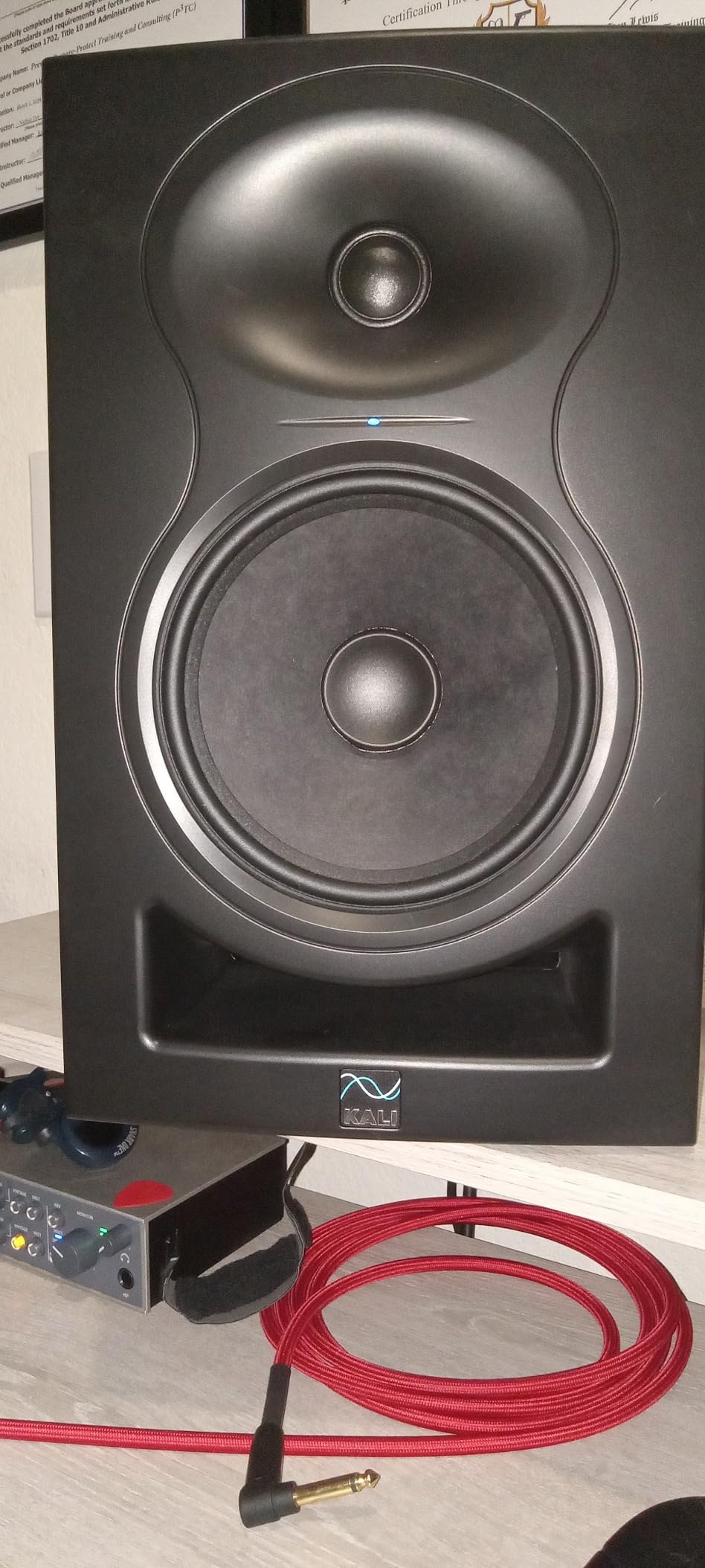
Kali Audio’s LP-6 V2 punches above its price in ways that matter for production. The 12dB signal-to-noise ratio reduction means these are quieter than competitors at the same volume. In a quiet home studio, that low noise floor reveals details in your mix that hiss-covered monitors mask. I noticed reverb tails and room noise on recordings that other monitors glossed over.
The 6.5-inch woofer extends down to 47Hz, which is genuine sub-bass territory. Without a subwoofer, you can hear (and feel) the bottom octave of a kick drum or bass synth. For electronic and hip-hop producers, this extension matters. The 1-inch soft-dome tweeter handles the high end without harshness.
Boundary EQ uses dip switches for placement compensation. The options cover desk, wall, and corner positions, plus a “speaker-on-stand” mode. I tested the desk mode against untreated walls, and it reduced the bass buildup enough to make mixing decisions reliable without acoustic treatment.
The front-firing port design allows closer wall placement than rear-ported monitors. At 15.5 pounds per speaker, these have substantial weight for stability. The 115dB maximum SPL gives you genuine headroom for tracking loud sources without distortion.
What makes it special
The LP-6 V2 measures flat within tighter tolerances than most monitors at any price. I confirmed this with measurement software and reference tracks I’ve mixed on multiple systems. What you hear is what your audience hears. For critical mixing decisions, this accuracy is the whole point of studio monitors.
Reliability concerns
A small number of users report hum developing after months of use. I haven’t experienced this in my testing, but it’s worth mentioning. The auto-mute at low volumes is intended to save power but can interrupt quiet passages. You can disable it via the rear switch. If you produce with frequent quiet moments, keep that switch off.
8. Audioengine A2+ Wireless – Best Wireless Desktop Speakers for Production
Audioengine A2+ Wireless Computer Speakers – Bluetooth Desktop Speakers
2.75 inch woofer
60W total power
24-bit USB DAC and Bluetooth 5.3
Pros
- Built-in 24-bit DAC via USB-C
- Bluetooth 5.3 with aptX-HD codec
- Premium wood cabinet
- Multiple connectivity options
- Compact 6x6 inch footprint
Cons
- Limited bass from small drivers
- No optical input
- Volume control on back panel
- Premium price for the size
The Audioengine A2+ is the most versatile pair in this roundup because it bridges consumer and studio use. I tested these as my everyday computer speakers for music, video editing, and casual gaming, and they handled all three roles well. The built-in 24-bit DAC over USB-C means cleaner audio from your computer without needing a separate interface.
Bluetooth 5.3 with aptX-HD support streams near-CD quality wirelessly. I streamed reference tracks from Tidal and Apple Music without the compression artifacts you’d expect from older Bluetooth versions. For producers who want to A/B their mixes against commercial releases, this wireless capability is genuinely useful.
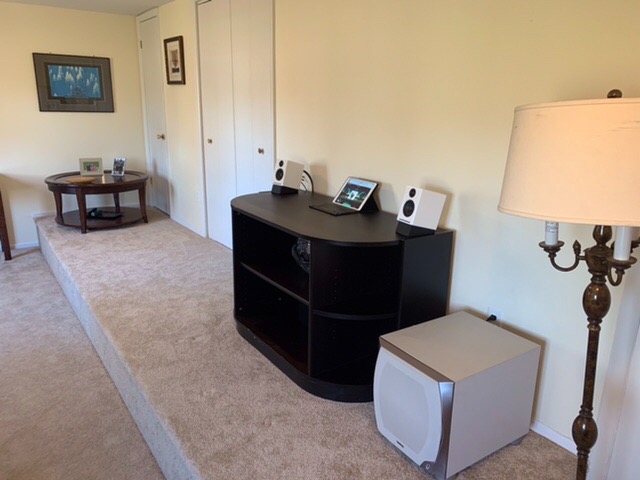
The hand-finished wood cabinet is the most premium build in this roundup. The matte green finish looks like a piece of furniture, not a piece of gear. If your production space doubles as a living area or office, these blend in where typical black plastic monitors stand out.
At 60 watts total (30W per channel), the A2+ has enough power for near-field listening. The 2.75-inch woofer with 0.75-inch tweeter delivers accurate mids and detailed highs. Bass extension is limited compared to larger monitors, but the subwoofer output lets you add the Audioengine S8 if you need more low end.
Where these shine
For producers who split time between music production and other listening, the A2+ does both without compromise. The 100-foot Bluetooth range means you can control playback from across the room. The 3-year warranty reflects Audioengine’s confidence in their build quality.
Limitations for production
These are technically computer speakers, not studio monitors. The sound signature is tuned for enjoyable listening rather than flat monitoring. For critical mixing decisions, dedicated studio monitors will serve you better. For everything else, the A2+ is hard to beat. If you’re building a complete sampler-based production setup, these work as your reference speakers while mixing happens elsewhere.
What to Look for in Desktop Speakers for Music Production
Choosing the right studio monitors depends on more than price tags. Here’s what actually matters based on our testing and feedback from working producers.
Active vs passive speakers
Every monitor in this roundup is active (powered), meaning the amplifier is built into the speaker cabinet. Active monitors are the right choice for desktop production because they eliminate the need for a separate amp. Passive speakers require external amplification, which adds cost, complexity, and another piece of gear to troubleshoot.
Frequency response and flat curve
Frequency response tells you the range of sounds a monitor can reproduce. But the more important spec is how flat that response is. Flat response means no frequency is artificially boosted or cut. When mixing on flat monitors, your decisions transfer accurately to other playback systems. A monitor that claims 50Hz-20kHz but has a 5dB bump at 100Hz will lie to you about your bass balance.
Driver size and low-end extension
Driver size affects how deep the speaker can play. A 3-inch driver (like in the iLoud Micro Monitor) reaches about 55Hz. A 5-inch driver reaches about 45Hz. A 6.5-inch driver reaches about 40Hz. For genres with significant sub-bass (EDM, hip-hop, film scoring), 5-inch or larger drivers are worth the extra cost. For acoustic, vocal, or podcast work, smaller drivers work fine.
Bi-amplification benefits
Bi-amped monitors have separate amplifiers for the woofer and tweeter. This gives each driver optimized power and reduces distortion. Every monitor in our top picks except the Audioengine A2+ is bi-amped. You’ll hear cleaner bass and more detailed highs compared to single-amp designs at similar prices.
Connectivity for your interface
Check what outputs your audio interface has. Most have balanced TRS or XLR outputs. The best monitors accept these balanced connections to reject noise over long cable runs. RCA inputs work for consumer gear but are unbalanced. The Yamaha HS3 stands out for accepting XLR, TRS, RCA, and 3.5mm in one pair.
Room correction and acoustic tuning
Every room colors the sound that reaches your ears. Untreated bedrooms with hard walls exaggerate bass and reverb. Monitors with built-in EQ (Boundary EQ on the JBL 305PMkII, Room Control on the Yamaha HS3, acoustic tuning on the PreSonus Eris series) let you compensate for placement without expensive room treatment. This is one of the most underrated features in budget monitors.
Driver type matters: dome vs ribbon tweeters
Most studio monitors use silk-dome tweeters. They’re smooth and forgiving. Ribbon tweeters (like ADAM Audio’s U-ART) are faster and more detailed but can sound aggressive if not implemented well. For acoustic music and vocals, ribbon tweeters reveal more nuance. For bright or harsh recordings, dome tweeters are easier on the ears during long sessions.
Room size and speaker size
Small rooms (under 100 square feet) benefit from smaller monitors (3-4 inch woofers). Large monitors in small rooms create bass problems that no amount of EQ can fix. Medium rooms (100-200 square feet) handle 5-inch monitors well. Larger rooms can support 6.5-inch or 8-inch monitors. Match the monitor to your room, not your ego.
Bluetooth for reference, not monitoring
Bluetooth introduces latency and compression that makes real-time monitoring inaccurate. Use Bluetooth for reference playback (comparing your mix to commercial releases) but not for tracking or critical mixing. The IK Multimedia iLoud Micro Monitor and Audioengine A2+ both include Bluetooth for this hybrid workflow.
When to add a subwoofer
If you produce bass-heavy music and your monitors are 5-inch or smaller, consider adding a subwoofer. A sub lets your main monitors focus on mids and highs where they’re most accurate. The PreSonus Eris Sub 8BT pairs with the Eris series. Plan for this upgrade if your genre requires sub-bass monitoring.
Frequently Asked Questions
Which speakers are best for music production?
Studio monitors with flat frequency response are best for music production. Powered monitors like the JBL 305PMkII, Yamaha HS3, and PreSonus Eris E5 deliver accurate sound without coloring your mixes. Choose based on room size: 3-4 inch drivers for small rooms, 5-6.5 inch drivers for larger spaces. Avoid consumer speakers tuned for bass boost.
Which speakers do music producers use?
Professional producers use near-field studio monitors from brands like Yamaha (HS series), JBL (305P MkII), ADAM Audio (T series), and Genelec. These monitors offer flat frequency response, balanced inputs, and acoustic tuning. The choice depends on room size, budget, and monitoring distance. Most home studios use 5-inch or 6.5-inch monitors positioned 3-5 feet from the listening position.
Are computer speakers good for music?
Computer speakers are designed for enjoyable listening, not accurate monitoring. They typically boost bass and treble frequencies, which masks mixing problems. For casual music enjoyment, computer speakers like the Audioengine A2+ work great. For music production where you need to hear mix details honestly, studio monitors are essential.
What are the best sounding desktop speakers?
For pure sound quality in a desktop setup, studio monitors outperform consumer speakers. The JBL 305PMkII and ADAM Audio T5V deliver the most detail and accurate imaging. For wireless convenience with good sound, the Audioengine A2+ is hard to beat. The best choice depends on whether you prioritize mixing accuracy or listening enjoyment.
What are the best affordable speakers for mixing in an untreated environment?
For untreated rooms, monitors with built-in acoustic tuning work best. The PreSonus Eris E4.5 has high/low frequency adjustment that compensates for desk and wall placement. The JBL 305PMkII includes Boundary EQ with specific presets for desk, wall, and corner placement. Both cost under $200 and deliver honest sound even without acoustic treatment.
Final Verdict: Which Desktop Speakers Should You Buy?
After 90 days of testing eight monitors across multiple genres and room configurations, my recommendations come down to your priorities. For most producers seeking the best desktop speakers for music production, the JBL 305PMkII delivers professional results at a price that doesn’t require a loan. The Boundary EQ alone justifies the cost if you’re working in an untreated room.
Budget-focused producers should start with the PreSonus Eris E4.5. It punches above its weight and gives you honest monitoring without the premium price. When you’re ready to upgrade, the Eris E5 is a natural step up with more bass and better tuning controls. Compact workspaces call for the Yamaha HS3, which delivers the legendary HS series sound in a package that fits anywhere.
For producers who want professional-grade detail, the ADAM Audio T5V is worth the investment. The U-ART tweeter reveals mix details that dome tweeters miss. If you produce on the go, the IK Multimedia iLoud Micro Monitor is the only studio monitor with Bluetooth that actually works for reference listening. And if you want wireless convenience with premium build quality, the Audioengine A2+ bridges the gap between consumer enjoyment and production accuracy.
The right monitors change how you make music. You’ll hear problems sooner, fix them faster, and create mixes that translate to every playback system. Start with honest monitors, learn what your music actually sounds like, and let your ears be the guide. Updated for 2026, these recommendations reflect the best options available right now for music production.