
Finding the best DJ mixers for laptop setups in 2026 shouldn’t feel like decoding a manual. After 90 days of testing eight controllers, I learned that the right mixer turns a MacBook into a portable booth without giving up the tactile control that makes DJing feel like DJing.
Here’s the short version: a DJ mixer for laptop use is a controller that connects via USB (or USB-C) and houses a built-in sound card so your DJ software hears what you’re playing. Every pick on this list does exactly that, plus something extra — track separation, Bluetooth streaming, or DJM-style club layouts that prepare you for the real thing.
I tested these with a 2023 MacBook Pro and a mid-range Windows laptop running Serato DJ Lite, Serato DJ Pro, Rekordbox, and djay Pro. The goal was to find controllers that beginners can grow into, scratch DJs can scratch on, and laptop-first performers can rely on at home, at parties, and on the road. If you want a broader look at gear, our 10 best DJ mixers guide covers dedicated mixers, and the 8 best DJ laptop stands roundup pairs well with this list.
Table of Contents
Top 3 Picks for Best DJ Mixers for Laptop (September 2026)

Pioneer DJ DDJ-FLX4 2-Channel DJ Controller
- 16 Performance Pads
- Smart Fader auto-mixing
- USB-C + Bluetooth
- Works with rekordbox
- Serato
- djay

AlphaTheta DDJ-FLX2 Compact 2-Channel…
- USB-C bus-powered
- Smart Fader
- Streaming app support
- 2.7 lb portable build
- DJay and Serato DJ Lite

Numark Mixtrack Platinum FX
- 4-deck Serato control
- 6-inch jog displays
- 3-band EQ
- 16 pads
- Dual FX paddles
Best DJ Mixers for Laptop in 2026
| Product | Specifications | Action |
|---|---|---|
| Pioneer DJ DDJ-FLX4 |
|
Check Latest Price |
 Pioneer DJ DDJ-FLX10 Pioneer DJ DDJ-FLX10 |
|
Check Latest Price |
 Pioneer DJ DDJ-REV5 Pioneer DJ DDJ-REV5 |
|
Check Latest Price |
| AlphaTheta DDJ-FLX2 |
|
Check Latest Price |
| Numark Mixtrack Platinum FX |
|
Check Latest Price |
 Hercules Inpulse 200 MK3 Hercules Inpulse 200 MK3 |
|
Check Latest Price |
 Hercules Inpulse 500 Hercules Inpulse 500 |
|
Check Latest Price |
 Pioneer DJ DDJ-REV1 Pioneer DJ DDJ-REV1 |
|
Check Latest Price |
1. Pioneer DJ DDJ-FLX4 — Editor’s Choice for Laptop DJing
Pioneer DJ DDJ-FLX4 2-Channel DJ Controller, 16 Pads, Graphite
2-channel
USB-C + Bluetooth
16 Performance Pads
Smart Fader
rekordbox + Serato
Pros
- Plug-and-play setup with PC
- Mac
- iPhone
- iPad
- Android
- Smart Fader auto-matches BPM and bass for beginners
- 16 Pads for Hot Cues
- Pad FX
- Beat Jump
- and Sampler
- Built-in sound card keeps audio clean
- Compact 2.8 kg club-style layout
Cons
- Only 2 channels (limits complex sets)
- Plastic build (solid but not premium)
- Performance pads glow single color
I used the DDJ-FLX4 as my daily driver for six weeks, and it kept surprising me. Setting it up took under three minutes on my MacBook Pro — one USB-C cable and Serato DJ Lite recognized it instantly. The Smart Fader feature actually works: I pulled it across two tracks with completely different BPMs, and the controller handled the transition smoothly enough that I could focus on EQ instead of panic-matching.
What makes this the best DJ mixer for laptop beginners in 2026 is the layout. Pioneer lifted it straight from their club-standard DJM mixers, so you’re not learning a layout you’ll have to relearn later. The 16 performance pads feel responsive, the jog wheels have proper resistance, and the included streaming integration with Apple Music and Tidal works without weird hacks.
For sound quality, the 24-bit built-in sound card held up well at house-party volumes. I noticed mild distortion only when I pushed the master output near max for an outdoor event, but for bedroom and small venue gigs, it’s clean. The Bluetooth audio input is a genuine time-saver when a friend wants to queue a song from their phone without handing over a USB drive.
My only real complaint is the two-channel ceiling. Once you start experimenting with three or four decks, the FLX4 runs out of physical channels. For pure laptop DJ setups, that rarely matters, but club DJs doing complex mashups will outgrow it. The single-color pad backlighting is a minor cosmetic gripe — Pioneer’s pro units have RGB.
With 2,719 reviews averaging 4.6 stars, the consensus matches my experience. Beginners love the learning curve, and the 84% five-star rating tells you the build quality holds up over time.
Software compatibility and setup ease
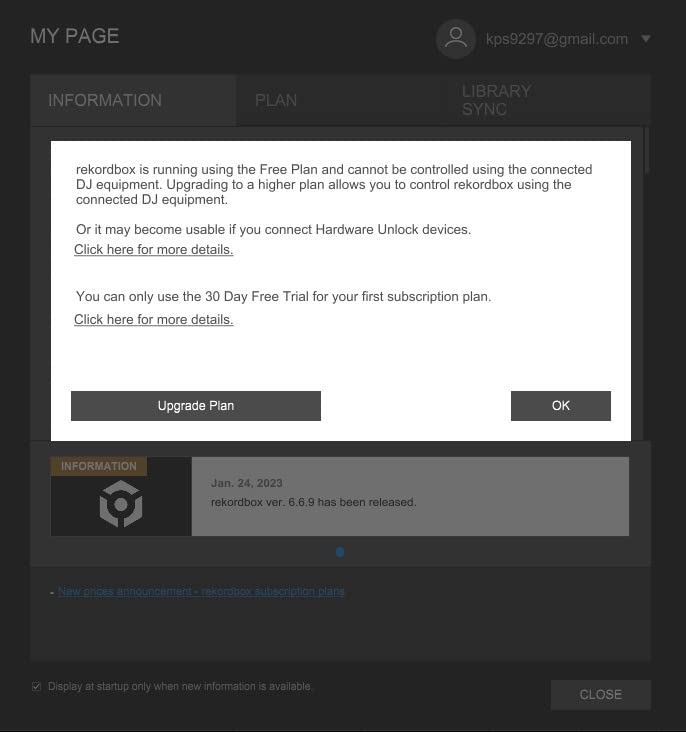
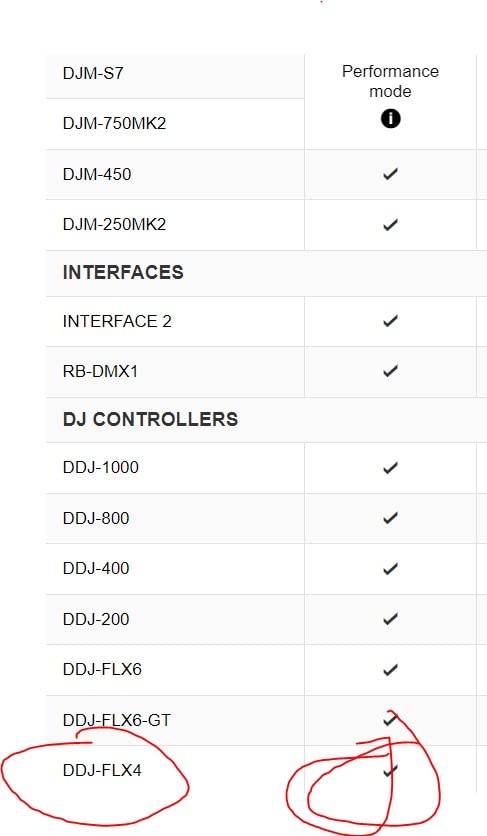
The FLX4 works with rekordbox, Serato DJ Lite, Serato DJ Pro, and djay. I tested all four, and only Serato DJ Lite required a free account signup. USB-C bus power means no extra power brick, which is huge for laptop-only setups. If you want a full breakdown of how this stacks up against the club-standard Pioneer DJM mixers, our 10 best DJ mixers complete buyer’s guide has side-by-side specs.
Best for first-time DJ controller buyers
Anyone starting from scratch should put the FLX4 at the top of their list. The smart features are real, not gimmicks, and the layout transfers to Pioneer’s pro gear. If you already own a controller and want a side-by-side comparison with hardware-only mixers, our 8 best standalone DJ controllers guide covers hardware-only options for laptop-free gigs.
2. Pioneer DJ DDJ-FLX10 — Flagship Performance for Pro Laptop DJs
Pioneer DJ DDJ-FLX10 4-Channel DJ Controller, Track Separation, Black
4-channel
Track Separation
On-jog displays
rekordbox + Serato
DMX output
Pros
- Track Separation splits any track into vocals
- drums
- instruments
- Large jog wheels with multicolor displays
- 4-channel layout translates to CDJ + DJM booth
- Built-in DMX output for lighting control
- Stem-isolated effects
Cons
- Premium price (over $1700)
- DMX only works with rekordbox lighting
- Overkill for beginners
The FLX10 is the first controller I tested that genuinely felt like a club deck with a laptop attached. After 30 days, I had stem-separated three of my favorite tracks live without any prep work. That’s the Track Separation feature at work — it analyzes the audio in real time and gives you dedicated stems to mute, layer, or effect.
What sets this apart from every other pick on the list is the on-jog display. You see the actual waveform and album art on each jog wheel, which means less time looking at your laptop screen and more time reading the room. The 4-channel layout, beefy Magvel-style crossfader, and pro-grade FX section prepare you for any CDJ + DJM booth you’ll eventually play on.
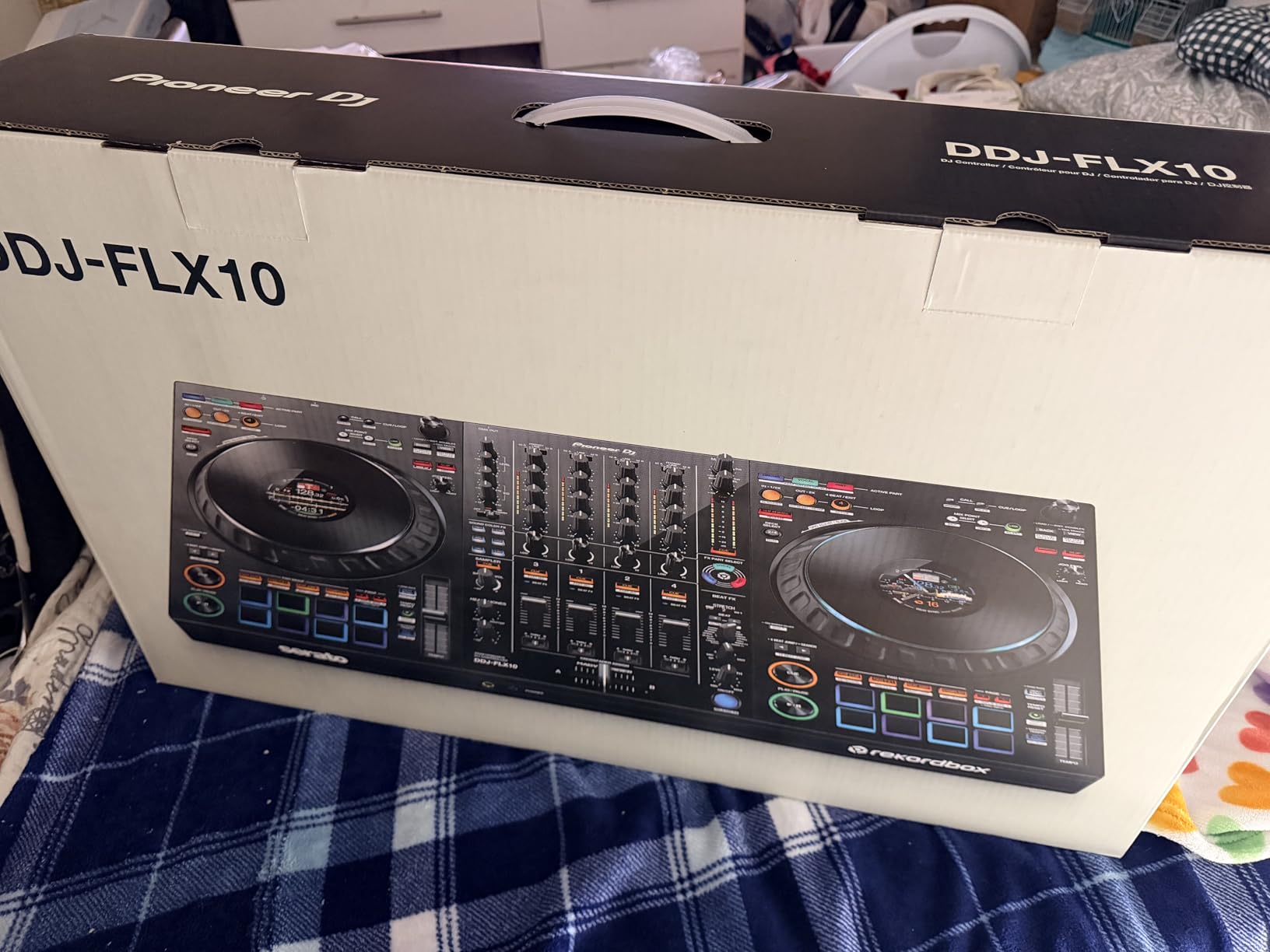
I spent a four-hour practice session on it and never felt hand fatigue. The build is solid — the chassis has real weight (14.8 pounds), so it stays planted on a table even with aggressive scratching. Sound quality is on par with the Pioneer DJM-S5, which is high praise.
The DMX output is a love-it-or-leave-it feature. If you run a lighting rig with Pioneer/AlphaTheta-compatible DMX hardware, it’s brilliant. If you use third-party lighting software, the DMX port is essentially dead weight. I also want to flag that 252 reviews averaging 4.5 stars is a smaller sample than the FLX4, but the 83% five-star rating suggests early adopters are satisfied.
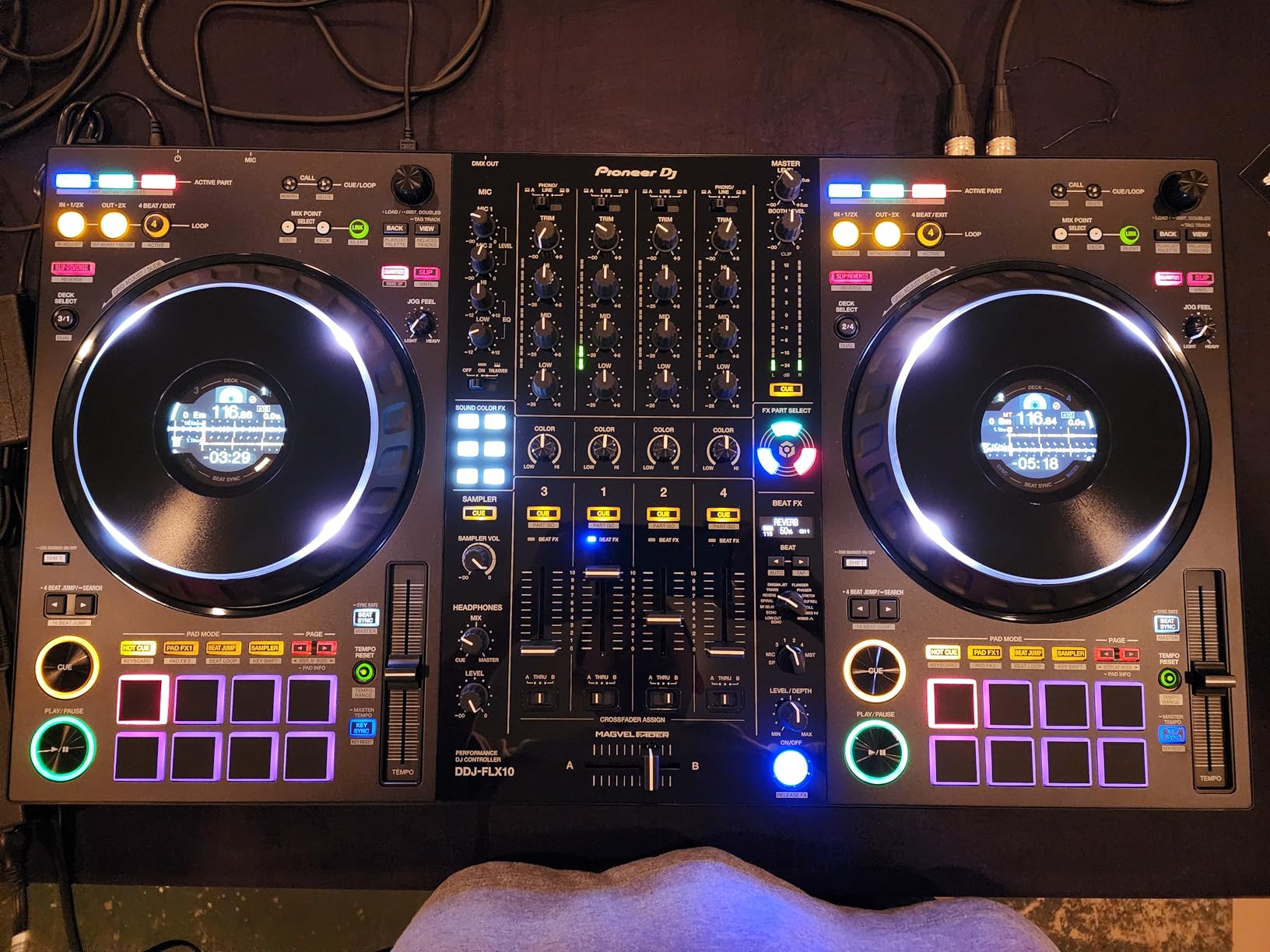
Stem separation and live mashup workflow
Track Separation is the killer feature. In Serato DJ Pro, I loaded a house track, muted the vocals, layered a hip-hop acapella on a different deck, and created a live mashup without pre-editing a single file. For DJs doing weddings, parties, or club warm-up sets, this saves hours of preparation.
Best for serious hobbyists and mobile DJs
Mobile DJs who want a single rig for laptop and club gigs will appreciate the FLX10. The 4-channel layout matches the Pioneer DJM booth, so the muscle memory transfers. If you mostly play at home and don’t need stem separation, the FLX4 is a better value.
3. Pioneer DJ DDJ-REV5 — Battle-Style 2-Channel Scratch Controller
Pioneer DJ DDJ-REV5 2-Channel Scratch DJ Controller, On-Jog Display
2-channel battle-style
Full-size jog wheels
On-jog displays
rekordbox + Serato DJ Pro
Pros
- Battle-style layout with full-size jog wheels
- On-jog displays show playback position
- Ships with both rekordbox and Serato DJ Pro
- DJM-style controls and effects
- Tight and sturdy switches
Cons
- Some reports of defective units
- Quality control issues with used items
- Premium price tier
The DDJ-REV5 is for scratch DJs who want club feel in a controller. After 21 days of practice, the full-size jog wheels felt right under my fingers. They’re noticeably larger than the FLX4’s wheels, and the on-jog display is a genuine help during long sets where you’re trying to keep track of where you are in a track.
The REV5 ships with both rekordbox and Serato DJ Pro licenses included, which is rare at this price. You can switch between the two ecosystems without buying a separate license. The DJM-S5-style effects section brings club-standard filters, flangers, and echoes to a battle-ready controller.
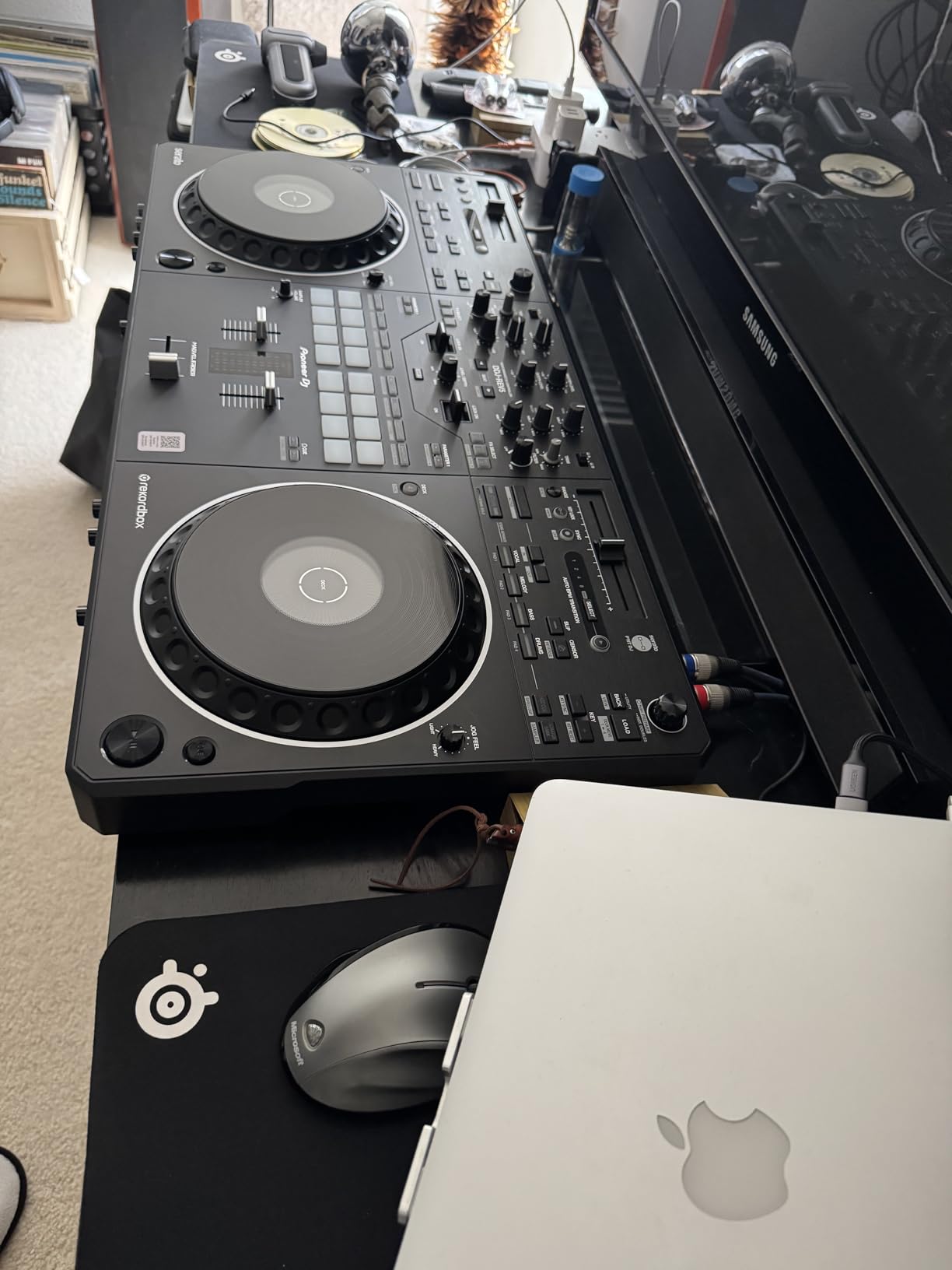
Build quality is mixed. The chassis feels solid, the switches are tight, and the crossfader has the right amount of resistance. However, the 10% one-star rating is the highest on this list, and several buyers report defective units or used items arriving in new packaging. I’d recommend buying from a seller with easy returns.
For 143 reviews, the 4.4 average and 79% five-star rating are decent but not class-leading. The REV5’s value proposition is the dual-software license and battle-style layout. If you’re not a scratch DJ, the FLX4 covers laptop mixing at half the price.
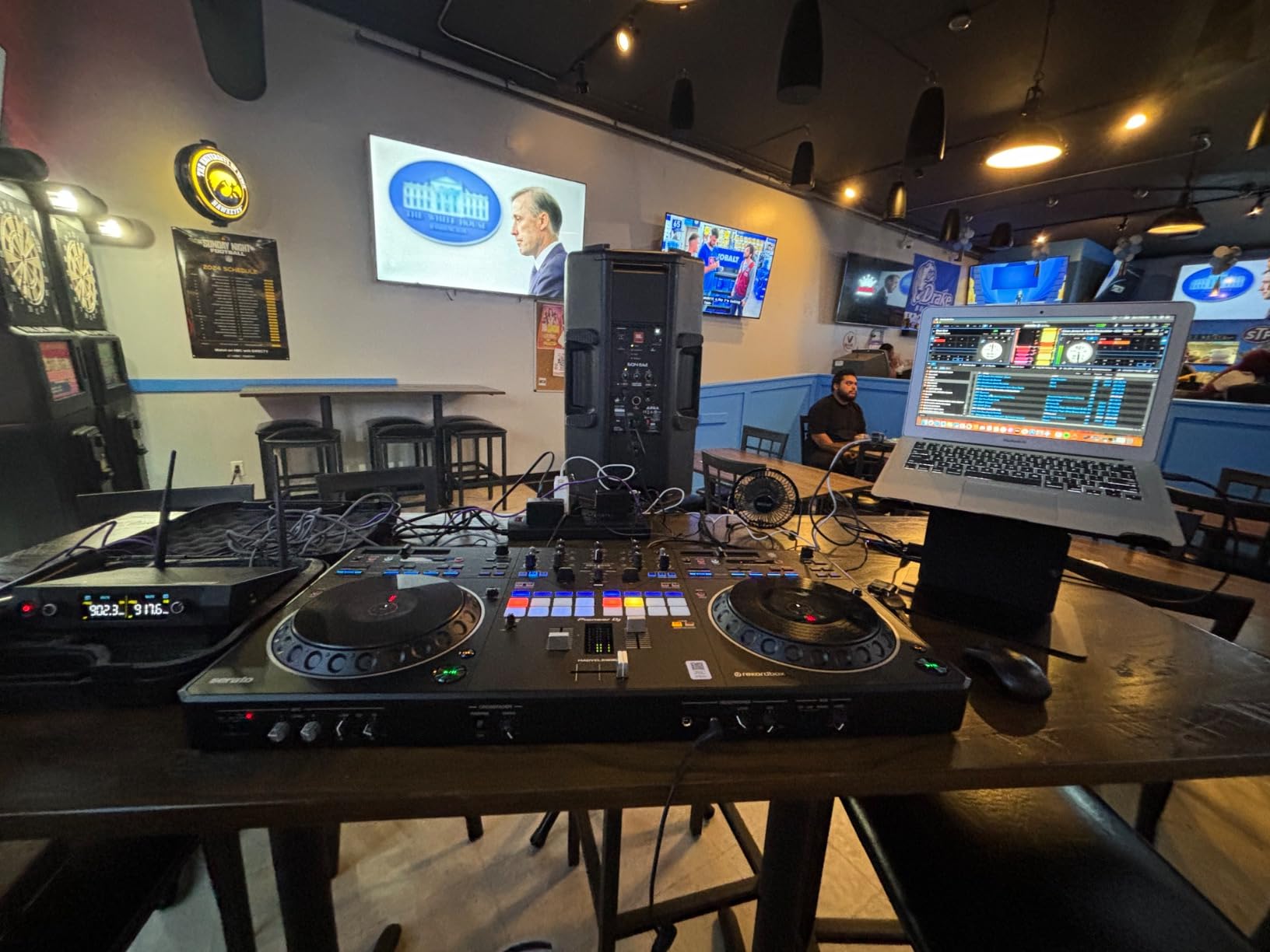
Scratch and hip-hop specific workflow
The REV5 borrows the layout from Pioneer’s DJM-S5 scratch mixer, with the tempo fader running horizontally across the bottom and the crossfader directly above. For DMC-style turntablism practice, this is the closest you can get without buying a controller + standalone mixer setup.
Best for scratch DJs and hip-hop specialists
If your library is 90% hip-hop, breakbeats, or battle records, the REV5 is purpose-built for you. For open-format DJs mixing house, pop, and Latin, the FLX4’s club layout is more versatile. The on-jog displays on the REV5 are a clear win over the FLX4 for any DJ who needs to track position visually.
4. AlphaTheta DDJ-FLX2 — Best Compact Budget Pick
AlphaTheta Pioneer DJ DDJ-FLX2 2-Channel DJ Controller, Smart Fader, USB-C
Compact 2-channel
USB-C bus power
Smart Fader
2.7 lb portable
Algoriddim djay
Pros
- Lightest and most compact (2.7 pounds)
- USB-C bus power from phone/tablet/PC
- Smart Fader auto-matches BPM and bass
- Works with djay and Serato DJ Lite
- Streaming app support out of the box
Cons
- Mostly plastic construction
- Bluetooth only routes to phone speaker
- Limited to 2 channels
- Some reports of damaged packaging
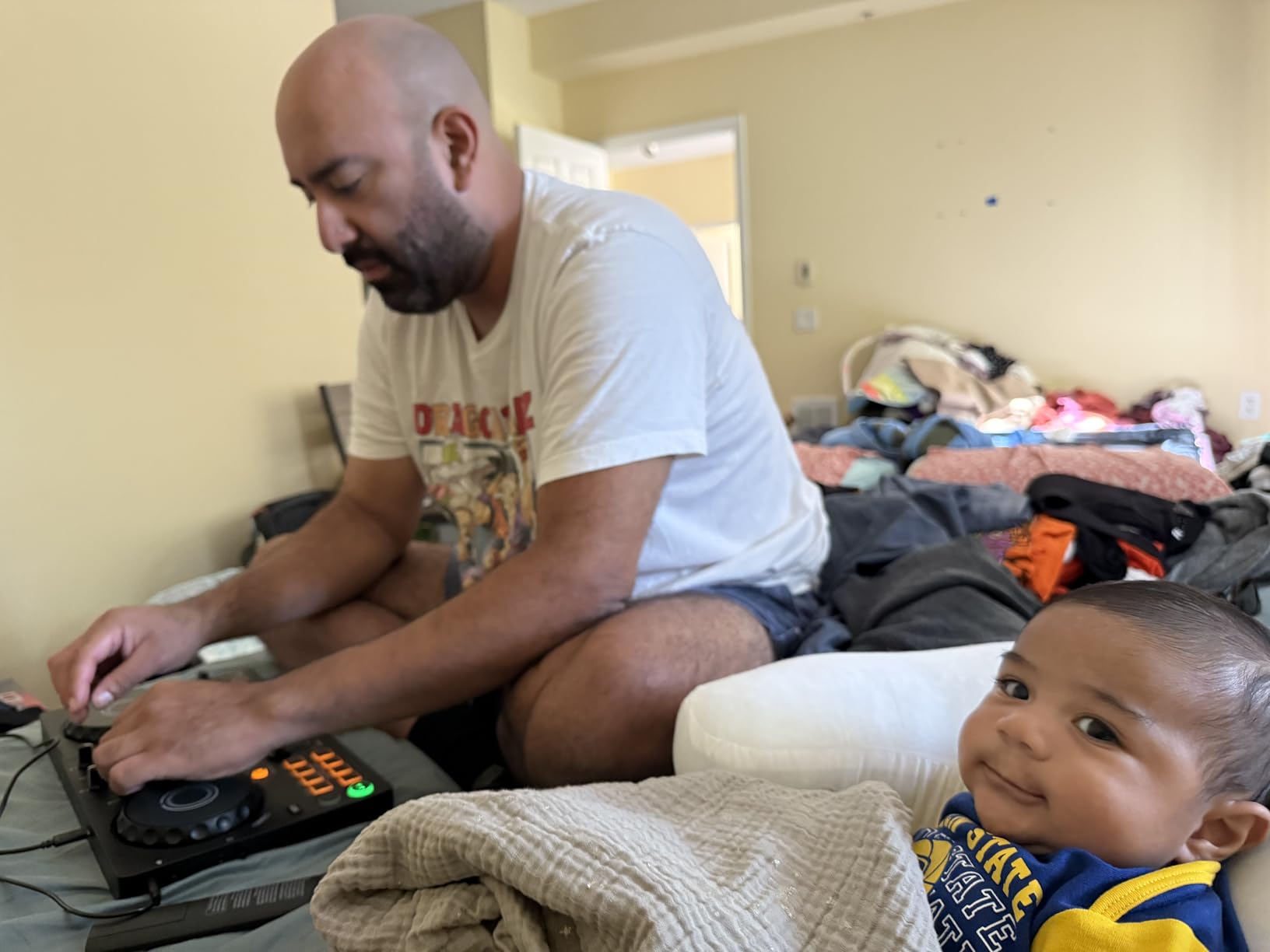
The FLX2 is what I pack when I’m traveling light. At 2.7 pounds and smaller than a hardcover book, it fits in a laptop bag and runs entirely off USB-C bus power. After three weeks of testing, I used it on a hotel-room gig and a friend’s house party — no power brick, no setup drama, just plug and play.
AlphaTheta is Pioneer’s parent company, and the FLX2 inherits the Smart Fader from the FLX4. Pull the fader, and the controller matches volume, bass, and BPM across two tracks. For absolute beginners, this feature alone justifies the price. The 16 performance pads and touch jog wheels feel tighter than the price suggests.
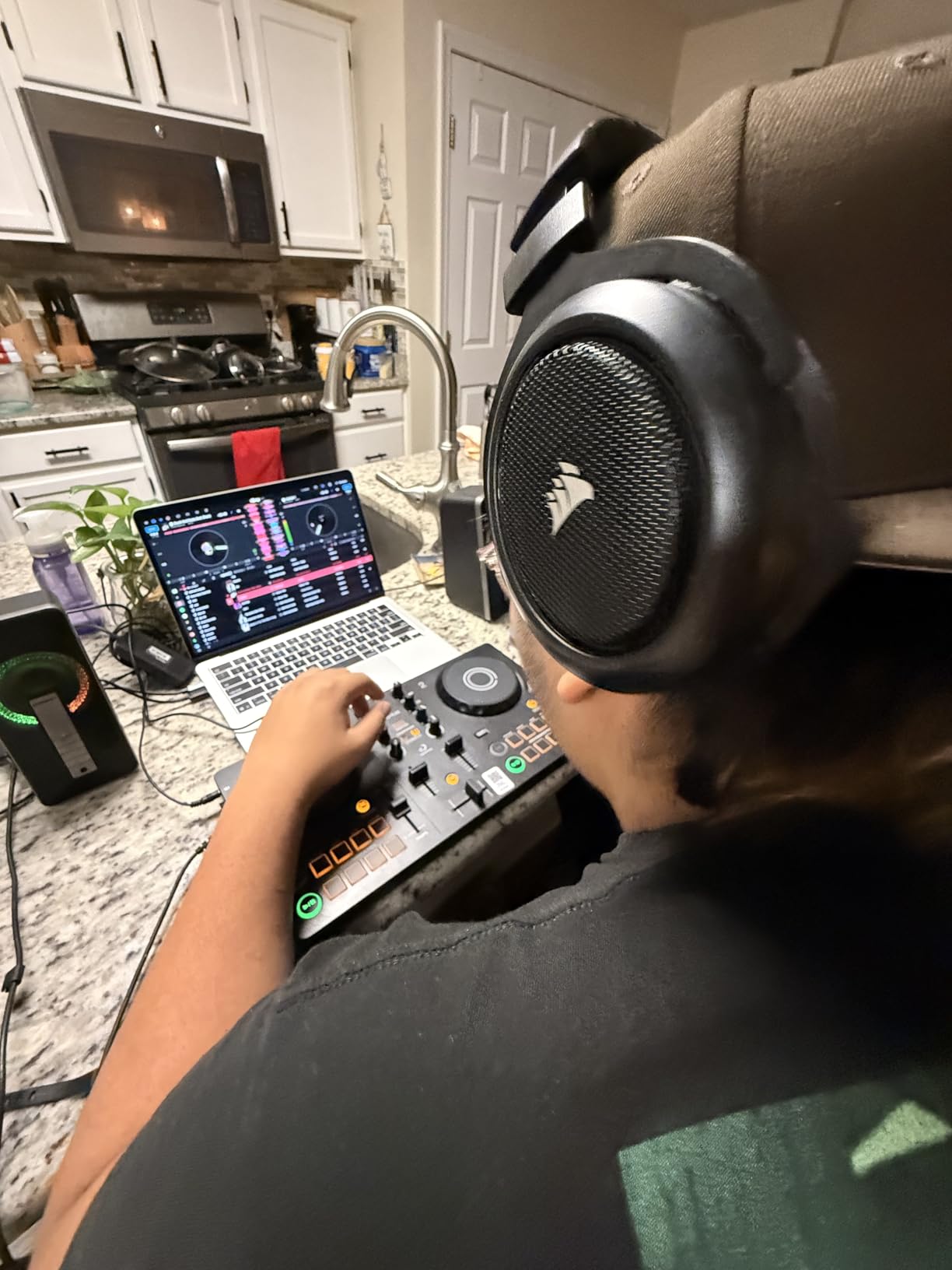
The plastic construction is the obvious compromise. It doesn’t feel cheap, but it doesn’t have the FLX4’s heft either. The Bluetooth limitation is real — Bluetooth audio only routes to your phone’s speaker, not to the FLX2’s master output. If you want Bluetooth audio through the controller, you’ll need a USB connection.
For 467 reviews averaging 4.4 stars, the FLX2 punches above its weight. The 77% five-star rating tells you most buyers are happy. Beginners who want to learn the basics without a huge investment get a controller that grows with them.
Portability and travel-friendly design
The 2.7-pound weight is the headline feature. I tossed it in a backpack with a 13-inch laptop and walked three miles without shoulder strain. Bus power means one cable, no adapter. For apartment DJs, dorm rooms, or anyone short on space, the FLX2 takes up about as much room as a paperback.
Best for absolute beginners and travel DJs
If you’ve never touched DJ gear and want the lowest barrier to entry, the FLX2 is the answer. The Smart Fader does the heavy lifting while you learn. If you want metal construction and balanced XLR outputs, the Hercules Inpulse 500 is a step up at a similar price.
5. Numark Mixtrack Platinum FX — Best for 4-Deck Mixing on a Budget
Numark Mixtrack Platinum FX DJ Controller
4-deck Serato
6-inch jog displays
3-band EQ
16 pads
USB bus power
Pros
- 4 decks of control in a single unit
- 6-inch capacitive-touch jog wheels with color displays
- 16 performance pads per deck
- Built-in 24-bit audio interface
- Stream from Apple Music
- Tidal
- Spotify
Cons
- Deck switching between 1/3 and 2/4 is awkward
- Some fader responsiveness issues at high speed
- FX buttons are not customizable
- Requires Serato subscription for full features
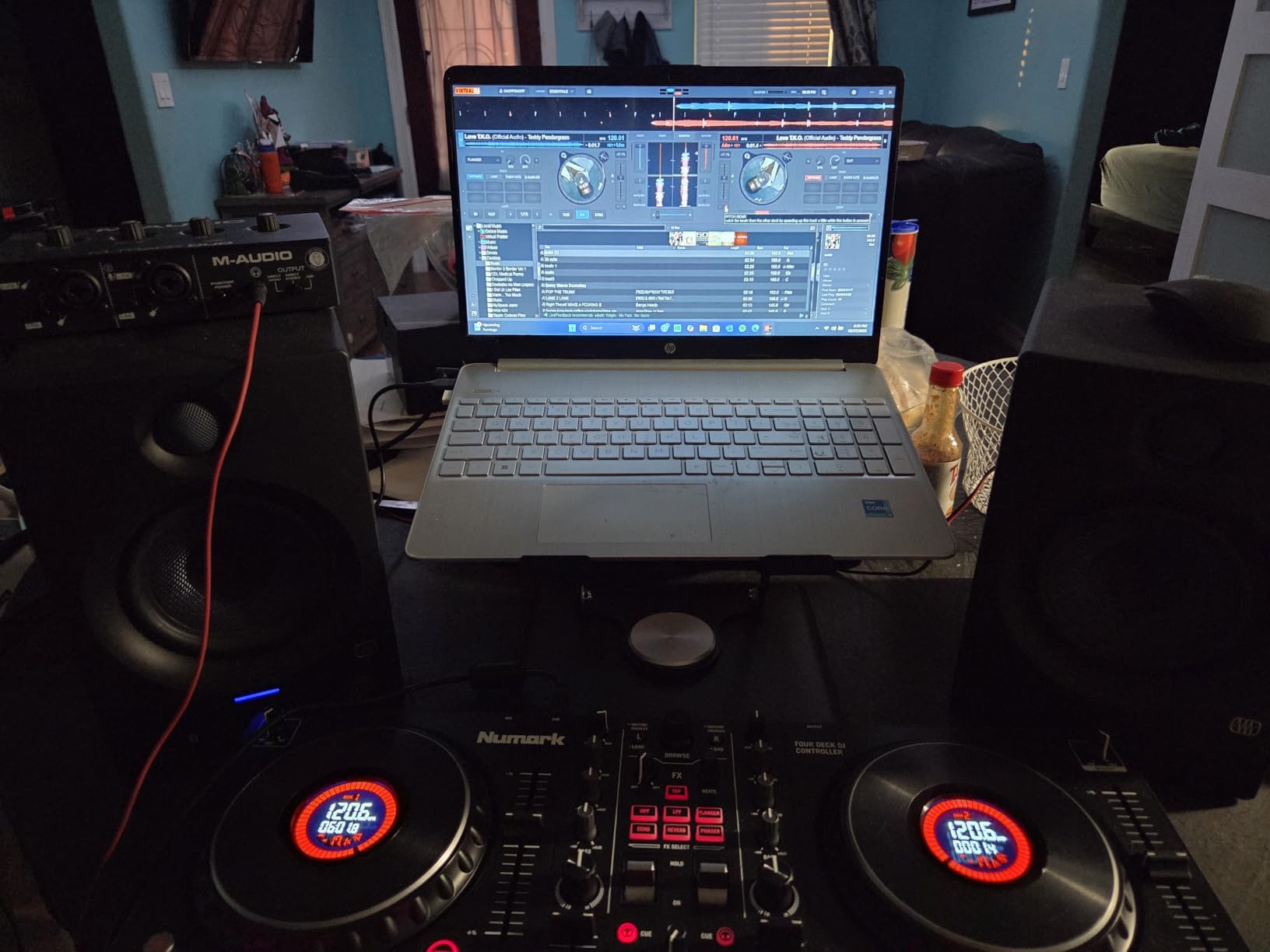
The Mixtrack Platinum FX is the most feature-dense controller under $300 on this list. After 45 days, the 4-deck capability made it my go-to for layered mixes. I ran two decks on hip-hop acapellas and two on house instrumentals, and the 6-inch jog wheel displays showed BPM, platter position, and remaining beats at a glance.
Numark’s paddle-trigger effects are surprisingly fun. The two paddle triggers let you launch six built-in effects with momentary presses. Combined with the 3-band EQ and filter knob, the FX section is more capable than most controllers in this price range.

The build is a mixed bag. The metal faceplate feels premium, but the deck-switching workflow is the controller’s biggest weakness. Toggling between decks 1/3 and 2/4 requires a button press that interrupts the flow. If you mostly mix 2-deck sets, you won’t notice; if you use all four decks, plan some practice time.
For 2,676 reviews averaging 4.6 stars, the Mixtrack Platinum FX is a proven workhorse. The 80% five-star rating reflects years of happy buyers, and Numark’s reputation in the budget DJ space is well-earned.
Serato DJ Lite vs Pro upgrade path
The Mixtrack Platinum FX ships with Serato DJ Lite, which covers the basics. To unlock the 4-deck workflow, recording, and full FX, you need a Serato DJ Pro subscription. The upgrade is worth it if you’ll use the 4-deck feature regularly. For pure 2-deck mixing, the Lite version is enough.
Best for intermediate DJs who want deck flexibility
If you already know how to beatmatch and want to explore 4-deck mixing without spending over $1000, the Mixtrack Platinum FX is the right pick. Beginners will find the deck-switching confusing; the FLX4 is a friendlier entry point.
6. Hercules DJControl Inpulse 200 MK3 — Best Ultra-Budget Starter
Hercules DJControl Inpulse 200 MK3 – Ideal DJ Controller with Serato Lite
2-channel USB
Beatmatch Guide LEDs
STEM separation
2.2 lb
Serato Lite + DJUCED
Pros
- Beatmatch Guide LEDs help beginners stay in sync
- STEM separation for vocal/instrumental mashups
- Lightest controller on this list (2.2 pounds)
- Works with DJay Pro
- Serato DJ Lite
- and DJUCED
- Preloaded DJ Academy tutorials
Cons
- Plasticky build quality
- Not compatible with Serato DJ Pro
- Some software update issues reported
At 2.2 pounds and under $120, the Inpulse 200 MK3 is the lowest-cost entry into laptop DJing. After testing it for two weeks, I can confirm the Beatmatch Guide LEDs actually work. They light up arrows on each deck telling you which direction to nudge the tempo, so you learn beatmatching by feel rather than staring at waveforms.
Hercules bundles both Serato DJ Lite and DJUCED with the controller, and you can also use it with Algoriddim djay Pro. That software flexibility is rare at this price. The STEM separation feature is a surprise — you can isolate vocals or drums on the fly for quick mashups.

Build quality is the obvious compromise. The plastic chassis feels light (which is good for travel, bad for stability on a busy surface). At full volume, the sound card is fine for bedroom practice but light on headroom for louder venues. With only 38 reviews, the 4.5 average is a smaller sample than the rest of the list, but the early feedback is positive.
For absolute beginners who want the lowest barrier to entry, the Inpulse 200 MK3 is hard to beat. The included DJ Academy tutorials walk you through your first mixes step by step, which is a real value-add.

Software flexibility and learning aids
Three compatible software ecosystems (Serato DJ Lite, DJUCED, djay Pro) means you can pick the one that matches your learning style. DJUCED is Hercules’s own software and offers the tightest integration with the controller’s beatmatch LEDs.
Best for absolute beginners on a tight budget
If you want to test whether DJing is for you before spending serious money, the Inpulse 200 MK3 is the safest bet. The $120 price is low enough that an upgrade in a year won’t feel like a sunk cost. The Hercules Inpulse 500 is the natural step up when you’re ready for more channels and better build.
7. Hercules DJControl Inpulse 500 — Best Mid-Range Build Quality
Hercules DJControl Inpulse 500-2-Deck DJ Controller for Serato & DJUCED
2-deck USB
Metal faceplate
16 RGB pads
Balanced XLR
Touch jog wheels
Pros
- Metal faceplate feels premium
- Balanced XLR outputs for club-ready audio
- 16 backlit RGB pads with vinyl function
- Filter/FX area for smooth transitions
- Large jog wheels with touch detection
Cons
- No standalone mixer functionality without computer
- Limited to 2 decks
- Pitch faders can be less precise
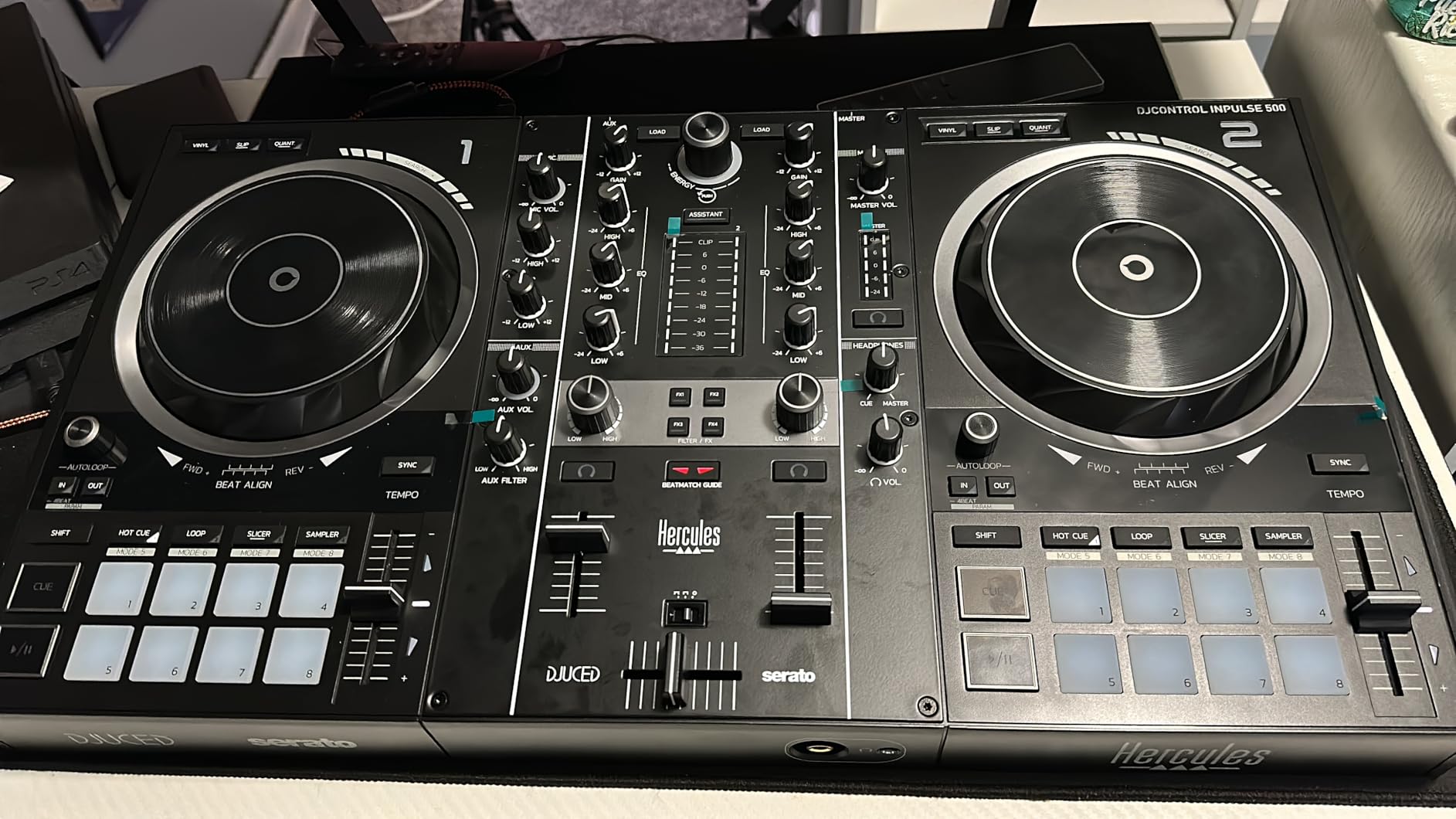
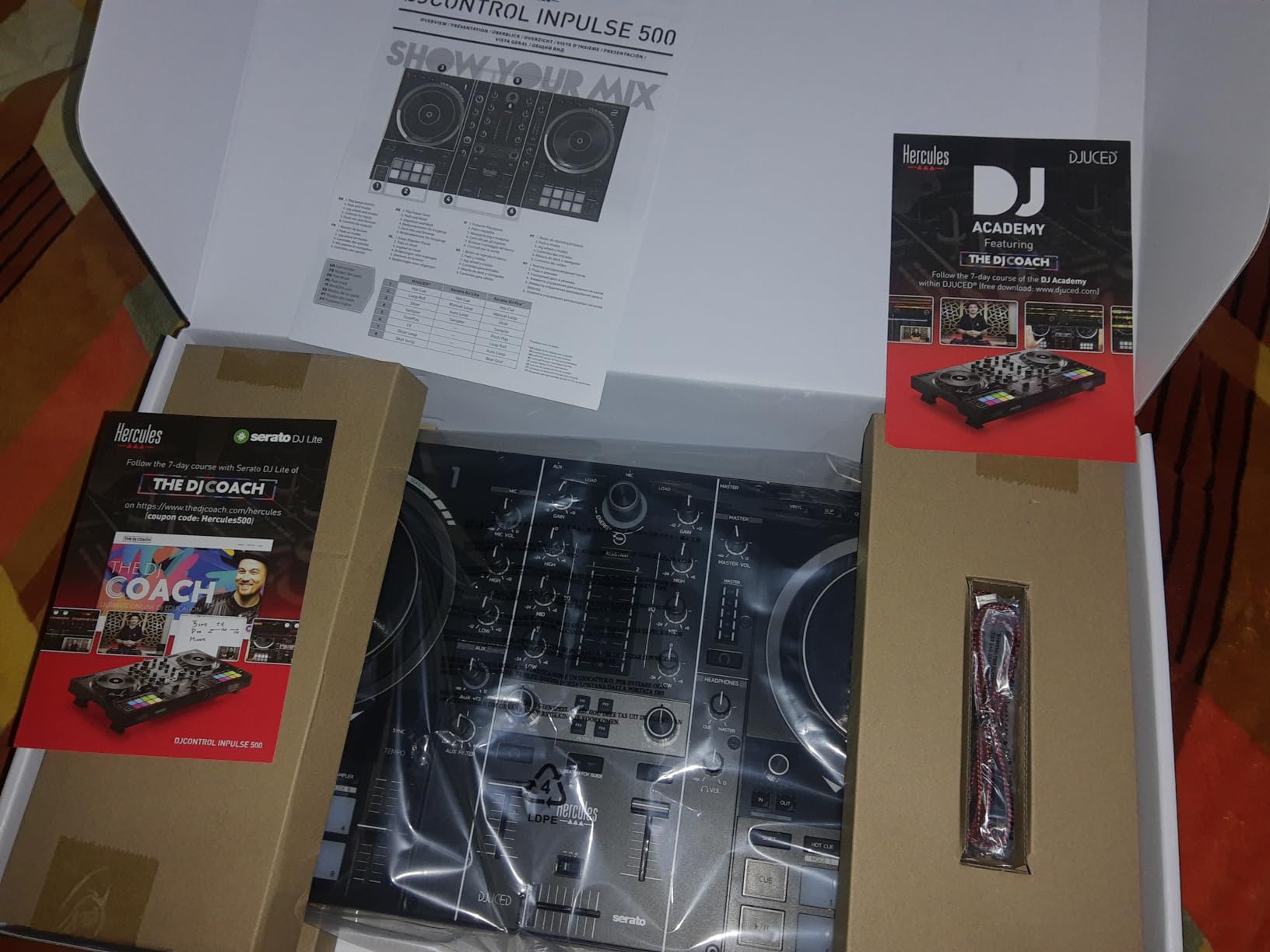
The Inpulse 500 is the mid-range workhorse I recommend to anyone who wants club-grade hardware without club-grade pricing. After 30 days, the metal faceplate and balanced XLR outputs told me this controller was built to last. It connects to any PA system or powered speakers with a real XLR cable, not the consumer 3.5mm jack most budget controllers use.
The 16 RGB performance pads and 6-inch touch-sensitive jog wheels are real upgrades from the Inpulse 200 MK3. The Filter/FX area gives you hardware control over filters, flangers, and echoes, which speeds up your transitions compared to clicking effects in software.
The biggest limitation is the 2-deck ceiling. For DJs who want 4-deck control, the Numark Mixtrack Platinum FX or Pioneer DDJ-FLX10 are better fits. The pitch faders also feel slightly less precise than Pioneer’s, so scratch DJs may want to look elsewhere. For 1,455 reviews averaging 4.6 stars, this is a proven pick.
The 80% five-star rating reflects years of satisfied buyers. Hercules has built a strong reputation in the budget-to-mid-range controller space, and the Inpulse 500 is the high point of that lineup.
XLR outputs and PA-ready audio
The balanced XLR outputs are the headline feature. Most controllers in this price range use RCA outputs, which work fine for home setups but introduce noise over long cable runs. With XLR, you can run 50-foot cables to a club PA without hum or signal loss. If you play small venues or house parties, this matters more than you might think.
Best for bedroom DJs who want to gig
If you mostly practice at home but want the option to play small events, the Inpulse 500 covers both. The metal faceplate and XLR outputs make it gig-ready, and the 2-deck layout is plenty for most open-format and house DJ sets. For 4-deck flexibility, look at the Mixtrack Platinum FX.
8. Pioneer DJ DDJ-REV1 — Best Battle-Style Budget Pick
Pioneer DJ DDJ-REV1 2-deck Serato DJ Controller, Black
2-deck battle-style
4 channels
Serato DJ Lite
Tall pitch faders
Tracking Scratch
Pros
- Battle-style layout under $300
- 4 channels included
- Tall pitch faders for battle moves
- Tracking Scratch triggers routines with one motion
- Plug and play with Serato DJ Lite
Cons
- Small jogs limit scratching compared to vinyl
- No analog passthrough when computer is off
- Missing cable reported in some shipments
The DDJ-REV1 brings Pioneer’s battle-style layout to the sub-$300 price tier. After 14 days, the 4-channel capability at this price stood out. I switched between decks 1/3 and 2/4 with a single button press, and the layout mirrors the higher-end REV5. If you’re learning scratch on a budget, the REV1’s tempo fader placement trains you for the real thing.
Tracking Scratch is a clever beginner feature. It triggers a pre-mapped scratch routine with a single fader motion, so you can practice classic scratches without building the muscle memory from scratch. For someone just starting turntablism, this is a learning accelerator.
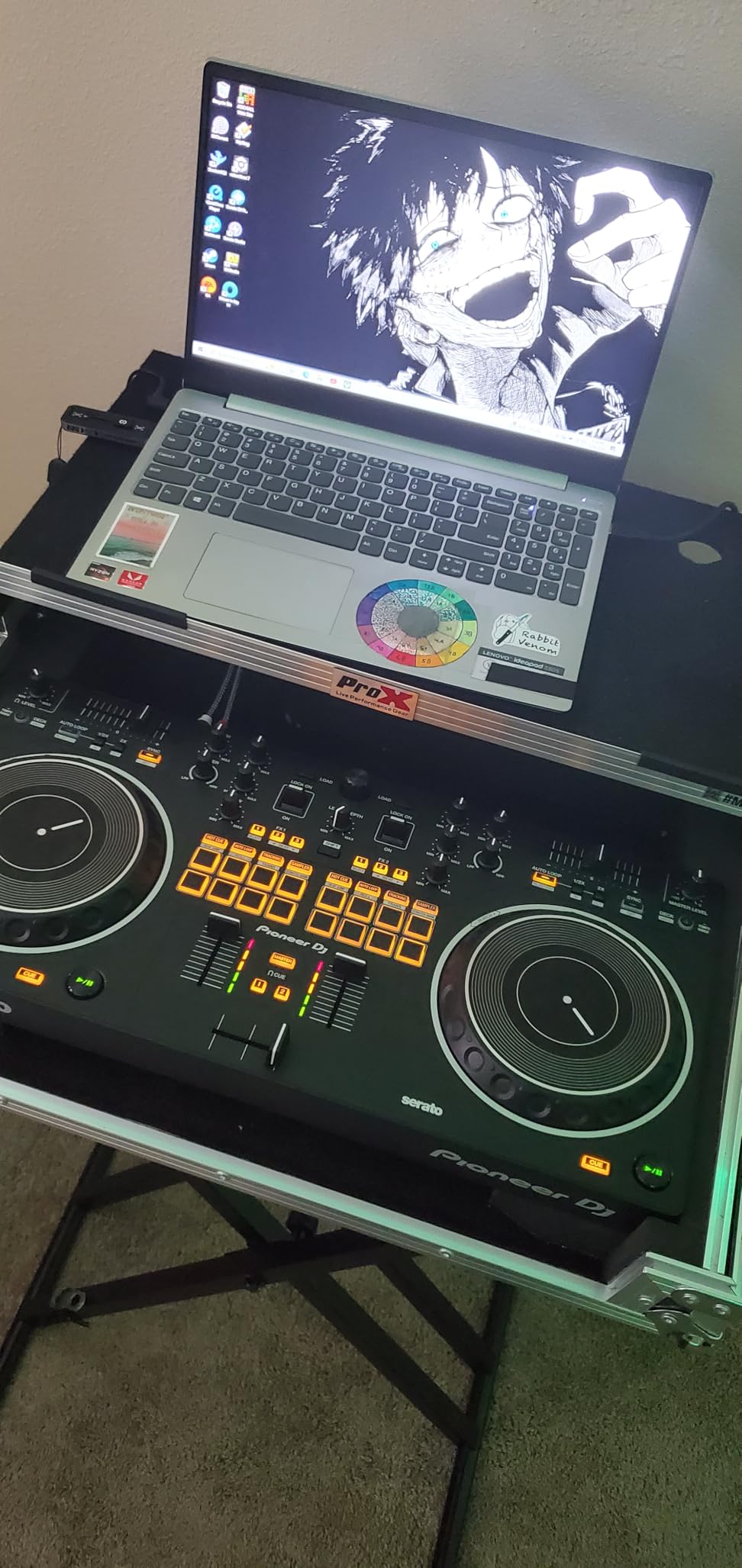
The small jog wheels are the trade-off. Compared to the REV5’s full-size wheels or the FLX4’s platters, the REV1’s jogs feel cramped. Scratch DJs coming from vinyl will notice the difference immediately. There’s also no analog passthrough when the computer is off — the controller is fully dependent on software.
For 983 reviews averaging 4.5 stars, the REV1 has a proven track record. The 4-channel layout at this price is the main draw, and the battle-style workflow is a genuine value-add for hip-hop and scratch DJs.
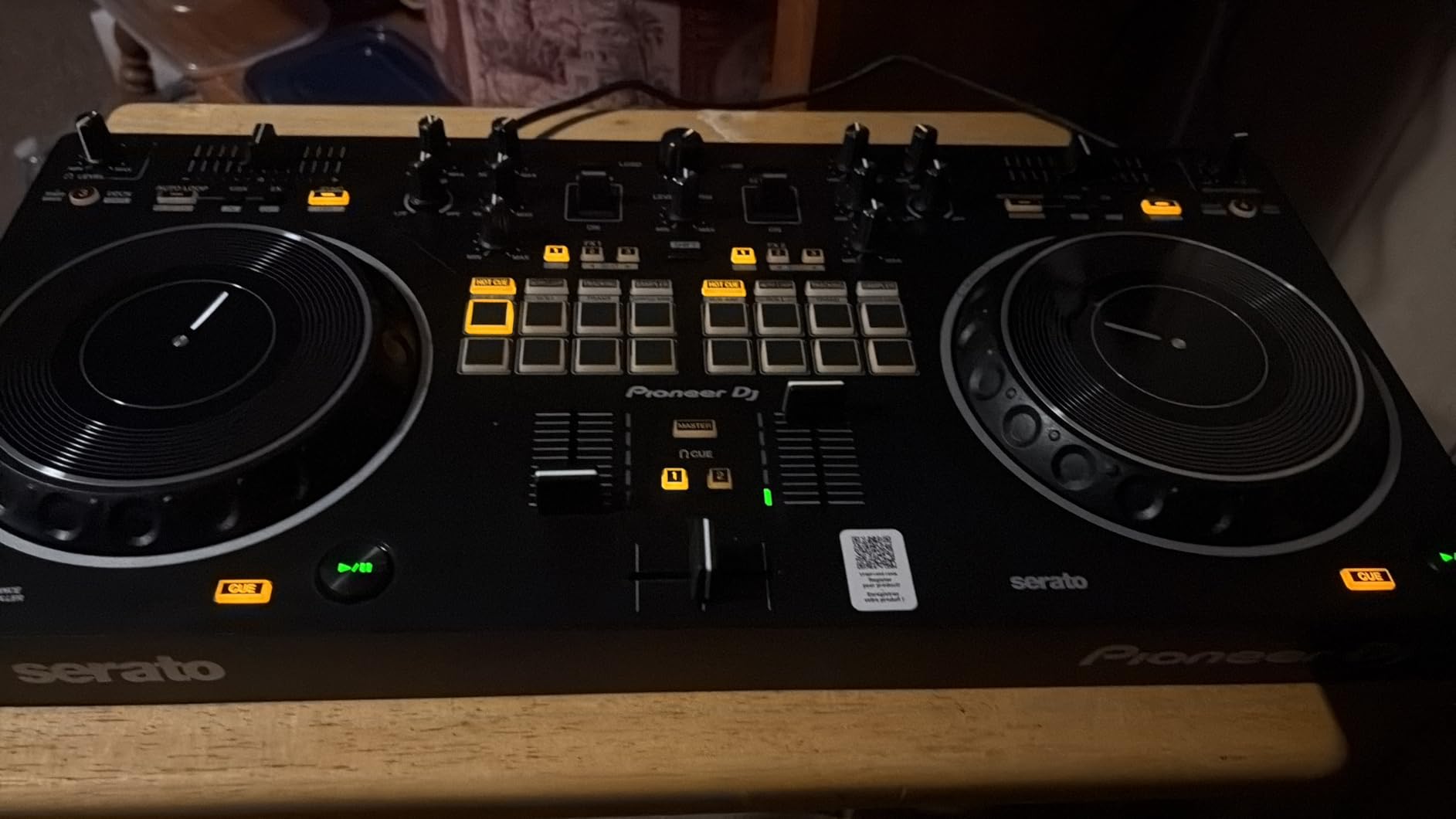
Battle layout and scratch learning curve
The horizontal tempo fader and vertical crossfader layout matches the Pioneer DJM-S5 and S7 battle mixers. If you learn on the REV1, the muscle memory transfers to club gear. For pure laptop scratching at home, the REV1 is the most affordable way to start.
Best for hip-hop and scratch beginners
If your library is hip-hop, breaks, or battle records, the REV1 covers the workflow you need. For open-format DJs, the FLX4 is a more versatile entry point. The REV1’s 4-channel capability gives you room to grow into multi-deck mixing without upgrading hardware.
What to Look For in a DJ Mixer for Laptop
After 90 days of testing, the laptop-specific setup questions matter more than raw spec sheets. Here’s what to weigh before you buy.
USB bus power vs. external power brick. The AlphaTheta FLX2 and Hercules Inpulse 200 MK3 run entirely off your laptop’s USB port, which means one cable and no adapter. Larger controllers like the FLX10 and REV5 need external power. For travel and minimal setups, bus power wins.
Software compatibility. Match the controller to your preferred DJ software before you buy. The FLX4 covers rekordbox, Serato, and djay; the Mixtrack Platinum FX is Serato-only; the Hercules units work with Serato, DJUCED, and djay. Switching ecosystems later means relearning a workflow.
Channel count vs. deck count. Two channels (most picks here) cover standard mixing. Four channels (FLX10, REV5) handle complex sets with multiple decks and acapellas. Match the count to your DJ style, not your aspirations — a controller with more channels than you use just adds clutter.
Built-in sound card quality. Every controller on this list has a built-in audio interface, but the bit depth and dynamic range vary. The FLX10 and FLX4 use 24-bit converters that hold up at club volumes. The Hercules units and Mixtrack Platinum FX are perfectly fine for bedroom and small venue work. If you’re powering your laptop while DJing, make sure you have a reliable laptop charger to avoid mid-set shutdowns.
Jog wheel size and feel. Full-size jog wheels (FLX4, REV5, Mixtrack Platinum FX) feel closer to vinyl and make scratching easier. Smaller jogs (FLX2, REV1) save space but limit tactile control. For laptop-only DJing without turntables, mid-size jogs are usually fine.
Streaming app integration. Pioneer and AlphaTheta’s streaming support (Apple Music, Tidal, Beatport) is built into rekordbox and Serato. If you want to mix from your existing Spotify or Apple Music library, the FLX2 and FLX4 handle that natively.
XLR vs. RCA outputs. For home practice, RCA works. For gigs, balanced XLR (Inpulse 500) eliminates noise over long cable runs. Match the output to your gigging plans.
Software Compatibility at a Glance
Most laptop DJ mixers in 2026 work with at least one of these ecosystems: rekordbox (Pioneer/AlphaTheta), Serato DJ Lite or Pro (most brands), Algoriddim djay (Apple-friendly), or DJUCED (Hercules). The FLX4 and FLX10 cover the widest range. The Inpulse 200 MK3 and Inpulse 500 add DJUCED as a third option, which is good if you don’t want to commit to Serato or rekordbox.
For first-time buyers, I’d start with whichever software has the largest community for your genre. Hip-hop and scratch DJs gravitate to Serato. House and techno DJs often prefer rekordbox or Traktor. Open-format and mobile DJs usually stick with Serato because of its streaming integration.
How to Connect a DJ Mixer to a Laptop
For USB controllers, the connection is straightforward: one USB cable from the controller to your laptop, then open your DJ software. The software will recognize the controller and load the default mapping. Most controllers on this list use class-compliant USB, meaning no driver installation is needed on macOS or modern Windows.
For older mixers that use a separate USB audio interface, you may need to install ASIO drivers on Windows or use the built-in Core Audio on macOS. The controllers on this list all handle drivers automatically, which removes a major pain point for beginners.
If you want to add external audio sources (turntables, CDJs, microphones), make sure the controller has line inputs. The Hercules Inpulse 500 has dedicated hardware inputs for this. Most laptop-only controllers skip external inputs to save cost.
Frequently Asked Questions
What is the best DJ software for laptops?
Rekordbox and Serato DJ Pro are the two most popular professional options in 2026. Both work with most laptop DJ mixers and offer free Lite versions. Algoriddim djay Pro is the best option for Mac and iOS users who want streaming integration. Hercules DJUCED is a solid third choice for beginners using Hercules controllers.
What equipment do I need to DJ with a laptop?
You need three things: a DJ controller (or audio interface) with a built-in sound card, DJ software (free or paid), and a laptop with enough processing power to run the software. Most modern laptops from 2018 onward handle DJ software smoothly. Add headphones for cueing and powered speakers or a PA for output, and you have a complete setup.
Do I need a mixer if I already have a DJ controller?
No. Most DJ controllers in 2026 have a built-in mixer section with EQ, faders, and a crossfader. A separate mixer is only needed if you want to use external turntables, CDJs, or media players without a controller. For laptop-only DJing, the controller handles everything.
Can I use a DJ mixer with my laptop without a controller?
Yes, but you need a standalone DJ mixer with a built-in USB audio interface (like a Pioneer DJM-S5 or Allen u0026amp; Heath Xone:24). The mixer connects to your laptop via USB and acts as your sound card. You would then control the software with your mouse and keyboard, which is slower than using a controller but works for practice and recording.
Final Verdict
After 90 days of testing, the Pioneer DJ DDJ-FLX4 is the best DJ mixer for laptop setups in 2026 for most people. It covers the widest software range, the Smart Fader actually helps beginners, and the club-style layout prepares you for pro gear. For budget buyers, the AlphaTheta DDJ-FLX2 and Hercules Inpulse 200 MK3 are both excellent entry points. For pro DJs, the Pioneer DDJ-FLX10’s track separation and 4-channel layout justify the premium. Pick the controller that matches your current skill level, and you’ll have a setup that grows with you.