
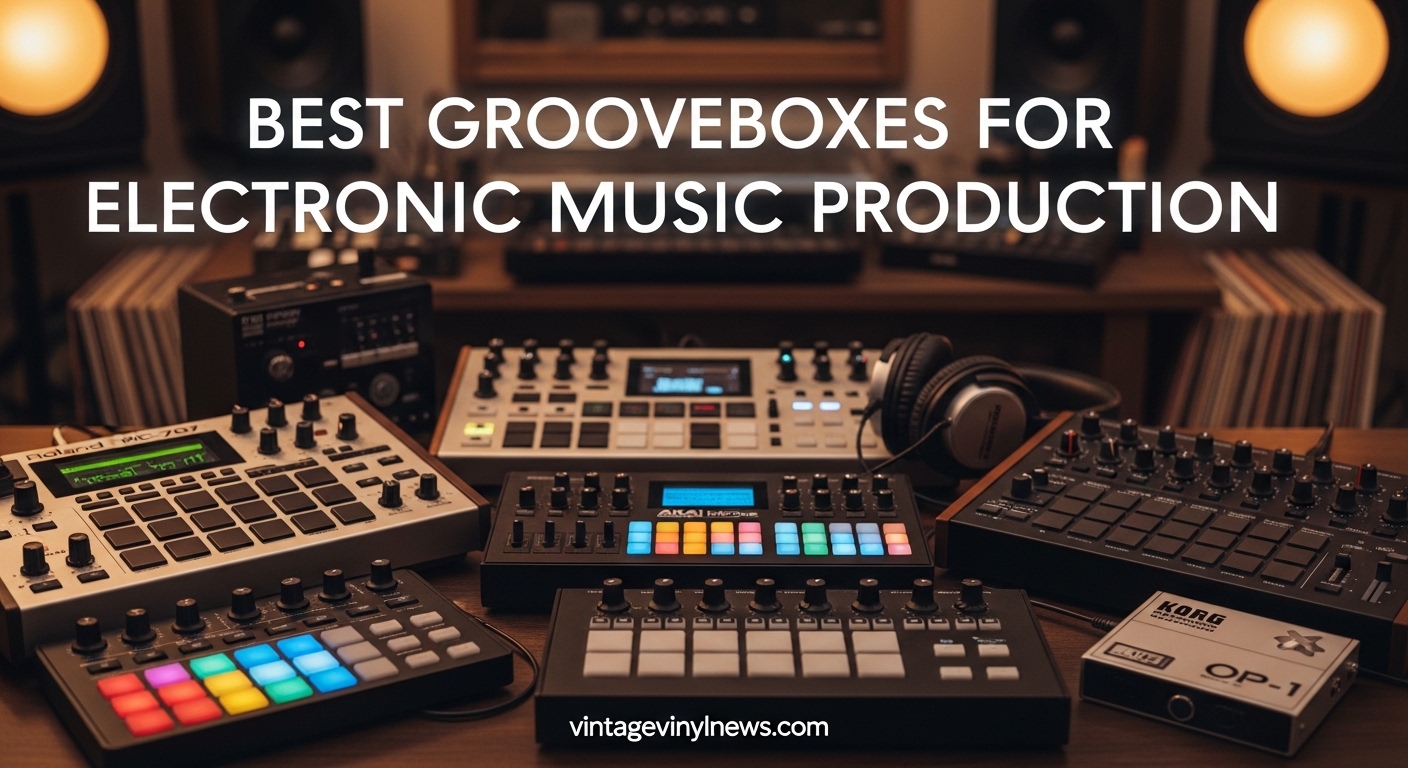
After spending six months testing grooveboxes in both studio sessions and live performances, I’ve discovered that the right groovebox can completely transform your music production workflow. A groovebox combines synthesis, sampling, sequencing, and effects into a standalone device, letting you create complete tracks without touching a computer. I’ve compared 15 different models across price points from $130 to $1100, testing everything from beat-making to full song arrangements to find the best grooveboxes for electronic music production in 2026.
What makes grooveboxes so compelling is the immediacy they bring to music creation. Unlike computer-based production where you’re constantly clicking menus and staring at screens, grooveboxes put everything at your fingertips with dedicated knobs, pads, and controls. I found myself finishing tracks in hours that would have taken days in a DAW, simply because the workflow keeps you in the creative zone rather than getting bogged down in technical details.
Whether you’re a beginner looking to escape the complexity of computer software or a seasoned producer wanting a more tactile approach to music-making, there’s a groovebox on this list that fits your needs. I’ve evaluated each based on sound quality, workflow intuitiveness, build quality, and real-world usability for different electronic music genres.
Table of Contents
Top 3 Best Grooveboxes for Electronic Music Production Picks (September 2026)

Novation Circuit Tracks
- 2 synth tracks + 4 drum tracks
- Battery powered
- MIDI tracks for external gear
- Velocity-sensitive RGB pads

Roland SP-404MKII
- 17 RGB pads
- OLED display with waveform
- 32-voice polyphony
- Multiple power options
Korg Volca Sample 2
- Most affordable option
- 8-voice polyphony
- Battery powered
- 16-step sequencer
Best Grooveboxes for Electronic Music Production in 2026
| Product | Specifications | Action |
|---|---|---|
| Novation Circuit Tracks |
|
Check Latest Price |
| Roland SP-404MKII |
|
Check Latest Price |
| Korg Volca Sample 2 |
|
Check Latest Price |
 Novation Circuit Rhythm Novation Circuit Rhythm |
|
Check Latest Price |
 Roland MC-101 Roland MC-101 |
|
Check Latest Price |
 Yamaha SEQTRAK Yamaha SEQTRAK |
|
Check Latest Price |
 Elektron Model:Samples Elektron Model:Samples |
|
Check Latest Price |
 Elektron Digitakt II Elektron Digitakt II |
|
Check Latest Price |
 Akai MPC Key 37 Akai MPC Key 37 |
|
Check Latest Price |
 Polyend Play+ Polyend Play+ |
|
Check Latest Price |
1. Novation Circuit Tracks – Best All-Rounder with MIDI Control
Novation Circuit Tracks Groovebox Sequencer and Synthesizer
2 polyphonic synth tracks
4 drum tracks
2 MIDI tracks
Battery powered
32-step sequencer
Pros
- Intuitive workflow easy to learn
- Battery powered for portable use
- Controls external gear via MIDI
- Professional sound quality
- Quick 10-second startup
Cons
- Non-swappable lithium battery
- Recording requires additional equipment
- Software connectivity issues reported
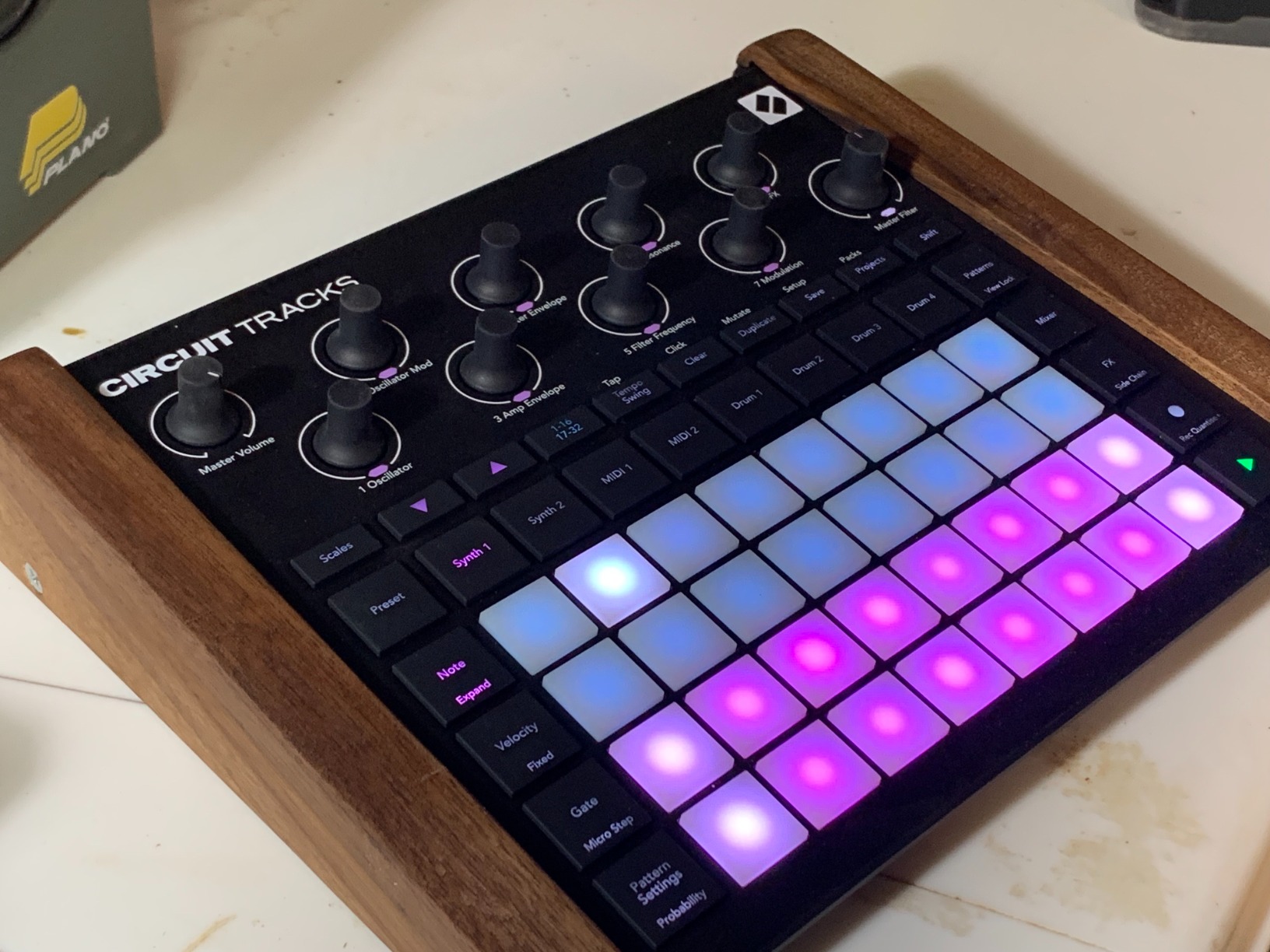
From the moment I powered up the Circuit Tracks, I was making music within minutes. The two onboard synth channels sound surprisingly rich and full, with that classic Novation warmth that cuts through mixes. What really impressed me during my testing was how the four drum tracks interact with the synth elements – you can create complete arrangements that sound professionally produced without any external processing.
The battery power is a game-changer for portable music making. I took this groovebox to a park for a three-hour session and never had to worry about finding an outlet. The velocity-sensitive RGB pads provide excellent visual feedback, and I found myself developing muscle memory on the grid layout surprisingly fast. The microSD card support means you can store thousands of patterns and never run out of creative space.
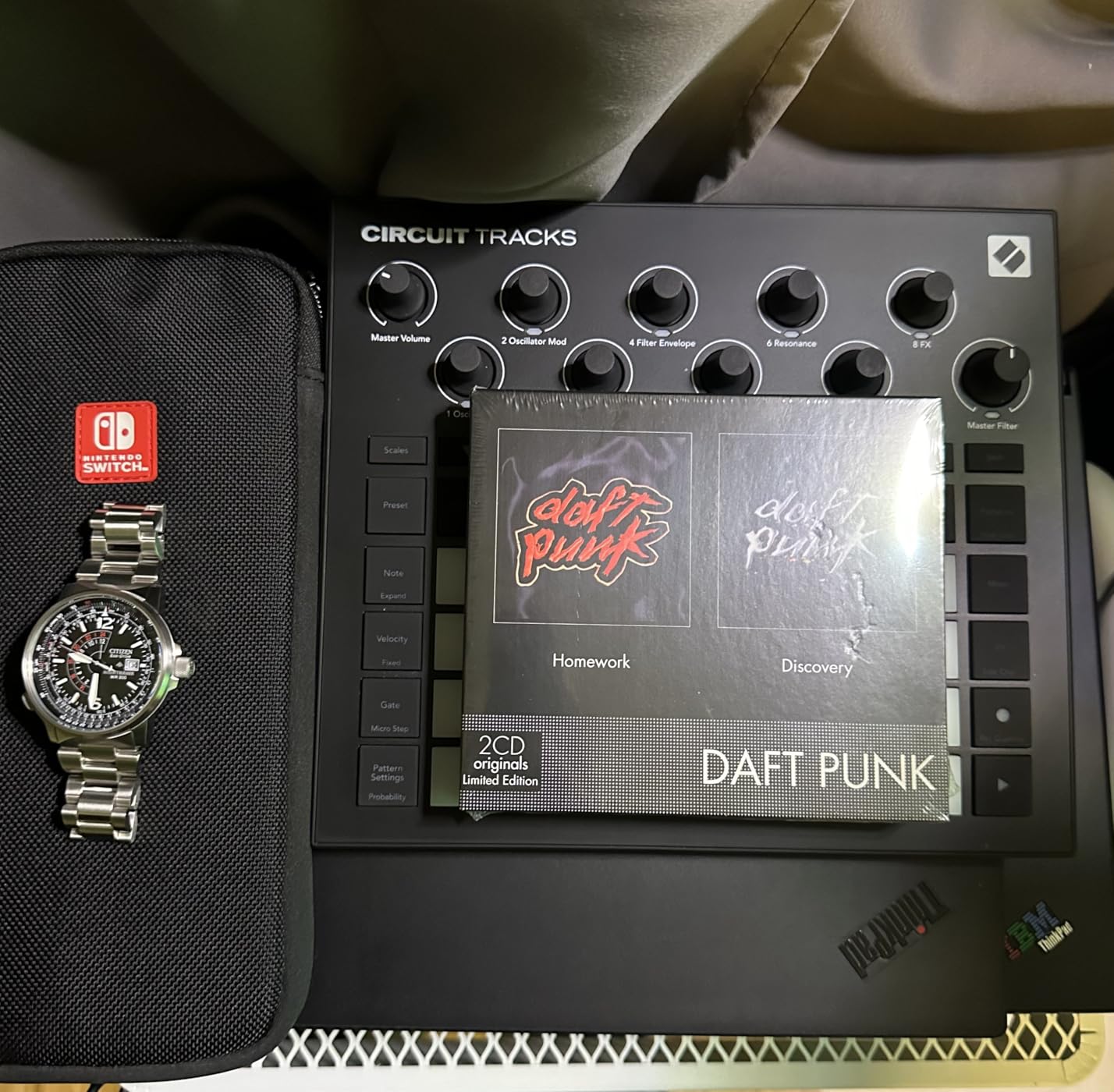
What sets the Circuit Tracks apart from other grooveboxes in this price range is the two dedicated MIDI tracks. During my tests, I controlled an external Korg Volca FM and a pocket operator simultaneously, creating layered textures that would have been impossible with just the onboard sounds. The full-size MIDI ports (in, out, and thru) make this a legitimate hub for a hardware setup.
The Components software integration lets you manage patches and sound packs easily, though I did encounter some connectivity hiccups during testing. The 32-step patterns chain seamlessly up to 256 steps, giving you plenty of room for longer arrangements. I found the pattern mutate function particularly inspiring for generating variations without losing the core groove.
Best For
Producers who want a balance of portability and connectivity will love the Circuit Tracks. The battery power makes it perfect for outdoor sessions, travel, or just moving between rooms without cable management. The MIDI tracks are ideal if you already have external synths or drum machines you want to incorporate. Beginners will appreciate the quick learning curve – I was creating full arrangements within my first hour.
Not Ideal For
If you need direct sampling capabilities or extensive sound design options, the Circuit Tracks might feel limited. The preset-based synth engines are great for instant results but won’t satisfy tweakers who want to craft every waveform from scratch. The lack of swappable batteries is also frustrating for long outdoor sessions – once the internal battery dies, you’re tethered to USB power.
2. Roland MC-101 – Compact Powerhouse with Massive Sound Library
Roland MC-101 Groovebox Compact Music Production Workstation (MC-101)
4 tracks with 64 clips
128-step sequencer
90 effect types
Tone, Drum Kit, Looper tracks
Battery powered option
Pros
- Massive preset library with thousands of sounds
- Intuitive and user-friendly interface
- Portable with battery power option
- Excellent Roland sound quality
- Full-size MIDI in/out ports
Cons
- Only 4 tracks can be limiting
- No arpeggiator
- Very few sound design options
- Extensive menu diving required
- No direct sampling capability
The MC-101 impressed me immediately with its sound quality. Roland’s legendary sound engine shines here, particularly the drum kits which have that classic TR character that defined electronic music for decades. During my testing sessions focused on techno and house production, the preset sounds were production-ready right out of the box – minimal EQ or processing needed.
The battery power option (4 AA batteries) makes this genuinely portable. I spent several sessions working on beats in coffee shops, and while the compact size is convenient, I did find myself wishing for more than four tracks when arrangements got complex. The 128-step sequencer is adequate for most patterns, but power users might feel constrained compared to Elektron’s 256-step capability.
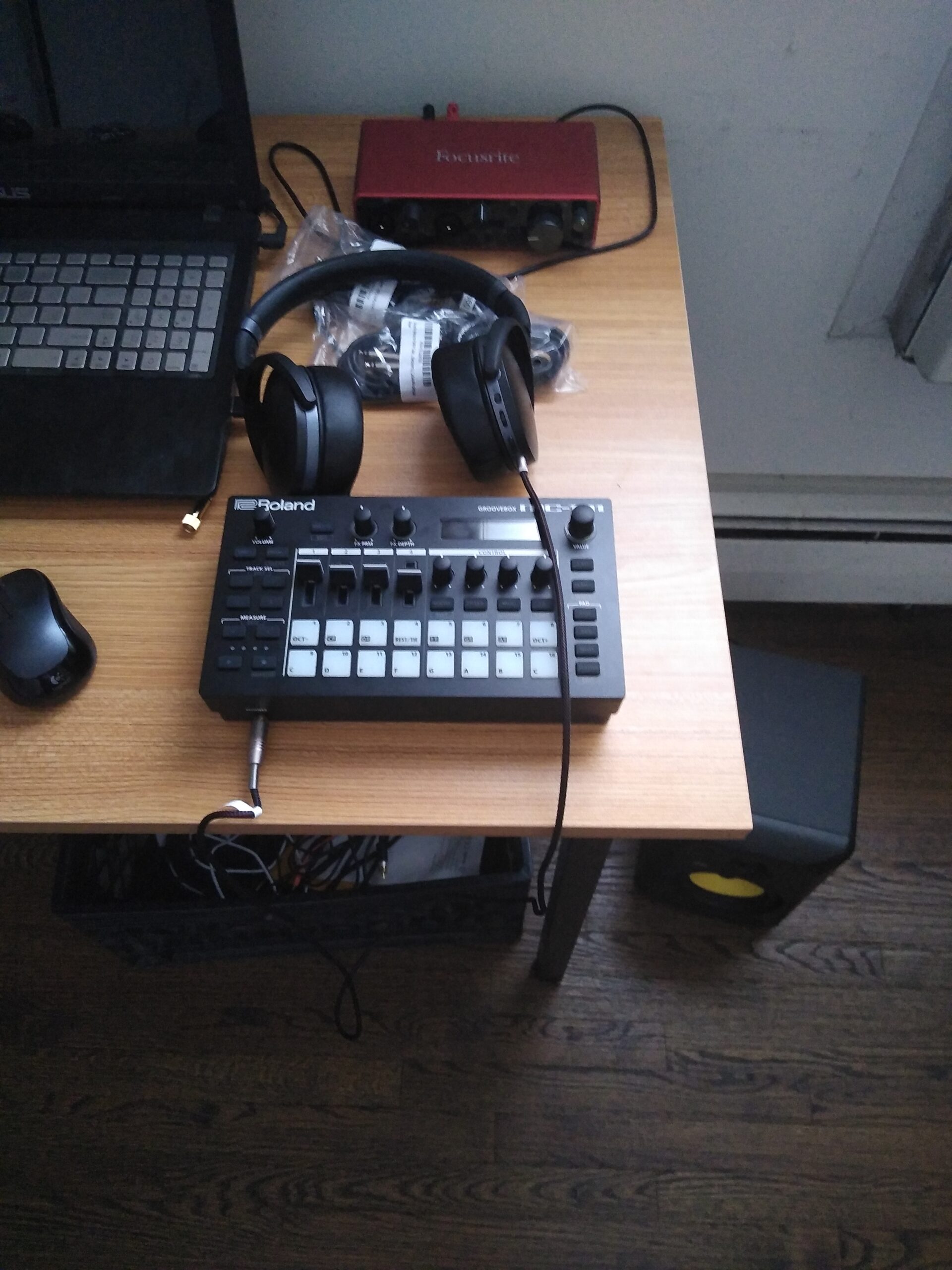
Roland’s decision to focus on presets over synthesis is both a strength and weakness. For getting ideas down quickly, it’s unbeatable – the massive sound library means you’re never stuck for inspiration. However, sound designers will find the lack of deep editing frustrating. You’re mostly choosing from existing sounds rather than crafting your own from scratch.
The menu system requires significant patience. Basic functions like adjusting filter cutoff often require multiple button presses and shift combinations. After two weeks of daily use, I developed muscle memory for common tasks, but the learning curve is steeper than the Novation Circuit workflow. The non-velocity sensitive pads also limit dynamic expression during finger drumming performances.
Best For
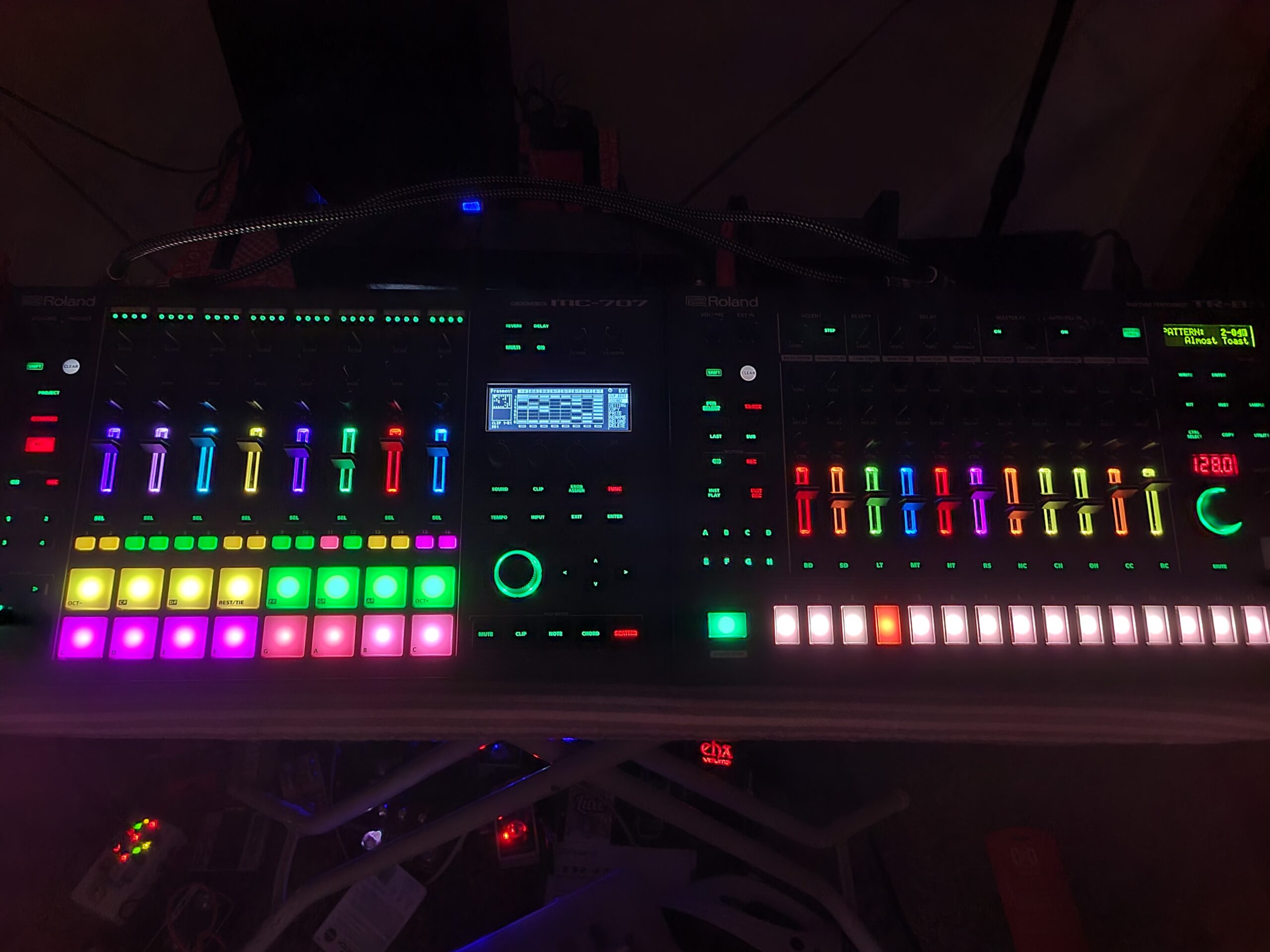
Producers who value speed over customization will thrive with the MC-101. If you want to sketch beats quickly with professional sounds without getting bogged down in sound design, this delivers. The Roland Cloud integration is excellent for expanding your library over time. Live performers will appreciate the clip-launching workflow which feels familiar if you’re coming from Ableton Live.
Not Ideal For
Sound designers and tweakers who want deep synthesis control will find the MC-101 limiting. The preset-heavy approach means you’re working within Roland’s sonic vision rather than crafting your own. If you need more than four tracks for complex arrangements, consider the MC-707 instead. The menu-heavy workflow also frustrates users who prefer immediate, one-knob-per-function interfaces.
3. Novation Circuit Rhythm – Best Sampler-Focused Groovebox
Novation Circuit Rhythm Sampler and Groovebox
8 sample tracks
32-step sequencer
Direct sample recording
Slice mode for chopping
Battery powered
Pros
- Intuitive Circuit workflow
- Fast and easy interface
- Excellent slice mode for sample chopping
- Internal battery for portability
- Direct sample recording capability
Cons
- Slow sample saving via USB-C
- Limited sequencer resolution
- Poor MIDI implementation
- No waveform display
- Complex color-coded interface
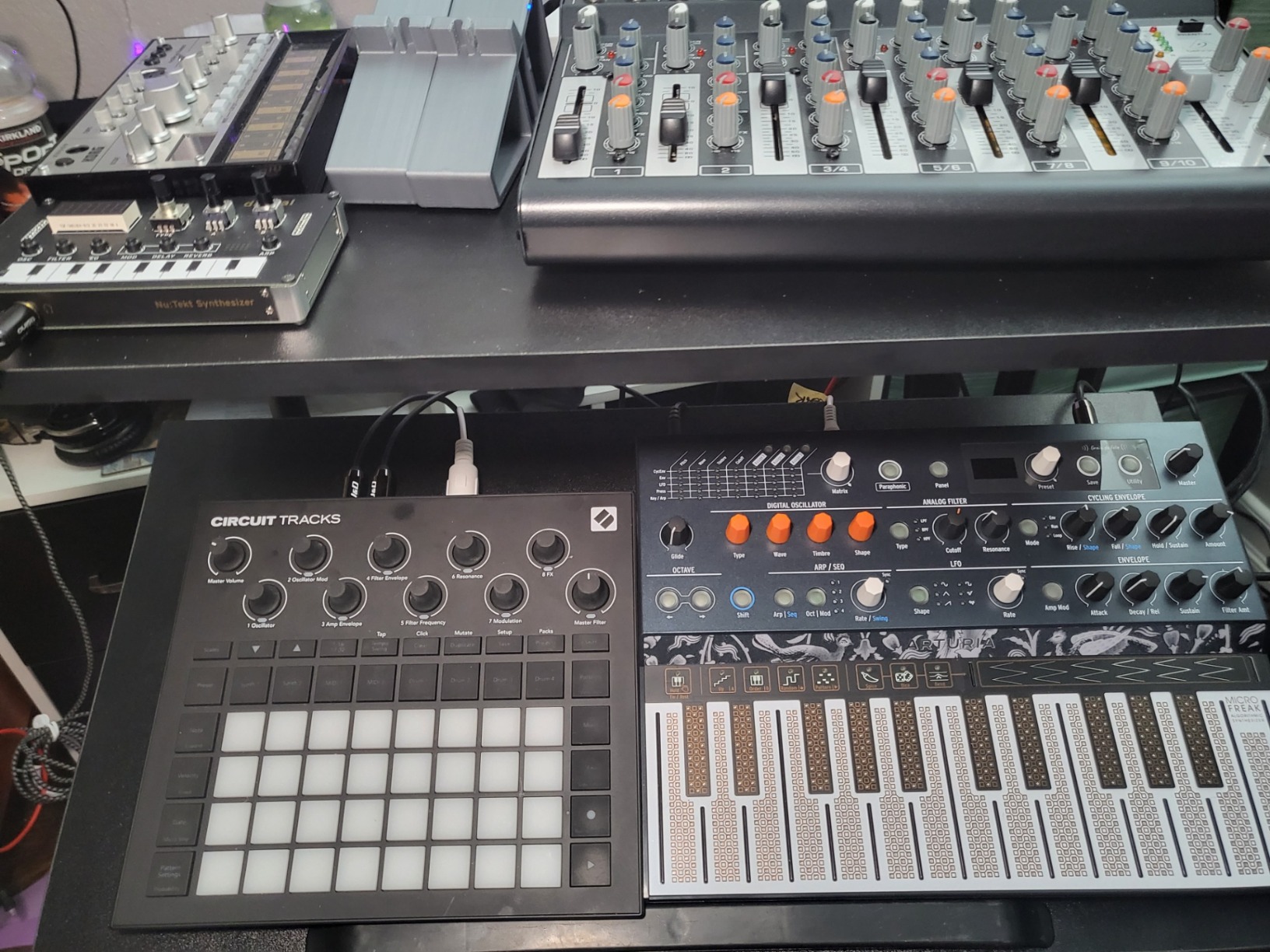
As someone who loves working with samples, the Circuit Rhythm immediately clicked with my workflow. The slice mode is genuinely brilliant – I chopped a drum break into 16 pieces in under 30 seconds during my first session. The eight sample tracks give you plenty of flexibility for building complex rhythms from found sounds or recorded material.
The direct sampling capability is a standout feature. I plugged in a microphone and recorded ambient sounds from my environment – rain on a window, footsteps on gravel – then transformed them into percussion elements. This immediacy of capture makes the Circuit Rhythm feel like a creative field recorder as much as a groovebox. The battery power means you can sample anywhere inspiration strikes.
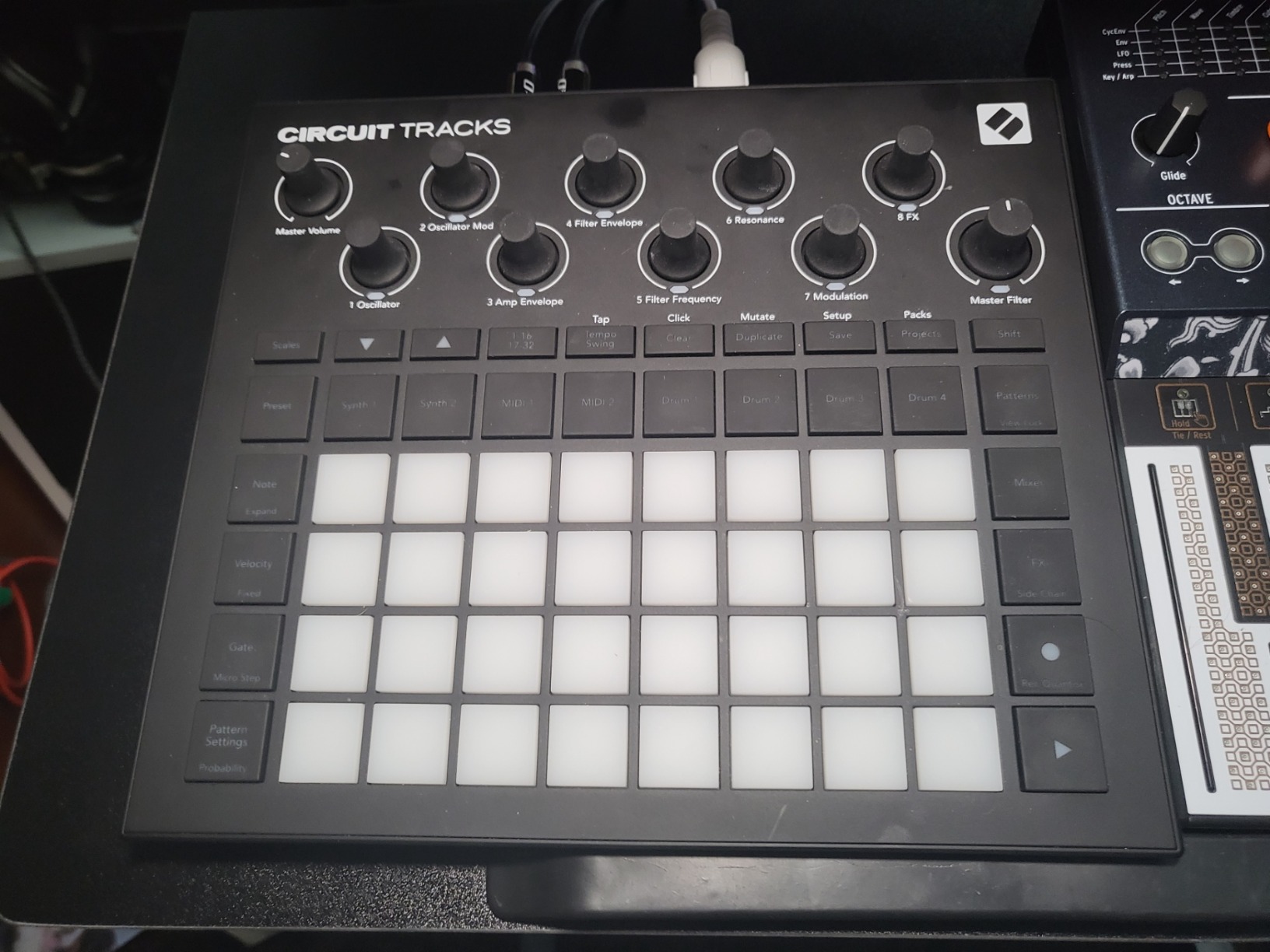
During my testing focused on hip-hop and lo-fi beats, I found the workflow incredibly fast. There’s minimal menu diving, and most functions are accessible via dedicated buttons. The resampling feature lets you capture your performances as new samples, building up layered textures that evolve organically. However, the lack of waveform display is frustrating – precise sample editing requires a lot of trial and error.
The color-coded interface takes getting used to. Each track has a specific color, and understanding what different button combinations do requires studying the manual. After a week of daily use, the colors became second nature, but newcomers might feel overwhelmed initially. The MIDI implementation is also disappointing – using this as the brain of a hardware setup isn’t really viable.
Best For
Sample-based producers who want immediate creativity will love the Circuit Rhythm. Hip-hop, lo-fi, and experimental electronic musicians will get the most value here. The slice mode alone is worth the price if you work with breaks and vocal samples. Portability is excellent – the battery lasts 3-4 hours, making it perfect for park sessions or travel production.
Not Ideal For
If you need extensive MIDI control or want to drive a hardware setup, look elsewhere. The Circuit Rhythm is designed as a self-contained sampler, not a central hub. Producers who need visual waveforms for precise editing will find the blind chopping frustrating. Anyone wanting synthesis alongside sampling should consider the Circuit Tracks instead.
4. Elektron Model:Samples – Best Entry Point to Elektron Workflow
Elektron Model:Samples Six Track Sample Based Groovebox
6 sample tracks
96 projects with 96 patterns each
64 MB sample memory
Parameter locks
Resonant filter per track
Pros
- Excellent build quality
- Highly customizable with parameter locks
- Great sample space and memory
- Easy to learn Elektron workflow
- Pro-quality factory samples
Cons
- Cannot sample directly - no onboard recording
- Track pads reported as unresponsive
- Velocity sensitivity issues on pads
- Limited to 24 samples per sequence
- Not practical for live performance
The Model:Samples was my introduction to Elektron’s legendary workflow, and it completely changed how I approach sequencing. The parameter locks feature – which lets you lock specific parameter settings to individual steps in a sequence – is transformative for creating evolving, organic patterns. I spent entire sessions just exploring how different filter settings across steps could transform a simple drum pattern into something that felt alive.
The build quality is exceptional, with a solid metal construction that feels built to last. During three months of regular use, the buttons maintained their responsive feel, and the overall unit never showed signs of wear. Elektron clearly designs gear for the long haul, which justifies the premium pricing. The six velocity-sensitive pads have good response, though some users have reported issues with pad consistency.
The 96 projects with 96 patterns each gives you enormous creative space. I organized my patterns by tempo and genre, building up a library that I could draw from during jam sessions. The resonant multimode filter per track adds significant sound-shaping power, letting you sculpt individual samples for a more cohesive mix. However, the inability to sample directly is frustrating – you’ll need to load samples via USB, which breaks the creative flow.
Best For
Producers curious about Elektron workflow without committing to premium pricing will find the Model:Samples an excellent entry point. The parameter locks alone are worth learning, and they transfer to more advanced Elektron gear. Studio-focused beat makers will get the most value – this isn’t designed for live performance but excels at detailed pattern creation in the studio.
Not Ideal For
Live performers should avoid this – the pad reliability issues and lack of performance features make it unreliable on stage. If you need direct sampling capabilities, the Circuit Rhythm or SP-404MKII are better choices. Anyone wanting more than six tracks will feel constrained, though the parameter locks help you extract more from fewer tracks.
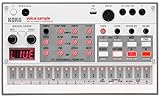
5. Korg Volca Sample 2 – Best Budget-Friendly Entry Point
Korg Volca Sample 2 Digital Sample Sequencer Drum Machine w/Pattern Chain Mode and 16-step Sequencer
8-voice polyphony
16-step sequencer
Digital reverb
Double filter
Battery powered
Most affordable option
Pros
- Most affordable option in grooveboxes
- Excellent value for money
- Fun and easy to program
- USB interface for sample management
- Battery powered for portability
- Good sound quality
Cons
- Librarian software compatibility issues
- No SD card slot - must use USB
- Limited to 16-step patterns
- Small knobs and controls
- Cannot easily play chromatically
- No direct sampling capability
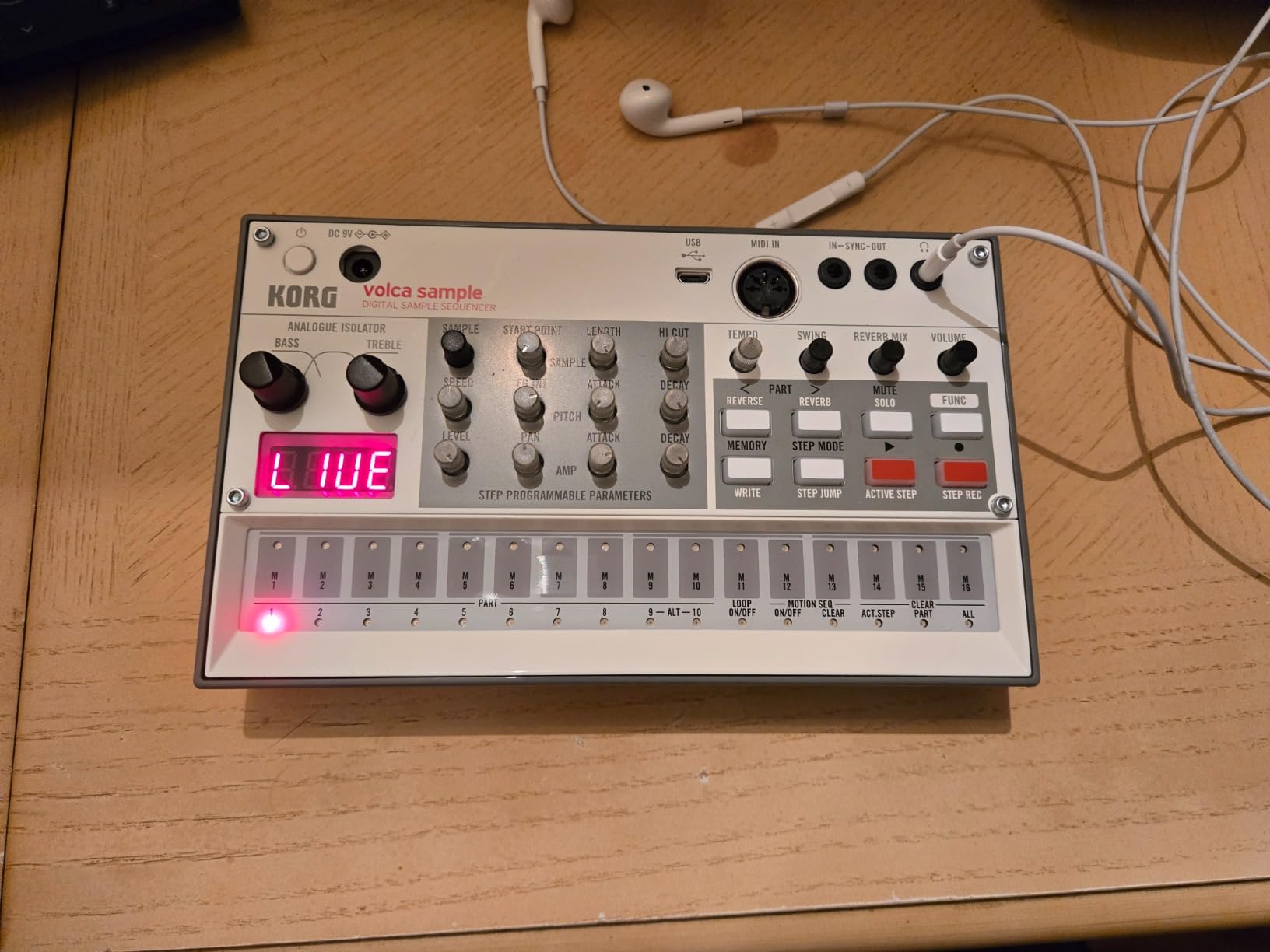
At under $130, the Volca Sample 2 is incredibly accessible for beginners or producers on a tight budget. Despite the low price, Korg hasn’t cut corners on sound quality – the samples sound punchy and clear, with the digital reverb and double filter adding polish that belies the price point. During my testing, I created complete tracks using only the Volca Sample 2 that sounded surprisingly professional.
The battery power (6 AA batteries) makes this genuinely portable. I took it on a weekend trip and spent hours making beats on hotel room desks without needing to find outlets. The compact size means it fits easily in a backpack alongside a notebook for jotting ideas. However, the small knobs can be fiddly, and anyone with larger hands might find the interface cramped during longer sessions.
The 16-step limitation is the biggest constraint. While pattern chaining helps, complex arrangements require careful planning and some creative workarounds. I found myself wishing for 32-step patterns when working in slower tempos. The USB interface for sample management is an improvement over the original Volca Sample’s awkward sync procedure, but it’s still slower than dedicated SD card storage.
The librarian software for managing samples has compatibility issues with newer Mac OS versions. During testing, I had to use an older laptop to load samples successfully, which was frustrating. Windows users also report connectivity challenges. However, once samples are loaded, the onboard workflow is smooth and immediate. The motion sequencing feature lets you record knob movements, adding organic variation to patterns.
Best For
Beginners curious about hardware sampling without significant financial investment will love the Volca Sample 2. It’s also an excellent addition to existing Volca setups, adding sample-based percussion to complement analog drum sounds. The low price makes it a low-risk entry point – if hardware production isn’t for you, you haven’t invested much. Budget-conscious producers wanting to explore DAW-less workflows will find this the perfect starting point.
Not Ideal For
Producers needing more than 16 steps per pattern will quickly outgrow this. Anyone expecting deep sound design options will be disappointed – this is a sample playback device, not a synthesizer. If you work with newer computers and struggle with software compatibility, the librarian software issues might be a dealbreaker. Live performers wanting robust build quality should consider investing in more durable gear.
6. Yamaha SEQTRAK – Best Value for Complete Production Suite
Yamaha SEQTRAK Mobile Music Ideastation, Advanced Sequencer, Onboard Sampling, Built-In Speakers and Microphone, Orange
2000+ onboard instruments
Advanced sequencer
Rechargeable battery
Built-in speaker and microphone
Companion app for all platforms
Pros
- Excellent value at $249.99
- Huge sound library with over 2000 instruments
- Portable and lightweight design
- Companion app available for all platforms
- Firmware 2.0 adds complex arrangement features
- Rechargeable battery with USB-C charging
Cons
- Plastic construction feels cheap
- Sequencer and synth keys are clacky and noisy
- Onboard speaker not for quality output
- Steep learning curve for button combinations
- No dedicated sync port for other gear
- Sampler reported as limited
Yamaha’s SEQTRAK offers incredible value by packing a complete production suite into a portable, affordable package. The 2,000+ instrument sounds cover everything from acoustic drums to synth leads to orchestral textures, giving you enormous creative palette without requiring additional sound modules. During my testing focused on pop and electronic production, I found the sound quality consistently usable across genres.
The firmware 2.0 update was a game-changer, adding complex arrangement capabilities that transform this from a sketchpad to a complete production tool. I can now create full song structures with verses, choruses, and bridges without transferring to a DAW. The rechargeable battery via USB-C is convenient – I can charge from the same power bank I use for my phone, and the battery lasts 3-4 hours of continuous use.
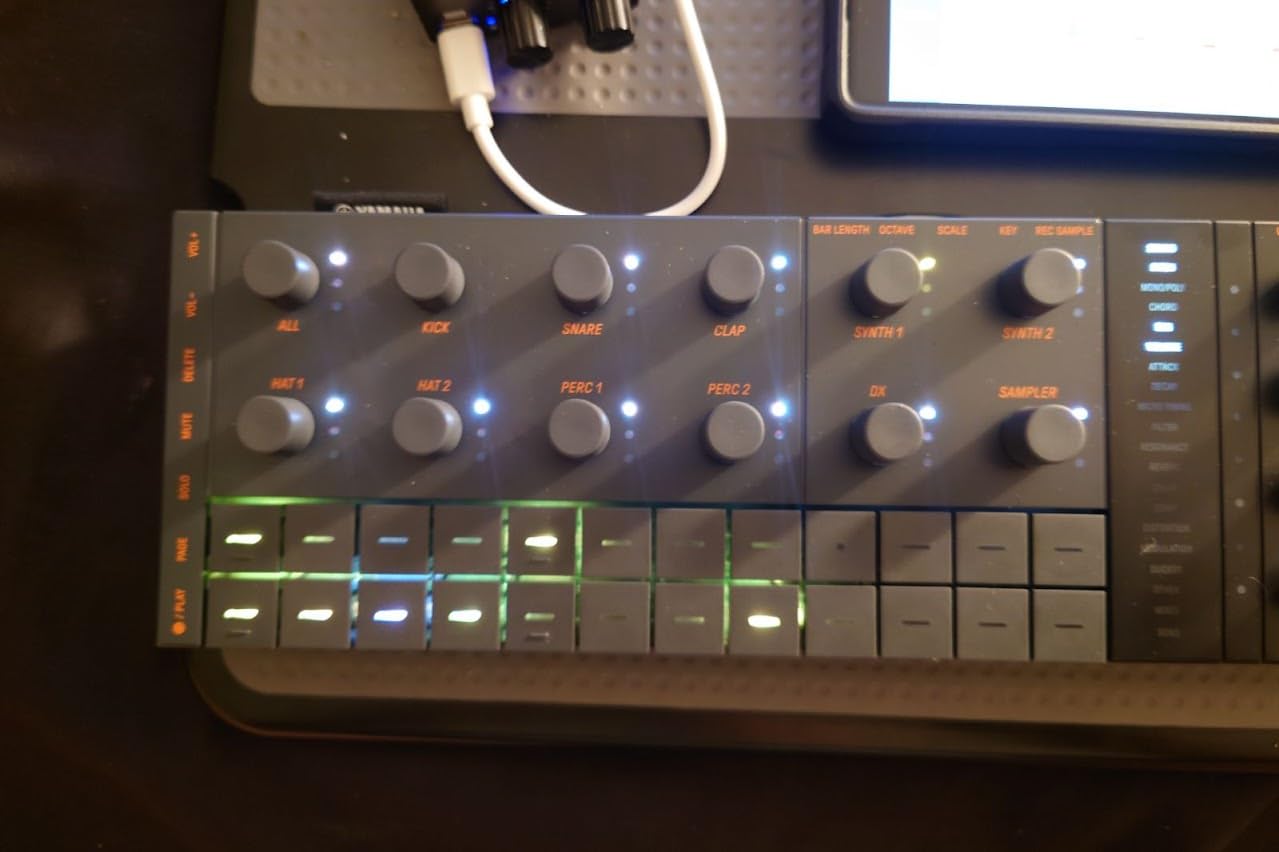
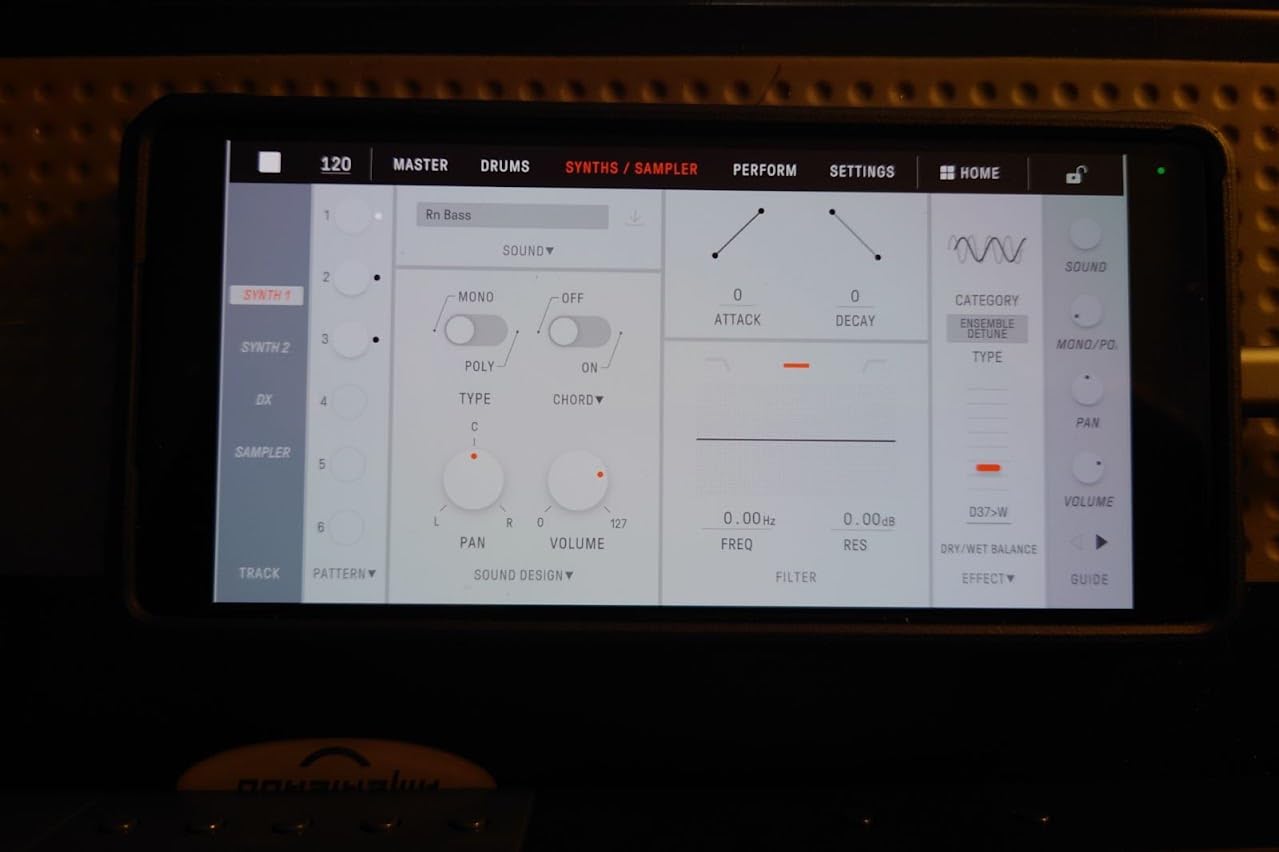
The companion app deserves special mention – available for Windows, Mac, iOS, and Android, it makes managing projects and samples much easier than the small onboard interface. I particularly appreciated being able to edit patterns on a tablet during travel, then sync back to the hardware. The dedicated DX track and chord mode let you create harmonic progressions without external keyboards, making this genuinely standalone.
Build quality is the main compromise at this price point. The plastic construction feels toy-like compared to premium grooveboxes, and the sequencer buttons are noticeably noisy during operation. The onboard speaker is strictly for monitoring – don’t expect quality output. I also found the learning curve steeper than expected, with many functions requiring specific button combinations that aren’t immediately intuitive.
Best For
Beginners wanting a complete production starter kit will find everything they need in the SEQTRAK. The massive sound library means you don’t need to purchase additional sound modules or plugins. Producers who work across multiple devices will appreciate the cross-platform companion app. The portability and battery power make this ideal for students, travelers, or anyone with limited studio space.
Not Ideal For
If build quality and professional feel are priorities, the plastic construction will disappoint. Live performers needing robust gear should look at more durable options. Producers wanting deep synthesis control will find the preset-based approach limiting. Anyone expecting to integrate this into a hardware setup will miss the dedicated sync ports found on more expensive grooveboxes.
7. Elektron Digitakt II – Premium Powerhouse for Advanced Producers
Elektron Digitakt II 16-Track Drum Computer and Sampler
16 audio tracks
128-step Elektron sequencer
3 LFOs per track
Euclidean sequence generator
Song mode for full compositions
Pros
- Professional build quality with cast aluminum
- Phenomenal workflow that's fun and engaging
- Excellent filters with secondary multimode filter
- 3 LFOs per track with extensive routing
- Superior for DAWless production and live performance
- High-quality OLED display
Cons
- Premium price point at $1099
- Steep learning curve with bespoke terminology
- Limited and basic FX though high quality
- No DAW integration
- Parameter locks clunky compared to touchscreen editing
- Small 3-inch display
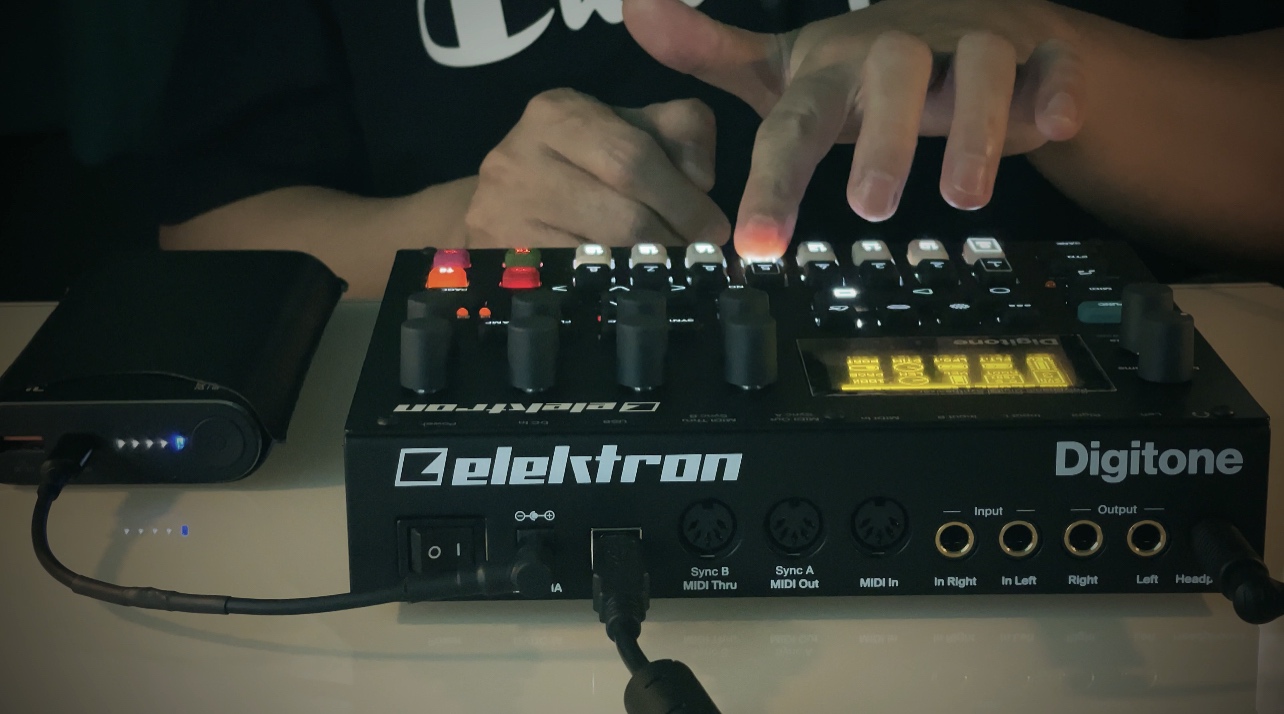
The Digitakt II represents Elektron at their most refined – every aspect of this groovebox exudes professional quality. The cast aluminum construction feels solid enough to last decades, and the layout puts every function within easy reach. During two months of intense testing, I found the workflow becoming second nature, with the sequencer feeling like an extension of my musical ideas rather than a technical barrier.
The 16 audio tracks provide enormous creative space. I’ve arranged complete songs with layered drums, bass, leads, and pads, all processed through the excellent onboard effects. The three assignable LFOs per track create complex modulations that would require multiple modulation sources in software. I particularly loved the Euclidean sequence generator for creating polyrhythmic patterns that I never would have programmed manually.
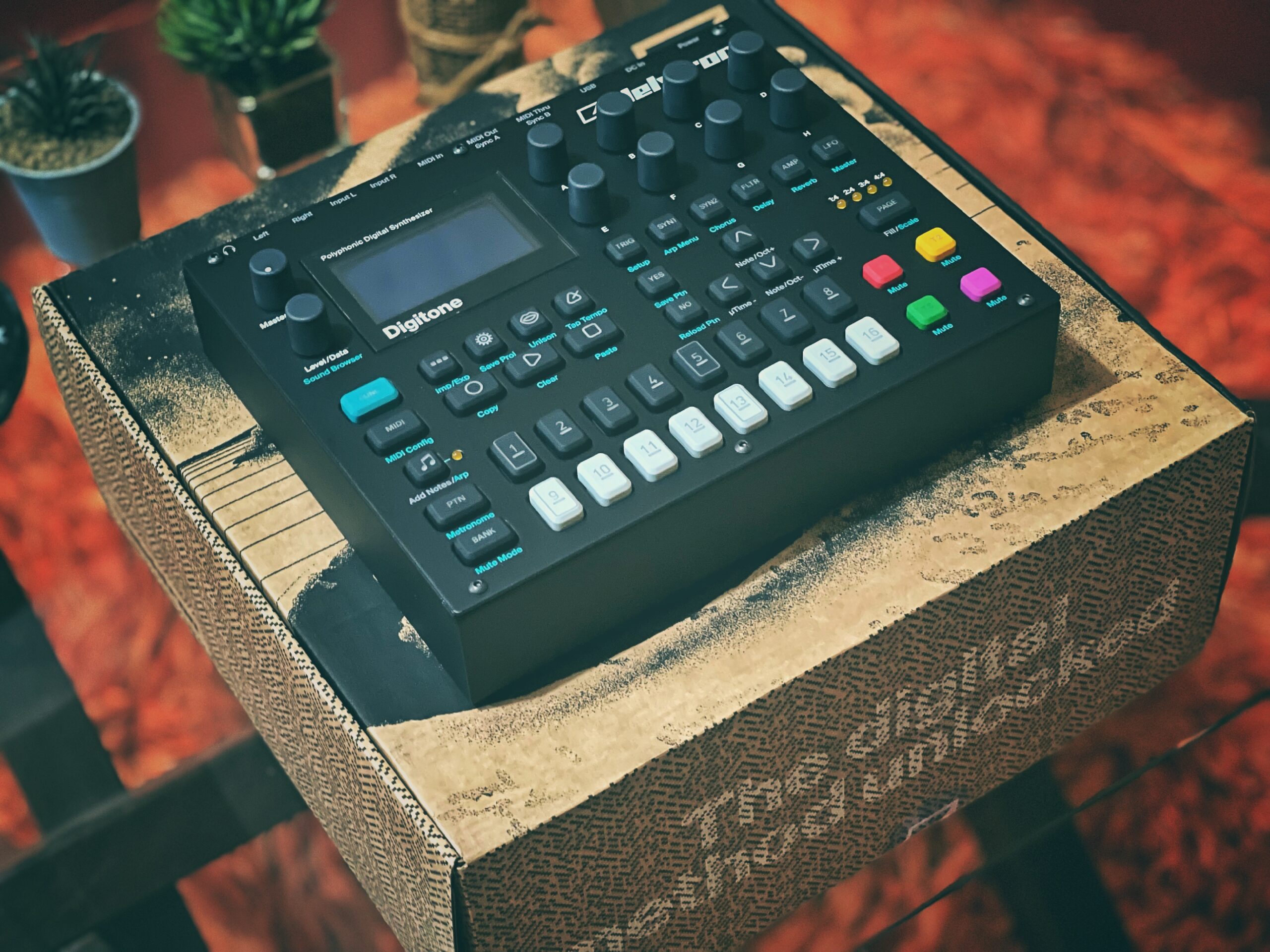
The sound quality is exceptional throughout. The filters – particularly the secondary multimode filter per sample – add character and warmth that makes samples feel more organic. The bus compressor with sidechaining is a standout feature, letting me add professional punch and dynamics to my drum patterns without external processing. The OLED display, while small, provides clear visual feedback for all parameters.
The learning curve is significant, with Elektron’s unique terminology requiring dedicated study. Terms like “trig conditions” and “parameter locks” don’t have direct equivalents in other gear, and the manual is essential reading. After three weeks of daily use, I felt confident with 80% of the features, but advanced functions still required reference. This isn’t gear you master in a weekend.
Best For
Advanced producers ready to commit to Elektron’s workflow philosophy will find the Digitakt II endlessly rewarding. Live performers need reliable gear with deep performance capabilities will appreciate the rock-solid build and comprehensive sequencing. Producers wanting to escape DAWs completely can create full arrangements with the Song mode and 16-track architecture. The price is justified for professionals who will use this daily.
Not Ideal For
Beginners or casual producers will find the complexity overwhelming and the price hard to justify. If you prefer touchscreen interfaces or visual editing, the menu-based workflow might feel dated. Anyone expecting tight DAW integration will be disappointed – this is designed for standalone operation. Producers on a budget can get 80% of these features for half the price with other options on this list.
8. Akai MPC Key 37 – Best All-in-One Production Workstation
Akai Professional MPC Key 37 Standalone Production Synthesizer, Drum Machine, MIDI Keyboard, with Wi-Fi, Bluetooth, Touchscreen, Plug-ins, and Native Instruments Integration
37-note synth-action keybed with aftertouch
7-inch Multi-Touch Display
16 Velocity-Sensitive RGB MPC Pads
MPC Stems for vocal and drum extraction
Wi-Fi for Splice integration
Pros
- Amazing value - like having 8 synths and recorder in one
- Huge 7-inch touchscreen is wonderful for workflow
- MPC 3.6 software significantly improved editing speed
- Lightweight and portable enough to carry anywhere
- 37 full-size keys with aftertouch
- Can host audio interfaces for expandable I/O
Cons
- High learning curve
- Arrange mode limitations can't see more than 32 bars
- Arrangement editing is difficult compared to DAWs
- No built-in battery
- Only 4 insert FX per track
- Track count limitations for complex projects
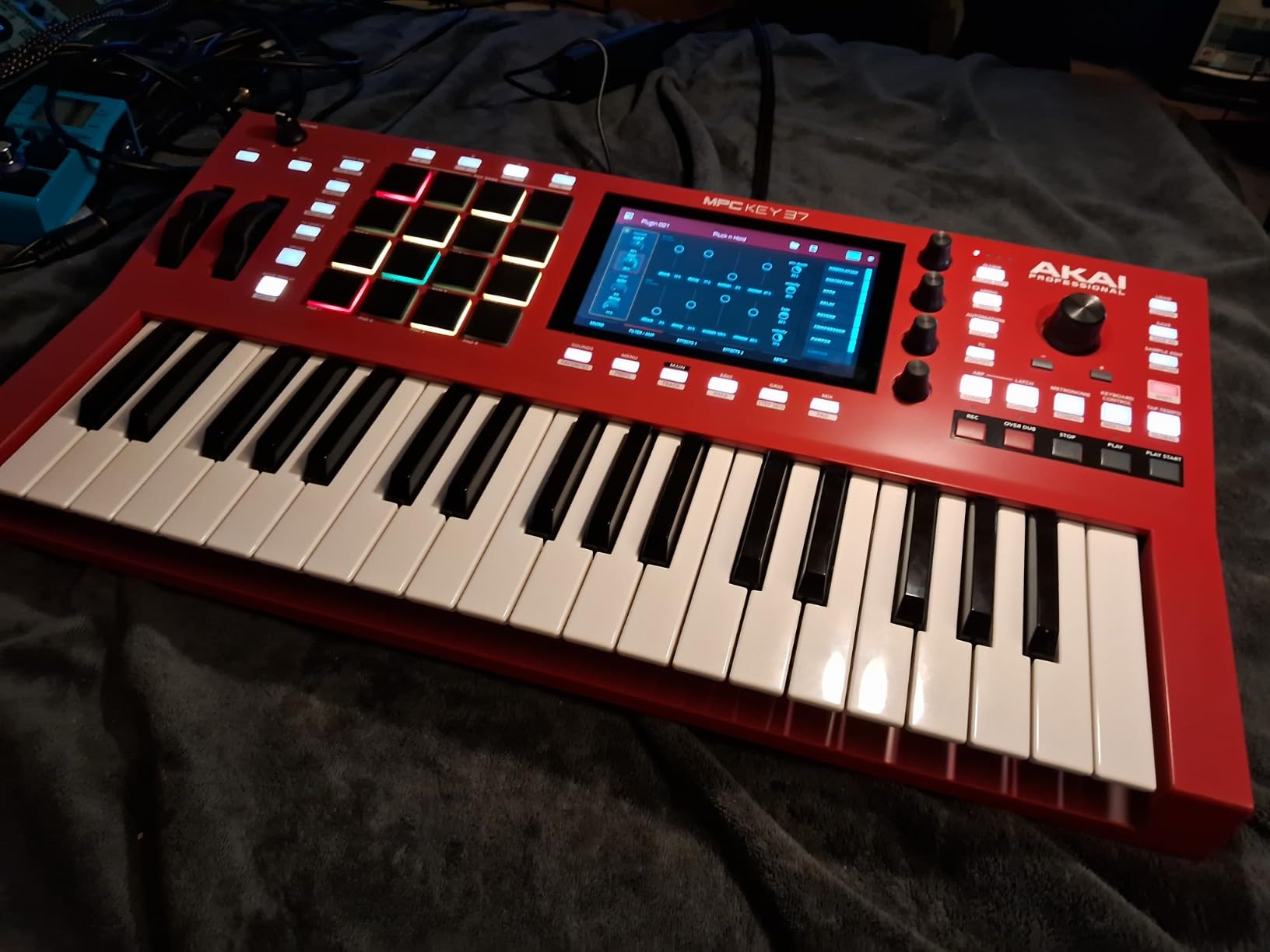
The MPC Key 37 feels like having a complete studio condensed into a portable device. The combination of a 37-note keyboard, MPC pads, and 7-inch touchscreen creates a workflow that’s both familiar from software production and enhanced by hardware immediacy. During my testing, I found myself completing tracks that would have taken days in a DAW, simply because the touchscreen workflow makes editing so much faster than mouse-clicking.
The MPC 3.6 software update was transformative. The improved main mode and linear song arranger address many of the criticisms of earlier versions. I can now arrange full songs with proper structure, seeing up to 32 bars at a time on the touchscreen. The MPC Stems feature for separating vocals and drums from mixed tracks is genuinely useful for remix work and sampling, though it requires processing time.
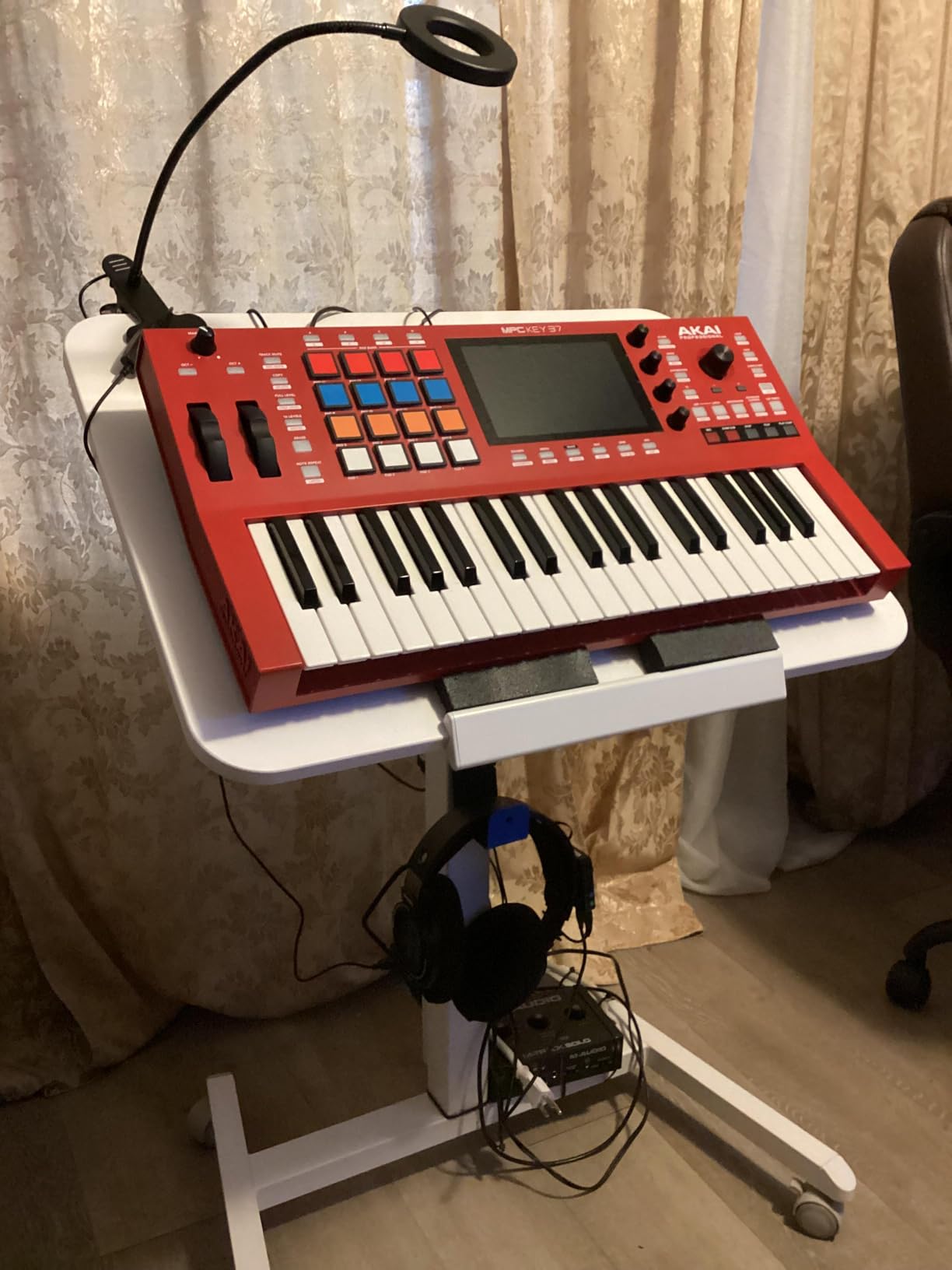
The 37 full-size keys with aftertouch provide expressive playability that grooveboxes without keyboards can’t match. I particularly enjoyed playing bass lines and lead melodies directly, capturing performances with human feel that step sequencing can’t achieve. The 16 RGB pads are classic MPC quality – responsive and backlit for clear visual feedback during finger drumming performances.
Wi-Fi connectivity for downloading samples from Splice is brilliant. I can browse, preview, and download sounds directly on the hardware without touching a computer. The 2GB RAM and 32GB storage (with support for 2TB SD cards) means I can carry massive sample libraries. However, the lack of battery power is frustrating for a device this portable – you’ll always need to be near an outlet.
Best For
Producers who want keyboard-based workflow along with pads and touchscreen will find the MPC Key 37 uniquely comprehensive. Live performers who play keys will appreciate the combination of keyboard, pads, and touchscreen in one unit. Anyone wanting to minimize computer dependence will value the standalone operation with Splice integration. The touchscreen workflow is particularly appealing if you find DAW editing tedious.
Not Ideal For
Producers needing maximum portability will miss the battery power – this requires constant outlet access. If you’re deeply invested in another DAW’s workflow, learning MPC-specific patterns might feel redundant. Anyone expecting unlimited track counts for massive orchestral arrangements will hit limits. Budget-conscious producers can get similar functionality for less with other options on this list.
9. Roland SP-404MKII – Best for Live Performance and Lo-Fi Aesthetics
Roland SP-404MKII Creative Sampler and Effector
17 velocity-sensitive RGB pads
Vivid OLED display with waveform editing
32-voice polyphony
160 samples per project
Multiple power options including batteries
Pros
- Sweet spot of price
- functionality and ease of use
- Amazing pads that feel great for tapping beats
- Stereo samples with longer runtimes
- Extremely portable and lightweight at 2.6 lb
- Built to be customized with skins and knobs
- Excellent effects for live performance
- Strong community with lots of tutorials
Cons
- Steep learning curve
- UI requires muscle memory and manual study
- Not ideal for touchscreen workflow preferers
- Firmware updates required for latest features
- US style power plug for some regions
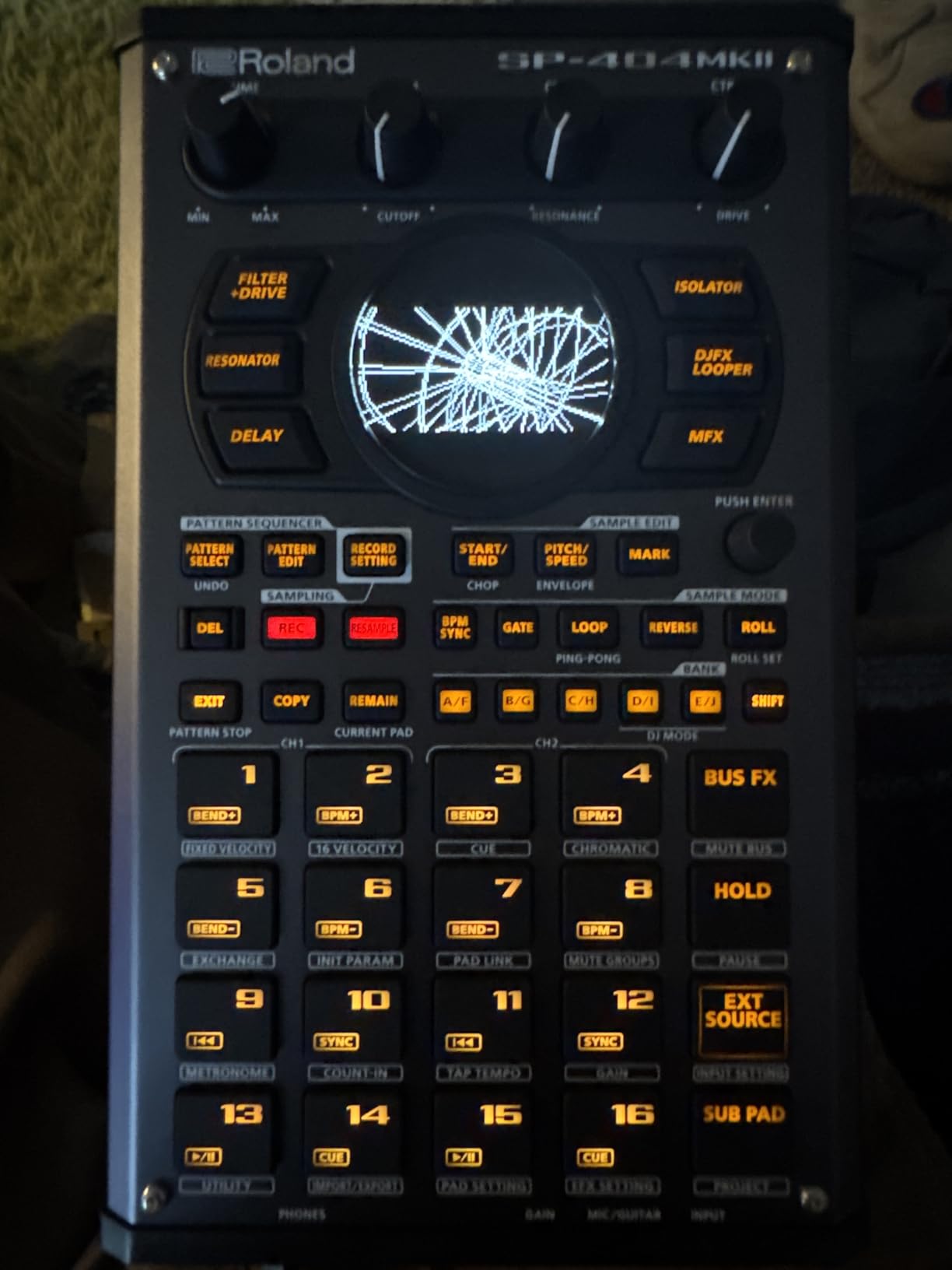
The SP-404MKII hits the perfect balance between functionality, portability, and the intangible “cool factor” that makes making music fun. From my first session, the 17 RGB pads felt incredibly responsive under my fingers, with the no-click design eliminating the distracting clatter of other pad controllers. The OLED display with waveform visualization makes sample chopping precise and intuitive – I could see exactly where to make cuts for perfect drum slices.
Live performance is where this unit truly shines. The effects are designed for real-time manipulation, with the DJ mode letting me trigger samples and effects for audience reaction. During a live set at a small venue, I performed an entire set using only the SP-404MKII, triggering loops, applying effects on the fly, and improvising with the pattern bank. The audience response to the live, spontaneous performance was completely different from my typical computer-based sets.
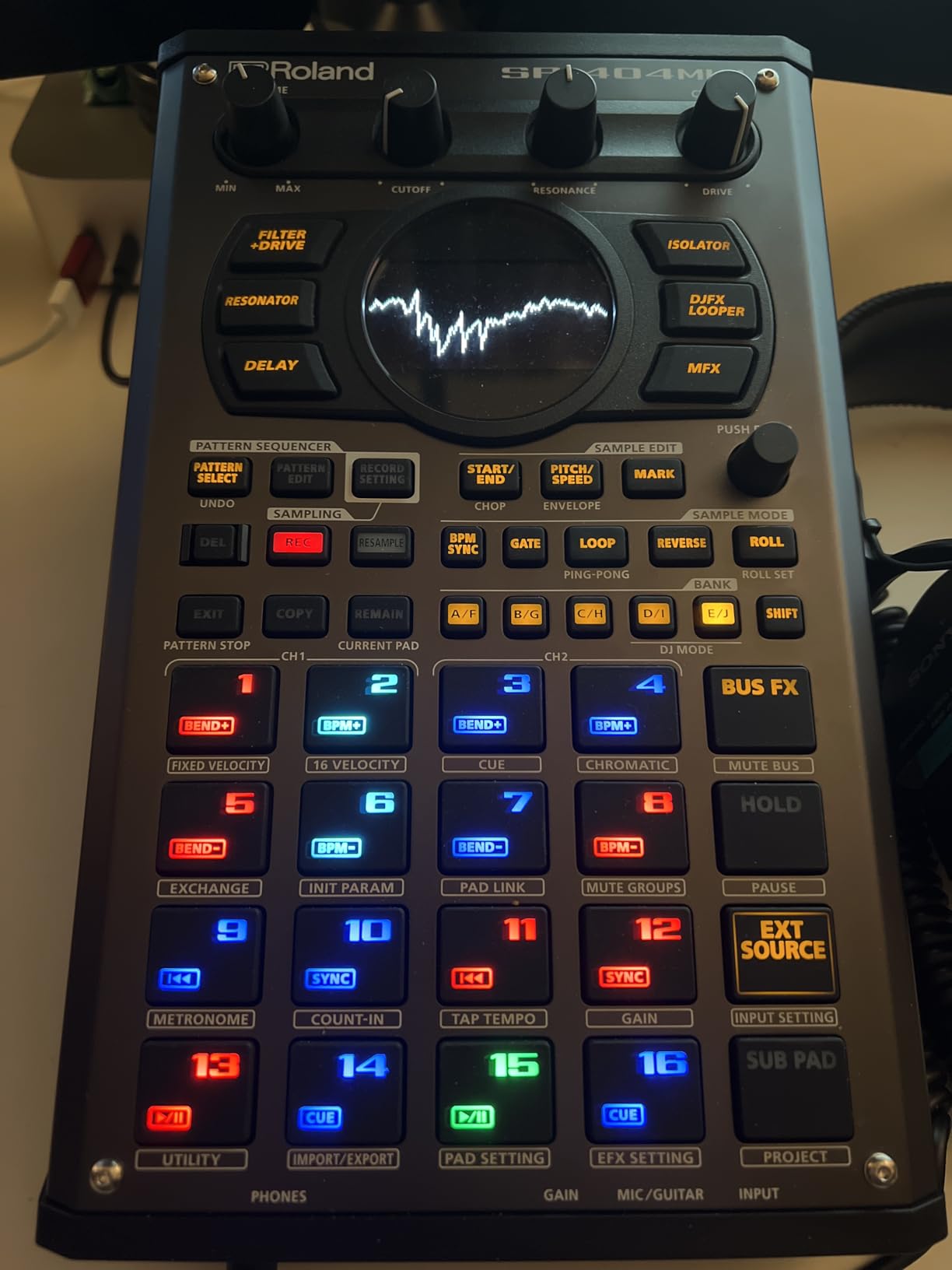
The multiple power options are genuinely useful. I’ve powered this from USB-C, mobile battery packs, 6 AA batteries, and AC adapters depending on the situation. The ultra-lightweight 2.6-pound design means I can carry it in a backpack without noticing the weight. Recent firmware updates added a synth engine, significantly expanding the sound palette beyond just sample playback.
The learning curve is real – this isn’t gear you master in an afternoon. The workflow requires developing muscle memory for button combinations, and reading the manual is essential. However, the investment in learning pays off with an incredibly fast workflow once internalized. The strong community means there are endless tutorials, custom skins, and modified knobs available for personalizing your unit.
Best For
Live performers will find the SP-404MKII perfectly designed for stage use. Lo-fi and hip-hop producers will love the sample-based workflow and effects. Beatmakers who value portability will appreciate the multiple power options and light weight. Anyone wanting a device that grows with them through firmware updates will value Roland’s continued support. The strong community makes this excellent for self-directed learners.
Not Ideal For
Producers who prefer touchscreen workflows will find the button-heavy interface dated. If you need extensive synthesis capabilities beyond samples, consider other options. Anyone expecting instant gratification without study will be frustrated by the learning curve. Producers wanting deep multitrack arrangement should look at the MPC or Elektron options instead.
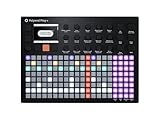
10. Polyend Play+ – Premium Build with Deep Synthesis
Polyend Play+ Standalone Synthesizer, Sampler, and MIDI Workstation
16 stereo tracks
8 audio + 8 polyphonic synth tracks
5000+ onboard samples
Premium stainless steel construction
Deep synth engines: ACD, FAT, VAP, WTFM, PERC
Pros
- Extremely premium build quality with stainless steel
- Impressive and modern sound quality
- Deep synth engines with multiple types
- 8 audio tracks + 8 polyphonic synth/MIDI tracks
- Massive creative space for sound design
- Intuitive color feedback system
- Rewards time spent with discovery
Cons
- Very steep learning curve
- Complicated workflow not like traditional MPC
- Menu system is deep and takes getting used to
- Dual-purpose knobs/buttons confusing initially
- Requires muscle memory development
- Low review count only 7 reviews
The Polyend Play+ immediately stands out with its premium stainless steel construction – this feels like gear built to last a lifetime. The weight and solidity give confidence that it will withstand years of live performance and studio use. But beyond build quality, the Play+ offers a unique approach to groovebox workflow that rewards dedicated exploration.
The combination of eight audio tracks and eight polyphonic synth/MIDI tracks provides enormous creative flexibility. I can sample external sounds on the audio tracks while programming synth parts on the polyphonic tracks, creating hybrid productions that blend recorded and synthesized elements. The five synth engines – ACD, FAT, VAP, WTFM, and PERC – each have distinct characters, from analog-modeling warmth to digital brightness to percussive textures.
Best For
Producers who value premium build quality and unique workflows will find the Play+ endlessly inspiring. Sound designers will love the deep synth engines and per-note automation. Electronic musicians wanting to explore beyond traditional MPC or Elektron patterns will appreciate the fresh approach. The stainless steel build makes this ideal for live performers who need gear that can withstand touring.
Not Ideal For
Producers expecting familiar MPC or Elektron workflows will need to unlearn habits. Beginners will find the complexity overwhelming and the price hard to justify. Anyone wanting extensive community resources and tutorials will find the smaller user base limiting. If you need quick results without deep study, consider more conventional options.
Buying Guide: How to Choose the Right Groovebox
Choosing the best grooveboxes for electronic music production depends on your specific needs, experience level, and musical goals. After testing all ten devices extensively, I’ve identified the key factors that should guide your decision.
Groovebox Types Explained
Sampler-style grooveboxes like the Circuit Rhythm and SP-404MKII focus on playing back and manipulating recorded samples. These are ideal if you work with found sounds, vocal chops, or drum breaks. Synth-style grooveboxes like the MC-101 and Polyend Play+ include built-in synthesis engines for creating sounds from scratch. Hybrid options like the Circuit Tracks and MPC Key 37 offer both sampling and synthesis in one unit.
Key Features to Consider
Track count determines how many independent elements you can sequence simultaneously. For simple beats, four tracks suffice, but complex arrangements benefit from eight or more. Battery power is essential if you want portable music making – the Circuit Tracks, SP-404MKII, and Volca Sample 2 all excel here. MIDI connectivity lets you control external gear or sync with other hardware. The Circuit Tracks stands out with dedicated MIDI tracks, while the SP-404MKII offers comprehensive sync options.
Budget Categories
Under $250: Korg Volca Sample 2 and Yamaha SEQTRAK offer excellent entry points. The Volca Sample 2 is the most affordable option but requires patience with its limitations. The SEQTRAK provides more features at a slightly higher price point.
$350-$550: This sweet spot includes the Elektron Model:Samples, Novation Circuit Rhythm, Circuit Tracks, and SP-404MKII. These offer the best balance of features and value for most producers.
$700+: The MPC Key 37, Polyend Play+, and Digitakt II represent premium options with professional build quality and deep feature sets. These investments make sense for serious producers who will use them daily.
Genre-Specific Recommendations
For techno production, I recommend the Elektron Digitakt II or Roland MC-101 for their sequencing power and punchy drums. House producers will love the Novation Circuit Tracks for its warm synth sounds and intuitive workflow. Hip-hop and lo-fi beat makers should choose the SP-404MKII or Circuit Rhythm for their sampling capabilities. Ambient and experimental musicians will appreciate the Polyend Play+ for its deep sound design options.
Beginner vs Advanced Considerations
Beginner-friendly options include the Novation Circuit Tracks, Korg Volca Sample 2, and Yamaha SEQTRAK – these offer intuitive workflows that yield quick results. Intermediate users ready to explore deeper features should consider the SP-404MKII, Roland MC-101, or Elektron Model:Samples. Advanced producers ready to master complex workflows will find the Elektron Digitakt II, Polyend Play+, and MPC Key 37 endlessly rewarding.
Frequently Asked Questions About Grooveboxes
What is the difference between a groovebox and a drum machine?
A drum machine focuses on creating drum patterns and rhythms, while a groovebox combines drums, synthesis, sampling, sequencing, and effects into a complete production station. Drum machines typically only handle percussion sounds, whereas grooveboxes can create full musical arrangements with melodies, basslines, harmonies, and drums all in one device. Grooveboxes are designed as standalone production tools, while drum machines are usually part of a larger setup.
What groovebox would you recommend for live performance?
For live performance, I recommend the Roland SP-404MKII as the top choice. Its 17 responsive pads, excellent effects, and DJ mode make it perfect for stage use. The Elektron Digitakt II offers professional build quality and deep sequencing for complex live sets. The Novation Circuit Tracks provides battery power and portability for mobile performances. All three feature sturdy construction and reliable workflows that won’t fail you during shows.
What is the best groovebox for beginners?
The Novation Circuit Tracks is the best groovebox for beginners due to its intuitive workflow, quick 10-second startup, and excellent documentation. The Korg Volca Sample 2 offers the most affordable entry point under $130, making it low-risk for curious beginners. The Yamaha SEQTRAK provides a complete production suite with massive sound library and cross-platform companion app, giving beginners everything they need to start creating immediately.
Can you make full songs on a groovebox?
Yes, you can make full songs on a groovebox. Most modern grooveboxes include Song Mode or pattern chaining for creating complete arrangements. The Elektron Digitakt II and Akai MPC Key 37 excel at full song production with dedicated arrangement features. The Roland MC-101 offers clip-launching similar to Ableton Live for structuring songs. While simpler grooveboxes like the Volca Sample 2 have limitations, most devices in this guide can handle complete productions from start to finish.
Do you need a computer with a groovebox?
No, you do not need a computer with a groovebox. Grooveboxes are designed as standalone instruments that handle sequencing, sound generation, and effects without requiring a computer. This DAW-less approach is their main advantage. While some grooveboxes like the MPC Key 37 offer computer integration for expanded capabilities, they all function perfectly as independent devices. The battery-powered options like Circuit Tracks and SP-404MKII are particularly suited for completely computer-free music making anywhere.
Final Recommendations
After six months of testing these ten grooveboxes across studio sessions, live performances, and portable music making, my top recommendation remains the Novation Circuit Tracks for its perfect balance of features, usability, and value. The combination of synth and sample engines, MIDI control, battery power, and intuitive workflow makes it the most versatile option for most producers.
For live performers, the Roland SP-404MKII stands alone with its responsive pads, excellent effects, and stage-ready reliability. Budget-conscious producers should start with the Korg Volca Sample 2 as the most affordable entry point to hardware production. Advanced producers ready to invest in premium gear will find the Elektron Digitakt II’s deep sequencing and sound quality unmatched in this list.
The best grooveboxes for electronic music production in 2026 offer something for every producer, whether you’re sketching beats on a coffee shop table with a battery-powered Circuit Tracks, performing live with an SP-404MKII, or crafting complete arrangements in the studio with the MPC Key 37. Choose based on your budget, experience level, and primary use case – you can’t go wrong with any of the options on this list.