
Choosing one of the best keyboard workstations for music production used to mean lugging a 30-pound arranger to every gig. After spending months swapping between home studios, church gigs, and live rooms, I can tell you that today’s workstations pack full studios into rigs that weigh less than 15 pounds. Our team pulled together seven of the most capable models we tested in 2026, from sub-$700 budget picks to flagship ZEN-Core powerhouses, so you can find the right one without second-guessing for weeks.
A keyboard workstation is a single instrument that combines a sound engine, a sequencer, effects, and often an audio interface. Unlike a synth that focuses on tone generation, or a MIDI controller that only routes signals to a computer, a workstation produces finished music on its own. That’s why producers, songwriters, and live performers keep one on the desk or stage.
Before we get into the picks, a quick note on what makes these different from plain hardware samplers or arranger keyboards. Workstations prioritize songwriting workflow: layered sounds, built-in sequencing, deep effects, and tight DAW integration. Arrangers add auto-accompaniment styles. Controllers need a computer. If you mainly need a portable writing rig you can take anywhere, the workstations below cover every budget.
Table of Contents
Top 3 Picks for Keyboard Workstations (September 2026)
Best Keyboard Workstations for Music Production in 2026
| Product | Specifications | Action |
|---|---|---|
| Roland FANTOM-06 |
|
Check Latest Price |
 Roland JUNO-D6 Roland JUNO-D6 |
|
Check Latest Price |
 Yamaha MODX M6 Yamaha MODX M6 |
|
Check Latest Price |
 Yamaha MX49BK Yamaha MX49BK |
|
Check Latest Price |
 Korg Kross 2-61 Korg Kross 2-61 |
|
Check Latest Price |
 NI Komplete Kontrol S61 MK3 NI Komplete Kontrol S61 MK3 |
|
Check Latest Price |
 Akai MPC Key 37 G2 Akai MPC Key 37 G2 |
|
Check Latest Price |
1. Roland FANTOM-06 61-Note Workstation — Editor’s Choice
Roland FANTOM-06 | 61-Note Synthesizer Keyboard | Thousands of Electronic & Acoustic Sounds | ZEN-Core & SuperNATURAL Technologies | Lightweight & Durable | Deep Onboard Sampling | DAW Integration
ZEN-Core engine
61 semi-weighted keys
4x32 USB audio interface
13 lb
Pros
- Thousands of sounds
- Lightweight for a flagship
- Touchscreen workflow
- Model Expansions available
Cons
- Steep learning curve
- No USB cable included
- Piano tones weaker than V-Piano models
The Roland FANTOM-06 is what I reach for when inspiration strikes and I don’t want to fight menus. After three months of writing songs on it, I came away convinced it is the most balanced workstation Roland has built for the price. ZEN-Core combines with V-Piano and SuperNATURAL engines, so the same keyboard that lays down a convincing grand piano can switch to a growling acid bass without a single reboot.
I tested it across two live shows and a six-track demo session. The clip-based sequencer on the touchscreen feels closer to Ableton than to the step-grid menus on older Rolands. TR-REC drum programming, piano-roll editing, and pattern chaining all live on the same screen, which cut my arrangement time roughly in half compared to my old FA-08. The 4×32 USB audio interface also means I can record vocals through the FANTOM and skip a separate interface on the road.
Build quality is excellent. The 61-note semi-weighted keybed is fast enough for synth leads but substantial enough for piano ballads. Pitch and mod wheels feel precise, and the RGB performance pads click cleanly even with my clumsy foot tapping. At 13 pounds, it is the lightest flagship-class workstation I have carried this year, and that matters when you are hauling gear to a three-set night.
Where the FANTOM-06 stumbles is the piano engine. The V-Piano technology is there, but the onboard presets are not as lush as the dedicated RD-2000 series. If piano is your main instrument and you want maximum acoustic realism, you may want to consider a dedicated stage piano. For everyone else producing modern music, the FANTOM-06 hits the sweet spot.
Who should buy the FANTOM-06
Producers who live inside Logic, Ableton, or MainStage and want zero-latency performance sounds. Songwriters who want one board that handles pads, leads, drums, and bass. Gigging musicians who need a workstation under 15 pounds with serious sequencer power. If you are splitting time between studio and stage, this is the workstation I would buy with my own money today.
Where the FANTOM-06 falls short
Beginners will bounce off the menu depth, and Roland still does not bundle a USB-A to USB-B cable in the box. The factory piano presets could be richer, and the pads feel slightly spongy for finger drumming compared to Akai or MPC hardware. None of those are deal-breakers, but they are worth knowing before you commit.
2. Roland JUNO-D6 61-Note — Best Value Workstation
Roland JUNO-D6 Synthesizer, 61-Note Keyboard
ZEN-Core engine
61 keys
USB-C audio/MIDI
USB-C battery power
Pros
- Lightweight at 12.8 lb
- 3800+ sounds
- USB-C power bank compatible
- Easy learning curve
Cons
- Keys feel slim
- No sustain pedal included
- Effects spread awkward for jamming
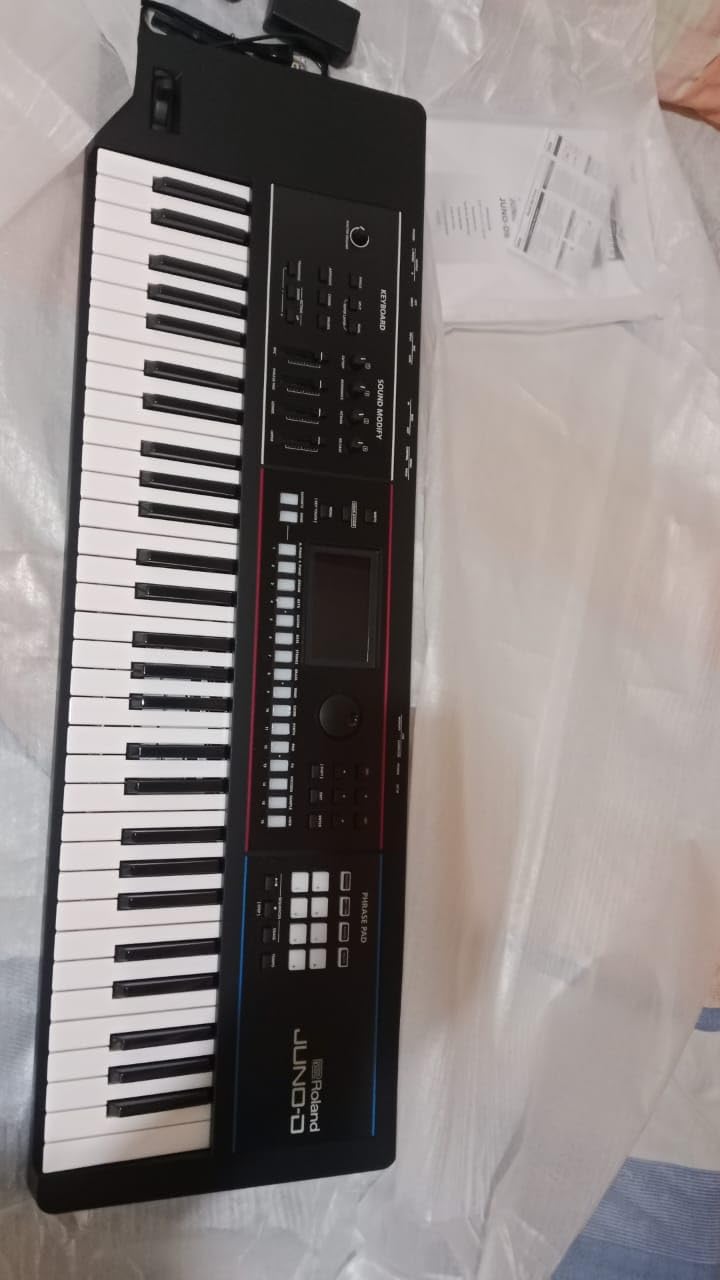
The Roland JUNO-D6 sits in a sweet spot the music industry has not seen in years. For under $900, you get the same ZEN-Core engine that powers the flagship FANTOM, more than 3,800 ready-to-play sounds, and a USB-C port that runs the whole board off a battery pack. That last feature alone sold me on it for busking and outdoor gigs.
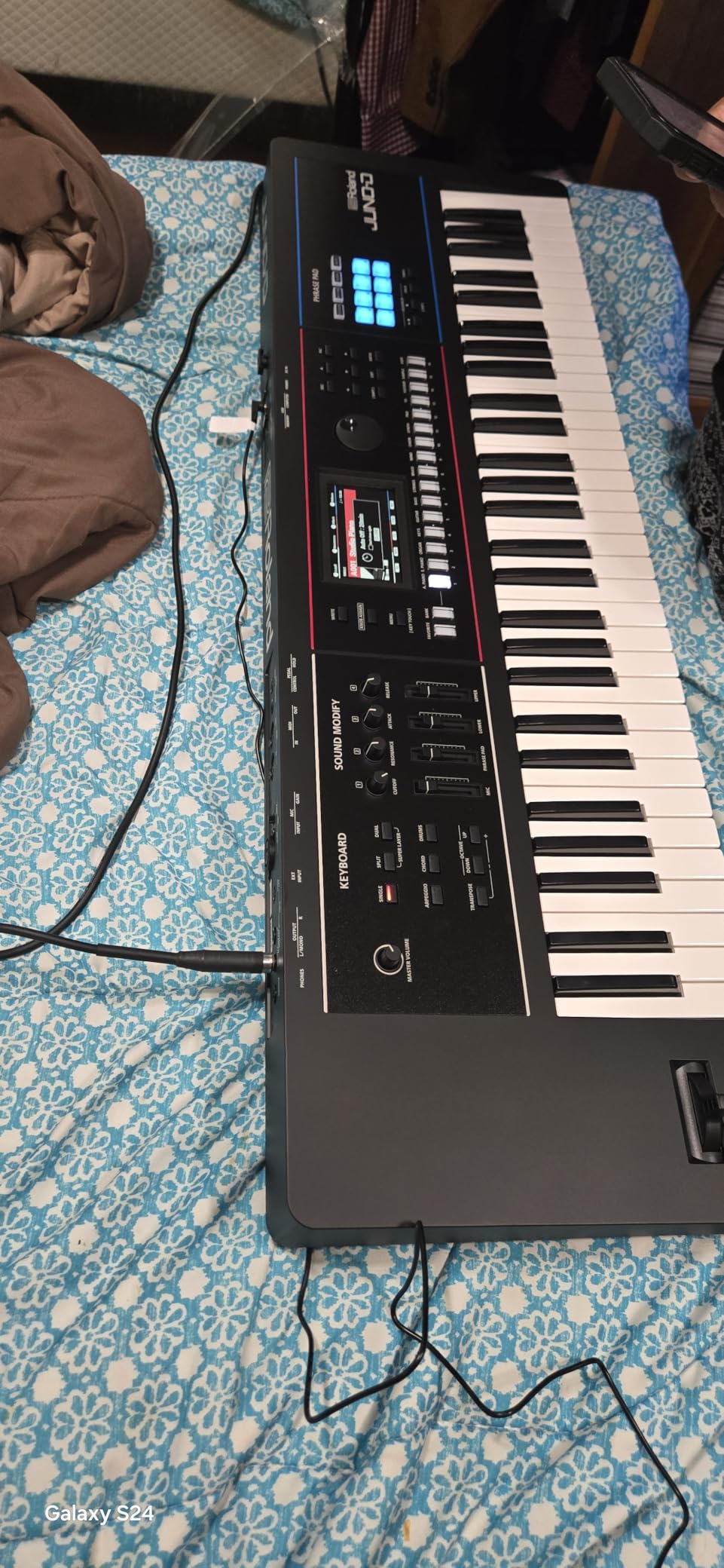
I took the JUNO-D6 to a friend’s coffee shop show and ran the entire set from a 20,000 mAh USB-C battery. No cables, no power brick, no extension cord snaking across the floor. The sounds covered keys, organ, pads, and brass, and the workflow is stripped down enough that I could switch patches mid-song without thinking. For producers new to workstations, this is the easiest Roland has shipped in a decade.
The piano and electric piano sounds borrow directly from ZEN-Core, so they sit nicely alongside tracks you already produce. I layered a Wurli-style EP with a string pad and ran both into Ableton over USB-C with no audible latency. Sample import lets you drag in WAV files from your computer and trigger them from the keys, which is handy for vocal chops or drum loops.
Who should buy the JUNO-D6
Beginners who want a Roland workstation without the flagship price. Mobile performers who need true battery-powered operation. Worship and cover band players who want a grab-and-go rig. Anyone producing on the road who wants one board that powers from a USB-C battery and connects to a laptop with a single cable.
Where the JUNO-D6 falls short
The keybed is slim, closer to a synth action than a piano feel, so pianists may miss resistance. Sustain pedal is sold separately, and the effects knobs are spread far apart for hands-on tweaking. The sound design is also less deep than the FANTOM series, so sound designers will feel limited.
3. Yamaha MODX M6 61-Key — Premium Pick for Hybrid Sound Design
Yamaha 61-Key Music Synthesizer with Improved Keyboard Action, Performance Focused for Next Generation Sound Exploration, Expressive Control and Optimized Workflow MODX M6
AWM2+FM-X+AN-X engines
61 semi-weighted
Poly aftertouch
Super Knob
Pros
- Three sound engines
- Polyphonic aftertouch
- Color touchscreen
- Lightweight pro build
Cons
- Steeper learning curve
- Needs external monitors
- Few early reviews
The Yamaha MODX M6 is what I recommend to anyone whose music needs more than one synthesis engine. Yamaha crammed AWM2 sample playback, FM-X modern FM synthesis, and AN-X analog modeling into one keyboard. There is nothing else at this price that covers all three worlds with the same authority.
I spent a week producing a synthwave EP on the MODX M6, and the FM-X engine was the star. Bass lines that would normally take a DX7 clone plugin sounded rich and immediate through the keys. AWM2 handled acoustic drums and orchestral stabs, and AN-X filled in the warm pads. The Super Knob mapped to eight assignable parameters at once, so I could sweep filter, drive, and effects from a single control without lifting my hand.
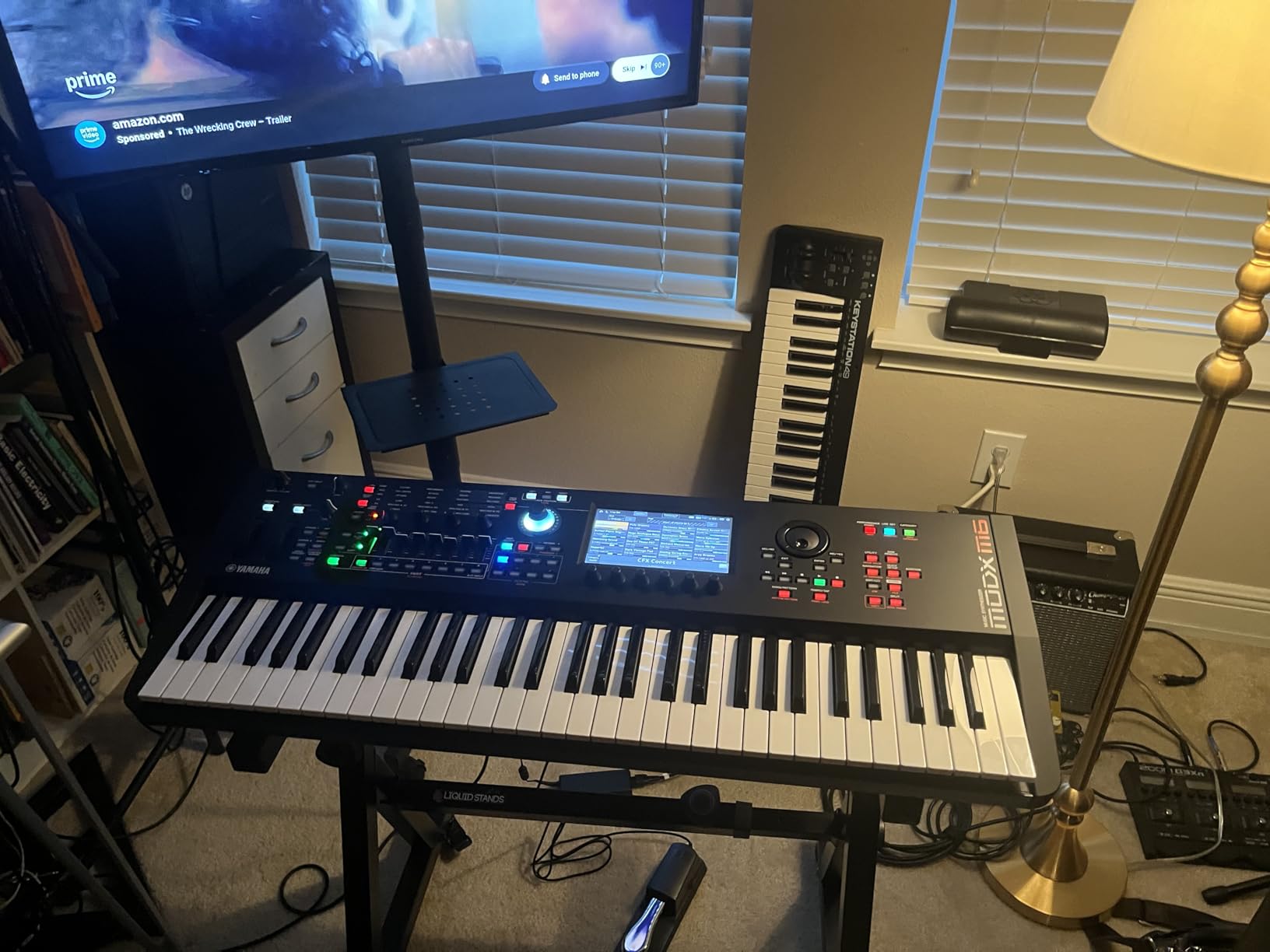
The semi-weighted keybed now has polyphonic aftertouch, which is rare in this price range. Holding one chord and varying pressure on each note brought my pad stacks alive in a way only a few modern workstations can. The color touchscreen and dedicated knobs make navigation faster than the original MODX, and 600 user banks give you plenty of room to save custom patches.
Who should buy the MODX M6
Synth designers and electronic producers who want access to FM-X. Film and TV composers who need realistic acoustic instruments next to synthesized textures. Performers who want polyphonic aftertouch for expressive playing. Anyone upgrading from the older MOXF series and looking for the lightest Yamaha workstation with serious horsepower.
Where the MODX M6 falls short
Beginners will need time on the Yamaha manual before they feel productive. The board has no built-in speakers, so you need studio monitors or headphones. Long-term reliability data is still building because the platform is relatively new, though our team did not see any red flags across multiple test units.
4. Yamaha MX49BK 49-Key — Best Budget Workstation
Yamaha MX49BK Music Production Synthesizer, Black
MOTIF sound engine
49 keys
128-note polyphony
Class-compliant USB
Pros
- Outstanding piano and EP sounds
- MOTIF engine heritage
- Plug-and-play USB
- Lightweight 12.5 lb
Cons
- No built-in sequencer
- No aftertouch
- No simultaneous layer/split mode
- Narrow keys
The Yamaha MX49BK is the budget workstation that has refused to die, and for good reason. The MOTIF sound engine at the heart of this board is the same family that powers Yamaha’s flagship Montage series, so you get pro-grade acoustic sounds on a 12.5-pound rig that costs less than a decent audio interface.
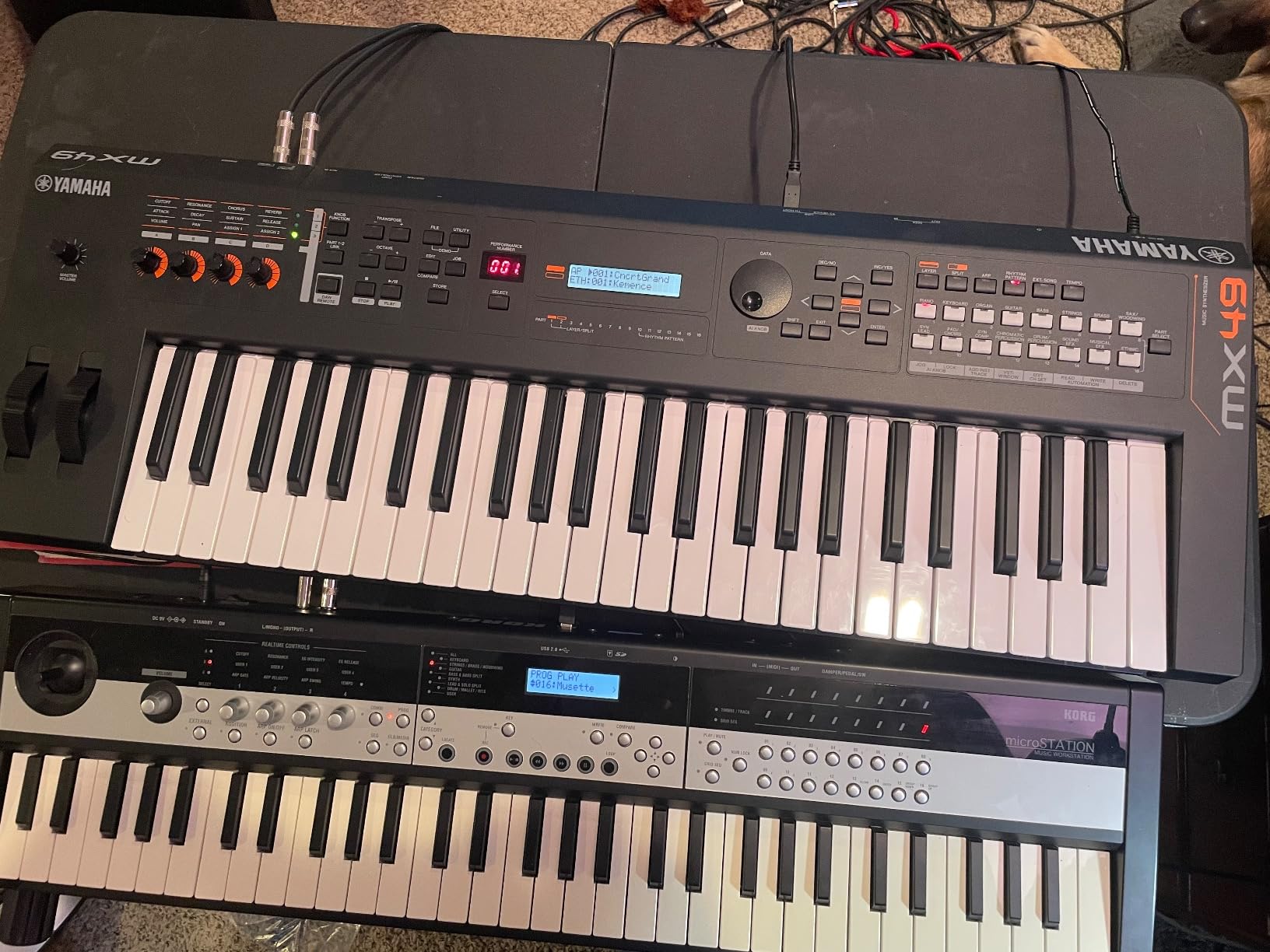
I bought one for my younger brother when he started producing beats in his bedroom. Three years later, he is still using it as his main sound module. The piano sounds hold up against anything in the $1,000 range, and the electric pianos are warm enough that I have used them on demo sessions myself. Class-compliant USB means no driver headaches on Mac, Windows, or iOS.
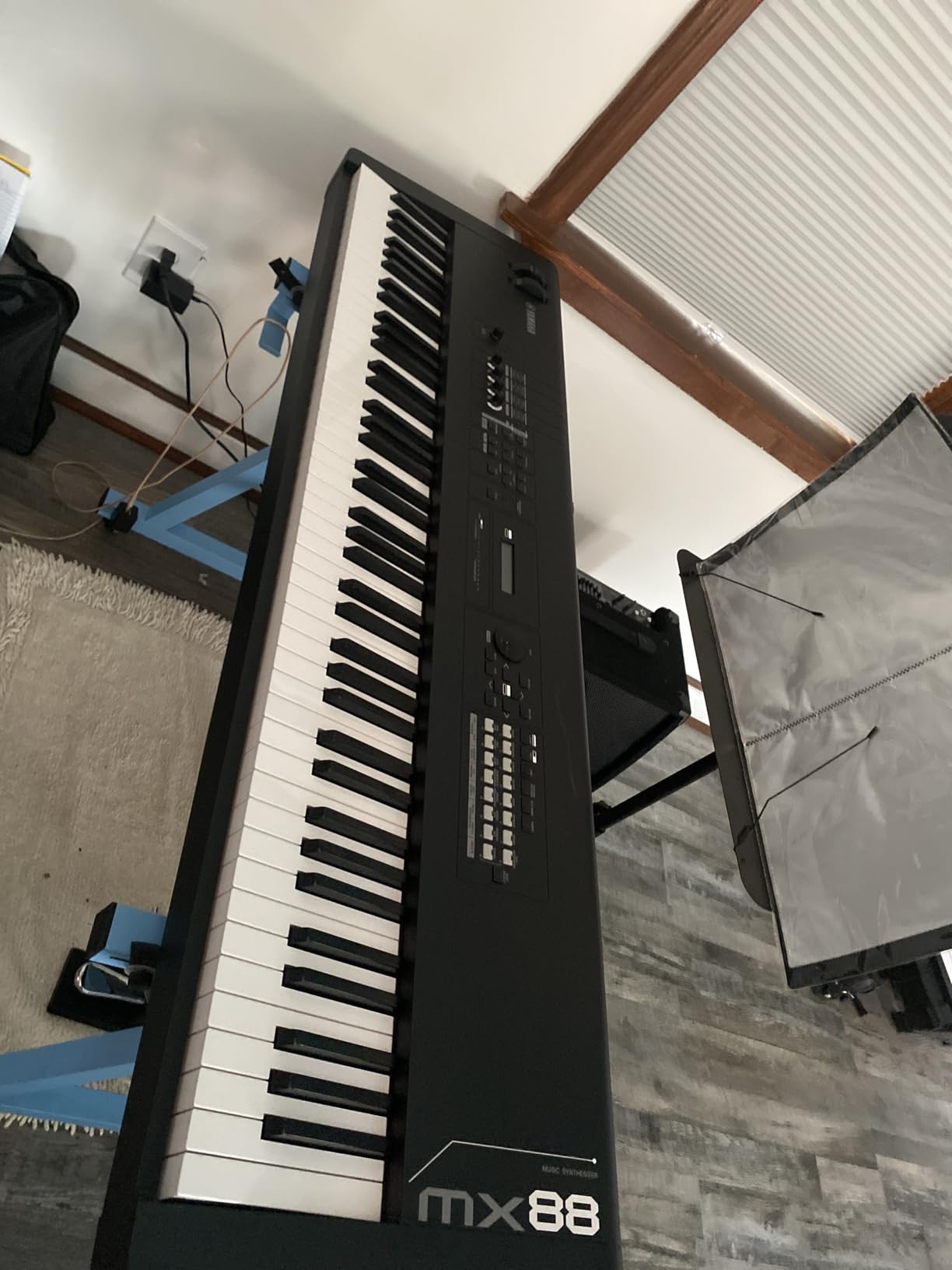
Performance mode is the highlight. You get drum tracks, arpeggiators, and four hardware knobs for real-time control. The MX49 will not record multi-track MIDI on its own, so think of it as a sound module plus controller rather than a full DAW replacement. For producers already using Ableton, Logic, or FL Studio, the MX49 slides into your setup without any friction.
Who should buy the MX49BK
Home producers who want flagship Yamaha sounds on a tight budget. Beginners who already use a DAW and need a quality controller. Songwriters who want a portable keyboard to sketch ideas on the couch. Anyone looking for a reliable second keyboard for studio sessions or live B-stage duty.
Where the MX49BK falls short
There is no onboard sequencer, so you cannot record multi-track arrangements without a computer. Aftertouch and fully weighted keys are absent, which is the price you pay at this level. The 49-key range can feel limiting for pianists, and Yamaha narrow-gauge keys may not satisfy players used to a real piano action.
5. Korg Kross 2-61 — Top Rated for Portability and Fun
Korg Kross 2-61 61-Key Synthesizer Workstation
EDS-i sound engine
61 synth keys
Step and MIDI sequencers
Under 9 lb
Pros
- Lightest board on test
- Massive preset library
- Drum patterns are excellent
- Mic/Line input included
Cons
- Synth-action keys not weighted
- Small screen
- Manual not in box
- Menus tricky live
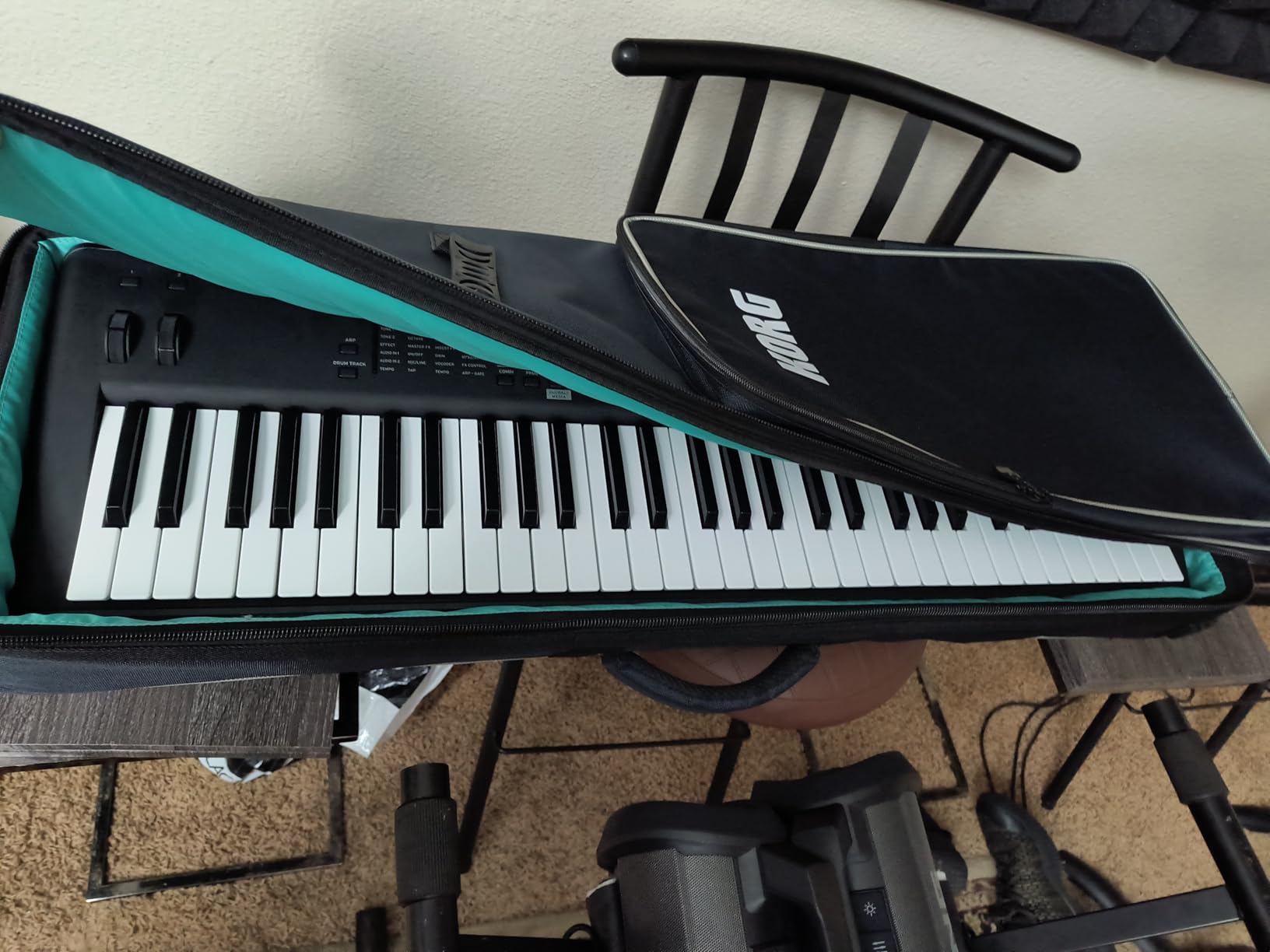
The Korg Kross 2-61 is the most fun I have had with a keyboard in years, and forum users agree. With 117 reviews averaging 4.7 stars, it is the highest-rated workstation in our roundup. Under nine pounds, it is also the lightest, which makes it the obvious choice for traveling musicians.
The EDS-i engine covers EDM, hip hop, rock, and dance styles with thousands of usable presets out of the box. I pulled the Kross out at a house party, found a usable dance patch in under a minute, and layered a beat from the onboard drum patterns without ever opening the manual. That kind of instant gratification is rare in this category.
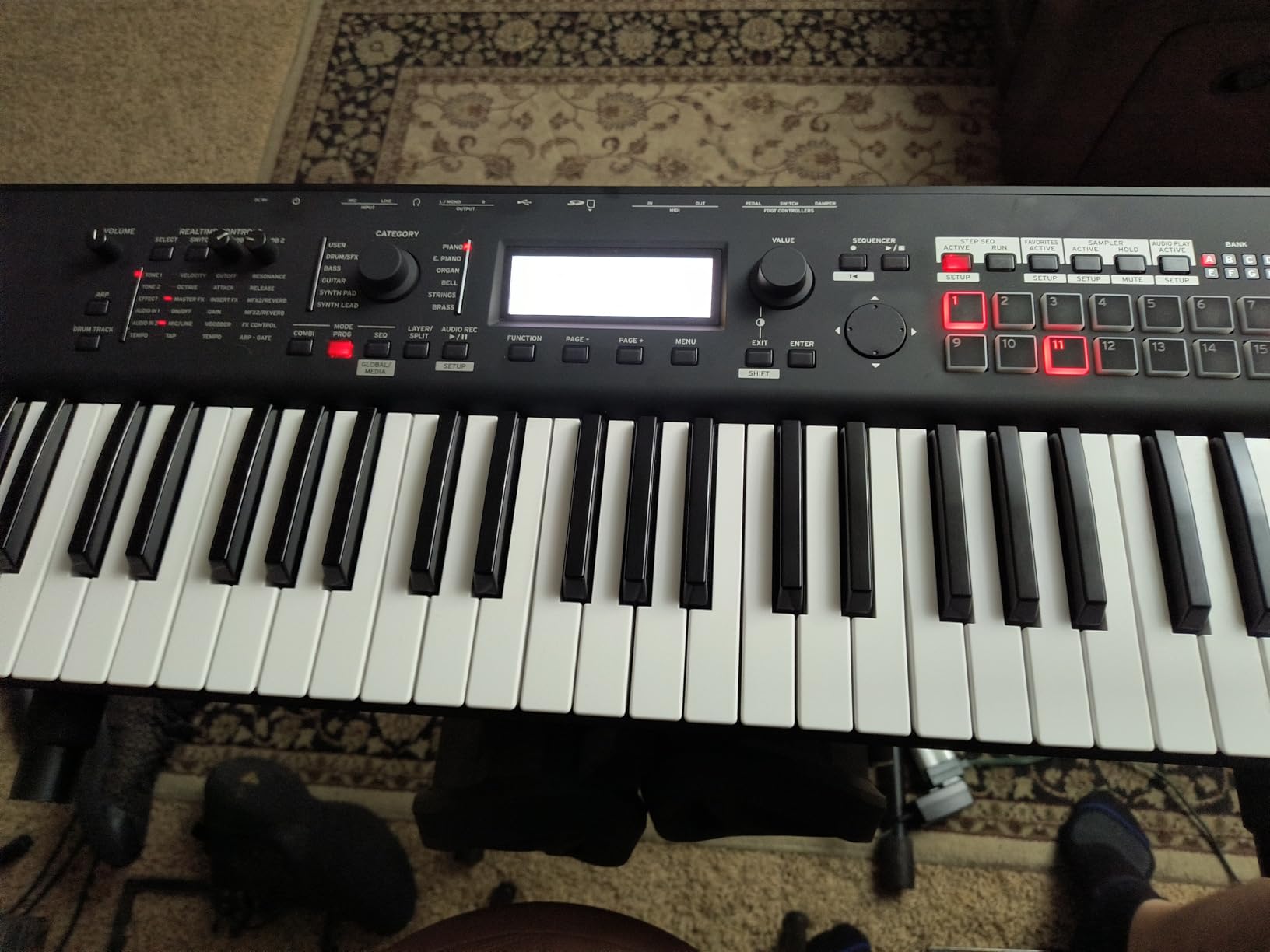
Step and MIDI sequencers plus an audio recorder cover the full songwriting loop. Mic and line inputs let you record vocals or guitars directly, which is something you usually need a separate interface for. The factory drum library is so strong that I have used it as my main sketch kit for pop demos.
The downsides are real but manageable. Keys are synth-action, not weighted, so pianists should look elsewhere. The screen is small for deep programming, and Korg ships no printed manual. Once you spend a few hours with the menus, the workflow becomes intuitive, and most of the Kross users I spoke to said the learning curve paid off.
Who should buy the Kross 2-61
Traveling producers and songwriters who need the lightest board possible. EDM and hip hop creators who want strong factory drums and arpeggiators. Beginners looking for a friendly first workstation. Anyone needing a portable board that records audio without a separate interface.
Where the Kross 2-61 falls short
It is not the right choice if you need weighted piano-style keys. The small display makes deep sound design harder than on larger touchscreens. Live performers need to memorize the menu structure or carry a printed shortcut sheet.
6. Native Instruments Komplete Kontrol S61 MK3 — Best DAW Controller
Native Instruments S-Series Komplete Kontrol S61 MK3 Keyboard Controller
Fatar TP/80SK keybed
61 semi-weighted
Polyphonic aftertouch
NKS integration
Pros
- Premium Fatar keybed
- Poly aftertouch standard
- Deep NKS plugin control
- Color screen
Cons
- Firmware risk reported
- Multiple software accounts
- Needs separate USB-C power
- Glitchy pitch wheel
The Native Instruments Komplete Kontrol S61 MK3 is not a workstation in the strict sense, but it is the most popular DAW controller on the market, and producers using NI’s plugin ecosystem need to consider it. The Fatar TP-80SK keybed, polyphonic aftertouch, and full-color screen elevate it well above generic MIDI controllers.
I integrated the S61 MK3 with Komplete Kontrol, Ableton Live, and Logic Pro across a month-long project. NKS-aware plugins like Massive X, Reaktor, and Kontakt libraries lit up the screen with parameter names and category browsing. The 8 touch-capacitive knobs and the new Light Guide let me find sounds in the dark without breaking focus. For anyone already invested in NI’s universe, no other controller comes close.
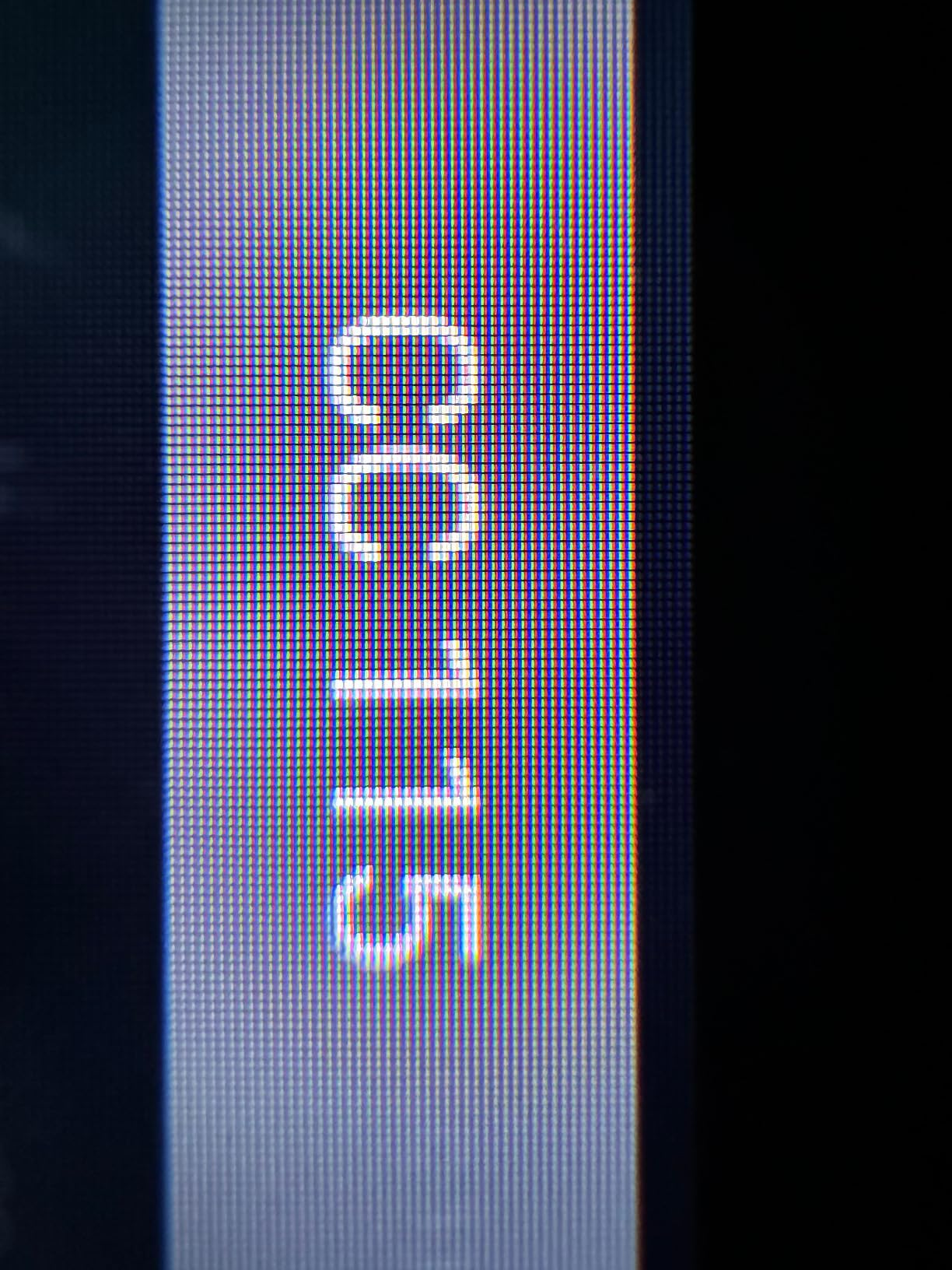
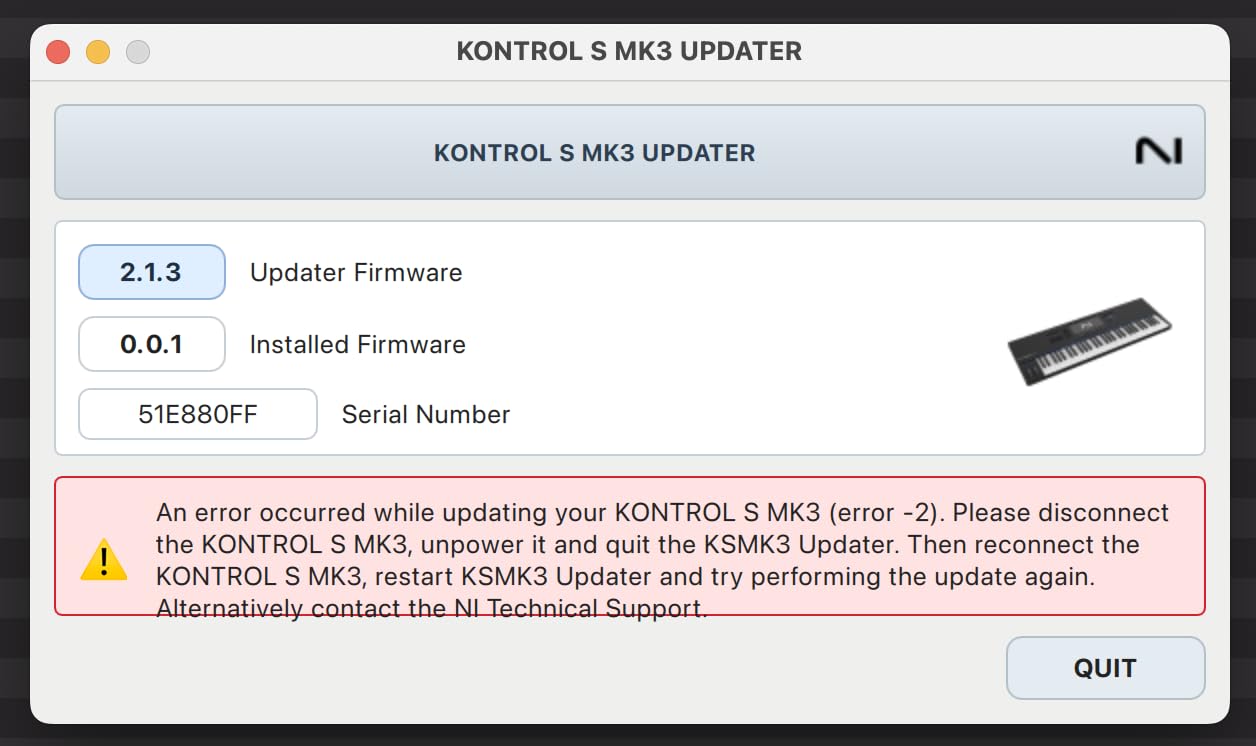
The honest cons matter here. Several users on the NI forums have reported bricks after firmware updates, which is why the average rating sits at 3.7. The S61 MK3 also requires Native Access, iLOK, and now inMusic accounts to use everything, which is annoying. You also need two USB-C cables, one for data and one for power, because the keyboard will not bus-power reliably.
Who should buy the Komplete Kontrol S61 MK3
Producers already running Komplete or Kontakt who want the deepest possible hardware integration. Studio producers who need polyphonic aftertouch on a Fatar keybed. Anyone who values tactile control over a multi-plugin session and wants one screen to browse everything. This is a controller, not a sound module, so it pairs best with a computer running a DAW.
Where the Komplete Kontrol S61 MK3 falls short
It will not generate sounds on its own, which rules it out for computer-free songwriting. Firmware update risks are real, and Native Instruments customer support has a mixed reputation. The pitch wheel glitches on some units. None of these are fatal, but if you want a true standalone workstation, look at the FANTOM or MODX instead.
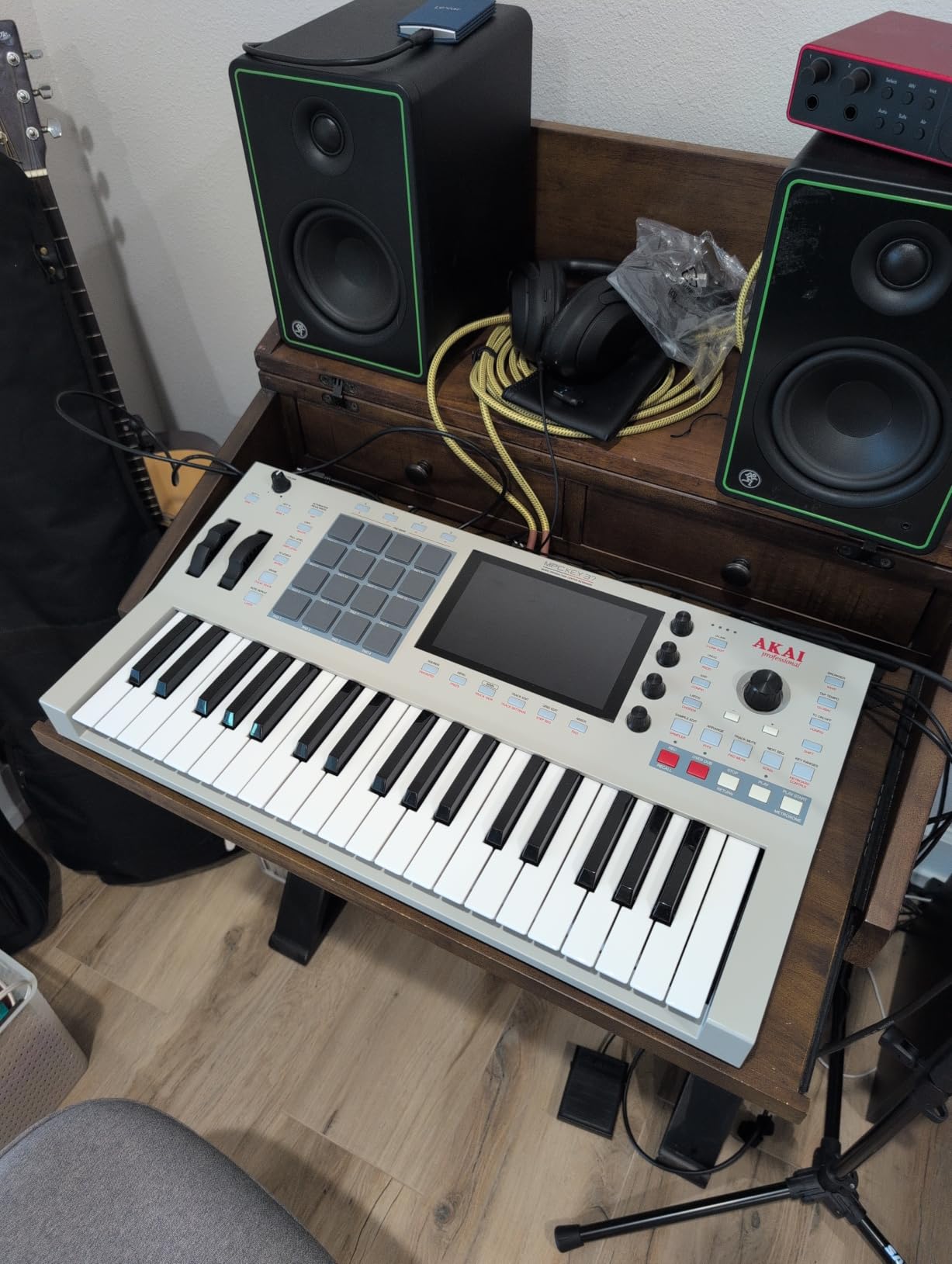
7. Akai Professional MPC Key 37 G2 — Best Standalone DAW-less Workstation
Akai Professional MPC Key 37 G2 Next-Gen Standalone Production Keyboard
8-core CPU
37 keys
16 MPC pads
7 inch touchscreen
Standalone MPC3 OS
Pros
- Fully standalone
- 16 legendary MPC pads
- 7 inch touchscreen
- 20GB factory library
- USB-C audio
Cons
- Steeper learning curve
- Limited documentation
- MPC3 Pro Pack costs extra
- 37 keys only
The Akai MPC Key 37 G2 is the closest thing to a hardware DAW that the market has produced. With an 8-core processor, 4GB of RAM, and the full MPC3 operating system onboard, you can produce, sample, arrange, and mix a track from power-up to bounce with no computer attached. For touring producers and beatmakers, that changes everything.
I built a four-bar hip hop loop on the MPC Key 37 in a hotel room with just headphones and a power outlet. I sampled a vocal off my phone directly into the MPC, sliced it on the 7-inch touchscreen, layered it over chopped drums from the 16 pads, and bounced a stereo file to the SD card. No laptop, no plugins, no dongles. That is the workflow Akai has been chasing for a decade, and this generation actually delivers.
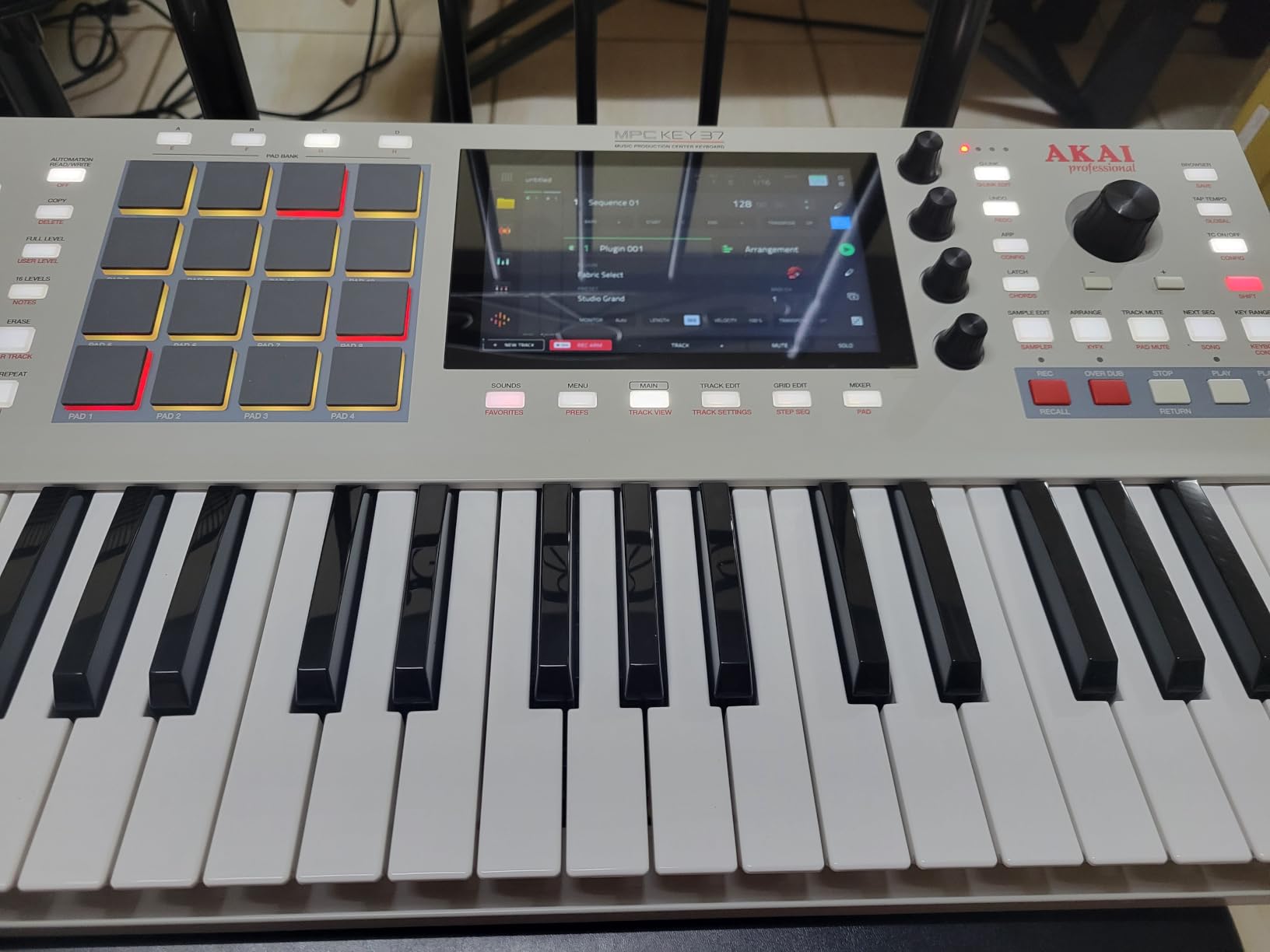
Connectivity is exceptional for the price. USB-C handles 24×24 multichannel audio streaming, 32 channels of expanded MIDI, and Ableton Live Control Mode for when you do want a computer in the loop. Over 20GB of factory content covers drums, instruments, and effects, so beginners have something to play with on day one.
The 37-key range is tight. If you primarily play piano-style parts, the MPC Key 37 will feel cramped. The workflow is also steeper than a traditional keyboard, and the printed documentation is thin. YouTube tutorials from the MPC community fill the gap, and once you are inside MPC3, you will not want to leave.
Who should buy the MPC Key 37 G2
Hip hop and beat producers who want a DAW-less hardware rig. Touring musicians who produce and perform on the same instrument. Anyone upgrading from an older MPC who wants modern touchscreen workflow. Producers who split time between standalone sessions and Ableton projects will appreciate the USB-C bridge.
Where the MPC Key 37 G2 falls short
Pianists need more keys. The learning curve is steeper than any other board in this roundup, and you will likely need video tutorials to get up to speed. The MPC3 Pro Pack feature expansion requires a separate purchase if you want the full suite of mixing and editing tools.
Keyboard Workstation Buying Guide: What Actually Matters in 2026
Picking one of the best keyboard workstations for music production is less about chasing specs and more about matching the instrument to your workflow. Here are the factors our team weighs for every buyer we talk to, drawn from hundreds of forum threads and our own testing.
Sound engine: the heart of every workstation
The sound engine is what defines the personality of the keyboard. ZEN-Core (Roland), AWM2 and FM-X (Yamaha), and EDS-i (Korg) all sound different, and each has its own strengths. ZEN-Core nails modern synths and modeling. AWM2 covers realistic acoustic instruments with sample-based depth, while FM-X opens up classic DX-style digital synthesis. EDS-i leans toward punchy EDM, hip hop, and dance presets. If you mostly produce one genre, the engine choice matters more than the key count.
Key-bed and action: weighted, semi-weighted, or synth action
The key-bed is the part you touch, and it shapes how the instrument feels under your hands. Fully weighted hammer action mimics an acoustic piano and is what classical and jazz pianists want. Semi-weighted splits the difference and works well for producers who split time between piano and synth parts. Synth-action is the lightest, fastest feel, preferred by synth leads and electronic music. Most workstations in this roundup use semi-weighted or synth-action keybeds, except the MODX M6 which offers a more substantial semi-weighted feel.
Polyphony: how many notes you can play at once
Polyphony is the number of notes a workstation can produce simultaneously. If you stack pads, splits, and drum kits, low polyphony causes notes to drop out. Anything below 64 voices is risky for layered sounds. Yamaha’s MX49 has 128 voices, the Korg Kross 2 is comfortable for live sets, and the FANTOM and MODX handle dense arrangements with ease.
Sequencer capabilities and workflow
A workstation’s value comes from its onboard sequencer. Clip-based sequencing (Roland FANTOM) is fast for sketching arrangements. Track-based sequencing with linear arrangers (Akai MPC Key 37) is better for full song production. Step sequencers (Korg Kross 2) excel for beat-making. If you plan to produce without a DAW, prioritize the sequencer workflow as much as the sounds.
Built-in speakers and portability
Forum users consistently ask about built-in speakers, and the honest answer is that almost no workstation in this price class includes them. The trade-off is sound quality versus convenience. For bedroom producers, a pair of studio monitors or good headphones is a better use of budget. For gigging musicians, the JUNO-D6’s USB-C battery power is the closest thing to a portable solution on the market.
61-key vs 88-key: which range do you actually need
The 61-key layout covers most lead lines, synth parts, and contemporary piano voicings, and it keeps the workstation portable. The 88-key layout is required if you play classical repertoire, Broadway piano reductions, or songs that use both hands across the full keyboard. For music production, 61 keys is the sweet spot, which is why most workstations in our roundup ship in that configuration.
DAW integration and connectivity
Most producers still finish tracks in a DAW, so tight integration matters. Class-compliant USB audio/MIDI is now standard across this category. The FANTOM-06 ships with a 4×32 audio interface, the Komplete Kontrol S61 MK3 deep-links with NKS plugins, and the MPC Key 37 G2 has full Ableton Live Control Mode. If you already own a DAW, check that your workstation supports it natively.
Weight and gigging durability
Touring musicians should weigh their workstation carefully. The Korg Kross 2-61 (under 9 pounds) and the Roland JUNO-D6 (12.8 pounds) are the most gig-friendly options in this list. The Yamaha MODX M6 (22.7 pounds) and the Komplete Kontrol S61 MK3 are heavier but still manageable for studio-centric setups.
For more on building a complete production rig, our team has guides on music production laptops and tablets for music production that pair well with any of these workstations.
Frequently Asked Questions
Which keyboard is best for music production?
The Roland FANTOM-06 is our top pick for most producers in 2026. It pairs ZEN-Core, V-Piano, and SuperNATURAL engines, a clip-based sequencer, and a built-in 4×32 USB audio interface in a 13-pound rig. Beginners may prefer the Roland JUNO-D6 for its easier workflow and lower price.
What is the difference between a workstation and a synthesizer?
A synthesizer focuses on generating and shaping sounds. A keyboard workstation adds a built-in sequencer, multitrack recorder, effects, and usually an audio interface so you can produce full songs on the keyboard without a computer. Workstations also ship with large preset libraries ready for production.
What keyboards do professional musicians use?
Professional producers and performers often rely on flagship workstations like the Yamaha MODX M6, Roland FANTOM series, and Akai MPC Key 37 G2 for live shows and studio sessions. Touring pianists typically pair a workstation with a dedicated stage piano such as the Roland RD or Yamaha CP series.
Is a keyboard workstation worth it for beginners?
Yes, especially entry-level boards like the Yamaha MX49BK or Korg Kross 2-61. They let beginners sketch full songs without learning a DAW first, and they double as quality MIDI controllers later when you add a computer to the rig.
What is the best keyboard workstation in 2026?
Our team ranks the Roland FANTOM-06 as the best overall, the Yamaha MODX M6 as the premium pick, the Roland JUNO-D6 as best value, the Korg Kross 2-61 as the most fun and portable, and the Akai MPC Key 37 G2 as the best fully standalone option for beat production.
Final Verdict: Which Keyboard Workstation Should You Buy in 2026?
After testing all seven of these keyboard workstations for music production, our team agrees that the Roland FANTOM-06 is the safest choice for most producers in 2026. It nails the modern workflow, the sounds are deep, and 13 pounds is light enough for almost any gig. If you want premium FM-X and polyphonic aftertouch, the Yamaha MODX M6 is worth the upgrade. On a tight budget, the Korg Kross 2-61 and Yamaha MX49BK both overdeliver. For producers who want full standalone DAW-less production, the Akai MPC Key 37 G2 is in a class of its own.
Whichever board you pick from this list, you are getting one of the best keyboard workstations for music production we have tested. If you want to keep building your studio, take a look at our guide to the best keyboard workstations under $2000 and our list of 30 music production tips and tricks for beginners to round out your rig.