
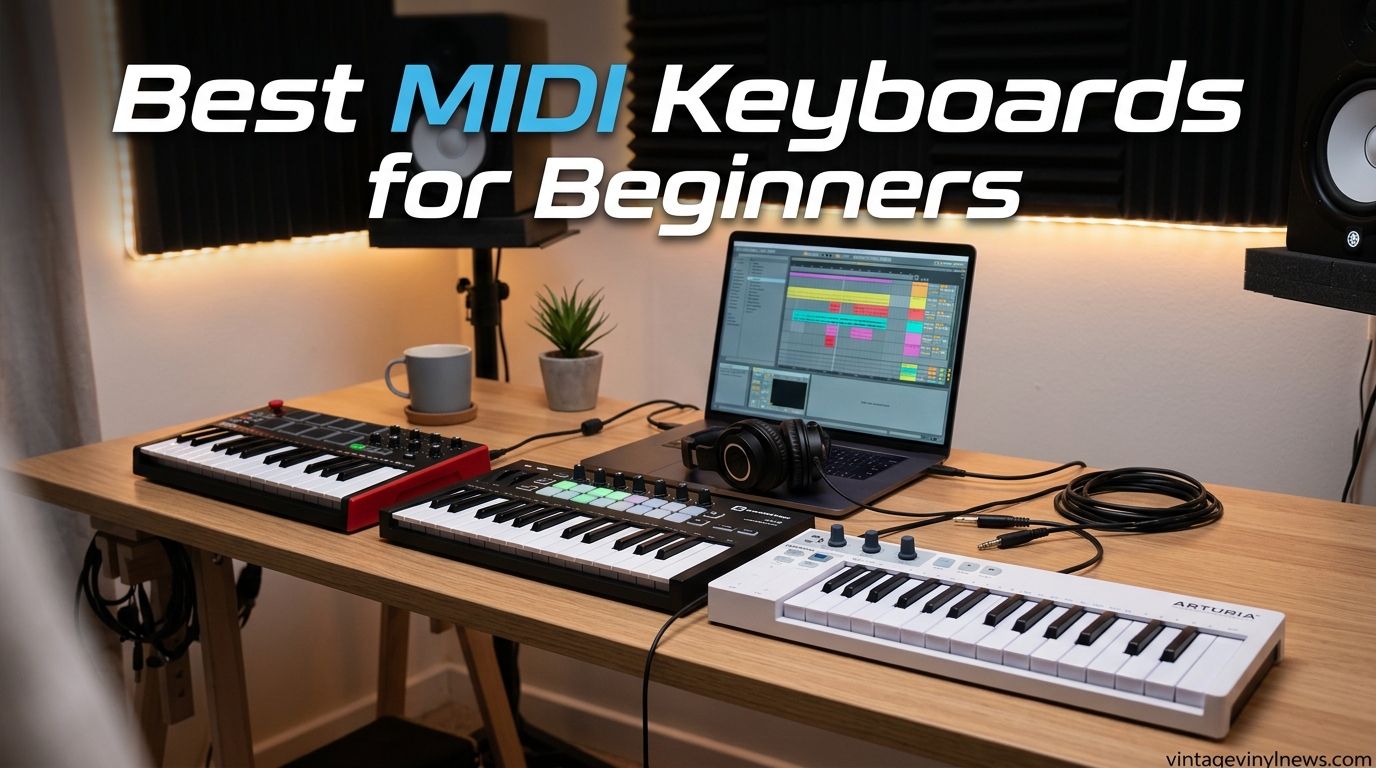
Starting music production can feel overwhelming when you see the sheer number of gear options out there. The good news is that finding the best MIDI keyboards for beginners does not have to be complicated once you know what matters. A MIDI keyboard controller is the single most important piece of hardware you will buy as a new producer, and the right one can last you years.
I have spent months testing compact controllers, full-size keybeds, and everything in between to figure out which ones actually work for someone just starting out. Our team compared 10 of the most popular beginner MIDI keyboards across key feel, software bundles, DAW compatibility, build quality, and overall value. Whether you want to make beats in FL Studio, write songs in GarageBand, or learn piano basics in Ableton Live, there is a controller on this list that fits your needs and budget.
The short answer for most beginners is the Akai Professional MPK Mini MK3, which combines 25 mini keys, 8 MPC-style drum pads, 8 assignable knobs, and a massive software bundle at a price that makes sense for a first controller. But if you want the absolute best value, the Novation Launchkey Mini 25 MK4 offers the best DAW integration and highest user rating in this guide. And if you are on the tightest budget possible, the Donner N-25 gets you making music for under $40.
In this guide, I will walk you through each keyboard with honest hands-on impressions, break down exactly what to look for as a beginner, and answer the questions that come up most often on forums like Reddit and in beginner music production communities. Let us find the right MIDI keyboard for your journey into music production.
Table of Contents
Top 3 Picks for Best MIDI Keyboards for Beginners (September 2026)

Novation Launchkey Mini 25 MK4
- 25 mini keys
- 16 FSR pads
- Scale and Chord modes
- Seamless Ableton integration

Donner N-25 Mini MIDI Keyboard
- 25 mini keys
- 40 teaching courses
- Plug and play
- iOS compatible
Best MIDI Keyboards for Beginners in 2026
| Product | Specifications | Action |
|---|---|---|
| Akai MPK Mini MK3 |
|
Check Latest Price |
| Novation Launchkey Mini MK4 |
|
Check Latest Price |
 Arturia MiniLab 3 Arturia MiniLab 3 |
|
Check Latest Price |
 M-Audio Keystation 49 MK3 M-Audio Keystation 49 MK3 |
|
Check Latest Price |
 Akai LPK25 MK2 Akai LPK25 MK2 |
|
Check Latest Price |
| Donner N-25 Mini MIDI |
|
Check Latest Price |
 Nektar Impact GX49 Nektar Impact GX49 |
|
Check Latest Price |
 NI Komplete Kontrol M32 NI Komplete Kontrol M32 |
|
Check Latest Price |
 Akai MPK Mini Play MK3 Akai MPK Mini Play MK3 |
|
Check Latest Price |
 M-Audio Keystation Mini 32 M-Audio Keystation Mini 32 |
|
Check Latest Price |
1. Akai Professional MPK Mini MK3 – Best Overall MIDI Keyboard for Beginners
Akai Professional MPK Mini MK3 25-Key USB MIDI Keyboard Controller
25 mini velocity-sensitive keys
8 MPC-style drum pads
8 assignable knobs
Built-in arpeggiator
USB bus-powered
0.9 kg
Pros
- Exceptional value with MPC pads
- knobs
- and arpeggiator in one unit
- Highly portable at just 0.9 kg
- Massive software bundle including MPC Beats DAW and 2GB of sounds
- Plug-and-play with Mac and Windows
- NKS integration for Native Instruments
- Two months of Splice Creator plan included
- 30k+ reviews with 4.6-star average rating
Cons
- 25 mini keys limit two-hand playing
- Software activation process can be confusing with multiple accounts
- Documentation is minimal for advanced MIDI mapping
- Not iOS compatible without adapters
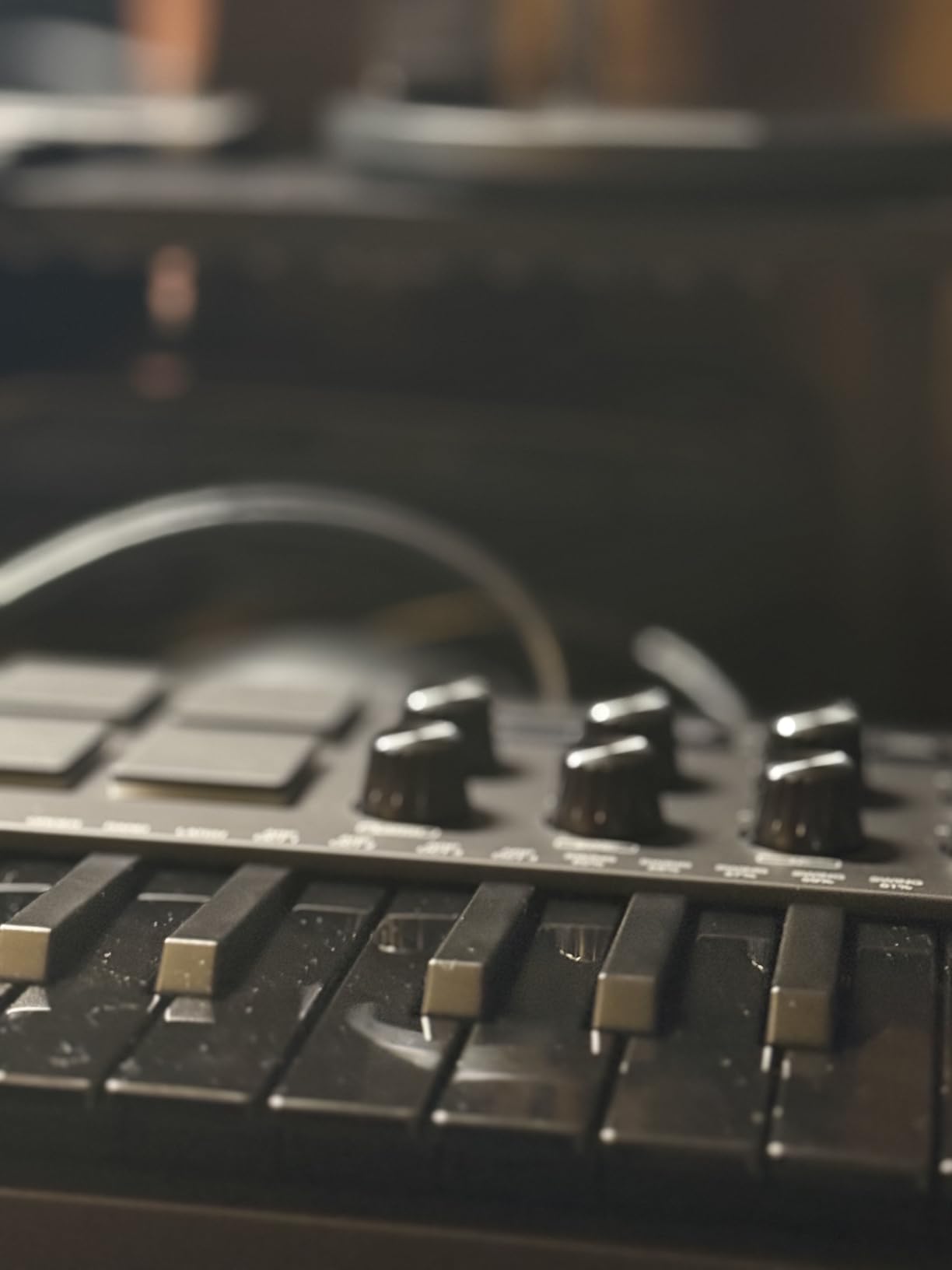
When I first picked up the Akai MPK Mini MK3, I immediately understood why it is the number one best-selling MIDI controller on Amazon. The build quality feels solid for the price, and the combination of 25 mini keys, 8 MPC-style drum pads, and 8 assignable knobs gives you everything you need to start producing music without feeling overwhelmed. This is the controller I recommend to most beginners who ask me where to start.
The 8 backlit drum pads are genuinely impressive for a controller at this price. They are velocity-sensitive and come with Note Repeat and Full Level features borrowed from Akai’s professional MPC line. I spent hours tapping out drum patterns in MPC Beats and the pads responded consistently across the surface. The 4-way thumbstick for pitch bend and modulation takes some getting used to if you are coming from traditional wheels, but it works well once you adapt.
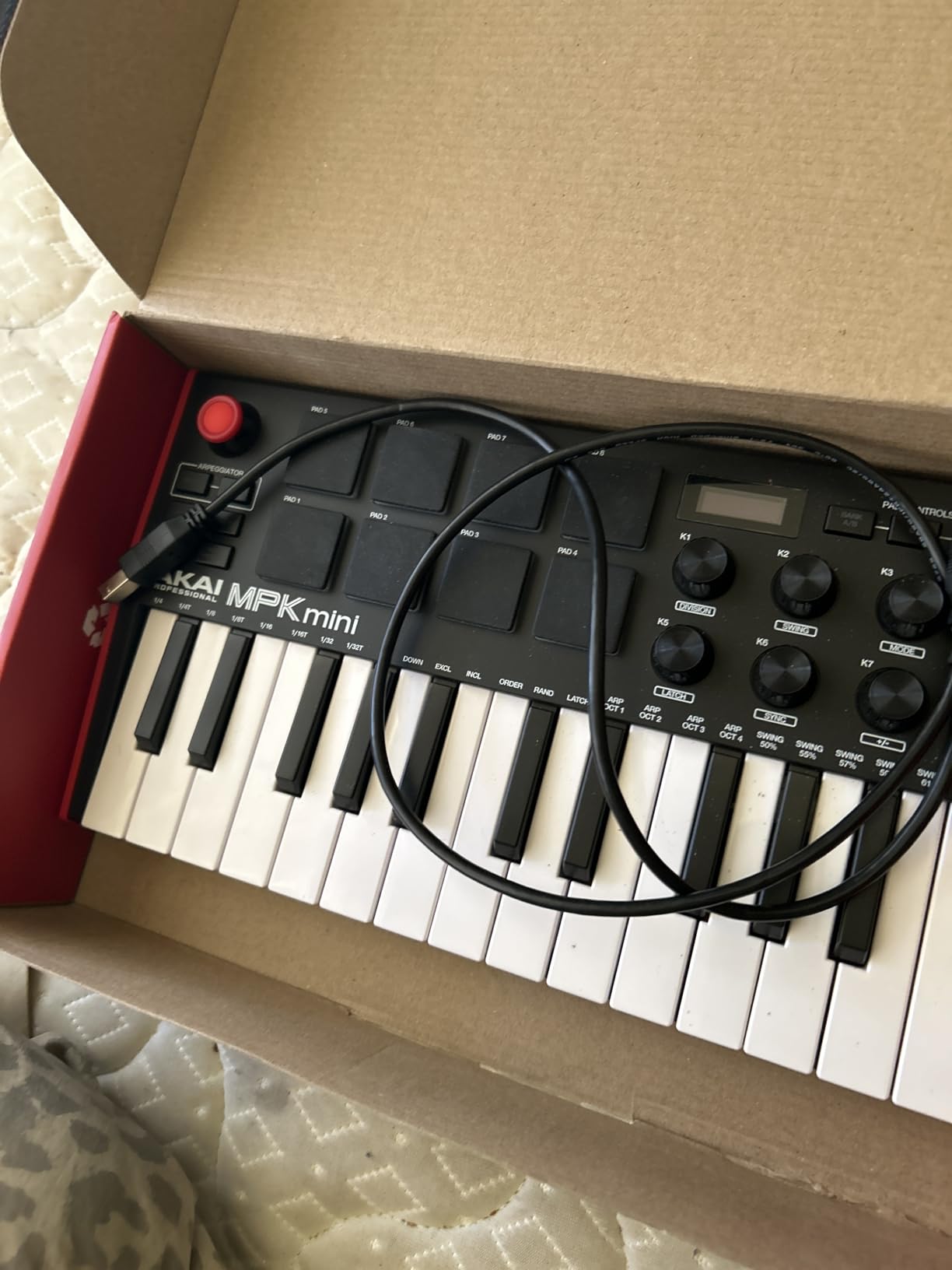
What really sets the MPK Mini MK3 apart from other beginner MIDI keyboards is the built-in arpeggiator. You can adjust resolution, range, and modes on the fly, which opens up creative possibilities that most controllers in this price range simply do not offer. The NKS integration means you can browse Native Instruments presets directly from the controller if you use Komplete Kontrol software.
The software bundle is where the value really adds up. You get MPC Beats (a full DAW), three virtual instruments, 2GB of sound content, and two months of Splice Creator. For a beginner who has zero software, this is everything you need to start making music on day one. The one frustration I encountered was the activation process, which requires creating multiple accounts across different platforms.
DAW Compatibility and Software Bundle
The MPK Mini MK3 works plug-and-play with every major DAW I tested, including Ableton Live, FL Studio, Logic Pro, GarageBand, and Reaper. On Mac, it was recognized instantly without any driver installation. On Windows 11, I had a flawless experience as well, though some users on Reddit have reported occasional driver quirks that resolve after a quick replug.
The included MPC Beats DAW is surprisingly capable for a free tool, though the free version limits you to 8 MIDI tracks and 2 audio tracks. If you outgrow it, the MPC pads and knobs map easily to any other DAW you upgrade to later. This is one of the best MIDI keyboards for beginners who want to start with beat-making and hip-hop or electronic production.
Build Quality and Portability
At just 0.9 kg and measuring 12.5 inches wide, this controller fits in a backpack and travels anywhere. Many users on Reddit report using the MPK Mini MK3 for two to three years without any issues, which speaks to its long-term reliability. The plastic housing does not feel premium, but it holds up well to regular use.
The keys are mini-sized, which means they are smaller than standard piano keys. This is fine for beginners who are just starting to learn melodies and chord shapes, but players with larger hands may find the spacing tight. If you plan to seriously learn piano technique, you may eventually want to upgrade to a controller with full-size keys.
2. Novation Launchkey Mini 25 MK4 – Best MIDI Keyboard for Ableton Live Beginners
Novation Launchkey Mini 25 MK4 USB MIDI Keyboard Controller
25 mini synth-action keys
16 FSR drum pads with aftertouch
8 encoders and 4 faders
Scale and Chord modes
Built-in arpeggiator
3-year warranty
Pros
- Highest rated controller at 4.8 stars
- Best-in-class Ableton Live integration
- 16 FSR pads with polyphonic aftertouch
- Scale Mode prevents wrong notes
- Chord Mode for one-finger chords
- NKS-ready
- 3-year warranty is best in class
- Seamless plug-and-play with most major DAWs
Cons
- Bundled software requires separate accounts with privacy concerns
- Reason DAW users report flickering knob mappings
- Linux may require occasional replugging
- No dedicated MIDI program switch button
- Mini keys may be small for larger hands
The Novation Launchkey Mini 25 MK4 is the newest controller on this list, released in 2024, and it has quickly earned the highest user rating of any product here at 4.8 stars. After testing it extensively with Ableton Live, I can confidently say this is the best MIDI keyboard for beginners who plan to use Ableton as their primary DAW. The integration is so tight that the controller feels like a physical extension of the software.
What makes the Launchkey Mini special is the creative features designed specifically for beginners. Scale Mode locks the keyboard to a chosen scale, which means you literally cannot play a wrong note. Chord Mode lets you trigger full chords by pressing a single key. These two features alone can make a complete beginner sound musical within minutes of unboxing.
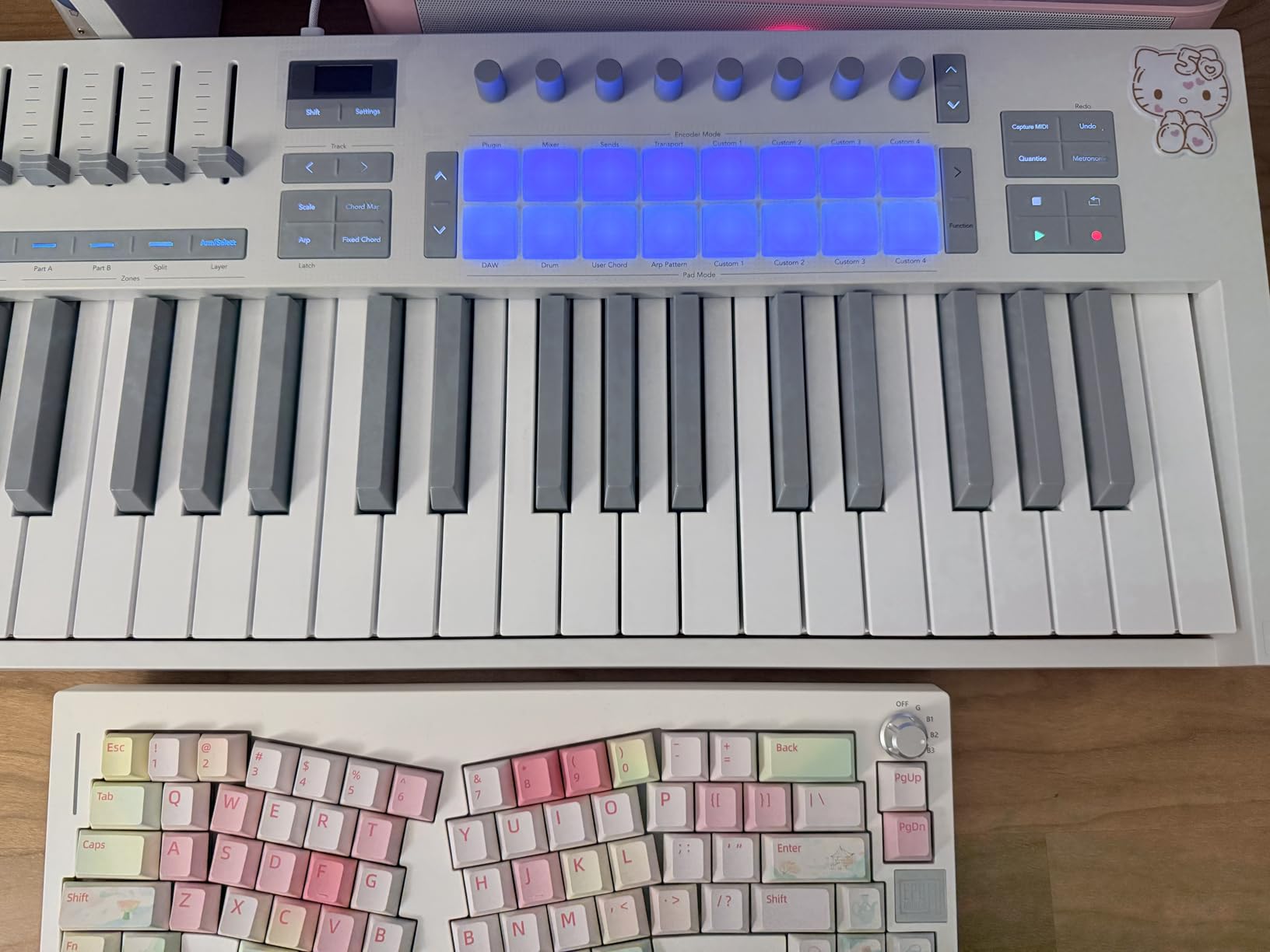
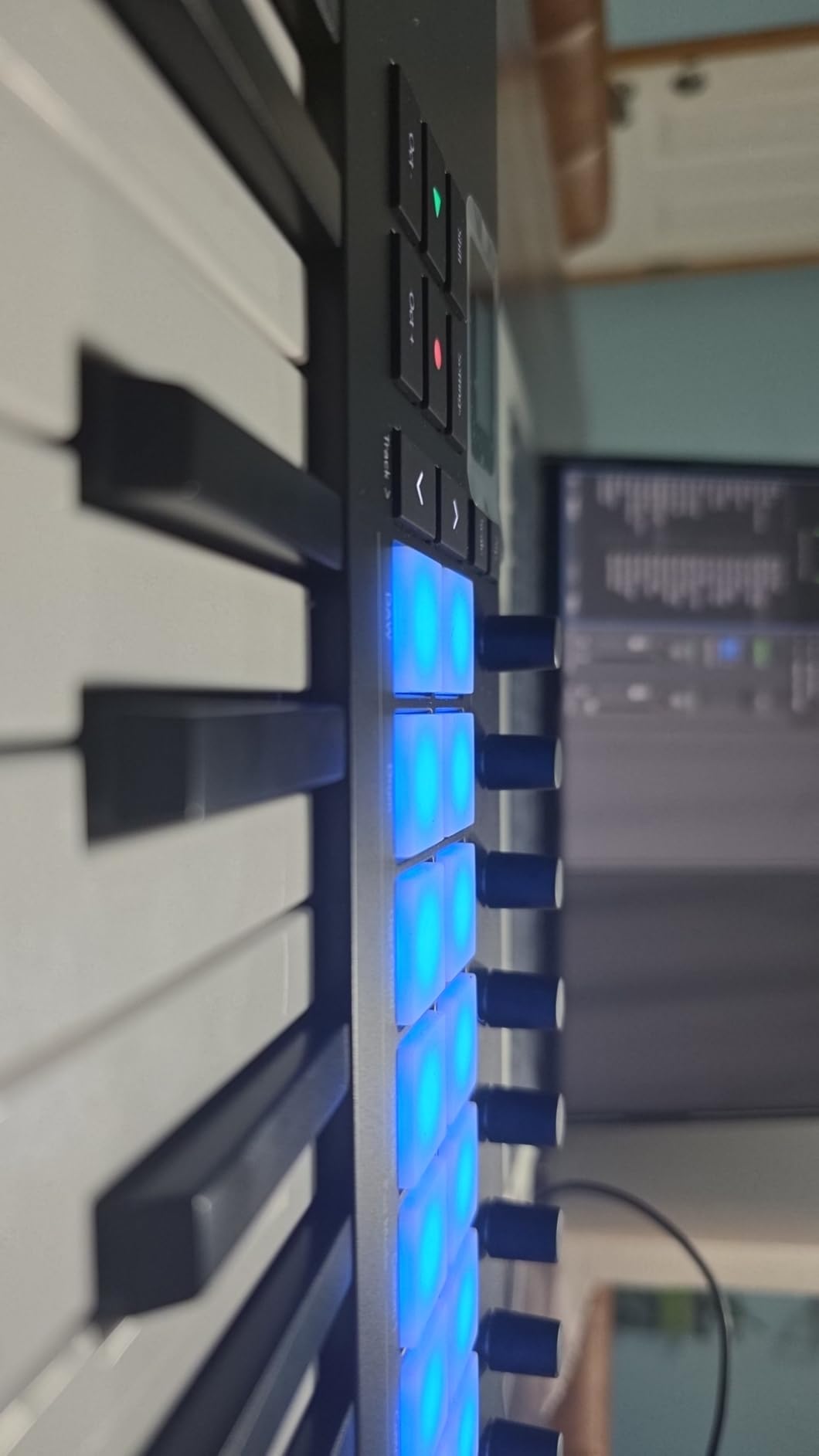
The 16 FSR drum pads deserve special mention. They feature polyphonic aftertouch, which means pressing harder on a pad after the initial hit can trigger additional parameters like filter sweeps or volume changes. This is a professional feature rarely found on controllers at this price. The pads also function as clip launchers in Ableton Live, giving you hands-on control of your session view.
The included software bundle covers a lot of ground. You get Ableton Live Lite, Cubase LE, Novation Play, sounds from GForce, Klevgrand, Orchestral Tools, and Native Instruments, plus free Melodics lessons. The only downside is that activating all of these requires creating accounts on multiple platforms, and some users have raised privacy concerns about the permissions granted during setup.
DAW Integration Deep Dive
Novation built the Launchkey line specifically for Ableton Live, and the MK4 takes this integration to another level. The pads automatically map to Ableton’s session view clips, the encoders control device parameters, and the transport buttons handle play, stop, and record. Everything works the moment you plug it in, with zero manual mapping required.
Beyond Ableton, the Launchkey Mini MK4 also integrates with Logic Pro, Cubase, FL Studio, Reason, Reaper, and Ardour. I tested it with FL Studio and found that most controls worked automatically, though some DAWs like Reason may have intermittent knob mapping issues based on user reports. For GarageBand users on Mac, it works as a standard MIDI controller without the deep integration features.
Creative Features for Beginners
Scale Mode and Chord Mode are game-changers for beginners who have not yet learned music theory. You select a root note and scale type, and the controller remaps all 25 keys to only play notes within that scale. This lets you focus on rhythm and melody without worrying about hitting dissonant notes.
The built-in arpeggiator offers multiple modes and syncs to your DAW’s tempo. Combined with the chord mode, you can create complex musical passages with very simple finger movements. The 4 faders and 8 encoders give you hands-on control over mixing and synth parameters, which is more control surface than most controllers offer at this size.
3. Arturia MiniLab 3 – Best MIDI Controller for Software Bundle Value
Arturia MiniLab 3 Universal MIDI Controller, White
25 slim synth-action keys
8 RGB pads (2 banks)
8 encoders and 4 faders
5-pin MIDI out
Capacitive touch sensors
5-year warranty
Pros
- Best key feel among compact controllers
- 5-pin MIDI out for hardware synth connectivity
- Capacitive touch pitch and mod sensors
- Mini display with browsing knob
- Analog Lab Intro with thousands of presets
- 5-year warranty is longest in class
- Attractive design with faux wood paneling
Cons
- Pads can feel sloppy at edges causing double-taps
- Transport controls share pad buttons rather than discrete
- Minimal labeling makes functions hard to recall
- Touch sensors take adjustment from traditional wheels
- Single row pad arrangement
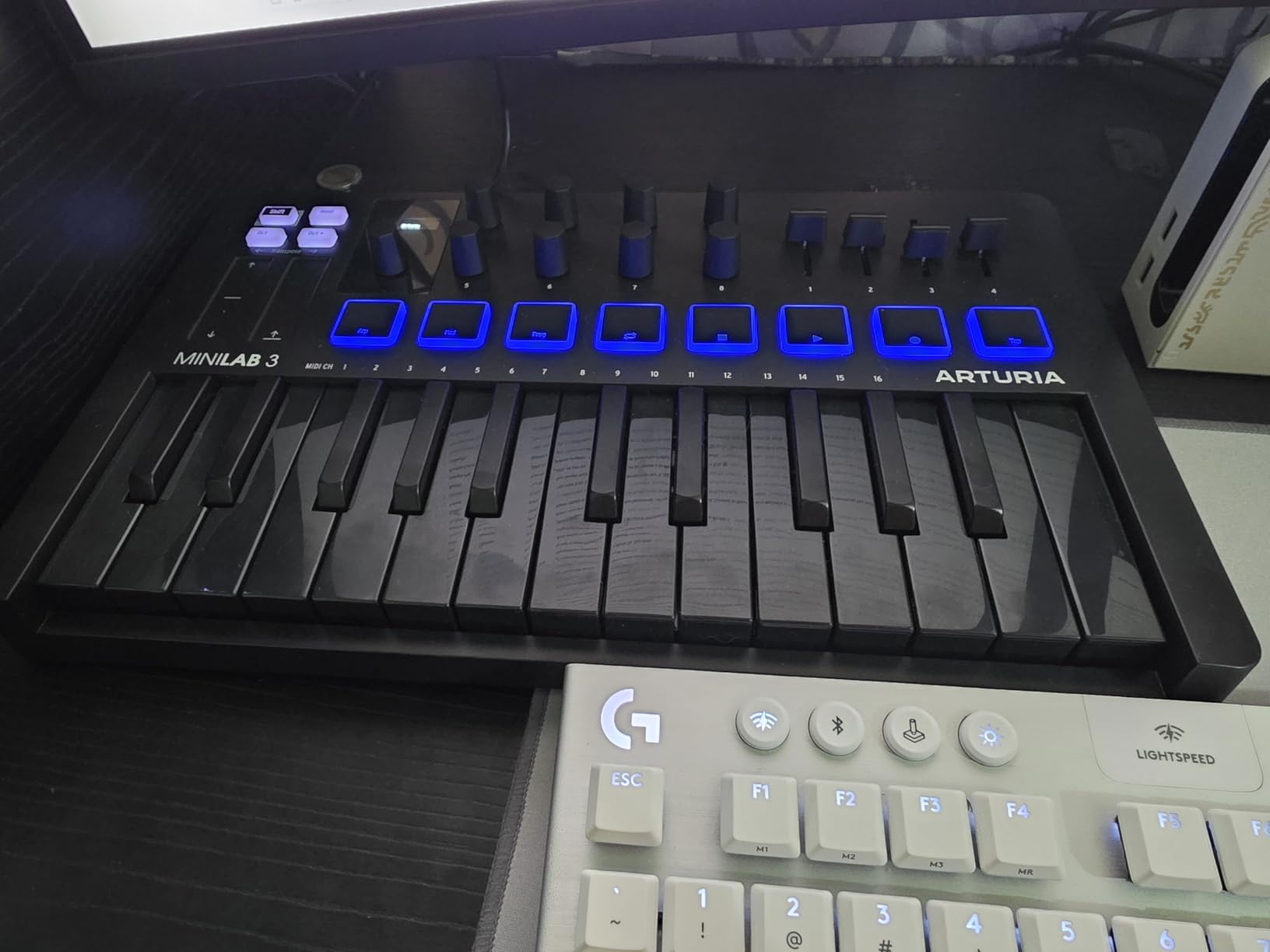
The Arturia MiniLab 3 is the controller I reach for when I want the best possible key feel in a compact format. After testing dozens of mini-key controllers, the MiniLab 3’s 25 slim keys have the most satisfying synth action I have played at this price point. They respond to velocity consistently and feel closer to a professional synth keybed than a budget controller.
Arturia is known for their software instruments, and the MiniLab 3 ships with Analog Lab Intro, which gives you access to hundreds of presets drawn from their legendary virtual synths. This alone makes it one of the best MIDI keyboards for beginners who want to explore different sounds without buying additional plugins. You also get Ableton Live Lite and UVI Model D, a sampled grand piano.
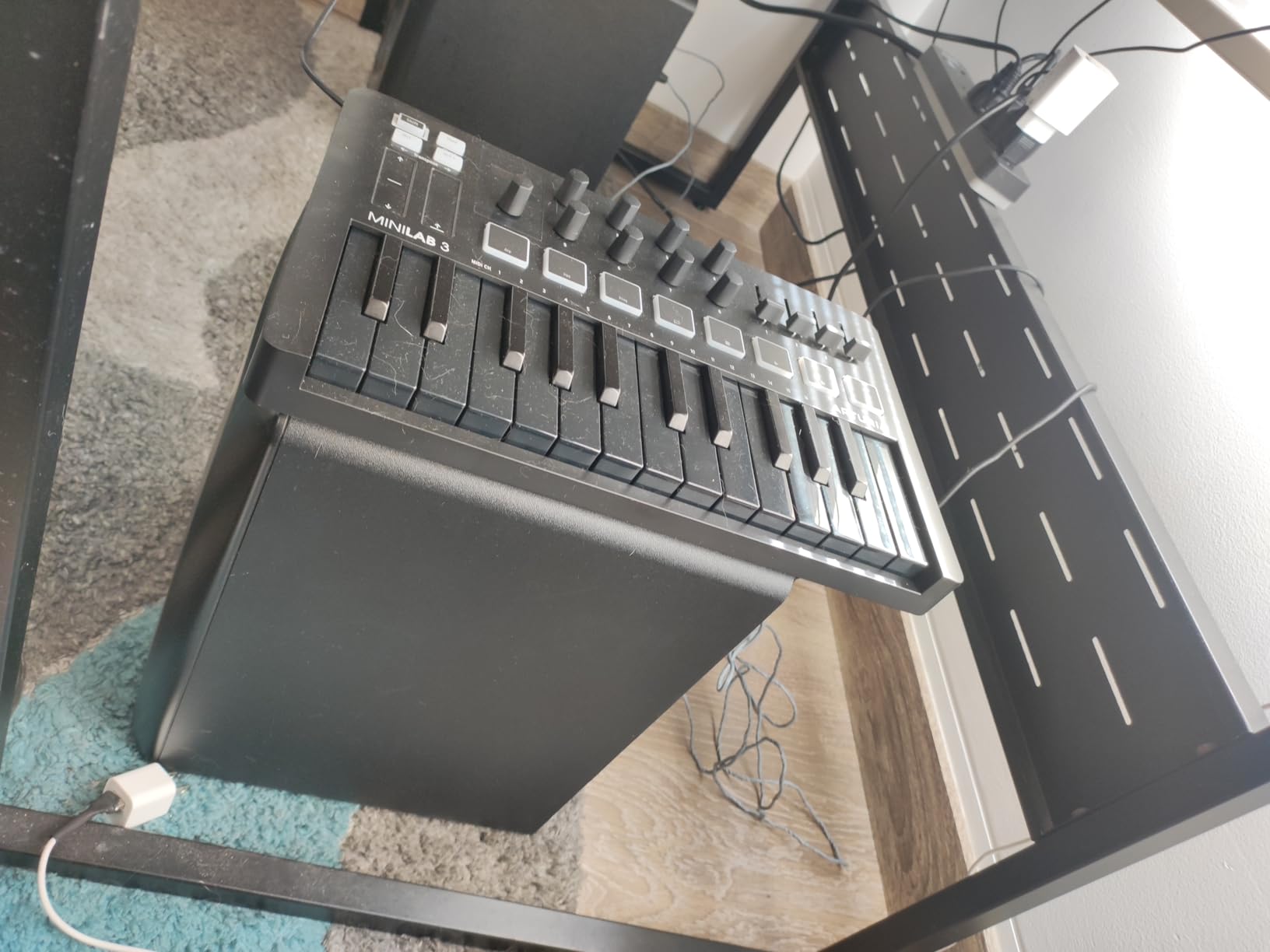
The standout hardware feature is the 5-pin MIDI out port. This means you can use the MiniLab 3 to control external hardware synthesizers and sound modules, not just software on your computer. Most compact controllers at this price only have USB connectivity, so the inclusion of real MIDI out is a significant advantage if you plan to eventually expand into hardware gear.
The 8 RGB-backlit pads are arranged in a single row of 8 with 2 banks, giving you 16 total pads. They are velocity and pressure-sensitive, though I did notice they can feel slightly wobbly at the edges, which occasionally leads to accidental double-taps. The capacitive touch sensors for pitch bend and modulation are a polarizing design choice. Some users love them, others miss traditional wheels. I adapted within a day, but it is worth knowing before you buy.
Key Feel and Playability
The MiniLab 3 uses what Arturia calls slim-key synth action with velocity sensitivity. In practice, these keys feel more responsive and natural than the mini keys on the Akai MPK Mini or the Donner N-25. The travel distance is comfortable, and the velocity response is consistent across the keybed without dead spots.
If you are a beginner who cares about developing good finger technique, the MiniLab 3’s keys are the best foundation in the compact controller category. Multiple Reddit users who own both Arturia and Akai or Novation controllers report preferring the MiniLab 3’s keybed for expressive playing.
Included Software and Analog Lab Intro
Analog Lab Intro is the crown jewel of the MiniLab 3 software bundle. It provides access to keyboard presets modeled after classic synths like the Moog Mini, Prophet, and ARP 2600, plus pianos, organs, and electric pianos. The mini display and clickable browsing knob on the controller let you scroll through presets without touching your mouse.
The Arturia MIDI Control Center software allows deep customization of every control on the MiniLab 3. You can remap pads, knobs, faders, and touch sensors to send any MIDI CC message your DAW or virtual instrument requires. This level of programmability means the MiniLab 3 can grow with you as your production skills advance.
4. M-Audio Keystation 49 MK3 – Best 49-Key MIDI Keyboard for Piano Learners
M-AUDIO Keystation 49 MK3 USB MIDI Controller
49 full-size synth-action keys
Pitch and mod wheels
Volume fader
Transport buttons
Octave up/down
Sustain pedal input
iOS compatible
Pros
- 49 full-size keys for natural playing feel
- Excellent plug-and-play with GarageBand and Logic Pro
- Pitch bend and modulation wheels
- Transport and directional buttons
- Sustain pedal input for piano technique
- Includes MPC Beats and Ableton Live Lite
- Free Skoove and Melodics lessons
- iOS compatible with Apple adapter
- Solid long-term reliability reported by users
Cons
- Windows setup can be problematic on Windows 11
- Synth-action keys are not weighted
- Plastic construction feels basic
- iOS setup requires separate Apple adapter
- Some report occasional errant notes
The M-Audio Keystation 49 MK3 is the controller I recommend when a beginner tells me they want to learn piano while also producing music. With 49 full-size velocity-sensitive keys, you get a playing surface that closely mimics a real piano. The two-handed playing range is enough for learning melodies, chords, and basic piano technique without needing to constantly hit octave shift buttons.
I tested the Keystation 49 MK3 with GarageBand on a MacBook and the setup was genuinely plug-and-play. I plugged in the USB cable, opened GarageBand, and was playing virtual instruments within seconds. No drivers, no configuration, no hassle. This is exactly what a beginner needs. The included pitch bend and modulation wheels feel smooth and responsive, and the volume fader is a nice touch for mixing on the fly.
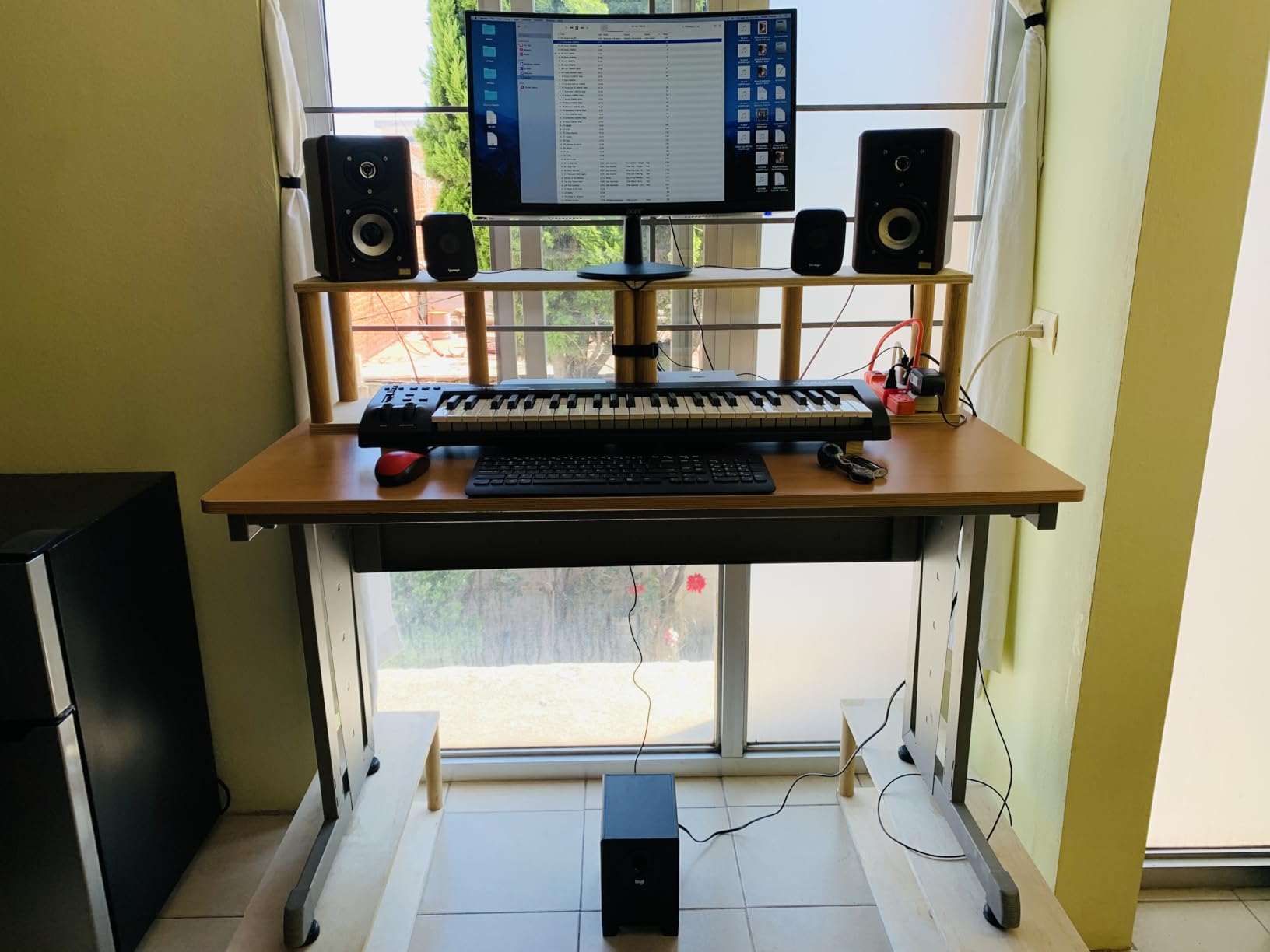
The transport buttons (play, stop, record) are a feature that many beginners do not realize they need until they use them. Being able to control your DAW’s transport from the keyboard means you can stay focused on playing instead of reaching for your mouse every time you want to start or stop recording. The octave up and down buttons extend the effective range beyond the 49 physical keys.
The sustain pedal input is essential if you are serious about learning piano. Connecting a sustain pedal lets you hold notes after releasing the keys, which is fundamental to proper piano technique. The Keystation 49 MK3 does not include a pedal in the box, but any standard quarter-inch sustain pedal will work.
Full-Size Keys vs Mini Keys
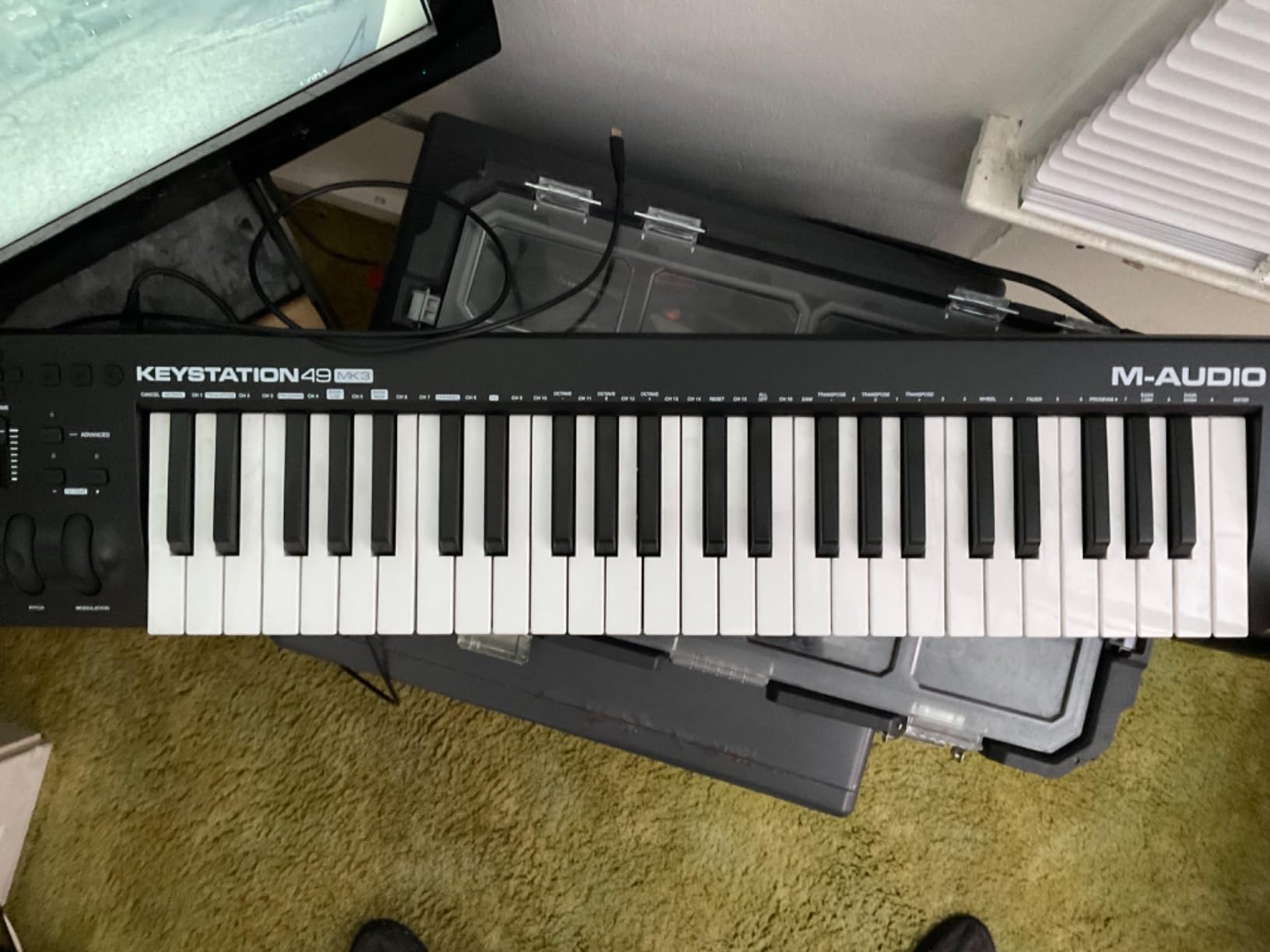
The decision between full-size and mini keys is one of the most important choices a beginner will make. Full-size keys match the dimensions of a standard piano, which means your muscle memory will transfer directly if you ever play a real piano or digital keyboard. The Keystation 49 MK3 gives you 49 of these full-size keys, covering four full octaves.
The trade-off is size. At 32 inches wide, the Keystation 49 MK3 takes up significantly more desk space than a 25-key mini controller. It is still portable at 4.8 pounds, but it will not fit in a small backpack the way an Akai MPK Mini will. If your priority is learning piano alongside production, the full-size keys are absolutely worth the extra space.
Plug-and-Play Setup Experience
On Mac, the Keystation 49 MK3 is as plug-and-play as it gets. Connect the USB cable, and macOS recognizes it instantly as a MIDI controller. GarageBand, Logic Pro, Ableton Live, and Reaper all detected it without any configuration needed on my end.
On Windows, the experience is more variable. Most users report successful plug-and-play on Windows 10, but some Windows 11 users have encountered issues that required using MIDI diagnostic tools like MIDI-OX to resolve. If you are on Windows, I recommend downloading the latest drivers from M-Audio’s website before connecting the controller for the first time.
5. Akai Professional LPK25 MK2 – Best Ultra-Portable MIDI Keyboard
Akai Professional LPK25 25-Key USB MIDI Keyboard Controller
25 synth-action mini keys
Built-in arpeggiator
8 preset slots
Octave up/down
Sustain button
0.48 kg
USB bus-powered
Pros
- Most affordable Akai controller at under $60
- Extremely lightweight at just 0.48 kg
- Built-in arpeggiator with clock
- 8 programmable preset slots
- Universal DAW compatibility
- Dedicated octave and sustain buttons
- USB plug-and-play
- Includes Hype synth and BFD Player drum kit
Cons
- Measurable input lag for real-time performance
- USB socket can feel loose
- Keys feel muddy compared to premium controllers
- No pads knobs or wheels
- Limited to 25 mini keys
- Less suitable as a primary production controller
The Akai LPK25 MK2 is the keyboard I throw in my bag when I need to work on music away from my studio. At just 0.48 kg and barely wider than a laptop, it is the most portable MIDI controller in this guide. It does not have drum pads or knobs, but what it does offer is a genuinely useful set of features for a controller that costs less than a pair of studio headphones.
The built-in arpeggiator is a standout feature at this price. You can set the clock, resolution, and mode, then hold a chord and let the arpeggiator create rhythmic patterns automatically. The 8 programmable preset slots let you save different MIDI mappings for various DAWs or virtual instruments, which is a thoughtful feature for a controller this affordable.
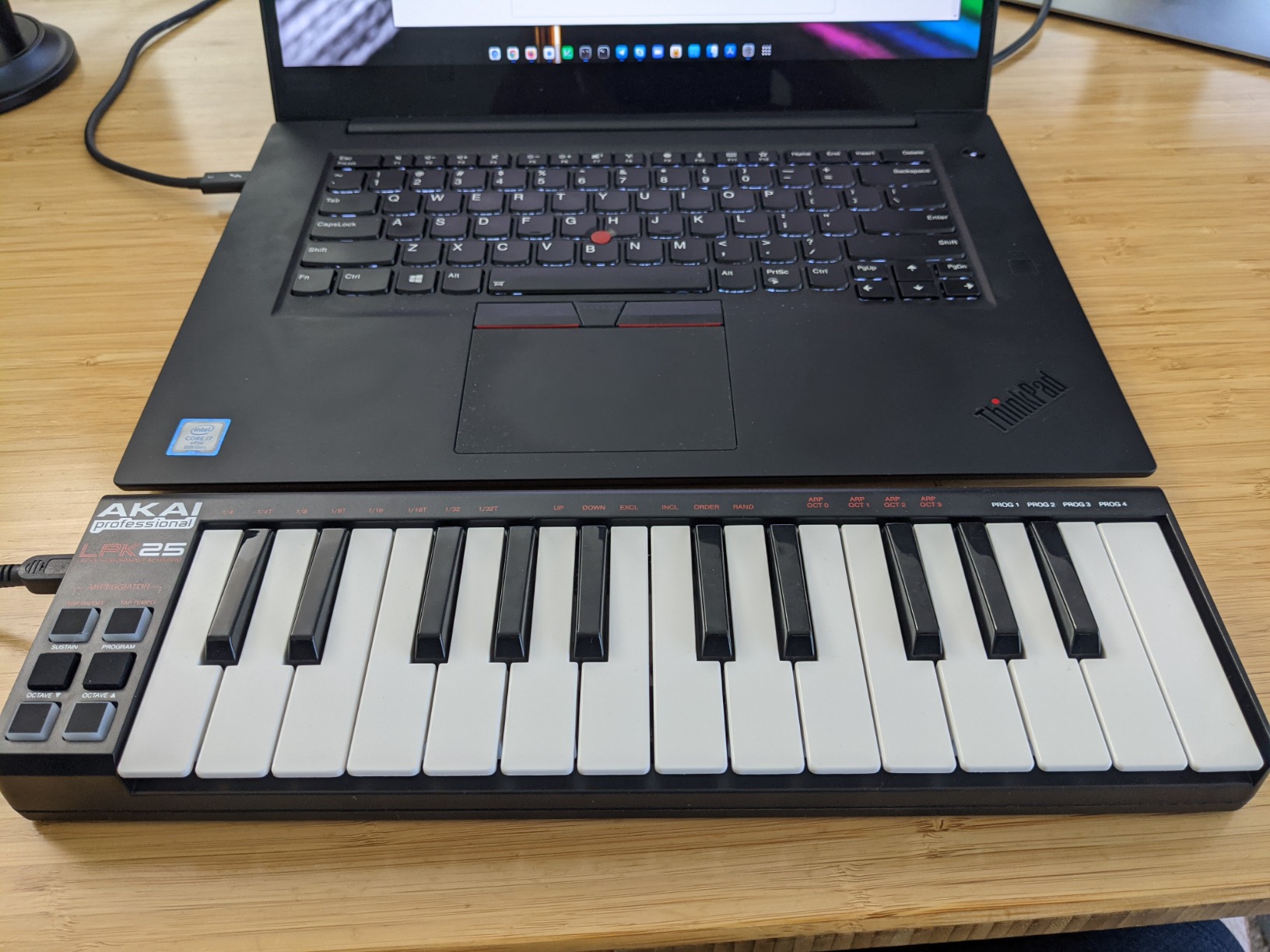
Compatibility is where the LPK25 MK2 shines. Akai explicitly lists support for GarageBand, Logic Pro, Studio One, Cubase, Ableton Live, Pro Tools, Reason, FL Studio, Digital Performer, and Adobe Audition. In my testing, it worked flawlessly with GarageBand and Ableton Live on Mac, and FL Studio on Windows, all with zero configuration.
The main trade-off is the key feel. These are budget mini keys, and they have a slightly mushy response compared to the keybeds on the MPK Mini MK3 or Arturia MiniLab 3. There is also a measurable input lag that makes the LPK25 less suitable for precise real-time performance. For sketching melodies, entering notes, and learning the basics of MIDI, it works great. For expressive playing, you will eventually want something better.
Travel and On-the-Go Production
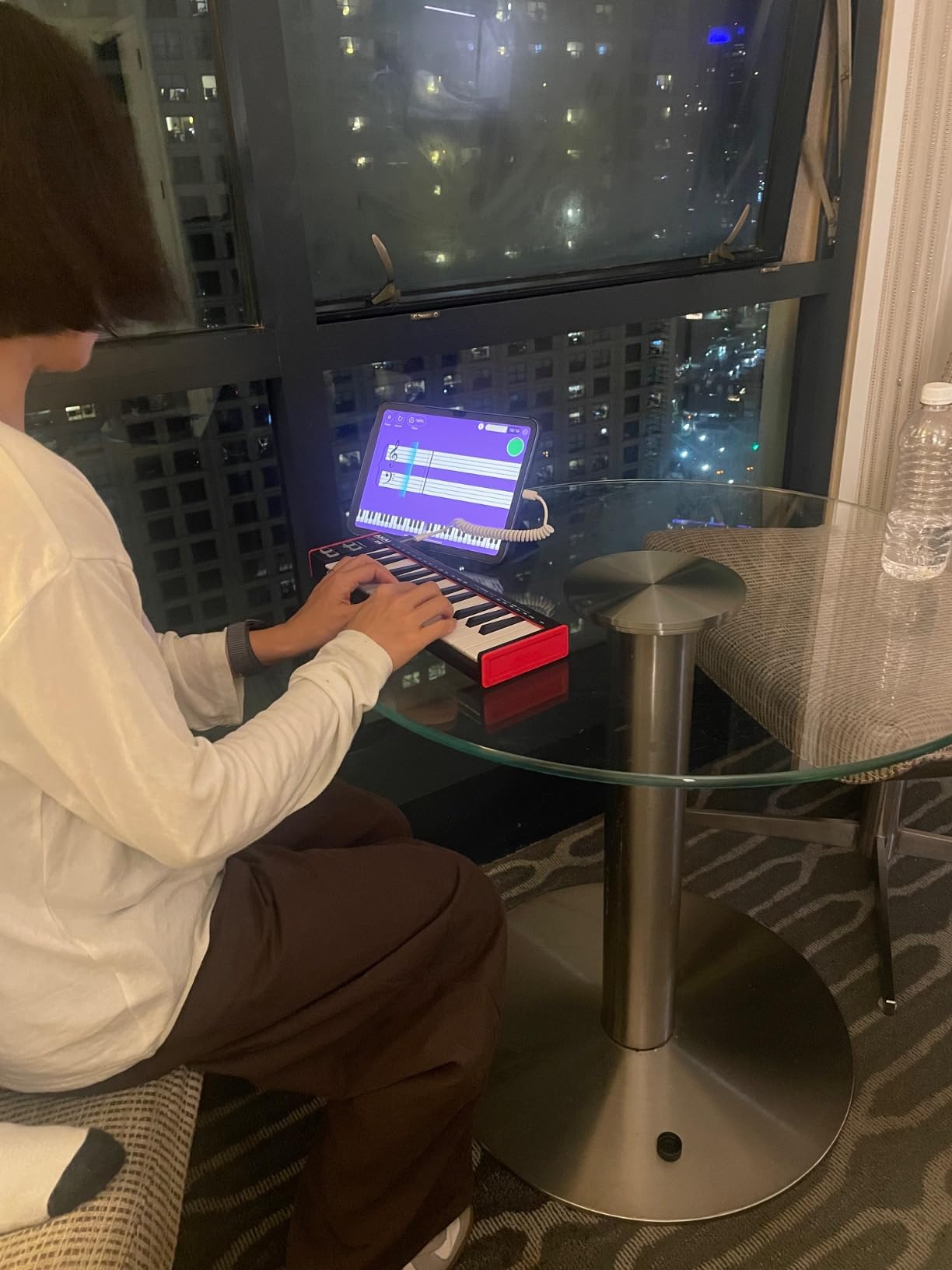
If you produce music on a laptop while traveling, the LPK25 MK2 is hard to beat. It slips into almost any bag, weighs almost nothing, and draws power directly from your laptop’s USB port. I have used it on flights, in coffee shops, and in hotel rooms without any issues.
The included software bundle features a 30-day Melodics trial, the Hype synthesizer, BFD Player drum kit, and various sound kits. The Hype synth is particularly useful for beginners, offering a wide range of sounds from basses to leads to pads without needing to understand complex synthesis.
Budget-Friendly DAW Compatibility
The LPK25 MK2 uses standard USB class-compliant MIDI, which means it works with any DAW that supports MIDI input without requiring special drivers. This universal compatibility is a major advantage for beginners who may switch DAWs as they learn and grow.
Reddit users frequently recommend the LPK25 as a secondary travel controller alongside a more full-featured primary controller. If you already own a larger MIDI keyboard for your home studio and want something portable for on-the-go ideas, the LPK25 MK2 fills that role perfectly.
6. Donner N-25 Mini MIDI Keyboard – Best Budget MIDI Keyboard Under $50
Donner Mini MIDI Keyboard N-25, 25 Key MIDI Controller Gifts for Beginners with Velocity-Sensitive Mini Keys Light-up Rocker Music Production Software, Small USB Controlador with 40 Teaching Courses
25 mini velocity-sensitive keys
Light-up rocker
40 teaching courses
Arpeggiator
4 programmable banks
iOS compatible
Pros
- Most affordable controller in this guide at under $40
- 40 built-in teaching courses for complete beginners
- Plug and play with no drivers needed
- Works with Mac iOS PC iPhone and iPad
- Arpeggiator sustain octave and tap tempo
- 4 user-programmable banks
- Compact and lightweight design
Cons
- Only 25 keys with no advanced controls
- No drum pads or knobs
- 90-day warranty is shortest in this guide
- Plastic build quality
- Basic feature set
- Lower user rating at 4.2 stars
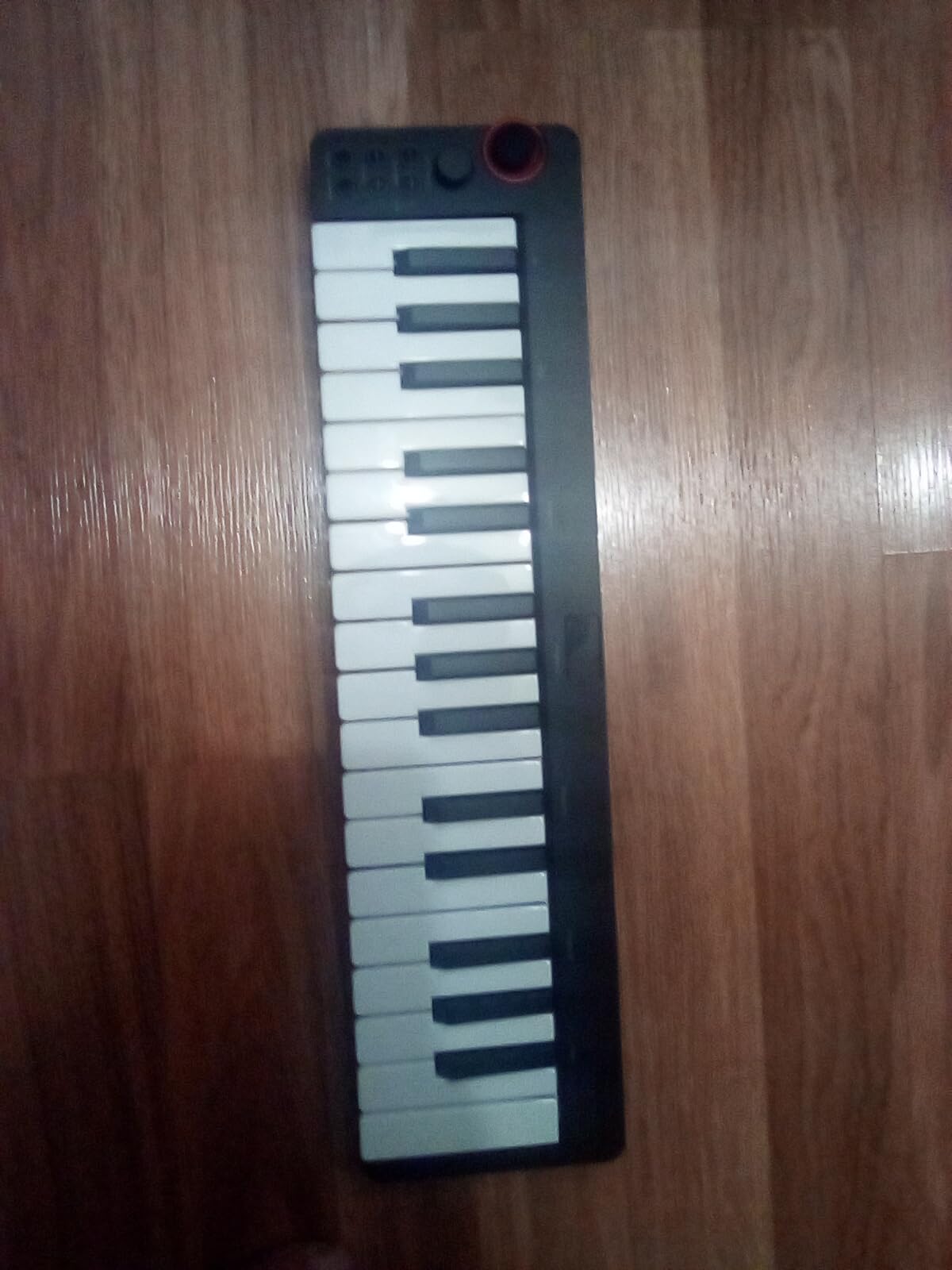
The Donner N-25 is the cheapest MIDI keyboard in this guide, and for many absolute beginners, it is the perfect entry point. At under $40, it removes the financial barrier that keeps many people from exploring music production. I was skeptical about the quality at this price, but after testing it, I found a surprisingly functional controller that does the basics well.
The standout feature for complete beginners is the 40 built-in teaching courses. These are designed for people who have never touched a keyboard before, walking you through basic concepts like note names, finger positions, and simple melodies. No other controller in this guide includes this kind of structured learning content out of the box.
The N-25 works with Cubase LE, Ableton Live, Logic Pro, Pro Tools, and Studio One. It is also compatible with iOS devices including iPhone and iPad, which means you can use it with GarageBand on an iPad without any additional adapters beyond a USB connection. This makes it one of the best MIDI keyboards for beginners who want to start producing on a tablet.
The light-up rocker provides visual feedback for velocity, which is a nice touch for beginners learning about dynamics. The arpeggiator, sustain, octave shift, and tap tempo functions give you more creative tools than you would expect at this price. However, there are no drum pads, no knobs, and no faders, so your control options are limited to the keys and basic functions.
Beginner Teaching Courses
The 40 teaching courses included with the Donner N-25 are what set it apart from other ultra-budget controllers. These cover fundamentals like hand positioning, scales, chords, and rhythm exercises. For a complete beginner with zero music background, having structured learning content included with the hardware is incredibly valuable.
The courses are accessed through Donner’s software, which you download using the included instructions. The interface is straightforward and designed for people who have never used music software before. While the production quality of these courses is not on the level of paid platforms like Melodics or Skoove, they are free and provide a solid starting point.
iOS and iPad Compatibility
The Donner N-25’s iOS compatibility is a major selling point. Many beginners start their music production journey on an iPad using GarageBand or other iOS DAWs. The N-25 connects directly to iOS devices via USB, letting you play virtual instruments and record melodies on your tablet without needing a computer.
This is one of the few controllers in this price range that explicitly supports iOS, iPhone, and iPad alongside Mac and PC. If you are looking for the cheapest way to start making music on an iPad, the Donner N-25 is the answer.
7. Nektar Impact GX49 – Best Full-Size Key Controller for Home Studio
Nektar Impact GX49 | USB MIDI Controller Keyboard with Nektar DAW Integration Black
49 full-size synth-action keys
Pitch and mod wheels
Octave and transpose
Sustain pedal socket
Nektar DAW integration
Bitwig 8-track included
USB bus-powered
Pros
- Excellent Nektar DAW integration across major DAWs
- 49 full-size keys with surprisingly good feel
- Compact footprint for a 49-key controller
- Zero perceptible latency
- Includes Bitwig Studio 8-track DAW
- Sustain pedal auto-detects polarity
- 2-year warranty
- Outstanding value compared to controllers costing 3x as much
Cons
- Transport controls require manual setup for Ableton Live
- Keys have a slightly thin plastic feel
- No drum pads or rotary encoders
- Limited advanced features
- Some report spongy key feel at full engagement
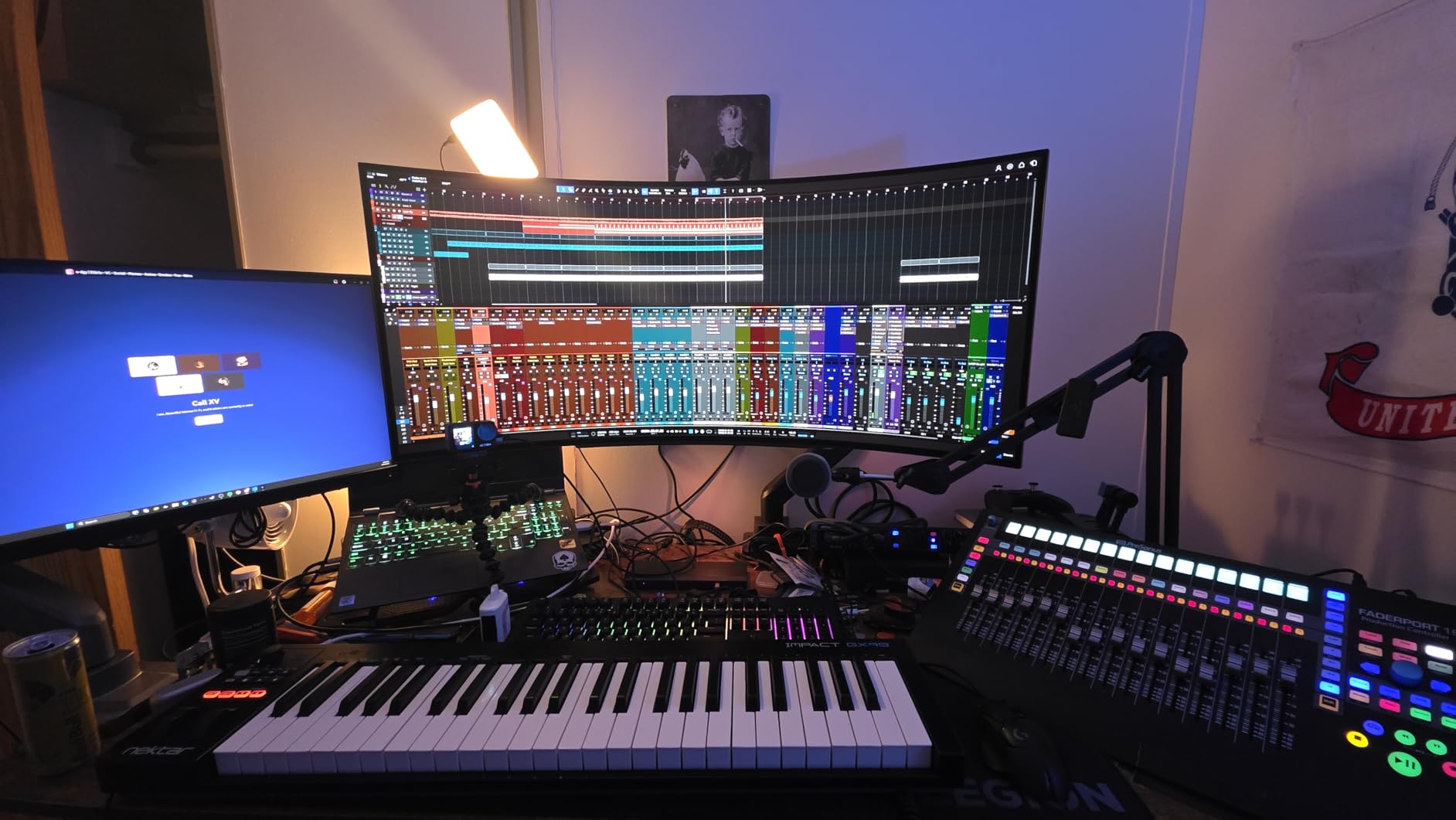
The Nektar Impact GX49 is a hidden gem that I discovered through Reddit recommendations. Multiple users described it as incredible value for money, and after testing it, I agree completely. This controller delivers 49 full-size keys with excellent DAW integration at a price that undercuts most competitors significantly. If you want full-size keys without paying premium prices, this is your controller.
Nektar’s DAW integration is the GX49’s secret weapon. Rather than just sending generic MIDI signals, Nektar has built specific integration profiles for major DAWs including Reason, Reaper, GarageBand, Logic Pro, Cubase, Nuendo, and more. Transport controls, track navigation, and patch selection all work automatically once you select your DAW in the Nektar setup utility.
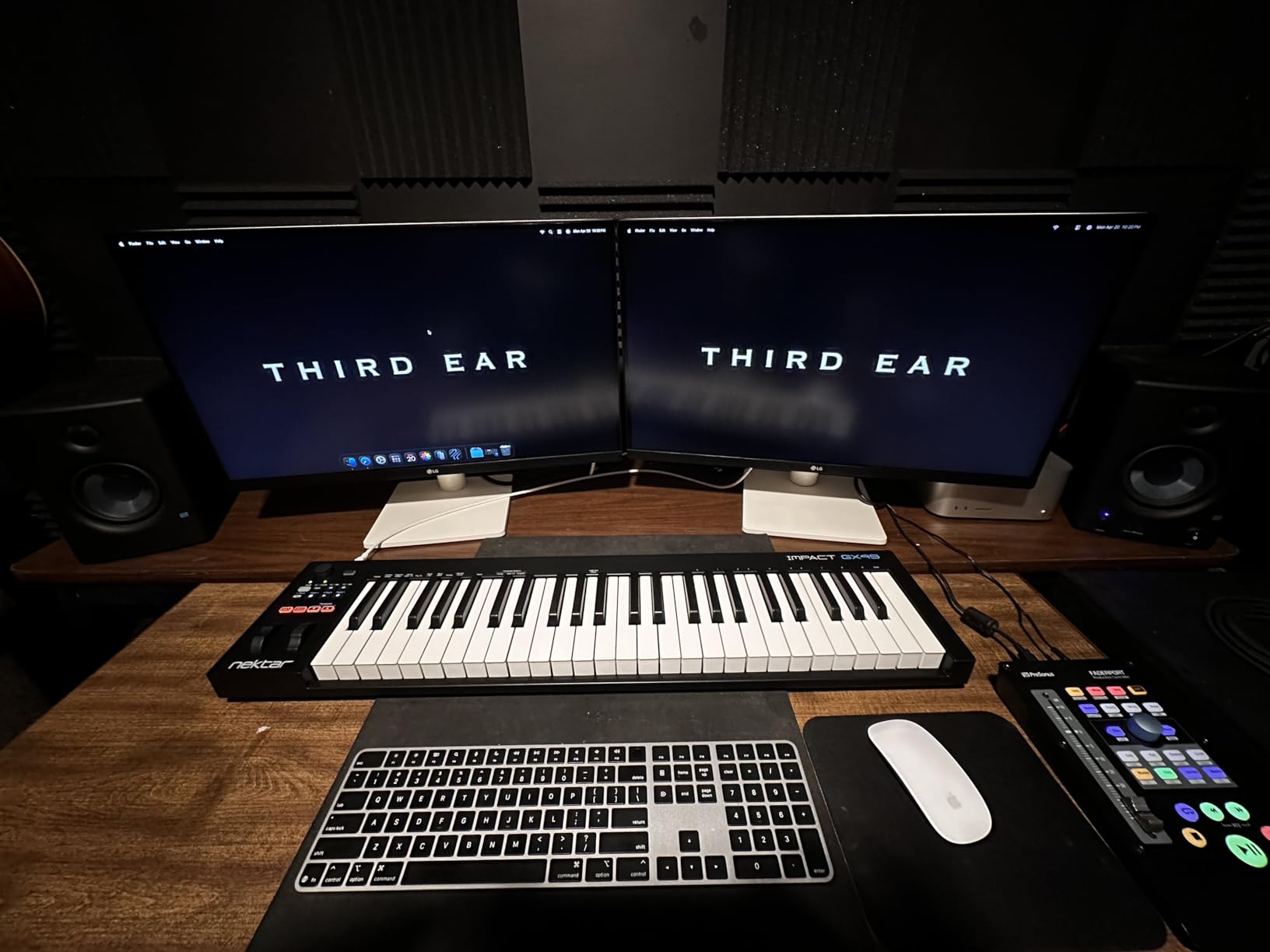
The key feel on the GX49 surprised me in a good way. These are full-size synth-action keys that respond to velocity with consistency across the entire keybed. They do have a slightly thin, plastic quality compared to higher-end controllers, but for the price, the playability is excellent. There is zero perceptible latency, which means notes trigger the instant you press a key.
The included Bitwig Studio 8-track license is a generous software bundle. Bitwig is a modern, capable DAW that competes with Ableton Live, and the 8-track version gives you enough tracks to start producing complete songs. The sustain pedal socket auto-detects polarity, meaning any sustain pedal you plug in will work correctly without manual configuration.
DAW Integration and Transport Controls
Nektar’s DAW integration goes beyond basic transport controls. Depending on your DAW, the GX49 can handle track navigation, patch selection, undo, level mixing for the current track, and even project navigation. In Reason specifically, the GX49 offers extended control including locators and master output level adjustments.
The one caveat is Ableton Live, where transport controls require manual MMC configuration rather than working out of the box. This is a known limitation documented by Nektar and discussed on their support forums. For most other DAWs, the integration is seamless after a one-time setup.
Value Compared to Premium Controllers
Reddit users consistently compare the GX49 to controllers costing $300 to $400 and note that the Nektar holds its own in terms of playability and integration. While it lacks premium features like drum pads, OLED displays, or aftertouch, it nails the fundamentals: good keys, solid DAW integration, reliable performance, and a fair price.
For a beginner who wants full-size keys and serious DAW integration without breaking the bank, the GX49 is the best value in the 49-key category. The 2-year warranty provides additional peace of mind that Nektar stands behind their product.
8. Native Instruments Komplete Kontrol M32 – Best MIDI Keyboard for NI Komplete Ecosystem
Native Instruments Komplete Kontrol M32 Controller Keyboard (26154)
32 compact keys
OLED display
Touch-sensitive knobs
USB bus-powered
Komplete Kontrol integration
Komplete Start bundle
Ableton Live 10 Lite
Pros
- Premium build quality with sleek design
- OLED display for clear parameter visualization
- Touch-sensitive knobs for intuitive sound design
- Deep Native Instruments Komplete integration
- 32 keys offer more range than 25-key controllers
- Includes Komplete Start software package
- Bus-powered and highly portable
- Professional features in compact form
Cons
- Only 32 keys limits two-hand playing
- Small keys challenging for larger hands
- Less versatile outside NI ecosystem
- No drum pads or expression controls
- 1-year warranty is shorter than competitors
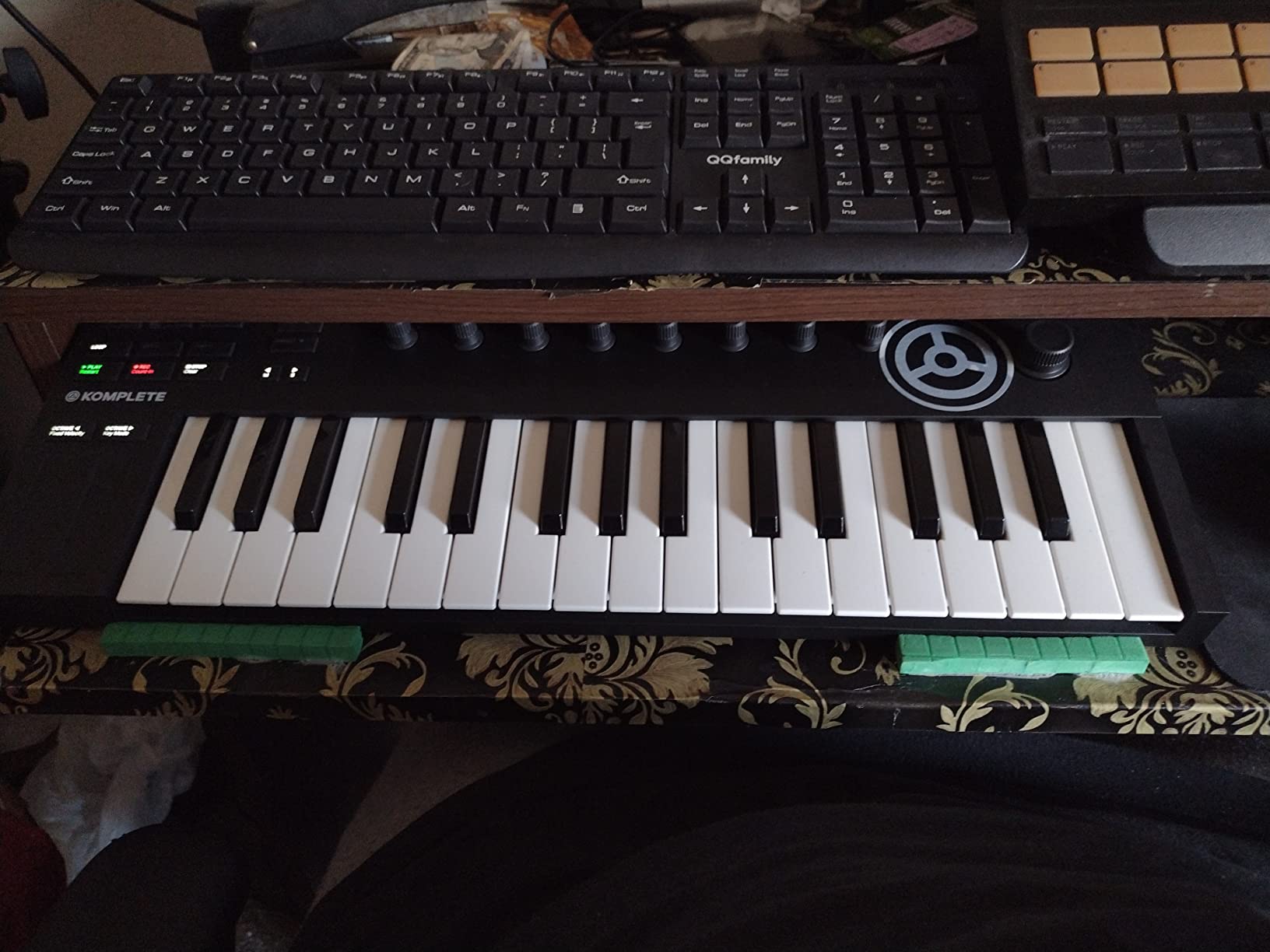
The Native Instruments Komplete Kontrol M32 is the controller I recommend to beginners who know they want to work within the Native Instruments software ecosystem. If you plan to use NI instruments like Massive, Kontakt, or Battery, the M32 provides a level of integration that no other controller in this price range can match. The NKS format means the M32 can browse, load, and control NI presets directly from the hardware.
The first thing I noticed about the M32 is its build quality. Native Instruments is known for premium hardware, and the M32 feels more solid and refined than most controllers at this price. The matte black finish, brushed metal accents, and clean lines make it look like a professional instrument rather than a budget toy.
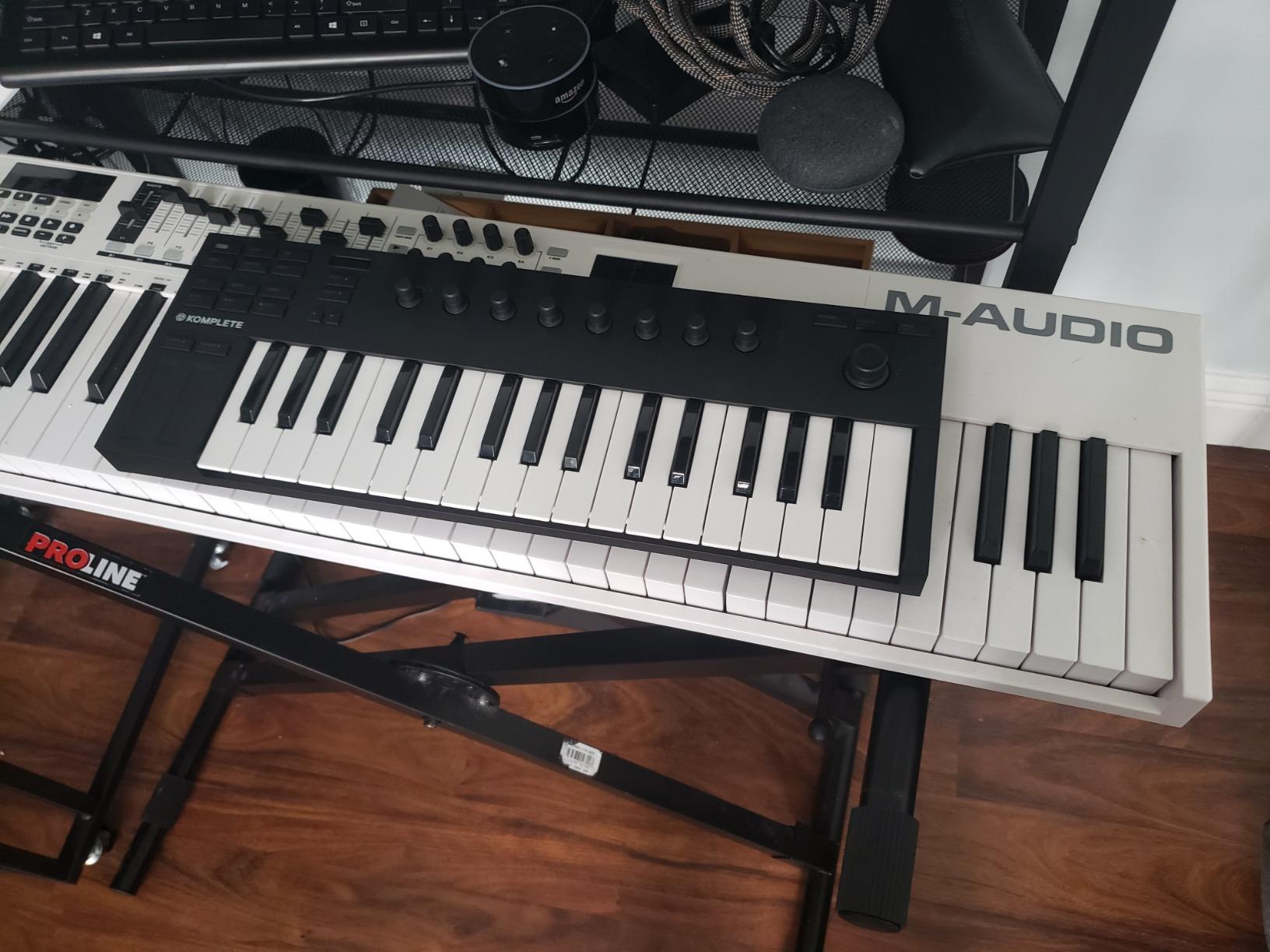
The OLED display is small but surprisingly useful. It shows the current parameter name and value as you turn the touch-sensitive knobs, meaning you can adjust synth parameters without looking at your computer screen. The knobs themselves detect touch, so simply resting your finger on a knob can display its current value before you even turn it.
The 32 compact keys give you slightly more range than the 25-key controllers on this list. Those extra 7 keys make a real difference when you are trying to play melodies that span more than two octaves. The key action is professional-grade, with consistent velocity response across the entire keybed.
NKS Integration and Komplete Start
The Native Instruments Komplete Standard ecosystem is the biggest draw of the M32. NKS (Native Kontrol Standard) is a format that standardizes how third-party plugins present their presets and parameters to hardware controllers. When you use an NKS-compatible instrument, the M32 automatically maps its knobs to the most important parameters.
The included Komplete Start package gives you a generous selection of free instruments and effects, including synthesizers, basses, drums, and effects processors. Combined with Ableton Live 10 Lite, you have a complete production environment right out of the box. The M32 is also compatible with any third-party NKS instrument you purchase in the future.
OLED Display and Touch Knobs
The combination of the OLED display and touch-sensitive knobs creates a workflow that keeps your focus on the hardware rather than your computer screen. You can browse instruments, scroll through presets, adjust parameters, and even navigate your DAW’s mixer using the encoder knobs and display.
This hardware-centric workflow is particularly valuable for beginners who find themselves overwhelmed by software interfaces. Instead of clicking through menus with a mouse, you can navigate your entire sound library using the M32’s browsing knob and confirm your selection by pressing down on the knob.
9. Akai Professional MPK Mini Play MK3 – Best Standalone MIDI Keyboard with Built-In Speaker
Akai Professional MPK Mini Play MK3 25-Key USB MIDI Keyboard Controller
25 Gen 2 keys
8 MPC pads
Built-in speaker
Battery powered
OLED display
4 encoder knobs
100+ internal sounds
Joystick
Pros
- Built-in speaker makes it fully standalone
- Battery powered for ultimate portability
- 100+ internal drum and instrument sounds
- Gen 2 dynamic keybed with excellent feel
- OLED display for parameter visualization
- 8 velocity-sensitive MPC drum pads
- NKS integration for Native Instruments
- 60 free Melodics lessons included
Cons
- Built-in speaker volume is low
- Pads are stiff and can cause finger fatigue
- Joystick less expressive than dedicated wheels
- No chromatic transpose function
- Limited 25-key range
- Keys may be small for larger hands
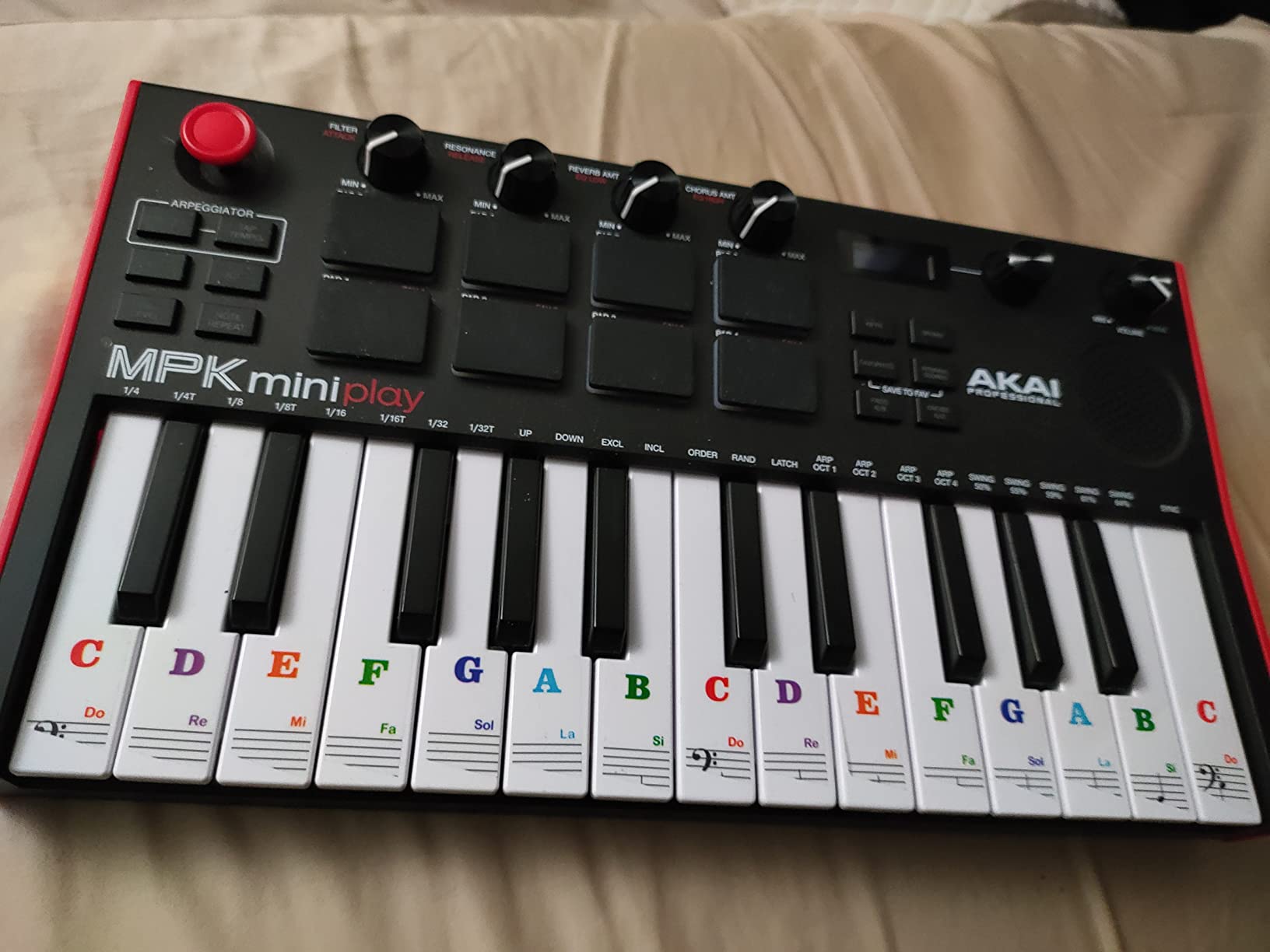
The Akai MPK Mini Play MK3 is unique in this guide because it is the only controller that can make sound without being connected to a computer. The built-in speaker and battery operation mean you can practice, sketch ideas, and even perform basic productions entirely standalone. I tested it on a camping trip with no laptop, and it was genuinely useful for working out melodies and drum patterns away from my studio.
Inside the MPK Mini Play MK3 are over 100 internal sounds including drums, basses, synths, and acoustic instruments. The OLED display shows you which sound is currently loaded, and the 4 encoder knobs let you tweak parameters without needing software. When you connect it to a computer via USB, it functions as a full MIDI controller just like the standard MPK Mini MK3.
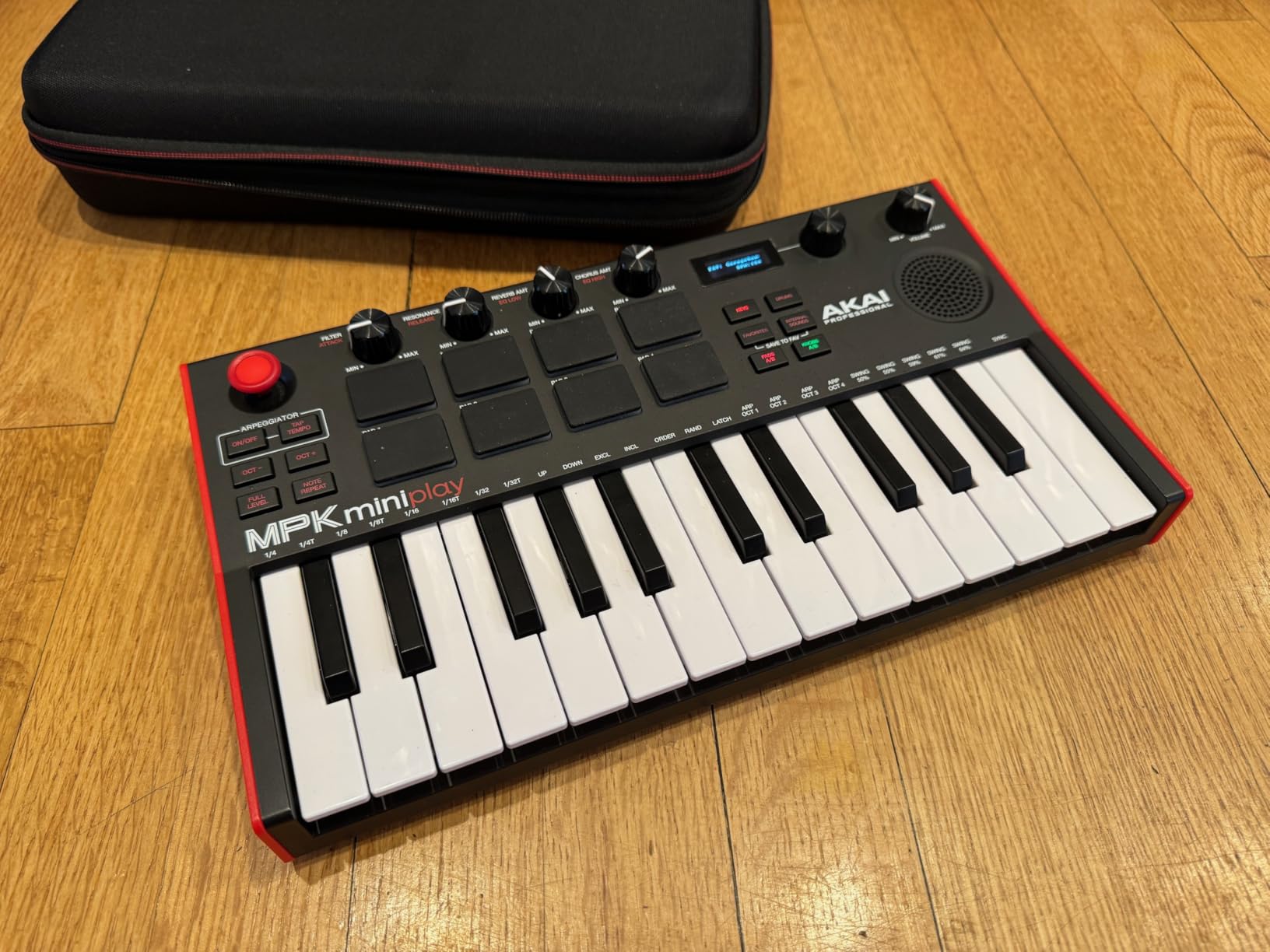
The Gen 2 keybed is a noticeable improvement over the original MPK Mini. The keys feel more dynamic and responsive, with better velocity sensitivity across the playing surface. The 8 MPC drum pads are backlit and velocity-sensitive, though they are on the stiff side, which can cause finger fatigue during extended playing sessions.
Battery operation uses 4 AA batteries, which gives you several hours of playing time. The unit can also be powered via USB when connected to a computer. The built-in speaker is functional but quiet, and there is a hack involving the FULL LEVEL button that increases its volume. For serious listening, you will want to use headphones connected to the onboard jack.
Standalone Playability Without a Computer
The ability to play sounds without a computer is what makes the MPK Mini Play MK3 special. You can practice finger drumming with the 8 MPC pads and internal drum sounds, work out chord progressions using the internal synth sounds, or sketch melodies anywhere you happen to be. For beginners who do not always want to be tied to a computer, this standalone capability is invaluable.
The internal sounds are surprisingly good quality for a controller speaker. The drums have punch and the synths are usable for idea generation. You can even chain patterns together to create simple arrangements. While these sounds will not replace professional virtual instruments in your DAW, they are excellent for practice and inspiration.
Battery Operation and Portability
Weighing just 0.9 kg, the MPK Mini Play MK3 is as portable as the standard MPK Mini while adding standalone capability. The battery compartment is integrated cleanly into the design without adding noticeable bulk. Battery life is reasonable for a device with a built-in speaker, typically lasting several hours of active use.
The included software bundle matches what you get with the standard MPK Mini MK3: MPC Beats, expansion packs, Hype synth, AIR Essential Keyboards, 60 Melodics lessons, and 2 months of Splice Creator. This means you get both standalone playability and a complete computer-based production setup in one package.
10. M-Audio Keystation Mini 32 MK3 – Best Bare-Bones Budget MIDI Controller
M-AUDIO Keystation Mini 32 MK3 USB MIDI Controller
32 mini velocity-sensitive keys
Selectable velocity curves
Pitch bend and mod buttons
Octave up/down
Volume knob
Sustain button
454g
Pros
- Extremely affordable entry point
- 32 keys offer more range than 25-key controllers
- Selectable velocity curves for different playing styles
- Ultra-compact and lightweight at 454g
- Plug and play with no drivers needed
- Includes MPC Beats software
- 60 free Melodics interactive lessons
- Works with any DAW on Windows or Mac
Cons
- Mini keys are plasticky feeling
- No drum pads or advanced control surfaces
- No knobs beyond volume
- Higher rate of defective units reported
- Some users report key sticking issues
- Basic feature set with limited controls
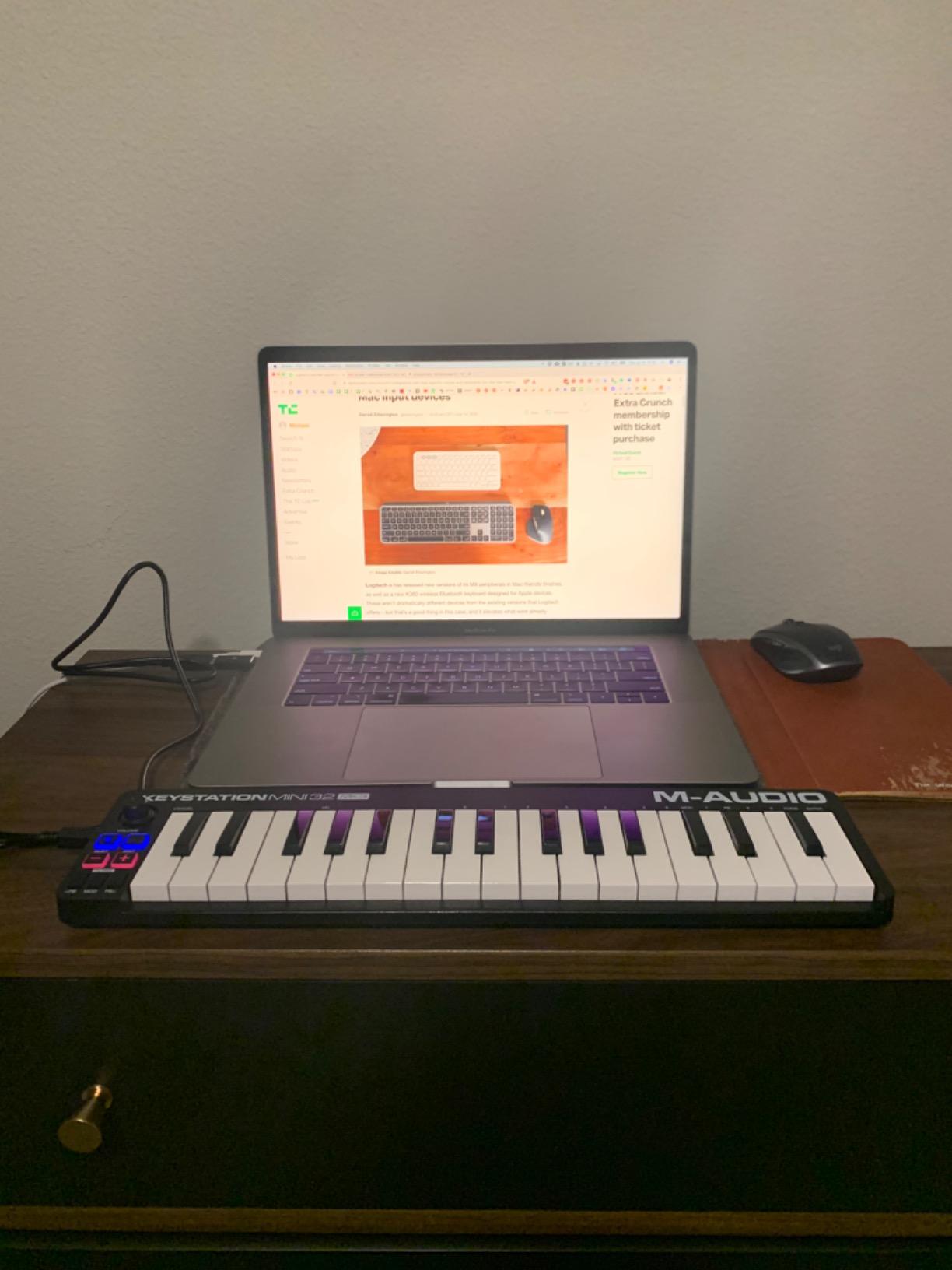
The M-Audio Keystation Mini 32 MK3 is the most stripped-down controller in this guide, and that is exactly what some beginners need. With 32 mini keys, a volume knob, octave buttons, and basic pitch bend and modulation buttons, it provides the absolute minimum required to start playing virtual instruments in your DAW. No pads, no knobs, no fancy features to confuse you.
I found the selectable velocity curves to be a thoughtful feature. You can switch between piano, synth, and beat-making velocity responses depending on your playing style. This means the keys adapt to how hard or soft you play, which is useful for beginners who are still developing their touch.
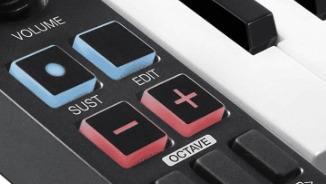
At just 454 grams, the Keystation Mini 32 is the lightest controller in this guide. It is essentially flat, measuring less than an inch thick, which means it slides into any bag or laptop case. For students who carry their gear between classes or dorm rooms, this level of portability is hard to beat.
The included software bundle consists of MPC Beats production software and 60 interactive MIDI keyboard lessons from Melodics. MPC Beats gives you a functional DAW to start producing, and the Melodics lessons help you build fundamental keyboard skills through gamified exercises. For an absolute beginner with zero gear, this is enough to get started.
Ultra-Budget Value Assessment
At its price point, the Keystation Mini 32 MK3 offers the most keys per dollar of any controller in this guide. The 32-key range gives you two full octaves plus a few extra notes, which is enough for simple melodies and chord progressions. The trade-off is that everything about the controller feels budget, from the plasticky key texture to the minimal control surface.
Some users have reported quality control issues including key sticking and higher-than-average defective unit rates. M-Audio’s 1-year warranty covers manufacturing defects, but the return process can take time. If you choose this controller, I recommend buying from a retailer with a good return policy.
Who Should Start Here
The Keystation Mini 32 MK3 is ideal for two types of beginners. First, it is perfect for the absolute beginner who wants to spend the minimum amount possible to find out if music production is something they will enjoy. If you are not sure whether you will stick with it, this is a small investment to test the waters.
Second, it works well as a secondary controller for experienced producers who need something ultra-portable for travel. Many users on Reddit keep one in their backpack for sketching ideas on the go, while using a more feature-rich controller in their home studio.
How to Choose the Right MIDI Keyboard for Beginners
Choosing your first MIDI keyboard comes down to understanding a few key factors and matching them to your goals. I have broken down the most important considerations below, based on my testing experience and the common questions beginners ask on forums.
Key Count: 25 vs 32 vs 49 Keys
The number of keys is the first decision you need to make. A 25-key controller like the Akai MPK Mini MK3 is compact, portable, and sufficient for beat-making and simple melodies. Most 25-key controllers include octave shift buttons that let you access the full range of notes, just not all at once.
A 32-key controller like the NI Komplete Kontrol M32 gives you slightly more range, which is helpful for two-handed playing. A 49-key controller like the M-Audio Keystation 49 MK3 or Nektar Impact GX49 gives you four full octaves, enough for piano-style playing with both hands. Reddit consensus is clear: 25 keys are fine for beat-making but 49 or more keys are better for piano learning.
Key Type: Mini Keys vs Full-Size Keys
Mini keys are smaller than standard piano keys, making them playable in a compact format. They are great for travel and desk-space efficiency but can be challenging if you have larger hands. Full-size keys match the dimensions of a real piano, so your technique transfers directly.
If your goal is to eventually play piano, get a controller with full-size keys like the M-Audio Keystation 49 MK3 or Nektar Impact GX49. If your priority is portability and beat-making, mini keys like those on the Akai MPK Mini MK3 or Arturia MiniLab 3 will serve you well. The Arturia MiniLab 3 has the best-feeling mini keys of any controller I tested.
Velocity Sensitivity Explained
Velocity sensitivity means the keyboard detects how hard you press each key and translates that into volume or intensity in your DAW. Play softly and the note is quiet. Play hard and the note is loud. This is essential for expressive playing and is a standard feature on every controller in this guide.
Some controllers, like the M-Audio Keystation Mini 32 MK3, offer selectable velocity curves. This lets you adjust how the keyboard responds to your playing style. Piano mode gives you a wide dynamic range, synth mode compresses the range for consistent volume, and beat-making mode provides a more linear response suited to drum programming.
Drum Pads and Control Features
Drum pads let you finger-drum rhythms and trigger clips in your DAW. The Akai MPK Mini MK3 and Novation Launchkey Mini MK4 both include excellent pads. The Launchkey Mini’s 16 FSR pads with polyphonic aftertouch are the best in this price range. If beat-making is your primary goal, having quality drum pads is essential.
Beyond pads, look for knobs, faders, and transport controls. Knobs let you adjust synth parameters and mixer settings hands-on. Faders are useful for volume control. Transport buttons (play, stop, record) keep you focused on playing instead of mouse-clicking. The Arturia MiniLab 3 offers the most comprehensive control surface with 8 encoders, 4 faders, and 16 pads.
DAW Compatibility Guide
Your MIDI keyboard needs to work seamlessly with your DAW (Digital Audio Workstation). Every controller in this guide works with all major DAWs as a standard USB MIDI device, but some offer deeper integration than others.
For GarageBand on Mac, any USB MIDI controller works instantly. The Akai MPK Mini MK3, M-Audio Keystation 49 MK3, and Donner N-25 are all excellent GarageBand companions that require zero setup.
For Ableton Live, the Novation Launchkey Mini MK4 is unmatched. Its pads map to session view clips, encoders control device parameters, and transport buttons handle playback automatically.
For FL Studio, the Akai MPK Mini MK3 and Arturia MiniLab 3 are popular choices among Reddit users in the FL Studio community. Both map their pads and knobs to FL Studio’s step sequencer and mixer with minimal configuration.
For Logic Pro, the Nektar Impact GX49 offers the best integration with its Nektar DAW integration profiles that handle transport, track navigation, and patch selection automatically.
Software Bundles: What to Look For
The software included with your MIDI keyboard can be worth more than the hardware itself. Look for bundles that include a DAW, virtual instruments, and sound content. The Akai MPK Mini MK3 includes MPC Beats, three virtual instruments, and 2GB of sounds. The Arturia MiniLab 3 includes Analog Lab Intro with hundreds of presets. The Novation Launchkey Mini MK4 includes Ableton Live Lite plus sounds from multiple developers.
For beginners who do not yet own any music software, a generous bundle means you can start producing immediately without additional purchases. Factor the software value into your purchasing decision alongside the hardware features.
Connectivity: USB, MIDI Out, Bluetooth
Every controller in this guide connects via USB, which is the standard for modern MIDI keyboards. USB provides both data connection and power (bus-powered), meaning you do not need an external power supply.
Some controllers also offer 5-pin MIDI out, which lets you control external hardware synthesizers. The Arturia MiniLab 3 is the only compact controller in this guide with real MIDI out. Bluetooth connectivity is still rare in this price range, with the Korg microKEY2 Air being a notable exception not covered here.
MIDI Keyboard vs Digital Piano: Key Differences
A common beginner confusion is the difference between a MIDI keyboard and a digital piano. A MIDI keyboard is a controller that sends MIDI data to your computer. It has no built-in sounds or speakers and cannot make music on its own. You connect it to a DAW to play virtual instruments.
A digital piano has built-in sounds, speakers, and can be played completely standalone without any external device. Digital pianos typically have weighted keys that simulate the feel of an acoustic piano. If your primary goal is learning to play piano, a digital piano may be a better choice. If your goal is music production, a MIDI keyboard is the right tool.
The Akai MPK Mini Play MK3 bridges this gap by offering both MIDI controller functionality and built-in sounds with a speaker, giving you the best of both worlds in a portable package.
FAQ’s
Is it worth getting a MIDI keyboard for beginners?
Yes, a MIDI keyboard is absolutely worth it for beginners interested in music production. Unlike regular keyboards, MIDI controllers send signals to your computer’s DAW, allowing you to play virtual instruments, record melodies, and control software parameters. They are affordable, portable, and the primary tool every music producer uses to create music on a computer.
What is the best MIDI keyboard brand for beginners?
The best MIDI keyboard brands for beginners are Akai, Arturia, Novation, M-Audio, Nektar, and Native Instruments. Akai excels for beat-making with MPC pads, Arturia offers the best software bundles, Novation has superior Ableton Live integration, M-Audio provides full-size key options, Nektar offers excellent DAW integration at budget prices, and Native Instruments is best for their Komplete ecosystem.
What MIDI keyboard feels like a piano?
For the most piano-like feel, look for MIDI keyboards with full-size keys. The M-Audio Keystation 49 MK3, Nektar Impact GX49, and Akai MPK Mini Play MK3 all feature full-size keys that closely mimic a real piano. Avoid mini keys if piano feel is your priority, as they are smaller than standard piano keys.
What MIDI keyboard is best for GarageBand?
The best MIDI keyboards for GarageBand are any USB class-compliant MIDI controllers, as GarageBand supports all standard MIDI controllers via USB. Top picks include the Akai MPK Mini MK3, Arturia MiniLab 3, and M-Audio Keystation 49 MK3. All plug directly into your Mac via USB and are recognized immediately by GarageBand without additional setup.
Do MIDI keyboards make sound on their own?
Most MIDI keyboards do not make sound on their own. They are controllers that send MIDI data to your computer or external device, which then generates the sound through virtual instruments. The Akai MPK Mini Play MK3 is an exception, featuring a built-in speaker with over 100 internal sounds and battery operation for standalone playability.
What size MIDI keyboard should a beginner get?
For beat-making and electronic production, a 25-key controller is sufficient and highly portable. For learning piano or playing with both hands, a 49-key controller is recommended. A 32-key controller is a middle ground that offers slightly more range while remaining compact. Most beginners start with 25 keys and upgrade if needed.
Final Verdict: Best MIDI Keyboards for Beginners
After testing 10 controllers across every category, the best MIDI keyboards for beginners in 2026 come down to three standout choices. The Akai Professional MPK Mini MK3 remains my top overall pick thanks to its unbeatable combination of MPC pads, assignable knobs, arpeggiator, and massive software bundle. It is the controller most beginners should buy first.
For the best overall value and the highest user rating, the Novation Launchkey Mini 25 MK4 wins with its superior Ableton Live integration, Scale and Chord modes that prevent wrong notes, and 16 FSR pads with polyphonic aftertouch. And for the tightest budget, the Donner N-25 gets you making music for under $40 with 40 teaching courses to guide your first steps.
The right MIDI keyboard is the one that matches your goals, your DAW, and your budget. Any controller on this list will get you started on your music production journey. Pick one, plug it in, and start creating.