
Finding the best passive studio monitors can feel like chasing a ghost. Most of the audio world has shifted toward active monitors with built-in amplifiers, but a growing number of engineers and producers are returning to passive setups for one simple reason: control. When you separate the amplifier from the speaker, you get to choose exactly how your monitoring chain sounds at every link in the signal path.
Our team has spent months comparing passive monitor speakers across different rooms, amplifiers, and musical genres. We wanted to know which unpowered studio monitors actually deliver the flat frequency response and midrange clarity that mixing and mastering demand. The answer surprised us in a few ways, and it reinforced why some of the most iconic mixes in history were done on passive monitors.
In this guide, we are reviewing three of the best passive studio monitors available right now in 2026. Whether you are building a home studio from scratch, upgrading from budget active monitors, or adding a secondary reference pair to your existing setup, we have real-world testing notes on each option. We also break down amplifier matching, room placement techniques, and the passive vs active debate so you can make a confident purchasing decision.
Passive monitors are not for everyone. They require an external amplifier, careful impedance matching, and a willingness to think about your signal chain holistically. But for engineers who want that level of control, the rewards are significant. You can swap amplifiers to change the character of your monitoring. You can upgrade speakers without throwing away a built-in amp. And you get a modular system that grows with your studio over time.
Table of Contents
Top 3 Passive Studio Monitors for 2026


Best Passive Studio Monitors in 2026 – Quick Overview
| Product | Specifications | Action |
|---|---|---|
| Avantone Pro CLA-10 |
|
Check Latest Price |
| Avantone Pro MixCubes |
|
Check Latest Price |
 Yamaha CBR10 Yamaha CBR10 |
|
Check Latest Price |
1. Avantone Pro CLA-10 – Best Overall Passive Studio Monitor
Avantone Pro CLA-10 Passive Studio Monitors
2-way Passive Monitor
7 inch Woofer
1.375 inch Soft-Dome Tweeter
8 Ohm Impedance
Pair Included
Pros
- Modern NS10M alternative
- Purpose-built for studio mixing
- Soft-dome tweeter for smooth highs
- 2-year warranty included
Cons
- New product with limited user reviews
- Requires external amplifier purchase
The Avantone Pro CLA-10 is the passive studio monitor that gets brought up in almost every forum thread about NS10M replacements. Our team ran a pair through their paces over several weeks of mixing sessions, and the results were consistent across every genre we tested. These monitors deliver the kind of honest, unforgiving midrange that tells you exactly what is wrong with your mix without sugarcoating anything.
Built as a modern tribute to the legendary Yamaha NS10M, the CLA-10 features a 7-inch woofer paired with a 1.375-inch soft-dome tweeter in a two-way configuration. Unlike the original NS10M with its notoriously harsh tweeter, the soft-dome design gives you extended high-frequency detail without fatiguing your ears during long sessions. The 8-ohm impedance means you have plenty of amplifier options to pair with these monitors.
What stood out to us during testing was the stereo imaging. Panning decisions became immediately obvious the moment we switched to the CLA-10s. We could hear subtle reverb tails, compression artifacts, and stereo width issues that were completely masked on our active monitors. This is exactly what nearfield monitoring should do: reveal problems before your tracks leave the studio and end up on consumer playback systems.
The CLA-10 uses a constrained layer damping cabinet design that minimizes resonance and cabinet coloration. Knock on the enclosure and you will notice it sounds deader than typical MDF boxes. This matters because cabinet resonance colors your low-mid frequencies, and the CLA-10 keeps that coloration to a minimum so you hear your mix, not the speaker cabinet. The pair weighs in at 32.6 pounds total, which feels solid and stable without being cumbersome on a desk stand.
Being a passive design, the CLA-10 gives you the freedom to experiment with different amplifiers to find the exact sound character you want. We tested it with both a solid-state Hafler-style amplifier and a tube-driven setup. The solid-state pairing delivered the flat, clinical response most mix engineers want for critical listening. The tube pairing added a subtle warmth and harmonic richness that was actually pleasant for tracking sessions and casual listening. This flexibility is one of the core advantages of choosing passive monitors over active.
The frequency response of the CLA-10 leans into the midrange, which is intentional. Like the original NS10M it pays homage to, this monitor is designed to expose problems in your vocal balance, guitar EQ, and mid-frequency arrangement. It does not flatter your mix. Instead, it challenges you to make better mixing decisions. For engineers who have grown reliant on monitors that make everything sound polished, the CLA-10 provides a necessary reality check.
The build quality reflects Avantone’s experience in the studio monitor market. The cabinet joints are tight, the binding posts accept thick speaker wire and banana plugs, and the drivers are securely mounted. The included 2-year warranty provides peace of mind, especially for a product in this price category. Everything about the CLA-10 suggests it is built for years of daily studio use.
Ideal Setup and Amplifier Pairing
For the best results with the CLA-10, we recommend an amplifier delivering at least 100 watts per channel into 8 ohms. The monitor handles moderate power levels comfortably, and having headroom in your amplifier means transients punch through cleanly without compression. A dedicated studio power amplifier like a Bryston, Crown, or Hafler gives you the transparency these monitors deserve.
Position the CLA-10s so the tweeters are at ear level and the monitors form an equilateral triangle with your listening position. Keep them about 3 to 5 feet away from your head for proper nearfield monitoring. If you are working in a smaller room, consider acoustic treatment at the first reflection points on your side walls and ceiling to get the most accurate response from these monitors. Even basic absorption panels make a noticeable difference with nearfield setups.
Who Should (and Should Not) Choose the CLA-10
The CLA-10 is ideal for mix engineers who want a dedicated secondary reference that forces honest midrange evaluation. If your main monitors are too flattering or bass-heavy, the CLA-10 will expose weaknesses in your balance and EQ decisions that would otherwise go unnoticed. It is also a strong pick for studios that want the NS10M experience without hunting for aging vintage units on the used market.
This is not the right pick if you need deep bass extension for electronic music production or if you want a single do-it-all monitor pair. The CLA-10 rolls off below 60 Hz, so pairing it with a subwoofer is essential for bass-critical work in EDM, hip-hop, or any genre where low-end accuracy matters. It also requires a separate amplifier, which adds cost and complexity to your setup compared to a self-powered active monitor.
2. Avantone Pro MixCubes – Best Budget Reference Monitors
Avantone Pro MixCubes 5.25 Inches Passive Reference Monitor Pair – Gloss Black
5.25 inch Full-Range Drivers
200W Max Power
8 Ohm
Shielded Design
Built-in Stand Mounts
Pros
- Affordable reference checking
- Auratone-style midrange focus
- Compact and portable
- Shielded against interference
- Includes stand mounts
Cons
- Limited bass and treble extension
- Single-driver design lacks frequency detail
The Avantone Pro MixCubes are the kind of monitors that look unassuming on a desk but reveal more about your mix than you might expect. These are modern recreations of the legendary Auratone 5C Sound Cubes, the same little boxes that were used to mix Michael Jackson’s Thriller and countless other hit records. That historical connection alone makes them worth talking about, but the real story is how they perform in a modern studio environment.
Each cube houses a single 5.25-inch full-range driver. There is no crossover network, no separate tweeter, and no separate woofer. Just one driver handling the entire frequency range from lows to highs. This design produces a distinctly mid-focused sound that simulates how your mix will translate to cheap speakers, car stereos, phone speakers, and laptop audio. If your mix sounds balanced on these cubes, it will translate almost everywhere else.
Our team used the MixCubes as a secondary reference during a two-week mixing project spanning rock, pop, and electronic tracks. Every time we thought a mix was finished on our main monitors, switching to the cubes revealed problems we had missed. A vocal that sat perfectly on the mains sounded buried on the cubes. Bass guitar levels that felt right on full-range monitors sounded bloated and overwhelming through the single-driver design. This kind of midrange checking is invaluable for mix translation.
The build quality is solid for the price point. Each cube features a shielded design that prevents electromagnetic interference from nearby gear like computer monitors and power supplies, which matters in cramped studio environments where space is tight. The built-in stand mounts make positioning easy, and the 17-pound total weight for the pair means you can move them around without hassle. At 8 ohms impedance and 200 watts maximum power handling, they work with most entry-level and mid-range studio amplifiers.
With a 4.6-star average from verified buyers, the feedback is consistently positive. Users praise the reliability and the way these monitors strip away the flattery of larger speakers to reveal the core balance of a mix. One common theme in reviews is that the MixCubes save time during the mixing process by catching problems early, before you discover them in your car or on your phone after the session is over.
The MixCubes come as a matched pair, which is important for consistent stereo imaging. Both cubes are built to the same tolerance, so you can trust that what you hear on the left is the same as what you hear on the right. The gloss black finish looks professional on any desk or console bridge, and the compact size means they fit into spaces where larger monitors simply cannot go.
Mix Translation and Midrange Checking
The MixCubes excel at what audio engineers call mid-frequency translation. Because the single driver cannot reproduce deep bass or sparkling highs, you hear your mix the way most listeners will actually hear it on consumer devices. This is especially useful for checking vocal levels, guitar balance, and snare drum presence in a dense arrangement. If these core elements sound right on the cubes, they will sound right on virtually any playback system your audience uses.
We recommend keeping the MixCubes on a separate speaker switcher so you can A/B between your main monitors and the cubes instantly during a mix. This quick comparison workflow is faster than bouncing a mix and checking it in your car, and it gives you the same reality check without leaving your desk. The cubes handle up to 200 watts of power, so you can drive them at moderate levels without distortion or driver stress.
Who Should Pick the MixCubes
The Avantone MixCubes are perfect for home studio owners and producers who already have a primary pair of monitors and want an affordable second reference. They are also a great fit for engineers who mix music that needs to sound good everywhere, including pop, hip-hop, broadcast content, and podcast production. If you have ever finished a mix that sounded great in the studio but fell apart on consumer speakers, these cubes will help you catch those problems before you print your final mix.
On the flip side, the MixCubes are not a primary monitoring solution for a full mix workflow. You would not want to mix exclusively on them because they lack the frequency detail needed for EQ decisions in the highs and lows. They also will not help you evaluate bass guitar sub-frequencies or cymbal shimmer. Think of them as a specialized tool for midrange verification and mix translation checking, not a full-range mixing monitor.
3. Yamaha CBR10 – Best Versatile Passive Monitor
Yamaha CBR10 10-inch 700W Passive Speaker, Black
10 inch Woofer
1.4 inch Compression Horn
700W Peak
250W Program
Bass Reflex Enclosure
Pros
- Excellent sound quality and crisp vocals
- Lightweight and portable at 20.7 lbs
- Wide dispersion for good coverage
- Versatile floor monitoring and PA use
- Great bass response for the size
Cons
- Limited bass under 60Hz without subwoofer
- Some monitor output compatibility issues reported
The Yamaha CBR10 is the wildcard in this lineup. It is not marketed as a traditional studio monitor, but its performance characteristics make it a surprisingly strong option for anyone who needs a passive speaker that can pull double duty in the studio and on stage. Yamaha designed the CBR10 as a versatile PA and installation speaker, but the accuracy and clarity it delivers at nearfield and midfield distances caught our attention during testing.
Inside the bass reflex enclosure sits a custom 10-inch woofer paired with a 1.4-inch compression driver mounted on a constant directivity horn. This is a two-way design that produces surprisingly articulate midrange and crisp, present vocals. The wide-dispersion horn means you get consistent sound across a broader listening area compared to typical nearfield monitors with small dome tweeters, which tend to have a narrow sweet spot.
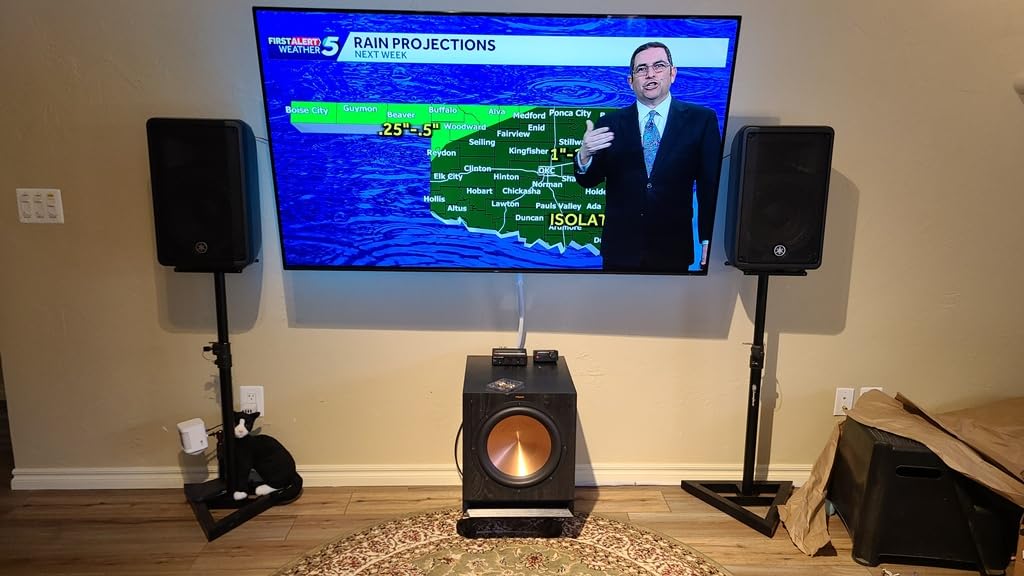
During our testing sessions, the CBR10 delivered a sound signature that was more detailed and balanced than we expected at this price point. The 10-inch woofer moves enough air to give you a real sense of bass guitar and kick drum fundamentals, something smaller monitors simply struggle with. The high-frequency protection circuit keeps the compression driver safe during peaks, which is reassuring if you are pushing the speaker hard during loud playback sessions.
At 20.7 pounds per speaker, the CBR10 is remarkably light for a cabinet housing a 10-inch driver. Yamaha engineered the enclosure for both freestanding and floor monitoring positions, with a smart wedge angle that tilts the speaker up toward the performer when placed on the floor. This makes it a flexible choice if you need a speaker that can serve in your studio during the week and at a small gig or rehearsal on the weekend.
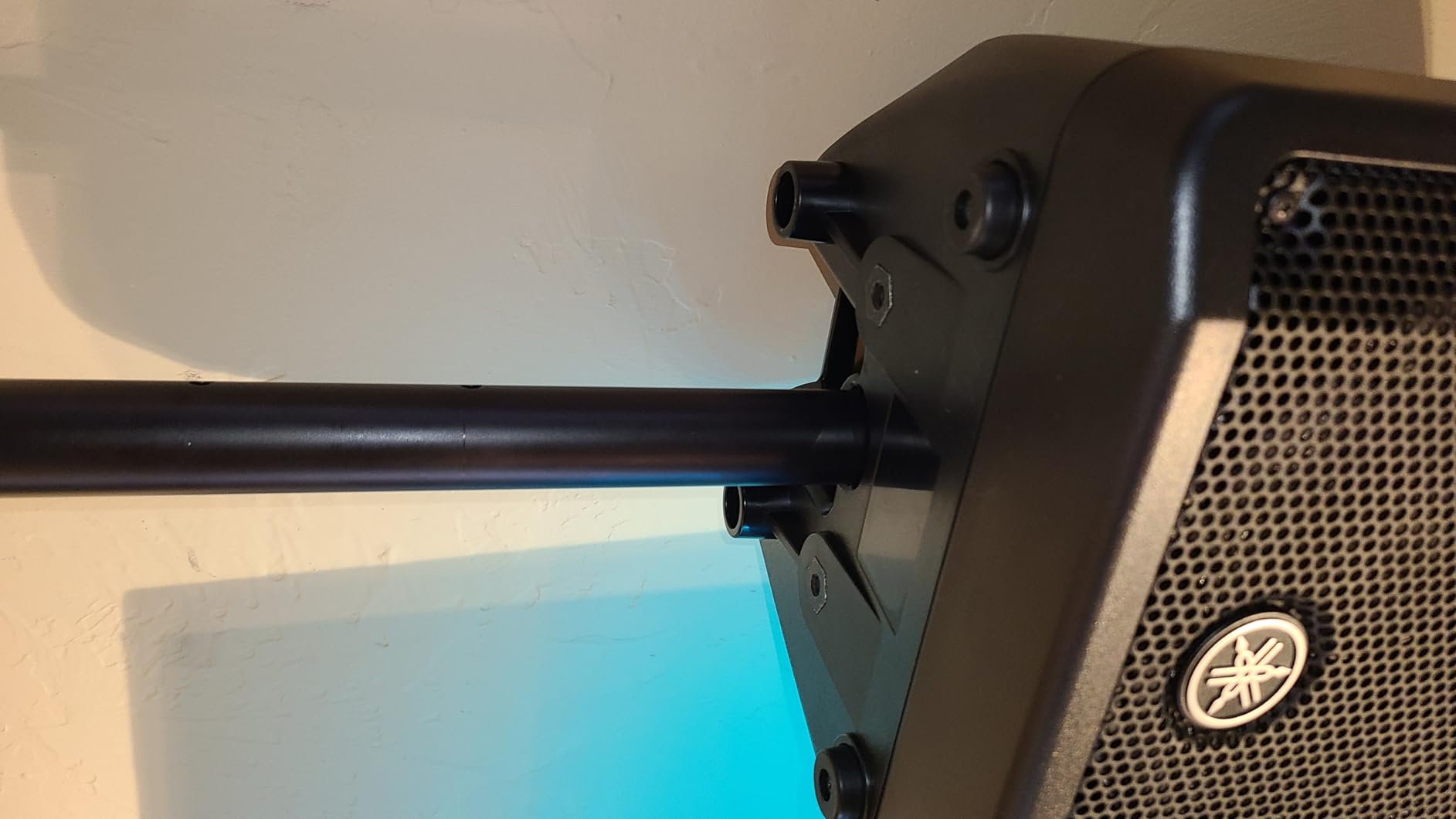
With a 4.7-star average across 14 reviews, the CBR10 has earned strong praise from real users across multiple applications. Reviewers highlight the excellent sound quality, easy transport, and versatility across applications. Multiple users mention using these in church settings, small venues, and rehearsal spaces with consistently positive results. The 79% five-star rating speaks to how well these perform in real-world conditions, beyond what the spec sheet alone might suggest.
The connectivity options on the CBR10 are worth noting. The rear panel accepts both XLR and RCA inputs, which gives you flexibility when connecting to different source equipment. Whether you are running from a professional mixing console with balanced outputs or a simpler audio interface with unbalanced connections, the CBR10 accommodates both without requiring adapter cables.
Versatility Across Applications
The CBR10 shines in its flexibility across multiple use cases. In a studio context, it works well as a midfield monitor for larger rooms where you need higher output levels than typical nearfield monitors can provide. For live sound applications, the constant directivity horn ensures even coverage across the audience area without hot spots or dead zones. The rugged plastic enclosure handles transport bumps without complaining, and the ergonomic carry handle makes load-in and load-out straightforward.
We found the CBR10 particularly useful for checking mixes at higher volumes. Many nearfield monitors compress or distort when pushed to louder levels, but the 700-watt peak power handling of the CBR10 means it stays clean and controlled even at elevated SPL. This makes it a practical choice for producers who want to feel the physical impact of their bass lines and drum patterns without immediately reaching for a subwoofer.
Amplifier and Setup Considerations
The Yamaha CBR10 presents a standard impedance load that works with most professional power amplifiers. We recommend feeding it with an amp that delivers 200 to 300 watts per channel into its rated impedance for the best headroom and transient response. The bass reflex design means you should avoid placing the rear port too close to a wall, as this can cause low-frequency buildup that muddies your monitoring and obscures the detail you are trying to hear.
One important note based on user feedback: some users have reported compatibility issues with certain monitor outputs. Before purchasing, confirm that your amplifier or monitor controller can properly drive a passive speaker at the CBR10’s rated impedance. This is a common consideration with any passive monitor setup, but worth flagging given the specific feedback from users. Pair it with a quality amplifier and the CBR10 rewards you with clean, powerful sound that punches well above its price class.
How to Choose the Right Passive Studio Monitors
Picking the right passive studio monitors comes down to matching the speaker to your room, your amplifier, and your workflow. Unlike active monitors where the amplifier is already chosen and matched for you, going passive means you have more decisions to make and more room to optimize your entire monitoring setup for exactly what you need.
Woofer Size and Room Size
Woofer diameter is the single biggest factor in how a monitor will sound in your space. Smaller rooms under 150 square feet generally benefit from 5 to 7-inch woofers because they produce less low-frequency energy that can build up and cause standing waves and bass nulls. Larger rooms can handle 8 to 10-inch drivers without the same bass loading problems. The Avantone CLA-10 with its 7-inch woofer hits a sweet spot for most home studios, while the Yamaha CBR10 with its 10-inch driver is better suited for larger rooms or situations where you need higher output levels.
Amplifier Matching
This is where passive monitoring gets interesting and where you gain the most from going with an unpowered design. Your choice of amplifier shapes the final sound just as much as the speakers themselves. As a rule of thumb, look for an amplifier that delivers 1.5 to 2 times the continuous power rating of your monitors. Forum users consistently recommend at least 150 watts per channel for most passive studio monitors. A solid-state amplifier gives you the most transparent, uncolored response for critical mixing work. Tube amplifiers add warmth and harmonic richness that some engineers prefer for tracking and creative listening sessions.
Impedance matching is equally important for getting the best performance from your passive setup. All three monitors in our review are rated at 8 ohms, which is the most common impedance for studio and PA speakers. Make sure your amplifier is rated to drive an 8-ohm load comfortably and that your speaker wire is thick enough for the cable run length. Using an amplifier that is underpowered for your speakers results in clipping and distortion at higher volumes, which is actually more dangerous to your speakers than a slightly overpowered amp running clean.
Nearfield vs Midfield Positioning
Nearfield monitoring means sitting close to your speakers, typically 3 to 5 feet away, so the direct sound dominates over room reflections. This is how most home and project studios work, and it is where monitors like the Avantone CLA-10 and MixCubes perform their best. Midfield monitoring happens at distances of 6 to 10 feet and requires speakers with higher output capability and larger drivers, like the Yamaha CBR10. Understanding which zone you work in helps narrow your choices significantly before you start comparing specs.
The 38% Room Placement Rule
When positioning your monitors in a room, the 38% rule is a reliable starting point that avoids the worst acoustic problems. Place your listening position at 38% of the room length measured from the front wall, which is typically the wall behind your speakers. This position avoids the worst bass buildup zones caused by room modes and gives you a more accurate low-frequency response than sitting at random positions. Position each monitor at equal distances from side walls and angle them toward your listening position to form an equilateral triangle. This geometry produces the most accurate stereo imaging and frequency balance for nearfield monitoring.
Passive vs Active: Making the Call
The passive vs active debate does not have a universal answer because the right choice depends on your priorities. Active monitors are simpler to set up and include matched amplifiers, which is why they dominate the home studio market and appeal to beginners. Passive monitors win when you want upgrade flexibility, since you can replace the amplifier or the speakers independently as your needs and budget change. They also eliminate the potential for amplifier heat and electronic noise inside the speaker cabinet, which can subtly affect driver performance during long mixing sessions. If you value modularity, long-term serviceability, and the ability to tailor your monitoring chain, passive is the way to go.
Budget Considerations for Passive Setups
When budgeting for a passive monitoring setup, remember to account for the external amplifier cost in addition to the speakers themselves. A quality power amplifier that will serve you well for years typically represents a meaningful portion of the total investment. However, this cost is offset by the fact that passive speakers tend to last longer than active ones because there are no internal electronics that can fail. If an active monitor’s internal amp fails, the whole unit goes in for service. With a passive setup, you replace or repair the amplifier independently from the speakers.
Frequently Asked Questions
Are passive studio monitors better?
Passive studio monitors are not universally better than active monitors, but they offer specific advantages for certain users. They allow you to choose and upgrade your amplifier independently from your speakers, provide a modular signal chain, and eliminate amplifier-generated heat from the speaker cabinet. Many professional engineers prefer passive monitors for their upgrade flexibility and the ability to tailor the amplifier to their listening preferences. However, active monitors offer convenience and guaranteed amplifier-driver matching out of the box, making them better suited for beginners or engineers who want a simple setup.
What is the 38 rule for studio monitors?
The 38% rule states that your listening position should be placed at 38% of the room length, measured from the front wall behind your speakers. This position avoids the worst bass buildup caused by room modes and standing waves, giving you a more accurate low-frequency response. Position your monitors to form an equilateral triangle with your head at the apex for optimal stereo imaging. This simple positioning technique works in most rectangular rooms and costs nothing to implement.
Can studio monitors be passive?
Yes, studio monitors can absolutely be passive. Passive studio monitors require an external power amplifier to drive the speaker drivers, unlike active monitors that have built-in amplification. Many iconic studio monitors throughout history have been passive designs, including the legendary Yamaha NS10M which was used to mix thousands of hit records. Passive monitors are still widely used in professional studios today because they offer flexibility in amplifier selection and system configuration.
What are the disadvantages of passive speakers?
The main disadvantages of passive speakers include the need for a separate external amplifier, which adds cost and complexity to your setup. You must ensure proper impedance and power matching between the amplifier and speakers to avoid damage or poor performance. Passive setups also require more cable runs between components, and poor-quality speaker wire can degrade signal quality. Additionally, finding quality passive studio monitors is becoming harder as more manufacturers shift their focus to active designs with built-in DSP and amplification.
Final Thoughts on the Best Passive Studio Monitors
After testing these three monitors across multiple sessions, our top pick remains the Avantone Pro CLA-10 for dedicated studio mixing work. It delivers the honest midrange character that makes passive monitoring worthwhile, with enough high-frequency smoothness to keep you working comfortably for hours. The Avantone MixCubes earn our BEST VALUE badge as an essential secondary reference that every studio should have on hand for mix translation checking. And the Yamaha CBR10 brings impressive versatility and output capability for engineers who need a monitor that works beyond the studio walls.
The best passive studio monitors in 2026 all share one trait: they give you more control over your monitoring chain than any active speaker can provide. Pair any of these with a quality amplifier, position them correctly in your room using the 38% rule, and you will hear the difference in your mixes immediately. Choose the one that matches your room size, budget, and workflow, and start making better mixing decisions today.