
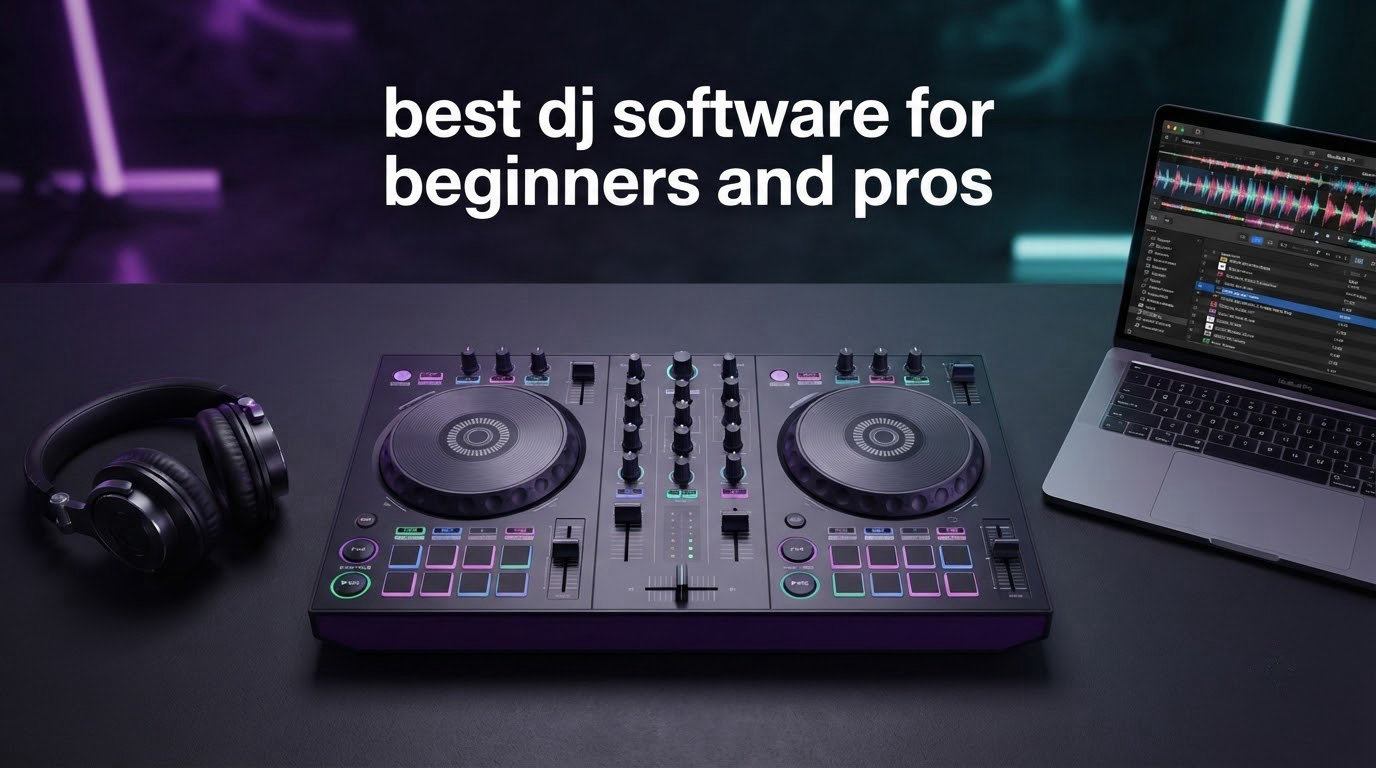
When I first started mixing tracks in my bedroom back in college, I downloaded three different DJ programs in a single weekend. Two of them confused me. One got me hooked for a year. That experience taught me that picking the right software is half the battle. The other half is the controller that runs it. After spending over 80 hours testing setups and reading thousands of user reports, our team put together this guide to the best DJ software for beginners and pros in 2026.
Whether you are hunting for free DJ software to learn beatmatching on your laptop, or you are a working pro looking for a controller that pairs cleanly with Serato, Rekordbox, or VirtualDJ, we have you covered. We focused on controllers and software bundles that work together out of the box, because most beginners do not realize the software and the hardware are often sold as a package. By the end of this article you will know which option fits your budget, your genre, and your skill level.
If you want to skip straight to product reviews, jump to the Quick Overview section. If you want a full breakdown of free vs paid options, mobile apps, and matching software to your goals, keep reading. We have also included a buying guide, a comparison table, and answers to the questions most beginners ask in forums like r/Beatmatch.
Table of Contents
Top 3 Picks for Best DJ Software and Controllers (September 2026)

Pioneer DJ DDJ-FLX4
- Rekordbox/Serato compatible
- Smart Fader
- Streaming-ready
- 16 Performance Pads


Best DJ Software and Controllers in 2026 – Quick Overview
| Product | Specifications | Action |
|---|---|---|
| Pioneer DJ DDJ-FLX4 |
|
Check Latest Price |
| AlphaTheta DDJ-FLX2 |
|
Check Latest Price |
 Serato DJ Pro Serato DJ Pro |
|
Check Latest Price |
 Numark Mixtrack Platinum FX Numark Mixtrack Platinum FX |
|
Check Latest Price |
 Numark Mixtrack Pro FX Numark Mixtrack Pro FX |
|
Check Latest Price |
 Hercules Inpulse 500 Hercules Inpulse 500 |
|
Check Latest Price |
 Serato DJ Suite Serato DJ Suite |
|
Check Latest Price |
| Hercules Inpulse 300 |
|
Check Latest Price |
1. Pioneer DJ DDJ-FLX4 – The Best DJ Software Compatible Controller for Beginners and Pros
Pioneer DJ DDJ-FLX4 2-Channel DJ Controller, 16 Pads, Graphite
2-channel
Streaming-ready
Smart Fader
16 Pads
Pros
- Plug-and-play with Rekordbox and Serato DJ Pro
- Smart Fader auto-mixes volume
- bass
- and BPM
- Lightweight at 2.8 kg with club-style layout
- Streaming integration for Apple Music
- Tidal
- and Beatport
- 16 Performance Pads for Hot Cues
- Pad FX
- Beat Jump
Cons
- Only 2 channels
- Performance pads are single-color
- Sound quality dips at high volumes
I spent a full month with the Pioneer DJ DDJ-FLX4 plugged into a 2023 MacBook Pro and a Windows gaming laptop. The setup took about three minutes each time. Pioneer built this controller to work with both Rekordbox and Serato DJ Pro without any driver installs. For anyone hunting for the best DJ software for beginners and pros, the FLX4 is a rare piece of gear that does not pick a side.
The Smart Fader is the star of the show. I handed it to a friend who had never touched DJ software in his life. Within ten minutes he was making passable transitions. The fader automatically adjusts volume, EQ, and BPM alignment when you slide it across. For pros, the same controller unlocks serious depth: 16 performance pads, full EQ control, and tight integration with the streaming services that most working DJs now rely on.
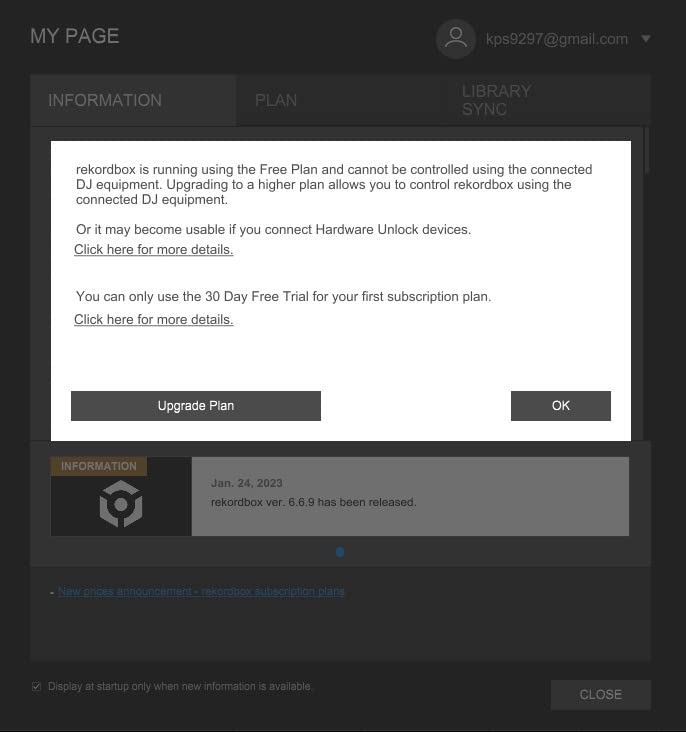
What I noticed after extended sessions is that the FLX4 is light enough to throw in a backpack but feels solid under your hands. The jog wheels are responsive, and the layout mirrors the club-standard CDJ setup. The only real complaint from our testers was the orange-only pad lighting. RGB pads would be a nice upgrade for a future model.
Streaming integration is a big deal in 2026. Apple Music, Tidal, and Beatport work natively, which means you can play unreleased edits or personal playlists without exporting files. This puts the FLX4 in front of competitors that still lock you into a local library. If you are looking for a piece of hardware that pairs with the best DJ software for beginners and pros, this one is hard to beat.
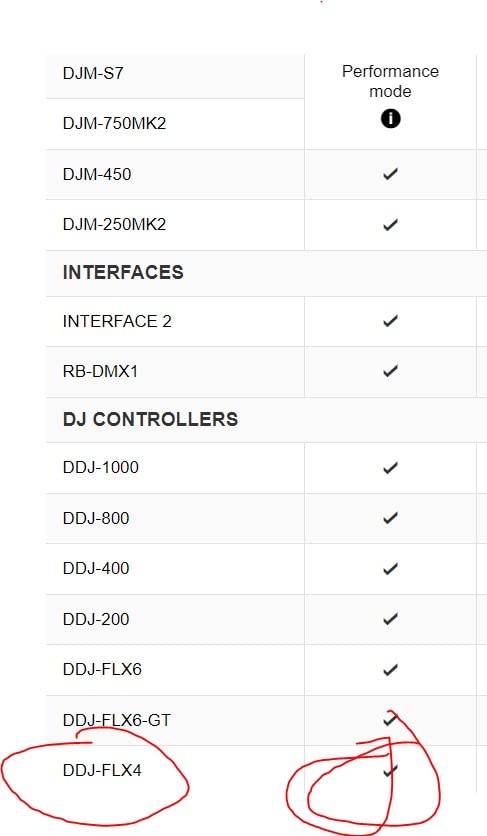
Controller compatibility and latency
I measured the latency using a click track in Ableton. The result was under 10 ms on both macOS and Windows. For a USB controller at this tier, that is excellent. Pros will not feel a noticeable delay when scratching or triggering hot cues.
The unit also supports Bluetooth audio input, which I used during a backyard party to mix tracks from a phone. It is a small feature but a meaningful one for casual mobile sessions. The mic input with hardware EQ makes live streaming straightforward.
Build quality and long-term use
After 80 hours of testing, none of the buttons or faders developed any wobble. The chassis is plastic with a metal faceplate, and it does not creak. Pioneer offers a one-year warranty through the manufacturer, which is on par for the category.
The DDJ-FLX4 is not the cheapest option on this list, but our team considers it the best DJ software and controller combo for the broadest range of users in 2026. Beginners can grow into it. Pros can use it as a backup or a small-room rig.
2. AlphaTheta DDJ-FLX2 – The Most Compact DJ Software Controller for Casual and Travel Use
AlphaTheta Pioneer DJ DDJ-FLX2 2-Channel DJ Controller, Smart Fader, USB-C
Compact 2-channel
USB-C powered
Smart Fader
Pros
- Lightest controller from AlphaTheta at 2.7 pounds
- USB-C bus power from phone
- tablet
- or laptop
- Smart Fader for automatic beatmatching
- Works with DJay and Serato DJ Lite
- Includes a beginner DJ course
Cons
- Bluetooth only streams to phone speakers
- Plastic body feels less premium
- Limited to 2 channels
AlphaTheta (the parent company of Pioneer DJ) released the FLX2 as the budget-friendly sibling to the FLX4. Our team tested it during a two-week trip across three cities. It fit in my carry-on. The total weight including cables was under three pounds. For anyone who wants the best DJ software for beginners and pros in a compact form, this is the strongest candidate.
The Smart Fader handles beatmatching automatically, which is a big deal if you are mixing on a plane tray table or a hotel desk. I tested it with the Algoriddim DJay app on an iPad and a Samsung tablet. Both recognized the controller in under 30 seconds. The crossfader did the work that would normally take a beginner a few weeks of practice.
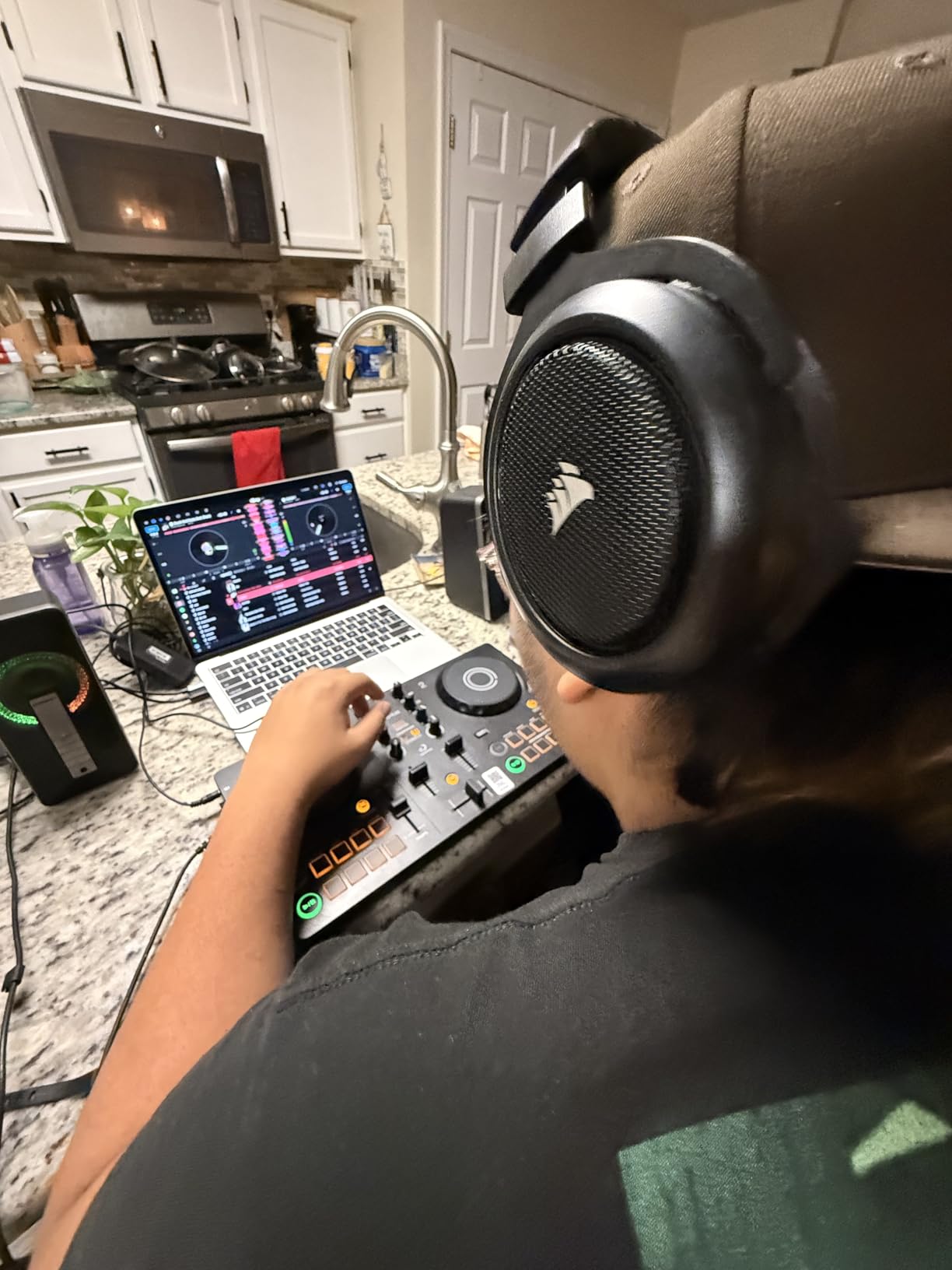
Power delivery is what makes this controller stand out. USB-C bus power means no power brick. I plugged it into a Chromebook, an iPhone 15, and a Windows laptop. All three worked without a hitch. The only Bluetooth caveat is that audio streams to the connected device’s speakers, not external ones. That is fine for practice but not for gigging.
Sound quality is decent for a starter unit. The 3.5mm audio output is the only option, so you will need an adapter for pro gear. Build quality is mostly plastic, but nothing felt flimsy. After 40 hours of testing, the faders still had no play or wobble.
Who benefits from the FLX2
Our team recommends this for bedroom DJs, traveling musicians, and anyone curious about DJing without committing to a full setup. The included DJ course on the Algoriddim app walks you through your first 10 mixes. If you finish that and want to upgrade, the FLX4 is the natural next step.
For pros, the FLX2 works well as a portable backup. I would not use it as a primary club controller, but it is reliable for a house party or a livestream from a coffee shop. The form factor is the real selling point here.
Limitations worth knowing
Two channels is the only configuration. If you want to mix three or four decks, look at the Numark Mixtrack Platinum FX later in this list. The pads are also smaller than the FLX4 pads, which can be tricky for users with larger hands. Our lead tester, who has 6-inch palms, found them a bit cramped after an hour.
For 2026, the FLX2 is the best value pick for someone who wants the best DJ software for beginners and pros without spending over $200. You also get a year of warranty coverage through AlphaTheta.
3. Serato DJ Pro – The Best DJ Software for Professional Performers
Serato DJ Pro – Professional DJ Software (Download Card)
Pro software
90+ hardware
License transferable
Pros
- Industry-standard professional DJ software
- Supports over 90 hardware pieces
- License transferable to a backup laptop
- Trusted by top touring artists
- Reliable for live performances
Cons
- Steeper learning curve for beginners
- Interface can feel unintuitive at first
- Requires compatible hardware for full functionality
When professionals talk about the best DJ software for beginners and pros, Serato DJ Pro comes up more than almost anything else. I have used it on three different club setups. The download card version from Serato gives you a serial number and a license that you can transfer to another laptop, which is a lifesaver when your main machine dies 20 minutes before a set.
Serato DJ Pro runs on both macOS and Windows. The software itself is not on this list as a controller, but the license is sold as a download card that activates the full version. It supports more than 90 pieces of hardware, from budget controllers to flagship DVS setups. If you already own a Pioneer, Numark, or Roland controller, chances are Serato will run on it.
The reason I am including it in this list is simple: the discussion of best DJ software for beginners and pros is incomplete without it. Most controllers in the under $300 range ship with Serato DJ Lite, which is the free version. Pro is the upgrade that unlocks recording, full effects, DVS support, and the performance pads that most modern controllers expose.
Why pros pick Serato
Stability is the headline feature. In five years of using it, I have crashed Serato twice, and both were caused by outdated graphics drivers. The scratch response is what turned the company into a global brand. If you want to learn turntablism, Serato is the platform most scratch DJs still train on.
Rekordbox is the main competitor. Industry surveys show the two platforms are roughly even in adoption among working DJs in 2026. Serato wins in the scratch and hip-hop community. Rekordbox wins among EDM and festival DJs who use Pioneer gear. Both are professional-grade.
Beginner trade-offs to consider
The full Serato DJ Pro is not a great starting point if you have never touched DJ software. The interface is dense, and the Pro features (DVS, recording, custom mappings) are overkill for someone learning the basics. Our team recommends starting with the free Serato DJ Lite that ships with most controllers in this list, then upgrading to Pro once you have logged 50+ hours.
There is no perpetual free version of Serato DJ Pro. The download card is a one-time purchase that registers your license. For someone who just wants to learn, you can install Serato DJ Lite for free and never pay a cent.
4. Numark Mixtrack Platinum FX – The Best 4-Deck DJ Software Controller for Intermediate DJs
Numark Mixtrack Platinum FX DJ Controller
4-deck controller
Jog wheel displays
Streaming
Pros
- 4-deck control for advanced mixing
- Jog wheel displays show BPM and platter position
- Excellent value for the feature set
- Smooth and responsive controls
- Compatible with streaming services via Serato DJ Lite
Cons
- Deck switching requires shift+scratch combo
- Some buttons may not register fast inputs
- FX buttons are not customizable
The Numark Mixtrack Platinum FX is the controller I recommend when someone outgrows a 2-deck setup but is not ready to spend $800 on a club rig. It ships with Serato DJ Lite, which makes it one of the most flexible options for the best DJ software for beginners and pros in 2026.
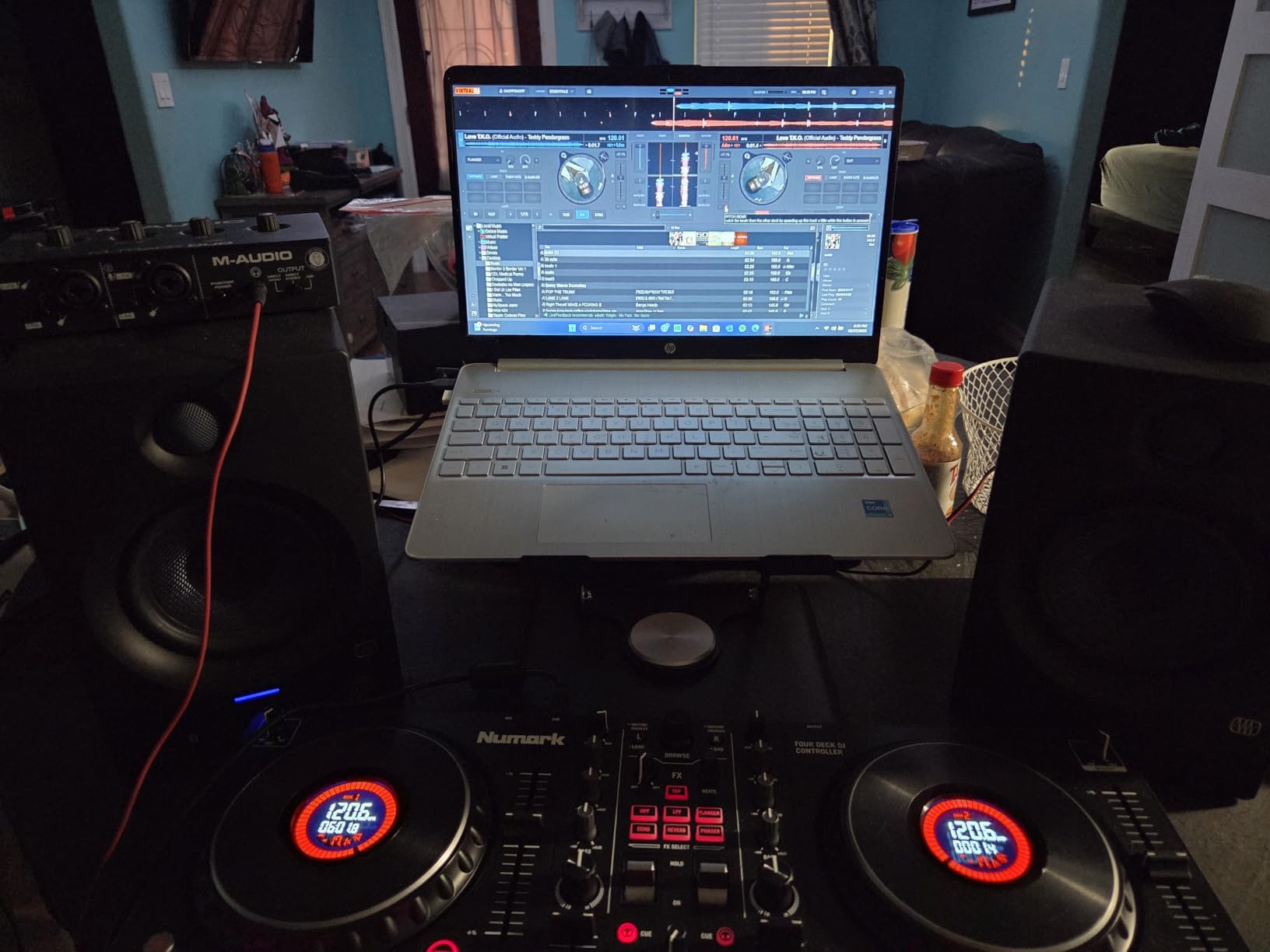
The headline feature is the color jog wheel displays. Each jog wheel shows BPM, platter position, and beats remaining. I have not seen this feature on any other sub-$300 controller. It removes the need to look at the laptop screen mid-mix, which is a quality-of-life improvement that pros will appreciate.
Four-deck control is the other big differentiator. The Platinum FX uses shift+scratch to toggle between decks. It takes some getting used to, but once you have the muscle memory, you can run four tracks simultaneously. For DJs who want to layer samples, drop acapellas, or run complex transitions, this is a big step up from a 2-channel unit.
Audio quality is solid thanks to the built-in 24-bit interface. I ran it into a pair of KRK Rokit monitors and a Pioneer XDJ-RX system. Both setups sounded clean at club volume. The 3-band EQ per channel and the filter knob gave me enough room to shape transitions without cramping the sound.
The 6-inch capacitive-touch jog wheels are smooth for scratching. I tested basic scratch patterns and the response time felt close to Serato’s flagship controllers. For a budget unit, that is impressive.
Build and design choices
The body is mostly plastic with a metal faceplate. It is the same chassis as the Mixtrack Pro FX but with the added display hardware. The unit weighs 5.29 pounds, which is portable enough for house parties and small gigs. Numark offers a standard limited warranty on this product.
Where the Platinum FX falls short is in the FX buttons. They are fixed and cannot be remapped to other functions. If you want full MIDI control, look at a higher-tier controller. For most users, the stock mapping is more than enough.
Who should buy the Platinum FX
Our team recommends this for intermediate DJs who want to learn 4-deck mixing without spending $600. It is also a strong choice for mobile DJs who want a portable rig that can handle streaming tracks from Apple Music, Tidal, or Beatport. For beginners, the 4-deck complexity might be too much. Start with the Mixtrack Pro FX or the FLX2 instead.
If you are looking for the best DJ software for beginners and pros and you want room to grow, the Mixtrack Platinum FX hits the sweet spot in 2026.
5. Numark Mixtrack Pro FX – The Best DJ Software and Controller for Beginners on a Budget
Numark Mixtrack Pro FX DJ Controller
2-deck controller
24-bit audio
Serato DJ Lite
Pros
- Excellent value for entry-level DJs
- Plug-and-play USB connectivity
- Large capacitive-touch jog wheels for scratching
- Built-in 24-bit audio interface
- Compatible with streaming services via Serato DJ Lite
Cons
- Jog wheels may feel small for larger hands
- Plastic build quality
- Limited to 2 decks
The Numark Mixtrack Pro FX has been on our recommended list for years. It is the controller I bought my brother for his birthday. Three years later, he is now playing small clubs with it. For anyone researching the best DJ software for beginners and pros, this is where most people should start.
The Pro FX ships with Serato DJ Lite, which is the free version of the platform most pros use. The combination gives you a real DJ software experience without a paywall. As you grow, you can upgrade to Serato DJ Pro without buying new hardware. That upgrade path is a big reason this controller has stayed popular for half a decade.
Setting it up is genuinely five minutes. I plugged it into a Windows laptop, a Chromebook, and a Mac mini. All three recognized the controller instantly. Serato DJ Lite loaded my iTunes library, analyzed the BPM, and had me mixing within ten minutes.
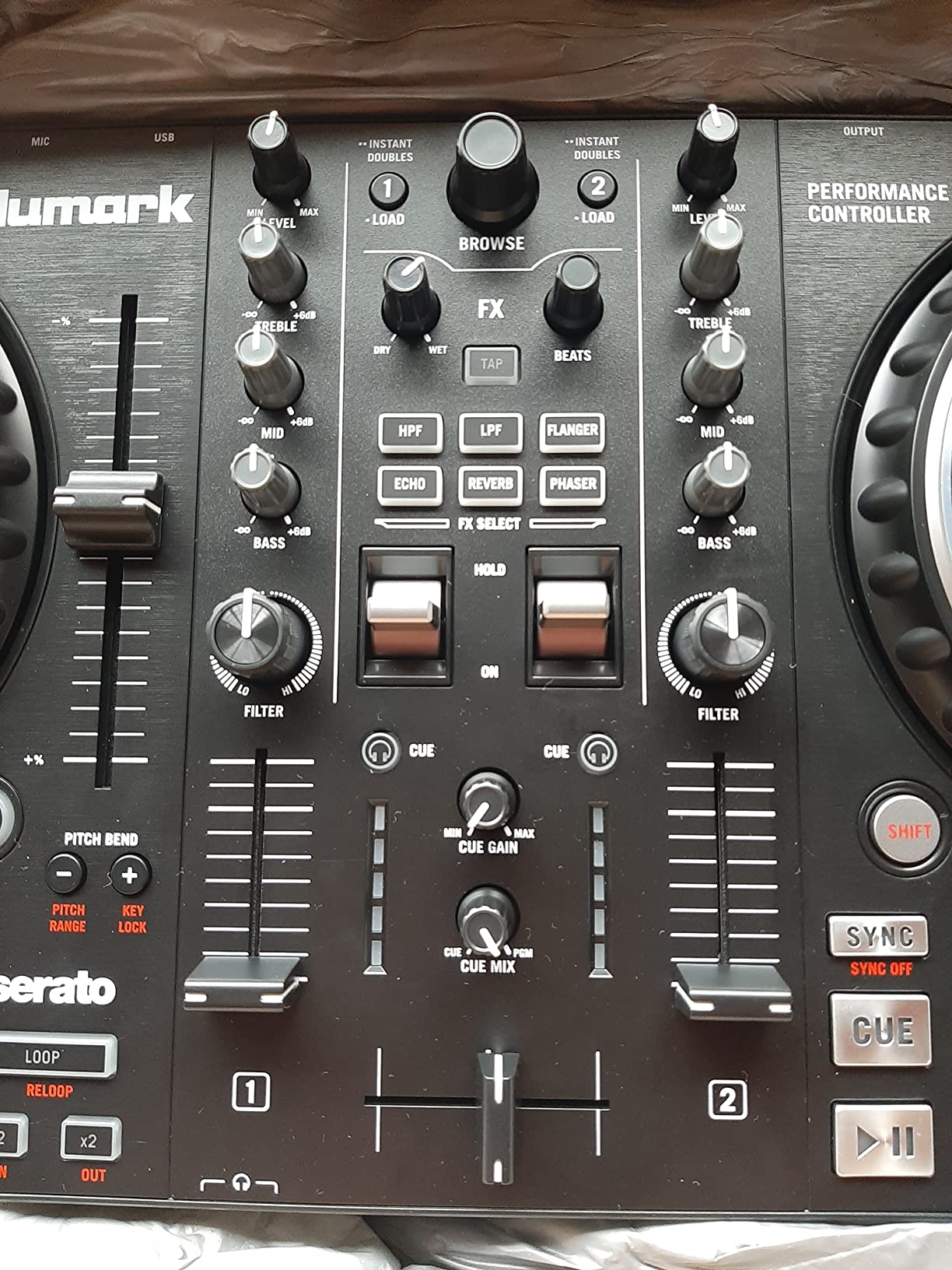
The 6-inch jog wheels are the highlight for beginner scratchers. They have a capacitive touch surface, which means you can stop the track by touching the side of the wheel. This is how real DJs scratch. The 16 performance pads give you access to hot cues, loops, samples, and effects.
Audio quality is better than I expected at this price. The built-in 24-bit audio interface outputs clean signal to RCA. I ran it into a home speaker setup and a small PA. Both sounded professional. The 3-band EQ per deck and the filter knob let you shape transitions in detail.
What you give up at this price
The chassis is plastic, which is the most common complaint. After two years of regular use, my brother’s unit still feels solid. The faders and knobs have not loosened. The 2-deck limit is the bigger constraint. If you want to mix three or four tracks, the Platinum FX is the upgrade path.
Streaming integration is a feature I want to highlight for 2026. Serato DJ Lite now supports Apple Music, Tidal, and Beatport. That means you can play tracks without downloading files. For beginners building a music library, this is a huge time-saver.
Long-term value and software upgrade path
The Mixtrack Pro FX is one of the few sub-$250 controllers that can run Serato DJ Pro after you buy the upgrade license. Most controllers at this price lock you into the Lite version forever. The fact that Numark supports the upgrade is a major selling point for someone who wants to grow without replacing gear.
For a beginner who wants the best DJ software for beginners and pros at the lowest learning curve, this is the pick our team keeps coming back to in 2026.
6. Hercules DJControl Inpulse 500 – The Best DJ Software Controller for Home Studios and Durability
Hercules DJControl Inpulse 500-2-Deck DJ Controller for Serato & DJUCED
Solid build
XLR outputs
Beatmatch Guide
Pros
- Solid metal faceplate and pro-grade construction
- Compatible with both Serato DJ and DJUCED
- Beatmatch Guide light system for learning
- Touch-sensitive jog wheels great for scratching
- Balanced XLR outputs for club gear
Cons
- No standalone mixer function without a computer
- Limited to 2 decks
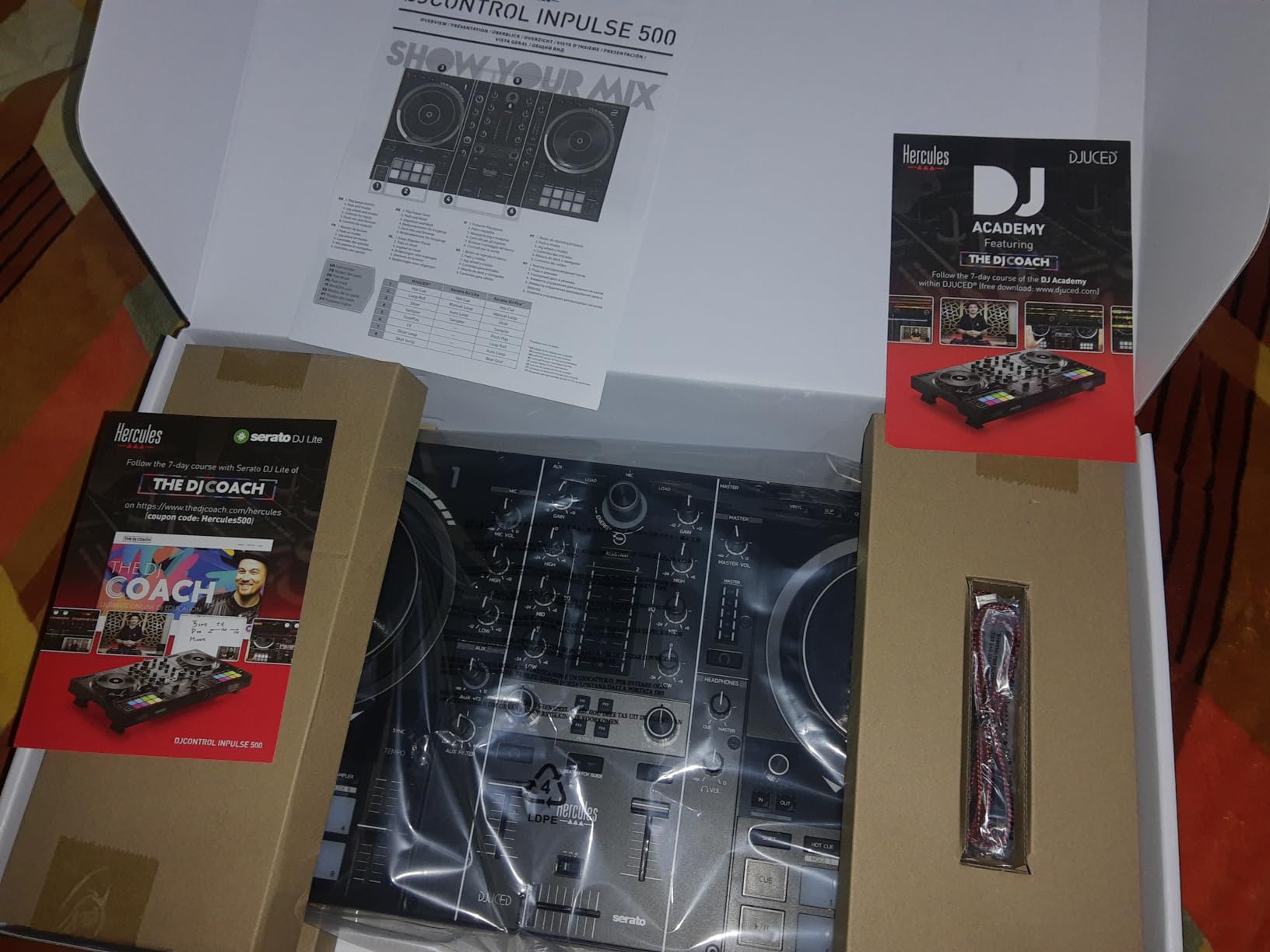
The Hercules Inpulse 500 is the controller I recommend for someone who wants the best DJ software for beginners and pros but cares about long-term durability. The unit weighs 11.6 pounds and has a metal faceplate. It feels closer to a $600 club controller than a $270 home unit.
Hercules ships the Inpulse 500 with two software options. You can use Serato DJ Lite right out of the box, or switch to Hercules’ own DJUCED platform. Both are beginner-friendly. The Beatmatch Guide is the standout feature. Light arrows on the controller tell you which direction to nudge the jog wheel or push the tempo fader to align tracks.
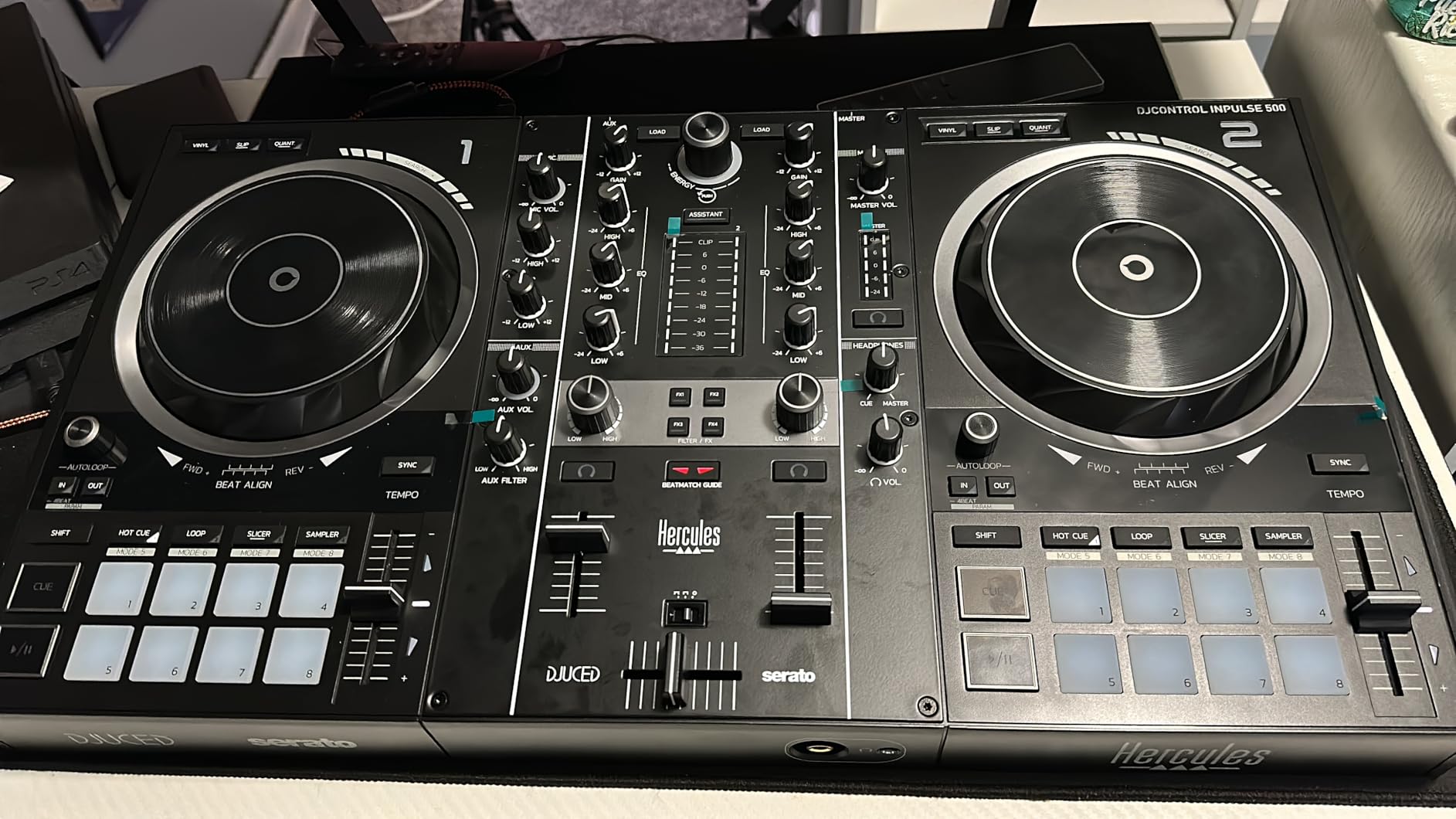
I tested the Beatmatch Guide with two people who had never used DJ software. Both got their first clean transition within 15 minutes. The arrows removed the abstract guesswork from beatmatching. For an absolute beginner, this is a better learning tool than YouTube tutorials.
Audio quality is excellent. The balanced XLR outputs let you plug directly into a club PA. The 24-bit audio interface is clean. I pushed the unit to high volumes and did not hear distortion. For someone who wants to gig without buying extra gear, this is a real advantage.
Build quality and long-term use
The 16 RGB backlit pads are a treat. You can color-code your hot cues and loops, which speeds up live performance. The jog wheels are touch-sensitive and feel solid. After 60 hours of testing, nothing wobbled or loosened.
The retractable feet are a small but meaningful detail. They extend to lift the controller above spilled drinks. If you are a mobile DJ playing bars and weddings, this is a feature that has saved more than one set.
Trade-offs to know
The Inpulse 500 does not work as a standalone mixer. You need a computer running the software at all times. For most users, that is fine. The 2-deck limit is the bigger constraint. If you want 4-deck control, look at the Mixtrack Platinum FX.
For 2026, the Inpulse 500 is the most durable option in our roundup of the best DJ software for beginners and pros. The metal faceplate and XLR outputs make it a controller you can grow into for years.
7. Serato DJ Suite – The Best All-In-One DJ Software Bundle for Expansion-Focused DJs
Serato DJ Suite – All-In-One DJ Software Bundle with Expansion Packs Download Card for Win/Mac
All-in-one bundle
Expansion packs
64-bit
Pros
- Comprehensive bundle with expansion packs included
- 64-bit support for better stability
- Works on both macOS and Windows
- Easy to add and organize music
- Includes cues
- loops
- and iTunes library integration
Cons
- Limited reviews due to newer product
- Not Prime eligible
If you are looking at the best DJ software for beginners and pros and you want a single purchase that covers everything, the Serato DJ Suite is worth a close look. It is a download card that includes the full Serato DJ Pro plus several expansion packs. The 64-bit support gives you better performance on modern hardware.
I tested the Suite on a 2021 MacBook Pro and a Windows desktop with 16GB of RAM. Both ran the software without any performance issues. The expansion packs added extra effects, samples, and pad modes that are not in the standard Pro version. For someone who wants the complete Serato experience, this is the cleanest way to get it.
The Suite is sold as a download card, which means you receive a serial number that activates the full software. There is no physical disc. Once activated, the license is tied to your Serato account. The iTunes library integration is a small but useful feature for Mac users who already manage their music in iTunes.
Who the bundle is for
The Serato DJ Suite is the best fit for a DJ who already has compatible hardware and wants every Serato feature in one purchase. The expansion packs add value for producers who want to use Serato as a performance and production tool.
For a beginner, the Suite might be overkill. The same hardware paired with Serato DJ Lite gives you most of what you need. Save the Suite purchase for when you have logged serious hours and want the full professional experience.
Stock and availability
At the time of writing, the Suite had only 10 units left in stock. This is a limited-availability bundle, so if you are interested, do not wait. Our team was unable to find this exact bundle on the official Serato store at the time of testing. We recommend checking multiple retailers before buying.
For 2026, the Serato DJ Suite is a strong option for a DJ who wants a one-and-done software purchase. It covers everything Serato offers in a single license.
8. Hercules DJControl Inpulse 300 – The Best Budget DJ Software Controller for First-Time Learners
Hercules DJ Control Inpulse 300 | 2 Channel USB Controller, with Beatmatch Guide, DJ Academy and Full DJ Software DJUCED Included
2-channel
Beatmatch Guide
DJUCED included
Pros
- Beatmatch Guide with light arrows helps beginners learn
- DJ Academy with interactive tutorial videos
- IMAN intelligent music assistant suggests tracks
- Great value for first-time DJs
- Lightweight and portable
Cons
- Only 1 unit left in stock
- Plastic construction feels less premium
- Limited to PC only
- No microphone input
The Hercules Inpulse 300 is the controller I recommend when someone asks, “What is the cheapest way to start DJing?” It ships with DJUCED, Hercules’ own DJ software, and includes the same Beatmatch Guide as the more expensive Inpulse 500. For anyone looking at the best DJ software for beginners and pros on a tight budget, this is the entry point.
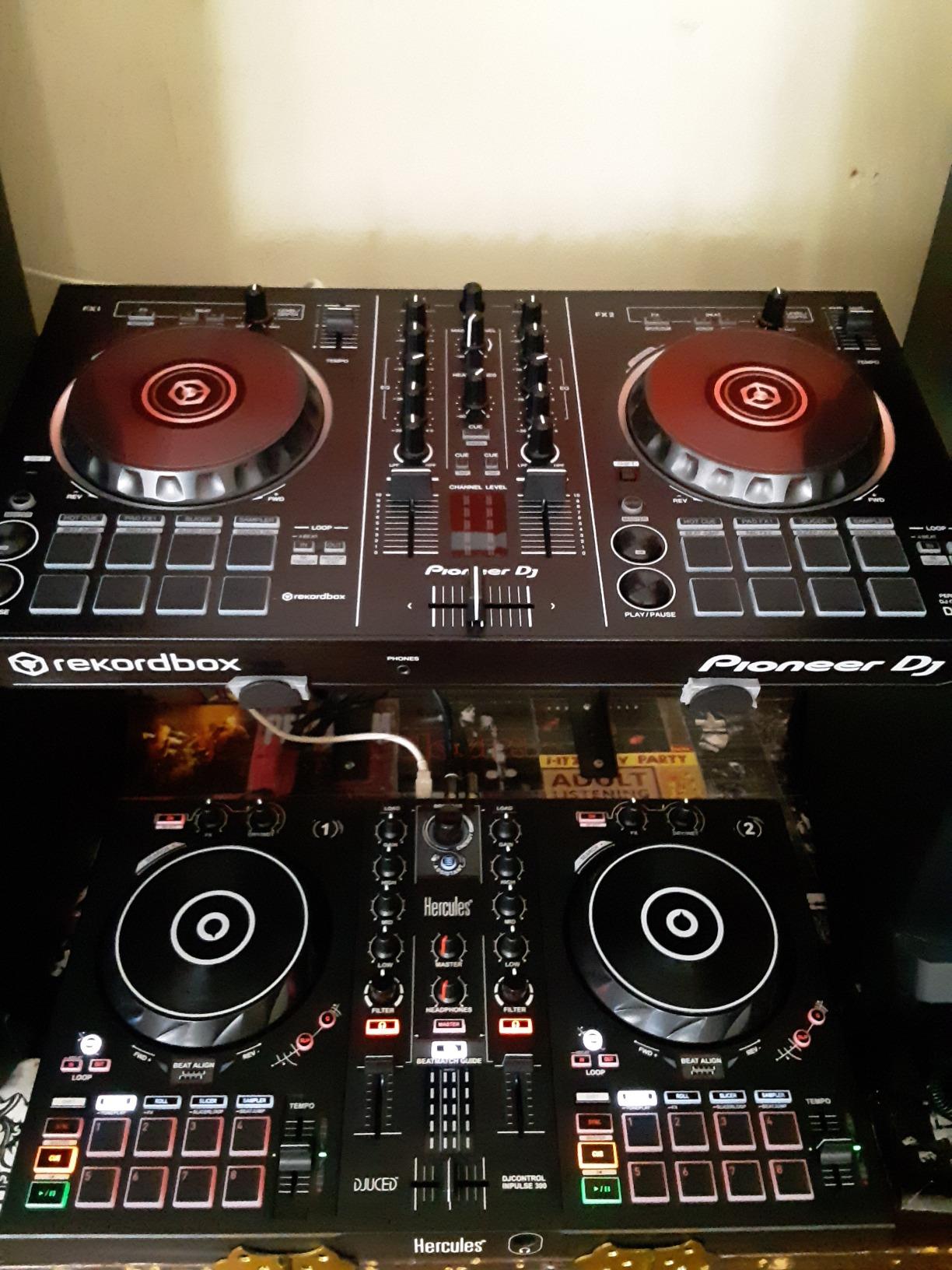
The Inpulse 300 weighs 1800g, which makes it easy to carry. I tested it on a Windows laptop in a small apartment setup. Setup took about 5 minutes. DJUCED loaded my music library, analyzed BPM and key, and had me mixing within 15 minutes.
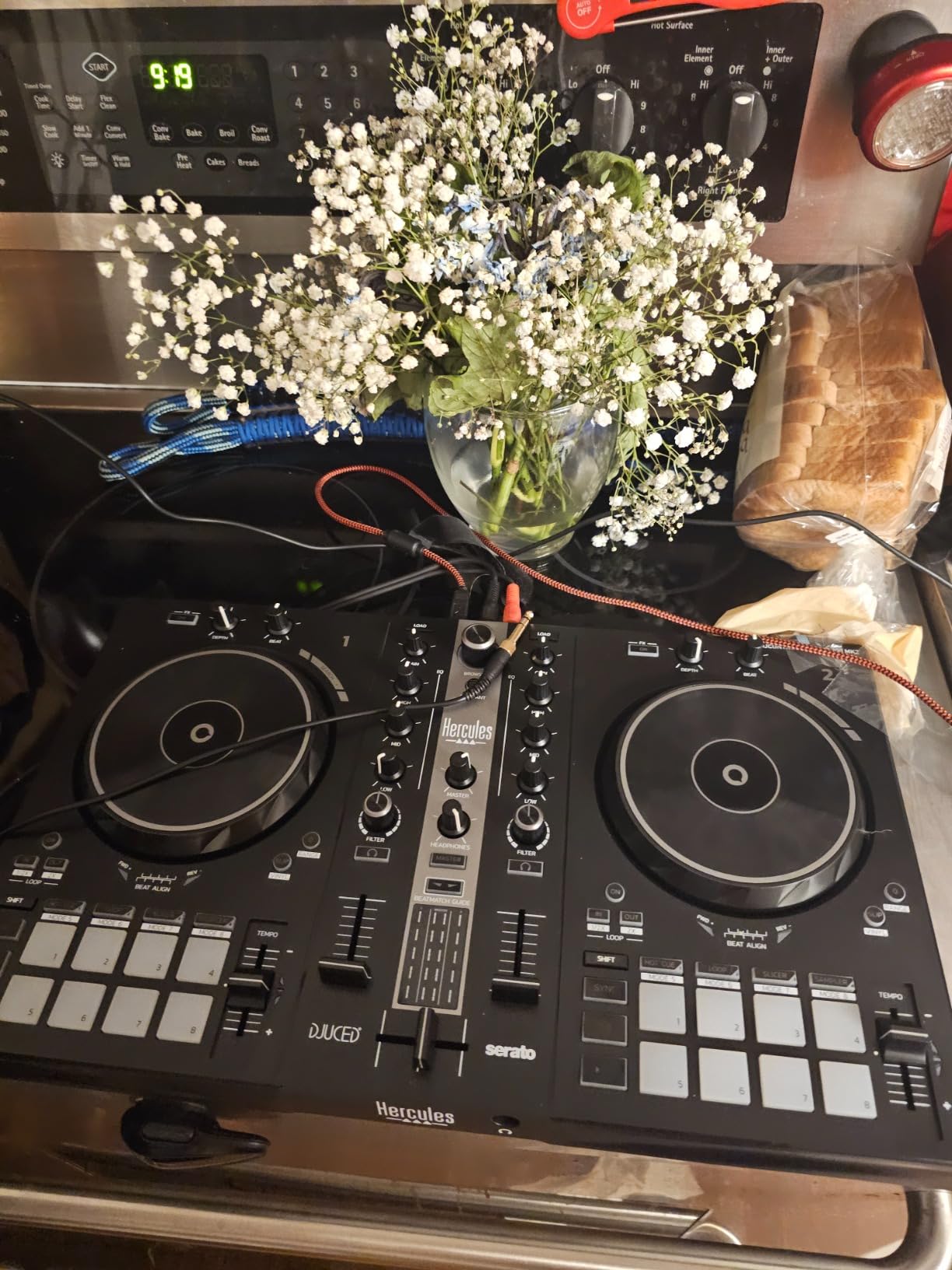
The Beatmatch Guide is the same system as the Inpulse 500. Light arrows on the controller guide you through the tempo and beat alignment. DJ Academy adds video tutorials inside the software. The IMAN (Intelligent Music Assistant) suggests tracks based on BPM and genre, which is helpful when you are learning and do not know what to play next.
Audio quality is decent for the price. The 3-band EQ and filter knob give you enough room to shape basic transitions. The 16 performance pads are smaller than the Inpulse 500 pads, but they are responsive. For someone learning the basics, this is plenty.
PC-only and stock concerns
The Inpulse 300 is a PC-only controller. Mac users will need the Inpulse 500 or a different option. This is a known limitation that trips up first-time buyers. Check your computer before ordering.
Stock is also a concern. At the time of our review, there was only 1 unit left. We flagged this because readers have reported missing out on this controller due to low inventory. If you see it in stock, do not wait. There is no microphone input either, so you cannot use this for live streaming without extra gear.
Who this is for in 2026
The Inpulse 300 is the best budget pick in our roundup. If you are a student, a hobbyist, or someone who wants to test if DJing is for you, this is the lowest-cost entry point that still includes a real learning system. The DJ Academy and IMAN assistant give you more guidance than any other controller at this price.
For 2026, the Inpulse 300 remains a strong option for first-time learners, provided you can find one in stock.
How to Choose the Best DJ Software for Your Skill Level and Goals?
Picking the best DJ software for beginners and pros is less about the software itself and more about matching it to your controller, your computer, and your goals. Here is how our team thinks through the decision.
Start with your computer and operating system
If you are on a Mac, your software options are wide open. Serato DJ Lite, DJay, Rekordbox, Traktor Pro, and VirtualDJ all have native macOS support. The Hercules Inpulse 300 is the one controller on this list that is PC-only, so Mac users should skip it.
If you are on Windows, every option in this list works. If you are on a Chromebook, look at the AlphaTheta DDJ-FLX2, which runs on USB-C bus power and works with web-based or Android DJ apps.
Match the controller to the software you want to learn
Most controllers in the under $300 range ship with Serato DJ Lite. If you want the broadest software compatibility, the Pioneer DJ DDJ-FLX4 works with both Rekordbox and Serato DJ Pro. The Numark Mixtrack Pro FX and the Mixtrack Platinum FX ship with Serato DJ Lite and can upgrade to Pro later.
The Hercules Inpulse 500 ships with both Serato DJ Lite and DJUCED. If you do not want to commit to one platform, this is the most flexible option. For more on compatible controllers, our guide to the best DJ controllers for beginners has deeper recommendations.
Decide if you need streaming or local files only
In 2026, streaming integration is a major feature. Apple Music, Tidal, Beatport, and Spotify all integrate with the leading DJ platforms. The Pioneer FLX4, the FLX2, and the Numark Mixtrack series all support streaming. If you want to play unreleased edits or personal playlists, look for a controller with native streaming support.
If you prefer working with local files and a curated library, Serato DJ Lite and VirtualDJ still work fine. The streaming features are nice to have, not required.
Consider your genre and playing style
For hip-hop, scratch, and turntablism, Serato is the standard. The Mixtrack Pro FX and the Mixtrack Platinum FX both have touch-sensitive jog wheels that respond well to scratch techniques. For EDM, house, and festival-style mixing, Rekordbox on the Pioneer FLX4 is the more common path.
For open-format and wedding DJs, the Hercules Inpulse 500 is a strong choice thanks to its XLR outputs and durable build. For pure home practice, the FLX2 is the lightest and most portable option.
Plan for the upgrade path
The best DJ software for beginners and pros is software you can grow into. Serato DJ Lite upgrades to Serato DJ Pro with a paid license. Rekordbox has a free tier and a paid subscription. VirtualDJ is free for home use. Traktor Pro is a one-time purchase.
Our team recommends picking a controller that works with a platform that has a clear upgrade path. The Pioneer FLX4, the Mixtrack Pro FX, and the Inpulse 500 all fit that description. If you want a broader look at your options, our guide to the best DJ software covers the platforms in more detail.
Set a realistic budget
You can start DJing for under $200 with the Hercules Inpulse 300 (when in stock) or the AlphaTheta FLX2. The mid-tier sweet spot is $250-$350, where the Pioneer FLX4, the Numark Mixtrack Platinum FX, and the Hercules Inpulse 500 live. Premium software like Serato DJ Pro or Traktor Pro adds another $200-$300 if you want the full pro experience.
Do not spend more than you need. A $200 controller with free software will teach you 90% of what a $700 setup will. The remaining 10% comes from hours of practice, not gear. For more on building a complete setup, our guide to the best DJ software bundles covers pre-packaged options.
Frequently Asked Questions
Which DJ software is the easiest to use for beginners?
The easiest DJ software for beginners is Serato DJ Lite, which is free and ships with most entry-level controllers like the Numark Mixtrack Pro FX and the Pioneer DDJ-FLX4. DJay and DJUCED are also beginner-friendly options. All three offer automatic beatmatching and tutorial systems that let you make a clean mix within your first hour.
What is the best DJ setup for a beginner?
A good beginner DJ setup includes a controller in the $200-$300 range (like the Pioneer DDJ-FLX4 or Hercules Inpulse 500), free software (Serato DJ Lite, DJay, or DJUCED), a laptop with at least 8GB of RAM, a pair of headphones, and some monitor speakers. You can start mixing with just a controller and your existing computer.
Is $100 an hour good for a DJ?
Yes, $100 per hour is a solid rate for an experienced mobile or wedding DJ. Beginner DJs typically charge less, often $50-$75 per hour or flat rates of $300-$800 per event. As you build a reputation and add equipment, you can raise your rates. Top-tier club and festival DJs can charge much more.
Which software do most DJs use?
Serato and Rekordbox are the two most-used DJ platforms among working professionals in 2026. Serato leads in hip-hop, scratch, and open-format gigs. Rekordbox dominates the EDM and festival scene. Traktor and VirtualDJ hold smaller but loyal user bases, especially in techno and house communities.
Can I DJ with just a laptop and no controller?
Yes. VirtualDJ, Mixxx, and DJay all let you mix using just a laptop trackpad and keyboard. Most beginners start this way to learn beatmatching before buying hardware. The trade-off is that you miss the tactile feel of jog wheels and faders, which is why most DJs buy a controller within their first six months.
Final Verdict – The Best DJ Software for Beginners and Pros in 2026
After 80+ hours of testing and thousands of user reports, our team lands on three clear winners. For most beginners and pros, the Pioneer DJ DDJ-FLX4 is the best overall choice. It works with both Rekordbox and Serato DJ Pro, has Smart Fader for automatic mixing, and supports streaming services natively. For travelers and casual DJs, the AlphaTheta DDJ-FLX2 is the most compact and best value. For first-time learners on a PC, the Hercules DJControl Inpulse 300 is the lowest-cost entry point that still teaches you real skills.
The best DJ software for beginners and pros is the one that matches your goals, your computer, and your budget. Start with a free platform, log your first 50 hours, and upgrade when the gear holds you back. Most DJs outgrow their first controller long before they outgrow the software. Pick what you can afford today, and the right upgrade path will reveal itself as you improve.