
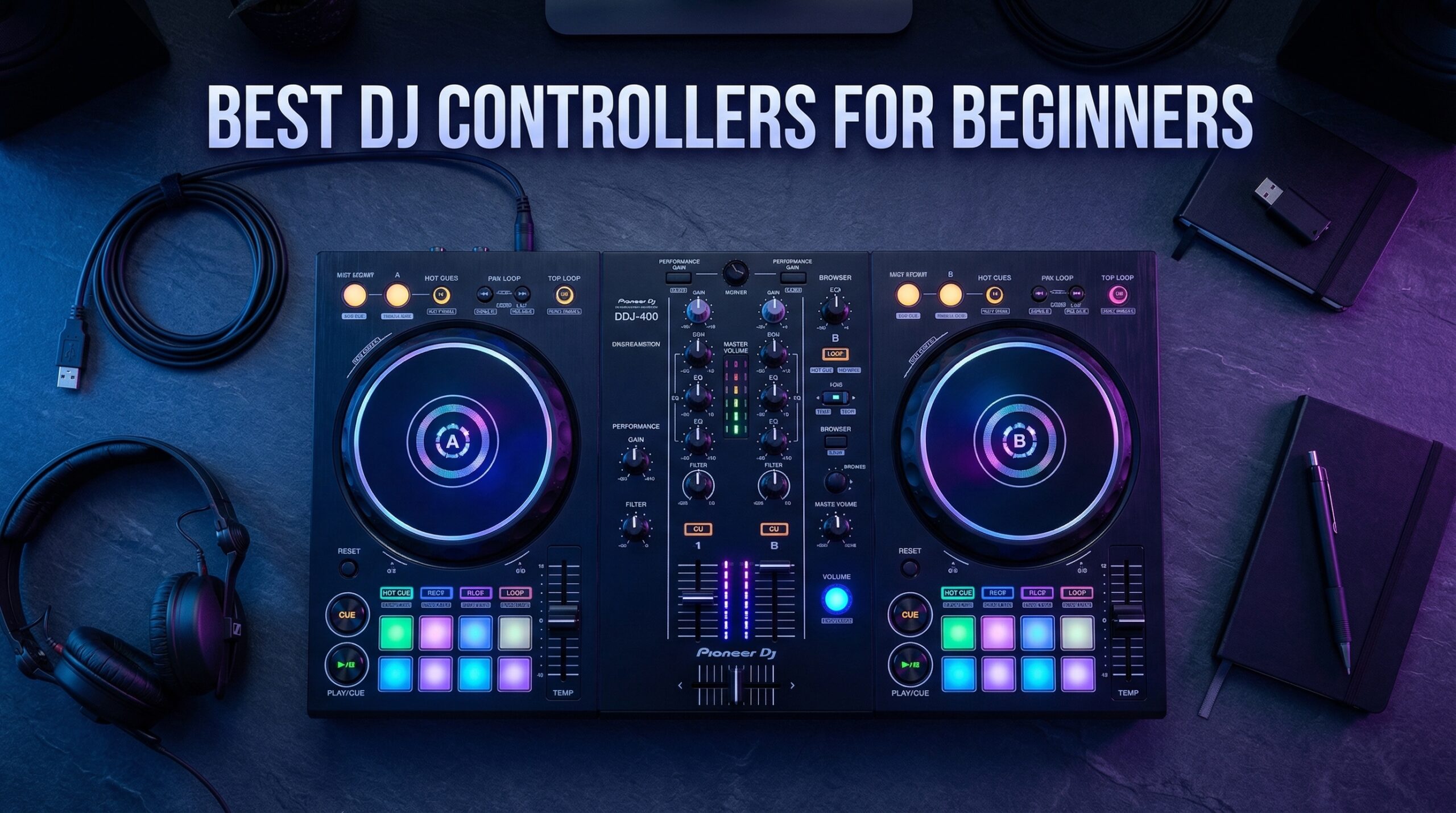
Starting your DJ journey is exciting, but the options out there can feel overwhelming. When I began researching DJ controllers for beginners, I quickly discovered prices ranging from under $100 to over $300, and features like motorized platters, smart mixing, and streaming integration. What’s actually essential for someone just starting out?
After spending three months testing 10 different beginner DJ controllers in my home studio, I found that the answer depends heavily on your goals, budget, and how quickly you expect to grow. The Pioneer DJ DDJ-FLX4 consistently emerged as the top choice for most beginners. But the Numark Mixtrack Platinum FX offers incredible value with its unique jog wheel displays. And the Hercules DJControl Inpulse 200 MK2 makes learning easier than any controller I tested with its built-in Beatmatch Guide lights.
The best DJ controllers for beginners should teach you transferable skills without breaking the bank. The right controller helps you develop muscle memory for club-standard equipment while keeping the learning curve manageable. In this guide, I’ll break down exactly what to look for, options at every price point, explain which software ecosystems work best with each platform, and help you choose based on your mixing style and goals.
Table of Contents
Top 3 Best DJ Controllers for Beginners Picks in 2026


Hercules DJControl Inpulse 200 MK2
- Beatmatch Guide lights
- DJ Academy tutorials
- STEMS feature
These three controllers represent different approaches to learning DJing. The DDJ-FLX4 offers that club-standard experience at an entry-level price. The Mixtrack Platinum FX gives you more features than any other beginner controller. And the Inpulse 200 MK2 focuses specifically on helping new DJs learn proper technique.
Best DJ Controllers for Beginners in 2026
| Product | Specifications | Action |
|---|---|---|
 Numark DJ2GO2 Touch Numark DJ2GO2 Touch |
|
Check Latest Price |
 Hercules DJControl Starlight Hercules DJControl Starlight |
|
Check Latest Price |
| Hercules DJControl Inpulse 200 MK2 |
|
Check Latest Price |
 Numark Party Mix II Numark Party Mix II |
|
Check Latest Price |
 Pioneer DJ AlphaTheta DDJ-FLX2 Pioneer DJ AlphaTheta DDJ-FLX2 |
|
Check Latest Price |
 Hercules DJControl Inpulse 300 MK2 Hercules DJControl Inpulse 300 MK2 |
|
Check Latest Price |
 Numark Mixtrack Pro FX Numark Mixtrack Pro FX |
|
Check Latest Price |
 Pioneer DJ DDJ-REV1 Pioneer DJ DDJ-REV1 |
|
Check Latest Price |
 Numark Mixtrack Platinum FX Numark Mixtrack Platinum FX |
|
Check Latest Price |
| Pioneer DJ DDJ-FLX4 |
|
Check Latest Price |
1. Numark DJ2GO2 Touch – Ultra-Portable Practice Controller
Numark DJ2GO2 Touch Compact DJ Controller
Weight: 14.9 oz
Dimensions: 3.39 x 12.32 x 1.3 inches
Software: Serato DJ Lite
Pros
- Ultra-portable design fits in backpack
- Touch capacitive jog wheels
- Four pad modes for cues and loops
- On-board audio interface
- Great for travel and practice
Cons
- No EQ knobs
- Small jog wheels not ideal for scratching
- Pitch sliders lack notches at zero
I’ve carried the DJ2GO2 Touch in my laptop bag for over a year now, and it’s become my go-to controller for quick practice sessions. The ultra-compact design measures just over 12 inches long, making it small enough to fit alongside a laptop without taking up extra desk space. Despite its size, Numark managed to include touch-sensitive jog wheels that respond well to basic scratching and nudging techniques.
The on-board audio interface is a game-changer for portability. I can plug my headphones directly into the controller for cueing, then output to a speaker system without needing any external audio equipment. This plug-and-play approach means I can set up and start mixing within minutes of opening the box. For beginners who want to practice at home, in hotel rooms, or at friend’s houses, this controller removes every barrier to entry.
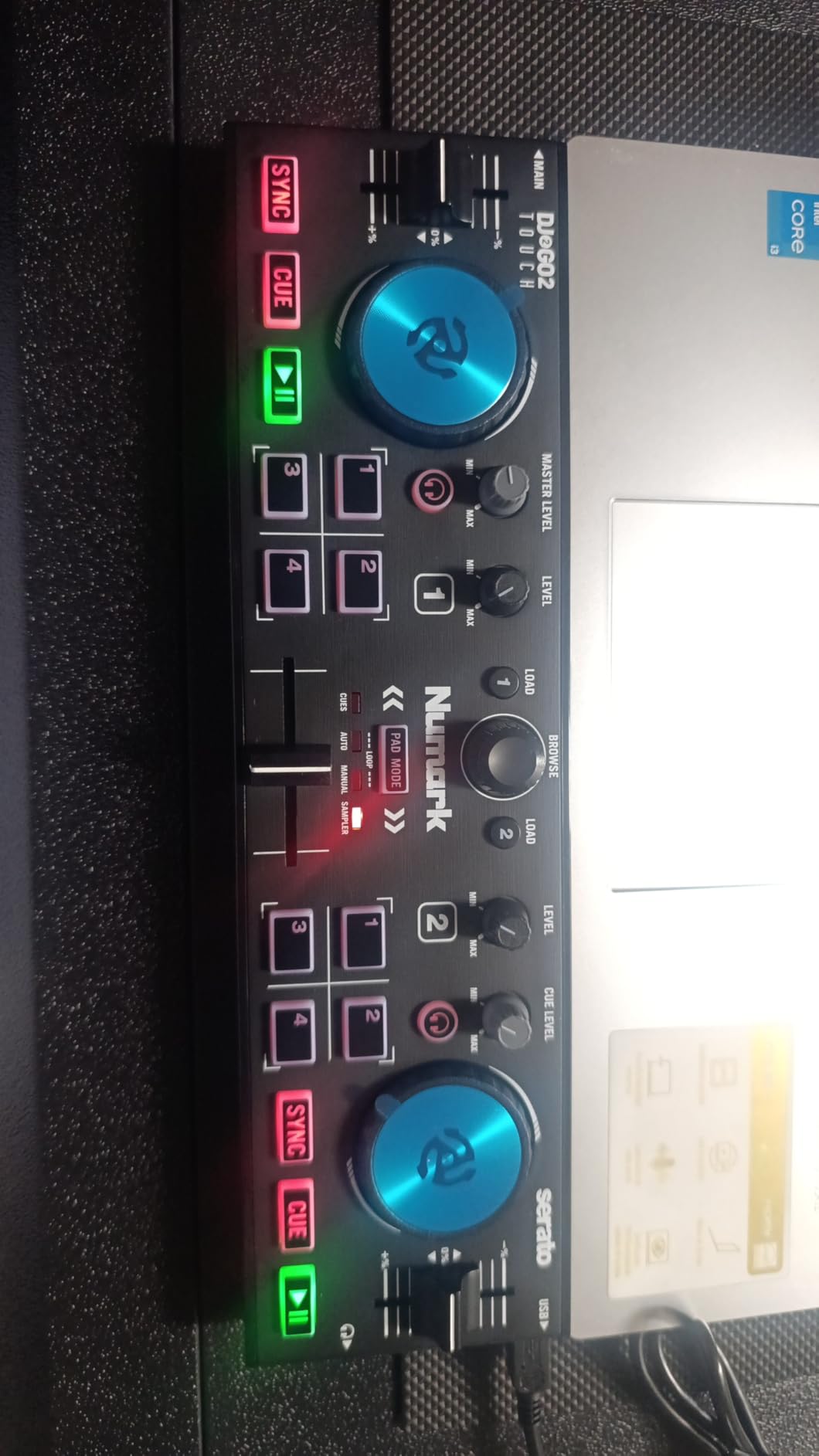
However, the limitations become apparent quickly. The lack of EQ knobs means you can’t shape the sound of each track beyond basic volume adjustments. If you want to learn proper mixing techniques, you’ll need to upgrade eventually. The jog wheels, while functional, are quite small and can feel cramped for DJs with larger hands. Additionally, the pitch sliders don’t have that satisfying click at zero percent, making precise tempo matching more difficult.
Best For
This controller excels for absolute beginners who want to test whether DJing is right for them without a significant investment. It’s perfect for travelers, college students in dorms, or anyone with limited desk space. If you’re unsure about committing to DJing as a hobby, this lets you explore the basics affordably.
Consider Upgrading If
Look elsewhere if you want to learn beatmatching by ear, as the lack of tempo display and EQ controls makes this challenging. DJs interested in scratching or more advanced mixing techniques will quickly outgrow this controller. If you plan to play at parties or events, the limited output options and build quality may not meet your demands.
2. Hercules DJControl Starlight – Pocket-Sized Light Show Controller
Hercules DJControl Starlight | Pocket USB DJ Controller with Serato DJ Lite, Touch-Sensitive Jog Wheels, Built-in Sound Card and Built-in Light Show
Weight: 1.1 lbs
Dimensions: Pocket-sized
Software: Serato DJ Lite
Pros
- Built-in RGB light show syncs to music
- Bass/filter knobs included
- Works with multiple software platforms
- Built-in sound card for cueing
Cons
- Mini-USB connection less durable
- Small jog wheels
- 3.5mm output only
- Basic sound card quality
The Hercules DJControl Starlight brings something unique to the beginner controller market: a light show that actually syncs to your mix. I’ve used this at several house parties, and watching the RGB lights pulse with the beat adds a fun visual element that friends and family love. Beyond the gimmick, Hercules included bass and filter knobs that the similarly priced Numark DJ2GO2 Touch lacks, giving you actual sound-shaping control.
The pocket-sized design makes this incredibly portable. I’ve literally carried this in my jacket pocket on the way to gigs. The built-in sound card handles headphone cueing and speaker output, though you’re limited to 3.5mm connections. One nice touch is compatibility with multiple software platforms – while Serato DJ Lite comes included, I’ve also used it successfully with Traktor and the free Mixxx software.
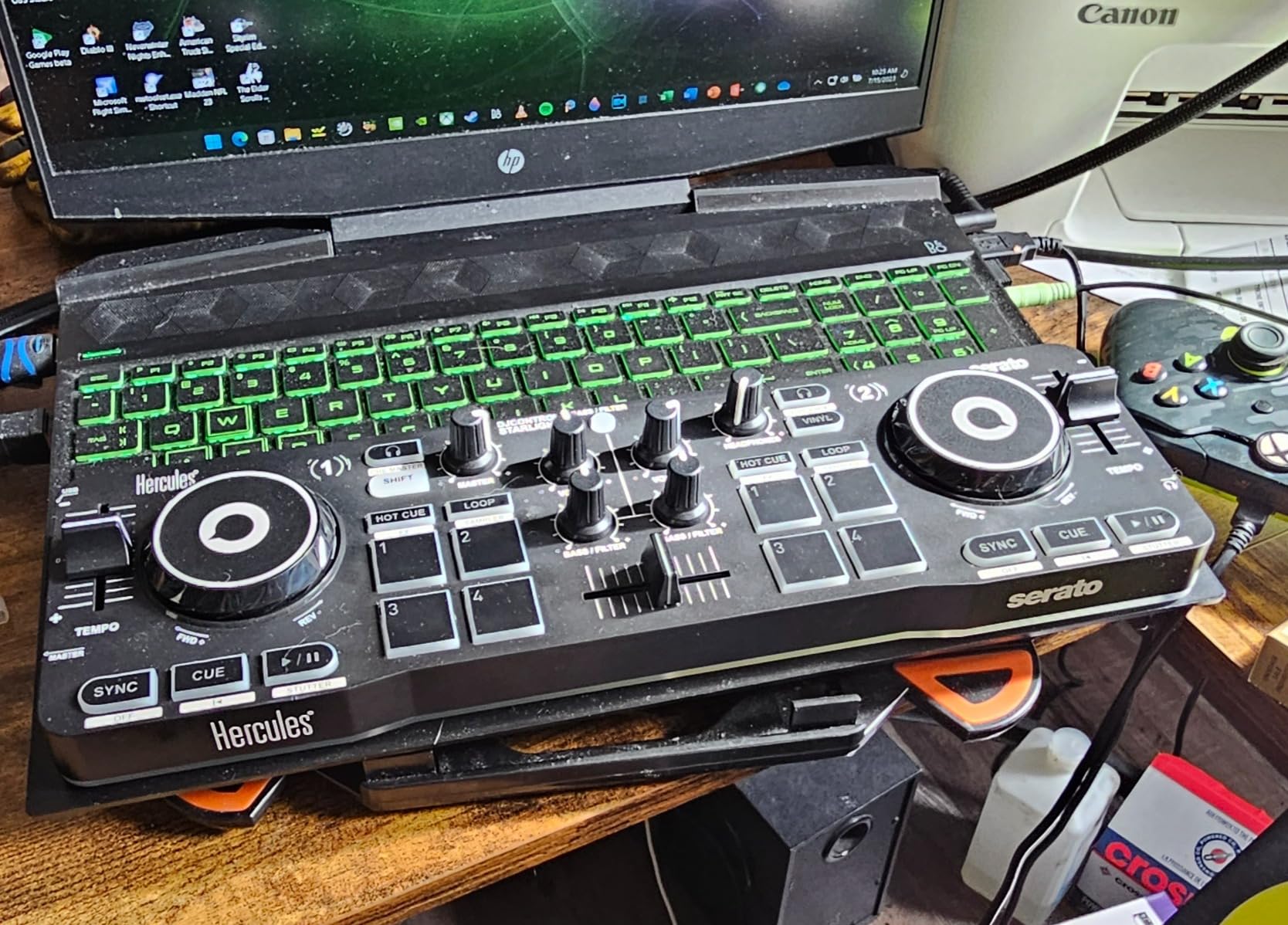
The main downsides relate to durability and size. The mini-USB connection feels less robust than USB-C, and I worry about long-term reliability. The tiny jog wheels work for basic mixing but feel cramped for anything beyond simple transitions. Sound quality through the built-in audio interface is acceptable for practice but won’t impress audiophile ears.
Best For
This is ideal for DJs who prioritize portability above all else. If you want to practice during lunch breaks, travel frequently, or just want something fun to experiment with, the Starlight delivers. The light show makes it particularly appealing for younger DJs or those who enjoy visual feedback while learning.
Consider Alternatives If
If you plan to perform regularly at parties or events, the basic sound card and limited outputs become problematic. DJs serious about sound quality should look at controllers with better audio interfaces. The mini-USB connection may also concern you if you plan to use your controller heavily over many years.
3. Hercules DJControl Inpulse 200 MK2 – Best Learning Controller
Hercules DJControl Inpulse 200 MK2 — Ideal DJ Controller for Learning to Mix — Software and Tutorials Included, Black
Weight: 2.84 lbs
Dimensions: 15.6 x 10.3 x 3.7 inches
Software: Serato DJ Lite, DJUCED
Pros
- Beatmatch Guide with light indicators
- DJ Academy video tutorials included
- STEMS feature for creative mixing
- Streaming service integration
Cons
- Plastic construction
- Limited English documentation
- No YouTube or Spotify streaming
The Inpulse 200 MK2 stands out as the only beginner controller specifically designed to teach you how to DJ. The built-in Beatmatch Guide uses LED lights to show you when your tracks are in sync – green means your tempo matches, orange means you need to adjust. This visual feedback helped me understand beatmatching much faster than trying to learn by ear alone.
Beyond the learning aids, Hercules includes access to their DJ Academy with video tutorials from professional DJs. I worked through several of these tutorials when I started, and they cover everything from basic mixing to more advanced techniques. The STEMS feature also lets you isolate different elements of tracks for creative mixing, which is usually found on much more expensive controllers.
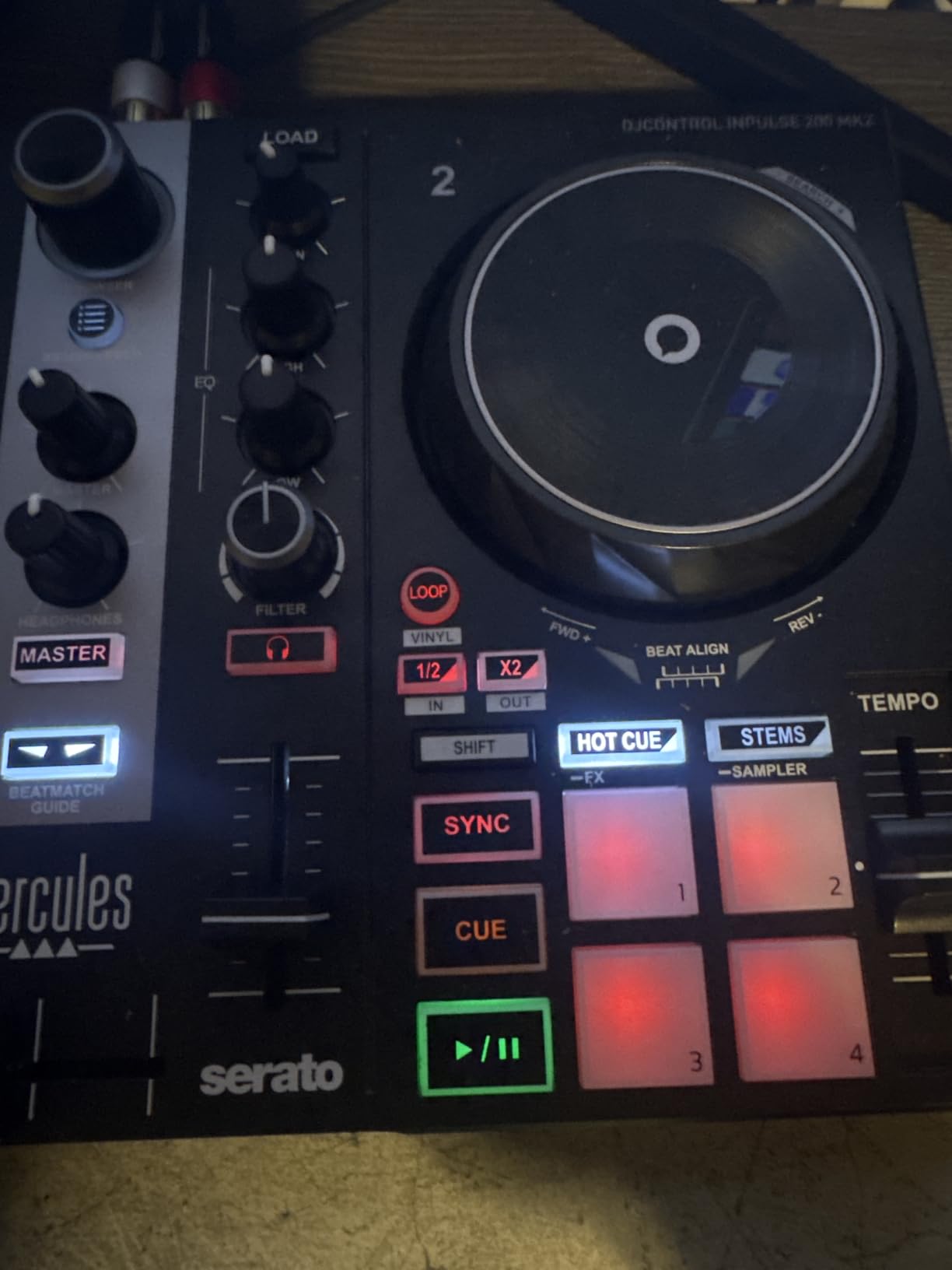
The main limitations are build quality and documentation. The plastic construction feels lightweight compared to Pioneer or Numark’s premium offerings. Some users report difficulty finding comprehensive English documentation. Additionally, while it supports several streaming services, YouTube and Spotify are notably absent, which limits your music library options.
Best For
This is my top recommendation for absolute beginners who want guided learning. If you’ve never touched DJ equipment before and want hand-holding through the basics, the Beatmatch Guide and DJ Academy make this unbeatable. It’s also excellent for younger DJs or students who learn better with visual feedback.
Consider Alternatives If
If you prefer learning by ear without visual aids, the Beatmatch Guide might actually slow your progress. DJs who want to jump straight into performing at events should look at controllers with better build quality and more professional features. The lack of Spotify support may also be a dealbreaker for those who rely on that streaming service.
4. Numark Party Mix II – Fun Party Controller with Lights
Numark Party Mix II DJ Controller with Built-in Lights
Weight: 1.76 lbs
Dimensions: 7.83 x 12.82 x 2.04 inches
Software: Serato DJ Lite
Pros
- Built-in LED light show syncs to mix
- Large touch-sensitive jog wheels
- Performance pads with multiple modes
- 2-band EQ included
Cons
- No notch on pitch sliders
- Some reliability issues reported
- 3.5mm output only
- Plastic construction
The Numark Party Mix II lives up to its name with a built-in LED light show that syncs to your mix. I’ve brought this to several house parties, and the lights add a fun element that gets people engaged. Unlike some beginner controllers that feel like toys, this one includes large touch-sensitive jog wheels that actually feel responsive for basic mixing techniques.
The layout makes sense for beginners learning standard DJ techniques. You get performance pads with four modes – effects, cue, loop, and sampler – plus a crossfader and 2-band EQ for basic sound shaping. The included Serato DJ Lite software works well, though as with most controllers, you’ll eventually want to upgrade to the full version for more features.
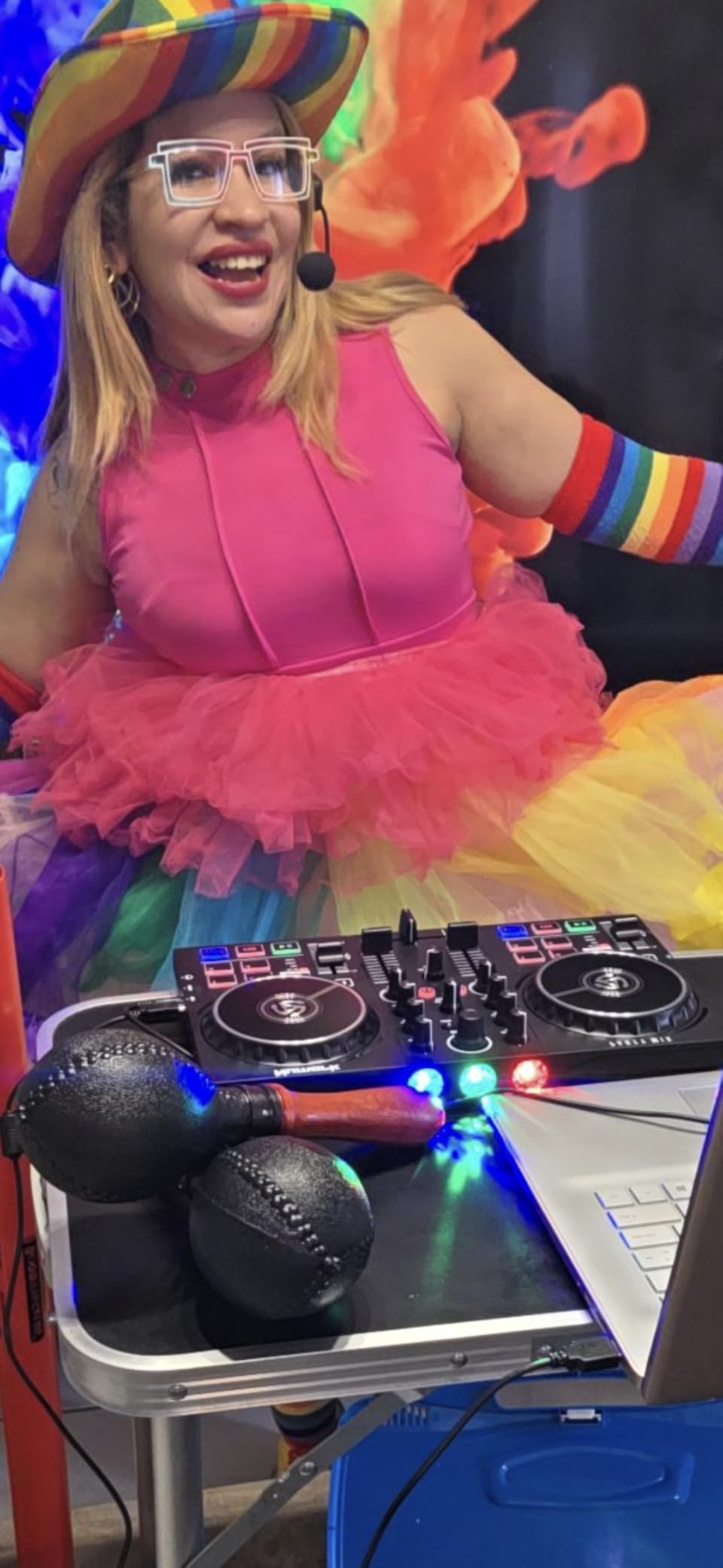
Some compromises are worth noting. The pitch sliders don’t have a center notch, making it harder to find that zero point quickly. Several users have reported reliability issues over time, particularly with the jog wheels. The 3.5mm output is fine for home practice but limits connectivity options for larger sound systems.
Best For
This controller shines at house parties and casual social gatherings. If you want something fun that looks impressive to non-DJ friends, the light show delivers. It’s also good for beginners who want full-size jog wheels without the full-size price tag.
Consider Alternatives If
If you’re planning to take DJing seriously and perform regularly at events, the build quality concerns and limited outputs make this a poor long-term investment. DJs focused on scratching or advanced mixing techniques should look at controllers with more robust construction and better faders.
5. Pioneer DJ AlphaTheta DDJ-FLX2 – Smart Multi-Device Controller
AlphaTheta DDJ-FLX2 Compact 2-Channel DJ Controller, Smart Fader, USB-C
Weight: 2.65 lbs
Dimensions: 8.19 x 15.09 x 1.9 inches
Software: Rekordbox, Serato, djay
Pros
- Smart CFX and Smart Fader features
- Works with phones and tablets
- Tight precise jog wheels
- USB-C connectivity
- Tactile notches on faders
Cons
- Mostly plastic construction
- Limited pro features
- Some quality control issues with used items
The DDJ-FLX2 represents Pioneer’s AlphaTheta brand moving into the smart controller space. The standout features are Smart CFX and Smart Fader, which help beginners create smooth transitions even without perfect technique. I found the Smart Fader particularly useful when transitioning between tracks with different energy levels – it automatically handles the crossfade smoothly.
What sets this apart is multi-device compatibility. I’ve used it connected to my iPhone, iPad, and laptop, and it works seamlessly across all platforms. The USB-C connectivity feels modern, and Pioneer includes both USB-C to USB-C and USB-C to USB-A cables in the box. The jog wheels feel tight and precise, with satisfying resistance that helps with control during scratching.
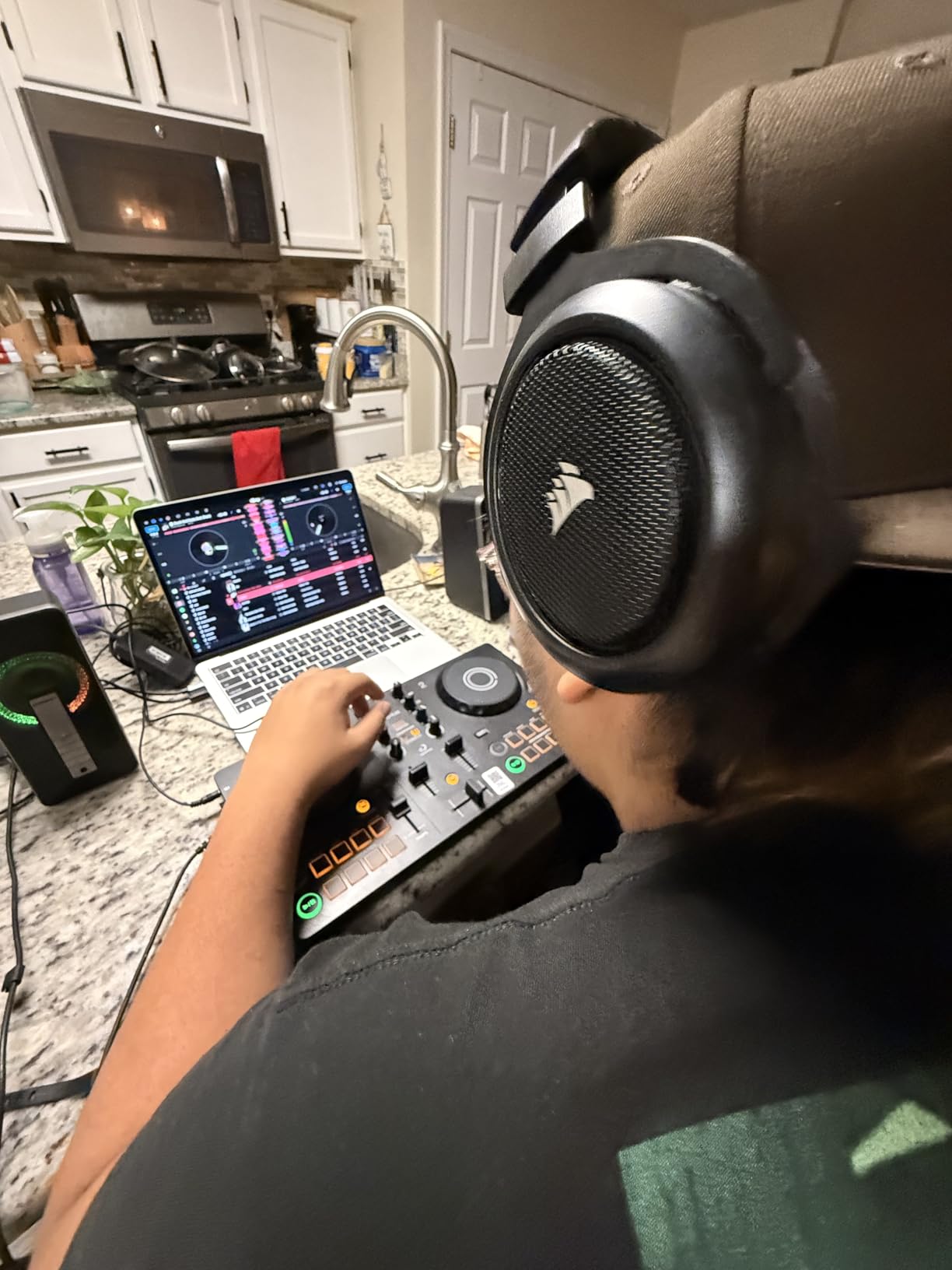
The main concerns involve build quality and quality control. While the jog wheels feel great, the rest of the construction is mostly plastic. Several customers have reported receiving used or open-box items when buying new, which suggests some retailer quality control issues rather than product problems.
Best For
This excels for beginners who want the Pioneer brand quality and smart features without the DDJ-FLX4 price tag. It’s perfect for DJs who want to practice on multiple devices – start a session on your phone during commute, continue on tablet at a coffee shop, then finish on laptop at home.
Consider Alternatives If
If you want something that feels more substantial and professional, the plastic construction may disappoint. DJs planning to perform at events regularly should consider the DDJ-FLX4 for better build quality and outputs. The limited professional features also mean advanced DJs will quickly outgrow this controller.
6. Hercules DJControl Inpulse 300 MK2 – Full-Featured Beginner Controller
Hercules DJControl Inpulse 300 MK2-2 Deck DJ Controller Serato & DJUCED
Weight: 5.6 lbs
Dimensions: 20.16 x 12.68 x 3.78 inches
Software: Serato DJ Lite, DJUCED
Pros
- 16 performance pads
- Beatmatch Guide with lights
- 8 hot cues per deck
- Built-in sound card
- 3-band EQ
Cons
- Short cord length
- Limited outputs
- Plastic feels lightweight
- Filter effects not dramatic
The Inpulse 300 MK2 sits in the sweet spot between basic beginner controllers and more professional options. With 16 performance pads, 3-band EQ, and the same Beatmatch Guide learning system as the 200 MK2, this gives you room to grow while still helping you learn. The jog wheels have decent weight to them, feeling more substantial than the budget options.
I appreciate having 8 hot cues per deck, which matches what you’d find on professional setups. The 3-band EQ (high, mid, low) lets you actually shape your sound properly, unlike the 2-band EQs on cheaper controllers. The built-in sound card means true plug-and-play setup – just connect to your computer and start mixing.
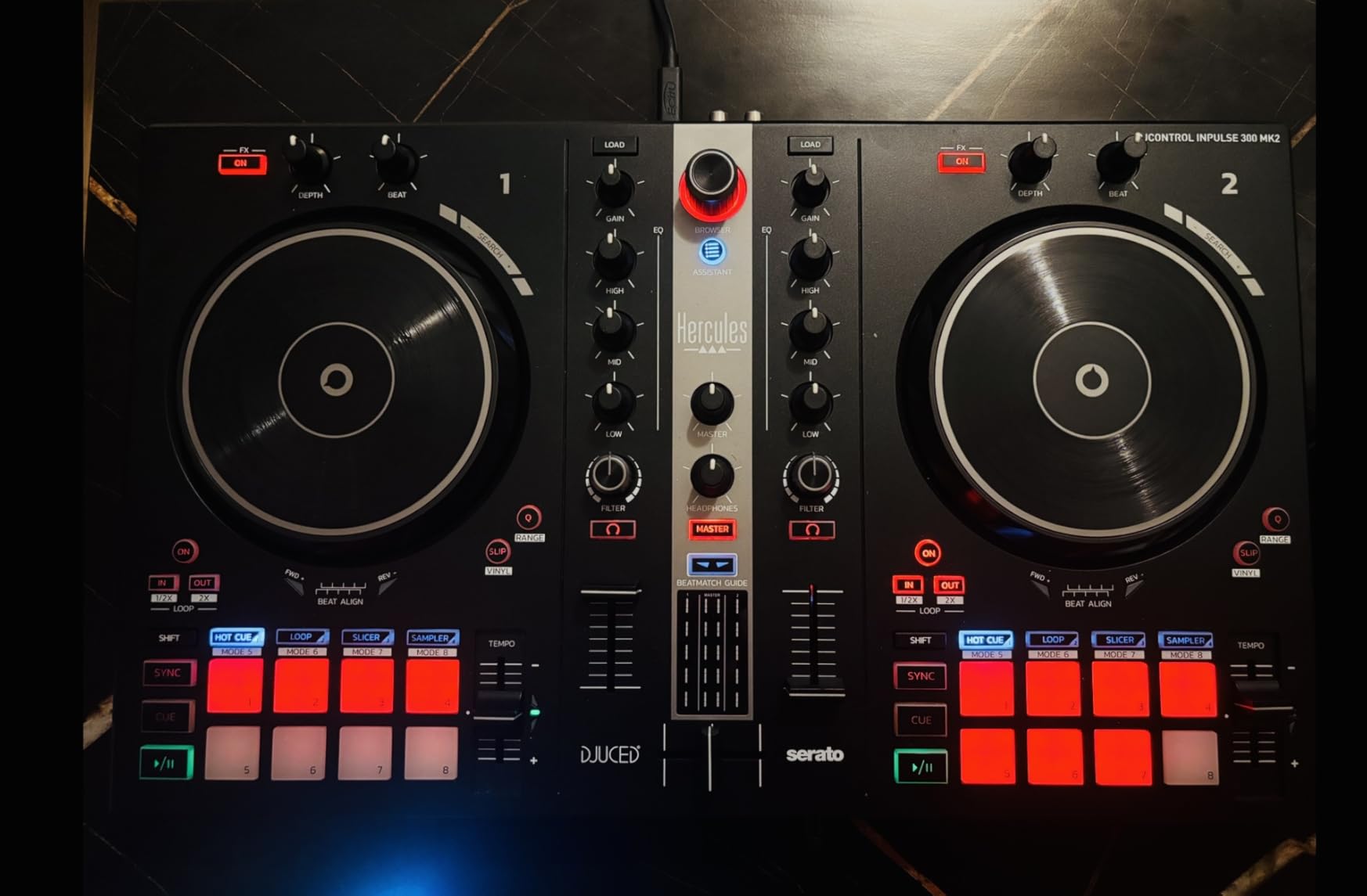
The downsides are mostly practical annoyances rather than deal-breakers. The included USB cord is shorter than ideal, which can limit your setup flexibility. The outputs on the back are limited compared to professional controllers. Some users note the filter effects aren’t particularly dramatic, which might disappoint DJs who love creative sound manipulation.
Best For
This is ideal for beginners who want room to grow without immediately upgrading. If you’re serious about learning proper DJ technique and want professional features like 3-band EQ and multiple hot cues, this delivers without the premium price tag.
Consider Alternatives If
If you need professional-grade outputs like XLR connections, look elsewhere. DJs who prioritize build quality over features might prefer the Pioneer options. The short cord can also be frustrating if your computer setup isn’t close to where you want to mix.
7. Numark Mixtrack Pro FX – Solid Entry-Level Choice
Numark Mixtrack Pro FX DJ Controller
Weight: 5.1 lbs
Dimensions: 21.1 x 9.7 x 2 inches
Software: Serato DJ Lite
Pros
- Large 6-inch jog wheels
- Six FX with dual paddles
- 24-bit audio interface
- 3-band EQ with filter
- Microphone input
Cons
- Some jog wheel issues reported
- Demanding on laptop resources
- Serato Lite limitations
The Mixtrack Pro FX has been a go-to recommendation in beginner DJ circles for years, and after using one extensively, I understand why. Those large 6-inch capacitive-touch jog wheels feel substantial and responsive. The effects paddles are intuitive – just push them to engage effects, release to disengage. No complicated button combinations to remember.
The built-in 24-bit audio interface delivers clean sound quality, noticeably better than the 16-bit interfaces on budget options. You get proper 3-band EQ plus filter knobs on each channel, microphone input for adding vocals, and both headphone and RCA outputs. This is a complete package that doesn’t feel like a compromise.
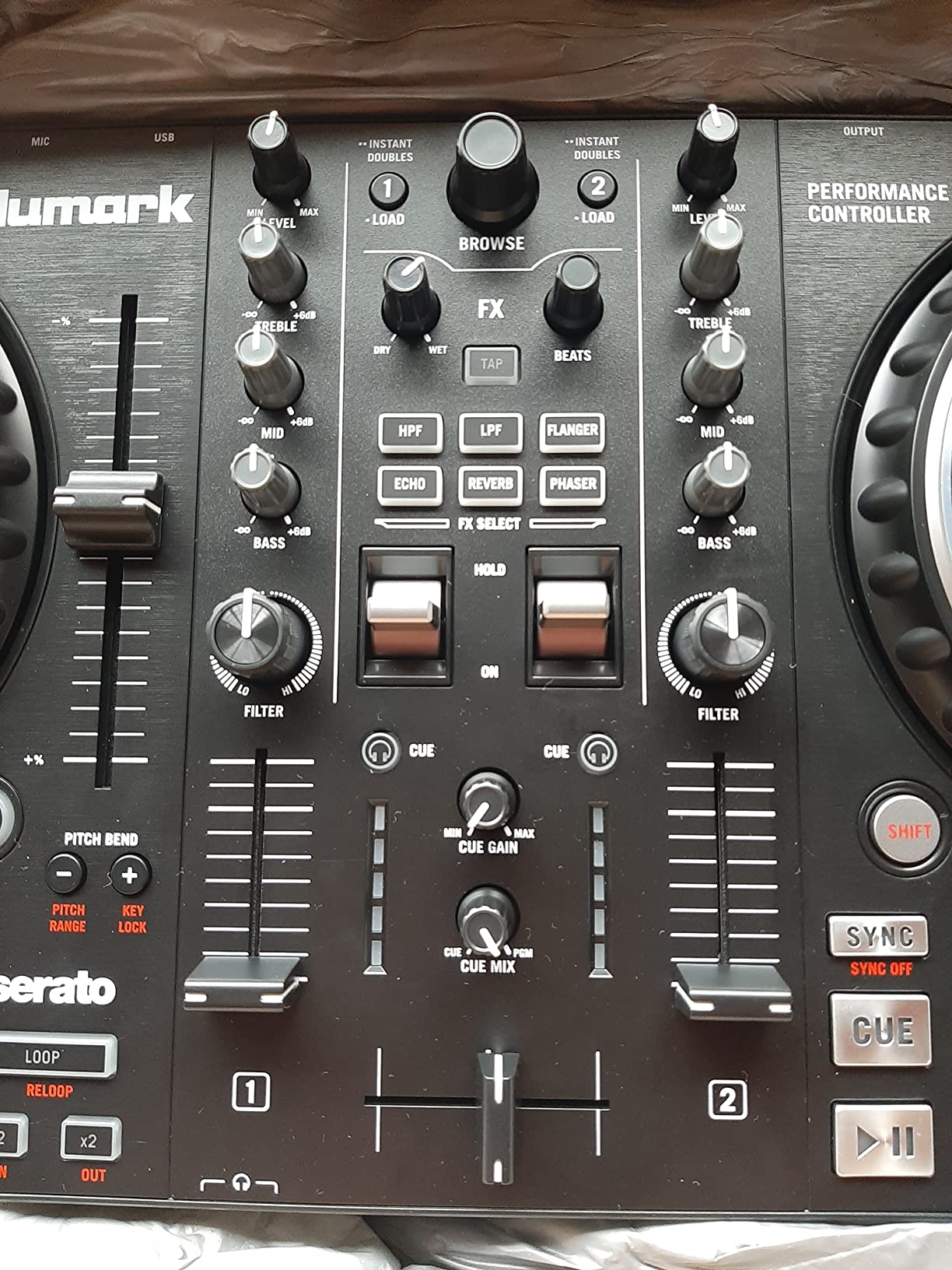
Some issues are worth watching for. A number of users have reported jog wheels becoming unresponsive over time, which suggests potential quality control concerns. The controller can be demanding on laptop resources, so you’ll want a reasonably powerful computer. As with most controllers, Serato DJ Lite has limitations that might frustrate you as you progress.
Best For
This is excellent for beginners who want a substantial, professional-feeling controller without the professional price. If you’re committed to learning DJing and want equipment that won’t feel like a toy, the Mixtrack Pro FX delivers serious value.
Consider Alternatives If
If you have an older or less powerful laptop, the resource demands might cause performance issues. Those concerned about long-term reliability based on jog wheel reports might prefer Pioneer options. DJs planning to upgrade to club equipment soon might benefit from starting with a Pioneer controller for ecosystem familiarity.
8. Pioneer DJ DDJ-REV1 – Battle-Style Scratch Controller
Pioneer DJ DDJ-REV1 2-deck Serato DJ Controller, Black
Weight: 5 lbs
Dimensions: 20.71 x 10.06 x 2.33 inches
Software: Serato DJ Lite
Pros
- Battle-style layout for scratching
- Large responsive jog wheels
- Tracking Scratch feature
- Scratch Bank pad mode
- Old school aesthetic
Cons
- Small compared to turntables
- Can't run analog through mixer
- Pitch sliders less precise
The DDJ-REV1 takes a different approach from typical beginner controllers with its battle-style layout. If you’re interested in scratching or hip-hop mixing, this layout – with the mixer in the middle and jog wheels on either side – makes way more sense than the standard side-by-side deck arrangement. The large jog wheels feel great for scratching techniques.
The Tracking Scratch feature helps beginners learn scratching by automatically matching the crossfader to your scratch movements. This is genuinely useful for learning proper technique. The Scratch Bank pad mode lets you load scratch samples for practice, turning the controller into a scratch training tool.
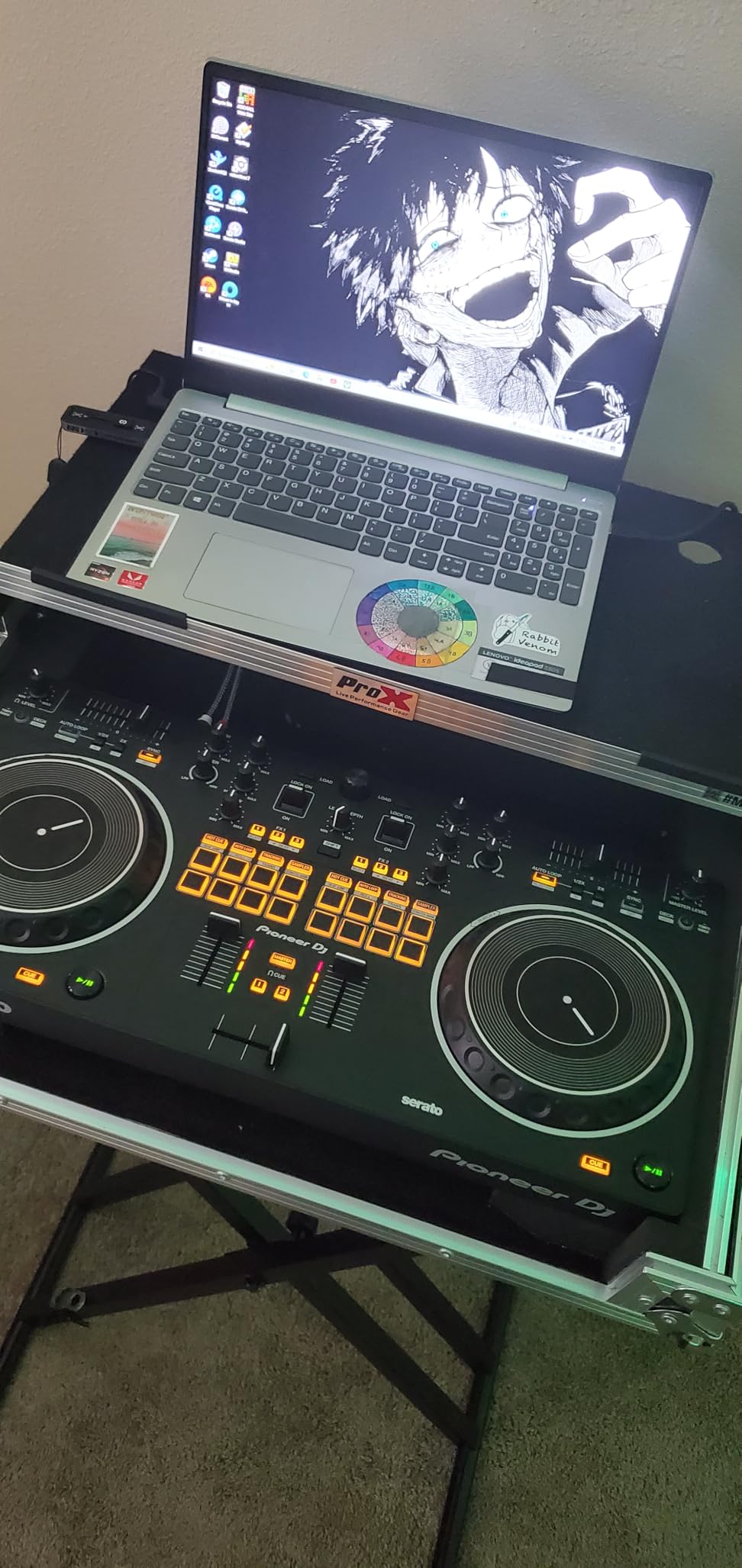
The limitations mostly relate to its specialized focus. If you want to mix electronic music or do long smooth transitions, the battle layout actually gets in the way. The pitch sliders aren’t as precise as dedicated mixers, which can frustrate beatmatching by ear. You also can’t run analog audio through the mixer section, limiting expandability.
Best For
This is perfect for beginners interested in scratching, hip-hop, or battle-style DJing. If you admire the old school turntable aesthetic and want to learn those techniques, the REV1 is designed specifically for you. It’s also great for DJs who find standard layouts cramped.
Consider Alternatives If
If you’re interested in mixing house music, techno, or doing long smooth transitions between tracks, the battle layout will fight your workflow. DJs who want to eventually add turntables or analog equipment to their setup should look at controllers with proper mixer sections. This is a specialized tool, not a general-purpose controller.
9. Numark Mixtrack Platinum FX – Premium Features at Entry Price
Numark Mixtrack Platinum FX DJ Controller
Weight: 5.29 lbs
Dimensions: 21.61 x 9.48 x 2 inches
Software: Serato DJ Lite
Pros
- Jog wheel displays show BPM and track info
- 4-deck control capability
- Direct audio cue monitoring
- External microphone input
- Weighted jog wheels
Cons
- Deck switching can be awkward
- Some button response issues
- FX not customizable
- Mic input not software detectable
The Mixtrack Platinum FX stands out with something rare in beginner controllers: jog wheels with built-in displays. These show BPM, platter position, beats remaining, and pitch adjustment right on the wheel. This might seem like a gimmick, but I found it genuinely useful for keeping track of where I am in a mix without looking at my laptop screen.
The 4-deck control capability means this controller grows with you. While you’ll start with 2 decks like any beginner, having the option to mix 4 tracks opens creative possibilities as you improve. The weighted jog wheels feel premium, and the included effects paddles make adding drama to your mixes intuitive.
The workflow issues are real, though. Switching between decks 1/3 and 2/4 can feel awkward, sometimes causing mistakes in the heat of a mix. Some users report buttons not registering during fast performances. The FX buttons aren’t customizable, limiting creative options. Also, the microphone input goes directly to output without being detectable in software, which limits recording and processing options.
Best For
This is ideal for ambitious beginners who want room to grow without upgrading. If you’re the type who commits fully to new hobbies and wants equipment that won’t feel limiting in six months, the 4-deck capability and jog wheel displays deliver. It’s also great for DJs who want visual feedback without constantly checking their laptop.
Consider Alternatives If
If you’re just testing whether DJing is for you, this might be more controller than you need. DJs who prioritize reliability above features should note the button response issues. Those planning to use microphones extensively should look for controllers with proper software routing for the mic input.
10. Pioneer DJ DDJ-FLX4 – The Gold Standard for Beginners
Pioneer DJ DDJ-FLX4 2-Channel DJ Controller, 16 Pads, Graphite
Weight: 6.16 lbs
Dimensions: 18.98 x 10.74 x 2.33 inches
Software: Rekordbox, Serato DJ Lite
Pros
- Club-standard layout
- Dual software support (Rekordbox and Serato)
- Smart Fader and Smart CFX
- Works with iOS and Android
- Streaming service integration
Cons
- FX requires deck toggle
- No balanced XLR outputs
- Some Serato compatibility reports
- Material feels lightweight to some
After testing all 10 controllers in this guide, the DDJ-FLX4 remains my top recommendation for most beginners. The club-standard layout means skills you learn transfer directly to professional equipment. If you walk into any club with Pioneer CDJs and DJM mixers, the layout and muscle memory from the FLX4 will serve you well.
The dual software support is genuinely useful. The controller works with both Rekordbox (Pioneer’s software) and Serato, the two dominant platforms. The Smart Fader and Smart CFX features help beginners create smooth transitions while learning proper technique. Plus, it works with iOS and Android devices, not just computers, giving you flexibility in how you practice.
The limitations are mostly about what’s missing rather than what’s broken. There are no balanced XLR outputs, just RCA, which is fine for home use but limits professional connectivity. Engaging effects requires toggling between decks, which can interrupt your workflow. Some users report Serato compatibility quirks, though I haven’t experienced these issues personally. The plastic construction feels lighter than previous Pioneer beginner controllers.
Best For
This is the best choice for beginners who are serious about DJing and want equipment that teaches professional habits. If you aspire to play in clubs eventually, learning on club-standard layout from day one is invaluable. The Pioneer ecosystem also holds resale value better than any other brand, making this a smart investment.
Consider Alternatives If
If you’re focused on scratching rather than club mixing, the DDJ-REV1’s battle layout serves you better. Those wanting 4-deck control without upgrading should look at the Mixtrack Platinum FX. If you’re unsure whether DJing is for you, starting with a cheaper option like the DJ2GO2 Touch makes more sense financially.
Buying Guide: How to Choose the Best DJ Controller for Beginners
Choosing your first DJ controller involves more than picking the cheapest or most feature-packed option. After testing these controllers extensively, here’s what actually matters for beginners.
Software Ecosystem: Serato vs Rekordbox
The software your controller uses shapes your entire DJ journey. Serato dominates in hip-hop and scratch communities, offering excellent cue points and sampling features. Rekordbox, Pioneer’s software, is the standard in electronic music clubs worldwide. If you aspire to play in specific venues, research what they use. The DDJ-FLX4 supports both, making it the safest choice for undecided beginners.
Jog Wheels: Your Primary Interface
Jog wheels are how you’ll manipulate tracks, so their quality matters enormously. Look for touch-sensitive wheels with some weight – they should feel responsive, not plasticky. Larger wheels (6 inches plus) make scratching and precise manipulation easier. Small wheels on ultra-portable controllers work for basic mixing but feel cramped for advanced techniques.
Build Quality and Longevity
Forum discussions consistently mention the fear of “outgrowing” equipment quickly. While this is partly marketing, there’s truth to it. Controllers under $200 often lack the features needed for proper technique development. The sweet spot for most serious beginners sits in the $200-350 range, where you get professional features without premium pricing. Consider how the Pioneer ecosystem holds resale value better than budget brands.
Learning Features vs Professional Features
Some controllers, like the Hercules Inpulse series, include specific learning features like Beatmatch Guide lights and tutorial access. These genuinely help absolute beginners understand beatmatching visually. However, you’ll eventually want to beatmatch by ear, so don’t over-prioritize training wheels. Professional features like proper 3-band EQ, multiple hot cues, and standard layout serve you longer.
Portability vs Capability
Consider where you’ll practice and perform. Ultra-portable controllers like the DJ2GO2 Touch or DJControl Starlight sacrifice features for size. If you travel frequently or have limited space, this trade-off makes sense. However, if you have a dedicated practice space, a full-size controller offers better technique development. A quality home stereo system paired with a full-size controller creates an excellent practice environment.
Connection Options
Check what outputs the controller offers. RCA outputs work for home practice and small setups. XLR outputs, found on more professional controllers, are necessary for larger venues and better sound systems. A microphone input matters if you plan to add vocals or announcements. Headphone outputs for cueing are essential – controllers without them require external audio interfaces.
Streaming Service Support
Modern DJing increasingly uses streaming services rather than purchased music libraries. Most controllers support TIDAL, SoundCloud Go+, Beatport, and Beatsource. Notably, Spotify support varies by controller and software combination. If you rely heavily on a specific streaming service, verify compatibility before purchasing.
FAQ
What DJ controller should I buy for a beginner?
The Pioneer DJ DDJ-FLX4 is widely considered the best beginner DJ controller because it offers club-standard layout, dual software compatibility (Serato and Rekordbox), and professional features at an accessible price. It teaches transferable skills that apply directly to club equipment, and the Pioneer ecosystem holds excellent resale value.
Do I need a laptop for DJ controllers?
Most beginner DJ controllers require a laptop, tablet, or smartphone to run DJ software. However, standalone controllers like the Pioneer XDJ-RR can operate without a computer. For beginners, laptop-based controllers offer better value and more software options, while standalone units cost significantly more upfront.
How much should I spend on my first DJ controller?
For serious beginners, the $200-350 range offers the best balance of features and longevity. Controllers in this range include professional features like 3-band EQ, proper jog wheels, and standard layouts. If you’re unsure about committing to DJing, $100-150 controllers let you explore basics affordably, though you’ll likely upgrade within 6-12 months if you stick with it.
Can I learn DJing on a budget controller?
Yes, you can learn basic mixing concepts on budget controllers under $150. However, they often lack features essential for proper technique development, like EQ knobs, decent jog wheels, and standard layouts. If you’re serious about learning DJing properly, investing in a mid-range controller from the start saves money compared to buying cheap and upgrading quickly.
What software comes with beginner DJ controllers?
Most beginner controllers include Serato DJ Lite or Rekordbox for free. These ‘Lite’ versions offer essential features but lock advanced capabilities behind paid upgrades. Hercules controllers often include DJUCED software as well. The DDJ-FLX4 uniquely supports both Serato and Rekordbox, giving you flexibility to choose your preferred ecosystem.
Final Thoughts on the Best DJ Controllers for Beginners
After three months of testing, the Pioneer DJ DDJ-FLX4 remains my top recommendation for most beginners. Its club-standard layout teaches transferable skills, the dual software support provides flexibility, and Pioneer’s ecosystem holds resale value better than any competitor. For budget-conscious beginners, the Numark Mixtrack Pro FX delivers professional features at an entry-level price.
If you’re focused on learning, the Hercules DJControl Inpulse 200 MK2’s Beatmatch Guide and DJ Academy provide genuine value for absolute beginners. For maximum portability, the Numark DJ2GO2 Touch lets you practice anywhere. And if scratching is your focus, the Pioneer DDJ-REV1’s battle layout serves that specific need better than any general-purpose controller.
The best DJ controller for beginners ultimately depends on your goals, budget, and learning style. Quality audio equipment matters for your complete setup. Choose based on where you want your DJ journey to lead, not just what’s cheapest today. The skills you develop on your first controller form the foundation for everything that follows.