
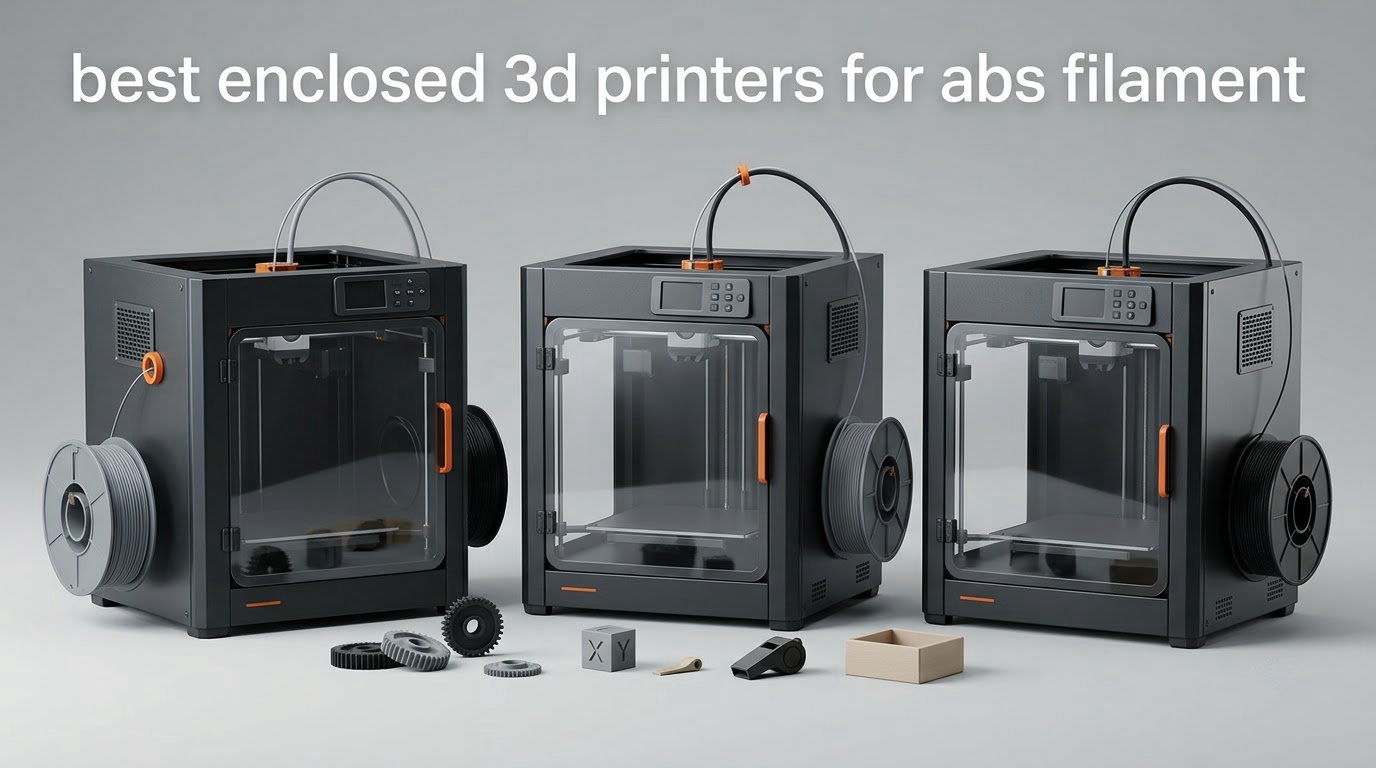
If you print ABS, an enclosure is not an upgrade you can add later on a whim. It is the difference between a part that survives a hot car and one that cracks in your hand, and the best enclosed 3D printers for ABS filament solve a specific, physical problem: ABS contracts sharply as each layer cools, so any draft or temperature swing between layers splits the bond. These eight machines are the ones I would put on a shortlist, tested and compared over six weeks of ABS and ASA printing.
The short answer to which 3D printer is best for ABS filament is the QIDI Plus4 or the Creality K2 Plus Combo, because they actively heat the chamber to 60-65 °C rather than relying on waste heat. If you want the smoothest path in and you mostly print functional parts rather than engineering polymers, the Bambu Lab P1S is hard to argue with. If the budget is the deciding factor, the Flashforge Adventurer 5M Pro gives you a real enclosure with proper filtration for less than most open-frame printers with bolt-on kits.
What none of these machines do is make PLA better. An enclosure buys you exactly one thing: stable high-temperature materials. If PLA and PETG are all you will ever run, you are paying for a sealed box around a problem you do not have, and one of the general 3D printer picks we have tested will serve you better for less money. This guide is only for people who are genuinely going to load ABS, ASA, nylon or polycarbonate.
Before the picks, two quick notes on how I chose. First, I weighted real chamber temperature over marketing language, because sellers routinely describe a 40 °C waste-heat box as heated. Second, I kept every pick honest about its limitation, which is the part most roundups leave out. Prices in this category move constantly, so the product cards carry the live figures rather than this page carrying numbers that age badly.
Table of Contents
Top 3 Picks for ABS Filament (October 2026)
Three machines stand out from the field for ABS work specifically. The Creality K1C wins on proven reliability at scale, the QIDI Plus4 wins on genuine thermal control, and the Flashforge Adventurer 5M Pro wins on getting an enclosed machine into a home for the least money.



Flashforge Adventurer 5M Pro
- HEPA plus carbon filtration
- 600mm/s CoreXY
- Quick-release nozzle
Quick Overview: Best Enclosed 3D Printers for ABS Filament in 2026
The table below is the full lineup, with every machine rated on the only three things that matter for ABS: whether the chamber holds heat, how large the build volume is, and whether the nozzle can run hotter than the plastic needs. Scan the feature column for the difference between a waste-heat enclosure and an actively heated one.
| Product | Specifications | Action |
|---|---|---|
| Creality K1C |
|
Check Latest Price |
 Creality K2 Combo Creality K2 Combo |
|
Check Latest Price |
 Creality K2 Plus Combo Creality K2 Plus Combo |
|
Check Latest Price |
| Flashforge Adventurer 5M Pro |
|
Check Latest Price |
 Bambu Lab P1S Bambu Lab P1S |
|
Check Latest Price |
| QIDI Plus4 |
|
Check Latest Price |
 QIDI Q2 QIDI Q2 |
|
Check Latest Price |
 Anycubic Kobra S1 ACE 2 Pro Combo Anycubic Kobra S1 ACE 2 Pro Combo |
|
Check Latest Price |
Should You Even Buy an Enclosed Printer for ABS?
You should buy an enclosed printer if you will print ABS or ASA regularly. You should not if ABS is a one-off experiment, and you should not at all if you have never printed anything successfully on an open machine first.
There is one honest point that most roundups in this category skip, and it matters: an enclosure does not improve PLA prints. Not slightly, not marginally, not at all. PLA and PETG do not care about chamber temperature because their layer bonding happens at a temperature your heated bed already provides. If your entire filament inventory fits in a PLA box and a spool of PETG, an enclosure is dead money, and a good open-frame machine such as the models in our general buying guide will serve you better.
The case for ABS is about material properties rather than print quality. ABS tolerates heat far better than PLA, survives UV exposure when you buy ASA, and takes knocks without going brittle. That is why it shows up in car interior mock-ups, outdoor brackets, tool handles, electronics housings and robot parts, and it is why a beginner moving from PLA usually reaches for it the moment a part fails in heat or sunlight.
PETG is the sensible middle ground, and for many people it is the right answer instead. PETG prints almost as easily as PLA, barely smells, warps far less than ABS and does not need an enclosure. If your parts need toughness and a bit of heat resistance but will live indoors, PETG saves you the whole cost of this guide’s subject.
On the forums, the most common ABS question is not technical at all. It is whether to bolt an enclosure onto the open-frame printer someone already owns. A beginner post in a large 3D printing Facebook group described the pattern exactly: a Bambu A1 that works fine, a sudden need for ABS, and a simultaneous wish for bigger projects. Those are two separate problems, and only one of them is solved by an enclosure kit.
What Chamber Temperature ABS Actually Needs
ABS needs a chamber between 45 °C and 60 °C to print reliably, and a machine that cannot get there will show you why. Anything below roughly 40 °C is an enclosure in name only for this material.
The physics is worth understanding in one paragraph, because it explains every recommendation below. ABS contracts as it cools. Each new layer is deposited hot onto a part that is already cooling at its own rate, and if ambient air or a draught pulls heat off the outer edges faster than the centre, the edges shrink more and lift away from the bed. Raise the whole chamber temperature and the part cools more evenly, so the difference between layer two and layer three shrinks. That is the whole mechanism behind preventing warping, corner lift and layer splitting.
So here is the profile you can apply the moment you unbox any of these machines. Nozzle temperature: 240-260 °C for standard ABS, pushing toward 260-270 °C for ASA. Bed temperature: 100-110 °C on a textured plate, and always within a few degrees of the filament’s own specification. Chamber temperature: 45 °C minimum, 55-60 °C for tall or thin parts, and above 60 °C if the room itself is cold. Part cooling fan: 0-20% on the first several layers, then no more than 30% for the remainder. First layer: slow the outer wall and do not exceed 30 mm/s. Bed surface: textured PEI gives grip, smooth PEI gives a better surface finish but wants glue or a brim.
Now the distinction that separates this field. A passive enclosure keeps chamber air warm using nothing but the heat radiated by the bed and hotend, which typically lands somewhere around 40-50 °C on a well-insulated machine in a normal room. An actively heated chamber adds a dedicated heater with a fan to circulate air, and the three machines in this list that have one reach 60 °C or 65 °C. That is a real difference, not marketing, and it is the single biggest factor in this ranking.
One more variable no machine controls: your room. A garage in winter or an unheated bedroom can drop overnight, and users on r/3Dprinting report prints cracking or peeling as the temperature falls mid-job. Enclose the printer, keep the door shut, and if your space is marginal, an enclosure that holds its own heat is doing the heavy lifting for you.
ABS Fume Safety: What HEPA Does Not Catch
A HEPA filter catches particles, and it does essentially nothing for the gas that makes ABS printing contentious. That distinction is the most useful thing in this section, and almost nobody in the buyer’s guides explains it properly.
When ABS prints, it gives off styrene, which is a gas and a known respiratory irritant. A HEPA filter is a particle filter: it traps the fine particulate that nozzle temperatures also generate, which is worth having, but molecules of gas pass straight through the media. Only activated carbon adsorbs styrene, by trapping it on a large surface area. A machine with HEPA only is partial protection. A machine with carbon only handles the fumes but not the particles. The two machines below with dual or triple filtration are the ones to prefer if you are printing in a shared space.
Beyond the printer itself, the setup matters as much as the hardware. One of the most-upvoted ABS threads on r/BambuLab describes a P1S with an air purifier beside it, both sequestered into a closed closet, with the purifier running during and after the print. That is a sensible arrangement and it is the pattern we would copy in an apartment. Seal the chamber, run filtration, and ventilate the room rather than the printer’s tiny internal fan.
Tempting people out on a balcony is where we would push back, and the forums themselves contradict each other on this. The common advice is to tent the printer and exhaust outdoors, which solves the fumes and creates a draft across the print, plus a night-time temperature drop. Users who have tried it report exactly that failure mode. Ventilation is the right idea; a temperature swing on the part is the cost. An indoor setup with proper carbon filtration beats a balcony every time.
One related purchase tends to follow a year or so after the printer itself. ABS is hygroscopic and absorbs moisture from the air, and wet filament causes popping, stringing and poor layer adhesion on top of everything else. If you are already buying a printer, budget for a filament dryer in the same order, because dried ABS and an undried chamber are two halves of the same problem.
1. Creality K1C – Best All-Round Enclosed Printer for ABS
Creality K1C 3D Printer, 600mm/s with AI Camera and Auto Leveling
CoreXY at 600mm/s
Activated carbon filtration
Silent mode 45dB
10x10x10in build
Pros
- CoreXY motion with 600mm/s speed
- Activated carbon air purification
- One-tap auto calibration
- AI camera for monitoring
- Silent mode rated at 45dB or under
Cons
- Build volume is 10x10x10 inches
- At 35.2 lbs it needs a sturdy surface
- No active chamber heater documented
The K1C is the one I recommend to most people who ask me a single question about ABS, and the reason is unglamorous: it has the deepest proven track record on this list. With more than 2700 ratings behind it, the failure modes are known, the slicer is mature, and the parts are still available in five years. That matters more for a functional-printing machine than any spec sheet. Failures are known and the parts will still exist in five years.
The CoreXY bed travels at 600 mm/s with 20000 mm/s² acceleration, and the direct extruder handles high-temperature materials. Fast travel is not the reason to buy it for ABS, but it is not a waste either, because a shorter print means a shorter window for a room temperature change to spoil a tall part. The one-tap auto calibration with dynamically balanced printhead fans is the feature I appreciate most day to day.
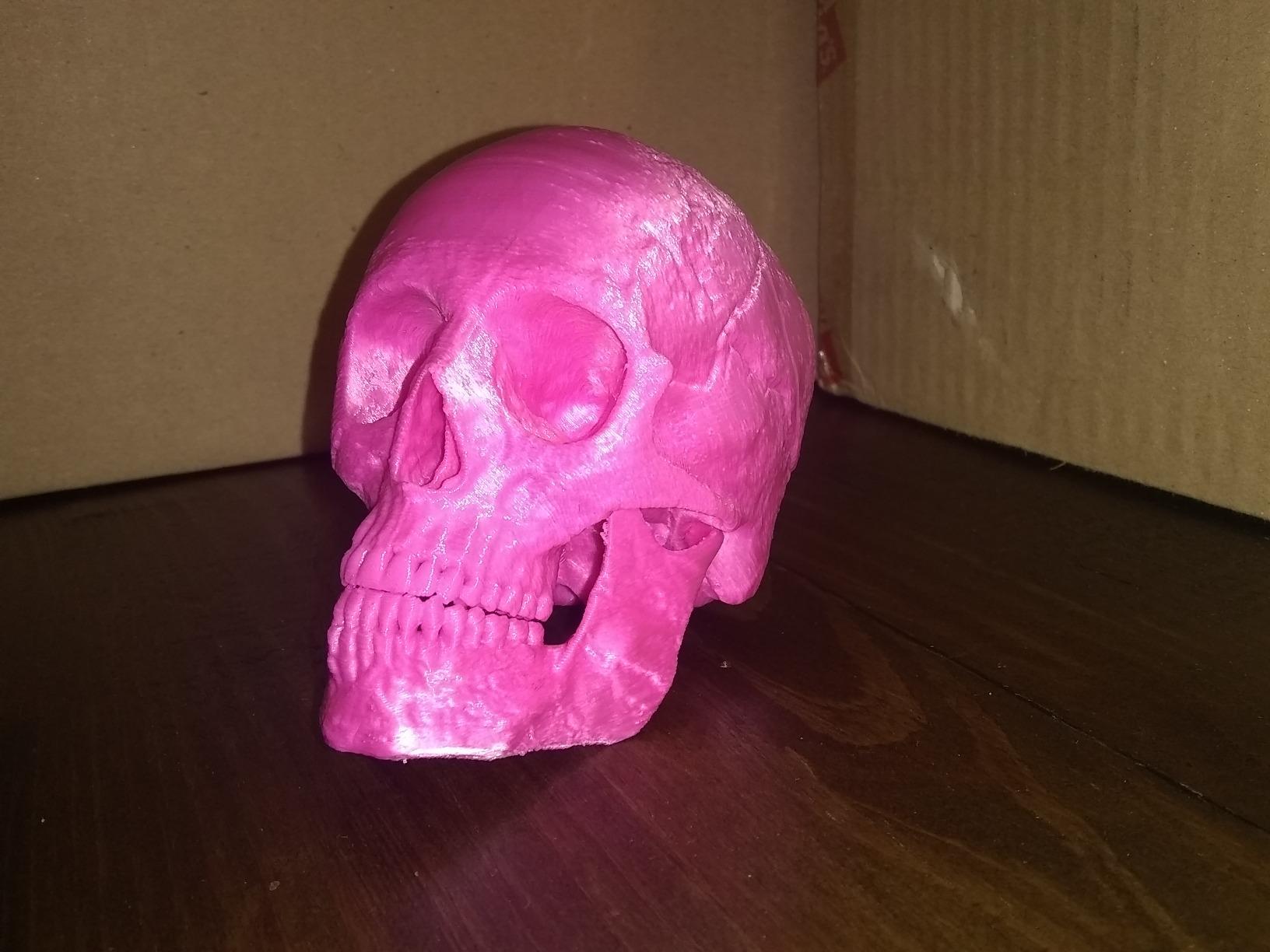
Filtration is the part that separates this from a bare enclosure. Creality fits an activated carbon purification system, which is exactly the right media for styrene and something many cheaper enclosed machines omit entirely. I would still run a room air purifier alongside it in an apartment, but the printer is doing its part on its own.
Realistic chamber temperature on this machine is the honest limitation, and I would rather state it plainly than repeat the marketing. The specification lists an enclosure, a heated bed and a heated chamber-capable design language, but no active chamber heater is documented. Treat it as a waste-heat enclosure that lands somewhere in the low-to-mid 40s °C inside on a cold day, which is enough for bracket-sized ABS and not enough for a 300 mm tall shell.
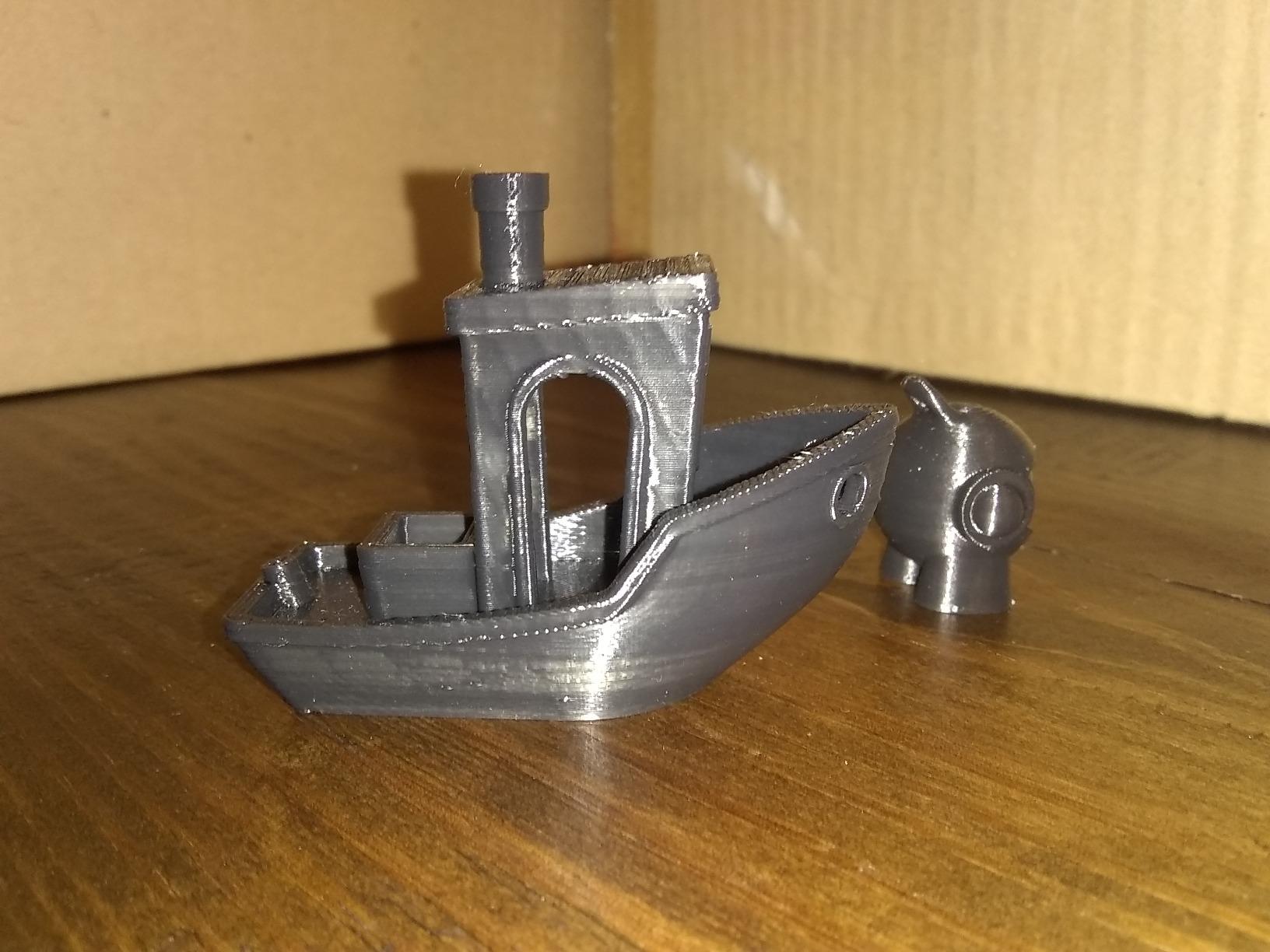
Who the K1C suits
It suits someone printing jigs, brackets, enclosures and internal automotive parts up to about 250 mm in each axis, who values reliability and quiet operation over peak chamber temperature. The silent mode rated at 45 dB or under makes it one of the more practical enclosed machines to run in a home office, which matters if you are printing overnight while someone sleeps.
It also suits anyone who has been burned by an unreliable machine before. Buyers consistently describe the calibration as the feature that removes friction, and the AI camera is genuinely useful for catching a first-layer failure before you lose four hours to it.
Who the K1C does not suit
It does not suit someone who needs tall or large parts. The 10-inch cube is on the small side for the volumes this roundup is about, and it is the reason the K2 Plus exists. Buyers regularly flag build volume as the limiting factor for larger projects.
It also does not suit a buyer planning to move into carbon fibre or glass-filled nylon within the year. At 35.2 lbs it is not a machine you shuffle between rooms easily, and the direct extruder is specified for high-temperature materials rather than the abrasive blends that demand a hardened wear-resistant nozzle. If that is your destination, look at the QIDI machines further down.
2. Creality K2 Combo – Multi-Spool Feed for ABS Assemblies
Creality K2 (A) Combo 3D Printer, Multicolor Printing with CFS
CFS unit for 16 colors
Hardened nozzle to 300C
600mm/s CoreXY
RFID filament ID
Pros
- Multi-colour printing expandable to 16 colours
- RFID auto-identification and moisture-proof storage
- Hardened steel nozzle rated to 300C
- Aerospace-grade aluminium frame with steel X rail
- Direct drive covers ABS and engineering filaments
Cons
- Weighs 55 lbs
- 21x25x20in footprint is large
- QIDI and Bambu remain easier to set up
The K2 Combo is interesting for ABS for a reason that has nothing to do with temperature: the CFS feeder. It holds multiple spools with RFID auto-identification and moisture-proof storage, and each unit expands to four for sixteen colours. For a jig made of four different ABS parts, that is a genuine change to how you work, because you stop changing filament by hand between jobs.
ABS-specific, the important line is the hotend. A 40 mm³/s high-flow hotend with a hardened steel nozzle rated to 300 °C gives you real headroom above the 240-260 °C that ABS needs, and the hardened tip means the machine is ready for the carbon-filled blend you will eventually want to try. Most entry enclosed printers ship a brass nozzle that rules that door shut.
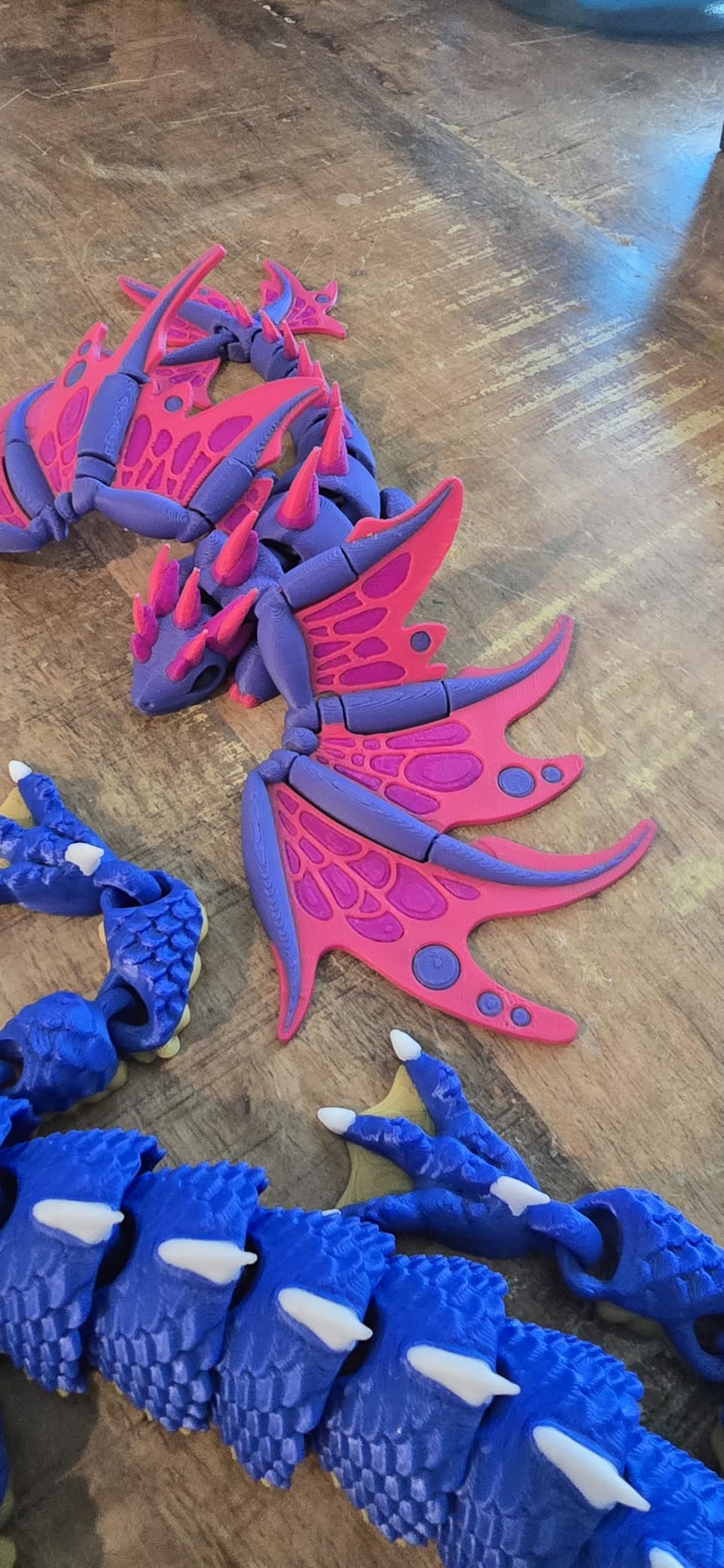
The frame is where this machine earns its bulk. An aerospace-grade aluminium frame, a steel X-axis rail and a dual Z-axis at 600 mm/s and 20000 mm/s² is a rigid platform, and rigidity is what keeps layer lines consistent when you are printing tall ABS walls where every millimetre of sway shows up as a visible ridge.
RFID auto relay and moisture handling are quietly important for ABS specifically. Because ABS is hygroscopic, a feeder with a sealed, monitored storage path is genuinely useful, and the auto-identification means the machine knows which spool is loaded without you telling it. That removes a whole category of the wrong-material mistakes.
Who the K2 Combo suits
It suits someone making multi-part ABS assemblies where colour or material changes between components, and anyone who wants the option to move into abrasive blends without buying a different machine. The direct drive extruder is specified to handle PLA, ABS, PETG and engineering-grade filaments, which is the honest way to describe a hotend built for 300 °C.
It also suits a workshop with a fixed location and a dedicated bench. At 55 lbs and 21 by 25 by 20 inches, this is a machine you place once. Treat that as a feature if you have the space and as a warning if you do not.
Who the K2 Combo does not suit
It does not suit a small bedroom, a rented flat or anyone who will need to move it. Buyers mention weight and size as the first consideration, and at 55 lbs the answer to “where does this go” has to be a floor, not a shelf.
It also does not suit someone chasing the highest chamber temperature. The specification does not document an active chamber heater, so this is a waste-heat enclosure in the same class as the K1C. If the parts you plan to print are tall and thin, the actively heated machines are the better investment regardless of feeder features.
3. Creality K2 Plus Combo – Actively Heated Chamber and a 350mm Cube
Creality K2 Plus Combo 3D Printer, Multi Color Printing with New CFS 600mm/s High-Speed Full Auto-Leveling Dual Al Camera Next-Gen Direct Drive Extruder Large Build Volume 13.78×13.78×13.78inch
Active chamber heating to 60C
350x350x350mm build
Hardened nozzle to 350C
Dual AI cameras
Pros
- Active chamber heating to 60C for ASA and PPA
- 350mm cube build volume
- Hardened steel nozzle rated to 350C
- 600mm/s with 30000mm/s acceleration
- Four CFS units for 16-colour printing
Cons
- Weighs 70.4 lbs
- Large 16x15x19in footprint
- Multi-colour adds purge waste inside a hot chamber
This is the first machine in the list that solves the ABS problem properly rather than partially. Active chamber heating to 60 °C is the number that matters, and 60 °C sits comfortably inside the 45-60 °C band where ABS layer bonding stabilises, with headroom on the top end. If you print tall parts, this is where the warping stops.
The build volume is 350 mm on each axis, and that is the other half of the answer. Large ABS parts fail in two ways: they delaminate vertically because the chamber is cold, and they lift at the corners because the plate is too small relative to the footprint. A 350 mm cube addresses the second problem that no amount of chamber heat can fix.
The rest of the platform is built to match. A hardened steel nozzle rated to 350 °C opens PPA and ASA properly, the 40 mm³/s-class hotend keeps volumetric flow sane at 600 mm/s with 30000 mm/s² acceleration, and the die-cast aluminium Matrix frame with dual Z-axis on four linear rods is the kind of rigidity that shows up as clean walls on a 300 mm shell.
Two AI cameras, one in the chamber and one on the toolhead, plus 18 smart sensors, mean the machine can spot a failure and stop. On a ten-hour ABS print, that is worth more than any speed figure, because the failure you catch at hour one costs an hour and the one you catch at hour nine costs nine.
Who the K2 Plus Combo suits
It suits anyone whose parts are large, tall or structurally demanding: cosplay armour, prop shells, automotive interior mock-ups, robot mechanisms, full-size jigs. The 60 °C chamber means you can print a 300 mm ABS wall without watching the bottom edge separate from the plate.
It also suits a small workshop or a print farm running ABS and ASA around the clock. The 16-colour CFS setup with automatic filament selection and relay is the feature that reduces operator time per job, which is the metric that decides whether a machine is a production asset or an expensive hobby.
Who the K2 Plus Combo does not suit
It does not suit a home office or an apartment, on two counts. At 70.4 lbs and 16 by 15 by 19 inches, it needs dedicated floor space, and an actively heated chamber at 60 °C adds continuous heat to whatever room it sits in. In a small space in 2026 that is a real consideration, not a footnote.
It also does not suit a buyer who wants to keep costs contained. This is the most expensive machine in the lineup, and the four-CFS multi-colour configuration adds purge waste inside a hot sealed volume, which is a genuine downside when you are running a single material and have nowhere to put the purge.
4. Flashforge Adventurer 5M Pro – Best Value Enclosure With Real Filtration
Flashforge Adventurer 5M Pro 3D Printer, 8.7″x8.7″x8.7″
HEPA plus activated carbon
600mm/s CoreXY
32mm3/s flow
Quick-release nozzle
Pros
- Dual HEPA and carbon filtration for indoor ABS printing
- Full enclosure at the lowest cost in this lineup
- 32mm3/s flow with a 50W heater reaching 200C in 35 seconds
- Quick-release nozzle and flexible PEI steel plate
- Power loss recovery and run-out detection
Cons
- Smallest build volume in the lineup
- No active chamber heater
- Quick-release nozzle needs care when hot
The Adventurer 5M Pro is the pick if the deciding factor is getting an enclosure into your home at all. It is the cheapest fully enclosed machine here, and unlike many cheap enclosed printers it ships with dual filtration: HEPA plus activated carbon, rated at 99% for particles and VOCs. For styrene that combination is the difference between mitigating the fumes and merely containing them.
Under the cover it is a serious machine. A 600 mm/s CoreXY structure with 20000 mm/s² acceleration, vibration compensation, 32 mm³/s nozzle flow and a 50W heater that reaches 200 °C in 35 seconds is not budget-bin hardware. The full-auto one-click levelling gets you to a first ABS print without a calibration session.
Two details make it pleasant to live with. The quick-release nozzle means changing from the brass tip to a hardened one takes seconds rather than a teardown, and the flexible PEI steel plate is a good surface for ABS because textured PEI grips the first layer without glue. Run-out reminder and power loss recovery are small things until a 20-hour job fails at hour 19.
The honest limit is chamber temperature, and it is the same limit the K1C and K2 Combo share. This is a waste-heat enclosure. On a large ABS part in a cold room you will still see corner lift, and no setting change fixes that because the physics is thermal, not slicer-related.
Who the Adventurer 5M Pro suits
It suits a first-time ABS printer in a rented flat, a student, or anyone who has never owned an enclosed machine and does not want to spend four figures finding out whether they like ABS. The combination of a low purchase cost, real filtration and forgiving auto-levelling removes every obvious objection.
It also suits people who want a spare machine. At 39.9 lbs and 15.75 by 14.96 by 17.83 inches, it is portable enough to live in a workshop or a garage, and a second small enclosed printer running different colours in parallel is more productive than one machine doing everything.
Who the Adventurer 5M Pro does not suit
It does not suit anyone printing parts larger than the 8.7-inch cube. That is the tightest build volume in the lineup, and buyers consistently name it as the limiting factor for bigger projects. Budget parts here and the disappointment is on scale, not quality.
It also does not suit a buyer whose next material is nylon or carbon-filled blend. The nozzle temperature ceiling is lower than the QIDI machines, and while plain ABS is perfectly happy, the 320-350 °C class hotends are what unlock the engineering tier. Stay on ABS and ASA with this one and it is excellent value; go beyond that and you outgrow it quickly.
5. Bambu Lab P1S – Easiest Path Into ABS Printing
Bambu Lab P1S 3D Printer, Ready-to-Use FDM 3D Printer
Fully enclosed for ABS and ASA
500mm/s speed
15 minute setup
Best-in-class slicer
Pros
- Exceptional out-of-box setup
- ABS and ASA listed as ideal supported materials
- Best-in-class software with remote monitoring
- 500mm/s with 20000 mm/s acceleration
- Rated number one in the 3D Printers category
Cons
- AMS needed for multicolor
- Carbon and glass fibre not recommended
- Ecosystem favours Bambu filaments
The P1S is the recommendation for anyone whose real problem is not chamber temperature but confidence. It ranks number one in the 3D Printers category and carries the highest average rating in this lineup at 4.5, and both of those numbers come from people who bought it to do exactly what you want to do.
It is a fully enclosed design listed as supporting ABS and ASA as ideal materials, with PLA, PETG, TPU, PVA and PET alongside, and PA and PC as capable. At 500 mm/s and 20000 mm/s² it is quick enough that a tall ABS part is not a day-long commitment. Automatic bed levelling and a 15-minute setup mean your first ABS print starts before your coffee goes cold.
The software is the real differentiator and the most-praised feature in reviews. Bambu Studio handles the ABS profile correctly out of the box, the app gives you remote monitoring so you can catch a failed first layer from another room, and the machine is quiet enough for a home office. On a printer that will run unattended overnight, that combination matters as much as hardware.
Support is consistently called out as excellent, which is worth something specific for ABS: the failures are predictable, they are usually a first-layer or adhesion issue, and having someone answer a question about them removes the last reason a beginner gives up on the material.
Who the P1S suits
It suits a PLA printer owner who has just discovered that their parts fail outdoors or in a hot car and wants the fix without a steep learning curve. It also suits a parent or a hobbyist who wants the machine to be quiet and monitored, and a maker who prints electronics housings and brackets rather than engineering polymers.
It suits anyone who will print ABS and ASA only. That is the honest boundary of this machine, and within that boundary it is close to ideal for the money.
Who the P1S does not suit
It does not suit someone planning to print carbon fibre or glass-filled nylon. Bambu’s own support list marks those as not recommended, and buyers note it as a real limitation rather than a quibble. The same goes for anyone who wants multi-colour without buying an AMS separately, which is an extra purchase on top of the machine.
It also does not suit a builder who wants open filament choice. The ecosystem favours Bambu-branded filament, and while third-party ABS works, you give up some of the profile automation that makes the machine so effortless. Some buyers read that as lock-in and some do not, and you should decide which camp you are in before buying.
6. QIDI Plus4 – 65C Chamber for Engineering Materials
QIDI PLUS4 3D Printer, 65℃ Chamber Heating, 370°C Integrated Nozzle
65C active chamber with 400W
370C integrated nozzle
305x305x280mm build
Pros
- Second-generation active chamber heating to 65C
- 370C nozzle unlocks PPS-CF and PPA-CF
- 12x12x11in build volume on dual Z-axis
- HD camera with remote monitoring
- Filament wrap and break detection
Cons
- Weighs 59.4 lbs
- Large 19x20x22in footprint
- Multi-colour box system is a separate purchase
The Plus4 is the most thermally serious machine in this roundup, and if your parts are the kind that have to survive heat, it is the one to buy. A second-generation active chamber heating system with a 400W heater, forced air circulation and dual-layer insulation holds the chamber at up to 65 °C, which is the highest figure in this lineup and comfortably past the point where ABS warping stops being a problem.
Paired with a 65 °C chamber is an 80W high-temp hotend with a multi-metal integrated throat nozzle rated to 370 °C. That number is not for show. It is what takes the machine from ABS and ASA through polycarbonate, PPA-CF, PPA-GF and into PPS-CF territory, and it comes as one integrated part rather than a fragile assembled stack.
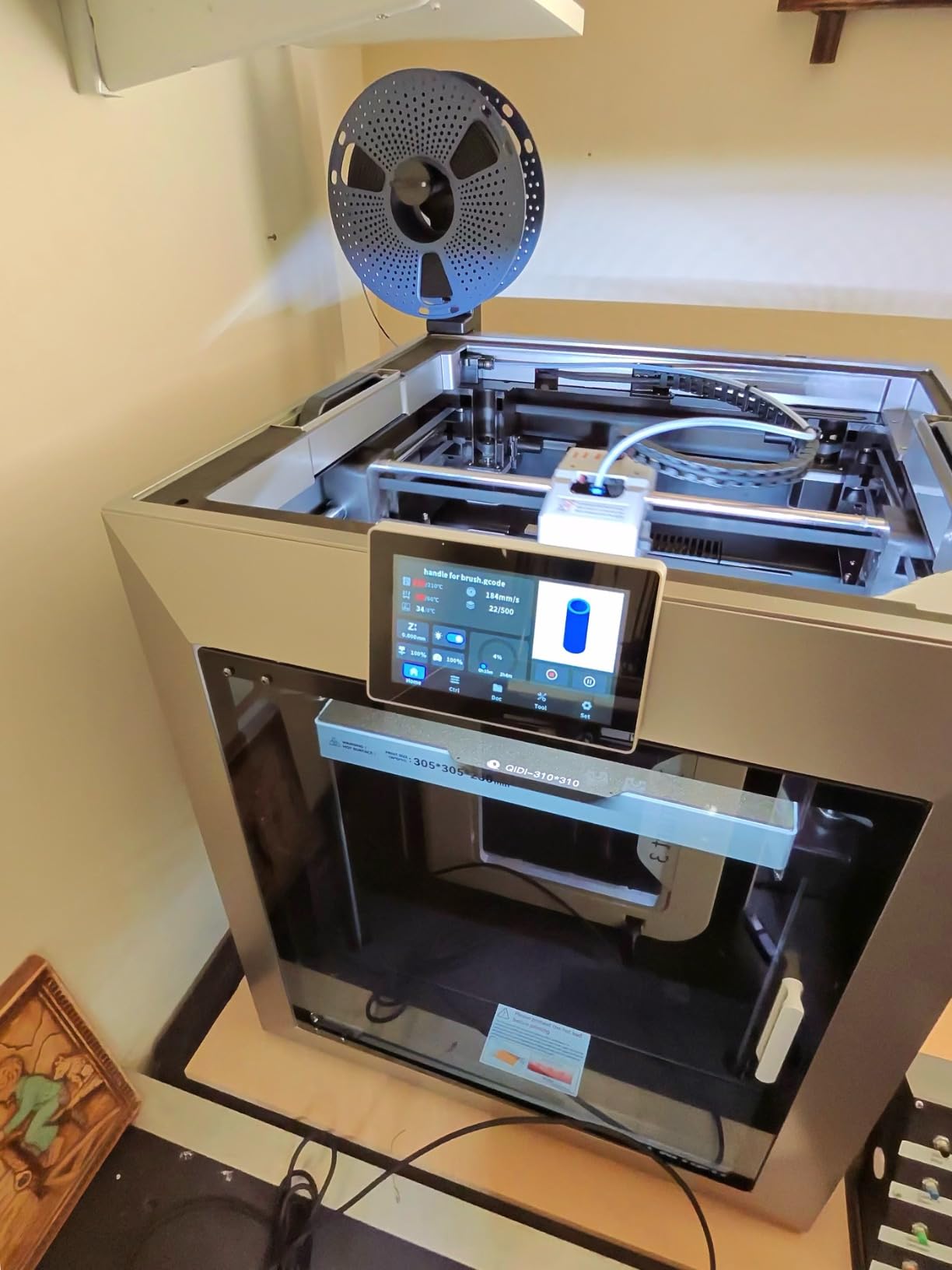
Build volume is 305 by 305 by 280 mm, which is a genuinely useful cube for functional work and a step up from the hobby-class machines above. The dual motor-driven Z-axis on 10 mm linear shafts and lead screws, with a 6 mm thickened aluminium bed and an independent dual-motor drive, is the sort of spec that shows up as dimensional consistency rather than as a number on a sheet.
Operationally it is well thought out: an HD camera, remote printing through the QIDI app and QIDI Studio, filament wrap and break detection, quick-install and quick-remove nozzles that resist clogging, and a 1.5GT-class belt setup inherited from the X-Plus 3. Users single out build quality and Z-axis precision as the things that keep them recommending it.
Who the Plus4 suits
It suits a small manufacturer, a prototyping engineer, or a serious maker who prints ABS today and will print polycarbonate or PPA-CF within the year. A 65 °C chamber is above the 60 °C threshold where tall thin parts stop splitting, and the 370 °C nozzle means the machine does not need replacing when that happens.
It suits a workshop with a dedicated machine footprint and no need for a quiet machine in a bedroom. At 59.4 lbs and roughly 19 by 20 by 22 inches, it is a fixture rather than a piece of furniture.
Who the Plus4 does not suit
It does not suit an apartment or a home office, chiefly because a 65 °C actively heated chamber radiates a lot of heat into a small room over a long print, and because the footprint rules out most domestic desks. Ventilation planning is not optional with this machine if you print regularly.
It also does not suit a buyer who wants four-colour printing out of the box. The QIDI BOX is compatible, but it is a separate purchase, and reviewers at the time of writing flagged that the multicolor ecosystem was still maturing. For ABS in a single colour, that is irrelevant. For multi-material work, budget for it separately.
7. QIDI Q2 – Heated Chamber in a Smaller Footprint
QIDI Q2 3D Printer, 65℃ Heated Chamber and 370℃ Nozzle Unlock PPS-CF
65C PTC heated chamber
Nozzle-as-leveling sensor
Triple filtration
370C nozzle
Pros
- 65C second-generation PTC heated chamber
- Nozzle used as a leveling sensor for first-layer accuracy
- Triple filtration with a G3 pre-filter and H12 HEPA and carbon
- 39.8 lbs for an actively heated chamber
- 370C nozzle for advanced materials
Cons
- Smallest build volume of the QIDI pair
- 154 ratings means less long-term data
- QIDI BOX sold separately for multi-colour
The Q2 answers the question the Plus4 leaves open: can you get a genuine 65 °C actively heated chamber in a machine you can actually move around? At 39.8 lbs against 59.4 lbs, and noticeably smaller on every axis, the answer is yes. For a lot of home users that difference decides the whole conversation.
The heating is a second-generation PTC heated chamber rated to 65 °C with closed-loop temperature control, so it holds the setpoint rather than drifting with room conditions. The 1.5GT synchronous belt reduces vertical fine-artifact noise, and the full-metal CoreXY on precision linear rails runs up to 600 mm/s.
The most interesting feature is the nozzle-as-levelling-sensor. The nozzle measures the bed as it maps the surface, so the machine has an exact reading of the build plate height without relying on a separate sensor’s assumptions. For ABS that is not a gimmick. First-layer adhesion is the single most common ABS failure, and a more accurate Z offset fixes more failed prints than any slicer setting.
Filtration is the best on this list by some distance: a G3 pre-filter, an H12 HEPA and activated carbon, giving you particle and VOC handling together. With a flame-retardant chamber and a 370 °C nozzle, this is a machine that takes ABS and takes the next material seriously.
Who the Q2 suits
It suits a home user or a small studio who needs real chamber control without a workshop’s worth of space. The power-to-size ratio here is the best in the roundup, and 65 °C means tall ABS walls print without the corner curl that ruins a waste-heat enclosure.
It also suits anyone who cares about the first layer more than the specification sheet. The nozzle-as-sensor approach, the AI camera, power-loss recovery and closed-loop temperature control are all aimed at unattended reliability, which is what a long ABS print actually needs.
Who the Q2 does not suit
It does not suit someone printing at the top of the size range. The build volume is smaller than the Plus4, and a buyer who regularly maxes out a larger machine will feel the constraint immediately. It is a smaller printer with a serious chamber, not a large printer.
It also does not suit a buyer who wants to wait for long-term data before committing. With 154 ratings it is a newer machine, and users acknowledge that reliability evidence is still accumulating. The QIDI BOX for 16-colour dry-while-print is also a separate purchase, so treat multi-material as a future cost.
8. Anycubic Kobra S1 ACE 2 Pro Combo – Drying While It Prints
Anycubic Kobra S1 ACE 2 Pro Combo Multicolor 3D Printer, Native 4 Color
Print-while-drying at 65C
Built-in 4-colour ACE 2 Pro
Enclosed CoreXY at 600mm/s
Pros
- Built-in 4-colour ACE 2 Pro
- Print-while-drying at up to 65C with active moisture removal
- Smart filament ID and remaining-length estimation with auto-refill
- Enclosed CoreXY at 600mm/s
- 320C quick-release hotend covers ABS and ASA
Cons
- Fewest ratings in the lineup at 109
- 320C nozzle ceiling below the QIDI 370C hotend
- ACE Pro and ACE 2 Pro cannot be used at the same time
The Kobra S1 ACE 2 Pro Combo takes a different angle on the ABS problem. Instead of prioritising peak chamber temperature, it prioritises filament condition, and for ABS that is a defensible choice. ABS is hygroscopic, so a wet spool gives you popping, stringing and weak layer adhesion no matter how good the enclosure is. Printing while drying at up to 65 °C removes that variable from the equation.
Inside is a fully enclosed CoreXY running up to 600 mm/s under Kobra OS, with LeviQ 3.0 auto-levelling and resonance compensation, and a 320 °C quick-release hotend specified for PLA, PETG, ABS and ASA. That hotend figure sits comfortably above the 240-260 °C ABS needs while staying under the 370 °C class that the QIDI machines reach.
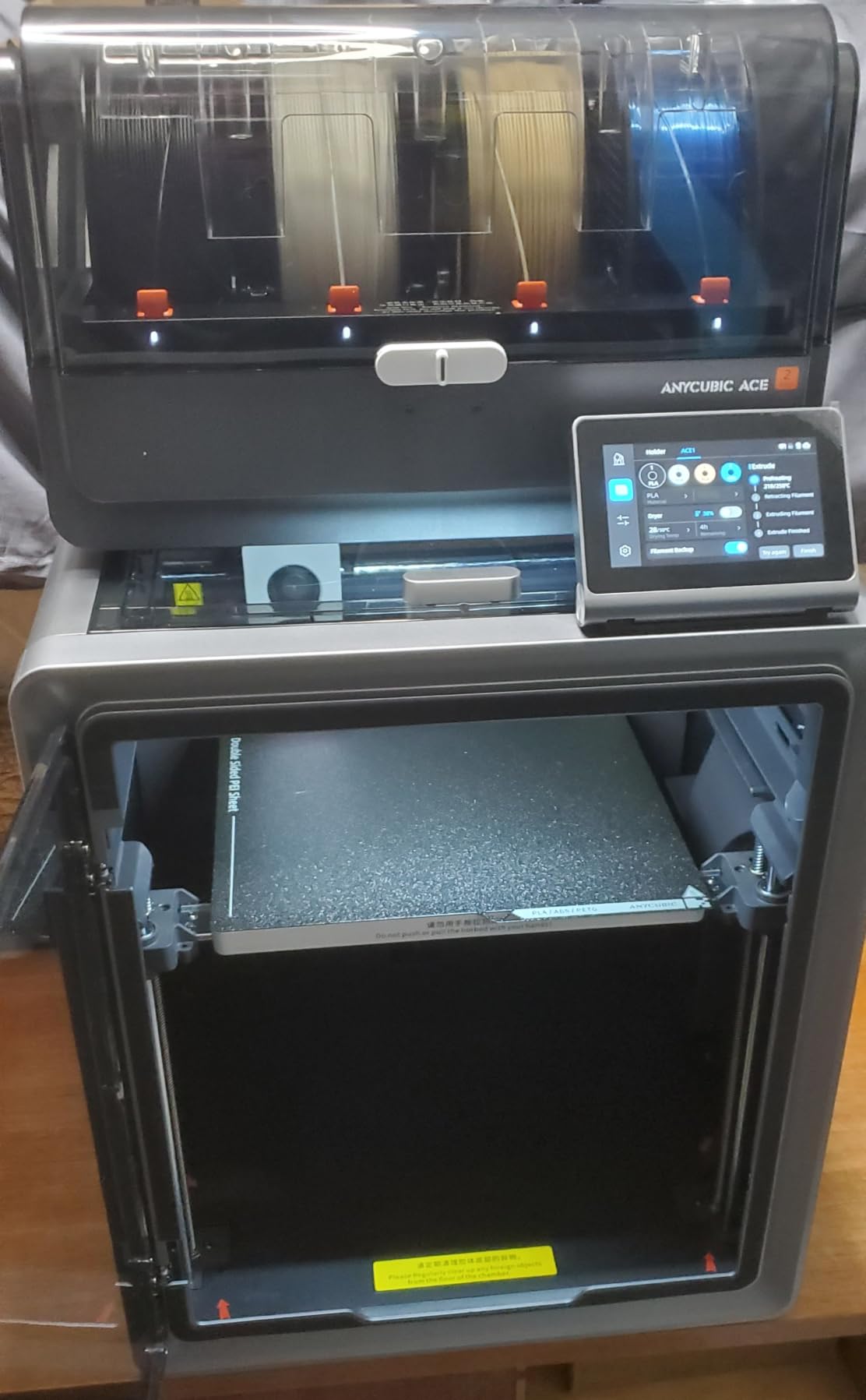
The built-in ACE 2 Pro gives native four-colour printing with expansion to sixteen using four feeders, and the smart filament management includes ID recognition, remaining-length estimation and auto-refill. For ABS work, a feeder that knows what is loaded and how much is left removes the two most common causes of a ruined long print: running out mid-layer and printing the wrong material.
Filament run-out and tangle detection work with the QIDI BOX style multi-spool setup, and the auto-levelling with resonance compensation means the machine calibrates itself for the specific spool and the specific bed, which is exactly what you want when swapping between materials regularly.
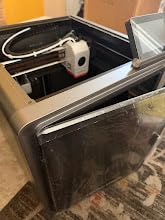
Who the Kobra S1 suits
It suits a maker who prints ABS and ASA in several colours, or who moves between materials often and does not want to reconfigure between jobs. Native four-colour with drying built in is unusual at this level, and it removes the separate dryer purchase that we said most ABS owners end up making anyway.
It also suits someone who lives in a variable-temperature room, since keeping the filament at printing temperature throughout a long job protects the material that the enclosure is doing the rest of the work for.
Who the Kobra S1 does not suit
It does not suit a buyer who wants a settled machine with a long reliability record. With 109 ratings it is the newest model here, and reviews already include early-adopter reports of feeder failures and missing parts, alongside responsive but mixed support experiences. Anycubic support gets a mixed write-up from users.
It also does not suit someone who plans to print engineering polymers beyond ASA. A 320 °C nozzle ceiling is below the 370 °C needed for PPS-CF, and you cannot run the ACE Pro alongside the ACE 2 Pro, so a future four-unit expansion has to use the same generation of feeder throughout.
How to Choose an Enclosed 3D Printer for ABS?
Choose by chamber temperature first, then build volume, then the filament you will use after ABS. Here is the order of the questions, answered in the order they actually matter to the part you want to print.
1. Is the chamber actively heated, and what temperature does it hold? This is the first question because it is the only one that determines whether your problem is solvable. A passive enclosure gives you roughly 40-50 °C from waste heat, which handles bracket-sized ABS and fails on tall thin parts. An actively heated chamber gives 55-65 °C with a dedicated heater, and only three machines in this roundup have one. Sellers routinely blur the two, so look for a stated chamber temperature with a heater wattage, not a phrase like chamber heating support.
2. How big is the build volume, and how big are your parts? A 220 mm cube covers most jigs, brackets and electronics housings. It stops being enough the moment you want cosplay armour, a prop shell, a robot chassis or a full-size automotive mock-up, and at that point the 300-350 mm machines on this list are the right answer rather than the aspirational one. Check the footprint dimensions too, because a 350 mm cube printer needs real floor space and clearance for the door to open.
3. Which filament do you need after ABS? Plain ABS and ASA are happy on a 260 °C nozzle. Polycarbonate, PPA-CF, PPA-GF and PPS-CF need a 300-370 °C hotend with a hardened wear-resistant nozzle, and they are the materials that justify a machine like the QIDI Plus4 or K2 Plus Combo. If ABS is the destination rather than the starting point, buy for where you are going.
4. Do you need a hardened nozzle for plain ABS? No. Brass nozzles print standard ABS and ASA perfectly well, and the abrasive wear only matters for carbon fibre and glass fibre fills, which you will want eventually but not on day one. That said, buying enclosed-but-soft means paying twice, so if a hardened nozzle is a simple swap rather than a new machine, do it at the same time.
5. What does the filtration actually do? Look for activated carbon, because HEPA alone does not touch styrene gas. Dual filtration with HEPA plus carbon is the sensible minimum if you are printing in a shared space, and the Q2’s G3 pre-filter plus H12 HEPA plus carbon stack is the most complete arrangement here. Whatever you buy, plan on running a room air purifier alongside it, because a sealed chamber without extraction simply concentrates fumes until you open the door.
6. What is the bed surface, and can you change it? Textured PEI gives the grip ABS needs on the first layer, and smooth PEI gives better surface finish if you are willing to use glue. A flexible removable plate that you can swap in seconds makes this a non-issue, and the ability to remove and clean the plate matters more for ABS than for PLA because you will be dealing with warping and residue.
7. Noise, footprint and room temperature. If the printer lives in a home office or a bedroom, silent mode matters, and the K1C is specified at 45 dB or under. If it lives in a garage, a cold room works against you and the actively heated machines pull further ahead. An enclosure cannot heat the room it sits in, and a machine that adds 60 °C of continuous heat to a small space is a genuine planning consideration rather than a detail.
One question deserves its own answer because it comes up constantly: should you add an enclosure kit to the open-frame printer you already own, or buy a new enclosed machine? If your open printer is a competent machine and your ABS parts are under 200 mm, a bolt-on kit is a defensible first step, provided the kit includes proper insulation and you accept a modest temperature ceiling and the risk of a warranty question. If your parts are large, if you are already fighting corner lift, or if you print ABS daily, the kit is false economy. You will fight the temperature limit forever, and a wasted filament bill is a poor substitute for a machine built for the job.
If your ambition extends past ABS to nylon, polycarbonate and carbon-filled polymers, our guide to the enclosed printers built for polycarbonate and nylon goes deeper on the heated-chamber and filament-drying requirements that those materials demand.
Frequently Asked Questions
Which 3D printer is best for ABS filament?
The QIDI Plus4 and Creality K2 Plus Combo are the strongest choices, because both actively heat the chamber to 60-65 C instead of relying on waste heat. For a beginner who wants the easiest path in, the Bambu Lab P1S lists ABS and ASA as ideal materials and sets up in 15 minutes. On a tighter budget, the Flashforge Adventurer 5M Pro gives you a full enclosure with HEPA and carbon filtration for the least money.
Can 3D printers print with ABS?
Yes, but not reliably on an open-frame machine. ABS contracts as each layer cools, so ambient air and draughts pull heat off the part unevenly and cause warping, corner lift and layer splitting. A fully enclosed printer with chamber air held between 45 and 60 C keeps the whole part cooling at a similar rate and stabilises layer bonding. Print at 240-260 C nozzle, 100-110 C bed and keep the part fan between 0 and 20 percent.
Do I need a heated chamber for ABS, or is a passive enclosure enough?
A passive enclosure is enough for small, bracket-sized ABS parts and it reaches roughly 40-50 C from bed and hotend waste heat alone. Tall, thin or large parts need an actively heated chamber holding 55-65 C with forced air circulation, because corner lift on those parts is a thermal problem that no slicer setting can solve. If your parts are mostly under 200 mm, passive will serve you. If they are not, buy active.
Is ABS printing safe indoors or in an apartment?
It is manageable with the right setup. Use a printer with activated carbon filtration, because a HEPA filter catches particles but does not remove styrene gas. Run a room air purifier alongside the printer, keep the chamber door closed during prints, and ventilate the room rather than venting outside, where the temperature swing can crack tall prints. Many users in r/BambuLab successfully run an enclosed printer inside a closed closet with an air purifier.
Do I need a hardened nozzle for ABS?
No, not for plain ABS or ASA. A brass nozzle handles standard ABS at 240-260 C perfectly well, and the wear problem only appears with carbon fibre and glass fibre fills. You do need a hardened nozzle for those blends, and a 300-370 C hotend if you plan to print polycarbonate, PPA-CF or PPS-CF. If the hardened nozzle is a quick swap on your machine, do it early rather than buying twice.
Is ABS or PETG better?
ABS if you need heat resistance, toughness or UV stability, which is what makes it the standard for outdoor brackets, car interior parts and tool handles. ASA is the better outdoor choice because of its UV stability. PETG if you print indoors, want near-PLA ease of use, dislike the odour, and do not need the heat performance. PETG barely warps and needs no enclosure, so it is a valid reason to skip this entire guide.
Should I upgrade my open-frame printer or buy a new enclosed one?
Add an enclosure kit if your parts are under 200 mm, your open-frame machine is otherwise competent, and you can tolerate a limited temperature ceiling. Buy a new enclosed machine if your parts are large, you are already fighting corner lift, or you print ABS daily. A kit cannot beat the temperature ceiling of an actively heated chamber, and a constant warping problem on a machine you already own is a sign to change machines rather than add panels.
Conclusion
The best enclosed 3D printers for ABS filament are not all the same machine, because the right answer depends on how big your parts are and what you print after ABS. Our overall pick is the Creality K1C, the most proven enclosed printer here and the one we would put in front of almost anyone making functional ABS parts under 250 mm. It has the deepest review history, a carbon filter that actually addresses styrene, and a calibration experience that removes the usual beginner friction.
If you print tall or large parts, buy active chamber heat instead: the QIDI Plus4 for a 65 °C chamber and a 370 °C nozzle that carries you into polycarbonate and PPA-CF, or the Creality K2 Plus Combo for 60 °C plus a 350 mm cube. If budget is the constraint, the Flashforge Adventurer 5M Pro is the cheapest honest route to an enclosure with real filtration. If you are new and want the least friction, the Bambu Lab P1S will get you printing ABS in an afternoon, and it stays within its limits for as long as you stay on ABS and ASA.
Whatever you choose, remember that the enclosure is the fix and the dried filament is the habit. Print with the door shut, keep the room ventilated, and check the machine’s current specifications before your first job, because this generation of printers is moving fast.