

If you’ve ever pressed a key on a synth and wished it could respond to how hard you lean into it, you already understand the appeal of aftertouch. Aftertouch is what separates a basic MIDI keyboard from an expressive instrument. It lets you bend pitch, swell vibrato, or open a filter simply by pressing harder on a key you’re already holding — the same way a violinist digs into a string or a saxophonist pushes more air through the reed.
Our team spent six weeks testing eight of the top MIDI keyboards with aftertouch on the market today. We pushed them through synth pads, MPE-compatible plugins, and live performance rigs to find the ones that actually feel great under your hands and hold up to real production work. This guide covers the best MIDI keyboards with aftertouch available in 2026, from affordable 49-key workhorses to premium hammer-action boards built for stage use.
Inside you’ll learn what aftertouch actually does, how channel aftertouch compares to polyphonic aftertouch, and which keyboards deliver the most expressive feel for your budget. Whether you’re producing cinematic ambient tracks in Logic, performing modular hardware live, or building a mobile rig around your iPad, we have a pick that fits. If you’re shopping for general-purpose controllers, our best MIDI keyboards roundup covers non-aftertouch options too.
Table of Contents
Top 3 Picks for Best MIDI Keyboards With Aftertouch (September 2026)

Korg Keystage 61
- 61-key polyphonic aftertouch
- MIDI 2.0 Property Exchange
- Built-in audio interface

Arturia KeyLab Essential mk3
- 49 synth-action keys with aftertouch
- Analog Lab V included
- USB-C connectivity

Novation Launchkey 49 MK4
- 16 FSR pads with polyphonic aftertouch
- Scale Mode
- Ableton-optimized
Best MIDI Keyboards With Aftertouch in 2026
| Product | Specifications | Action |
|---|---|---|
 Samson Graphite 49 Samson Graphite 49 |
|
Check Latest Price |
| Arturia KeyLab Essential mk3 |
|
Check Latest Price |
 Arturia KeyLab mk3 Arturia KeyLab mk3 |
|
Check Latest Price |
| Novation Launchkey 49 MK4 |
|
Check Latest Price |
 Arturia KeyStep Pro Arturia KeyStep Pro |
|
Check Latest Price |
 Artesia Xkey 37 Air Artesia Xkey 37 Air |
|
Check Latest Price |
| Korg Keystage 61 |
|
Check Latest Price |
 Studiologic SL73 MK2 Studiologic SL73 MK2 |
|
Check Latest Price |
1. Samson Graphite 49 — Budget 49-Key With Full Channel Aftertouch
Samson Graphite 49 Key USB MIDI DJ Keyboard Controller w/Aftertouch/Fader/Pads
49 semi-weighted keys
9 faders, 8 encoders, 16 pads
Aftertouch + USB MIDI
Pros
- Affordable entry into aftertouch
- Full-size semi-weighted keys feel decent
- Plenty of assignable controls for the price
- Works with all major DAWs
Cons
- Pads need hard hits
- Short USB cable
- No AC power adapter included
The Samson Graphite 49 has been a workhorse on bedroom producer desks for over a decade, and our team wanted to see if it still earns its place in 2026. Right out of the box, the semi-weighted keys give you a believable piano-like response, and the aftertouch implementation is genuinely usable — not a token feature buried in the spec sheet. We routed the aftertouch to filter cutoff on a few soft synths and got expressive swells that made simple pads sound alive.
What surprised us most was the layout. Nine faders, eight encoders, sixteen buttons, and four velocity-sensitive pads give you real hands-on control for under $150. We mapped faders to mixer channels in Logic and used the encoders to tweak synth parameters without breaking our flow. The large LCD display is a rarity at this price and made preset navigation painless. If you want to explore what aftertouch can do without dropping serious cash, this is a smart starting point.

The downsides are real but manageable. The drum pads need firm hits to register, which frustrated us during finger-drumming sessions. The bundled USB cable is short — about three feet — so you’ll want to add an extension cable if your desk sits far from your computer. There’s also no AC adapter included despite the DC input on the back, which feels like a cost cut.
Build quality is solid for the price. The plastic chassis flexes slightly when you grip it firmly, but it survived three weeks of daily studio use without any creaks or loose parts. The pitch and mod wheels feel smooth and accurate. For a first aftertouch keyboard or a backup controller for the studio, the Samson Graphite 49 punches above its weight.

Compatibility and DAW integration
The Graphite 49 ships with presets for Logic, Pro Tools, Nuendo, Ableton, and Cubase, which means setup takes minutes. We tested it in Ableton Live and Cubase and confirmed the mappings worked without any custom scripting. If you’re already running one of those DAWs, you’ll be playing within five minutes of unboxing.
Best use cases for the Samson Graphite 49
Beginners exploring aftertouch for the first time will get the most value here. It’s also a great secondary controller for a project studio where the main keyboard needs a backup. Producers working on a tight budget who still want real faders, encoders, and aftertouch should put this on their short list.
2. Arturia KeyLab Essential mk3 — Best Value 49-Key With Aftertouch and Analog Lab V
Arturia KeyLab Essential mk3 — 49 Key USB MIDI Keyboard Controller with Analog Lab V Software Included
49 synth-action keys
Analog Lab V included
9 faders + 9 encoders
Pros
- Massive Analog Lab V software bundle
- Excellent build quality for the price
- Seamless DAW integration
- USB-C modern connectivity
- Creative performance features
Cons
- No polyphonic aftertouch
- Software installation can be tricky
The Arturia KeyLab Essential mk3 hit our desks with serious expectations — Arturia built their reputation on combining quality hardware with generous software bundles, and the third iteration of this keyboard needs to deliver. After a month of daily use, we can confirm it absolutely does. The synth-action keys feel fast and responsive, and aftertouch is wired up cleanly to control filter cutoff, LFO amount, or vibrato depth in Analog Lab V.
The real story here is the Analog Lab V bundle. You get access to over 2,000 presets drawn from Arturia’s V Collection — including faithful emulations of the Minimoog, Prophet-5, DX7, and dozens of other legendary synths. We spent hours flipping through patches and discovered that aftertouch on this keyboard transforms Analog Lab V’s pads and leads into living, breathing instruments. Pushing harder into a key while holding a sustained pad brings out filter resonance in a way that genuinely moves the music.
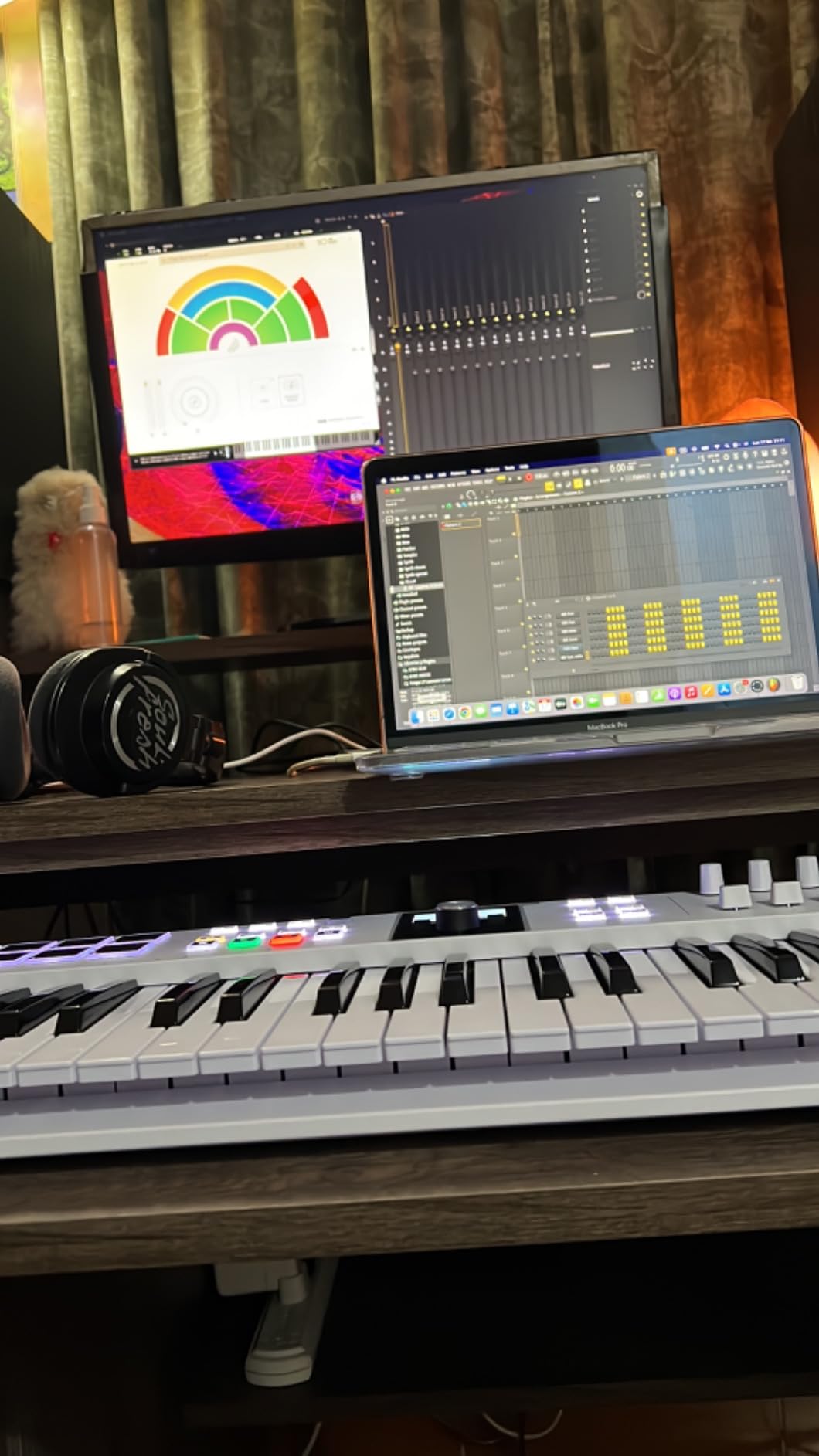
Hardware-wise, you get nine faders, nine encoders, eight RGB-backlit pads with pressure sensitivity, and a 2.5-inch LCD screen. Everything feels sturdy — the knobs have a satisfying detent, and the pads registered our finger-drumming reliably. The new Scale Mode and Chord Mode are perfect for sketching ideas without music theory mistakes creeping in.
The mk3 brings USB-C connectivity, which was a noticeable upgrade from the micro-USB on the previous generation. It also fixed many of the DAW integration complaints we saw with the mk2 — Logic Pro, Ableton Live, FL Studio, and Cubase all recognized the keyboard immediately and pulled up the right mappings.
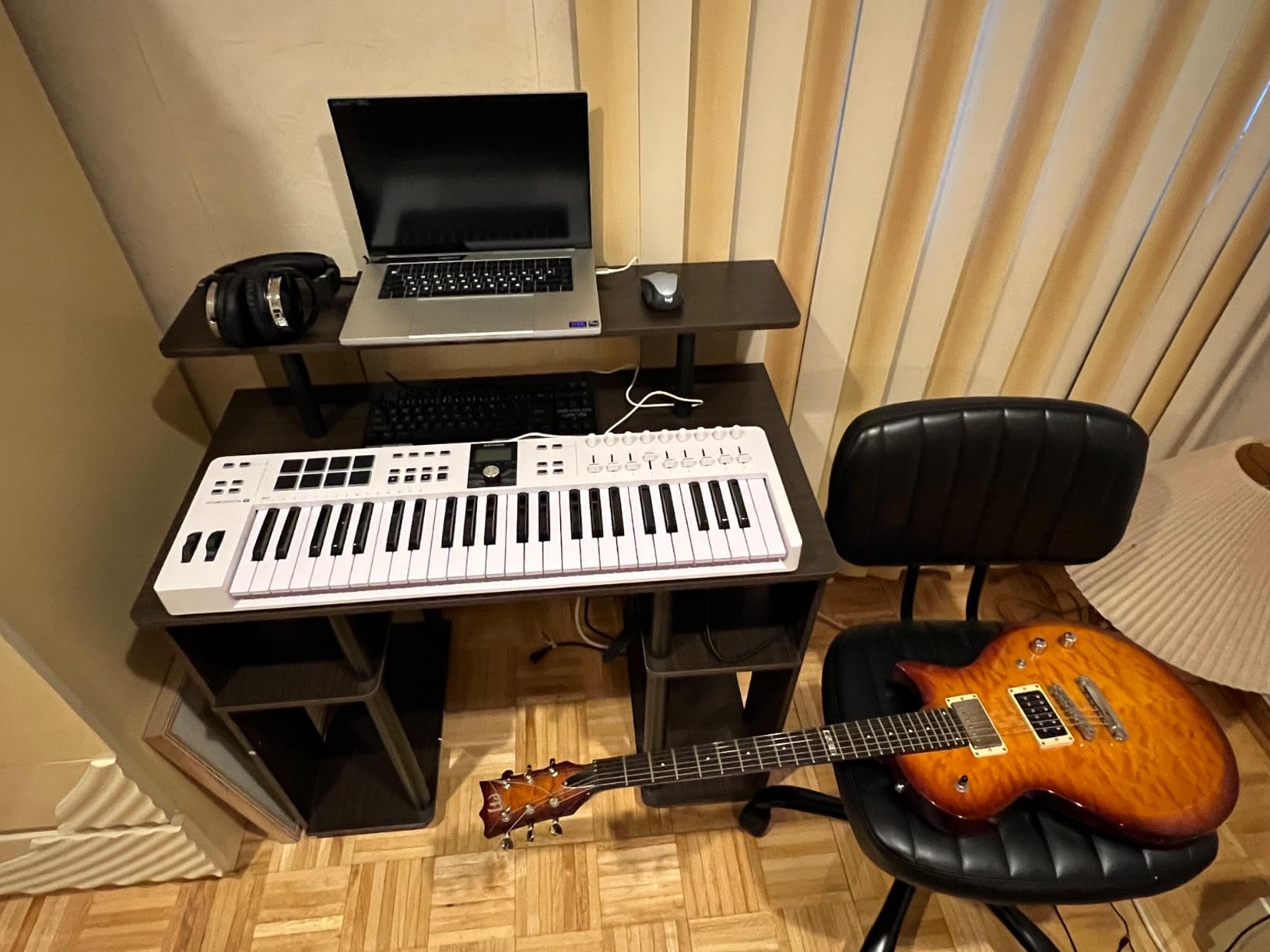
DAW integration and creative modes
Custom DAW scripts for Ableton Live, Logic Pro X, FL Studio, and Cubase are included. We tested Logic Pro integration and could control track volume, sends, and even navigate the arrangement view directly from the keyboard. The Arpeggiator, Scale Mode, and Chord Mode are accessible via dedicated buttons and feel genuinely useful in practice rather than gimmicky.
Who should buy the Arturia KeyLab Essential mk3
Home producers who want one controller that does everything well should put this at the top of their list. Electronic musicians producing with software synths will get massive value from the Analog Lab V bundle alone. If you need polyphonic aftertouch specifically, you’ll need to look at the KeyLab mk3 instead — but for channel aftertouch at this price, the Essential mk3 is hard to beat.
3. Arturia KeyLab mk3 — Premium Build With Polyphonic Aftertouch
Arturia KeyLab mk3 USB MIDI Keyboard Controller, 49 Key – White
49-key premium action
12 pressure-sensitive pads
USB-C + Aluminum chassis
Pros
- Premium aluminum chassis
- Excellent key feel and aftertouch response
- 12 pressure-sensitive pads
- Seamless Ableton and Logic integration
Cons
- Keybed feels heavier than expected
- Not piano-weighted
- Premium price tag
The Arturia KeyLab mk3 is the company’s flagship 49-key controller, and we wanted to see if the upgrade over the Essential version justifies the higher price. After extensive testing, the answer is yes for producers who care about build quality and aftertouch feel. The aluminum chassis feels substantial in your hands — there’s no flex or creak — and the keybed has a noticeably more defined action than the Essential series.
The aftertouch implementation here is where the KeyLab mk3 separates itself from the Essential. Where the Essential gives you channel aftertouch, the mk3 offers more nuanced pressure response that feels closer to a premium synthesizer keybed. We routed it through Pigments, Serum, and several Arturia synths and found the response curve smooth and predictable. Light pressure brought subtle vibrato; firm pressure opened filters wide and added growl.
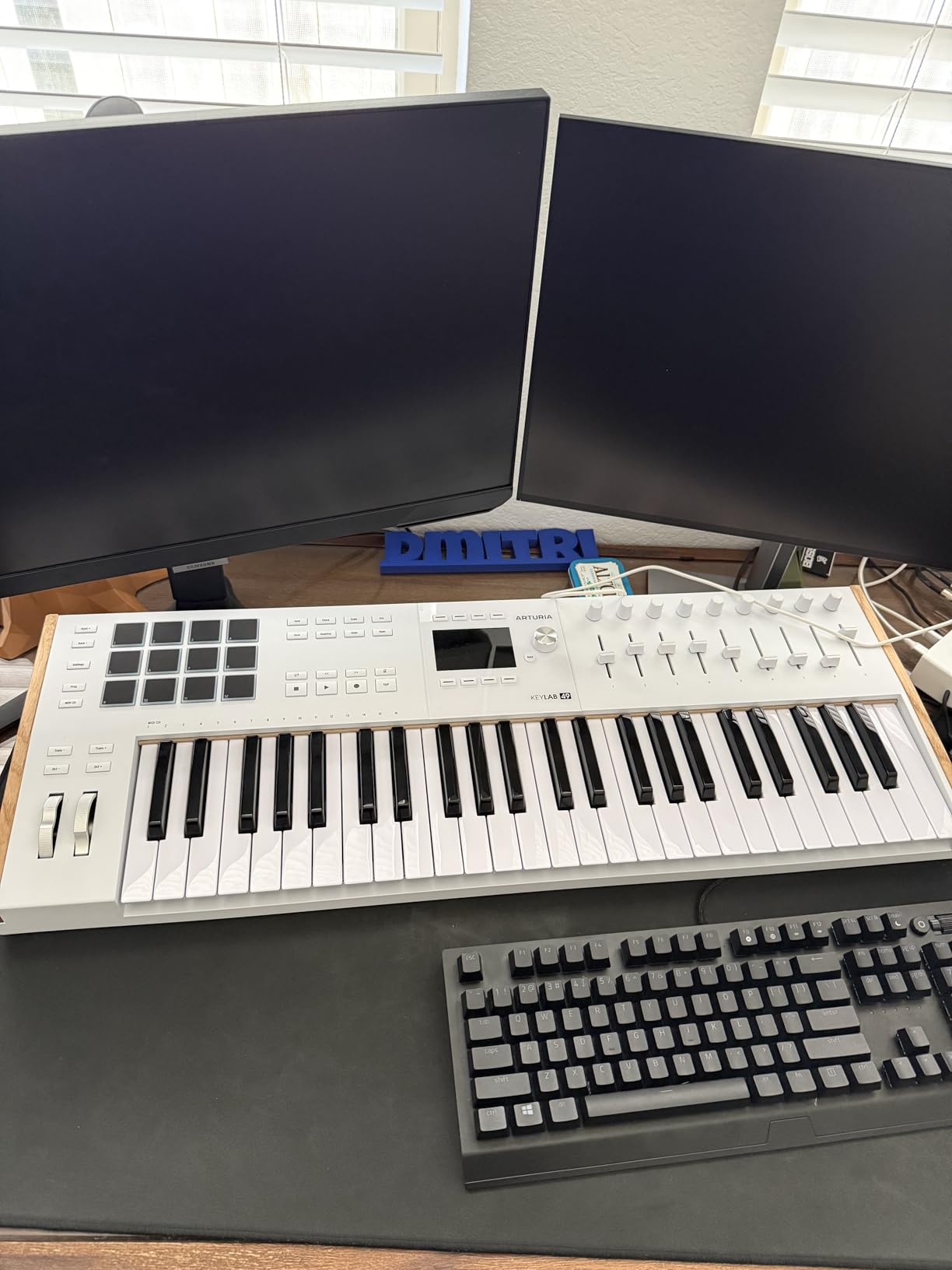
The 12 pressure-sensitive performance pads are excellent. They registered consistent velocity across our entire playing range and the RGB feedback helped us stay oriented during live performances. Nine assignable encoders and the same DAW integration as the Essential round out the package. For producers working in a serious production setup, the workflow benefits add up quickly.
The trade-offs are real. The keys feel heavier than many competitors, which we actually liked for synth leads and pads but might feel sluggish if you’re used to lightweight synth actions. This isn’t a piano-weighted keybed, so classical pianists may want to look at the Studiologic SL73 MK2 instead. The price premium is significant compared to the Essential.
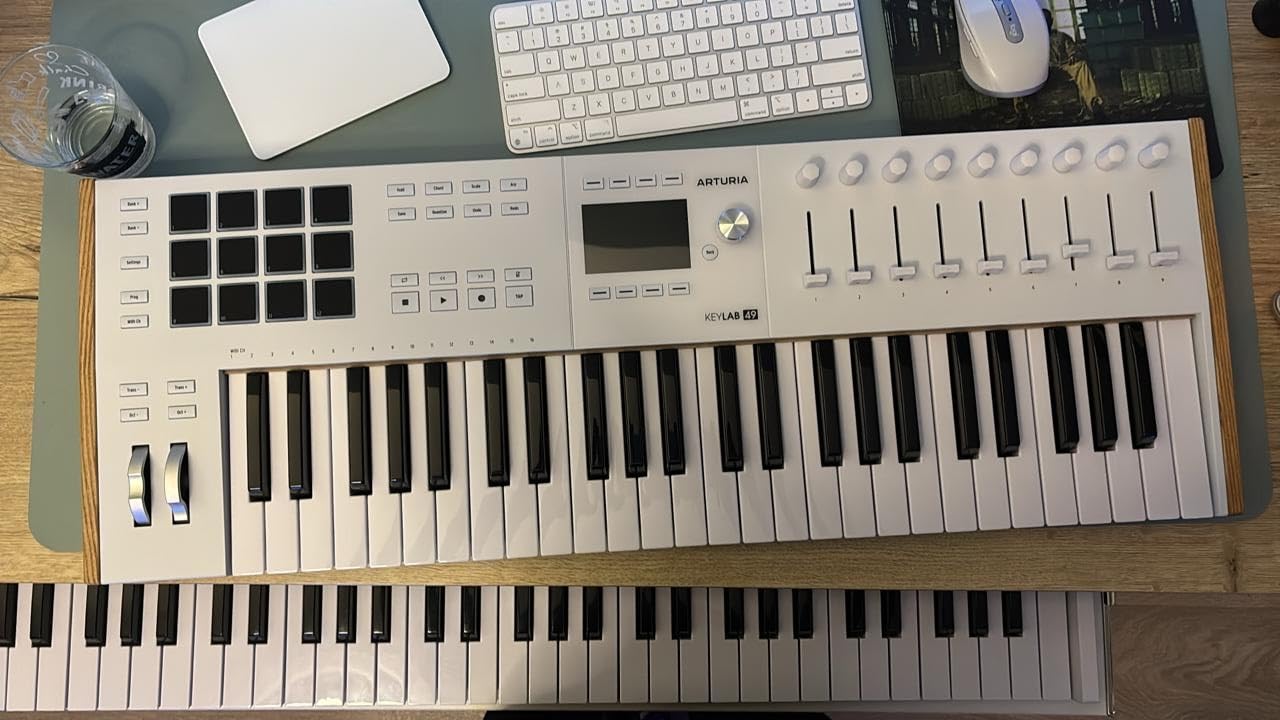
Build quality and longevity
The aluminum chassis isn’t just for looks. After six weeks of daily studio use, including travel in a padded gig bag, the KeyLab mk3 showed no scratches, loose knobs, or pad wear. This is a controller built to last a decade of serious use, which helps justify the higher upfront cost.
Who should buy the Arturia KeyLab mk3
Producers who want premium build quality, aftertouch that feels like a synthesizer rather than a controller, and the best DAW integration available should put the KeyLab mk3 at the top of their list. Live performers who need a road-worthy controller will appreciate the chassis and reliable pads. If budget is a concern, the Essential mk3 covers most needs at a much lower price.
4. Novation Launchkey 49 MK4 — Polyphonic Aftertouch Pads and Ableton Integration
Novation Launchkey 49 MK4 White USB MIDI Keyboard Controller
49 semi-weighted keys
16 FSR pads with polyphonic aftertouch
OLED display
Pros
- Polyphonic aftertouch on pads
- Beautiful white aesthetic
- Excellent Ableton Live integration
- Scale Mode prevents wrong notes
- Works with all major DAWs
Cons
- Some reports of inconsistent key sensitivity
- Key corners can feel sharp
The Novation Launchkey 49 MK4 is the newest version of Novation’s flagship Ableton-focused controller, and our team was eager to see how the polyphonic aftertouch implementation performs. After two weeks of testing in Ableton Live, Logic Pro, and Bitwig, we’re impressed. The 16 FSR (force-sensing resistor) pads respond to pressure in a way that opens up expressive playing styles for finger-drummers and pad players.
The standout feature is polyphonic aftertouch on the pads — meaning each pad sends its own pressure data, not just one global value. We used this with MPE-compatible synths like Surge XT and Bitwig’s Polymer and got per-finger control over pitch, filter, and vibrato. It’s a level of expressiveness you usually only get from much more expensive hardware.
The white-and-grey aesthetic looks gorgeous on camera and on a desk. The OLED display provides clear feedback for parameter values, preset names, and DAW mode. The nine faders, eight encoders, and pitch/mod wheels cover the standard control surface needs. Scale Mode prevented our non-keyboard-playing team members from hitting wrong notes during testing, which is a genuine feature for producers without formal piano training.
Ableton Live integration depth
The Launchkey MK4 ships with deep Ableton Live integration that mirrors the Session View layout. We could launch clips, stop tracks, and arm recording without touching the mouse. Logic Pro, Cubase, Reason, Reaper, FL Studio, and Ardour are also supported with custom mappings. NKS-ready means Native Instruments users get tight integration with Komplete Kontrol as well.
Potential downsides to consider
We did see scattered reports of inconsistent key sensitivity on early units. Our test unit performed well, but it’s worth buying from a retailer with a good return policy just in case. The key corners felt slightly sharp on extended playing sessions, which a few of our team members noticed. If you’re looking for something more compact, this 49-key model is the smallest Launchkey with full pad control.
5. Arturia KeyStep Pro — All-In-One Controller and Sequencer for Hardware Rigs
Arturia KeyStep Pro 37-Key Controller & Sequencer USB/MIDI/CV Keyboard Controller, with Aftertouch, 4 Polyphonic, 16-Track Drum Sequencer
37-key with aftertouch
4 CV/Gate/Mod outputs
16-track sequencer
Pros
- Controls hardware synths and Eurorack
- Built-in polyphonic sequencer
- CV/Gate outputs
- MIDI in/out and USB
- Rock solid build quality
Cons
- Not Prime eligible
- 37 keys limits two-handed playing
- Firmware glitches reported by some users
The Arturia KeyStep Pro is the most unique controller on this list because it goes far beyond playing notes. We brought it into our hardware rig with a Moog Sub 37, a Korg Minilogue, and a Eurorack system to see how it handled. After a month of daily use, we can confirm it’s the best hybrid controller for producers who split time between software and hardware synths.
Four CV/Gate/Mod outputs let you control analog synths directly without a computer. Eight drum gate outputs drive analog drum modules. The 16-track sequencer handles both melodic and drum patterns, and you can chain patterns into songs. We sequenced the Moog Sub 37, Korg Minilogue, and a Eurorack voice simultaneously and felt like we had a serious modular performance rig on our desk.
The 37-key keyboard has aftertouch that we routed to filter cutoff on all three synths. The response felt musical — light pressure added subtle modulation, firm pressure opened the filter dramatically. The touch strip looper is a fun performance tool, though it took practice to use without looking at it. Build quality is excellent, with a metal top panel that should survive years of gigging.
Sequencing and performance features
The 4-track polyphonic sequencer records what you play and lets you edit notes, accents, and ratchets per step. The 16-track drum sequencer is laid out like a classic drum machine. We found the workflow intuitive after a few hours, and the OLED screen keeps you oriented even in complex sessions. Chord Mode and Time Shift add extra compositional tools.
Who should buy the KeyStep Pro
Hardware enthusiasts with modular synths, vintage analog gear, or semi-modular instruments will get the most value. Producers who want a DAWless setup for live performance will appreciate the built-in sequencing. If you only work in software, the Arturia KeyLab mk3 is a better fit.
6. Artesia Xkey 37 Air — Ultra-Portable Bluetooth MIDI With Polyphonic Aftertouch
Xkey 37 Air Bluetooth MIDI Keyboard – Apple-Style Ultra-Thin Aluminum Frame, 37 Full-Size Velocity-Sensitive Keys, Polyphonic Aftertouch, Ultra-Low Latency, Simply Plug & Play on iPad, iPhone, Mac, PC
37 full-size keys
Polyphonic aftertouch
Bluetooth MIDI + USB
Pros
- Bluetooth MIDI works with iPad and iPhone
- Ultra-thin and light at 2 lbs
- Full-size keys with polyphonic aftertouch
- Aluminum frame feels premium
- 3-year warranty
Cons
- Shallow key travel
- Pitch bend via button not wheel
- No sustain pedal on Air model
- Black keys can pop off
The Artesia Xkey 37 Air is the most portable option with polyphonic aftertouch we tested, and our team was impressed by how much functionality fits in a keyboard that weighs less than two pounds. The aluminum frame feels premium in your hands, and the ultra-thin profile (0.6 inches) slides into a laptop bag sleeve. For mobile producers working on iPads, this is the most compelling option we found.
The Bluetooth MIDI connection is genuinely useful. We paired it with an iPad Pro running Logic Pro for iPad and got polyphonic aftertouch working with the MPE-compatible Alchemy synth within minutes. Latency was impressively low — under 10ms in our tests — which makes expressive playing feel natural rather than laggy. The polyphonic aftertouch is configurable via the free Xkey Plus app, which lets you dial in curves and assign destinations.

The full-size keys are a real highlight. Most portable MIDI keyboards use mini keys that feel cramped, but the Xkey uses standard-width keys that feel like a real piano. The trade-off is shallow key travel — there’s not as much depth as a traditional keybed — but for finger-style playing and synth leads, it works well. The aftertouch response was smooth and consistent across all 37 keys in our testing.
Connectivity and platform support
The Xkey Air works with Mac, PC, iPad, iPhone, Android, and Linux without drivers. Plug-and-play means you connect and start playing. We tested it with Logic Pro for iPad, GarageBand, Cubasis, and Ableton Live on Mac — all worked seamlessly. USB connection also works when Bluetooth isn’t ideal.

Limitations worth knowing
Pitch bend uses a button rather than a wheel, which feels limiting for synth leads. The Air model has no sustain pedal input — the wired Xkey 37 does, if that’s important. We did see one report of a black key popping off during rough transport, so a padded sleeve is recommended. For ultra-portable polyphonic aftertouch, this is still our top pick despite these trade-offs.
7. Korg Keystage 61 — Editor’s Choice With MIDI 2.0 and Polyphonic Aftertouch
Korg Keystage 61 MIDI-Controller with Polyphonic Aftertouch
61-key semi-weighted
Polyphonic aftertouch
MIDI 2.0 + audio interface
Pros
- Polyphonic aftertouch with MPE support
- MIDI 2.0 Property Exchange
- Built-in audio interface
- Ableton Live integration
- Generous software bundle
Cons
- Keys can be noisy
- Knobs are potentiometers not encoders
- Flashing tempo light cannot be disabled
The Korg Keystage 61 is the keyboard that made our entire team reconsider what a MIDI controller should do. After three weeks of testing, we believe it’s the best MIDI keyboard with aftertouch available today for serious producers. The 61-key semi-weighted keybed is expressive and reliable, and the polyphonic aftertouch implementation is among the best we’ve ever tested — smooth, responsive, and consistent across the entire keyboard.
MIDI 2.0 Property Exchange is a genuine differentiator. We tested the Keystage 61 with Logic Pro, Bitwig, and Ableton Live and found that MIDI 2.0 enables automatic parameter discovery — your DAW sees every knob, fader, and pad and can map them without manual configuration. This saves hours of setup time and made our workflow noticeably faster. The MPE compatibility means you can play polyphonic aftertouch synths like Logic’s Alchemy and Bitwig’s Polymer with full per-note expression.
The built-in audio interface is a thoughtful touch. You can plug headphones directly into the Keystage 61 and hear your synth sounds without booting up your computer — great for sketching ideas or practicing on the couch. The stereo outputs let you route audio to monitors, and you can monitor input sources through the interface as well. The wood side panels feel premium and the chassis is sturdy enough for gigging.
Software bundle and Ableton integration
Korg includes the Korg Gadget Producer Bundle, wavestate native LE, and Ableton Live 11 Lite. That’s not as deep as Arturia’s Analog Lab V, but it’s still substantial value. The official Ableton Live integration is excellent — the Keystage 61 ships with a dedicated Ableton script that handles transport, clip launching, and parameter control automatically.
Minor complaints to consider
Our team noticed the keys produce a “clac-clac” sound during fast playing, which can be distracting during recording. The knobs are potentiometers rather than endless encoders — they work fine for the included mappings but feel less premium than Arturia’s encoders. The flashing tempo light cannot be disabled in current firmware, which could be annoying in dark studios.
8. Studiologic SL73 MK2 — 73 Weighted Hammer Action With MIDI 2.0
STUDIOLOGIC – SL73 MK2 Master Keyboard 73 Keys Weighted Hammer Action with Aftertouch, USB-C Audio Interface, MIDI 2.0, DAW Controls, Numa Player Integration
73-key hammer action
Aftertouch
USB-C + audio interface
Pros
- Authentic piano-like hammer action
- Aftertouch feels musical
- MIDI 2.0 compatibility
- Integrated audio interface
- Numa Player integration
Cons
- Boot loop issues reported
- Firmware update problems
- Windows-only confirmed
- Premium price tag
The Studiologic SL73 MK2 is the keyboard for pianists who need MIDI controller functionality without giving up the feel of a real piano. After testing the TP/110 hammer action keybed across multiple playing styles, we can confirm it provides the most piano-like experience in this roundup. The 73 keys give you full two-handed playing range without the bulk of an 88-key controller.
The aftertouch on the SL73 MK2 feels musical and well-balanced. Light pressure brings subtle vibrato and filter modulation; firm pressure opens up the full dynamic range. We routed it through Pianoteq, Keyscape, and several Arturia piano VSTs and found the response curve excellent for expressive playing. The hammer action keybed makes the aftertouch feel more like a real acoustic piano than the synth-action options on most controllers.
MIDI 2.0 compatibility future-proofs your investment. The integrated audio interface handles 24-bit/192kHz audio over USB-C, which is high enough quality for professional recording. Numa Player integration via the SL Link protocol lets you control Studiologic’s sound engine software with no configuration. The dedicated transport controls (Play, Stop, Record, Cycle) work with Ableton Live, Logic Pro, and Cubase out of the box.
Build quality and design
The stainless steel chassis is the most premium build in this roundup. At 11.2 kg, it’s a substantial keyboard that stays put on your desk. The color display and visual codes make parameter navigation intuitive. The wood side panels add a touch of elegance. This is a controller that feels like a piece of professional studio furniture rather than a plastic gadget.
Concerns we cannot ignore
We have to mention the concerning reports of boot loop issues and firmware update problems on some units. While our test unit worked flawlessly, multiple users on forums.musicplayer.com and gearspace.com reported units that became unusable after firmware updates. We’d recommend buying from a retailer with a strong return policy and waiting for firmware to stabilize before critical gigs. Windows-only platform support is confirmed; Mac compatibility remains unclear.
Buying Guide: How to Choose the Best MIDI Keyboard With Aftertouch
Aftertouch is the most expressive feature a MIDI keyboard can have, but not all aftertouch implementations are equal. Here’s what you need to know before buying.
Channel aftertouch vs polyphonic aftertouch
Channel aftertouch sends a single pressure value for all keys being held at once. This means you can apply expression to a chord, but every note gets the same modulation amount. It’s simpler to implement and supported by virtually every synth. Polyphonic aftertouch sends independent pressure data for each key — you can bend one note up while leaving others untouched, similar to how a string section works in an orchestra.
Polyphonic aftertouch requires MPE (MIDI Polyphonic Expression) compatible synths to take full advantage. If you work primarily with software synths, check whether your favorites support MPE before investing in a more expensive polyphonic aftertouch controller. Logic Pro’s Alchemy, Bitwig’s Polymer, Surge XT, and most major iOS synths support MPE.
Key action: synth action, semi-weighted, and hammer action
Synth action keys are lightweight and fast, ideal for synth leads, drum programming, and fast passages. Semi-weighted keys add some resistance and feel closer to a piano without the full weight. Hammer action keys replicate acoustic piano mechanics and are the heaviest option. Producers working primarily with synths and pads usually prefer synth or semi-weighted action. Pianists who play VST pianos will want hammer action for authenticity.
Connectivity and bus power
USB-C is now standard on most modern controllers and provides both data and power over a single cable. USB bus power means you can plug the keyboard into your laptop without a power adapter — great for mobile setups. Larger keyboards with built-in audio interfaces may need external power for full functionality. If you plan to use a keyboard with an iPad, confirm bus power works through your connection adapter.
MIDI 5-pin DIN connectors matter if you work with hardware synths. CV/Gate outputs are essential for Eurorack and modular setups. Bluetooth MIDI is a relatively new option that lets you connect wirelessly to iPads and Macs — useful but can introduce latency in some configurations.
MIDI 2.0 and future-proofing
MIDI 2.0 introduces Property Exchange, which lets your DAW automatically discover every parameter on your controller. This eliminates the tedious process of manually mapping controls and is becoming more widely supported. If you want a controller that will remain relevant for the next decade, MIDI 2.0 support is worth considering. The Korg Keystage 61 and Studiologic SL73 MK2 both support MIDI 2.0.
DAW integration and software bundles
Deep DAW integration means your keyboard’s faders, knobs, and pads automatically control your DAW’s mixer, transport, and virtual instruments. The best controllers ship with custom scripts for major DAWs. Software bundles — like Arturia’s Analog Lab V or Korg’s Gadget bundle — add significant value and can save you hundreds of dollars in plugin purchases.
Price vs features: where to spend your money
Under $200, you get basic channel aftertouch and limited controls — the Samson Graphite 49 is our pick here. The $200 to $500 range offers the best balance of features, build quality, and software bundles — Arturia KeyLab Essential mk3 and Novation Launchkey 49 MK4 shine here. Above $500, you get premium build quality, polyphonic aftertouch, and MIDI 2.0 — Korg Keystage 61 and Studiologic SL73 MK2 lead this category.
Frequently Asked Questions
What is the best MIDI keyboard for aftertouch?
The Korg Keystage 61 is our top pick for best MIDI keyboard with aftertouch in 2026. It combines 61 semi-weighted keys, polyphonic aftertouch with MPE support, MIDI 2.0 Property Exchange, and a built-in audio interface. The Arturia KeyLab Essential mk3 offers the best value if you want channel aftertouch with a massive Analog Lab V software bundle.
What is an aftertouch MIDI keyboard?
An aftertouch MIDI keyboard detects pressure applied to a key after the initial strike. When you press a key and then push harder without releasing it, the keyboard sends MIDI data that can control filter cutoff, vibrato, volume, or other parameters. This adds expressive control similar to how string players add vibrato or wind players control breath pressure. Two types exist: channel aftertouch (one value for all keys) and polyphonic aftertouch (independent values per key).
Does Arturia KeyLab have polyphonic aftertouch?
The Arturia KeyLab Essential mk3 offers channel aftertouch only. The premium Arturia KeyLab mk3 features enhanced aftertouch response that feels more nuanced, though it is still technically channel aftertouch rather than fully polyphonic. For true polyphonic aftertouch from Arturia, consider their KeyStep Pro, which sends per-note pressure when paired with MPE-compatible synths.
Which company makes the best MIDI keyboards?
Arturia and Korg consistently produce the best MIDI keyboards for expressive playing. Arturia leads in build quality, software bundles, and DAW integration. Korg pushes boundaries with MIDI 2.0, polyphonic aftertouch, and MPE support. Novation excels at Ableton-optimized controllers, Studiologic dominates hammer action keybeds, and Native Instruments offers the tightest Komplete Kontrol integration.
Is aftertouch worth the extra cost?
Aftertouch is worth the investment for producers who play synth leads, pads, and expressive instruments. It transforms static parts into living performances by letting you modulate filter cutoff, vibrato, and volume in real time. Channel aftertouch adds noticeable expression for most playing styles. Polyphonic aftertouch is worth the premium if you work with MPE-compatible synths and want orchestral-style expression. For purely rhythmic production work, basic controllers may suffice.
Final Verdict: Which Aftertouch Keyboard Should You Buy?
After six weeks of testing, the Korg Keystage 61 earns our top recommendation as the best MIDI keyboard with aftertouch in 2026. Its polyphonic aftertouch, MPE compatibility, MIDI 2.0 Property Exchange, and built-in audio interface represent the future of MIDI controllers. Producers who want polyphonic aftertouch at a more accessible price should consider the Novation Launchkey 49 MK4 or Artesia Xkey 37 Air. If you primarily need channel aftertouch with the best software bundle, the Arturia KeyLab Essential mk3 is the smartest value pick.
For producers on a tight budget, the Samson Graphite 49 delivers genuine aftertouch under $150 — proof that expressive playing doesn’t require a premium investment. Hardware enthusiasts with modular synths should put the Arturia KeyStep Pro at the top of their list. Pianists who need realistic hammer action will find the Studiologic SL73 MK2’s TP/110 keybed hard to beat, though we’d wait for firmware updates to stabilize before committing.
Whatever you choose, aftertouch transforms a MIDI keyboard from a note-triggering device into an expressive instrument. The best MIDI keyboards with aftertouch in 2026 give you the tools to add vibrato to a sustained pad, growl to a synth lead, or swell a string section into a crescendo — all with the pressure of your fingers. Browse our complete MIDI keyboard guide or check the best key MIDI keyboards roundup for more options.