
If you have ever tried recording vocals through a laptop’s built-in microphone jack, you already know the result: thin sound, background hum, and gain levels that never feel right. That is exactly why portable audio interfaces exist. They give you studio-grade preamps, proper gain control, and clean analog-to-digital conversion in a box that fits in your backpack.
Our team spent weeks testing the best portable audio interfaces on the market, comparing sound quality, build durability, latency performance, and real-world portability. We used each one for vocal recording, guitar tracking, and podcasting across multiple DAWs to see which models actually deliver on their promises. Along the way, we paid close attention to the things that matter most when you are working on the go: bus power reliability, cable quality, and whether the unit survives being tossed in a gig bag.
Whether you are a singer-songwriter who records in hotel rooms, a podcaster producing episodes from a coffee shop, or a guitarist capturing ideas between gigs, this guide breaks down seven top-rated portable audio interfaces that cover every budget and use case. We tested units ranging from ultra-compact single-input models to full-featured dual-channel interfaces, so you can find the one that fits your workflow without guessing.
Table of Contents
Top 3 Picks for Best Portable Audio Interfaces


PreSonus AudioBox 96
- 24-bit/96kHz
- 2 combo inputs
- MIDI I/O
- USB bus-powered
- Studio One Artist included

Best Portable Audio Interfaces in 2026
| Product | Specifications | Action |
|---|---|---|
| Arturia MiniFuse 1 |
|
Check Latest Price |
| PreSonus AudioBox 96 |
|
Check Latest Price |
| M-AUDIO M-Track Solo |
|
Check Latest Price |
 Focusrite Scarlett Solo 4th Gen Focusrite Scarlett Solo 4th Gen |
|
Check Latest Price |
 MOTU M2 MOTU M2 |
|
Check Latest Price |
 Universal Audio Volt 2 Universal Audio Volt 2 |
|
Check Latest Price |
 Audient EVO 4 Audient EVO 4 |
|
Check Latest Price |
1. Arturia MiniFuse 1 – Compact All-Rounder with Loopback
Arturia MiniFuse USB Audio & MIDI Interface, MiniFuse 1
192kHz/24-bit
USB-C Powered
1 XLR Combo Input
MIDI I/O
Loopback
5-Year Warranty
Pros
- Compact metal build
- Loopback for streaming
- USB hub port
- Comprehensive software bundle
- 5-year warranty
Cons
- Only 1 input channel
- Setup requires careful instruction following
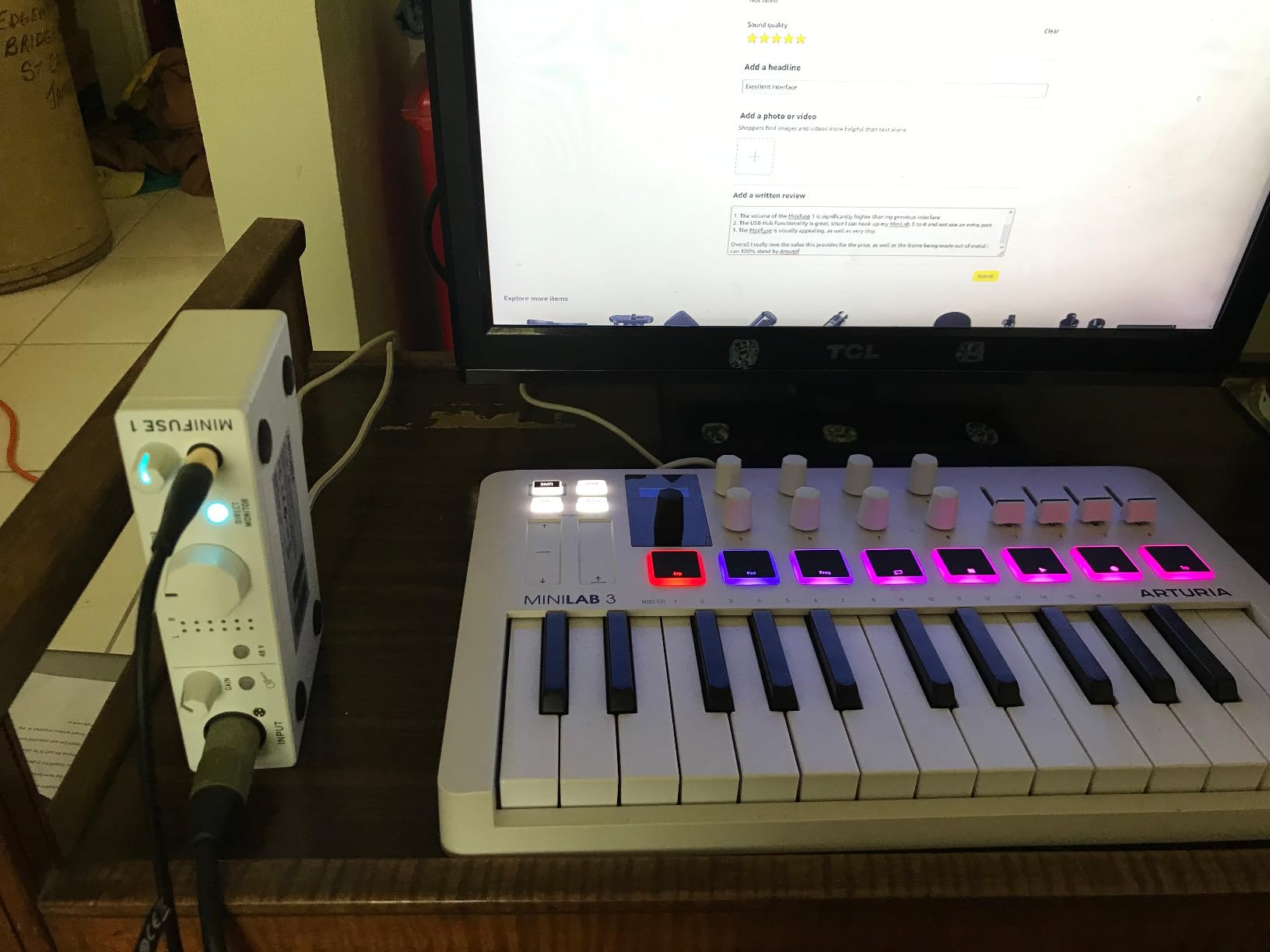
I picked up the Arturia MiniFuse 1 expecting a basic compact interface, but it genuinely surprised me with how much Arturia packed into such a small frame. The all-metal chassis feels substantial in hand, not like the flimsy plastic shells you find on some entry-level gear. At just 0.9 pounds and measuring under 6 inches wide, it slips into a laptop bag without crowding anything else.
Setting it up was straightforward on both macOS and Windows. I had it running in Ableton Live Lite within ten minutes of unboxing. The single combo XLR input handled my condenser mic cleanly with 48V phantom power, and the instrument input captured my acoustic guitar with a warm, honest tone. The preamp is quiet with a low noise floor that lets you record at comfortable levels without hiss creeping in.
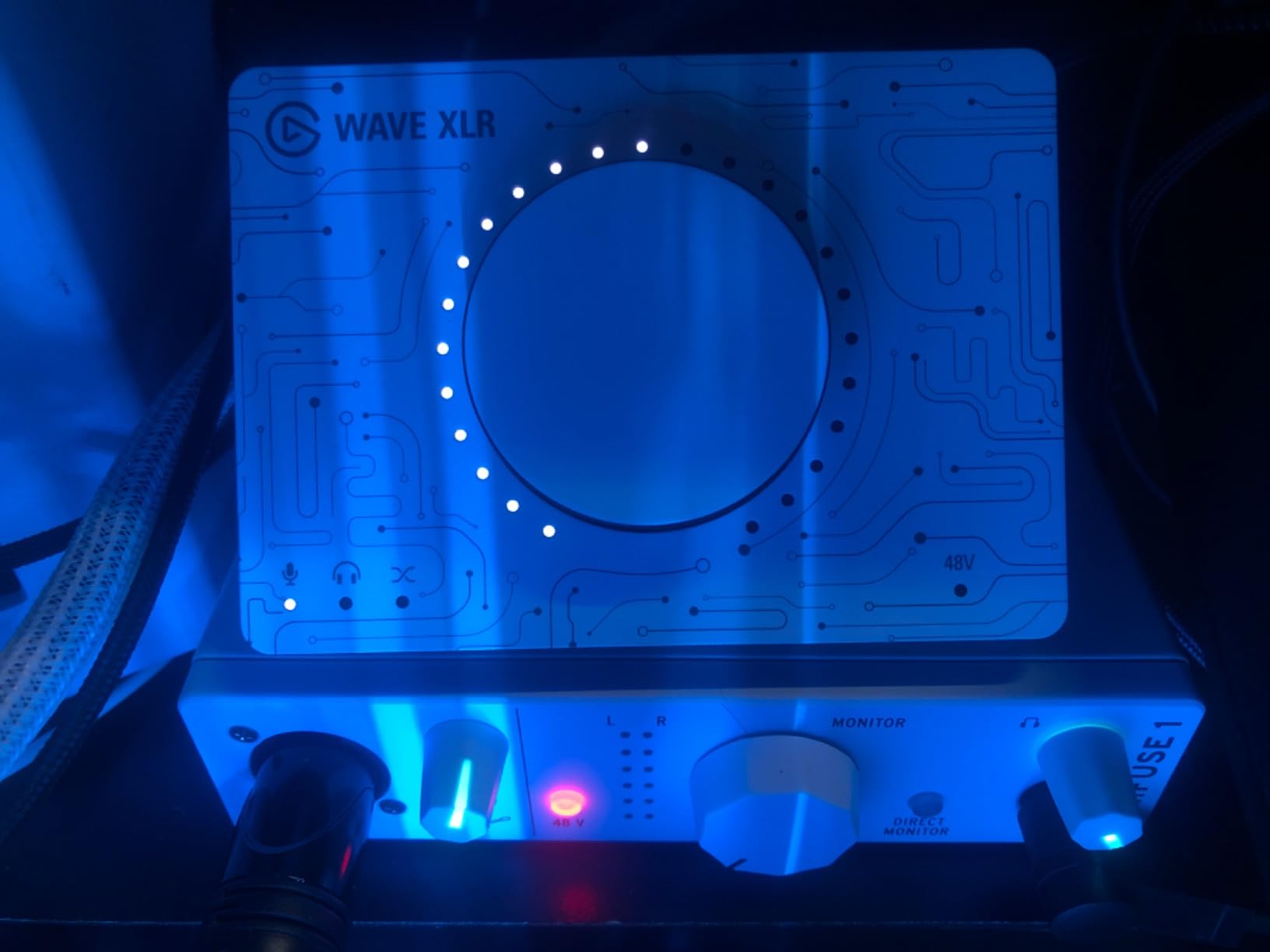
What really sets the MiniFuse 1 apart from other single-input interfaces is the loopback feature. If you stream or podcast and need to mix your microphone audio with computer playback, loopback does this without extra software routing. I tested it with OBS Studio and the audio mix came through cleanly with zero sync issues. The USB Type-A hub port on the back is also a smart addition for laptop users running low on ports.
The included software bundle is generous: Ableton Live Lite, Analog Lab Intro with 500 keyboard presets, Guitar Rig 6 LE, Auto-Tune Unlimited trial, and a Splice Creator plan. For a single-input interface at this price, the value is hard to beat. Arturia also backs it with a 5-year warranty, which is longer than most competitors offer and shows confidence in the build.
Who should buy the Arturia MiniFuse 1
Solo musicians, podcasters, and streamers who want a compact interface that does more than just basic recording. The loopback feature makes it particularly appealing if you create content that mixes live audio with computer sound. If you travel frequently and need something that works reliably across Mac, Windows, and even iPad, this is one of the best portable audio interfaces you can get.
Who should look elsewhere
If you regularly record two sources at once, like a guitar and vocal simultaneously or two-person podcast interviews, the single XLR input will hold you back. You should also consider alternatives if you need sample rates above 192kHz for specialized mastering work, though that is rarely a concern for most mobile recording setups.
2. PreSonus AudioBox 96 25th Anniversary – Best Value 2-Channel Workhorse
PreSonus AudioBox 96 25th Anniversary USB Audio Interface
96kHz/24-bit
2 Combo Inputs
MIDI I/O
USB Bus-Powered
Class-A Preamps
Studio One Artist
Pros
- Two combo inputs with phantom power
- MIDI I/O
- Bus-powered portability
- Studio One Artist included
- Over $1000 in bundled software
- Sturdy metal chassis
Cons
- USB 2.0 Type-B connector
- Knobs feel slightly crowded
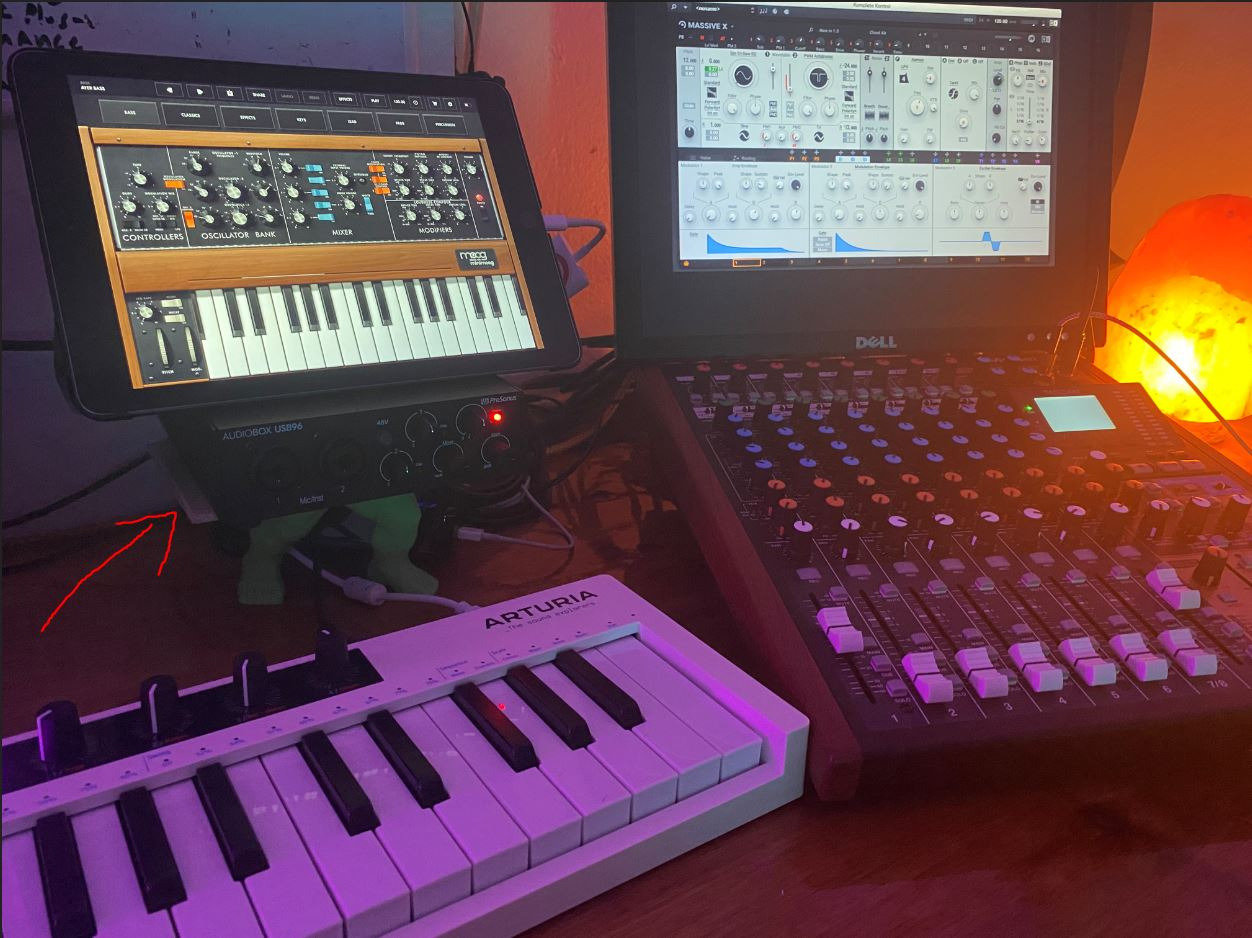
The PreSonus AudioBox 96 has been a staple in home studios for years, and the 25th Anniversary edition keeps everything that made it popular while adding an upgraded software package. The first thing I noticed is the solid metal chassis. This does not feel like a budget interface. It has real weight to it at just over 2 pounds, and the blue finish gives it a professional look that stands out on a desk.
Having two combo mic/instrument inputs is a big deal at this price point. I plugged a condenser microphone into input 1 and a bass guitar into input 2, and both came through with clean, transparent tone. The Class-A preamps do not color the sound much, which is exactly what you want for tracking. Phantom power is switchable via a single button on the front, feeding both channels simultaneously.
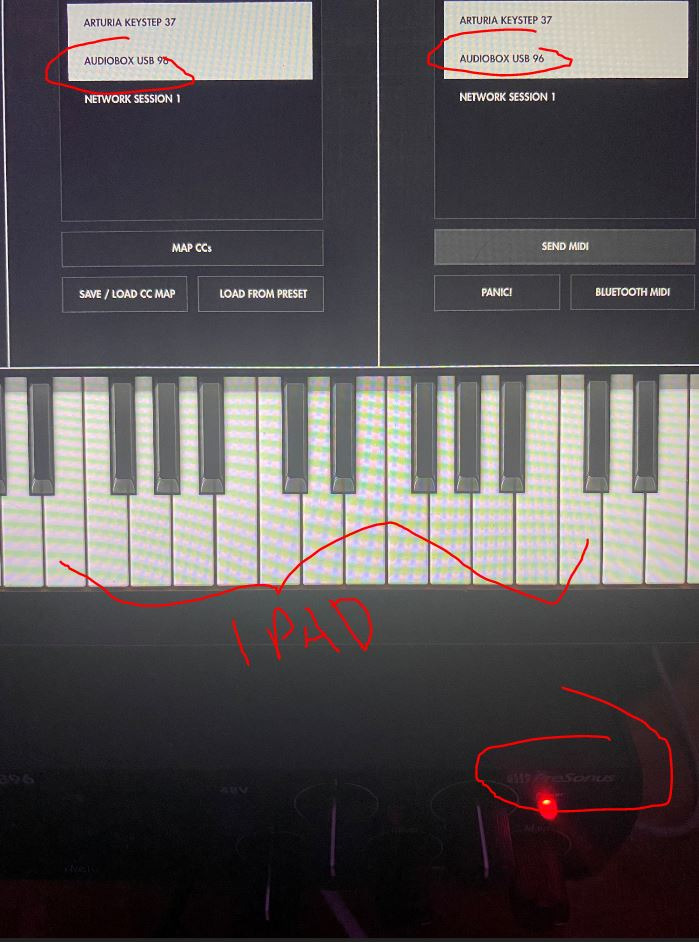
Where the AudioBox 96 really shines for portable use is USB bus power. No external power adapter needed. I ran it off my laptop battery during a park recording session and it performed flawlessly for over two hours. The mixer knob on the front lets you blend between your direct input signal and the DAW playback for zero-latency monitoring, which worked smoothly with no detectable latency in Studio One and Reaper.
The software bundle is where PreSonus delivers knockout value. Studio One Artist is a full-featured DAW that many users prefer over Ableton or Pro Tools for its intuitive workflow. You also get Ableton Live Lite and the Studio Magic Plug-In Suite, which together are worth well over $1000 in plugins and virtual instruments. For anyone starting their recording journey, this bundle alone justifies the purchase.
Who should buy the PreSonus AudioBox 96
Anyone who needs two simultaneous inputs without spending a premium. This is ideal for singer-songwriters recording guitar and vocals together, podcasters with two hosts, or small home studios on a budget. The included Studio One Artist DAW makes it especially attractive for beginners who do not already own recording software.
Who should look elsewhere
If you need 192kHz sample rates for high-resolution mastering, the 96kHz ceiling here may feel limiting. The USB 2.0 Type-B connector is also a dated choice compared to the USB-C ports on newer interfaces, so you will need to carry the included cable specifically since USB-C cables will not work.
3. M-AUDIO M-Track Solo – Budget-Friendly Starter Interface
M-AUDIO M-Track Solo USB Audio Interface
48kHz/24-bit
1 XLR Combo Input
Crystal Preamp
USB Powered
Plug-and-Play
RCA Outputs
Pros
- Ultra-affordable entry point
- Plug-and-play simplicity
- Works with Mac
- Windows
- and Linux
- USB powered with no adapter
- Over 7500 user reviews
- MPC Beats and Ableton Lite included
Cons
- 48kHz max sample rate
- USB Type-B connector
- Mono line input only
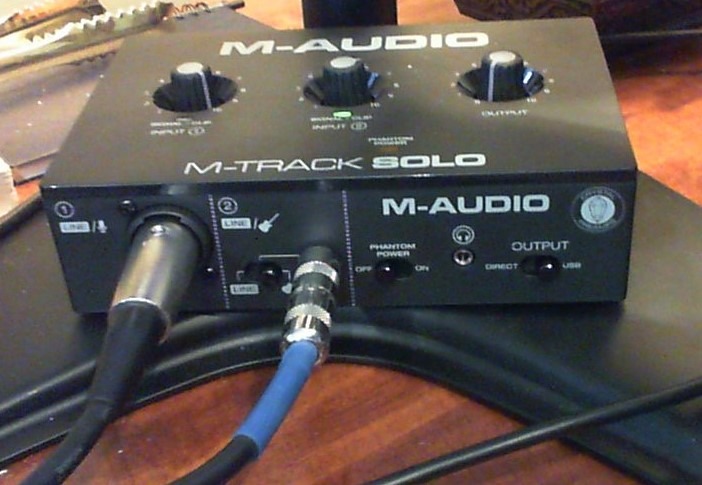
The M-AUDIO M-Track Solo is the kind of interface I wish existed when I first started recording. At under 11 ounces, it is the lightest unit in this roundup and one of the cheapest audio interfaces worth buying. Despite the low price, M-Audio did not cut corners on the essentials. The Crystal Preamp delivers surprisingly clean sound from both dynamic and condenser microphones, and the plug-and-play setup had me recording within minutes on both Mac and Windows.
I tested the M-Track Solo with a Shure SM58 dynamic mic and an Audio-Technica AT2020 condenser, and both produced usable recordings with minimal noise. The USB/Direct switch on the front lets you toggle between zero-latency monitoring of your input signal and hearing the DAW playback, a feature that matters more than most beginners realize. The headphone output on the front panel is rated at 50 Ohms, which works fine with most consumer headphones but may not drive high-impedance studio cans to satisfying volumes.
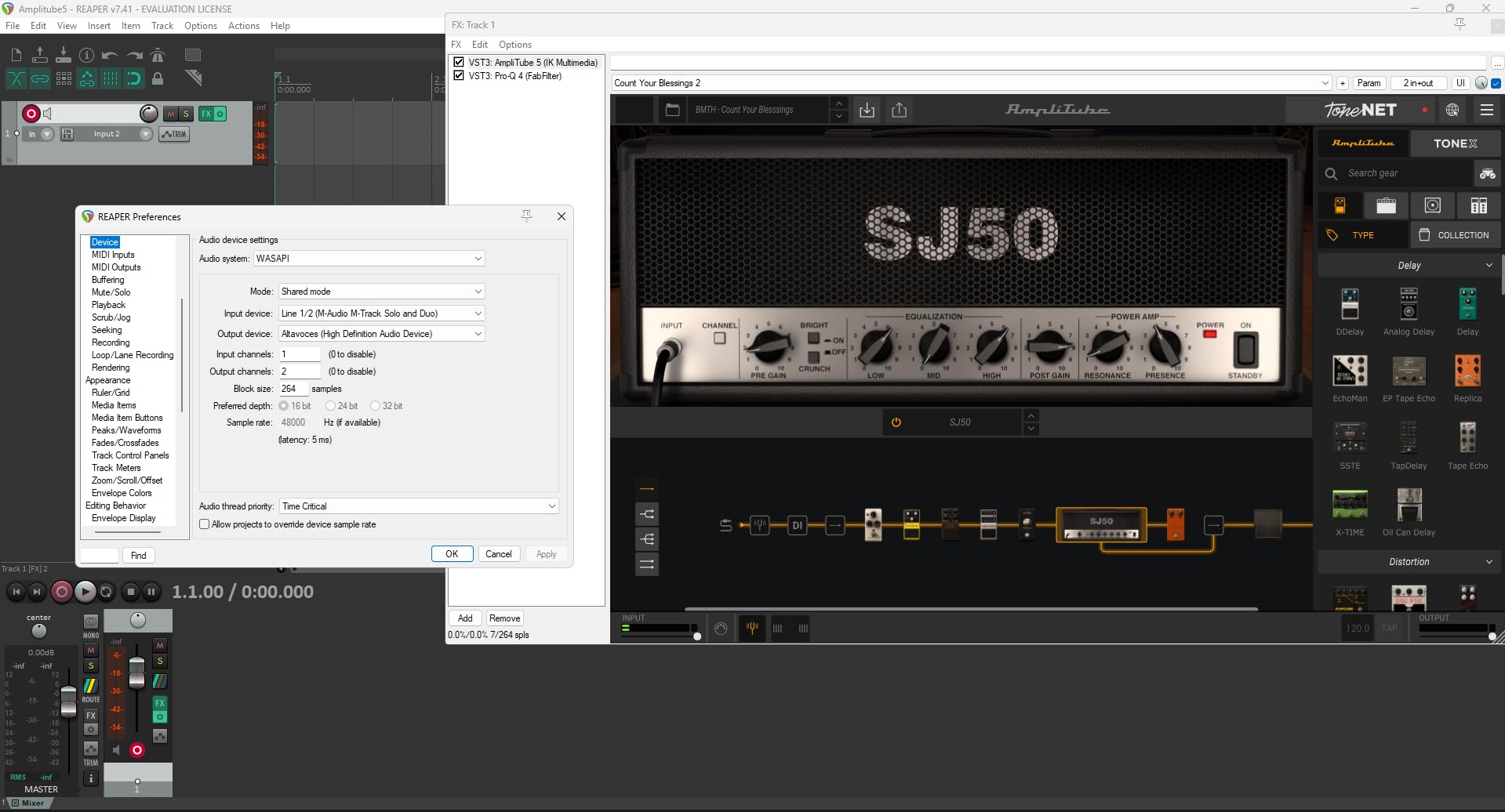
One thing I appreciate about this interface is the Linux compatibility. Not every audio interface works out of the box with Linux distributions, but the M-Track Solo is class-compliant and was recognized immediately on Ubuntu. If you are recording on an unconventional setup, this flexibility is worth noting. The RCA outputs on the back let you connect to studio monitors or a home stereo system, which is a nice touch at this price.
The bundled software includes MPC Beats from Akai Professional, which is a surprisingly capable beat-making DAW, plus Ableton Live Lite and a 6-month Reason+ subscription. For someone just exploring music production, this gives you three different workflow options to find what clicks. With over 7,500 reviews and a solid 4.3-star average, the community has spoken: this little box delivers where it counts.
Who should buy the M-AUDIO M-Track Solo
Beginners who want to try recording without a big investment, podcasters on a tight budget, and anyone who needs a simple backup interface for travel. Linux users will also appreciate the class-compliant driver support. This is the best portable audio interface for anyone who just needs to get sound into a computer cleanly and affordably.
Who should look elsewhere
If you plan to record at 96kHz or 192kHz for professional releases, the 48kHz maximum here will not cut it. The single XLR combo input also limits you to recording one source at a time, so multi-person podcasts or simultaneous instrument and vocal tracking are off the table without upgrading.
4. Focusrite Scarlett Solo 4th Gen – Industry Standard Solo Recording
Focusrite Scarlett Solo 4th Gen USB-C Audio Interface
192kHz/24-bit
120dB Dynamic Range
Air Mode
USB-C
1 XLR Input
Hitmaker Expansion
Pros
- Industry-leading 120dB dynamic range
- Air mode for vocal presence
- Includes Pro Tools Intro+ and Ableton Live Lite
- Strong headphone amp
- Solid build quality
Cons
- Only 1 XLR input
- Comes with USB-A to C cable not C to C
- Firmware update required out of box
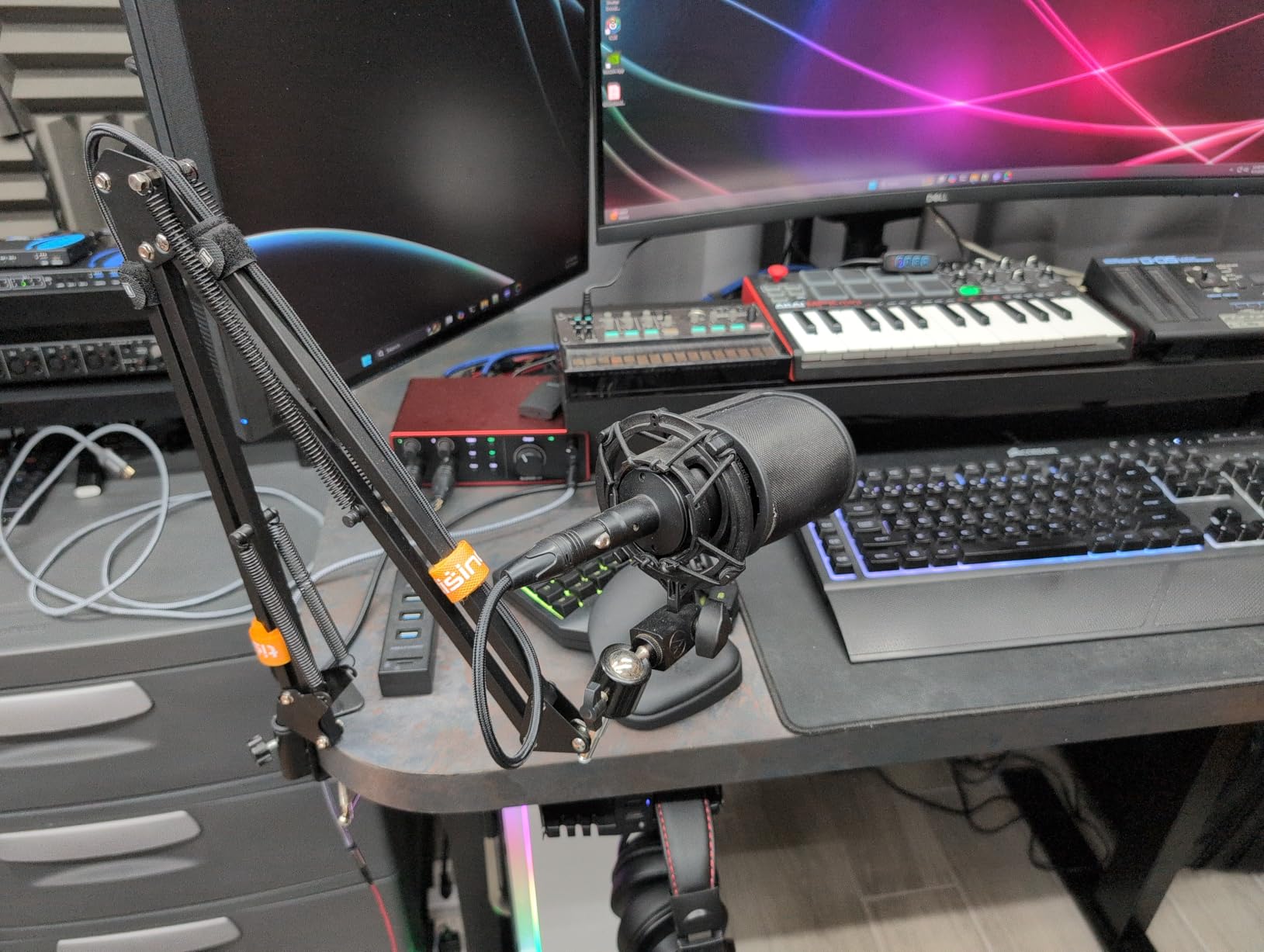
The Focusrite Scarlett Solo 4th Gen is the interface most people picture when they think of home recording, and for good reason. Focusrite has sold millions of Scarlett units, and the 4th generation refines the formula with an impressive 120dB dynamic range that puts it ahead of most competitors at this price. I ran vocal takes through it and was struck by how much detail the preamp captures, especially with the Air mode engaged.
Air mode is Focusrite’s signature feature, and in the 4th Gen it has been updated with added harmonic drive that simulates the character of their classic ISA console preamps. When I engaged Air on a vocal recording, the presence boost was immediately noticeable: the vocal sat forward in the mix without needing EQ. On acoustic guitar, Air added a sparkle to the high strings that made recordings sound more polished right off the interface.
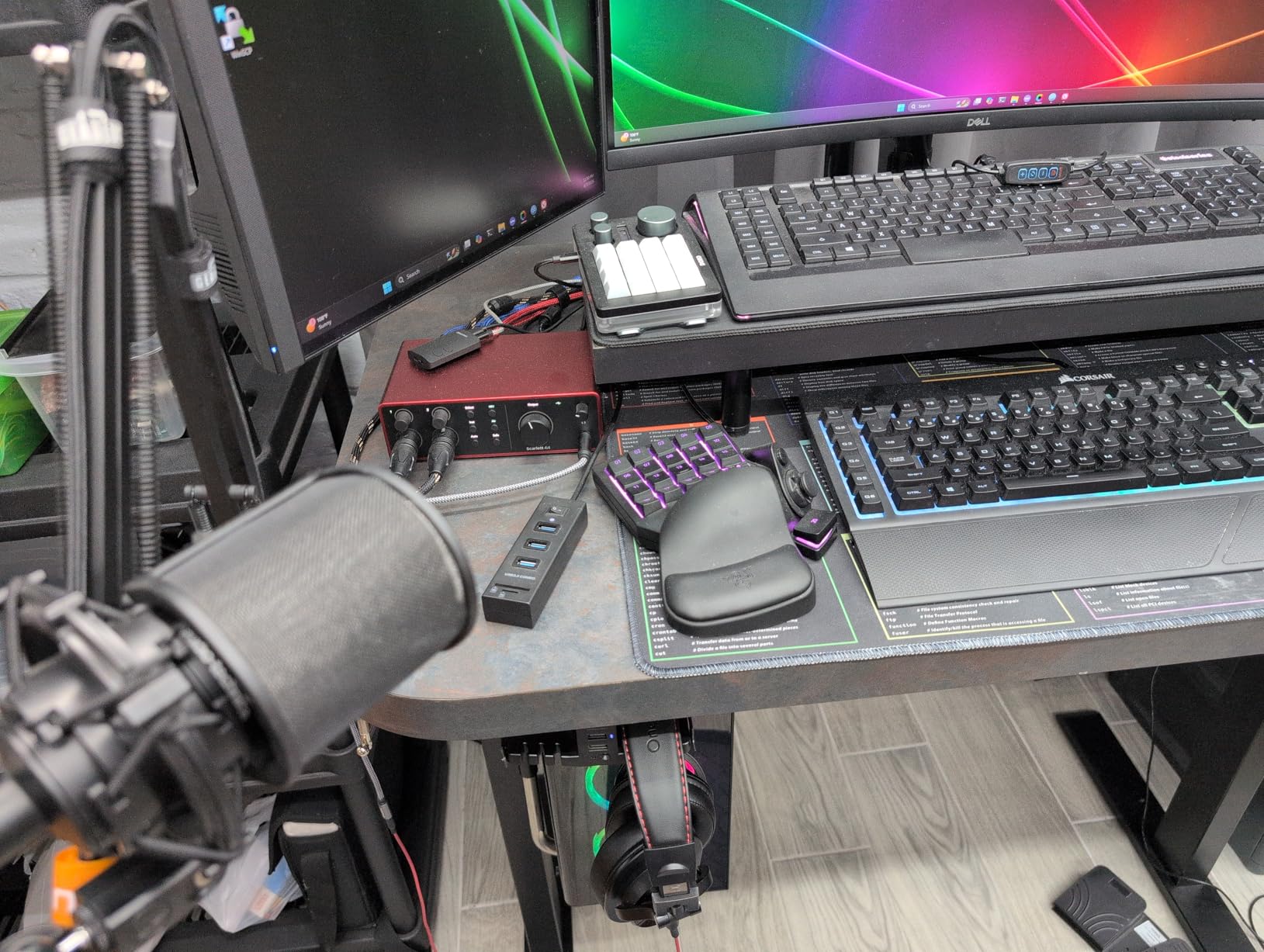
Build quality is excellent. The red aluminum enclosure feels premium, the gain knob turns smoothly, and the LED halo around the knob changes from green to red as you approach clipping, giving you a clear visual cue without taking your eyes off your performance. At 14.4 ounces, it is light enough for travel but solid enough to stay put on a desk.
The headphone amplifier deserves special mention. It drove my 250-Ohm Beyerdynamic headphones with authority, delivering plenty of volume without distortion. This matters more than many people realize, because a weak headphone amp forces you to crank the gain on your preamp to compensate, which introduces noise. The Scarlett Solo 4th Gen gives you enough clean headphone power to monitor comfortably at any level.
Who should buy the Focusrite Scarlett Solo 4th Gen
Vocalists, guitarists, and solo producers who want the most recognized name in audio interfaces with genuinely improved sound quality over previous generations. The Air mode alone makes this worth considering for anyone recording vocals or acoustic instruments regularly. It is also one of the best portable audio interfaces for beginners who want something they will not outgrow quickly.
Who should look elsewhere
If you need to record two microphones at once, look at the Scarlett 2i2 or the MOTU M2 instead. The single XLR input limits this to solo recording sessions. Also, if you want USB-C to USB-C connectivity without an adapter, note that Focusrite includes a USB-A to USB-C cable, not a native USB-C cable.
5. MOTU M2 – Professional Sound with LCD Meters
MOTU M2 USB-C Audio Interface
192kHz/24-bit
2 Preamps
LCD VU Meters
DIN MIDI
USB-C
6+GB Free Content
Pros
- Exceptional sound clarity
- LCD VU meters for visual monitoring
- Powerful headphone amp (3x Focusrite)
- Separate speaker and headphone outputs
- DIN MIDI jacks
Cons
- XLR inputs on front not back
- Short included USB cable
- Windows shows as single stereo input
The MOTU M2 has developed a devoted following in recording forums, and after using one for several sessions I understand why. Forum users frequently describe it as the interface that made them forget about upgrading, and the sound quality validates that loyalty. The preamps are exceptionally clean with a remarkably low noise floor, and the AKM converters deliver a level of detail that rivals interfaces costing twice as much.
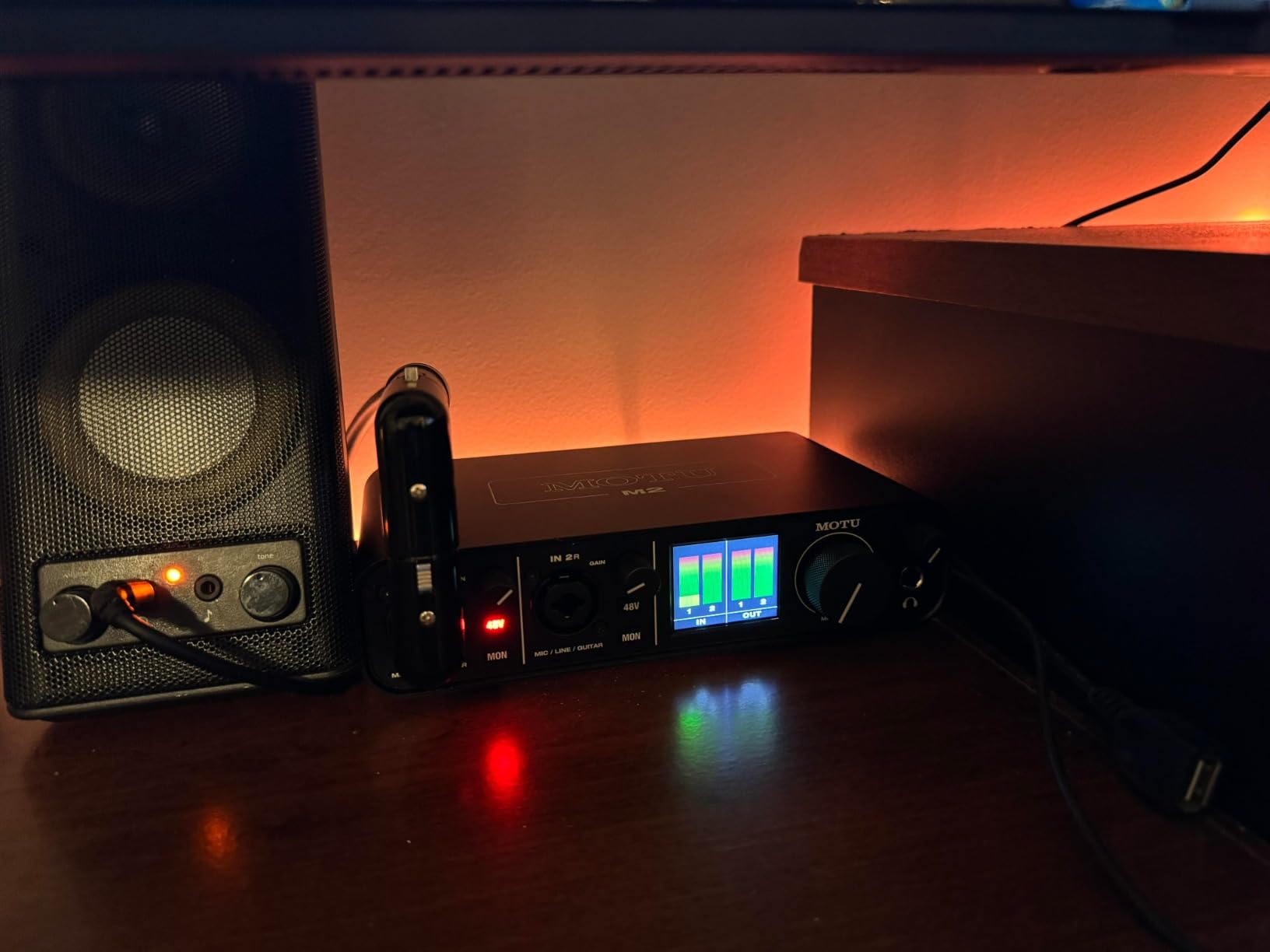
The standout hardware feature is the full-color LCD VU meter display. In practice, this is far more useful than simple LED indicators. You get real-time visual feedback on your input and output levels with smooth, responsive metering that makes gain staging intuitive. During a vocal session, I could see exactly where my levels sat without squinting at tiny LEDs or switching to my DAW’s mixer view.
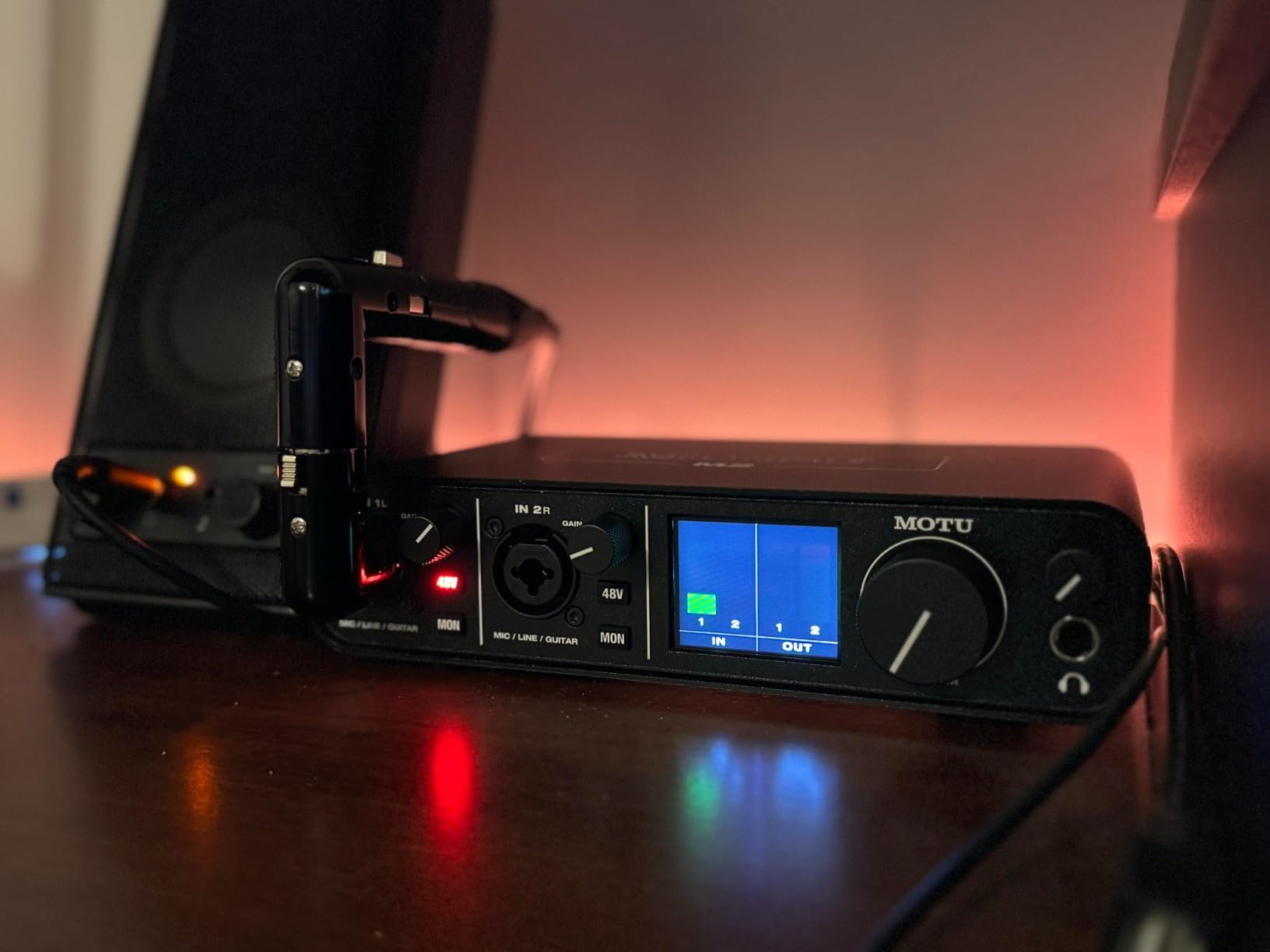
The headphone amplifier on the MOTU M2 is significantly more powerful than what you find on the Focusrite Scarlett series, roughly three times the output according to user measurements. I tested it with high-impedance Sennheiser HD600 headphones and the M2 drove them to satisfying volume levels without breaking a sweat. If you own demanding headphones, this matters more than almost any other spec on paper.
MOTU includes 6+ GB of free content including loops, samples, and virtual instruments. While the bundle is not as polished as what Focusrite or PreSonus offer, the interface itself more than makes up for it. The aluminum enclosure feels like professional-grade equipment, and the DIN MIDI jacks on the back let you connect external synthesizers and drum machines without a separate MIDI interface.
Who should buy the MOTU M2
Producers and musicians who prioritize pristine audio quality and detailed metering. If you own high-impedance headphones and want an interface that drives them properly, the M2 is one of the best portable audio interfaces for that specific need. It is also ideal for anyone working with MIDI hardware who wants DIN connectors built in.
Who should look elsewhere
Windows users who need to record both inputs as independent channels in their DAW may run into routing limitations, as the M2 appears as a single stereo device on Windows rather than two separate mono inputs. This is a Windows driver limitation, not a hardware flaw, but it can complicate multi-channel recording workflows.
6. Universal Audio Volt 2 – Vintage Analog Warmth On the Go
Universal Audio Volt 2 USB Audio Interface
192kHz/24-bit
Vintage 610 Preamp Mode
USB Powered
Mac/Win/iPad/iPhone
LUNA DAW
UAD Plugins
Pros
- Rich warm Vintage 610 preamp mode
- Compatible with iPad and iPhone
- LUNA DAW with UAD plugins
- Solid build quality
- USB powered
Cons
- Only two LEDs for gain metering
- No balance control for direct monitoring
- Registration app issues reported
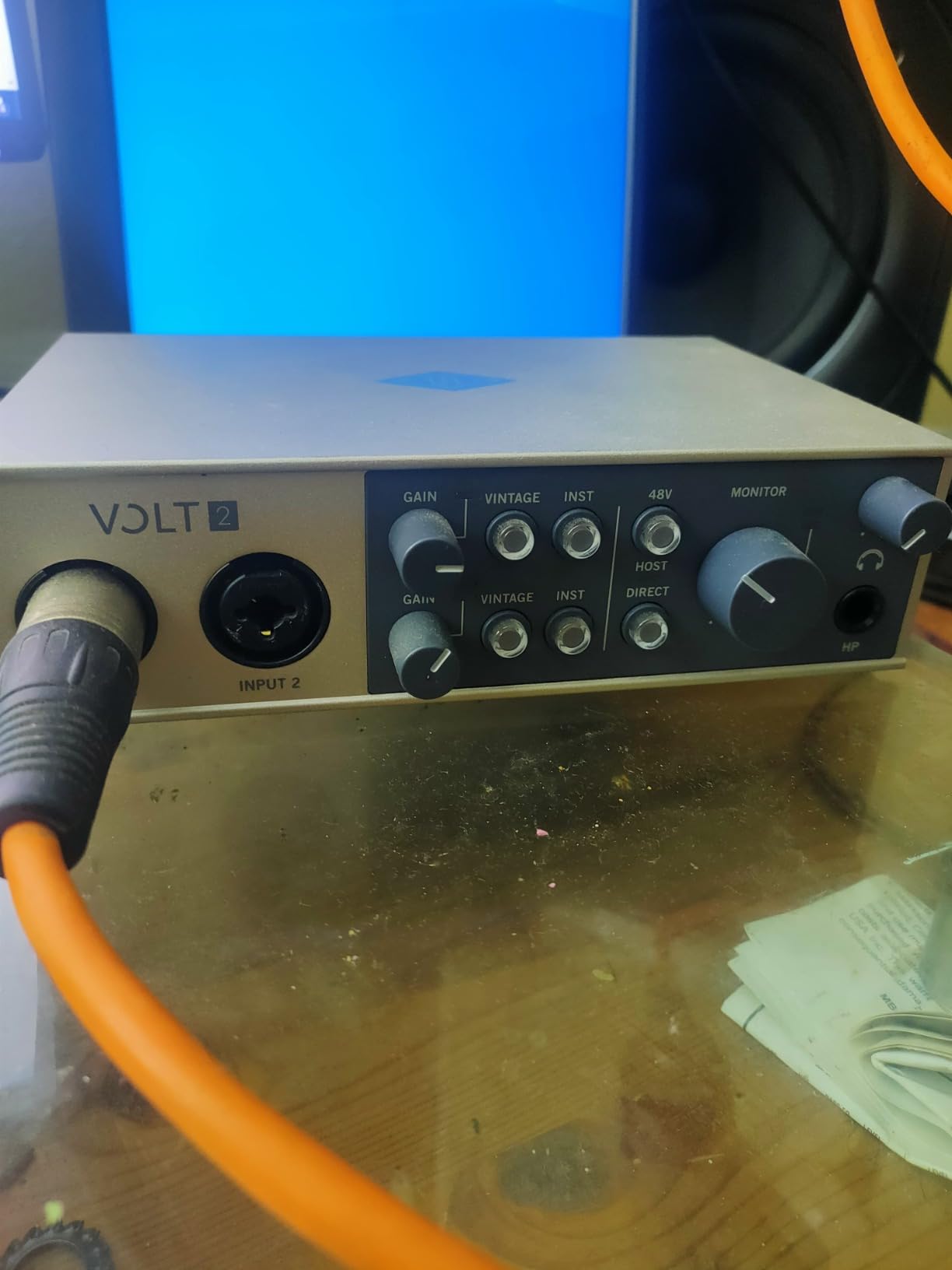
Universal Audio built its reputation on analog studio hardware, and the Volt 2 brings some of that heritage to a portable USB interface. The Vintage 610 preamp mode is the star feature, emulating the warmth and character of UA’s legendary 610 tube preamp. When I engaged Vintage mode on a vocal recording, the difference was immediate: the sound gained body and harmonic richness that usually requires post-processing to achieve.
Physically, the Volt 2 has a distinctive retro-inspired design with a curved top panel and knurled metal knobs that feel satisfying to turn. At 650 grams, it has enough mass to stay planted on a desk but is still comfortable to carry in a bag. The two combo inputs handle mic, instrument, and line-level sources, giving you flexibility for different recording scenarios.
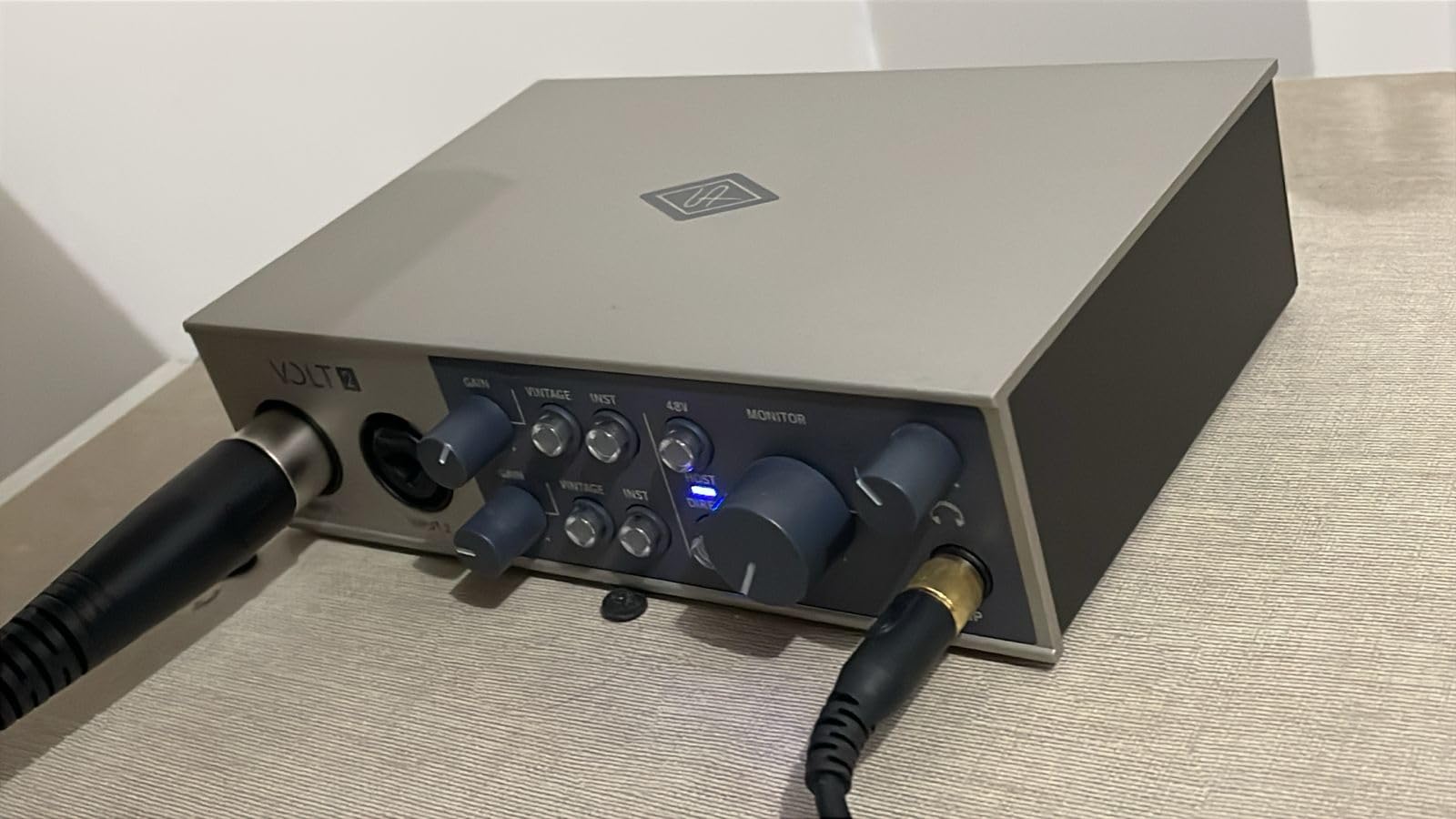
One of the Volt 2’s biggest advantages for mobile creators is its compatibility with iPad and iPhone. Not every USB interface works reliably with iOS, but the Volt 2 is class-compliant and connects directly via Apple’s Camera Connection Kit. I tested it with GarageBand on an iPad and it worked immediately with no driver installation. This makes it a strong choice for musicians who use an iPad as their primary recording device.
The included LUNA DAW gives you access to UAD’s plugin ecosystem, which includes emulations of classic compressors, equalizers, and reverbs. These are the same algorithms used in UA’s high-end Apollo interfaces, just running natively instead of on dedicated DSP chips. The sound quality of these plugins is genuinely professional, and having them included makes the Volt 2 a compelling package for anyone building their first serious recording setup.
Who should buy the Universal Audio Volt 2
Musicians who want analog warmth without reaching for plugins after recording. The Vintage 610 mode adds character at the input stage that makes tracks sound polished with less post-processing. iPad and iPhone users will appreciate the seamless iOS compatibility, and anyone invested in the UAD plugin ecosystem gets access to premium tools without buying an Apollo interface.
Who should look elsewhere
If precise gain staging matters to your workflow, the Volt 2’s limited metering (just two LEDs per channel) makes it difficult to set levels accurately. There is also no balance knob to blend between direct monitoring and DAW playback, which means you are stuck with whatever mix your software provides. Advanced users who need fine control over monitoring should consider the MOTU M2 instead.
7. Audient EVO 4 – Smart Auto-Gain for Beginners
Audient EVO 4 USB Audio Interface
96kHz/24-bit
Smartgain Auto-Level
JFET Instrument Input
AKM Converters
LED Ring Control
DSP Mixer
Pros
- Smartgain auto-sets levels perfectly
- Clean transparent preamps
- Compact desktop footprint
- LED ring indicator
- Easy setup for beginners
Cons
- Plastic construction
- Headphones mute speakers when plugged in
- Some Windows sleep mode issues
The Audient EVO 4 takes a different approach to the portable interface by focusing on simplicity. The Smartgain feature is its headline act: press a button, speak or sing into your microphone at your normal volume for a few seconds, and the interface automatically sets the optimal gain level. I was skeptical at first, but Smartgain consistently landed on levels that left just enough headroom for louder passages without being too quiet.
This auto-gain functionality is genuinely useful, not just a gimmick. For beginners who do not yet understand gain staging, Smartgain eliminates one of the biggest sources of recording frustration. I handed the EVO 4 to a friend who had never used an audio interface before, and she was recording clean vocal takes within five minutes of unboxing without asking me a single question about levels.
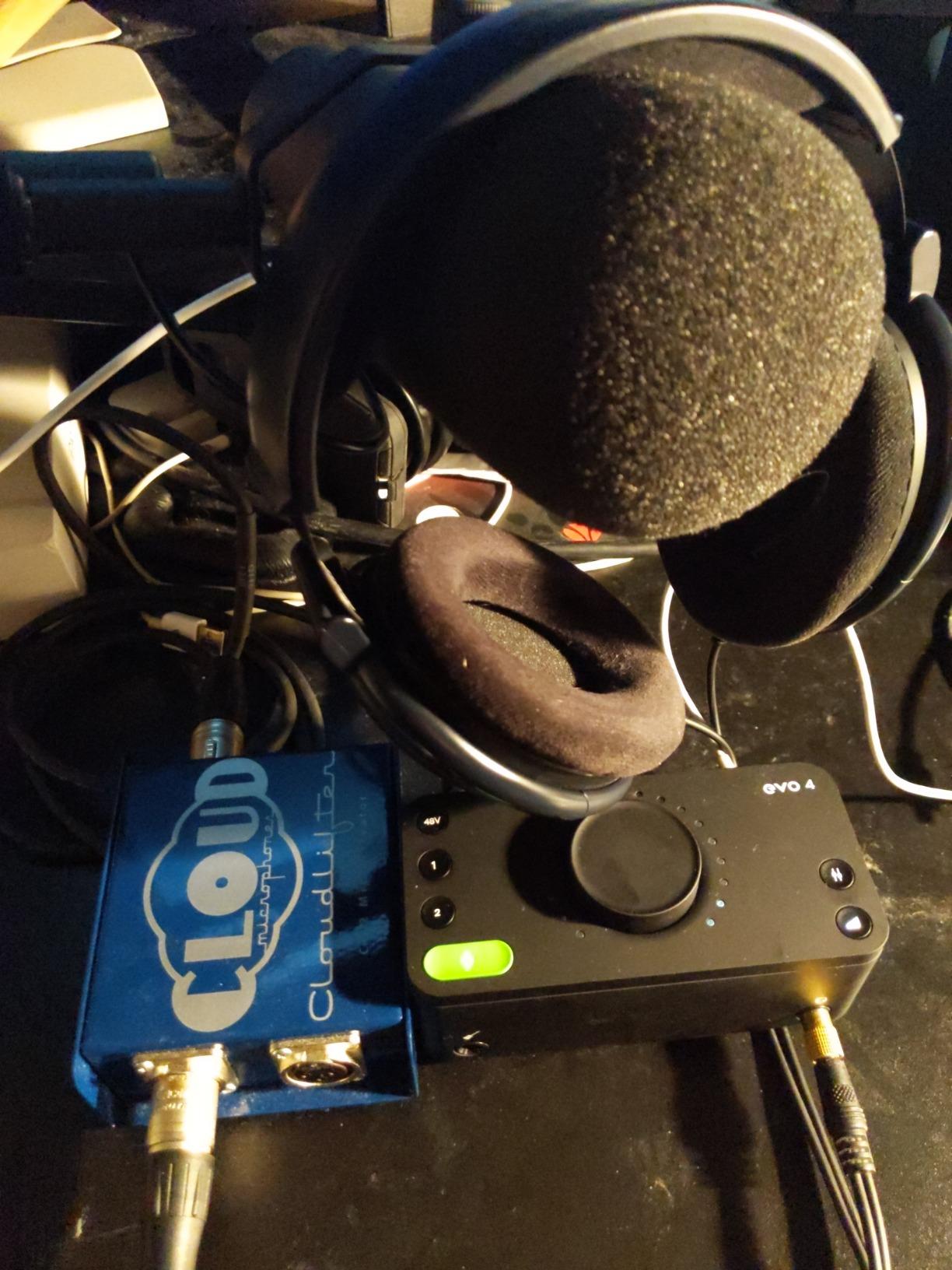
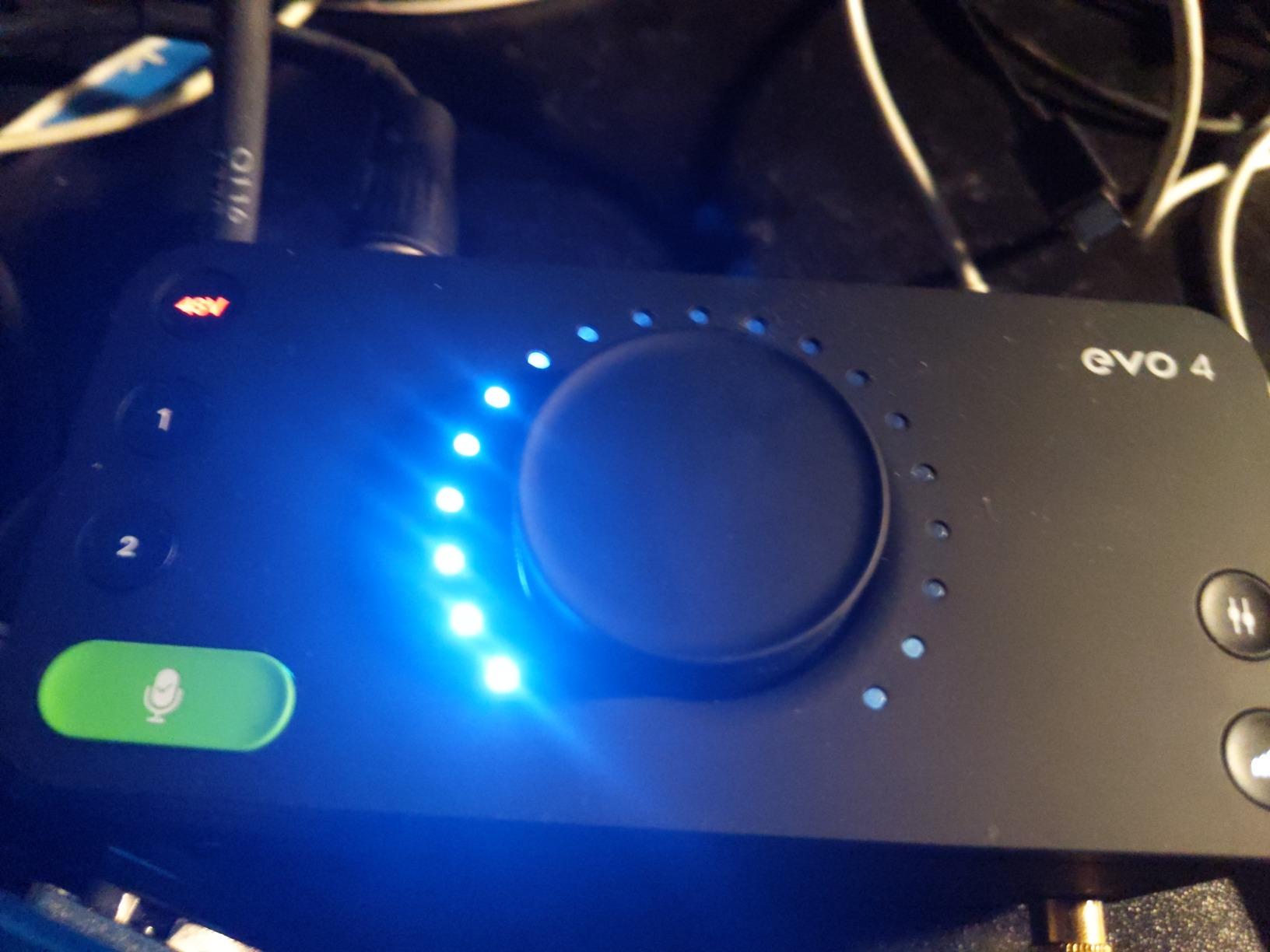
The main rotary control is surrounded by an LED ring that changes color to indicate what function you are adjusting, which is a clever bit of design that keeps the interface simple without sacrificing functionality. The discrete JFET instrument input captures guitars with an honest, uncolored tone that works well for both clean and overdriven tones. AKM converters handle the analog-to-digital conversion and deliver clean, accurate sound.
At 2.64 inches deep and about 5.5 inches wide, the EVO 4 has the smallest desktop footprint in this roundup. It fits easily beside a laptop on a small desk or coffee shop table. The DSP-based software mixer gives you low-latency monitoring control without taxing your computer’s CPU. However, the plastic enclosure does feel less premium than the metal builds on the MOTU M2 or Arturia MiniFuse 1, which is something to consider if durability for travel is a priority.
Who should buy the Audient EVO 4
Beginners who want the easiest possible entry into recording without learning gain staging first. The Smartgain feature alone makes this worth considering for podcasters, voiceover artists, and anyone who sets up quickly in different environments and needs consistent levels without fiddling. Its tiny footprint is perfect for cramped workspaces.
Who should look elsewhere
If you need the interface to feel rugged enough for constant travel, the plastic body may not inspire confidence over time. Users who want to monitor on headphones and speakers simultaneously will also be frustrated, since plugging in headphones automatically mutes the speaker outputs on the EVO 4. This is a design choice, not a flaw, but it limits flexibility for users who switch between monitoring modes frequently.
How to Choose the Best Portable Audio Interface
Picking the right portable audio interface comes down to matching the features to your actual workflow, not just buying the highest-rated model. Here are the factors that matter most when you are recording away from a permanent studio.
Input and Output Count
The number of inputs determines what you can record simultaneously. Single-input interfaces like the Arturia MiniFuse 1, Focusrite Scarlett Solo, and M-AUDIO M-Track Solo work for solo vocals, guitar, or podcasting with one microphone. Two-input interfaces like the MOTU M2, Universal Audio Volt 2, PreSonus AudioBox 96, and Audient EVO 4 let you record a vocal and an instrument together, host a two-person podcast, or capture stereo sources. Think about your most common recording scenario and buy accordingly.
Sample Rate and Bit Depth
Most portable interfaces offer 24-bit recording, which provides more than enough dynamic range for any practical use. Sample rate is where you see variation: the M-AUDIO M-Track Solo tops out at 48kHz, the PreSonus AudioBox 96 and Audient EVO 4 reach 96kHz, and the rest offer 192kHz. For podcasting and streaming, 48kHz is plenty. For music production, 96kHz gives you headroom for processing. The 192kHz options are nice but rarely necessary for mobile recording.
Bus Power vs External Power
Every interface in this roundup runs on USB bus power, which is essential for true portability. However, bus power draws from your laptop battery. Interfaces with LCD screens like the MOTU M2 draw slightly more power than minimal designs like the M-Track Solo. If you record for long stretches away from an outlet, this can affect your laptop’s battery life. I measured roughly a 10 to 15 percent reduction in battery runtime when using the MOTU M2 compared to recording without an interface.
iOS and Android Compatibility
If you plan to record with an iPad or iPhone, check for class-compliant operation. The Universal Audio Volt 2 has explicit iOS compatibility and worked perfectly in my iPad testing. The Arturia MiniFuse 1 also works with iPad via USB-C. Not all interfaces support mobile devices out of the box, and some require specific camera connection adapters. This is an area where checking user reviews for your specific device combination saves headaches.
Direct Monitoring and Latency
Direct monitoring lets you hear your input signal with zero latency by routing it straight to your headphones before it reaches the computer and comes back. Every interface here offers some form of direct monitoring, but the implementation varies. The PreSonus AudioBox 96 and MOTU M2 give you a physical blend knob to mix between your input and DAW playback. The Universal Audio Volt 2 lacks this blend control, which means your monitoring mix is handled entirely in software. For vocal recording where latency is most noticeable, having hardware direct monitoring control is a real advantage.
Included Software Value
Do not overlook the software bundle when comparing prices. The PreSonus AudioBox 96 includes Studio One Artist, which is a full professional DAW that normally costs $100 on its own. The Focusrite Scarlett Solo 4th Gen comes with Pro Tools Intro+, Ableton Live Lite, and the Hitmaker Expansion suite. The Arturia MiniFuse 1 bundles Ableton Live Lite, Analog Lab Intro, Guitar Rig 6 LE, and Auto-Tune Unlimited. These bundles can save you hundreds of dollars compared to buying software separately.
Frequently Asked Questions About Portable Audio Interfaces
What is the best portable audio interface for mobile production?
How many inputs do I need in a portable audio interface?
What is the best audio interface for traveling musicians?
Are cheap audio interfaces worth it?
What sample rate do I need for portable recording?
Final Thoughts on the Best Portable Audio Interfaces
After testing all seven of these portable audio interfaces across recording sessions, the right choice comes down to your specific needs. The Arturia MiniFuse 1 earns our Editor’s Choice for its unique combination of loopback functionality, USB hub port, MIDI I/O, and 5-year warranty in a compact metal body. The PreSonus AudioBox 96 delivers the best overall value with two inputs, MIDI, and Studio One Artist for a competitive price. And the M-AUDIO M-Track Solo proves that you do not need to spend much to get clean, reliable recordings.
For vocalists and guitarists who want premium sound character, the Focusrite Scarlett Solo 4th Gen with its Air mode and the Universal Audio Volt 2 with Vintage 610 preamp mode both deliver analog warmth that makes recordings sound finished faster. Professional users who need detailed metering and serious headphone power should look at the MOTU M2, which punches well above its price class. And beginners who want the simplest setup possible will appreciate the Audient EVO 4 and its Smartgain auto-leveling.
Any one of these best portable audio interfaces will give you dramatically better results than recording through a laptop’s built-in audio. Pick the one that matches your input needs, budget, and workflow, and start recording.