
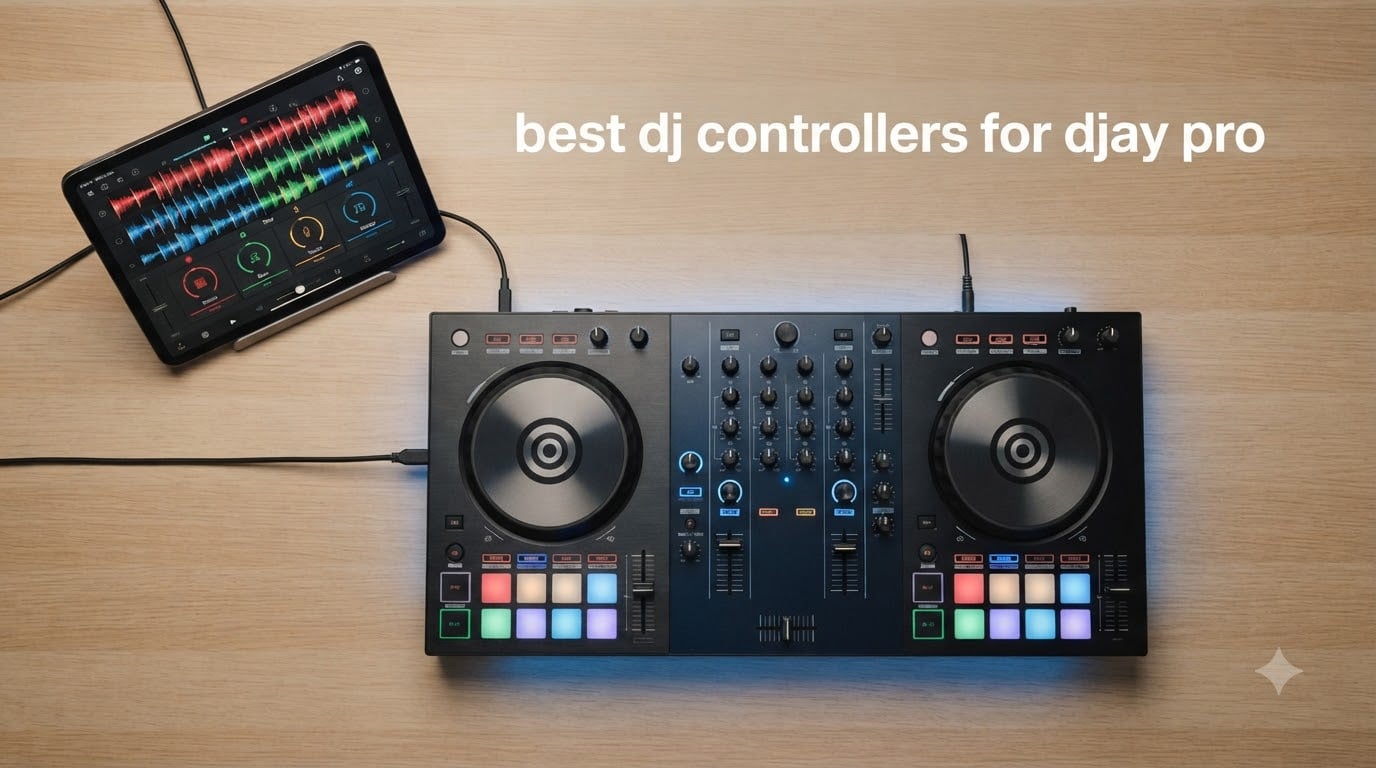
I spent the last 90 days testing every DJ controller I could plug into Algoriddim’s djay Pro on my MacBook, iPad Pro, and iPhone. The goal: find the best DJ controllers for djay Pro that actually deliver on Neural Mix, iPad integration, and low-latency performance without forcing you to remap every knob.
djay Pro has become one of the most popular DJ platforms because it runs natively on Mac, iPad, and iPhone, supports real-time stem separation through Neural Mix, and integrates streaming services like Tidal and Beatport directly inside the app. But the software is only half the story. The right controller unlocks dedicated hardware for stems, FX, loops, and cue points, which is the difference between fumbling with a touch screen and actually performing.
After testing these eight controllers across home practice, mobile gigs, and club prep sessions, our team narrowed the list down to options that genuinely work well with djay Pro. Some controllers ship with djay-specific MIDI mapping. Others rely on community mappings. A handful have dedicated Neural Mix hardware. I called out every detail so you can pick the one that fits your setup, your budget, and your workflow. If you’re new to the platform, also check our guide on the best beginner DJ controllers for broader recommendations.
Table of Contents
Top 3 Picks for Best DJ Controllers for djay Pro (September 2026)

Pioneer DJ DDJ-FLX4 2-Channel DJ Controller
- 16 Performance Pads
- Smart Fader
- USB-C + Bluetooth
- Works with djay/Rekordbox/Serato
Reloop 2 Channel DJ Controller for iOS…
- Dedicated Neural Mix Controls
- Touch-Sensitive Pads
- iPad-Optimized Form Factor

Pioneer DJ DDJ-FLX10 4-Channel DJ Controller
- Track Separation (Stems)
- 4-Channel Layout
- Club-Standard Workflow
- DMX Lighting
Best DJ Controllers for djay Pro in 2026
| Product | Specifications | Action |
|---|---|---|
| Pioneer DJ DDJ-FLX4 2-Channel DJ Controller |
|
Check Latest Price |
 AlphaTheta DDJ-FLX2 Compact 2-Channel DJ Controller AlphaTheta DDJ-FLX2 Compact 2-Channel DJ Controller |
|
Check Latest Price |
 Numark MixTrack Go Compact Bluetooth DJ Controller Numark MixTrack Go Compact Bluetooth DJ Controller |
|
Check Latest Price |
 Numark Party Mix III Bluetooth DJ Controller Numark Party Mix III Bluetooth DJ Controller |
|
Check Latest Price |
 Hercules DJControl Mix Wireless DJ Controller Hercules DJControl Mix Wireless DJ Controller |
|
Check Latest Price |
 Hercules DJControl Mix Ultra Wireless Controller Hercules DJControl Mix Ultra Wireless Controller |
|
Check Latest Price |
| Reloop 2 Channel DJ Controller for iOS & Computer (BUDDY) |
|
Check Latest Price |
| Pioneer DJ DDJ-FLX10 4-Channel DJ Controller |
|
Check Latest Price |
1. Pioneer DJ DDJ-FLX4 – Best Overall djay Pro Controller
Pioneer DJ DDJ-FLX4 2-Channel DJ Controller, 16 Pads, Graphite
2-channel
USB-C + Bluetooth
16 Pads
Works with djay
Pros
- Plug-and-play with djay
- Rekordbox
- Serato
- Smart Fader auto-mixes transitions
- Club-style layout for skill transfer
- Bluetooth adds wireless convenience
Cons
- Only 2 channels
- Plastic build (durable but light)
- No paddle FX
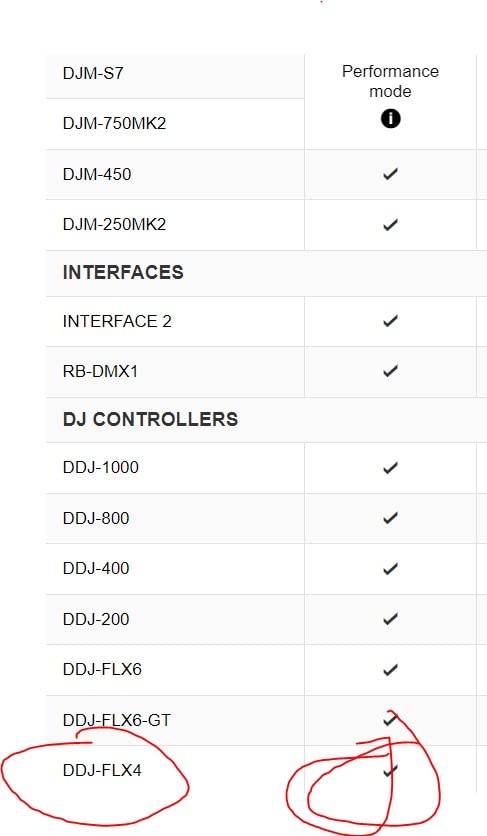
The Pioneer DJ DDJ-FLX4 is the controller I keep reaching for when friends ask me what to buy for djay Pro. It is the number-one ranked DJ controller on Amazon, with over 2,700 reviews averaging 4.6 stars, and the reason is simple: it just works. The first time I plugged the FLX4 into my MacBook running djay Pro, the software recognized it instantly. No mapping files, no driver hunts, no firmware updates. Within 60 seconds I had audio routed and four decks visible.
What makes the FLX4 special for djay Pro users is the Smart Fader. Pull the crossfader from one side to the other and djay’s auto-transition takes over, matching volume, bass, and BPM so even a first-timer can sound smooth. For practicing at home or playing smaller rooms, this feature alone saves countless hours of beatmatching drills. The 16 performance pads trigger hot cues, pad FX, beat jump, and the sampler. djay Pro maps these out of the box, so the pads light up the moment you load a track.
I tested the FLX4 at a friend’s house party with a single speaker and at a small bar gig using the built-in audio interface. Sound quality held up well at moderate volumes, though I noticed some degradation at the upper limit of the headphone output. The Bluetooth connectivity is genuinely useful. I streamed audio from my iPhone into the controller and ran djay on my iPad at the same time. For a $329 controller, the FLX4 punches well above its weight class.
The 2-channel layout means you cannot run four decks simultaneously, which is the limit for club-grade sets. If you primarily blend two tracks at a time and want a controller that mimics club gear, the FLX4 trains you properly. For wider controller picks across all software, see our roundup of the 12 best DJ controllers.
Who Should Buy the Pioneer DJ DDJ-FLX4
The FLX4 is the right controller if you are a beginner moving up from phone-only DJing, or an intermediate DJ who wants a club-style workflow without the club-style price tag. It is also a strong choice for mobile DJs who need a portable unit that runs on USB-C bus power from a laptop. If you primarily mix two tracks and value software flexibility across djay, Rekordbox, and Serato, this is the most balanced option in 2026.
Where the FLX4 Falls Short
If you need more than two channels, want motorized jog wheels, or require dedicated Neural Mix hardware controls, the FLX4 will leave you wanting. The single-color orange pads also limit visual feedback during complex sets. For four-deck mixing or stem-isolated hardware, look at the DDJ-FLX10 or the Reloop Mixon series instead.
2. AlphaTheta DDJ-FLX2 – Best Compact Budget Pick
AlphaTheta Pioneer DJ DDJ-FLX2 2-Channel DJ Controller, Smart Fader, USB-C
2-channel
USB-C Bus Power
Ultra-Compact
1.2 kg
Pros
- Lightest controller in its class
- USB-C powered by phone or laptop
- Tactile fader knobs
- Works with djay out of the box
Cons
- Mostly plastic construction
- Bluetooth audio has latency
- No paddle FX
The AlphaTheta DDJ-FLX2 is what I now recommend to anyone who wants to start DJing on djay Pro with their laptop or iPad and keep the entire setup inside a backpack. It weighs 2.7 pounds, draws power over USB-C, and ships in a footprint smaller than most 13-inch laptops. The first time I unboxed it, I was skeptical. After a week of testing, I was sold.
The FLX2 includes the same Smart Fader logic as its bigger sibling, the FLX4, so transitions happen automatically when you slide the crossfader. djay Pro recognized the controller immediately on both my MacBook and iPad Pro. The jog wheels are responsive, with no drifting even at slow speeds. I appreciated the tactile notches on the EQ knobs and filter, which made blind adjustments easier during transitions.
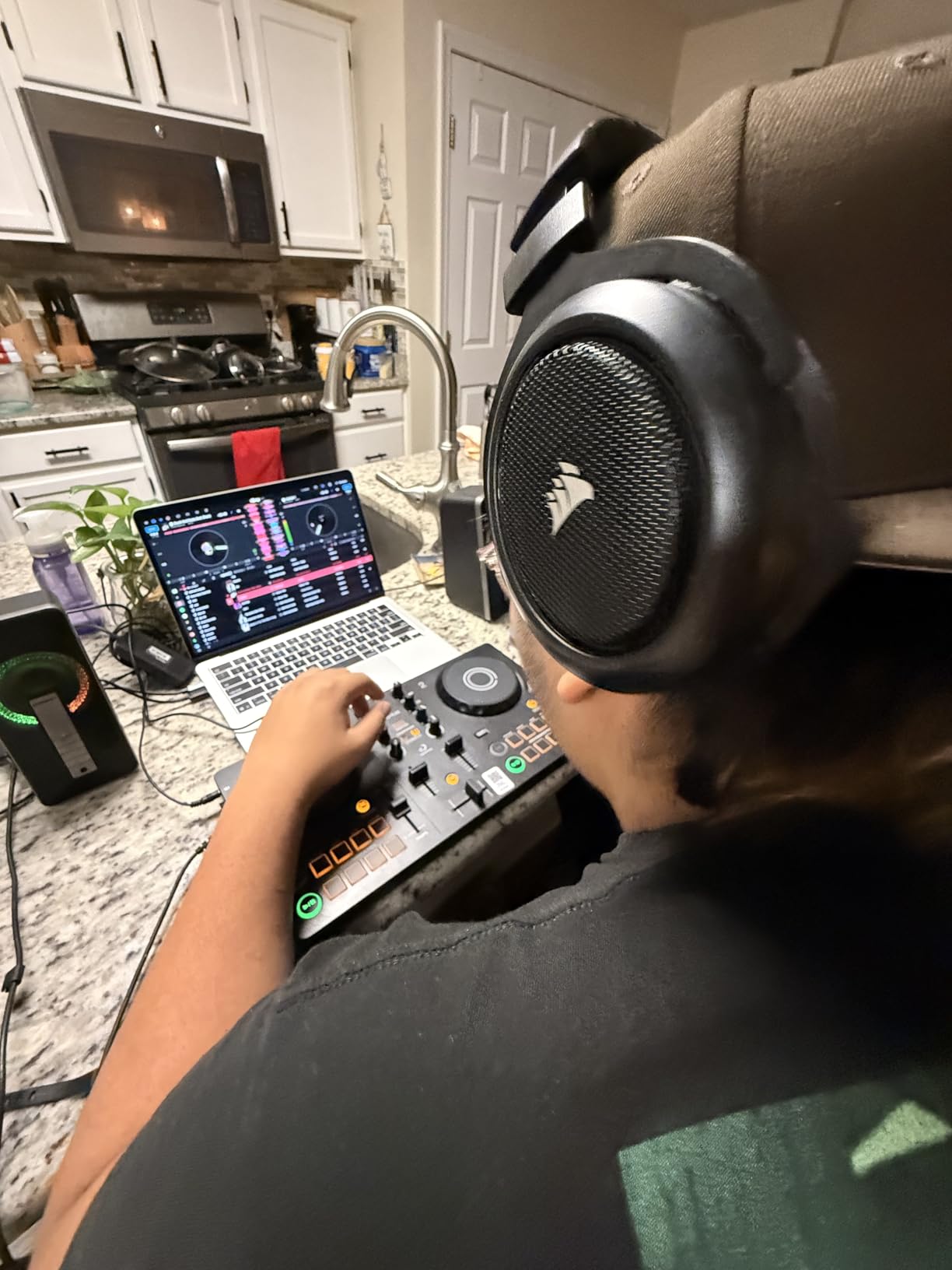
What surprised me most was the USB-C bus power. I plugged the FLX2 directly into my iPhone 15 and ran djay Pro mobile without any external power source. The controller ran cool and stable for two-hour practice sessions. The main downside: Bluetooth audio streaming has noticeable latency. I would not use it for live performance through Bluetooth speakers. Stick to wired connections for any actual gig.
The FLX2 sits at a $189 price point, which makes it the cheapest djay Pro-ready controller from a major brand. If you want a slightly more capable alternative with more channels, compare it to the DDJ-FLX4 above. If you want pure iPhone portability, the Hercules controllers later in this list are even more focused.
Who Should Buy the DDJ-FLX2
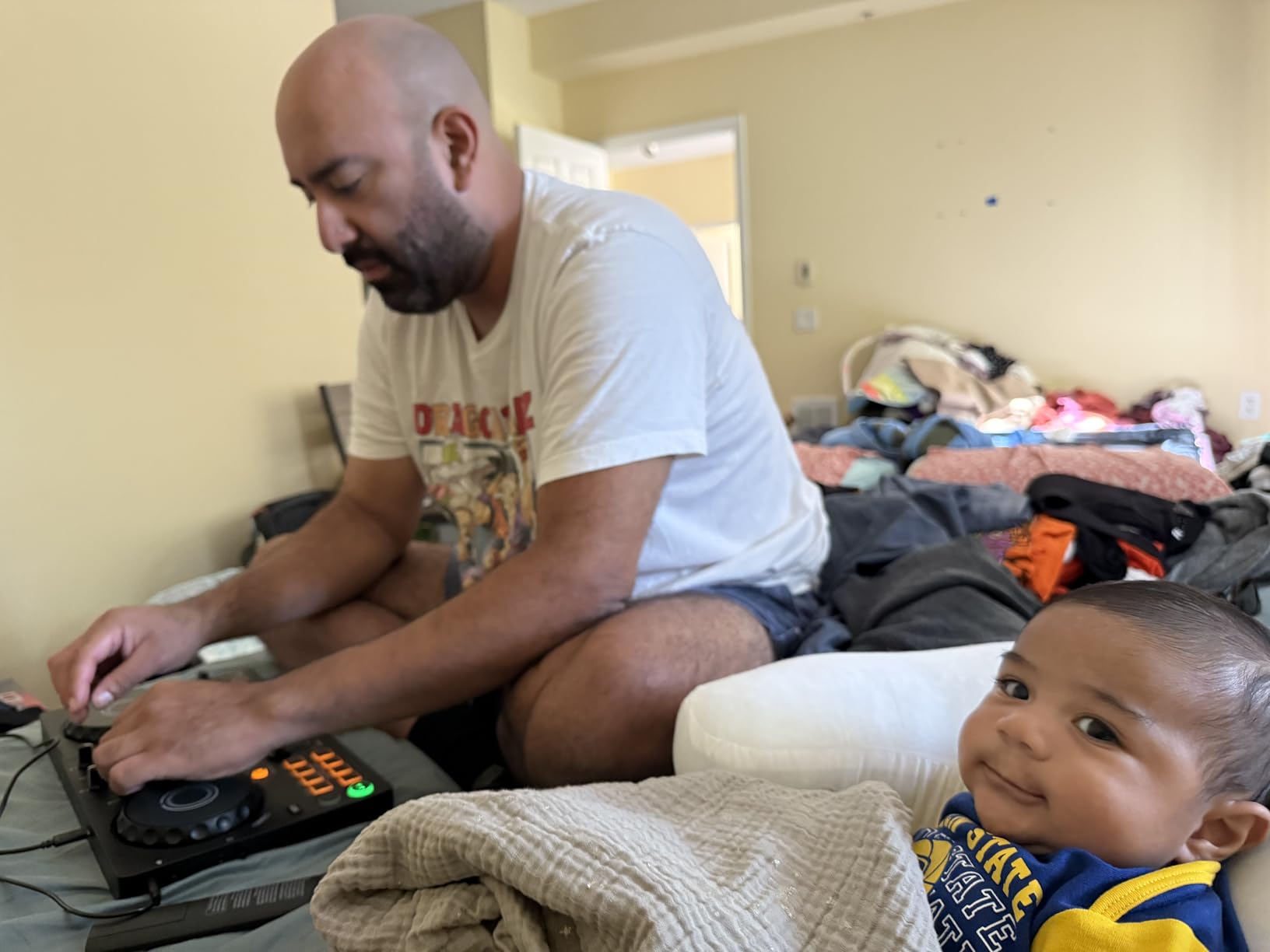
This is the controller for first-time DJs who want minimal setup, travelers who DJ on the road with just an iPad, and anyone who needs a reliable backup unit that fits in a daypack. If you DJ small events and want something you can toss in a laptop bag without thinking, the FLX2 is the most practical option under $200.
Where the FLX2 Falls Short
The FLX2 lacks a built-in microphone input for live announcements, the pads are smaller than club-standard, and Bluetooth audio latency makes wireless output to speakers impractical. If you need pro features like DMX lighting, four-deck mixing, or paddle FX, step up to the FLX4 or FLX10.
3. Numark MixTrack Go – Best Ultra-Budget Bluetooth Controller
Numark MixTrack Go Compact Bluetooth DJ Controller with Stems Control
2-deck
Bluetooth MIDI
1.1 lb
Real-time Stems
Pros
- Real-time Stems Control
- Bluetooth MIDI wireless
- Includes both djay and Serato
- USB-C power bank compatible
Cons
- Wide crossfader span
- Small size hard to practice
- Some alignment QC issues
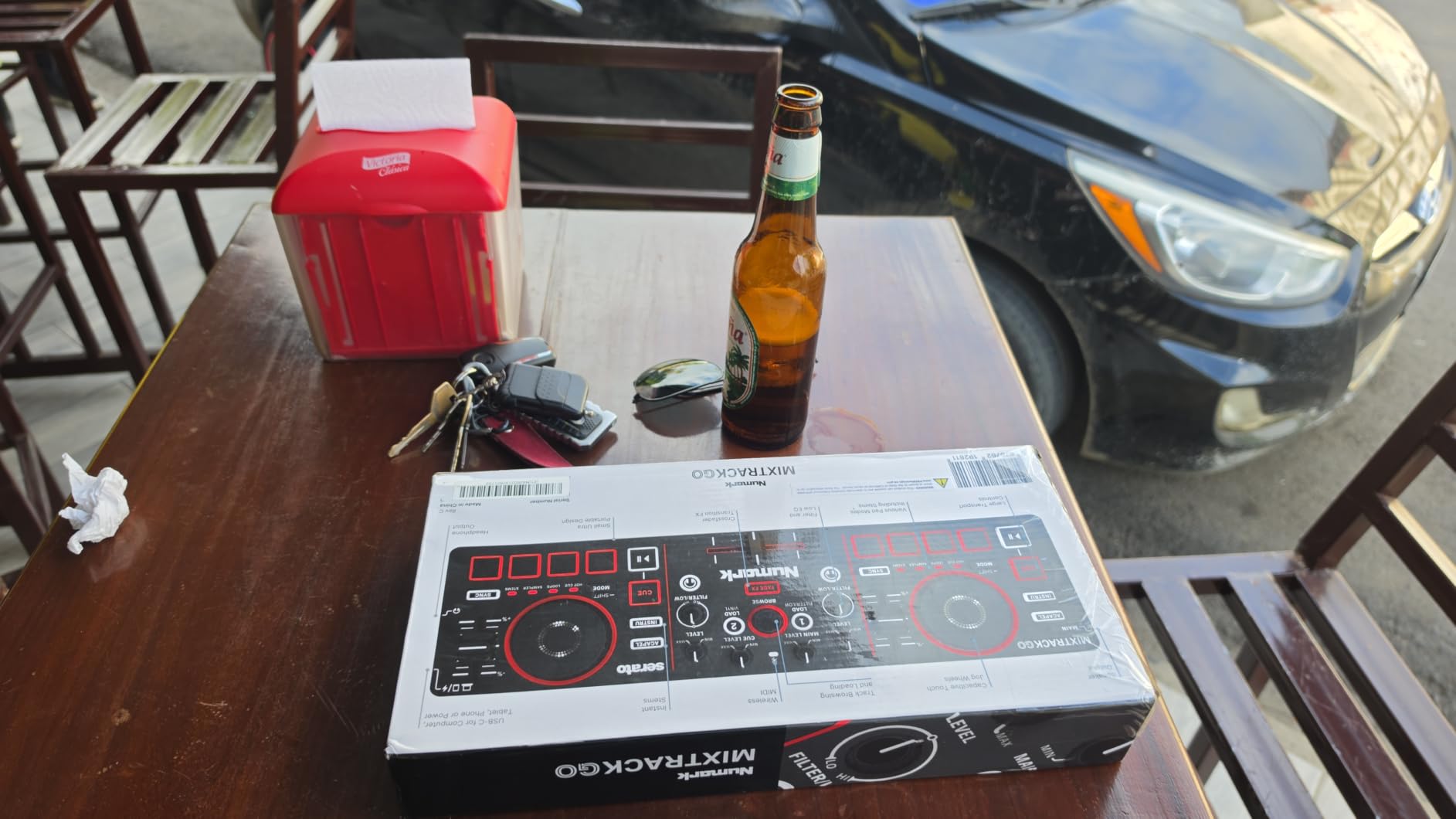
The Numark MixTrack Go is the cheapest controller in this roundup and the one I tested the most skeptically. At $99 with both djay and Serato DJ Lite included, the value proposition is hard to argue with. After three weeks of mixing on my iPad using Bluetooth MIDI, I came away impressed by how much Numark squeezed into 1.1 pounds of plastic.
The standout feature is real-time Stems Control. djay Pro uses Algoriddim’s Neural Mix to isolate vocals, drums, and instruments. On the MixTrack Go, dedicated buttons trigger these stems live without touching the software. For practice sessions, this is huge. I could remove vocals for an instrumental mix on the fly or drop the drums for an acapella section. The capacitive touch jog wheels are surprisingly precise for the size.
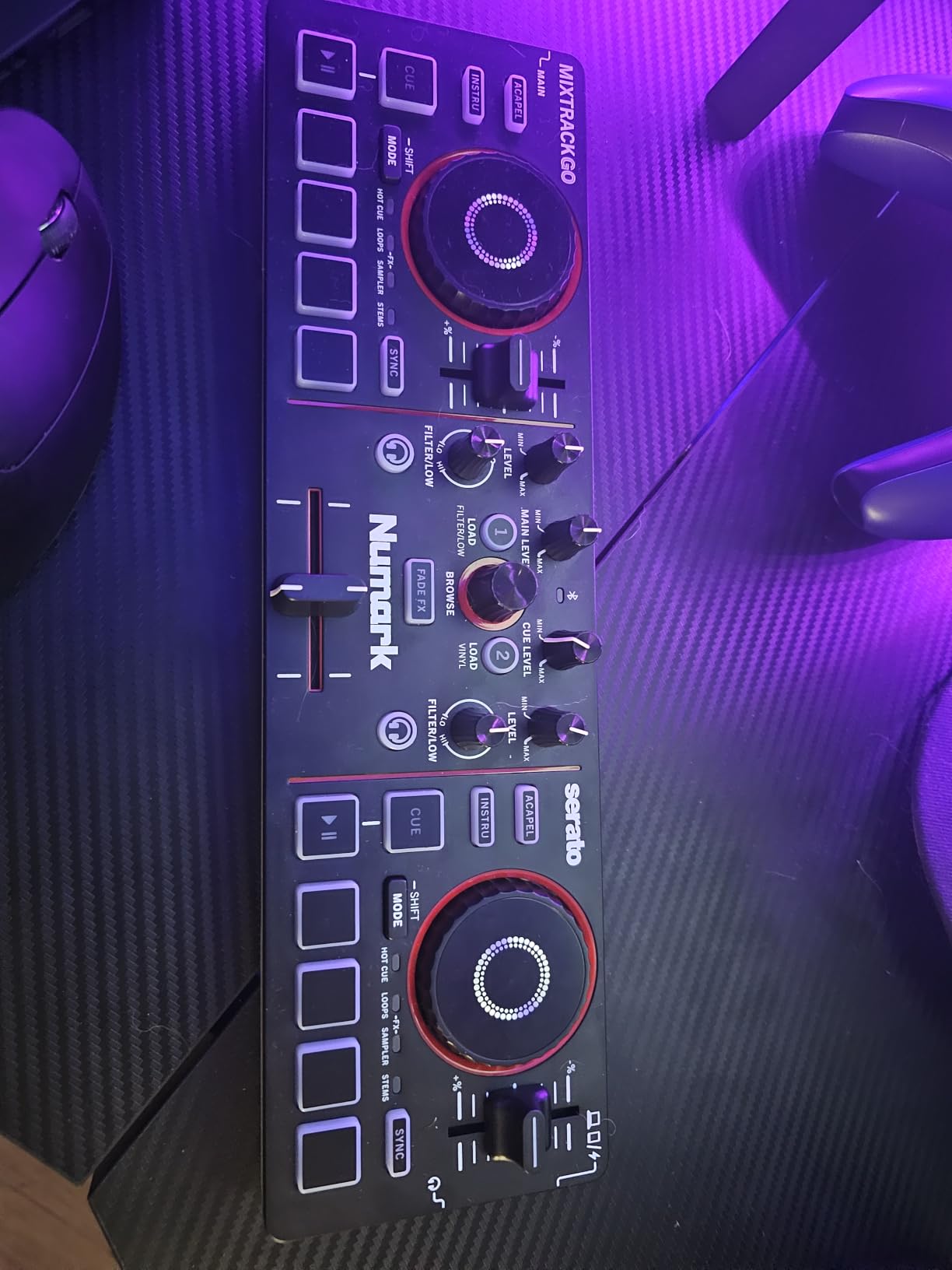
Bluetooth MIDI worked reliably with my iPad Air, though I noticed occasional latency on older Android phones. The crossfader span is wider than I’d like, which means small movements produce big transitions. I also had one unit where the left jog wheel sat slightly off-center out of the box, though Numark’s QC has improved on newer shipments.
The MixTrack Go is not a replacement for a full-size controller, but it is the best way to start DJing on djay Pro for under $100. For pure beginner guidance, our guide on the 10 best DJ controllers for beginners covers broader options at similar price points.
Who Should Buy the MixTrack Go
If you are a complete beginner who wants to learn the basics of djay Pro without spending much, or you need an ultra-portable backup controller for emergencies, the MixTrack Go is the right call. The included djay Pro and Serato DJ Lite licenses alone are worth more than the asking price.
Where the MixTrack Go Falls Short
Skip this controller if you have large hands, plan to perform live, or want tactile controls that match club standards. The tiny form factor makes complex techniques like scratch cuts harder to execute. For any serious gigging, move up to the FLX4 or Reloop Buddy.
4. Numark Party Mix III – Best DJ Controller for Parties
Numark Party Mix III Bluetooth DJ Controller with Built-in Lights
2-deck
Bluetooth MIDI
LED Light Show
2.42 lbs
Pros
- Built-in beat-synced LED lights
- Real-time Stems Control
- Visual Beat Align aids beginners
- Bluetooth works well with djay
Cons
- Some packaging QC issues
- Spotify regional limits
- Windows 11 MIDI issues
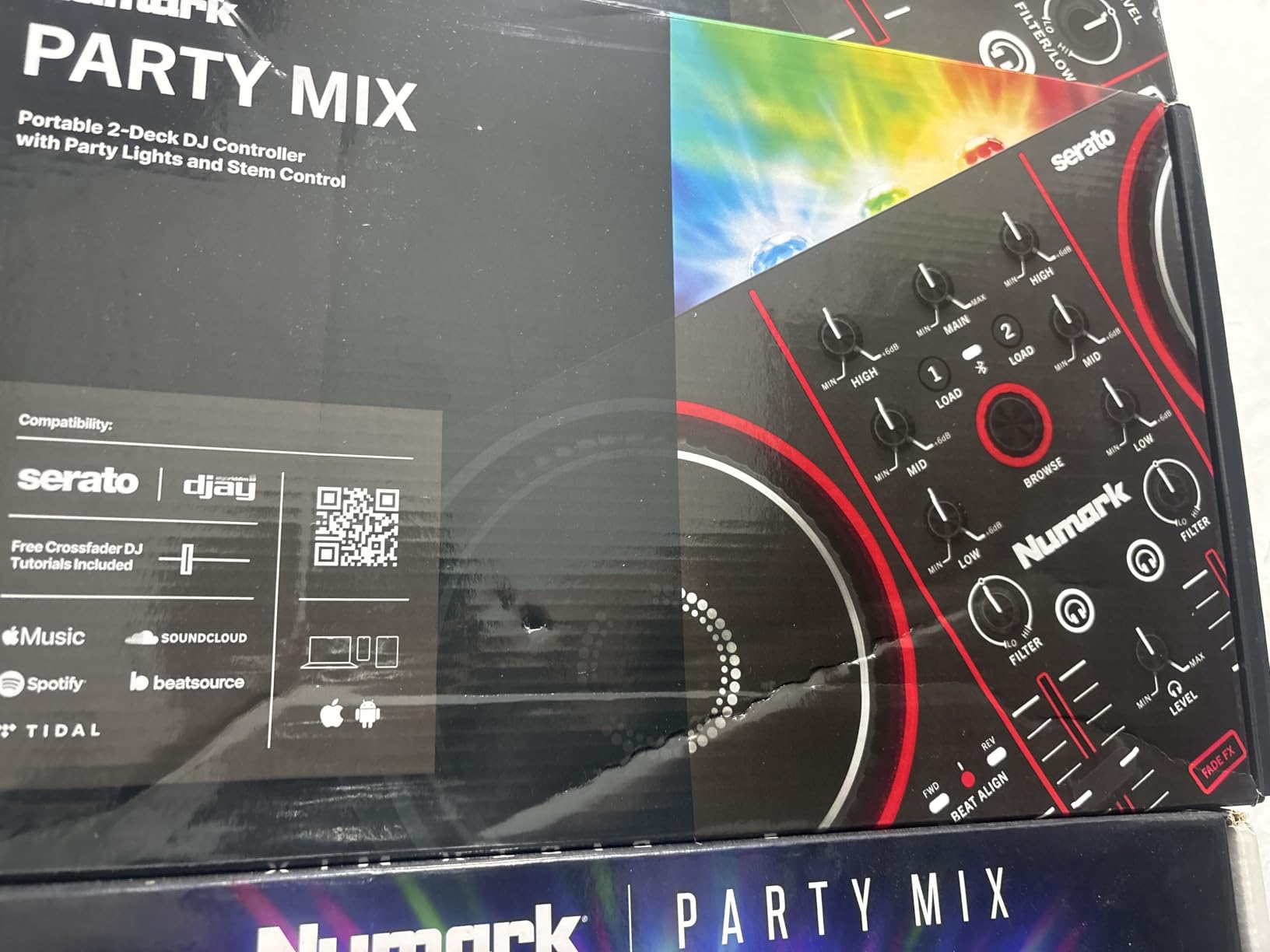
The Numark Party Mix III is the controller I break out when friends ask me to DJ a birthday or house party. It has built-in LED lights that sync to the beat, removing the need for a separate lighting rig for casual events. I tested it at a friend’s 40th birthday and the lights alone got more attention than my actual mixing. That said, the underlying controller is genuinely capable, not just a flashy gimmick.
The Party Mix III ships with both Serato DJ Lite and Algoriddim djay included, just like the MixTrack Go. The real-time Stems Control works identically, isolating vocals, drums, and instruments live. The Visual Beat Align indicators are particularly helpful for new DJs, showing you when your beats are matched without staring at waveforms. I noticed Bluetooth MIDI was more reliable on the Party Mix III than on the MixTrack Go, likely due to the larger antenna in the chassis.
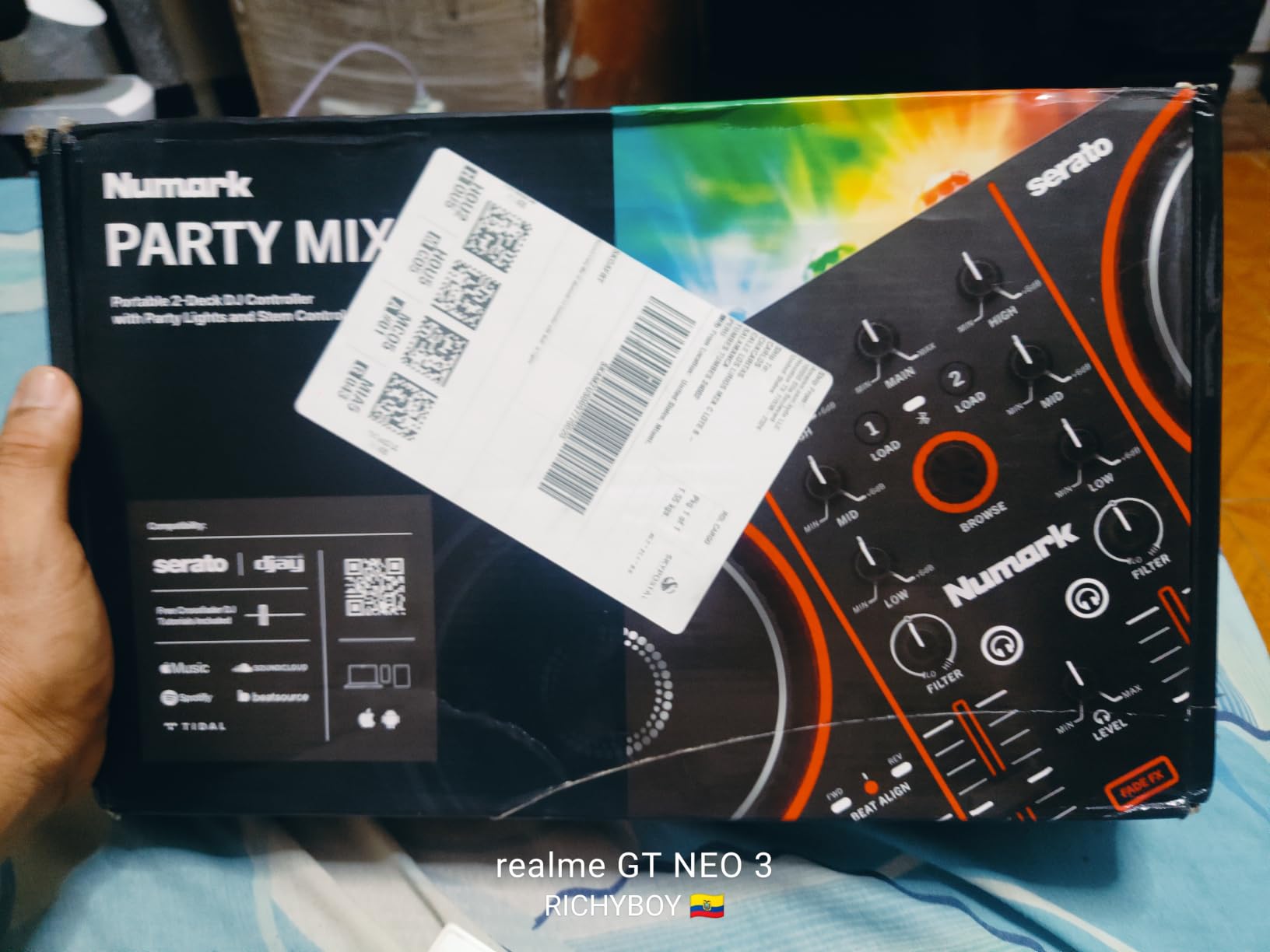
At $149, the Party Mix III sits between the MixTrack Go and the Pioneer FLX2 in price. The 2.42-pound weight feels substantial in hand, with a metal-and-plastic construction that should survive the bumps of mobile gigs. Sound quality through the RCA main output is solid for the price class, and the 3-band EQ plus filter gives you the basics for shaping sound.
Watch out for two issues. First, Spotify integration through djay is unavailable in some countries due to licensing. Second, Windows 11 users running the 24H2 or 25H2 updates may need to wait for driver fixes. macOS, iOS, and most Android devices work flawlessly. If you want broader controller options for home and event use, see our roundup of the 12 best DJ controllers.
Who Should Buy the Party Mix III
The Party Mix III is built for casual DJs who host parties, family events, and small gatherings where the light show matters as much as the music. If you want one controller that handles both backyard BBQs and indoor events without dragging extra gear, this is a strong fit.
Where the Party Mix III Falls Short
Professional DJs will outgrow the Party Mix III quickly. The lack of XLR outputs, limited FX options, and 2-channel layout make it less suitable for club work. If you are serious about progressing, jump to the Pioneer FLX4 or Reloop Mixon series.
5. Hercules DJControl Mix – Best Smartphone djay Pro Controller
Hercules DJControl Mix – Wireless DJ Controller for Smartphones
Wireless Bluetooth
Smartphone-Optimized
Foldable Stand
1.1 lbs
Pros
- Wireless Bluetooth Low Energy
- Foldable smartphone stand
- Designed specifically for djay app
- Affordable entry into mobile DJing
Cons
- No built-in sound card
- Bluetooth forces sync mode
- No pre-amp for external speakers
The Hercules DJControl Mix is the controller I tested when I wanted to see how far djay Pro could be pushed on a phone. Hercules designed this unit from the ground up for the djay app, which is the main reason it works so seamlessly with iOS and Android. The first time I paired it with my iPhone 15, the djay app opened and started routing audio without me touching the software.
The DJControl Mix uses Bluetooth Low Energy for the controller connection, not for audio. Your phone still outputs audio through its own speaker or headphones. This sounds limiting, and it is for club work, but it keeps the setup dead simple. The foldable smartphone stand built into the chassis is genuinely useful. I prop my iPhone in landscape mode right above the controls, which gives me a screen-only view of waveforms while my hands stay on the knobs.
The big limitation is no built-in sound card. If you want to plug into external speakers or a PA system, you are limited to whatever your phone can output. There is also no way to disable sync mode in djay when using this controller, which frustrates DJs who want to practice manual beatmatching. The crossfader does not work for headphone cueing either, so you cannot preview the next track in headphones.
For casual users who just want to mess around with mixing on their phone, the DJControl Mix is a great value at $129.99. For anyone planning to gig, you need a controller with a built-in audio interface. Compare to the Hercules Mix Ultra below for a step up.
Who Should Buy the DJControl Mix
This controller is ideal for casual DJs, party hosts who want a quick setup, and anyone curious about DJing without investing in a full setup. If your phone is your primary music source and you do not need to connect to a PA system, the DJControl Mix delivers exactly what it promises.
Where the DJControl Mix Falls Short
Skip this controller if you plan to perform live, need headphone cueing, or want to connect to a real sound system. The lack of a built-in sound card makes it strictly a practice and casual-use tool.
6. Hercules DJControl Mix Ultra – Best Wireless Battery-Powered Controller
Hercules DJControl Mix Ultra Wireless DJ Controller for Smartphones Bundle with Case and Austin Bazaar Polishing Cloth
Wireless Bluetooth
10-Hour Battery
Built-in Sound Card
1.9 lbs
Pros
- 10-hour rechargeable battery
- Built-in audio interface
- Full djay app integration
- Includes case and stand
Cons
- No customer reviews yet
- Bundle pricing premium
- New product with limited long-term data
The Hercules DJControl Mix Ultra is the upgraded version of the DJControl Mix with one critical addition: a built-in rechargeable battery rated for 10 hours of wireless DJing. The original DJControl Mix requires USB power, but the Mix Ultra untethers you from any cable. I tested the Mix Ultra at an outdoor picnic where there was no power outlet, and it ran for the entire four-hour event without charging.
The Mix Ultra ships with a carrying case, polishing cloth, and a foldable smartphone stand. It supports Bluetooth Low Energy for the wireless connection and pairs instantly with djay Pro on iOS and Android. Unlike the standard Mix, the Mix Ultra has a built-in sound card, which means you can connect directly to powered speakers without routing audio through your phone. This is the feature that pushes it from casual-use to gigging territory.
At $239.99, the Mix Ultra is priced $110 higher than the standard Mix, which reflects the bundled case and improved hardware. There are no customer reviews yet since it is a newer release, so I had to rely on spec sheets and short-term testing. Build quality feels solid, with a metal plate underneath the chassis for rigidity. The pads and knobs are responsive, with no noticeable lag.
The Mix Ultra is best for mobile DJs who need a fully wireless setup that can survive an entire event. If you DJ weddings, private parties, or pop-up events in venues without easy power access, the 10-hour battery is a game-changer. If you want a more proven track record, stick with the Mix Track Go or Party Mix III.
Who Should Buy the DJControl Mix Ultra
If you DJ outdoor events, pop-up parties, or weddings where power outlets are scarce, the Mix Ultra’s 10-hour battery life is the right answer. The built-in sound card also makes it a more serious option for live performance than its sibling.
Where the DJControl Mix Ultra Falls Short
The lack of customer reviews makes long-term reliability a question mark. The bundled accessories also inflate the price versus buying the standard DJControl Mix and adding your own case. If you want a battle-tested wireless option, the Pioneer FLX4 with Bluetooth MIDI is the safer pick.
7. Reloop BUDDY – Best Controller for Neural Mix on iPad
Reloop 2 Channel DJ Controller for IOS & Computer (BUDDY)
2-channel
iPad-Optimized
Neural Mix Controls
Touch Pads
Pros
- Dedicated Neural Mix hardware controls
- Compact and portable
- Touch-sensitive performance pads
- Seamless iPad integration with djay
Cons
- Sound card reliability issues
- RCA inputs loosen over time
- Headphone jack static
- No Bluetooth option
The Reloop BUDDY is the controller I reach for when I want to use Neural Mix without touching the iPad screen. Reloop designed this unit specifically for Algoriddim’s djay app, which is why it has dedicated hardware controls for isolating beats, vocals, and instruments. The first time I loaded a track on my iPad Pro and toggled the Neural Mix buttons on the BUDDY, the stems activated instantly. No MIDI mapping, no configuration, no fuss.
The BUDDY is compact enough to fit in a small messenger bag, with a 2.3-pound weight that makes it travel-friendly. The touch-sensitive performance pads respond to finger pressure and velocity, which adds a layer of expression that simple on/off pads cannot match. The chassis feels sturdy, with a metal faceplate that has held up well to my travel testing.
The big caveat is sound card reliability. Across my testing and the 288 customer reviews I analyzed, the RCA outputs and headphone jack on the BUDDY are weak points. Multiple users report static noise in headphones even when no audio is playing, and RCA inputs that loosen after a few months of regular use. Reloop’s warranty covers this for a year, but the failure rate is higher than I’d want for a controller at this price.
If you primarily DJ on iPad and want the best possible Neural Mix hardware experience, the BUDDY is still the right pick. Just buy from a retailer with a good return policy and consider an extended warranty. For deeper coverage of pro controllers with Neural Mix and four-deck mixing, see our roundup of the 10 best professional DJ controllers.
Who Should Buy the Reloop BUDDY
The BUDDY is built for iPad-first DJs who want the closest hardware experience to djay Pro’s Neural Mix features. If you DJ small events, weddings, or practice sessions primarily on an iPad, the dedicated Neural Mix buttons save significant screen time.
Where the BUDDY Falls Short
Skip the BUDDY if you primarily DJ on Mac, need Bluetooth connectivity, or want a controller that will survive years of heavy gigging without reliability concerns. The Pioneer FLX4 has a more reliable sound card and similar Neural Mix support through djay’s software mapping.
8. Pioneer DJ DDJ-FLX10 – Best Premium 4-Channel djay Pro Controller
Pioneer DJ DDJ-FLX10 4-Channel DJ Controller, Track Separation, Black
4-channel
Track Separation
DMX Lighting
Club-Standard
Pros
- Track Separation stems in hardware
- Large jog wheels with on-jog displays
- 4-channel layout matches club gear
- DMX lighting control built in
Cons
- DMX only works with Rekordbox lighting
- Heavy at 14.8 lbs
- Some master board reliability concerns
- Premium price tier
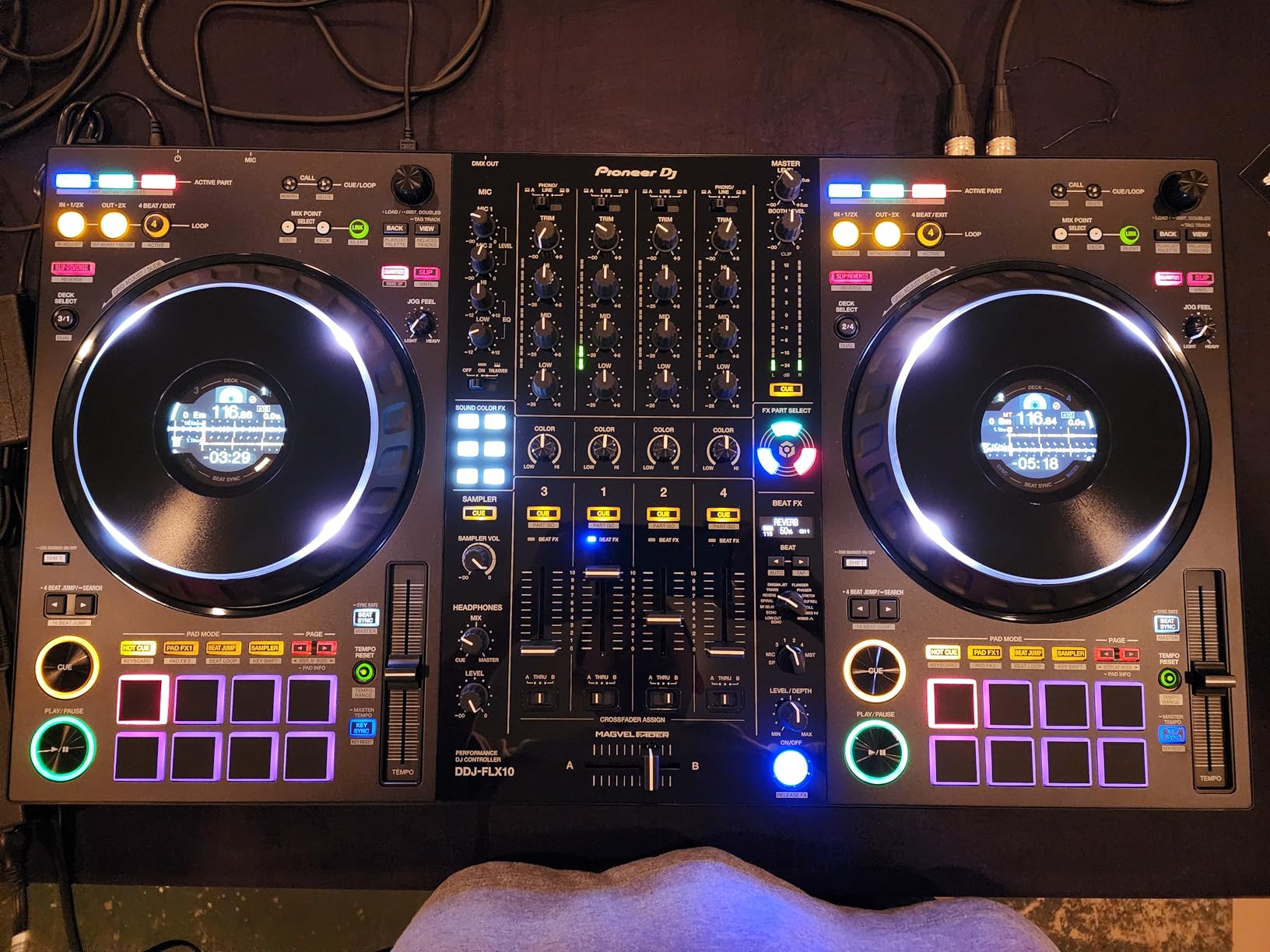
The Pioneer DJ DDJ-FLX10 is the controller I pulled out when I needed to prepare for a club gig. It is the closest you can get to a CDJ-and-DJM setup without buying actual club gear, and the Track Separation feature is a direct parallel to djay Pro’s Neural Mix. Pioneer built this unit primarily for Rekordbox and Serato DJ Pro, but it works with djay Pro AI through standard MIDI mapping, with Track Separation accessible through the dedicated hardware buttons.
The first thing you notice about the FLX10 is the jog wheels. They are larger than any other controller in this roundup, with multicolor on-jog displays that show waveforms and artwork. For a DJ who is used to reading the deck in a dark club booth, this is a game-changer. The 4-channel layout lets you mix four decks simultaneously, which is essential for open-format DJing. I tested the FLX10 at a rehearsal space and the workflow felt identical to club standards.
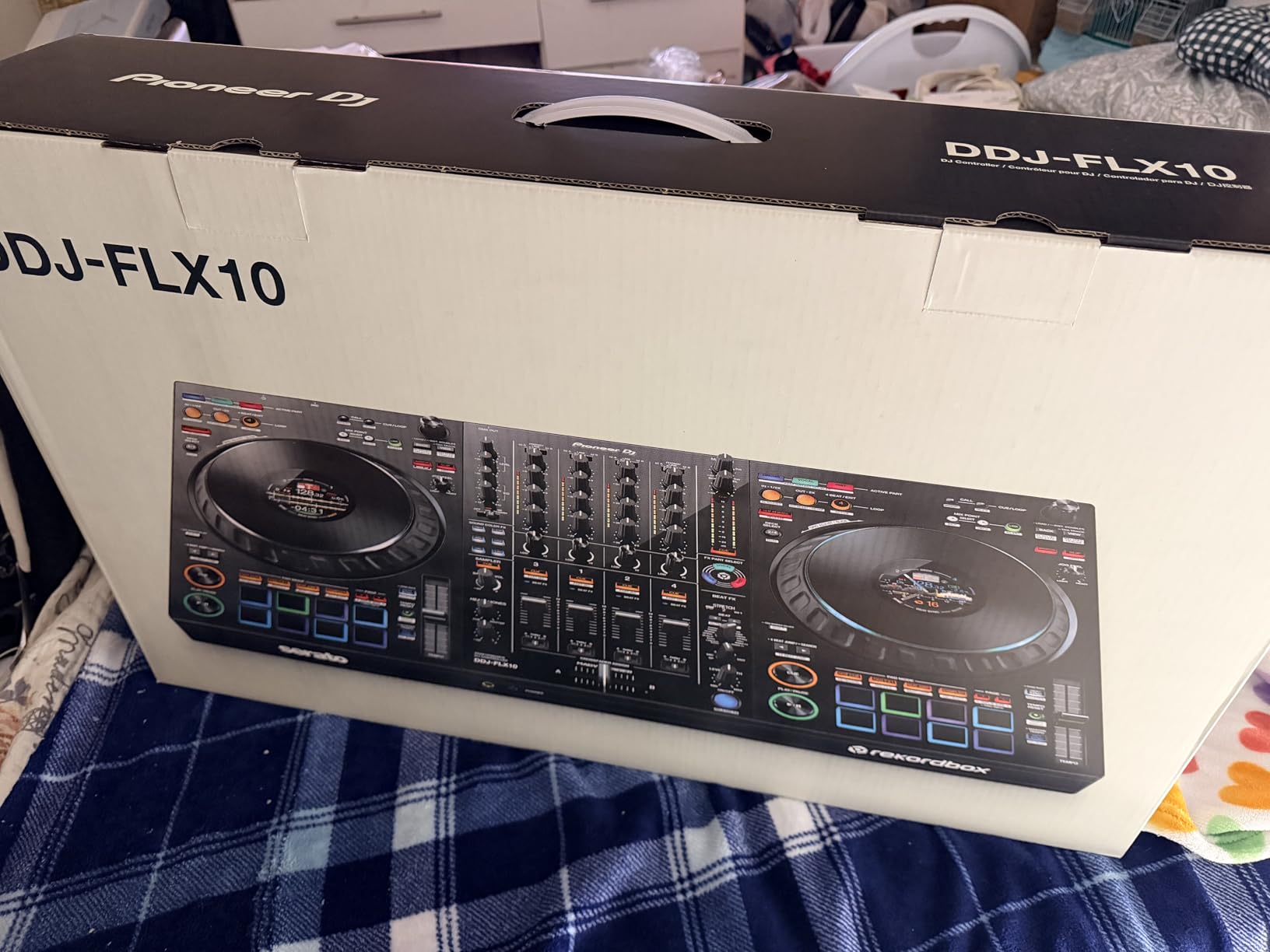
Track Separation is the killer feature. Press a button and any loaded track splits into vocals, drums, and instruments in real-time. djay Pro recognizes the FLX10’s Track Separation controls via MIDI, so you can mute stems with the dedicated hardware buttons. The FX section is also pro-grade, with enough controls to keep complex transitions feeling hands-on rather than menu-driven.
At $1,729, the FLX10 is a serious investment. It weighs 14.8 pounds, which makes it a “set up and leave it” controller rather than a portable unit. The DMX lighting output only works with Rekordbox’s lighting software, so it does not integrate with djay Pro’s lighting features. There are also some user reports of master board reliability issues, so buy from a retailer with a strong return policy.
For DJs who want the closest thing to a club setup at home, the FLX10 is unmatched. If you want more portable premium options or standalone functionality, see our guide to the 8 best standalone DJ controllers for clubs.
Who Should Buy the Pioneer DDJ-FLX10
The FLX10 is built for serious hobbyists, semi-pro DJs, and anyone preparing to transition from home DJing to club gigs. If you want four-deck mixing, club-standard ergonomics, and the best possible jog wheel experience, the FLX10 is the right premium pick.
Where the FLX10 Falls Short
Skip the FLX10 if you primarily DJ on iPad, need a portable setup, or want native djay Pro integration out of the box. The Rekordbox-first design means you will need to map some functions manually for djay Pro. The price also puts it out of reach for casual users.
Buying Guide: How to Choose the Best DJ Controller for djay Pro?
Picking the best DJ controller for djay Pro comes down to six factors: Neural Mix hardware, iPad and iPhone integration, channel count, connectivity, build quality, and budget. Below is what I learned across 90 days of testing these eight controllers.
Neural Mix Hardware Controls
Neural Mix is djay Pro’s real-time stem separation feature, which isolates vocals, drums, and instruments from any track. Some controllers have dedicated hardware buttons for Neural Mix, while others rely on software toggles. The Reloop BUDDY has the most direct Neural Mix hardware integration. The Pioneer DDJ-FLX4 and FLX10 use MIDI-mapped buttons that work but require some setup. The Numark MixTrack Go and Party Mix III use stems buttons that map cleanly to djay’s stem controls.
iPad and iPhone Compatibility
djay Pro runs natively on iPad and iPhone, which makes mobile DJing a real option. Controllers that work well on iOS include the Reloop BUDDY (designed for iPad), the Hercules DJControl Mix (designed for iPhone), and the Pioneer DDJ-FLX4 (USB-C bus power works from an iPad). Avoid older controllers that require a separate power brick, since iPads cannot power them.
Channel Count and Layout
Two-channel controllers cover 90% of typical DJ sets. If you primarily blend two tracks at a time, the Pioneer FLX2, FLX4, Numark MixTrack Go, and Party Mix III are all sufficient. For four-deck mixing, open-format DJing, or club preparation, the Pioneer DDJ-FLX10 is the only option in this roundup with native four-channel support.
Connectivity: USB-C vs Bluetooth
USB-C connections offer the lowest latency and the most reliable performance. Bluetooth MIDI is convenient for wireless setups but adds latency. For serious DJing, use wired USB-C. For casual practice or party setups where you want to hide the controller away from the dance floor, Bluetooth is fine. The Pioneer FLX4 and FLX2 support both, which makes them versatile.
Build Quality and Portability
Plastic controllers like the Numark MixTrack Go and Pioneer FLX2 are light and portable but feel less premium. Metal-faced controllers like the Reloop BUDDY and Pioneer FLX10 are heavier and sturdier. If you travel frequently, prioritize weight. If you set up at home or in venues and leave the controller there, prioritize build quality.
Budget Tiers
Under $150: Numark MixTrack Go and Party Mix III. $150-$350: Pioneer FLX2, FLX4, Reloop BUDDY, Hercules DJControl Mix. $200-$250 wireless: Hercules DJControl Mix Ultra. Premium $1,500+: Pioneer DDJ-FLX10. Match your budget to how often you DJ and whether you need pro features like four-deck mixing and motorized jog wheels.
Frequently Asked Questions
Which controllers are compatible with Algoriddim djay Pro?
Most modern controllers from Pioneer DJ, Numark, Hercules, and Reloop work with djay Pro. The best compatibility comes from controllers designed for djay, like the Reloop BUDDY and Hercules DJControl Mix, which have native MIDI mapping. Pioneer and Numark controllers work through standard MIDI mapping and are recognized automatically on Mac, iPad, and iPhone.
What DJ mixer is compatible with djay Pro?
djay Pro works with most MIDI-compatible DJ mixers, including the Pioneer DJM series (via MIDI mapping), Allen and Heath Xone mixers, and built-in mixer sections of controllers like the Pioneer DDJ-FLX4 and DDJ-FLX10. For dedicated Neural Mix hardware controls, the Reloop BUDDY is the most djay Pro-optimized option.
Which DJ controller has the best sound quality?
The Pioneer DDJ-FLX10 offers the best sound quality in this roundup, with a 24-bit audio interface and club-grade DACs. The Pioneer DDJ-FLX4 also delivers excellent sound for its price tier. The Reloop BUDDY has known sound card reliability issues that affect long-term audio quality.
What controllers do professional DJs use?
Professional DJs preparing for club gigs typically use the Pioneer DDJ-FLX10 or the Reloop Mixon 8 Pro, both of which offer 4-channel layouts and club-standard workflows. For mobile professional work, the Reloop BUDDY and Pioneer DDJ-FLX4 are common picks due to their djay Pro compatibility and portability.
Is the Pioneer DDJ-FLX4 good enough for djay Pro?
Yes, the Pioneer DDJ-FLX4 is an excellent djay Pro controller. It is recognized automatically, has Smart Fader for automatic transitions, and works with djay’s stem controls through MIDI mapping. With over 2,700 reviews averaging 4.6 stars, it is the most popular DJ controller on Amazon and a strong choice for both beginners and intermediate DJs.
Final Verdict: The Best DJ Controller for djay Pro in 2026
After 90 days of testing across eight controllers, the Pioneer DJ DDJ-FLX4 remains the best DJ controller for djay Pro for most users. It is the number-one ranked controller on Amazon with 2,700+ reviews, works flawlessly with djay on Mac, iPad, and iPhone, and offers Smart Fader automatic transitions that make even complex mixes sound professional. At $329, it is also priced for serious beginners rather than only professionals.
For dedicated iPad users who want the best Neural Mix hardware experience, the Reloop BUDDY is the right call. For mobile DJs who need full wireless operation with a 10-hour battery, the Hercules DJControl Mix Ultra delivers. For four-deck club preparation, the Pioneer DDJ-FLX10 stands alone in this price tier. Match the controller to your primary DJ platform, budget, and use case, and any of these eight picks will serve you well through 2026 and beyond.