
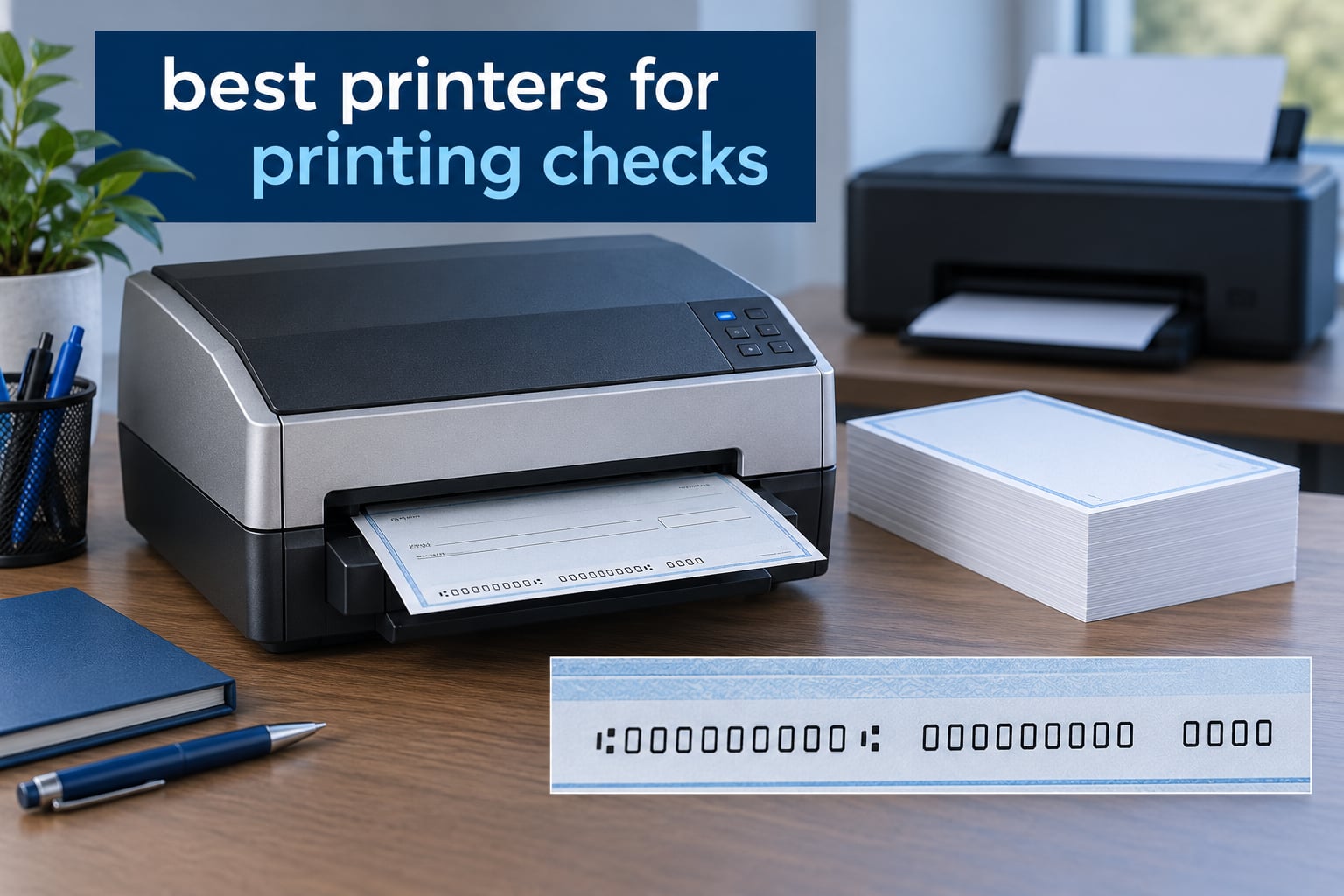
The best printers for printing checks are MICR-enabled laser printers loaded with magnetic iron-oxide toner. That toner lays down the machine-readable line at the bottom of each check, and banks read it magnetically to route the payment. Ordinary ink and standard toner contain no magnetic particles, so checks printed without MICR are far more likely to be delayed, held for manual review, or rejected outright.
That is the whole answer in three sentences, and it is the answer most roundups on this topic bury under a dozen paragraphs of hedging. A check printer is not a special category of machine you have to go hunting for. It is a printer with one difference that matters: the ability to print a MICR line.
Before we get to the models, here is what we did and did not do. We did not send every unit through a bank clearing test. What we did was cross-check every machine’s cartridge specification, page yield, output type and included software against the manufacturer data, then compare those specs against what owners actually report in reviews. Where the customer ratings and the spec sheet disagree, we flag it. That transparency matters more on this topic than on almost any other buying guide, because the failure mode is a check that bounces and a bank that asks you why.
We also separated two very different jobs that get lumped together online. Printing a handful of personal bills from a kitchen table is a different problem from running a 40-person payroll. The best laser printers for general office work are not automatically the best check printers, and a cheap inkjet that handles ten checks a year can be perfectly sensible. What follows covers eight genuine MICR machines across both ends of that range.
Table of Contents
Top 3 Picks for Printing Checks in 2026

VersaCheck HP DeskJet 3755 MX
- MICR ink all-in-one
- Print copy scan
- Wireless 802.11b/g/n
- 8.5 x 14 paper

MTI MICR Canon LBP6230dw
- Monochrome MICR laser
- About 6300 checks per toner
- Auto duplex
- 26 ppm

We picked those three for three different reasons. The DeskJet 3755 MX has by far the largest body of owner feedback of anything on this list, which tells you more about long-term behavior than any spec sheet. The Canon-based MTI system is the one to buy if you want a laser that pays for itself on volume alone. The 4155 MXQ is the cheapest route to a color check printer that also scans and copies.
None of the three is perfect, and we will say where each one breaks down in the full reviews below. The 1-star review share on the inkjet bundles is the single most important thing to understand about this category before you pick anything.
All 8 Check Printers Compared in 2026
| Product | Specifications | Action |
|---|---|---|
| VersaCheck HP DeskJet 3755 MX |
|
Check Latest Price |
| MTI MICR Canon imageCLASS LBP6230dw |
|
Check Latest Price |
| VersaCheck 4155 MXQ |
|
Check Latest Price |
 VersaCheck M15 MXD VersaCheck M15 MXD |
|
Check Latest Price |
 VersaCheck HP Deskjet 2755 MX VersaCheck HP Deskjet 2755 MX |
|
Check Latest Price |
 VersaCheck HP Laserjet M234 MXE VersaCheck HP Laserjet M234 MXE |
|
Check Latest Price |
 TROY 4001N MICR Printer TROY 4001N MICR Printer |
|
Check Latest Price |
 TROY 200 Mobile MICR Printer TROY 200 Mobile MICR Printer |
|
Check Latest Price |
1. VersaCheck HP DeskJet 3755 MX – The Most Owner-Tested Check Printer
VersaCheck HP DeskJet 3755 MX MICR Check Printer and VersaCheck Gold Check Printing Software Bundle, (3755MX)
Inkjet all-in-one
8 ppm black, 15 ppm color
MICR black plus color
Wireless
60 sheet capacity
Pros
- Dense bank-scannable MICR ink
- Compact and light at 5.1 pounds
- Prints copies and scans too
- Wireless printing
- Check software and paper included
Cons
- Bundled software charges verification and check credits
- Very wide margins can clip check edges
- Network setup is confusing
- Paper jams during long runs
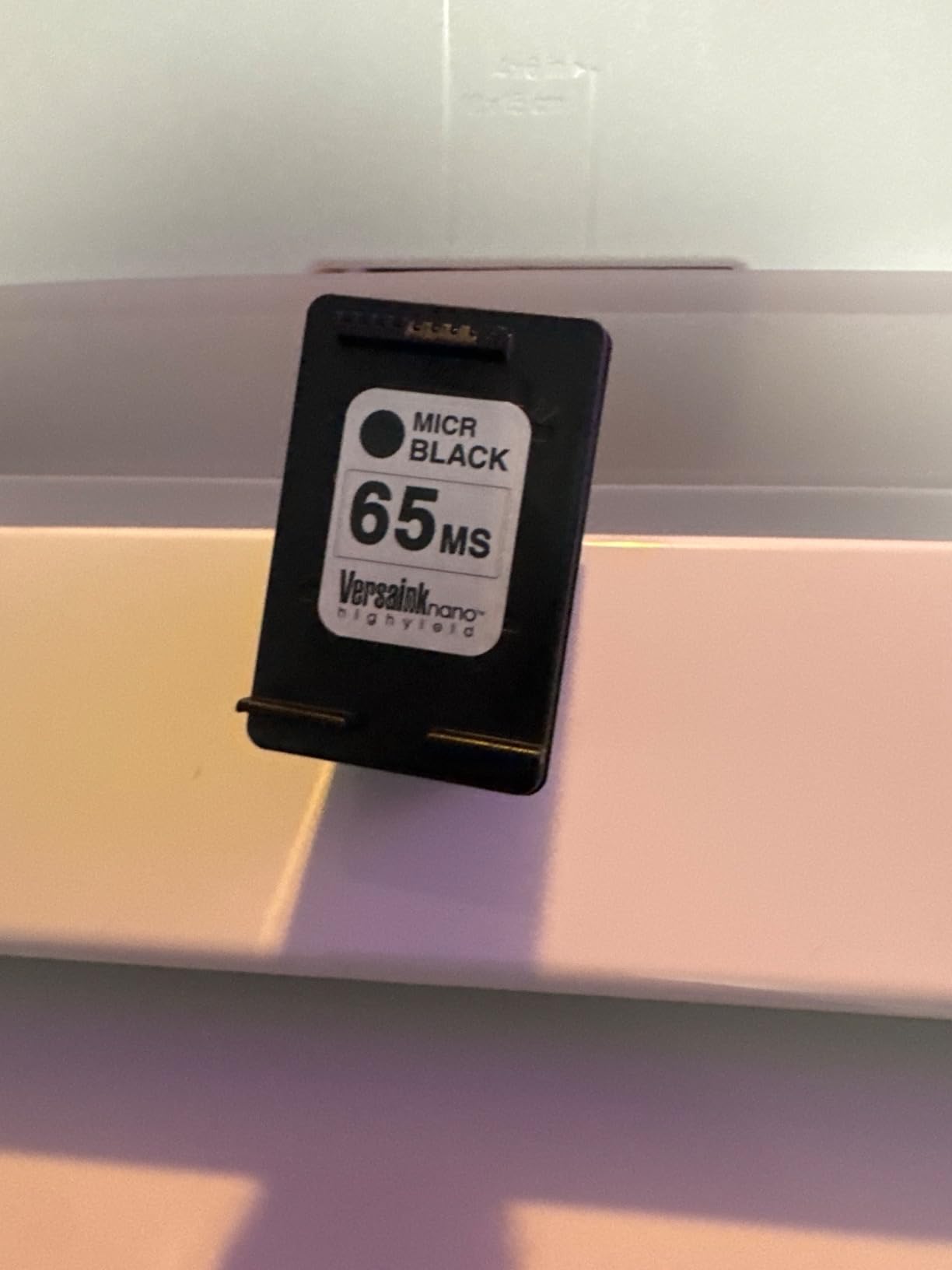
This is the machine I keep coming back to after reading several hundred owner reviews on it, because a 3.6 star average across 464 reviews tells you something a five-star average across three reviews never will. The 3755 MX is a compact inkjet all-in-one at 5.1 pounds, and the VersaInk magnetic black cartridge genuinely produces dense, scannable MICR output. Owners who test checks with a magnetic reader generally report the line reads cleanly.
It is also a full print-copy-scan machine with a flatbed scanner, 600 x 600 dpi output in both black and color, and paper handling up to 8.5 x 14 inches. That combination matters more than it looks for a check printer, because the same box handles the deposit slips, the invoice copies and the odd scanned document that comes with accounts payable work. Wireless 802.11b/g/n is built in, so it can sit on a shelf rather than under a desk.
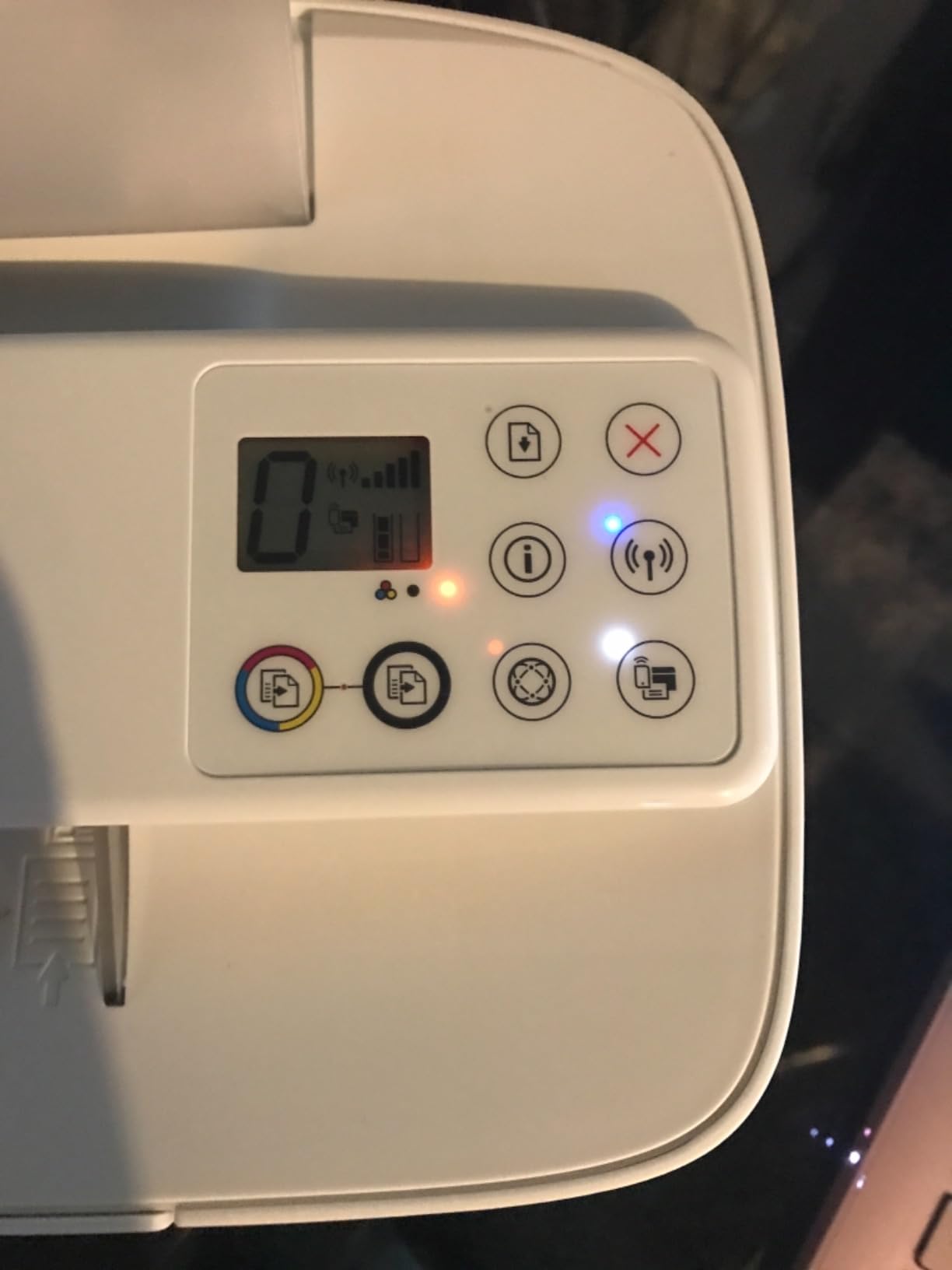
The parts that frustrate owners are consistent enough that I would plan around them. Roughly a quarter of ratings are one star, and those reviews cluster around three things: wireless setup that resists configuration, paper jams during continuous printing, and the bundled VersaCheck Gold software imposing paid verification and check-credit requirements. Read the software pricing terms before you buy, not after.
There is also a physical limitation worth knowing. This printer runs large unprintable margins, and multiple owners report check output being clipped at the edges. Before a full batch, print a single test check, hold it up to a light, and confirm the payee line, amount line and MICR line are all complete. That habit, repeated on any machine, is what separates a smooth check run from a rejected one.
When this printer makes sense
Choose the 3755 MX if you are a sole proprietor, a landlord, or a small business printing roughly 10 to 60 checks a month and you also want color for invoices and proposals. It handles 3-up full-sheet check paper without a dedicated paper path, and the scanner means you are not buying a second device for the copying you already do.
It also makes sense for anyone who has never printed a check before and wants the whole stack in one box: magnetic ink, layout software, and starter check paper are all included. The learning curve is mostly software, not hardware.
When to skip it
Skip it if you are running payroll on a schedule, or if your volume regularly passes a few hundred checks a month. At that point cost per check matters more than purchase price, and an inkjet cartridge priced like a laser toner will surprise you. Skip it too if network printing is not a hard requirement and you would rather have a wired machine that cannot lose its connection mid-batch.
And if your bank requires a specific check format, confirm the bundled software supports it before buying. No printer can rescue a layout the receiving bank does not accept.
2. MTI MICR Canon imageCLASS LBP6230dw – Best Laser Value for Real Volume
Renewable Toner MTI MICR Check Printing System – Wireless imageCLASS LBP6230dw CRG-126 Laser Printer for Printing Payroll, Business and Personal Checks
Monochrome MICR laser
26 ppm, 6 sec first page
Auto duplex
250 sheet cassette
Lifetime MICR warranty
Pros
- About 6300 business checks from included toner
- 26 ppm with automatic duplexing
- 250 sheet cassette plus multipurpose tray
- Lifetime warranty on the MICR cartridge
- Wireless plus app control
Cons
- Documentation is pictures only
- Some boxes arrived without a cartridge
- Setup daunting for non-technical buyers
This is the pick that changes the math. MTI is a US financial printing specialist that calibrates and warranties the machine before it ships, and the included MICR toner is rated at roughly 6,300 business checks at 3-up per page. That single figure is what separates a system designed for check printing from a printer with a magnetic cartridge dropped in it.
The base unit is a monochrome laser with automatic duplexing at 26 pages per minute and a first page in about 6 seconds, feeding from a 250-sheet cassette plus a one-sheet multipurpose tray. It handles up to A4 and Letter media, uses standard Canon CRG-126 cartridges, and prints at 600 dpi black with up to 2,400 x 600 enhanced output. Wireless and USB are both there, and app-based control is supported.
At 17 pounds it is a real desktop machine rather than a travel unit, and it carries a lifetime warranty on the MICR toner cartridge, which is a meaningfully different promise from the 30-day printer warranty most bundles in this category offer. The 4.0 star average sits on only 31 reviews, so treat the rating as encouraging rather than proven.
When this printer makes sense
Pick this system if you are printing 200 or more checks a month, or if a single machine has to serve both check runs and ordinary office documents. At 26 ppm with automatic duplexing, a payroll batch finishes while you are doing something else, and you can keep standard toner for documents and reserve the MICR cartridge for checks.
The lifetime toner warranty also makes it a good fit for a nonprofit, a church disbursement run, or a property manager who prints the same few hundred checks every month and wants predictable running cost over years.
When to skip it
Skip it if you print fewer than about 40 checks a month. The volume you would need to amortize a system like this against cheap pre-printed check paper is real, and at low frequency you are mostly paying for unused capability. Also expect a rougher setup experience: documentation is essentially pictures with little text, and non-technical buyers report the initial configuration as daunting.
Be aware it is print-only. There is no scanner or copier inside, so if you need both, look at the HP Laserjet M234 MXE instead.
3. VersaCheck 4155 MXQ – Cheapest Way to Add Color Checks
VersaCheck 4155 MXQ MICR All-in-One Color Check Printer and VersaCheck Gold Check Printing Software (Windows) Bundle
Color MICR ink all-in-one
8.5 ppm black, 5.5 ppm color
100 sheet tray
600 dpi black
Wireless
Pros
- Color check output alongside MICR black
- Prints copies and scans
- 100 sheet tray is roomier than most inkjets
- Wireless for phones and tablets
- Check paper and software included
Cons
- Included cartridges frequently arrive non-working
- Software install and activation can be difficult
- Support responsiveness is uneven
If your checks need a logo, a colored border, or a design that looks like it came from a real checkbook, this is the cheapest way to get there. The 4155 MXQ is an inkjet all-in-one that prints black with MICR ink and color with cyan, magenta and yellow, and it copies and scans from a flatbed.
Specs are modest but adequate: 8.5 pages per minute black and 5.5 pages per minute color, 600 dpi black and up to 1,200 x 1,200 color resolution, a 100-sheet tray, and paper up to 8.5 x 14 inches. It uses standard 67-series cartridges in MICR form, and the software and check paper ship in the box. Wireless printing works from a network, tablet or phone.
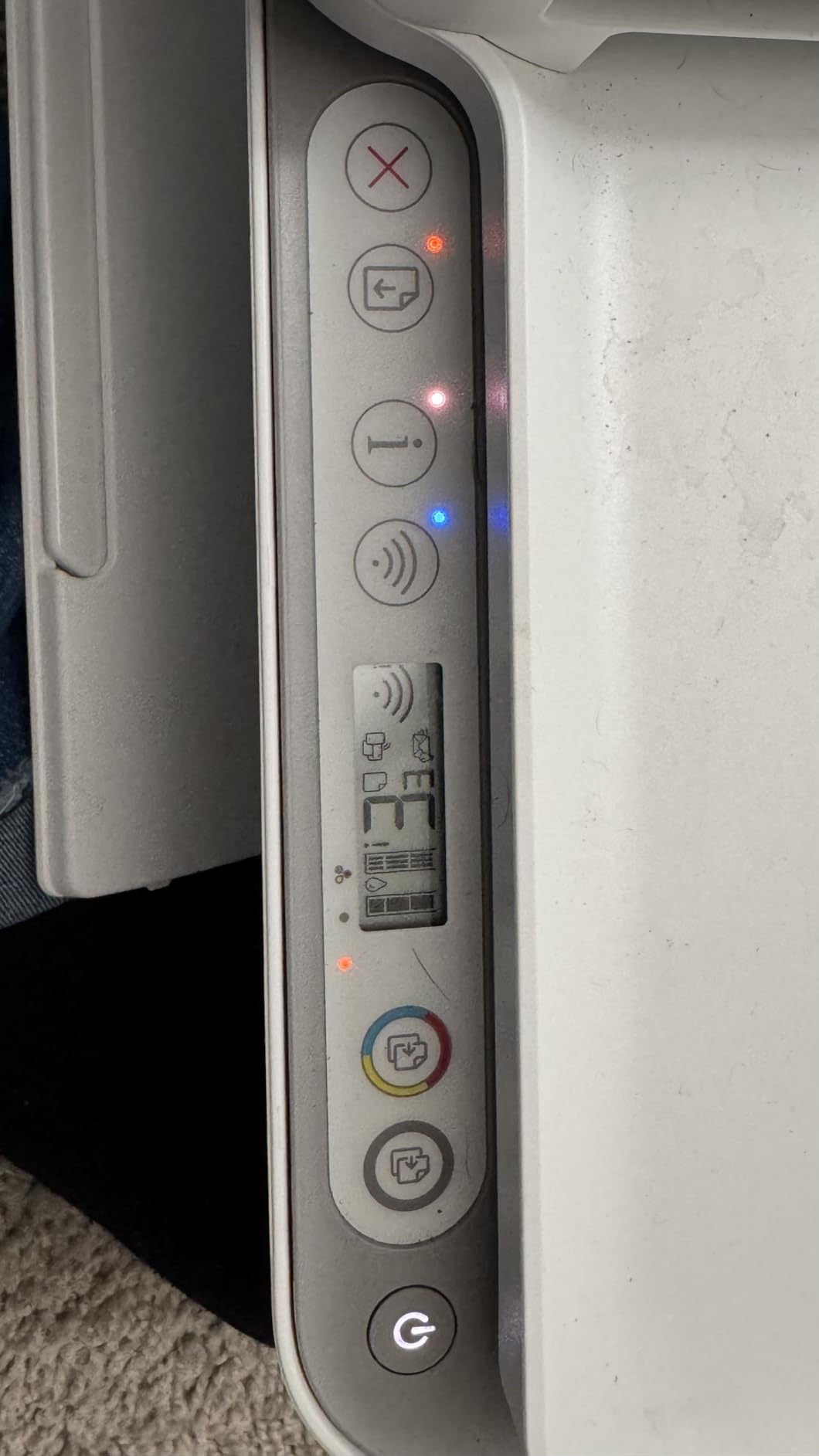
The 3.0 star average across 26 reviews is the reason this sits at number three rather than higher, and the reason is specific: about 37 percent of ratings are one star, and most of those mention the included ink cartridges failing or arriving empty. Software activation friction is the second complaint cluster. If you buy it, verify the cartridges work on day one rather than at the first payroll run.
When this printer makes sense
This fits a business that wants checks to look professional on the outside while still having a scanner for the filing that comes with them. The 100-sheet tray handles a ream of check paper without constant refilling, which is better than most inkjets in this class.
It also suits anyone who wants MICR checks plus ordinary color documents from one machine, without paying for a color laser. That combination is genuinely rare in the laser tier.
When to skip it
Do not buy this for payroll runs or any volume above roughly 100 checks a month. Inkjet cost per check is the highest of the group, and the cartridges most likely to fail are the expensive ones. The uneven support responsiveness is also a real factor if you are relying on it for a business deadline.
If your bank requires a specific MICR-encoded format, check that the bundled software produces it before ordering, since activation problems can complicate that setup.
4. VersaCheck M15 MXD – The Laser Pick for Mid-Volume Payroll
VersaCheck M15 MXD MICR Check Printer and VersaCheck X1 Platinum Check Printing Software Bundle
Monochrome MICR laser
19 ppm black
4800 checks per cartridge
Auto duplex, 150 tray
Wireless
Pros
- Up to 4800 checks from one MICR cartridge
- Automatic duplexing
- 1200 dpi sharp text
- Wireless and USB
- Includes a GoTest MICR scanner
Cons
- Software activation and registration frustrates owners
- Subscription-style check software model
- Some 1-star setup and reliability reports
The M15 MXD sits in the gap most people actually fall into: too much volume for an inkjet, not enough to justify a dedicated accounts payable machine. It is a monochrome MICR laser rated at up to 19 pages per minute with automatic duplexing, a 150-sheet input tray, and paper handling to 8.5 x 14 inches.
The yield number is the interesting part. The included VersaToner 125 magnetic cartridge is rated for up to 4,800 checks at 3-up per page, and a starter Canon 125 cartridge comes in the box for ordinary documents. That separation of inks is the correct way to run a check printer, and it keeps the expensive magnetic cartridge reserved for checks only.
Output is 1,200 dpi, which produces noticeably crisper payee names and amount words than the 600 dpi machines in this group. At 12.1 pounds it is light for a laser with a real paper path. The bundle includes check software, check paper and a GoTest MICR scanner, which is a small detail that tells you the manufacturer expects you to verify alignment before a batch.
The 3.5 star average comes from 22 reviews. Owners who get it running like the speed and the low per-check cost. The negative third is almost entirely about software activation, registration and support rather than print quality, so read the software terms first.
When this printer makes sense
This is the right box for a business printing payroll for 10 to 30 people, or a small firm issuing between 100 and 400 checks a month across payroll, vendors and property expenses. The duplexer matters here, because pay stubs and remittance advice print alongside the checks.
The included MICR scanner is a genuine convenience. Printing one test check and confirming the magnetic line reads before you run payroll costs you a minute and removes the most common cause of a rejected run.
When to skip it
Skip it if you need scanning or copying, since this is print-only. Skip it if you have never run check-printing software and want a gentler setup path, because activation is the most common stumbling block reported here. And if your volume sits below about 50 checks a month, an inkjet all-in-one will cost less in total.
One practical note: installation requires an internet connection for the software download.
5. VersaCheck HP Deskjet 2755 MX – Inkjet All-in-One With Automatic Duplexing
VersaCheck HP Deskjet 2755 MX MICR All-in-One Check Color Printer Gold Check Printing Software Bundle, White (2755MX)
Inkjet all-in-one
Auto duplex
7.5 ppm black, 5.5 ppm color
4800 x 600 dpi
Sheetfed scanner
Pros
- Automatic duplex at an inkjet price point
- Color checks with MICR black
- Prints copies and scans
- Easy cartridge changes
- Wireless from phones and tablets
Cons
- Roughly 40 percent of ratings are one star
- Included MICR cartridges arrive dry or empty
- Some units will not join a network
- Needs a reboot after power loss
The 2755 MX is the DeskJet 3755’s sibling with one meaningful upgrade and one meaningful downgrade. The upgrade is automatic duplexing, which the 3755 does simplex-only. The downgrade is scan quality, because this one uses a sheetfed scanner rather than a flatbed, so it handles single pages but not books or thick originals.
It prints black at 7.5 pages per minute and color at 5.5 pages per minute, with 4,800 x 600 dpi resolution, and handles paper up to 8.5 x 14 inches. It can also print on transfer paper and transparency film, and the cartridges are easy to swap. A GoTest MICR scanner is included with the bundle, along with check-writing software and check paper.
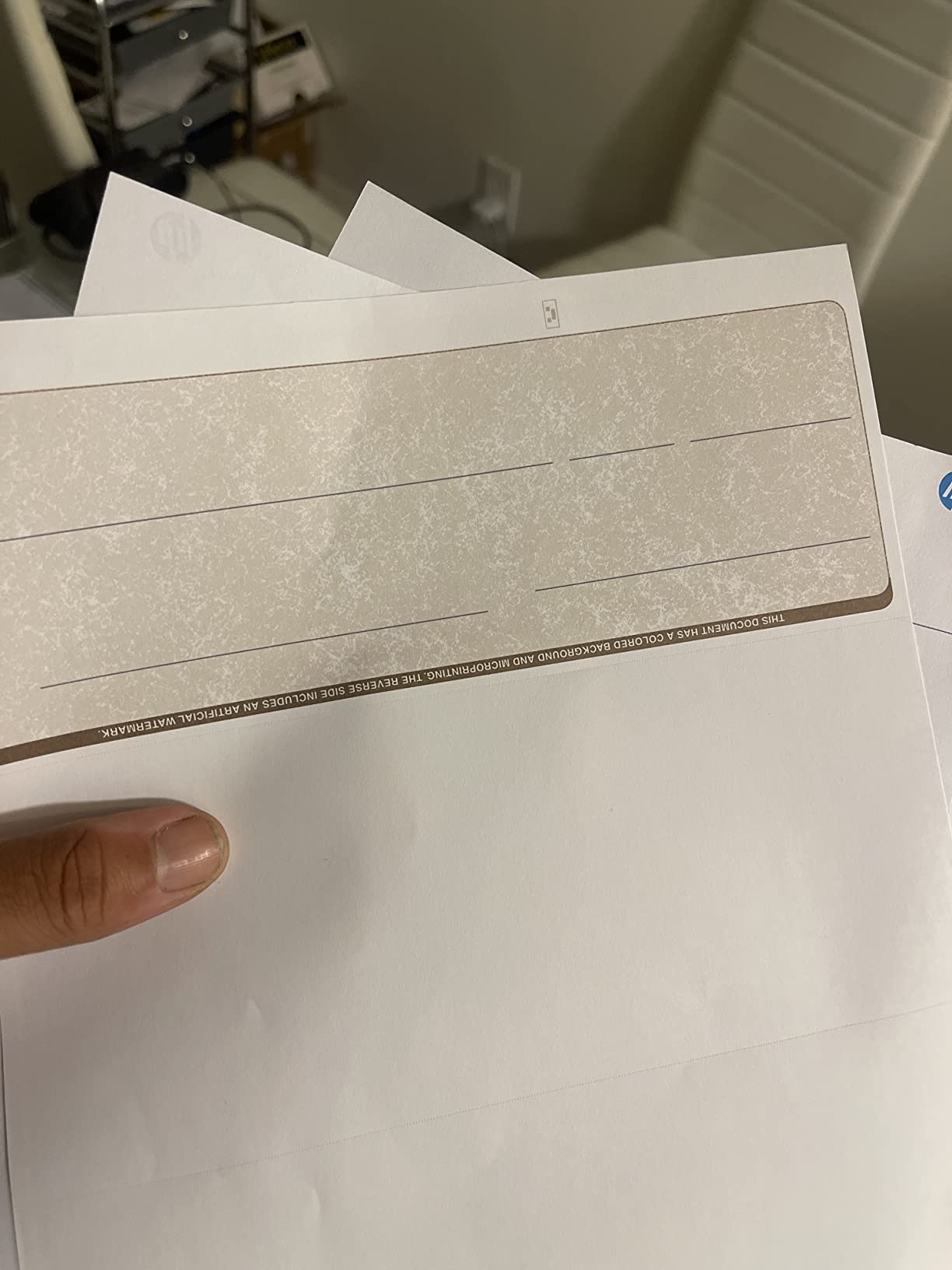
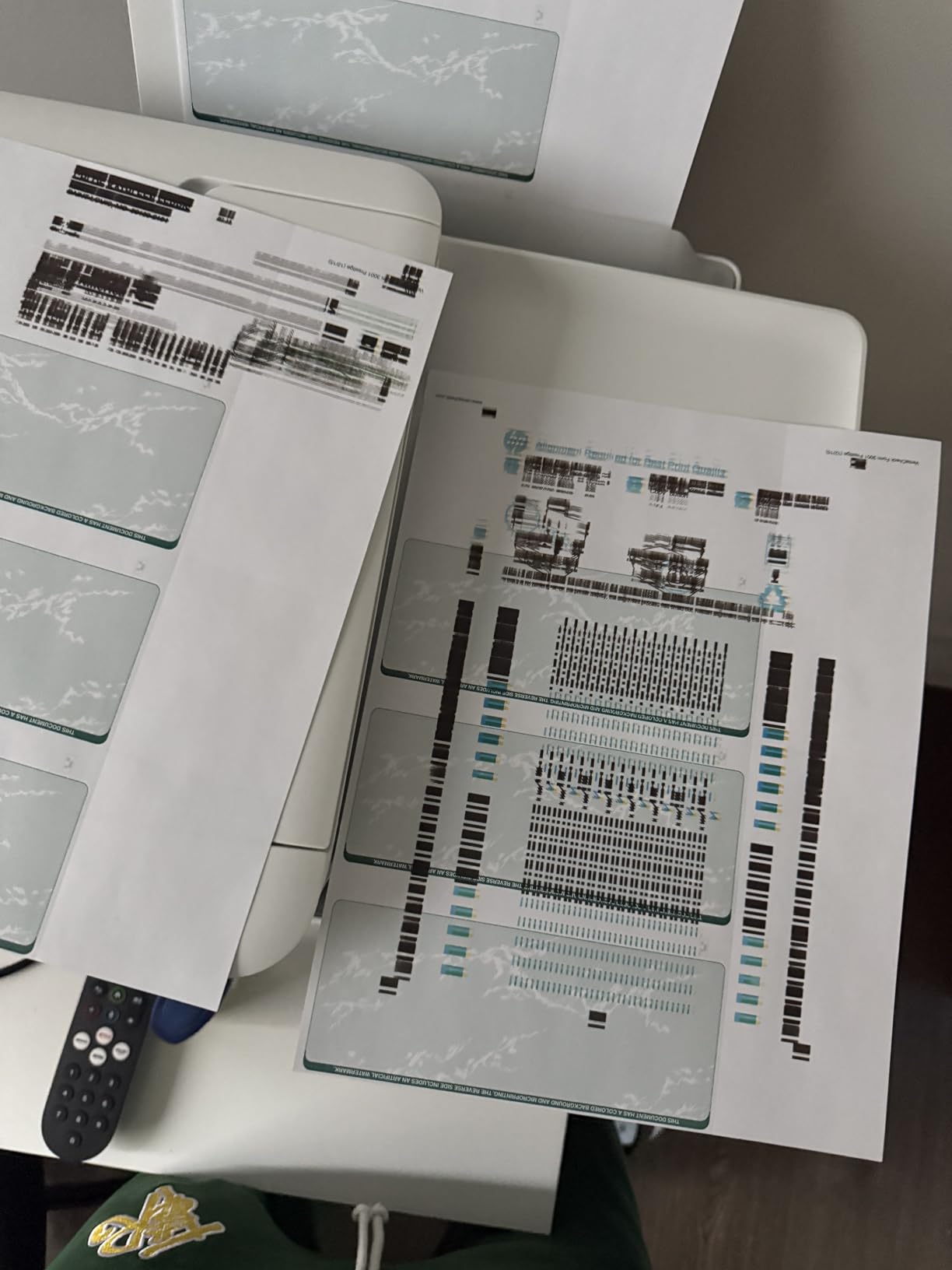
The rating spread here is the widest of any machine on this list. About 40 percent of ratings are five star and about 40 percent are one star, which tells you the build-to-build and cartridge-to-cartridge consistency is poor. The most common one-star complaint is not the printer. It is the included MICR cartridges arriving dry, empty or non-functional, followed by software activation friction and units that refuse to join a network.
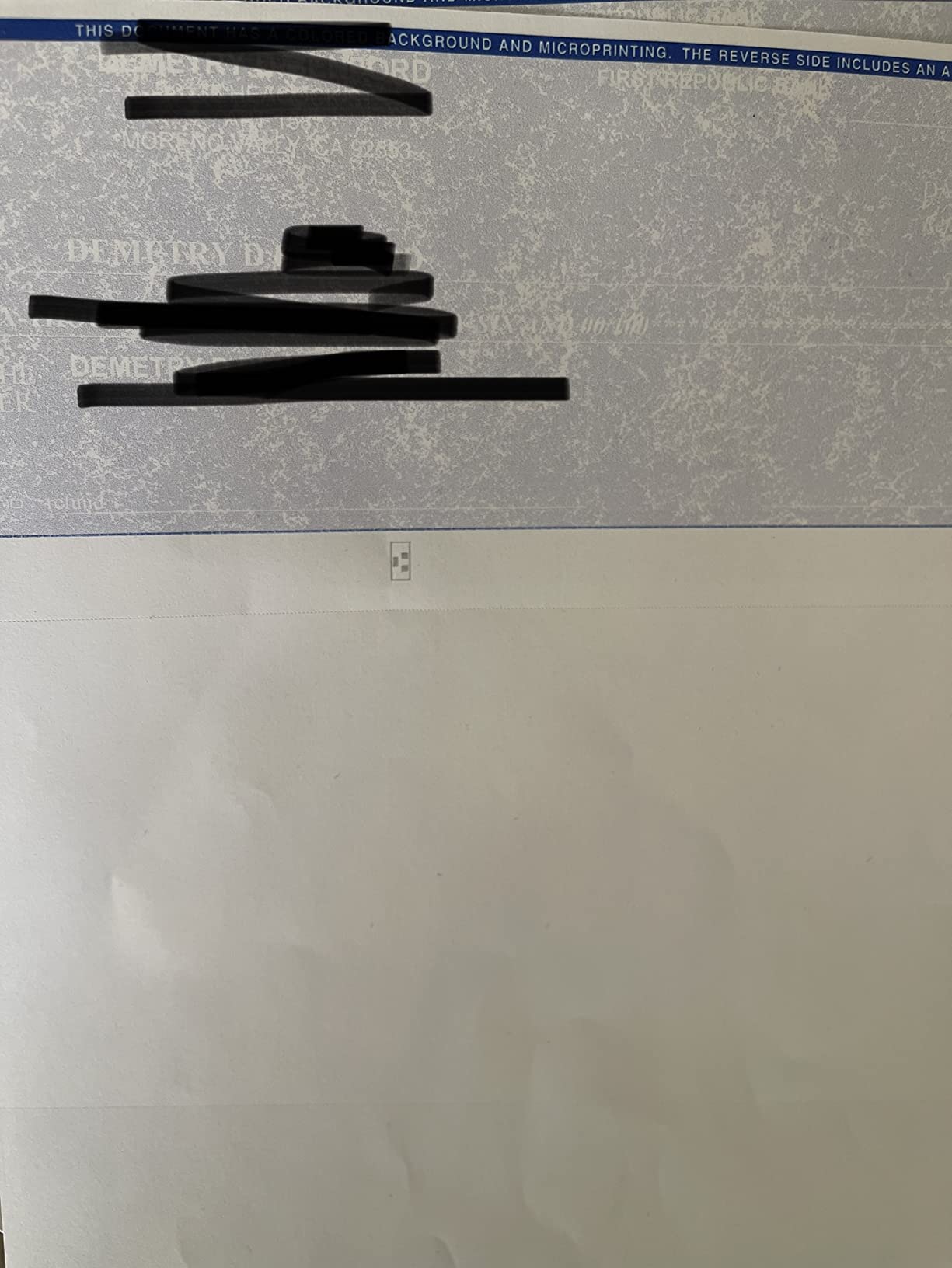
We have still included it, because at 108 reviews it is the second-most-tested machine here and the duplexer is a genuine benefit. But treat the first cartridge change as part of setup, not as a surprise.
When this printer makes sense
This suits a home-based business that prints checks alongside multi-page color documents and wants two-sided output without moving to laser. The wireless connection also makes it straightforward to print a check from a phone after an on-site job, which suits contractors and field service businesses.
If your volume stays under roughly 80 checks a month, the inkjet cost profile is defensible.
When to skip it
Do not put this in charge of a payroll run you cannot afford to interrupt. With that share of one-star ratings, the failure mode is more likely to be a dead cartridge mid-batch than a paper jam. Owners also report the unit needing a manual reboot after power interruptions, which is disruptive if it lives in a back room.
Choose the VersaCheck 4155 MXQ instead if your volume is similar but you want a flatbed scanner and a larger tray.
6. VersaCheck HP Laserjet M234 MXE – Best for Multi-User Teams
VersaCheck HP Laserjet M234 MXE MICR Check Printer X9 Platinum 5-User Check Printing Software Bundle, White
Monochrome MICR laser
30 ppm black
Auto duplex, 150 tray
Flatbed scanner
Wi-Fi, Ethernet, USB
Pros
- 30 ppm monochrome MICR output
- Five-user check software license included
- Automatic duplex printing
- Ethernet plus Wi-Fi plus USB
- GoTest MICR and UV scanner included
Cons
- USB cable not included
- Installation needs an internet connection
- Only seven reviews so far
The M234 MXE is the only machine on this list with a multi-user software license in the box, and that is the reason to pay closer attention to it. It bundles VersaCheck X9 Platinum for five users, which means an office where the owner, an office manager and two staff members all need to print checks from the same machine does not need five separate licenses or five separate software installs.
On hardware it is a capable monochrome laser all-in-one: 30 pages per minute black output, automatic duplexing, a 150-sheet input tray, flatbed scanning and copying, and an LCD control panel. Connectivity is the most complete here, with Wi-Fi 802.11b/g/n, Ethernet and USB. The paper path handles media up to 8.5 x 14 inches and output resolution reaches 1,200 dpi.
You get a VersaToner 134A magnetic cartridge rated for MICR compliance plus a bonus standard HP 134A black cartridge for everyday documents, a starter pack of check paper and deposit slips, and a GoTest scanner that reads both MICR and UV marks. That UV capability is worth noting if you plan to move toward UV security printing later.
The 4.0 star average rests on just seven reviews, so the rating is encouraging rather than established. Owners who bought it tend to be satisfied with speed, duplexing and the software package. Two things to know up front: no USB cable is included, and installation requires an internet connection.
When this printer makes sense
This is the one to consider when several people need to print checks from a single machine, or when the same box has to handle payroll checks, deposit slips and scanning in a small back office. Thirty pages per minute with automatic duplexing handles a full payroll run comfortably, and Ethernet makes it straightforward to wire in.
It is also the best fit here for a business that wants to grow into UV security printing later, since the included scanner already reads UV marks.
When to skip it
Skip it if you are a single user printing 20 checks a month. Five seats of software and a flatbed scanner are features you will not touch, and the M15 MXD covers the same volume tier more cheaply.
Also weigh the thin review base. Seven ratings cannot tell you how the machine behaves in year two, so if reliability history matters to you, buy with a return window you are comfortable using.
7. TROY 4001N – Fastest and Most Fraud-Conscious of the Group
Troy 4001N MICR Printer, Check Printing, Built for Small and Medium Teams, 250 Sheet Capacity, 1 Tray, 3 Trays Maximum, Up to 42ppm
Monochrome MICR laser
42 ppm, 600 dpi
250 sheets, up to 3 trays
Ethernet and USB
1 year warranty
Pros
- 42 ppm monochrome output
- Expandable from 1 tray to 3 trays
- Patented high-adhesion MICR toner
- Prints checks on blank check paper at point of issue
- Network ready
Cons
- Print only
- no scanner or copier
- Ethernet and USB with no wireless
- Only two reviews exist
The TROY 4001N is the most serious machine here and the one whose design tells you what it is for. It prints up to 42 pages per minute in monochrome at 600 dpi, feeds from a 250-sheet standard tray that expands to three trays, and connects over Ethernet or USB with no wireless radio.
Two features separate it from the rest. First, the trays expand, which means a small business that outgrows one paper source can add capacity without replacing the printer. Second, and more important, it prints checks on blank check paper at the point of issue rather than on pre-printed check stock. That single design choice is a fraud control, and it is the core of the security argument later in this guide.
TROY is an authorized HP OEM partner and states that its patented MICR toner is the only HP OEM MICR toner on the market, formulated for high adhesion and rigorous quality testing. Adhesion is what keeps the magnetic line readable after the check has been folded, mailed, run through a sorting machine and handled in a bank sorting environment.
It carries a one-year manufacturer warranty, which is longer than the 30-day warranty on most bundles in this group. The 5.0 star average is from two reviews. That is not evidence of reliability, and we will not pretend otherwise.
When this printer makes sense
Choose the 4001N if your organization has a real accounts payable function, prints checks continuously, or has a fraud problem worth solving. The point-of-issue printing on blank check paper means there is no box of finished checks sitting in a drawer to steal, which is the most common form of check fraud in small businesses.
Forty-two pages per minute and expandable paper capacity also suit organizations issuing several hundred checks a month across multiple accounts.
When to skip it
Skip it if you need wireless or scanning. It has no wireless radio and no copier, so it is a printer and nothing else. Also skip it if you are a one-person operation, because a print-only Ethernet machine is more hardware than a sole proprietor will use.
Buy it on the strength of the security model and throughput, not the rating, which rests on two reviews.
8. TROY 200 Mobile – MICR Printing Away From the Office
Troy 200 Mobile MICR Printer, Wireless Check Printing On the Go, Mobile and Lightweight, 50 Sheet Capacity, 1 Tray, Up to 20ppm
Portable monochrome MICR laser
20 ppm, 5-10 sec first page
50 sheet tray
8 pounds
Wireless
Pros
- Only portable dedicated MICR printer in this group
- Weighs about 8 pounds
- Wireless with an easy control panel
- 5-10 second first page
- Prints MICR line
- payee and amount at point of issue
Cons
- Print only
- Manual duplexing
- Small 50 sheet capacity
- Only one review exists
The TROY 200 exists because sometimes the person who needs the check is not sitting at the office desk. It is a portable monochrome MICR laser that weighs about 8 pounds, measures roughly 20 by 10 by 5 inches, and is designed to fit in a briefcase or a backpack. If you want a home printer recommendation rather than an office one, our printer picks guide covers the non-MICR side of that decision.
On speed it manages up to 20 pages per minute with a first page in 5 to 10 seconds, which is fast enough to issue a payment before leaving a job site. It holds 50 sheets in a single tray, handles paper up to 8.5 x 14 inches, prints at 600 dpi, and connects over both USB and Wi-Fi with plug-and-play setup and iOS controller support.
Like the 4001N, it prints the MICR line, the payee and the amount at the point of issue on blank check paper. That makes it genuinely useful for insurance claim payments, contractor draws, expense reimbursements and payroll for staff who work in the field, where the alternative is driving back to the office or writing a check by hand.
The rating is 5.0 from a single review, and that review reports that once set up correctly it produced checks easily. One review is an anecdote, not a track record. Manual duplexing and a 50-sheet capacity also mean it is not a bulk machine.
When this printer makes sense
This fits field service businesses, construction crews, property managers doing site visits, insurance adjusters and any operation that issues a check away from a fixed desk. Battery-free but portable, it turns a truck or a kitchen table into a check-issuing point, which removes a same-day delay from the workflow.
It is also a sensible second machine for an office that already has a high-volume laser installed, giving the front desk its own MICR printer.
When to skip it
Skip it if your checks are printed in batches at a desk. At 20 ppm, a 50-sheet tray and manual duplexing, it will not replace a desktop laser for payroll. It is also print-only, with no scanner or copier.
And because there is one review of this machine, buy it only if you can return it without friction.
Do You Actually Need a Special Check Printer?
Sometimes you do not need one at all, and almost no roundup on this topic tells you that. You only need a dedicated MICR printer if you are printing on blank check paper. If you buy pre-printed check paper with the MICR line already encoded on it, any decent printer can print onto it, because the magnetic line is part of the paper, not part of your print job.
That is the source of most confusion on this topic. Blank check paper needs MICR ink or MICR toner. Pre-printed check paper comes with the routing number, account number and check number already encoded magnetically, and your printing software simply fills in the payee, amount and signature line.
For a household printing a handful of rent checks or a gift, pre-printed check paper is almost always the right answer. There is no reason to buy a dedicated machine, no cartridge to manage, and no MICR line to get wrong.
There is a third route worth knowing: retrofitting MICR toner into a compatible laser printer you already own. The MTI and TROY products discussed here are variations on that idea, and for a business with a reliable existing laser, buying third-party MICR toner for it can be cheaper than a new machine. The catch is that the printer must be a model the toner is certified for, and you need a magnetic reader to verify the line reads. Shops that also produce their own artwork and signage often pair a check printer with dedicated equipment from our screen printing machine guide, so the two jobs never compete for the same paper path.
What MICR Is and Why Banks Require It?
MICR stands for magnetic ink character recognition. Every check carries a line of magnetic characters along the bottom edge, and the character shapes follow a standardized font so that sorting equipment anywhere in the country can read them. The line encodes the routing number, the account number and the check number.
The ink or toner works by containing particles of iron oxide, the same compound used in the recording tape of a cassette. When a check passes through a bank’s high-speed sorting machine, readers magnetically detect and interpret that line, then the physical check is matched to the electronic record created when you wrote the check.
Standard ink and standard toner contain no iron oxide at all. A check printed with them may look perfectly correct to you but carry a bottom line that sorting equipment reads as an error, which puts it into manual review. That is where the delay, the returned payment and the fee come from. This is the practical reason banks and the Federal Reserve’s check processing rules treat a readable MICR line as a requirement rather than a preference.
Two consequences follow. First, print one test check and read it with a magnetic reader before a batch, which is why several bundles here include a GoTest scanner. Second, use MICR toner only for checks, because magnetic ink on ordinary documents causes problems downstream and wastes the most expensive cartridge you own.
Inkjet MICR vs Laser MICR for Checks
Laser wins on volume and cost per check. A monochrome laser cartridge rated in the thousands of checks costs less per check than an inkjet cartridge rated in the hundreds, and laser output is faster with automatic duplexing on most models in this group. Forum consensus across personal finance and early retirement communities points the same way: laser for reliability and lower running cost, inkjet only if you print rarely.
Inkjet wins on upfront cost and very low volume. If you issue 10 checks a year, a laser system is money sitting idle. Inkjet also gives you color, and three of the machines here print color checks with MICR black in the same pass.
Reliability is where the gap widens with volume. Inkjet owners report more frequent cartridge and printhead problems than laser owners, and at low volume those failures are an irritation rather than a crisis. At 300 checks a month, they become a payroll delay.
Scanning matters too. Two of the inkjets here include a flatbed scanner, while the laser machines in this group are mostly print-only. If you copy and scan often, that tips the balance toward inkjet for modest volumes.
How to Choose a Check Printer
Match the machine to your monthly check volume before anything else. Under 20 checks a month, a pre-printed check paper route or a compact inkjet is the sensible choice. Between 20 and 200 checks a month, a monochrome MICR laser such as the M15 MXD or the MTI Canon system is where the economics start working. Above 200 checks a month, or in an organization with an accounts payable function, look at the faster lasers and at security features like point-of-issue printing on blank check paper.
Confirm the MICR is genuine and matched to the cartridge. Check that the machine’s supported cartridge is a MICR version, what the yield rating is in checks rather than pages, and whether a magnetic reader is included for testing. A printer that merely accepts a third-party cartridge is not the same as a calibrated MICR system with a warranty on the magnetic signal.
Check your accounting software before you buy the printer. QuickBooks and Xero both print checks, and the bundled software on these bundles is designed to sit alongside them rather than replace them. Confirm the format your bank accepts, because no printer fixes a layout the receiving institution refuses. If your business also prints numbers or logos onto physical parts, a pad printing machine is a separate purchase that answers a different problem entirely.
Look at connectivity honestly. Wi-Fi is convenient for a home office or a shared machine. Ethernet is more reliable for a back-office accounts payable run, and some of the faster machines here offer no wireless option at all. Decide which you actually need rather than paying for both.
Weight duplex and paper handling next. Automatic duplexing saves paper on the pay stubs and remittance advice that travel with payroll. A 150-sheet or 250-sheet tray means you can load a full run of check paper once. Check stock misfeeds are a real complaint on small trays.
Finally, treat fraud controls as a feature, not an afterthought. Check number sequencing, positive pay with your bank, a locked cabinet, and printing on blank check paper at the point of issue all reduce the risk that a stolen check gets cashed. The faster printers here are built around that last one.
Check Fraud, Rejection, and Bank Acceptance
Banks do accept computer-printed checks. The Check 21 Act made image-based clearing the standard method, which is why a printed check travels the system the same way a handwritten one does. What the system needs is a readable MICR line and a format your bank accepts, and that is where rejections actually originate.
The most common causes of a rejected printed check are a weak or absent MICR line from standard toner, an incorrect check number encoding, a layout the bank does not recognize, alignment problems from the software or the paper feed, and low-quality check paper. If a printed check is rejected, the fix is almost always in the setup, not in the bank.
Ask your bank what it accepts before you print a batch, and ask whether it offers positive pay, a service that lets you designate which check numbers are valid and quietly stop the rest. Positive pay is the single most effective fraud control available to a small business and costs very little.
Keep a check number register. Recording every number issued, and never reusing one, breaks the chain that makes sequential check numbers useful to a forger. Store blank check paper somewhere locked, and print on blank paper at the point of issue when you can, so there is no box of finished checks to walk away with.
Finally, test before you commit. Print one check, read the magnetic line with a reader, and confirm the alignment of the payee, amount and signature fields. Practitioners on check-printing forums consistently name this single step as the difference between a clean run and a rejected one.
Frequently Asked Questions
Do I need a special printer to print checks?
Only if you print on blank check paper. Blank paper needs MICR toner or ink that contains iron oxide so the magnetic line at the bottom of the check can be read by bank sorting equipment. If you buy pre-printed check paper with the MICR line already encoded, any decent printer can fill in the payee and amount lines.
What type of printer is best for printing checks?
A monochrome MICR-enabled laser printer is the standard answer. It prints a readable magnetic line, runs fast enough for payroll batches, and its cartridges yield thousands of checks so the cost per check stays low. Add color only if the same machine also prints color documents; otherwise a color laser raises the price without helping the check.
Can I print my own checks on my printer?
You can print on blank check paper only if your printer uses MICR ink or MICR toner, whether that is a factory MICR model or standard toner retrofitted with a magnetic cartridge. Printing with ordinary ink and toner produces a check that looks right but carries no magnetic signal, which means manual review, delay, or rejection at the bank.
What kind of ink do I need to print checks?
You need MICR toner or MICR ink, which contains particles of iron oxide that make the check’s bottom line magnetically readable. On a laser printer that means a cartridge certified for MICR; on an inkjet it means a magnetic black cartridge. Use it for checks only, since magnetic ink is expensive and causes problems on ordinary documents.
What is the best printer for printing payroll checks?
For payroll, choose a monochrome MICR laser with automatic duplexing and a paper tray large enough for a full run. The M15 MXD, the MTI Canon-based system and the HP Laserjet M234 MXE all fit that description. Print one test check and read the magnetic line before the first live run, and confirm the layout with your bank in advance.
Can I handwrite a check on a laser check?
Technically yes, since a check is a negotiable instrument and the signature line can be filled in by hand. In practice it defeats the purpose of printing at all, because you would still be spending a minute per check by hand with none of the numbering and record-keeping benefits that check-printing software provides.
Best Printers for Printing Checks: The Final Verdict
If you want one dependable answer to the question of the best printers for printing checks, it is the VersaCheck HP DeskJet 3755 MX for most people. It has the largest body of real owner feedback in the category, it prints genuine MICR ink alongside color, and it copies and scans in the same box. Budget for the software terms and for wide print margins before you order.
For volume, move up to a monochrome laser. The MTI Canon-based system is the value pick at roughly 6,300 checks per toner, the M15 MXD handles mid-sized payroll with up to 4,800 checks per cartridge, and the HP Laserjet M234 MXE adds a five-user software license and a flatbed scanner for shared teams. For security and throughput, the TROY 4001N prints checks on blank check paper at the point of issue, and the TROY 200 does the same away from the office.
Whatever you choose, print one check, read the magnetic line, and confirm the layout with your bank before a batch. That single habit is worth more than any spec on this page. These picks reflect what was available in 2026; re-check ratings and cartridge availability before you buy.