
There is a specific kind of frustration that shows up in almost every home office I have set up: someone buys a printer cheaply, gets it working, and then discovers six months later that the replacement ink costs more per page than the printer did. That is the trap this guide is built to avoid. We spent weeks comparing the ten machines below on the only measures that matter once the box is open: cost per page, whether they print both sides on their own, whether they can feed a stack of pages while you do something else, and whether you are forced into an ink plan you did not ask for.
Everything here sits at or below a 200 dollar ceiling, which is the real constraint in this category. Under that number you are choosing between three technologies, and the honest truth is that each one suits a different working day. Cartridge inkjets are the cheapest to buy and the most expensive to run. Ink tank models, sold by Canon as MegaTank, by Epson as EcoTank and SuperTank and by HP as Smart Tank, cost more up front and then drop the per-page price dramatically. Monochrome laser printers ignore colour entirely and win on speed, tray size and toner cost, provided you only need black text.
One more hard truth before the picks: there is no colour laser printer worth recommending under 200 dollars. The laser machines in this bracket are monochrome only. If colour output is a requirement for your home office, an ink tank or a cartridge colour inkjet is the only realistic path, and that is exactly how we organised the list below.
This roundup is current as of October 2026, and it covers all ten picks with a stated best for and skip if, running cost guidance, and the setup notes that stop the most common failure mode. Our framework for every pick is below, along with the decisions that trip up nearly every first-time buyer.
Table of Contents
Top 3 Picks for Home Office Printing in 2026
Three machines stood out from the field once we worked out the running cost maths. The Canon MegaTank G3270 is the safest overall choice for most home offices. The Canon PIXMA TR8620a is the one to buy when scanning paperwork is part of the job. The Brother HL-L2460DW is the pick when the work is black and white and the volume is real.

Canon MegaTank G3270
- Ink tank all-in-one
- Wireless print copy scan
- Up to 6000 black and white pages per ink set
- Single-sided printing only

Canon PIXMA TR8620a
- Print copy scan and fax
- 20-page document feeder
- Automatic two-sided printing
- 1000 page duty cycle

Brother HL-L2460DW
- 36 ppm black only
- Automatic duplex printing
- 250-sheet paper tray
- Dual band Wi-Fi plus Ethernet
Best Printers Under 200 for Home Offices in 2026 at a Glance
Here is the whole field in one view. Scan the type column first, because it decides everything else: mono laser for black text volume, ink tank for low running cost across both colours, and colour inkjet for mixed documents and photos. The final column is the honest one, because that is the case each printer handles without compromise.
| Product | Specifications | Action |
|---|---|---|
| Canon MegaTank G3270 |
|
Check Latest Price |
| Canon PIXMA TR8620a |
|
Check Latest Price |
 Canon PIXMA TS3720 Canon PIXMA TS3720 |
|
Check Latest Price |
| Brother HL-L2460DW |
|
Check Latest Price |
 Brother HL-L2405W Brother HL-L2405W |
|
Check Latest Price |
 HP LaserJet M209dw HP LaserJet M209dw |
|
Check Latest Price |
 HP LaserJet MFP M235sdw HP LaserJet MFP M235sdw |
|
Check Latest Price |
 Epson WorkForce Pro WF-3823 Epson WorkForce Pro WF-3823 |
|
Check Latest Price |
 Brother INKvestment MFC-J1365DW Brother INKvestment MFC-J1365DW |
|
Check Latest Price |
 HP Smart Tank 5003 HP Smart Tank 5003 |
|
Check Latest Price |
How We Picked Printers We Will Not Lock You Into?
Every machine here was judged on five things in this order. First is cost per page over two years, not the sticker price. Second is whether the machine handles two-sided work without you standing over it. Third is paper handling, measured by tray size and whether a document feeder exists. Fourth is connectivity, specifically dual-band Wi-Fi. Fifth is the absence of a forced subscription.
That last point deserves an explanation, because printer forums are full of people who learned it the expensive way. Subscriptions and cartridge authentication are the loudest complaints there, and the dominant sentiment is simple: nobody wants to be locked into ink again. So any machine whose real-world behaviour ties printing to a plan, or that blocks third-party consumables in ways reviewers describe as hostile, lost points even if its output was excellent.
We also weighed reliability signals from real buyers rather than spec sheets alone. Printers that jam repeatedly, feed badly from a nearly empty tray, or drop their wireless connection after a month were marked down. Where a listing is newer and carries a shorter owner history, we said so in that section rather than pretending the track record is as deep as the rest.
Finally, we treated the 200 dollar cap as a hard filter rather than an average. Every printer in this list sits at or below that figure. Where a feature set was clearly headed above it, such as a colour laser with a real document feeder, we left it out and said why.
1. Canon MegaTank G3270 – the cheapest pages per print
Canon MegaTank G3270 All-in-One Wireless Color Printer
Ink tank all-in-one
Wireless print copy scan
100-sheet tray
Up to 6000 black and white pages per ink set
Pros
- Very low ink cost per page
- Large ink supply in the box
- Up to 6000 black and white pages per ink set
- Wireless print copy and scan
- ENERGY STAR and EPEAT qualified
Cons
- Single-sided printing only
- 100-sheet tray with one input source
- No document feeder or fax
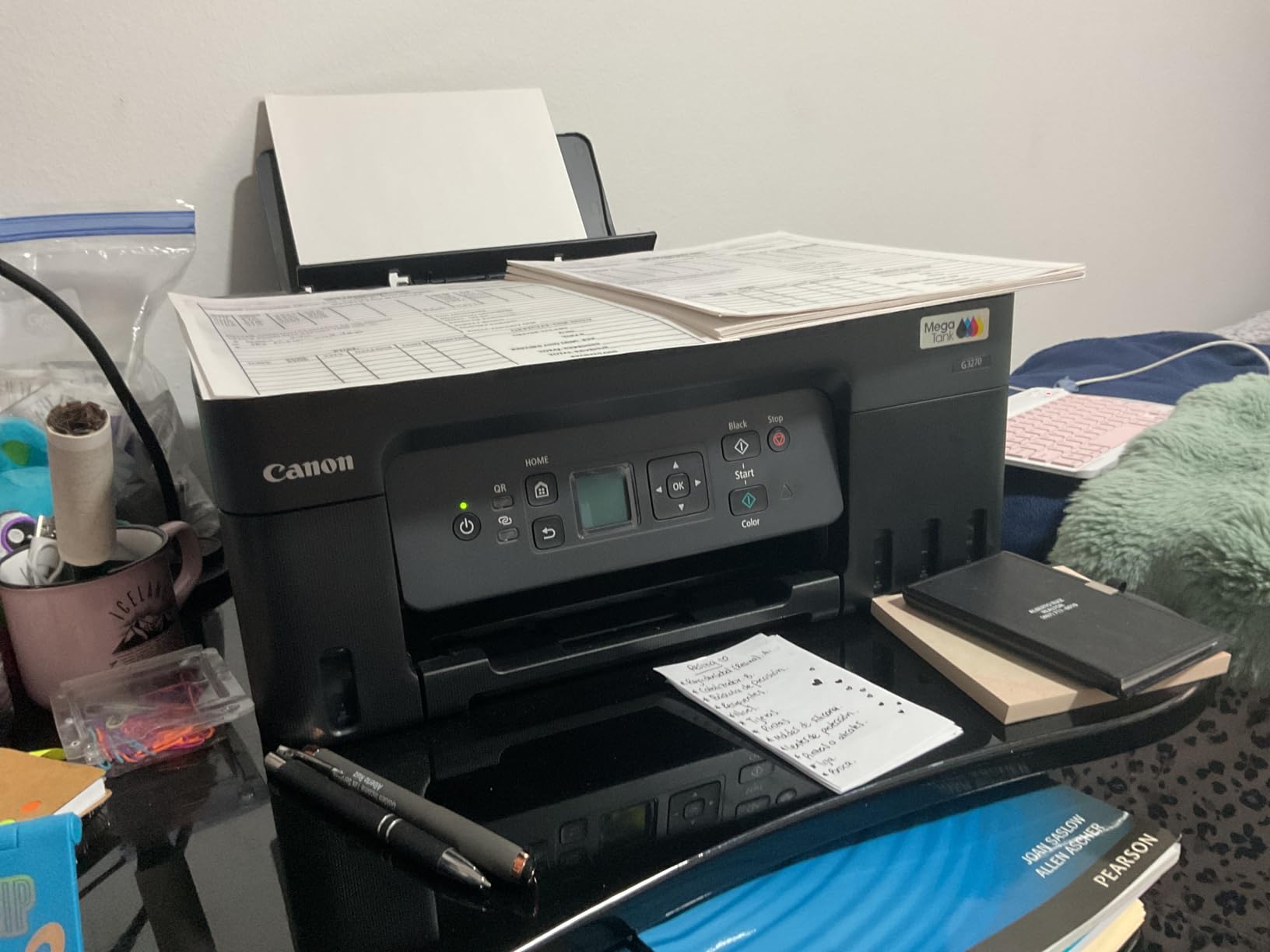
This is the machine we put at the top because the running cost math beats everything else in the room. Canon puts roughly two years of ink in the box, and states a page yield of up to 6000 black and white pages or 7700 colour pages from one set of inks. Over a two-year home office life at a few hundred pages a month, that in-box supply absorbs most of your printing before you buy anything.
It is also a comfortable machine to live with physically. At 13.2 pounds and 10.6 inches tall it sits in the middle of the size range for the inkjets here, and the 1.35 inch square LCD on top is enough to change ink, run a copy and check a wireless status without opening an app.
The trade-offs are real and you should know them before you buy. There is no automatic duplex, so double-sided documents mean flipping the stack yourself. The tray holds 100 sheets in a single input source, and there is no document feeder, which makes sense because this is a print copy scan machine and nothing more. If your week includes scanning a signed contract, look at pick two instead.
Against that, Canon quotes ink savings in the region of 1000 dollars against cartridge printing over the life of the machine, and owners consistently describe the running cost as the reason they stayed with it. Over 5000 owner reviews the average sits at 4.1 stars, which is honest rather than glowing.
Is this good for a home office with mixed colour printing?
Yes, and this is where it beats the mono lasers. It handles both colour and black and white documents on the same run without changing anything, and the flatbed scanner handles a single page or a small stack at a time. For invoices with occasional charts, or lesson plans with images, it is the most economical choice on this list.
It is less suited to anyone who prints a hundred pages a day or who scans paperwork continuously. The single input tray and missing duplex mean you are at the machine more often. For a typical remote worker printing a few hundred pages a month, that is an acceptable trade for never budgeting for ink again.
Who should skip it?
Skip it if two-sided printing is non-negotiable for you, because manual flipping on long documents is genuinely tedious. Skip it if you scan multi-page contracts weekly, since there is no feeder. Also skip it if you want an ink subscription free of any plan language at all, because Canon pairs these with its Smart Reorder option for Alexa, which you simply do not enrol in.
If those three things do not apply, this is the safest purchase in the roundup for almost any home office.
2. Canon PIXMA TR8620a – the full office machine
Canon PIXMA TR8620a – All-in-One Printer Home Office|Copier|Scanner|Fax|Auto Document Feeder | Photo, Document | Airprint (R), Android, Black, Works with Alexa
Wireless 4-in-1 print copy scan fax
20-page document feeder
Automatic two-sided printing
1000 page duty cycle
Pros
- Only pick here with a fax function
- Automatic duplex printing
- 1000 page duty cycle suits office volume
- Dual paper loading with rear feed
- Five individual ink tanks
Cons
- Document feeder is single-sided only
- Canon mobile app reported as slow
- Some paper alignment complaints
If your work involves paperwork rather than pages of text, this is the one. It is the only machine in the roundup that prints, copies, scans and faxes, and the only sub-200 dollar option here that pairs that feature set with a genuine automatic document feeder and automatic two-sided printing. The 1000 page duty cycle is also the highest published figure among the inkjets on this list.
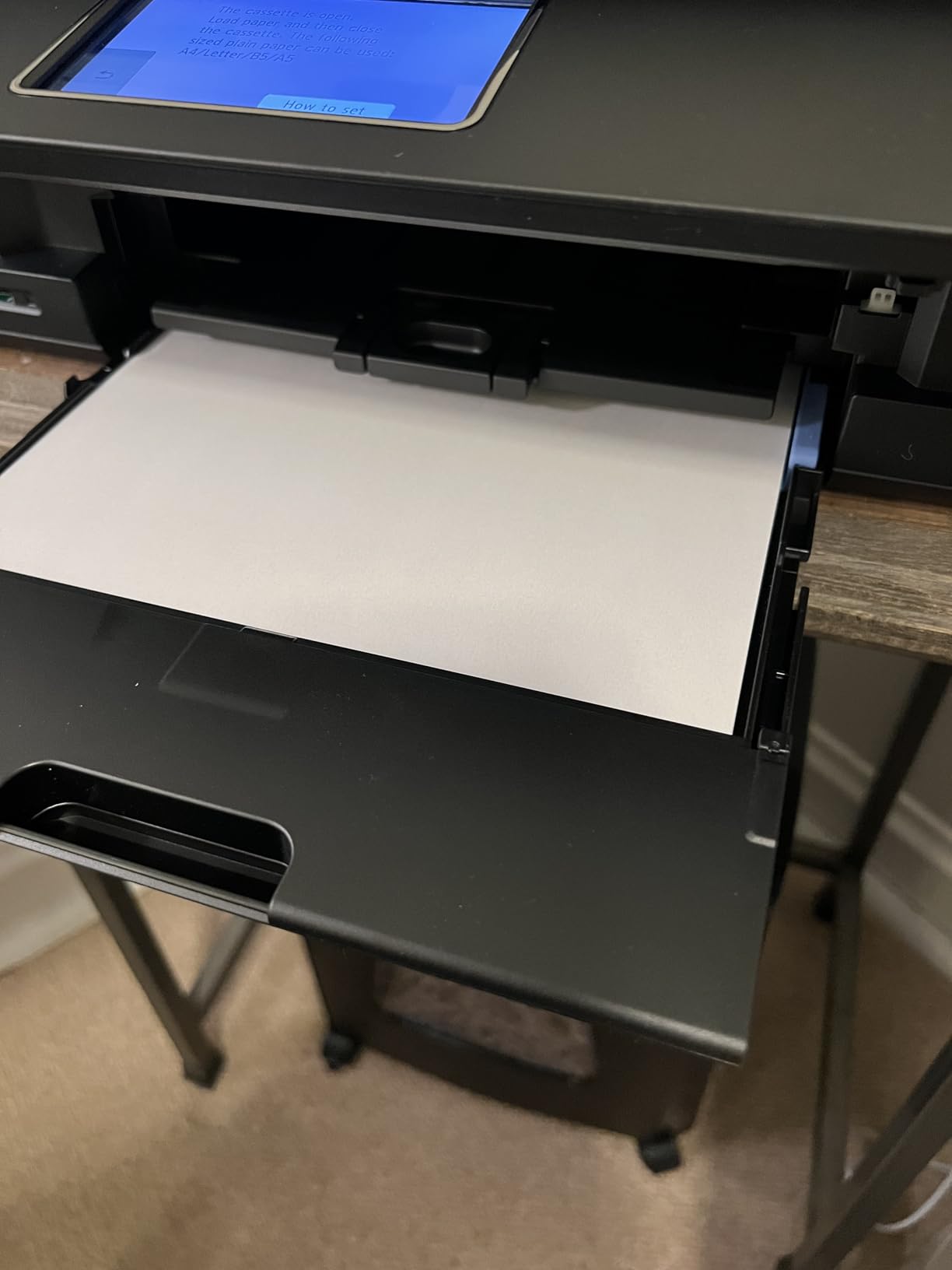
Paper handling is unusually good for the money. You get a 100 sheet front cassette plus a 100 sheet rear feed, so envelopes and card stock never have to occupy your only paper source. Speed is 15 pages per minute in black and 10 in colour, which is comfortably quicker than the other Canon inkjets here.
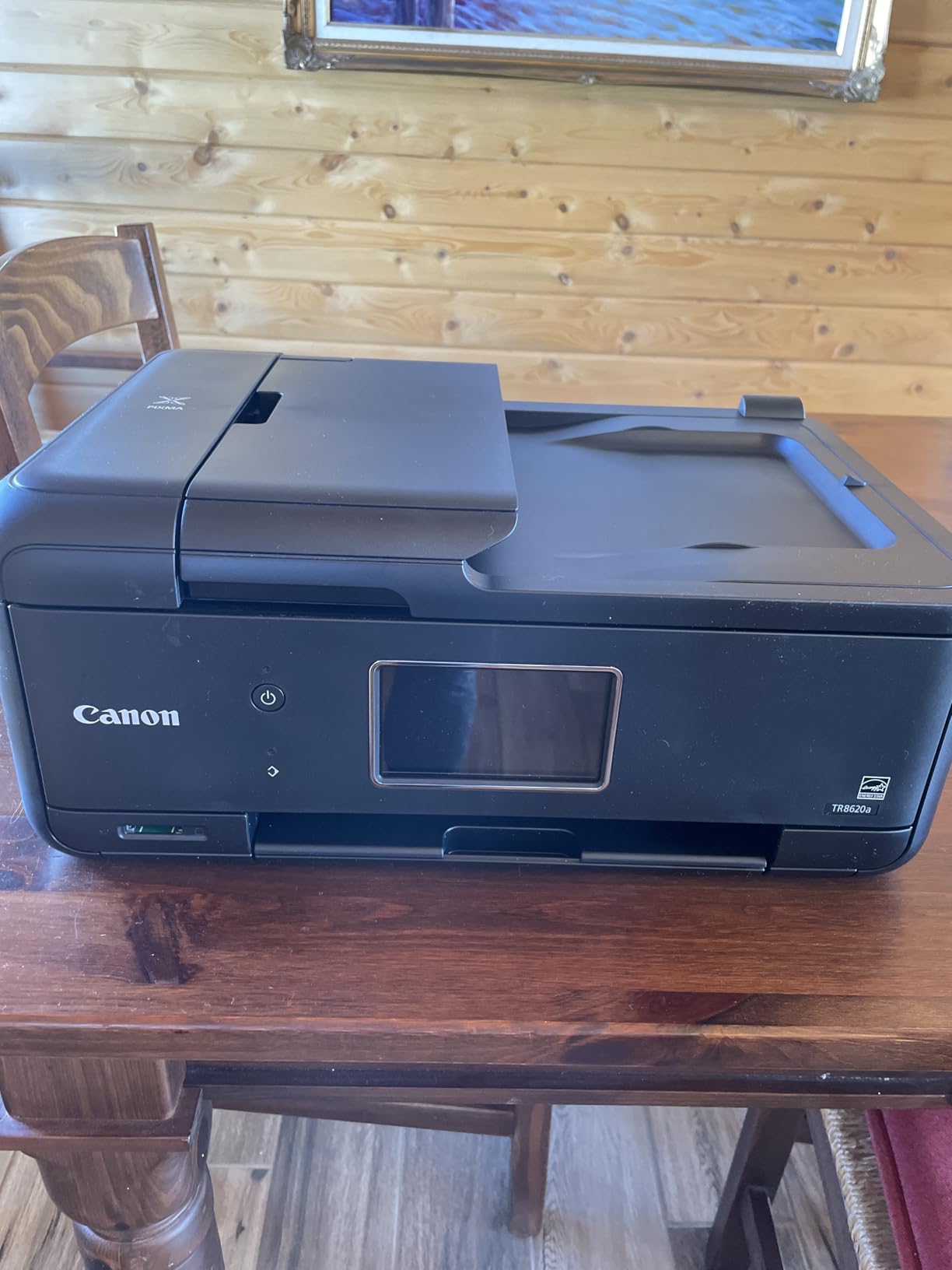
The five individual ink tanks matter more than they sound. Because each colour is separate, one colour running out does not cost you the other two, which is the exact failure that makes tri-color cartridges such a common complaint. Owners also praise the tilting control panel for being genuinely navigable without a manual.
Two cautions. The 20 sheet feeder is single-sided, so double-sided originals must go through twice. And the Canon mobile app draws repeated complaints for being slow, so if you mostly print from your phone, test it in store or read recent app reviews before committing.
Does it handle the scan-heavy end of home office work?
Yes. Scan to email and document filing are the reasons this machine exists at this price, and having both a flatbed and a feeder means you can send a single page of a document or a 20 page stack without changing tools. Add the fax function and you have covered the three things small professional practices actually ask for.
Two-sided originals are the one gap. If most of what you scan is already double-sided, budget for the extra pass. If most of what you scan is single-sided pages, this is close to ideal.
Who should skip it?
Skip it if you want a small footprint, because at 17.4 pounds and 17.3 inches wide it is one of the larger machines here. Skip it if you are frustrated by phone printing apps. And skip it if you mostly print black text, because a mono laser at the same money will be faster and cheaper per page.
3. Canon PIXMA TS3720 – the small-desk budget pick
Canon PIXMA TS3720 Wireless All-in-One Printer for Basic Home Printing, White
Budget colour inkjet all-in-one
Dual band Wi-Fi on 2.4 and 5 GHz
60-sheet tray
Two easy-replace ink cartridges
Pros
- Streamlined setup without a computer
- Dual band Wi-Fi avoids band problems
- Compact 8.7 pound body works on a small desk
- Four photo sizes including 5 by 7 inch prints
- Works with AirPrint Mopria and Chromebook
Cons
- Single-sided printing only
- 60-sheet paper capacity is the smallest here
- Two-cartridge system is less economical
- No document feeder or fax
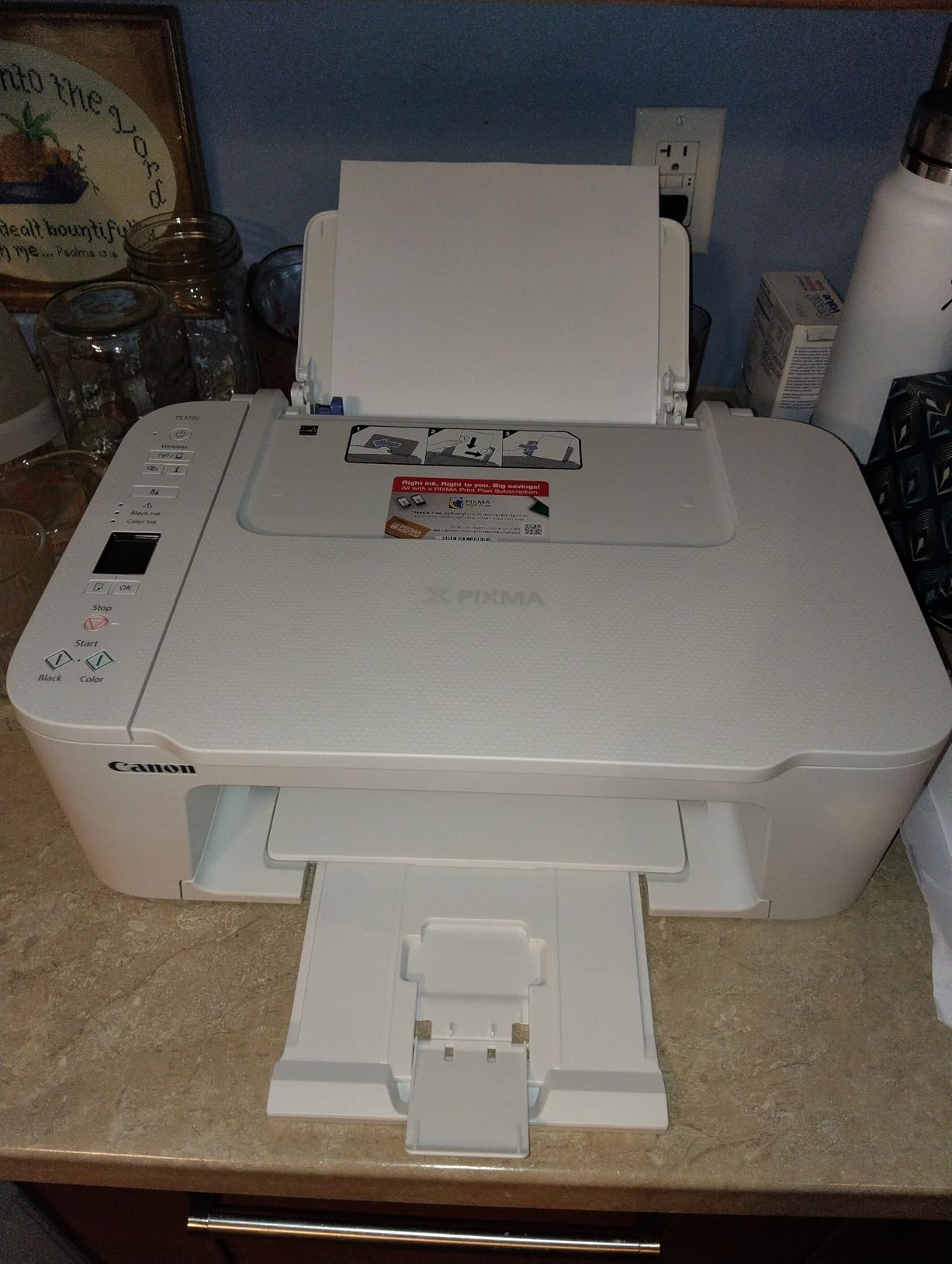
This is the pick for a home office that prints occasionally. At 8.7 pounds and 5.8 inches tall it is the smallest machine here, and the setup is the least fussy, with the unit able to be configured without a computer. For someone printing a few pages a week and occasionally a photo, it does the job without taking over a desk.
The detail that matters more than any other on this machine is the dual band Wi-Fi. It supports both 2.4 and 5 GHz, which removes the single most common home office setup failure, where a 2.4 GHz only printer will not join a dual band router. It also plays nicely with AirPrint, Mopria and Chromebooks, and Canon PRINT handles the app side.
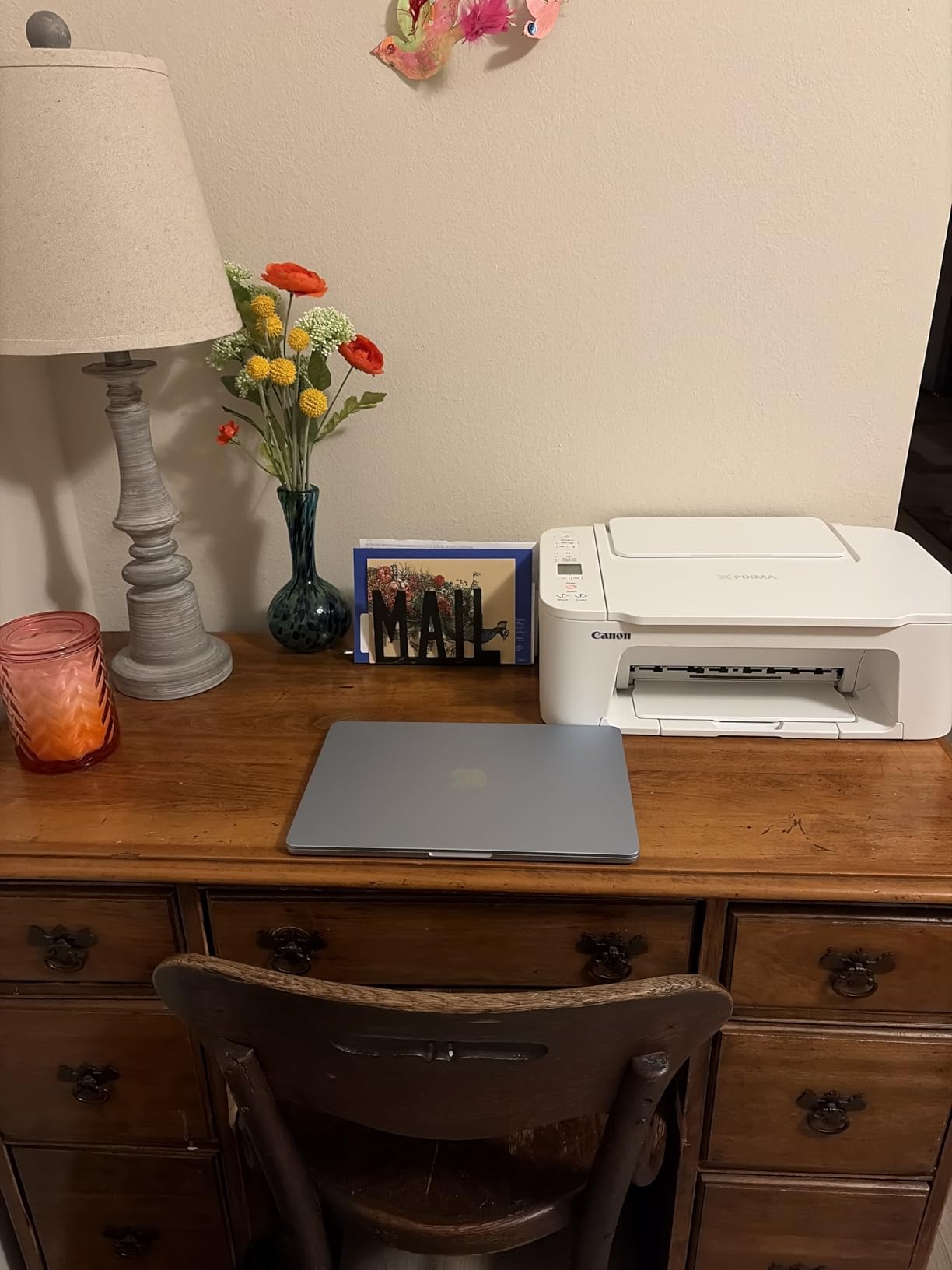
Colour output is genuinely fine for the price at 4800 by 1200 dpi, and it handles a range of photo sizes including 4 by 6 inch and 5 by 7 inch prints. Speed is around 7.7 pages per minute in black and 4 in colour, which is slow but adequate at low volume.
The two-cartridge system is the part to think about carefully. With only two cartridges, colour output consumes all three inks together, so a heavy colour month drains black as well. That is fine for a few photos a year and expensive for regular colour printing.
Is this the right choice if I mostly print black and white?
Only at very low volume. The cost per black page is far higher than any mono laser on this list because you are paying inkjet cartridge prices. If you print under about 50 pages a month, the maths never really bites and the low purchase price dominates. Above that, the running cost starts to matter quickly.
Because duplex is single-sided only here, a two-sided document means reloading the same sheets. That is fine for a one page letter and irritating for a ten page contract.
Who should skip it?
Skip it if you print more than a page or two a week, if you scan documents regularly, or if you share a desk where 60 sheets of paper capacity becomes a weekly refill. Also skip it if colour printing is a regular task, because the two-cartridge layout works against you there.
For light use in a tight space, though, very few machines in this bracket are easier to live with.
4. Brother HL-L2460DW – fastest mono with automatic duplex
Brother HL-L2460DW Wireless Compact Monochrome Laser Printer with Duplex, Mobile Printing, Black & White Output | Includes Refresh Subscription Trial(1), Works with Alexa
Mono laser print only
36 ppm black with 8.5 second first page
Automatic duplex
250-sheet paper tray
Pros
- Automatic duplex as standard
- 250-sheet tray tied for the largest here
- First page out in 8.5 seconds
- Crisp 1200 by 1200 dpi text
- Works with Windows macOS and Linux
Cons
- Print only with no scanner or fax
- Monochrome output only
- Button-driven wireless setup is tedious
- Refresh subscription trial in the box
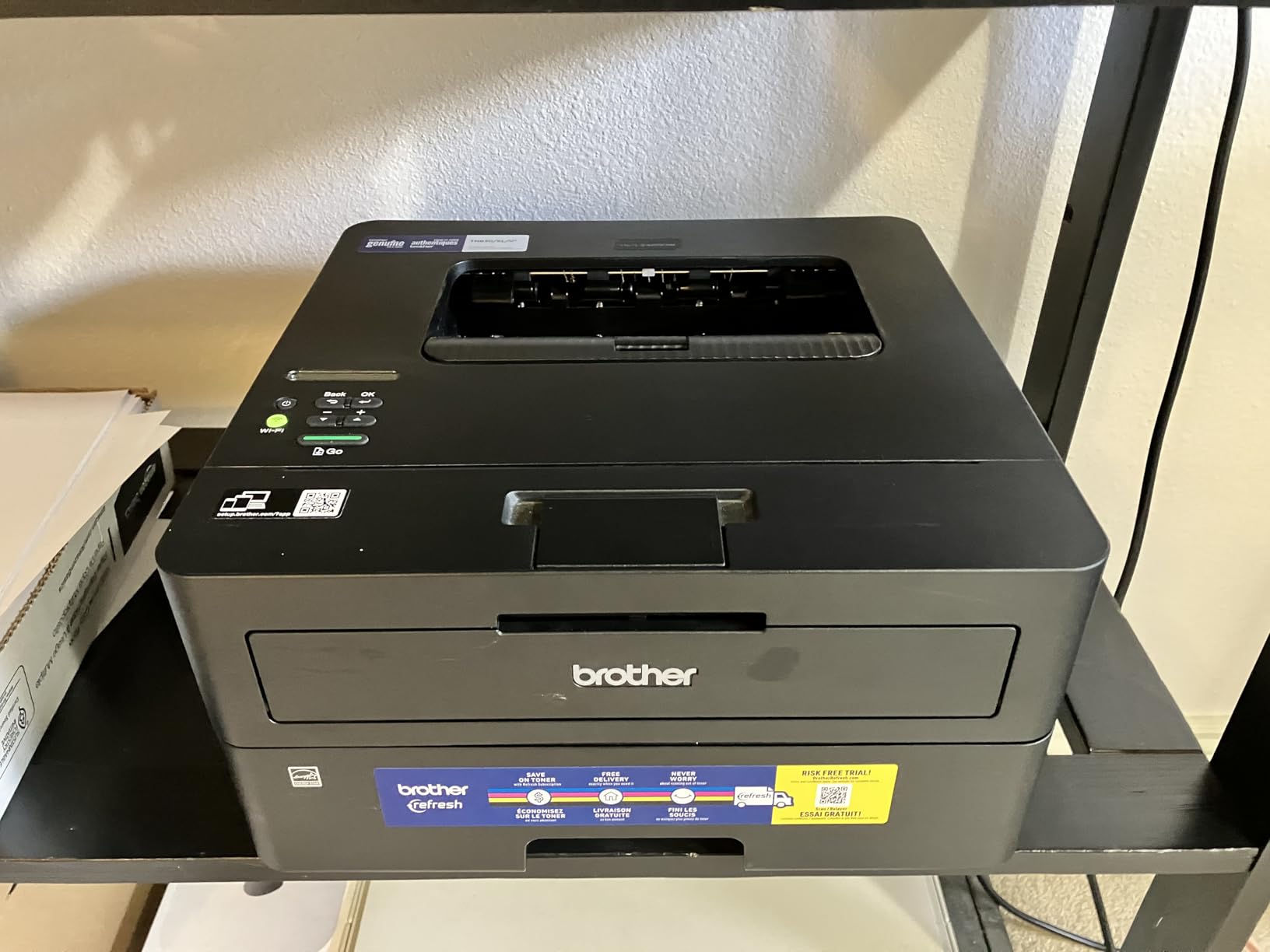
When a home office prints black documents all day, laser wins and this is the fastest laser in the bracket. Thirty-six pages per minute, first page out in 8.5 seconds, and automatic two-sided printing as standard rather than a manual flip. The 250 sheet tray is among the largest of any machine here, which means fewer refills during a busy week.
Output quality is 1200 by 1200 dpi in black, which is sharper than the HP lasers in this roundup and the reason it is worth a close look if you print forms, invoices or anything with small text. Owners consistently describe rare jams and predictable output as the reasons they recommend it to others.
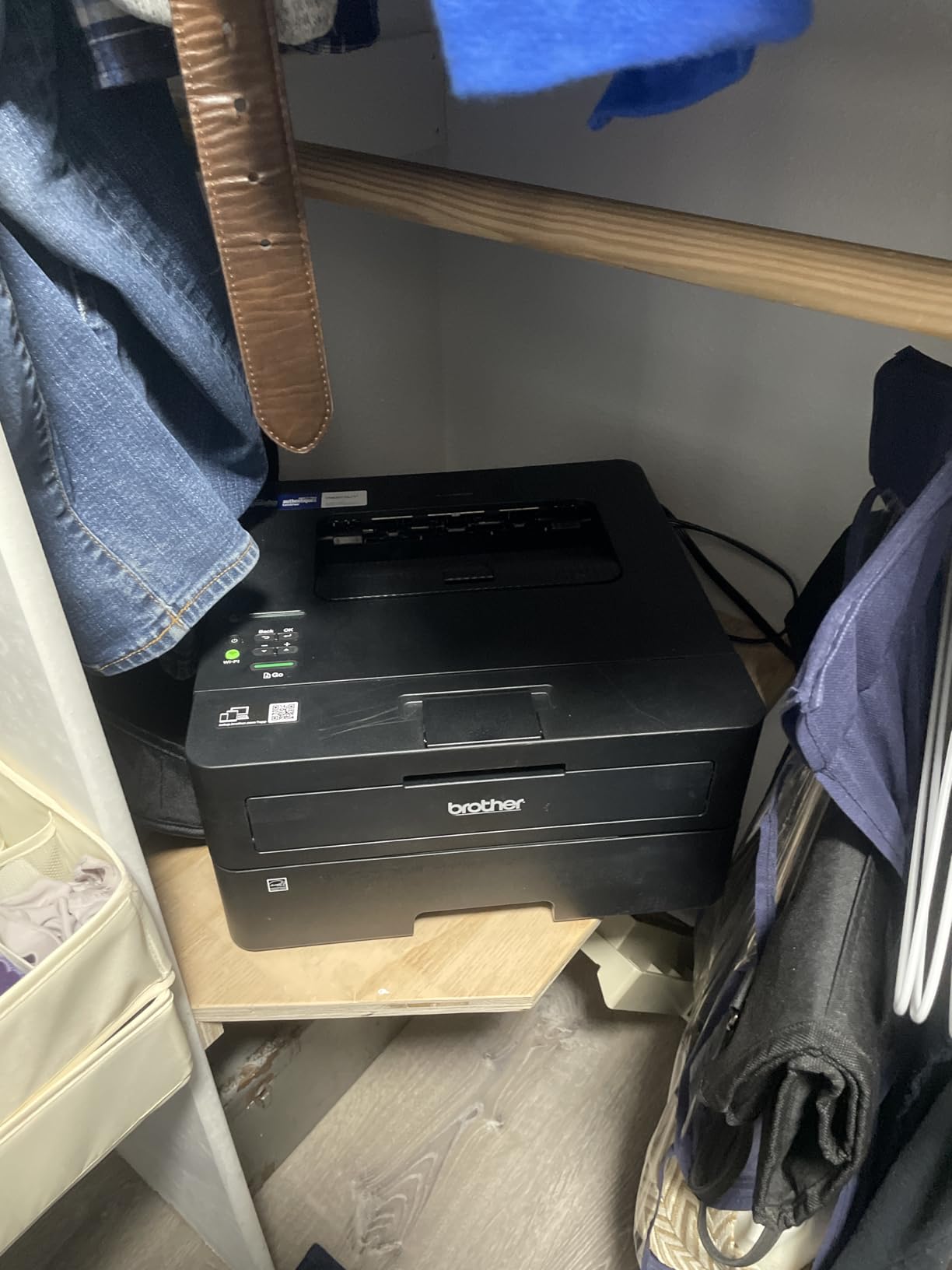
Toner is the TN830 family, and the high yield version is what makes the cost per page hold up over time. There is also a manual feed slot for envelopes, which the specification sheet confirms. Connectivity covers dual band wireless, Ethernet and USB, so it can drop into an existing wired network or a modern router without drama.
The most repeated reservation in owner feedback is the wireless setup, which runs through a small button-driven panel and can feel slow if you are new to printers. The most upvoted negative review in the set concerns the bundled Refresh subscription trial, so decline it at setup and buy Brother genuine toner on your own terms.
Is this fast enough for someone who prints daily?
More than enough. Thirty-six pages per minute is faster than any inkjet in this roundup by a wide margin, and automatic duplex means a ten page two-sided document finishes without a single intervention from you. Combined with the 250 sheet tray, that is a machine you set up on a Monday and forget until the tray needs paper.
The one workflow it cannot serve is scanning, because there is none. If you need a document feeder at all, the mono laser all-in-one at pick seven covers that at a similar figure.
Who should skip it?
Skip it if you print any colour. Skip it if you need to scan or copy, since this is print only. Skip it if you want a large screen for setup, because the panel is small and text-only.
If your work is black text at volume, this is the machine to buy, and the reliability reputation behind the Brother name is a large part of why.
5. Brother HL-L2405W – best value mono laser
Brother HL-L2405W Wireless Compact Monochrome Laser Printer with Mobile Printing, Black & White Output | Includes Refresh Subscription Trial(1), Works with Alexa
Mono laser print only
30 ppm black with 8.5 second first page
Manual duplex
250-sheet paper tray
Pros
- Low running cost with TN830 toner
- Large 250-sheet tray
- Clean install with no forced apps
- Compact 14 inch wide body
- Dual band wireless plus USB
Cons
- Duplex is manual not automatic
- Print only with no scanner
- Mobile-based setup flow is long
- Deep sleep can drop wireless on some mesh networks
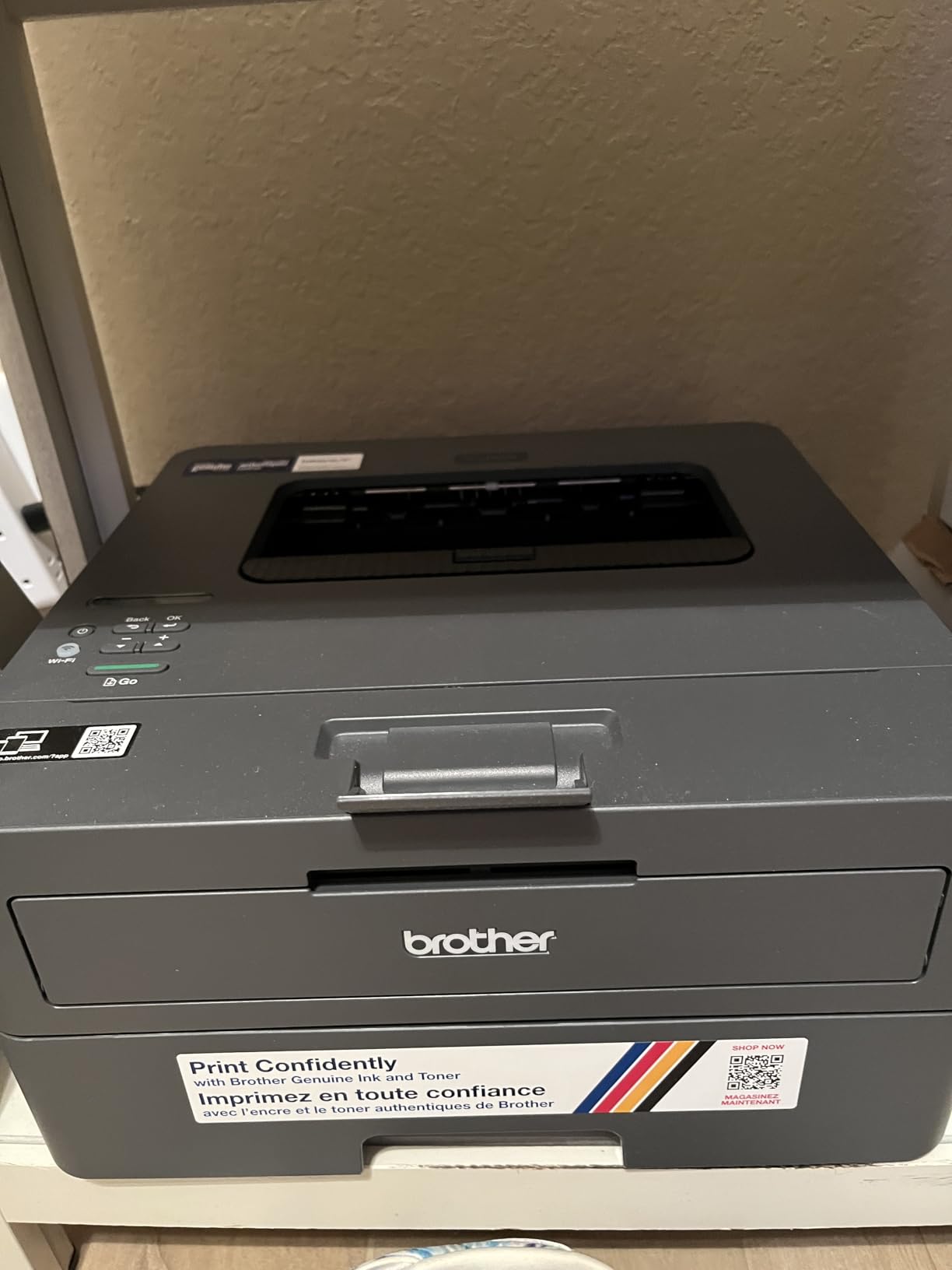
This is the sibling of the pick above, and the reason to consider it is simple: automatic duplex is the only meaningful feature you give up. Everything else that matters at volume stays, including the 250 sheet tray, the 8.5 second first page and the same TN830 toner family that keeps the per-page cost low.
Owners single out the install experience as unusually clean, with no bloatware, no forced app and no account sign-up step. For a home office that just wants a printer to exist and work, that is worth more than a feature on a spec sheet.
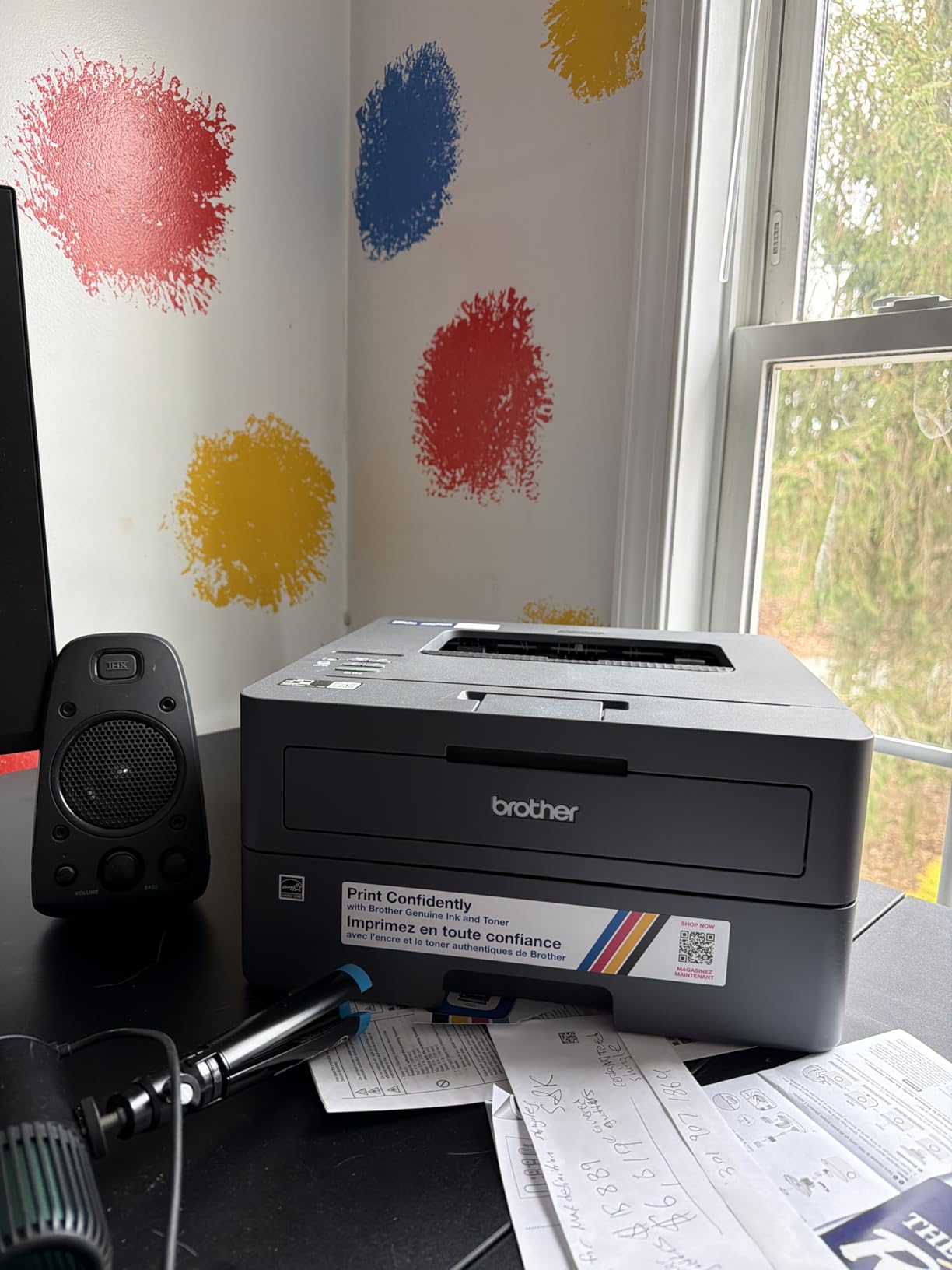
Speed is 30 pages per minute in black at 1200 by 1200 dpi, with an eight and a half second first page. The body is 15.1 pounds and about 14 inches wide, so it shares a small desk more comfortably than most of the inkjets here.
Two honest warnings. Duplex is manual, meaning you reload and flip for two-sided documents. And reviewers report that deep sleep mode can drop the wireless connection on some mesh networks, which is worth checking against your own setup before you commit.
Is the saving worth losing automatic duplex?
If you print single-sided documents, or if you batch two-sided work and do not mind the reload, yes. The toner economics and the tray size are what actually control your monthly cost, and neither changes here. If your documents are routinely double-sided and long, the extra steps will start to cost you time rather than money.
There is also a workflow consideration. Automatic duplex machines finish and release, while a manual duplex machine holds your attention until you turn the stack over.
Who should skip it?
Skip it if you print mostly double-sided documents, since manual duplex is the wrong tool for that. Skip it if you need scanning or copying. And skip it if you run mesh networking at home and cannot accept occasional connection drops in deep sleep mode.
For single-sided black printing at moderate volume, this is the value pick in the roundup.
6. HP LaserJet M209dw – the lightest two-sided laser
HP LaserJet M209dw Wireless Printer, Print, Fast speeds, Easy Setup, Mobile Printing, Best-for-Small Teams, Instant Ink Eligible
Mono laser print only
30 ppm single sided and 19 ipm duplex
150-sheet tray
Dual band Wi-Fi with self-reset
Pros
- Compact 11.2 pound footprint
- Fast 19 images per minute duplex output
- Dual band Wi-Fi with self-reset
- App-driven setup without a computer
- Starter toner rated around 700 pages
Cons
- Print only with no scanner
- 600 by 600 dpi is lower than Brother lasers
- Some owners report wireless dropouts
- Instant Ink eligibility is listed but toner is the consumable
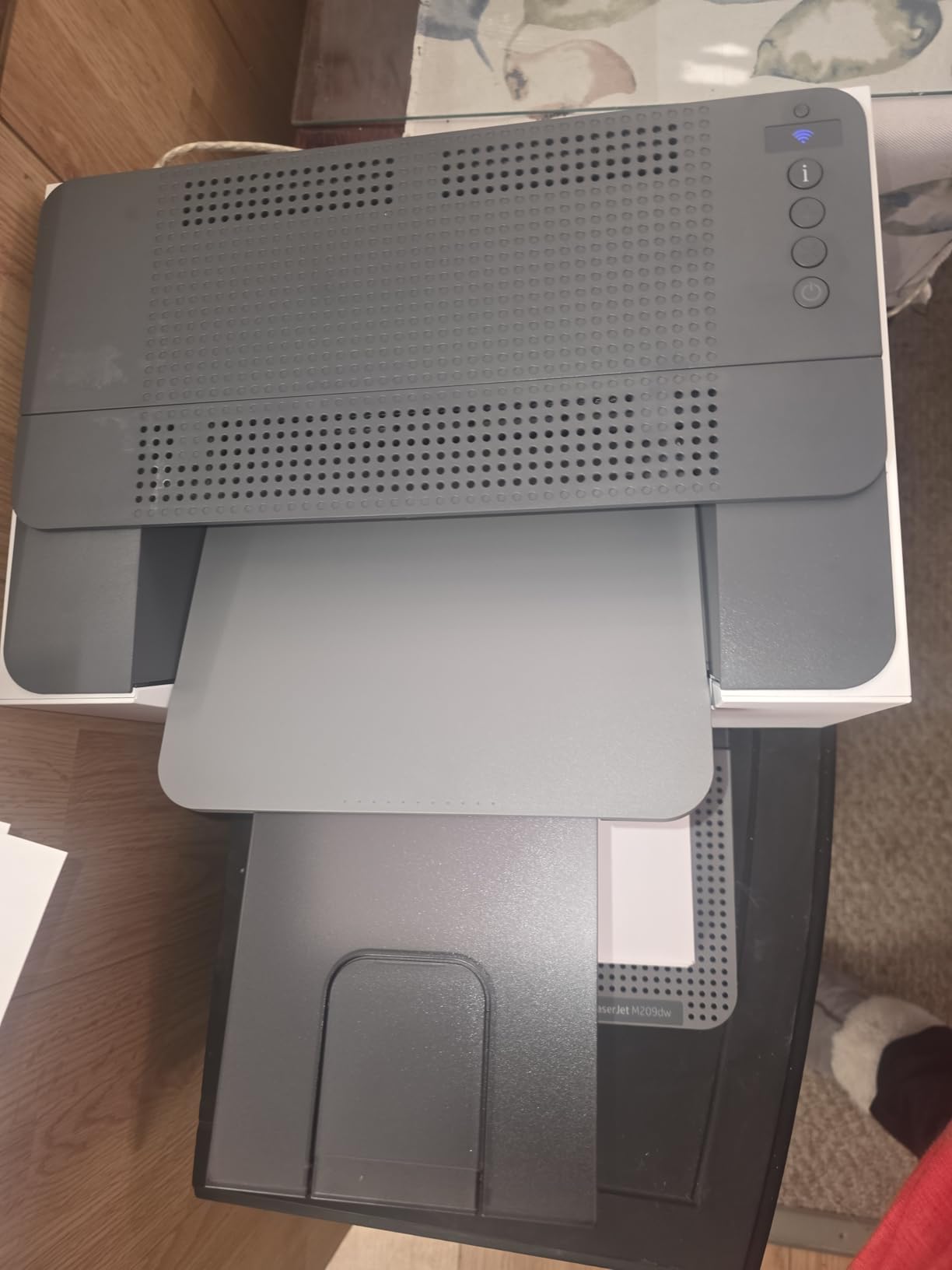
This is the laser to buy if your desk is small. At 11.2 pounds and just over 8 inches tall it is one of the two lightest machines in the roundup, yet it still prints up to 30 pages per minute single-sided and 19 images per minute two-sided with automatic duplex. That combination is unusual at this size.
The wireless implementation is the standout feature. HP describes dual band Wi-Fi with self-reset, meaning the printer detects and resolves its own connectivity problems rather than requiring you to reconfigure it. Setup runs through the app and can be finished without a computer, which matters if your home office laptop is the only machine you own.
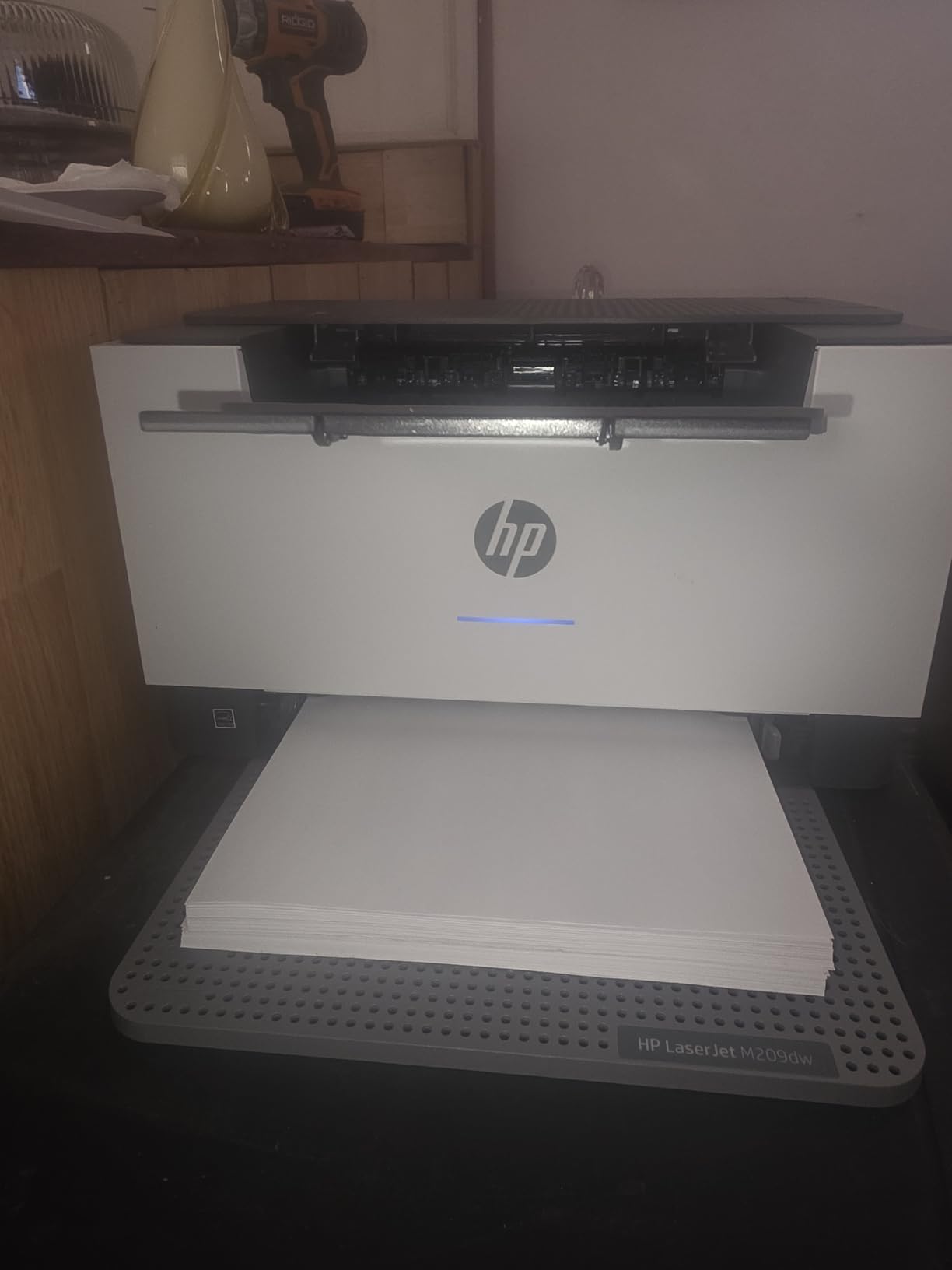
The tray holds 150 sheets and includes a starter toner cartridge rated at roughly 700 pages, so you are not printing grey on the first morning. It handles legal size paper and paper from 4 by 6 inch up to 8.5 by 14 inch.
The compromise is resolution. Output is 600 by 600 dpi, which is visibly softer than the 1200 by 1200 dpi from the Brother machines. On body text that difference is negligible; on fine print, small diagrams or anything archival, you will see it.
Is it good for small text and detailed documents?
Perfectly adequate for contracts, invoices and ordinary reports. Where it stops being ideal is dense small print or technical drawings, because the lower resolution softens fine detail. If your work is legal or academic documents with footnotes, check whether the sharper Brother output matters more to you than the smaller footprint.
Also note that despite Instant Ink eligibility appearing in the listing, this is a laser printer and toner is the only consumable it takes. There is no ink plan involved at any point.
Who should skip it?
Skip it if you need scanning or copying, since it is print only. Skip it if very fine text quality matters. And skip it if you are sensitive to HP software, because some owners describe the configuration experience as more demanding than the hardware deserves.
For a compact home office printing black documents several times a week, it is a genuinely good fit.
7. HP LaserJet MFP M235sdw – mono laser with a document feeder
HP LaserJet MFP M235sdw All-in-One Laser Wireless Printer, Scan/Copy, Black & White, Duplex, Best-for-Office
Mono laser all-in-one
30 ppm black with 7 second first page
Automatic document feeder
Scan to email and scan to PDF
Pros
- Print scan and copy in one machine
- Fastest first page among the office machines at 7 seconds
- Scan to email and PDF shortcuts
- Dual band Wi-Fi with self-reset plus Ethernet
Cons
- Heaviest unit in the roundup at 21 pounds
- Scanning and copying are single sided only
- Toner cost criticised by some owners
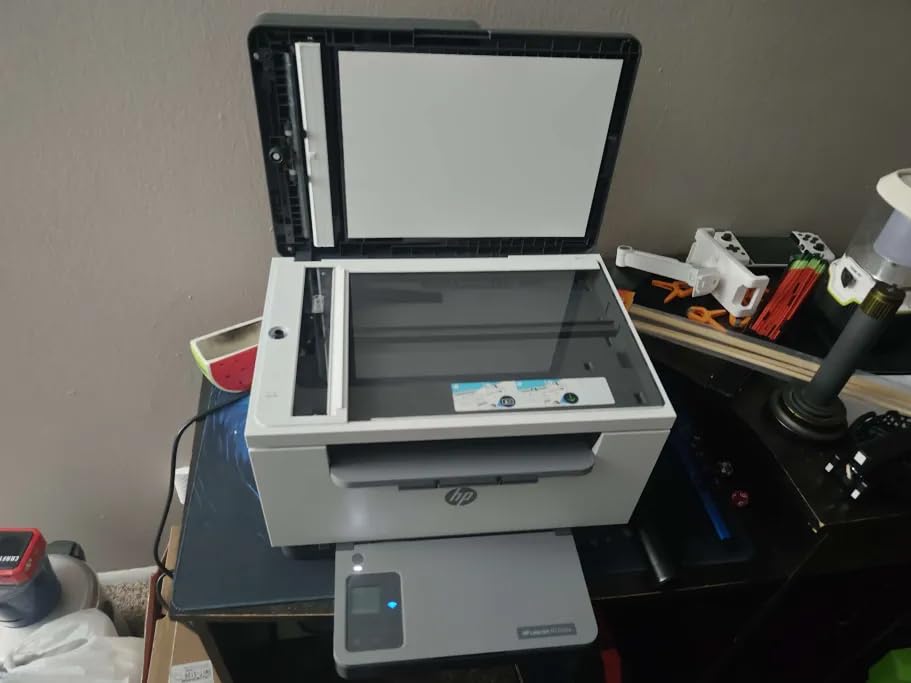
When you want a laser printer and also need a scanner, this is the machine. It prints, scans and copies in black and white, with an automatic document feeder on top, automatic two-sided printing, and a first page out in seven seconds. Scan to email and scan to PDF are built in as shortcuts rather than something you assemble from a desktop app.
For a home office that files paperwork, scans a signed page to email regularly, or copies documents several times a week, having all three functions in one body removes a whole category of friction. Owners coming from older LaserJets report noticeably crisper true black output on the newer engine.
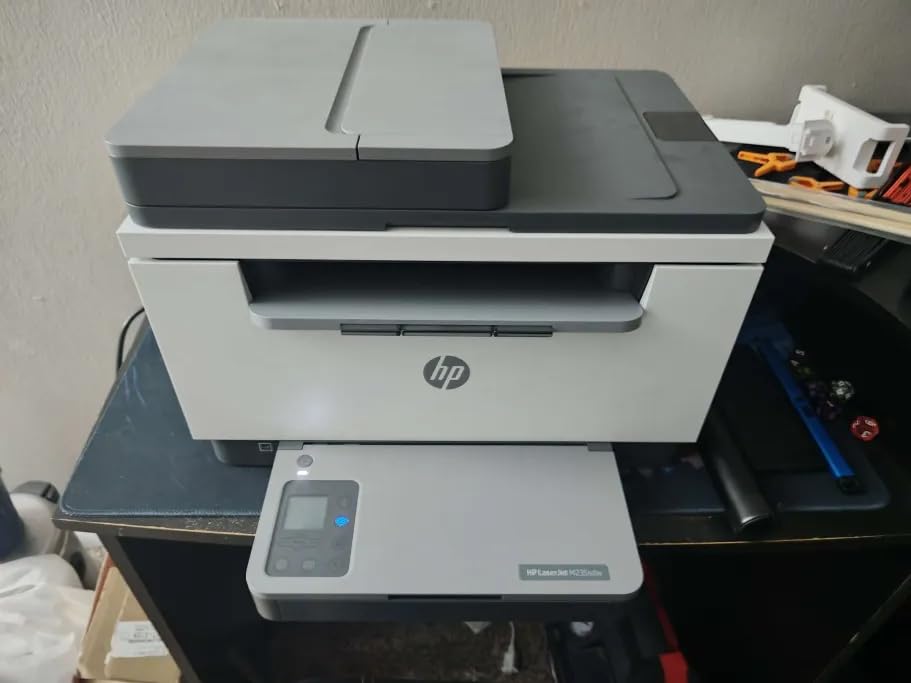
Connectivity is thorough, covering dual band Wi-Fi with self-reset, Ethernet, USB, wireless direct printing, AirPrint and Mopria. It handles letter, A4 and legal paper, and the 150 sheet tray matches the output tray at 150 sheets, so long jobs do not stall waiting for finished pages to be cleared.
Be clear-eyed about two limitations. Scanning and copying are single sided even though printing is duplex, so a two-sided document still has to be flipped for scanning. And it is the heaviest machine here at 21 pounds, which is a real consideration if it shares a desk with your keyboard.
Is it worth it over a separate scanner?
For most home offices, yes. A dedicated sheetfed scanner costs money, takes desk space and needs its own cable and driver. This puts the feeder, scanner and printer in one 21 pound body with one power lead, and the scan to email workflow is already built in.
It is less convincing if your scanning is heavy enough to need duplex scanning, because this feeder does not turn the sheet. For very occasional flatbed work, the mono laser approach is still the cheaper overall setup.
Who should skip it?
Skip it if you print colour, which it cannot do. Skip it if desk space is tight, since at 21 pounds it is the heaviest unit here. Skip it if you need two-sided scanning. And skip it if you are print-only, because a lighter print-only laser will serve you for less money.
Note that this listing has a much shorter owner history than the rest of the roundup, so read recent reviews before committing.
8. Epson WorkForce Pro WF-3823 – the quickest inkjet here
Epson Workforce Pro WF-3823 Wireless Color All-in-One Inkjet Printer
Colour inkjet all-in-one
21 ppm black and 11 ppm colour
35-page automatic document feeder
Automatic duplex and 250-sheet tray
Pros
- Colour output up to 4800 by 2400 dpi alongside a feeder
- 250 sheets means paper capacity rarely matters
- Pigment ink is instant-dry so duplex jobs do not smear
- Automatic duplex printing standard
- 2.7 inch colour touchscreen
Cons
- Largest and heaviest inkjet at 19.4 pounds
- Document feeder is single sided only
- Built for Epson genuine cartridges only
- Piezo output can be modest on heavy image work
This is the fastest inkjet in the roundup and one of the best specified machines overall. Twenty-one pages per minute in black and 11 in colour, automatic duplex, a 250 sheet tray, a 35 page document feeder and a 2.7 inch colour touchscreen. Put those together and it covers the widest range of home office jobs of anything at this budget.
The technology underneath is Epson PrecisionCore Heat-Free, which uses no heating element and is built for sustained volume rather than occasional bursts. Print resolution reaches 4800 by 2400 dpi with DURABrite Ultra pigment inks, which are instant-dry and therefore well suited to double-sided work without smearing.
Setup is unusually modern. Bluetooth Low Energy, Wi-Fi Direct and Ethernet are all present, plus secure wireless features and secure data erase for anyone who handles sensitive documents. Owners praise both the speed and the accurate high-resolution output.
The two things to weigh are physical and contractual. At 19.4 pounds and 16.7 inches wide it is the biggest inkjet here and needs real desk space. And Epson designs this system for Epson genuine cartridges only, so third-party ink may cause damage that your warranty does not cover.
Is it good for someone who prints both documents and photos?
Yes, and that is its main argument. You get genuine colour capability at up to 4800 by 2400 dpi alongside a document feeder and automatic duplex, so photographs and paperwork come from one machine. At 250 sheets you will rarely think about paper capacity.
If photos are the primary job rather than an occasional one, remember that it runs cartridges rather than bottled ink, so the per-page cost over a photo-heavy year will be higher than an ink tank machine.
Who should skip it?
Skip it if desk space is limited, because this is the largest machine in the roundup. Skip it if you intend to use third-party ink, because the warranty position is clear. Skip it if you print a lot of dark, saturated images, where pigment inkjet output is less intense than dye ink output.
For a busy home office that wants one device for everything, it is hard to argue with the feature count.
9. Brother INKvestment MFC-J1365DW – compact color with duplex
Brother INKvestment 1365 Wireless Color Inkjet All-in-One Printer with Automatic Duplex Printing and 1.8” Color Display | Includes Refresh Subscription Trial(1) (MFC-J1365DW)
Colour inkjet all-in-one
Automatic duplex printing
20-page single-sided ADF
150-sheet front loading tray
Pros
- Automatic duplex and a feeder in a compact body
- Front loading cartridge access is easy
- INKvestment XL cartridges give long ink life
- Cloud printing to Drive Dropbox Box and OneDrive
- Good Linux driver support
Cons
- Not a true tank printer despite the name
- Small screen and button navigation frustrate setup
- Feeder is single sided only
- Colour density is clean but light
This sits in the gap between a cartridge printer and an ink tank machine, and it fills that gap well. You get automatic duplex and a 20 page document feeder in a body that is 15.4 inches wide, which is smaller than most machines in this roundup that offer both features. Speed is 16 pages per minute in black and 9 in colour, with first page out at about 6.2 seconds in black.
Ink life is the quiet strength. The INKvestment XL cartridges in the box are rated at 1200 pages of black and 500 pages per colour, which is far more ink in the box than a typical cartridge printer and less commitment than a full tank unit.
Cloud printing from the 1.8 inch colour display covers Google Drive, Dropbox, Box and OneDrive, and owners praise the front-loading cartridge door that makes ink changes straightforward without moving the printer. Linux support is also better than most competitors manage.
The dominant complaint in owner feedback is setup. Navigating network configuration on a small screen with arrow buttons is genuinely tedious, and if your printer is set up by someone else, that friction is worth knowing about. One reviewer also reported a cyan cartridge the unit would not recognise on a new machine, which is a supply fault rather than a design fault, but worth keeping the packaging.
Two further points. The 20 page feeder is single sided only. And despite the name, this is not a tank printer, so the long-run per-page cost sits above an ink tank machine and below a standard cartridge printer.
Is ink life good enough to avoid cartridge shock?
It is a meaningful improvement, though not a solution. The bundled cartridges alone run to 1200 black pages, which covers a light home office for a good part of a year. Once you do need replacements, INKvestment XL yields are considerably higher than standard cartridges, so the monthly cost is manageable.
If you expect to exceed 500 colour pages a year, an ink tank machine will still be cheaper. If you expect fewer than that and want colour, duplex and a feeder in a compact body, this is a sensible middle position.
Who should skip it?
Skip it if you are comfortable with a tank machine and print heavily, because the per-page cost never gets as low. Skip it if you expect heavy two-sided scanning, because the feeder turns only one side. And skip it if you are setting the printer up yourself for the first time and want a painless process.
10. HP Smart Tank 5003 – the lowest running cost
HP Smart Tank 5003 Wireless All-in-One Ink Tank Printer, Scanner, Copier with up to 3 Years of Ink Included, Best-for-Home, Cartridge-Free Refillable, AI-Capable (9B2D3A)
HP thermal inkjet tank
Up to 3 years of ink included
About 6000 pages out of the box
Cartridge-free bottle refills
Pros
- Lowest cost per page in the roundup
- Up to 3 years of ink included in the box
- Mess-free bottle refill with no squeezing
- Light 11.1 pound body with a low profile
- Print copy scan plus borderless output
Cons
- Manual duplex only
- Flatbed scanner with no document feeder
- 100-sheet paper capacity
- 21 second first page out is slow
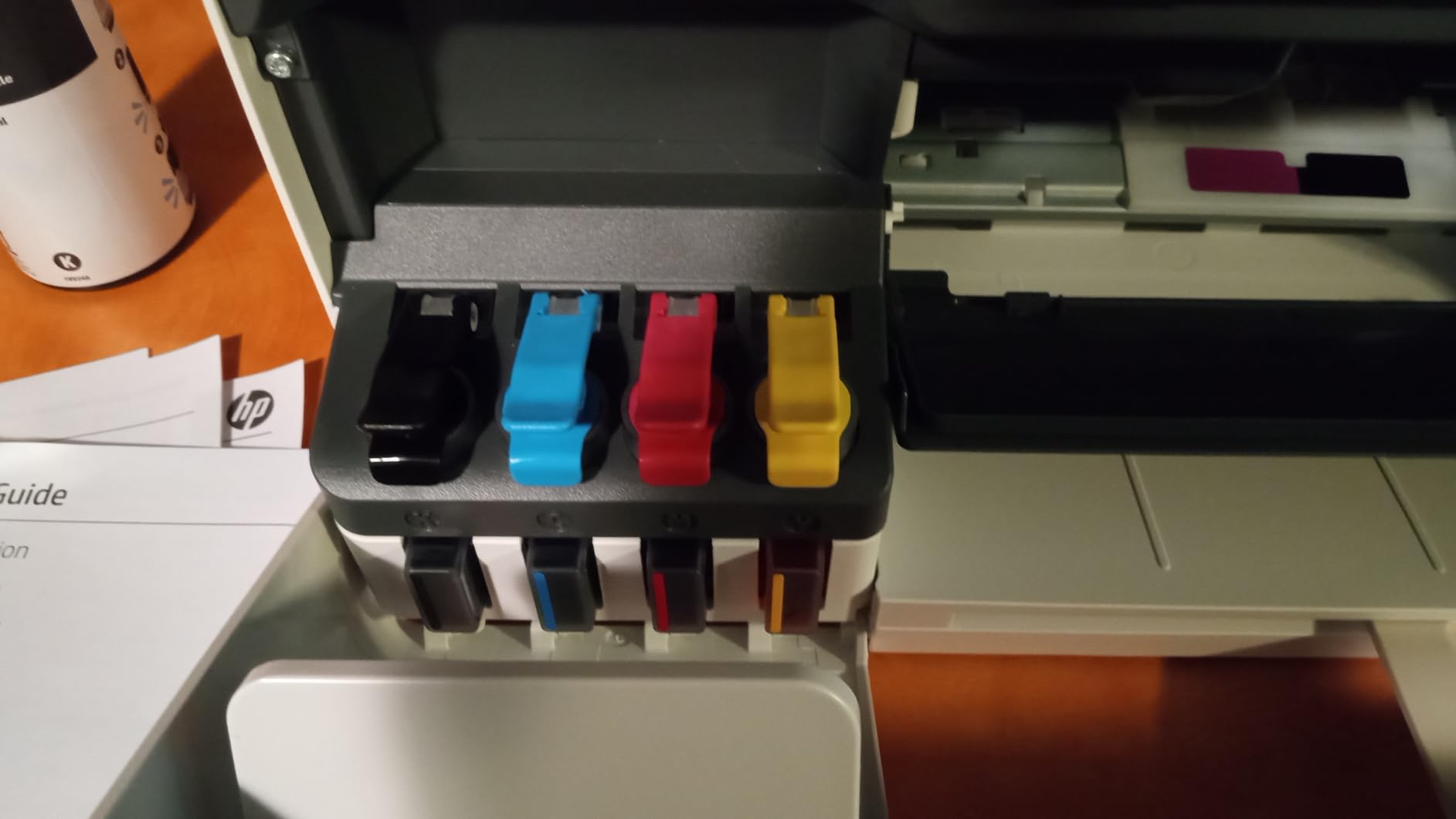
If your only question is which machine gives you the most printed pages for the least money over two years, this is the answer. HP states up to three years of ink included, roughly 6000 pages out of the box, supplied as a 135 ml black bottle and three 50 ml colour bottles. The tank itself is cartridge-free, so refilling means plugging a bottle in and letting it drain rather than squeezing an ink cartridge.
That refill design is the practical winner. No syringes, no nozzles, no risk of an air bubble, and nothing to throw away once the colour runs out. At 11.1 pounds it is the lightest printer in the roundup, with a height of just over 6 inches, which makes it easy to shelve.
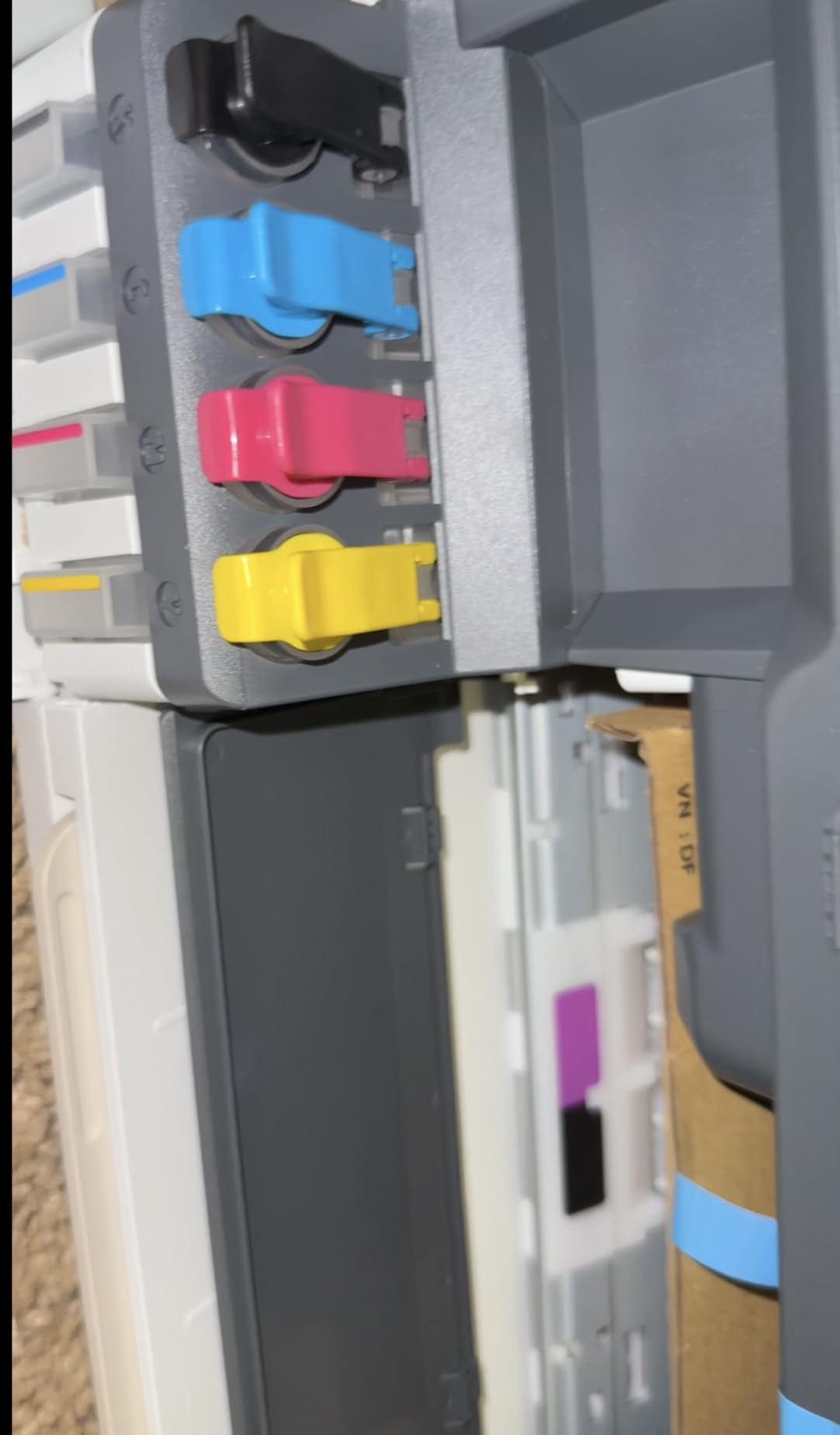
It handles print, copy, scan and borderless photo output, supports AirPrint, HP ePrint, Mopria and direct printing from phone or tablet, and prints legal size paper. Copy and scan resolution go up to 600 dpi, which is fine for documents and light images.
The compromises are all about pace and paper handling. Duplex is manual, the scanner is flatbed only with no document feeder, and the tray holds 100 sheets. At 10 pages per minute in black and 5 in colour with a 21 second first page out, it is noticeably slower to start than the other inkjets here.
Does it save enough to matter over two years?
If you print several hundred pages a month, yes. The in-box supply alone would cover roughly 6000 pages, which is about two years at 250 pages a month, so most buyers in that range will buy one set of refill bottles during the ownership period. At that level the cost per page is the lowest of any machine here by a clear margin.
If you print 30 pages a month, the economics barely matter and the slow speed does. At that volume a mono laser or a cartridge inkjet will serve you perfectly well and feel much faster.
Who should skip it?
Skip it if you print double-sided documents regularly, because duplex is manual. Skip it if you scan multi-page paperwork, because there is no feeder. Skip it if speed matters, because a 21 second first page out is the longest wait in the roundup. And skip it if you want to print heavy colour volumes, where the smaller colour bottles run out faster than the black one.
For a home office defined by ink anxiety rather than by volume, it is the machine that solves the problem.
Inkjet, Ink Tank or Laser: Which One Fits a Home Office
A laser printer uses a drum and powdered toner that fuses onto the page with heat, rather than liquid ink sprayed from a head. That single difference explains almost everything else: laser prints faster, costs less per page for black text, handles high volumes without drying problems, and produces no colour at all in this price bracket. Inkjet sprays liquid ink, which means it can produce photographs and gradients, and it starts cheaper.
An ink tank printer is an inkjet with refillable internal tanks fed by bottles instead of sealed cartridges. The purchase price is higher because you are buying a reservoir, but the running cost collapses. That is the whole argument for spending more today. It is a poor choice if you print ten pages a month and a strong one if you print several hundred.
The decision roughly follows your monthly volume. Under about 50 pages a month, a cartridge inkjet is fine and the low purchase price wins. Between 50 and 200 pages, an ink tank is where the maths starts to favour you strongly. Above 200 pages of black text, a mono laser pulls ahead on speed and per-page cost. One structural fact closes the colour question: under 200 dollars, colour laser does not exist as a recommendable option, because every laser in this roundup is monochrome.
What Duplex, ADF and Paper Capacity Actually Change For You
Automatic duplex means the machine prints both sides of a sheet without you flipping it. In this roundup, six machines have it. For anyone printing contracts, reports or anything longer than a page, it is the feature that changes daily friction more than any other, and it is worth choosing a slightly slower machine to get it.
An automatic document feeder means the machine pulls a stack of pages through for scanning or copying. Every ADF in this roundup is single sided, so double-sided originals still need a second pass. If your paperwork is mostly single sided, a feeder is a large convenience win. If it is mostly double sided, budget for the flip.
Paper capacity matters less than people expect and more than spec sheets suggest. Anything under 100 sheets is a weekly refill for an active office. The Brother lasers hold 250 sheets, which is genuinely different from the 60 sheet tray on the budget Canon, and for a home office that prints a few hundred pages a week it removes an interruption a dozen times over.
How To Avoid The Ink Subscription Trap
The trap is straightforward: some printers ship with a free trial of a paid ink plan, and the trial is easy to accept by accident during setup. Declining it takes a few seconds and prevents the machine from prompting you every few weeks.
Second, buy consumables yourself. Every machine in this roundup uses standard cartridges or toner, so nothing here requires a plan. When you set up a Brother, decline the Refresh EZ Print trial. When you set up an HP, ignore Instant Ink eligibility messaging on a laser printer, because toner is the only consumable it takes.
Third, check the model suffix before you buy. A letter e at the end of an HP model usually signals Instant Ink capability, which is worth avoiding if you do not want the prompt at all. Canon’s Alexa-linked Smart Reorder is opt-in and works the same way.
Fourth, buy ink from a reputable third-party seller rather than only the manufacturer, unless the manufacturer requires genuine cartridges for warranty coverage. That caveat matters most on Epson and HP, where reviewers warn that third-party ink may cause damage not covered by warranty.
Wireless Setup Fixes That Take Five Minutes
Check the Wi-Fi band first. A printer that only supports 2.4 GHz will not join a 5 GHz network, and on a dual band router it can appear to work and then disappear. Every pick in this roundup specifies wireless connectivity, and most list dual band support explicitly, so this failure mode is uncommon here. It is still worth confirming on the box, because a 2.4 GHz only unit will never fix itself.
Set up on 2.4 GHz first. If the printer struggles on your faster band, connect it to the slower one during setup and move it afterwards. Most manufacturer apps offer both bands and the slower one is more forgiving.
Keep the printer on the same network as the device that will print from, and on a mesh system set it up on the main node rather than a satellite. Deep sleep mode can also break connections on mesh networks, which is a reported issue with the Brother HL-L2405W.
Finally, finish setup before you need to print. Both the Brother mobile-driven flow and the HP app flow run long, so give them ten spare minutes rather than five minutes before a deadline.
Frequently Asked Questions
What is the best printer for under 200 dollars?
For most home offices, the Canon MegaTank G3270 is the best printer under this ceiling. It is a wireless ink tank all-in-one that ships with roughly two years of ink, prints black and white at 11 pages per minute and colour at 6, and prints copies and scans from a flatbed. If your work is black text at volume, the Brother HL-L2460DW is faster at 36 pages per minute with automatic duplex and a 250-sheet tray. If you scan paperwork weekly, the Canon PIXMA TR8620a adds a 20-page feeder and fax.
Which printer is best for a home office?
It depends on whether you need colour and how much you print. A remote worker printing mostly contracts and reports is best served by a mono laser with automatic duplex. A freelancer sending colour proposals and printing a few hundred pages a month is best served by an ink tank all-in-one. The single most important criterion is cost per page rather than purchase price, because ink and toner dominate the cost of ownership over two years.
Are laser printers being phased out?
No. Laser printing remains the standard for black and white documents in offices of every size, and every monochrome laser in this roundup is currently sold with a one-year limited warranty and ongoing toner supplies. What has changed is that sub-200 dollar lasers are monochrome only, so there is no cheap colour laser route in this bracket. Ink tank technology has taken the low-volume colour segment, not the laser segment.
Which is better, HP Envy or HP DeskJet?
Neither model appears in this roundup, because both cartridge-based HP inkjets in that family are built around a small number of cartridges that make running cost the weak point. If you want an HP under this ceiling, the Smart Tank 5003 is the model to choose, because its cartridge-free tank and three years of included ink remove the per-page problem entirely. If you prefer a Brother, the INKvestment MFC-J1365DW gives automatic duplex and a feeder in a compact body.
What is the best home laser color printer?
There is no home colour laser worth recommending under 200 dollars. Every laser printer at this price is monochrome, so a colour laser sits above the ceiling with a larger body, a colour toner set and higher running cost. If colour is required, choose an ink tank all-in-one such as the Canon MegaTank G3270 or the HP Smart Tank 5003, both of which print colour from bottled ink at a low per-page cost.
Which is better, a Canon printer or an Epson printer?
Canon wins on running cost when you choose an ink tank model such as the MegaTank G3270, which ships with up to two years of ink. Epson wins on speed when you choose a cartridge inkjet such as the WorkForce Pro WF-3823, which is the fastest inkjet in this roundup at 21 pages per minute with a 250-sheet tray and a 35-page feeder. Canon also offers more feature-complete office machines, while Epson restricts its systems to genuine cartridges for warranty reasons.
Which printer is faster, inkjet or laser?
Laser is faster, and it is not close for black and white. The Brother HL-L2460DW prints 36 pages per minute and the HP LaserJet M209dw prints 30 pages per minute single-sided and 19 images per minute two-sided, while the fastest inkjet here reaches 21 pages per minute. Inkjet machines are slower to reach the first page too, with the HP Smart Tank 5003 taking 21 seconds against 8.5 seconds for the Brother lasers and 7 seconds for the HP LaserJet MFP M235sdw.
What is a laser printer?
A laser printer prints by passing an electrically charged drum over a cartridge of powdered toner, which sticks to the drum in the shape of your page and is then fused onto the paper with heat. Because toner is powder rather than liquid, there are no nozzles to clog and no ink to dry, which is why laser printers are faster, quieter on long runs and cheaper per page for black text. The trade-off is that laser output in this price range is black and white only.
Is HP Instant Ink worth it?
It can be competitive if you print very little, because the plan bundles ink into a monthly fee that is low for occasional users. It becomes a poor deal once your volume climbs, and it ties the printer to a plan rather than to your own purchasing habits. For this roundup we left subscription-tied models out of the recommendations, and the HP pick here is the Smart Tank 5003, which uses bottled ink and requires no plan.
Do I need an ADF for a home office printer?
Only if you scan or copy more than a page at a time. A flatbed scanner handles single pages fine and costs nothing extra, which is why several picks here have no feeder. An automatic document feeder becomes worth it the moment you regularly scan contracts, receipts or signed documents, since it removes the need to lift the lid for every page. Remember that every feeder in this roundup is single sided, so double-sided originals still need a second pass.
The Best Printer For Your Home Office In 2026
After working through all ten, the best printers under 200 for home offices come down to two questions. Do you need colour? If not, buy the Brother HL-L2460DW for speed, automatic duplex and the largest tray in the group. If you do need colour, buy the Canon MegaTank G3270, which is our top pick because the ink in the box covers most of what a home office prints in its first two years.
Add scanning to the requirement list and the choice narrows to the Canon PIXMA TR8620a, the only machine here with a feeder, fax and automatic duplex together. If your priority is the smallest possible running cost rather than the smallest possible purchase price, the HP Smart Tank 5003 wins on both bottle refills and ink supplied out of the box.
Whatever you choose, set it up properly the first time: decline any subscription trial, confirm the Wi-Fi band, and work out your real monthly page volume before you commit. If you are still weighing a printer against a dedicated scanner, our laser printer guide for home offices covers that trade in more depth, and our wireless printer picks cover multi-device setups. Getting the desk right matters too, which is why we keep pointing people toward our guide to the best standing desks for home offices once the printer is placed.