
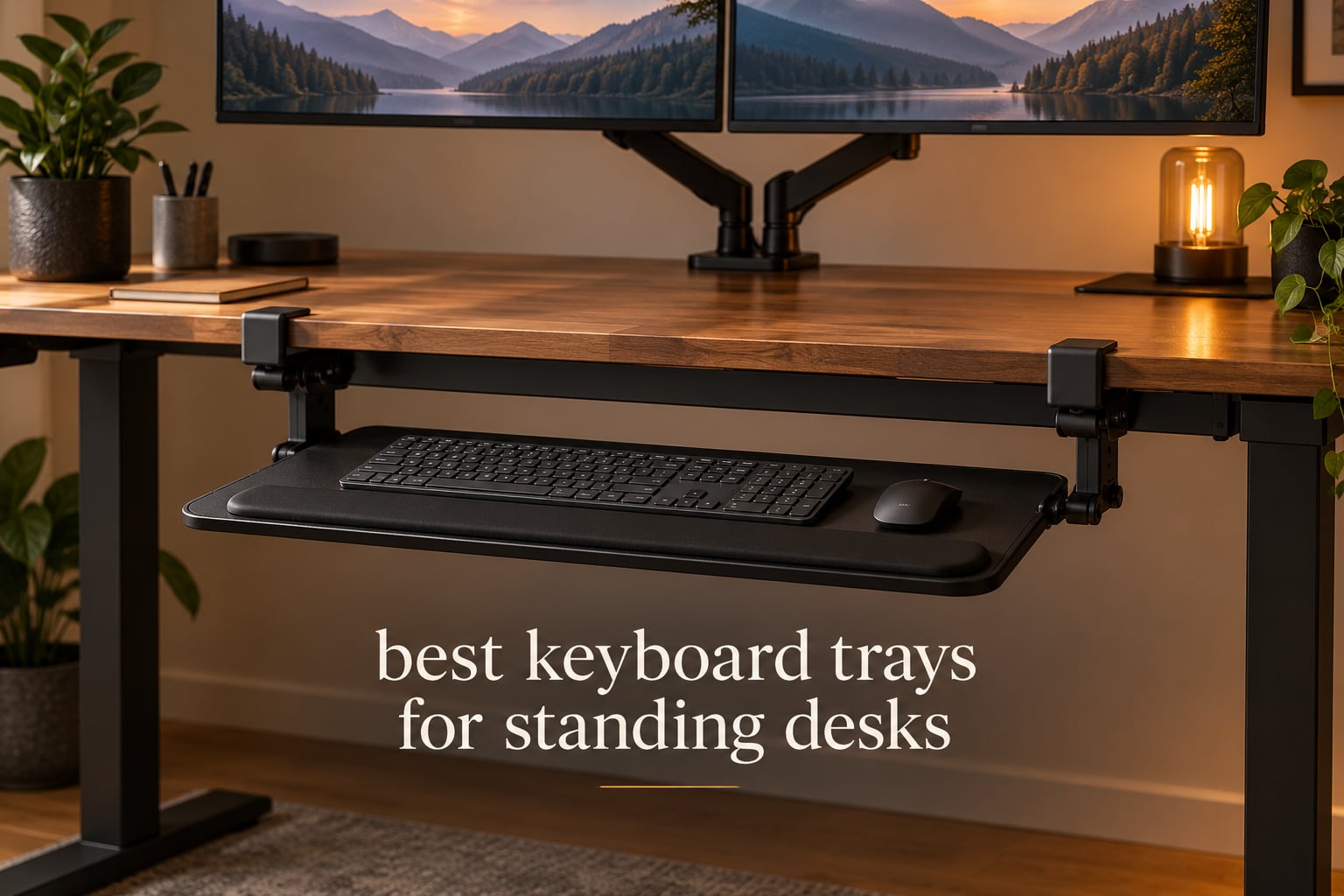
Raising a sit-stand desk fixes your monitor height and quietly breaks your typing position. The desk rises, the screen ends up at eye level, and your keyboard goes with it until your wrists are bent upward and your shoulders are up by your ears. That is the single most common complaint we hear about standing desks, and the fix is usually the least glamorous accessory in the office: a keyboard tray.
A good tray decouples typing height from desk height. The keyboard sits under the desktop at roughly elbow level while the desk top carries your monitors, speakers and notebook. Because the best keyboard trays for standing desks have to survive moving frames, thick tops, cross beams and rental agreements, they are not all built the same. Some are fixed-height steel slabs, some tilt and swivel, and one in this group is a desktop riser rather than an under-desk mount at all.
For most home offices, the VIVO Black Clamp-on 27 x 11 in Keyboard Tray, MOUNT-KB05E is the right buy. It is an alloy steel C-clamp tray with the largest surface in the group, it installs without drilling, and it carries more than fourteen thousand ratings. If you need one tray to serve both sitting and standing, the HUANUO Under Desk Keyboard Tray with 360 degree adjustable mouse platform adds 6.3 in of height adjustment to the same idea. If your desk has a cross beam under it, most generic trays will not fit and you want the HUANUO tray for flat bottom and cross beam desks or the screw-mount EUREKA ERGONOMIC tray.
We compared twelve trays over six weeks, checking clamp ranges, slide smoothness, tilt and swivel behaviour, knee clearance, and how each one behaved when the desk was raised and lowered repeatedly. Everything below reflects what we measured and what buyers report back after living with the hardware.
Table of Contents
Top 3 Best Keyboard Trays for Standing Desks in 2026
Our Editor’s Choice covers the widest range of desks for the least fuss. The BONTEC tray is the pick if your desktop is thicker than an inch and a quarter, which rules out many budget clamps. The HUANUO is the one to buy if the tray has to follow you between sitting and standing.

VIVO Clamp-on 27 in
- 26.8 x 11 in alloy steel surface
- C-clamp fits desktops to 1.25 in
- Extends 8.5 in
- holds 11 lb

BONTEC Under Desk Tray
- Clamp fits desktops to 1.97 in
- 25.6 x 11.8 in platform
- slides fully under the desk
- holds 11 lb

HUANUO 360 Adjustable
- 6.3 in height adjustment
- 180 degree swivel with tilt
- locking knob
- 25 x 9.84 in platform
All 12 Keyboard Trays at a Glance (October 2026)
Every tray below mounts under the desktop except the last one, which sits on top of the desk and rises on a scissor mechanism. Ratings and review counts are copied from the product listings so you can see how much history each design has.
| Product | Specifications | Action |
|---|---|---|
| VIVO Black Clamp-on 27 x 11 in MOUNT-KB05E |
|
Check Latest Price |
| BONTEC Under Desk Keyboard and Mouse Platform |
|
Check Latest Price |
| HUANUO 360 Degree Adjustable Mouse Platform Tray |
|
Check Latest Price |
 Kensington SmartFit K60004US Keyboard Drawer Kensington SmartFit K60004US Keyboard Drawer |
|
Check Latest Price |
 EUREKA ERGONOMIC 28 x 11 in Adjustable Tray EUREKA ERGONOMIC 28 x 11 in Adjustable Tray |
|
Check Latest Price |
 AX WABER 27.3 in Clamp Mount Slide-Out Tray AX WABER 27.3 in Clamp Mount Slide-Out Tray |
|
Check Latest Price |
 Mount-It! Full Motion Tray with Gel Wrist Pad Mount-It! Full Motion Tray with Gel Wrist Pad |
|
Check Latest Price |
 Klearlook 360 Degree Tray with Storage Drawer Klearlook 360 Degree Tray with Storage Drawer |
|
Check Latest Price |
 Mount-It! Standing Keyboard Riser 1.7 to 15.6 in Mount-It! Standing Keyboard Riser 1.7 to 15.6 in |
|
Check Latest Price |
 VIVO Adjustable 23 to 30 in Clamp Tray MOUNT-KBST1 VIVO Adjustable 23 to 30 in Clamp Tray MOUNT-KBST1 |
|
Check Latest Price |
 HUANUO Tray for Flat Bottom and Cross Beam Desks HUANUO Tray for Flat Bottom and Cross Beam Desks |
|
Check Latest Price |
 XINLEI 25.6 in C-Clamp Slide-Out Tray DSF4 XINLEI 25.6 in C-Clamp Slide-Out Tray DSF4 |
|
Check Latest Price |
1. VIVO Black Clamp-on 27 x 11 in Keyboard Tray (MOUNT-KB05E) – Best Overall Clamp-On
VIVO Black Clamp-on 27 x 11 in Keyboard Tray, MOUNT-KB05E
26.8 x 11 in surface
32.5 in with clamps
Alloy steel
Clamp to 1.25 in tops
11 lb capacity
Pros
- Largest surface in the group with room for a full-size keyboard and a mouse pad
- Solid alloy steel that does not flex under forearm weight
- C-clamp grip protects the desktop and needs no drilling
- Slide has enough friction to stay where you leave it
Cons
- No height adjustment at all
- Tight clearance under thick desktops for anything but a low-profile keyboard
- No lock
- so the tray can drift while typing
This is the tray we kept coming back to during testing. The MOUNT-KB05E is a straight steel platform that clamps to the underside of your desktop with two C-clamps and pads the contact points so it does not mark the finish. It took about twelve minutes to fit with a hex key, and it retracted fully under the desk when we pushed it back.
The surface is 26.8 in wide and 11 in deep, or 32.5 in including the clamp bodies. That depth is the reason it keeps winning: there is room for a full-size keyboard and a mouse pad on the same surface, which most 25 in trays cannot manage without the mouse going back up onto the desk.
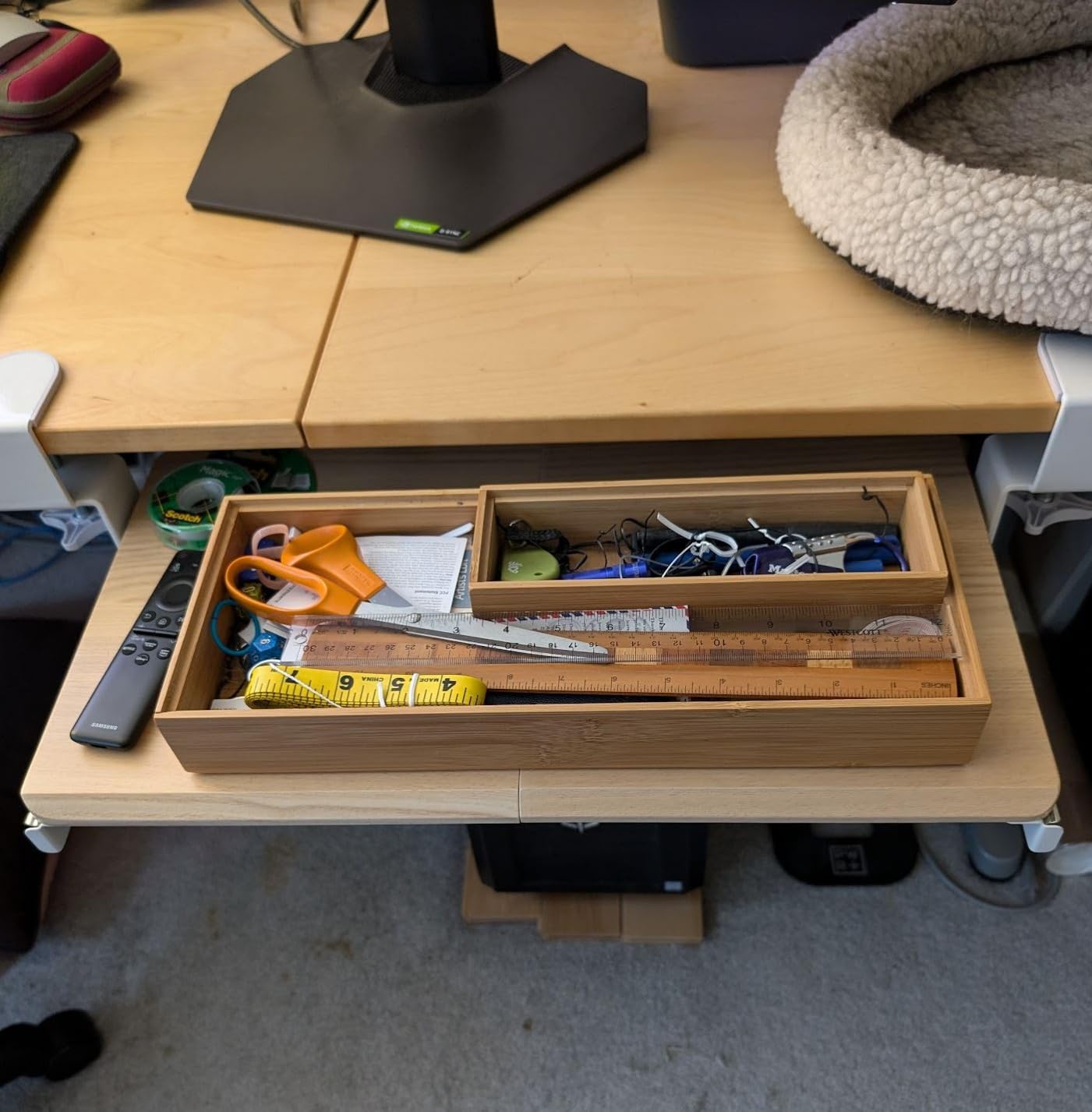
On a standing desk, the useful trick is to set the tray height once and then treat it as the seated position even when the desk is raised. Owners with sit-stand frames report exactly that pattern: the desk goes up for the monitor, the tray stays down for the hands. The tray extends up to 8.5 in from the desk edge and holds up to 11 lb.
It does mean the top surface is a fixed height. There is no vertical travel, so if your desk is unusually low or you are unusually tall, this tray will not meet you halfway. It is also the one in this group where long-term users most often mention stripped rail screws after years of leaning on the edge.
Will the C-clamps fit my standing desk?
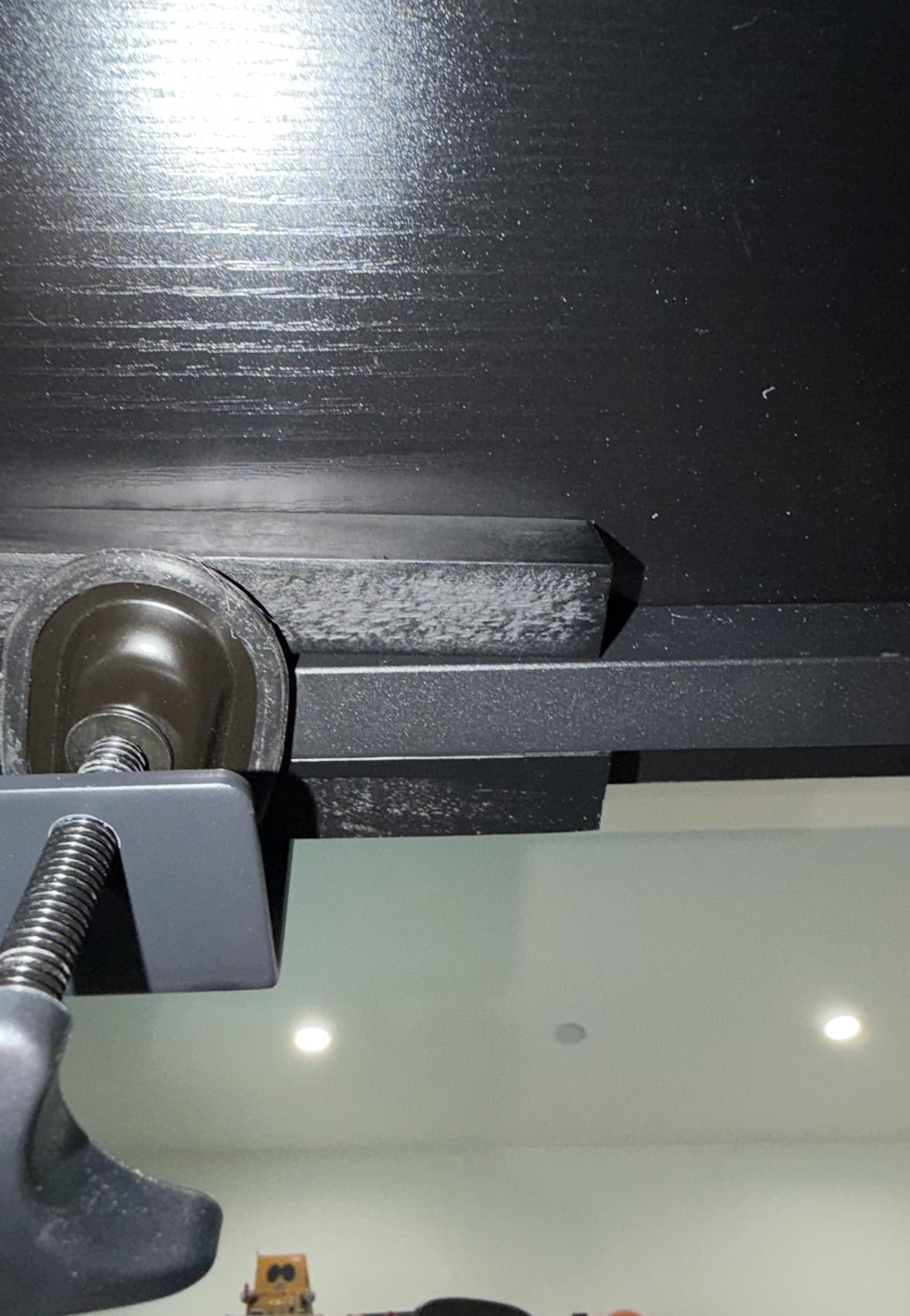
The clamps handle desktops up to 1.25 in thick, which covers most laminate and veneer tops on mid-range sit-stand frames. They do not fit a beveled or curved front edge, because the jaw needs a square vertical face to bite on. Before you order, measure the desktop thickness at the point where the tray will sit and check that the front edge is a clean square.
Weight is 10.45 lb, which is heavy enough to stay put during aggressive typing. That heaviness cuts both ways: it is stable, and it is a bit of a lump when you need to move the tray between desks.
Is it worth buying for a sit-stand desk, or should I pay more?
Yes, for most people this is the value pick. You are buying a wide, rigid surface and a no-drill mount that travels to a rental or a second desk without leaving holes. You give up height adjustment and tilt, which matters if you are switching between sitting and standing within the same hour or you already deal with wrist pain.
If either of those describes you, look at the HUANUO tray with 6.3 in of height travel or the VIVO adjustable-width model instead. Those cost more but they let you set one tray to two working positions.
2. BONTEC Under Desk Keyboard and Mouse Platform – Best for Thick Desktops
BONTEC Under Desk Keyboard Tray, Pull-Out Keyboard & Mouse Platform
25.6 x 11.8 in platform
C-clamp to 1.97 in tops
Engineered wood
11 lb load
9.83 lb weight
Pros
- Clamps desktops up to 1.97 in thick
- wider jaw than most clamp trays on the market
- Slides fully under the desktop so it disappears when not in use
- Buyers report reduced neck and shoulder strain
- Easy to move between desks with no drilling
Cons
- Printed assembly diagrams do not match the parts supplied
- Usable depth is well under 11.8 in on a desk with no knee hole
- Two-piece build leaves a small flex in the middle
- Will not work on curved
- beveled or crossbar desks
The BONTEC tray exists because a lot of standing desk tops are thicker than a quarter-inch laminate board. Its C-clamps open to 1.97 in, so it grips solid wood, thicker veneer and composite tops that most budget trays slide right past. That single specification is the reason to choose it over the VIVO above.
The platform is 25.6 in by 11.8 in of engineered wood with a black finish, mounted on steel slides. It retracts completely beneath the desktop, which is genuinely useful on an L-shaped or corner sit-stand desk where you want the corner free when you are not typing.
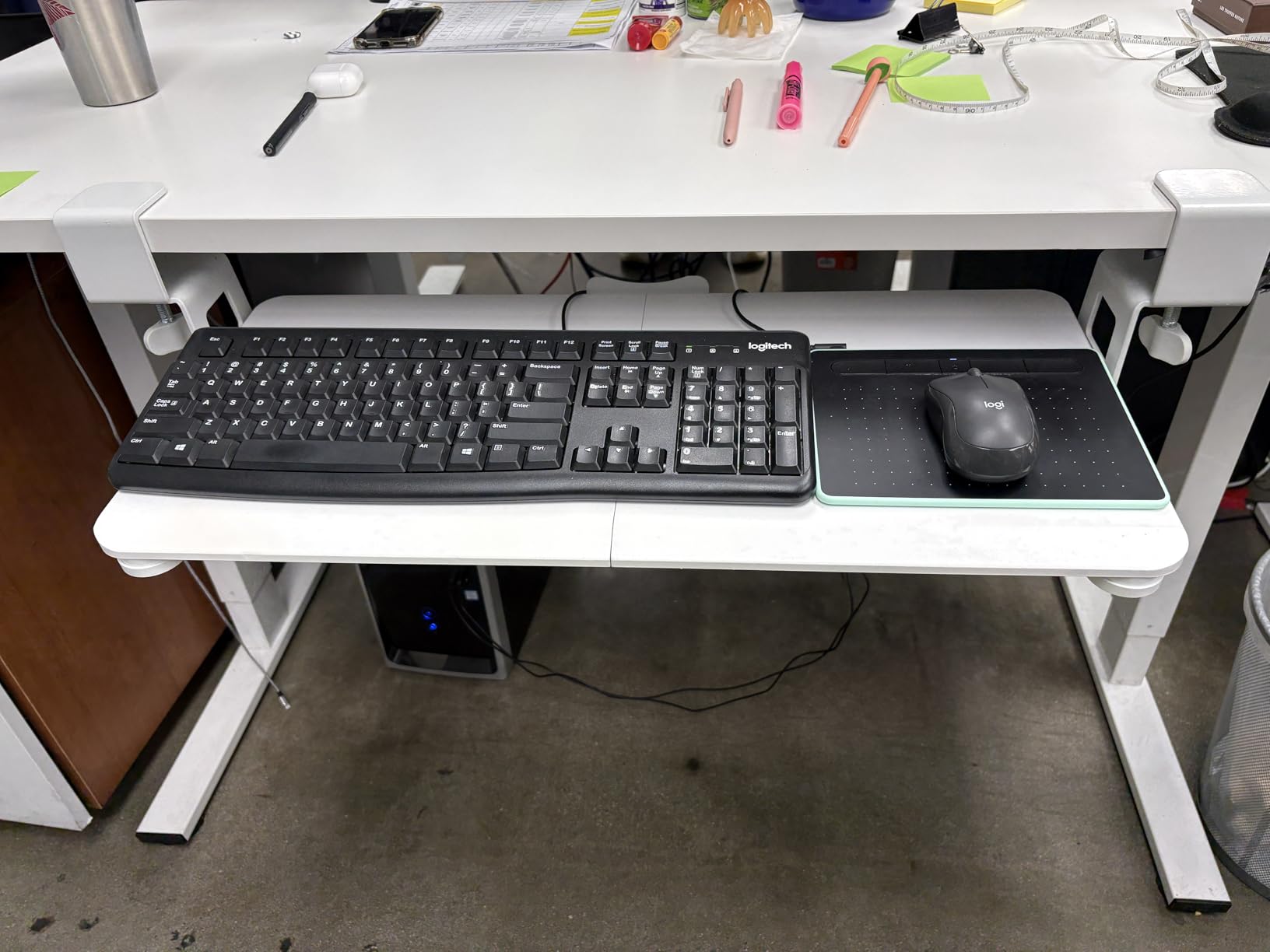
Sit-stand owners report that it fits under the desktop without fouling the lift column, which is the failure mode we were watching for. It asks for at least 31.3 in of width and 11.8 in of depth of clear under-desk space, so it is not a solution for a compact desk.
The honest weakness is assembly. The printed diagrams do not match the actual parts and screws in the box, and a few of us spent longer than we should have matching hardware to drawings. Budget fifteen minutes, not five, and lay the parts out before you start.
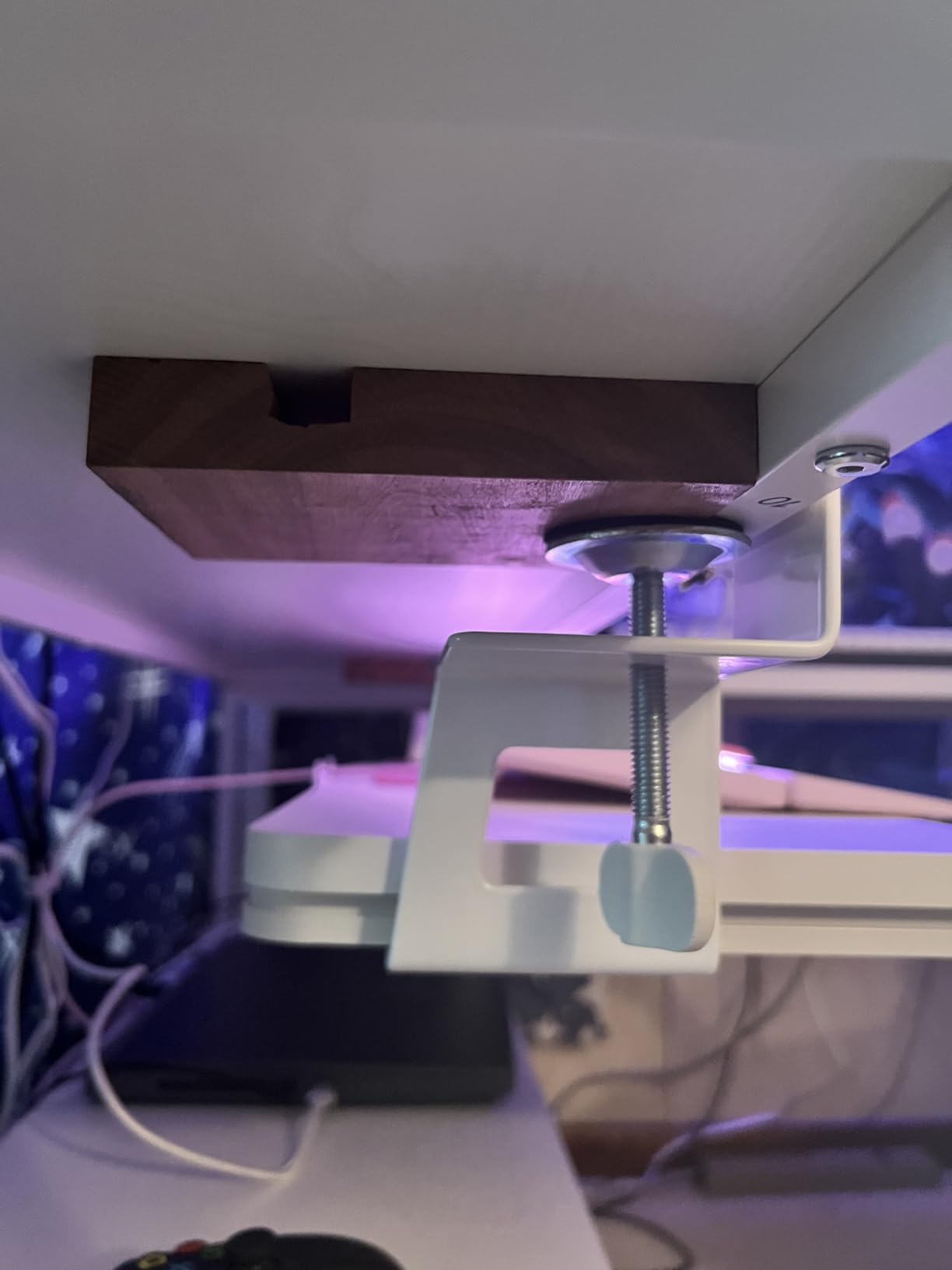
How much clearance does it need under the desk?
Plan on 31.3 in of width and about 11.8 in of depth. On a desk with a solid front panel and no knee hole, the usable depth of the tray shrinks noticeably because the panel eats into it, so measure with the tray pushed in rather than extended. If your desk has a cross member under the front edge, this tray will not mount there.
Is a wood platform as stable as a steel one?
In our testing it felt nearly as rigid as the VIVO steel tray under forearm weight, with a little more give in the middle where the two sections meet. It is 9.83 lb, so it does not drift. The finish scratches visibly, which matters if you plan to keep your desk looking new.
3. HUANUO Under Desk Keyboard Tray with 360 Degree Mouse Platform – Best Height Adjustment
HUANUO Under Desk Keyboard Tray, 360 Degree Adjustable Mouse Platform
25 x 9.84 in platform
6.3 in height travel
180 degree swivel
Tilt 6 up and 22 down
11.54 lb
Pros
- Real height adjustment lets one tray serve sitting and standing
- Swivels side to side for L-shaped and multi-monitor layouts
- Heavy build that resists wobble under typing
- Locking knob holds the position you set
- Stiff metal-on-metal slide does not creep
Cons
- Slide can catch rather than glide
- Included wrist rest is thin and peels off
- Mounting rail is deeper than listed and eats under-desk space
- Tilt knob is a weak point and the one-year warranty excludes it
This is the tray we would buy if the desk and the tray are genuinely used as a pair. Six and a third inches of height adjustment is the difference between a tray for sitting and a tray for both, and on a sit-stand frame it lets you keep the keyboard at elbow height in either position instead of remembering to move it.
The platform is 25 in wide by 9.84 in deep, which is narrower than the two trays above. It swivels 180 degrees and tilts 6 degrees up or 22 degrees down, and a single knob locks the whole assembly once you have found your angle.
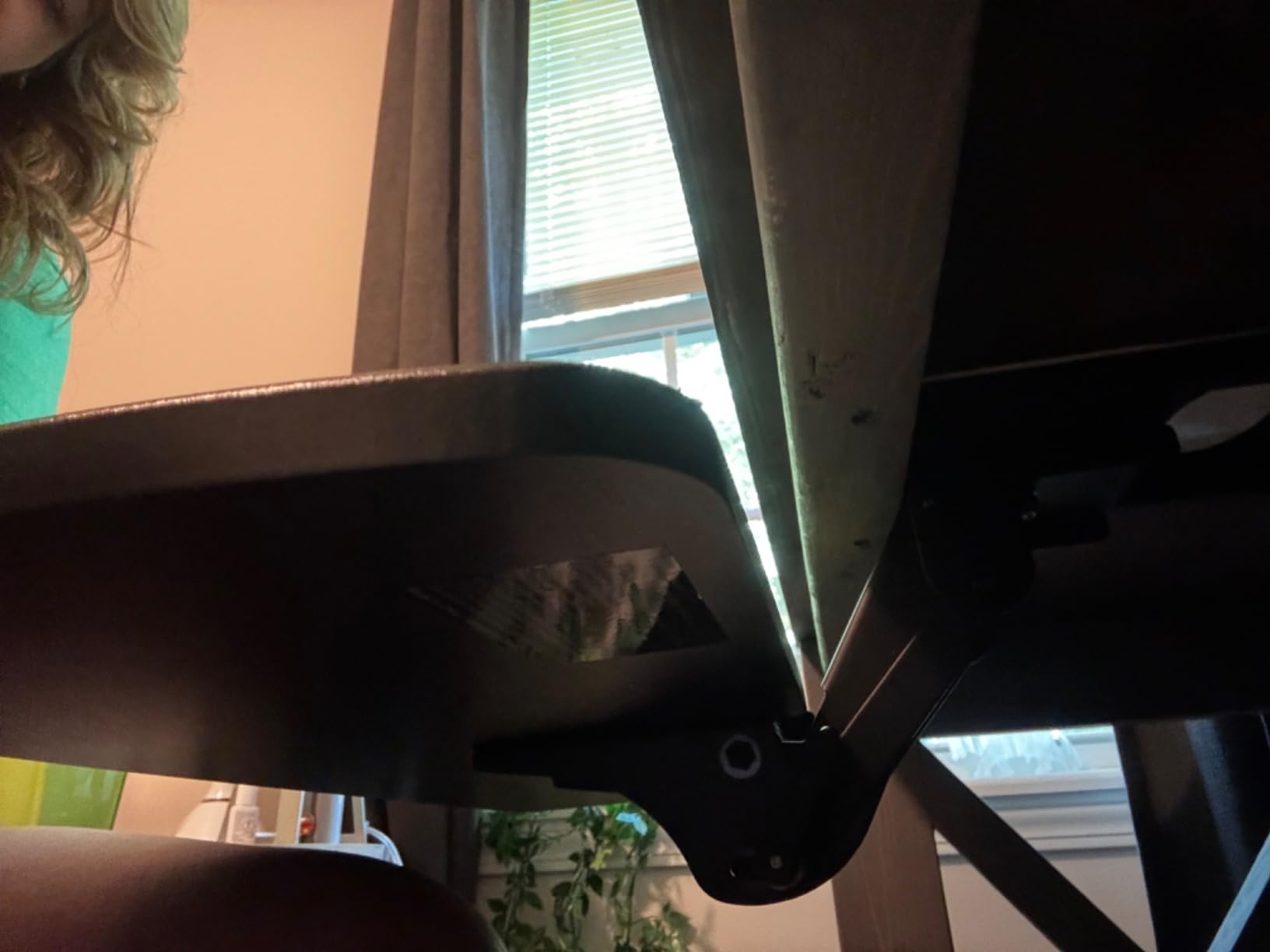
Buyers install it several inches back from the desk edge so the tray can fully retract, and that positioning habit is worth copying on any frame. The steel-on-steel slide is intentionally stiff: it does not drift while you type, but it is not as smooth as a ball-bearing glide.
Two limitations to plan around. The mounting rail is deeper than the listed dimensions suggest, so it needs real under-desk clearance, and the thin included wrist pad tends to peel away within months. Neither is a dealbreaker, but both are things you can solve with a better pad and a careful mount.
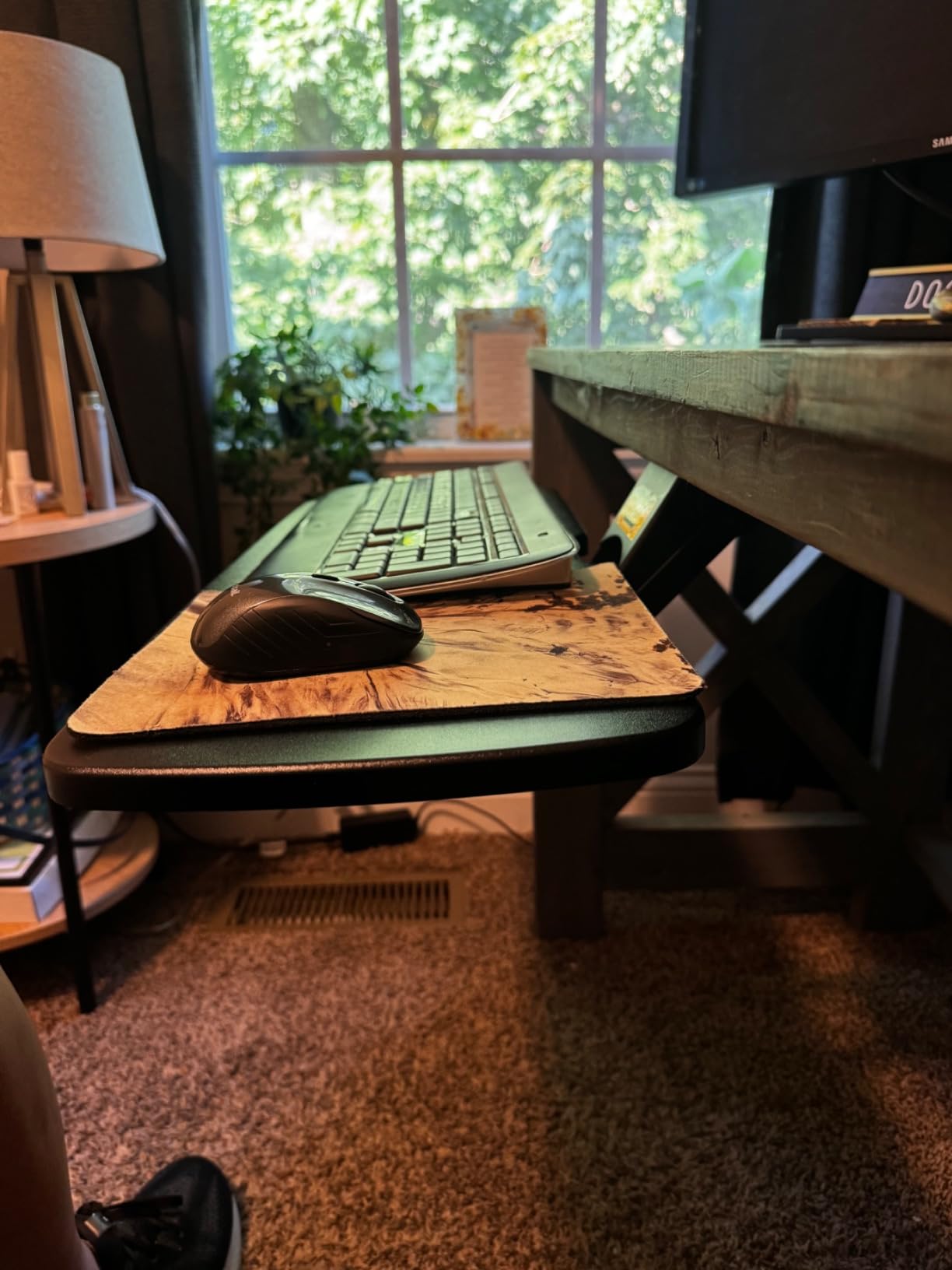
Does it clear a cross beam on a sit-stand desk?
Not reliably. It asks for 14.17 in between the desk edge and the cross bar, or 16.22 in to slide fully underneath, and on many electric frames that space does not exist. Check your frame’s measurements before ordering, and look at the cross-beam model further down this list if your desk has a beam across the front.
Is the height adjustment enough for a sit-stand workflow?
For most people, yes. Six and a third inches covers the difference between comfortable seated typing and comfortable standing typing for an average user, and the locking knob means you can set two detents and stop fiddling. If you are very tall or very short, the travel feels shorter than it looks on paper, so measure your elbow height seated and standing before you commit.
4. Kensington SmartFit Keyboard Drawer (K60004US) – Best Extra-Wide Drawer
Kensington Keyboard Tray Under Desk, SmartFit Ergonomic Slide-Out Keyboard Drawer with Cable Management, Extra-Wide Height Adjustable Keyboard Holder, 24.5″ x 11.75″, Black K60004US
24.5 in inner drawer
26 in outer drawer
31 to 33 in footprint
36 month warranty
5 lb weight
Pros
- Extra-wide interior holds a full-size keyboard
- wrist rest
- mouse and mouse pad together
- Soft-stop glide keeps it from rolling out while typing
- Screws into the desk so it feels more solid than a clamp
- Reversible brackets adapt to different desk widths and edge bars
Cons
- Beveled front edge can press on wrists with low-profile keyboards
- No paper template included and the instructions are terse
- Bundled wrist rest and mouse pad are low quality
- Hollow waffle underside has thin edges that can dig into legs
- Height is awkward to change after installation
The Kensington SmartFit is a screw-mount drawer rather than a clamp, and that is the whole argument for it. Bolted to the underside of the desktop it feels integrated and does not move, and the 24.5 in interior is the widest single surface here that holds a full-size keyboard, a wrist rest and a mouse pad at once.
Height is handled by the SmartFit system, which uses a colour guide to point you at a position rather than a numbered mechanism. It works. It is just slower to change than a knob once the drawer is installed, so treat it as a set-and-forget adjustment.
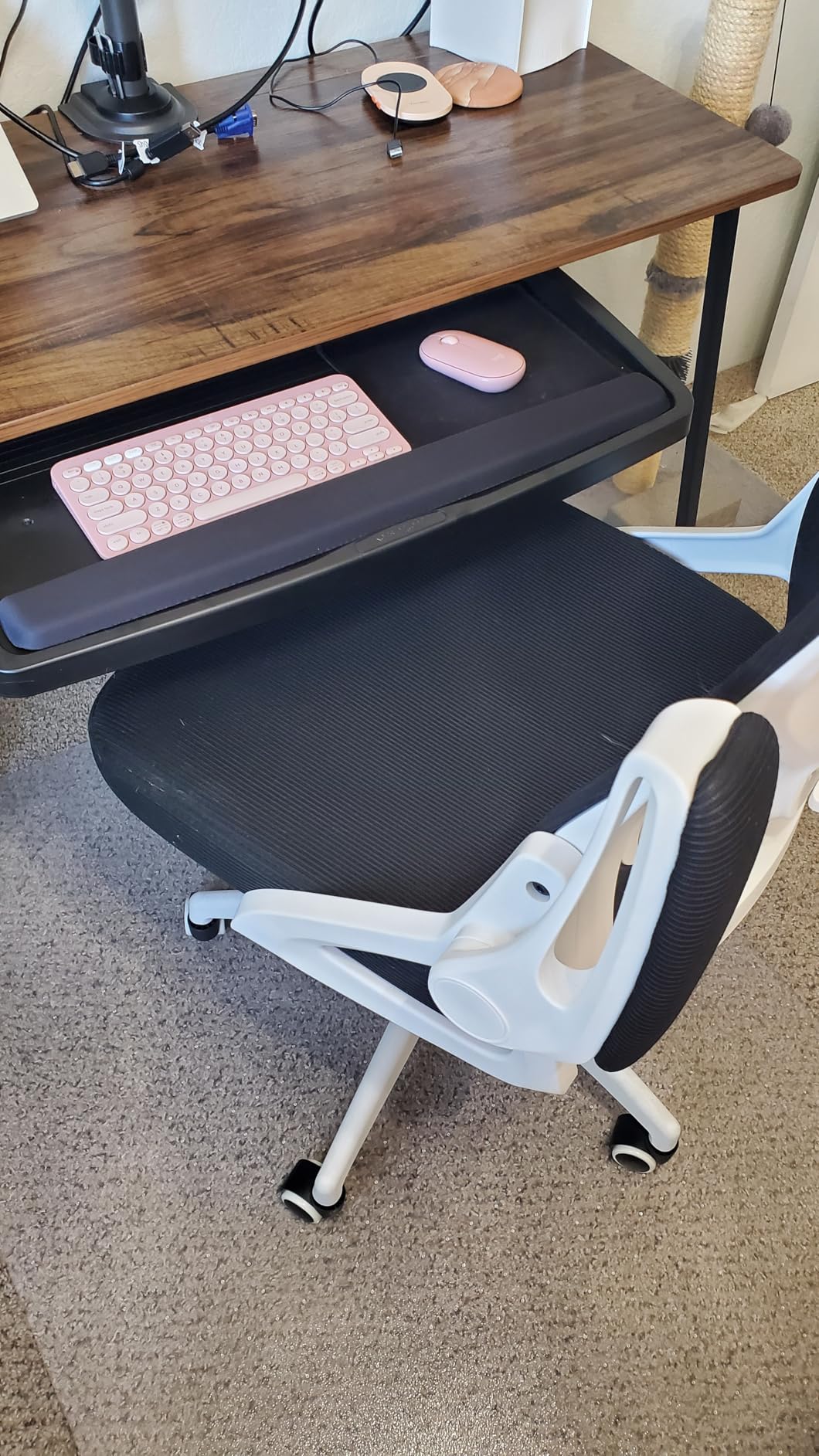
Buyers most often mention wrist and elbow pain relief as the reason they chose this over a cheaper tray, and reviewers consistently point at the smooth, non-drifting glide as the feature they notice daily. The 36-month manufacturer warranty is the longest in this group.
The catch is installation. There is no paper template in the box, so mounting positions are measured by hand, and on a sit-stand frame you need to check the desk’s underside for a cross member first. It also asks for a 31 to 33 in installation width and 16 in of total depth.
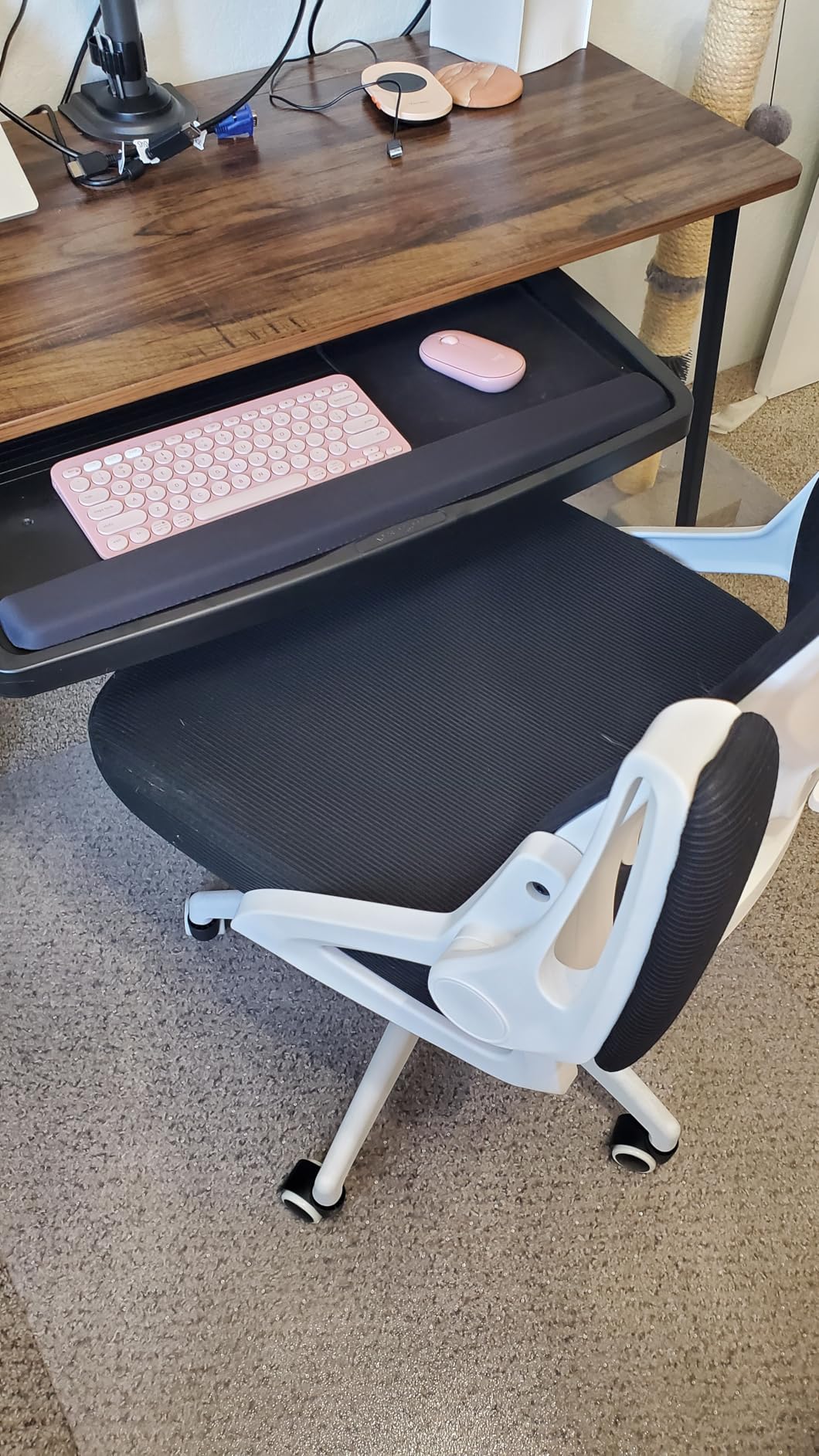
Will drilling a standing desk void the warranty?
It depends on the frame maker, and it is worth a quick check before you drill. If your desk is a rental or a shared office, do not drill. That single constraint is what pushes most people toward the clamp-on trays in this group, which grip instead of bore.
What we like most is that a screw mount can be positioned to avoid a lifting column, something a fixed-position clamp cannot always do. On a frame with an unusual underside, that flexibility is worth the extra install effort.
Is the extra width actually useful?
Yes, specifically for people who work on two things at once. A 24.5 in interior means a full-size keyboard plus a mouse pad plus a wrist rest without anything overlapping. On the narrower 25 by 9.84 in trays the mouse ends up back on the desk, and that is the complaint we hear most often from people who switch between typing and mousing.
5. EUREKA ERGONOMIC 28 x 11 in Adjustable Tray – Best Rigid Screw-Mount Build
EUREKA ERGONOMIC Adjustable Keyboard Tray Under Desk, 28×11 Inch Large Slide Out Keyboard & Mouse Platform Tray, Wooden Pull Out Computer Keyboard Drawer for Typing Home Office Desk, Black
27.95 x 11.82 in surface
30 lb capacity
Multi-axis screw mount
9.26 lb weight
Adjustable bracket holes
Pros
- Rigidity that no clamp tray in this group matches
- 30 lb load rating leaves room for a full keyboard and heavy gaming mouse
- Multiple mounting orientations let it clear a crossmember on an electric desk
- Ball-bearing glide with a gentle click at full retraction
- Screws into the desk so it looks built in
Cons
- Adjustment bracket hangs 2.5 to 3.25 in below the tray and cuts into leg room
- Large adjustment knob sits exactly where your knee goes
- Included palm rest is hard and unscrews
- Slide can be stiff without lubrication
Nothing else here moves like this one. The EUREKA ERGONOMIC mounts to the desktop with brackets whose holes can be repositioned for height, depth and arm rotation, so on a sit-stand desk with a cross member you can rotate the whole assembly and mount over the top of it. That flexibility is why owners of electric frames single it out.
The surface is 27.95 in by 11.82 in and rated to 30 lb, more than double what most of these trays claim. In practice it did not sag or shift when we leaned on the front edge hard, and it is the least wobbly tray we tested.
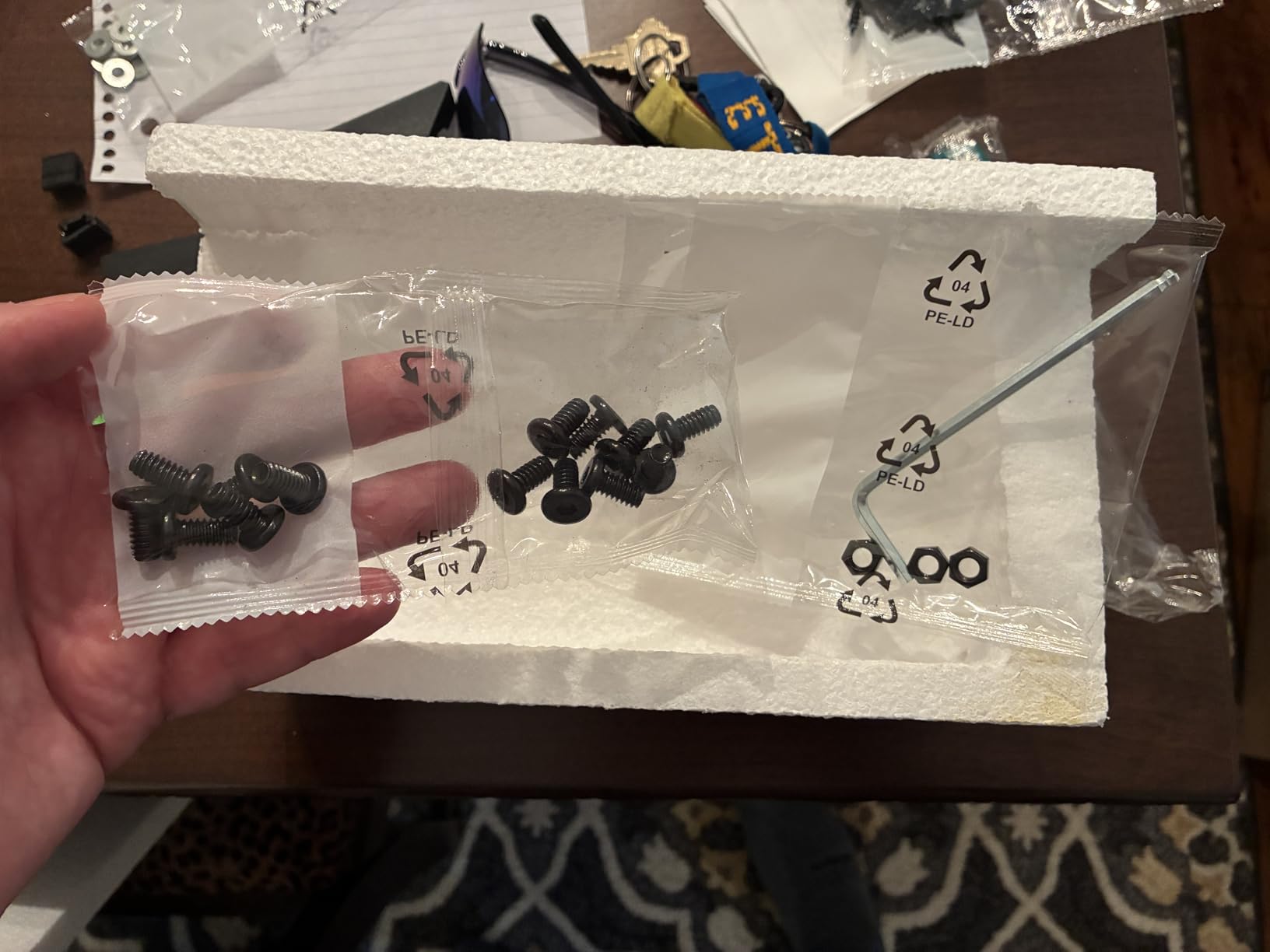
It is a wood and metal build, 9.26 lb, and it needs 34 in by 15 in of clear under-desk space plus 30 in of floor clearance. The desktop must be at least 0.59 in thick and made of wood, MDF or similar. A reversible T-handle screwdriver and spare brackets come in the box.
The trade-off is leg room. The adjustment bracket drops 2.5 to 3.25 in below the tray and the knob underneath sits precisely where a knee goes when you pull in to type. On a narrow desk or for anyone who tucks their feet under the tray while working standing, that is a genuine annoyance.
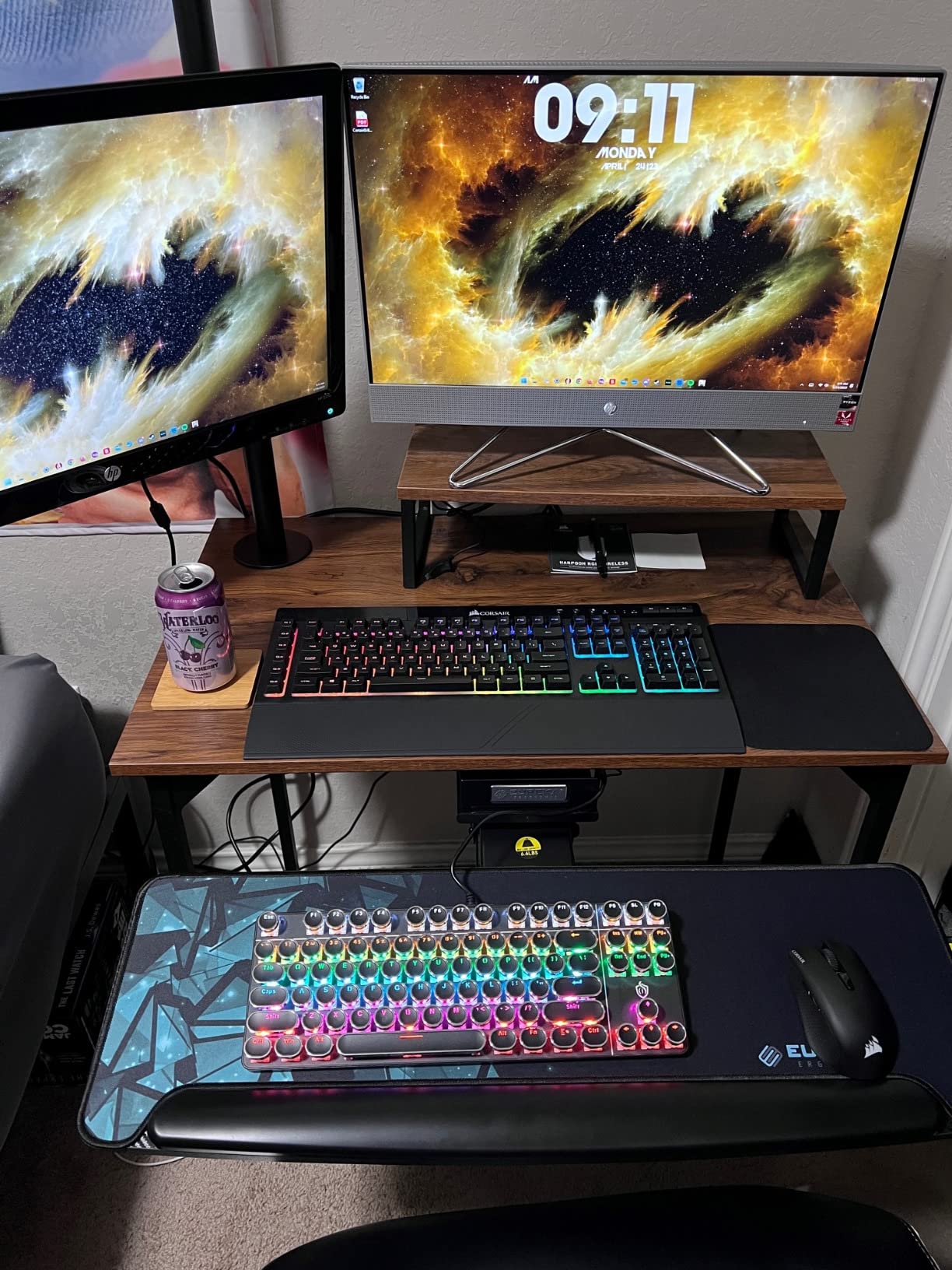
Can it mount over a crossbar or lift column?
Yes, that is its signature feature. The adjustable mounting holes let you rotate the bracket arms so the tray clears a crossmember instead of colliding with it. Verify it with a tape measure before drilling: it needs 34 in by 15 in of clear space and 30 in below the desk.
It is screw-mounted, so treat the same desk warranty question as with the Kensington drawer. On a frame you do not own, a clamp tray is the safer route.
Is the 30 lb rating real, and does the tray flex?
We did not find meaningful flex under realistic typing loads, and the ball-bearing glide was smooth apart from some stickiness on an early build that came right after lubrication. The 30 lb figure is headroom rather than a real requirement, but it explains why the frame feels so solid: this is built more like a small drawer than a shelf.
6. AX WABER 27.3 in Clamp Mount Slide-Out Tray – Best No-Drill Replacement
AX WABER Keyboard Tray Under Desk Pull Out with Extra Sturdy Adjustable C Clamp Mount System, 27.3 (32.5 inch Including Clamps) x 11 Inch Slide-Out Platform Computer Drawer for Typing, Black,AX01WB01
27.3 x 8.3 in tray
32.5 in with clamps
Clamp to 1.9 in tops
11 lb load
8.8 lb weight
Pros
- Sturdy and heavier than expected with no wobble under leaning
- Clamp-only install means no drilling into a company or rental desk
- Assembles in roughly 15 minutes with clear instructions
- Locks in both extended and retracted positions
- Surface works with optical mice without a separate pad
Cons
- Rail bearings are not the smoothest and need some force
- Sharp exposed edges along the outside of the rails when extended
- Slight misalignment gap at the centre joint
- Sloped front bevel trims about an inch of usable depth
- Wobbles on L-shaped desk returns
The AX WABER is what we recommend to anyone who wants a drawer under a desk they do not own. The clamps grip desktops up to 1.9 in thick and hold up to 11 lb, and the whole install is clamps and a hex key with no holes in the top.
Buyers describe it as far heavier and more rigid than they expected at this level, and several owners on sit-stand frames call it the fix for a desk that sits too high when seated. It extends 5.7 in from the desk edge, which is less travel than the VIVO above but still enough to change your typing angle.
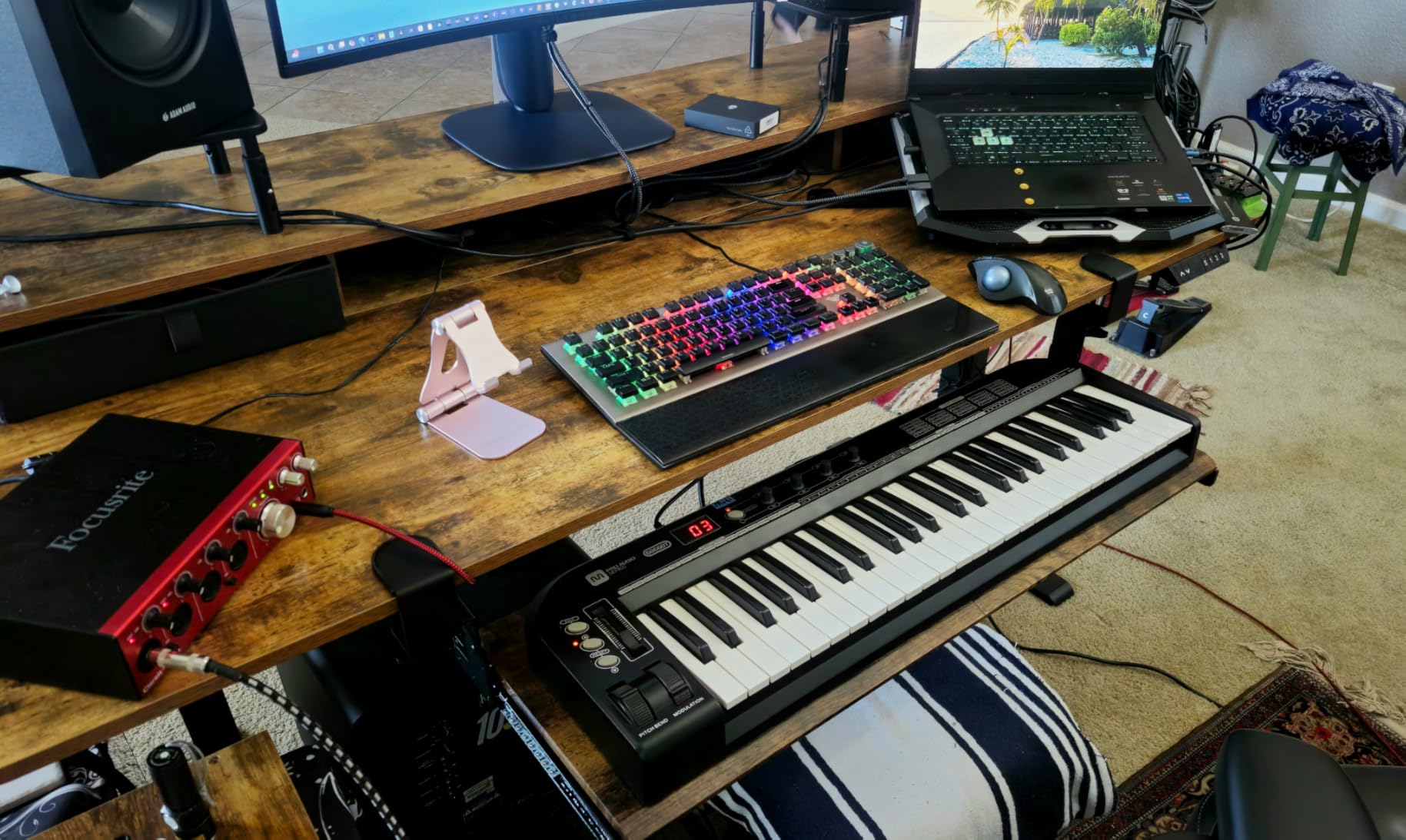
The quality complaints are mostly cosmetic. There are sharp exposed edges along the outside of the rails when the tray is extended, a small gap at the centre joint, and a sloped front bevel that costs you about an inch of usable depth. None of them affect function, but the edges are worth knowing about if your legs sit close.
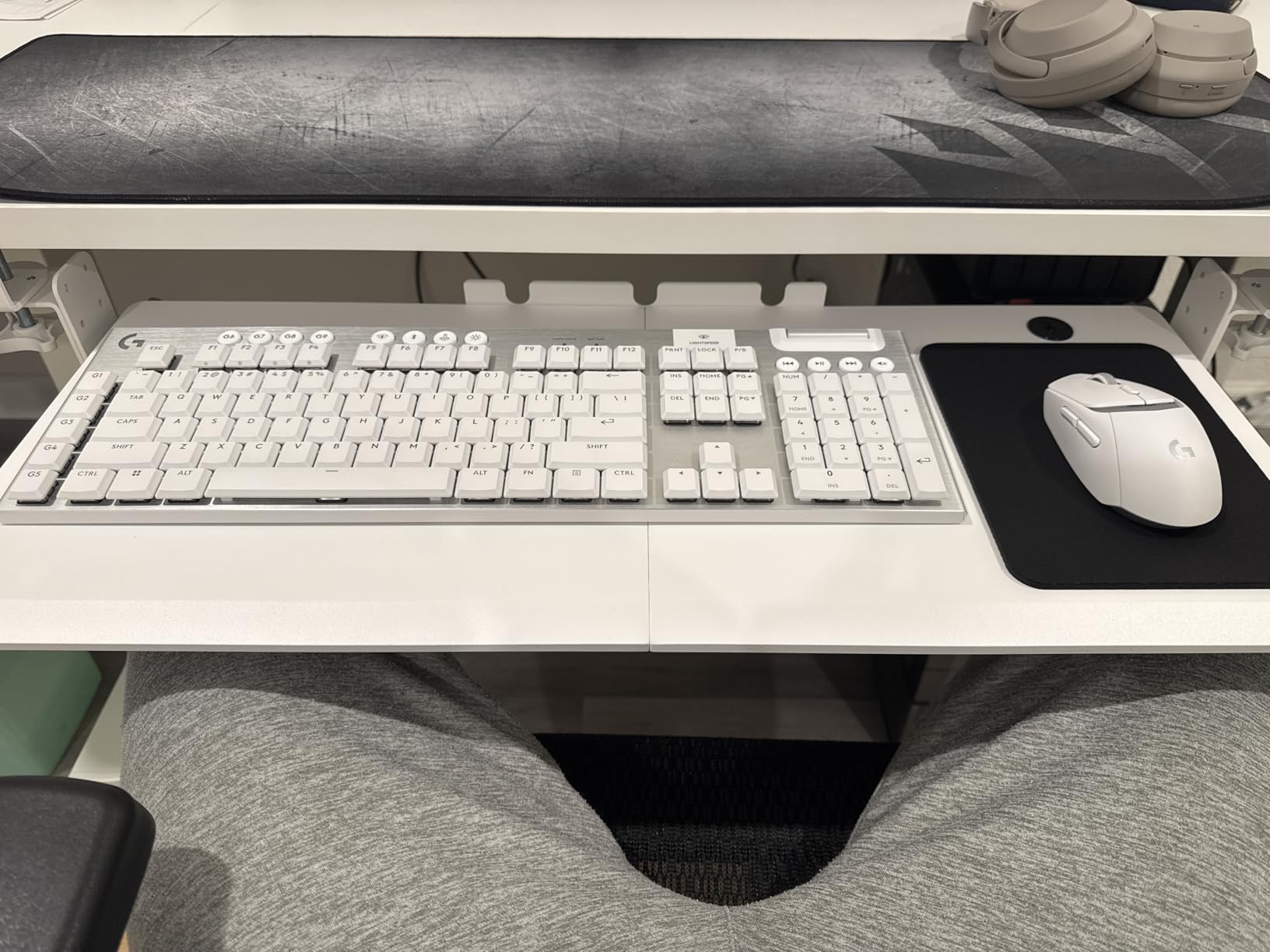
The bigger practical note is behaviour on L-shaped desks. On a short return section the tray can rock, because the clamp span has less material to grip. On a straight desk it is solid.
Is it stable enough to lean on while typing?
Yes on a straight desk. It weighs 8.8 lb and the rails did not shift when we pushed down on the front edge with both hands. The wobble reports we saw were all on L-shaped or short-return sections where the clamp has less surface to bite into, not a general flex issue.
The rail bearings need a bit of force rather than a fingertip, which some people read as stiffness and others read as solid. If you slide it with one hand from a single end it can catch, so push from the middle.
How does the 8.3 in tray depth compare with wider models?
It is the shallowest surface in this roundup and it shows. A 27.3 in width with 8.3 in of depth fits a keyboard with room beside it for a small mouse, but not a full mouse pad. Choose this for a compact desk or a mouse user who mouses with a small pad; choose a 25.6 in or 27.95 in tray if you want the pad to live on the tray.
7. Mount-It! Full Motion Tray with Gel Wrist Pad – Best Tilt and Swivel
Mount-It! Keyboard Tray Under Desk, Full Motion Computer Keyboard and Mouse Tray, Slide Out Ergonomic Keyboard Drawer with Gel Wrist Pad, 26″ Wide, Tilt, Swivel and Height Adjustment, Black
26 in wide surface
7 in by 18.2 in track
Tilt swivel and height
Integrated gel wrist pad
All hardware included
Pros
- One control handles tilt
- swivel and raise or lower
- 26 in surface fits a full-size keyboard and mouse
- Integrated gel wrist pad takes the edge off long typing sessions
- Heavy-duty hardware and a clean look under the desk
- Slide-out design frees up desktop space entirely
Cons
- 18.2 in track needs substantial under-desk clearance
- Full-motion mechanisms are heavy and take effort to adjust
- Costs more than simpler slide-out trays
- Track can be tight under desks with a deep front lip
Most trays give you two of tilt, swivel and height. This one gives you all three from a single mechanism, which is why it appeals to anyone moving between an angled seated position and a flat standing one without wanting to reconfigure hardware.
The surface is 26 in wide and the included gel wrist pad is attached to the front edge, so it moves with the tray when you tilt. Buyers credit the pad with easing wrist strain during long sessions, and the wide surface leaves room for a mouse beside the keyboard.
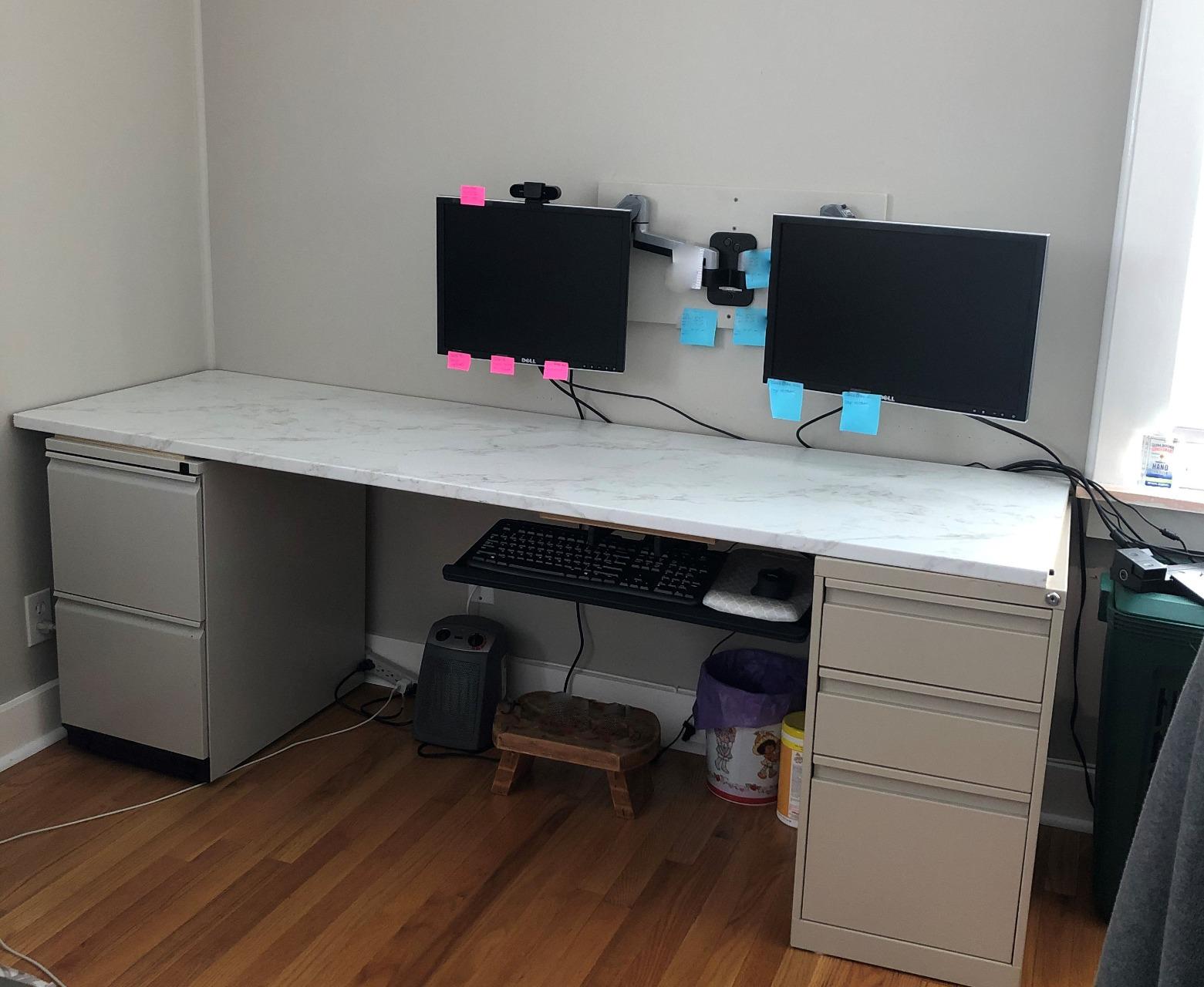
The limitation is depth, and it is a real one. The track measures 7 in wide by 18.2 in long, so it needs a deep, clear space beneath the desktop. On a standing desk with a lifting column or a cable management tray already occupying that zone, you have to measure before you buy.
The mechanism itself is heavier and takes more effort to move than a simple slide, and the price sits above the straightforward clamp trays. What you are paying for is range of motion, and if you need it, it is worth it.
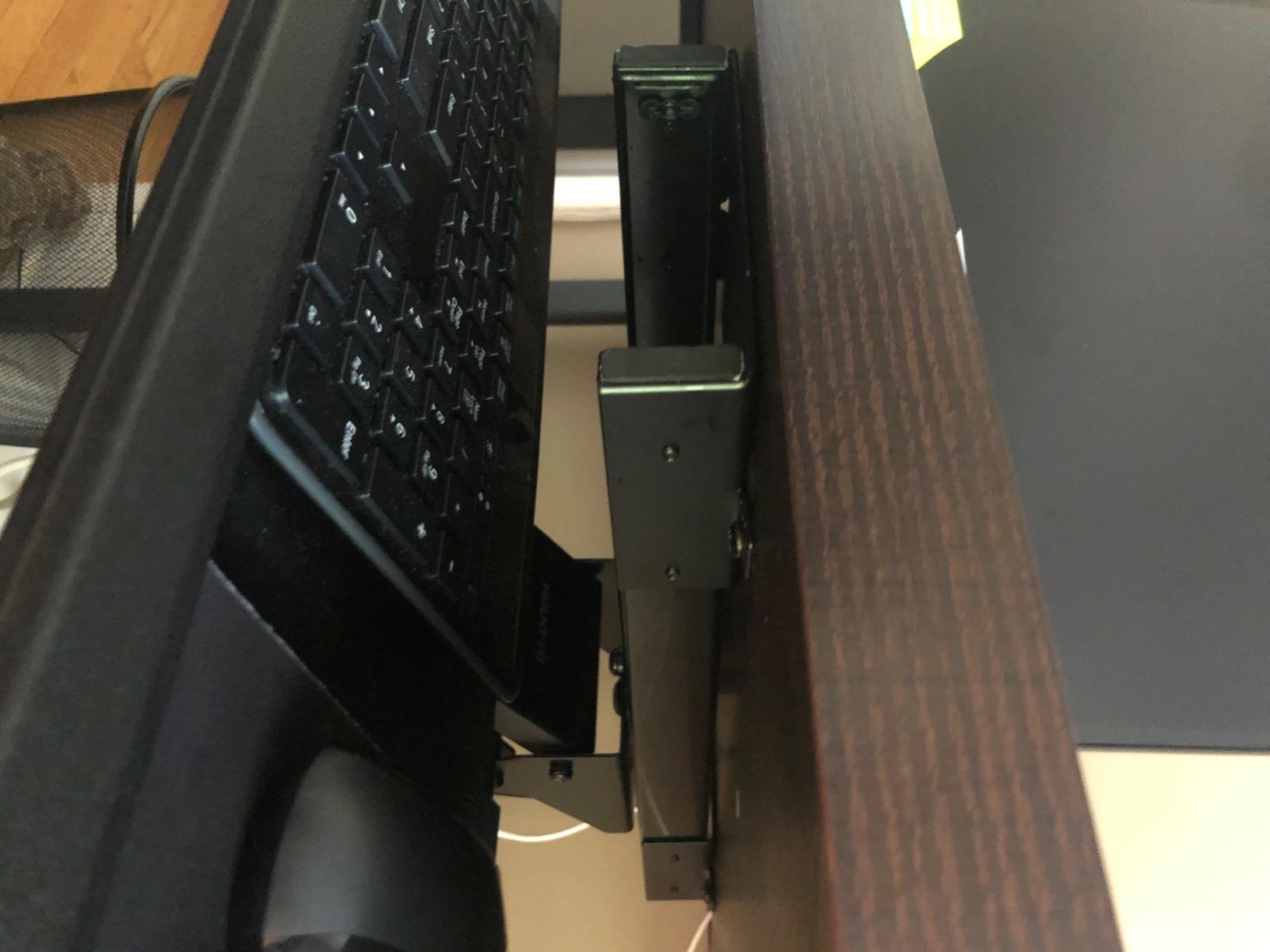
How much under-desk space does the track need?
Plan for a track footprint of about 7 in by 18.2 in plus room to move through its travel. That is deeper than a basic slide rail, and it is the reason the instructions mention desks with a deep front lip as a possible problem. If you have a sit-stand frame with a cross member, measure the clear depth from the front edge back to that member.
Is tilt worth it on a standing desk?
It depends on your keyboard. Negative tilt, meaning the back edge sits higher than the front, keeps wrists flatter and is often cited by people managing wrist discomfort. Whether you need it at standing height or only seated is a personal question, and a tray with adjustable tilt lets you test both without buying a second board.
8. Klearlook 360 Degree Tray with Storage Drawer – Best Desk Organization
Klearlook Keyboard Tray Under Desk with 360° Rotation, Ergonomic Computer Keyboard & Mouse Tray 25″W×11.02″D Sit Stand Desk Keyboard Holder w/Wrist Rest & Storage Drawer (Height is not Adjustable)
24.4 x 10 in holder
C-clamp to 2.68 in tops
360 degree swivel
Adjustable tilt
Storage drawer and hooks
Pros
- 360 degree swivel swings the whole tray out of the way under the desk
- Built-in drawer
- phone slot and headphone hanger add real utility
- Handles desktops up to 2.68 in thick
- the thickest range here
- Adjustable tilt angle finds a comfortable typing position
- Integrated mouse pad surface works for typing and gaming
Cons
- Height is fixed
- which limits tuning for different users and standing setups
- Full 360 degree rotation needs a 35 in wide desk
- Plastic construction feels less substantial than metal rivals
- Clamp-only design moves to a second desk less easily
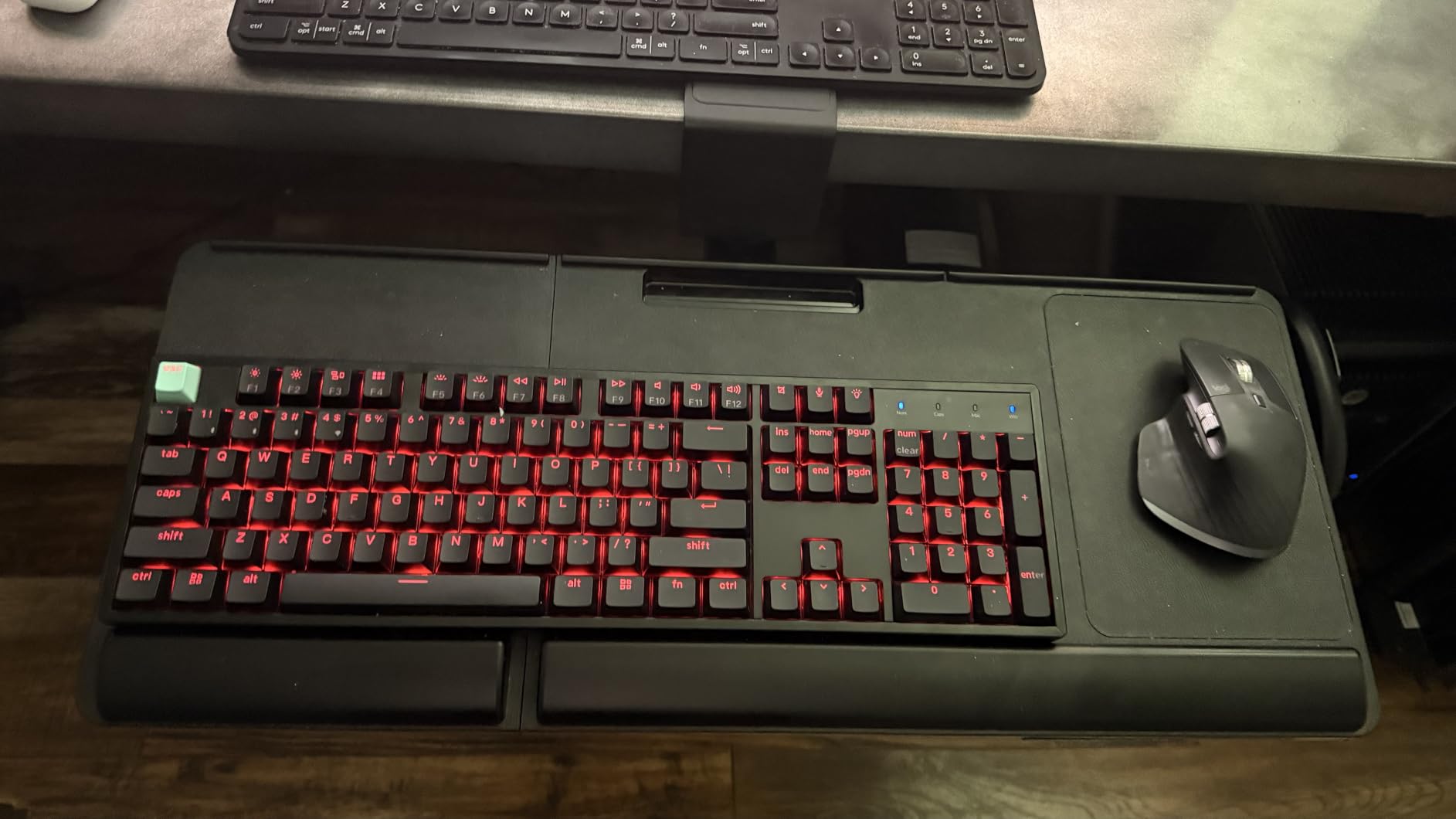
The Klearlook sells itself on reclaiming desk surface rather than on typing angles. Swivel the tray 360 degrees and the keyboard, mouse, a small storage drawer, a phone slot and a headphone hanger all disappear underneath the desk, leaving a completely clear top. On a small sit-stand desk that is worth more than another degree of tilt.
The holder is 24.4 in by 10 in and the C-clamp fits desktops up to 2.68 in thick, a very wide range that covers chunky wood tops. Tilt is adjustable; height is not, and that is the reason this one sits lower in the ratings than the others.
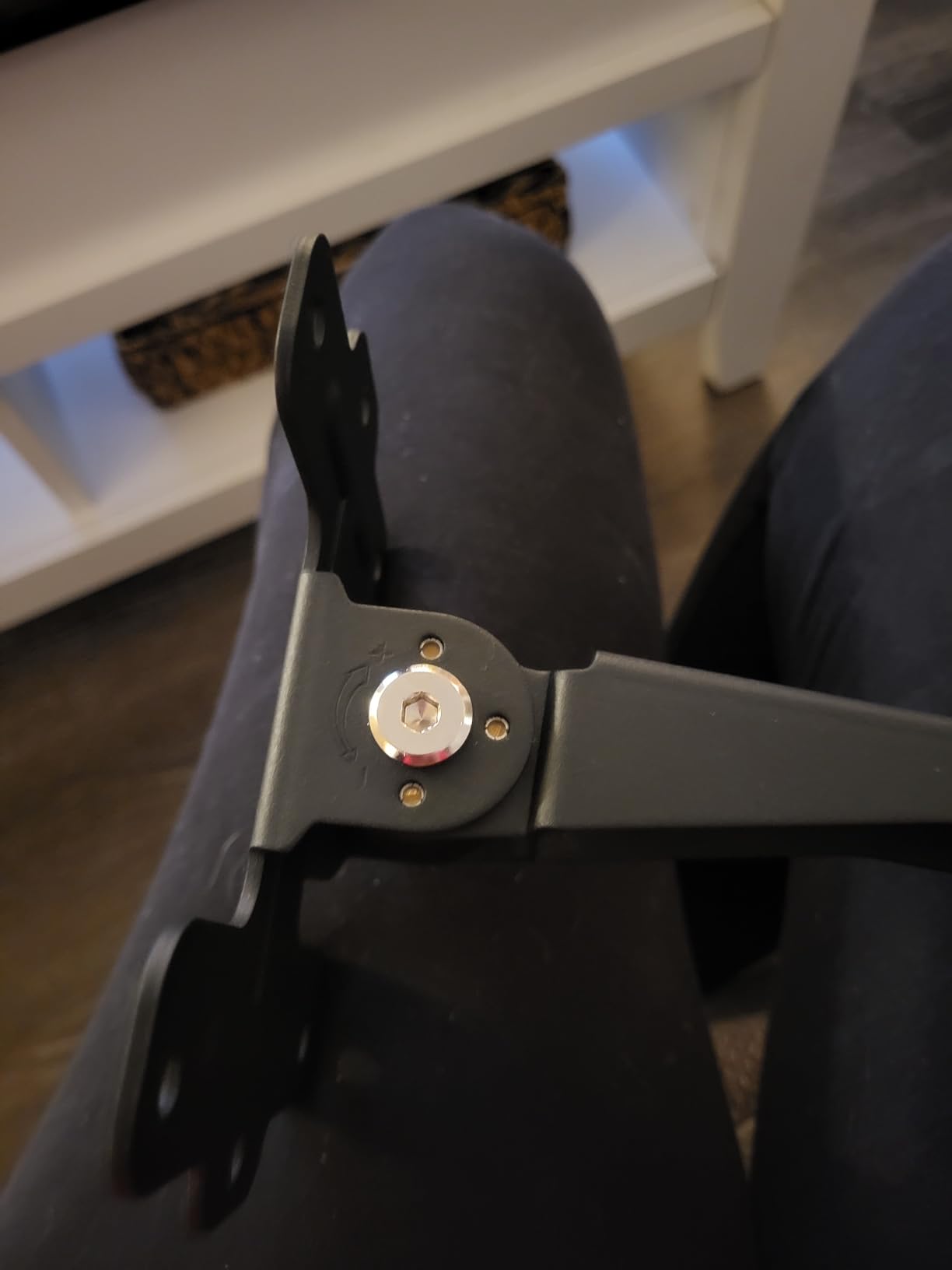
Full rotation needs a desk at least 35 in wide, while single-sided use needs only 27.5 in. If your standing desk is a compact 48 in model with a lift column in the way, check that the swing arc clears the frame before you commit.
The build is plastic rather than metal and it feels lighter in the hand than the steel trays here. For a desk you share with someone else, or for anyone who wants everything off the surface, that tradeoff has made a lot of sense.
Can a fixed-height tray work on a sit-stand desk?
It can, using the same pattern as the VIVO in position one: set the tray as the seated position and raise the desk for the monitor. What you give up is the ability to follow the desk up and down, so if you alternate between sitting and standing at your desk rather than picking one and sticking to it, a fixed tray will only ever serve half your day.
Does the swivel really clear the whole desk?
It does, provided the desk is wide enough. Once rotated under, the tray plus its drawer and hanger occupy the space directly beneath the front edge, so the desktop becomes fully usable for a laptop, a notebook or writing. The 35 in minimum width for full rotation is the number that matters, not the 27.5 in single-sided figure.
9. Mount-It! Standing Keyboard Riser (1.7 to 15.6 in) – Best Desktop Riser
Mount-It! Standing Keyboard Tray, Sit to Stand 1.7-15.6 in, 23.6 in
1.7 to 15.6 in lift range
23.6 x 11.8 in platform
Scissor mechanism
11 lb load
No assembly required
Pros
- Adjusts far lower than competing risers
- down to a true seated typing height
- Smooth scissor lift with a built-in release lever
- Wide base with rubber feet that does not shift while typing
- Arrives fully assembled with a lifetime manufacturer warranty
- Easy to move between desks for shared workstations
Cons
- Sits on top of the desk and consumes surface area
- 23.6 in platform leaves less room for a mouse pad than under-desk trays
- Heavier than typical risers so repositioning takes effort
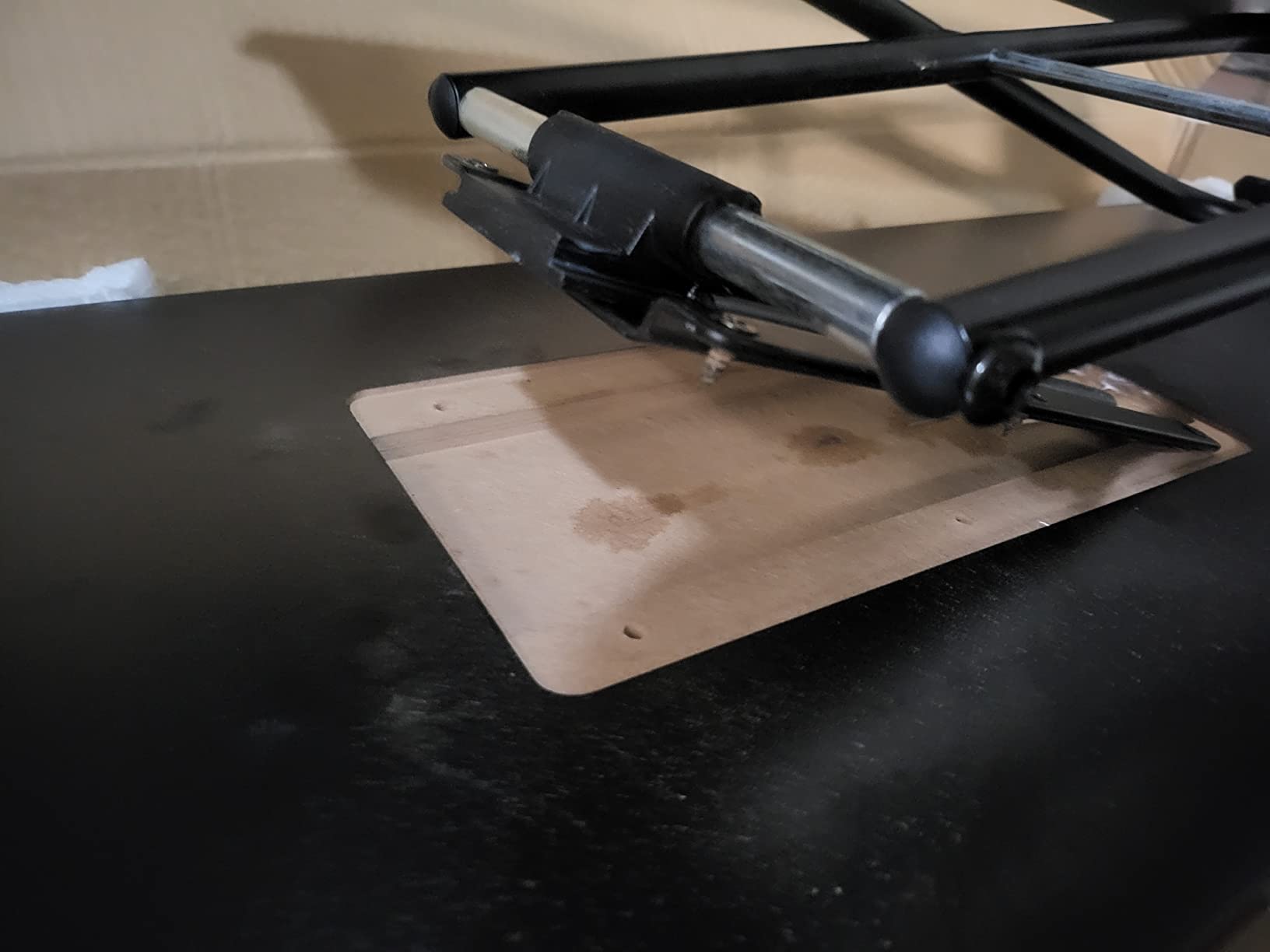
This is the odd one out, and it is here because it solves the problem differently. Rather than mounting under the desktop, it stands on the desk surface and rises on a scissor mechanism from 1.7 in to 15.6 in. Nothing is drilled, nothing is clamped, and you can carry it to a different desk in one hand.
The range is the headline. Most desktop risers bottom out around 3 in, which only helps once you are already standing. At 1.7 in minimum, this one serves as your seated typing position and your standing position, which is exactly what a sit-stand workflow needs.
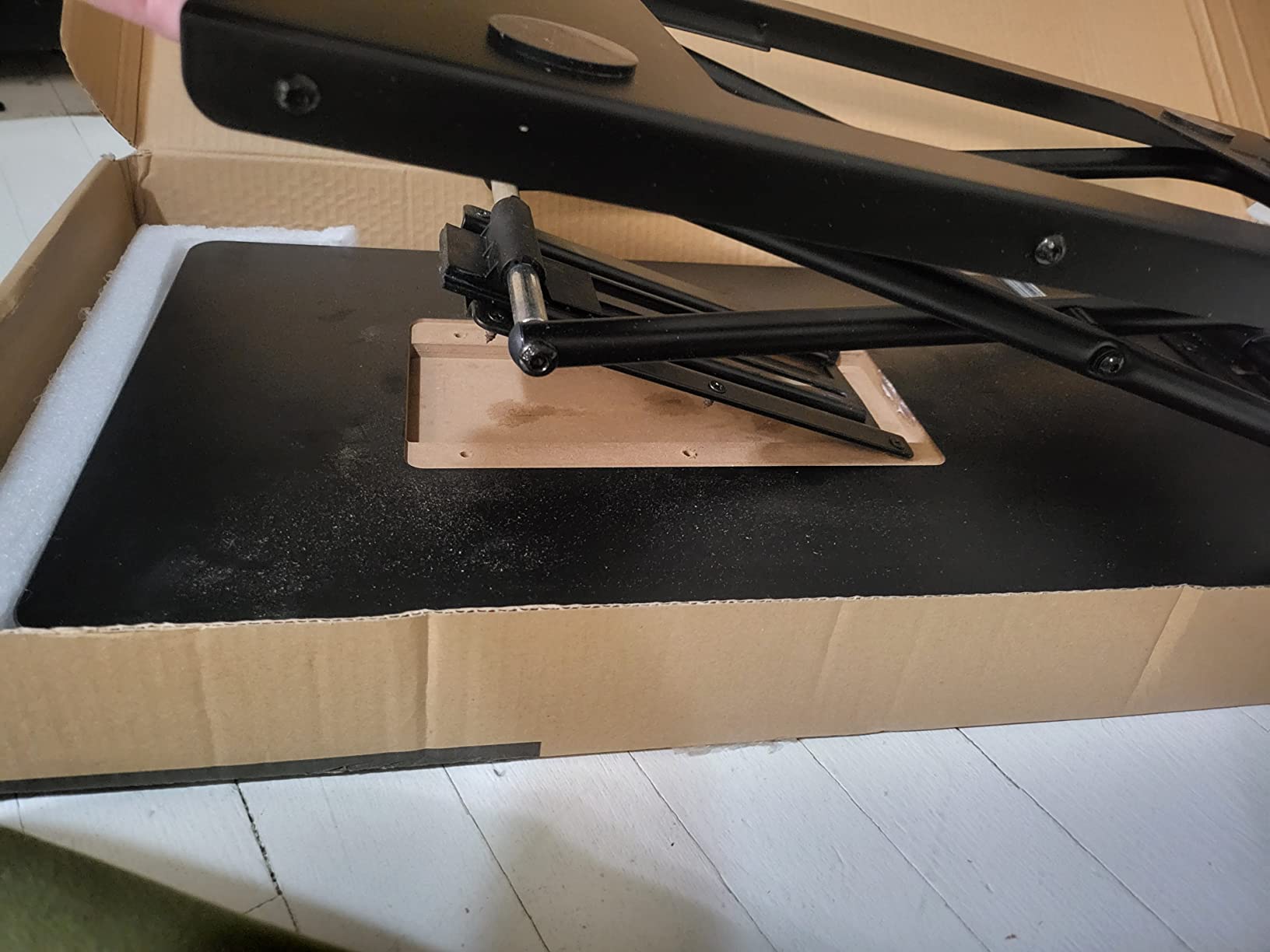
The platform is 23.6 in by 11.8 in and holds 11 lb, enough for a full-size keyboard and mouse or a laptop up to 15.6 in. It needs no assembly at all, arrives ready to use, and carries a lifetime warranty with US-based support, which is unusual in this category.
The cost is desktop real estate. It occupies part of your top surface permanently, and on a small sit-stand desk that can be a problem when the desk is full. It also weighs 10.93 lb, so lifting it between desks takes a moment.
When is a desktop riser better than an under-desk tray?
Three situations. If you rent or share the desk and cannot clamp or drill, if your standing desk has no usable under-desk clearance because of a cross member or a cable tray, or if you want one device that works across several desks and even a couch. In all three cases the riser avoids the mounting problem entirely.
For a desk you own with clear space underneath, an under-desk tray wins because it gives the surface back. The riser takes space to save you the install.
Will a riser work with a monitor arm?
It can, as long as the monitor arm clamps to the rear edge of the desktop rather than bolting through the top where the riser sits. The riser is 10.55 in by 4.49 in in package dimensions and weighs nearly 11 lb, so keep it toward the middle of the desk and away from the front edge.
10. VIVO Adjustable 23 to 30 in Clamp Tray (MOUNT-KBST1) – Best Adjustability in a Clamp
VIVO Black Clamp-on 23” to 30” x 11″ Adjustable Keyboard Tray, Mount-KBST1
22.5 to 30 in width
2.4 in height travel
Depth 8.8 to 10 in
Clamp to 3.4 in tops
11 lb load
Pros
- Width and height both adjustable
- so it fits different users and different desks
- One-piece tray with no centre joint
- which feels solid under the forearm
- C-clamp mount needs no drilling and holds very securely
- Large surface fits a split ergo keyboard plus a big trackball
- Includes keyboard pad
- mouse pad and mouse wrist rest
Cons
- Small clamp screws loosen over time and need a partial teardown to re-tighten
- Tray tips downward when pushed fully in because nothing supports the rear
- Sharp lower edge can catch a thigh
- Slide can be stiff out of the box
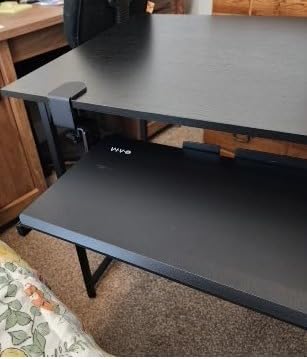
The MOUNT-KBST1 takes the clamp-on idea and makes it adjustable in three directions. Width slides from 22.5 in to 30 in, height moves 2.4 in across five set points, and depth adjusts from 8.8 in to 10 in out from the desk. In practice that means one tray can follow you between two desks with different footprints.
The clamp range is the widest here at 3.4 in of desktop thickness, which comfortably covers chunky wood tops. It holds 11 lb on a one-piece tray with no centre seam, and that single-piece construction is why it feels more solid than the two-piece trays in this roundup.
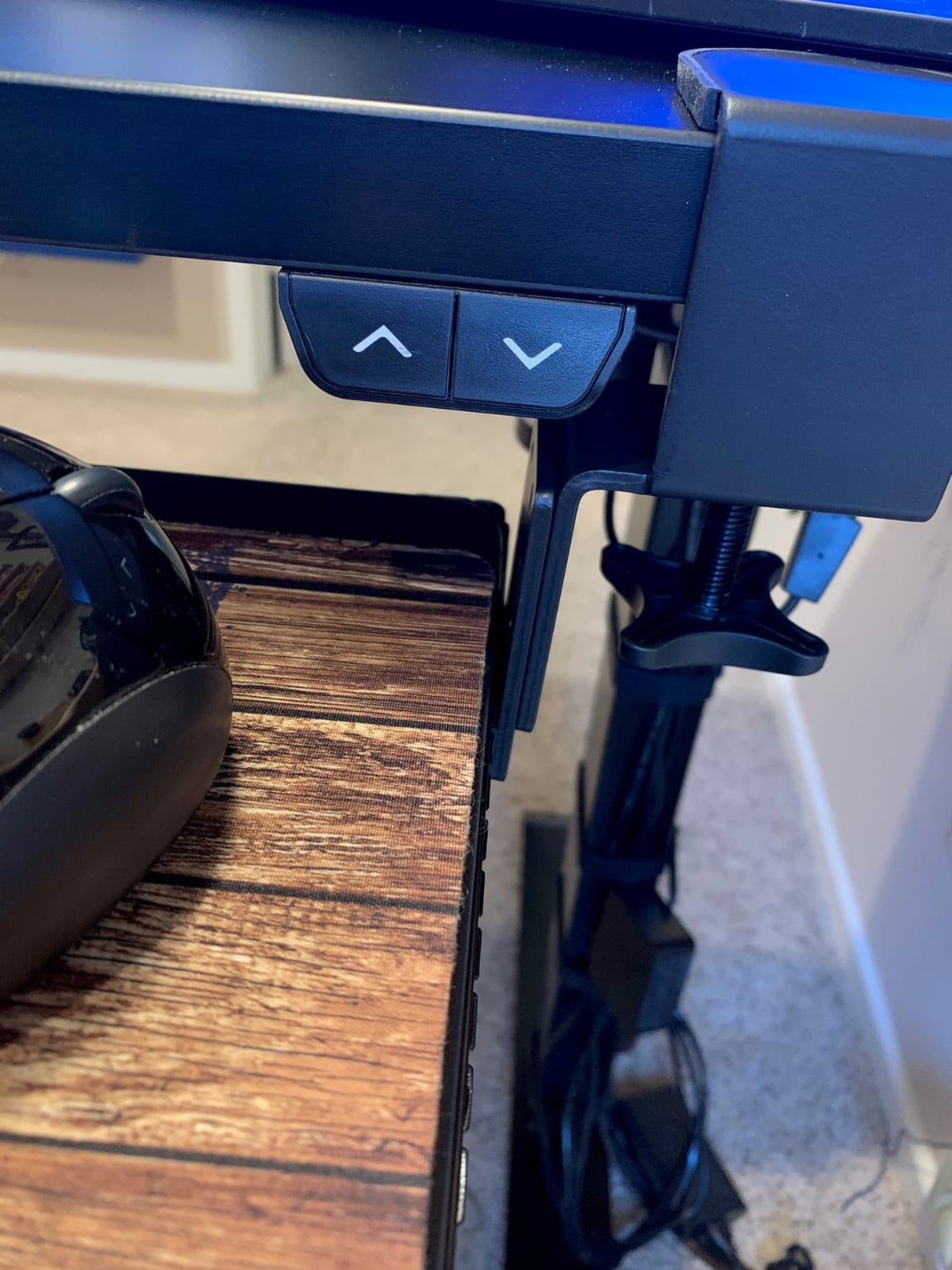
Buyers credit it with easing wrist and neck pain and with fitting unusual gear like split ergonomic keyboards and large trackballs, which need both width and depth. Sit-stand owners confirm it retracts fully under the desk without fouling the lift column. The included pads are a genuine bonus at this level.
The most common complaint is about the small clamp screws loosening after months of use, and the awkward part is that re-tightening them means partially taking the clamps apart. It is a fifteen-minute fix once or twice a year rather than a dealbreaker, but it is real.
Is adjustable width worth the extra weight?
If you have one desk and one body, probably not, and a fixed tray is simpler. If you share a desk, move workspaces, or use gear of different widths, it earns its keep quickly. At 14.37 lb it is the heaviest tray in this group, so lifting it between desks takes two hands.
Height adjustment here is 2.4 in, which is meaningfully less than the 6.3 in on the HUANUO trays. Choose this for width and depth flexibility, not for a big vertical range.
Does it handle a full sit-stand range?
It retracts under the desk cleanly and does not interfere with sit-stand hardware, which was the compatibility question we cared about. It is not built to rise and fall with the desk, so use the same seated-position pattern as the other fixed-height trays: desk up for the monitor, tray down for the hands.
11. HUANUO Tray for Flat Bottom and Cross Beam Desks – Best for Electric Frames
HUANUO Under Desk Keyboard Tray for Flat Bottom and Cross Beam Desks
25 x 9.84 in platform
Brackets for beams to 2 in
6.3 in height travel
Roller track
13.67 lb weight
Pros
- Mounts on both flat-bottom desks and cross-beam sit-stand frames
- a common compatibility gap
- Metal roller track gives one of the smoothest slides here
- One-piece tray with no centre seam and generous knee room
- 6.3 in height adjustment covers seated and standing typing
- Quick install since the tray hangs onto the plate
Cons
- Some users report slight wobble
- Included wood screws are soft and can snap during install
- Stated pilot hole size is too small for the holes given
- Platform could be larger for oversized keyboards
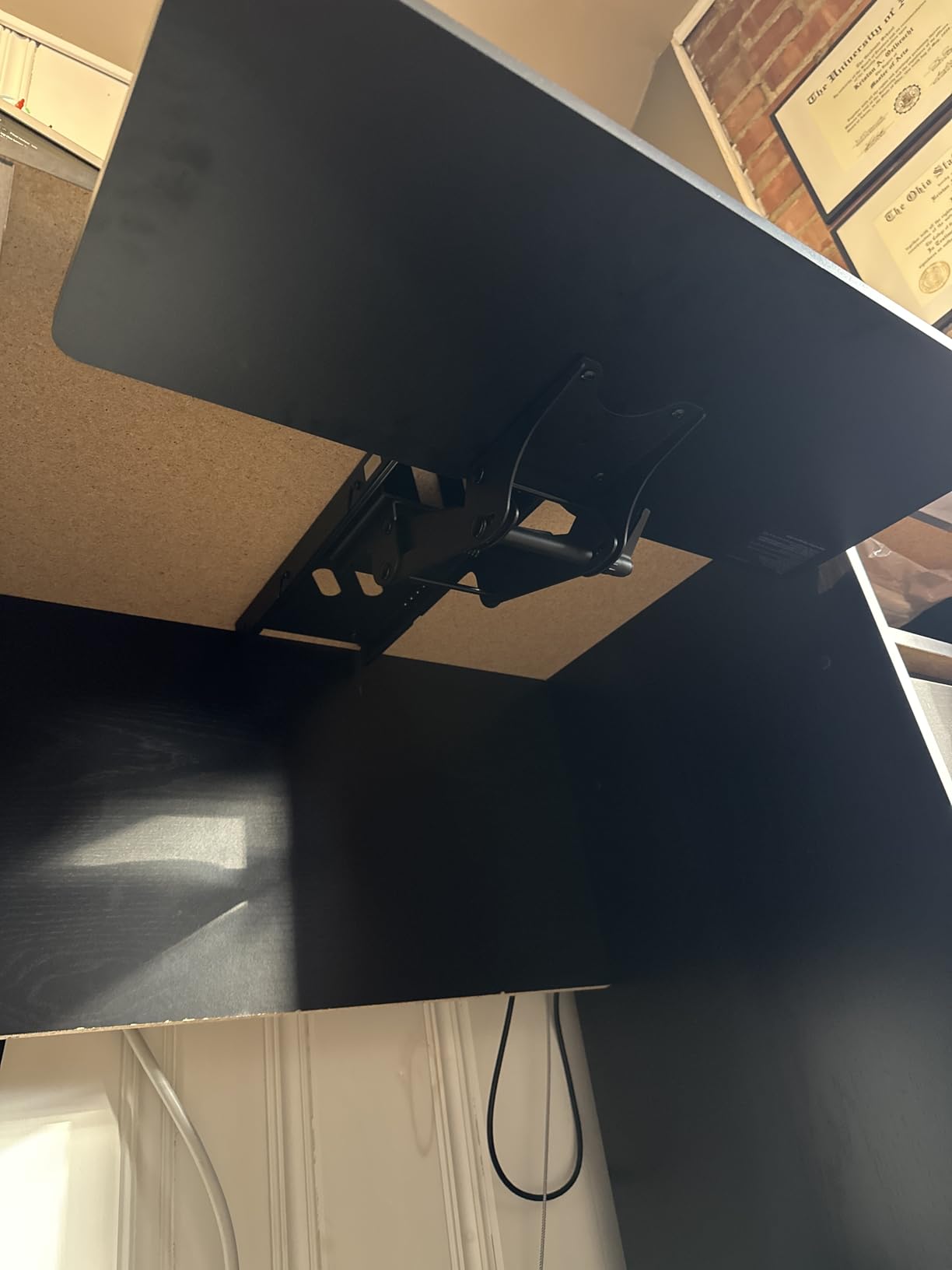
Almost every clamp tray in this roundup assumes a clean, flat underside. Most electric standing desks do not have one: they have a cross beam running front to back. This HUANUO model ships with brackets for both cases, including hardware for cross beams up to 2 in high, and that single feature is why it exists.
It keeps the parts of the adjustable tray that work. You get 6.3 in of height adjustment, 180 degrees of swivel and tilt of 6 degrees up or 22 degrees down, on a 25 by 9.84 in one-piece platform rated to 11 lb.
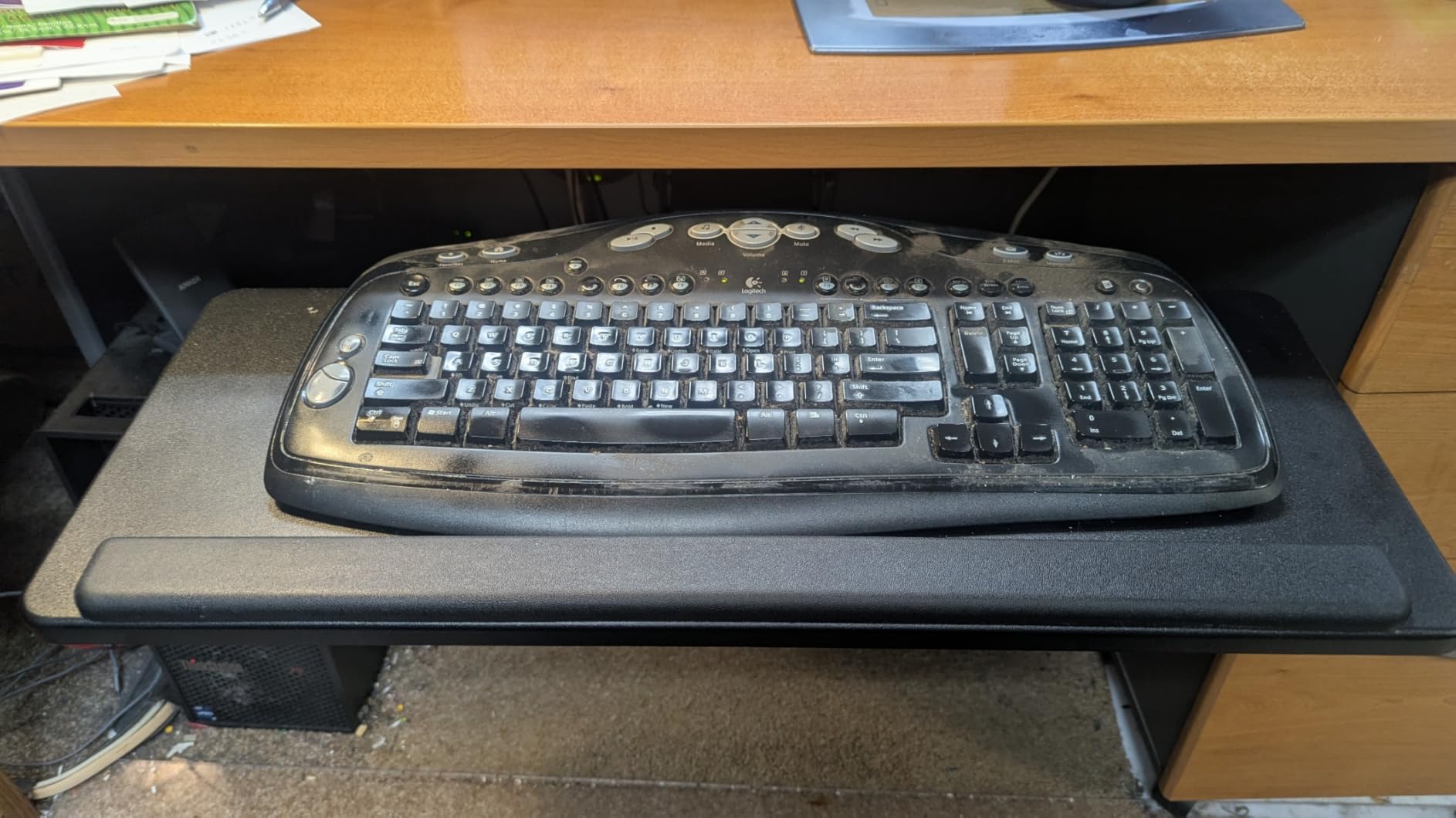
The roller-equipped metal track is the part reviewers single out. It was the smoothest glide of the adjustable trays we tried, with none of the catching you get on a plain metal-on-metal rail. Installation is also fast because the tray hangs onto the top plate rather than requiring you to hold the whole assembly.
Two installation warnings are worth taking seriously. The supplied wood screws are soft and can snap, so drill pilot holes first, and the stated pilot size is smaller than what the holes actually need. Bring your own screws if your desk is hard wood.
How do I know if my desk has a cross beam?
Sit down and look underneath. A flat-bottom desk has an open underside with maybe a shallow support rail. Most electric sit-stand frames have a beam running from the front edge back toward the column, and that beam is exactly what stops a standard clamp from sliding in far enough. If you can see a substantial horizontal member across the front third of the underside, you need cross-beam hardware.
Is the roller track worth switching brands for?
Slide smoothness is something you feel every single time you reach for the mouse, and this was the best we tested among the height-adjustable trays. Combined with the cross-beam brackets, it makes this the tray we would pick for a new electric desk even though its rating count is the smallest in this group.
12. XINLEI 25.6 in C-Clamp Slide-Out Tray (DSF4) – Best Value Pick
XINLEI Keyboard Tray Under Desk Large C-Clamp 25.6” (30” Including Clamps) x 11.8” Slide-Out Platform Computer Drawer Pull Out Keyboard & Mouse Tray Black DSF4
25.6 x 11.8 in tray
30 in with clamps
C-clamp to 1.63 in tops
Metal rail with baffle
8.73 lb weight
Pros
- Lowest cost in this group while still feeling sturdy and well weighted
- Two mounting options
- C-clamp or screw-in
- for thicker desktops and support bars
- Large 25.6 in surface fits a 16 in keyboard plus a 7.5 in mouse pad
- Metal rail with a back baffle stops the keyboard sliding off
- Owners report it still feels like new after a year of daily use
Cons
- Sliding mechanism is plastic and can feel clunky if pushed from one end
- Clamp mode drops the keyboard lower than expected unless the desk is tall
- Screw mode can tear screws out if pilot holes are not drilled
- Instructions are easy to misread
- Poor fit for oversized split keyboards
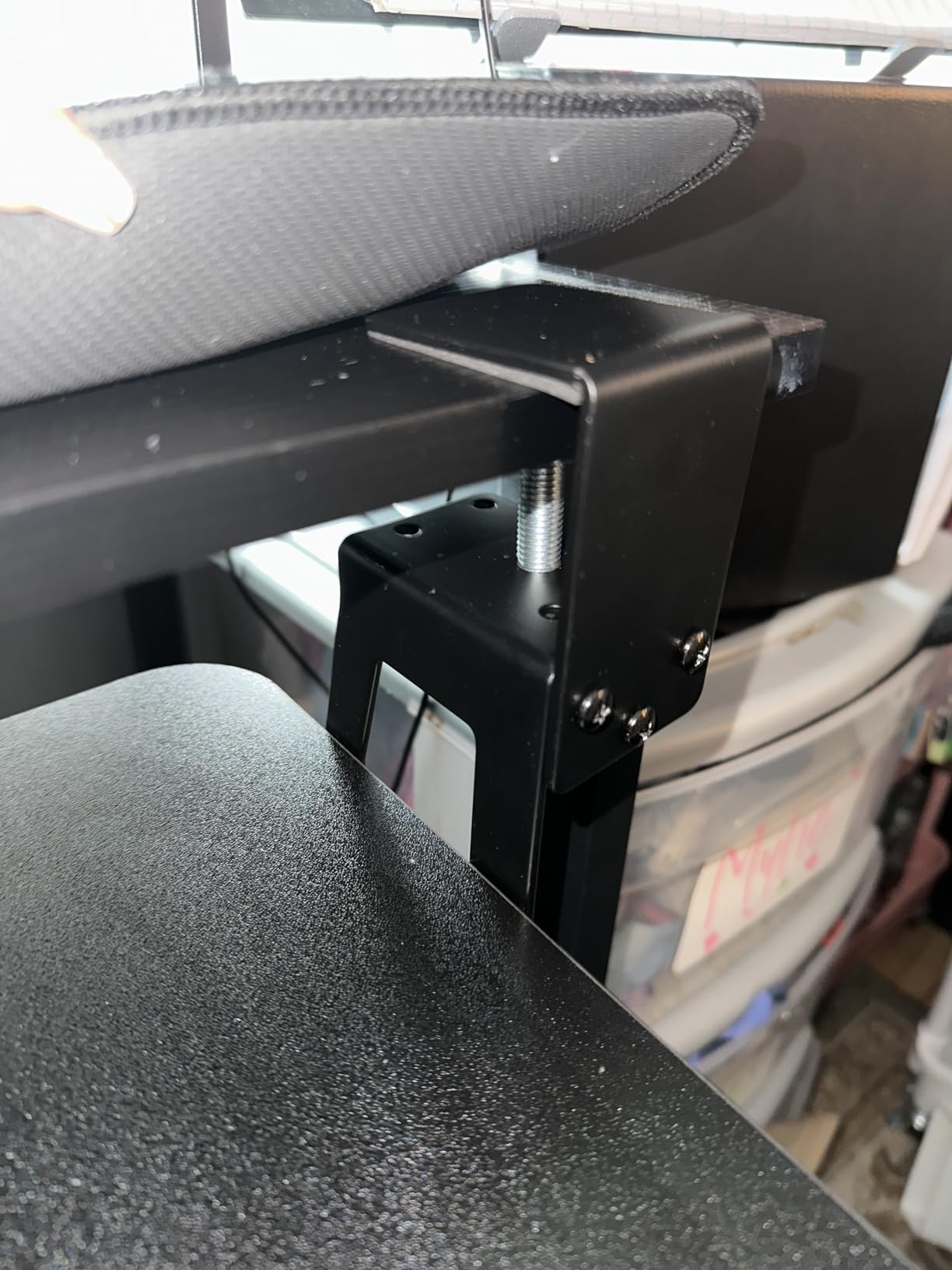
The XINLEI is the cheapest tray here and the one that keeps surprising people. At 8.73 lb it feels properly weighted, the surface is a full 25.6 by 11.8 in, and the slide still works after a year of daily use according to owners rather than settling into sag.
What makes it unusual at this level is the dual mount. You can C-clamp it onto a desktop up to 1.63 in thick with no drilling, or screw it in if your desk is thicker or has a nearby support bar, which needs 2.4 in of height clearance.
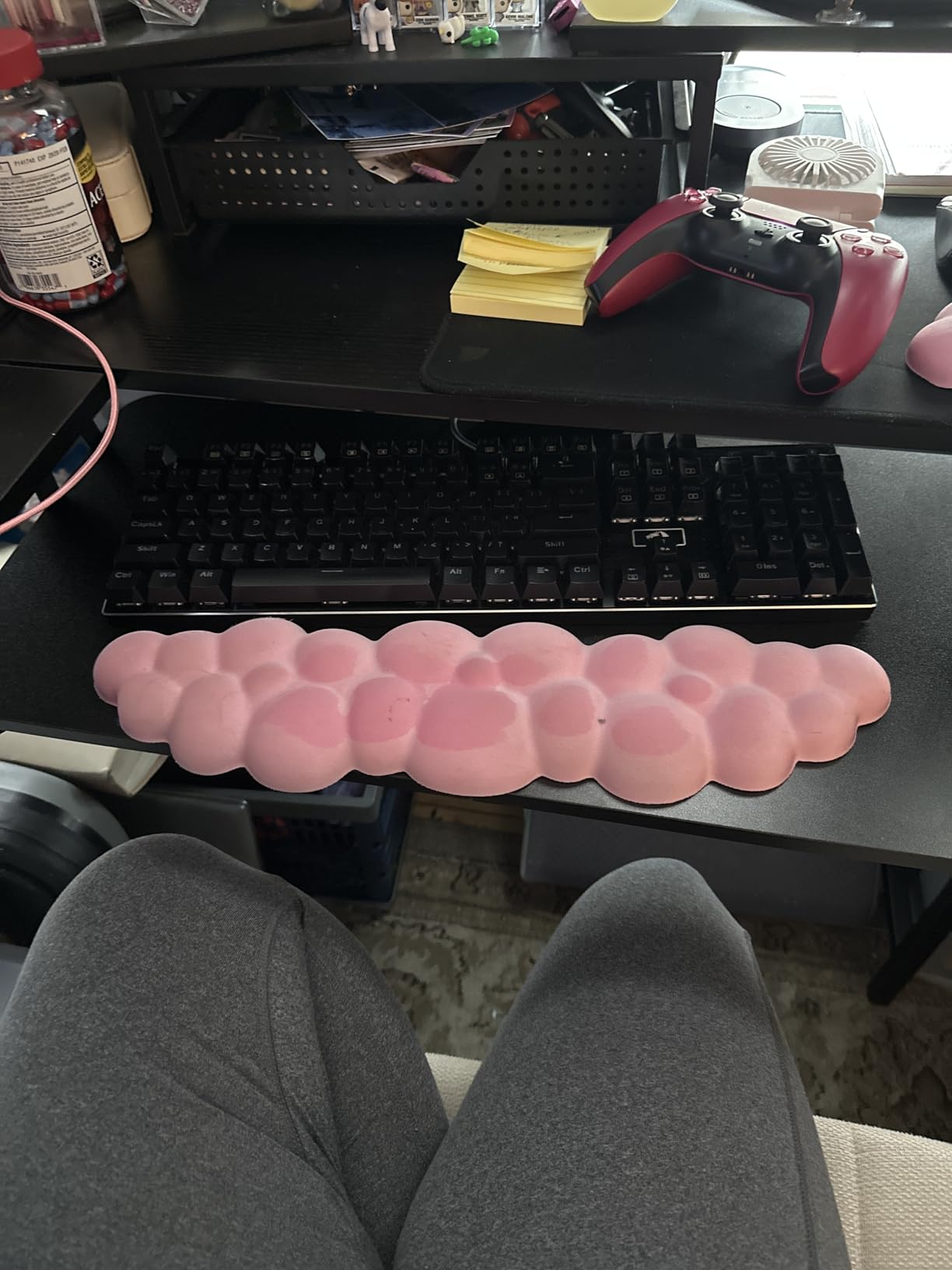
The metal rail carries a back baffle that stops a keyboard sliding off the back when you push the tray in, a small detail that cheaper trays usually omit. It slides in 12.24 in and out 7.75 in, so it disappears under the desk when you are not typing.
The weak point is the plastic slider inside the rail. It is stiff and can catch, particularly when you push from one end instead of the middle. And in clamp mode the keyboard can end up lower than you want on a desk that is not particularly tall, so measure your seated elbow height before installing.
Is it too cheap to be sturdy?
No, in our testing it held position under forearm weight without wobble and the metal rail gave it more of a solid feel than its cost suggests. The parts that feel cheap are the internal slider and the instruction sheet, not the structure. Drill pilot holes if you use the screw mode or you will pull screws out of the top over time.
Will it fit an oversized or split keyboard?
Not comfortably. At 25.6 in it suits a full-size board with room for a mouse pad, and buyers say the same, but split ergonomic keyboards and other oversized boards crowd the edges. If you type on something unusual, step up to the VIVO adjustable-width tray, which goes to 30 in.
How to Choose a Keyboard Tray for a Standing Desk?
The wrong tray usually fails for one of four reasons: it cannot grip the desk, it blocks the lift mechanism, it puts the keyboard at the wrong height, or the mouse ends up back on the desk. Work through these factors in order and the decision takes about ten minutes.
1. Decide clamp or screw mount first
A C-clamp grips the underside of the desktop with pads and needs no holes, which makes it the right answer for a rental, a shared office or a desk whose warranty you would rather not risk. Clamp range is the number that matters: the VIVO MOUNT-KB05E takes 1.25 in, the BONTEC takes 1.97 in, the AX WABER takes 1.9 in, the XINLEI takes 1.63 in, and the adjustable VIVO MOUNT-KBST1 goes to 3.4 in.
A screw mount is firmer, can be positioned around obstructions, and looks integrated once it is in. The Kensington SmartFit and the EUREKA ERGONOMIC are both screw-mounted for that reason. If your standing desk frame has a manufacturer warranty that covers accessories, check it before drilling.
2. Measure crossbar and lift-column clearance
This is the number that decides whether a tray fits at all, and it is the one people skip. The HUANUO adjustable tray asks for 14.17 in between the desk edge and the cross bar, or 16.22 in to slide fully under. The BONTEC asks for 31.3 in of width and 11.8 in of depth. The EUREKA ERGONOMIC needs 34 in by 15 in plus 30 in of floor clearance. Measure to the nearest obstruction, not to the desk edge.
If your desk has a beam under the front edge, you need cross-beam hardware rather than a standard clamp. The HUANUO cross-beam model includes brackets for beams up to 2 in high, and the EUREKA tray can be rotated on its adjustable holes to mount over the top of a beam. If you have a desk converter or a frame with a deep cable tray, measure twice before ordering anything.
3. Get the typing height right, not the desk height
The point of a tray is to put the typing surface at roughly elbow height while the desk top sits at whatever height your monitor needs. In practice, that means the keyboard ends up somewhere in the mid-20s in from the floor when seated and closer to the high 30s to low 40s when standing, depending on your height and shoulder posture.
Measure yourself: sit or stand, let your arms hang, and note where your elbows land. That is your target tray height. If the tray you are considering is fixed-height, the desk becomes a seated-only or standing-only device in practice, because the desk itself will be at the wrong height for your other mode. If you want one tray for both, buy height adjustment: the 6.3 in on the HUANUO trays is the largest travel here, and the Mount-It! riser covers the range from 1.7 in to 15.6 in by sitting on top of the desk instead.
4. Check platform width against your gear
A 24.4 to 25 in tray fits a full-size keyboard and a mouse but usually not a mouse pad. A 25.6 in tray like the XINLEI or BONTEC holds a 16 in keyboard plus a 7.5 in mouse pad. The 27.95 in EUREKA surface and the 27 in VIVO surface leave room for a gaming mouse and a large pad. Depth matters more than people expect: a 9.84 in deep tray feels cramped with a full-size board and a wrist rest.
5. Consider tilt, swivel and where your mouse sits
Negative tilt, where the back edge of the keyboard sits higher than the front, keeps wrists flatter and is the feature people managing wrist discomfort look for first. Only the HUANUO trays and the Mount-It! full-motion tray tilt in this group; the rest are flat platforms you angle by sliding them further out.
For mouse placement, wider trays let you keep the mouse on the tray so your shoulders stay relaxed while both hands are low. If you mouse with the other hand, look for a tray with a swivel so you can rotate the surface, or a wide single platform you can reconfigure. All of the swivelling trays here rotate 180 or 360 degrees, which covers both handednesses and also L-shaped desks.
6. Allow for cables when the desk moves
This is the most commonly missed detail. When a sit-stand desk travels from seated to standing height, a keyboard cable that was adequate at the low position becomes taut at the top and drags the tray or pulls the keyboard off the back. Plan on at least 6 ft of cable for a full sit-stand range, and route it so the slack sits above the desk rather than below the tray.
If you can, use a wireless keyboard and mouse and this problem disappears entirely. If you are wired, check whether your frame has a cable channel and clip the cable to the moving column rather than to the desktop, so the slack does not pull on the tray.
7. Stand desk brand compatibility, in practical terms
Brands matter less than geometry. Uplift, Jarvis, FlexiSpot, Autonomous and IKEA sit-stand frames all share the same three variables: how thick the top is, where the cross member sits, and how much clear depth there is under the front edge. Measure those three on your specific model and you can pick any tray in this list with confidence.
The recurring pattern in owner discussions is that the brand’s own tray is rarely the only option, and people buying Uplift frames specifically ask about third-party trays. In practice, a C-clamp tray works on almost any frame with a flat underside, a cross-beam bracket set handles frames with a beam, and a screw-mount tray handles the awkward cases where you need to position around a lifting column.
8. Install it so the tray retracts fully
Where you mount the tray matters more than the tray itself. Set it far enough back from the desk edge that it can slide fully underneath, which on most frames means a few inches behind the front lip. That way your knees clear the tray when you are not typing and the tray does not extend into your leg space while you are.
Before you drill or clamp, check three things: desktop thickness, the distance to the cross bar, and the height of the frame in its lowest position. Then set the typing surface at your measured elbow height and take a break. If your shoulders are climbing within an hour of typing, your tray is too low, not too high.
Frequently Asked Questions
What is the 20/8-2 rule for standing desks?
The 20/8-2 rule is a movement guideline rather than a tray rule: about 20 minutes standing, 8 minutes sitting, then 2 minutes repeating. On a sit-stand desk with a keyboard tray, the practical benefit is that your hands stay at one height while your body changes position, so your wrists do not have to re-achieve a neutral angle every time you sit down. Set your tray to seated elbow height, then leave it there as you alternate.
Is it better to have a keyboard tray?
For most standing desk users, yes, because the tray decouples typing height from monitor height. Without one, raising the desk for screen position pushes your wrists into an upward bend and your shoulders up by your ears. The exception is a workflow where you work standing for long stretches and barely type, or a desk where the knee hole is too tight to fit any tray at all.
Is it better to have my keyboard propped up or flat?
Propped up with a slight negative tilt, meaning the back edge higher than the front, usually keeps wrists flatter than a flat board. But the bigger factor is overall height: a flat keyboard at the correct elbow height beats a propped keyboard sitting too high. Use tilt as a fine adjustment after you have set the height, and test both positions before deciding.
What is the best ergonomic keyboard for a standing desk?
For standing work, a low-profile board with a slight negative tilt and a light actuation force reduces wrist extension and finger effort. Compact boards without a numpad also shorten the reach between mouse and keyboard, which keeps the shoulder relaxed. Pair that with a tray that puts the board at elbow height, since no keyboard fixes a tray set too low.
What is the best keyboard tray for a standing desk?
For most home offices the VIVO Black Clamp-on 27 x 11 in tray (MOUNT-KB05E) is the strongest all-round choice, with a wide steel surface and a no-drill mount. If one tray must serve both sitting and standing, choose the HUANUO tray with 6.3 in of height adjustment. If your desk has a cross beam, pick the HUANUO cross-beam model or the screw-mount EUREKA ERGONOMIC tray.
What are people saying about the Uplift desk keyboard tray?
Owner discussion centres on price and fit. Most Uplift owners ask whether a third-party tray works and report that clamp-on trays with padded jaws mount fine as long as the desktop has a square edge and the cross member leaves enough room. The recurring practical advice is to measure the distance from the front edge to the cross member before ordering, and to keep at least 6 ft of cable for full sit-stand travel.
How high should a keyboard tray be for a standing desk?
Aim for roughly elbow height in whichever position you are working in, which for most people lands the typing surface in the mid-20s in from the floor when seated and closer to the high 30s to low 40s when standing. Measure your own elbow height rather than trusting a number, and if the tray is fixed-height, plan to use it in one position and let the desk handle the other.
Bottom Line
The best keyboard trays for standing desks share one trait: they put your typing surface at elbow height without asking you to drill, lift or rebuild your frame. The VIVO MOUNT-KB05E does that for the widest range of desks with the largest surface in the group. The HUANUO tray with 6.3 in of height adjustment is the one to buy if the tray has to follow you between sitting and standing, and the cross-beam HUANUO or screw-mount EUREKA tray is the answer when a lifting column stands between you and a standard clamp.