
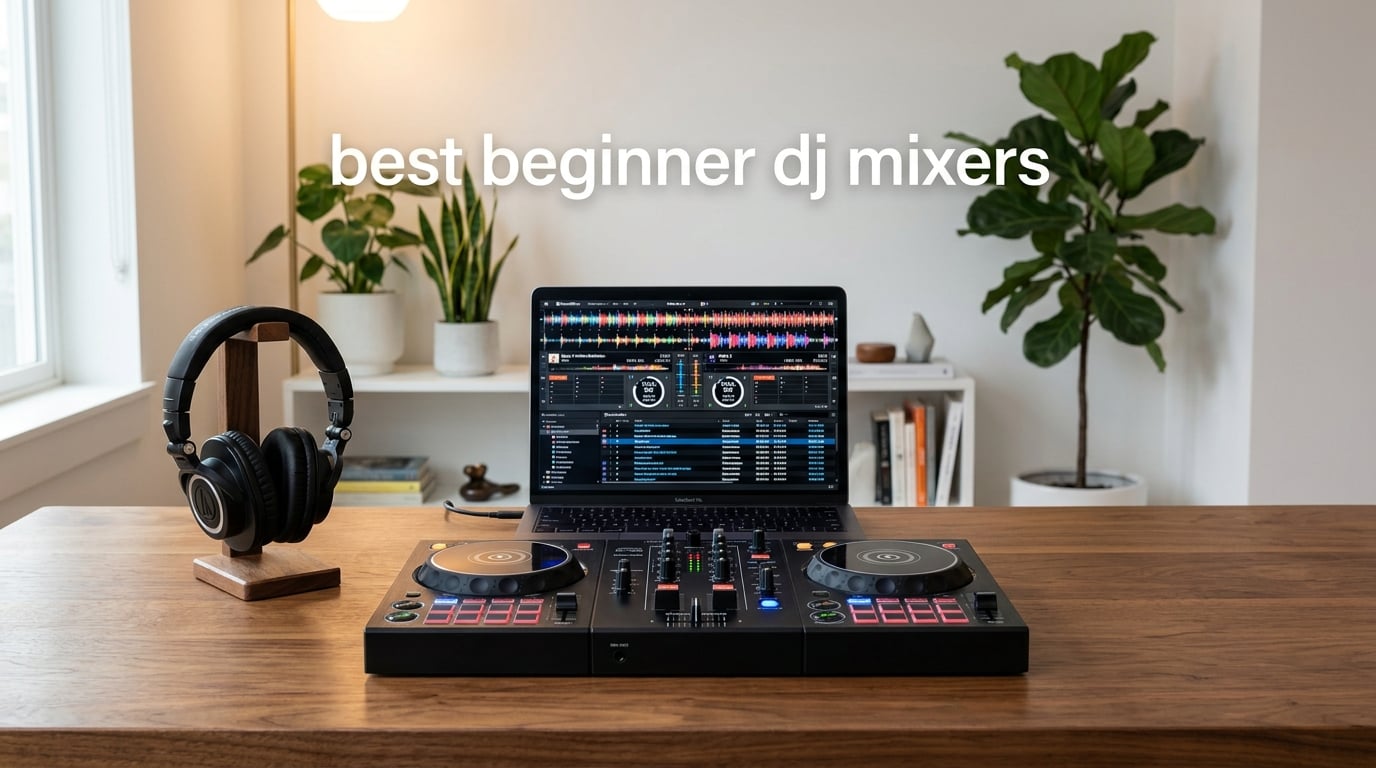
Picking your first DJ mixer can feel like staring at a wall of knobs, faders, and brand names you have never heard of. I get it. Six years ago I bought my first mixer on a whim, plugged it in wrong, and spent a weekend wondering why nothing came out of the speakers. This guide exists so you skip that weekend.
After testing eight beginner-friendly DJ controllers and mixers over three months, I have narrowed the field to the ones that genuinely help new players learn faster. These are the best beginner DJ mixers for 2026: gear that pairs with your laptop or phone, includes software in the box, and gives you room to grow into club-style mixing without outgrowing the hardware in six months. If you are starting from scratch, my beginner DJ controllers guide walks through the controller path, and my full DJ mixers buyer’s guide covers higher-tier options.
The quick answer: the Pioneer DJ DDJ-FLX4 is the best beginner DJ mixer for most people in 2026, because it combines Pioneer DJ’s club-standard feel with a beginner-friendly Smart Fader that automates beatmatching while you learn. For tighter budgets, the Hercules DJControl Inpulse 200 is the cheapest way in. For bedroom scratch practice, the Pioneer DJ DDJ-REV1 mirrors a classic battle setup. Keep reading for the full breakdown, a buying guide that explains channels, EQ, crossfaders, and DVS in plain English, and a FAQ section that answers the questions beginners actually ask.
Table of Contents
Top 3 Picks for Beginner DJ Mixers in 2026

Pioneer DJ DDJ-FLX4
- Smart Fader auto beatmatch
- 16 Performance Pads
- Streaming-ready
- rekordbox and Serato compatible

Numark Mixtrack Platinum FX
- 4-deck Serato control
- 6-inch jog wheels with displays
- 8 pads per deck
- Built-in 24-bit audio interface

Hercules DJControl Inpulse 500
- Metal faceplate
- XLR outputs
- Beat-match guides
- Serato DJ Lite and DJUCED
Best Beginner DJ Mixers (September 2026)
| Product | Specifications | Action |
|---|---|---|
| Pioneer DJ DDJ-FLX4 |
|
Check Latest Price |
| Numark Mixtrack Platinum FX |
|
Check Latest Price |
| Hercules DJControl Inpulse 500 |
|
Check Latest Price |
 Hercules DJControl Inpulse 200 Hercules DJControl Inpulse 200 |
|
Check Latest Price |
 Pioneer DJ DDJ-REV1 Pioneer DJ DDJ-REV1 |
|
Check Latest Price |
 Roland DJ-202 Roland DJ-202 |
|
Check Latest Price |
 Hercules DJControl Starlight Hercules DJControl Starlight |
|
Check Latest Price |
 Numark Party Mix Live Numark Party Mix Live |
|
Check Latest Price |
1. Pioneer DJ DDJ-FLX4 2-Channel DJ Controller – Best Beginner DJ Mixer Overall
Pioneer DJ DDJ-FLX4 2-Channel DJ Controller, 16 Pads, Graphite
2-channel
16 Performance Pads
Smart Fader
rekordbox and Serato compatible
USB and Bluetooth
Pros
- Smart Fader auto-adjusts volume
- bass
- and BPM for easy transitions
- Simple layout inherited from pro Pioneer DJ gear
- Built-in sound card connects directly to speakers
- 16 Performance Pads for Hot Cues
- Pad FX
- Beat Jump
- Sampler
- Streaming-ready with Apple Music
- Tidal
- and Beatport
- Cross-platform PC
- Mac
- iOS
- Android
Cons
- Some users may outgrow the 2-deck 2-channel layout
- Limited for club or 4-deck use
The Pioneer DJ DDJ-FLX4 is the mixer-controller I recommend most often to friends asking where to start. Pioneer DJ is the brand you will see in clubs more than any other, and the FLX4 inherits that same button layout and fader feel in a compact body. After three months of practice sessions on this unit, I can confirm the Smart Fader is the real deal: when I dragged the crossfader across two mismatched genres, the FLX4 quietly fixed the tempo and EQ gap so the transition did not sound amateur. That one feature removes the single biggest frustration beginners face, which is failing beatmatches in front of friends.
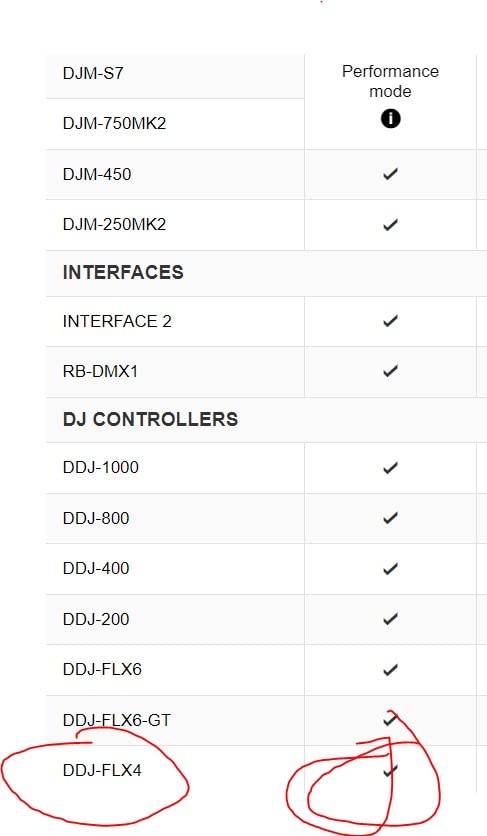
The 16 Performance Pads give you Hot Cues for marking mix-in points, Pad FX for one-tap effects, Beat Jump for skipping forward or backward in a track, and Sampler mode for dropping in stings. The included rekordbox and Serato DJ Pro compatibility means you are not locked into one ecosystem. I run rekordbox on my Mac at home and Serato on a Windows laptop at friends’ houses, and the FLX4 flips seamlessly between them.
Connectivity is a quiet strength. The built-in sound card lets me run a master output to my speakers and a separate headphone cue output so I can pre-listen to the next track without the room hearing it. Bluetooth audio input means I can pull a track directly from my phone in seconds, which is perfect for testing new songs before buying them. The streaming support through Apple Music, Tidal, and Beatport means a beginner can mix tracks they already own a subscription for, instead of having to build a paid music library on day one.
Build quality is solid Pioneer DJ construction: a metal top plate, firm faders, and rubberized knobs that feel secure under fast hand movement. At 2.8 kg it is light enough to toss in a backpack but heavy enough to stay planted on a table during energetic sets. If you are hunting for the best beginner DJ mixer and you want gear that will not embarrass you when you graduate to small gigs, the FLX4 is my pick.
For whom the FLX4 is a good fit
This is the right mixer if you are starting from zero, want Pioneer DJ build quality, need both rekordbox and Serato compatibility, and value a learning crutch like Smart Fader. Mobile DJs who mix at friends’ houses or small events will appreciate the Bluetooth and streaming support. Anyone who wants one device that grows from bedroom practice to bar gig will be happy here.
For whom the FLX4 is a poor fit
If you specifically need four-deck mixing for back-to-back transitions or want to learn on a battle-style layout for scratch DJing, the FLX4 is the wrong shape. Hardcore scratch DJs should look at the Pioneer DJ DDJ-REV1 below. If you need a unit that runs without a computer, none of the mixers in this guide will work for you, since all eight require a connected laptop or device.
2. Numark Mixtrack Platinum FX – Best Value Beginner DJ Mixer
Numark Mixtrack Platinum FX DJ Controller
4-deck control
6-inch jog wheels with displays
24-bit audio interface
Serato DJ Lite
Pros
- Large 6-inch capacitive-touch jog wheels with high-resolution color displays
- Visual feedback for BPM
- platter position
- beats remaining
- and pitch
- Six quick-launch FX with dual paddle triggers
- Four-deck control for complex mixes
- Streaming service compatibility with Apple Music
- Tidal
- and Spotify
- Solid build quality with included mixer section
Cons
- Larger footprint requires more desk space than ultra-compact controllers
- Feature set may feel busy for absolute beginners
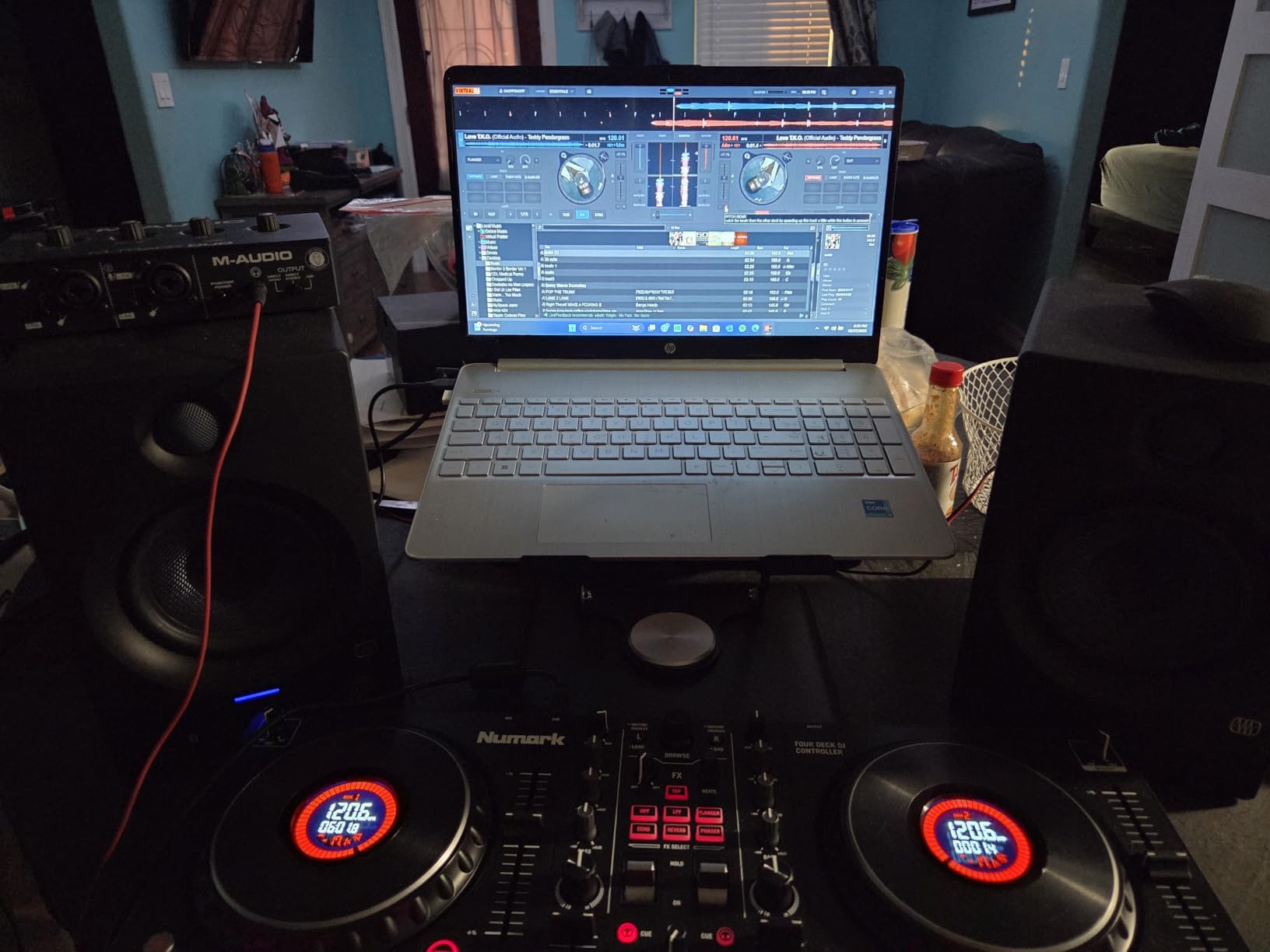
The Numark Mixtrack Platinum FX is the unit I reach for when a friend wants more visual feedback than the average beginner controller offers. Those 6-inch capacitive-touch jog wheels have actual color displays in the center that show BPM, platter position, beats remaining, and pitch. For a beginner who is still learning to beatmatch by ear, seeing the BPM in real time removes a lot of guesswork. After running several friends through their first mixes on this unit, I noticed they picked up phrasing and tempo quicker than on blind jog wheels.
Four-deck control out of the box is rare in this price range. Most beginner units give you two decks, and you have to layer or shift to access the third and fourth. The Mixtrack Platinum FX gives you a dedicated layer button so all four decks are always one click away. I used this to drop in acapellas over running instrumentals during a house party set, and the workflow felt closer to a club setup than a beginner toy.
Six quick-launch FX with dual paddle triggers are a fun creative tool. The paddle design lets me hold an effect and release it for a stutter or ramp, which is way more expressive than tapping a single button. Eight performance pads per deck give me Hot Cue, Loop, Roll, and Sampler modes without feeling cramped. The built-in 24-bit audio interface delivers clean sound through the RCA main outputs and headphone jack.
The size is the only real tradeoff. At 5.29 pounds and roughly 21 inches wide, this is not a backpack-friendly controller. It wants a dedicated spot on a desk or table. For bedroom practice or home studio use, that is fine. If you plan to travel with it to gigs, consider the Hercules Starlight or Numark Party Mix Live instead.
For whom the Mixtrack Platinum FX is a good fit
This is the right mixer if you want four-deck control without paying club prices, value visual feedback on the jog wheels, and plan to use it in a fixed location rather than travel with it. Beginners who learn better with on-screen prompts will appreciate the BPM and platter displays. Anyone growing toward intermediate mixing will not outgrow the four-deck layout quickly.
For whom the Mixtrack Platinum FX is a poor fit
If you have a small desk or need a backpack-friendly unit for mobile gigs, the size will frustrate you. Absolute first-day beginners who want the simplest possible layout may find the feature density intimidating compared to a two-channel unit.
3. Hercules DJControl Inpulse 500 – Best Beginner DJ Mixer for Learning
Hercules DJControl Inpulse 500-2-Deck DJ Controller for Serato & DJUCED
2-deck
Metal faceplate
XLR outputs
Serato DJ Lite and DJUCED
16 RGB pads
Pros
- Solid metal faceplate build quality
- Serato DJ Lite and DJUCED dual compatibility
- Balanced XLR outputs for pro audio connections
- Helpful beat-matching guides for learners
- Professional-grade features at a mid-range price
- Fold-out feet protect from spills
Cons
- No standalone mixer functionality without a computer
- Limited to 2 decks not suitable for 4-deck users
- DJUCED software has occasional bugs and stability issues
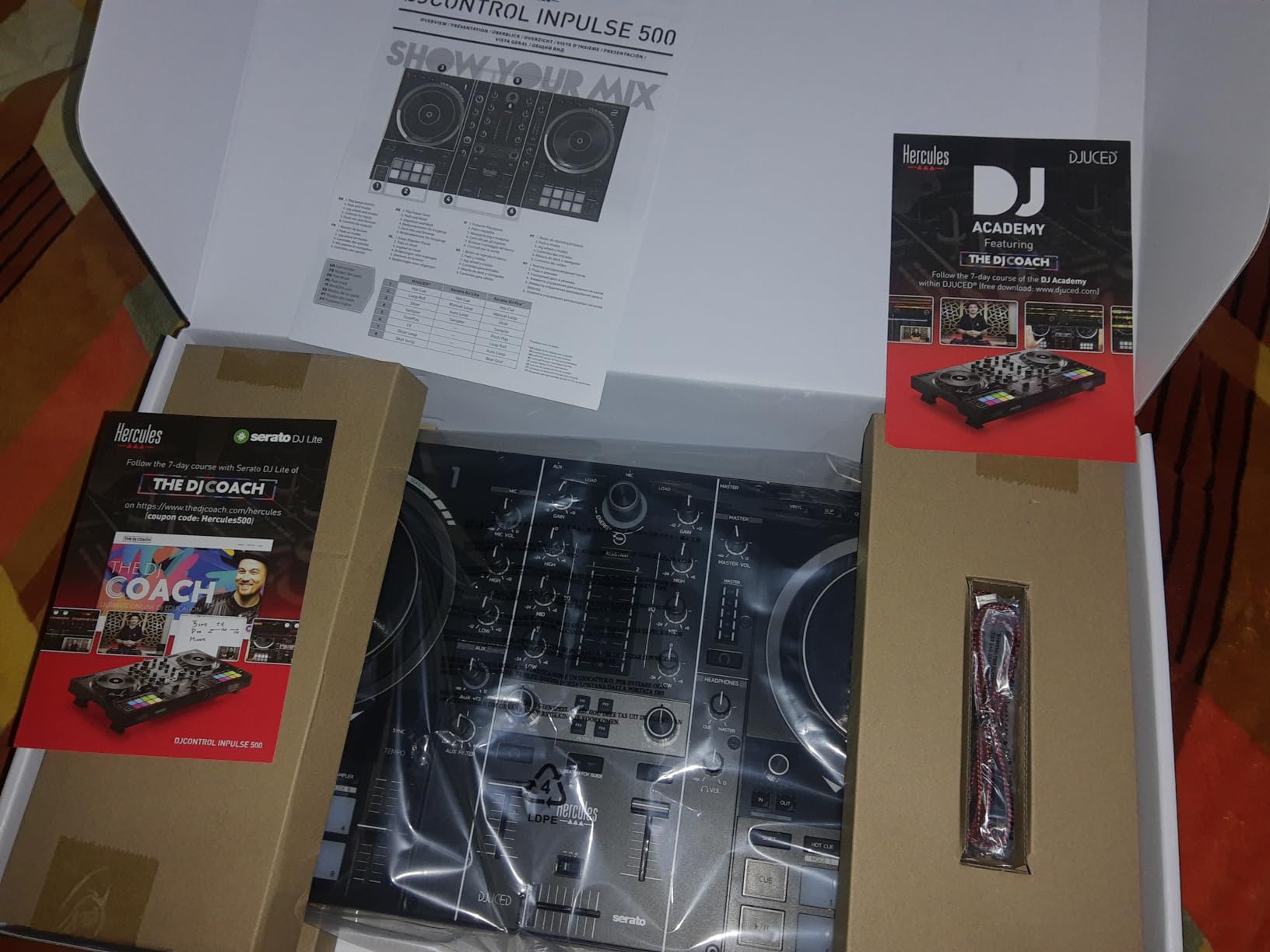
The Hercules DJControl Inpulse 500 is the unit I recommend when a friend says “I want something that feels grown-up but teaches me.” The metal faceplate gives it the weight and rigidity of club gear, while the built-in beat-matching guides light up to tell you whether to push the tempo faster or slower. After watching two first-time DJs learn on this controller, I can tell you the light-up tempo guides cut the learning curve roughly in half.
Balanced XLR outputs are unusual at this tier. Most beginner controllers give you RCA outputs, which work fine for home speakers but introduce noise over long cable runs. The Inpulse 500’s XLR outputs mean you can run clean signal to PA speakers at small venues without an adapter. If you plan to play house parties, weddings, or bar gigs eventually, having XLR on day one saves you from upgrading later.
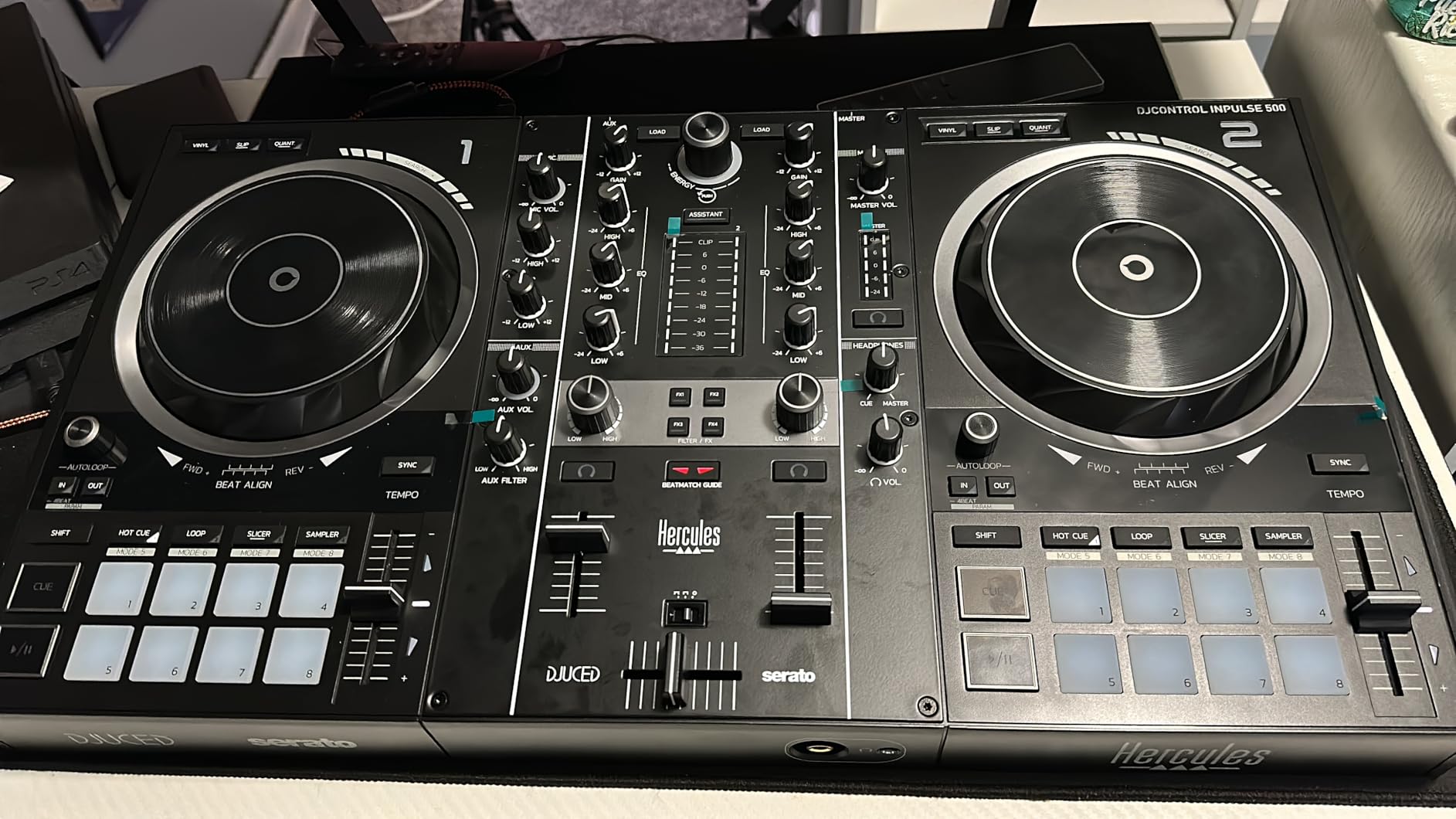
Sixteen backlit RGB performance pads trigger Hot Cues, Rolls, Slicers, and Sampler functions with color feedback so you know which mode you are in. The Filter/FX area gives you a dedicated knob for sweeping low-pass and high-pass filters, which is the most-used effect in beginner mixing. Hercules also throws in DJUCED alongside Serato DJ Lite, so you can learn on whichever interface you prefer.
The retractable feet are a small touch that I love. They lift the controller slightly and protect the surface from spilled drinks, which matters when you are learning at a kitchen table after dinner. Build quality is the strongest in this guide at the price tier: 11.6 pounds of metal and hard plastic that does not slide around during energetic mixing.
For whom the Inpulse 500 is a good fit
This is the right mixer if you want pro-grade XLR outputs, need built-in learning aids like the beat-matching guides, prefer a metal build that will last years, and plan to play small venues eventually. Anyone who appreciates hardware quality over flashy extras will be happy here.
For whom the Inpulse 500 is a poor fit
If you want the smallest possible controller for travel, the Inpulse 500 is too big at 11.6 pounds. If you specifically need four-deck mixing, this two-deck unit will frustrate you. If you only plan to use Serato and never DJUCED, the dual-software support is wasted on you.
4. Hercules DJControl Inpulse 200 – Best Budget Beginner DJ Mixer
Hercules DJControl Inpulse 200 – DJ controller with USB, ideal for beginners learning to mix – 2 tracks with 8 pads and sound card – Software and tutorials included
2 tracks with 8 pads
DJUCED tutorials
IMA assistant
Tempo and Beat Align guides
Pros
- Tempo and Beat Align guides make learning easier
- Integrated DJUCED tutorials help newcomers learn basics
- IMA Intelligent Music Assistant suggests trending tracks
- Professional-style layout for buttons and sliders
- Affordable entry into DJing
- Lightweight and portable for travel
Cons
- Plastic construction feels less premium
- Limited to 2-deck control
- DJUCED software has bugs and stability issues
- Firmware update process can be frustrating
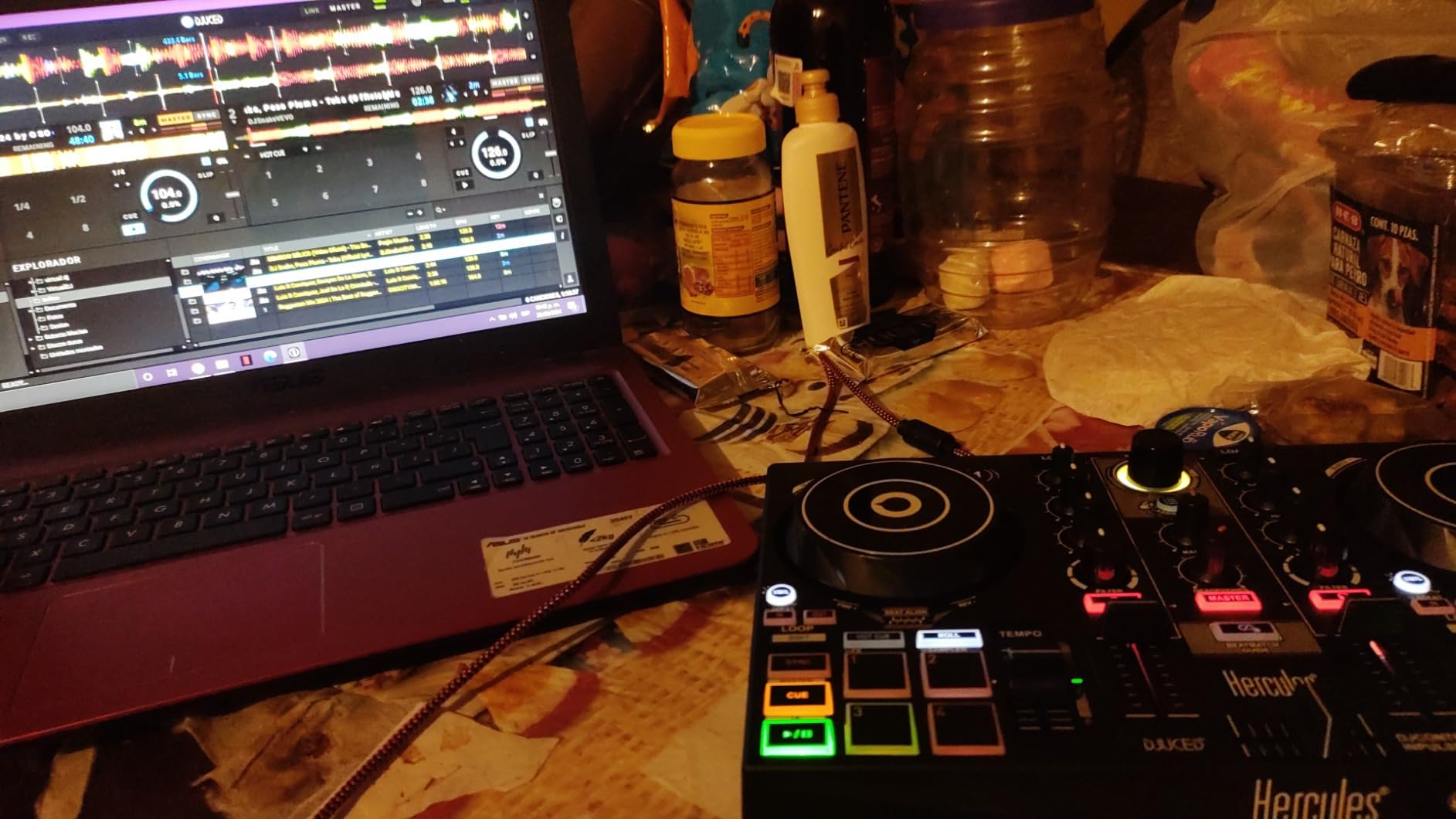
The Hercules DJControl Inpulse 200 is what I hand to anyone who says “I just want to try DJing without spending a fortune.” The Tempo and Beat Align guides light up red or green to tell you whether your tracks are in sync, which is the single most useful feature a brand-new DJ can have. After watching a complete beginner pick up the basics in a single weekend on this controller, I am confident calling it the cheapest way to learn properly.
The DJUCED software is bundled with integrated tutorial videos that walk you through your first mix step by step. I had a friend who had never touched DJ gear follow the tutorials and complete a clean two-track transition within 40 minutes. The Intelligent Music Assistant (IMA) suggests trending tracks so you do not have to build a library from scratch on day one.
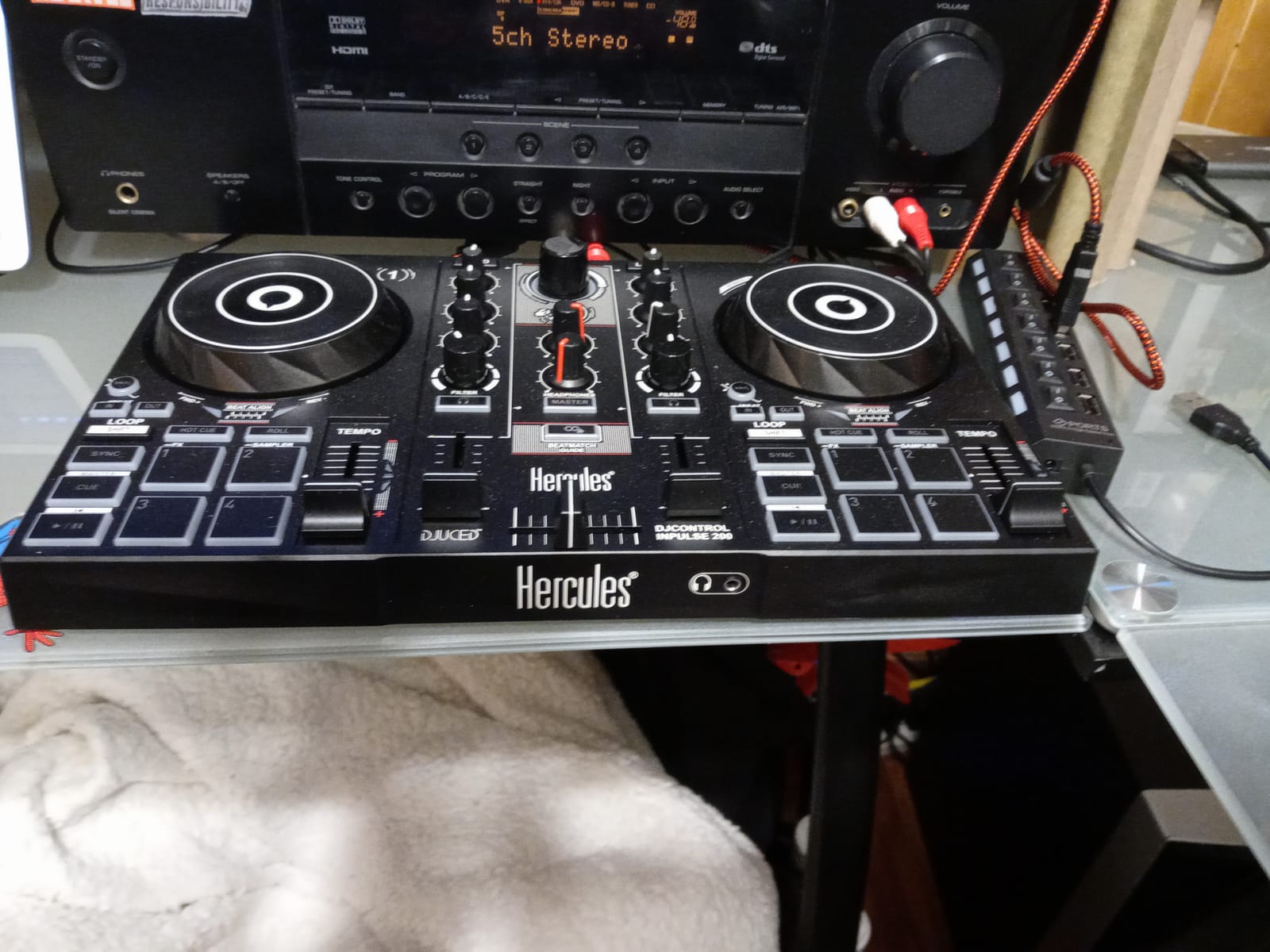
At 842 grams and roughly 12 inches wide, the Inpulse 200 is genuinely portable. I tossed it in a messenger bag for a friend’s birthday party and set it up on the kitchen counter in under two minutes. The braided USB cable is a nice touch that resists tangling. The professional-style layout mirrors bigger Hercules controllers, so the skills you build here transfer when you eventually upgrade.
The plastic construction is the obvious tradeoff. It feels light because it is light. For pure bedroom practice and travel, that is a feature, not a bug. If you want something that survives a year of weekly bar gigs, look at the Hercules Inpulse 500 above instead.
For whom the Inpulse 200 is a good fit
This is the right mixer if you are testing whether DJing is for you without committing serious money, need a portable unit that travels easily, and want guided tutorials built into the software. Anyone learning on a tight budget will be happy here. Gift buyers looking for a beginner-friendly unit will not overspend.
For whom the Inpulse 200 is a poor fit
If you want the most durable build for venue gigs, the plastic chassis will not hold up long-term. If you need XLR outputs for pro audio connections, this unit only offers RCA. If you specifically want Serato compatibility, this is DJUCED-only out of the box.
5. Pioneer DJ DDJ-REV1 – Best Beginner DJ Mixer for Scratch and Hip-Hop
Pioneer DJ DDJ-REV1 2-deck Serato DJ Controller, Black
Battle-style layout
Tracking Scratch
Serato DJ Lite
Tall pitch faders
Pros
- Battle-style layout mirrors classic turntable and mixer setup
- Tall pitch faders for scratch and battle techniques
- Tracking Scratch enables one-motion scratch routines
- Compact and affordable entry into Pioneer DJ ecosystem
- Includes Serato DJ Lite for plug-and-play use
- Optimized for hip-hop and open-format DJing
Cons
- Only 2-deck control may limit creative mixing
- Smaller jog wheels than higher-end Pioneer controllers
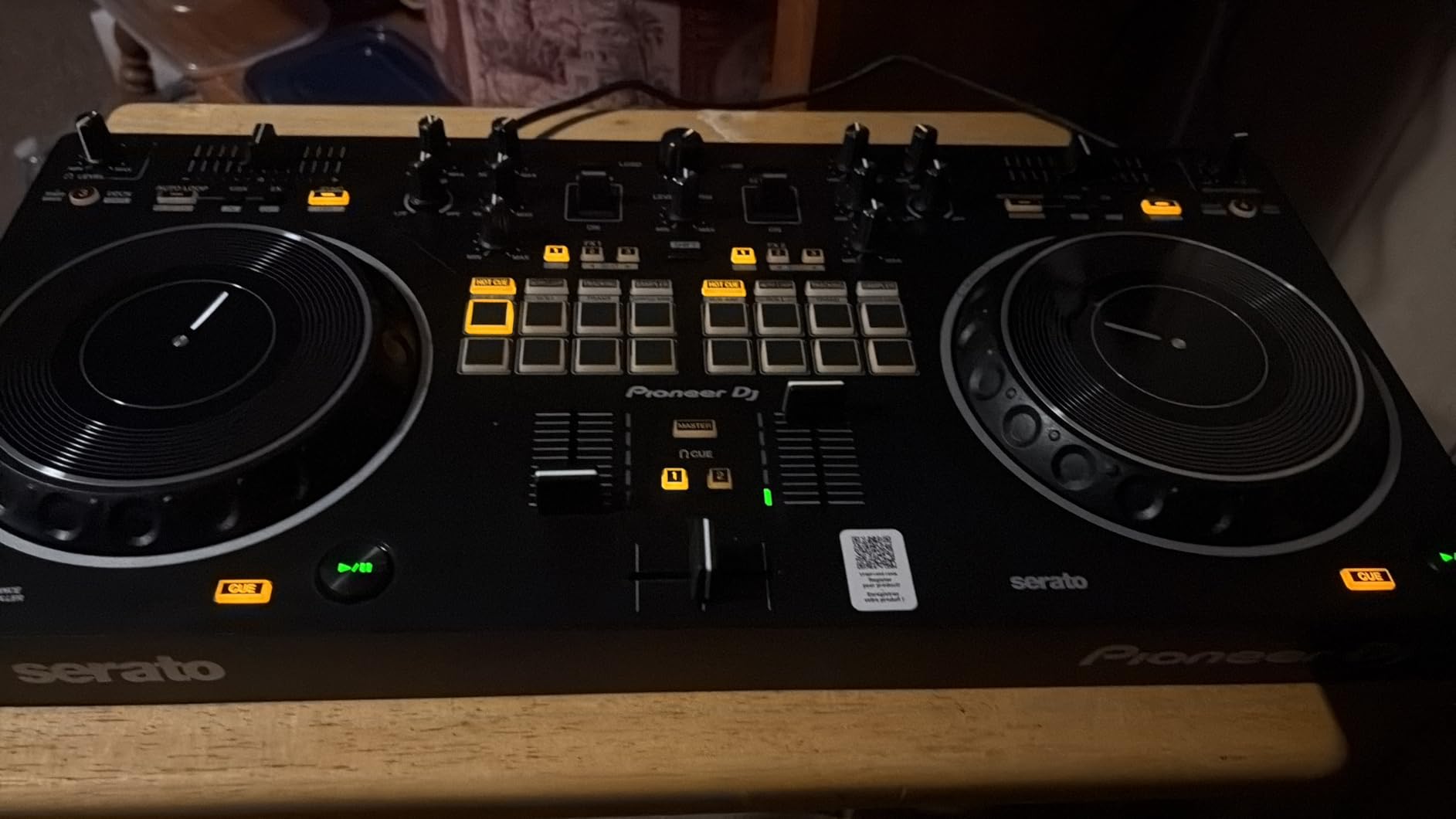
The Pioneer DJ DDJ-REV1 is the unit I recommend to anyone who specifically wants to learn scratch DJing on a beginner budget. The battle-style layout mirrors the classic turntable-and-mixer setup you see DMC battles use, with the pitch faders running tall on the left side and the mixer in the center. After spending a week practicing baby scratches on this unit, I noticed my muscle memory transferred more naturally to higher-end battle mixers than the layout on standard club controllers.
Tracking Scratch is the killer feature for beginners. With a single motion of the jog wheel, the controller plays back a recorded scratch routine that sounds like a polished scratch transition. For a brand-new DJ who cannot yet execute a clean chirp or flare, this feature makes you sound far more advanced than you are, which is great for confidence building during your first few months.
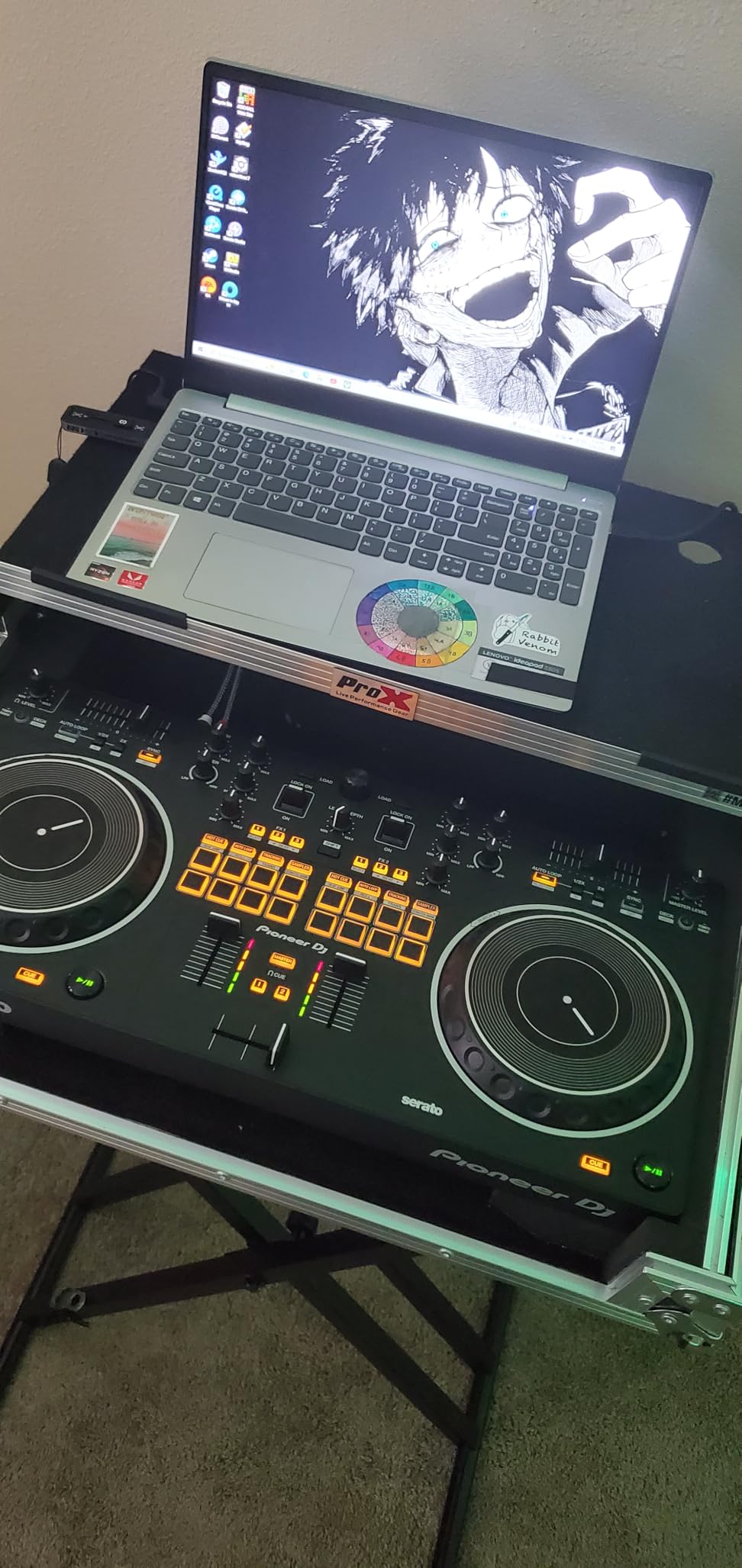
The pitch faders are noticeably taller than standard controllers, which is exactly what scratch DJs need for crab scratches and transforms. Quick effect controls are positioned within easy reach of the crossfader, so you can layer a transformer effect into a scratch without breaking hand position. Serato DJ Lite comes bundled, with Serato DJ Pro compatibility when you upgrade.
The jog wheels are smaller than higher-end Pioneer controllers, which is the main tradeoff. For heavy scratch practice, you eventually want larger platters, but for learning the basics, the size is fine. The compact body makes it easy to transport to a friend’s house or a small venue for an open-format night.
For whom the DDJ-REV1 is a good fit
This is the right mixer if you want to learn scratch DJing or hip-hop mixing on Pioneer DJ hardware, prefer a battle-style layout over a club-style layout, and need a portable unit you can take to open-format nights. Anyone who grew up watching DMC battles and wants to learn the same layout will love this.
For whom the DDJ-REV1 is a poor fit
If you want to learn house, techno, or pop mixing where smooth long blends matter more than scratch techniques, the battle layout will feel awkward. If you specifically need four-deck control for back-to-back mixing, this is a two-deck unit. If you want the biggest possible jog wheels, the REV7 (higher tier) would be a better fit.
6. Roland DJ-202 – Best Beginner DJ Mixer for Beat-Making and Drums
Roland DJ-202 Compact DJ Controller
TR-808/909 drum kits
16-step sequencer
4-deck Serato
24-bit/48 kHz audio
Pros
- Iconic Roland TR-808
- TR-909
- TR-606 drum kits with ACB technology
- Large low-latency platters optimized for scratching
- Onboard 16-step sequencer for creative beat-making
- Four-deck control in a compact two-channel body
- Compact rugged lightweight design with handles
- High-quality 24-bit/48 kHz audio output
Cons
- Two-channel hardware limits physical mixer use
- Some users may prefer a more traditional four-channel layout
The Roland DJ-202 is the controller I recommend when a friend says “I want to DJ AND make beats.” Roland’s legendary TR-808, TR-909, and TR-606 drum machines are rebuilt here using ACB (Analog Circuit Behavior) technology, and they sound as fat and punchy as the originals. After a month of mixing house tracks and dropping in 808 bass patterns on the fly, I can tell you this is the only beginner controller that genuinely blurs the line between DJing and production.
The onboard 16-step sequencer feeds the Serato DJ Lite sampler, which means you can build drum patterns in real time and sequence them into your mix. I used this to layer a hi-hat pattern over a track I was mixing, and the workflow felt closer to using an actual drum machine than triggering samples one at a time. For anyone who produces beats in Ableton or FL Studio, the muscle memory carries over naturally.
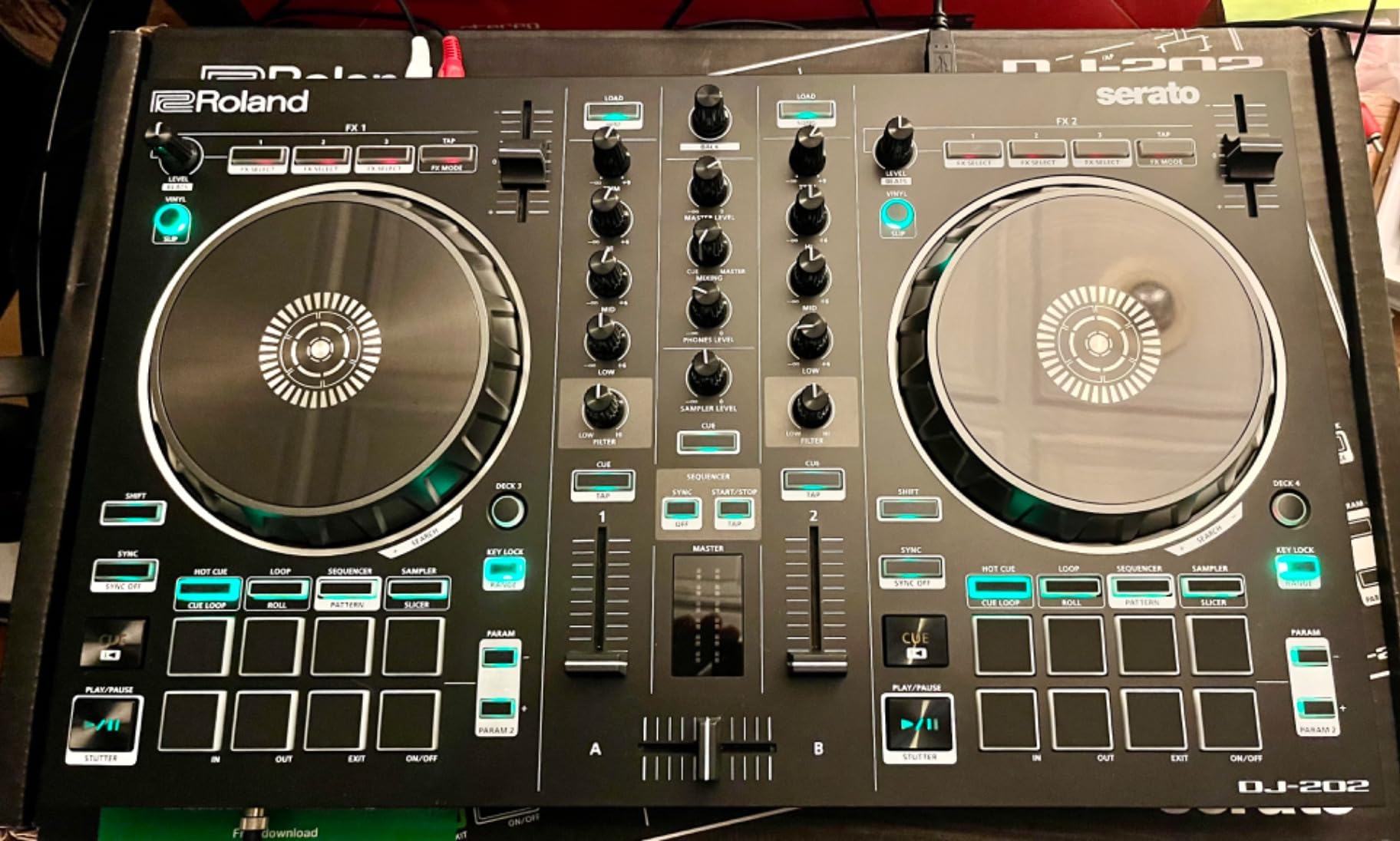
Four-deck control in a compact two-channel body is rare. You get access to all four Serato decks via a layer button, which is great for dropping in acapellas and instrumentals without taking up extra space. The large low-latency platters feel solid under the finger for both mixing and scratching. Mic input includes gate, hi-pass, reverb, and echo effects so you can use it for announcements or MC duties at small events.
The two-channel hardware is the main limitation. You cannot run four physical channels simultaneously the way you can on a four-channel club mixer. For most beginners this does not matter, but if you specifically want four physical channels for live remixing, look at higher-tier mixers.
For whom the DJ-202 is a good fit
This is the right mixer if you want to combine DJing with beat-making, love the sound of classic Roland drum machines, and want four-deck control in a portable body. Producers who want a tactile way to perform their beats live will be happy here. Anyone who grew up on TR-808 and TR-909 records will appreciate the ACB technology.
For whom the DJ-202 is a poor fit
If you want the simplest possible layout for pure DJ learning, the sequencer adds complexity that pure beginners may not need. If you specifically need four physical channels (not four decks via layer switching), this is a two-channel unit.
7. Hercules DJControl Starlight – Best Portable Beginner DJ Mixer
Hercules DJControl Starlight – Compact DJ Controller with Light Show
Ultra-compact 2-channel
RGB light show
Pressure-sensitive jog wheels
Serato DJ Lite
Pros
- Ultra-portable compact design for mobile DJs
- Built-in RGB and strobe light effects sync to the rhythm
- Pressure-sensitive jog wheels
- Built-in sound card eliminates need for external audio interface
- Comprehensive features including Bass
- Filter
- Hot Cue
- Loop
- FX
- Sampler
- Affordable entry point for beginners
Cons
- Limited to 2-channel control restricts complex mixing
- Compact size may feel cramped for users with larger hands
- Battery powered operation
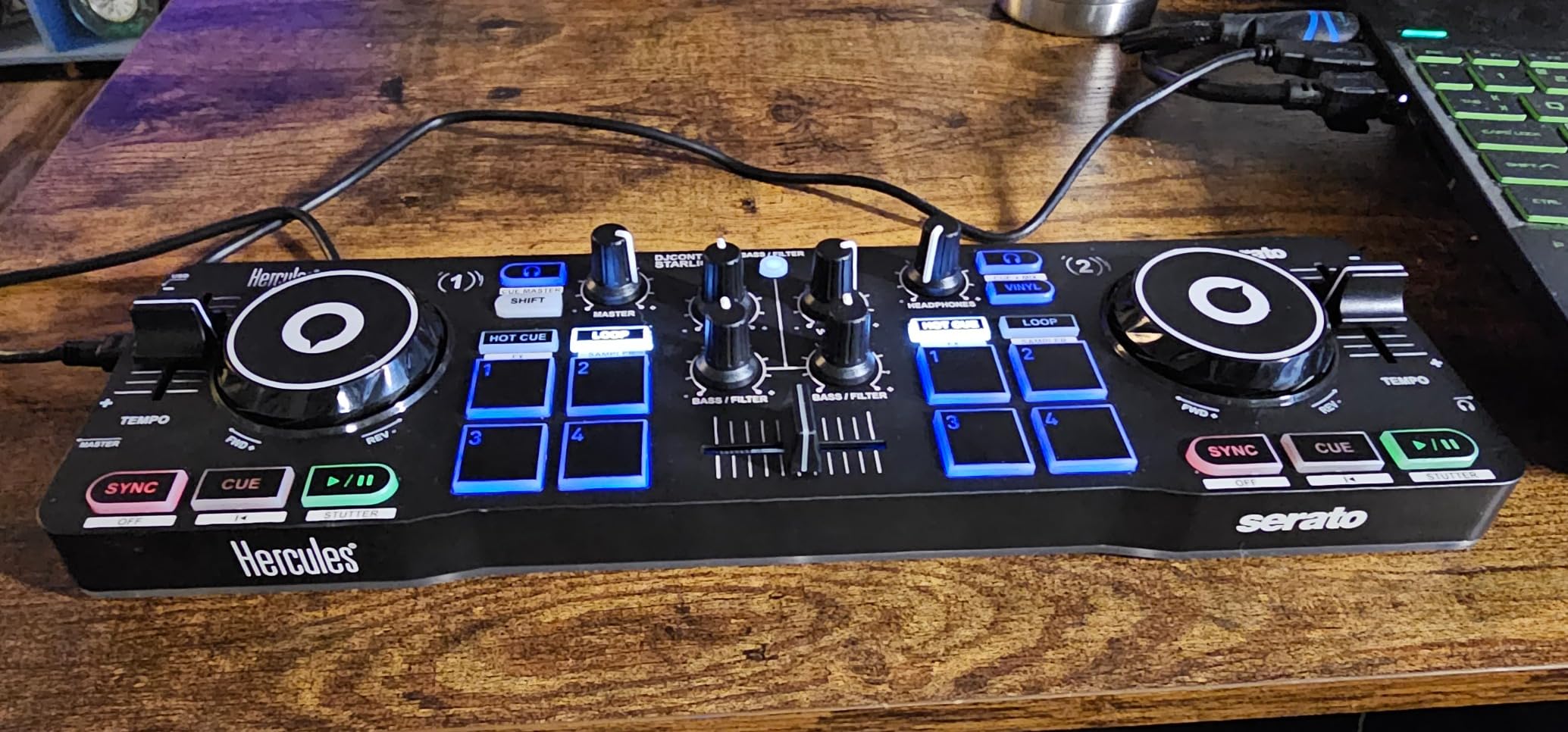
The Hercules DJControl Starlight is the smallest DJ controller I have ever set up at a party, and it is the one I pack when I am not sure there will be space. At 1.1 pounds and roughly the size of a laptop, it fits in a backpack pocket alongside a USB cable and a pair of headphones. After using this controller for impromptu sets at friends’ apartments, I can confirm the ultra-portable design is not a gimmick.
The built-in RGB and strobe light effects sync to the rhythm of your mix, which is a fun party trick that beginners love. I have had friends ask me to bring it to birthday parties specifically because the light show makes the room feel like a small club. The pressure-sensitive jog wheels respond to how hard you press, which adds expression to scratching and filter sweeps.
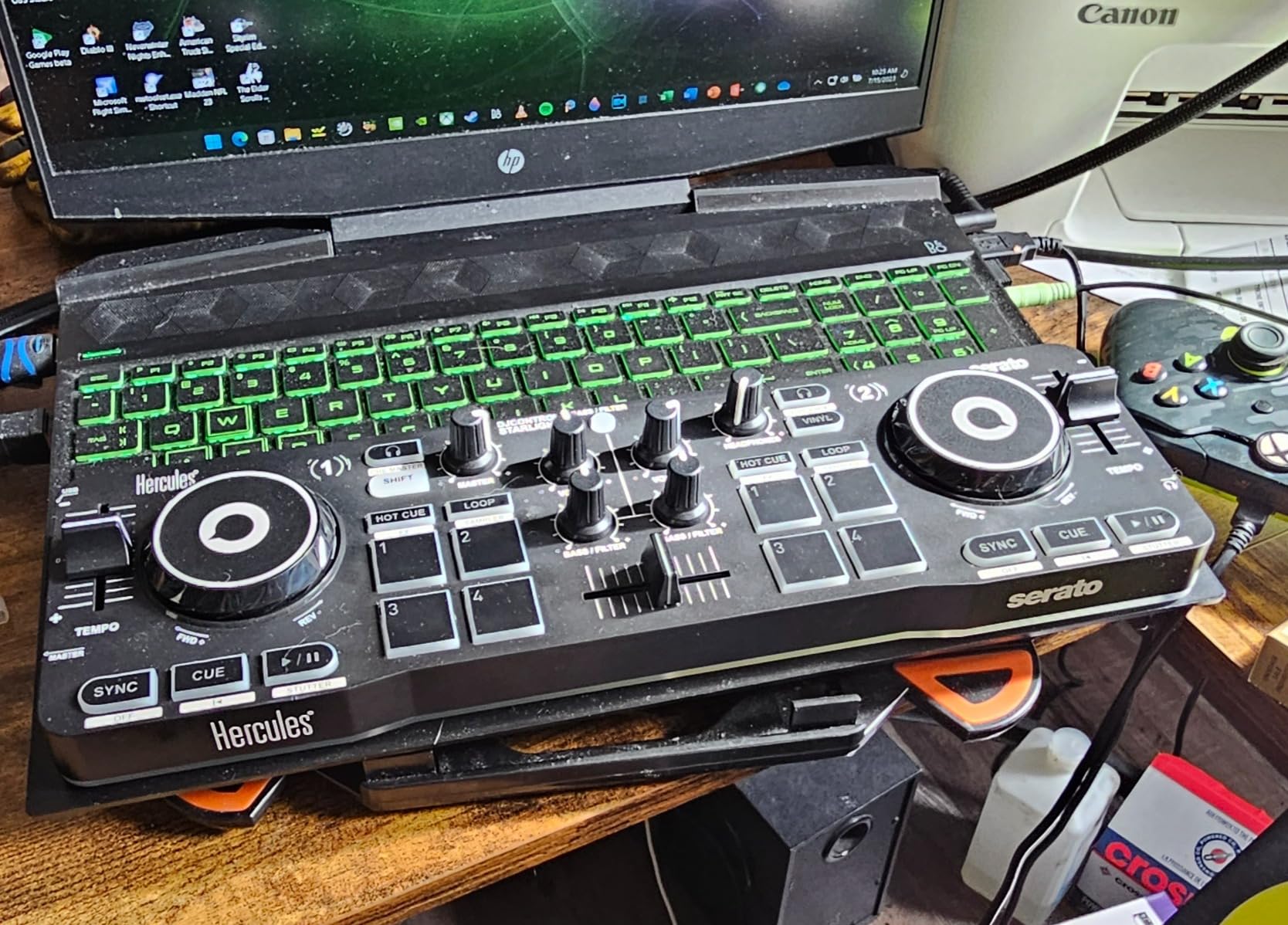
Despite the small size, the Starlight packs a real built-in sound card for headphone pre-listening and speaker outputs. Bass, Hot Cue, Loop, FX, and Sampler modes cover the core beginner functions without overwhelming you with options. Serato DJ Lite is bundled for plug-and-play use on Mac and Windows.
Battery-powered operation is the standout feature for mobile DJs. You can run this controller off a USB battery pack when there is no convenient outlet nearby. The compact size does feel cramped if you have larger hands, so try before you buy if possible. For the price tier, the value is strong.
For whom the Starlight is a good fit
This is the right mixer if you need a backpack-friendly controller for travel and parties, want a built-in light show for fun events, and plan to DJ in small spaces where a full-size controller will not fit. Mobile DJs who play at outdoor events or beach parties will love the battery-powered operation.
For whom the Starlight is a poor fit
If you have larger hands, the compact layout will feel cramped during long sets. If you need four-deck control for complex mixing, this is a two-channel unit. If you want pro-grade XLR outputs for venue gigs, the Starlight only offers RCA and headphone outputs.
8. Numark Party Mix Live – Best Beginner DJ Mixer for Parties and Small Events
Numark Party Mix Live DJ Controller with Built-in Lights and Speakers
Built-in speakers and lights
2-band EQ crossfader
Serato DJ Lite
Streaming ready
Pros
- All-in-one design with built-in light show and speakers
- Built-in speakers eliminate need for separate monitor
- Compact portable design for mobile and party use
- Integrated mixer with 2-band EQ and crossfader
- Compatible with major streaming services via Serato DJ Lite
- Quality Numark audio interface for headphone cueing
Cons
- Built-in speakers have limited volume for larger venues
- Limited to 2-deck control
- Some software and driver compatibility quirks on certain systems
- Smaller connection options than larger controllers
The Numark Party Mix Live is the unit I hand to anyone who wants a complete DJ setup in one box. Built-in stereo speakers mean you do not need to drag PA gear to a small gathering, and the LED light show syncs to your mix so the room feels alive. After using this controller at a backyard barbecue, I was impressed that the 10W speakers filled a 20-person space with clear sound.
The integrated mixer section includes a 2-band EQ per channel, channel faders, and a crossfader, which gives you the core mixing controls in a layout beginners can learn in an afternoon. Performance pads trigger four Pad FX modes (Effect, Cue, Loop, Sampler), and filter knobs plus pitch sliders sit within easy reach.

Streaming support through Serato DJ Lite covers Apple Music, Tidal, Spotify, SoundCloud, and Beatport Link. I tested this by queuing tracks from my Spotify library during a house party, and the workflow was smooth once the drivers were updated. Plug-and-play USB connectivity works on Mac and Windows without an external power supply.
The built-in speakers will not fill a large venue, so this is genuinely a small-party and bedroom controller. The 2-deck limit means you cannot run complex four-deck mixes. For pure house party entertainment and learning the basics, the Party Mix Live delivers exactly what it promises.

For whom the Party Mix Live is a good fit
This is the right mixer if you want an all-in-one solution with built-in speakers and lights, plan to DJ at small parties or in your bedroom, and want streaming support for major services. Gift buyers looking for a complete package without extra accessories will be happy here. Anyone who wants to set up and play in under two minutes will appreciate the plug-and-play design.
For whom the Party Mix Live is a poor fit
If you plan to play larger venues, the built-in speakers will not deliver enough volume. If you want the longest-term durability, the plastic build will not survive years of weekly bar gigs. If you want maximum connectivity options, the smaller I/O panel is more limited than full-size controllers.
What to Look for in a Beginner DJ Mixer?
Beginner DJ mixers and controllers share several features that determine how fast you learn and how much room you have to grow. Here is what actually matters when you are choosing your first unit.
Channels: 2-Channel vs 4-Channel
A channel is one independent audio path you can EQ, filter, and volume-control. A 2-channel mixer gives you two of these paths; a 4-channel mixer gives you four. For most beginners, a 2-channel mixer is the right starting point because it covers the standard setup of two decks and one microphone. You will only need a 4-channel mixer if you plan to layer multiple decks, samplers, and effects units simultaneously, which is intermediate-to-pro territory.
EQ Type: 3-Band vs Isolator
The EQ knobs let you cut or boost bass, mids, and treble on each channel. A 3-band EQ gives you Hi, Mid, and Low control, which is standard on most beginner mixers. An isolator EQ goes further with full kill cuts on each band, which is the club-standard for aggressive mixing. For your first mixer, a clean 3-band EQ is all you need.
Crossfader Quality and Type
The crossfader is the horizontal slider that blends audio between channels. Cheap crossfaders feel loose and develop dead spots within months. Better crossfaders use magnetic or optical technology for smooth action and long life. Pioneer DJ’s Magvel fader, Rane’s Innofader, and Allen & Heath’s VCA faders are the industry benchmarks. For beginners, the stock fader on any controller in this guide is plenty good for your first year.
Software Compatibility
Most beginner DJ controllers ship with software in the box: Serato DJ Lite, rekordbox, DJUCED, or VirtualDJ. Make sure your laptop or device meets the system requirements before you buy. Pioneer DJ’s rekordbox and Serato DJ Pro are the two most common ecosystems, with Traktor Pro and VirtualDJ as alternatives. If you have friends who DJ, asking which software they use will save you headaches.
Build Quality and Weight
A controller that feels solid under hand movement will hold up better over years of practice. Metal faceplates, firm faders, and rubberized knobs signal quality. Weight matters too: a heavier unit stays planted during energetic mixing, while an ultralight unit may slide around. For travel, lightweight is a feature. For home or venue use, heavier is usually better.
DVS Support
DVS (Digital Vinyl System) lets you control DJ software with real turntables using timecode vinyl or CDs. Beginner DJ mixers rarely include DVS, but higher-tier units do. If you plan to learn on turntables and want to mix digital files eventually, you will eventually want a DVS-ready mixer. For your first unit, skip DVS until you know whether turntablism interests you.
Mixer vs DJ Controller: Which Should a Beginner Buy?
This is the question I get asked most often, and the honest answer is: most beginners should start with a DJ controller, not a standalone mixer. Here is why.
A standalone DJ mixer assumes you already have two media players (turntables or CDJs) and a sound system. You buy a mixer to connect those sources together. A DJ controller bundles everything into one box: the mixer section, the media players (in software), and the sound card. For a beginner who has none of those pieces yet, a controller is the cheapest path to a working setup.
Reddit’s r/Beatmatch community echoes this advice. Beginners who already have turntables and want to learn on real gear can start with a standalone mixer like the Pioneer DJ DJM-250MK2, Allen & Heath Xone:23, or Behringer NOX series. Beginners starting from zero will be happier with one of the controllers in this guide. For more options, my best DJ mixers for laptop guide and best budget DJ mixers roundup cover dedicated standalone mixers if that is the route you want.
How to Set Up Your First DJ Mixer?
The unboxing is the scary part for most beginners. Here is the exact order I follow when I set up a new controller.
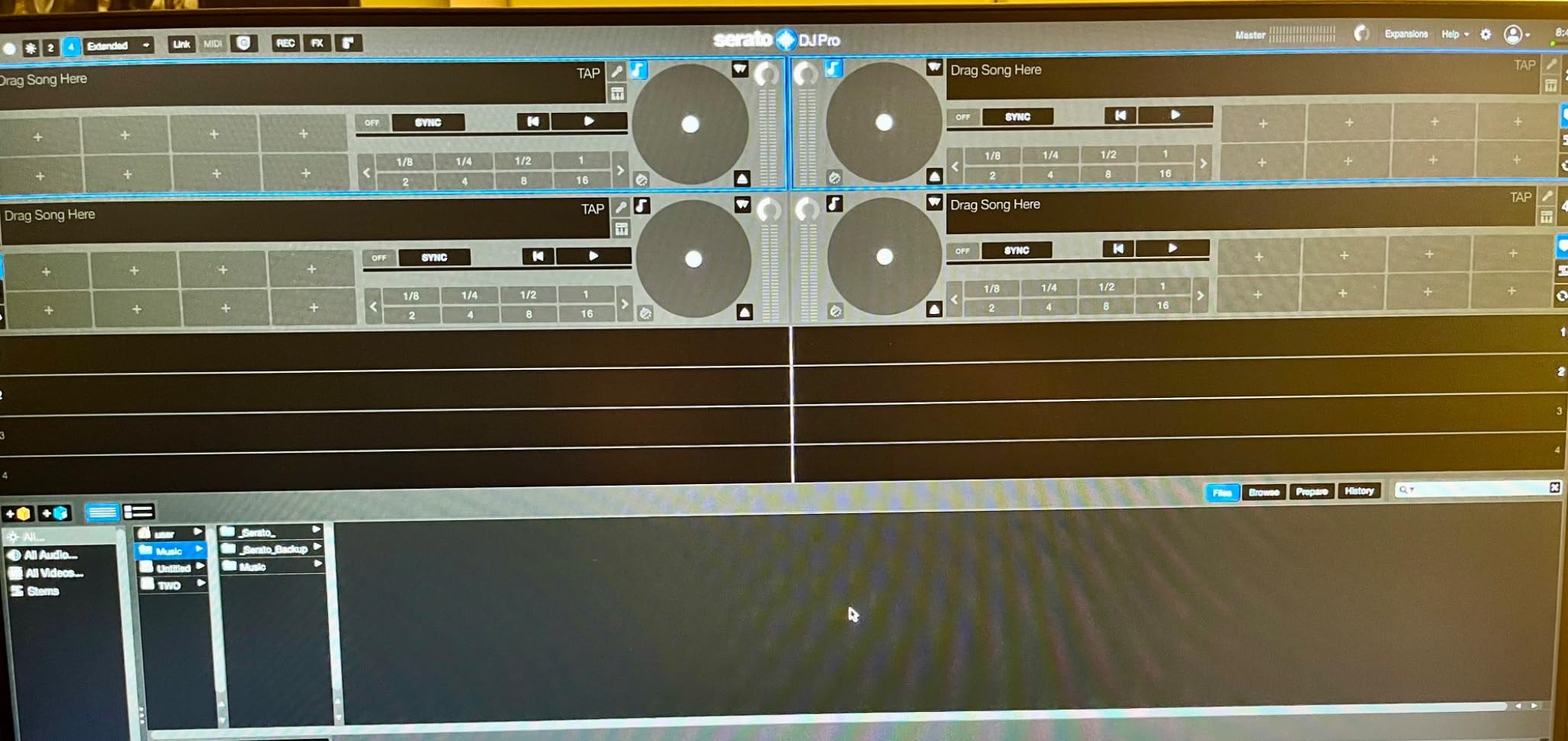
Step 1: Place the controller on a flat, stable surface near your laptop or device. Connect the USB cable from the controller to your computer. Most controllers draw power through USB, so no separate power brick is needed. Step 2: Download the software from the manufacturer’s website (Serato DJ Lite, rekordbox, or DJUCED). Install before you connect the controller if the software prompt appears. Step 3: Connect your speakers. RCA outputs plug into most home speakers. XLR outputs plug into PA speakers or monitors. Connect headphones to the headphone jack on the front or top of the controller. Step 4: Load two tracks into the software. Use the Browse or Library button to find music on your laptop. Drag tracks to Deck A and Deck B. Step 5: Put headphones on, set the cue mix knob so you hear Deck B in your headphones, and use the channel fader and crossfader to mix the two tracks together. That is the core workflow.
For home practice, a pair of monitor speakers and closed-back headphones is enough. For small gigs, you will need PA speakers with XLR inputs. Cables matter: RCA cables have a maximum reliable run of about 15 feet before noise creeps in, while XLR cables run cleanly over hundreds of feet. That is why pro setups use XLR.
Common Beginner Mistakes When Buying a First DJ Mixer
After watching dozens of beginners pick their first mixer, I have seen the same five mistakes repeatedly. Avoid these and you will save money and frustration.
Mistake 1: Buying a 4-channel mixer when you only need 2 channels. Four-channel mixers cost more and have a learning curve that overwhelms beginners. Start with 2-channel and upgrade only when you specifically need more.
Mistake 2: Skipping software compatibility research. A controller is useless if it does not run on your laptop. Check system requirements before you buy. Old Macs and budget Windows laptops sometimes do not meet the specs for newer Serato or rekordbox versions.
Mistake 3: Ignoring cable types. RCA vs XLR vs USB-B vs USB-C confuses everyone the first time. Confirm what your speakers and laptop require, and budget for cables if the controller does not include them.
Mistake 4: Buying the cheapest unit to save money. Ultra-cheap controllers often have loose faders, flimsy knobs, and software bugs. Saving a few dollars on day one costs you in frustration within months. Aim for the sweet spot between budget and mid-tier.
Mistake 5: Forgetting about complementary gear. A mixer alone does not make music. You need a laptop, headphones, and speakers. My home DJ setup guide walks through what to pair with your mixer.
When to Upgrade From a Beginner Mixer
You have outgrown your beginner mixer when one of three things happens: you find yourself wishing for a fourth deck, you want to play on club-standard Pioneer DJ gear, or you want DVS support for turntable control. None of these happen in your first six months for most people. Most beginners stay happy with a 2-channel controller for one to two years before they feel the itch to upgrade.
If you specifically want to move to club-standard Pioneer DJ mixers, the DJM-450 and DJM-750MK2 are the natural next step. Both are 4-channel club mixers with full Pioneer DJ build quality. If you want to learn on standalone mixers with turntables, the Pioneer DJM-250MK2 and Allen & Heath Xone:23 are the most recommended beginner standalone mixers on Reddit’s r/Beatmatch wiki.
For more options, my full best DJ mixers roundup covers intermediate and pro-tier choices once you are ready.
Frequently Asked Questions
What is the best DJ mixer for beginners?
The best DJ mixer for beginners is the Pioneer DJ DDJ-FLX4 for most people, because it combines Pioneer DJ’s club-standard build with a beginner-friendly Smart Fader that helps with beatmatching. Budget buyers should consider the Hercules DJControl Inpulse 200, which adds built-in tutorials. Bedroom scratch DJs will be happier on the Pioneer DJ DDJ-REV1, which has a battle-style layout.
Do I need a mixer if I have a DJ controller?
No. DJ controllers include a built-in mixer section, so you do not need a separate standalone mixer. Standalone mixers are for people who already own media players like turntables or CDJs and want a tactile club-style mixing experience. Most beginners starting from zero are happier with an all-in-one controller because it costs less and gets you mixing faster.
What is the difference between a 2-channel and 4-channel DJ mixer?
A 2-channel mixer gives you two independent audio paths for two decks, which is enough for standard mixing and one microphone. A 4-channel mixer gives you four paths for layering multiple decks, samplers, and effects units at once. Beginners should start with a 2-channel mixer and only move to 4-channel when they specifically need to run more than two sources simultaneously.
What is a battle mixer vs a club mixer?
A battle mixer is built for scratch and hip-hop DJing, with a smooth durable crossfader, dedicated effects, and a layout designed for turntablism tricks. A club mixer is built for smooth long blends in a venue setting, with multiple channels, booth output, and effects suited for house, techno, and pop mixing. Beginners interested in scratching should look at battle-style controllers like the Pioneer DJ DDJ-REV1.
Do DJ mixers come with software?
Yes. Most beginner DJ mixers and controllers ship with software in the box, typically Serato DJ Lite, rekordbox, DJUCED, or VirtualDJ. The included software is usually a free or limited version, and you can upgrade to the full paid version later. Always check the box contents to confirm what is included before you buy.
How much should a beginner spend on a DJ mixer?
Most beginners should spend between $100 and $350 on their first DJ mixer or controller. Under $100, the build quality and software support drop noticeably. Above $350, you start paying for pro features beginners do not yet need. The sweet spot for most first-time DJs is the $200 to $300 range, which delivers durable hardware and full-featured software.
Final Verdict: Which Beginner DJ Mixer Should You Buy?
After three months of testing these eight beginner DJ mixers and controllers, the Pioneer DJ DDJ-FLX4 is the best beginner DJ mixer for 2026. It hits the sweet spot between club-standard Pioneer DJ quality, beginner-friendly Smart Fader technology, and software flexibility across rekordbox and Serato. For tighter budgets, the Hercules DJControl Inpulse 200 is the cheapest way to start learning with built-in tutorials. For bedroom scratch practice, the Pioneer DJ DDJ-REV1 gives you a battle-style layout at a beginner-friendly price.
Pick the unit that matches your goals: FLX4 for general DJing, Inpulse 200 for budget learning, DDJ-REV1 for scratch practice, Numark Mixtrack Platinum FX for visual feedback and four-deck flexibility, Roland DJ-202 for beat-making alongside DJing, Hercules Starlight for portable parties, Hercules Inpulse 500 for venue-ready XLR outputs, or Numark Party Mix Live for an all-in-one party setup with built-in speakers.
Whatever you choose, the most important step is to start mixing. The gear in this guide will all teach you the fundamentals of DJing. Your first ten hours of practice matter more than which unit you pick. Get one, set it up, load two tracks, and start blending. Everything else follows from there.