
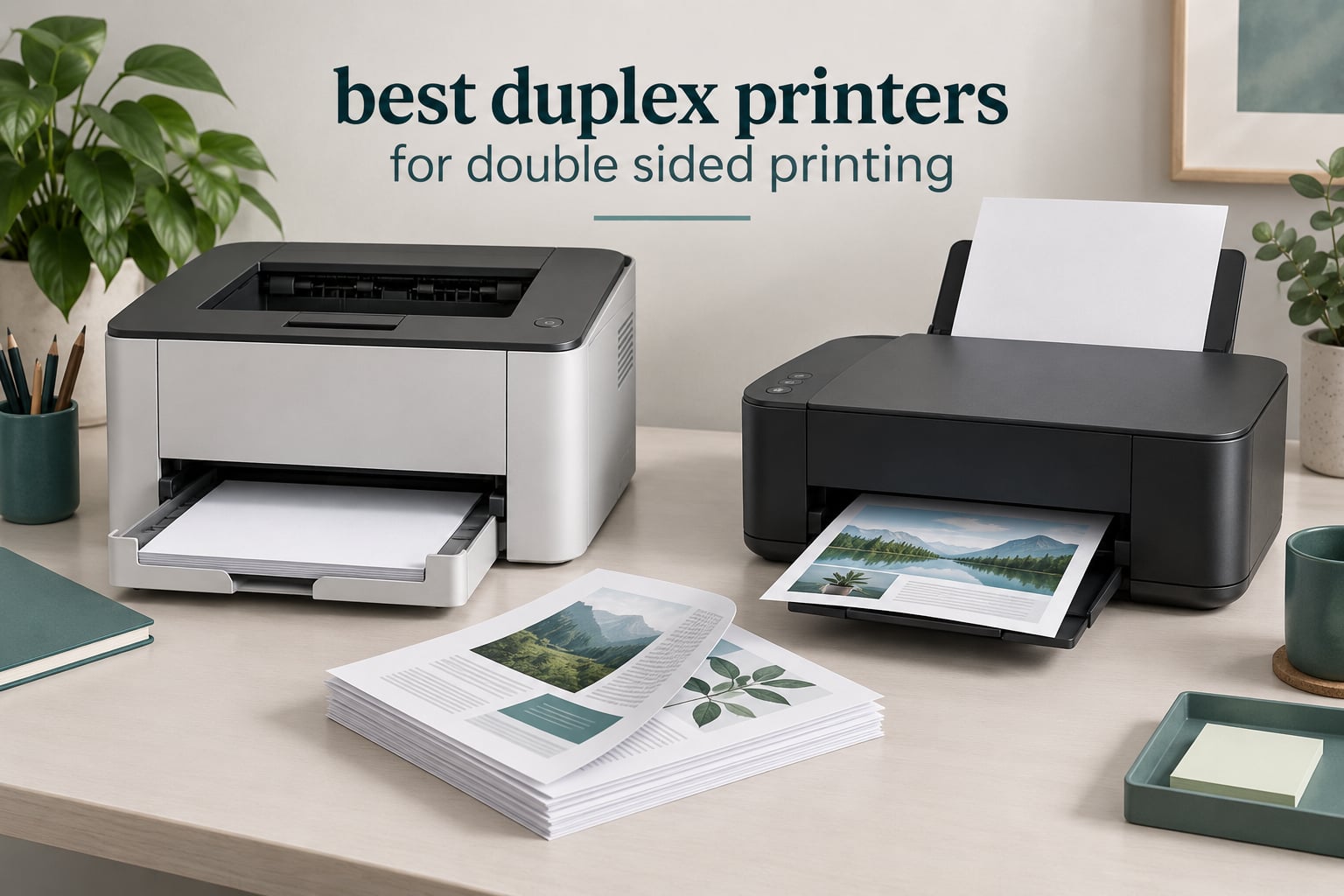
Duplex printing means printing on both sides of one sheet, and a true duplex printer does the flipping for you inside the machine. Our best duplex printers for double-sided printing test covers auto duplex, manual duplex, and duplex scanning separately, because those three things get marketed as if they were the same feature and they are not. In 2026, 12 printers on this list print both sides without you touching the paper.
Our overall pick, the Brother DCP-L2640DW, duplexes automatically, scans through a 50-page feeder, and holds 250 sheets at 36 pages per minute. It is the balance point between speed, running cost and reliability for anyone who prints multi-page documents every week. If your workload is lighter, a compact monochrome laser still wins, and if color matters, an inkjet handles photos better than any laser here.
Two things to know before you read further. Automatic duplex printing flips the page for you; manual duplex still makes you turn the stack over by hand, which defeats the purpose. Duplex scanning is a separate feature that only exists if the automatic document feeder can read both sides of a sheet in one pass, and the single-sided feeder on some otherwise excellent machines is the most common disappointment buyers report.
We also compared dedicated duplex document scanners for high-volume scanning, because for long archival jobs a standalone scanner sometimes beats anything with a printer attached. Every printer below has automatic duplex printing, so the question is never whether it flips the page, but how fast, how cleanly, and what it costs to run.
Table of Contents
Top 3 Best Duplex Printers We Trust Most in 2026

Brother DCP-L2640DW
- 36 ppm monochrome laser
- Automatic duplex printing
- 50-page document feeder
- 250-sheet tray


The DCP-L2640DW earns the top spot on the strength of the most owner feedback of any machine here, plus a duplex path that holds up under real multi-page jobs. The HL-L2460DW is the value pick, dropping the scanner and fax to hit a lower entry point with the same core duplex engine. The PIXMA TS7720 is the only unit in our top three that produces genuinely photo-capable color output, and its touchscreen makes standalone use painless.
Best Duplex Printers for Double-Sided Printing at a Glance (October 2026)
| Product | Specifications | Action |
|---|---|---|
| Brother DCP-L2640DW |
|
Check Latest Price |
| Brother HL-L2460DW |
|
Check Latest Price |
| Canon PIXMA TS7720 |
|
Check Latest Price |
 Brother MFC-L3720CDW Brother MFC-L3720CDW |
|
Check Latest Price |
 HP LaserJet Pro MFP 3101sdw HP LaserJet Pro MFP 3101sdw |
|
Check Latest Price |
 HP Envy 6155 HP Envy 6155 |
|
Check Latest Price |
 Brother MFC-J1365DW Brother MFC-J1365DW |
|
Check Latest Price |
 Brother HL-L6210DW Brother HL-L6210DW |
|
Check Latest Price |
 Brother MFC-J1410DW Brother MFC-J1410DW |
|
Check Latest Price |
 Canon MF753Cdw II Canon MF753Cdw II |
|
Check Latest Price |
 HP LaserJet MFP M235sdw HP LaserJet MFP M235sdw |
|
Check Latest Price |
 Canon LBP646Cdw Canon LBP646Cdw |
|
Check Latest Price |
1. Brother DCP-L2640DW – Best Overall Duplex Printer, Fast Monochrome Workhorse
Brother DCP-L2640DW Wireless Compact Monochrome Multi-Function Printer, Copy, Scan, Duplex, Mobile Printing
Monochrome laser
36 ppm
Automatic duplex
50-page ADF
250-sheet tray
Pros
- 36 ppm with an 8.5 second first page
- 50-page feeder for batch scanning
- Dual-band Wi-Fi plus Ethernet and USB
- Toner cost far below color ink systems
- Compact 25 pound body
Cons
- PC scan-to-file can freeze and need a restart
- On-printer menus are clumsy next to the app
- Firmware prompts can block updates
The DCP-L2640DW is the machine I put in front of anyone who asks for one duplex printer and nothing more. It prints black text at up to 36 pages per minute, produces the first page in 8.5 seconds, and holds 250 sheets in the main tray. Over thousands of pages of contract drafts, invoices and two-sided reports, the output stays crisp at the 1200 x 1200 dpi maximum rather than turning soft at small font sizes.
The duplex unit is genuinely automatic, so a 40-page document goes in as 20 sheets and comes out collated. That halves paper use on every long job and removes the manual re-feed step that quietly derails a busy afternoon. Legal size up to 8.5 x 14 inches is supported, which matters for real office paperwork.
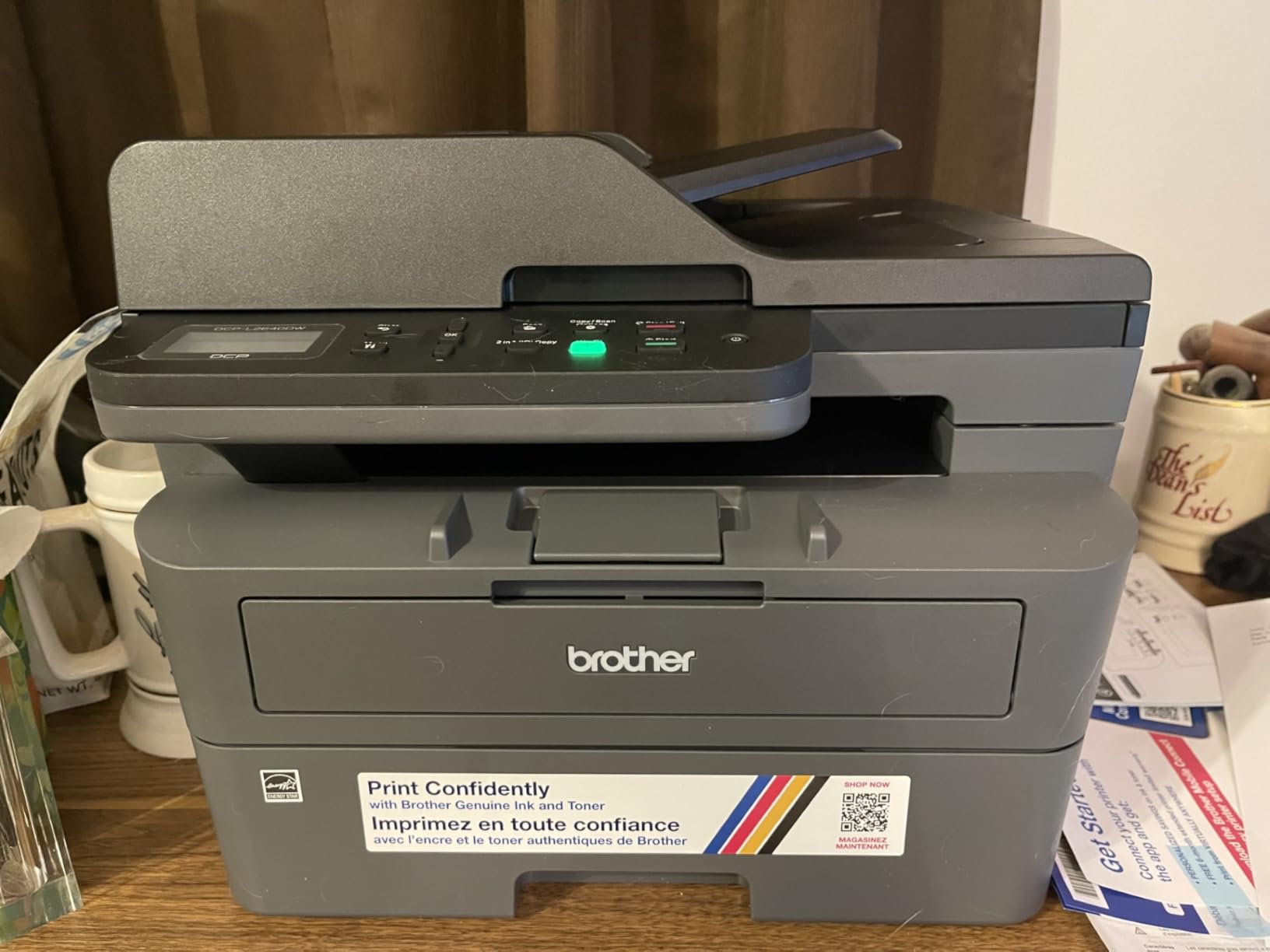
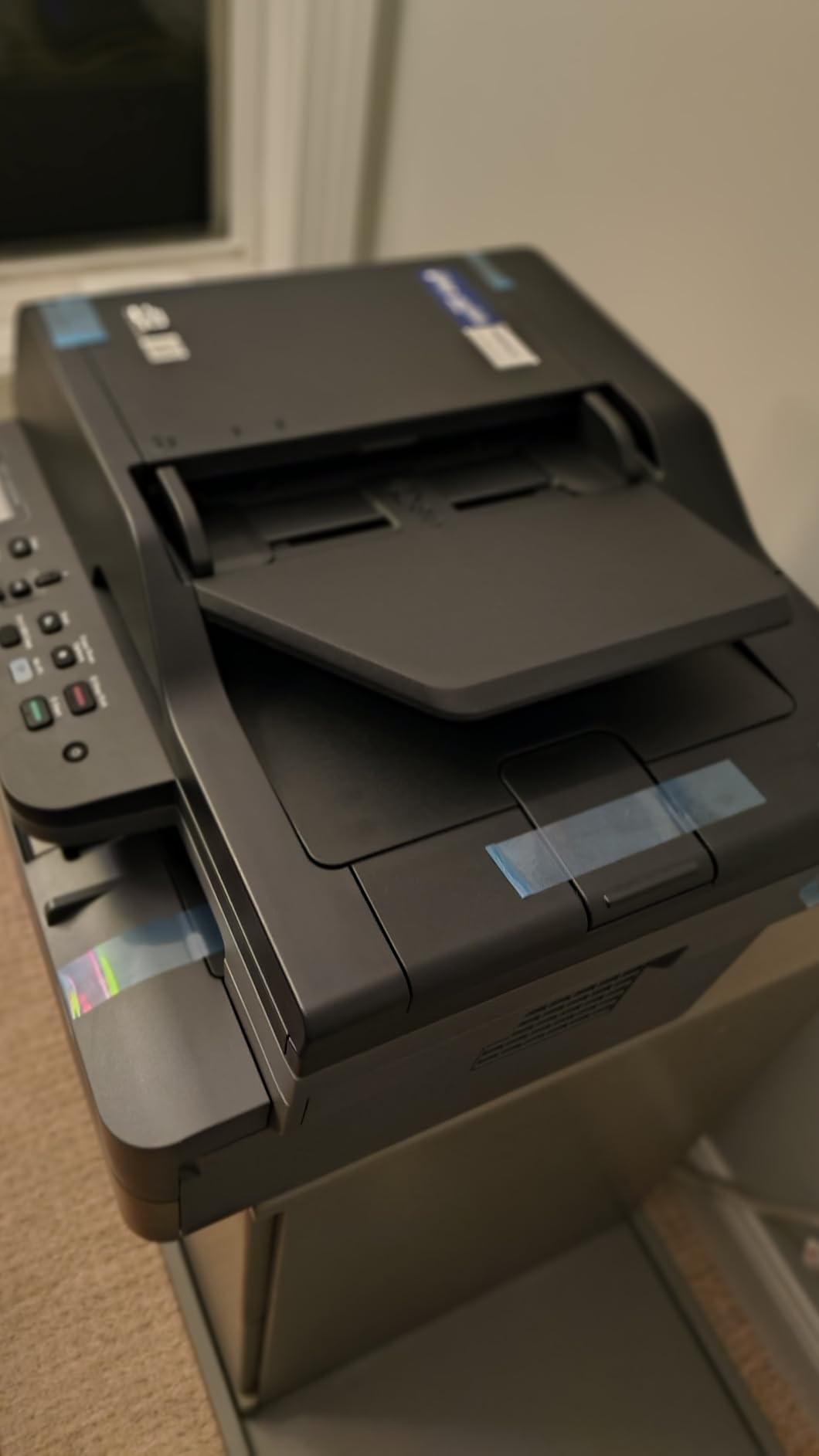
Scanning is where the first wrinkle appears. The 50-page automatic document feeder handles multi-page originals well in most workflows, but owners report that scan-to-file from a PC can freeze or throw an error and need a restart to complete the save. The workaround that works for most people is scanning through the Brother Mobile Connect app, which is also the more pleasant interface overall.
Setup is the other friction point. The review history mentions Wi-Fi pairing that fails repeatedly on the first attempt, mandatory password prompts that block firmware updates, and on-device menu navigation that feels clunky compared with the app. None of these are hardware faults, and they clear once the printer is on the network, but budget an afternoon rather than ten minutes on day one.
Is the DCP-L2640DW right for a small business?
Yes, if your documents are text-heavy. A 50-page feeder, a 250-sheet tray and 36 ppm cover a two to four person office printing invoices, shipping paperwork and internal reports every day. The monochrome toner path keeps cost per page low, which is the number that decides the real annual spend.
If you need color, fax or duplex scanning, step up to the MFC-L3720CDW further down this list. This unit copies and scans but does not fax, and its feeder reads one side at a time, so a two-sided original needs a second pass.
What are the drawbacks of buying this Brother?
The scan-to-file instability is the complaint that shows up most often, and it is genuinely annoying when you are archiving a stack of receipts. The LCD is small and the physical controls are not intuitive, so plan on using the mobile app rather than the panel. The power cord is also short, which limits where you can put the machine.
Color is simply not available here, and at 25 pounds the unit is not light enough for a laptop shelf. Owner feedback sits at a 4.1 out of 5 across more than 3900 reviews, with a visible share of one-star ratings driven by setup and software rather than printing defects.
2. Brother HL-L2460DW – Best Value Duplex Printer for a Home Office
Brother HL-L2460DW Wireless Compact Monochrome Laser Printer with Duplex, Mobile Printing, Black & White Output | Includes Refresh Subscription Trial(1), Works with Alexa
Monochrome laser
36 ppm
Automatic duplex
250-sheet tray
Print only
Pros
- 36 ppm with first page under 8.5 seconds
- Automatic duplex handles booklets and long jobs
- 250-sheet tray plus manual feed slot
- Prints reliably from Windows macOS and Linux
- Toner widely available and cheap per page
Cons
- Button-driven Wi-Fi setup is tedious
- Refresh subscription trial can add surprise charges
- Basic all-plastic build with a small display
- Monochrome only
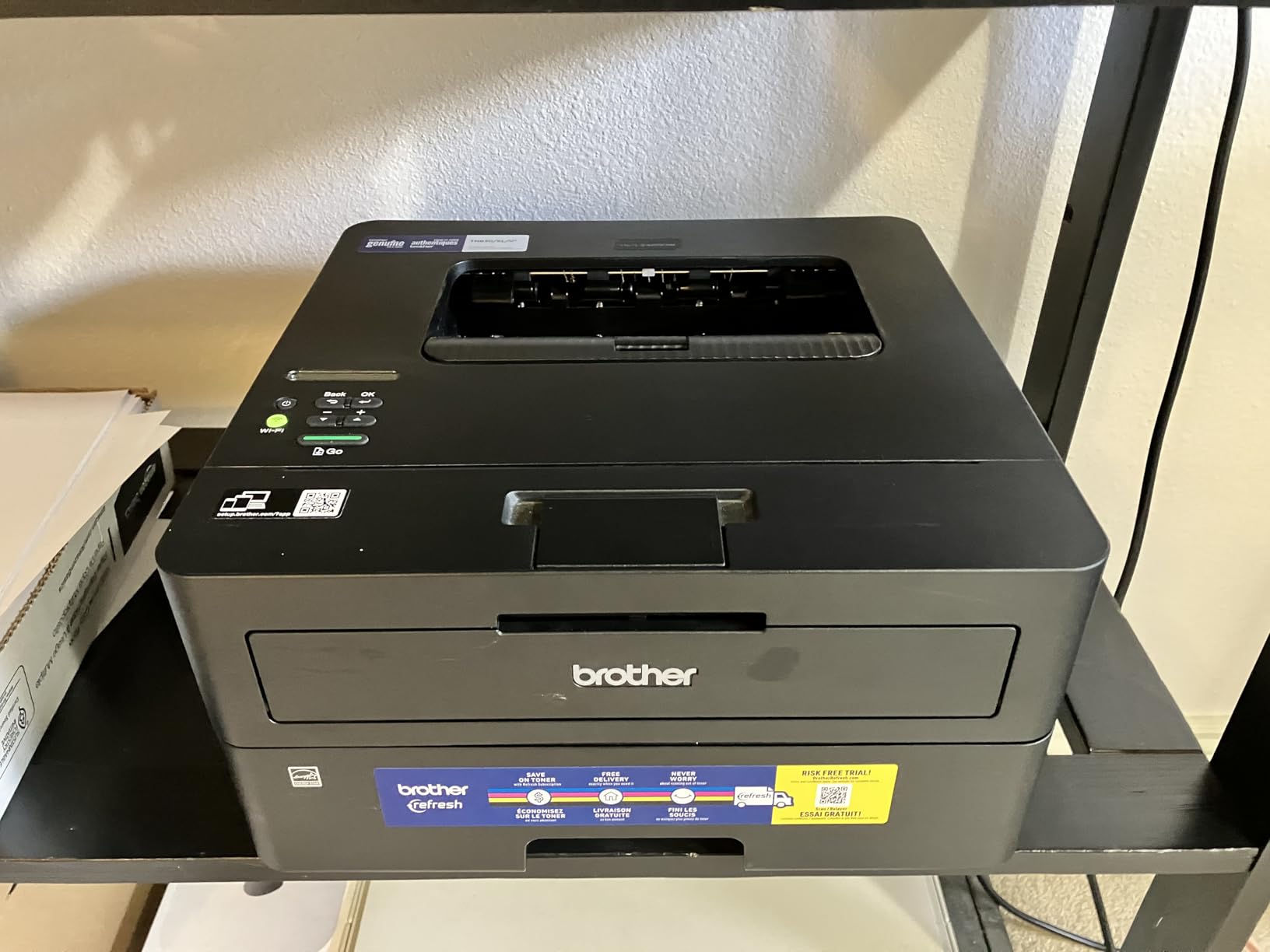
The HL-L2460DW is the same 36 ppm monochrome duplex engine as our top pick with the scanning hardware removed, and that single decision is what makes it cheaper to buy and cheaper to run. At 15.6 pounds and 14 inches wide it is the smallest footprint of any laser in this roundup, which matters on a desk with a laptop on it.
Duplex output is reliable for long jobs. Reviewers specifically call out automatic duplex working cleanly for booklets and multi-page documents, and the 250-sheet main tray plus a manual feed slot handles envelopes and specialty stock without opening the tray constantly. The first page lands in under 8.5 seconds from a cold start.
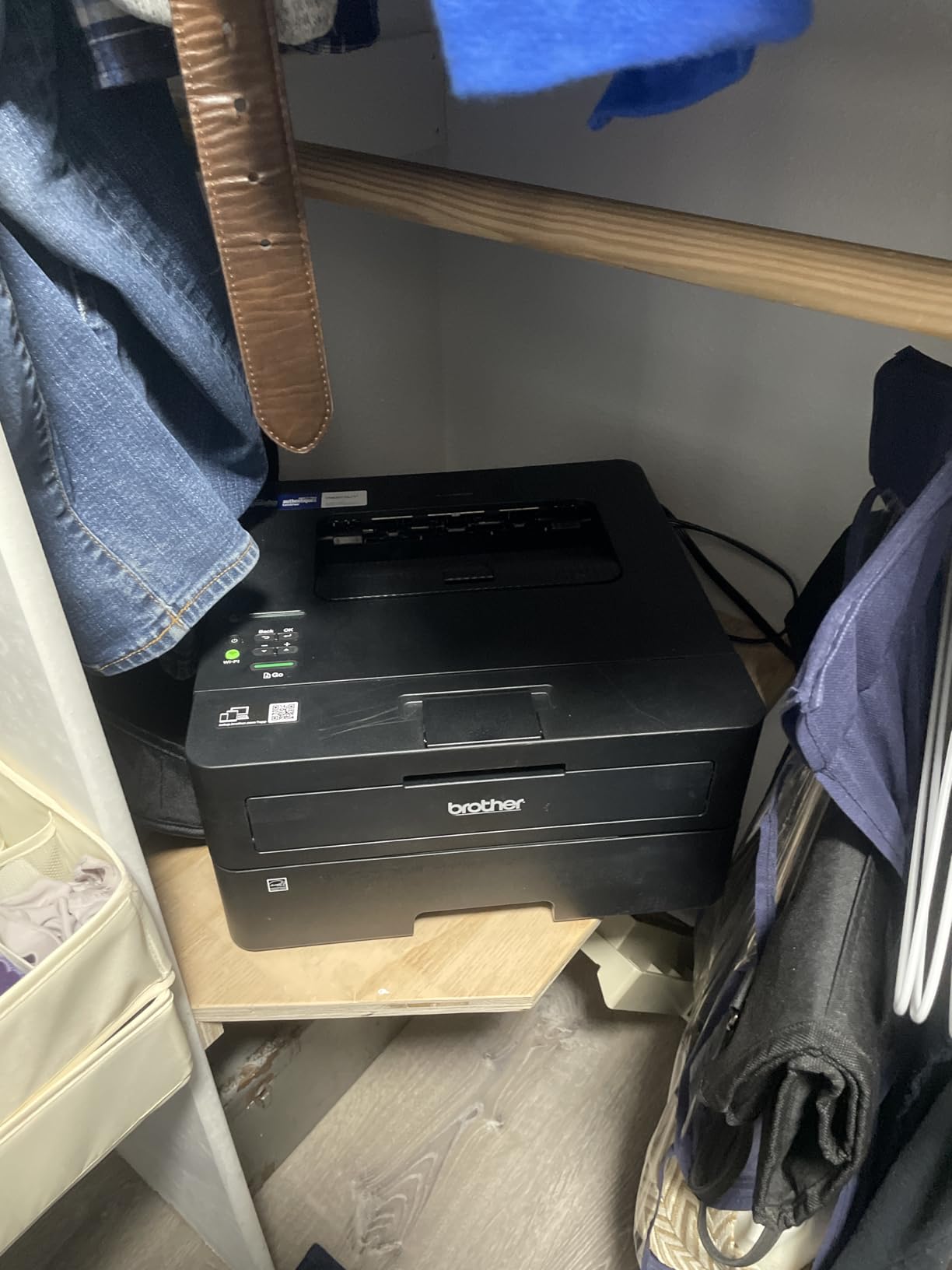
Connection options cover almost everything. Dual-band wireless, Ethernet and USB are all present, and owners report printing reliably from Windows, macOS and Linux once the driver is installed. The Brother Mobile Connect app handles remote printing and toner monitoring, which is convenient when the machine sits in a spare room.
The loudest complaint in the reviews is not about printing at all. Multiple owners describe unexpected per-page overage charges tied to the included Brother Refresh subscription trial, and difficulty cancelling it. If you buy this, cancel the trial on day one or remove the enrollment entirely. Secondary gripes are the button-driven Wi-Fi configuration and the minimal plastic feel of the chassis.
Is this the right duplex printer for someone printing at home?
It is, provided your home printing is mostly black text. Contracts, reading lists, tax forms, school worksheets and shipping labels all come out sharp, and the toner cost per page sits well below any cartridge inkjet. Legal size up to 8.5 x 14 inches is supported, and the paper path is rated for continuous multi-page runs.
What you give up is scanning, copying and fax entirely, plus color. If you need to digitize a document, this is the wrong machine. The MFC-J1410DW later in this list covers scan, copy, fax and duplex print in a similar compact body for a home office.
What should you watch out for with the HL-L2460DW?
The Refresh trial is the thing to deal with first, because the billing complaints dominate the negative reviews. On-screen Wi-Fi setup is also awkward, since configuration runs through a small display and a handful of physical buttons rather than a guided app flow. Some users simply connect over USB and skip the wireless setup entirely.
Output tray capacity is 100 sheets, lower than the 250-sheet input, so very large jobs need a mid-run empty. Owner feedback sits at 4.0 out of 5 across more than 2600 reviews, with one-star ratings weighted toward the subscription experience rather than print quality.
3. Canon PIXMA TS7720 – Best Duplex Printer for Color and Photo Printing
Canon PIXMA TS7720 Wireless All-in-One Color Inkjet Printer – Print, Copy, Scan – Auto Duplex, 15/10 PPM, 2.7” Touchscreen, Compact Home Photo Printer with Easy Setup
Color inkjet
15 black and 10 color ppm
Automatic duplex
2.7 inch touchscreen
Pros
- Strong color and photo output for a compact unit
- Automatic duplex at 15 black and 10 color ppm
- 2.7 inch touchscreen for standalone settings
- Rear tray plus cassette covers many sizes
- Clean two-cartridge ink replacement
Cons
- Two cartridges mean color changes waste leftover black
- No automatic document feeder
- 100-sheet input limits heavy runs
The PIXMA TS7720 is the answer when duplex is a checkbox and color is the reason you are buying. It prints up to 15 black and 10 color pages per minute with automatic duplex, and the color results are photo-capable in a way no laser in this roundup manages. Resolution tops out at 1200 x 1200 dpi in both black and color.
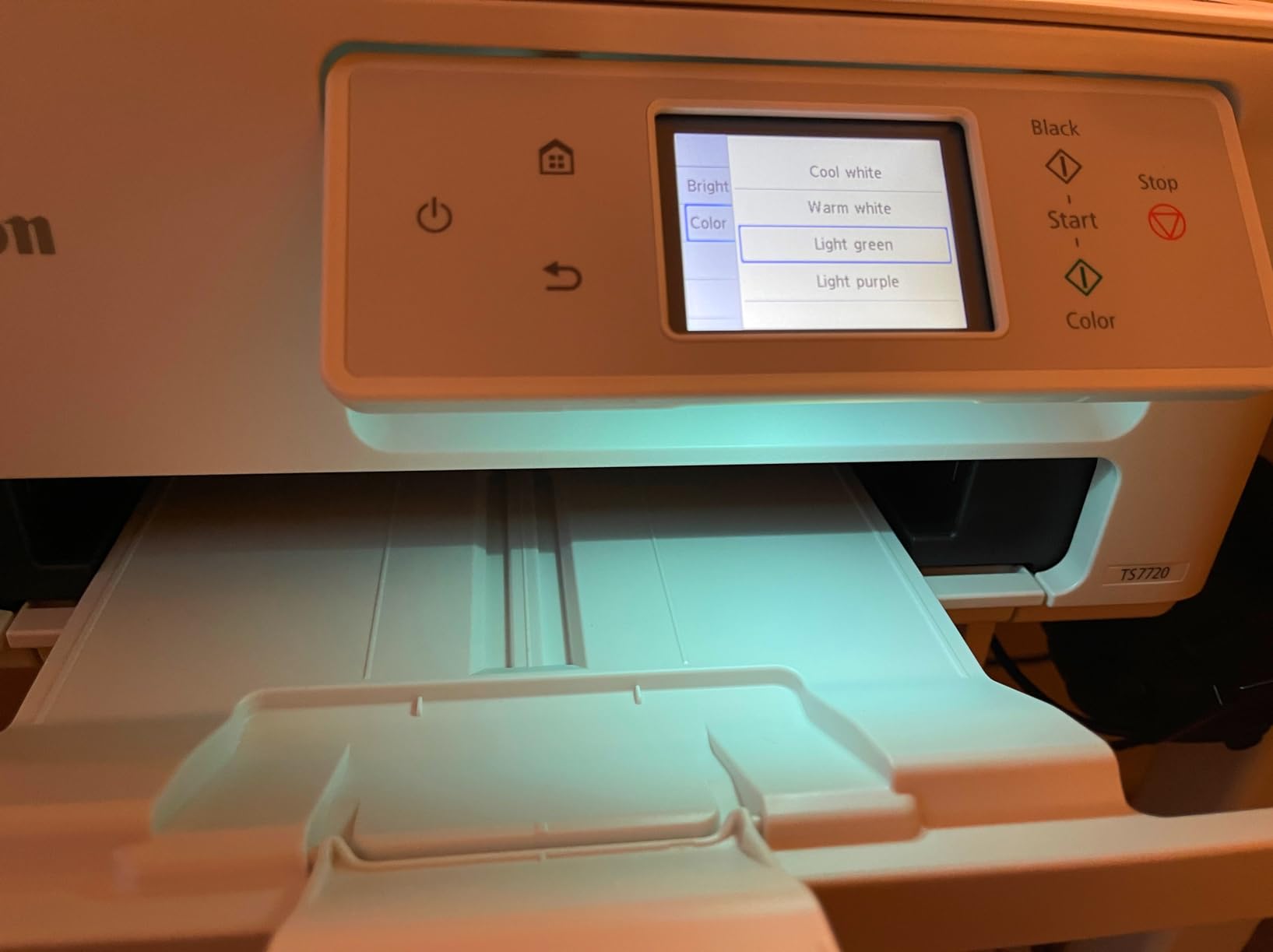
The 2.7 inch touchscreen is unusually good for a machine at this level. You can set paper type, duplex mode, copy count and scan destination without opening a laptop, which makes it work well in a kitchen or craft room where the printer is shared with non-technical users. Cloud connections to major storage services sit a tap away.
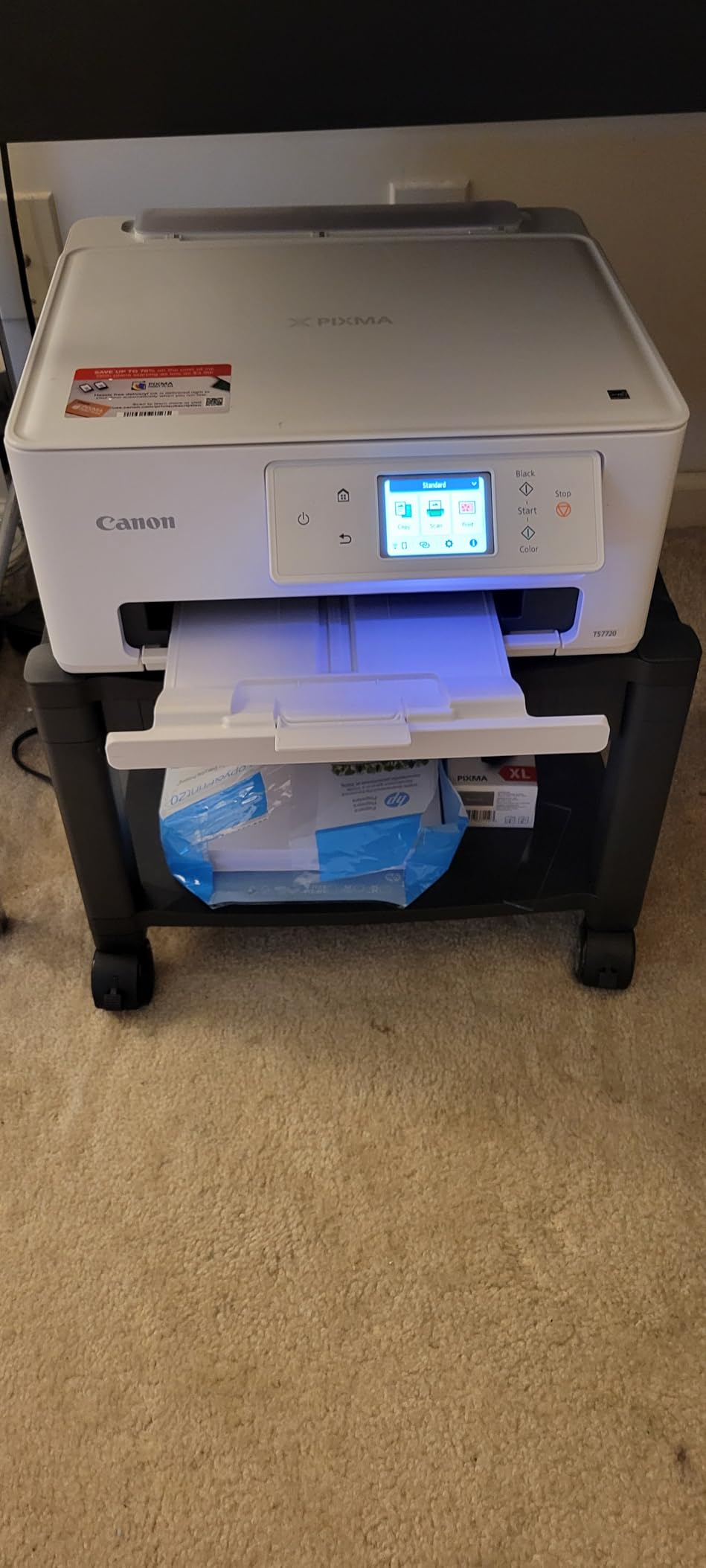
Paper handling is more capable than the tray numbers suggest. The rear tray accepts letter, legal, A4, A5, B5, 4×6, 5×7, 7×10, 8×10 and square formats, while the cassette handles letter and A-series. That range is what lets you print bordered photos and standard documents in the same session without swapping paper constantly.
The ink system is the compromise. There are two cartridges, a black and a tri-color unit, so when the color cartridge runs out you change it even to print in black, and whatever black ink remained goes with it. The PG-285 black and CL-286 color cartridges are simple to replace, but this is the design that drives running cost up compared with a four-cartridge or tank printer.
Is the PIXMA TS7720 good for two-sided photo printing?
For photo albums and duplex color handouts, yes. Borderless printing works, the paper selection is broad, and the color engine produces results the lasers here simply cannot match. At 10 color pages per minute a ten-page duplex color job takes roughly a minute, which is acceptable for home and hobby volumes.
It is not a photo printer in the dedicated sense, since there is no separate photo ink set or higher photo capacity. It is a color document printer that happens to print photos well, and that is exactly what most home users need.
What are the limitations of this Canon?
There is no automatic document feeder, so every scan is a flatbed operation done one page at a time with the lid lifted. Combined with 100 sheets of input capacity, this printer is built for intermittent use rather than weekly batches of forms. The 15 percent share of one-star ratings is higher than its sibling models, and the two-cartridge layout is the most cited reason.
Running cost per page also runs higher than a monochrome laser by a wide margin, especially in color. If you mostly print text, the HL-L2460DW is the cheaper machine by a distance. Owner feedback sits at 4.1 out of 5 across more than 1000 reviews.
4. Brother MFC-L3720CDW – Best Color Laser Duplex All-in-One for Offices
Brother MFC-L3720CDW Wireless Color Laser Printer, Scanner, Copier, Fax, Auto Duplex, 250-Sheet Capacity
Color laser
19 ppm black and color
Automatic duplex
50-sheet ADF
Fax
Pros
- 19 ppm in both black and color
- 3.5 inch color touchscreen with 48 shortcuts
- 50-sheet feeder plus 250-sheet adjustable tray
- Built-in fax many rivals drop
- Dual-band wireless Wi-Fi Direct and USB
Cons
- 44 pounds and bulky for a home desk
- Color toner costs more per page than mono
- Drum and consumable costs add up
The MFC-L3720CDW is the full office machine in this roundup. It prints, scans, copies and faxes in color with automatic duplex throughout, and at 19 pages per minute in both black and color it holds a mid-size team’s output without stalling. Resolution is 2400 x 600 dpi in color, which is sharp for reports, forms and internal graphics.
The 3.5 inch color touchscreen with 48 customizable shortcuts is the feature that separates it from cheaper all-in-ones. You can bind a one-touch button to scan to email, scan to a network folder, or a specific cloud service, and the panel also gives direct access to cloud providers without walking through a menu tree.
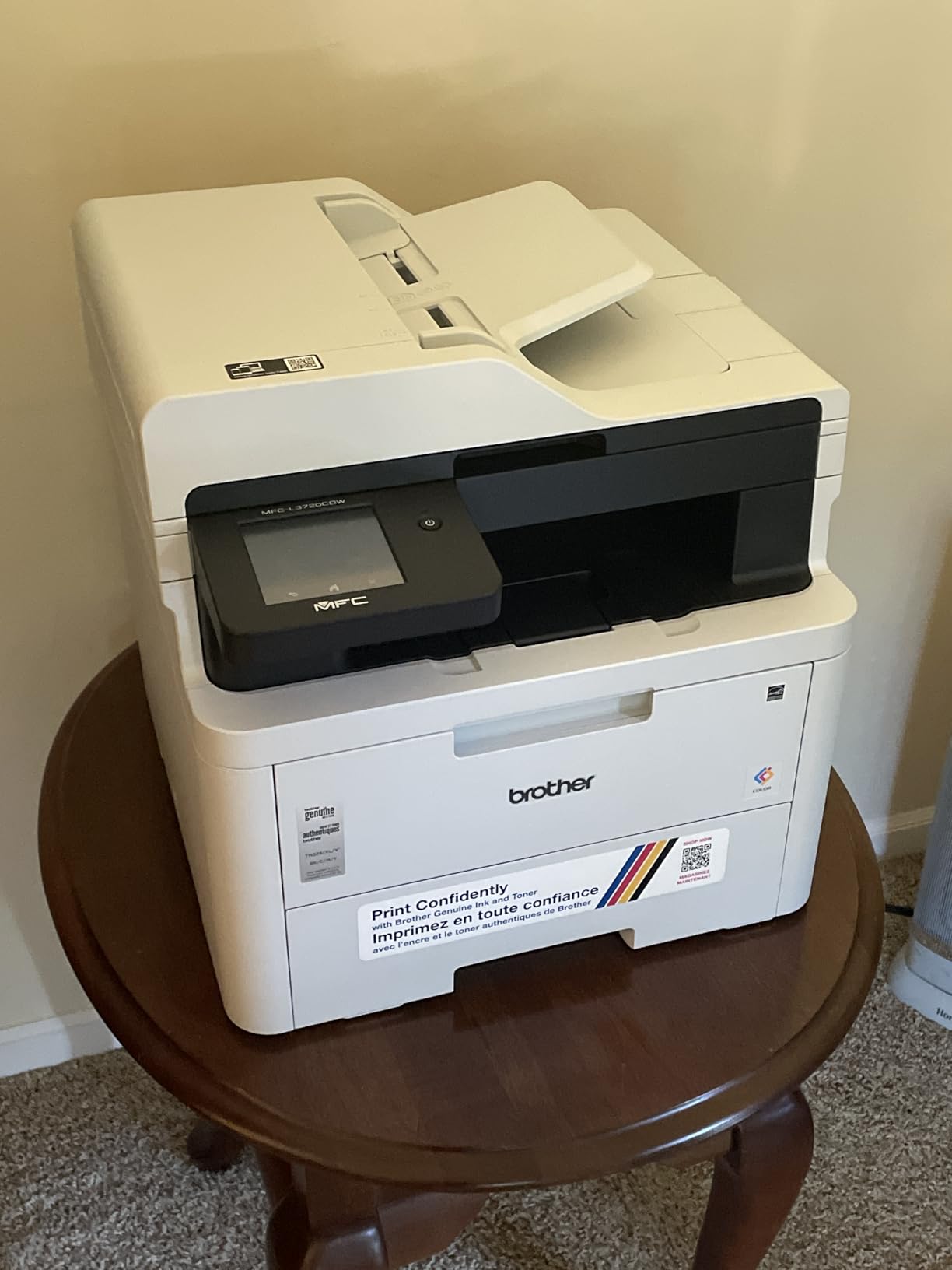
Paper handling is properly office-grade. A 50-sheet automatic document feeder sits on top, the adjustable main tray holds 250 sheets, and output capacity is 150 sheets. Media support covers letter, legal up to 8.5 x 14 inches and 4 x 6 inch photo stock, so labels and marketing material work too.
Connectivity covers dual-band 2.4GHz and 5GHz wireless, Wi-Fi Direct and USB 2.0, and the companion app handles mobile printing, toner monitoring and device management. A four-color TN229 toner set plus a DR229CL drum unit form the consumable path, and the drum is a separate part to keep in mind when you model running cost.
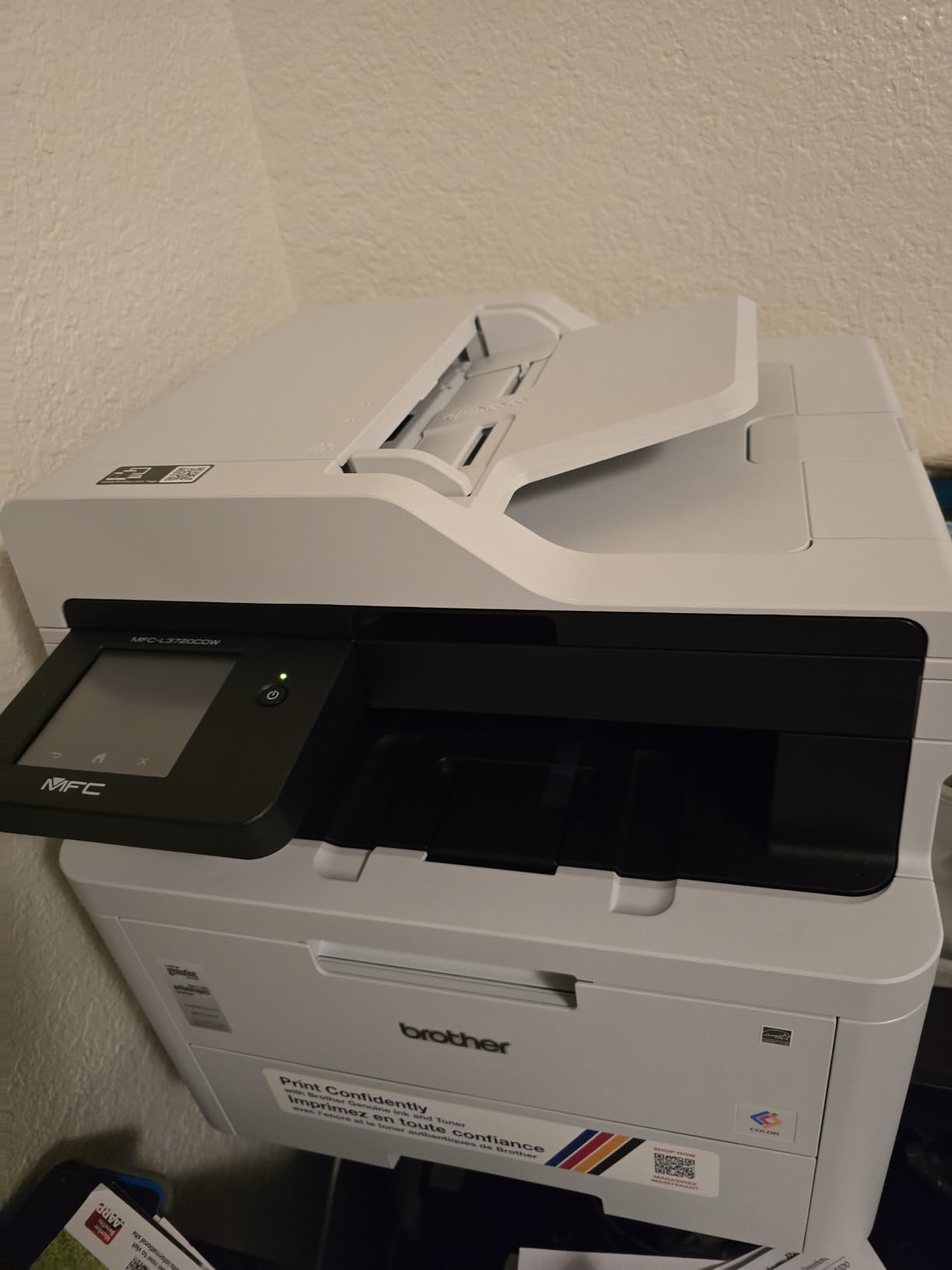
Who should buy the MFC-L3720CDW?
Small offices, clinics, schools and any team that produces client-facing color documents. The fax function alone puts it ahead of most modern all-in-ones, since many competitors have dropped it. With a 50-page feeder and a touchscreen, it handles a morning of intake without anyone touching the machine mid-job.
It also suits a home office that genuinely needs color laser output, such as one producing design proofs or marketing pieces. What it does not suit is a small desk. At 44 pounds and 17.5 inches wide, it needs a dedicated shelf, and buyers consistently mention the footprint as the main drawback.
What does color laser ownership actually cost?
More per page than monochrome, and the gap widens with volume. A full set of color toner is a bigger purchase than one black cartridge, and the drum unit is a separate consumable that eventually needs replacing. Print heavy in color and this becomes the dominant line in your printing budget.
Fax, scan and copy functions also add failure points that a print-only machine does not have. Owner feedback sits at 4.0 out of 5 across more than 1000 reviews, with the size complaint and the running cost carrying most of the criticism.
5. HP LaserJet Pro MFP 3101sdw – Top Rated Monochrome Duplex Printer
HP LaserJet Pro MFP 3101sdw Wireless Black and White All-in-One Laser Printer, Office Printer, Duplex, Best-for-Small Teams (9D2X4F)
Monochrome laser
40 ppm
Automatic duplex
50-sheet ADF
Scan to email
Pros
- Fastest monochrome output here at 40 ppm
- 7 second first page and quick wake
- Reconnects to the network on its own after outages
- 250-sheet tray and 50-sheet feeder
- Quiet operation and crisp text
Cons
- Cartridge chips block non-HP toner
- Build feels light and the tray flexes
- Occasional false out-of-paper errors
- Wi-Fi can drop after a network surge
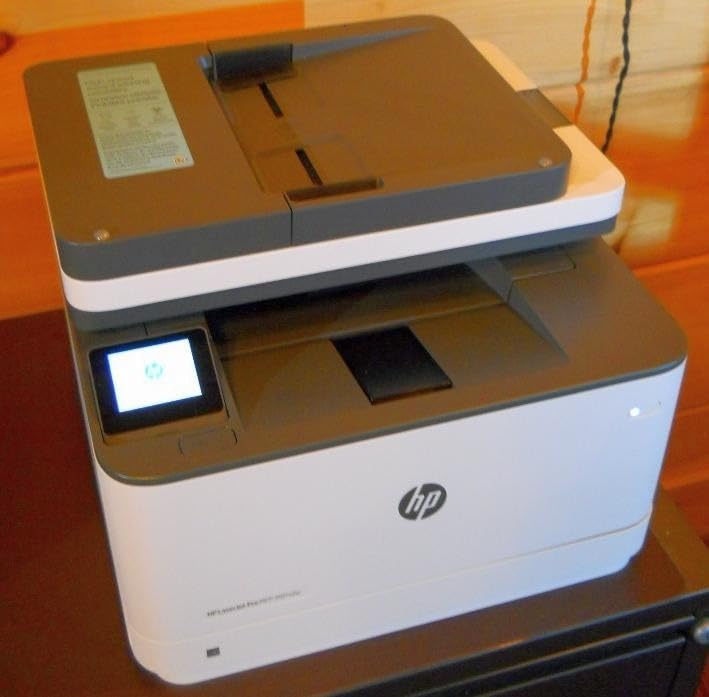
The LaserJet Pro MFP 3101sdw has the highest owner satisfaction of anything in this roundup, sitting at 4.5 out of 5 with roughly 77 percent five-star ratings. It prints up to 40 pages per minute in black, delivers the first page in seven seconds, and copies at up to 35 pages per minute. That speed ceiling matters when a duplex job lands at 200 pages.
Automatic duplex is standard, and the 250-sheet input tray plus a 50-sheet automatic document feeder handle team-sized workloads without constant refilling. Output capacity is also 250 sheets, so long duplex jobs complete without a mid-run empty. Scanning to email is built in, which is the feature office users reach for constantly.
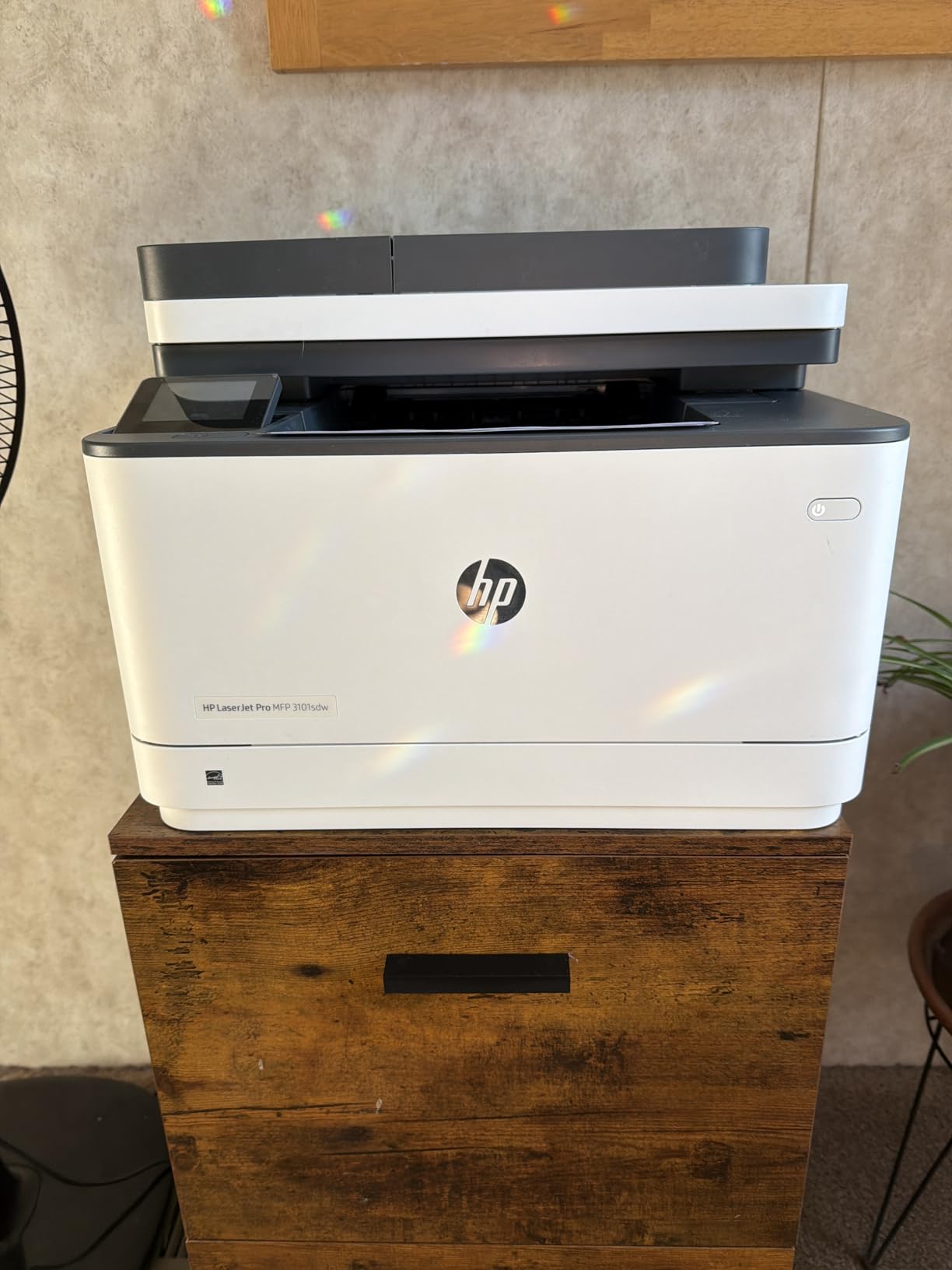
Wireless behavior is the sleeper feature here. Owners report the printer detecting and recovering its own network connection, including after a power outage, and the dual-band radio holds a stable link in busy offices. AirPrint, Mopria and the HP app all work, so phones, tablets and Chromebooks print without driver installs.
The one policy issue is toner. This machine uses cartridges with embedded HP chips, and non-HP chips or circuitry are blocked outright, which some reviewers describe as deliberate anti-consumer engineering. It is a real ownership cost, because third-party toner is not an option here. Firmware updates have also been reported to block third-party cartridges.
Is this the fastest duplex printer for a busy office?
It is the fastest monochrome unit in this roundup at up to 40 ppm, and the seven second first page holds even after the machine has been idle. The HP LaserJet MFP M235sdw is quoted at 30 ppm and the Brother HL-L6210DW at 50 ppm, so for pure volume above 1,000 pages a month the HL-L6210DW outruns it while costing less to feed.
For most offices the difference washes out, because duplex pages take twice the machine time and a 40 ppm engine clears a shared workload comfortably. The 50-sheet feeder, 250-sheet trays and self-healing wireless are what actually decide daily use.
What are the real drawbacks of the 3101sdw?
Two, mainly. Build quality feels light in a way the spec sheet does not convey, and the paper tray flexes when handled. Some owners also hit occasional false out-of-paper errors during setup or normal use, and Wi-Fi occasionally drops after a network surge and needs a manual reconnect.
Copy resolution is listed at up to 1200 x 1200 dpi, print resolution up to 1200 x 1200 dpi, and the warranty is one year limited. At 23.1 pounds it stays manageable for a home office, and the 15.7 by 16.5 inch footprint fits a normal desk.
6. HP Envy 6155 – Best Budget Duplex Printer for Light Home Use
HP Envy 6155 Wireless All-in-One Color Inkjet Printer, Print, Scan, Copy, Duplex Printing Best-for-Home, 3 Month Trial of Instant Ink Included, AI-Capable (C2WR7A) Portobello
Color inkjet
10 black and 7 color ppm
Automatic duplex
2.4 inch touchscreen
Pros
- Touchscreen-guided setup is simple
- Automatic duplex in a light 11 pound body
- Dual-band Wi-Fi that self-corrects
- AI page formatting strips web clutter
- Made with at least 60 percent recycled plastic
Cons
- Chip enforcement blocks third-party ink
- Setup cartridges yield only about 120 and 75 pages
- No automatic document feeder
- Slow at 10 black and 7 color ppm
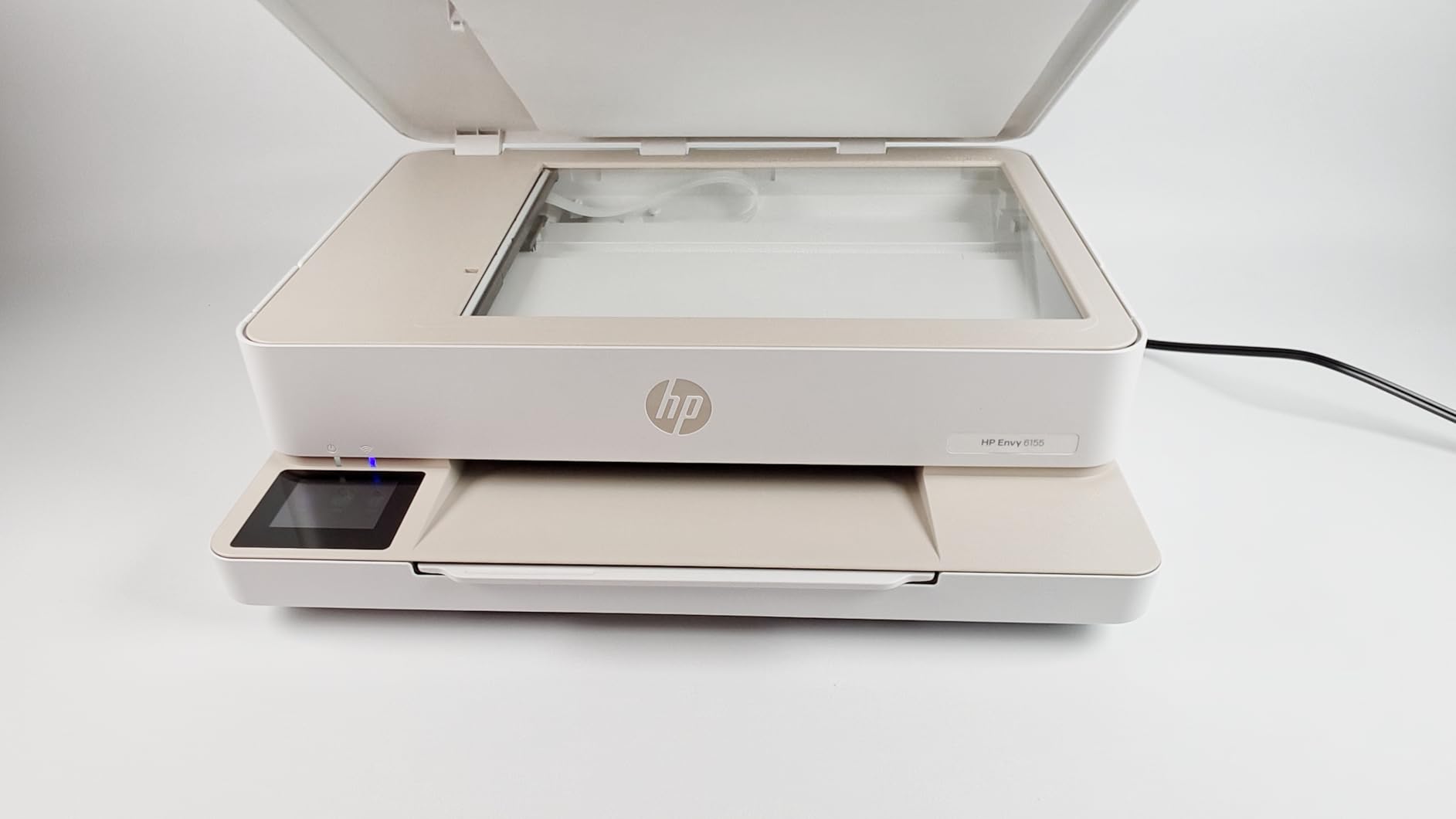
The Envy 6155 does the minimum a duplex printer can do, at the lowest entry point on this list. It prints, scans and copies in color with automatic two-sided printing, and it weighs 11.2 pounds, so moving it between rooms is not a task. That combination makes it a reasonable first printer for a student, a renter or a light home user.
The 2.4 inch color touchscreen is small but genuinely useful, and the setup flow is guided rather than manual. Dual-band wireless is present and is reported as self-correcting, meaning the printer detects and resolves connection issues on its own rather than needing a factory reset every time the router changes.
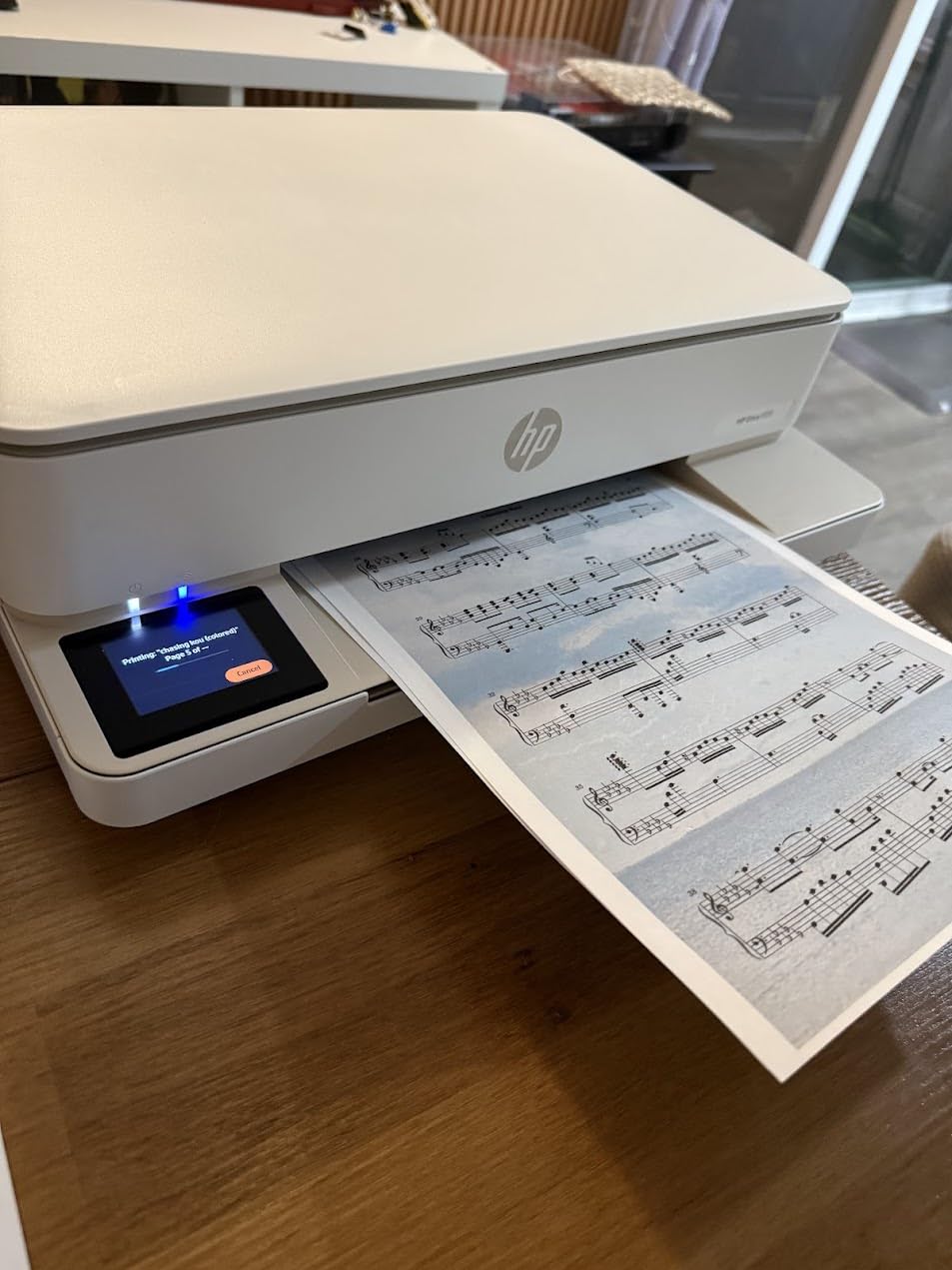
One feature stands out for anyone who prints web pages. The AI page formatting strips out unwanted navigation bars, headers and email clutter so you get the article instead of the website, and it handles basic photos and forms too. Output reaches 4800 x 1200 dpi color, and speeds are 10 pages per minute black and 7 color.
Chassis material is worth noting: at least 60 percent recycled plastic content. It does not change how the machine prints, but it is a measurable difference in this category and part of why the unit is so light.
Is the Envy 6155 good enough for everyday home printing?
For school projects, recipes, boarding passes, occasional color pages and short double-sided handouts, yes. Automatic duplex removes the most annoying part of home printing, and the touchscreen makes it usable without a computer. Print volume is the limit, not capability.
If you regularly print more than a few hundred pages a month, move up. A monochrome laser such as the HL-L2460DW prints faster and costs far less per page, and the running cost difference compounds quickly.
What are the downsides of the cheapest duplex printer here?
Running cost and lock-in. The included HP 68 setup cartridges yield only about 120 pages of black and 75 pages of color, and the printer is designed to work only with cartridges carrying original HP chips or circuitry, so third-party ink is blocked. A one-year limited hardware warranty applies.
There is no automatic document feeder, so scanning is flatbed only, and the 100-sheet input tray is the smallest on this list. The 14 percent share of one-star reviews centers on ink economics and cartridge restrictions rather than printing quality. Owner feedback sits at 4.2 out of 5 across more than 400 reviews.
7. Brother INKvestment MFC-J1365DW – Best High-Yield Inkjet Duplex Printer
Brother INKvestment 1365 Wireless Color Inkjet All-in-One Printer with Automatic Duplex Printing and 1.8” Color Display | Includes Refresh Subscription Trial(1) (MFC-J1365DW)
Color inkjet
16 black and 9 color ppm
Automatic duplex
20-page ADF
Pros
- High-yield black cartridge rated around 1200 pages
- Front-loading cartridges make refills quick
- Compact body with duplex and a 20-page feeder
- Two-year limited warranty
- Works on Linux with current Brother drivers
Cons
- Network password entry on a tiny screen is painful
- Color density lighter than some rivals
- Uses XL cartridges rather than bottled ink
- 1.8 inch display is hard to read
The INKvestment MFC-J1365DW tackles the weakest part of cartridge inkjets, which is how often you have to replace ink. The in-box black cartridge carries a yield around 1200 pages, with a 500 page yield cartridge each for cyan, yellow and magenta, using Brother Genuine LC504 ink. Front-loading access means you swap a cartridge without lifting a flap or turning the machine.
Despite the ink endurance, the footprint is compact at 13.5 by 15.4 inches and 16.8 pounds. You get automatic duplex, a 20-page automatic document feeder and a 150-sheet front paper cassette, which is a more practical arrangement than a rear feed tray for a machine that lives on a desk.
Performance is respectable for an inkjet: 16 pages per minute black and 9 color, with a first page in roughly 6.2 seconds black and 9.6 seconds color. The resolution ceiling of 1200 x 6000 dpi on Windows and 1200 x 3600 on Mac gives fine text and clean graphics, and paper support runs up to 8.5 x 14 inches.
Does INKvestment really cut ink costs?
Substantially, and it comes with a two-year limited warranty rather than the single year most rivals in this bracket offer. Owners consistently like that supplies last longer between changes compared with standard cartridge rivals, and several note the unit stays compact despite the larger cartridges.
It is still an inkjet, so a laser wins on pure cost per page for high text volume. The case for INKvestment is color plus moderate volume without constant trips to buy ink, and that is a real household pattern.
What is genuinely frustrating about this printer?
Setup. Reviewers describe the mandatory network password entry through a 1.8 inch screen with arrow buttons as brutal, and the process leans heavily on the Brother Mobile Connect app and an internet connection, which frustrates anyone who just wants USB. The small display is also hard to read in general use.
Color intensity is described as lighter than some competing inkjets despite clean, bright output, and this is not a refillable tank printer since it uses extra-large cartridges rather than bottles. Some owners report cyan cartridges not being recognized, and owner feedback sits at 4.0 out of 5 across more than 300 reviews.
8. Brother HL-L6210DW – Best Duplex Printer for High-Volume Printing
Brother Laser Printer, Monochrome Duplex Wireless Printer, HL-6210DW
Monochrome laser
50 ppm
Automatic duplex
520-sheet tray
Triple Layer Security
Pros
- 50 ppm monochrome speed
- 520-sheet main tray plus multipurpose tray
- Expands to 1660 sheets
- Gigabit Ethernet and dual-band wireless
- TN920 toner rated to 18000 pages
Cons
- Print only with no scan copy or fax
- Weighs 29.8 pounds
- Some 1-star reviews raise reliability concerns
The HL-L6210DW is built for a single job: putting enormous quantities of black text on paper quickly and cheaply. It runs at 50 pages per minute, which is the fastest monochrome figure in this roundup, and automatic duplex is standard. On a duplex run that machine time works out to 25 full sheets every minute.
Paper capacity is the other headline. The main tray holds 520 sheets, a 100-sheet multipurpose tray sits on top, and the total expands to 1660 sheets with the right modules. Two trays as standard means a full ream plus change without stopping, which is the difference between a shared office printer and a dedicated one.
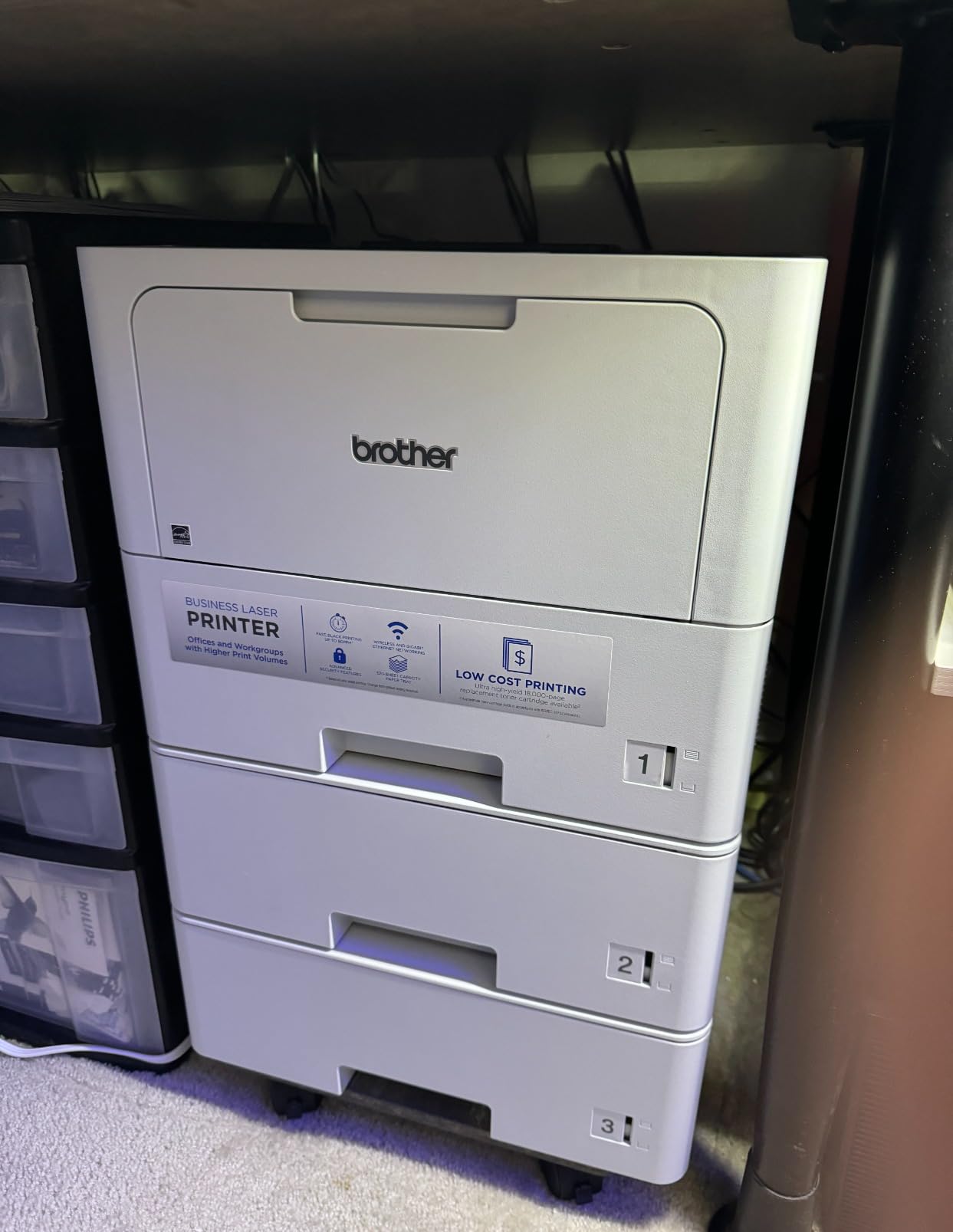
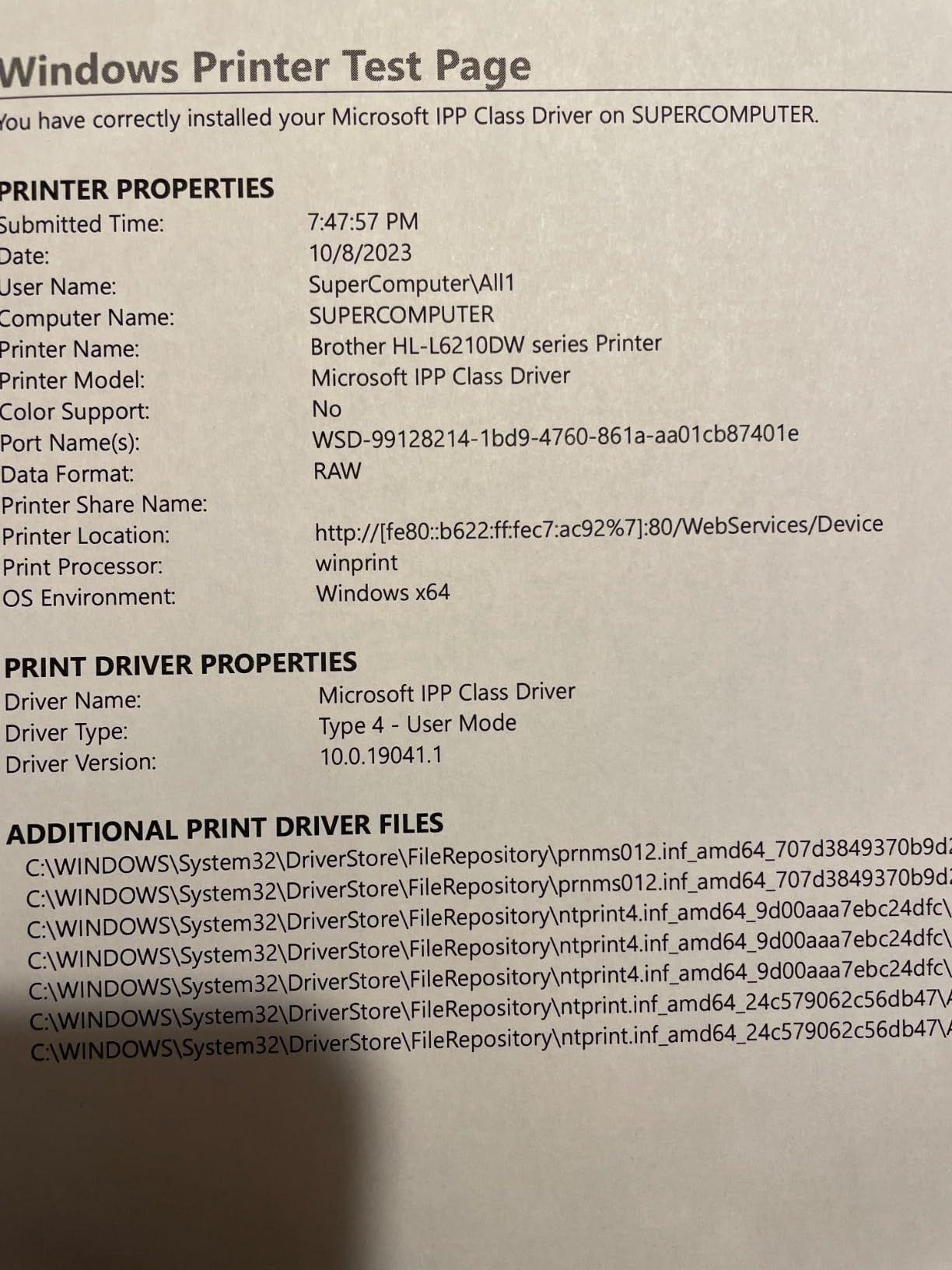
Networking is built for a fixed office. Gigabit Ethernet, dual-band wireless and USB 2.0 are all present, and the Brother Mobile Connect app covers mobile printing. Triple Layer Security is a genuine differentiator for a networked machine, covering device, network and document protection for anyone printing confidential material.
Consumables are the TN920 series, with the in-box TN920 rated at 3000 pages and ultra high-yield versions available up to 18000 pages. That yield range is where the cost per page advantage comes from, and the included DR920 drum unit is rated around 45000 pages.
Is the HL-L6210DW worth it above 1,000 pages a month?
At that volume, yes, and the math is simple. Higher-yield toner plus a 520-sheet tray that never needs refilling means fewer supply interruptions, and 50 ppm clears a burst backlog before lunch. This is the pick for a department, a warehouse, a legal practice or a school office printing forms all day.
Below roughly 300 pages a month, the extra tray capacity and speed are wasted money. The HL-L2460DW handles light office duty for far less, and it fits on a desk.
What do you give up with a print-only laser?
No scan, no copy, no fax. If a document arrives and needs to become a PDF, or a page needs duplicating, someone walks to a copier. That is the tradeoff for the smaller footprint, lighter electronics and lower cost of a machine with one job.
It also weighs 29.8 pounds, so it needs a floor-standing shelf rather than a desk, and it is deep at 15.3 inches. A handful of one-star reviews raise reliability concerns, though owner feedback overall sits at 4.2 out of 5 across more than 300 reviews.
9. Brother MFC-J1410DW – Best Duplex All-in-One for a Home Office
Brother Work Smart 1410 Wireless Color Inkjet All-in-One Printer with 2.7” Touchscreen and Automatic Duplex Printing | Includes Refresh Subscription Trial(1) (MFC-J1410DW)
Color inkjet
16 black and 9 color ppm
Automatic duplex
2.7 inch touchscreen
Fax
Pros
- 2.7 inch color touchscreen with cloud apps
- Automatic duplex plus a 20-sheet feeder
- Print copy scan and fax in one box
- Compact 16.8 pound footprint
- Cloud connections to Drive Dropbox Box OneDrive
Cons
- Inkjet running cost higher than laser
- 16 black and 9 color ppm is slow
- Single 150-sheet tray
- Ink can dry out during long idle spells
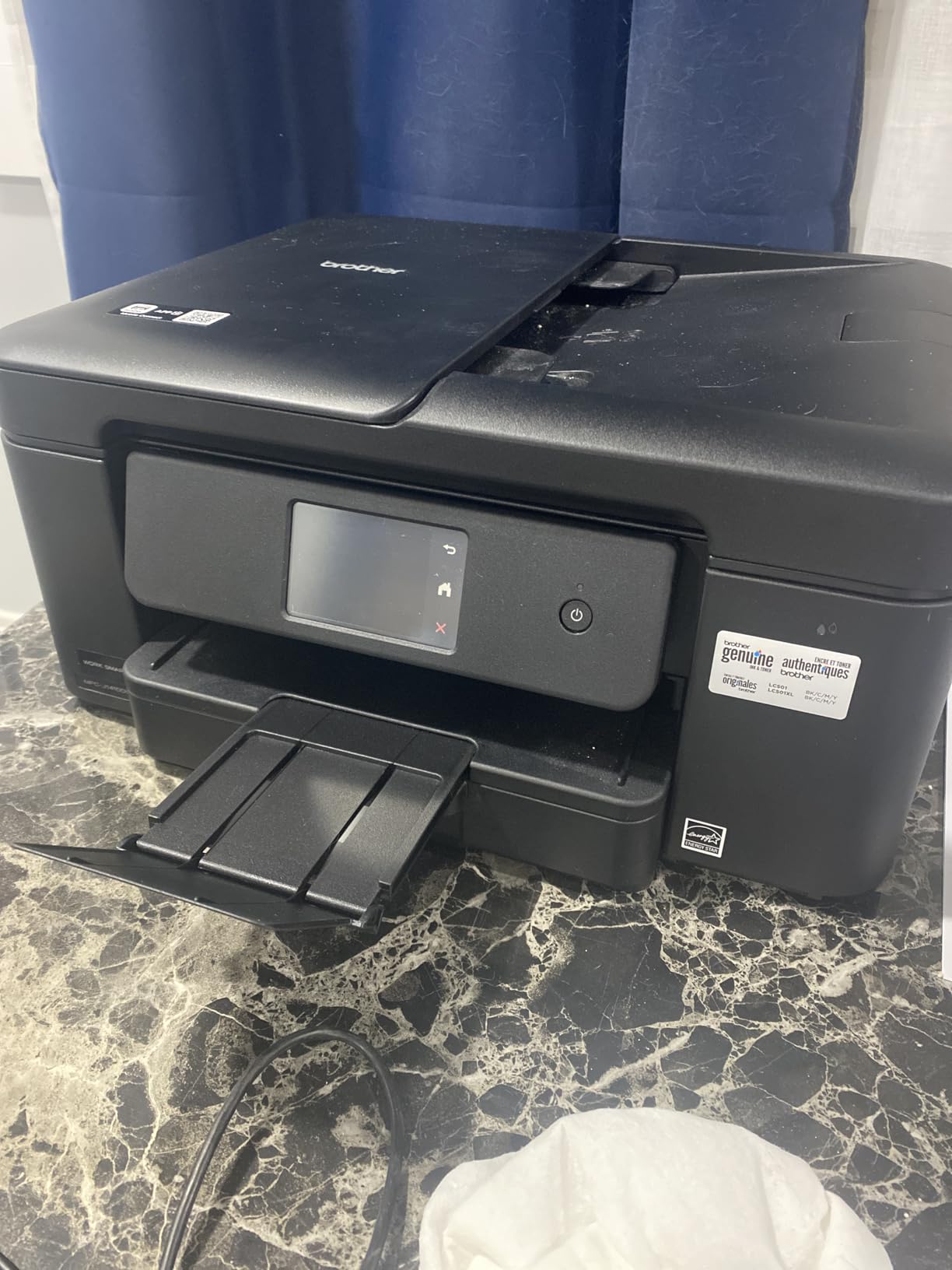
The MFC-J1410DW covers all four office functions in a body the size of a small table lamp. It prints in color at 16 pages per minute black and 9 color with automatic duplex, and it scans, copies and faxes from the same chassis. The 20-page automatic document feeder is small but functional for the routine paperwork a home office generates.
The 2.7 inch color touchscreen is the best panel on any inkjet in this roundup, and it carries direct cloud connections to Google Drive, Dropbox, Box and OneDrive. Scanning to cloud storage is a two-tap operation, which removes the reason most people keep a separate flatbed scanner around.
Print quality reaches 1200 x 6000 dpi on Windows and 1200 x 3600 on Mac, with copy resolution at 1200 x 1200 dpi and copy speed at 11 pages per minute black. Paper support runs up to 8.5 x 14 inches, and glossy photo paper is a listed media type alongside plain paper and envelopes.
Connectivity is USB 2.0 and wireless, and the Brother Mobile Connect app handles remote printing, scanning and device management. Dimensions are 13.5 by 15.4 by 7.2 inches at 16.8 pounds, so it fits a credenza or a home office shelf without dominating the space.
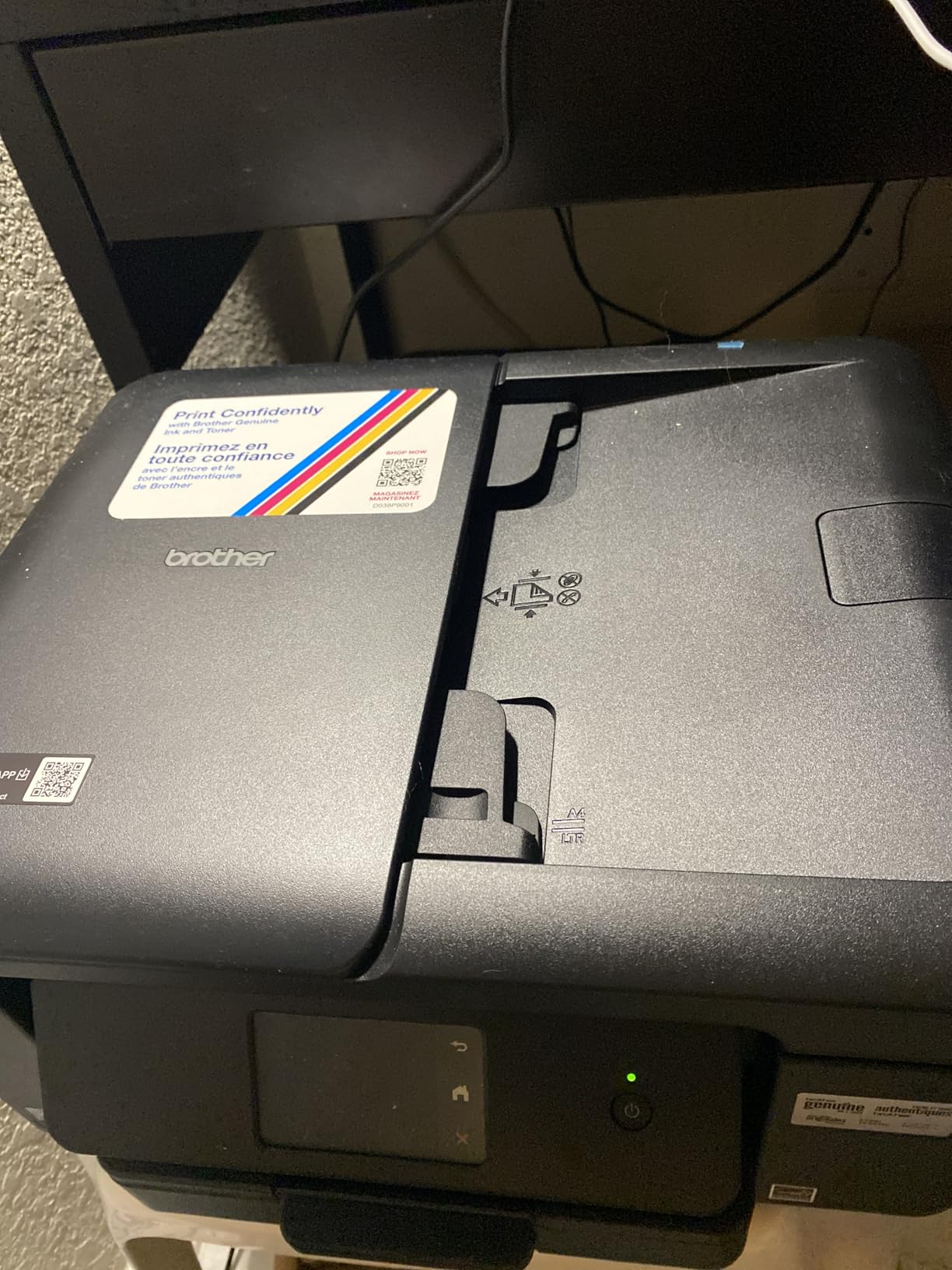
Is this the best duplex printer for someone working from home?
It is the most complete option here for a home office that needs color, scanning, copying and fax in one footprint. Automatic duplex stops the paper waste on reports, and the cloud connections make scanning a finished PDF a button press rather than a project.
The 150-sheet tray suits a week of ordinary printing. If you routinely print more than that in a burst, step up to a laser, because inkjet speed and running cost both climb sharply with volume.
What are the drawbacks of the MFC-J1410DW?
Cost per page. This is an inkjet with standard LC-series style cartridges, so a monochrome laser prints text more cheaply over any real workload, and color printing costs more still. At 16 black and 9 color pages per minute it is also slower than every laser in this roundup.
There is a single 150-sheet tray, so no second paper source for envelopes or card stock. And like most inkjets, ink can dry out if the machine sits unused for long stretches, which matters in a spare room that only gets used on Mondays. Owner feedback sits at 4.0 out of 5 across more than 280 reviews.
10. Canon MF753Cdw II – Best Duplex Printer With Duplex Scanning
Canon Color imageCLASS MF753Cdw II – All-in-One Color Duplex Laser Printer
Color laser
35 ppm
Automatic duplex print and scan
ADF
3-year warranty
Pros
- 35 ppm in color and monochrome
- Automatic duplex printing and duplex scanning through the feeder
- Color print scan copy and fax
- 3-year manufacturer warranty
- 1200 x 1200 dpi color output
Cons
- Weighs 50 pounds
- 250-sheet capacity small for heavy teams
- Canon software and support site issues reported
- Sleep mode wake problems on some units
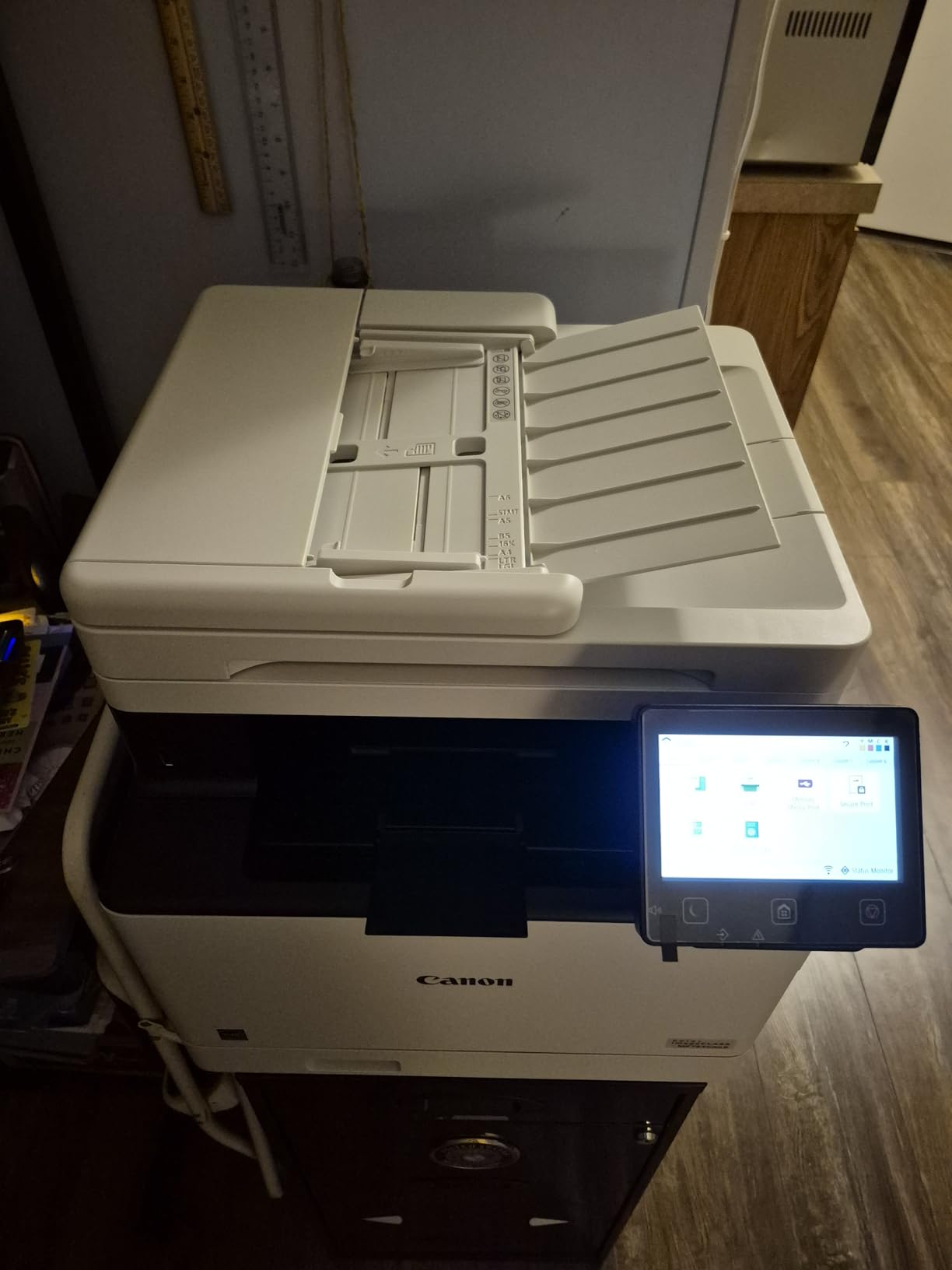
The MF753Cdw II is the only machine here that scans both sides of a document in a single pass. Its automatic document feeder handles duplex scanning as well as duplex printing, so a two-sided contract becomes one searchable PDF without a second manual feed. If duplex scanning is the feature you actually need, this is the answer.
It is also seriously quick. Color and monochrome both run at 35 pages per minute, the first page arrives in seven seconds, and color output reaches 1200 x 1200 dpi. Print, scan, copy and fax are all color, and the four-function setup is driven by a touch control panel.
Paper handling is two trays totaling 250 sheets, accepting sizes from 3.9 by 5.8 inches up to legal 8.5 x 14 inches in the standard cassette and 3 by 5 inches up to legal in the multipurpose tray. Connectivity covers Ethernet, USB and Wi-Fi, so it drops onto both a wired office network and a wireless one.
The warranty is the longest in this roundup at three years manufacturer coverage, and Canon spare parts are listed as available for three years in Europe. Consumes Canon Genuine Toner 069, with the in-box starter set rated around 2100 pages black and 1100 pages each for the color toners.
Why does duplex scanning matter?
Because a single-sided feeder turns every two-sided document into two separate files or a manual flip. Receptionists, paralegals, bookkeepers and anyone archiving signed forms hit this constantly, and the workaround of scanning twice is slow enough that people stop scanning altogether.
Several machines in this roundup have excellent duplex printing and a single-sided ADF, which is the most common disappointment buyers report. This one has both, and it is the pick when the scan side of the workflow matters as much as the print side.
What should you watch out for with the Canon?
It weighs 50 pounds, the heaviest machine here, at 18.2 by 16.8 by 17 inches. It needs a floor or a sturdy cabinet, not a desk. The 250-sheet total capacity is also modest for a machine this fast, so high-volume teams will refill more often than the speed suggests.
Some owners report Canon software and driver issues, including a support site blocked by a security check, and Windows built-in drivers are reported to work as a workaround. Sleep mode wake problems appear in a minority of reviews, and on ARM devices such as Windows Surface hardware you need the built-in Windows drivers. Owner feedback sits at 4.2 out of 5 across more than 280 reviews.
11. HP LaserJet MFP M235sdw – Best Compact Monochrome Duplex Printer
HP LaserJet MFP M235sdw All-in-One Laser Wireless Printer, Scan/Copy, Black & White, Duplex, Best-for-Office
Monochrome laser
30 ppm
Automatic duplex
Single-sided ADF
150-sheet tray
Pros
- Fast two-sided output around 28 to 30 ppm
- Dual-band wireless with automatic self-reset
- AirPrint Mopria Ethernet USB and Wi-Fi Direct
- Built-in security features for shared offices
- Compact 21 pound body
Cons
- Feeder is single-sided only
- Toner cost high for the page count
- HP software and app draw complaints
- 150-sheet tray is the smallest here
- Copy resolution limited to 300 x 300 dpi
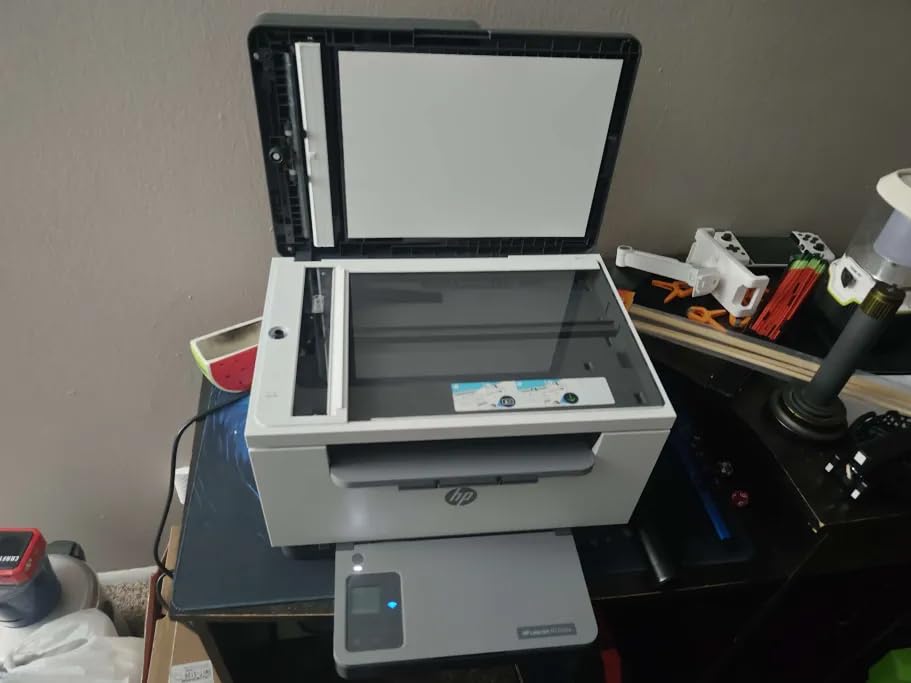
The LaserJet MFP M235sdw is the smallest monochrome all-in-one here, at 12.13 inches deep by 16.46 wide by 11.59 high and 21 pounds. It prints, scans and copies in black with automatic duplex, and at 30 pages per minute it handles a duplex job faster than most inkjets manage a single-sided one.
Device compatibility is broad. AirPrint, Mopria, Ethernet, USB, wireless and wireless direct printing are all supported, so iPhones, Android devices and Chromebooks print without an install. The dual-band radio self-resets when the network hiccups, which removes the most common home office complaint.
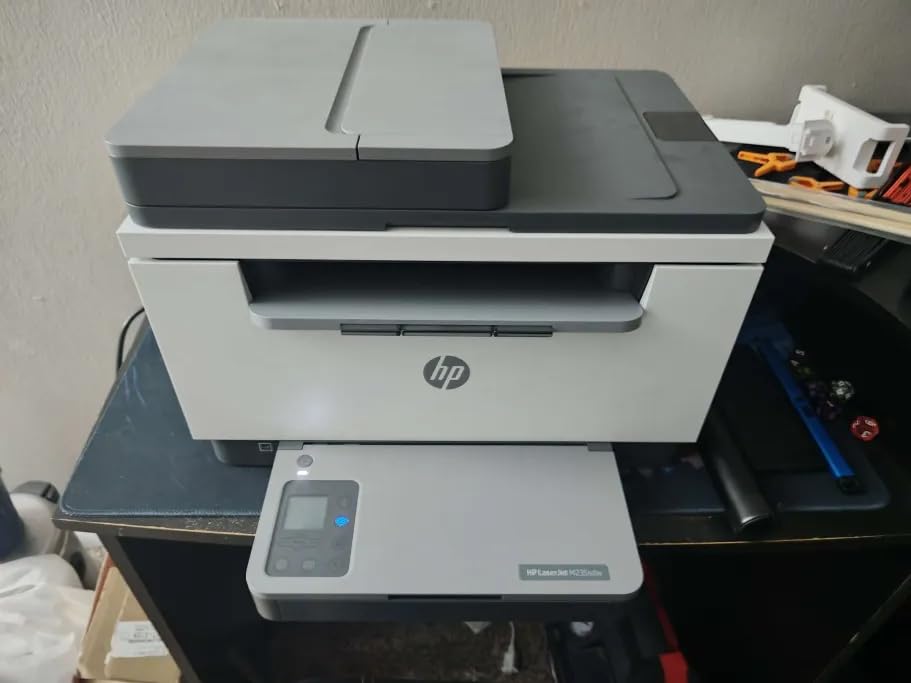
Security is a genuine strength for a shared machine. Built-in security features are part of the design rather than an add-on, and scan to email and scan to PDF are both supported. The first page prints in seven seconds, and paper handling covers letter, A4 and legal up to 8.5 x 14 inches.
Print resolution is 600 x 600 dpi, fine for text and forms but not for photographs, and copy resolution is lower still at up to 300 x 300 dpi. Output capacity is 150 sheets, matching the input tray, and the consumable is HP 134a toner with one cartridge preinstalled in the box.
Is the M235sdw the right choice for a small home office?
For black text at a moderate volume, yes. The combination of a compact body, 30 ppm duplex output, self-healing wireless and a seven second first page covers homework, invoices, contracts and client documents without a large footprint. The 150-sheet tray suits roughly a week of light work.
If you need color, the PIXMA TS7720 or the MFC-J1410DW cover that side. If you need duplex scanning, the single-sided feeder here will disappoint you sooner or later.
What are the drawbacks of this HP?
The automatic document feeder is single-sided only, which is the single most common disappointment in this category. Toner cost is also flagged as high for the page count delivered, and the HP software and app experience draws regular complaints, particularly for management rather than printing.
The warranty is one year, shorter than the three years on the Canon models in this roundup. Copy resolution of 300 x 300 dpi produces noticeably softer copies than the flatbed scanners elsewhere here. Owner feedback sits at 4.1 out of 5 across more than 250 reviews.
12. Canon LBP646Cdw – Best Print-Only Color Duplex Printer
Canon Color imageCLASS LBP646Cdw Wireless Laser Printer, Duplex, 26 PPM, Print Only, White
Color laser
26 ppm
Automatic duplex
5 inch LCD
250-sheet tray
Pros
- 26 ppm in color and monochrome
- Automatic duplex on a print-only chassis
- 5 inch LCD for easy job control
- Canon 075 high-capacity toner available
- 3-year warranty plus Energy Star and EPEAT Silver
Cons
- Print only with no scanner or fax
- Wi-Fi setup frustrates several users
- Heavy and deep for a home office
- Windows update driver conflicts reported
- Starter toner yields are low
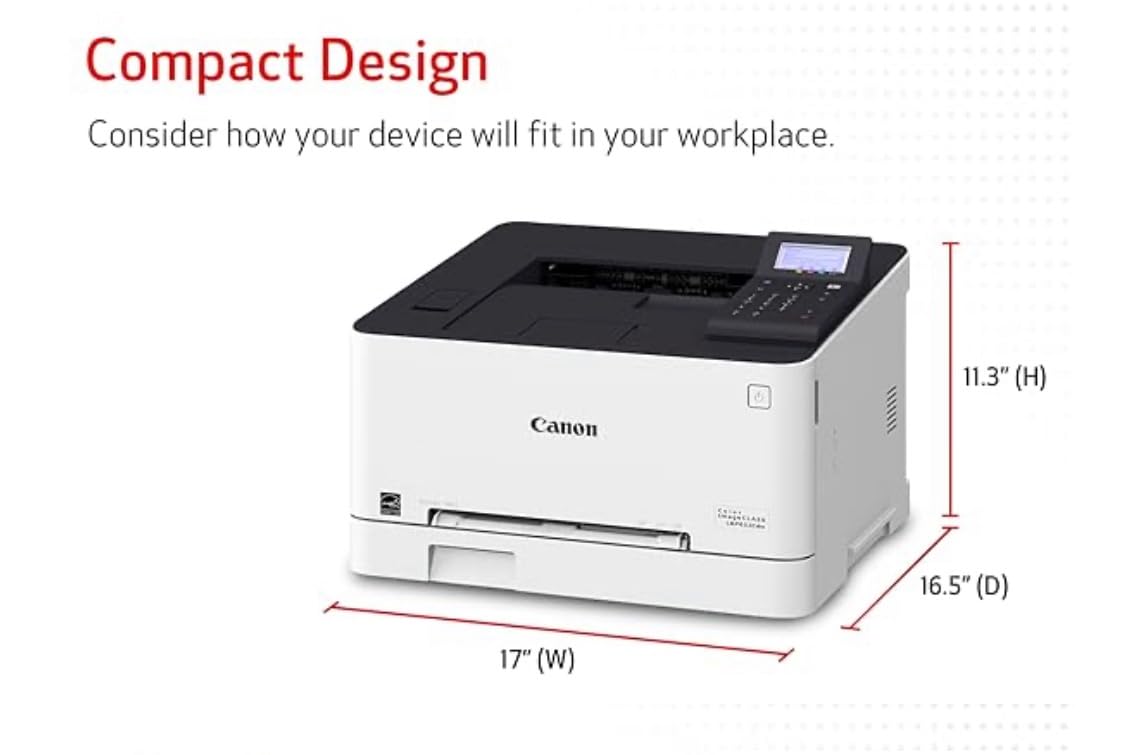
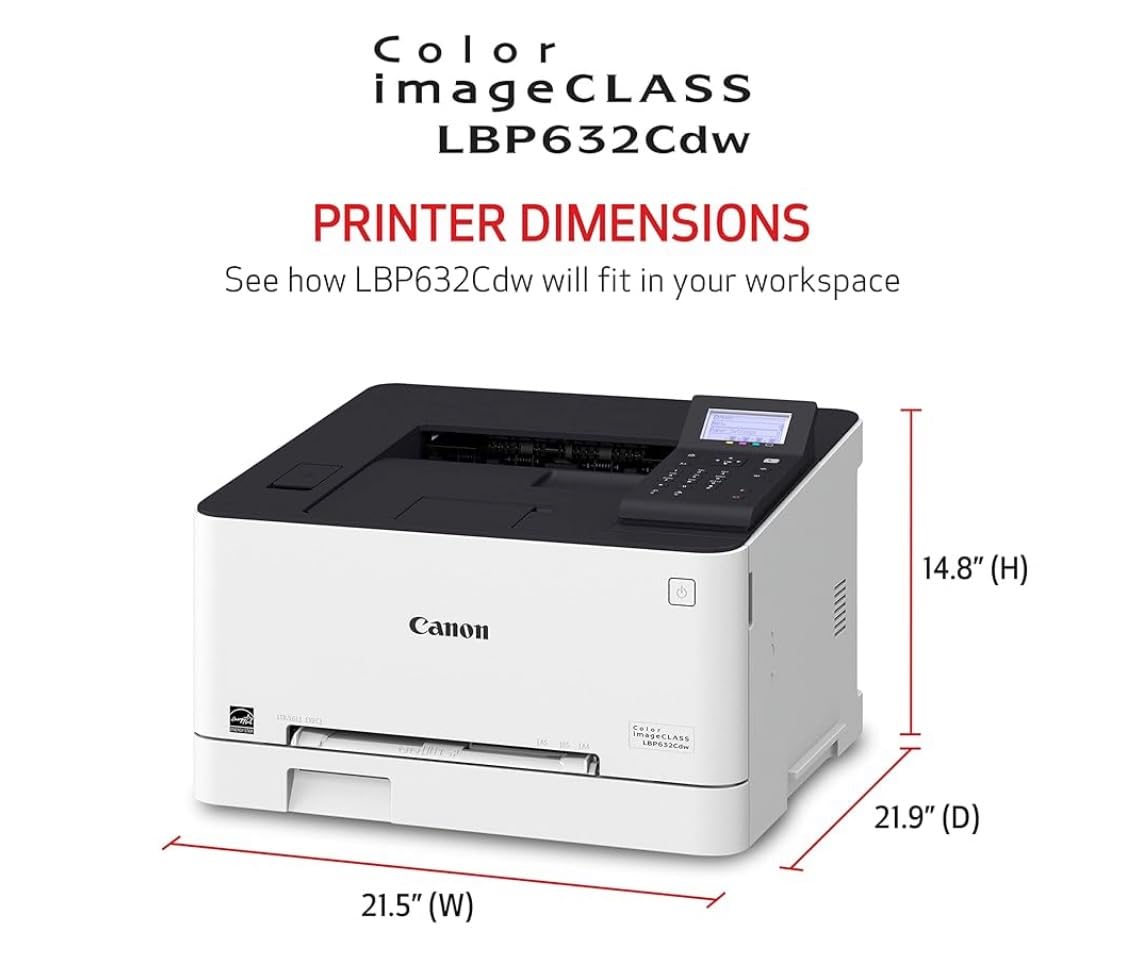
The LBP646Cdw is the simplest way to get reliable color duplex output without a scanner attached. It runs at 26 pages per minute in both color and monochrome, the first page arrives in 10.3 seconds, and automatic duplex handles two-sided work without a second tray on the desk.
The 5 inch LCD is unusually large for a print-only machine and makes job control straightforward without a computer. Two trays total 250 sheets, with the standard cassette and a one-sheet manual feed slot accepting sizes from 3 by 5 inches up to legal 8.5 x 14 inches. Output capacity is 251 sheets.
Connectivity covers Ethernet, USB and wireless, and the Canon PRINT app works alongside AirPrint and Mopria for mobile printing. Resolution is listed at 1200 x 1200 dpi for both black and color in the product specifications, with 600 x 600 dpi noted for copies, though this unit does not copy.
Consumables are the Canon 075 series with higher capacity options available, and certification covers Energy Star and EPEAT Silver. The warranty is three years manufacturer coverage, tied for the longest in this roundup with the Canon MF753Cdw II.
Is a print-only color laser the right choice?
Yes when color is essential and scanning is not. Flyers, price lists, packing slips, menus, invitations and internal color handouts come out of a laser at a per-page cost that inkjets cannot match at volume, and the machine is simpler to live with because it has one job.
If you need to scan a document, send a receipt, or copy a page, this is the wrong machine. The MFC-L3720CDW covers color print, scan, copy and fax with automatic duplex in one chassis.
What problems do owners report with the LBP646Cdw?
Wi-Fi setup is the most common theme, with several users describing it as difficult or frustrating, and Windows update conflicts causing driver trouble on some machines. The chassis weighs 27.6 pounds and is 16.5 inches deep, which is substantial for a home office.
Starter toner yields are low, with the in-box 075 cartridges rated at 500 pages for each of cyan, magenta and yellow and 700 pages black, so the first replacement arrives sooner than you might expect. Owner feedback sits at 4.1 out of 5 across more than 270 reviews, with praise concentrated on print quality and the three-year warranty.
How to Choose a Duplex Printer Without Regret?
Duplex is now standard, so the real decisions are technology, duplex scanning, and running cost. Get those three right and the rest is preference. Here is how we ranked the 12 printers above, and what to check before you commit.
Laser, ink-tank or cartridge inkjet for duplex work?
Laser wins on text volume, speed and cost per page. The machines here reach 30, 36, 40 and 50 pages per minute, and their toner stays cheap per page because the page yield runs into the thousands. Laser is also the only realistic answer above roughly 500 pages a month, where inkjet running cost overtakes the purchase price many times over.
Inkjet wins on color quality, photo output and photo paper handling. The cartridge models here run 10 to 16 pages per minute in black, and their per-page cost is much higher, but the first page is fast and the machines weigh a third of a laser. Pick inkjet when color and photo matter more than volume.
The midpoint is a high-yield cartridge inkjet such as the INKvestment MFC-J1365DW, with a black cartridge rated around 1200 pages and a two-year warranty. It still uses cartridges rather than refillable tanks, so it does not reach tank pricing, but it stretches replacements far further than a standard cartridge setup.
Automatic duplex printing versus manual duplex
Automatic duplex is the only version worth paying extra for. The machine takes the finished page back inside, flips it and runs it through again, so a 40-page document needs 20 sheets and no intervention. Manual duplex still makes you pull the stack out, turn it over and feed it back, and it is the reason some people quietly abandon two-sided printing.
Paper weight also matters. Laser duplex units grip the sheet for the second pass, so heavier stock and glossy photo paper are more likely to jam than on a single-sided path. If your duplex work is mostly plain paper, this rarely surfaces. If it includes card or coated stock, test before you commit.
Duplex printing versus duplex scanning
These are different features and the confusion between them is the most common buying mistake in this category. Duplex printing flips the page during output. Duplex scanning requires an automatic document feeder that reads both sides of a sheet in one pass, and it is the feature that turns a two-sided contract into a single searchable PDF.
Among these 12 printers, only the Canon MF753Cdw II documents automatic duplex printing and duplex scanning together. The Brother MFC-J1365DW, MFC-J1410DW, DCP-L2640DW, MFC-L3720CDW and the HP LaserJet Pro MFP 3101sdw all have document feeders, but a two-sided original needs a second pass. The HP LaserJet MFP M235sdw is explicitly a single-sided feeder, and the Canon PIXMA TS7720 and HP Envy 6155 have no feeder at all.
For long archival jobs, a dedicated duplex document scanner handles throughput better than any multifunction unit here, and it is worth considering if scanning is half your workflow rather than a side task.
Cost per page and the three-year view
Cost per page is the consumable price divided by the rated page yield, and it is the number that decides a printer’s real cost. A high-yield laser cartridge rated in the thousands of pages lands well under a cent per page. A small tri-color inkjet cartridge rated at 75 pages lands many times higher, especially in color.
Duplex does not change cost per page. A duplex sheet carries two printed sides, so the toner or ink used per printed page is identical whether you duplex or not. What duplex changes is the number of sheets consumed, which roughly halves paper use and halves the number of pages pulled through the engine per document.
Two hidden costs catch new owners out. Color laser machines carry a drum unit alongside the four toner cartridges, and the drum is a separate consumable that eventually needs replacing. And subscription programs such as HP Instant Ink and Brother Refresh tie you to a consumable ecosystem, so check the terms before you enroll and cancel any trial the moment it starts.
None of the printers here are the right tool for printed product or garment work. If that is the job, dedicated screen printing machines and pad printing machines handle decoration that a desktop inkjet cannot, and a small craft-oriented color inkjet is only worth it for invitations and labels.
How we picked and ranked these 12 printers
Six criteria decided every placement. First, automatic duplex printing had to be genuine rather than manual, since that is the entire premise of the roundup. Second, duplex capability had to be verifiable, meaning a documented automatic duplex unit rather than an assumed one.
Third, owner feedback volume and consistency, because a machine rated well across thousands of reviews tells you more than a spec sheet. Fourth, running cost, judged on consumable yield rather than purchase price. Fifth, build and reliability signals, including warranty length, tray capacity and paper path design. Sixth, feature completeness against the stated use case, so a printer picked for scanning actually has a scanner.
How to turn on automatic duplex printing in Windows 11
Open Settings, go to Bluetooth and devices, then Printers and scanners, and select your printer. Choose Printer preferences, then Print quality, then Duplex printing, and pick Two-sided: flip on long edge for normal documents or flip on short edge for landscape content.
If the option is greyed out, your printer driver did not load the duplex module, so reinstall the full driver from the manufacturer rather than accepting the basic Windows one. In a document, the setting is usually on the first page of the print dialog under Layout, next to Copies.
How to turn on automatic duplex printing in macOS
Open System Settings, go to Printers and Scanners, click the Info button beside your printer, and choose Options. Set Two-Sided to Long-Edge binding for standard documents and Short-Edge binding for landscape layouts, then click OK.
If Two-Sided is not listed, the driver is missing duplex support, so install the full macOS driver from the manufacturer. In any application, the same toggle is under the Print dialog under Layout with the Two-Sided option.
Five fixes for common duplex printing problems
Skewed or misaligned backs almost always trace to paper type set incorrectly. Open the tray, match the printer setting to plain, bond or photo paper, and load the guides snugly against the stack so the feed pulls straight.
Blank back pages happen when the driver assumes duplex and the machine is set to single-sided, so confirm both settings match. Duplex jams on heavier stock come from the paper weight exceeding the unit’s duplex rating, and the fix is to move to laser for heavy jobs or reduce the paper weight.
Smearing on inkjet duplex output is a wetness problem, since both sides are printed back to back and the second pass can touch the first. Print one side at a time by using manual duplex and allowing a few seconds between sheets, or switch to a heavier paper weight. Finally, skewed double-sided copies with images sometimes flip the wrong edge, which is resolved by switching the binding setting between long edge and short edge.
Frequently Asked Questions
What is the best duplex printer with two-sided printing?
The Brother DCP-L2640DW is the best overall duplex printer for most people. It prints up to 36 pages per minute in black, duplexes automatically, holds 250 sheets and includes a 50-page document feeder, with owner feedback of 4.1 out of 5 across more than 3900 reviews. For heavier monochrome volume, the Brother HL-L6210DW runs at 50 pages per minute.
What is the best printer that prints double-sided automatically?
Automatic duplex means the machine flips the page for you; manual duplex still requires you to turn the stack over by hand. Every printer in this roundup has genuine automatic duplex, and the fastest monochrome option is the HP LaserJet Pro MFP 3101sdw at up to 40 pages per minute, while the Brother HL-L6210DW reaches 50 pages per minute for the highest volume.
What are the disadvantages of duplex printing?
The main drawbacks are slower output on inkjets, since each sheet needs a second pass, and a higher jam rate on laser duplex units with heavier paper. Inkjet duplex pages can also come out damp and smear if handled immediately. Binding options are limited to long-edge or short-edge, and booklet printing is not supported on every duplex machine, so check before you buy if folded booklets are part of your workflow.
What is the best all-in-one printer with double-sided scanning?
The Canon MF753Cdw II is the only machine in this roundup with automatic duplex printing and duplex scanning through its document feeder, so a two-sided document becomes a single file in one pass. It also delivers 35 pages per minute in color and monochrome and carries a three-year manufacturer warranty. Most competing all-in-ones here have single-sided feeders, which is the most common disappointment in this category.
Which is better for duplex printing, laser or inkjet?
Laser is better for duplex work above roughly 500 pages a month, because it prints faster, feeds heavier stock through the duplex path more reliably and costs far less per page. Inkjet is better for color and photo output and for occasional use, where laser toner sitting unused can be a concern. Choose a high-yield cartridge inkjet if you need color at moderate volume without moving to a laser.
Is a duplex printer worth the extra cost?
Yes for anyone printing multi-page documents, because duplex roughly halves the number of sheets a document consumes and cuts the machine time spent on handling paper. The paper saving scales directly with volume, so a household printing 200 sheets a month uses roughly 100 sheets a month instead. The extra purchase cost is usually recovered within months at any regular print volume.
Does duplex printing use more ink or toner?
No. The toner or ink applied to each printed side is identical whether you duplex or not, so cost per printed page does not change. What duplex reduces is the number of sheets, and therefore the total paper and total consumables used per document. Any perceived increase comes from using heavier paper to prevent smearing, not from the duplex mechanism itself.
Final Verdict: Which Duplex Printer Should You Buy?
The Brother DCP-L2640DW is the best duplex printer for most people, and it stays our pick in 2026 because it balances 36 ppm monochrome output, a 50-page feeder, 250 sheets of paper and the most owner feedback in this roundup. Its only real weaknesses are software friction during setup and a scan-to-file path that occasionally needs a restart, both of which settle once the machine is on your network.
Match the pick to the job. Choose the Brother HL-L2460DW for a value monochrome workhorse, the Canon PIXMA TS7720 for color and photos, the Brother MFC-L3720CDW for a color laser office with fax, and the Canon MF753Cdw II when duplex scanning matters as much as duplex printing. For raw volume, the Brother HL-L6210DW runs at 50 pages per minute from a 520-sheet tray, and the HP LaserJet Pro MFP 3101sdw carries the highest owner rating here at 4.5 out of 5.
Two final checks before you buy. Confirm whether your documents are text or color, because that single answer eliminates half this list, and confirm whether you need duplex scanning rather than duplex printing, because a single-sided feeder is the most common regret in this category. Get those two answers right and any of our top three will serve you well for years.