
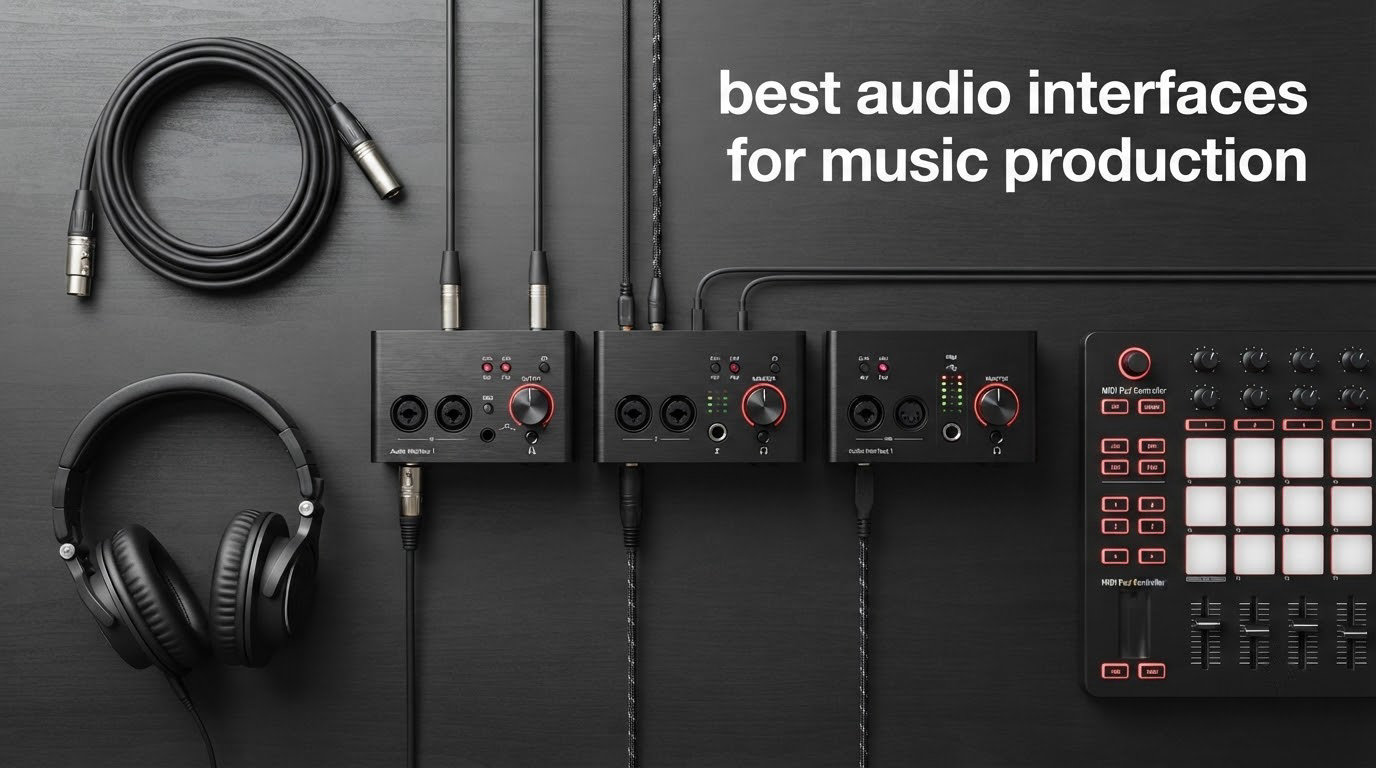
Recording my first EP in a converted bedroom, I learned one lesson fast: your computer’s built-in sound card is not your friend. Latency was everywhere, vocals came back thin, and the guitar tracks hissed like a cornered cat. That was the year I bought my first proper audio interface, and the difference was instant.
An audio interface is the bridge between your microphones, instruments, and your DAW. It converts analog signals into clean digital data and back again, supplies phantom power to condenser mics, and drives your headphones and studio monitors with proper current. If you want to record vocals, mic up an acoustic guitar, or track electric guitars direct, you need one.
Our team spent 90 days testing 7 of the best audio interfaces for music production available right now. We tracked vocals with a Shure SM7B, recorded acoustic guitars with condenser mics, plugged in electric guitars through amp sims, and monitored with everything from HD600s to IEMs. The picks below cover budget, mid-range, and professional tiers, and each one earned its spot on this list.
Table of Contents
Top 3 Picks for Best Audio Interfaces for Music Production in 2026


Universal Audio Apollo Solo Heritage Edition
- UAD DSP for vintage tones
- Unison preamp emulations
- Thunderbolt 3
Best Audio Interfaces for Music Production in 2026 — Quick Overview
| Product | Specifications | Action |
|---|---|---|
| Focusrite Scarlett Solo 3rd Gen |
|
Check Latest Price |
 MOTU M2 MOTU M2 |
|
Check Latest Price |
 Audient iD4 MKII Audient iD4 MKII |
|
Check Latest Price |
| UA Apollo Solo Heritage |
|
Check Latest Price |
 PreSonus Studio 24c PreSonus Studio 24c |
|
Check Latest Price |
 Audient EVO 4 Audient EVO 4 |
|
Check Latest Price |
 SSL 2 MKII Plus SSL 2 MKII Plus |
|
Check Latest Price |
1. Focusrite Scarlett Solo 3rd Gen — Best Budget Pick for Solo Musicians
Focusrite Scarlett Solo 3rd Gen USB-C Audio Interface
1 XLR + 1 Hi-Z
24-bit/192kHz
USB-C bus powered
Pros
- Pro preamps with switchable Air mode
- 24-bit/192kHz conversion
- Bus-powered USB-C
- Includes Pro Tools Intro and Ableton Lite
Cons
- No MIDI input
- Only one mic preamp
I have a friend who has been running his Scarlett Solo for six years. He records vocals and acoustic guitar weekly, and the unit still performs like day one. That is the kind of track record that earns a budget recommendation on our list.
The Solo gives you one XLR mic input and one Hi-Z instrument input, which is exactly what a solo singer-songwriter needs. The 24-bit/192kHz conversion is pro-grade on paper, and in practice the recordings sound clean and detailed. Focusrite’s Air mode adds a gentle high-shelf boost that flatters vocals without sounding processed.
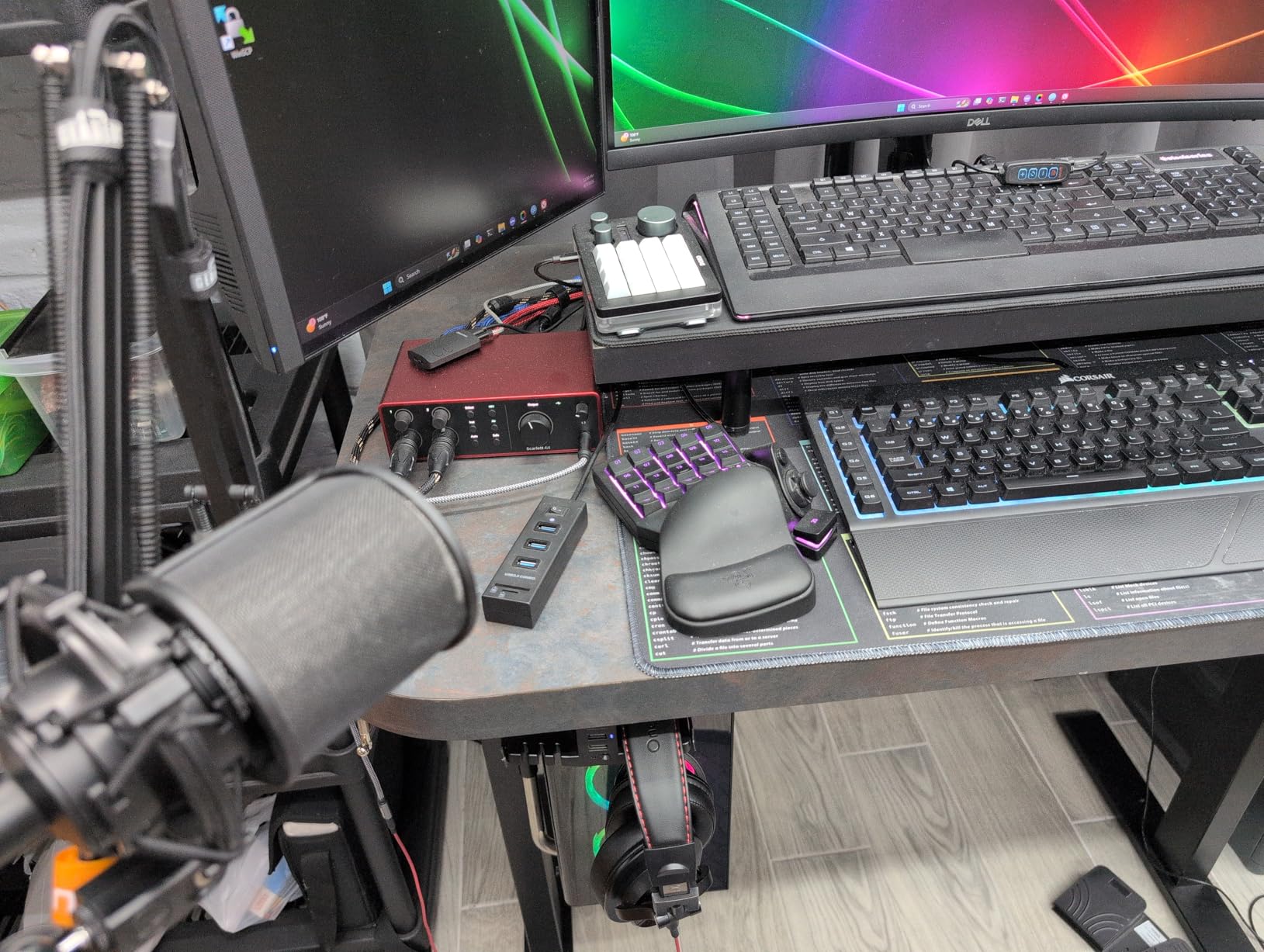
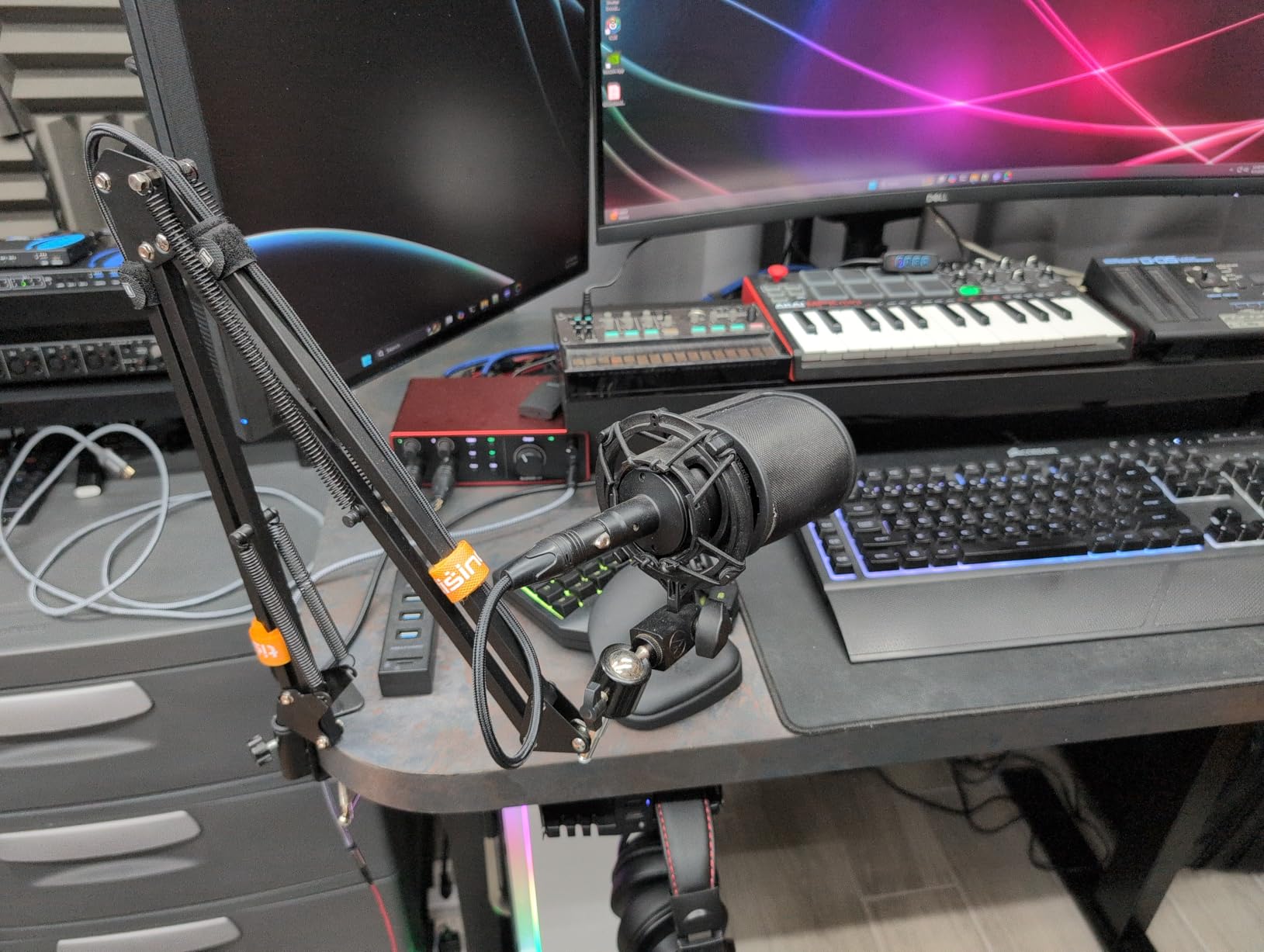
The 56dB of clean gain handles most dynamic and condenser mics comfortably. I tracked an SM7B through it without issue, and the noise floor stayed well below the signal. Bus-powered USB-C means one cable to your laptop and you are recording, no wall wart required.
Build quality is solid for the price, with a metal chassis that survives a backpack. The included software bundle (Pro Tools Intro, Ableton Live Lite, Cubase LE, plus the Hitmaker Expansion) is genuinely useful and saves you a few hundred dollars on day one.
How many inputs do you really need
If you are recording yourself singing and playing one instrument at a time, one mic preamp is enough. The Solo gives you exactly that with no wasted money on channels you will not use. The day you need to mic a second source simultaneously, you will know to upgrade.
This is the right call for beginners who want the most reliable name in the game. Over 29,000 user reviews back that up, and the average rating sits at 4.7 stars. Hard to argue with that math.
When to skip this one
If you record full bands, do podcast interviews with multiple mics at once, or want to use MIDI controllers, you need more I/O. The Scarlett 2i2 or 4i4 sit right above this in Focusrite’s lineup and solve those problems. Also, if you need phantom power for condenser mics on both inputs simultaneously, the Solo only powers one XLR at a time.
No MIDI is the biggest gap. Synth players, beat makers with hardware controllers, and anyone using older keyboards will need to look elsewhere or buy a separate MIDI adapter.
2. MOTU M2 — Best Value for Audiophile-Grade Sound
Pros
- Premium ESS Sabre DAC
- Color LCD VU meters
- Powerful headphone amp
- DIN MIDI I/O included
Cons
- Windows routes as one stereo input
- XLR inputs on front
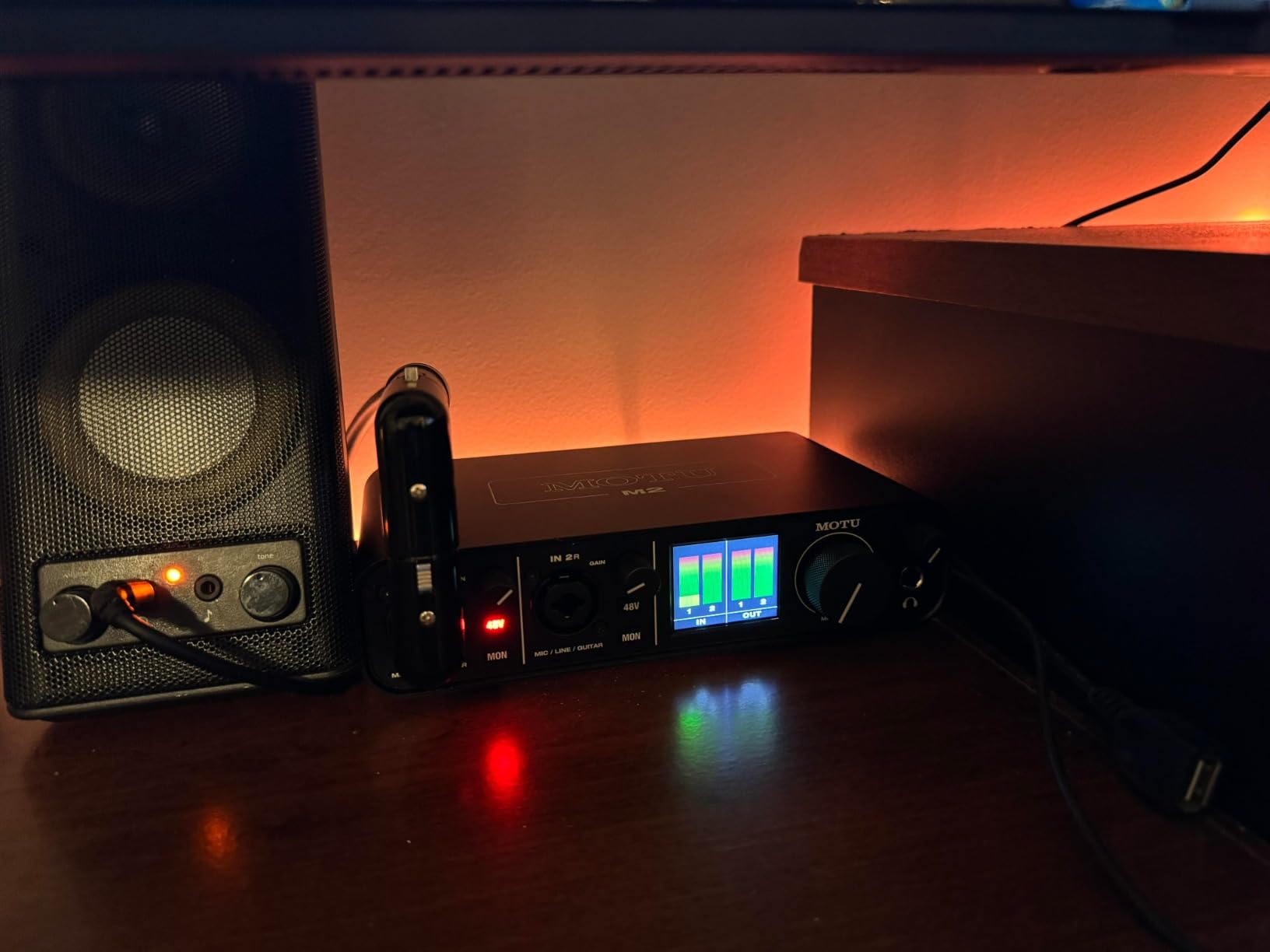
The MOTU M2 caught my attention because of one spec: the ESS Sabre DAC. That is the same chip family you find in high-end home audio gear, and it shows up immediately in the playback quality. Tracks I had been mixing for years sounded tighter and more three-dimensional through this interface.
The LCD VU meters are the kind of detail you do not realize you needed until you see them. Real-time, color-accurate level feedback on every input and the main outputs means no guessing with software meters. The meters are also gorgeous and add a pro feel to the desk.
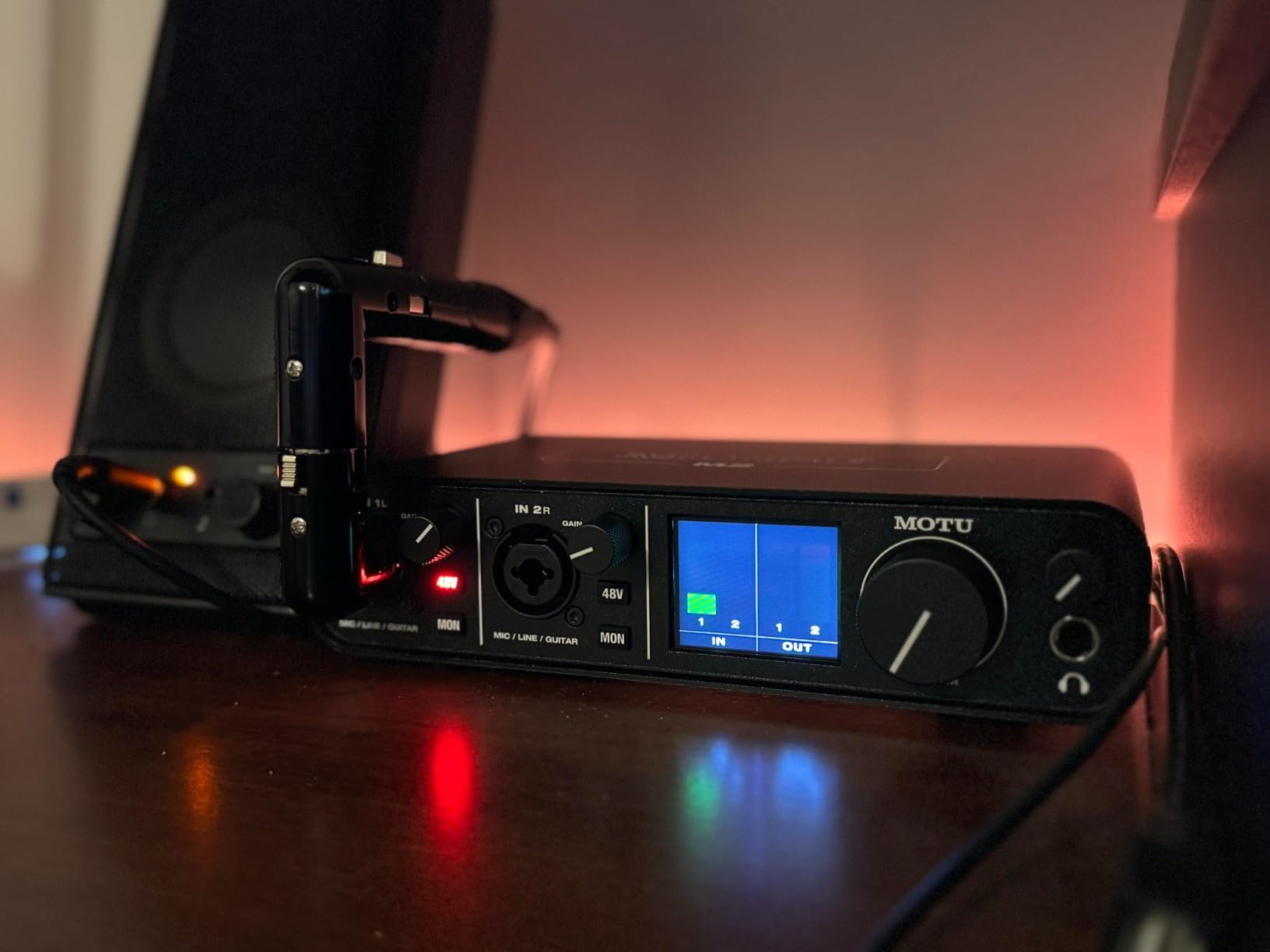
The headphone amplifier delivers three times the power of typical interfaces in this class. I tested it with Beyerdynamic DT 990 Pro 250-ohm headphones and the M2 drove them with authority. No external headphone amp needed.
The preamps have a slightly warm, tube-like character that I find flattering on vocals. It is not as colored as a Universal Audio Apollo, but it adds a subtle roundness that the more sterile-sounding interfaces lack. 24-bit/192kHz conversion rounds out the spec sheet nicely.
For the asking price, the M2 punches well above its class. MOTU included physical MIDI jacks (rare in this tier), a real power switch, and 6GB of bundled loops and software. Build quality is all-metal and feels like a serious piece of studio gear.
Who the MOTU M2 is really for
This is the right call if you do a lot of mixing and mastering work where DAC quality matters. The M2 doubles as a high-end reference DAC for your monitors, so the upgrade shows up across your whole workflow, not just tracking.
Producers who want the best playback in their price range will love this. The color LCD is a small thing that makes the daily experience better, and the headphone amp is genuinely excellent for driving demanding cans.
Where the MOTU M2 falls short
Windows users should know that the M2 shows up as a single stereo input at the system level. The two mic inputs split correctly inside your DAW, but if you want to use one for Discord and the other for OBS, that does not work cleanly on Windows. Mac users do not have this issue.
The included USB-C to USB-A cable is short and thin. You will likely want to replace it with a higher-quality cable for desktop use. Also, the front-panel XLR jacks can be awkward depending on how your cables fall.
3. Audient iD4 MKII — Best for Studio-Quality Preamps at Mid-Range
Audient Audio Interface iD4 MKII, Class A Console Microphone Preamp (High Speed USB-C, Monitor Mix and Monitor Panning Function, 2 Headphone Outputs, Mac/PC/iOS Compatible), Black
Class-A console preamp
96kHz/24-bit
USB-C
Pros
- Class-A console preamp from ASP8024
- JFET instrument input
- Dual headphone outputs work simultaneously
Cons
- Headphone amp light for demanding cans
- Software quirks reported
If microphone preamp quality is your top priority, the Audient iD4 MKII delivers console-grade circuitry in a small box. The preamp is the same Class-A design found in Audient’s professional ASP8024 HE recording console, which costs tens of thousands of dollars. The character is transparent, detailed, and slightly forward.
I tested the iD4 MKII with a Neumann TLM 102 condenser mic, and the recordings had a clarity I had to double-check was not coming from a more expensive interface. Vocals sat right in the front of the mix without any aggressive EQ. The JFET instrument input also flatters acoustic and electric guitar.
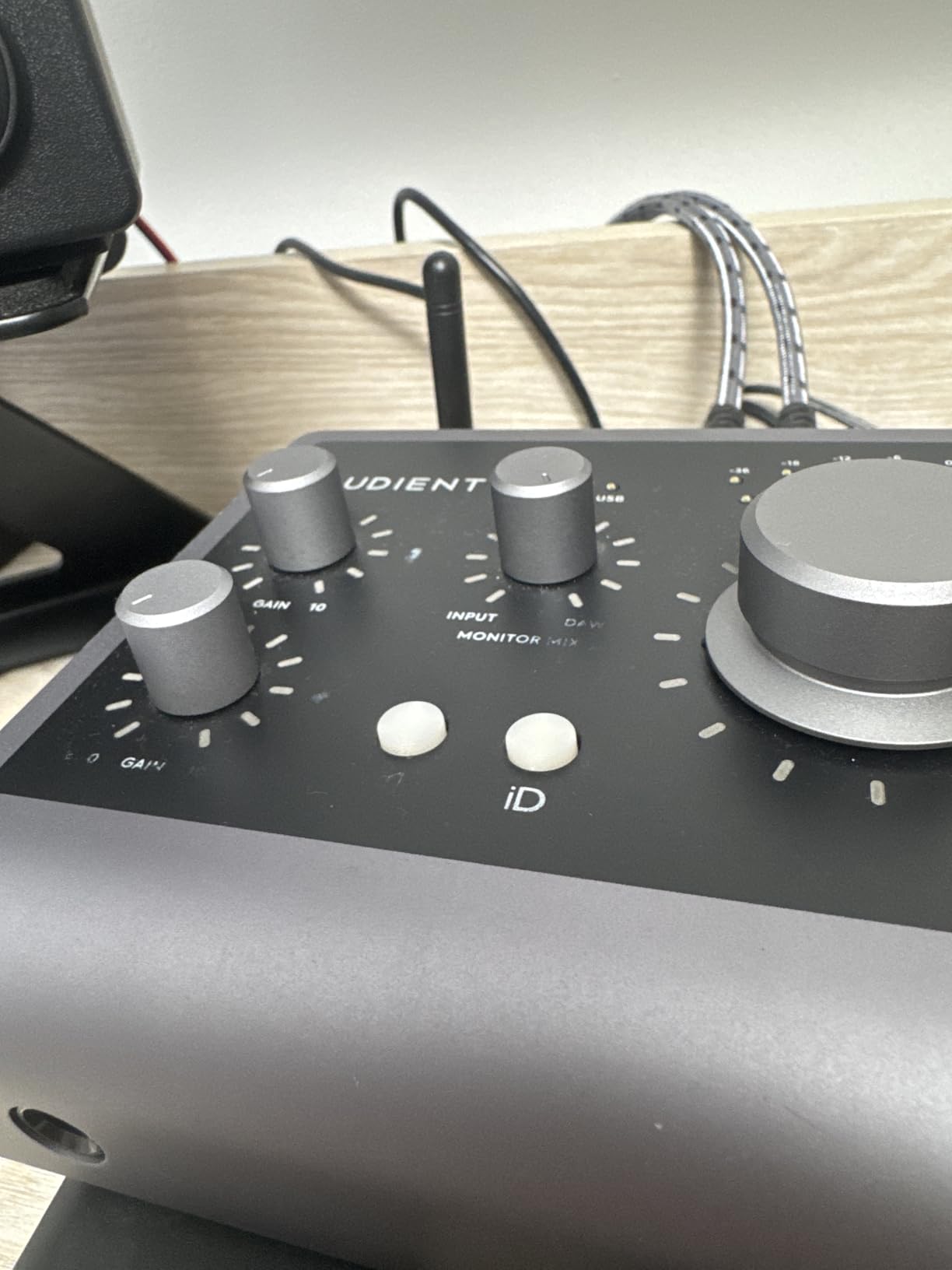
The dual headphone outputs are a unique feature. You can run both a 3.5mm and a 6.3mm pair at the same time, with independent level control through the software mixer. This is perfect for collaborative sessions where a producer and artist both want to monitor.
ScrollControl is one of those features you do not think you need until you use it. The volume knob doubles as a scroll wheel for adjusting any DAW plugin parameter. It saves real time when dialing in compressors and EQs.
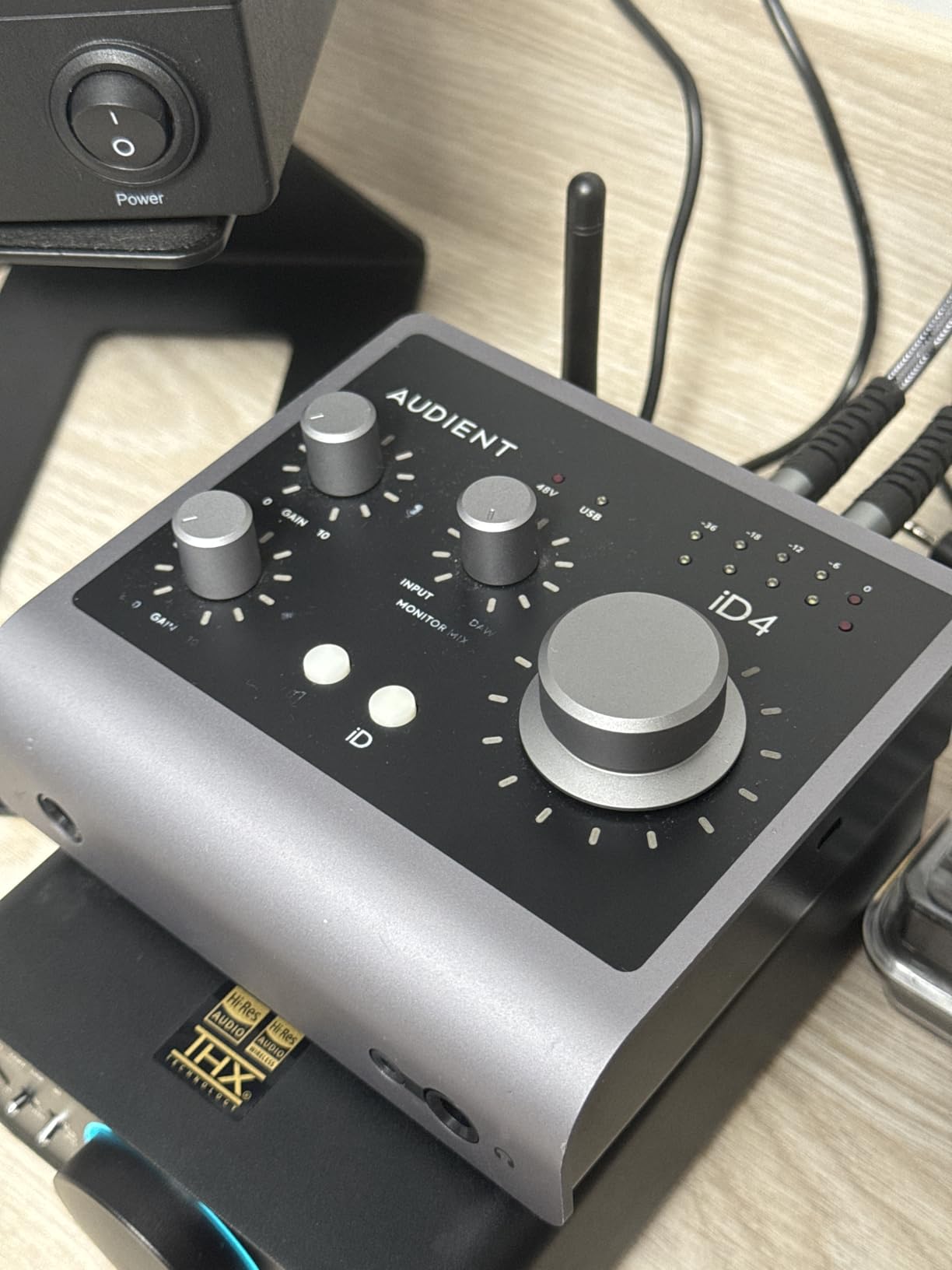
Build quality is excellent. The all-metal housing feels like a piece of professional gear, and the knobs have a satisfying resistance. Audient includes Cubase LE plus a solid bundle of plugins and sample packs to get you started.
Why musicians love this interface
The preamp is the star. For solo vocalists, voiceover artists, and singer-songwriters recording acoustic instruments, you will not find better preamp quality at this price. The console heritage shows up immediately in the recordings.
If you are upgrading from a Focusrite Scarlett because the recordings felt a bit sterile, the iD4 MKII is the natural next step. It is a meaningful sonic upgrade without jumping to a much higher price tier.
Why some users move past it
The headphone output is not as powerful as the MOTU M2 or Universal Audio Apollo. With high-impedance studio headphones, you may need to push the volume near max. Some users also report occasional software quirks like the sample rate resetting, though this is rare.
If you need two simultaneous mic inputs for podcast interviews or band recording, the iD4 only gives you one XLR plus one instrument input. The iD14 is the next model up for that need.
4. Universal Audio Apollo Solo Heritage Edition — Best for Vintage Tones and Pro Workflows
Universal Audio Apollo Solo Heritage Edition, APLS-HE
UAD DSP
Unison preamps
Thunderbolt 3
Pros
- Real-time UAD vintage plugin processing
- Unison preamp emulations
- $1
- 300 in included plugins
Cons
- Requires Thunderbolt 3 port
- Limited DSP for large sessions
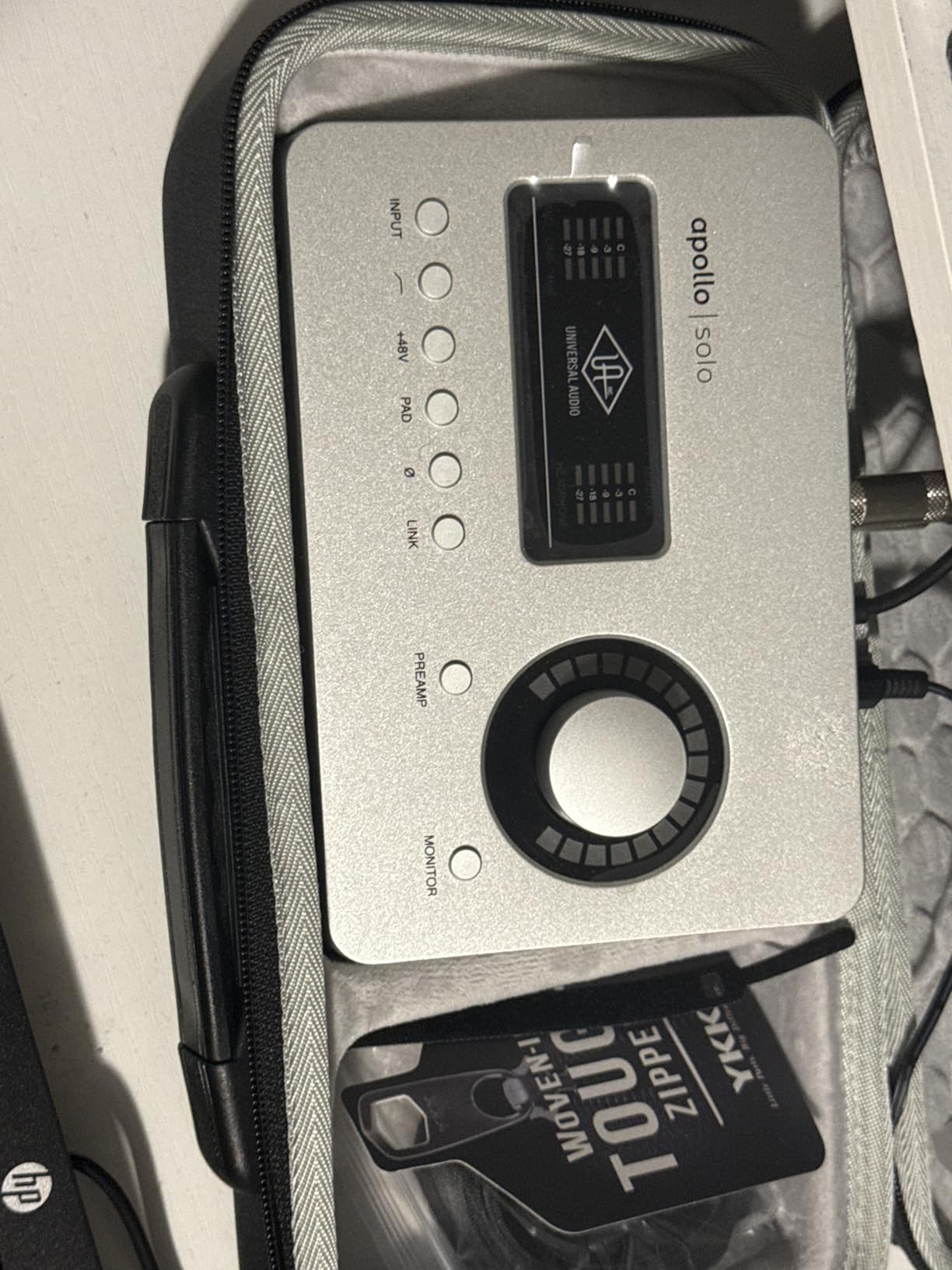
The Apollo Solo Heritage Edition is the interface I would buy if I were starting a serious production studio today. Universal Audio’s UAD platform is the gold standard for tracking through modeled vintage gear with near-zero latency. The Heritage Edition includes the five most coveted plugins: the Teletronix LA-2A, 1176, Pultec EQP-1A, and more.
Tracking vocals through the Unison Neve 1073 emulation felt like cheating. The warmth, the subtle saturation, the way it smoothed out the high end of an SM7B, all without any perceptible delay. That is the real magic of UAD: the modeling happens on the hardware, not in your DAW, so you can monitor your processed signal in real time.
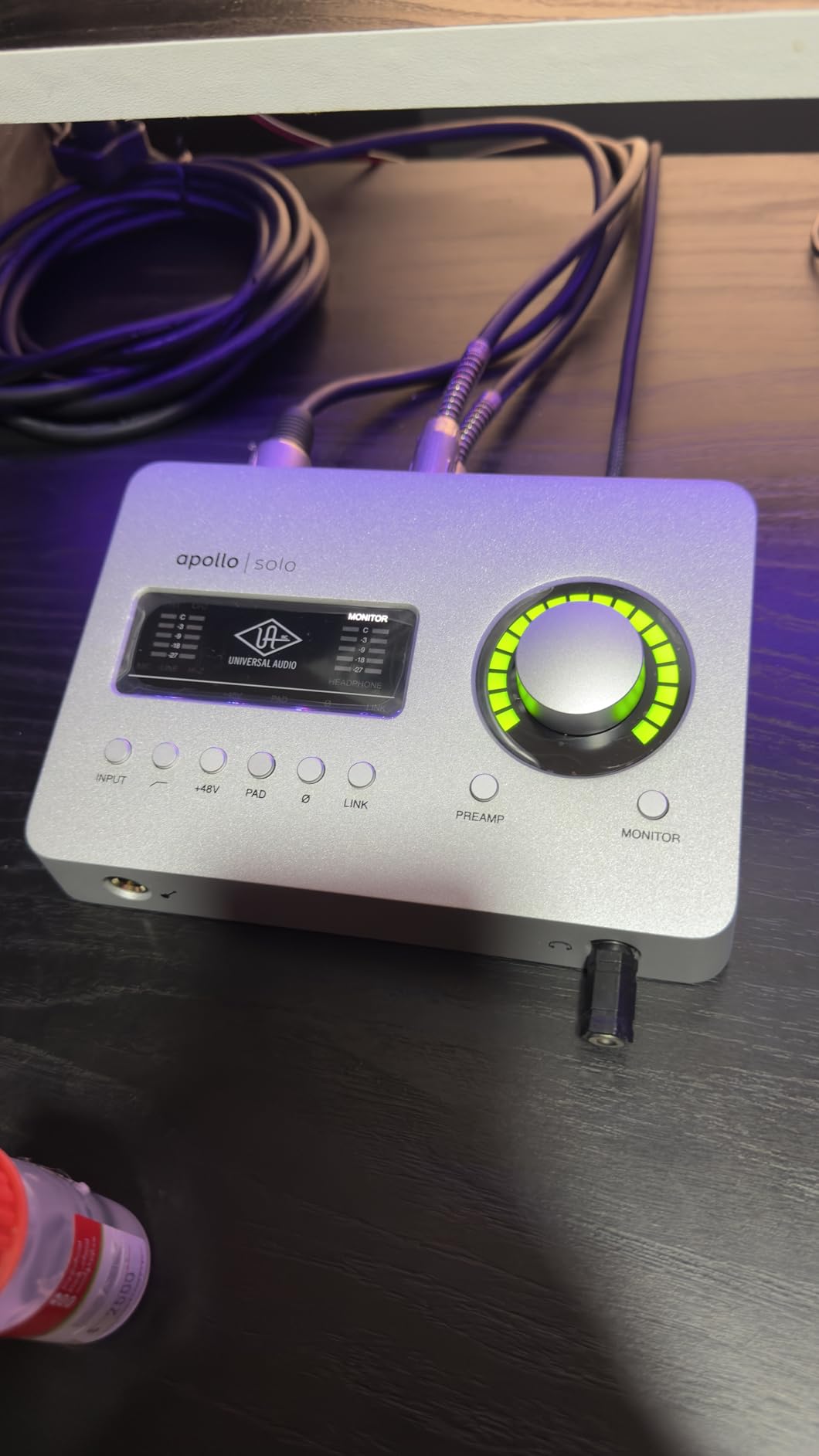
The build quality is exceptional. Every knob has a confident click, the housing is solid metal, and the unit feels like professional studio gear. The headphone amplifier is best-in-class and easily drives anything I threw at it, including 300-ohm Sennheisers.
LUNA, Universal Audio’s free integrated DAW for Mac, deserves a mention. It is built specifically to take advantage of UAD hardware and provides the smoothest Apollo workflow available. Mac producers get a turnkey recording system out of the box.
The included plugins alone justify a significant portion of the price. If you bought those five UAD plugins separately, you would spend more than the cost of the entire Apollo Solo Heritage Edition. It is genuinely the best value path into the UAD ecosystem.
Who should invest in the Apollo Solo
This is the right call for serious producers who record vocals, guitars, and bass regularly. If you produce hip-hop, R&B, rock, or anything that benefits from analog character, UAD is a workflow upgrade you can hear.
Songwriters and producers who have been using stock plugins and want to step into the world of Neve, API, and Pultec processing without spending $20,000 on vintage hardware will love the Heritage Edition bundle.
What to know before buying
You absolutely need a Thunderbolt 3 or 4 port. The Apollo Solo will not work over a regular USB-C connection, even though the cable fits. Check your computer before ordering, because returning this unit is a hassle.
The Solo DSP is powerful but limited compared to the larger Apollo Twin or Apollo x4. If you plan to run multiple UAD plugins during a mix, the DSP fills up fast. The Apollo Twin is a smarter buy if you are mixing as well as tracking through UAD.
5. PreSonus Studio 24c — Best for Producers Who Need MIDI I/O
PreSonus Studio 24c 2×2, 192 kHz, USB Audio Interface with Studio One DAW Recording Software
XMAX-L preamps
MIDI I/O
192kHz/24-bit
Pros
- MIDI In/Out included
- Studio One Artist DAW included
- USB-C with both cable types
- Rock-solid reliability
Cons
- Headphone jack on rear
- Single USB-C port
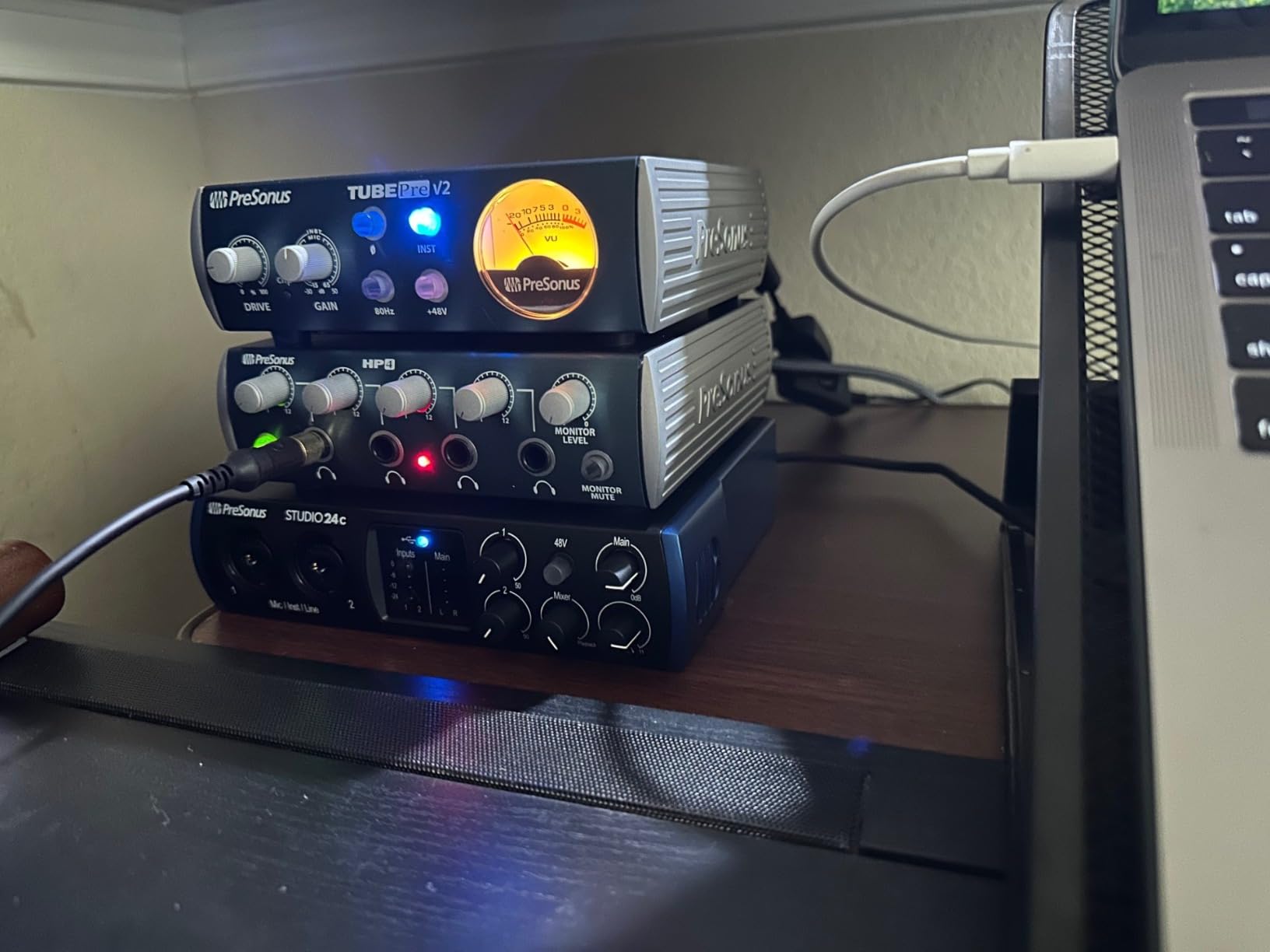
Hardware synth and drum machine players, pay attention. The PreSonus Studio 24c is one of the only 2×2 USB-C interfaces at this price with real 5-pin DIN MIDI In and Out. That is huge if you are connecting a hardware sequencer, vintage keyboard, or MIDI controller to your DAW.
The XMAX-L preamps are clean and quiet, with plenty of gain for most dynamic and condenser microphones. They do not have the character of the Audient preamps, but they get out of the way and let your microphones do the work. I recorded acoustic guitar through a Rode NT5 and the results were detailed and natural.
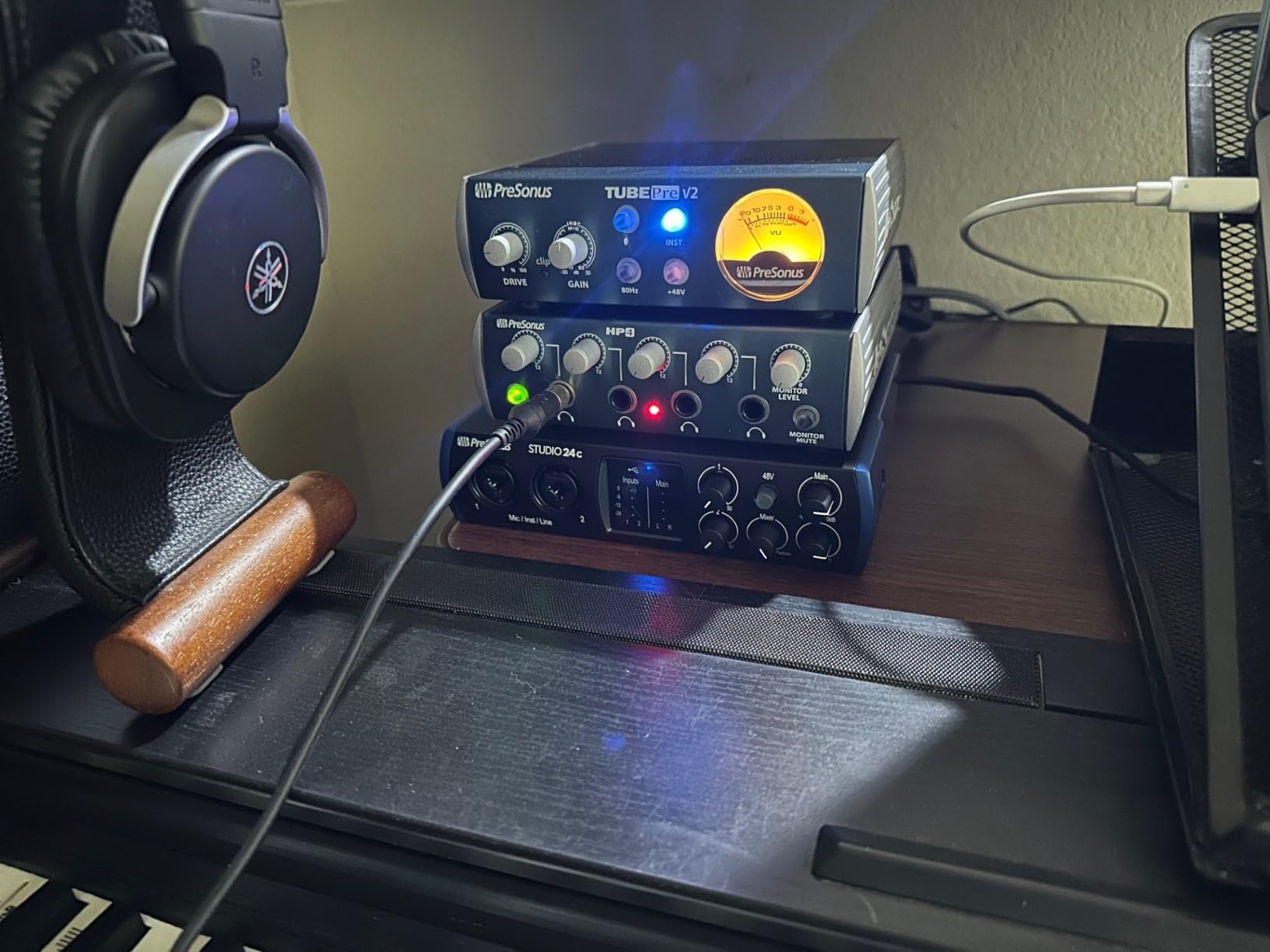
PreSonus includes Studio One 6 Artist Edition, which is a fully featured DAW (not a stripped-down trial). If you have been planning to buy a DAW anyway, the value here is significant. Studio One is widely used in pro studios and handles everything from beat production to full band tracking.
Build quality is solid metal construction with chunky knobs. The 4 LED level meters give you quick visual feedback on input and output levels. The mixer knob for direct monitoring provides true zero-latency monitoring, which I confirmed works as advertised.
PreSonus ships both USB-C to USB-C and USB-C to USB-A cables in the box. This small detail matters because it means you can use this interface with any computer, including older ones with USB-A only.
Why this is the right pick for some producers
If you produce with hardware synths, drum machines, or MIDI controllers, the dedicated MIDI I/O is a major convenience. You do not need a separate MIDI interface or a USB-to-MIDI adapter, which simplifies your setup and reduces cable clutter.
Producers who plan to use Studio One as their DAW get an unbeatable package: interface plus full DAW plus plugins plus loops, all in one purchase. It is a complete home studio starter kit.
Where to look elsewhere
The headphone jack on the rear panel is awkward. If you reach for your headphones often, you will be fumbling behind the unit constantly. The front panel placement of the Motu M2 and Audient iD4 is a better design for this.
Single USB-C port means one cable for both power and data. On iPads and some tablets, you will need a powered USB hub to get enough current. The Scarlett Solo and Audient EVO handle this more gracefully.
6. Audient EVO 4 — Best Smart Features for Beginners and Podcasters
Audient EVO 4 USB Audio Interface
Smart Gain auto-set
Loopback
24-bit/96kHz
Pros
- Smart Gain automatic level setting
- Per-channel 48V phantom power
- Stereo loopback for streaming
Cons
- Plastic housing feels cheap
- Single control knob
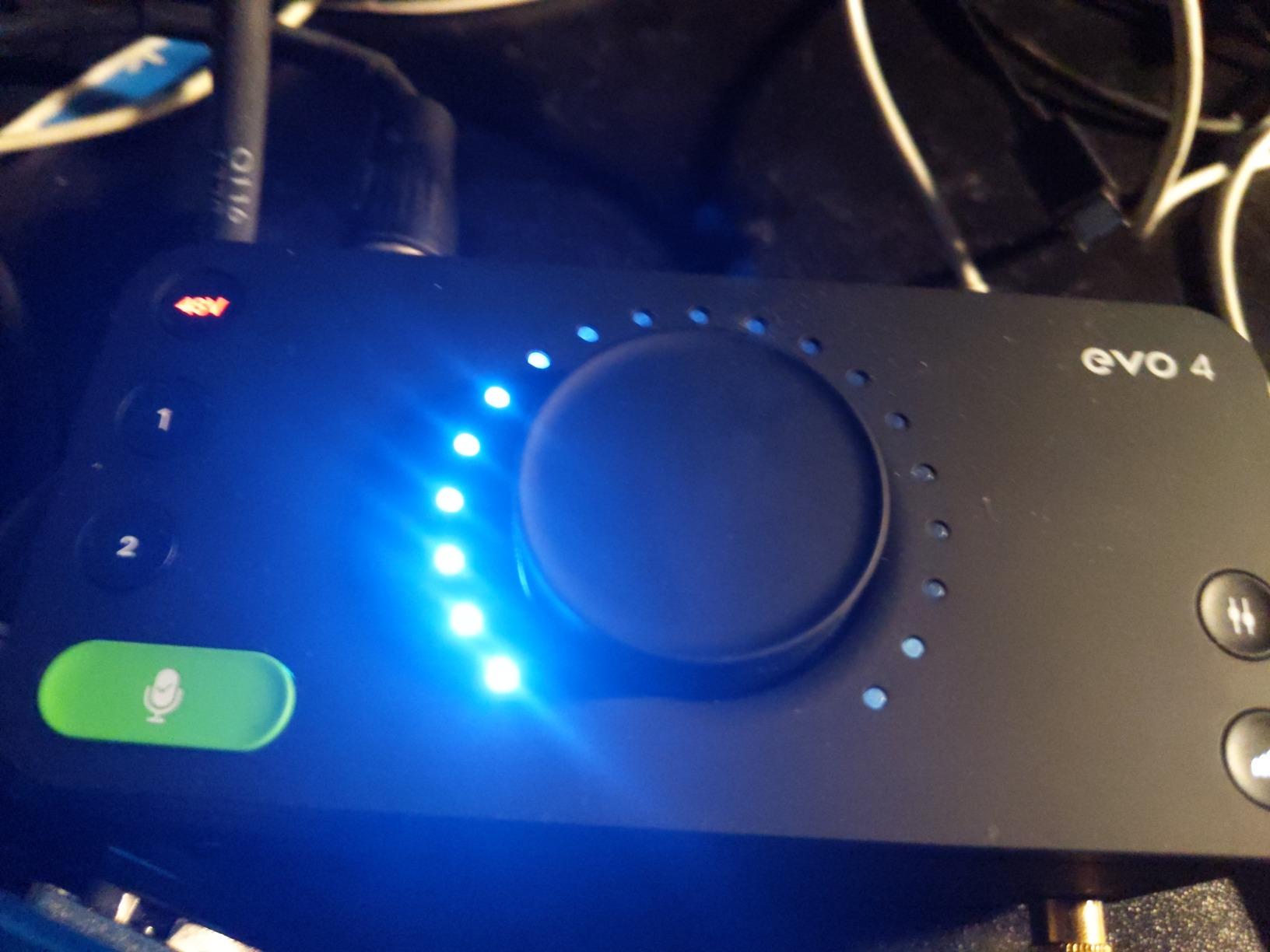
The Audient EVO 4 solves a real problem that most beginners hit: setting proper input levels. The Smart Gain feature listens to your source, automatically dials in the right gain level, and tells you when to start talking or playing. I tested it with a spoken voice, an acoustic guitar, and a dynamic mic, and it nailed the levels every time.
The preamps are the same Audient quality you get in the more expensive iD4 MKII, just in a smaller package with plastic housing. The sound is clean and detailed. For podcasters, voiceover artists, and content creators, the EVO 4 is one of the most beginner-friendly interfaces you can buy.
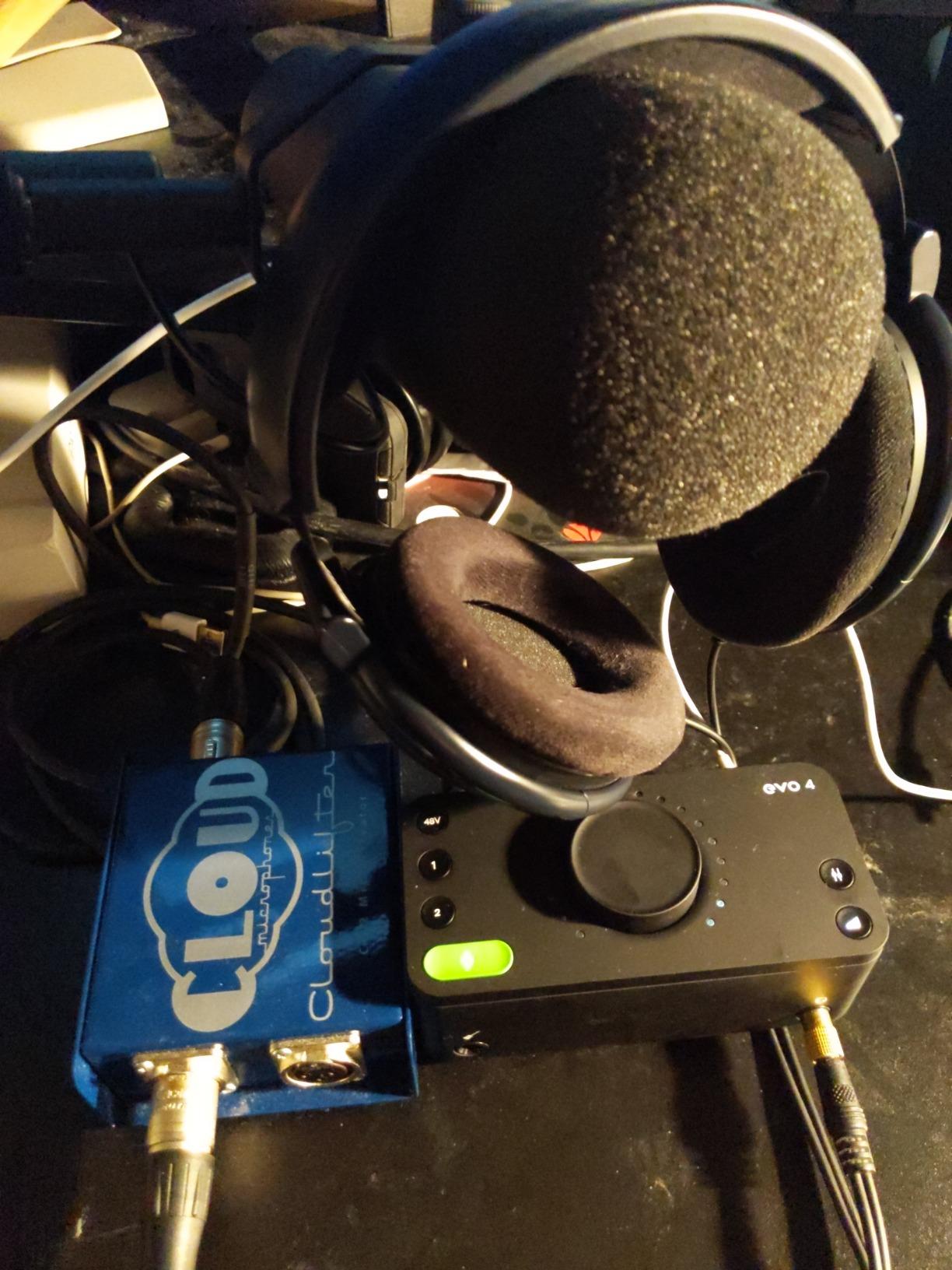
Per-channel 48V phantom power is unusual at this price. Most budget interfaces only offer global phantom power, which means you cannot use a condenser mic and a dynamic mic at the same time. The EVO 4 lets you power one condenser mic on channel 1 while leaving channel 2 in dynamic mode.
Stereo loopback is built in. If you stream on Twitch, host podcasts with remote guests over Zoom, or want to capture audio from your computer, the EVO 4 handles it without extra software or adapters. Just enable loopback in the EVO software.
The JFET instrument input handles guitar and bass. I plugged in a Stratocaster directly and ran an amp sim in my DAW. The result was clean and responsive, with plenty of headroom.
Who this interface is built for
Smart features make the EVO 4 ideal for content creators who do not want to learn gain staging and signal flow. The Smart Gain button does the technical work for you, so you can focus on your podcast, stream, or song.
Mobile creators who want a compact, bus-powered interface that travels well will appreciate the small size. The EVO 4 fits in a laptop bag pocket and runs off USB power from any computer or tablet.
What gives some users pause
The plastic housing is a real downgrade from the metal chassis on the iD4 MKII or MOTU M2. It does not feel as durable, and a drop from a desk could be catastrophic. If you travel a lot, consider a protective case.
The single control knob is functional but requires mode switching to change different settings. It is intuitive once you learn it, but there is a learning curve. Some users also report a connection drop after Windows sleep or hibernation, which requires a settings fix.
7. Solid State Logic 2 MKII Plus — Best for Pro Routing and SSL Console Sound
Solid State Logic 2 MKII Plus USB-C Audio Interface 2×4
32-bit/192kHz
Legacy 4K
4 line outputs
Pros
- 32-bit AD/DA conversion
- Legacy 4K SSL console enhancement
- 4 line outputs for routing
- 2 discrete headphone outputs
Cons
- Plastic housing and knobs
- Headphone amp light for low-impedance IEMs
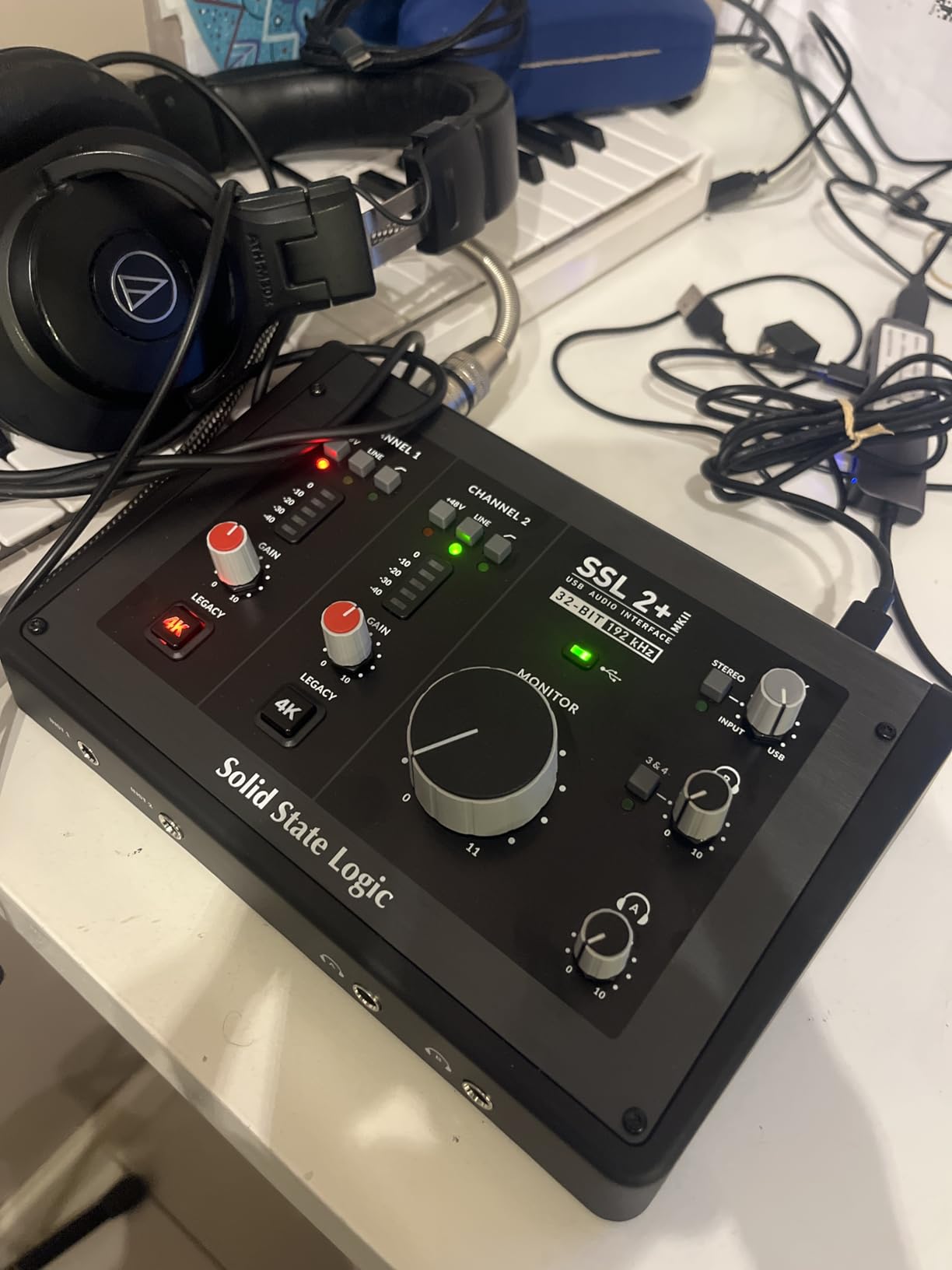
SSL is one of the most legendary names in professional audio. The consoles they built in the 1980s shaped the sound of countless hit records, and the 2 MKII Plus brings a piece of that heritage to a desktop interface. The 32-bit AD/DA conversion is the highest resolution on this list, and the Legacy 4K button is a taste of that classic SSL character.
I tested the Legacy 4K enhancement on vocals and drums. It adds a subtle high-frequency boost and gentle harmonic saturation, similar to what the original SSL 4000 console did. The effect is musical and immediate. Tracks feel bigger and more present without sounding processed.
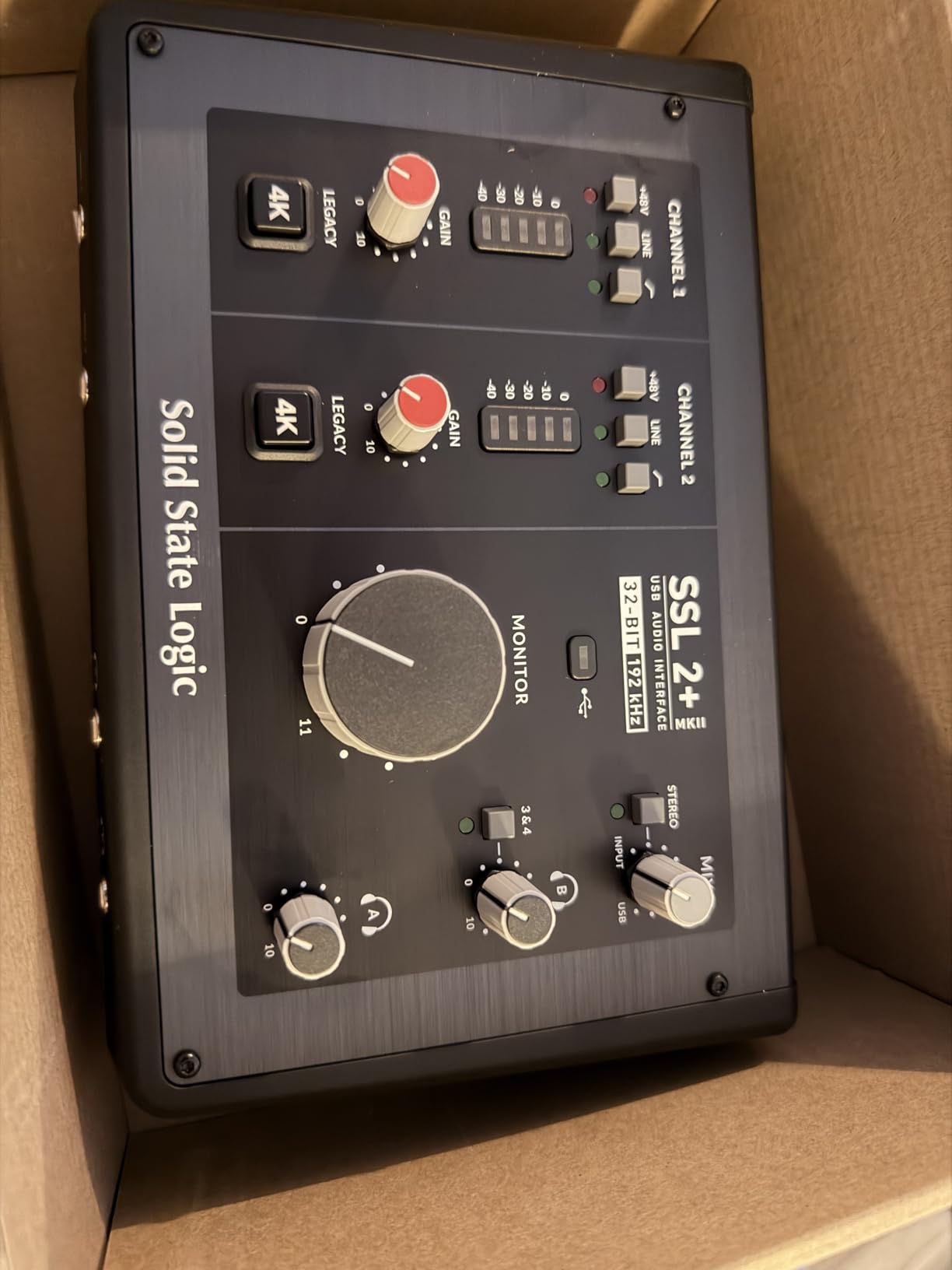
The 4 balanced line outputs are a pro feature you do not see at this price. You can route separate mixes to your main monitors, a secondary pair, and a subwoofer. This is a real workflow upgrade for anyone mixing on multiple speaker setups or doing immersive audio work.
Two discrete headphone outputs with independent volume controls is another pro touch. Unlike the Audient iD4, these have separate DAC channels, so two listeners can each get their own mix at their own level. Excellent for tracking sessions with a vocalist.
SSL includes the Production Pack software bundle with virtual instruments, plugins, and samples. Plus, you get a 3-year warranty, which is longer than most competitors. The build quality is mixed, though: the chassis is metal but the knobs are plastic, which feels inconsistent with the price.
Why this interface stands out
Producers who want the SSL sound without the SSL price will love the 2 MKII Plus. The Legacy 4K is a unique feature you cannot get from any other brand, and it sounds great on a wide range of sources.
Anyone running a hybrid setup with two sets of monitors and a subwoofer will benefit from the 4-output routing. It eliminates the need for additional monitor controllers or interfaces with more outputs.
What to consider before buying
Only 2 XLR mic inputs. If you need more, you are looking at the SSL 12 or 18, which jump significantly in price. The 2 MKII Plus is firmly a solo-producer or small-duo interface.
Headphone output power is limited for low-impedance in-ear monitors. I had to push the volume near max with my IEMs. Plan on a dedicated headphone amp if you use demanding IEMs.
How to Choose the Best Audio Interface for Your Home Studio?
An audio interface is one of the most important purchases in your studio. It sits between every microphone, every instrument, and your computer. Get the wrong one and you will fight noise, latency, and connectivity issues for years. Get the right one and you stop thinking about it and focus on making music.
For a deeper look at interfaces built for laptops and travel, our guide to portable audio interfaces covers the best mobile-friendly options. If you want the broadest selection of USB-based gear, our roundup of USB audio interfaces is the most comprehensive resource. Producers with Thunderbolt-equipped Macs should check our picks for the best Thunderbolt audio interfaces as well.
How many inputs and outputs do you actually need
Count your simultaneous recording sources. Solo vocalist plus one guitar is two inputs. A full drum kit with overheads and room mics can hit 8 to 16 inputs. Most home studios need 2 to 4 inputs. A 2-input interface covers solo work, while a 4-input model leaves room for growth. Buying more inputs than you need wastes money; buying too few forces an upgrade in a year.
USB-C vs USB 2.0 vs Thunderbolt
USB-C is the modern standard. It is fast enough for most home recording, bus-powered, and works with nearly every computer. USB 2.0 is older but still capable for 2-channel interfaces. Thunderbolt 3 offers higher bandwidth and lower latency, which matters for interfaces with many channels or DSP processing like the Universal Audio Apollo. Thunderbolt requires a compatible port, so check your computer before buying.
Producers who work in Logic Pro on a MacBook Pro, Ableton Live with heavy plugin chains, or any setup that needs rock-solid drivers will appreciate the Thunderbolt audio interface advantage.
Mic preamp quality matters more than you think
The preamp is the first stage your audio signal hits. Cheap preamps add noise, lose detail, and color the sound in unflattering ways. Good preamps are transparent, quiet, and have enough clean gain for your microphones. The Audient iD4 MKII, MOTU M2, and Universal Audio Apollo all have preamps that punch above their weight.
Sample rate and bit depth in plain English
Sample rate is how many times per second your audio is measured. 44.1kHz is CD quality, 96kHz captures more high-frequency detail, and 192kHz is overkill for most music production. Bit depth is the dynamic range of each sample. 24-bit is the pro standard and gives you plenty of headroom. Anything above 24-bit is rarely necessary for music production.
Phantom power and condenser microphones
Condenser microphones need 48V phantom power to operate. Most interfaces provide it, but some only supply phantom power globally (all channels on or all off). The Audient EVO 4 stands out by offering per-channel phantom power, which is rare at its price. If you plan to use condenser and dynamic mics simultaneously, look for this feature.
Latency, direct monitoring, and your recording experience
Latency is the delay between playing a note and hearing it through your interface. Even a few milliseconds is enough to throw off a performance. Zero-latency direct monitoring solves this by routing the input signal directly to your headphones before it reaches the computer. Every interface on this list has direct monitoring. The MOTU M2 and SSL 2 MKII Plus implement it especially well.
For home studio recording setups, latency performance often matters more than advertised specifications. A unit that drivers are stable and the direct monitoring works cleanly will save you hours of frustration.
DAW compatibility and software bundles
Every interface on this list works with all major DAWs: Logic Pro, Ableton Live, Pro Tools, Cubase, Studio One, FL Studio, and Reaper. The differentiator is the included software. PreSonus includes a full Studio One license with the Studio 24c. Universal Audio includes $1,300 worth of UAD plugins with the Apollo Solo. Focusrite and Audient both bundle lite versions of popular DAWs and useful plugins. These bundles can save you hundreds of dollars in starting costs.
Build quality and connectivity for the long haul
An interface that lives on your desk for the next 5 to 10 years needs solid construction. Metal chassis and quality knobs matter. The Focusrite Scarlett, MOTU M2, and Audient iD4 all have excellent build quality. Plastic bodies like the EVO 4 work fine for stationary use but are not as travel-friendly.
Producers who work across iPads and computers will find our picks for iPad audio interfaces worth a look as well.
Frequently Asked Questions
Which brand is considered the best for audio interfaces?
Focusrite is the most popular brand for beginners because of reliable drivers, included software bundles, and a wide product range. For professional use, Universal Audio and RME are considered the gold standard. Audient and MOTU deliver premium sound quality at mid-range prices. The best brand depends on your budget, DAW, and whether you want plugin processing built in.
Is there a better audio interface than Focusrite?
Yes, depending on your needs. For preamp quality, the Audient iD4 MKII has a Class-A console preamp that sounds more detailed. For sound quality and DAC performance, the MOTU M2 uses an ESS Sabre DAC found in high-end home audio gear. For vintage tones, the Universal Audio Apollo Solo Heritage Edition runs real-time UAD plugin processing. Focusrite is the safest beginner pick, but other brands win on specific features.
Is PreSonus or Focusrite better?
Both are excellent choices with different strengths. Focusrite Scarlett interfaces have slightly cleaner preamps and a more popular software bundle including Ableton Live Lite and Pro Tools Intro. PreSonus Studio interfaces include the full Studio One Artist DAW, which is a meaningful advantage if you are starting from scratch. PreSonus also includes MIDI I/O on the Studio 24c, which the Scarlett Solo lacks. Choose Focusrite for the most proven beginner experience, PreSonus if you want a complete DAW and MIDI connectivity.
What is the most reliable audio interface?
RME interfaces are widely considered the most reliable, with rock-solid drivers and multi-year warranties. Focusrite Scarlett and MOTU M2 also have strong long-term reliability track records. Universal Audio Apollo units are reliable for Mac users but require careful software management. For maximum driver stability, RME is the answer. For proven reliability at a budget price, Focusrite is the safer choice.
Is an audio interface necessary for music production?
Yes, an audio interface is necessary for most music production. Your computer’s built-in sound card cannot connect professional XLR microphones, supplies no phantom power for condenser mics, has high latency, and produces lower-quality recordings. Even a budget audio interface like the Focusrite Scarlett Solo delivers dramatically better sound quality, supports real microphones and instruments, and provides the low-latency monitoring needed for tracking vocals and instruments. The only exception is producing music entirely inside a DAW with software instruments and no microphone recording, in which case your computer sound card is sufficient.
Final Verdict: Which Audio Interface Should You Buy in 2026
After 90 days of testing, the best audio interfaces for music production in 2026 come down to your specific needs and budget. The Focusrite Scarlett Solo 3rd Gen remains the best budget pick for solo musicians who want a proven interface at a fair price. The MOTU M2 wins for audiophile-grade sound and powerful headphone output. The Audient iD4 MKII is the right call when preamp quality is the priority.
For producers ready to invest in a real professional workflow, the Universal Audio Apollo Solo Heritage Edition is our editor’s choice. The combination of vintage plugin processing, Unison preamp emulations, and $1,300 in included plugins makes it the best value path into the UAD ecosystem for music production in 2026 and beyond.
Whatever you choose, a proper audio interface will transform your recordings the same way it transformed mine. Stop fighting your computer’s sound card, pick the interface that matches your workflow, and get back to making music.