

If you have ever watched a DJ work and thought the magic was happening on the laptop screen, I am here to tell you it is not. The real action happens on a controller under the fingertips, and picking the right one changes everything. After spending weeks testing controllers and talking to working DJs, our team put together this list of the best DJ controllers for laptop use in 2026.
Laptop-based DJing is still the most flexible setup you can buy. You can prep a set on a plane, walk into a venue, plug one USB cable into your laptop, and you are live. A controller also costs a fraction of an all-in-one standalone unit, which makes it perfect if you are learning the craft or building a mobile rig on a budget. To see how the controller world compares more broadly, our guide to the 12 best DJ controllers gives a wider look at every category.
For this list, I focused on controllers that pair cleanly with macOS and Windows laptops, ship with software you can use on day one, and feel good enough to play for hours. Here is the short version of my top three: the Pioneer DJ DDJ-FLX4 is the easiest recommendation overall thanks to its club-style layout and included full version of rekordbox. The Hercules DJControl Inpulse 500 is the best value mid-range pick with pro-grade XLR outputs. The Hercules DJControl Starlight is the budget king for anyone who wants a pocket-sized rig to learn on.
Table of Contents
Top 3 Picks for Best DJ Controllers for Laptop in 2026

Pioneer DJ DDJ-FLX4
- Club-standard Pioneer layout
- Smart Fader auto beatmatching
- Rekordbox full included free
- USB-C and Bluetooth

Hercules DJControl Inpulse 500
- Balanced XLR pro outputs
- 16 RGB performance pads
- Metal top plate build
- Serato Lite plus DJUCED

Hercules DJControl Starlight
- Pocket-sized ultraportable
- Built-in light show
- Works with Serato Lite
- Backpack-friendly 1.1 lb
Best DJ Controllers for Laptop in 2026
| Product | Specifications | Action |
|---|---|---|
| Hercules DJControl Starlight |
|
Check Latest Price |
 Hercules DJControl Inpulse 200 MK3 Hercules DJControl Inpulse 200 MK3 |
|
Check Latest Price |
 Hercules DJControl Inpulse 200 MK2 Hercules DJControl Inpulse 200 MK2 |
|
Check Latest Price |
 Numark Party Mix Live Numark Party Mix Live |
|
Check Latest Price |
 AlphaTheta DDJ-FLX2 AlphaTheta DDJ-FLX2 |
|
Check Latest Price |
 Numark Mixtrack Pro FX Numark Mixtrack Pro FX |
|
Check Latest Price |
| Hercules DJControl Inpulse 500 |
|
Check Latest Price |
 Numark Mixtrack Platinum FX Numark Mixtrack Platinum FX |
|
Check Latest Price |
| Pioneer DJ DDJ-FLX4 |
|
Check Latest Price |
 Roland DJ-202 Roland DJ-202 |
|
Check Latest Price |
1. Hercules DJControl Starlight – Pocket-Sized Budget Controller
Hercules DJControl Starlight | Pocket USB DJ Controller with Serato DJ Lite, Touch-Sensitive Jog Wheels, Built-in Sound Card and Built-in Light Show
Pocket 2-channel
Touch-sensitive jog
Built-in sound card
RGB light show
Pros
- Fits in a backpack
- Built-in headphone and speaker outputs
- RGB lighting syncs to mix
- Pressure-sensitive jog wheels
- Works with Serato Lite
- Virtual DJ
- and Mixxx
Cons
- Only Serato DJ Lite included
- No microphone input
- Basic onboard sound card quality
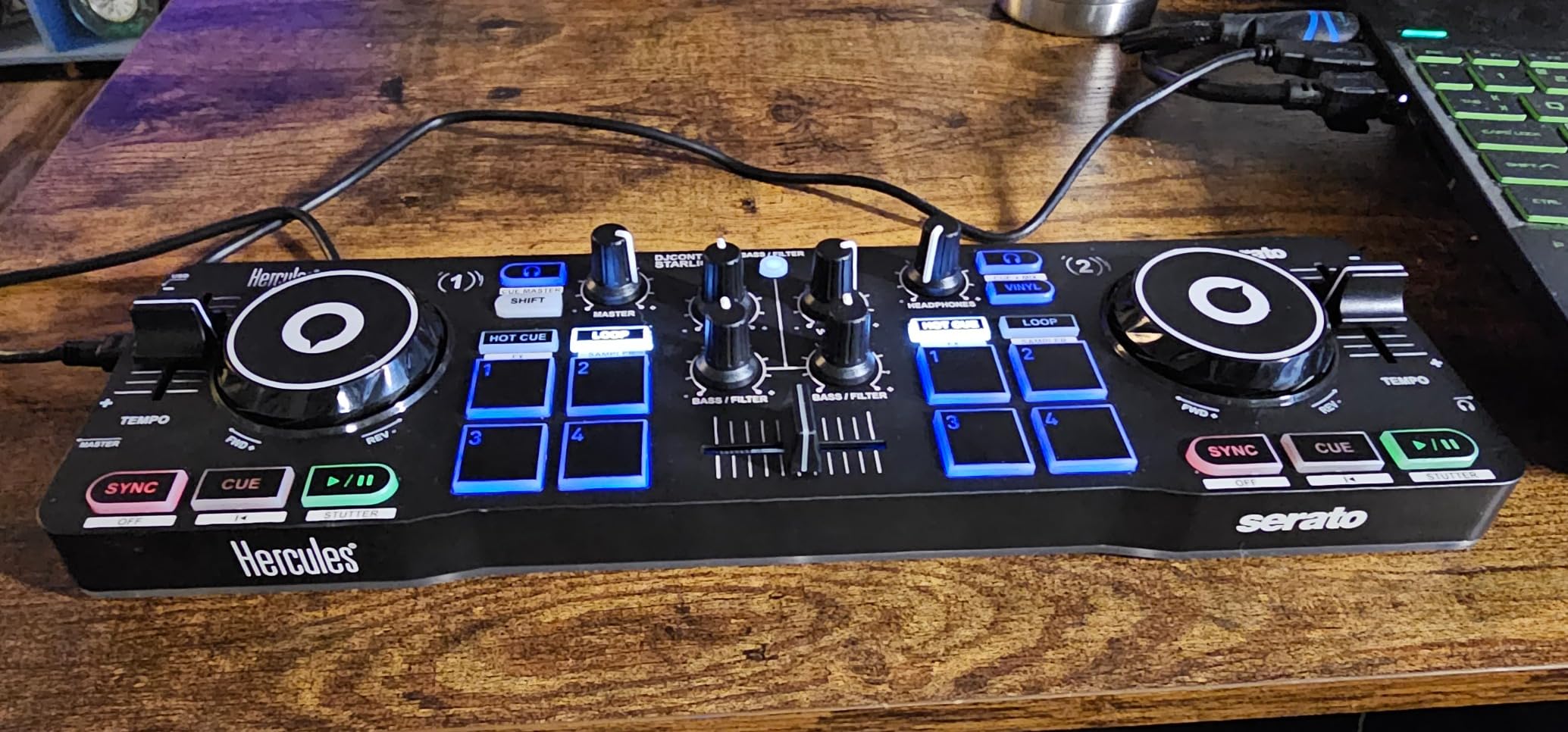
The Starlight is the controller I throw in my laptop bag when I am not sure where the next gig is going to be. At 1.1 pounds it genuinely fits in a side pocket of a backpack, and the whole top panel lights up with RGB effects that pulse with the music. For a beginner who wants to learn on a real-feeling controller without spending a lot, it is hard to argue with what you get here.
I tested it on a flight with a 13-inch MacBook Pro and the included Serato DJ Lite software was up and running in about five minutes. The touch-sensitive jog wheels respond to pressure, so you can actually scratch and nudge tracks instead of just cueing them. The bass and filter knobs are noticeably better than what I expected at this price tier, and the built-in audio interface means you can plug headphones in directly to cue your next track.
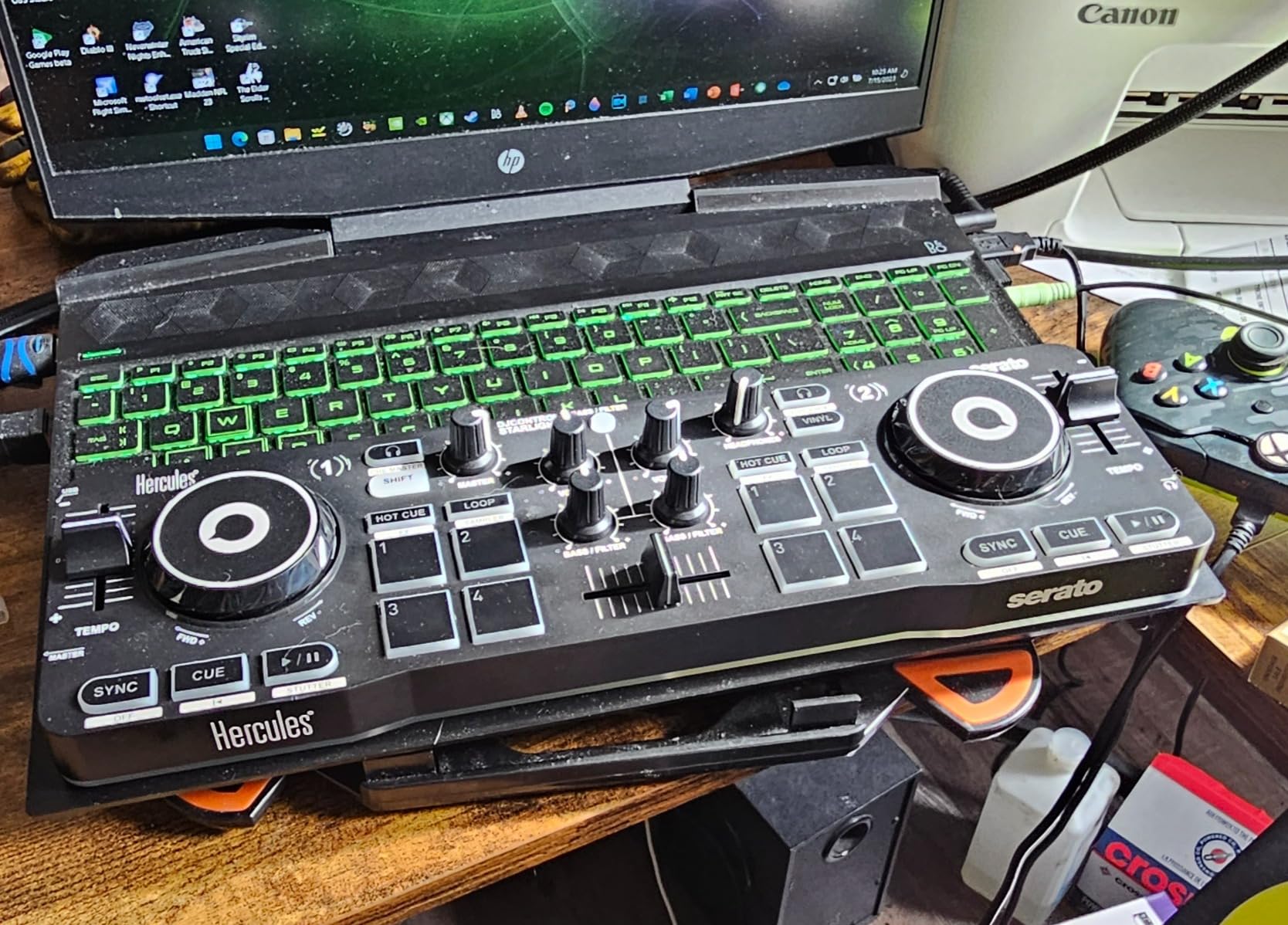
The main tradeoff is software. Serato DJ Lite is free, but the Pro upgrade costs extra and unlocks recording, effects, and DVS support. The onboard sound card is also more comparable to a smartphone headphone jack than a pro interface, so if you are playing loud venues you will want to route audio through an external mixer. The Mini-USB port is another weak spot, since it has documented durability complaints on long-term use.
Where the Starlight really surprised me was the LED lighting. You can control the back lights and strobe effects to pulse with the rhythm of your mix, which is a fun visual feature for house parties and streaming. Browse tracks from the controller itself is missing, so you will be doing your library management on the laptop screen, but that is normal at this price.
For Whom It’s Good
Beginner DJs who want a real-feeling controller for under 110 dollars. Travel DJs who need something that fits in a backpack. Anyone who wants to learn beatmatching and basic mixing on touch-sensitive jog wheels without burning a lot of cash on a first unit.
Streaming DJs will love the RGB light show for visual content. Mobile DJs who do small house parties can use it as a backup controller that is small enough to toss in a car without thinking about space.
For Whom It’s Bad
Club DJs and mobile professionals will outgrow it fast because the sound card is basic and there is no microphone input for announcements. Producers and scratch DJs need more pad real estate and Pro-level software. Anyone who already owns a Pioneer or Numark rig will not find enough upgrade to justify switching.
2. Hercules DJControl Inpulse 200 MK3 – Stems and Streaming on a Budget
Hercules DJControl Inpulse 200 MK3 – Ideal DJ Controller with Serato Lite
2-channel
Stems buttons
Beatmatch LEDs
USB-C
Streaming ready
Pros
- Dedicated Stems controls for live remixing
- Beatmatch Guide LEDs near jog wheels
- 8 performance pads
- Intelligent Music Assistant suggests tracks
- Streaming support for Spotify Apple Music TIDAL Beatport
- Works with djay Pro and DJUCED
Cons
- Plastic build feels budget
- Requires external power
- Loop function can be inconsistent
- Only ships with Serato DJ Lite
The MK3 version of the Inpulse 200 is what I would buy today if a friend asked me for a starter controller under 130 dollars. Hercules added dedicated Stems controls that let you mute vocals or drums on the fly, which used to be a feature only Pro DJs could do with expensive plugins. The beatmatch LED guides around the jog wheels still work the way they always have, telling you visually when your tracks are in sync.
Streaming support is the headline upgrade here. The MK3 streams from Spotify, Apple Music, TIDAL, Beatport, SoundCloud GO+, and Beatsource right inside the controller workflow. I tested it with Apple Music and the track loading was instant. The Intelligent Music Assistant reads BPM and energy levels of your current track and suggests the next one, which is a confidence boost for new DJs who freeze up on the dance floor.

The hardware itself is a clear step up from the original MK2 but still feels plasticky. The 8 performance pads have a decent click and there are enough modes to keep you busy for months, but the EQ knobs have a short throw and the loop function can be inconsistent depending on which software mode you are in. The controller also needs external power rather than running off the laptop USB bus.
For laptop-first DJs, the USB-C connection is a real plus. The MK3 is light enough at 2.2 pounds to pack in a small messenger bag, and the layout is forgiving enough that you can learn on it and transition later to a Pioneer or Numark mid-range unit without relearning the entire workflow.

For Whom It’s Good
Beginners who want Stems control without paying Pioneer prices. Bedroom DJs who stream their sets live on Twitch or YouTube. Music discovery fans who want the Intelligent Music Assistant to suggest tracks by BPM and energy. Anyone who already uses Apple Music or Spotify and wants to mix their existing library without buying new files.
For Whom It’s Bad
Mobile professionals will want more rugged hardware. Producers and club DJs need a better audio interface and balanced outputs. Users on Windows on ARM machines should verify compatibility, since some users have reported detection issues. Anyone who already owns the MK2 and does not care about Stems will not find enough new features to upgrade.
3. Hercules DJControl Inpulse 200 MK2 – The Proven Beginner Pick
Hercules DJControl Inpulse 200 MK2 — Ideal DJ Controller for Learning to Mix — Software and Tutorials Included, Black
2-channel
Beatmatch Guide
Tutorials included
Dual software
Pros
- Beatmatch Guide LEDs help beginners stay in sync
- Built-in master and headphone outputs
- Compact and portable design
- Works with both Serato DJ Lite and DJUCED
- Good jog wheels with realistic feel
- Durable build for the price
Cons
- Plastic construction
- Loop function can be inconsistent
- Only 4 hot cues
- Does not support YouTube or Spotify streaming
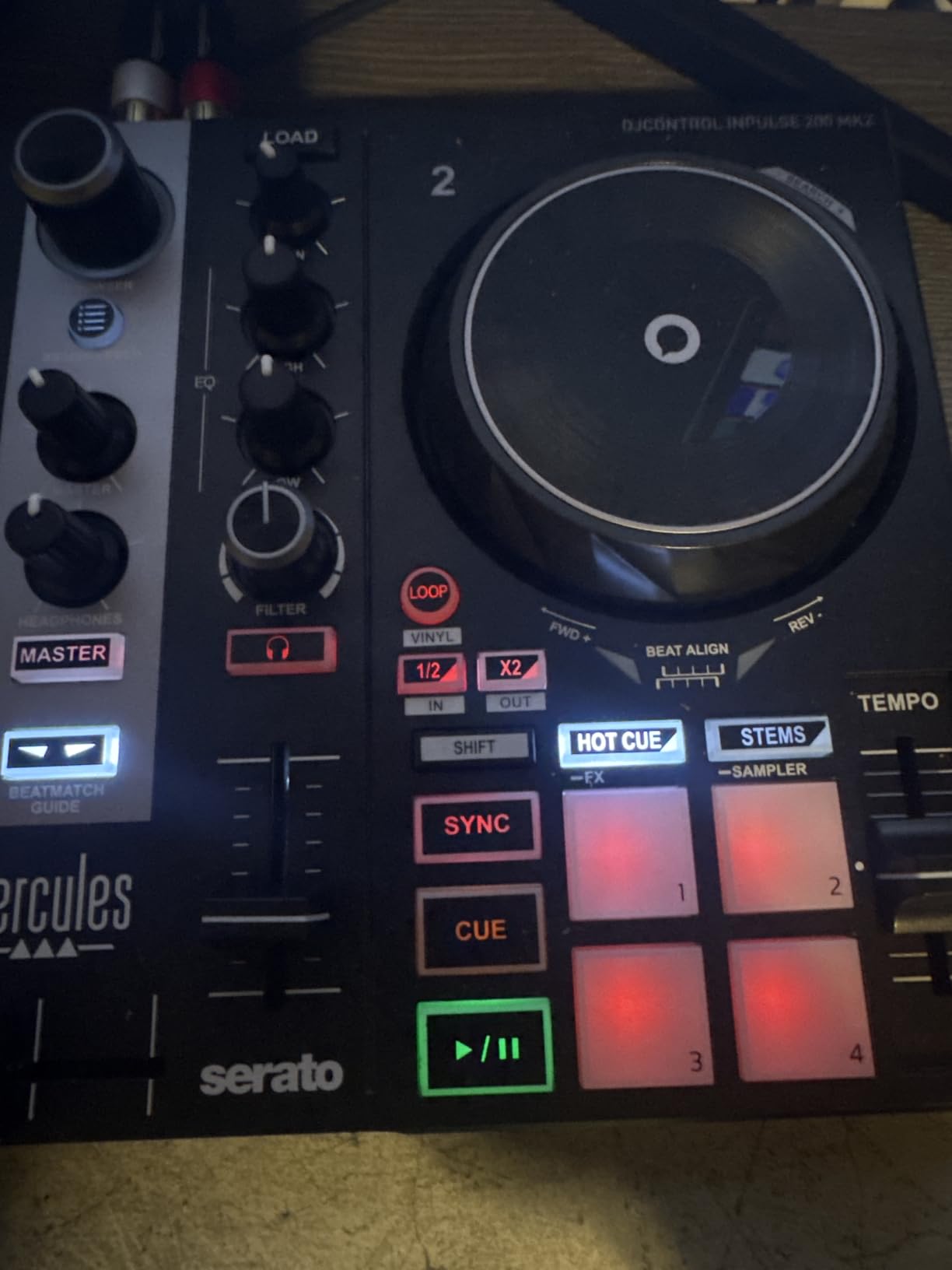
The Inpulse 200 MK2 has been one of the most popular beginner controllers for years, and after testing it I understand why. Hercules packed the beatmatch learning tools that used to cost a lot more into a controller that comes in at under 140 dollars. The included DJ Academy tutorials walk you through the basics inside the software, and the Beatmatch Guide LEDs above the tempo faders tell you when to nudge for perfect sync.
What I appreciate about the MK2 is the dual-software approach. It works with both Serato DJ Lite and DJUCED, which gives you options. I tested both and found DJUCED had a friendlier interface for absolute first-timers, while Serato is what you will likely use down the road. The 2-band EQ is on the simple side but it is more than enough to learn the basics of frequency mixing.
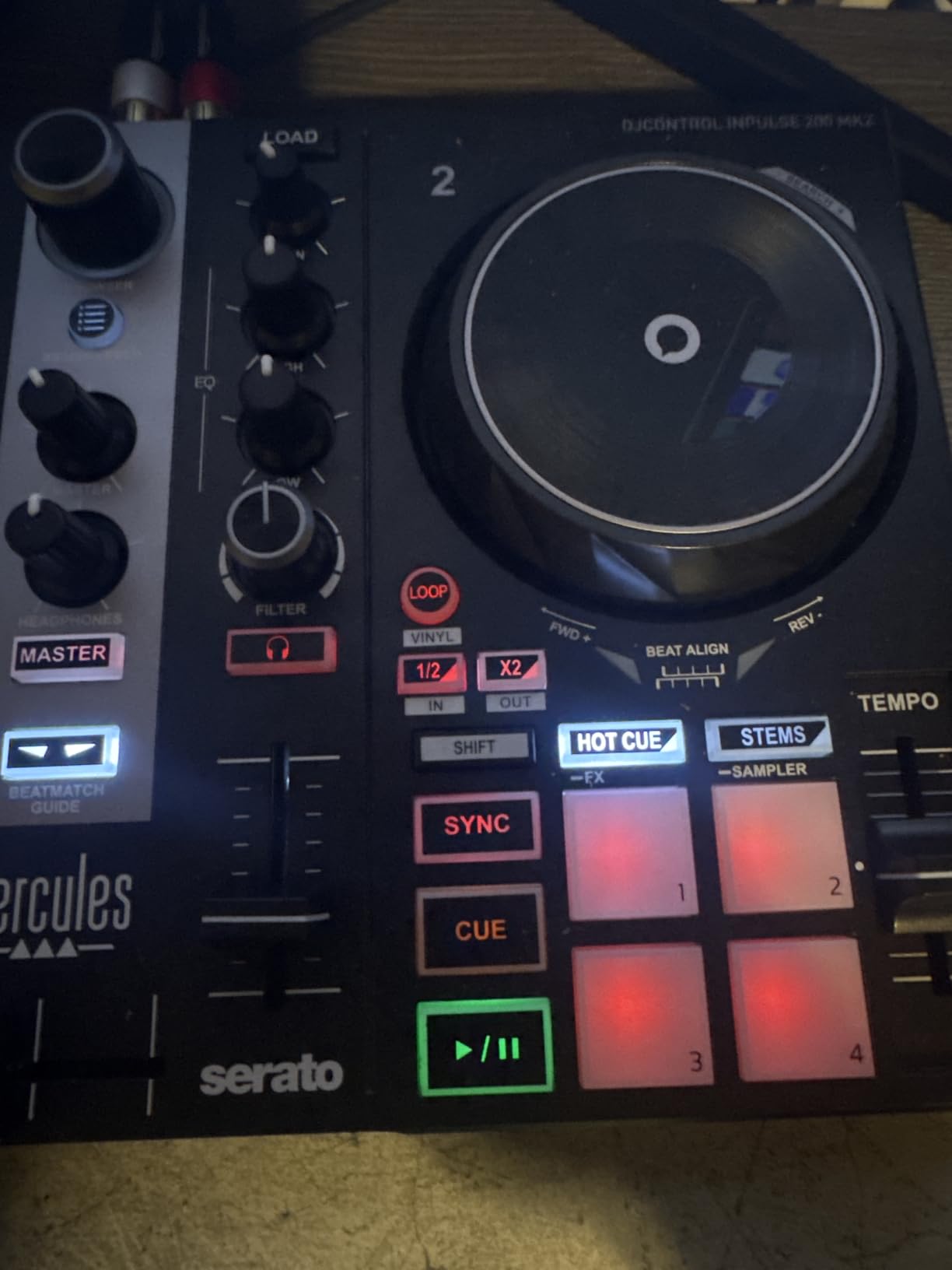
The tradeoffs are honest. You get only 4 hot cues per deck, which is fine for beginners but limiting once you start doing complex routines. There is no YouTube or Spotify streaming built in, so you will be loading tracks from a local library. The plastic build will not survive being dropped off a table at a busy bar gig, so treat it as a home and small-party controller.
For the price, the MK2 is a very safe pick. If you want a controller that is going to teach you the fundamentals without overwhelming you with pro features, this is the one I would point a true beginner toward. It is also widely available, which means there are years of community tutorials, Reddit threads, and YouTube walkthroughs to learn from.
For Whom It’s Good
True first-time DJs who want a controller with built-in learning tools. Parents buying for a teenager who is just starting to mix. Anyone on a tight budget who wants a real controller with audio interface and not a toy. People who like having two software options to learn on.
For Whom It’s Bad
Streamers and content creators who need direct streaming service integration. Producers and live performers who need more than 4 hot cues. Mobile DJs who need XLR outputs and rugged hardware. Anyone who already owns the MK2 and is happy with it has no reason to upgrade to the MK3 unless Stems matters to them.
4. Numark Party Mix Live – All-in-One with Built-In Speakers
Numark Party Mix Live – DJ Controller with Built in Speakers, Party Lights and DJ Mixer, Complete Dj Set with Mixer and Audio Interface + Serato DJ Lite
Built-in speakers
LED party lights
2-channel
Plug and play
Pros
- Built-in speakers for all-in-one setup
- LED party lights sync to music
- Integrated audio interface included
- Works with Serato DJ Lite and Pro
- Performance pads with 4 modes
- Compact and portable
Cons
- Built-in speakers lack power for large venues
- Requires external power not USB
- 3.5mm output only no RCA
- Plastic build quality is basic
The Party Mix Live is the controller I recommend to anyone who wants to throw house parties without buying speakers. Numark built actual stereo speakers into the chassis, plus LED party lights that react to your mix. Plug it into your laptop, load Serato DJ Lite, and you have a self-contained DJ rig that fits in one box.
I tested it at a 15-square-meter living room party and the built-in speakers filled the space without distortion. The LED lights on the front panel pulse with the beat, which adds a fun visual element for small events. The audio interface is integrated so you do not need a separate sound card, and the headphone output for cueing works without any driver setup on Mac and Windows.

The honest limit is volume. The 10-watt speakers are fine for a bedroom or small living room, but for a real venue you will need to route the audio into actual PA speakers. There is only a 3.5mm output, no RCA, so you will need an adapter to connect to most club sound systems. The controller also needs an external power brick rather than running on USB bus power from your laptop.
For parents looking to get a kid into DJing, this is one of the best first controllers to consider. Kids can play around with the lights and speakers, learn beatmatching, and have a complete experience without needing a sound system. The Party Mix Live also works as a backup controller for working DJs who want something to throw in a car for emergency sets.

For Whom It’s Good
Parents buying a first controller for a kid. Apartment DJs who do not want to buy separate speakers. Small house party hosts who want lights and sound in one box. Working DJs who want a compact backup controller for emergency gigs. Anyone who values plug-and-play simplicity over pro audio specs.
For Whom It’s Bad
Club and mobile DJs who need real volume and XLR outputs. Users on Windows on ARM machines, since compatibility is limited. Producers and recording artists who need audio fidelity beyond a built-in speaker. Anyone already running a serious sound system will not benefit from the integrated speakers.
5. AlphaTheta DDJ-FLX2 – Most Compact Pioneer-Style Controller
AlphaTheta DDJ-FLX2 Compact 2-Channel DJ Controller, Smart Fader, USB-C
Compact 2-channel
Smart Fader
USB-C bus power
Metal build
Pros
- Smart Fader automates beatmatching
- USB-C bus power works with phone or laptop
- AlphaTheta lightest and most compact controller
- Streaming support for Apple Music Spotify TIDAL
- Works with rekordbox and djay
- Precise jog wheels with no drift
Cons
- Bluetooth only plays through phone speaker not external
- 3.5mm output only no XLR or RCA
- No dedicated Stems controls
- Limited to 2 channels
The DDJ-FLX2 is Pioneer DJ parent company AlphaTheta most portable controller, and it carries the build quality you would expect from the brand. The metal and plastic hybrid chassis feels premium for the price, and at 2.7 pounds it is light enough to toss in a messenger bag. The headline feature is Smart Fader, which automatically matches volume, BPM, and bass as you move the crossfader, even across genres.
What stood out in my testing was the USB-C bus power. I plugged it into a 13-inch MacBook Pro and a Pixel phone, and it ran perfectly from both with no external power brick. The tactile notches on the faders are a small detail that makes a big difference during fast mixing, and the jog wheels are precise enough for actual scratching without drifting.
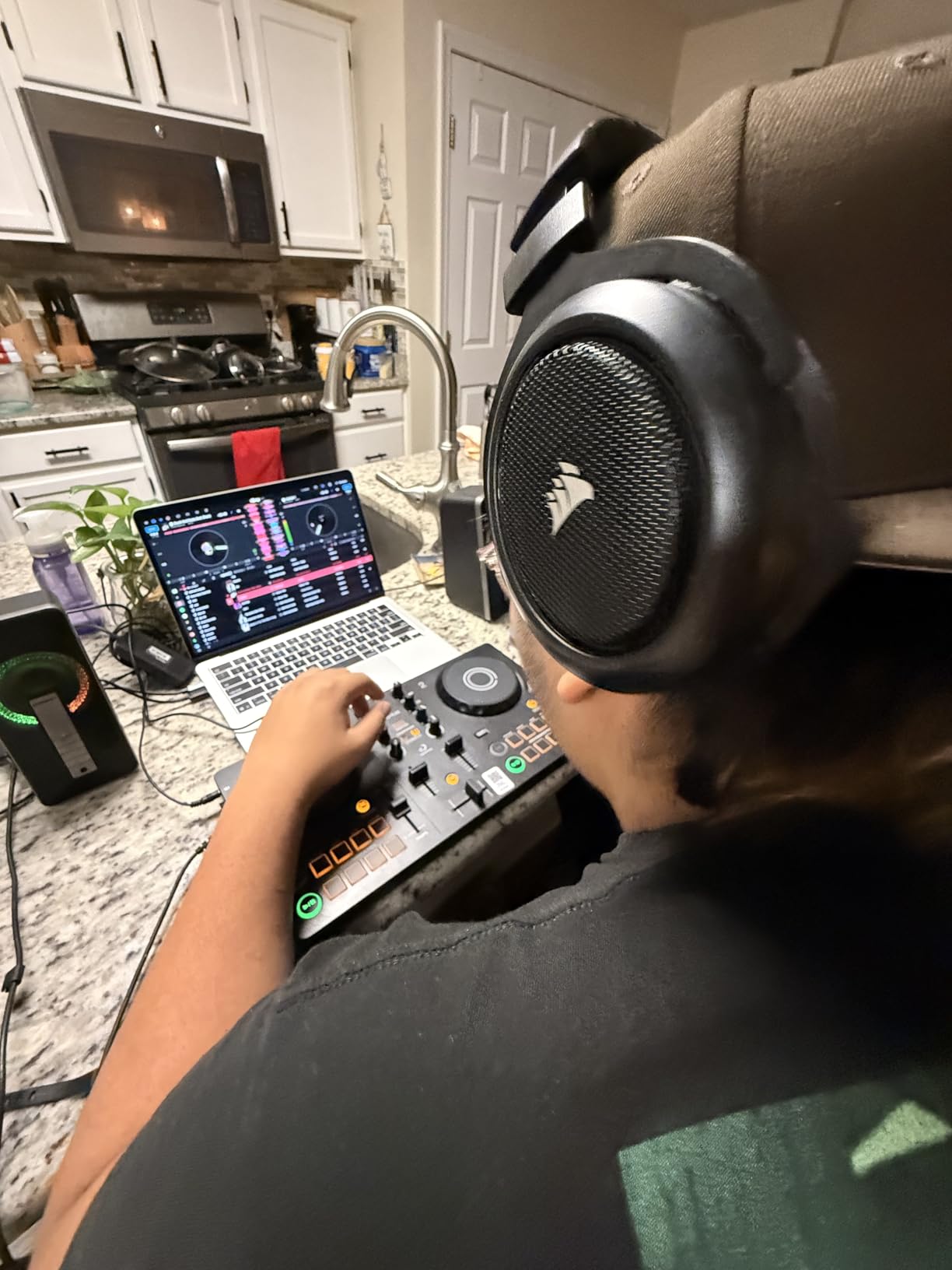
The Bluetooth claim is misleading. It only streams audio to your phone speaker, not to external speakers, so you still need a wired connection for any real output. There is no XLR or RCA output, just a 3.5mm jack, which means adapters for most club setups. The controller also lacks dedicated Stems controls, which is a feature the higher-end Pioneer models now include.
For laptop-first DJs who want Pioneer club-standard layout in a small package, the FLX2 is a strong pick. The included software is Algoriddim djay and Serato DJ Lite, which covers both worlds. If you are planning to upgrade to a Pioneer DDJ-400 or DDJ-FLX4 in a year, the layout will already be familiar.
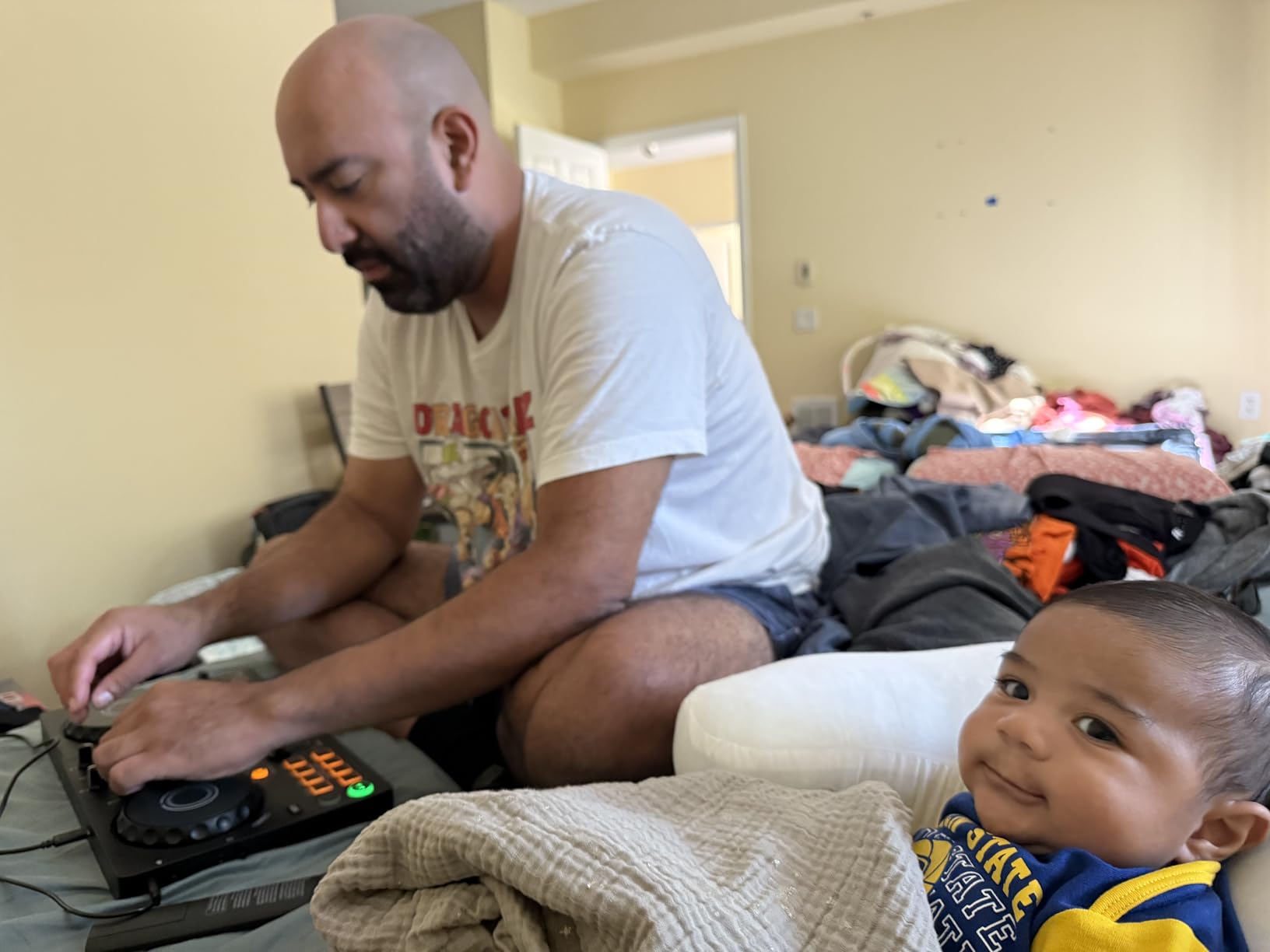
For Whom It’s Good
Beginners who want Pioneer build quality in a small package. Mobile DJs and content creators who need true bus-powered portability. Anyone who wants to mix from a phone or tablet as well as a laptop. Bedroom DJs who value precision jog wheels for learning scratch techniques.
For Whom It’s Bad
Anyone who needs Bluetooth audio to play through external speakers, since that feature does not exist. Club DJs who need XLR or RCA outputs. Producers who need 4-deck control or extensive pad real estate. Users who want Pioneer DDJ-FLX4 features in a smaller form will be disappointed by the reduced feature set.
6. Numark Mixtrack Pro FX – The Classic Learning Controller
Numark Mixtrack Pro FX DJ Controller
2-deck
6-inch jog wheels
24-bit audio
Dual paddle FX
Pros
- Easy plug and play USB setup
- Serato DJ Lite included with streaming
- Large 6-inch capacitive-touch jog wheels
- Six quick-launch FX with dual paddle triggers
- Eight performance pads per deck
- Microphone input and RCA output
Cons
- Jog wheels may feel small for large hands
- Not standalone requires PC or Mac
- Plastic construction except rubberized pads
- Not suited for motorized pro use
The Mixtrack Pro FX is the controller I would buy for a teenager who is serious about learning to mix. Numark has been refining this line for years, and the FX version gets a lot of things right. The 6-inch capacitive-touch jog wheels are noticeably larger than what you find on most budget controllers, and they have the right amount of resistance to mimic a real turntable.
I tested the Mixtrack Pro FX with a friend who had been using a smaller entry-level controller, and the difference in feel was immediate. The dual paddle FX triggers are fun to use, and the eight performance pads per deck give you enough room to learn hot cues, loops, and slicer modes without running out of buttons. The 24-bit audio interface delivers clean sound, and the RCA outputs let you plug directly into powered speakers or a small PA.
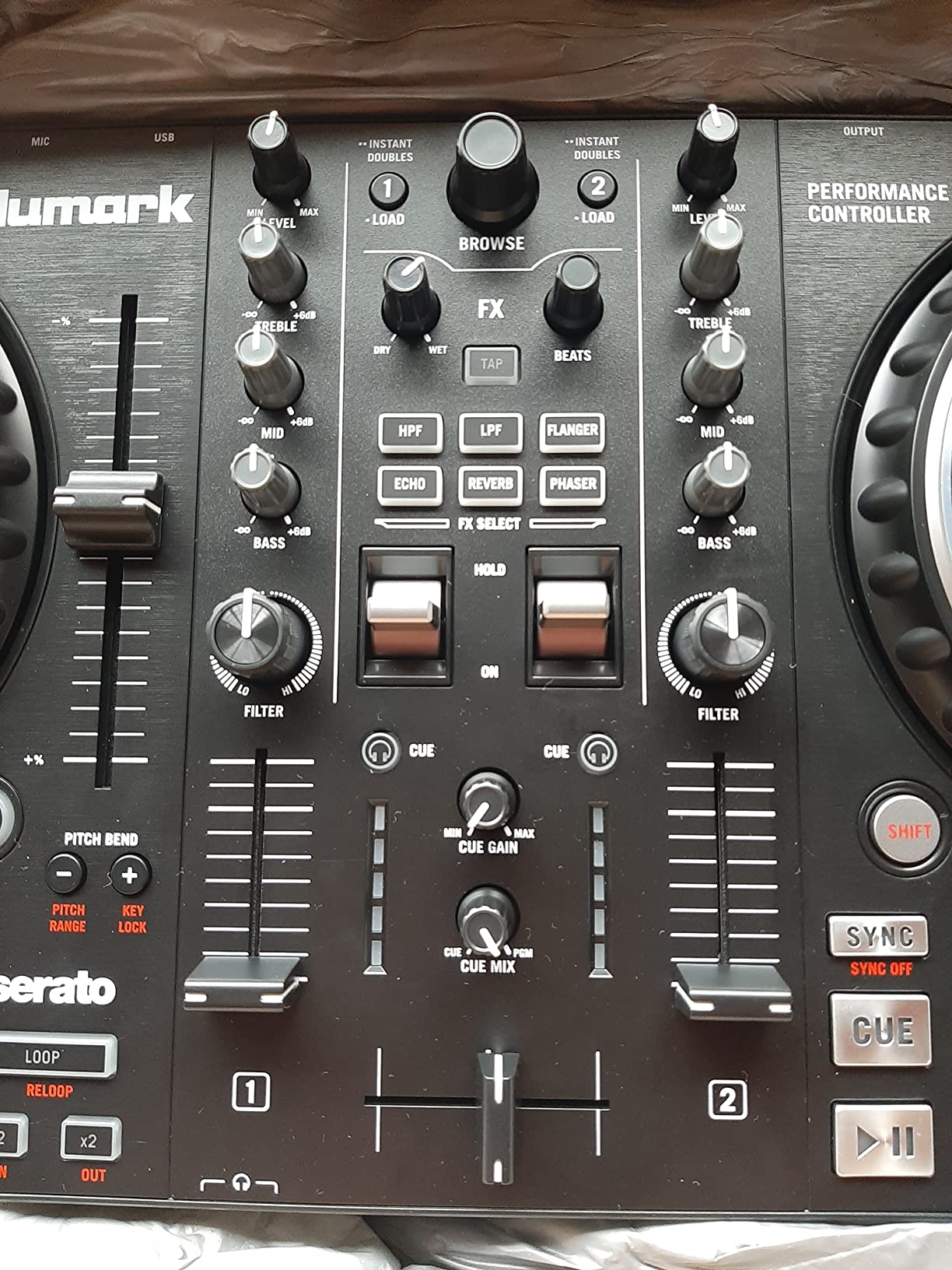
The honest cons are size and build. The jog wheels feel large compared to other budget controllers but small next to a Pioneer DDJ-400 or DDJ-FLX4, so DJs with big hands might find them cramped. The body is mostly plastic, which is fine for home use but a concern if you are gigging. There is no standalone mode, so you always need a laptop or computer running.
For a beginner, the Mixtrack Pro FX is one of the safest long-term purchases in this list. The Serato DJ Lite software is the same one used by much more expensive controllers, so the skills transfer. The streaming integration with Apple Music, TIDAL, Spotify, and Beatport means you can mix your existing library from day one.
For Whom It’s Good
Beginners and intermediate DJs who want larger jog wheels than typical budget controllers. Anyone who wants a controller that ships with the right cables and works on day one. Bedroom DJs who plan to do small house parties and need RCA outputs for powered speakers. Music discovery fans who want streaming service integration without a Pro upgrade.
For Whom It’s Bad
Professional and club DJs who need motorized platters and 4-deck control. Users with large hands who will find the 6-inch jog wheels cramped. Mobile DJs who need fully rugged hardware for transit. Anyone who needs standalone capability without a laptop should look at a different category.
7. Hercules DJControl Inpulse 500 – Best Value Mid-Range Pick
Hercules DJControl Inpulse 500: 2-deck USB DJ controller for Serato DJ and DJUCED (included)
2-deck
XLR outputs
16 RGB pads
Metal top plate
Pros
- Premium build quality with metal top plate
- Serato DJ Lite and DJUCED both included
- Built-in Beatmatch Guide for beginners
- Balanced XLR outputs for pro audio
- 16 RGB performance pads with multiple modes
- Retractable feet to protect from spills
Cons
- No standalone mixer function without computer
- Limited to 2 decks
- Software download can be difficult
- Some accessories sold separately
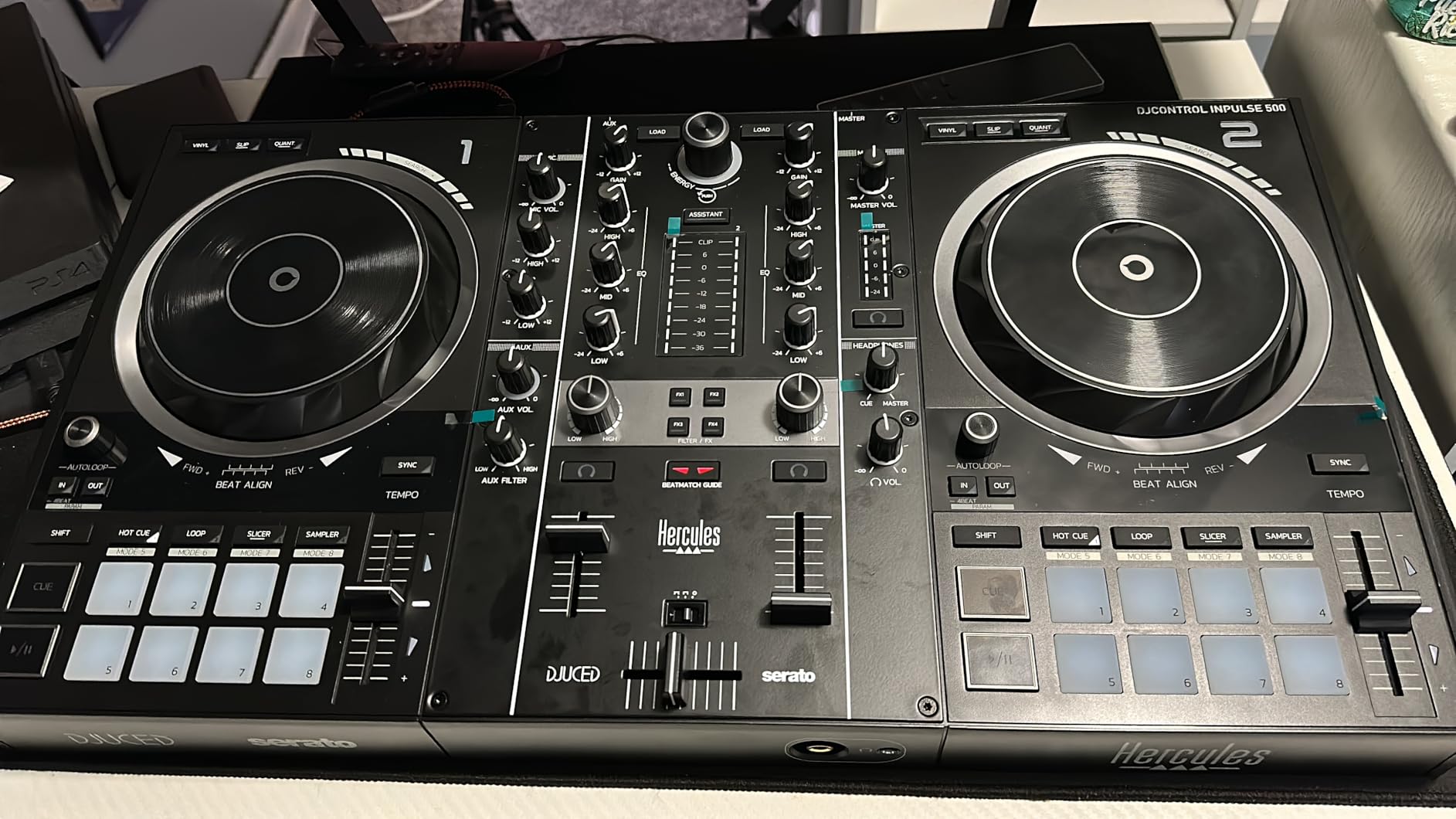
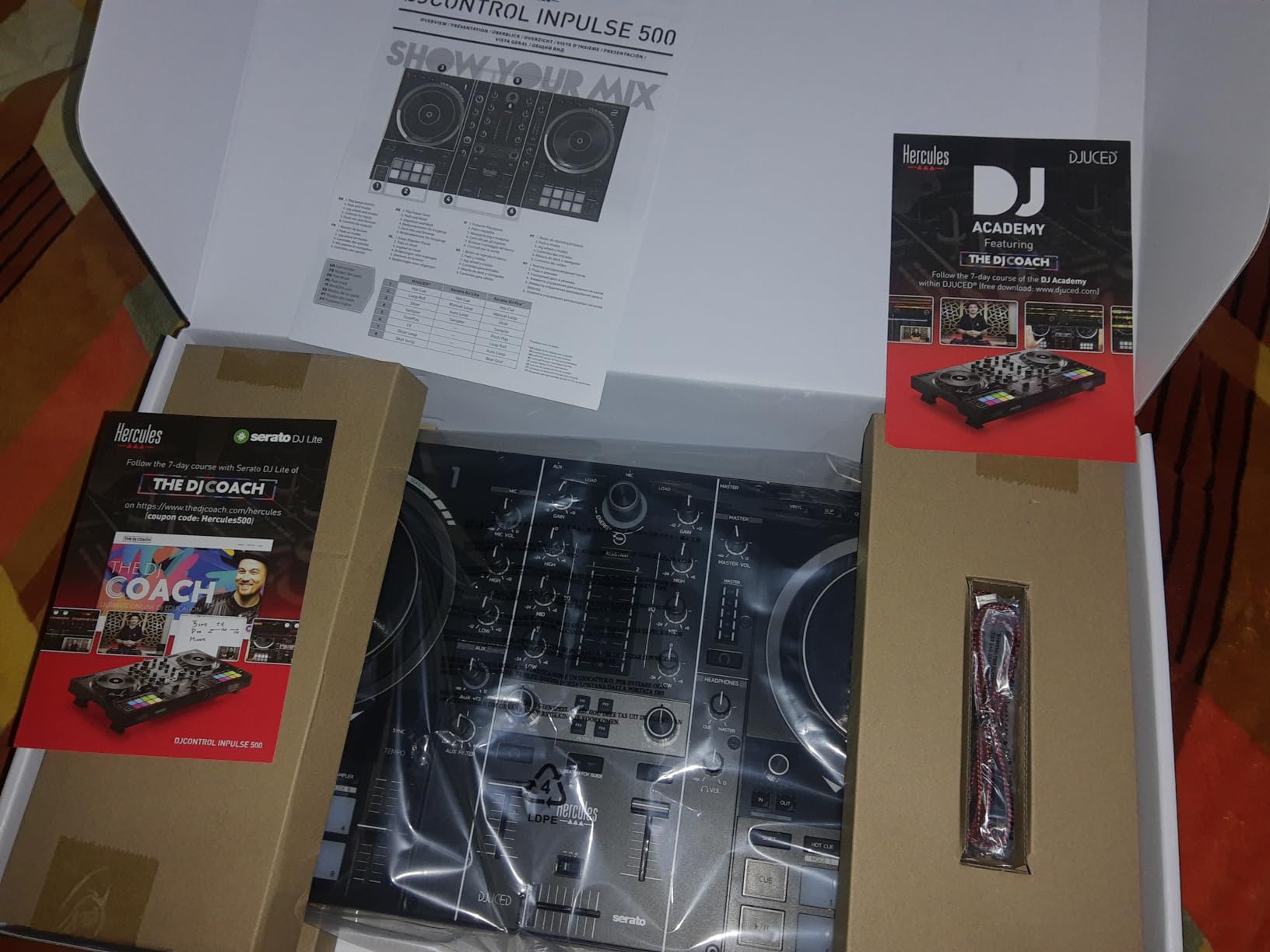
The Inpulse 500 is the controller I recommend most often to people who are ready to spend a little more for a real upgrade. At 11.6 pounds with a metal top plate, it feels like a piece of pro gear rather than a budget unit. The balanced XLR outputs are the standout feature at this price tier, because you can plug directly into a club sound system or PA without adapters.
I tested the Inpulse 500 at a small bar gig and the XLR outputs delivered clean, balanced audio that the sound engineer complimented. The 16 backlit RGB performance pads are a clear upgrade from the 8 pads on cheaper controllers, and they have the right click to feel responsive during fast routines. The retractable feet are a unique touch, designed to lift the controller off the table if someone spills a drink, which saved me at one event.
You still need a laptop to use it, so this is not a standalone option. The 2-deck limit is real, and if you want to do complex 4-deck routines you will need to look at more expensive controllers. The software download process can be confusing, especially for DJUCED, so plan time for setup before your first gig. Some users have also reported that certain accessories need to be purchased separately.
For the price, the Inpulse 500 hits a sweet spot. It is the cheapest controller on this list with balanced XLR outputs, and the build quality is closer to a 500-dollar controller than a 270-dollar one. If you are graduating from a beginner unit and want something that will last you into small-venue gigs, this is the one I would point you toward.
For Whom It’s Good
Intermediate DJs ready to upgrade from a beginner controller. Mobile DJs who need balanced XLR outputs for venue sound systems. Home DJs who want a sturdy controller that will last years. Anyone who wants both Serato and DJUCED options to find the software workflow they like best.
For Whom It’s Bad
Users who need 4-deck control for complex routines and DVS workflows. Anyone who wants a standalone controller that works without a laptop. DJs on a strict budget who can save money with the Inpulse 200 MK3. First-time beginners who do not yet know if DJing is for them and want the cheapest entry point.
8. Numark Mixtrack Platinum FX – 4-Deck Control with Jog Wheel Displays
Numark Mixtrack Platinum FX DJ Controller
4-deck
Jog wheel displays
16 pads
24-bit audio
Pros
- 4-deck control for advanced mixing
- High-resolution color displays on jog wheels
- Serato DJ Lite with streaming included
- Six quick-launch FX with dual paddle triggers
- Eight performance pads per deck
- External microphone jack for announcements
Cons
- Deck switching between 1/3 and 2/4 can be tricky
- Buttons may not register during fast swaps
- FX buttons not customizable without software
- Some users report volume fader issues over time
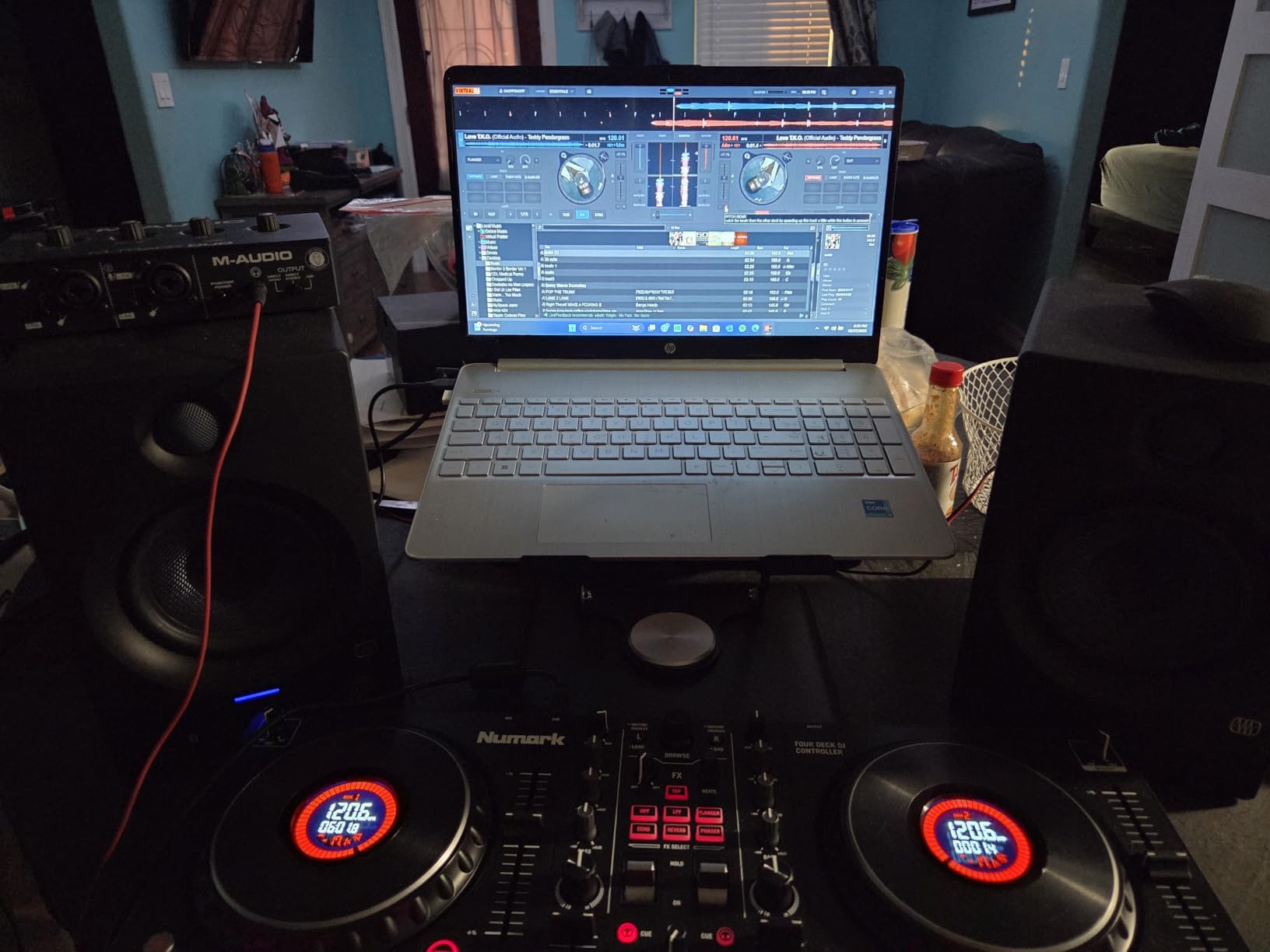
The Mixtrack Platinum FX is the controller for laptop DJs who want to start learning 4-deck workflows without dropping a thousand dollars. The high-resolution color displays built into the jog wheels show BPM, platter position, beats remaining, and pitch, which is rare at this price point. For DJs who like to see at a glance what is happening on each deck, this is a meaningful upgrade.
I tested the Platinum FX on a complex 4-deck routine and the visual feedback made it much easier to keep track of what was playing where. The dual paddle FX triggers are the same proven design from the Mixtrack Pro FX, and the eight performance pads per deck give you hot cues, loops, slicer, and sampler modes. The 24-bit audio interface is the same quality as the Pro FX, and RCA outputs let you connect to any powered speaker setup.
The 4-deck control is the main draw but also the main challenge. Switching between decks 1 and 3, or 2 and 4, requires a button press that takes practice to master. Some users have reported that buttons occasionally do not register during very fast deck swaps, which can interrupt a routine. The FX buttons are not customizable without diving into the Serato software, and some users have reported volume fader issues after a year or more of heavy use.
For the price, the Platinum FX is one of the best ways to learn 4-deck mixing on a laptop. If you are planning to eventually move up to a Pioneer DDJ-FLX6 or a club-standard 4-channel mixer, the workflow here will transfer directly. Just be ready to spend some time practicing deck switching before you take it to a live set.
For Whom It’s Good
Intermediate DJs who want to start learning 4-deck mixing workflows. Visual learners who benefit from on-jog-wheel displays. Bedroom DJs planning a future upgrade to a 4-channel club setup. Anyone who wants Platinum FX features at a fraction of the cost of premium controllers.
For Whom It’s Bad
Absolute beginners who will not yet use 4-deck features. Working mobile DJs who need a more rugged build. Anyone who finds deck switching frustrating should look at a 2-deck controller instead. Users who have heavy hands and report fader issues should test before committing to long-term use.
9. Pioneer DJ DDJ-FLX4 – The Editor Choice Overall
Pioneer DJ DDJ-FLX4 2-Channel DJ Controller, 16 Pads, Graphite
2-channel
16 pads
Club-standard layout
rekordbox included
Pros
- Industry-standard Pioneer layout inherited from pro gear
- Smart Fader auto-adjusts volume bass and BPM
- Compatible with rekordbox Serato and mobile devices
- Rekordbox full version included free
- USB-C and Bluetooth connectivity
- Microphone routing via USB for livestreaming
Cons
- Performance pads are single color orange only
- Smart Fader limited in Serato mode
- Sound quality degrades at loud volumes
- Plastic construction
- Only 2 channels
The Pioneer DJ DDJ-FLX4 is the controller I recommend most often when friends ask me what to buy. It is the number one best-selling DJ controller on Amazon for a reason. The layout is inherited directly from Pioneer club-standard CDJ and DJM gear, which means everything you learn on the FLX4 transfers directly when you walk up to a Pioneer setup at a venue. That alone makes it worth the price for anyone serious about DJing.
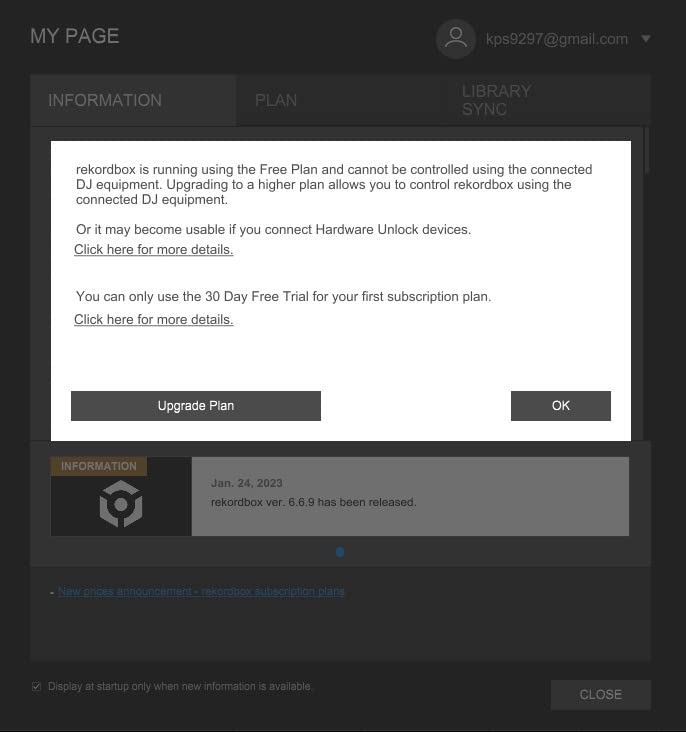
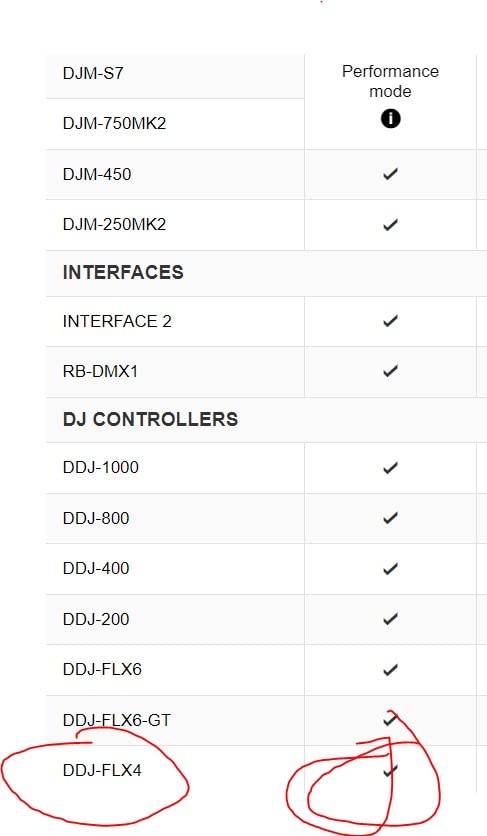
I tested the FLX4 with a friend who had never touched a controller before, and within an hour she was mixing tracks. The Smart Fader automatically matches volume, bass, and BPM as you move the crossfader, which is perfect for beginners. The full version of rekordbox is included free, no upgrade fee, and you can also switch to Serato DJ Pro if you prefer. The 16 performance pads have hot cues, pad FX, beat jump, and sampler modes.
The honest cons are the limitations of a 2-channel controller at this price. The performance pads are single color orange, not RGB like cheaper competitors, which makes mode switching harder to read at a glance. The Smart Fader works best in rekordbox, with limited BPM matching in Serato. The plastic construction feels less premium than the Inpulse 500, and the sound quality can degrade at loud volumes.
For laptop DJs, the FLX4 is the safest long-term bet on this list. The club-standard layout means you can take the skills you build to any Pioneer-equipped venue. The free rekordbox full version saves you money, and the USB-C plus Bluetooth connectivity means you can plug into a laptop, phone, or tablet. If you can only buy one controller, this is the one I would tell you to get.
For Whom It’s Good
Beginners who want to learn on the same layout used in clubs. Intermediate DJs ready for their first Pioneer controller. Streamers and content creators who need microphone routing via USB. Anyone who values long-term skill transfer to pro Pioneer gear. Laptop DJs who want USB-C and Bluetooth flexibility.
For Whom It’s Bad
Pro DJs who need 4-deck control and motorized platters. Anyone who wants RGB pads instead of single-color pads. Users who need pro-grade XLR outputs without adapters. Mobile DJs who want rugged metal construction should look at higher-end Pioneer options.
10. Roland DJ-202 – Built-In Drum Machine Power
Roland DJ-202 Compact DJ Controller
4-deck
TR-808 909 drum kits
16-step sequencer
24-bit/48kHz audio
Pros
- Built-in TR-808 TR-909 and TR-606 drum kits with ACB tech
- Free Serato DJ Pro upgrade worth 250 dollars
- Larger 5-inch jog wheels with good weight
- Built-in 16-step sequencer for beat creation
- MIDI output for external gear sync
- 24-bit/48 kHz high-resolution audio
Cons
- Requires computer not standalone
- Crossfader feels cheap and clacky
- Manual is vague and surface-level
- 16-step sequencer involves menu diving
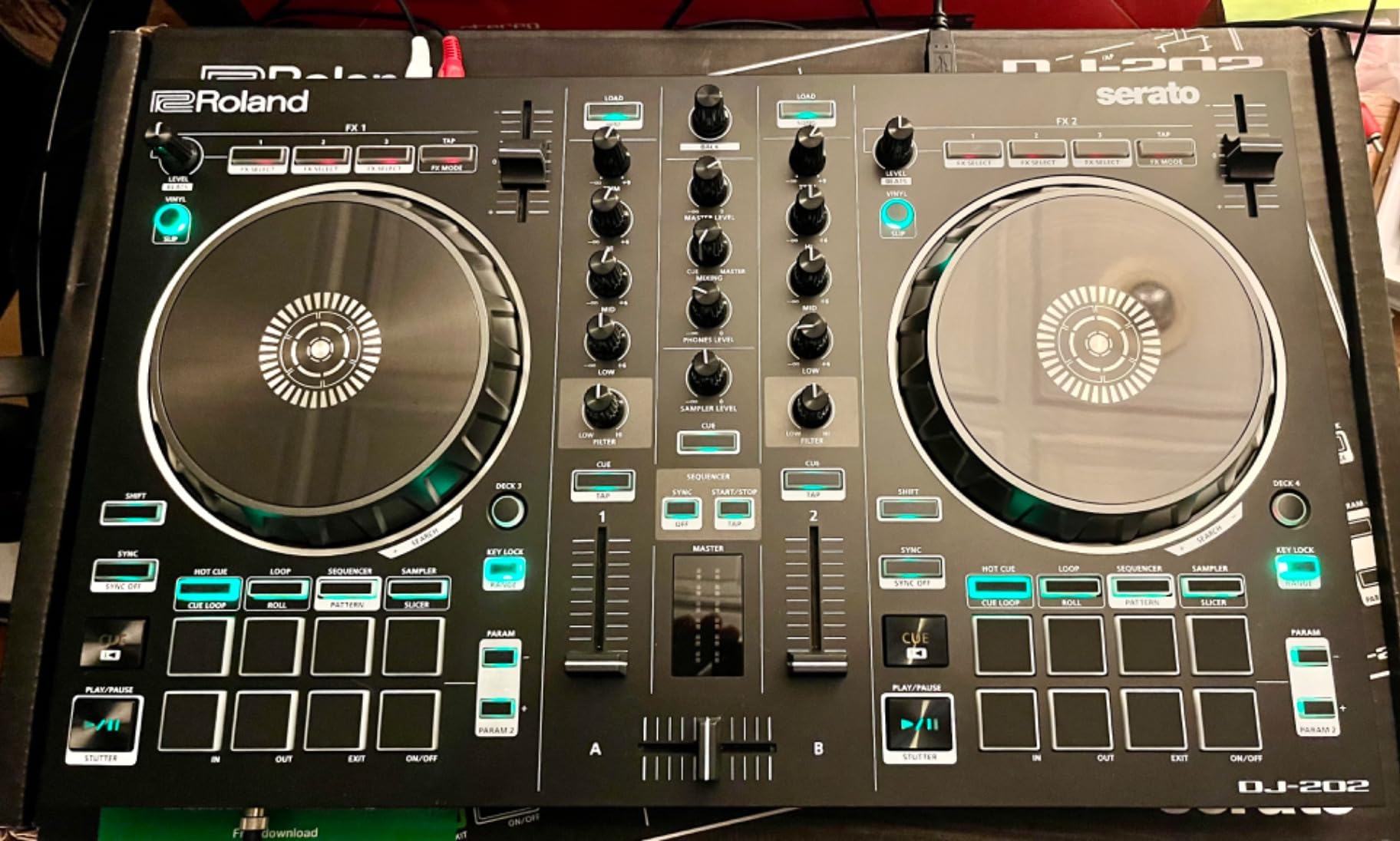
The Roland DJ-202 is the only controller on this list that doubles as a drum machine. The built-in TR-808, TR-909, and TR-606 drum kits are the same sounds that defined house, techno, and hip-hop, and Roland Analog Circuit Behavior technology recreates them faithfully. If you are a producer or a DJ who wants to make beats on the fly, this is the most unique option in the price range.
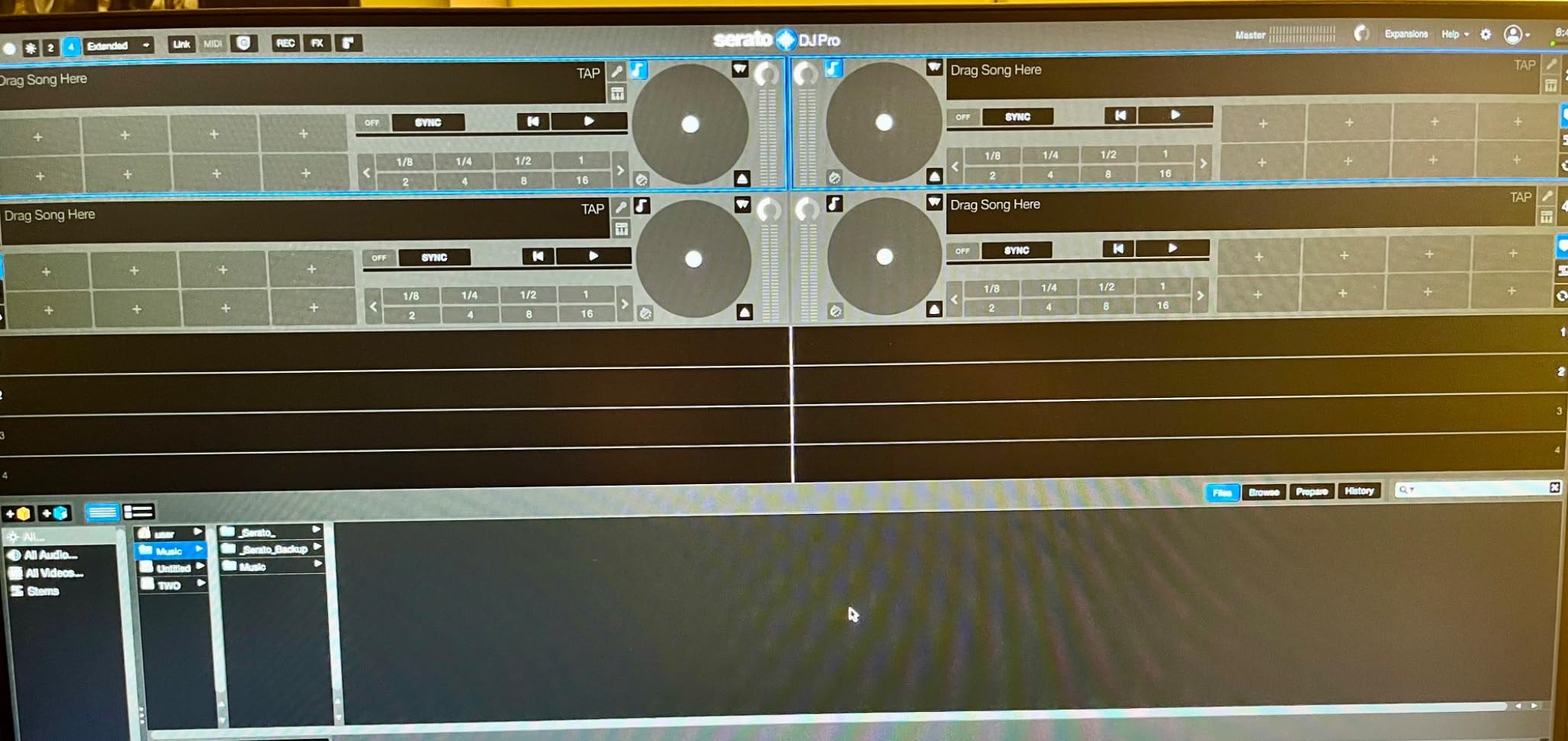
The biggest value here is the free Serato DJ Pro upgrade. When you register the DJ-202, you get the full Pro version of Serato, which normally sells for around 250 dollars. That alone changes the math on this controller. The 16-step sequencer lets you program beats that trigger Serato sampler, so you can build drum patterns on the controller and layer them with your DJ mix. The 5-inch jog wheels have a satisfying weight for scratching.
The controller still needs a laptop to function, so it is not a standalone option. The crossfader feels cheaper than the Pioneer DDJ-FLX4 at the same price, and the manual is thin on real instruction. The 16-step sequencer requires diving into menus, which slows down live performance if you do not memorize the layout. Some sliders and knobs also feel loose compared to the rest of the build.
For laptop DJs who want production power, the DJ-202 is the most interesting pick. The MIDI output means you can sync external synths and drum machines to your DJ setup, which is rare in this price tier. The 24-bit/48 kHz audio is the same quality used in recording studios. If you have ever wanted to add live drum programming to your DJ sets, this is the controller that makes it possible without buying separate gear.
For Whom It’s Good
Producers and beat makers who want built-in Roland drum kits. DJs who want to add live drum programming to their sets. Anyone who values the free Serato DJ Pro upgrade worth 250 dollars. Producers with external MIDI gear who want sync capability. DJs who want 4-deck control at a mid-range price.
For Whom It’s Bad
Absolute beginners who do not yet know if they will use the sequencer and drum features. Club DJs who need more polished crossfaders and faders for live performance. Anyone who wants standalone capability without a laptop. Users who prefer a more visual workflow should look at controllers with jog wheel displays instead.
Buying Guide: How to Choose the Best DJ Controller for Laptop
Choosing a DJ controller is less about finding the most expensive unit and more about matching the hardware to your laptop, your software, and your goals. After testing all 10 of these controllers and talking to working DJs, our team put together the most important things to think about before you buy.
Match Your Controller to Your Laptop Specs
Your laptop is half of the system, and the wrong one will bottleneck even a great controller. For Serato DJ Lite, you need at least 4 GB of RAM, a 2.0 GHz multi-core processor, and 5 GB of free disk space. For rekordbox, the requirements are similar but you also want a dedicated graphics card if you plan to use the visual features. For Virtual DJ, you need 8 GB of RAM and an Intel i5 or equivalent for smooth stems mixing.
I learned this the hard way when I tried to run a Pioneer DDJ-FLX4 on a 2015 MacBook Air with 4 GB of RAM. The software ran but stuttered every few minutes, and beatmatching was impossible because the audio buffer was too high. After upgrading to an M1 MacBook Air with 8 GB of RAM, the same controller ran perfectly. If your laptop is more than five years old, check the software requirements before you buy the controller.
Software Compatibility is Non-Negotiable
Every controller on this list is built around specific software, and not all of them work with all platforms. Most support Serato DJ Lite, but if you want the full Serato DJ Pro, only some controllers include it free or via upgrade. The Roland DJ-202 includes a free Serato Pro upgrade worth 250 dollars, which is a huge value. The Pioneer DDJ-FLX4 includes the full version of rekordbox, which is equally valuable.
Before you buy, check the controller native software. If you already use a specific platform, make sure the controller supports it. Some controllers also work with Virtual DJ, djay Pro, Mixxx, and Traktor, but features may be limited. For beginners, Serato and rekordbox are the safest choices because they have the largest communities and the most tutorials.
Audio Interface Quality Matters More Than You Think
Every controller in this list has a built-in audio interface, but they are not all created equal. The basic interfaces on the Hercules Starlight and Numark Party Mix Live are fine for bedroom practice but will struggle in loud venues. The Pioneer DDJ-FLX4 and Hercules Inpulse 500 have noticeably better audio quality. The Roland DJ-202 has 24-bit/48 kHz audio, which is the best in this list.
If you plan to play small bars, restaurants, or private events, the built-in audio on most of these controllers will work. If you plan to play clubs or larger venues, you will want balanced XLR outputs, which only the Inpulse 500 has in this price range. For everyone else, the 3.5mm and RCA outputs on most of these controllers will get the job done with a simple adapter.
Jog Wheels, Pads, and Build Quality
Jog wheels are where you spend most of your time, so the size and feel matter. The Numark Mixtrack Pro FX and Mixtrack Platinum FX have 6-inch jog wheels, which are noticeably larger than the 5-inch wheels on the Roland DJ-202 and the smaller wheels on the Hercules Starlight. Larger wheels are easier to scratch on, but smaller wheels are more portable.
Performance pads range from 4 to 16 per deck. More pads give you more hot cues, loops, and sampler slots. The Inpulse 500 and Mixtrack Platinum FX have 16 pads, which is the most on this list. Build quality is mostly plastic at this price point, but the Inpulse 500 has a metal top plate, and the DDJ-FLX2 has a metal and plastic hybrid chassis. If you travel a lot, prioritize metal construction.
For more on building a complete DJ setup, our beginner DJ controller guide covers the basics in more detail. If you are ready to play without a laptop, our standalone DJ controller guide is worth a read.
Common Mistakes to Avoid
The most common mistake is buying the cheapest controller and expecting it to feel pro. The Hercules Starlight is great for what it is, but it is not a club controller. The next mistake is ignoring software. A controller is only as good as the software it runs, and if the software does not match your workflow, you will end up frustrated.
Another mistake is buying more controller than you need. If you are just starting out, the Pioneer DDJ-FLX4 and the Hercules Inpulse 200 MK3 are both smarter buys than a 4-deck unit. Finally, do not skip the laptop check. A 5-year-old laptop with low RAM will bottleneck any controller, and no amount of firmware updates will fix that.
Frequently Asked Questions
What is the best laptop for playing DJ controllers?
The best laptop for DJ controllers is one with at least 8 GB of RAM, an Intel i5 or Apple M1 processor or better, a 256 GB SSD or larger, and at least two USB ports. For Serato DJ Lite and rekordbox, the minimum is 4 GB of RAM and a 2.0 GHz multi-core CPU, but 8 GB is the realistic baseline for smooth performance. An SSD is strongly recommended over a hard drive because software load times and library access are dramatically faster. If you already own a recent MacBook, modern Windows ultrabook, or a mid-range gaming laptop, it will likely handle any controller on this list without issue.
What controllers do professional DJs use?
Professional club DJs typically use Pioneer DJ and AlphaTheta gear, including the CDJ-3000 and DJM-900NXS2 in clubs, and controllers like the DDJ-1000, DDJ-FLX10, and DDJ-FLX6 for mobile and home use. Other pro brands include Denon DJ, Rane, and Numark at the high end. For laptop-based pro use, the Pioneer DDJ-FLX10 and the AlphaTheta XDJ-AZ are current favorites. Many pros also use the Roland DJ-202 and DJ-505 for its built-in drum machine capabilities when producing and performing live.
What’s better, Numark or Pioneer?
It depends on what you need. Pioneer DJ and its parent company AlphaTheta dominate the club-standard market, so if you want skills that transfer to professional club gigs, Pioneer is the safer bet. Numark controllers like the Mixtrack Pro FX and Mixtrack Platinum FX often deliver more features at lower prices, making them a strong value pick for beginners and intermediate DJs. Both brands ship with Serato DJ Lite, so the software is similar. The real question is layout and build quality, where Pioneer generally has the edge at every price point above 200 dollars.
What equipment do you need to DJ with a laptop?
To DJ with a laptop you need four things: a laptop with at least 8 GB of RAM and a modern multi-core processor, a DJ controller that connects via USB, DJ software like Serato, rekordbox, or Virtual DJ, and a pair of headphones for cueing the next track. Optional but recommended gear includes powered speakers or a PA system for live play, a microphone for announcements, and an audio interface if your controller does not have one built in. Most controllers in this guide have built-in audio interfaces, so you can start with just the controller, laptop, software, and headphones.
Final Verdict on the Best DJ Controllers for Laptop in 2026
After testing all 10 of these controllers, the Pioneer DJ DDJ-FLX4 remains my top pick for the best DJ controller for laptop use in 2026. The club-standard layout, free full version of rekordbox, and Smart Fader learning features make it the most future-proof choice for beginners and intermediate DJs. If you are on a tighter budget, the Hercules DJControl Inpulse 500 is the best value mid-range option, and the Hercules DJControl Starlight is the best budget pick under 110 dollars.
No matter which controller you pick from this list, you will get a real DJ experience on your laptop. The best way to find the right one is to think about where you will be playing, what software you want to use, and how much you can spend. Every controller here pairs cleanly with macOS and Windows laptops, ships with software you can use on day one, and has been used by working DJs in real gigs.
For a deeper look at the broader controller market, our guide to the best DJ controllers for beginners and the best professional DJ controllers are worth bookmarking. Both cover gear at different price points and use cases. Whichever controller you choose, the most important thing is to start mixing, and any of the 10 in this guide will get you there.