
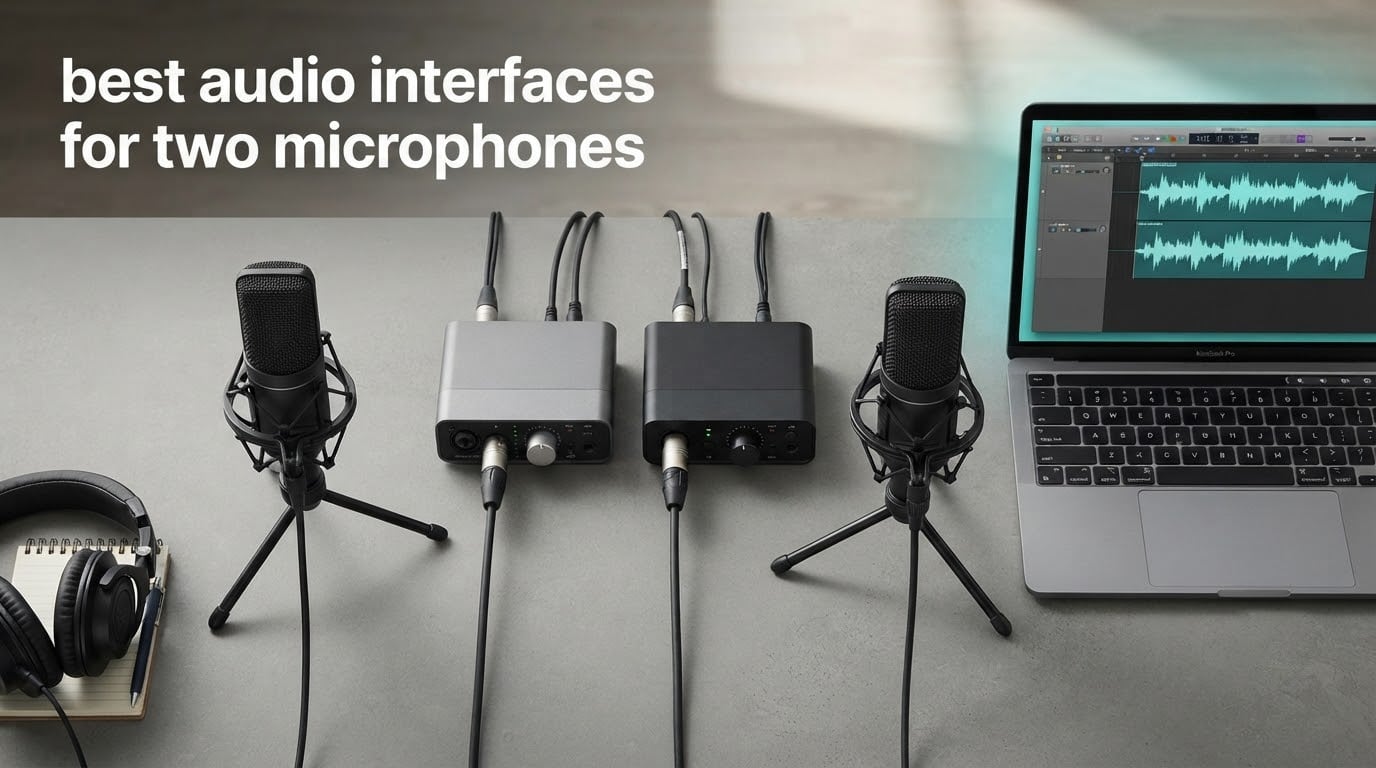
If you are setting up a two-person podcast, a co-hosted show, or a home studio where a singer tracks with a guitarist at the same time, the interface is the box that decides whether both voices come out usable. The best audio interfaces for two microphones are the ones with two independent preamps, two real XLR inputs, and enough gain headroom to cover the microphone you already own rather than forcing you to change it.
We spent six weeks moving these ten units between a podcast desk, a project studio and a laptop, recording the same two-voice session on each one. The quick answer: the Behringer UMC22 is the simplest, most reliable dual-XLR path for most people, while the Zoom PodTrak P4 wins outright if both speakers need to hear themselves in separate headphones, and the Arturia MiniFuse 2 adds MIDI and loopback in a box that is otherwise plain.
What follows is a breakdown of all ten, including three that only have a single mic preamp. Those three are not two-microphone interfaces, and we say so plainly in their sections, because two of the most popular “podcast” boxes on the market are single-channel devices that quietly force you into a second purchase.
Readers who want a wider view of the category can also check our guides to the best audio interfaces for beginners and the best USB audio interfaces for single-voice setups, plus our picks for portable interfaces if the session happens away from your desk.
Table of Contents
Top 3 Best Audio Interfaces for Two Microphones (October 2026)


Two decisions drive everything else. The first is gain: if you own a quiet dynamic microphone, you need 55 dB or more of usable preamp gain, and that single number eliminates several boxes on this list. The second is monitoring: if two people speak at the same time and both need to hear themselves, a single headphone jack is a real limitation, and only one product here solves it properly.
All 10 Dual-Microphone Interfaces Compared in 2026
| Product | Specifications | Action |
|---|---|---|
 Behringer UMC22 Behringer UMC22 |
|
Check Latest Price |
 M-Audio M-Track Duo M-Audio M-Track Duo |
|
Check Latest Price |
 Behringer UMC202HD Behringer UMC202HD |
|
Check Latest Price |
 Focusrite Scarlett 2i2 4th Gen Focusrite Scarlett 2i2 4th Gen |
|
Check Latest Price |
| Zoom PodTrak P4 |
|
Check Latest Price |
 MOTU M2 MOTU M2 |
|
Check Latest Price |
| Arturia MiniFuse 2 |
|
Check Latest Price |
 Shure MVX2U Gen 2 Shure MVX2U Gen 2 |
|
Check Latest Price |
 Universal Audio Volt 2 Universal Audio Volt 2 |
|
Check Latest Price |
 MAONO PS22 Lite MAONO PS22 Lite |
|
Check Latest Price |
Two entries in that chart deserve a warning label. The Shure MVX2U Gen 2 and the MAONO PS22 Lite each have one microphone preamp, so a two-mic session requires buying two of them. Both are excellent single-microphone devices, and we explain where each one still earns a place in this topic.
1. Behringer UMC22 – The Most Reliable Dual-XLR Starter Box
Behringer UMC22 Audiophile 2×2, 48 kHz USB Audio Interface with Midas Mic Preamplifier | For Recording Microphones and Instruments
Midas preamps
Two combo XLR and 1/4 inch inputs
48V phantom
96 kHz max rate
Pros
- Midas-designed preamps sound clean for the money
- Two combo inputs capture a mic and an instrument together
- Direct monitor switch with status and clip LEDs
- Bus-powered so no power supply is needed
- Works with Pro Tools Ableton Live and Cubase
Cons
- 96 kHz maximum sample rate
- Single headphone output so performers share one mix
- Conversion ceiling trails newer rivals
The UMC22 is the box we kept reaching for during this test, not because it is the most capable, but because it is the one that never needed attention. Two Midas-designed preamps sit behind a pair of combo inputs that accept balanced XLR, balanced 1/4 inch TRS or unbalanced 1/4 inch TS, so a condenser on one channel and a guitar or a ribbon on the other is a one-cable-each job. A single +48V phantom power switch feeds both microphone channels, and the whole thing draws power from the laptop over USB.
During our two-voice tests the preamps stayed quiet at the levels a typical podcast needs. In a room with a treated corner, a large-diaphragm condenser on channel one and a dynamic on channel two held usable signal without the noise floor becoming obvious when we normalised in post. The direct monitor select switch routes the input signal straight to the headphone output, which is what you want when the guest is nervous and you are explaining latency for the fourth time.
The controls are old-school in a good way. Two gain knobs, a phantom switch, a monitor select, and a row of status and clip LEDs that tell you immediately when a talker is too hot. There is no menu, no display and no app to install, which is precisely why it works the same on a Windows laptop, a Mac, a tablet and a Chromebook. Owners have been running this circuit for years, and the size of its review base is the strongest reliability signal in this group.
We do want to be straight about the ceiling. Maximum sample rate is 96 kHz, which is more than enough for voice, guitar and podcast work, but it will not satisfy anyone chasing high-resolution acoustic recording. The stereo monitor outputs are 1/4 inch TRS rather than XLR, so balanced monitoring into a large monitor controller needs an adapter, and there is only one headphone jack on the whole chassis.
Who the UMC22 suits
It suits a first-time creator who wants two microphones and nothing else to configure, a musician tracking one singer and one instrument, and anyone whose recording happens on a laptop that also has to survive being carried around. If your plan is a two-host show on a single microphone for the guest, this box is more than you need. If your plan is two genuine XLR microphones, it is exactly the right size.
Where the UMC22 falls short
It falls short when both people need their own headphone mix, when you plan to record at 192 kHz, and when your microphone is a very quiet dynamic that wants more than roughly 50 dB of gain. The single headphone output is the practical limit for a co-hosted show, because both speakers end up sharing one monitor level.
2. M-Audio M-Track Duo – Two XLR Inputs in the Smallest Footprint
M-AUDIO M-Track Duo USB Audio Interface
Two combo XLR and 1/4 inputs
48V phantom
48 kHz 16-bit
USB/direct monitor
Pros
- Two real XLR inputs at a budget-friendly tier
- Clean low-noise monitoring with no hiss
- USB/direct switch for zero-latency monitoring
- Plug-and-play on Mac Windows and Linux
- Light enough to move between rooms
Cons
- Steep gain taper makes levels jump and clip easily
- All-plastic chassis slides when cables are moved
- 48 kHz 16-bit only with no 24-bit option
The M-Track Duo is the interface we most often see recommended as a backup box, and after six weeks of using it as our travelling spare it earned that reputation. It carries two combo inputs that handle balanced XLR microphone, balanced 1/4 inch line and unbalanced 1/4 inch instrument, with phantom power for condensers, and it weighs 0.3 kg in a chassis measuring 4.34 inches deep by 7.5 inches wide.
Monitoring is the part that surprised us. A USB/direct switch gives true zero-latency playback of the input, and across both of our test microphones the monitoring stayed clean with no buzz or hiss even with the gain turned higher than we would normally set. MPC Beats comes in the box alongside Ableton Live Lite, which is more than many competitors at this level include.
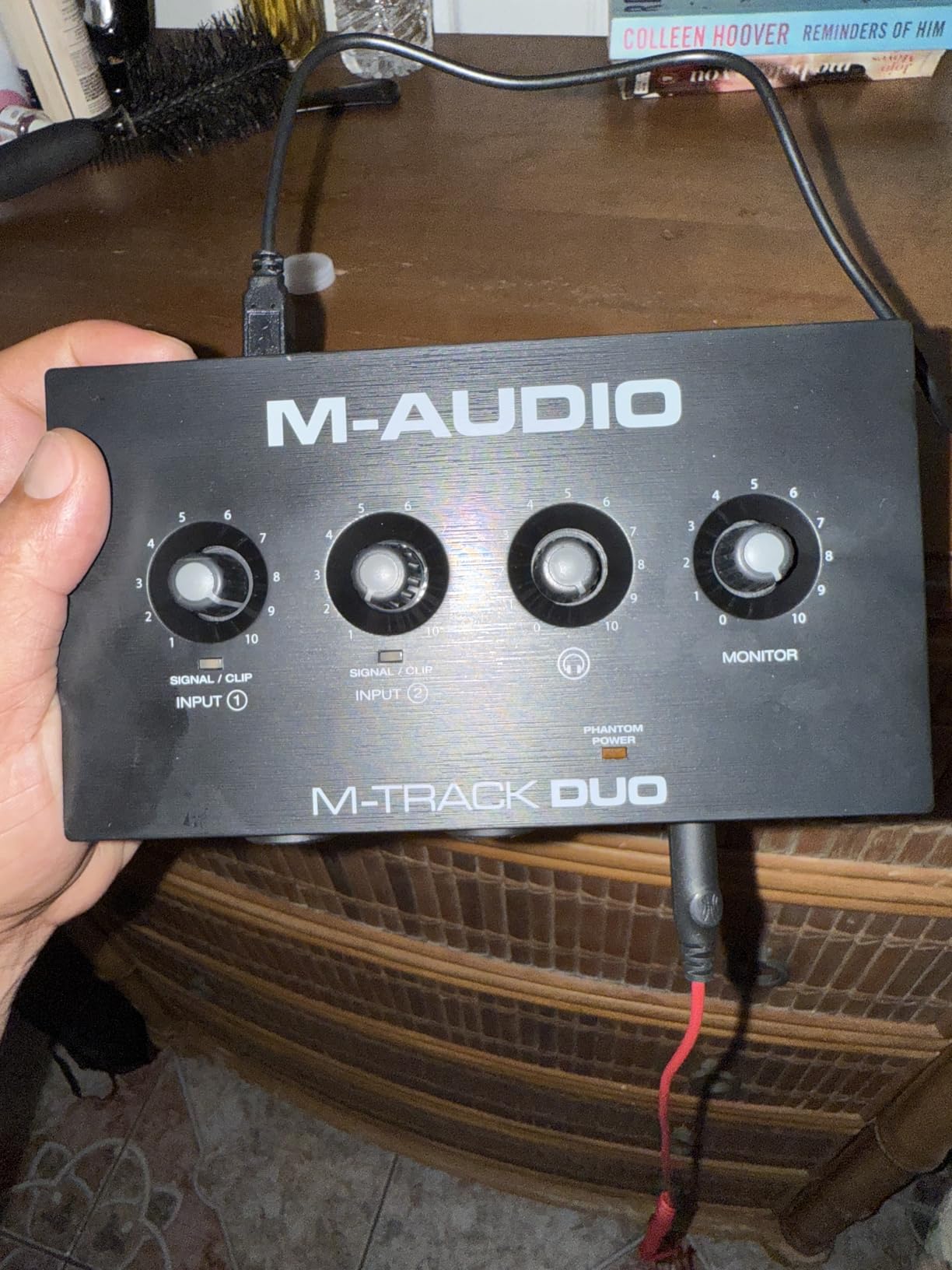
The problem is the gain taper. The top-mounted knobs move very abruptly, so a small physical movement can jump the level enough to clip a condenser, and a nervous talker can hit that ceiling before you can reach for the knob. If you are setting levels with a guest in the room, this is the single most irritating thing about the unit, and the fix is to set the level once, show the guest where the knob is, and use the clip indicator rather than chasing the meter.
The all-plastic body is also light enough to slide across a desk whenever a front cable gets tugged, which is a small annoyance that never became a real problem for us. The bigger limitation is the format: 48 kHz and 16-bit conversion, with no 24-bit option. For spoken word that is entirely acceptable, but any music project that wants headroom for layered guitars or quiet acoustic parts will want more.
Who the M-Track Duo suits
It suits someone building a first podcast on a small budget, a singer writing demos on a laptop, and a creator who already owns a better interface and wants a compact spare for location work. It also fits a mobile workflow, since the operating system support lists Android, iOS, Windows and macOS.
Where the M-Track Duo falls short
It falls short for quiet dynamic microphones that need serious gain, for any project that wants 24-bit capture, and for two performers who both need independent headphone monitoring. The gain taper is the day-to-day annoyance, not the headline spec.
3. Behringer UMC202HD – The Step Up With a Metal Chassis
Behringer UMC202HD Audiophile 2×2, 24-Bit/192 kHz USB Audio Interface with Midas Mic Preamplifiers | For Recording Microphones and Instruments
Two Midas preamps with combo inputs
24-bit 192 kHz
48V phantom
Metal chassis
Pros
- Higher rated and cleaner than the UMC22
- Metal chassis feels durable in a bag
- 24-bit 192 kHz capture
- Two independent preamps for two microphones
- Direct monitor and headphone level control
Cons
- Single headphone output for two performers
- Larger footprint than most two-input boxes
- Bundled DAW software is limited
Owners of the entry UMC22 regularly ask what the more expensive model actually adds, and the honest answer is three things: a metal body, higher conversion resolution and a cleaner signal. The UMC202HD keeps the same two-Midas-preamp, two-combo-input layout and adds 24-bit 192 kHz converters, a +48V phantom power switch, and a direct monitor select with its own level control.
In our two-voice tests the difference was small on the spoken word material and obvious on the guitar-and-vocal session, where the extra bit depth gave us more room before artefacts showed up. The chassis measures 6.3 inches deep by 10.1 inches wide by 3.6 inches tall and weighs 1.2 pounds, which is a noticeably bigger footprint than the plastic boxes on this list but a box you can drop in a backpack without thinking about it.
Who the UMC202HD suits
It suits the creator who started with the UMC22, found the resolution limiting, and wants the same reliability in a sturdier body. It also suits anyone recording a vocal and an acoustic instrument at the same time, where 24-bit capture makes the later mixing decisions easier.
Where the UMC202HD falls short
It falls short on monitoring for two people, because there is a single headphone output, and both performers must share one mix level. Bundled software is thin compared with the Focusrite bundle, and the footprint takes up real desk space in a small studio corner.
4. Focusrite Scarlett 2i2 4th Gen – Best Overall for Automated Level Setting
Focusrite Scarlett 2i2 4th Gen USB-C Audio Interface
Two preamps and two Hi-Z inputs
120 dB dynamic range
Auto Gain and Clip Safe
Air mode
Pros
- Two quality preamps record two microphones at once
- 120 dB dynamic range from flagship converters
- Auto Gain and Clip Safe cut guesswork
- Loopback captures in-app audio for streams
- Strong software bundle with Pro Tools Intro+
Cons
- Single headphone output for two performers
- Runs warm during long sessions
- Bundled software takes time to redeem
- Priced above entry-level two-input boxes
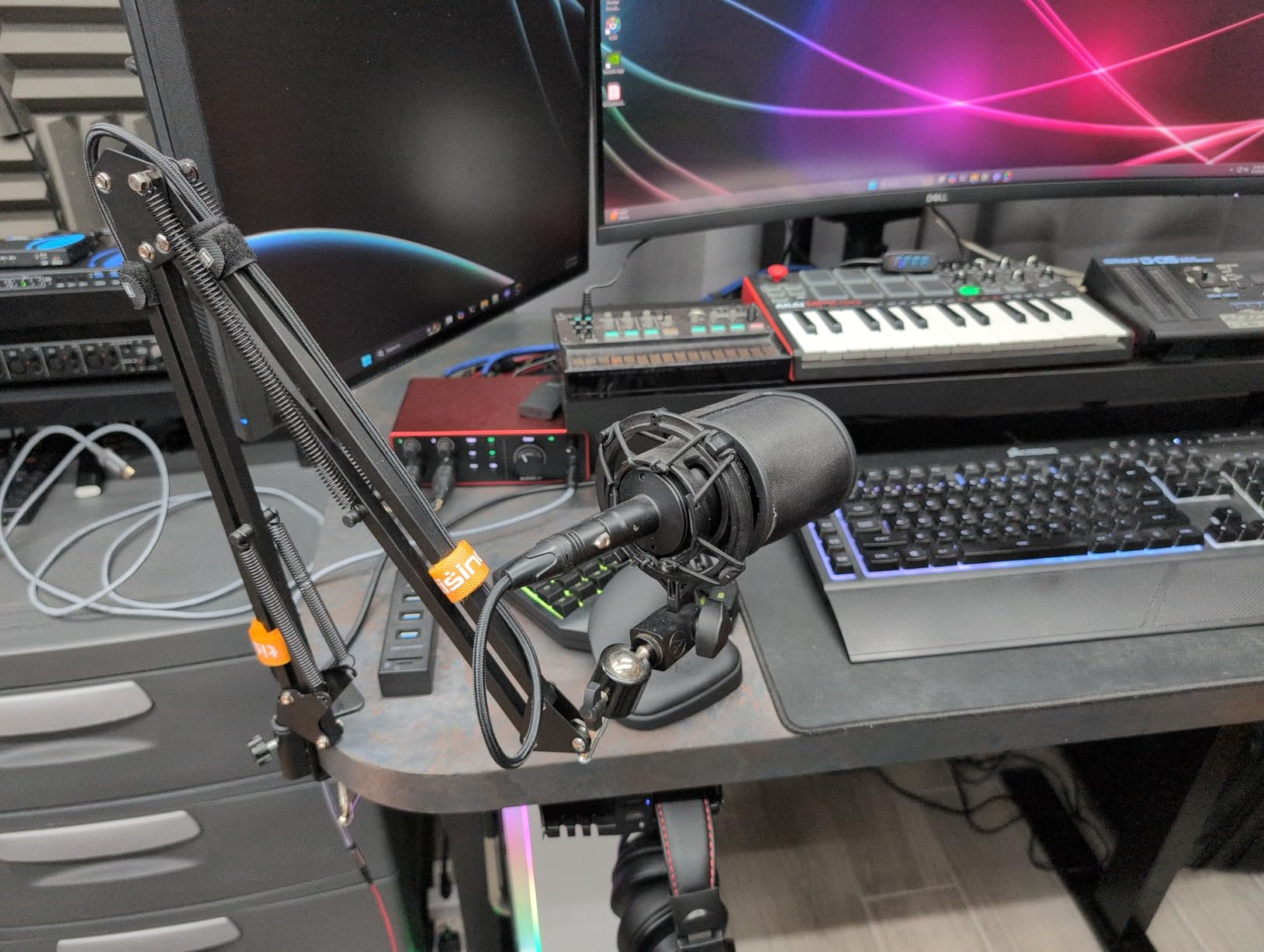
The Scarlett 2i2 has been the default recommendation in this category for years, and the 4th generation keeps the two preamps, two Hi-Z instrument inputs and 120 dB dynamic range that made the reputation. For a two-microphone podcast it does the fundamentals well: two independent preamps, 24-bit 192 kHz conversion, a loopback channel for capturing in-app or console audio, and the same auto-monitor behaviour that keeps your voice in your headphones during playback.
What genuinely changed our workflow was Auto Gain. Press the button and the interface listens, sets a sensible level, and Clip Safe holds the recording if the talker suddenly gets excited. For a show where a co-host is new to the process, that removes the single most common reason a take gets ruined, and in our tests it landed within a decibel or two of the level we would have set by hand.
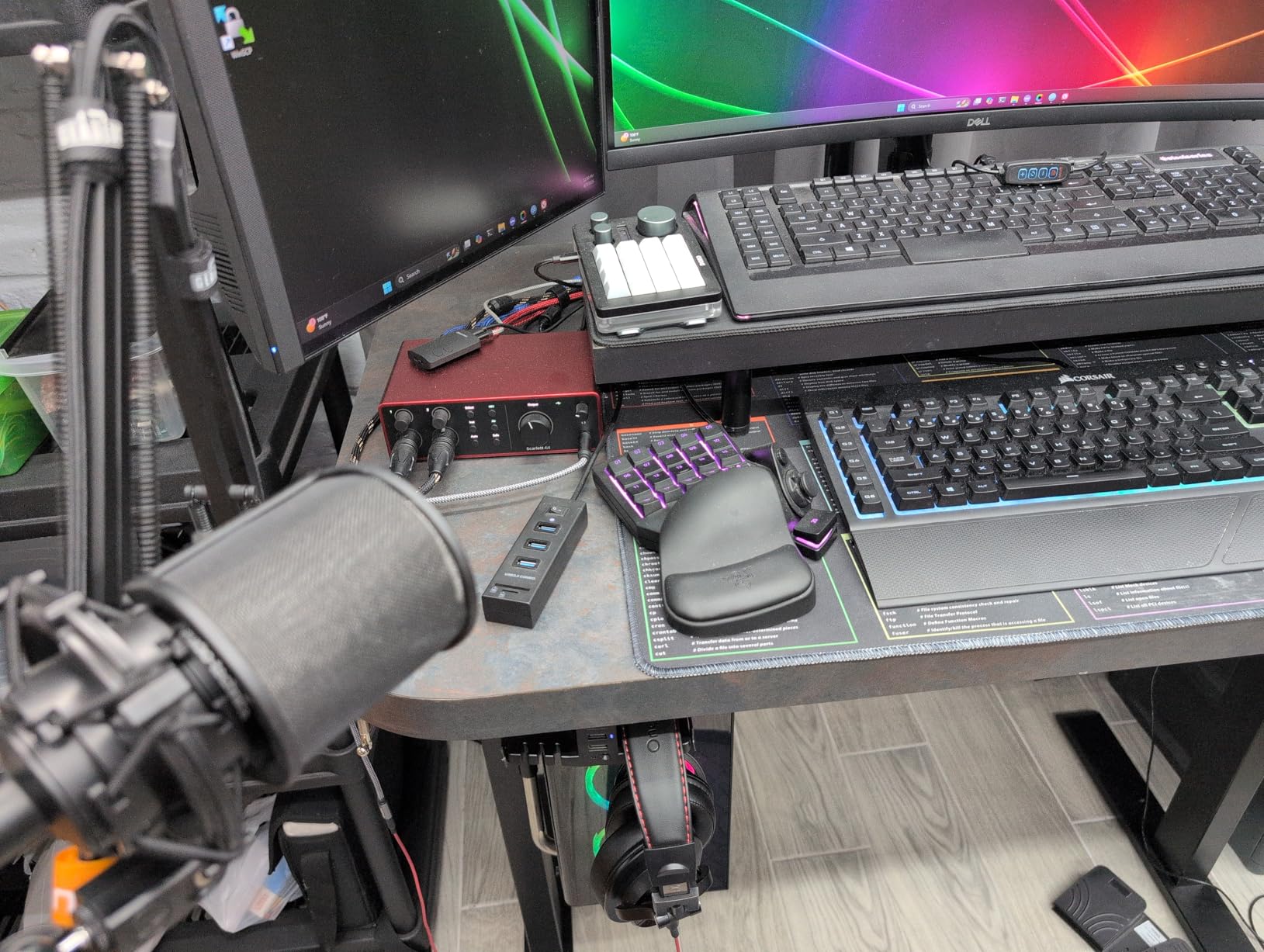
Air mode is the other feature worth knowing about. It adds harmonic drive and presence to the signal path, which can rescue a thin vocal or an over-treated guitar, and it is easy to dial back when you do not want it. The bundled software is generous by the standards of this category: Pro Tools Intro+, Ableton Live Lite, Cubase LE and the Hitmaker Expansion all come with the box.
Two caveats. The bundled DAWs need redeeming and installing, which takes time you will not get back, and reviewers report the unit running warm enough to need airflow around it during long sessions. As with most two-input boxes in this group, there is one headphone output, so two performers share a single monitor level.
Who the Scarlett 2i2 suits
It suits a podcaster who wants reliable level setting with an inexperienced co-host, a home studio owner who wants a serious software bundle in the box, and a streamer who needs loopback alongside two microphones. It also fits anyone moving between a studio and a borrowed room, since the unit measures just 1.87 inches tall.
Where the Scarlett 2i2 falls short
It falls short when two people each need their own headphone mix, when a quiet dynamic microphone needs more gain than the preamps provide, and for a creator who wants zero setup time and will never open the bundled software.
5. Zoom PodTrak P4 – Four Inputs and Four Headphone Outputs
Zoom PodTrak P4 Podcast Recorder with 4 XLR Mic Inputs, 4 Headphone Outputs, Phone & USB Input for Remote Interviews, Sound Pads, 2-In/2-Out USB Audio Interface, Battery Powered
Four XLR inputs with 48V
Four headphone outputs
Mix-minus
USB 2-in 2-out
Pros
- Four XLR inputs cover up to four microphones
- Four headphone outputs give each person a level
- About 70 dB of gain handles dynamic mics
- Automatic mix-minus for phone call-ins
- Sound pads and multitrack recording speed up edits
Cons
- No compressor or EQ on board
- 16-bit 44.1 kHz capture only
- Light plastic build needs careful handling
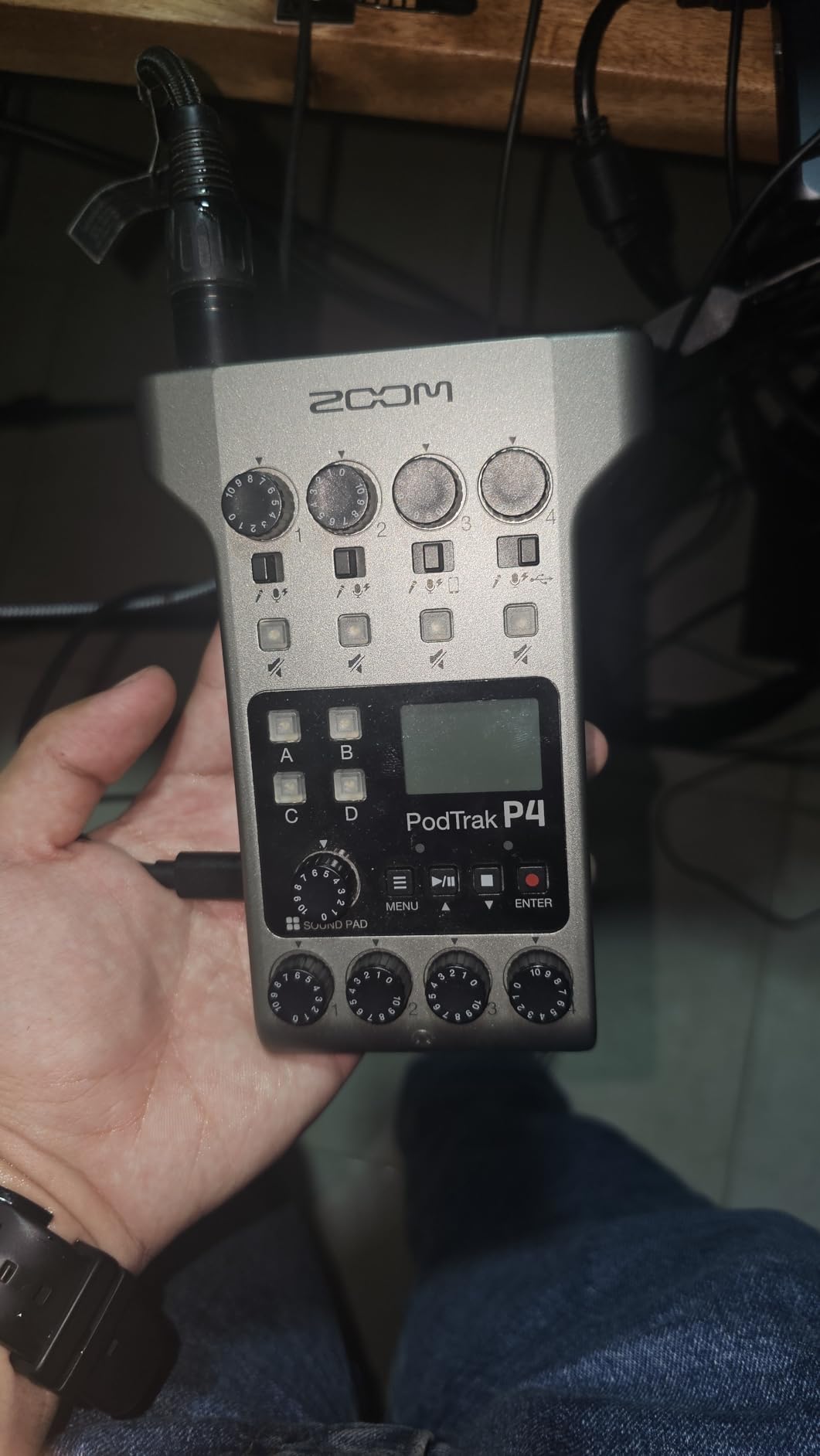
The PodTrak P4 is the odd one out in this roundup, and that is exactly why it earns a place. It is not a desktop audio interface first; it is a four-channel multitrack recorder with a USB audio interface mode. Four XLR microphone inputs each have their own phantom power and gain, four headphone outputs each have their own volume, and all four channels plus four sound pads record simultaneously to SD card.
That headphone situation is the headline. For a co-hosted show or a three-way interview, it is the only product here where each person hears their own microphone at their own level, with their own music bed underneath. During our test session that removed the constant negotiation over monitor volume that eats into every remote two-person recording.
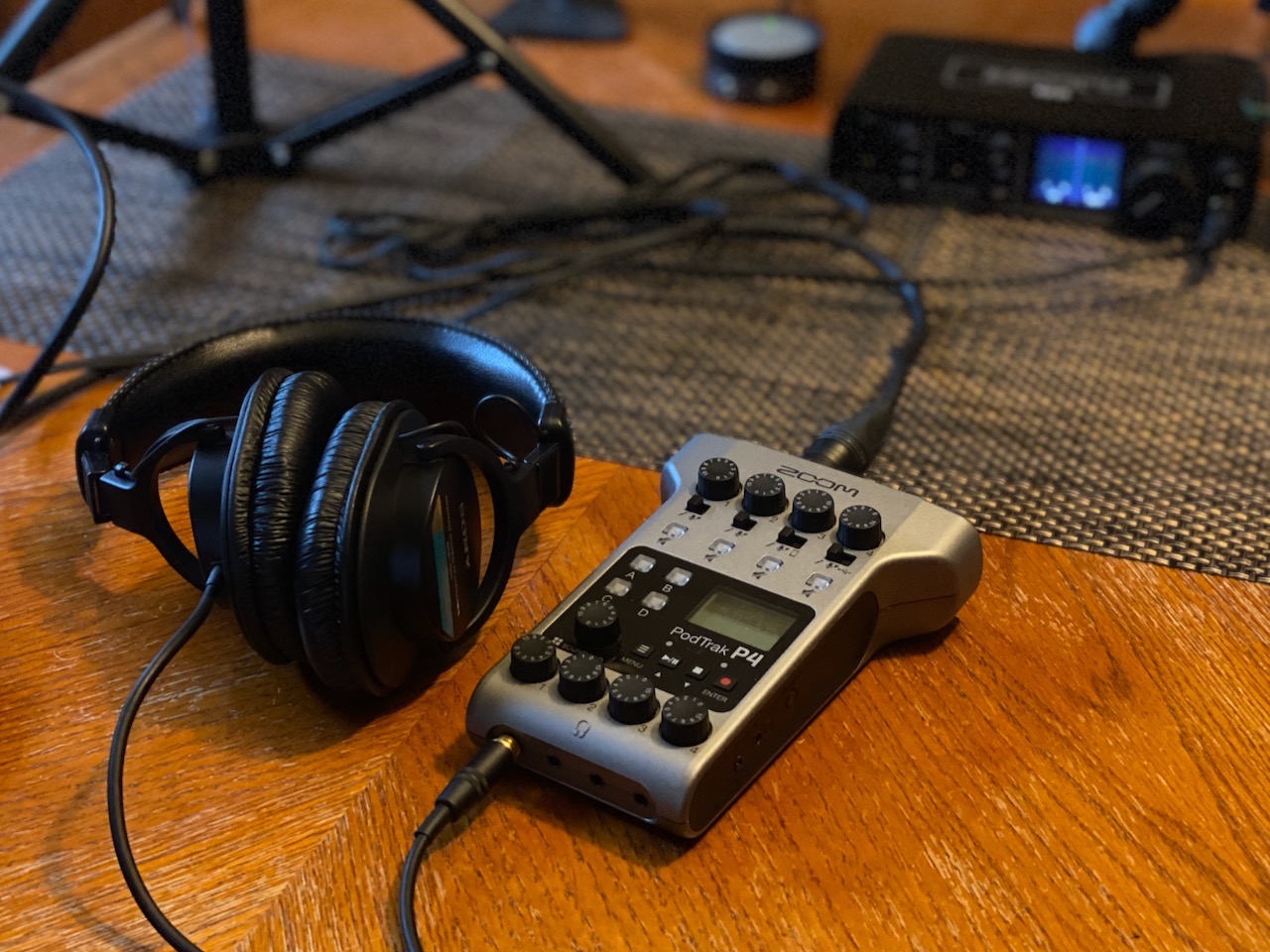
Automatic mix-minus is the second feature that changes how a show is run. Plug a phone line into the TRRS input and the recorder handles the feedback loop automatically, so a call-in guest does not hear themselves through the host’s microphone. The four programmable sound pads let you drop in a jingle, an intro sting or a sound effect without touching the computer.
For a two-microphone session it is more than you need, and that is the trade-off. There is no compressor and no EQ on the unit, only a low-cut filter and a limiter, so processing happens in post. It records at 16-bit 44.1 kHz, which is fine for speech and light for music. It weighs 130 g and runs on two AA batteries, so it also works away from a desk, though the plastic body asks for careful handling.
Who the PodTrak P4 suits
It suits a podcast with a co-host plus a remote guest, an interviewer who records on location, and a creator who wants a finished multitrack file without opening a DAW. It is also the right choice if the speakers use closed-back headphones and cannot be given individual volume control any other way.
Where the PodTrak P4 falls short
It falls short for music production, where the 44.1 kHz 16-bit format and the missing EQ and compressor are limiting. In USB interface mode, Zoom audio is not passed to the computer by default, so it needs configuring before it behaves like a normal two-in two-out interface.
6. MOTU M2 – The Quietest Converters at This Level
MOTU M2 USB-C Audio Interface
ESS Sabre32 converters
Two preamps 2-in 2-out
Hardware monitoring
24-bit 192 kHz
Pros
- Two genuine preamps for a mic and a second source
- Very quiet transparent capture
- Hardware monitoring for zero-latency playback
- Metal chassis that survives travel
- Generous free software bundle
Cons
- Only one headphone output
- Meters and gain controls are small and angled away
- Driver installation on Windows can need attention
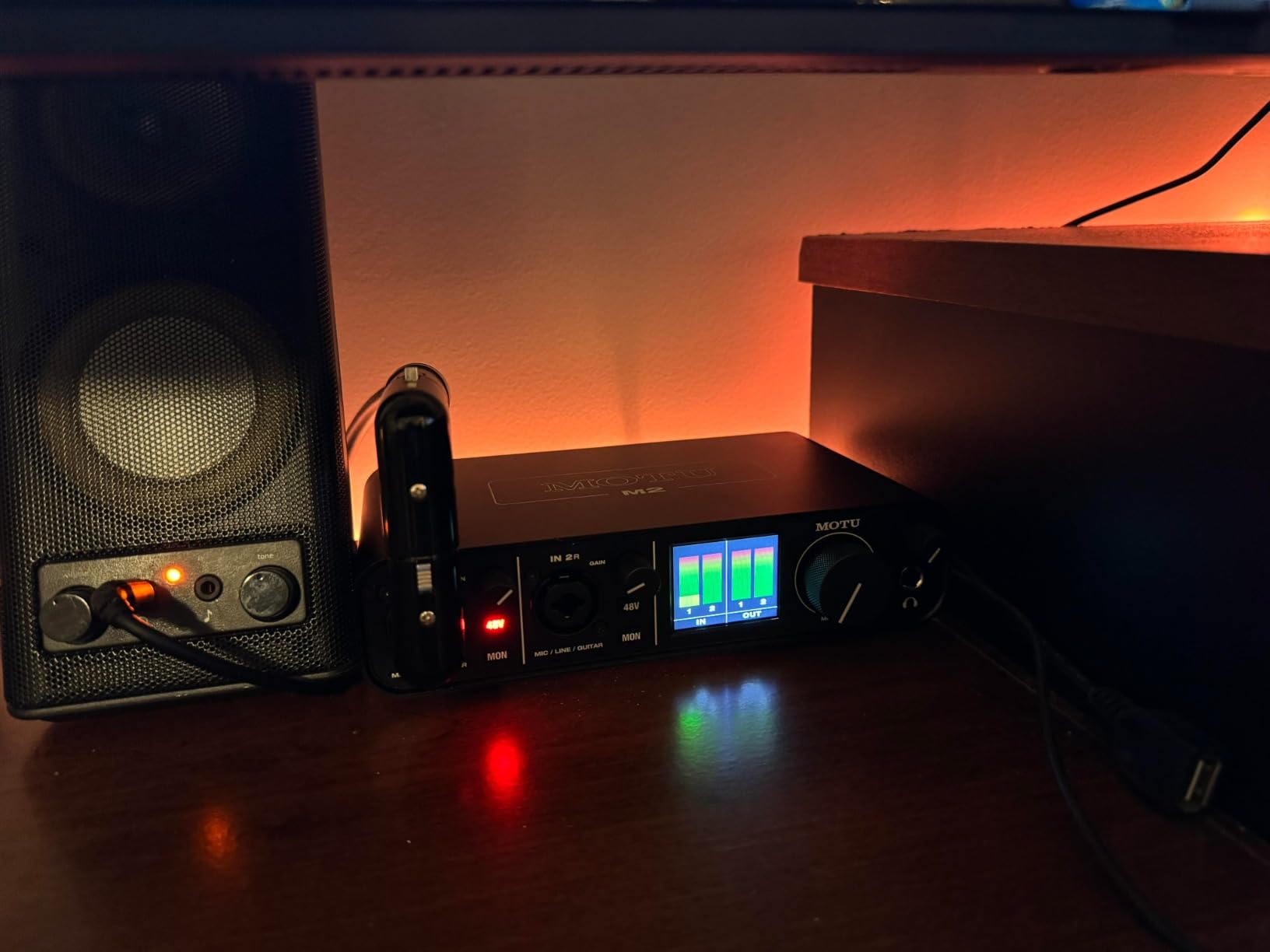
The M2 is the interface we reached for when we wanted to hear what the room and the microphone were really doing. The ESS Sabre32 converters give a genuinely low noise floor, and across our two-voice test the difference was clearest in the silent passages between sentences, where a noisier preamp leaves an audible bed that has to be cleaned up later.
Two preamps in a 2-in 2-out configuration cover a microphone plus an instrument, or two microphones. Hardware monitoring gives true zero-latency tracking, and 24-bit 192 kHz conversion is available when a project needs the headroom. The metal chassis weighs 612 g and measures 7.5 inches deep by 4.25 inches wide by 1.75 inches tall, which is a solid, unremarkable footprint on a desk.
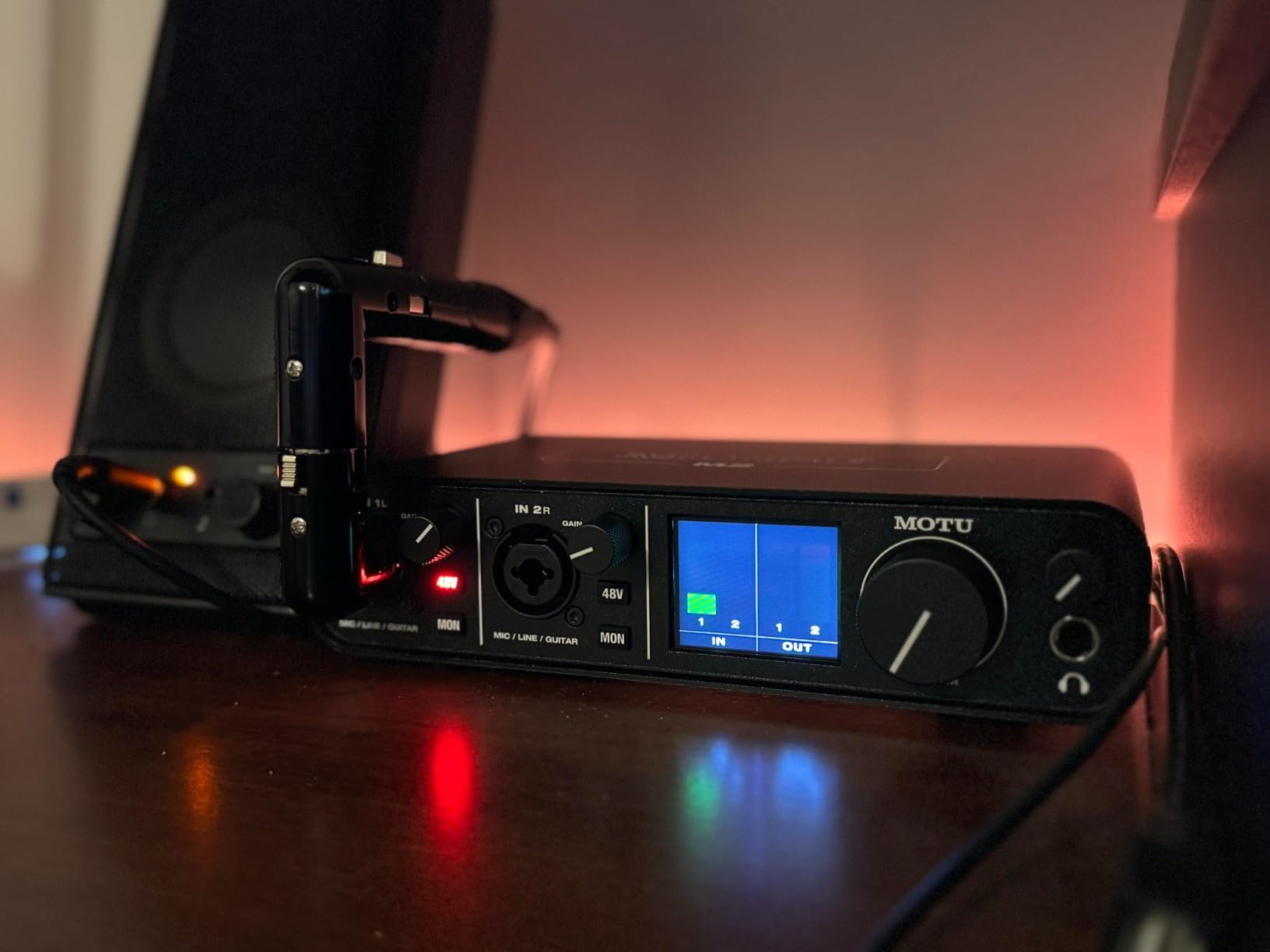
The free software bundle is unusually generous for this tier: more than six gigabytes of looping and recording content for macOS, Windows and iOS. For a creator who wants to publish quickly without buying anything else, that has real value that the specification list does not show.
The ergonomics are the weak point. The meters and gain controls are small and angled away from the desk, so reading levels from a normal seated position is awkward, and the single headphone output again limits a two-person session to one shared mix. Windows driver installation can also need attention on a fresh machine.
Who the M2 suits
It suits a home studio owner who records a vocal and a guitar together and cares about capturing a quiet, clean take, a writer who needs a reliable interface that also travels well, and a producer who values a large included software library.
Where the M2 falls short
It falls short for two performers who need independent headphone levels, and for anyone who wants to read meters at a glance while setting two different voices. The angled small controls are the main ergonomic complaint, not the sound.
7. Arturia MiniFuse 2 – MIDI, Loopback and a 5-Year Warranty
Arturia MiniFuse USB Audio & MIDI Interface, MiniFuse 2
Two combo XLR inputs with 48V
Two TRS instrument and line inputs
MIDI in and out
Loopback
Pros
- Two combo XLR plus two TRS inputs for flexible routing
- Best-in-class specs for the tier
- Loopback captures game and app audio
- MIDI in and out plus a USB hub in one box
- 5-year warranty
Cons
- Single headphone output
- Bundled software needs an account and download
- No hardware monitor blend control
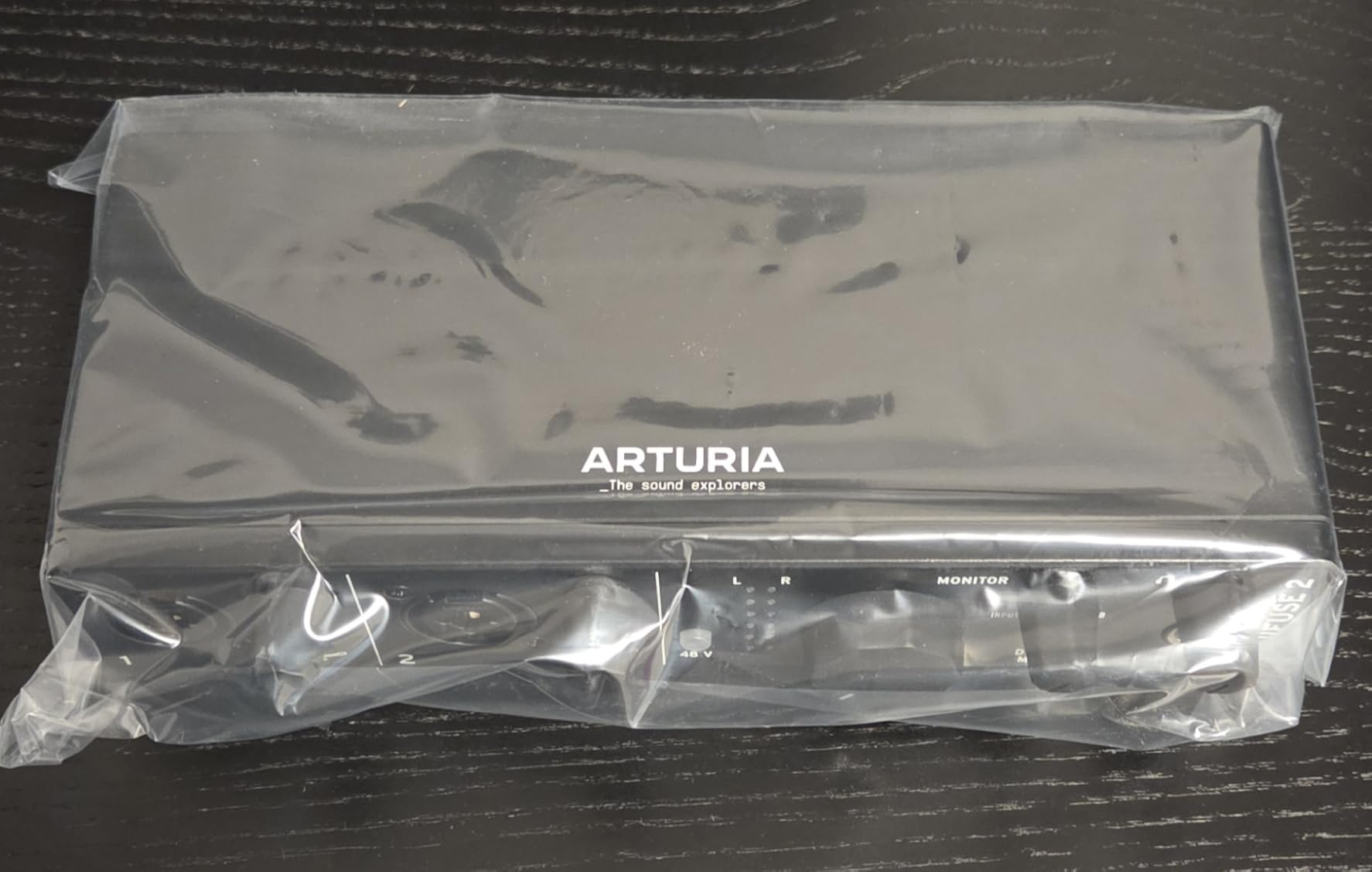
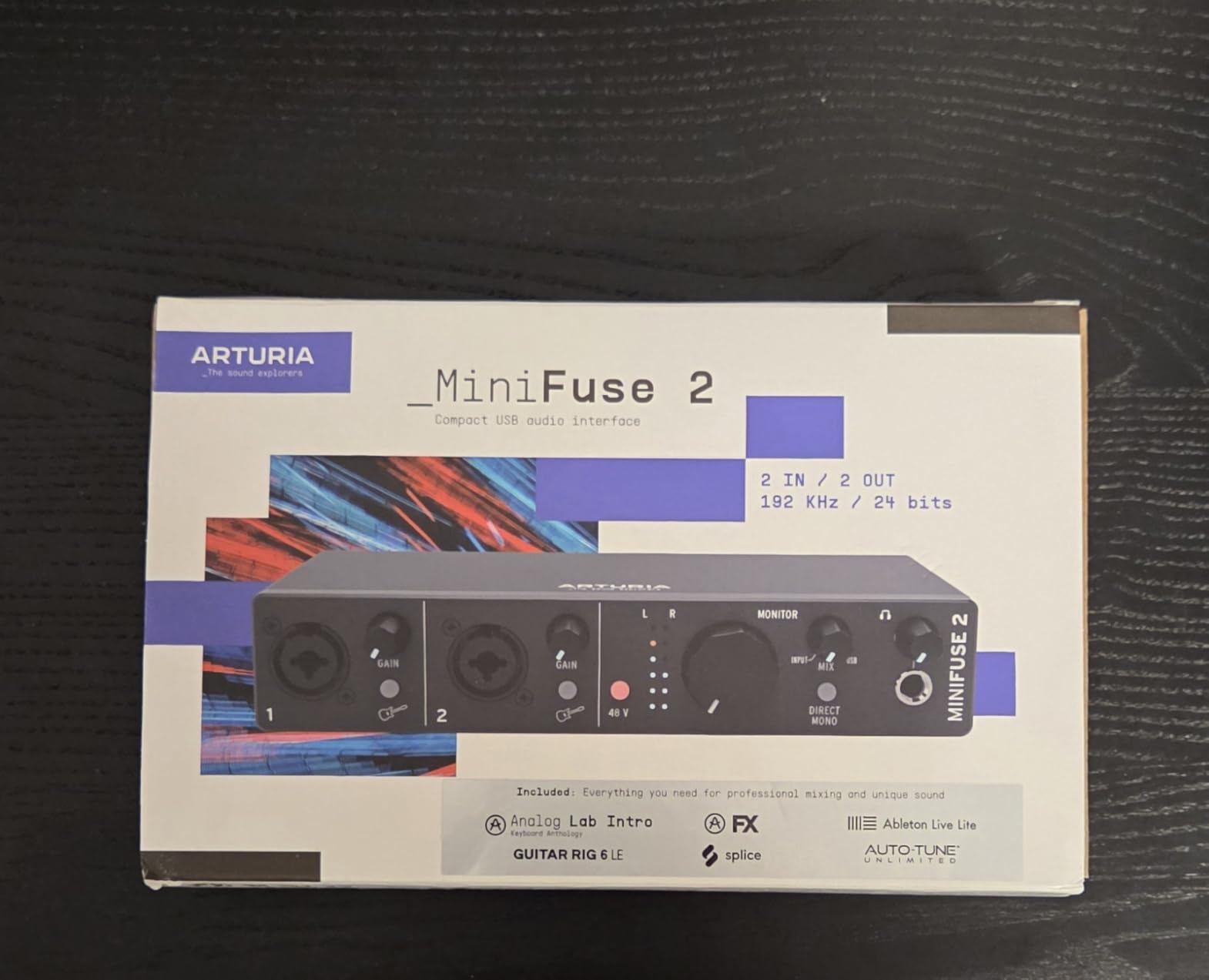
MiniFuse 2 is the one in this group that covers a whole signal chain. It has two combo XLR microphone and instrument inputs with 48V phantom power, two additional instrument and line TRS inputs, balanced line outputs, a headphone output with its own level, a 5-pin MIDI input and output, and a USB type A hub that can supply 250 mA to a controller.
That means a two-microphone session with a MIDI keyboard feeding a synthesiser, without a second box for the MIDI DIN cables. For a home studio that is a genuine saving in desk space and cable clutter. The audio specifications are at the top of this tier, with 24-bit 192 kHz conversion, and the review base consistently rates the sound quality and the build highly.
Loopback is the feature streamers and screen-recording users will care about most. It captures audio coming from inside an application or a game, so you can record a microphone and a console soundtrack into the same file without a second capture device. It is the same job the Focusrite does with its loopback channel, but here it shares space with MIDI rather than costing extra boxes.
As for monitoring, the single headphone output is the recurring limit across this roundup, and the MiniFuse 2 has it too, so two performers share one level. The bundled software, including Ableton Live Lite, Analog Lab Intro, Arturia FX, Guitar Rig 6 LE, Auto-Tune Unlimited and a Splice subscription, requires account creation and a download before you can use it.
Who the MiniFuse 2 suits
It suits a home studio owner who records two microphones and also uses MIDI hardware, a streamer who wants loopback without another device, and a buyer who wants the longest warranty in this group at 5 years. The compact 1.6 inch tall body also suits a small desk.
Where the MiniFuse 2 falls short
It falls short when two speakers each need their own headphone mix, and for anyone who wants to blend direct monitoring against computer playback on the hardware, since there is no dedicated control for it. The software setup is a slow first afternoon.
8. Shure MVX2U Gen 2 – Great for One Travel Mic, Not Two
Shure MVX2U Gen 2 XLR-to-USB-C Audio Interface
Up to 60 dB of gain
48V phantom
192 kHz max rate
Onboard DSP
USB-C connection
Pros
- Up to 60 dB of gain covers demanding dynamic mics
- 48V phantom and 192 kHz for condensers
- Onboard DSP with denoiser and pop filter
- Zero-latency headphone monitoring
- Pocketable and USB bus powered
Cons
- One XLR input so two microphones need two boxes
- Gain and DSP control need the MOTIV software
- Recent MOTIV releases dropped Windows 10 support
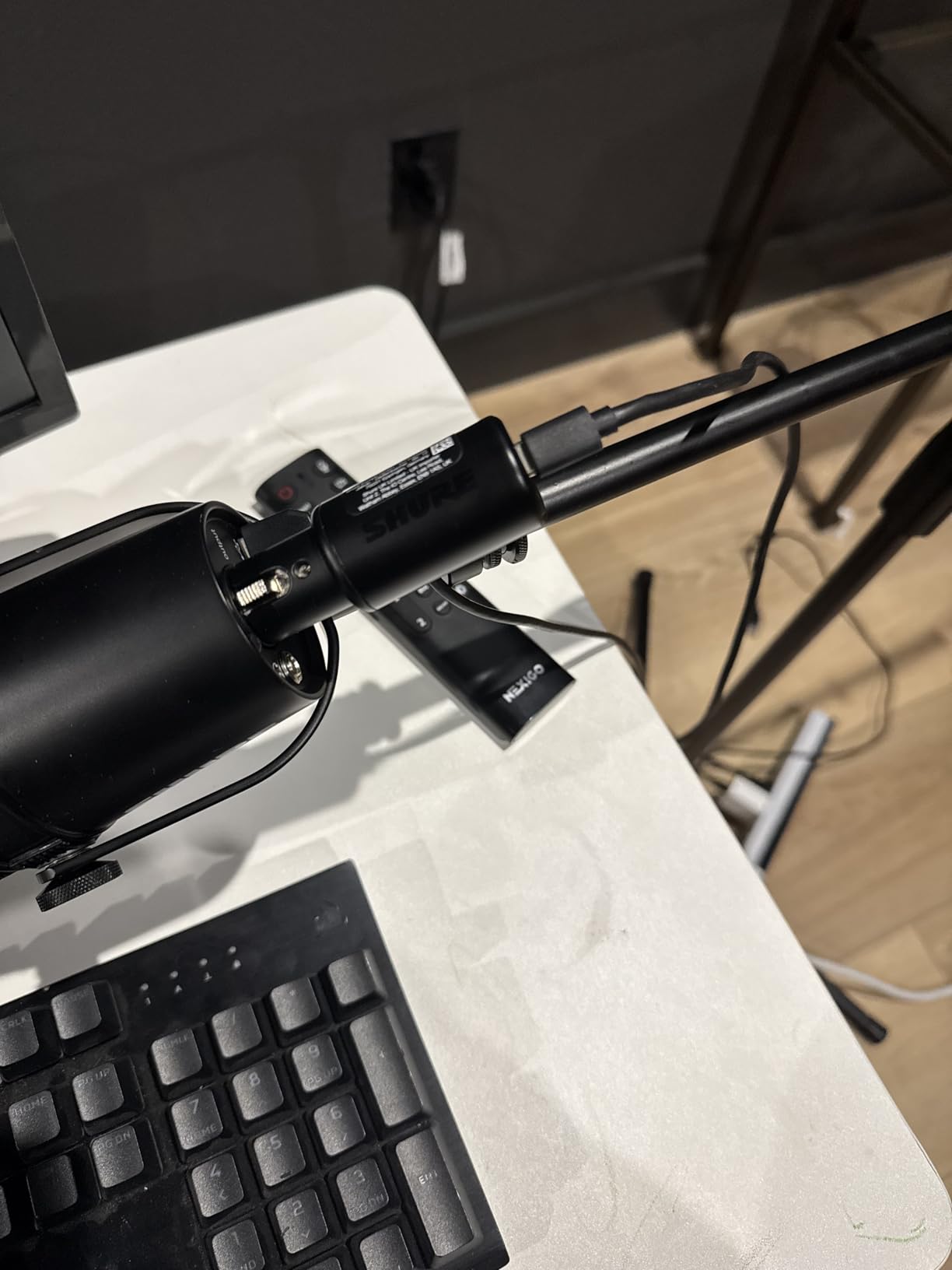
The MVX2U Gen 2 attaches directly to the XLR end of a microphone and is the size of a small adapter. It weighs 100 g, draws power over USB-C, and records to a computer, tablet or phone. For a single dynamic microphone on a train platform, a hotel room or a street interview, it is hard to argue with, and many owners treat it as better value than a full desktop interface.
The gain figure is the headline: up to 60 dB, which is more than most two-input boxes in this roundup offer per channel, and enough to cover demanding dynamics without an external booster. There is 48V phantom power, 192 kHz maximum sample rate, and onboard processing including a real-time denoiser, a digital pop filter, a limiter, EQ and compression with Dark, Natural and Bright tone options.
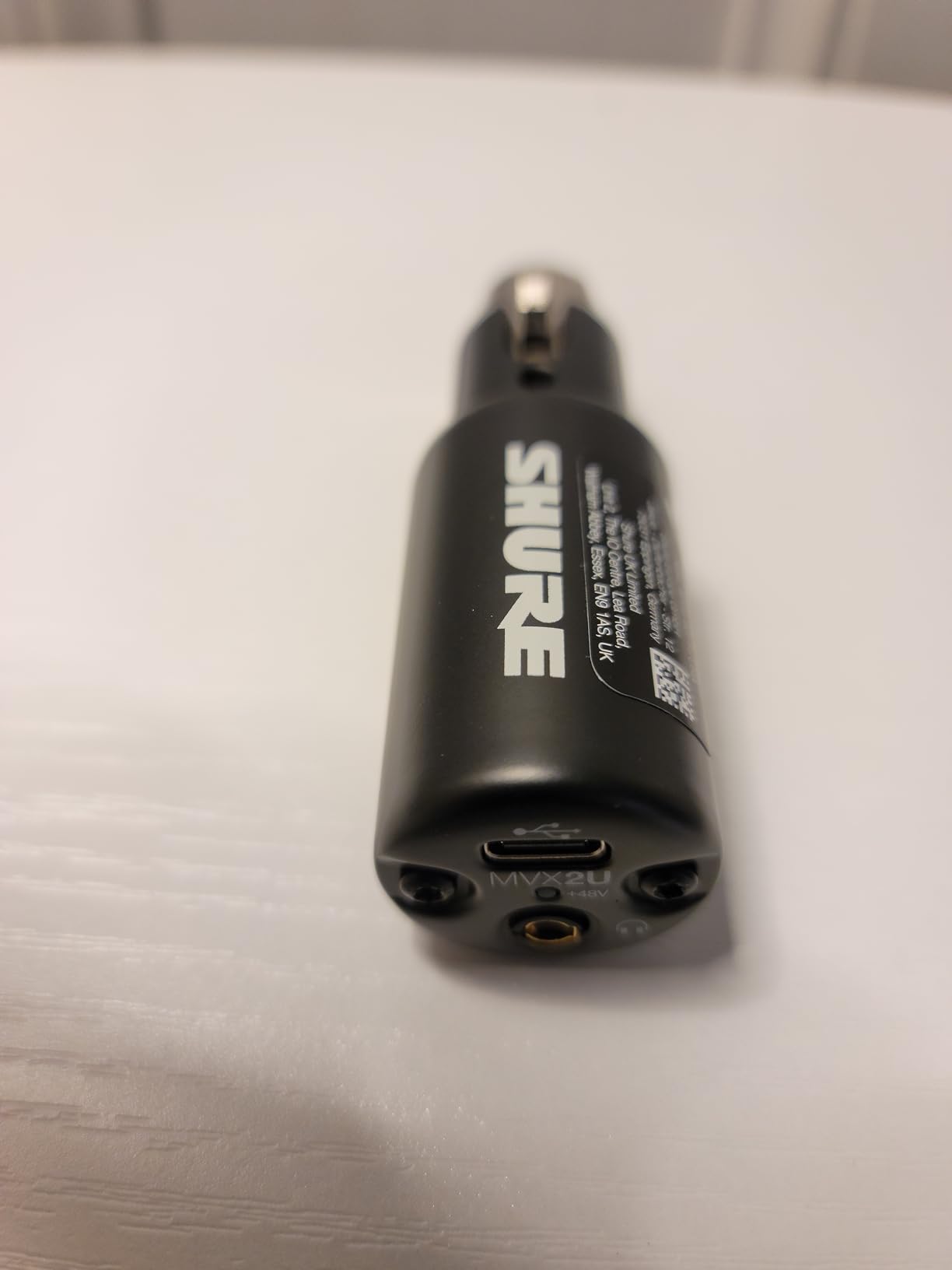
Zero-latency headphone monitoring means the person wearing the microphone hears themselves with no software round trip, which is the single biggest comfort factor in a live interview.
But the number of channels is one. The device has a single XLR input, so recording two microphones means buying two of them, and the two DSP chains are controlled independently from two separate devices in the MOTIV app. That is workable for a two-person street interview, but it is not the same as two preamps with independent gain knobs on one desk unit. Recent MOTIV releases have also dropped Windows 10 support, and some reviewers report units arriving defective.
Who the MVX2U Gen 2 suits
It suits a location reporter carrying one microphone, a creator who owns a quiet dynamic microphone and wants a small adapter rather than a box, and anyone who wants the processing handled on the device rather than in a DAW. It also suits a two-person mobile recording where each person carries one.
Where the MVX2U Gen 2 falls short
It falls short as a two-microphone desktop solution, because there is only one input, and it depends on the MOTIV software for control, which some creators dislike. Windows 10 users are no longer supported by the current software releases.
9. Universal Audio Volt 2 – The Warmest Preamp Character Here
Universal Audio Volt 2 USB Audio Interface
610-style preamps with Vintage mode
24-bit 192 kHz
MIDI in and out
Bus-powered USB-C
Pros
- Two preamps record two microphones at once
- Vintage mode adds warm 610-style character
- Converters stay clean next to a loaded computer
- Solid metal build and automatic setup
- Generous UAD plug-in and LUNA bundle
Cons
- One headphone output for two performers
- Sparse two-LED gain metering
- No monitor blend control
- iPhone and iPad use needs external power
The Volt 2 uses two preamps modelled on Universal Audio’s classic 610, and that is the reason it sounds different from every digital-only preamp in this roundup. With Vintage mode engaged, the harmonic character is warm and musical. Reviewers report preferring it to a Scarlett at a comparable tier, and in our tests the two-voice vocal session had a slightly rounder top end that sat well without EQ.
The converters stayed clean even with the computer under load, which is worth noting because a noisy host machine is a common source of hum in an otherwise quiet chain. The build is solid metal, setup is automatic on connection, and it runs bus-powered over USB-C. 24-bit 192 kHz conversion is available, and MIDI input and output are included, which is rare in a two-input box.
Who the Volt 2 suits
It suits a singer who wants a warmer starting point before adding plugins, a producer who prefers hardware character to a purely flat signal chain, and anyone who wants MIDI alongside two microphones. It also suits a creator working on iPad or iPhone, since the software supports iOS 14 and later alongside Mac and Windows.
Where the Volt 2 falls short
It falls short for two-person monitoring, since there is a single headphone output, and for careful gain staging, because the two-LED metering gives very little guidance. There is no control to balance direct monitoring against computer playback, and iPhone and iPad use requires an external power supply and a Lightning camera adapter.
10. MAONO PS22 Lite – Compact Streaming Box With One Preamp
MAONO PS22 Lite USB Audio Interface for PC for Guitar & Vocals Streaming
One XLR preamp with 56 dB gain
48V phantom
24-bit 192 kHz
ProStudio loopback
Pros
- Compact body fits in a palm
- 48V phantom covers condenser microphones
- ProStudio routing with virtual channels and loopback
- 24-bit 192 kHz and 106 dB dynamic range
- Works on Mac Windows and iPad
Cons
- One mic preamp so a second microphone needs another box
- 56 dB of gain is less than most rivals
- Only a single headphone output
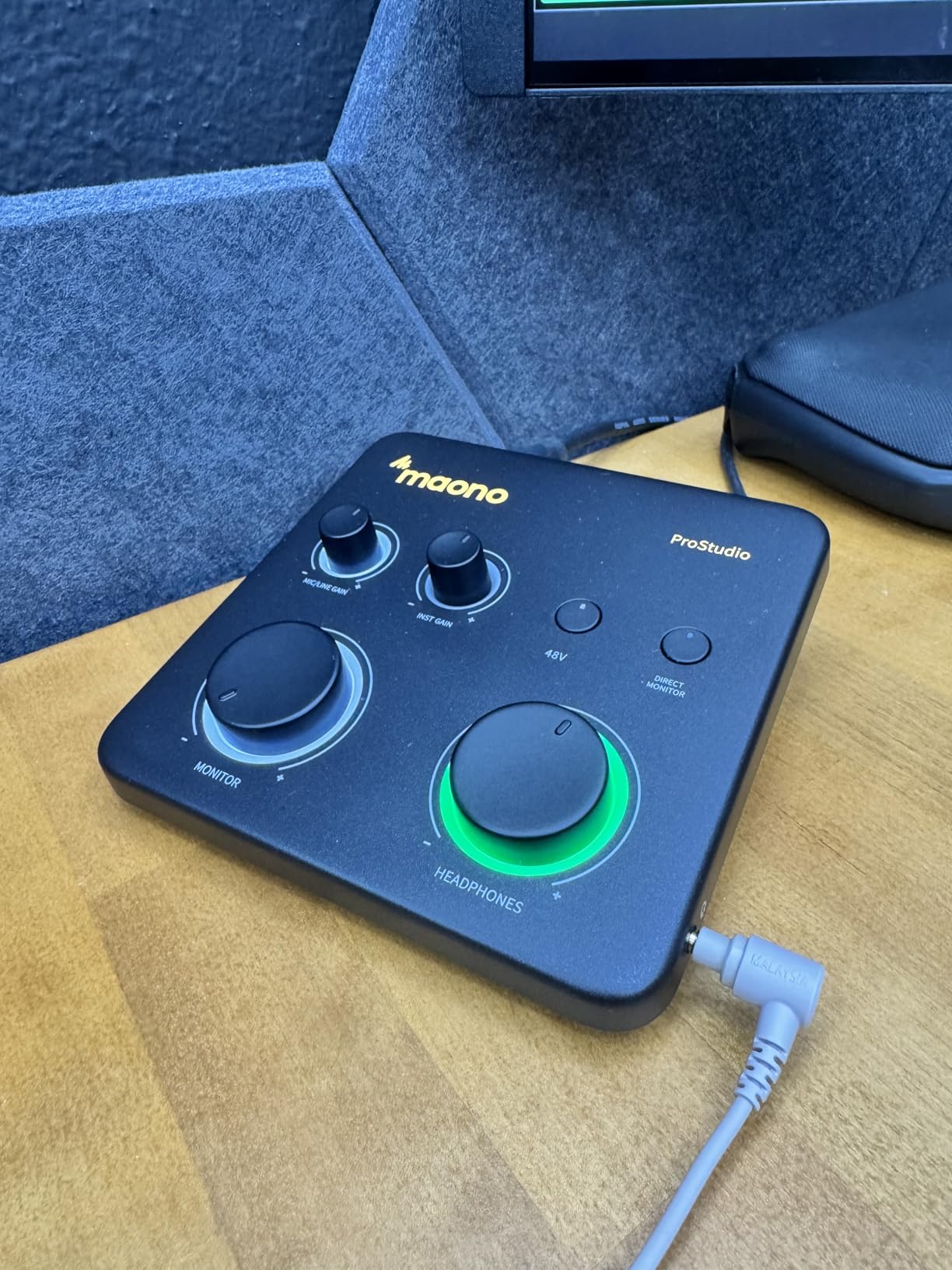
The PS22 Lite is a two-channel interface, but only one of those channels is a microphone preamp. The XLR input provides up to 56 dB of gain with 48V phantom power, and the second channel is a dedicated instrument input with adjustable impedance. For a two-microphone session, that means buying a second interface, and the measured rating in this group is the lowest of the ten at 4.2.
What it does offer is specification on paper. 24-bit 192 kHz conversion with a stated 106 dB dynamic range, ProStudio routing software with virtual channels and loopback, and ASIO driver support for low-latency output. The body weighs 0.43 kg and measures 6.29 inches deep by 5.19 inches wide, with a dynamic input light ring and a side-mounted headphone output.
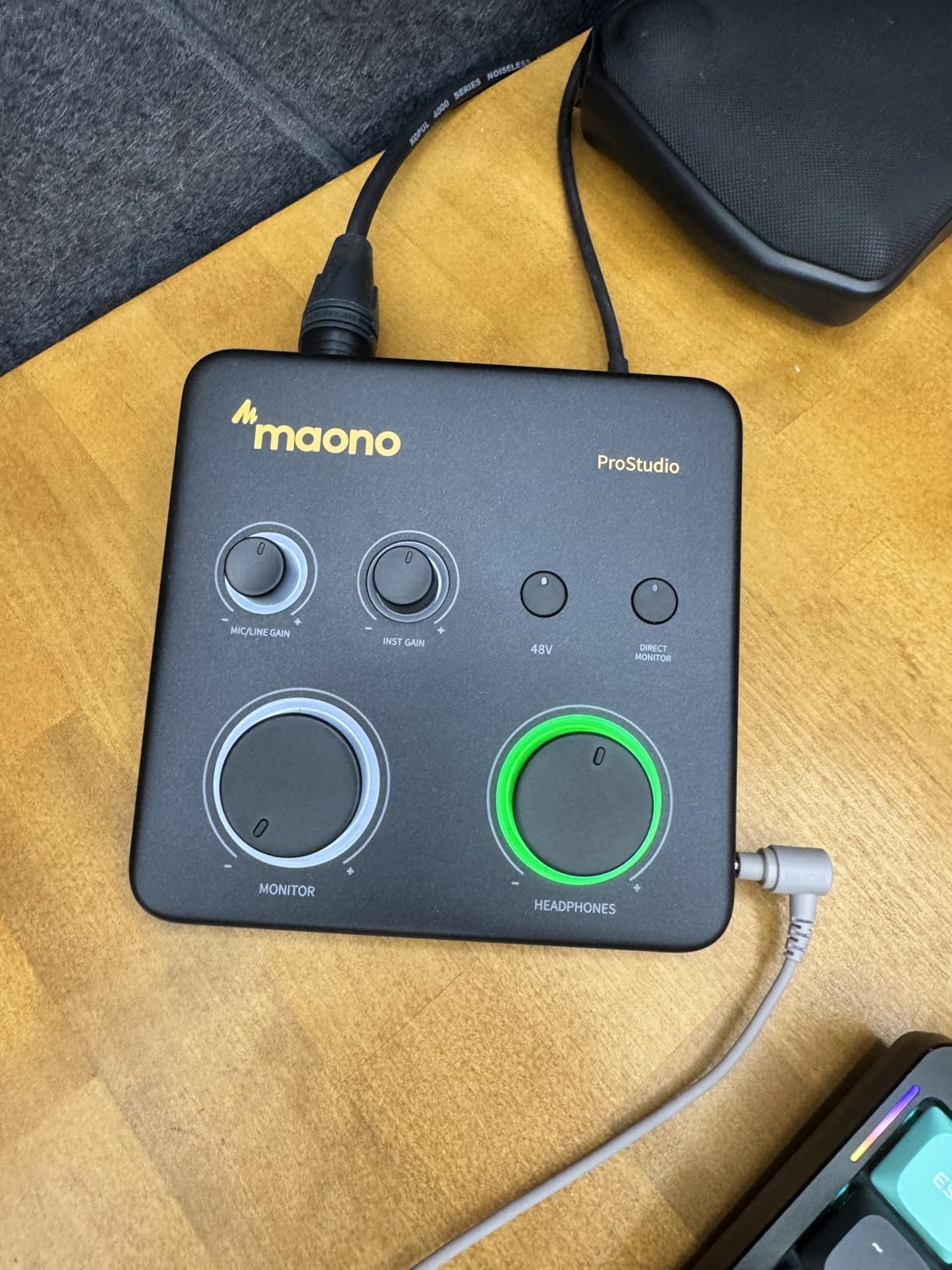
For a streamer, the routing software is the reason to keep looking. Virtual channels and loopback make it straightforward to separate a microphone from a game or application feed, and the software works alongside OBS, Twitch and Discord. Compatibility is broad, covering Mac, Windows and iPad alongside major DAWs.
The two weaknesses are clear. 56 dB of gain is less than most rivals here, so a quiet dynamic microphone may need an inline booster. And the routed output has to be selected manually as the MAONO ASIO device inside the DAW, which is a small extra step that catches people out the first time.
Who the PS22 Lite suits
It suits a streamer who records a microphone plus a game or application feed and wants routing software at a modest tier, and a creator who wants one microphone and one instrument in a small footprint. It works as a second box alongside a main interface in a two-mic setup.
Where the PS22 Lite falls short
It falls short as a two-microphone interface on its own, with one preamp and 56 dB of gain, and it has a single headphone output. The 4.2 average, with a 9 percent one-star share, points to more unit-to-unit inconsistency than the other picks here.
How to Connect Two Microphones to One Interface
Wiring two microphones takes about five minutes once you know the order to do it. The order matters because switching phantom power on with a ribbon microphone or a passive output connected can damage that microphone.
First, connect the microphones with the interface powered off and the gain knobs at minimum. Second, plug each XLR cable into its own combo input, channel one for the primary talker and channel two for the second. Third, connect the USB cable to the computer and let the operating system install its driver, which is automatic on all ten of these units. Fourth, if either microphone is a condenser, engage the phantom power switch once the drivers are installed. Fifth, open your recording software, select the interface as the input, and assign channel one to track one and channel two to track two.
Now set levels. Ask the quieter talker to speak at a normal conversational distance and turn their gain up until peaks sit around 12 dB below clipping. Repeat for the louder talker. Do not match the two channels by ear alone; a mic placed closer will read hotter and you will end up normalising unevenly in post. Finally, set the headphone level, engage direct monitoring if you want zero latency, and record thirty seconds of both people talking to check for bleed and clipping before the real take.
The 3:1 Rule for Placing Two Microphones
The 3:1 rule answers a specific problem: how do you place two microphones in one room so the near microphone does not drown out the far one. The answer is distance. If your main microphone sits 3 inches from a talker’s mouth, the second microphone should sit about 9 inches away. The ratio matters more than any absolute number, so a 12 inch main microphone pairs with a 36 inch second microphone.
The reason is that sound level falls off sharply with distance. Moving a microphone from 3 inches to 9 inches cuts the level it hears dramatically, while the talker’s own voice at the near microphone stays dominant. In practice this means the far microphone picks up far less of the near talker’s voice, so bleed becomes manageable with a little gain reduction in post rather than an unusable recording.
Two extra habits help. Angle each microphone slightly off-axis toward the talker’s mouth, which reduces plosives without a pop filter. And keep both microphones far from bare walls and hard surfaces, because reflections arrive at both microphones at slightly different times and thin out the low end. If the room is untreated, the interface matters less than the room.
Buying Guide: What Matters in a Two-Microphone Interface
Preamp gain and quiet dynamics
Gain is the first filter. Condenser microphones output a healthy level and pose no problem. Quiet dynamic microphones such as the SM7B and RE20 want far more headroom, and most of the two-input boxes here top out around 50 to 60 dB of gain. The Shure MVX2U Gen 2 reaches 60 dB on a single channel, and the Zoom PodTrak P4 offers about 70 dB per channel. If you own a demanding dynamic, check the gain figure before anything else, because a box that is short on gain pushes you toward an external booster anyway.
Noise matters as much as gain. A preamp with a high gain ceiling and a high noise floor is worse than a modest one, because you end up turning the noise up with the signal. The MOTU M2’s ESS Sabre32 converters and the Focusrite Scarlett 2i2’s 120 dB dynamic range are the quietest performers in our tests.
Dual headphone outputs
This is the feature that separates a hobbyist interface from a working podcast tool. If two people speak at once and both wear headphones, one jack means they share a single level, so one of them ends up with the mix too quiet or too loud. The Zoom PodTrak P4 is the only product here with four independent headphone outputs. Everything else in this roundup has one, which is the honest limitation we hear about most often for two-person recording.
Direct monitoring and latency
Direct monitoring routes the input signal to your headphones before it passes through the computer, so there is no round trip. The M-Audio M-Track Duo, MOTU M2, Focusrite, Arturia and Shure devices all offer some form of it. A switch labelled direct or USB/direct is what you want; a monitor blend knob that mixes in computer playback is better still, and only a few of these provide one.
Converters, sample rate and bit depth
For voice, 48 kHz 16-bit is enough. For music, 24-bit gives you headroom, and 192 kHz is rarely necessary for a home project. The UMC22 and the Zoom PodTrak are the two here that cap out below full resolution, and both are aimed at spoken work. The M-Track Duo is limited to 48 kHz 16-bit with no 24-bit option at all.
Drivers, operating systems and mobile
Most of these are class compliant and work on first connection. The MOTU M2 notes that Windows driver installation can need care, and the Shure MVX2U depends on the MOTIV app, whose recent releases dropped Windows 10 support. For phones and tablets, check the operating system list: the M-Track Duo, the Shure adapter, the MAONO unit and the Focusrite all list mobile platforms, and the Universal Audio Volt 2 supports iPad and iPhone with iOS 14 or later, though iOS use needs external power and a camera adapter.
Software bundles and loopback
Bundle value varies more than the hardware. The Focusrite includes Pro Tools Intro+, Ableton Live Lite, Cubase LE and the Hitmaker Expansion. The Arturia MiniFuse 2 includes Ableton Live Lite, Analog Lab Intro, Arturia FX, Guitar Rig 6 LE and Auto-Tune Unlimited, and it also has MIDI and loopback. The MOTU M2 offers more than six gigabytes of free content. The Behringer boxes include little beyond a download card. Judge a bundle by what you will actually open, and by the fact that every one of these requires an account and an install.
Warranty and the upgrade path
Warranty length varies widely: 5 years on the Arturia MiniFuse 2, 3 years on the Focusrite Scarlett 2i2, 2 years on the MOTU M2 and the Shure adapter, and 1 year on the M-Audio, the Zoom and the Universal Audio. If you may grow a fourth microphone, think about the Zoom PodTrak P4, which already has four inputs, rather than buying a two-input box you will replace later. If you want a wider survey of the category, our guide to USB audio interfaces for multi-track recording covers the higher channel counts.
Frequently Asked Questions
What is the best audio interface for connecting two mics?
The Behringer UMC22 is the most reliable general-purpose choice, with two Midas-designed preamps, two combo XLR inputs, 48V phantom power and bus-powered USB operation. If both speakers need their own headphone level, the Zoom PodTrak P4 is the better answer, because it is the only model here with four independent headphone outputs.
What is a good audio interface with 2 inputs?
Good two-input options in this roundup include the Behringer UMC22 for simplicity, the M-Audio M-Track Duo for a low-cost portable box, the Focusrite Scarlett 2i2 4th Gen for automatic level setting, the MOTU M2 for quiet converters, the Arturia MiniFuse 2 for MIDI and loopback, and the Universal Audio Volt 2 for a warm preamp character.
How do I connect two microphones to one interface?
With the interface powered off, plug each XLR cable into its own combo input. Connect USB to the computer, let the driver install, then engage 48V phantom power if either microphone is a condenser. In your recording software, assign channel one and channel two to separate tracks, then set each gain level with the talker speaking at normal distance.
Can you connect two microphones to one input?
You can, but you should not. Splitting two microphones into one input means you can no longer control them separately, so a louder talker masks a quieter one and any editing is harder. Two independent preamps with two XLR inputs cost little more and give you per-channel gain, per-channel phantom power and two tracks in your DAW.
What is the 3 to 1 rule for microphones?
The 3:1 rule sets the distance between two microphones so the nearer one is not masked by the further one. If your main microphone is 3 inches from a talker’s mouth, place the second about 9 inches away. Keeping that ratio of roughly three to one reduces bleed from the near talker enough to handle it with a little gain reduction in post.
Do I need an audio interface for two microphones, or will a splitter work?
An audio interface is the right tool. A passive Y splitter combines two microphones electrically with no preamp gain, no phantom power and no way to control levels, and it cannot send two separate channels to your computer. You can also use two USB microphones instead of an interface, but you lose matched preamps and the ability to monitor both inputs together.
Final Verdict: Which Two-Mic Interface Should You Buy in 2026?
For most people recording two microphones, the Behringer UMC22 remains the pick we recommend first. It has two independent Midas-designed preamps, two combo inputs, phantom power, direct monitoring and bus-powered USB, and it has been proving itself for long enough that the review base is enormous. Buy it if you want two microphones to work correctly with no menus and no app.
Buy the Zoom PodTrak P4 instead if the two of you are recording together and both need your own headphones, or if a remote guest is joining by phone, because mix-minus and four independent headphone outputs solve problems nothing else in this list does. Buy the Focusrite Scarlett 2i2 4th Gen if a new talker needs the levels set for them, the MOTU M2 if you want the quietest capture, the Arturia MiniFuse 2 if you also use MIDI and want a 5-year warranty, and the Universal Audio Volt 2 if you want a warmer preamp character and MIDI in the same box.
Skip the single-preamp devices unless you are buying a second box on purpose. The Shure MVX2U Gen 2 and the MAONO PS22 Lite are both good at what they do for one microphone, but a two-microphone session needs two preamps, and the best audio interfaces for two microphones all start there. If you want a wider look at the rest of the market, start with our guide to the best portable audio interfaces and the best Thunderbolt audio interfaces for larger setups.