
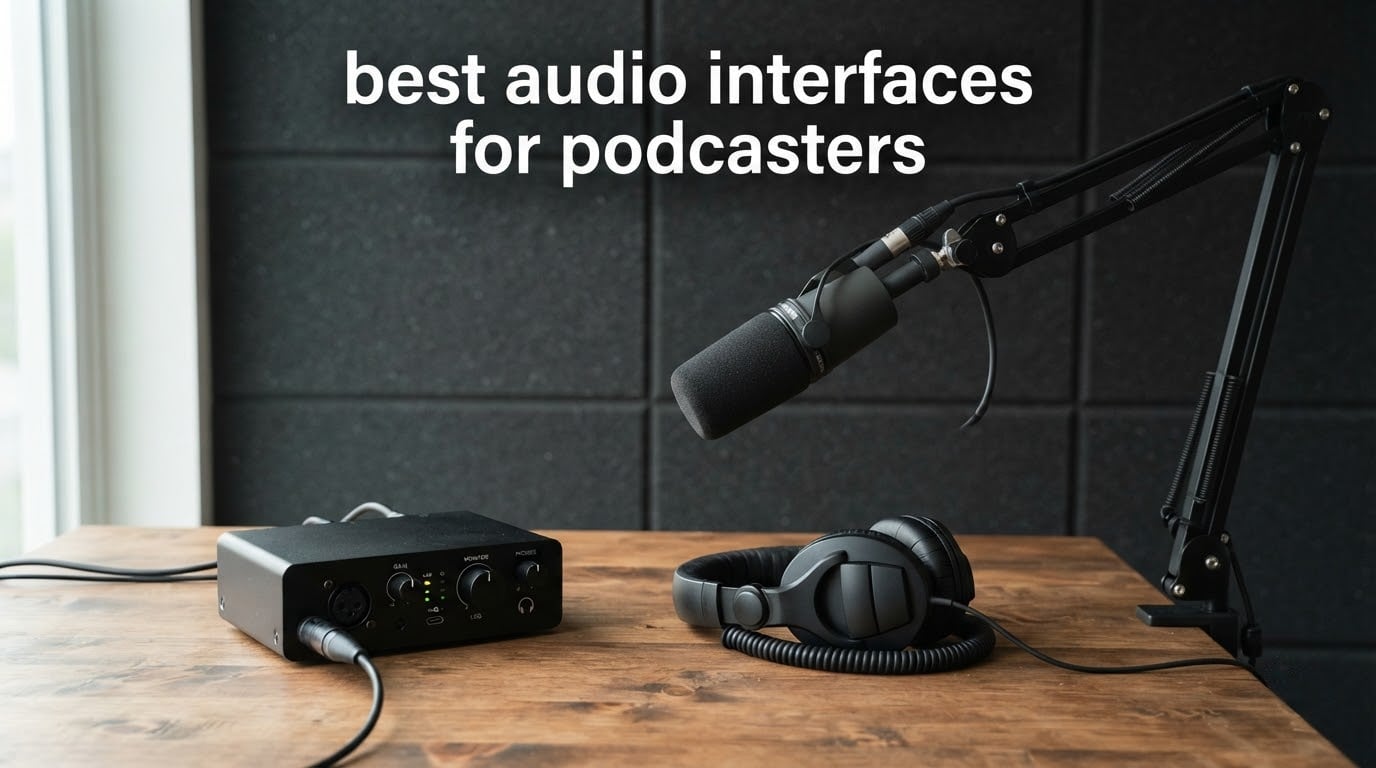
Podcast audio fails in predictable ways. The host sounds thin, the guest sounds like they are in a stairwell, and the whole episode gets buried under hiss nobody noticed until playback. Most of that comes down to one decision made on day one: which audio interface sits between the microphone and the computer.
The best audio interfaces for podcasters are not the ones with the longest feature lists. They are the ones that give a dynamic mic clean gain, deliver signal to your recording software without clicks and crackle, and let both speakers hear themselves without delay while they talk. Our team put ten of the most talked-about interfaces through the same voice tests over several weeks, and the differences in real speech came down to preamp noise, monitoring clarity and how many people you can record at once.
This roundup covers everything from a single-input box for a solo host recording an intro track to a four-input recorder built for a two-person show with a call-in guest. We looked at preamp quality, phantom power, sample rate and bit depth, latency, headphone output strength, and the small setup details that decide whether a beginner gets a usable first episode or gives up. Every rating and review count quoted here comes from the product record, and every product carries its own pros and cons.
If you want the short version, the Focusrite Scarlett Solo 3rd Gen is our top pick for most people, the M-Audio M-Track Duo is the cheapest way into two XLR inputs, and the Zoom PodTrak P4 is the one to buy when a second voice is in the room. We also break down the microphone pairings that work best with each one, so you can match the interface to the mic you already own or the mic you are about to buy.
Table of Contents
Top 3 Picks for Podcasters (October 2026)

Focusrite Scarlett Solo
- One XLR mic preamp with 56dB gain
- 24-bit/192kHz conversion
- Switchable Air mode

M-Audio M-Track Duo
- Two combo XLR inputs with phantom power
- USB/Direct zero-latency monitoring
- Works on Mac Windows iOS Android

Zoom PodTrak P4
- Four XLR inputs and four headphone outputs
- Automatic Mix-Minus for phone guests
- Records every speaker to a separate track
The Scarlett Solo wins on the things a podcast actually needs: a low noise floor, enough gain for a dynamic broadcast mic, and a headphone amp that does not choke on closed-back headphones. The M-Track Duo gets you two mic inputs instead of one for very little, which changes what a show can sound like. The PodTrak P4 is the only box here that treats a phone guest as a first-class part of the recording rather than an afterthought.
Best Audio Interfaces for Podcasters in 2026 at a Glance
| Product | Specifications | Action |
|---|---|---|
| Focusrite Scarlett Solo 3rd Gen |
|
Check Latest Price |
| M-Audio M-Track Duo |
|
Check Latest Price |
 Behringer UMC202HD Behringer UMC202HD |
|
Check Latest Price |
 PreSonus AudioBox 96 25th Anniversary PreSonus AudioBox 96 25th Anniversary |
|
Check Latest Price |
| Zoom PodTrak P4 |
|
Check Latest Price |
 MOTU M2 MOTU M2 |
|
Check Latest Price |
 PreSonus AudioBox GO PreSonus AudioBox GO |
|
Check Latest Price |
 Audient iD14 MKII Audient iD14 MKII |
|
Check Latest Price |
 Arturia MiniFuse 1 Arturia MiniFuse 1 |
|
Check Latest Price |
 MOTU M4 MOTU M4 |
|
Check Latest Price |
The table below covers all ten options in the order we rank them, with the microphone inputs, converters and monitoring features that actually matter for spoken word. Read the input count first. If you are recording alone, one XLR is genuinely enough, and buying two inputs you will never use is wasted money.
1. Focusrite Scarlett Solo 3rd Gen for Reliable Solo Recording
Focusrite Scarlett Solo 3rd Gen USB-C Audio Interface
1 XLR preamp plus Hi-Z input
24-bit/192kHz
56dB gain
Switchable Air mode
Pros
- Clean low noise preamps with plenty of gain headroom
- Recording-ready in minutes with no driver drama
- Compact metal chassis with Gain Halo metering
- Mac Windows and iPadOS compatible
- Pro Tools Intro and Ableton Live Lite included
Cons
- Only one mic preamp so two speakers are impossible
- Welcome and registration folder prompt on every connect
- Some Windows users hit driver setup friction
The Scarlett Solo 3rd Gen is the interface we keep handing to people who are recording their first ten episodes alone. It has one XLR mic preamp and one instrument input, 56 dB of gain, and converters that run to 24-bit/192kHz. There is no podcast-specific button anywhere on it, and that turns out to matter less than you would think once the noise floor is this low.
We paired it with dynamic broadcast microphones for most of our tests, and the headroom was never the issue. Gain Halos around the gain knobs light up before you clip, which is a small thing that saves a take every time. Air mode adds a brightness curve for anyone who wants a little more presence on a dark-sounding voice.
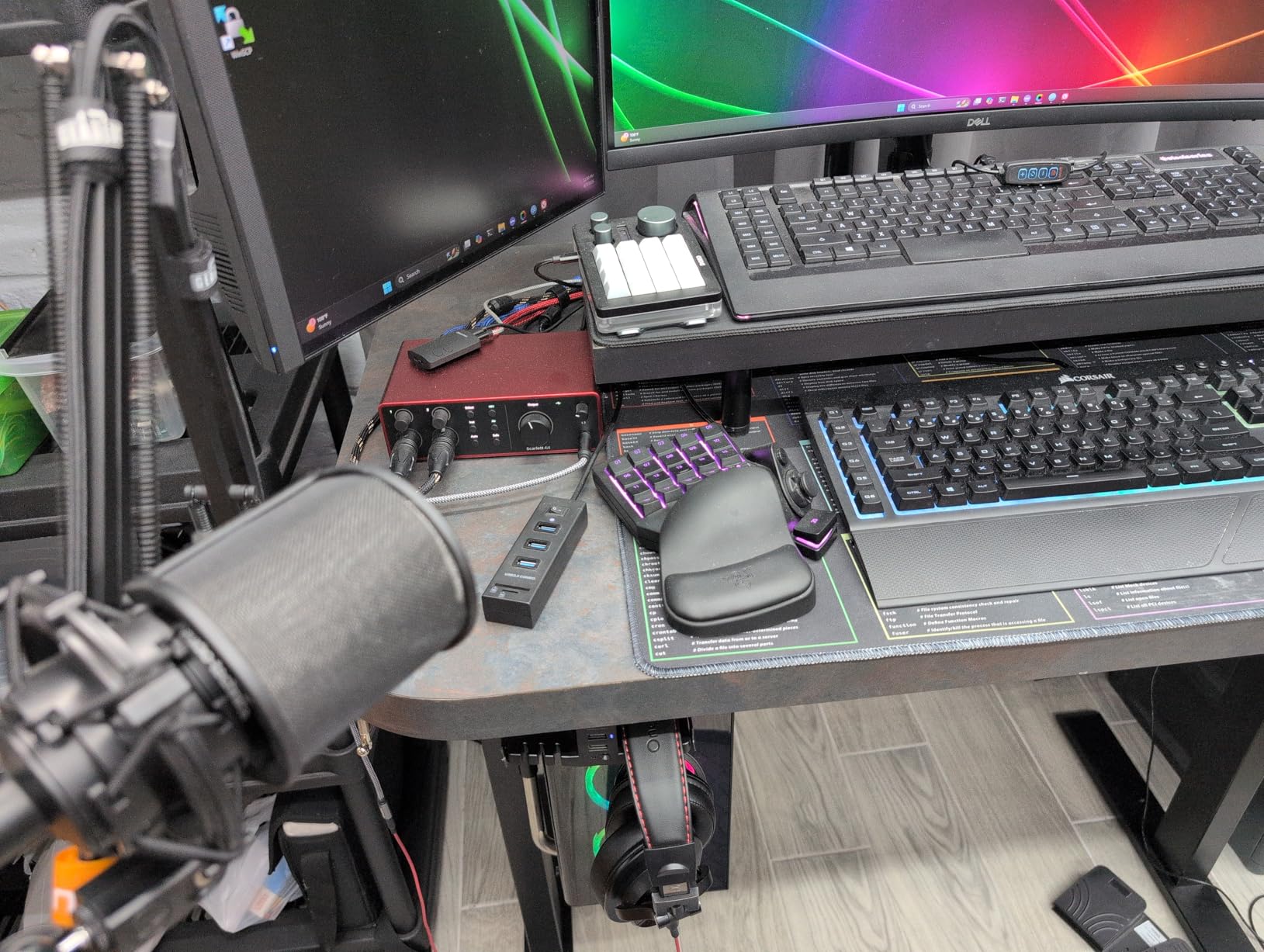
Compared with the two-input boxes further down this list, the Solo is smaller, feels more solid and carries a three-year warranty. It ships with Pro Tools Intro+, Ableton Live Lite, Cubase LE and the Hitmaker Expansion, so a new podcaster can open software and record the same afternoon the box arrives.
The single preamp is the whole trade-off. If your show ever adds a co-host in the same room, you will be moving inputs and mixing later rather than recording both voices to separate tracks. For a solo host doing voiceover, narration, audiobook chapters and a music bed, that limitation never comes up.
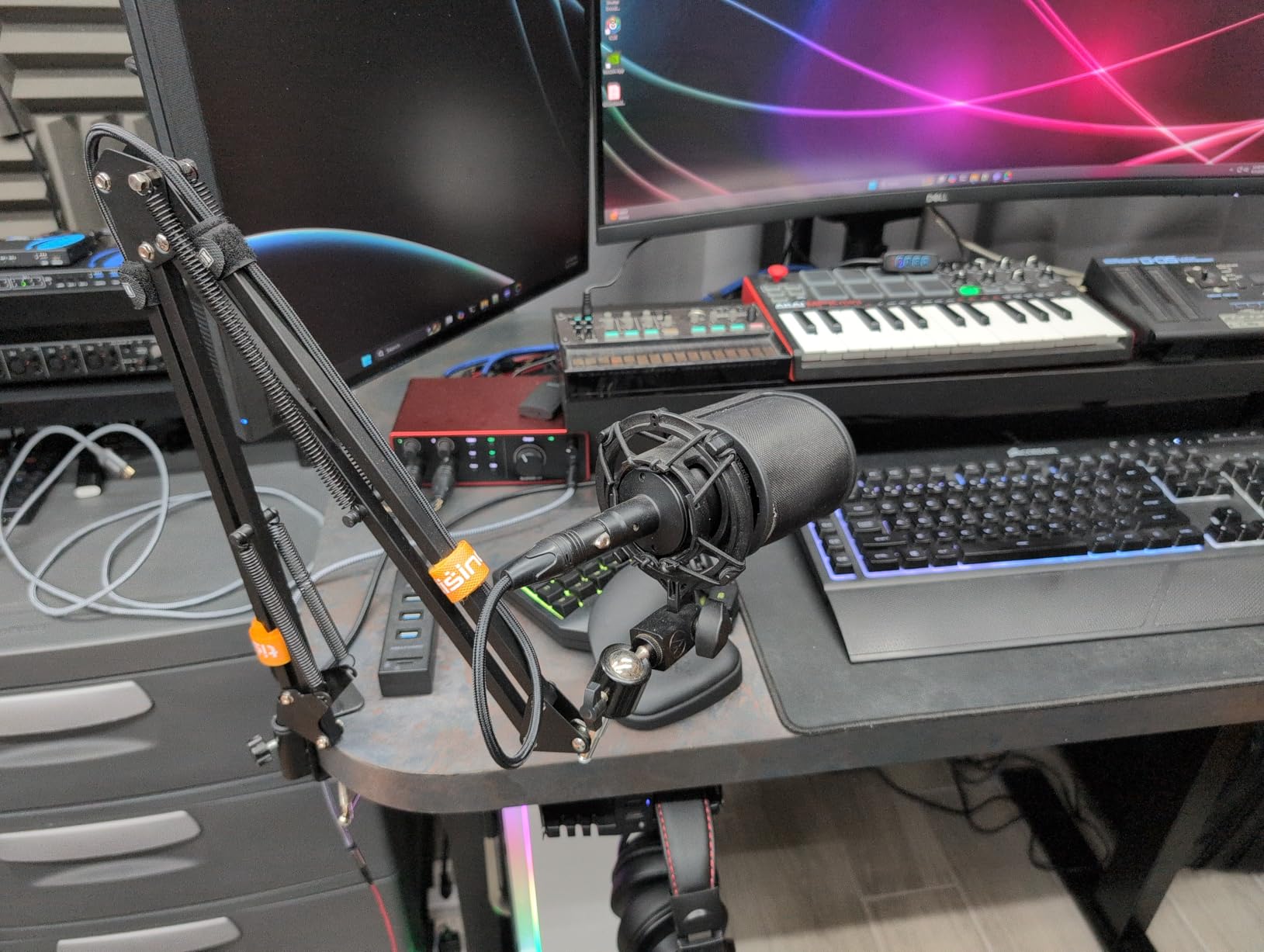
The right choice for a solo host with one dynamic microphone
This is the interface to buy if you record alone, work in a treated or reasonably quiet room, and want your software to open without a fight. The bundled software alone covers most of what a new podcast needs, and the low noise means you can record a quiet narrative voice without adding much noise reduction in post.
Pair it with a dynamic broadcast microphone and you are set. Add a condenser later if your room can handle one, since phantom power is switchable and the gain range covers both.
The wrong choice when two people share the microphone
If a second voice is ever going to be in the room, this box stops being a solution. There is one input, one headphone output and no second channel to record, so a guest ends up on the same track and you are doing damage control in your editor.
Some Windows users also report friction during driver installation, and the welcome folder that appears on every connection gets annoying once you are recording weekly. Both are small, neither is fatal, but they are why we do not put it first for everyone.
2. M-Audio M-Track Duo for Two Voices on a Small Budget
M-AUDIO M-Track Duo USB Audio Interface
Two combo XLR inputs
16-bit/48kHz
USB/Direct monitoring
Crystal preamps
Pros
- Two XLR inputs at a very low price
- Clean noise floor with no hiss in headphones
- Plug and play install on Mac Windows Linux and mobile
- Zero-latency direct monitoring switch
- Crystal preamps support condenser microphones
Cons
- Gain taper is very sensitive and easy to overshoot
- Phantom power can feel under-driven with condensers
- All-plastic chassis with poorly gripping feet
- 16-bit/48kHz only with no 24-bit recording
The M-Track Duo answers a question most roundups skip: what do you get when the budget is small but your show has two people in it. The answer is two balanced XLR combo inputs with phantom power, stereo line outputs and a headphone jack, in a box that fits in a jacket pocket. It is the cheapest route to recording a host and guest on separate tracks that we found.
Installation is genuinely plug and play across Mac, Windows, Linux, iOS and Android, and the USB/Direct switch gives you zero-latency monitoring without a software round trip. For podcasting that switch matters more than it does for music, because the host needs to hear themselves the way the audience will hear them.
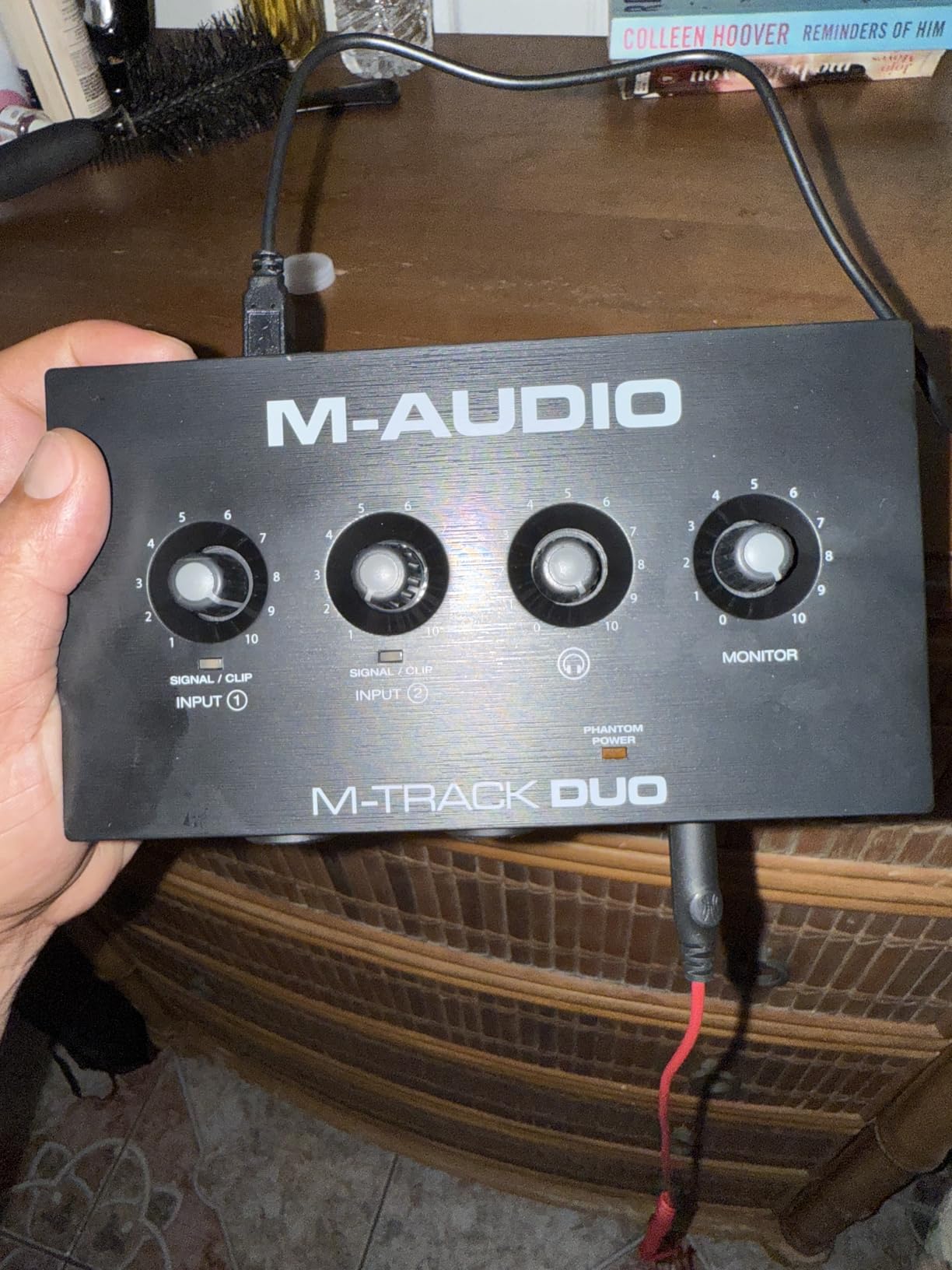
The gain controls are where the money was saved. The taper is so sensitive that a small turn swings from nothing to clipping, so you set gain with the mic unplugged and check with a meter afterwards. Once set, the preamps themselves are quiet and the recorded voice comes out clean.
Resolution is the other limitation to know before you buy. It records 16-bit/48kHz, which is fine for speech on a platform that encodes down anyway, but it gives you less headroom than the 24-bit options in this list if you plan to do heavy processing later.
A sensible pick for a two-person show starting out
Choose this when the budget is the deciding factor and the format is host plus one guest. Two XLR inputs, per-track recording, direct monitoring and a headphone output are the four things a two-person podcast needs, and you get all four here without paying for a metal chassis or a 192kHz converter.
It also works on phones and tablets, which makes it a reasonable second box for field interviews where you want two tracks rather than one mixed file.
A frustrating pick if you are not comfortable with gain staging
The gain taper is the weak point, and beginners hit it constantly. Combined with phantom power that some reviewers find under-driven on condensers, this is an interface you set up once carefully rather than one you can grab and adjust mid-session.
The all-plastic body is light and slides around, and the foam feet grip poorly on a glass desk. Treat it as a backup or occasional-use unit rather than the centre of a permanent studio.
3. Behringer UMC202HD for a Rugged Two-Channel Desk Box
Behringer UMC202HD Audiophile 2×2, 24-Bit/192 kHz USB Audio Interface with Midas Mic Preamplifiers | For Recording Microphones and Instruments
Two Midas mic preamps
24-bit/192kHz
Phantom power
Direct Monitor phones output
Pros
- Metal chassis that survives daily moving and setup
- Quiet Midas-designed preamplifiers
- 24-bit/192kHz conversion
- Headphone output with level control and direct monitor
- Works with Pro Tools Cubase and Ableton Live
Cons
- Only two inputs so no multi-guest recording
- Larger footprint than compact rivals
- Basic controls with no MIDI or digital I/O
The UMC202HD is the one to buy if you move your setup often. The impact-resistant metal chassis survives being packed, carried and dropped in a way the plastic boxes in this roundup do not, and the Midas-designed preamplifiers behind the inputs are quiet enough that a voice recording comes out without the hiss floor you get from cheaper alternatives.
Two combo inputs, 24-bit/192kHz conversion and switchable phantom power cover almost any microphone you would pair with it. The phones output has its own level control and a direct monitor select, so zero-latency monitoring is a hardware switch rather than a software setting.
Compatibility is uneventful in the best way. Owners report no drama with Pro Tools, Ableton Live and Cubase, which are the three programs most podcast editors already run. That is exactly what you want from a box that will sit on a desk for six years.
What it does not do is grow. Two inputs means a host and one guest, and when you add a second guest you are back to juggling. There is no MIDI I/O and no digital input, which matters only if your show involves triggering soundboards or jingles from software.
The best option for a two-person show that travels
If you record on location, in a different room each week, or move between a studio desk and a spare room, the metal build is the deciding factor. Packing foam around a plastic interface and unpacking it every time is how cables get damaged, and this box shrugs that off.
The Midas preamps also mean you are not fighting a noisy floor when you gain up a dynamic microphone for a long interview. For spoken word at a normal level, it behaves.
A dead end once the show needs a third or fourth voice
Two inputs is a hard ceiling. When a panel show appears on the roadmap, this box offers no path forward and no loopback for capturing call audio cleanly.
It also occupies more desk space than the compact options, which matters in a small home studio where the microphone arm already took the good corner. There is no MIDI or digital I/O if you ever want to trigger music beds from a pad.
4. PreSonus AudioBox 96 25th Anniversary for the Largest Software Bundle
PreSonus AudioBox 96 25th Anniversary USB Audio Interface
Two Class-A mic preamps
24-bit/96kHz
MIDI I/O
Bus-powered over USB 2.0
Pros
- Bundled Studio One Artist and Ableton Live Lite
- Class-A preamps with clean 24-bit/96kHz conversion
- MIDI input and output included
- Bus-powered with no external supply
- Zero-latency mixer monitoring control
Cons
- USB 2.0 Type B rather than USB-C
- 96kHz ceiling below most rivals
- Basic controls and a small screen limit routing
- 1/4 inch outputs only with no 3.5mm option
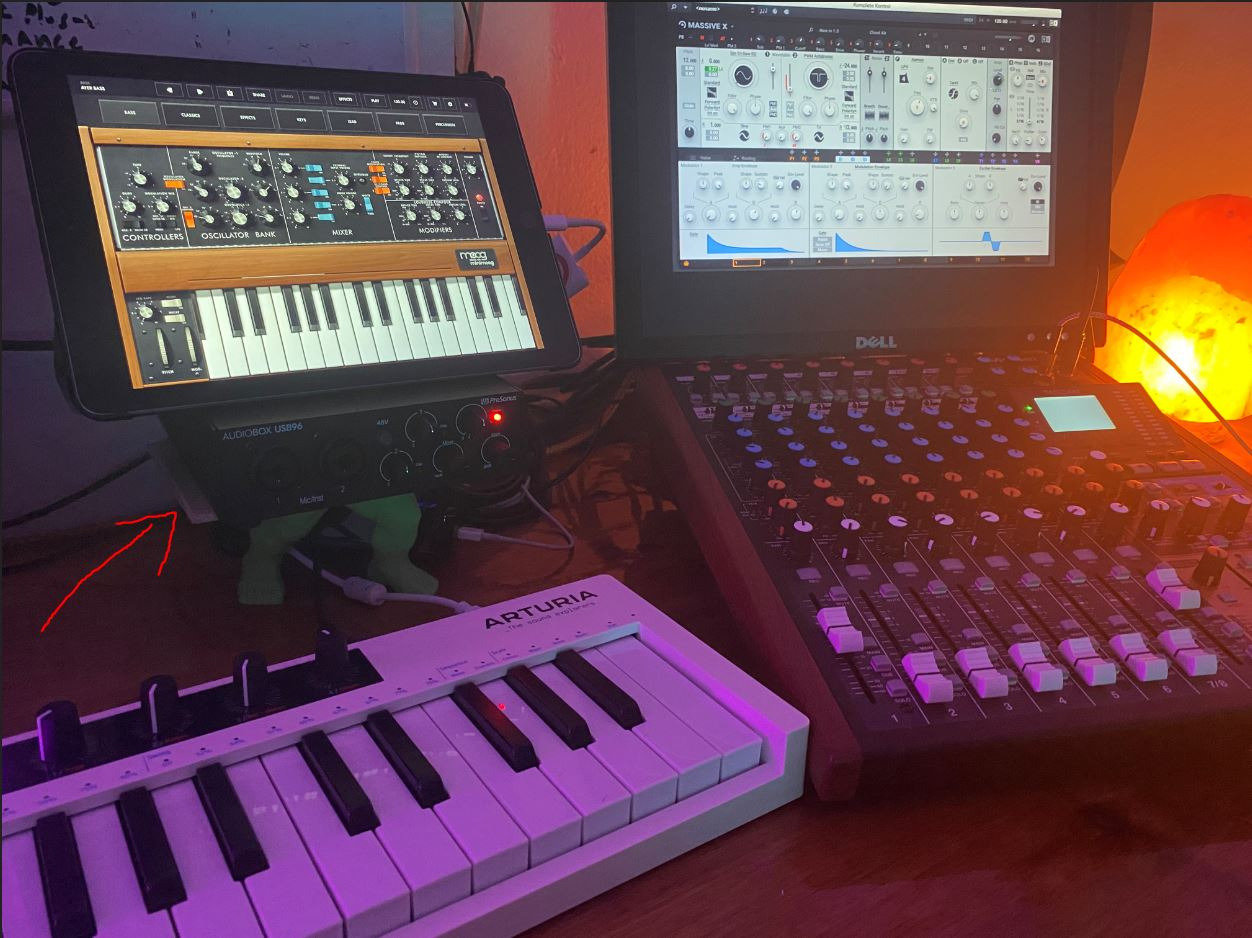
The AudioBox 96 25th Anniversary edition is the value pick when software matters more than hardware. Buyers highlight the bundled Studio One Artist and Ableton Live Lite, plus a plug-in suite, which removes the most common reason new podcasters stall: not having a working editor.
The hardware underneath is respectable. Two Class-A mic preamps with 24-bit/96kHz converters, a front mixer control for zero-latency monitoring with a custom input and playback blend, and switchable +48V phantom power for condenser microphones. MIDI input and output are included, which almost no two-input box at this level offers.
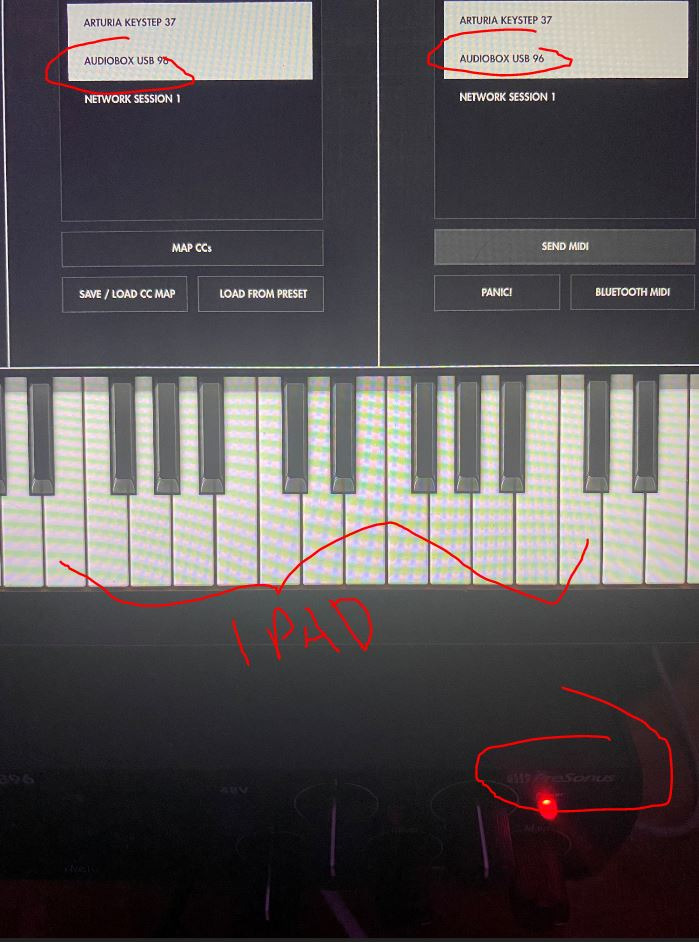
It is also bus-powered over USB 2.0, so there is no external supply to lose or leave behind. That makes it a fine second box for a laptop session or a small recording room where desk space is tight.
Our reservations come down to connection and control. The USB 2.0 Type B connector is dated next to the USB-C designs in this roundup, and the 96 kHz ceiling sits below the 192 kHz options. The small screen and basic mixer controls mean on-device routing is limited.
A good fit if you want to record tonight without buying an editor
Install Studio One Artist, plug in a microphone, hit record. For a show that needs a multitrack capture or any kind of advanced routing, the bundled tools are still enough to start, and the MIDI I/O opens the door to a control surface later.
Bus power means it travels, and the Class-A preamps handle both dynamic and condenser microphones, so your microphone choice stays open.
A weaker fit if you plan to grow the setup quickly
This one has the lowest average rating in our roundup, and the complaints cluster around the same things: the Type B connection, the 96 kHz ceiling and limited on-device routing. Setup and driver friction comes up often enough that it is worth checking compatibility before committing.
Outputs are 1/4 inch only, so if you use lightweight headphones with a 3.5mm plug you need an adapter for every session.
5. Zoom PodTrak P4 for Four-Person and Call-In Recording
Zoom PodTrak P4 Podcast Recorder with 4 XLR Mic Inputs, 4 Headphone Outputs, Phone & USB Input for Remote Interviews, Sound Pads, 2-In/2-Out USB Audio Interface, Battery Powered
Four XLR inputs
Four headphone outputs
Sound Pads
Automatic Mix-Minus
Pros
- Four XLR inputs and four individually controlled headphone outputs
- Automatic Mix-Minus for phone and remote guests
- Each participant records to a separate track
- Intuitive layout that needs no manual
- Compact 130 g body that runs on two AA batteries
- Four Sound Pads for jingles and effects
Cons
- Light plastic body feels fragile
- AA battery life runs out fast
- Records 16-bit/44.1kHz only
- USB mode records to SD instead of streaming to the computer
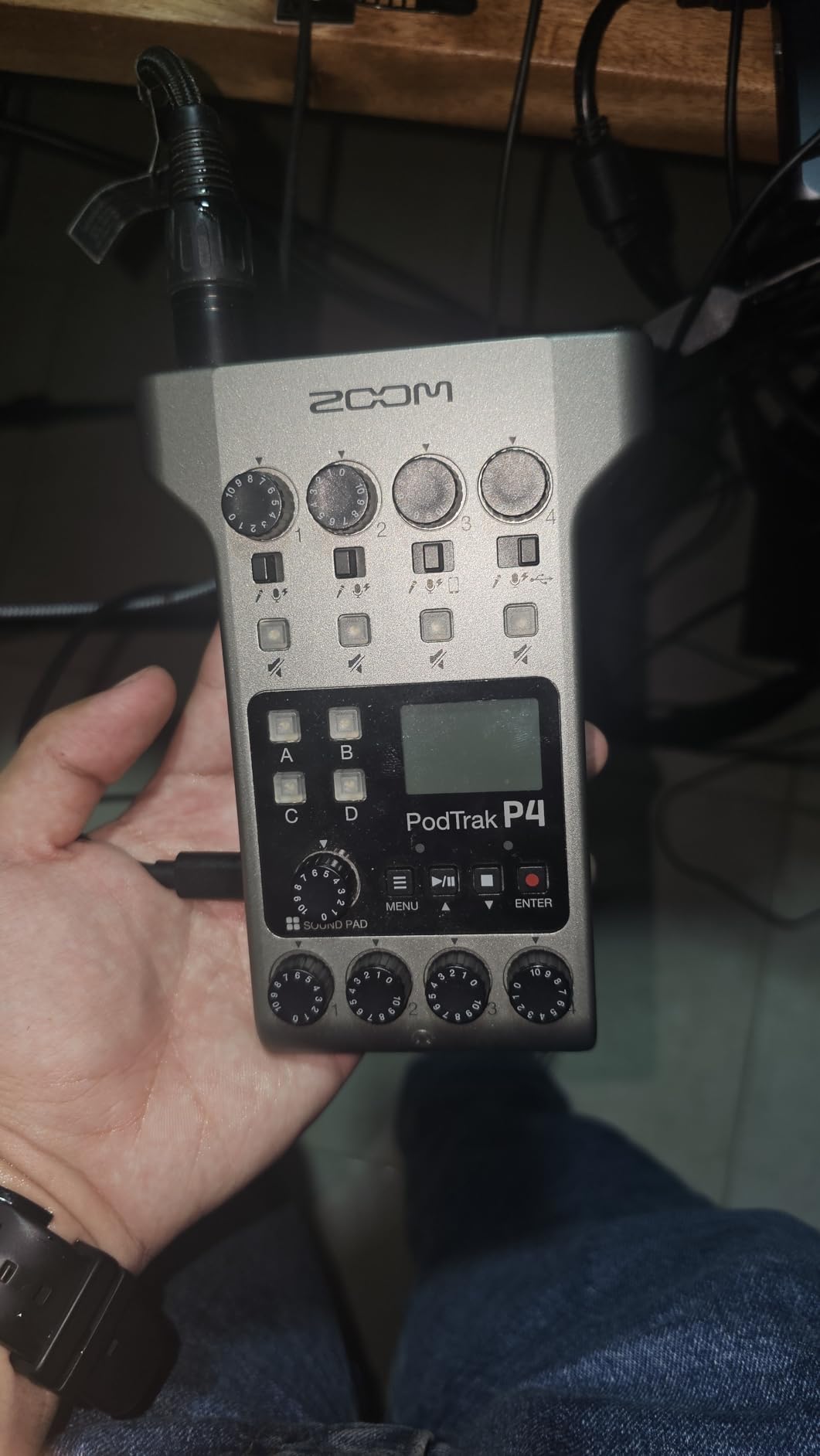
The Zoom PodTrak P4 is the only recorder in this roundup that treats a remote guest as part of the session rather than something you patch in later. Four microphone inputs with phantom power, four headphone outputs with individual volume control, and automatic Mix-Minus for phone interviews sit in a 130 g box that fits in a laptop bag.
For a two-person show with a caller dialling in, that Mix-Minus routing is the whole reason to buy it. Mix-Minus removes the caller audio from the feed the caller hears, which is what stops the echo that makes remote interviews unusable on other gear. You also get four programmable Sound Pads for intro music, jingles and effects without a second device.
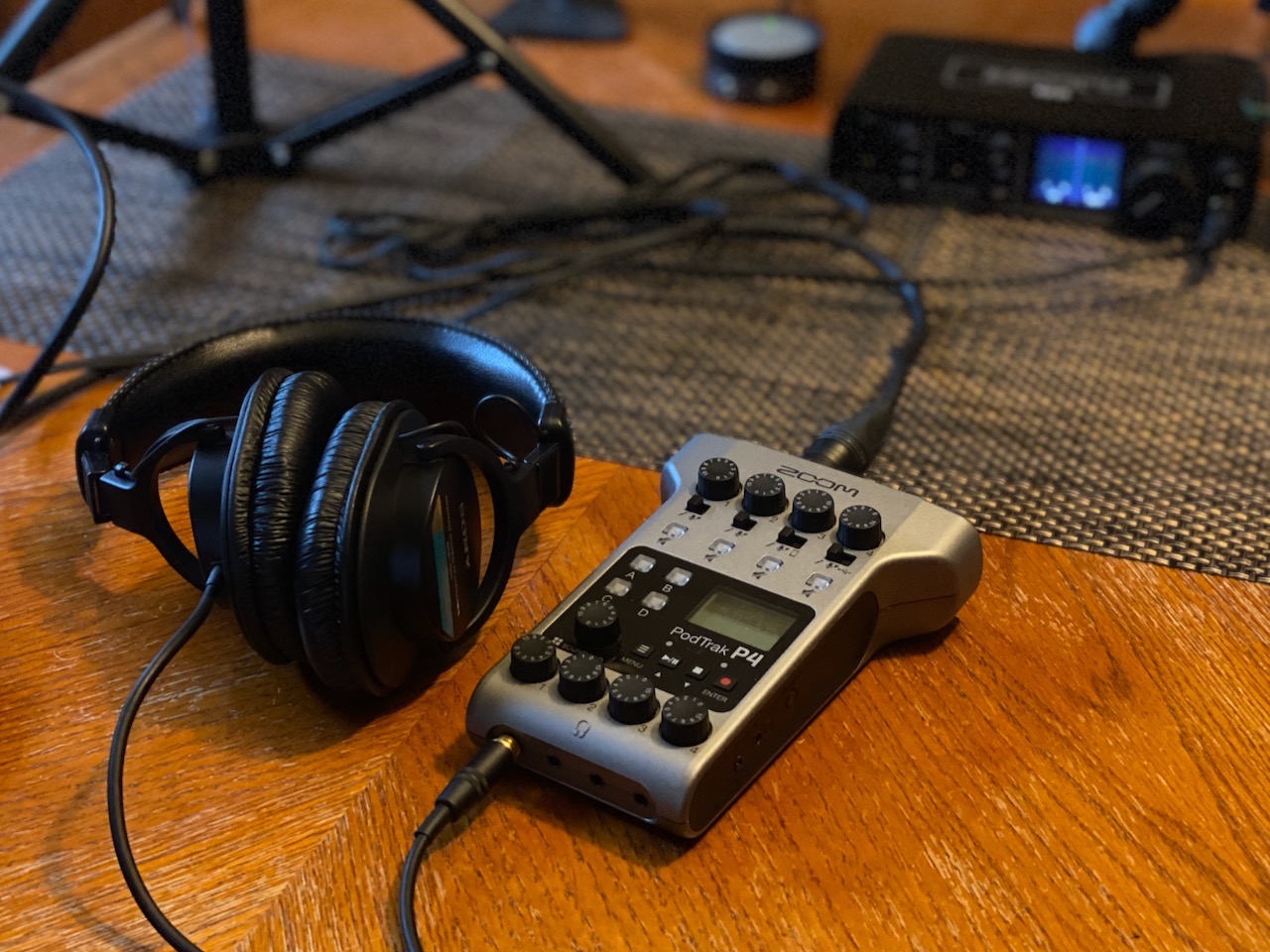
Every participant records to a separate track, and the on-board lo-cut filters and limiters handle the two problems that ruin a raw voice track: rumble and accidental peaks. Owners consistently describe the layout as intuitive enough to record with before reading the manual.
It also works as a 2-in/2-out USB audio interface when you want it in a computer workflow, which makes it a bridge device rather than a dead end.
The right tool for a remote interview or a small panel
Choose the PodTrak P4 when more than two voices need to be captured cleanly, whether they are in the room or on the phone. Nothing else at this size gives you four headphone outputs with per-person control, which is what lets every guest hear themselves at a level that works for them.
Recording on location is the other case where it wins. Two AA batteries give up to 3.5 hours, the body weighs 130 g, and it records to SD card, so you can capture an interview in a room that has no computer.
A frustrating tool if you need to stream straight into a computer
In USB mode the PodTrak P4 records to SD rather than passing audio to your computer, so you import files afterwards instead of monitoring through a DAW. Podcasters who want live streaming from a remote platform tend to prefer an interface that behaves like a normal audio interface.
The build is light and feels fragile, battery life is short enough that most users run it from USB power, and the 16-bit/44.1kHz recording format gives you less headroom for processing. Onboard processing is limited to lo-cut and limiter, with no EQ or compressor.
6. MOTU M2 for Metering You Can Read at a Glance
MOTU M2 USB-C Audio Interface
Two preamps
24-bit/192kHz ESS converters
LCD meter screen
Hardware monitoring
Pros
- ESS converters deliver 24-bit/192kHz in a small footprint
- LCD meters show levels clearly while recording
- Hardware monitoring keeps tracking latency free
- Metal chassis feels solid for the size
- Works with Mac Windows and iOS
Cons
- Only two inputs so no room for a two-guest show
- No MIDI input or output
- Costs more than comparable two-input boxes
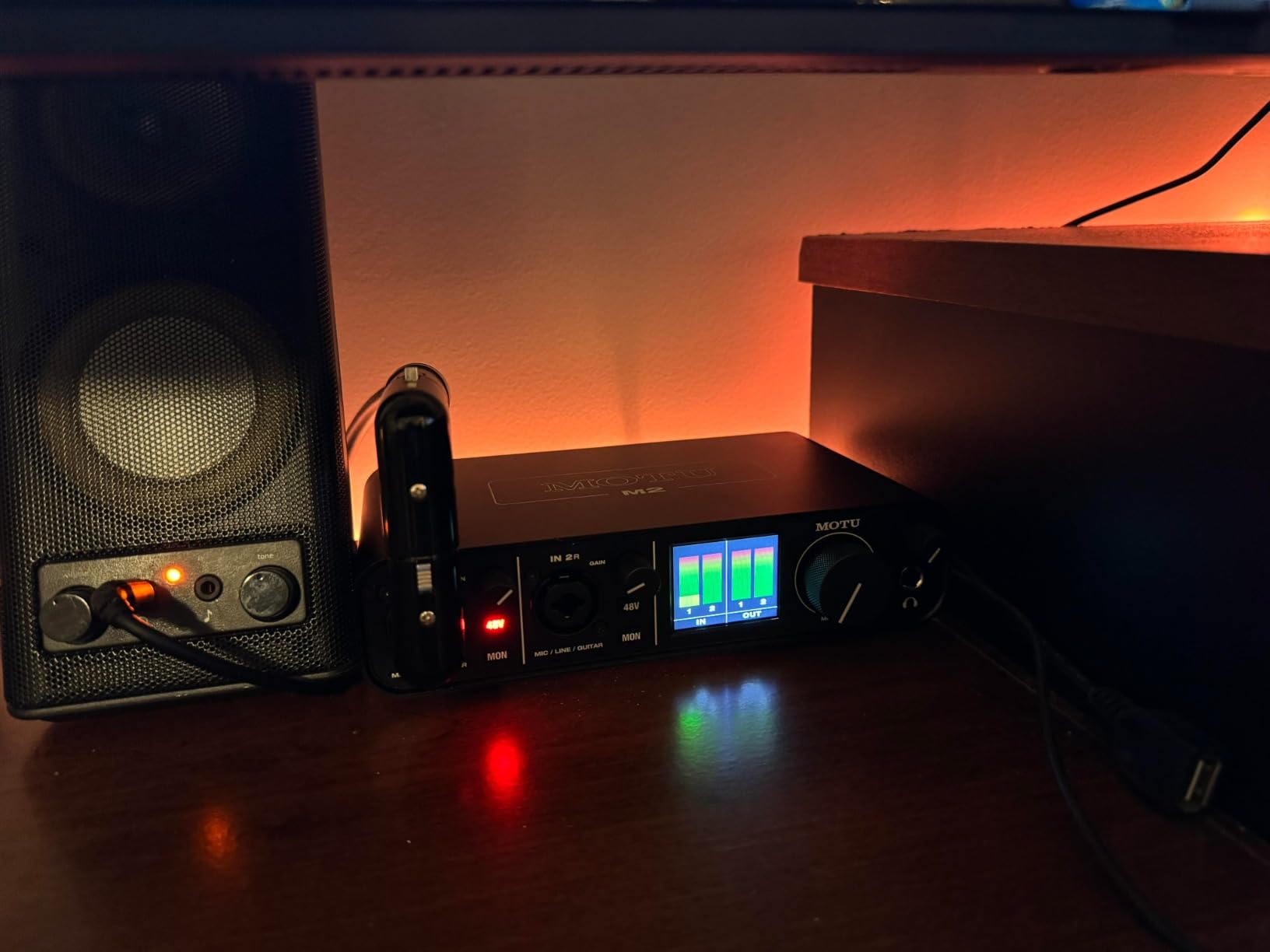
The MOTU M2 is for people who want to see what they are doing. The LCD screen shows input meters and settings without opening software, which removes the single most common beginner mistake of setting gain blind and discovering the recording was clipped.
Underneath the display are two MOTU preamps and ESS converters running to 24-bit/192kHz, with hardware monitoring for low-latency tracking. That combination makes it a strong fit for a host who wants more headroom than the entry boxes offer but does not need a second mic yet.
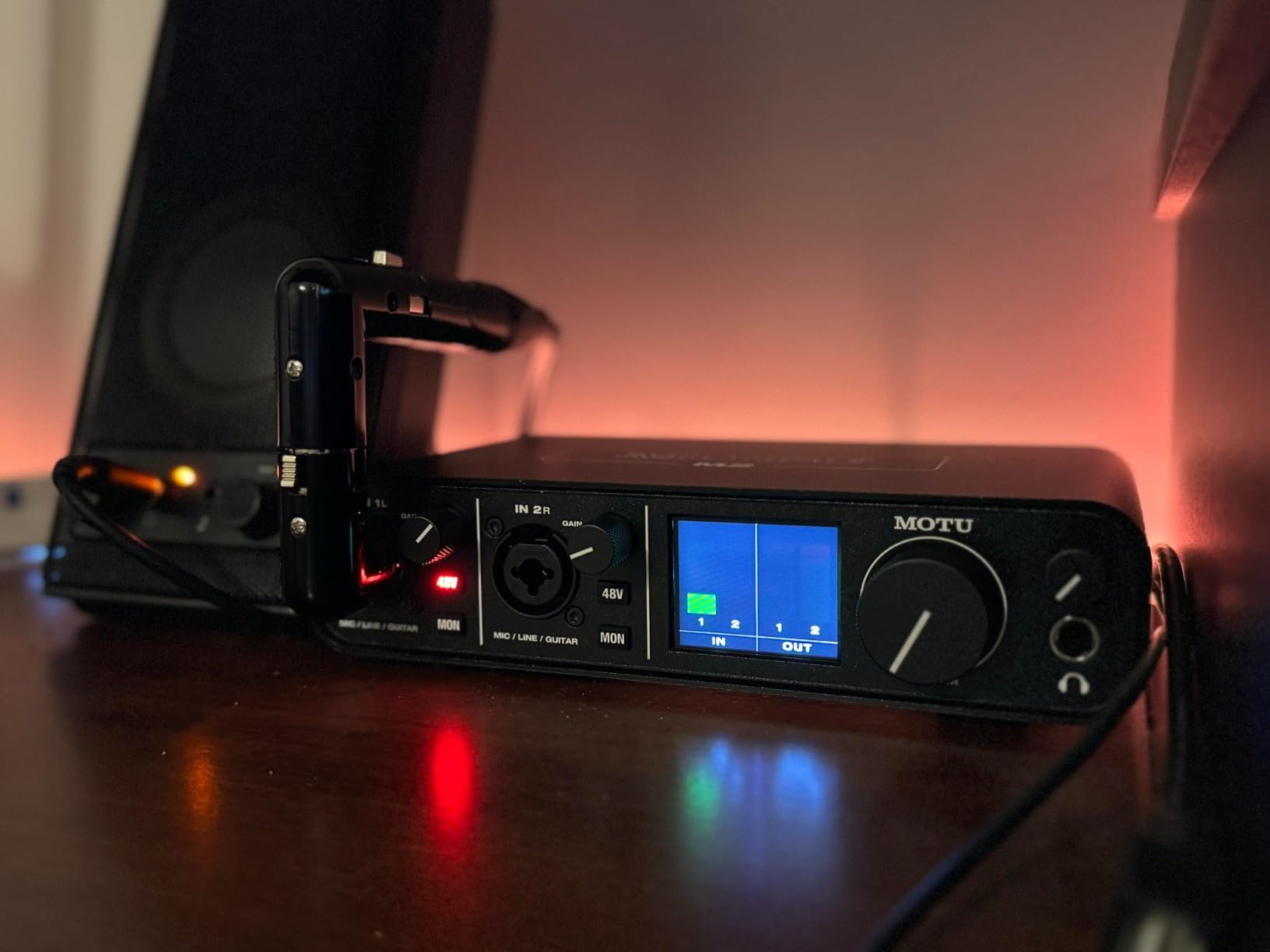
Podcasters on r/audio single out the M2 for its metering, which is the part you notice most during a live two-hour session rather than in a spec sheet. Reading levels off a screen at arm length, while wearing headphones, is faster and less error-prone than watching a software meter.
The metal chassis feels solid for the size, and 6+GB of free content ships for macOS, Windows and iOS. A two-year warranty is included.
A strong choice for a solo host who records long sessions
If you record hour-long interviews and want a visual check on your levels the whole time, the display is the feature you will use daily. Converters at 24-bit/192kHz give you room to work, and hardware monitoring means you can talk with the door closed.
It is also a fine streaming box for a solo creator who plays music or sound effects during a live show.
A step too small when the guest count grows
Two inputs means host plus one, and there is no Mix-Minus for a phone guest. If the show is heading toward a panel format, this is a purchase you will repeat rather than extend.
There is no MIDI I/O if you plan to trigger music from a controller, and it sits at a noticeably higher price than other two-input boxes in this roundup.
7. PreSonus AudioBox GO for Mobile and Phone Recording
PreSonus AudioBox GO | USB-C Audio Interface for music production with Studio One DAW Recording Software, Music Tutorials, Sound Samples and Virtual Instruments
XMAX-L preamp with 50dB gain
Bus-powered USB-C
24-bit/96kHz
One XLR combo input
Pros
- Very compact and bus-powered over USB-C
- Works with Mac Windows Chrome OS iOS and Android
- XLR mic input and instrument input usable at the same time
- 50dB gain plus switchable 48V covers most microphones
- Includes Studio One Prime and the Studio Magic bundle
Cons
- Only one XLR mic input
- 96kHz maximum sample rate
- Small headphone amp struggles with high-impedance in-ear monitors
- No MIDI input or output
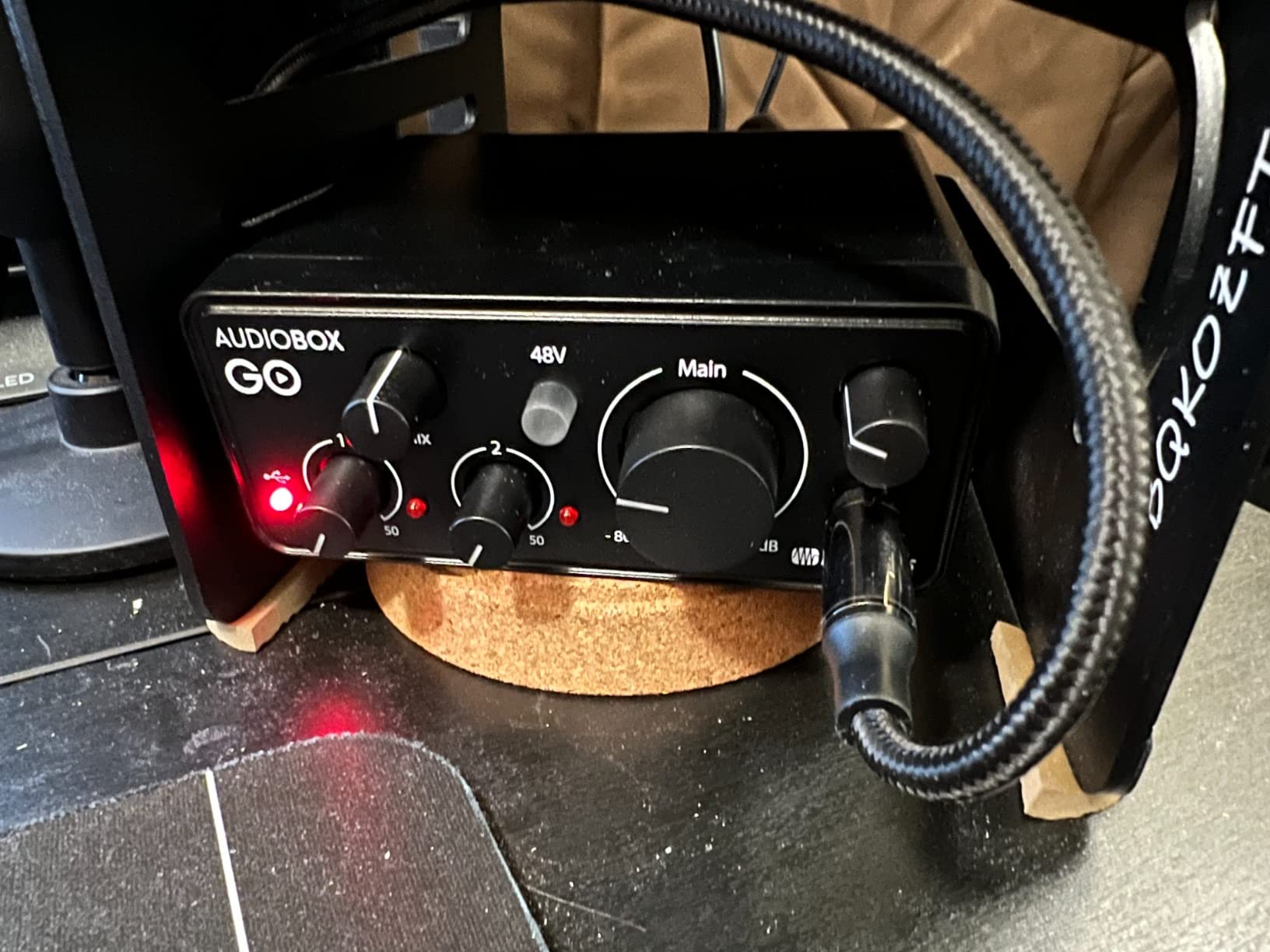
The AudioBox GO is built for the case where the recording happens somewhere other than your desk. It is bus-powered over USB-C, so it runs from a laptop or a phone, and the system requirements list covers macOS, Windows, Chrome OS, iOS, iPadOS and Android.
The XMAX-L preamp provides 50 dB of adjustable gain and switchable +48V phantom power, which is enough headroom for most dynamic microphones and plenty of condensers. The XLR mic and line combo input and the instrument input can be used at the same time, so you can capture a voice and a sound bed in one take.
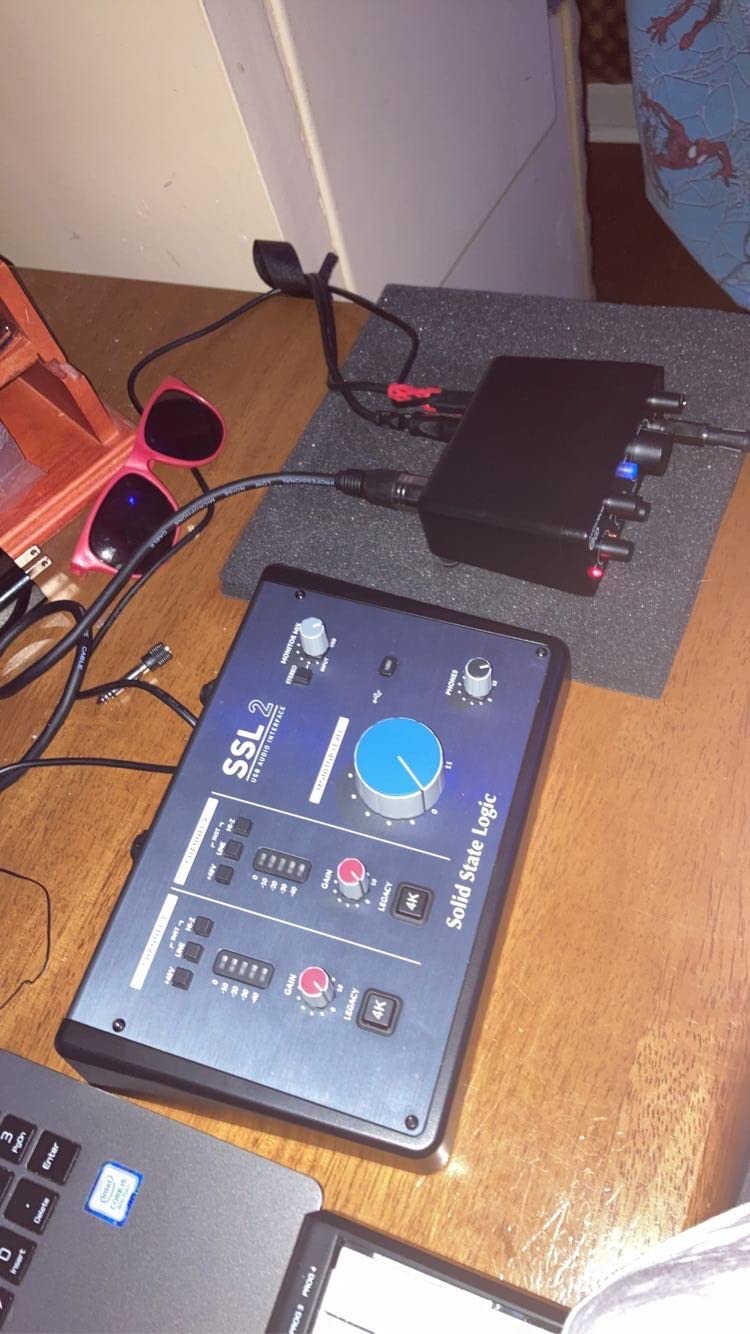
Monitoring is handled with a mix control on the headphone output for zero-latency tracking, and the balanced TRS main outputs feed studio monitors if you are at a fixed desk. Studio One Prime and the Studio Magic bundle are included, so there is something to record into the first time you plug it in.
At 8.16 ounces it is the lightest full-size option here, which is the point. It is not a travel recorder, but for a phone or tablet rig it does the job of a proper XLR front end.
A useful pick for field interviews and phone rigs
Choose this if your podcast records guests away from your desk, or if you edit on an iPad or Android device. Bus power over USB-C means one cable and no power adapter, and the single XLR input is the right number of inputs for a moving interviewer with one microphone.
The 50 dB of gain is also enough for common dynamic microphones without an inline booster.
A limited choice for a show that grows a second voice
One XLR input is a single-host design. A guest in the room means a second interface or a different choice entirely.
The 96 kHz ceiling is below most of this list, and the headphone amp does not drive demanding in-ear monitors properly. There is no MIDI I/O either.
8. Audient iD14 MKII for the Best Voice Character
Audient Audio Interface iD14 MKII, 2 Class-A Microphone Preamps (High Performance USB Audio Interface, USB-C Connector, Monitor Mix and Monitor Panning Function, 2 Headphone Outputs), Black
Two Class-A preamps from the ASP8024 console
24-bit/96kHz
Monitor mix and pan
Two headphone outputs
Pros
- Audient ASP8024 Class-A preamps sound clear and flattering on voice
- All-metal chassis stays solid on the desk
- Monitor mix blends direct signal with playback
- Two headphone outputs for a second performer
- Bundled Cubase LE and Cubasis LE 2
Cons
- Higher cost than two-input competitors
- 96kHz maximum sample rate
- Bus-powered only so it cannot drive hungry monitors
- Heavier and larger than the portable options
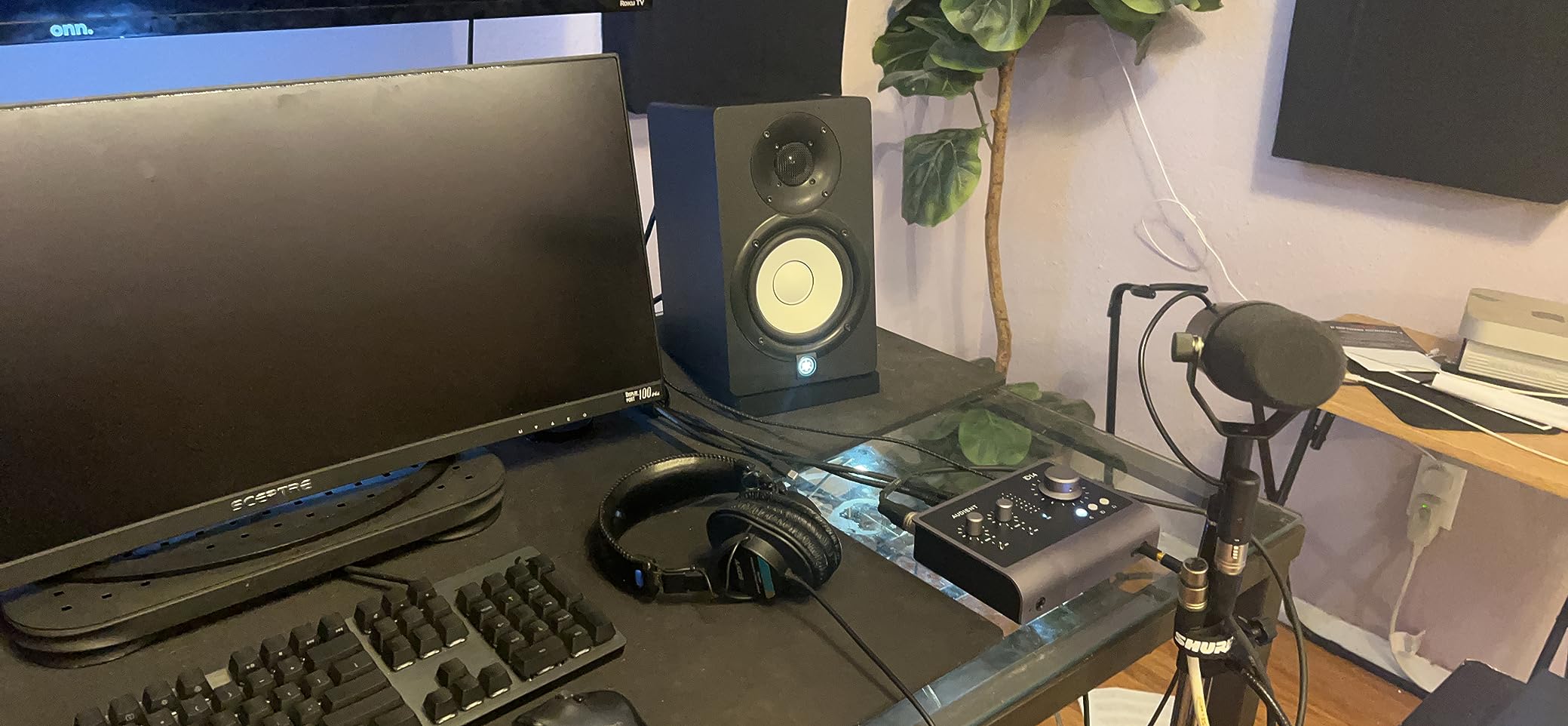
The Audient iD14 MKII is the one here you buy for the microphone rather than the feature set. Its two Class-A preamps come from Audient’s high-end ASP8024 console, and reviewers consistently describe the voice as transparent and detailed, which for narration and audiobook work is a real upgrade over a generic entry preamp.
The monitor mix function lets you blend the direct signal with your software playback, so you can set a balance that works while tracking. Monitor panning lets you place the inputs in your stereo field, which matters when a guest is panned rather than centred.
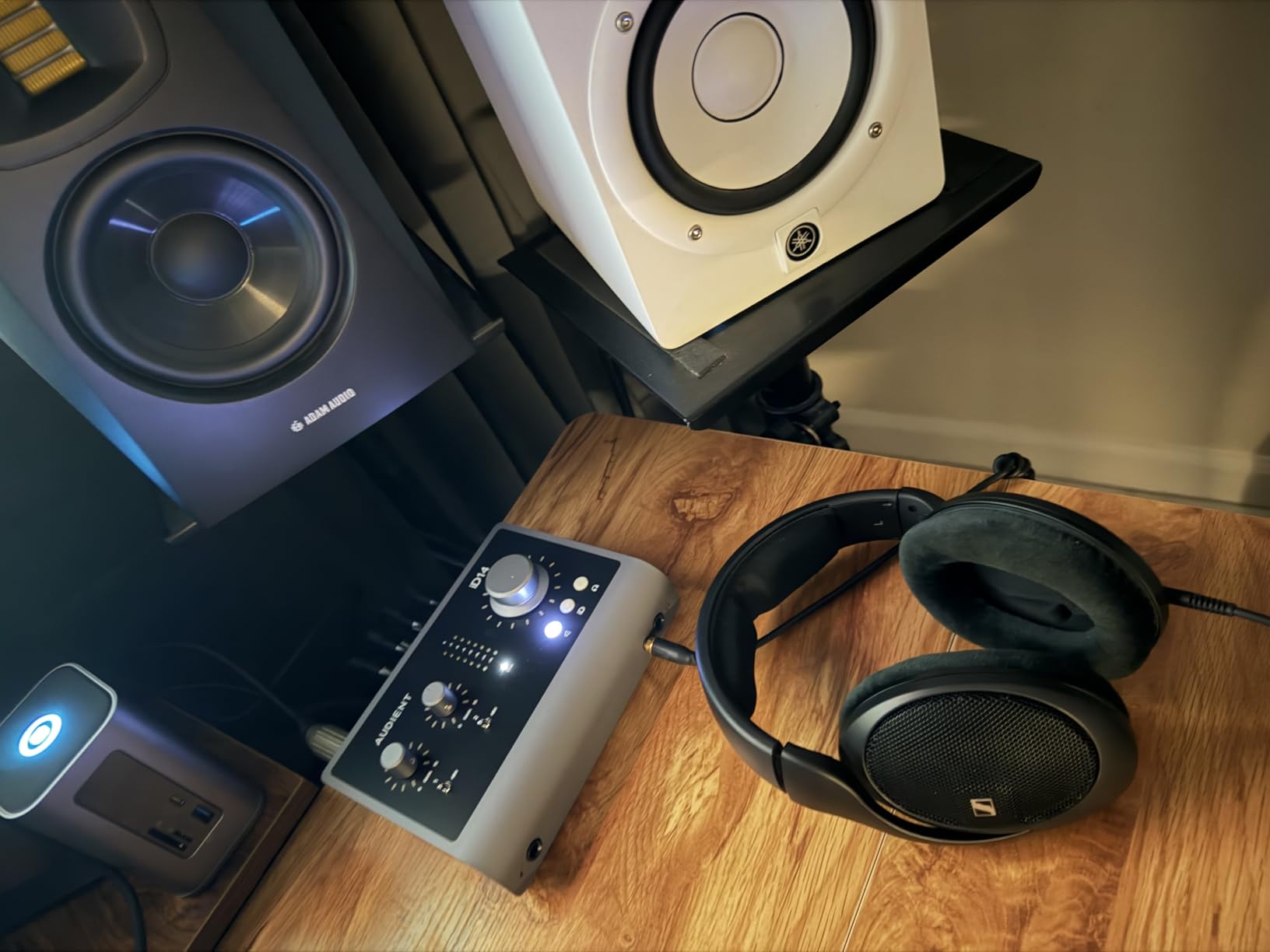
Two headphone outputs are a genuine advantage for a two-person show, since a host and a guest can each monitor without a splitter. The all-metal housing adds stability on a desk, and the single USB-C cable carries both data and bus power.
It works with Mac, PC and iOS, and the bundle includes Steinberg Cubase LE, Cubasis LE 2, Retrologue 2 Synth, a Twonotes plug-in, a Loopmasters sample pack and Waldorf Edition 2 LE, with a three-year warranty.
The best choice for narration and audiobook work
If your show leans on voice quality rather than features, the ASP8024 preamps are the reason to spend here. A transparent, low-colouration signal leaves more room for your own processing and survives a lossy encode better than a noisier source.
Two headphone outputs and a proper monitor mix also make it the more comfortable box for a host and guest recording together.
A hard box to justify for a casual podcast
The cost sits well above the two-input alternatives, and you still get two mic preamps, so a three-person conversation is out of reach. The 96 kHz ceiling is another limit at this price level.
Bus power only means it cannot feed power-hungry studio monitors without an external supply, and the metal body weighs noticeably more than the portable units, so it stays on a desk.
9. Arturia MiniFuse 1 for Loopback and MIDI Control
Arturia MiniFuse USB Audio & MIDI Interface, MiniFuse 1
One combo XLR input
24-bit/192kHz
Loopback
MIDI in out plus USB hub
Pros
- Exceptionally low noise floor
- Compact metal case with firm quality knobs
- Five-year warranty among the longest here
- USB hub plus five-pin MIDI input and output
- Loopback captures app or game audio with your voice
Cons
- Only one XLR mic input
- Registration required to download drivers
- A reboot needed after installation
- Headphone output will not drive low-impedance earbuds properly
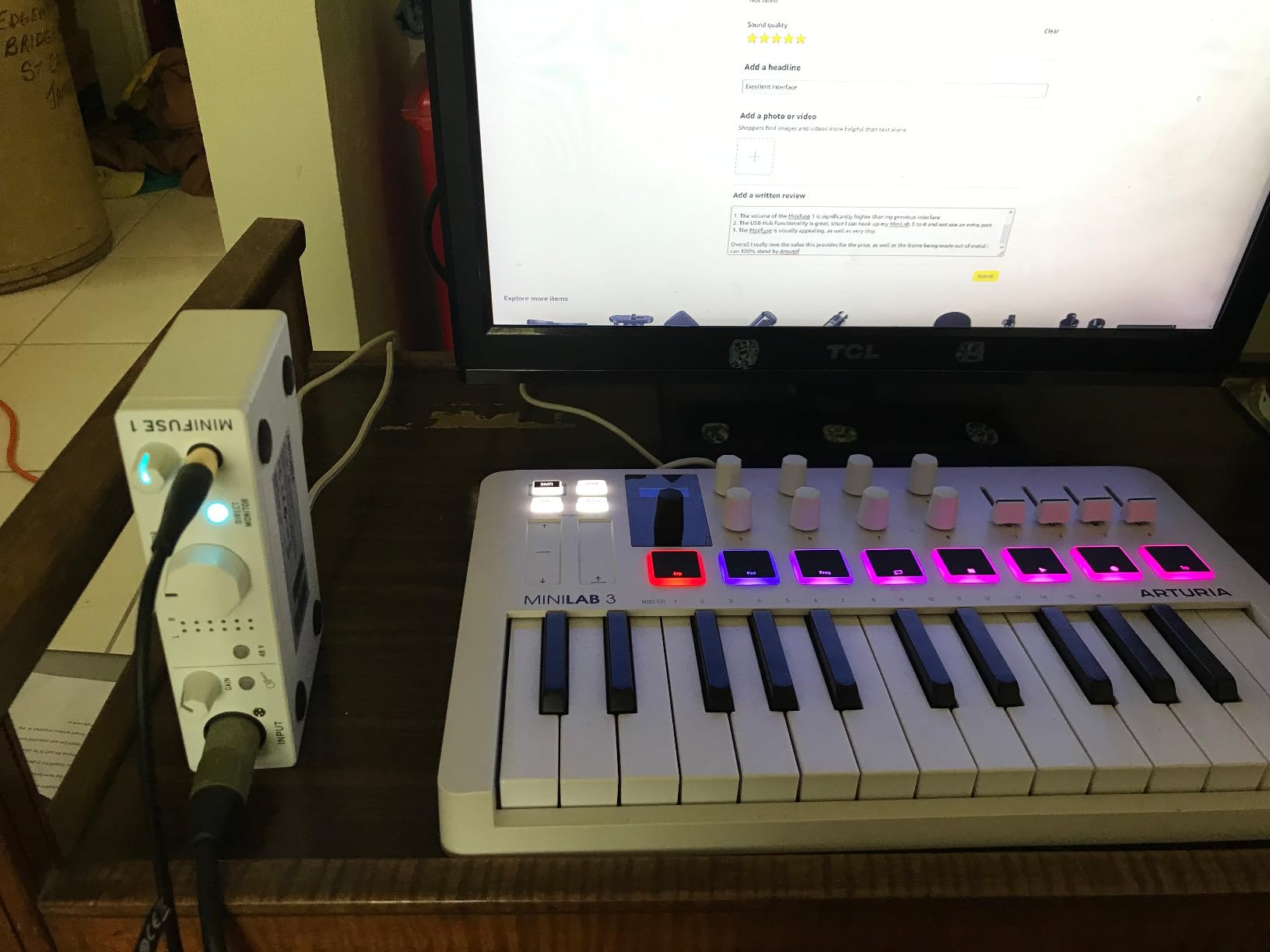
The Arturia MiniFuse 1 is the one box here that pairs a proper XLR mic input with a full MIDI path. Five-pin MIDI input and output plus a USB Type A hub on the rear means you can plug a MIDI controller straight in and trigger soundboards, jingles or backing tracks from software without extra hardware.
Loopback is the second feature podcasters care about here. It captures audio from your computer alongside your microphone in a single take, so a podcast with music cues, gameplay, or a video reference track can record everything in one pass instead of assembling it afterwards.
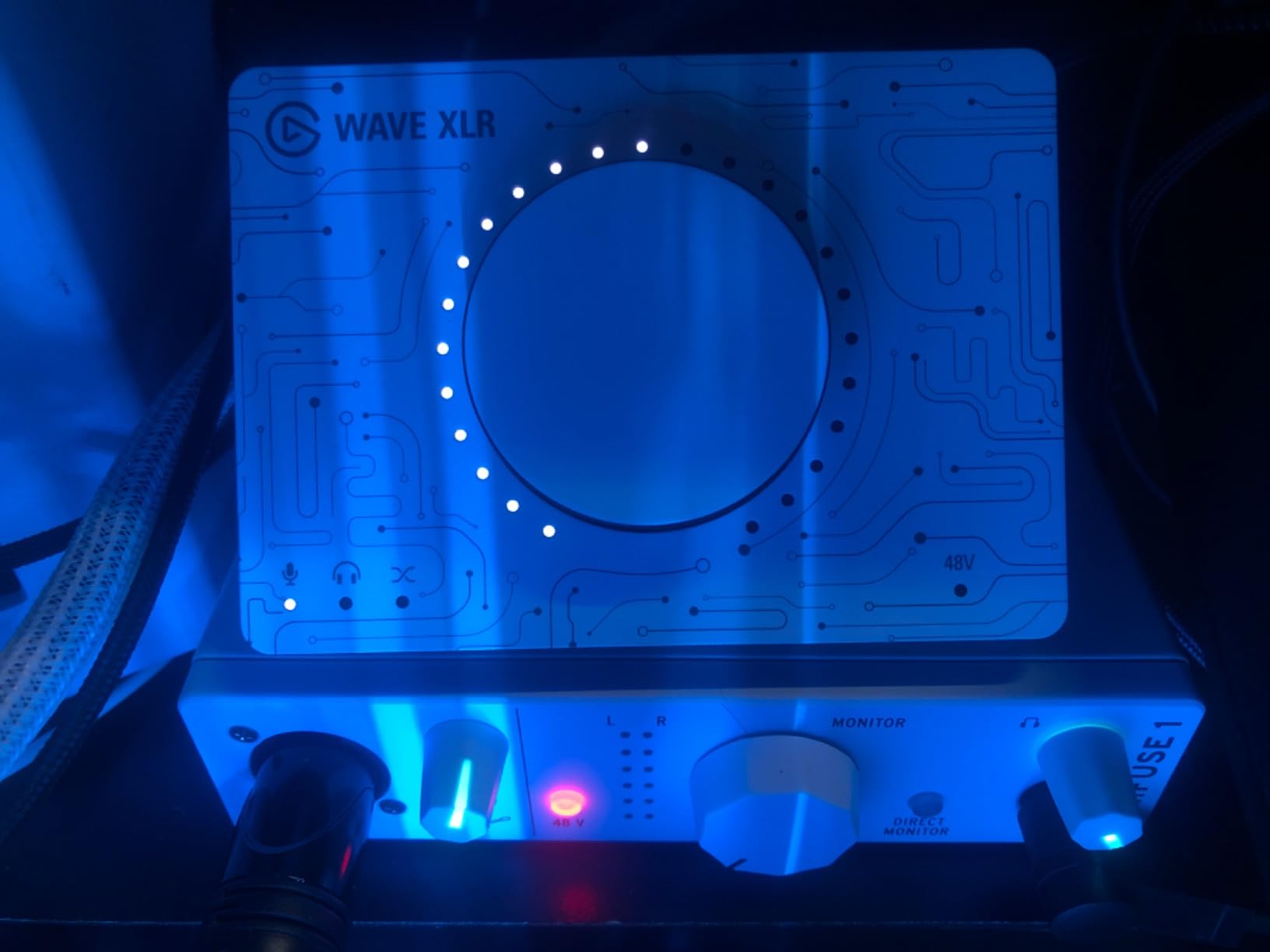
The converters run to 24-bit/192kHz with a low noise floor that reviewers describe as essentially transparent, and the single combo XLR input handles microphones, line sources and instruments with 48V phantom power.
The metal case and firm knobs feel better than the price suggests, and the warranty runs five years, which is the longest in this roundup. The software bundle includes Ableton Live Lite, Analog Lab Intro, Arturia FX, Guitar Rig 6 LE and Auto-Tune Unlimited.
The right pick when your show needs pads and music cues
Buy the MiniFuse 1 if you fire off jingles, theme music or stingers during a live show, or if you want to capture application audio with your voice. MIDI I/O and loopback together are rare on a single-input interface, and they remove a lot of workaround.
For a solo host with a condenser microphone, the transparent preamps and 192kHz converters give plenty of headroom.
A wrong fit for a two-person show or a mobile bag
There is one XLR mic input, so a guest in the room is out of the question. The headphone amp also will not drive low-impedance in-ear monitors properly, which matters if you monitor with IEMs rather than over-ear headphones.
Installation needs registration and a computer reboot before the interface appears in your DAW. Plan for that once, not on recording day.
10. MOTU M4 for Loopback Capture and More Outputs
Motu M4 4×4 USB-C Audio Interface
Four-in four-out
Two preamps
Loopback and MIDI I/O
LCD metering
24-bit/192kHz
Pros
- Loopback captures DAW output alongside microphones in one take
- LCD screen shows meters and settings without software
- MIDI I/O and four physical outputs included
- ESS converters up to 24-bit/192kHz
- Hardware low-latency monitoring
Cons
- Costs well above two-input alternatives
- External power supply required with no bus power
- Two mic preamps still limit the room to two speakers
- Channel routing is confusing without the manual
The MOTU M4 is the step up for a podcaster who has outgrown two channels but does not want a field recorder. It is a four-in, four-out interface with two MOTU preamps, ESS converters to 24-bit/192kHz, MIDI I/O and an LCD screen for metering and settings.
Loopback is the headline for spoken word. It lets you capture software output alongside your microphones in one recording, which is exactly what a show with a music bed, a video reference track, or a live streaming workflow needs. Hardware low-latency monitoring means you can still speak with the software running.
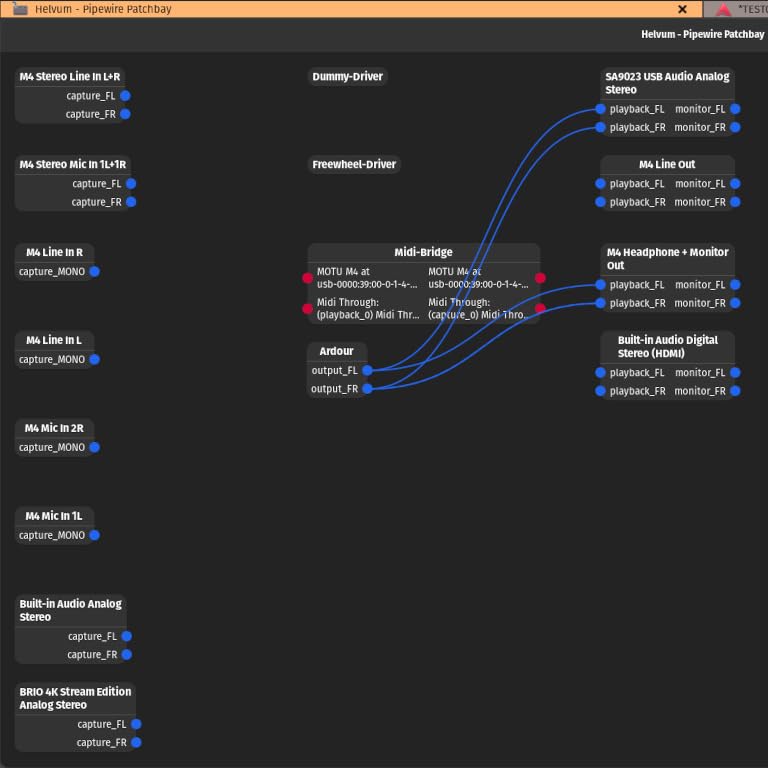
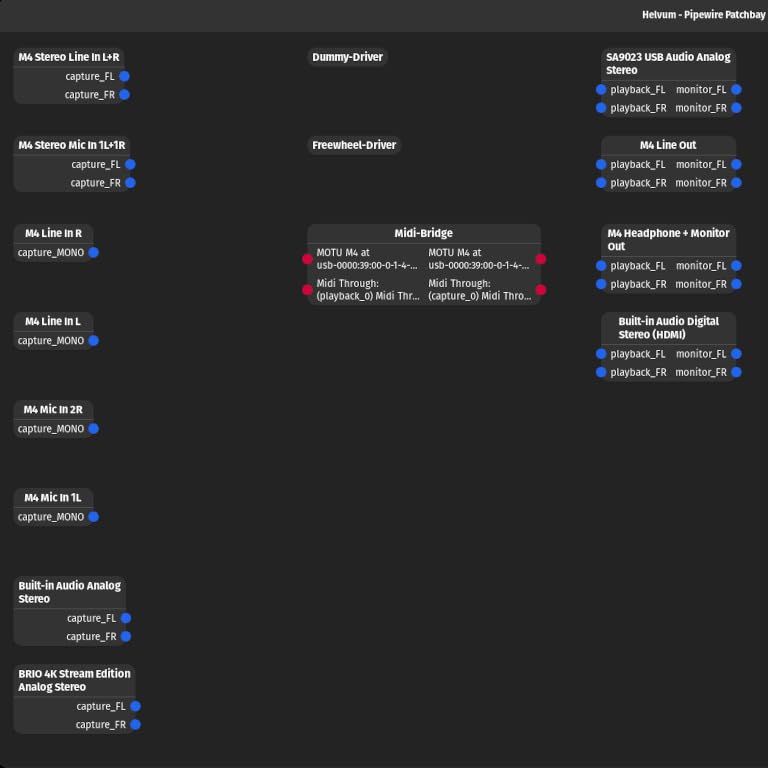
Four physical outputs give you room to build a monitoring setup with headphones, a speaker pair and a headphone amp for a guest, which a two-output box cannot. The screen keeps levels and settings in view during a long session.
It ships with 6+GB of free content for Mac, PC and iOS and carries a two-year warranty. For a fixed studio desk rather than a bag, the external power supply is not a problem.
A sensible next step once your show outgrows two inputs
Choose the M4 when your channel count is growing but you want to stay on the computer rather than recording to SD cards. Loopback plus MIDI I/O covers podcast and streaming workflows in one box, and the metering screen helps during live recording.
It is also the natural upgrade path from a two-input interface without changing how you record or edit.
Still not enough for a room of people
Two mic preamps is the hard limit here. A panel show with three speakers still needs a recorder like the PodTrak P4, since the extra channels on this box are line and instrument channels, not microphone preamps.
It costs well above the two-input options and needs an external power supply because there is no bus power. The channel count on the screen also confuses new users until they read the manual.
How to Choose an Audio Interface for Podcasting
Count microphones first, everything else second
Most buying mistakes come from starting with converters or sample rates instead of counting voices. One host needs one XLR. Host plus one guest in the same room needs two. A phone guest changes the question entirely, because you need mix-minus routing or loopback rather than another preamp.
Buy for the format you have this season. If the panel show is a plan for next year, note it as an upgrade step rather than paying for four channels now.
Gain headroom decides whether a dynamic microphone works
Dynamic microphones such as broadcast and podcast models need real gain to sit properly. Look at the gain range in decibels: the Scarlett Solo provides 56 dB, the AudioBox GO 50 dB, and the MOTU preamps are described as high quality rather than a fixed figure.
Low gain is the number one reason a good microphone sounds bad. If your interface offers less headroom, an inline booster is the answer, but buying an interface with enough gain is cheaper.
Monitoring decides how you sound while talking
Direct or hardware monitoring at zero latency lets you hear yourself without the delay that makes a host stumble over their words. Every product here offers some form of it, through a hardware switch on the M-Track Duo and UMC202HD, and through a mixer blend on the AudioBox 96 and AudioBox GO.
Headphone output strength is the part nobody mentions until they own a pair of closed-back headphones and cannot hear them. If you monitor with demanding in-ear monitors, note that the AudioBox GO and MiniFuse 1 will not drive low-impedance pairs properly.
Mobile and remote compatibility narrow the list fast
Recording away from your desk changes what matters. Bus power and USB-C matter more than converters, because you are running from a laptop or phone. The AudioBox GO, AudioBox 96 and MOTU units cover phones, tablets and laptops, and the M-Track Duo runs across Mac, Windows, Linux, iOS and Android.
If your guests are remote rather than mobile, look at loopback and mix-minus. The PodTrak P4 handles call-in guests automatically, and the MOTU M2, MOTU M4 and MiniFuse 1 offer loopback for capturing computer audio with your voice.
Resolution above 96 kHz matters less than most specs suggest
For spoken word, 24-bit/48kHz is more than enough. The interfaces reaching 192 kHz in this roundup include the Scarlett Solo, UMC202HD, MOTU M2, MOTU M4 and MiniFuse 1, and they give you headroom if you ever record a music bed or an instrument through the same box.
Paying for resolution you will not use is money better spent on a second microphone stand, a pop filter and a treated corner. Our broader guides to USB audio interfaces and audio interfaces for beginners cover the general case if you also record instruments.
Sample a second opinion before you buy
Read long-term owner reviews rather than launch coverage, and search the model name on r/podcasting and r/audio to see what breaks after six months rather than in week one. If you need something portable, our portable audio interface picks cover the smaller footprint side of the market.
Frequently Asked Questions
What is the best audio interface for podcasting?
For most solo hosts, the Focusrite Scarlett Solo 3rd Gen is the best audio interface for podcasting, with a low noise floor, 56 dB of gain and 24-bit/192kHz converters. For a host and a guest in the same room, the M-Audio M-Track Duo gives you two XLR inputs for less. For a show with a phone guest or three or more speakers, the Zoom PodTrak P4 handles mix-minus routing and per-track recording.
Which audio interface has the best sound quality?
The Audient iD14 MKII has the best sound quality in this group, because its two Class-A preamps come from Audient’s high-end ASP8024 console and reviewers describe the result as transparent and detailed on voice. The MOTU M2 and MOTU M4 use ESS converters up to 24-bit/192kHz and are strong runners-up for a cleaner, noisier floor at a lower cost.
Do I need an audio interface for podcasting?
You need one if you want to use a professional XLR microphone such as a dynamic broadcast mic or a condenser. A USB microphone plugs straight into the computer and skips the preamp entirely, which is why cheap USB mics pick up room noise and laptop fan hum. An interface adds clean gain, phantom power for condensers, conversion to digital, and zero-latency monitoring.
Is there an audio interface better than Focusrite for podcasting?
It depends on your format rather than the brand. The Audient iD14 MKII offers a more transparent preamp for narration and audiobook work. The Zoom PodTrak P4 handles four speakers and phone guests that no two-input Focusrite can manage. The MOTU M4 adds loopback capture and MIDI. Focusrite remains the safest general choice for a solo host, though the PodTrak P4 is the one to buy for a multi-person show.
What is the absolute best audio interface?
There is no single winner, so the answer depends on what you record. The Focusrite Scarlett Solo 3rd Gen covers solo podcasting with the least fuss, the Audient iD14 MKII gives the best voice character, and the Zoom PodTrak P4 is the strongest choice for several speakers plus a remote caller. Buy for your format, not for a spec sheet.
Final Verdict on the Best Audio Interfaces for Podcasters in 2026
The Focusrite Scarlett Solo 3rd Gen takes our top spot because it does the least wrong things for a solo host: clean preamps, real gain, quiet monitoring and a software bundle that lets you record the same day it arrives. If you need a second microphone in the room, move to the M-Audio M-Track Duo for two XLR inputs at the lowest cost we found.
Everything else in this roundup answers a specific format. The Behringer UMC202HD is the one that survives being packed and unpacked, the PreSonus AudioBox 96 wins on bundled software, the MOTU M2 wins on visible metering, the AudioBox GO wins on portability, the Audient iD14 MKII wins on voice character, the MiniFuse 1 wins on MIDI and loopback, and the MOTU M4 wins on loopback with more outputs.
For a multi-person show or a caller dialling in, the Zoom PodTrak P4 is the clear pick, with four microphone inputs, four headphone outputs and automatic Mix-Minus. Start with the interface that matches your format today, and check the current details on each product before you commit.